

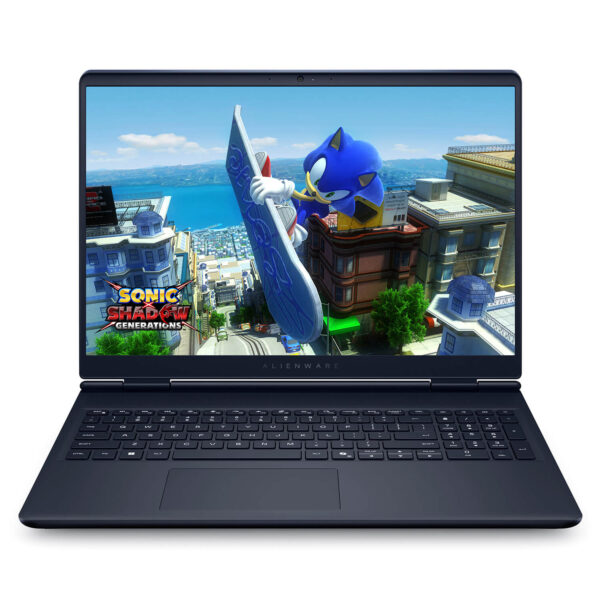



Alienware 16 Aurora (2025)
- CPU: Intel Core 7 240H Up To 5.2GHz (10 Cores, 16 Threads, 24MB Cache)
- RAM: DDR5 16GB 5600MHz
- SSD: 512GB PCIe Gen4 M.2 SSD
- VGA: NVIDIA® GeForce RTX™ 5050 8GB GDDR7
- DISPLAY: 16" QHD+ (2560*1600) 120Hz, ComfortView Plus, 100% sRGB, 300 nits
- CONDITION: New 100% Full Box
- WARRANTY: Bảo hành 12 tháng
- Exclusive Alienware Design & Optimized Cooling
- Superior Power with Intel Core 7/9 and RTX 50 Series
- 120Hz 2.5K Display from Alienware 16 Aurora (2025)
- AI Audio Integrated Sound System
- Keyboard & Touchpad on Alienware 16 Aurora (2025)
- Diverse Slots & Connectivity with Wi-Fi 7
- Overview and Review of Alienware 16 Aurora Gaming (2025)
- FAQ - Frequently Asked Questions about Alienware 16 Aurora (2025)
- Where to buy the Alienware 16 Aurora (2025) with good prices and reputation?
Alienware 16 Aurora (2025) brings a perfect combination of powerful performance and unique design, meeting the increasing expectations of gamers and content creators. With a futuristic appearance and high-end configuration, this laptop easily handles heavy games and intensive professional tasks. This is not just an ordinary gaming laptop, but also a new technological icon with numerous improvements in cooling, display, audio, and connectivity. The Alienware Aurora Gaming Laptop has truly asserted its position in the high-end segment thanks to its smooth operation and the peak experience it delivers.
Exclusive Alienware Design & Optimized Cooling
Alienware 16 Aurora (2025) makes a strong impression with its signature gaming design and superior cooling capabilities. Featuring an Interstellar Indigo anodized aluminum alloy shell with a satin finish, the machine offers a modern and stylish look, while integrating the iconic glowing Alienware logo. The design of this new model has been significantly optimized compared to traditional gaming lines, removing the thermal shelf to increase portability while maintaining high sturdiness and aesthetic detail in every component.
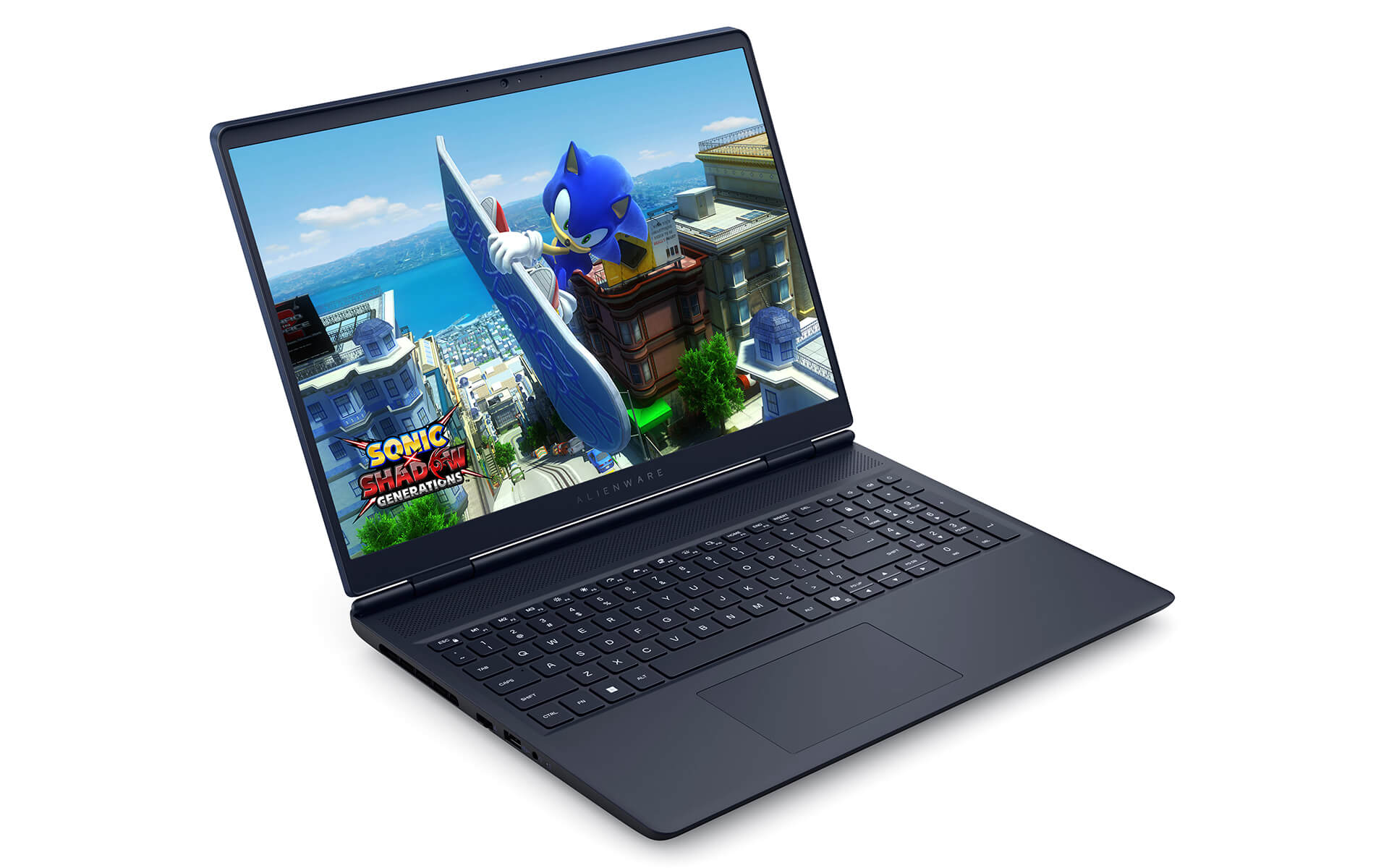
The laptop has a reasonable overall size with a rear height of 15.20 mm, front height of 18.61 mm, maximum height of 22.70 mm, width of 356.98 mm, and depth of 265.43 mm, with a weight ranging from 2.49-2.57 kg. This design, combined with an internal magnesium frame and aluminum exterior, helps increase durability and optimize weight, providing a comfortable feel during frequent use. Additionally, large air vents are scientifically arranged to accelerate hot air flow and limit overheating during continuous operation.
Cooling is a standout strength of the Alienware 16 Aurora, featuring the next-generation Cryo-Chamber system, integrated 3D copper heat pipes, quiet-operating fans, and strategic ventilation slots. As a result, the laptop always maintains stable performance when handling heavy tasks such as playing AAA games, video rendering, or intensive graphics work. This is clear evidence of Alienware's investment in user experience, especially for gamers and professional content creators.
Superior Power with Intel Core 7/9 and RTX 50 Series
Alienware 16 Aurora (2025) is equipped with an Intel Core i7-240H or i9-270H processor, delivering powerful performance with 10 and 14 cores respectively, meeting both gaming and intensive creative work needs. Maximum processing speeds reach 5.80 GHz, supporting Hyper-Threading and Turbo Boost to help process heavy tasks like video editing, 3D design, or live streaming smoothly and stably. This is one of the ideal choices for users with high performance requirements in multitasking environments.
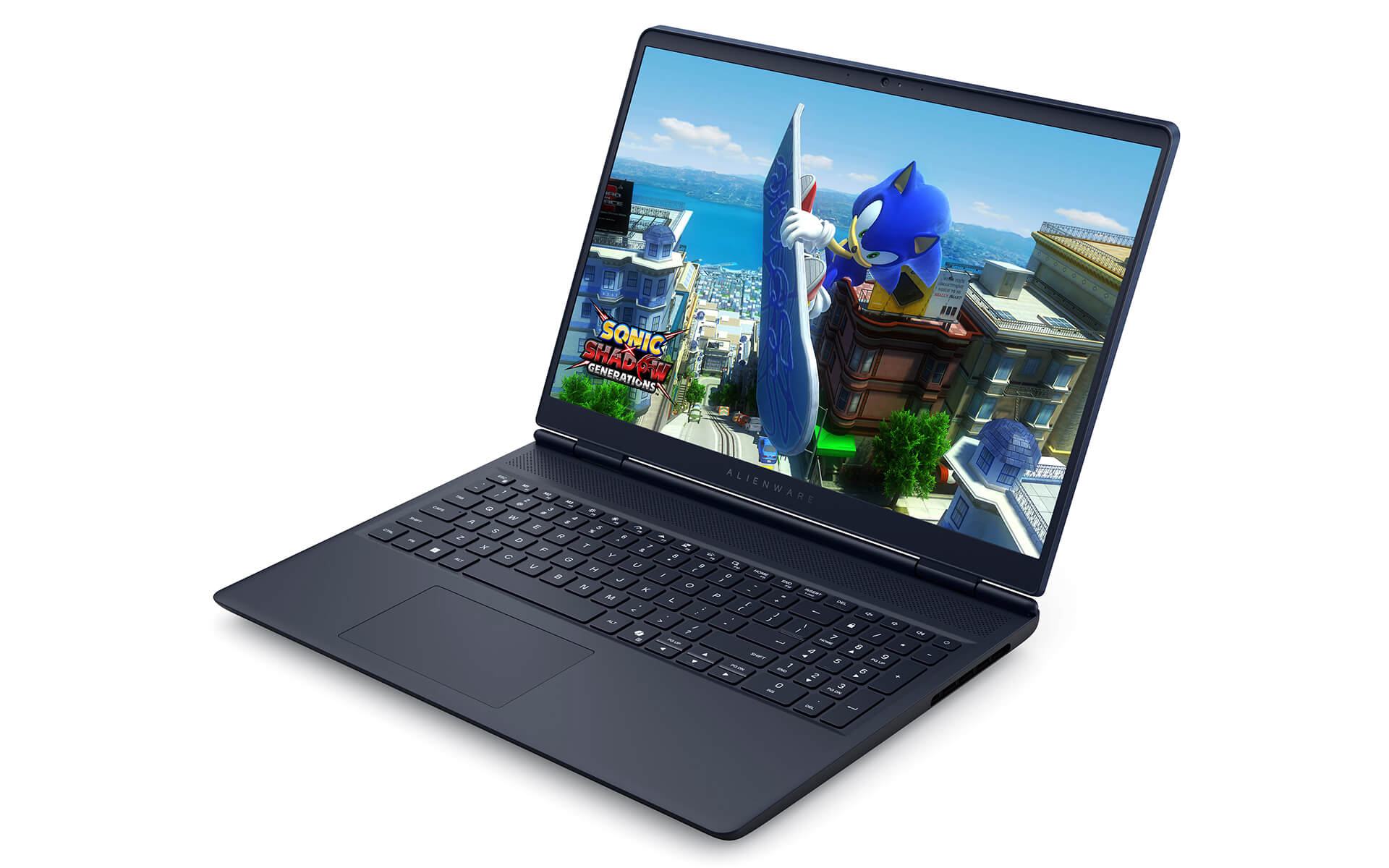
Regarding graphics capabilities, the Alienware 16 Aurora Gaming Laptop (2025) uses the NVIDIA GeForce RTX 5060 or RTX 5070 GPU with 8GB GDDR7, supporting Ray Tracing, DLSS 4 AI Enhancer, NVIDIA Reflex, and Broadcast technologies. This helps optimize the experience of playing AAA games like Cyberpunk 2077 or Horizon Zero Dawn at the highest settings, while also serving intensive graphics tasks well. With a maximum TGP of up to 115W, the machine maintains performance even during continuous operation.
Furthermore, the Alienware 16 Aurora gaming laptop also comes with DDR5 32GB 5600MT/s RAM and a 1TB PCIe NVMe SSD, ensuring extremely fast data access speeds. The flexible upgrade support allows users to easily expand the configuration when necessary. The combination of power, customizability, and stable performance makes this model an ideal tool for professional gamers, streamers, or content creators.
120Hz 2.5K Display from Alienware 16 Aurora (2025)
The screen of the Alienware 16 Aurora (2025) is equipped with a 2.5K panel (2560 x 1600), providing superior display quality with sharp images and high detail. Thanks to 100% sRGB color gamut coverage, this is an ideal choice for graphic designers, photo editors, and digital content creators, ensuring accurate color reproduction. The 120Hz refresh rate combined with ComfortView Plus technology helps reduce blue light, thereby limiting eye strain during long periods of work or entertainment.
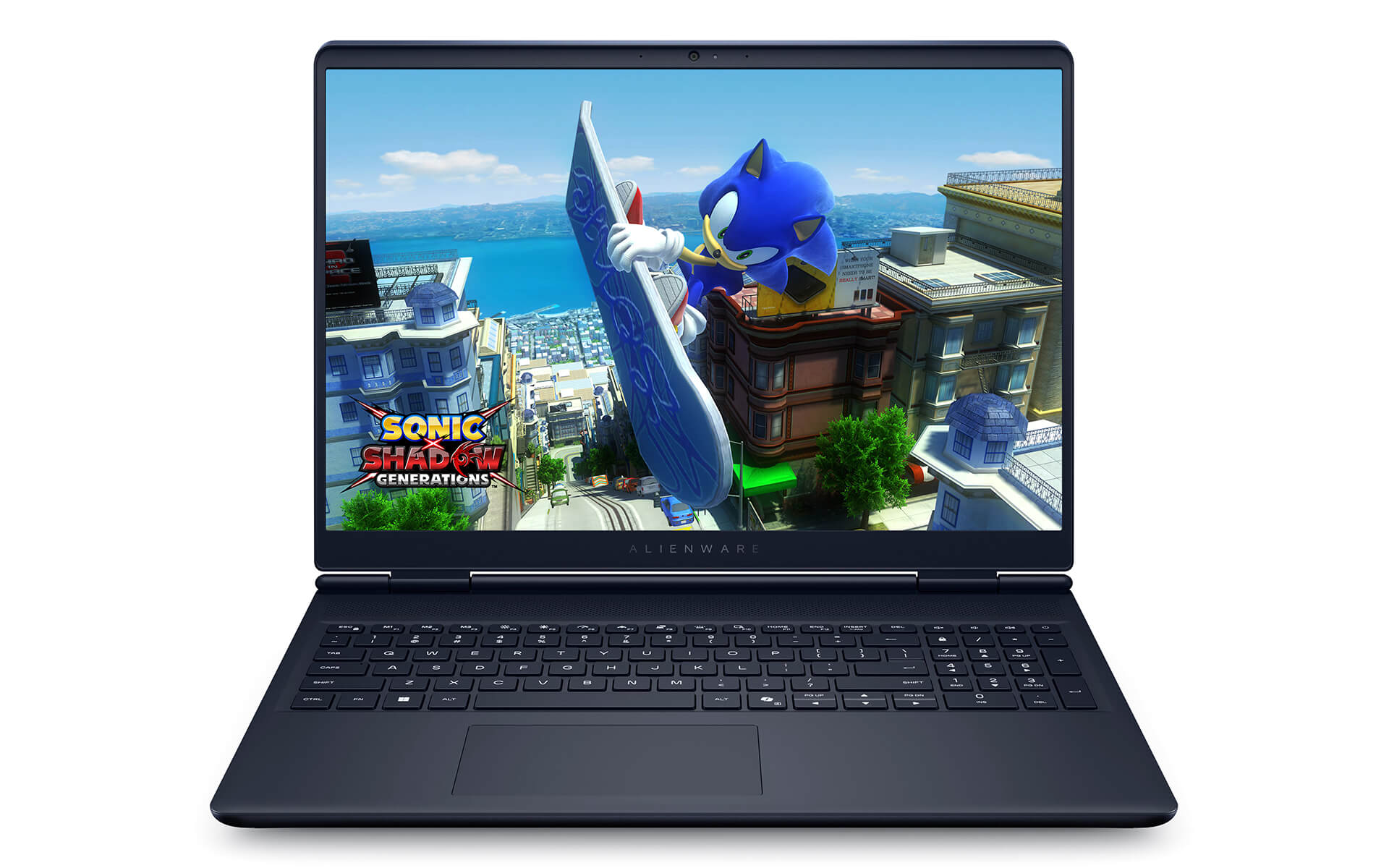
With WQXGA technology, the screen not only provides clear images but also optimizes power consumption. Fast response times and low latency provide maximum support in high-speed games, helping gamers react flexibly and accurately. This is a major plus for those pursuing eSports titles or needing quick reflexes in competitive environments.
Effective anti-glare capabilities and wide viewing angles ensure that displayed content is not distorted when changing viewing positions. Whether you are working outdoors or in a brightly lit environment, the Alienware 16 Aurora still provides a stable visual experience, helping you focus fully on work or entertainment without interruption.
AI Audio Integrated Sound System
Sound is always an important factor in the user experience, and the Alienware 16 Aurora has proven this with its integrated AI Audio stereo speaker system. This technology allows for detailed and realistic sound reproduction by using AI to analyze the surrounding space, balance volume, eliminate noise, and simulate accurate surround sound effects. Whether gaming, watching movies, or working, users can clearly feel every sound movement with higher realism compared to standard gaming laptops.
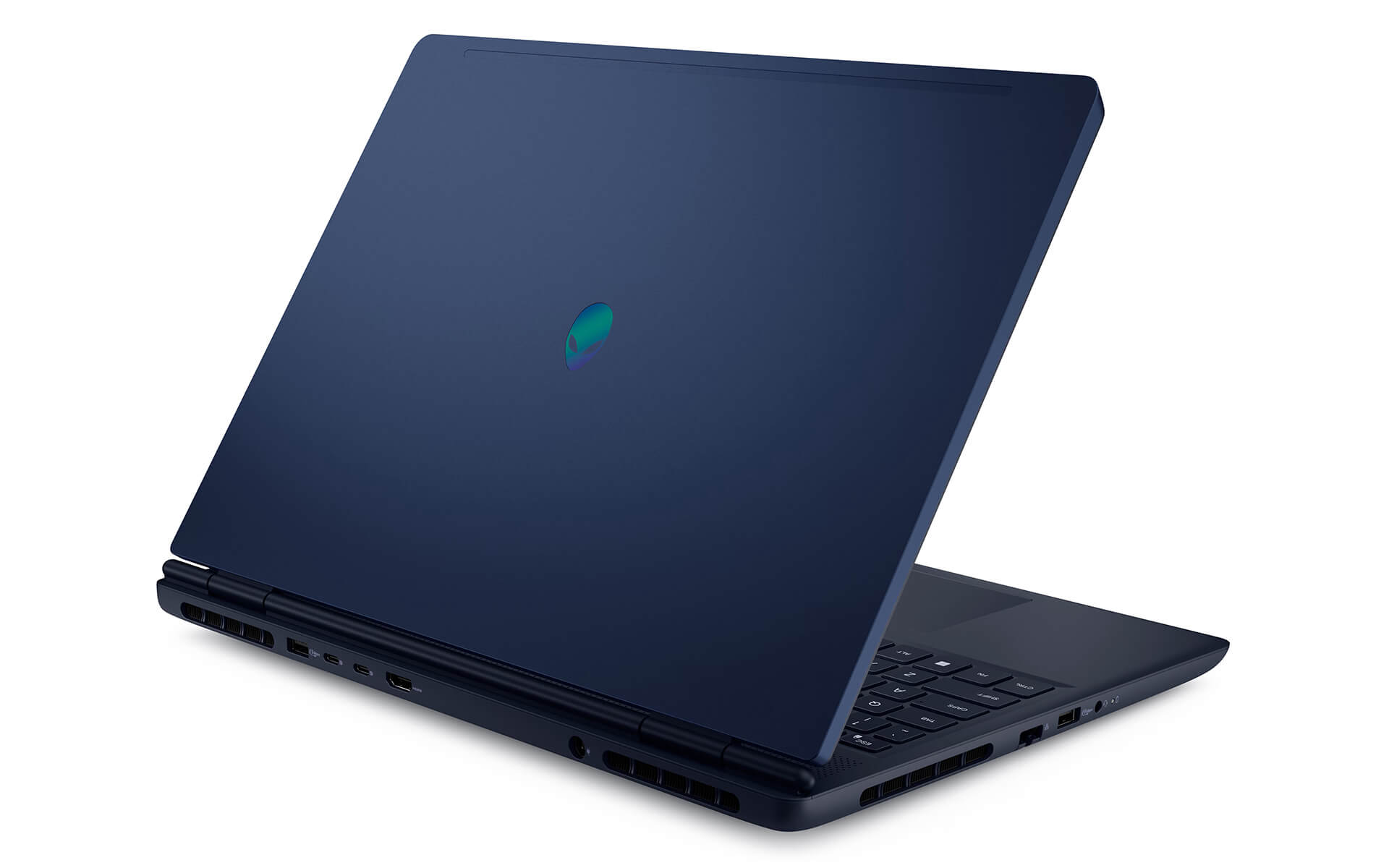
Not only improving the listening experience, AI Audio also optimizes dual-microphone performance to make online conversations clearer-especially useful for video meetings, game streaming, or content creation. This system works effectively with NVIDIA Broadcast to enhance audio and video quality during live streaming, while also supporting professional audio editing software, creating ideal conditions for users needing high performance in creative work. Consequently, the Alienware 16 Aurora is not just a gaming tool but also a comprehensive entertainment and work machine.
Keyboard & Touchpad on Alienware 16 Aurora (2025)
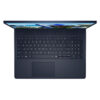
The keyboard of the Alienware 16 Aurora (2025) is optimized for both work and entertainment with a standard US layout and customizable white LED backlighting. The smooth typing feel, good tactile feedback, and reasonable key travel allow for precise operation, especially effective in high-speed games. Function keys such as F7 - Stealth Mode allow for quick switching between modes, increasing convenience and personalizing the user experience according to needs.
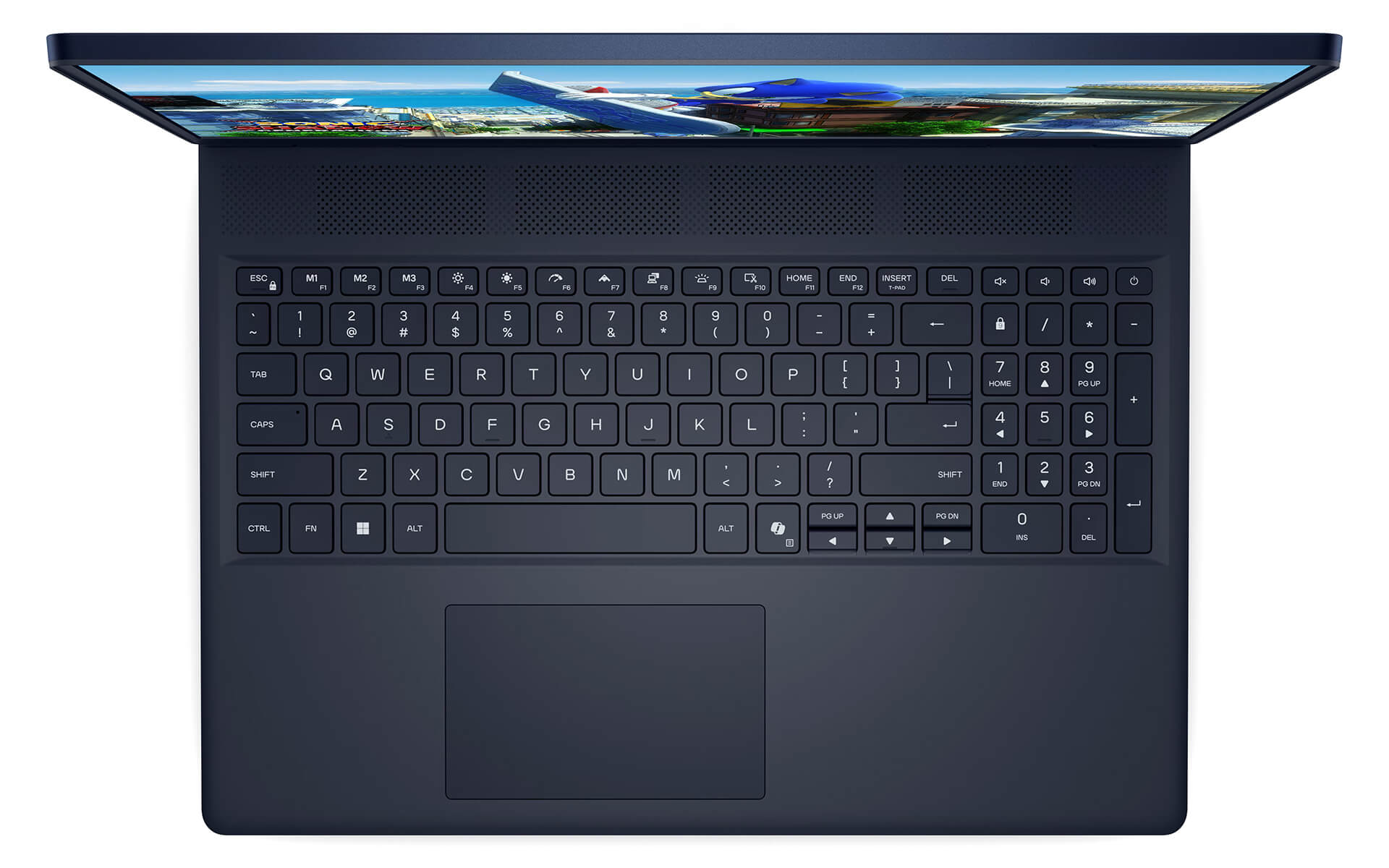
Additionally, the Premium Precision multi-touch touchpad is large in size with high sensitivity, supporting multi-touch gestures like swiping, tapping, and zooming smoothly. Advanced touch technology enables precise navigation, suitable for both graphic tasks and office use. The integration of smart touch options also contributes to enhancing multitasking capabilities, bringing a modern and flexible experience to professional users.
Diverse Slots & Connectivity with Wi-Fi 7
Equipped with a modern connection system, the Alienware 16 Aurora supports various interfaces such as USB 3.2 Gen 1 and Gen 2, USB Type-C with DisplayPort 1.4a, Power Delivery, along with HDMI 2.1, an RJ45 1GbE Ethernet port, a 3.5mm audio jack, and a dedicated power port. These ports are not only conveniently arranged but also ensure fast and stable data transfer speeds, helping users easily expand connections with peripherals such as external monitors, portable hard drives, specialized headphones, or gaming mice.
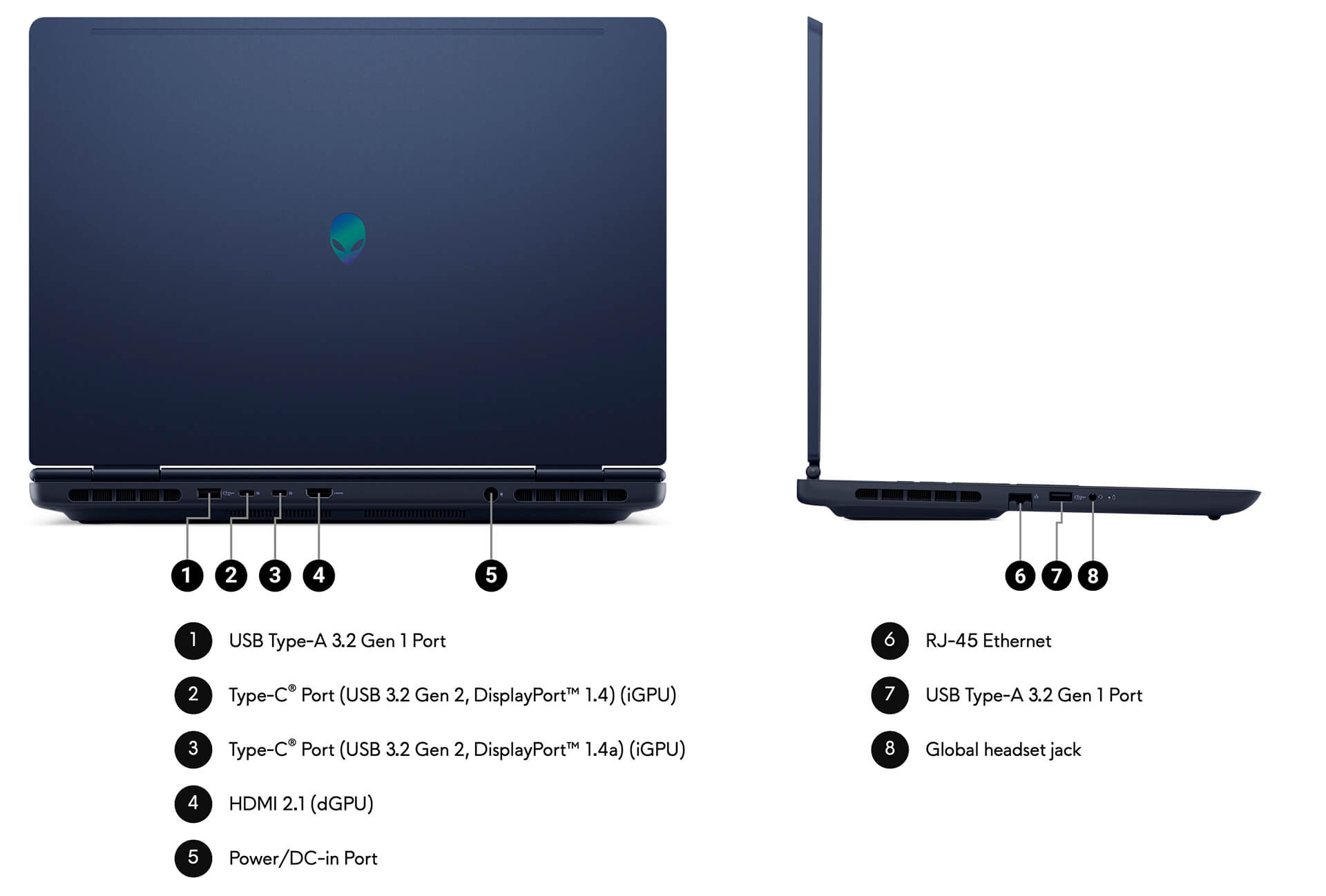
Another highlight comes from the latest Wi-Fi 7 technology, providing superior network speeds, low latency, and the ability to maintain smooth connections even in environments with many devices. Additionally, next-generation Bluetooth helps connect quickly with wireless accessories, optimizing the mobile experience. These features not only elevate the Alienware 16 Aurora (2025) in its role as a gaming machine but also turn it into an ideal multitasking work and connectivity tool for modern users.
Overview and Review of Alienware 16 Aurora Gaming (2025)
After a comprehensive review, the Alienware 16 Aurora (2025) stands out with a combination of exclusive design, premium materials, and superior gaming performance. Featuring the latest Intel Core i7/i9 CPU, NVIDIA RTX 50 Series GPU, 32GB DDR5 RAM, and a 120Hz 2.5K screen, this laptop model easily meets needs ranging from AAA gaming to 3D modeling, video editing, and professional streaming. Dedicated AI and NPU technology helps optimize performance and effectively save power, while the Cryo-Chamber cooling system ensures stability in all high-intensity usage situations.
However, the high price remains a factor for some users to consider, especially when compared to laptops with similar configurations on the market. The integration of many new technologies also requires the operating system and software to be well-optimized to exploit the full potential. Nevertheless, for those pursuing a premium experience and demanding distinction in both design and performance, the Alienware 16 Aurora remains a cutting-edge option worth considering in the 2025 gaming laptop segment.
| Pros | Cons |
|---|---|
|
|
FAQ - Frequently Asked Questions about Alienware 16 Aurora (2025)
1. Is the Alienware 16 Aurora powerful enough for programming and heavy office work?
With an Intel Core 7-240H Series 2 CPU (10 cores, up to 5.2 GHz), up to 32 GB DDR5 RAM, and a 1 TB NVMe SSD, the machine can easily handle tasks such as compiling large codebases, Docker, running virtual machines, and data analysis without lagging.
2. Is the 16
The machine is equipped with a 16″ WQXGA (2,560 × 1,600) 120 Hz screen, 300 nits brightness, and 100% sRGB, making it suitable for a clear experience when reading code, viewing reports, or light photo editing.
3. Does the machine make good use of the RTX 5060/4050 GPU for 2D/3D graphics or gaming?
The NVIDIA RTX 4050 or 5060 GPU supports software like Photoshop, Illustrator, and light 3D SolidWorks. When playing AAA games, the machine can play well at high settings with smooth frame rates.
4. If I open code, IDE, games, and software simultaneously on the Alienware 16 Aurora, will it overheat or throttle?
Thanks to the new design with the Cryo-Chamber cooling system and dual fans, the machine manages heat well and does not throttle under high loads. According to Windows Central, the Alienware Aurora R16 runs cool and fan noise is at an acceptable level.
Source: Tom's Hardware
5. What is the actual battery life when using code, Office, and light gaming?
The machine uses a 60Wh battery (base version) or 96Wh (upgraded version); the battery lasts about **approximately 6-8 hours** when coding, browsing, or using Office - quite good for a large gaming laptop.
6. Does the Alienware 16 Aurora run Linux well for developers?
While Dell supports Linux for Aurora desktop lines, for laptops, you may need to check specific drivers. According to the community, previous Aurora training series versions could install Ubuntu/Fedora, requiring only initial audio and Wi-Fi driver adjustments.
Source: Dell Community - Linux support
7. Can the Alienware 16 Aurora play AAA games well at high settings?
The RTX 5060 is sufficient to play AAA games like Cyberpunk 2077, Elden Ring, or Warzone at high settings and WQXGA resolution smoothly at 60-90 FPS.
8. Is the machine enough for heavy 3D modeling or long video rendering?
The RTX 5060 GPU has enough power to render medium 3D scenes and handle 1080p video layouts, but for heavy 3D projects or 4K video editing, you should consider the X16 version or the Aurora R16 desktop with an RTX 4070 or higher.
9. Is the Alienware 16 Aurora stable when multitasking heavily like code + VM + games?
Superior multitasking capability thanks to the 10-core CPU, large RAM, and SSD; the cooling system maintains stable performance without drops, making it suitable for developers who are also gamers.
10. What is the warranty policy at Hung Phat Laptop for the Alienware 16 Aurora?
Hung Phat Laptop provides a 12-month warranty for new machines and a 30-day replacement if there are manufacturer defects. Likenew or used machines are warranted for 6 months, still applying the 30-day replacement in the first month, with free cleaning, software installation support, and nationwide delivery.
Where to buy the Alienware 16 Aurora (2025) with good prices and reputation?
For those looking for a high-end gaming laptop with powerful performance and a unique design, the Alienware 16 Aurora (2025) is a worthwhile choice. The machine features a powerful configuration and integrates a series of modern technologies, suitable for both gaming and content creation. However, to buy genuine products at a reasonable price, choosing a reputable seller is essential.
Hung Phat Laptop is an authorized distributor of officially imported Alienware, committing to genuine products, transparent documentation, and clear warranties. When buying here, you will receive professional consultation along with many attractive offers. If you are interested in the Alienware 16 Aurora (2025), please contact Hung Phat Laptop for the best support and most competitive prices.
Performance & benchmarks Alienware 16 Aurora (2025)
Intel Core 7 240H NVIDIA GeForce RTX 5050 Laptop - best for Lập trình 8.5/10, Văn phòng 8.5/10.
Intel Core 7 240H
- Cinebench R23 (đa nhân)15,764
- Geekbench 6 (đa nhân)12,524
- Geekbench 6 (đơn nhân)2,497.5
- Cores / Threads10/16
NVIDIA GeForce RTX 5050 Laptop
- 3DMark Time Spy9,122
- 3DMark Fire Strike24,926.5
- VRAM8 GB
- AI INT8440 TOPS
- ArchitectureBlackwell
Best for
Scored from real benchmarks- Chơi game Recommended6.5/10
- Dựng phim / Đồ hoạ Recommended6.5/10
- Lập trình Recommended8.5/10
- Văn phòng8.5/10
- AI / Sáng tạo AI5.5/10
Why CPU matters
CPU là “bộ não” xử lý mọi tác vụ: mở ứng dụng, đa nhiệm, biên dịch, dựng phim. CPU càng mạnh, máy càng nhanh và mượt khi làm nhiều việc cùng lúc.
- Cơ bảnThis product
Lướt web, xem phim, soạn thảo văn phòng nhẹ.
- Phổ thôngThis product
Văn phòng, đa nhiệm vừa, học tập.
- Tầm trungThis product
Đa nhiệm tốt, lập trình, đồ hoạ nhẹ.
- Khá mạnhThis product
Dựng phim, lập trình nặng, ảo hoá, chơi game.
- Cao cấpThis product
Render nặng, biên tập 4K/8K, máy ảo, tác vụ AI.
Why GPU matters
GPU (card đồ hoạ) lo phần hình ảnh: chơi game, dựng video, render 3D và tăng tốc AI. GPU càng mạnh, khung hình game càng cao và xuất video càng nhanh.
- Cơ bản (iGPU)This product
Hiển thị mượt, xem phim 4K, game rất nhẹ (LMHT, Valorant mức thấp).
- Phổ thôngThis product
Game eSports 1080p, chỉnh ảnh, dựng video nhẹ.
- Tầm trungThis product
Game 1080p thiết lập trung-cao, dựng video Full HD ổn.
- Khá mạnhThis product
Game 1080p/1440p thiết lập cao, dựng video 4K, render 3D.
- Cao cấpThis product
Game 4K/240Hz, ray tracing, render & AI nặng.
Game performance
Real FPS - QHD- Dota 2125 fps1080p Ultra
- GTA V95 fpsQHD Ultra
- Battlefield 656 fps1080p Ultra
- Star Wars Outlaws23 fpsQHD Ultra
- Cyberpunk 207746 fpsQHD Ultra
🟢 ≥60fps rất mượt · 🟡 30-60fps chơi tốt · 🔴 <30fps cần giảm thiết lập
Local AI performance
Tokens/second running locally on GPU 8GB VRAM- Llama 3.2 11B Vision6.1 GB · ctx 128K44 tok/sDecent
- Gemma 4 E2B IT5.6 GB · ctx 256K48 tok/sDecent
- GLM-4 9B5.1 GB · ctx 128K53 tok/sDecent
- Gemma 4 E4B4.6 GB · ctx 256K58 tok/sRuns well
- Ministral 8B4.6 GB · ctx 32K58 tok/sRuns well
- Qwen 3.5 4B4.6 GB · ctx 32K58 tok/sRuns well
- DeepSeek R1 Distill 7B4.1 GB · ctx 64K66 tok/sRuns well
- Gemma 4 E2B3.1 GB · ctx 256K87 tok/sRuns great
- Qwen 3.5 2B2.5 GB · ctx 32K108 tok/sRuns great
- Phi-4 Mini Reasoning2.4 GB · ctx 16K112 tok/sRuns great
- Llama 3.2 3B2 GB · ctx 128K134 tok/sRuns great
- SmolLM3 3B2 GB · ctx 128K134 tok/sRuns great
- DeepSeek R1 1.5B1.3 GB · ctx 64K207 tok/sRuns great
- Qwen 3.5 0.8B1.3 GB · ctx 32K207 tok/sRuns great
- TinyLlama 1.1B1.1 GB · ctx 2K244 tok/sRuns great
- Llama 3.2 1B1 GB · ctx 128K269 tok/sRuns great
- Gemma 3 12B6.6 GB · ctx 128K41 tok/sDecent
- Mistral Nemo 12B6.6 GB · ctx 128K41 tok/sDecent
- Gemma 2 9B5.1 GB · ctx 8K53 tok/sDecent
- Nemotron Nano 9B v25.1 GB · ctx 128K53 tok/sDecent
- Llama 3.1 8B4.6 GB · ctx 128K58 tok/sRuns well
- Qwen 3 8B4.6 GB · ctx 128K58 tok/sRuns well
- Mistral 7B v0.34.1 GB · ctx 32K66 tok/sRuns well
- Qwen 2.5 7B4.1 GB · ctx 128K66 tok/sRuns well
- Qwen 2.5 Coder 7B4.1 GB · ctx 128K66 tok/sRuns well
- Qwen 3 4B2.5 GB · ctx 32K108 tok/sRuns great
- Gemma 3 4B2.5 GB · ctx 128K108 tok/sRuns great
- Phi-3.5 Mini2.4 GB · ctx 128K112 tok/sRuns great
- Gemma 2 2B1.5 GB · ctx 8K179 tok/sRuns great
- Qwen 3 1.7B1.4 GB · ctx 32K192 tok/sRuns great
- Qwen 2.5 Coder 1.5B1.3 GB · ctx 32K207 tok/sRuns great
- Qwen 3 0.6B1.1 GB · ctx 32K244 tok/sRuns great
- Gemma 3 1B1 GB · ctx 32K269 tok/sRuns great
🟢 Great · 🟡 Well · 🟠 Decent - 4-bit quantized, ctx = context window
No comments yet
Q&A about Alienware 16 Aurora (2025)
Frequently asked questions about Alienware 16 Aurora (2025)
What are the specifications of Alienware 16 Aurora (2025)?
• Version 1: CORE 7 240H / 16GB / 512GB / RTX 5050 8GB / QHD+ 120 Hz
• Version 2: CORE 9 270H / 32GB / 1TB / RTX 5070 8GB / QHD+ 120 Hz
What is the warranty for Alienware 16 Aurora (2025)?
Can I buy Alienware 16 Aurora (2025) with home delivery?
Worth a Look
 2 configurations
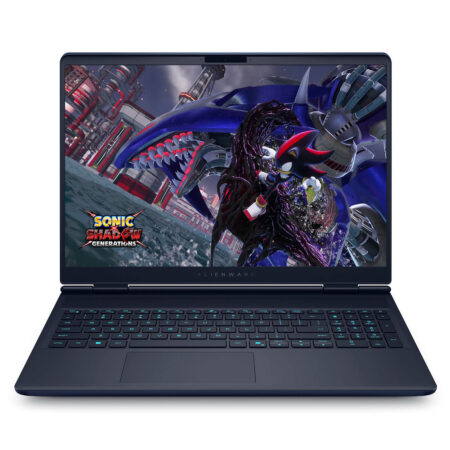
Alienware 15 Gaming Laptop (2026)
 2 configurations
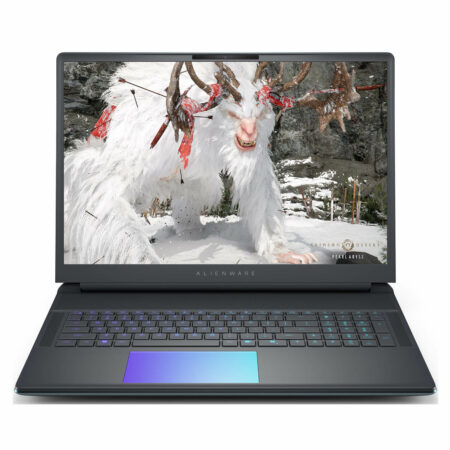
Alienware 16X Aurora (2025)
 2 configurations
Alienware 18 Area-51 (2025)
 2 configurations
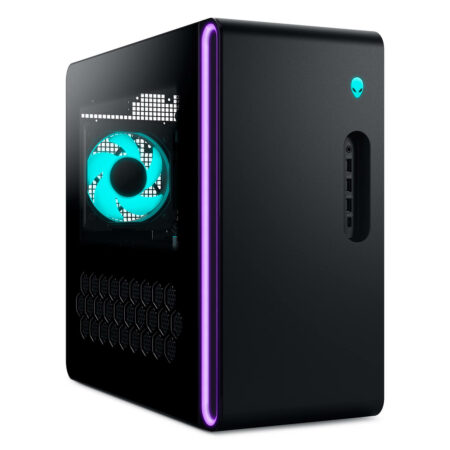
Alienware 16 Area-51 (2025)





Minh Quân 04/08/2026
It runs incredibly smoothly; playing AAA games is completely lag-free. The 2.5K screen is crystal clear, the cooling is efficient, and it is truly worth every penny.
Anh Lâm 25/06/2025Purchased at Hung Phat
Super fast delivery; unboxing it yourself feels absolutely amazing!
Anh Hùng Cường 16/04/2025Purchased at Hung Phat
Our shop provides dedicated consultation on everything from CPU and GPU to cooling systems, ensuring your machine operates quietly and smoothly while gaming.