Gaming Monitor

100% genuine 12-month warranty Fast nationwide delivery

Sort by: 3 products
Learn more

An expensive monitor is not necessarily the right fit if its size, resolution, and your viewing distance do not match your daily gaming habits. Alienware gaming monitor models at Hung Phat Laptop currently focus on three 240Hz QD-OLED options, divided by needs: 27-inch 4K flat, 31.6-inch 4K curved, and 34-inch ultrawide curved. The article below helps buyers in Ho Chi Minh City distinguish each model before picking the right display space.

Alienware QD-OLED gaming monitors differ in how you choose their size

When choosing an external monitor for a gaming PC or laptop, the first specification to check is not just the refresh rate. Size, resolution, panel type, and curve profile determine how it feels during long-term use. With the Alienware QD-OLED lineup currently in stock at Hung Phat, all three target users looking for high-contrast visuals, fast speeds, and a much clearer display area than mainstream monitors.

Alienware QD-OLED gaming monitors differ in how you choose their size

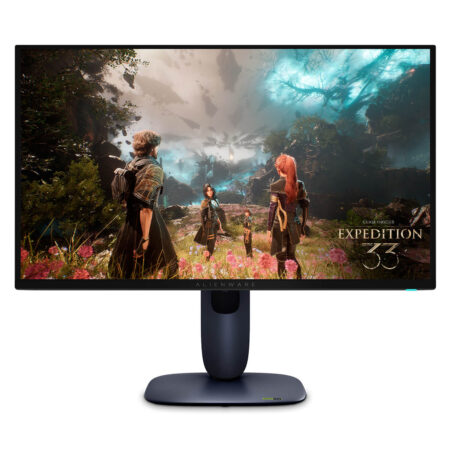
The Alienware AW2725Q QD-OLED is ideal for desks that are not too deep, users sitting close, and those prioritizing the sharpness of a 27-inch 4K screen. Dell specifies this model with 4K resolution, a 240Hz refresh rate, and QD-OLED technology with a 166 PPI pixel density, depending on the market. Users can also refer to the official catalog at Alienware Gaming | Dell USA.

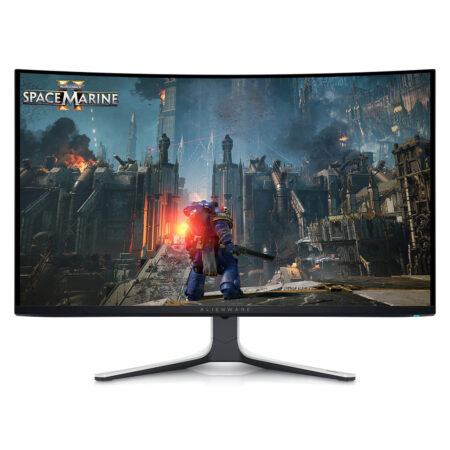
The Alienware AW3225QF QD-OLED steps up to the 31.6-inch 4K curved category, well suited for those wanting a larger canvas while preserving sharp detail. With a more comfortable viewing distance, a curved gaming monitor wraps your field of view more naturally than a flat screen of the same large size. This is a standout choice if you balance gaming, HDR media consumption, and the need for expansive screen real estate across multiple windows.

Price list of Alienware 240Hz gaming monitors available at Hung Phat

The three models below are all Alienware QD-OLED 240Hz monitors currently in stock in Hung Phat Laptop's Gaming Monitor category. Prices are rounded for segment reference; exact pricing and configurations are listed on each individual product page.

Product Type Highlights Reference Price
Alienware AW2725Q QD-OLED 27 inch, UHD, flat QD-OLED 240Hz, Dell-specified 166 PPI pixel density around VND 22 million
Alienware AW3225QF QD-OLED 31.6 inch, UHD, curved QD-OLED 240Hz, HDMI 2.1 FRL, eARC support around VND 28 million
Alienware AW3425DW QD-OLED 34 inch, WQHD, curved QD-OLED 240Hz, ultrawide, G-SYNC Compatible support around VND 28 million

If you prioritize a 240Hz gaming monitor for a compact setup, the Alienware AW2725Q QD-OLED (27 inch / UHD / QD-OLED / 240Hz) is the easiest to arrange. The 27-inch size also allows users to scan the entire frame more quickly during fast-paced competitive games that demand quick reflexes.

In the larger segment, the Alienware AW3225QF QD-OLED (32 inch / UHD / QD-OLED / 240Hz / Curved) suits users who want 4K on a spacious display canvas. According to Dell's published specs, both the AW2725Q and AW3225QF feature Dolby Vision, 99% DCI-P3, DisplayHDR True Black 400, and a 0.03ms GtG response time, depending on the market.

How to choose between flat, curved, or ultrawide OLED gaming monitors

A 27-inch flat monitor typically works best on desks of moderate depth and for games where tracking the whole screen at a glance is key. When 4K resolution is packed into a 27-inch screen, text, icons, and image details appear razor-sharp once display scaling in your OS is set properly. This makes the AW2725Q a well-balanced pick for users who split time between gaming and working with text or detail-rich interfaces.

A curved gaming monitor like the AW3225QF proves its worth as screen size expands to 31.6 inches and you sit at an appropriate distance. The curve pulls the outer edges into your natural field of view, particularly in wide-angle games or when enjoying 4K content. Still, users who do extensive work with straight lines, graphic layouts, or spreadsheets should weigh their personal habits before opting for a curved panel.

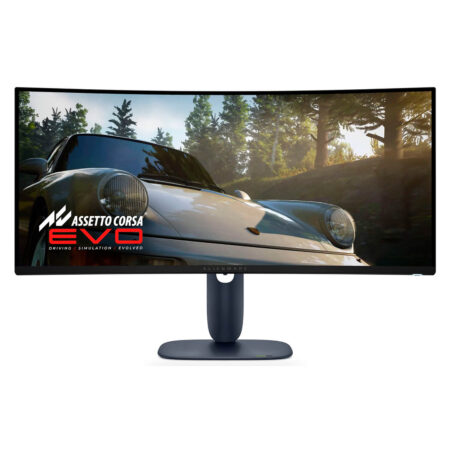
For those who prefer a cinematic view or need broad horizontal workspace, the Alienware AW3425DW QD-OLED (34 inch / WQHD / QD-OLED / 240Hz / Curved) represents the ultrawide entry in this lineup. Dell states this model delivers 99.3% DCI-P3, Delta E under 2, DisplayHDR True Black 400, a 1000-nit HDR peak, and support for NVIDIA G-SYNC Compatible, AMD FreeSync Premium Pro, and VESA AdaptiveSync.

Compared to other Alienware gaming gear like an Alienware mouse or an Alienware AW510K keyboard, the monitor is an investment that directly impacts visual immersion across every task. If you already own a high-performance PC or laptop, prioritize choosing a monitor based on your output resolution, viewing distance, and the game genres you play most. You can explore the full range of gaming accessories in the Gaming Gear category.

Frequently asked questions when choosing an Alienware gaming monitor

Should I choose the Alienware AW2725Q or AW3225QF?

The AW2725Q is best for those who want a 27-inch flat 4K monitor that easily fits any desk while delivering high pixel density. The AW3225QF is suited for users who want a 31.6-inch curved 4K screen with a larger canvas and a more immersive, wrapping viewing experience.

Does a 240Hz gaming monitor require a high-end PC build?

To take full advantage of 240Hz at high resolutions, your PC or laptop needs sufficient performance to output corresponding frame rates for the games you play. On demanding titles, you can still reap the benefits of the QD-OLED panel, HDR, and ultra-fast pixel response times even if you are not hitting a full 240 frames per second at all times.

How does an OLED gaming monitor differ from a standard IPS monitor?

QD-OLED delivers major advantages in contrast, color vibrancy, and ultra-low response times, making it ideal for fast-paced gaming and HDR content. IPS still holds its own in terms of price-to-performance and widespread availability, but in this category, Hung Phat currently focuses on three 240Hz Alienware QD-OLED models.

Should I choose a curved gaming monitor for a small desk?

If your desk is compact and your viewing distance is close, a 27-inch flat monitor is generally easier to track across the full screen. Curved gaming monitors at 31.6 inches or 34 inches call for a deeper, roomier setup so you can view the entire display comfortably over long sessions.