Gaming Mouse

100% genuine 12-month warranty Fast nationwide delivery

Sort by: 3 products
Learn more

An off-target cursor can ruin your gaming focus even more than dropping a few frames on screen. A gaming mouse is therefore not just an add-on accessory, but the crucial touchpoint connecting your hand movements, connection stability, and grip style. Hung Phat currently distributes in-stock Alienware mouse models in Ho Chi Minh City, and the guide below will help you distinguish each option before making a decision.

Alienware gaming mice tailored for gamers who prioritize stability

With gaming gear, the in-hand feel and handling stability often matter far more than any single spec sheet number. The Alienware mouse lineup at Hung Phat offers three clear directions: the Pro Wireless for competitive players, the 720M Tri-Mode for versatile connectivity needs, and the 610M for those who want both wired and wireless capabilities at a more accessible price point.

Alienware gaming mice tailored for gamers who prioritize stability

What all three share is Alienware's iconic design language in two signature colorways - Lunar Light and Dark Side of the Moon - making them ideal to pair with monitors, keyboards, or gaming laptops within the same ecosystem. Buyers looking for an Alienware mouse should start from their actual usage: FPS titles demand rapid response, a mix of work and gaming calls for flexible connectivity, while dedicated desk users can prioritize budget.

Dell currently positions Alienware within its high-performance gaming hardware segment, spanning QD-OLED monitors and mechanical keyboards to wireless gaming mice. Detailed ecosystem information can be found on the Alienware Gaming | Dell USA page, where each accessory line is targeted toward competitive esports, entertainment, and synchronized battle station setups.

Price list of Alienware gaming mice currently in stock at Hung Phat

The catalog currently features three in-stock Alienware mouse models, all genuine gaming gear distributed by Hung Phat. The prices below are rounded estimates for segment reference; exact pricing and available color options are shown on each individual product page.

Product Type Highlights Reference Price
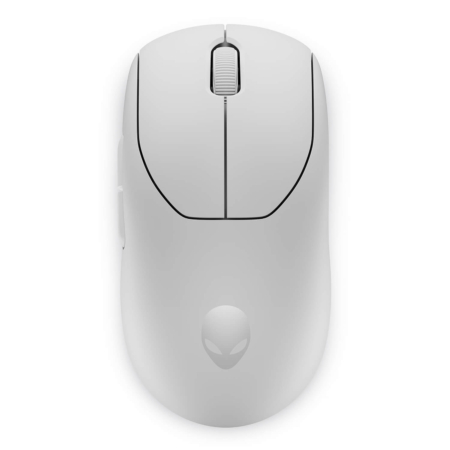
Alienware Pro Wireless Gaming Mouse Wireless gaming mouse Esports-focused, Lunar Light and Dark Side of the Moon colorways around VND 3 million
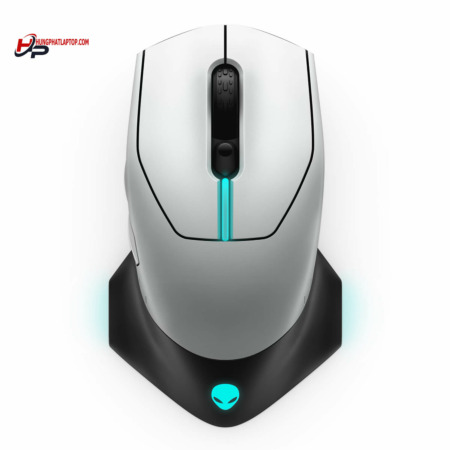
Alienware 720M Tri-Mode Wireless Gaming Mouse Tri-mode wireless mouse 26,000 DPI, Bluetooth support, magnetic snap charging, up to 140 hours of battery life via USB-C dongle around VND 3 million
Alienware 610M Wired/Wireless Gaming Mouse Wired/wireless mouse Wired and wireless modes, more mainstream positioning around VND 2 million

As you can see, the main difference lies in intended use cases rather than just price. The Alienware Pro Wireless Gaming Mouse caters to players who prioritize a lightweight, compact feel, rapid response times, and a minimalist tournament-ready setup. It is a compelling choice if you already own a quality mouse pad and want to eliminate cable drag across your desk.

If you need a wireless gaming mouse with a better balance between gaming and daily productivity, the Alienware 720M Tri-Mode Wireless Gaming Mouse holds the advantage with its tri-mode connectivity. Bluetooth support helps free up laptop ports, while the USB-C dongle delivers the rock-solid connection required for marathon gaming sessions.

How to choose a gaming mouse by connectivity, DPI, battery life, and grip style

Connectivity should be the first criterion you consider. Players stationed at a fixed desk setup can opt for a wired mouse or use wired mode to eliminate battery concerns, while those frequently on the move with a laptop will find a wireless gaming mouse much more convenient. For users needing both scenarios, the Alienware 610M Wired/Wireless Gaming Mouse provides an accessible gateway into the Alienware lineup.

DPI reflects optical sensor sensitivity, but higher numbers do not automatically translate to better performance. In shooters, many players intentionally lower their DPI for more controlled crosshair tracking, fine-tuning their actual sensitivity in-game. The AW720M features 26,000 DPI, giving you plenty of headroom to adapt to different screen resolutions, personal handling habits, and mouse pad surfaces; for the AW610M, choose based on your daily wired or wireless needs.

Battery life must also align with real-world routines. Dell rates the AW720M for up to 140 hours via the USB-C wireless dongle, with a quick 5-minute charge delivering up to 20 hours of gameplay - perfect for gamers who prefer not to charge frequently. The AW610M suits those looking for the flexibility of alternating between wired and wireless modes.

Grip style is tough to gauge from specs alone, yet it directly shapes your in-game control. Palm grip users typically need a fuller mouse body that supports the entire palm, claw grip players look for textured sides and crisp click response, while fingertip grip users require lightweight agility at the fingertips. When selecting a genuine gaming mouse, Hung Phat always recommends weighing technical specs, colors, and your natural grip habits together rather than deciding on price alone.

Frequently asked questions when choosing an Alienware gaming mouse

Should I choose a wireless or wired gaming mouse?

If you prefer a clutter-free desk, unrestricted movement, and frequently use a laptop, a wireless gaming mouse is the ideal choice. If you game strictly at a dedicated desktop setup and prefer never worrying about recharging, a wired mouse or a hybrid model supporting both modes is much easier to manage.

What are the main differences between the Alienware 720M and Alienware 610M?

The Alienware 720M is a tri-mode wireless mouse featuring Bluetooth connectivity, a 26,000 DPI sensor, and magnetic snap charging. The Alienware 610M offers dual wired and wireless modes with a more mainstream price-to-performance positioning in the Alienware mouse family.

Does higher DPI make you game better?

A higher DPI provides a wider adjustment range, but optimal in-game performance also depends on your in-game sensitivity settings, display resolution, and personal hand control. Gamers should focus on a DPI level that provides consistent, stable control rather than chasing the highest number on paper.

What color options are available for Alienware mice at Hung Phat?

Alienware mouse models in our catalog are available in Lunar Light and Dark Side of the Moon finishes. You can choose the colorway that best matches your existing gaming gear to achieve a unified setup alongside your Alienware keyboard, monitor, or laptop.