


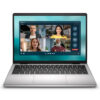
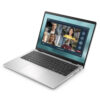
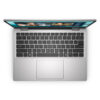
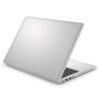
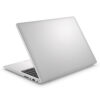
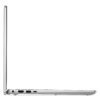
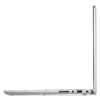
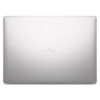
DELL 14 DC14250 (2025)
- CPU: Intel Core 5 120U Up To 5.0GHz (10 Cores, 12 Threads, 12MB Cache)
- RAM: DDR5 16GB 5200MHz
- SSD: 512GB PCIe M.2 SSD
- VGA: Intel® Graphics
- DISPLAY: 14" FHD+ IPS (1920 x 1200), Non-Touch, Anti-Glare, 300 nits
- COLOR: Aluminum - Platinum Silver
- OS: Windows 11 Home & Office 2024
- CONDITION: New 100% Full Box
- WARRANTY: Bảo hành Chính hãng 12 tháng
- Premium Aluminum Design: Compact and Portable
- Versatile Performance with Next-Gen Intel Processors
- Sharp 14-inch 2K Display: Easy on the Eyes
- Smart Experience with AI Copilot Assistant
- Keyboard, Touchpad & Fingerprint Security
- Diverse Connectivity & All-Day Battery Life
- Overview and Review: Dell 14 DC14250 (2025)
- FAQ - Frequently Asked Questions about Dell 14 DC14250 (2025)
- Where to buy the Dell 14 DC14250 (2025) at a reliable store with the best price?
Dell 14 DC14250 (2025) is a compact office laptop from the Dell 14 series, designed for general users, students, and office professionals seeking a lightweight, durable, and capable machine for daily tasks. It stands out with its premium aluminum chassis, a sharp 14-inch 2K display, and flexible configuration options, allowing you to choose from standard models to high-performance versions based on your needs. This article provides a detailed analysis of the Dell 14 DC14250, covering its design, performance, and real-world user experience.
Premium Aluminum Design: Compact and Portable
The Dell 14 DC14250 (2025) makes a lasting impression with its sophisticated and professional aesthetic, featuring a durable aluminum chassis in a modern silver finish. Its minimalist design and clean lines offer a premium feel that exceeds its price point, making it perfect for classrooms, offices, or coffee shops while maintaining a professional look. The series offers two options to suit different tastes and budgets: a sophisticated Silver Aluminum version and a stylish, youthful Carbon Black Plastic version.
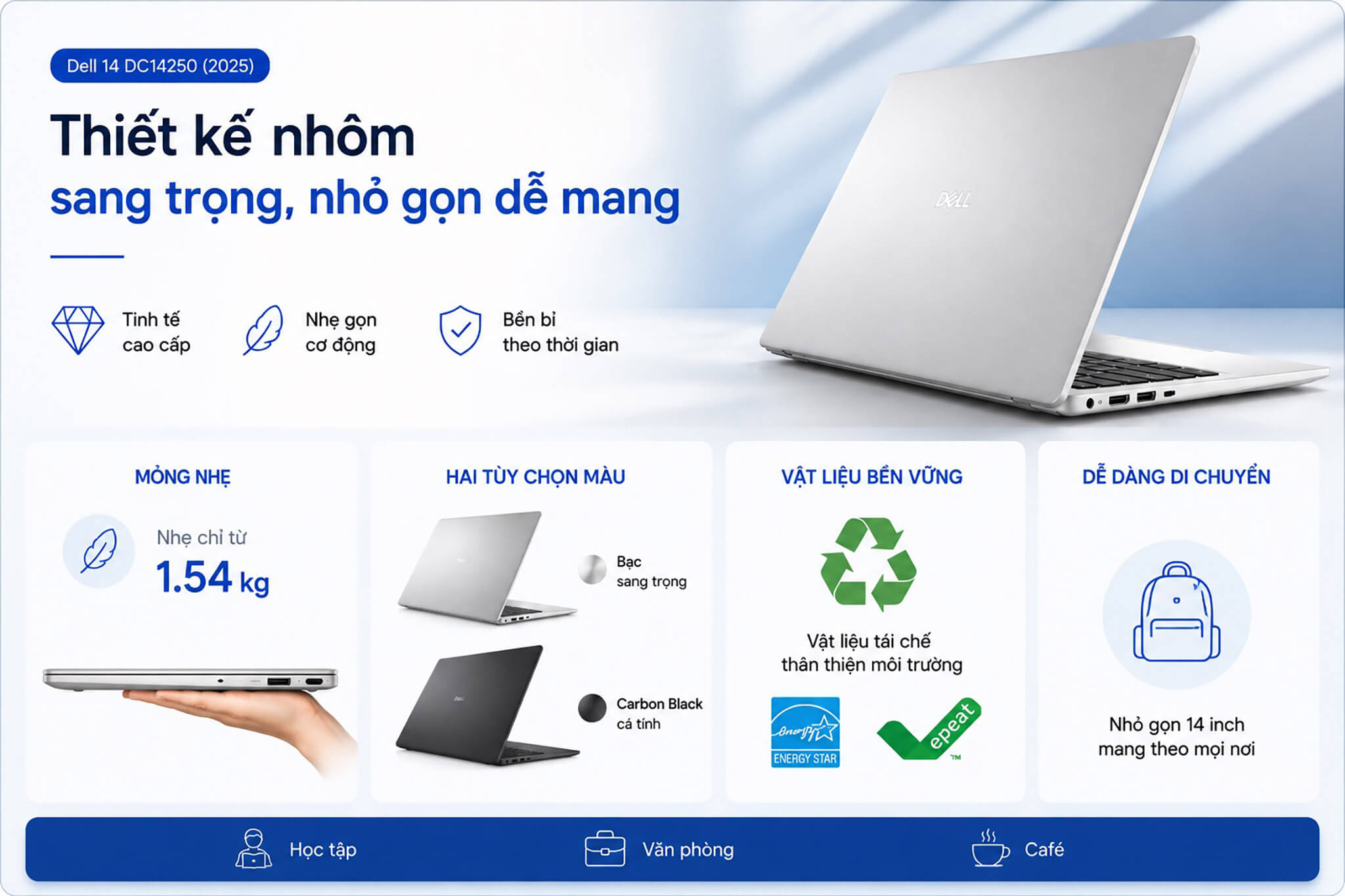
As a 14-inch model, it offers excellent portability with a starting weight of just 1.56kg (aluminum version) and 1.54kg (plastic version), making it lighter than 15.6-inch models in the same lineup. This makes it easy to slip into a backpack or briefcase for all-day carry without feeling heavy on your shoulders-ideal for those on the move.
Dell also prioritizes sustainability by using recycled materials in the chassis, earning environmental certifications such as ENERGY STAR and EPEAT. The harmony of premium materials, sleek styling, and mobility makes the Dell 14 DC14250 a top contender for modern work and study environments.
Versatile Performance with Next-Gen Intel Processors
The Dell 14 DC14250 delivers reliable performance powered by next-generation Intel processors, meeting the demands of office work, studying, and daily entertainment. The current configuration available at Hung Phat Laptop features an Intel Core 5 120U (10 cores, up to 5.0GHz) paired with 16GB DDR5 RAM and a 512GB PCIe NVMe SSD, providing enough power to smoothly handle Office applications, heavy web browsing, light programming, and basic content editing without lag.
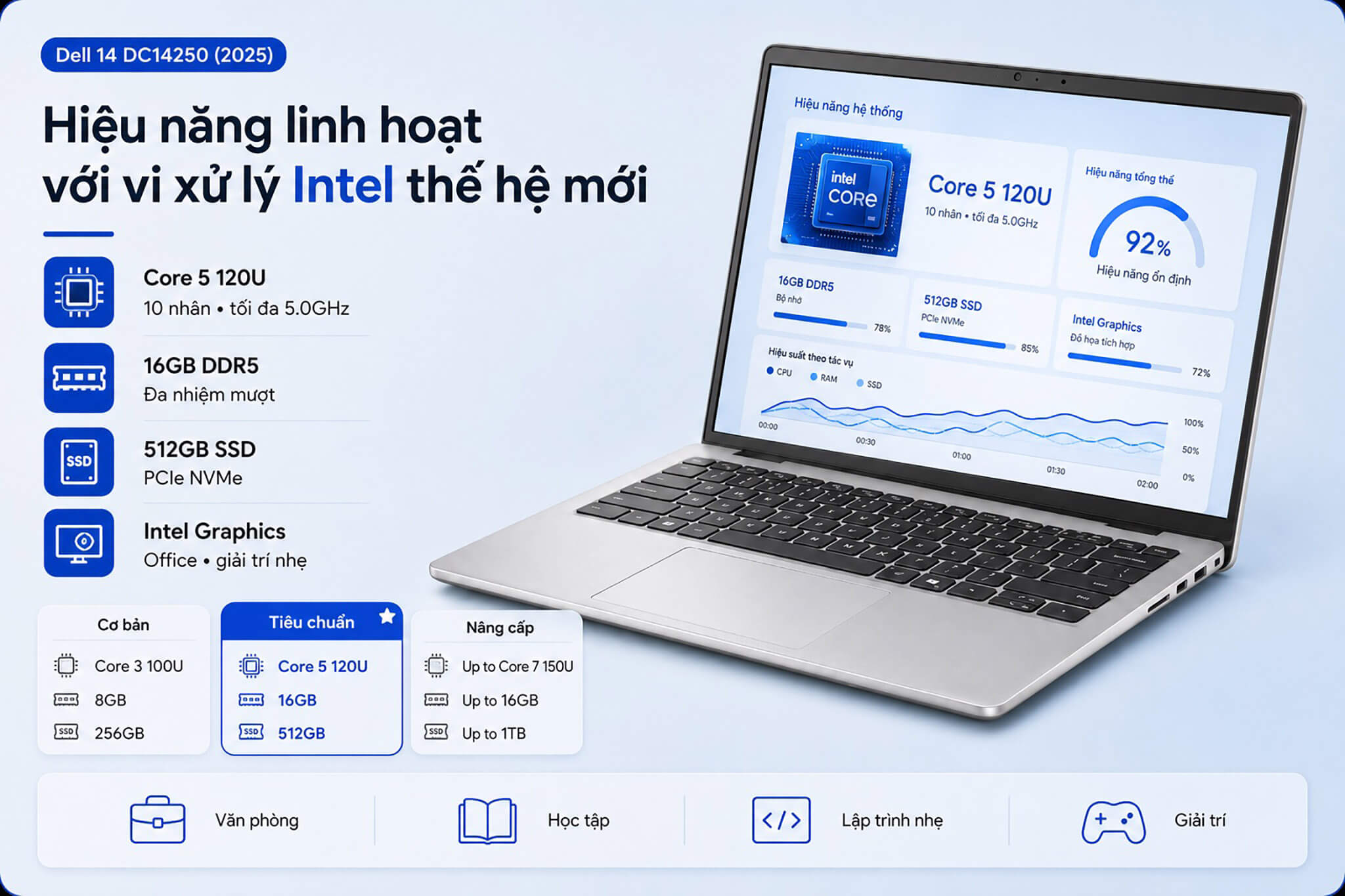
A key advantage of this series is the variety of configuration options, allowing you to opt for a more powerful version if your needs increase. The table below summarizes the key options for easy comparison.
| Configuration | CPU | RAM | SSD | Best For |
|---|---|---|---|---|
| Entry-level | Intel Core 3 100U | 8GB DDR5 | 256GB | Light tasks, studying, budget-friendly |
| Standard (In Stock) | Intel Core 5 120U | 16GB DDR5 | 512GB | Office work, studying, daily entertainment |
| High-Performance | Intel Core 7 150U | Up to 16GB DDR5 | Up to 1TB | Heavy multitasking, long-term use |
For graphics, the machine utilizes integrated Intel graphics, which is sufficient for office tasks, video calls, watching movies, and light photo editing. The M.2 PCIe NVMe SSD also allows for easy storage upgrades in the future, ensuring the laptop remains versatile as your data needs grow.
Sharp 14-inch 2K Display: Easy on the Eyes
The screen is a standout feature of the Dell 14 DC14250. It is equipped with a 14-inch 2K (1920 x 1200) IPS panel with a 16:10 aspect ratio, providing extra vertical screen real estate and excellent viewing angles-perfect for work, study, and entertainment.
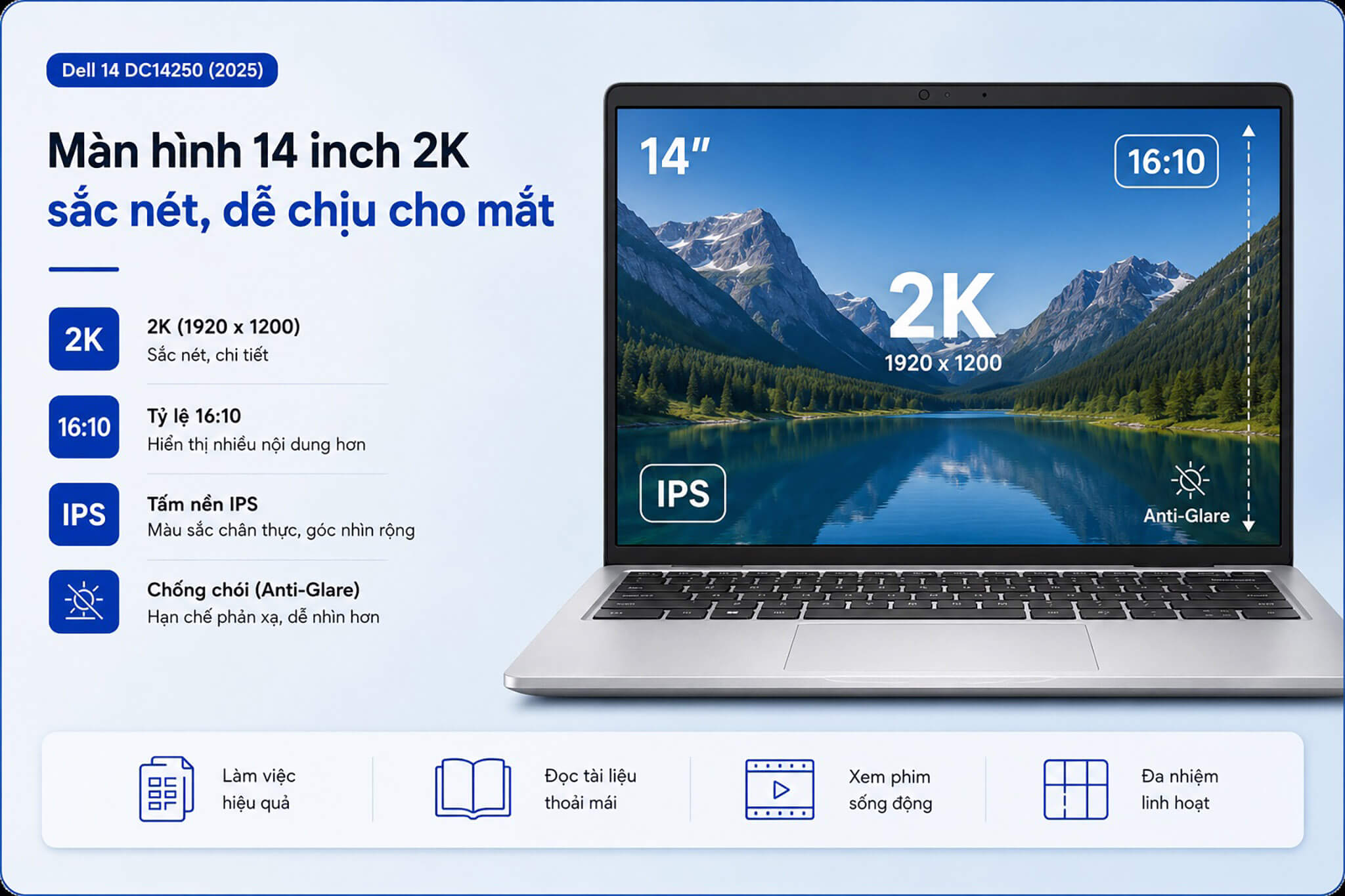
On a compact 14-inch frame, this resolution delivers high pixel density, resulting in crisp text and detailed images that reduce eye strain during long sessions of reading documents or working with spreadsheets. The 16:10 aspect ratio also provides more vertical space compared to traditional 16:9 screens, making it more convenient for scrolling through web pages and reading files.
The panel also features an Anti-Glare coating to minimize reflections, making it comfortable to use near windows or in brightly lit rooms. With this display quality, the laptop easily handles multitasking with multiple windows, streaming movies, and daily presentations.
Smart Experience with AI Copilot Assistant
The Dell 14 DC14250 integrates the AI Copilot assistant on the Windows 11 platform, offering a smarter and more convenient workflow. The laptop features a dedicated Copilot key on the keyboard, allowing you to instantly summon the AI assistant to get suggestions, summarize text, or assist with various tasks.
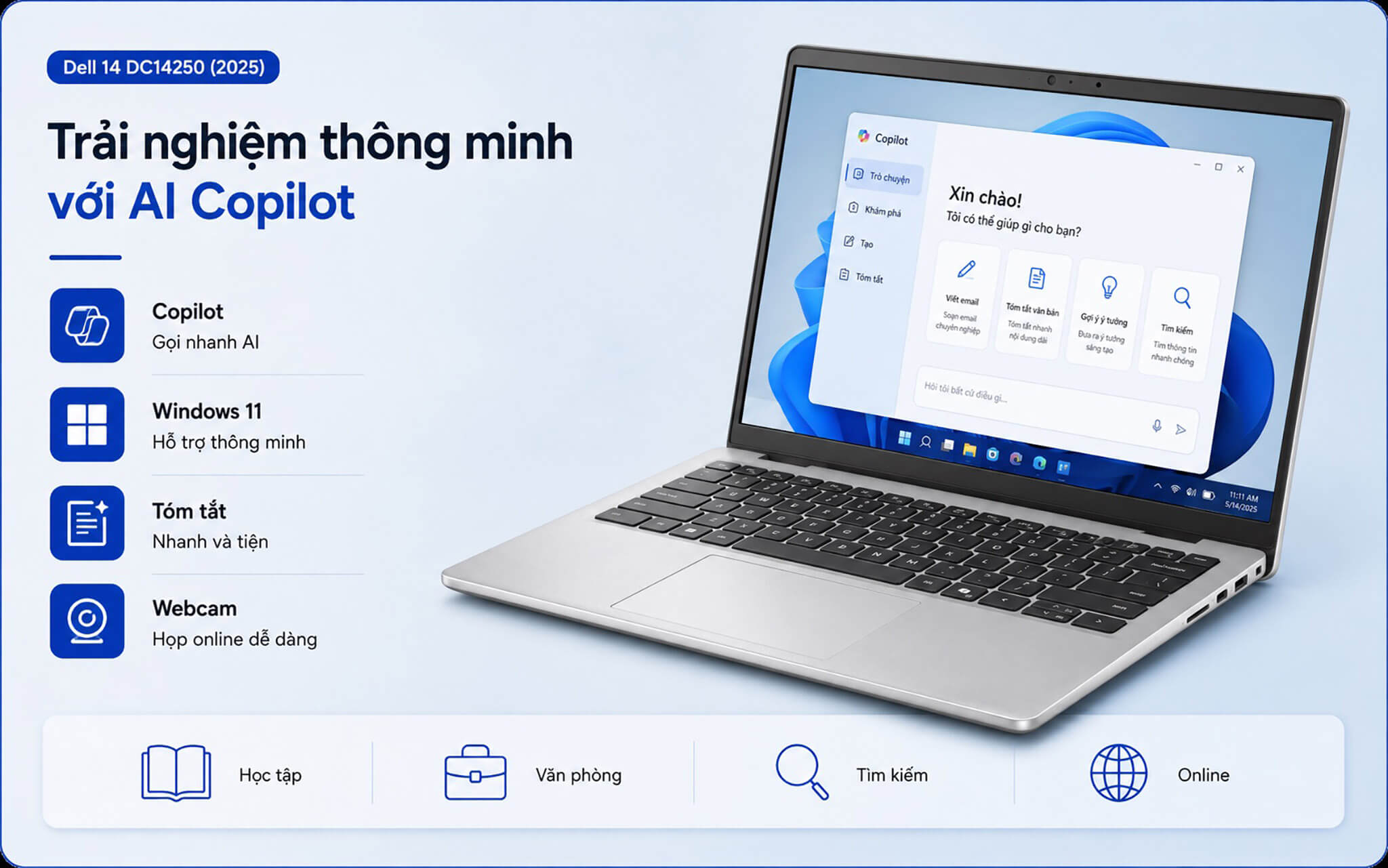
In real-world use, Windows AI features help you draft content faster, find information more easily, and handle productivity tasks with fewer manual steps. This is a timely addition for users increasingly incorporating AI tools into their work and studies.
Combined with an integrated webcam for online meetings and remote learning, this machine perfectly meets the connectivity needs of modern users. This convenience makes the Dell 14 DC14250 not just a work tool, but a highly useful digital companion for every day.
Keyboard, Touchpad & Fingerprint Security
The keyboard on the Dell 14 DC14250 features backlighting, an ergonomic key travel, and tactile feedback, allowing for fast and accurate typing even in low-light conditions. The familiar layout is easy to master from the very first use, making it ideal for both office and academic needs.
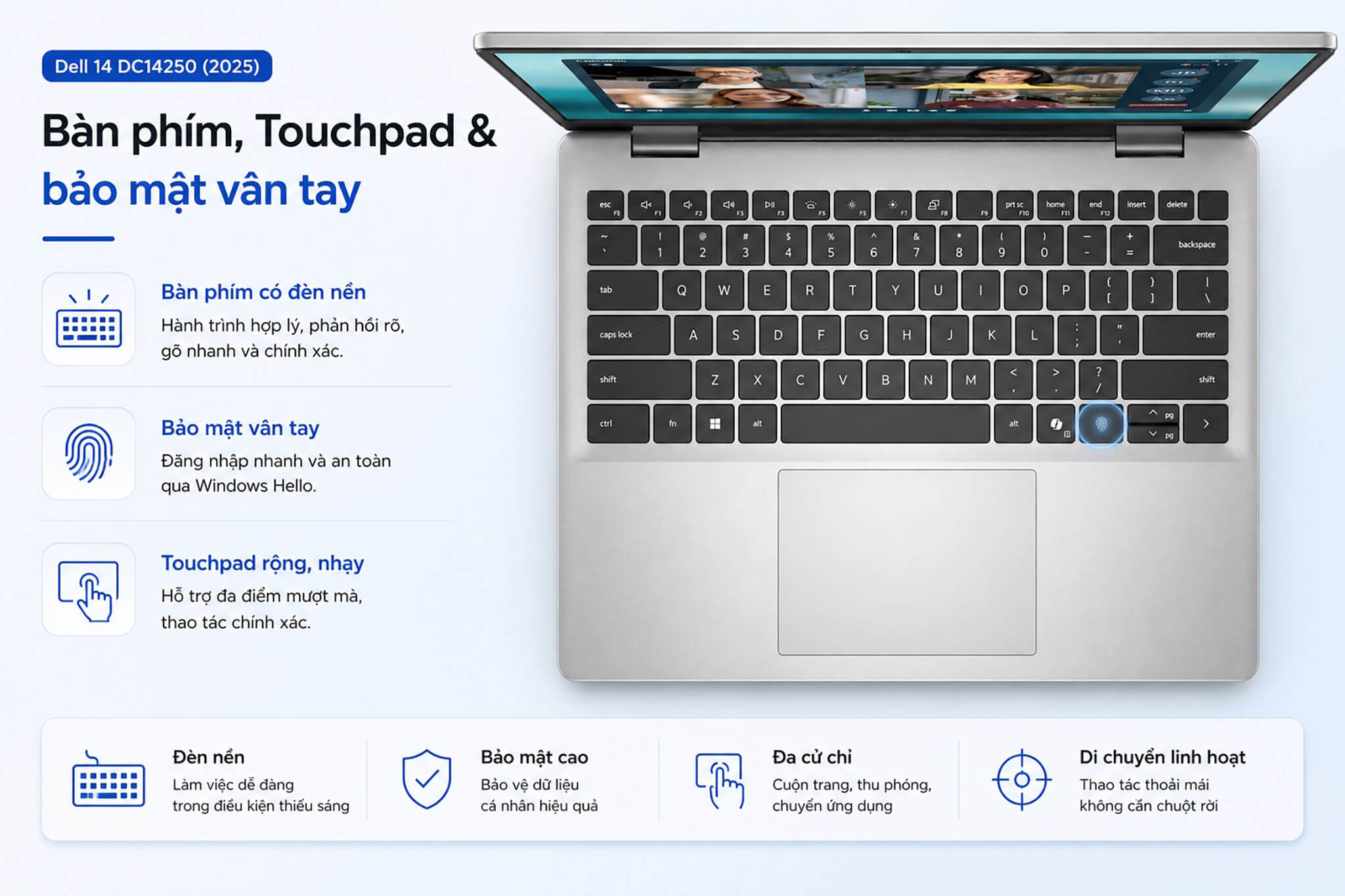
The laptop is equipped with an integrated fingerprint sensor, enabling fast and secure login via Windows Hello without the need to manually type passwords. This is a practical security feature that is highly convenient for users who unlock their device frequently throughout the day.
The touchpad is large and highly responsive, fully supporting Windows multi-touch gestures such as scrolling, zooming, and switching between apps. This allows for comfortable and precise navigation without needing an external mouse while on the go.
Diverse Connectivity & All-Day Battery Life
The Dell 14 DC14250 features a comprehensive set of ports to meet office and educational needs. It includes a USB-C port that supports DisplayPort output and Power Delivery, USB-A ports for mice and keyboards, an HDMI port for external displays, and a 3.5mm headphone jack. This array of ports makes connecting peripherals and external monitors effortless when working at a desk.
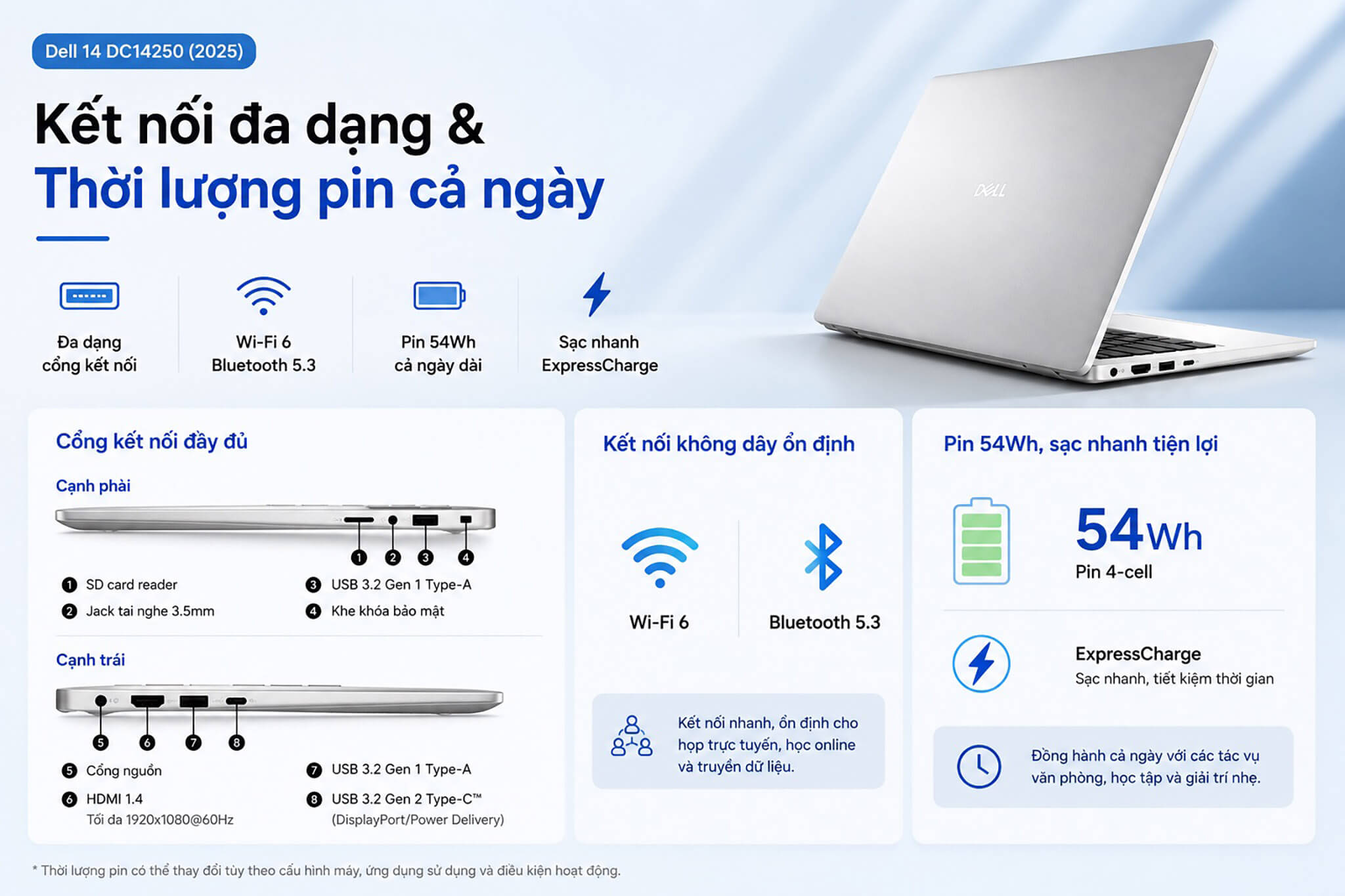
For wireless connectivity, the laptop supports Wi-Fi 6 and Bluetooth 5.3, ensuring high speeds and stability for video conferencing, online classes, or data transfers. This level of connectivity is perfect for most daily work and entertainment needs.
Regarding power, the machine uses a 4-cell 54Wh battery paired with a USB-C charger, enough to last through most of a standard workday with light tasks. ExpressCharge technology helps reduce charging time, making it highly convenient for users who travel frequently or work away from power outlets.
Overview and Review: Dell 14 DC14250 (2025)
The Dell 14 DC14250 (2025) is a balanced choice for general users seeking a compact, durable, and capable office laptop. It earns high marks for its premium aluminum chassis, lightweight design (approx. 1.56kg), sharp 14-inch 2K display, and flexible configurations ranging from Core 3 to Core 7.
With a backlit keyboard, fingerprint sensor, and integrated AI Copilot, this machine effectively meets the work, study, and entertainment needs of most users. The ability to choose higher-end configurations also ensures longevity and accommodates various budgets.
A few points to consider before purchasing: the use of integrated Intel graphics means it is not intended for heavy gaming or 3D rendering; the HDMI port uses an older standard which may limit output resolution and refresh rates; and the 14-inch chassis does not include a dedicated numeric keypad. Nevertheless, within its segment of compact, general-purpose office laptops, the Dell 14 DC14250 remains a reliable and high-value choice.
| Pros | Cons |
|---|---|
|
|
FAQ - Frequently Asked Questions about Dell 14 DC14250 (2025)
1. What are the specifications for the Dell 14 DC14250?
The current in-stock configuration features an Intel Core 5 120U (10 cores, up to 5.0GHz), 16GB DDR5 RAM, and a 512GB PCIe NVMe SSD, with a 14-inch 2K (1920 x 1200) display. We also offer a base model with an Intel Core 3 100U and higher-end versions with an Intel Core 7 150U and larger SSD capacities.
2. Is the laptop upgradeable?
Dell offers the DC14250 with multiple configuration options, allowing you to choose a more powerful chip, more RAM, or a larger SSD at the time of purchase. The M.2 PCIe NVMe SSD also makes it easy to upgrade storage capacity in the future.
3. Who is the Dell 14 DC14250 best suited for?
The laptop is ideal for office professionals, students, and general users who need a compact laptop. With the Core 5 120U and 16GB of RAM, it smoothly handles Office applications, heavy web browsing, light programming, and basic content editing.
4. What colors and materials are available?
The Dell 14 DC14250 comes in two options: a sophisticated Silver Aluminum chassis and a stylish Carbon Black plastic version. You can choose based on your personal style and budget.
5. What are the benefits of the 2K screen on a 14-inch laptop?
On a 14-inch screen, a 2K (1920 x 1200) resolution provides high pixel density, making text and images exceptionally sharp and easy on the eyes during long working sessions. The 16:10 aspect ratio and anti-glare coating also make reading documents and multitasking with multiple windows much more convenient.
6. How long does the battery last?
The laptop uses a 4-cell 54Wh battery, which is sufficient to cover most of a standard workday with light tasks like Office and web browsing. ExpressCharge technology and the USB-C charger allow for quick recharging when needed.
7. What ports does the laptop have?
The laptop includes a USB-C port that supports DisplayPort and charging, USB-A ports, an HDMI port, and a headphone jack. Wireless connectivity includes Wi-Fi 6 and Bluetooth 5.3, meeting all standard office and educational needs.
8. Does the Dell 14 DC14250 have fingerprint security?
Yes. It features an integrated fingerprint sensor for fast and secure login via Windows Hello, along with the AI Copilot assistant on Windows 11 to assist with daily productivity tasks.
9. What is the warranty policy at Hung Phat Laptop?
Hung Phat Laptop provides authentic Dell 14 laptops with a 12-month warranty. We offer a 30-day replacement policy for manufacturing defects, along with free device cleaning, software installation, and nationwide delivery.
Where to buy the Dell 14 DC14250 (2025) at a reliable store with the best price?
If you are looking for a compact office laptop with a sharp screen and flexible configurations for both work and study, the Dell 14 DC14250 (2025) is an excellent choice. It is perfectly suited for office workers, students, and general users who need a durable, highly portable device for daily use.
Hung Phat Laptop is a trusted retailer specializing in authentic Dell laptops, providing full invoices and transparent warranties. When you purchase the Dell 14 DC14250 here, you will receive expert advice to choose the right configuration for your needs, along with installation support, nationwide shipping, and many attractive promotions.
Performance & benchmarks DELL 14 DC14250 (2025)
Intel Core 5 120U Intel Iris Xe Graphics G7 96EUs - best for Văn phòng 8/10, Lập trình 5/10.
Intel Core 5 120U
- Cinebench R23 (đa nhân)6,659
- Geekbench 6 (đa nhân)9,069.5
- Geekbench 6 (đơn nhân)2,468.5
- Cores / Threads10/12
Intel Iris Xe Graphics G7 96EUs iGPU
- 3DMark Time Spy1,560.5
- 3DMark Fire Strike5,159.5
- ArchitectureGen. 11 Ice Lake
Best for
Scored from real benchmarks- Chơi game1.5/10
- Dựng phim / Đồ hoạ2.5/10
- Lập trình5/10
- Văn phòng Recommended8/10
Why CPU matters
CPU là “bộ não” xử lý mọi tác vụ: mở ứng dụng, đa nhiệm, biên dịch, dựng phim. CPU càng mạnh, máy càng nhanh và mượt khi làm nhiều việc cùng lúc.
- Cơ bảnThis product
Lướt web, xem phim, soạn thảo văn phòng nhẹ.
- Phổ thôngThis product
Văn phòng, đa nhiệm vừa, học tập.
- Tầm trungThis product
Đa nhiệm tốt, lập trình, đồ hoạ nhẹ.
- Khá mạnhThis product
Dựng phim, lập trình nặng, ảo hoá, chơi game.
- Cao cấpThis product
Render nặng, biên tập 4K/8K, máy ảo, tác vụ AI.
Why GPU matters
GPU (card đồ hoạ) lo phần hình ảnh: chơi game, dựng video, render 3D và tăng tốc AI. GPU càng mạnh, khung hình game càng cao và xuất video càng nhanh.
- Cơ bản (iGPU)This product
Hiển thị mượt, xem phim 4K, game rất nhẹ (LMHT, Valorant mức thấp).
- Phổ thôngThis product
Game eSports 1080p, chỉnh ảnh, dựng video nhẹ.
- Tầm trungThis product
Game 1080p thiết lập trung-cao, dựng video Full HD ổn.
- Khá mạnhThis product
Game 1080p/1440p thiết lập cao, dựng video 4K, render 3D.
- Cao cấpThis product
Game 4K/240Hz, ray tracing, render & AI nặng.
Game performance
Real FPS - FHD- Dota 250 fps1080p Ultra
- Fortnite57 fps1080p Thấp
- GTA V85 fps1080p Trung bình
- Black Myth: Wukong10 fps1080p Thấp
- Cyberpunk 207717 fps1080p Thấp
🟢 ≥60fps rất mượt · 🟡 30-60fps chơi tốt · 🔴 <30fps cần giảm thiết lập
Local AI performance
Tokens/second running locally on GPU- Gemma 4 E2B IT5.6 GB · ctx 256K6.0 tok/sDecent
- GLM-4 9B5.1 GB · ctx 128K7.0 tok/sDecent
- Gemma 4 E4B4.6 GB · ctx 256K8.0 tok/sDecent
- Ministral 8B4.6 GB · ctx 32K8.0 tok/sDecent
- Qwen 3.5 4B4.6 GB · ctx 32K8.0 tok/sDecent
- DeepSeek R1 Distill 7B4.1 GB · ctx 64K9.0 tok/sRuns well
- Gemma 4 E2B3.1 GB · ctx 256K12 tok/sRuns well
- Qwen 3.5 2B2.5 GB · ctx 32K14 tok/sRuns well
- Phi-4 Mini Reasoning2.4 GB · ctx 16K15 tok/sRuns well
- Llama 3.2 3B2 GB · ctx 128K18 tok/sRuns well
- SmolLM3 3B2 GB · ctx 128K18 tok/sRuns well
- DeepSeek R1 1.5B1.3 GB · ctx 64K28 tok/sRuns great
- Qwen 3.5 0.8B1.3 GB · ctx 32K28 tok/sRuns well
- TinyLlama 1.1B1.1 GB · ctx 2K33 tok/sRuns well
- Llama 3.2 1B1 GB · ctx 128K36 tok/sRuns well
- Gemma 2 9B5.1 GB · ctx 8K7.0 tok/sDecent
- Nemotron Nano 9B v25.1 GB · ctx 128K7.0 tok/sDecent
- Llama 3.1 8B4.6 GB · ctx 128K8.0 tok/sDecent
- Qwen 3 8B4.6 GB · ctx 128K8.0 tok/sDecent
- Mistral 7B v0.34.1 GB · ctx 32K9.0 tok/sRuns well
- Qwen 2.5 7B4.1 GB · ctx 128K9.0 tok/sRuns well
- Qwen 2.5 Coder 7B4.1 GB · ctx 128K9.0 tok/sRuns well
- Qwen 3 4B2.5 GB · ctx 32K14 tok/sRuns well
- Gemma 3 4B2.5 GB · ctx 128K14 tok/sRuns well
- Phi-3.5 Mini2.4 GB · ctx 128K15 tok/sRuns well
- Gemma 2 2B1.5 GB · ctx 8K24 tok/sRuns great
- Qwen 3 1.7B1.4 GB · ctx 32K26 tok/sRuns great
- Qwen 2.5 Coder 1.5B1.3 GB · ctx 32K28 tok/sRuns great
- Qwen 3 0.6B1.1 GB · ctx 32K33 tok/sRuns well
- Gemma 3 1B1 GB · ctx 32K36 tok/sRuns well
🟢 Great · 🟡 Well · 🟠 Decent - 4-bit quantized, ctx = context window
No comments yet
Q&A about DELL 14 DC14250 (2025)
Frequently asked questions about DELL 14 DC14250 (2025)
What are the specifications of DELL 14 DC14250 (2025)?
What is the warranty for DELL 14 DC14250 (2025)?
Is DELL 14 DC14250 (2025) genuine?
Can I buy DELL 14 DC14250 (2025) with home delivery?
Worth a Look
 3 configurations
DELL 15 DC15250 (2025)





Minh Khôi 29/07/2026
The machine runs very smoothly, and the 2K screen is incredibly sharp and a joy to look at. The aluminum chassis feels solid, yet it's lightweight, so it doesn't feel heavy on the shoulder when carrying it to a cafe or work. 5 stars, everyone!
Minh Khôi 29/07/2026
This machine works great, everyone! The 2K screen is incredibly sharp. I use it for office work and web browsing, and it's very smooth without any lag at all. Highly recommended.