

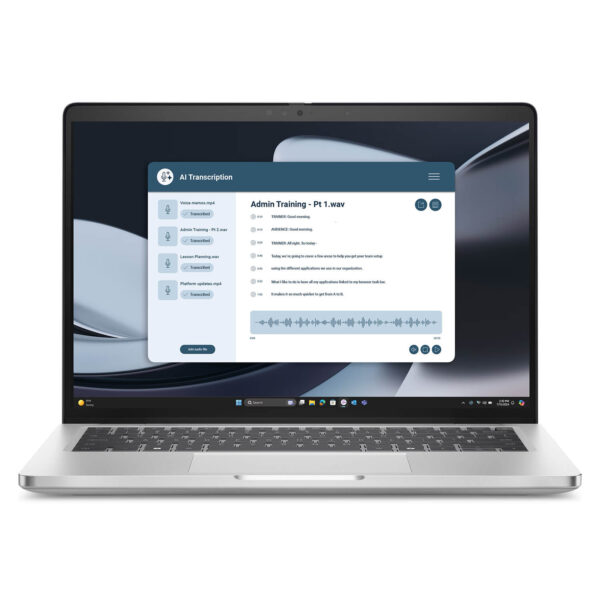
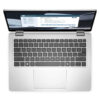
DELL Pro 14 Plus PB14255 AMD (2025)
- CPU: AMD Ryzen™ AI 7 PRO 350 Up To 5.0GHz (8 Cores, 16 Threads, 24MB Cache - 50 TOPS NPU)
- RAM: LPDDR5 32GB 7500MHz
- SSD: 512GB PCIe Gen4 M.2 SSD
- VGA: AMD Radeon™ 860M Graphics
- DISPLAY: 14" FHD+ (1920*1200) IPS, 16:10, 60Hz, Non-Touch, Anti-Glare, ComfortView Plus (Low Blue Light), Low Power, 100% sRGB, 400 nits
- CONDITION: Like New 99%
- WARRANTY: Bảo hành 12 tháng
- Sleek, Lightweight, and Built for Business
- High Performance with the AMD Ryzen AI PRO 300 Series
- Enhanced Experience with Integrated AI
- Dell Pro 14 Plus PB14255 Display
- Keyboard & Touchpad
- Ports & Connectivity: Dell Pro 14 Plus PB14255
- Comprehensive Enterprise Security
- Thermals & Battery Life
- Overview and Review: Dell Pro 14 Plus PB14255
- FAQ - Frequently Asked Questions about Dell Pro 14 Plus PB14255
- Where to buy the Dell Pro 14 Plus PB14255 at a reliable store with the best price?
Dell Pro 14 Plus PB14255 is the AMD-powered version of the Dell Pro 14 enterprise laptop lineup, marking a rare occasion where Dell brings its high-end Pro series to the AMD platform. The standout feature is the AMD Ryzen™ AI PRO 7 350 chip, featuring 8 cores, 16 threads, and an NPU delivering 50 TOPS, making the device a multitasking powerhouse that meets Copilot+ PC standards. If you are deciding between the Intel and AMD versions of the Dell Pro 14 Plus, this article explains why the PB14255 is worth your consideration.
Sleek, Lightweight, and Built for Business
The Dell Pro 14 Plus PB14255 retains the signature enterprise design of the Dell Pro series: a sturdy aluminum chassis, clean lines, and a slim, lightweight profile that is easy to carry. As a 14-inch business ultrabook, it is compact enough to fit easily into a briefcase while maintaining a premium, robust feel in hand.
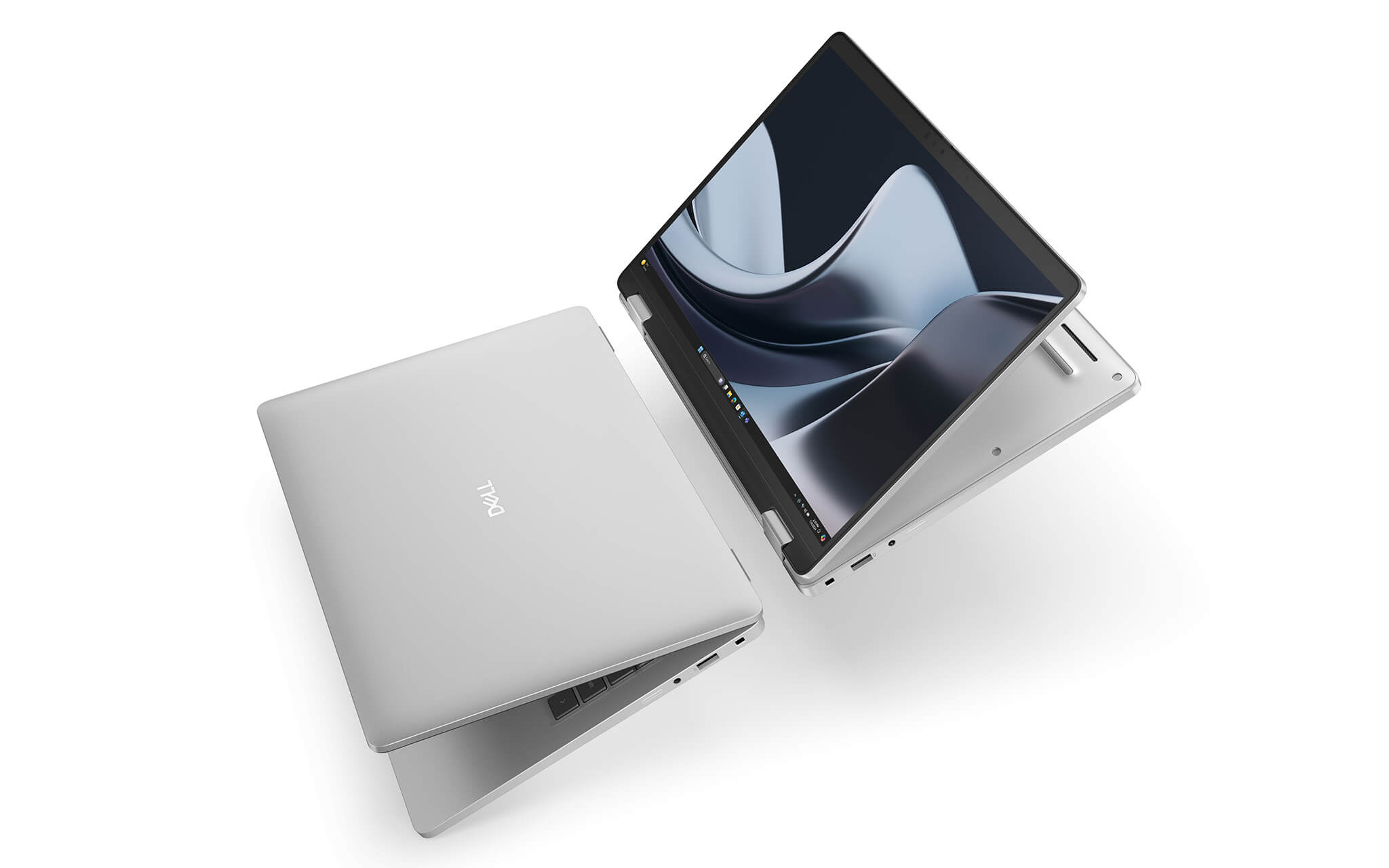
This lineup is built with sustainability in mind, utilizing recycled materials in the chassis and earning environmental certifications such as EPEAT Gold with Climate+ and ENERGY STAR. For businesses focused on green standards and environmental responsibility, this is a practical advantage rather than just a marketing slogan.
The device also offers a 2-in-1 touchscreen option alongside the standard clamshell model, catering to users who frequently take notes, sign documents, or present directly to clients. Depending on your workflow, you can choose between the versatile 2-in-1 or the traditional laptop form factor to optimize your budget.
High Performance with the AMD Ryzen AI PRO 300 Series
The Dell Pro 14 Plus PB14255 is powered by the AMD Ryzen™ AI PRO 7 350 processor from the Ryzen AI PRO 300 Series, built on the Zen 5 architecture. This chip features 8 cores, 16 threads, 24MB of cache, and a max boost clock of 5.0GHz. Notably, it offers double the threads of its Intel Core Ultra counterpart in the same Dell Pro 14 Plus lineup, allowing it to handle heavy multitasking and background processes with ease.
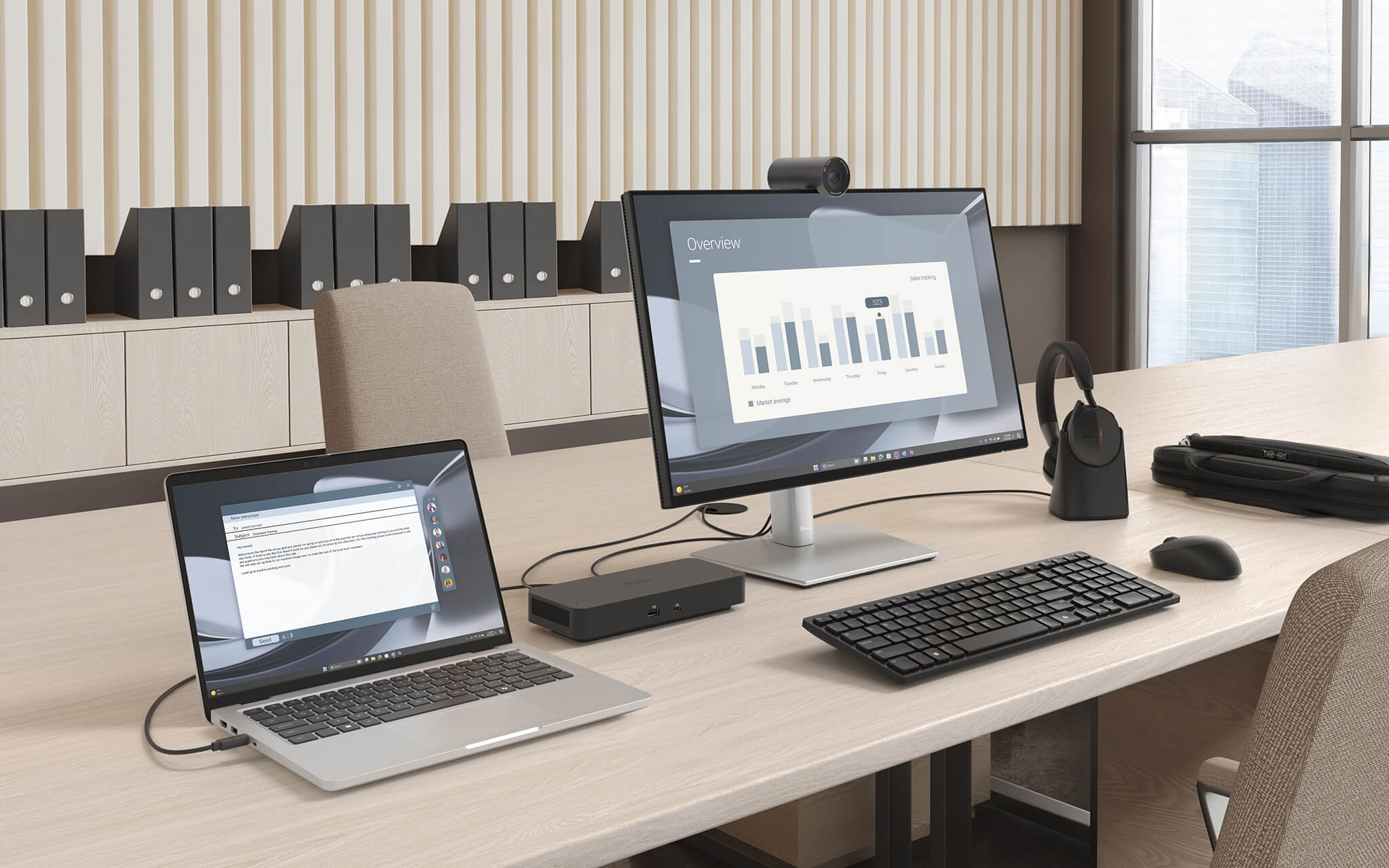
To move beyond marketing claims, here is a benchmark comparison from Notebookcheck, pitting the AMD version (PB14255) against the Intel Core Ultra 7 268V version within the Dell Pro 14 Plus series.
| Benchmark (Source: Notebookcheck) | AMD Ryzen AI PRO 7 350 (PB14255) | Intel Core Ultra 7 268V (PB14250) |
|---|---|---|
| Cores / Threads | 8 Cores / 16 Threads | 8 Cores / 8 Threads |
| Cinebench R23 Single-Core | 1,954 | 1,921 |
| Cinebench R23 Multi-Core | 14,278 | 10,653 |
| Geekbench 6 Multi-Core | 13,181 | 11,134 |
| PassMark CPU | 24,079 | Not updated |
| AI Performance (NPU) | 50 TOPS | ~47 TOPS |
The data shows that while single-core performance is comparable, the AMD version pulls ahead significantly in multi-core tasks, with a Cinebench R23 multi-core score approximately 34% higher. In other words, if your work involves file compression, code compilation, running virtual machines, or heavy multi-threaded spreadsheets, the AMD-powered PB14255 will save you significant time.
The laptop comes equipped with 32GB LPDDR5 RAM (7500 MT/s, dual-channel, onboard) and a 512GB PCIe Gen4 NVMe SSD, providing ample speed for enterprise needs. For graphics, the integrated AMD Radeon 860M (RDNA 3.5 architecture) is more than capable of document editing, photo editing, and high-resolution content consumption, though it is not intended for heavy gaming or intensive 3D rendering. Please note that since the RAM is onboard, you must select your required capacity at the time of purchase.
Enhanced Experience with Integrated AI
What makes the Dell Pro 14 Plus PB14255 future-ready is its powerful NPU, delivering up to 50 TOPS-surpassing the 40 TOPS requirement set by Microsoft. This earns the device Copilot+ PC certification, unlocking the full suite of Windows AI features like Recall, Cocreator, and live translation.
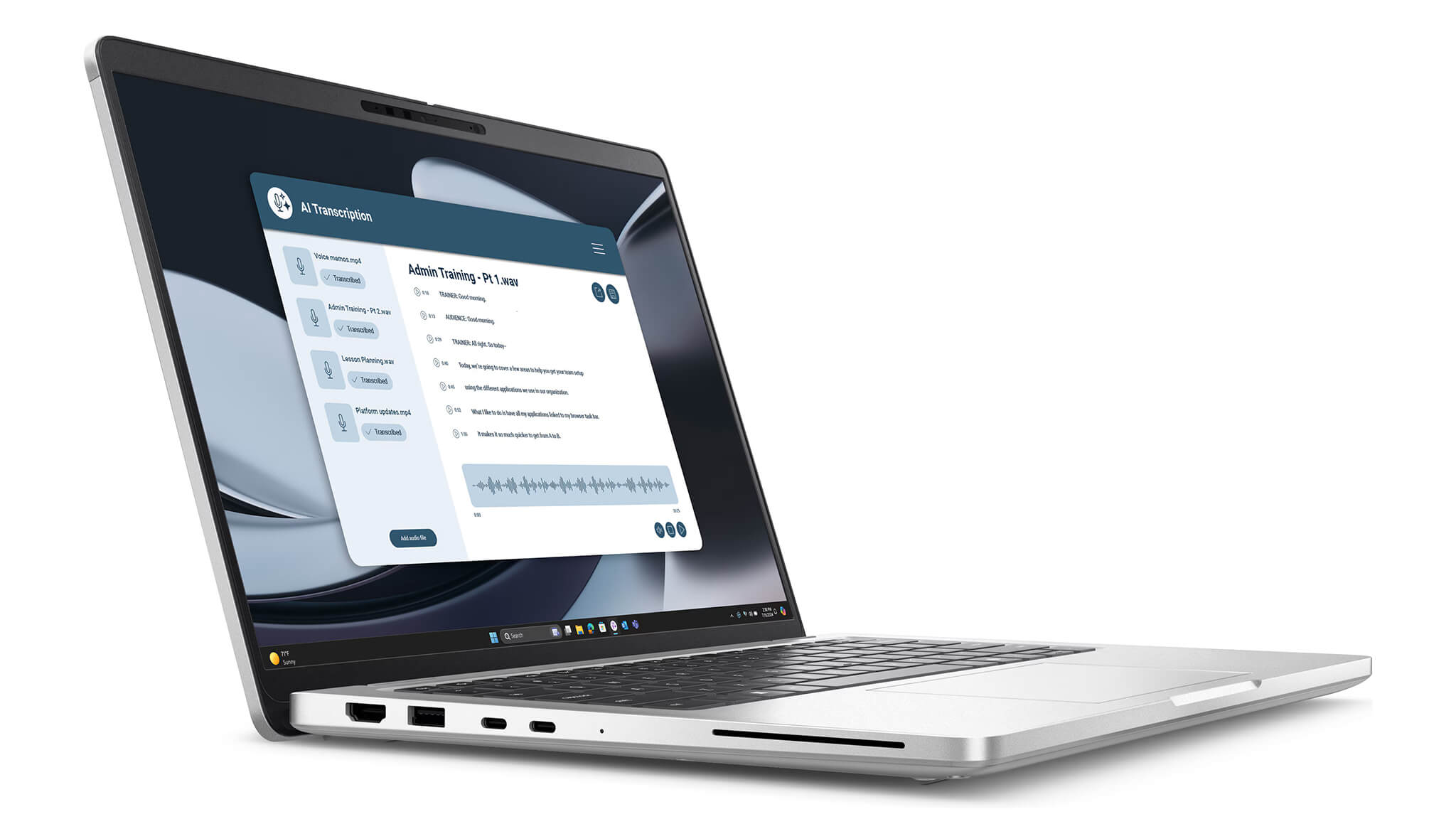
In daily workflows, the NPU handles light AI tasks-such as background noise cancellation, webcam blurring, and frame adjustment-without taxing the CPU. This results in smoother video conferencing and improved battery life compared to relying solely on the CPU.
For businesses gradually integrating AI tools into their workflows, investing in a Copilot+ PC now is a long-term strategy that ensures your hardware remains relevant for years to come.
Dell Pro 14 Plus PB14255 Display
The Dell Pro 14 Plus PB14255 features a 14-inch display with a 16:10 aspect ratio, the standard for productivity, providing extra vertical space for reading documents and spreadsheets without excessive scrolling. Slim bezels maximize the viewing area while maintaining a compact footprint.
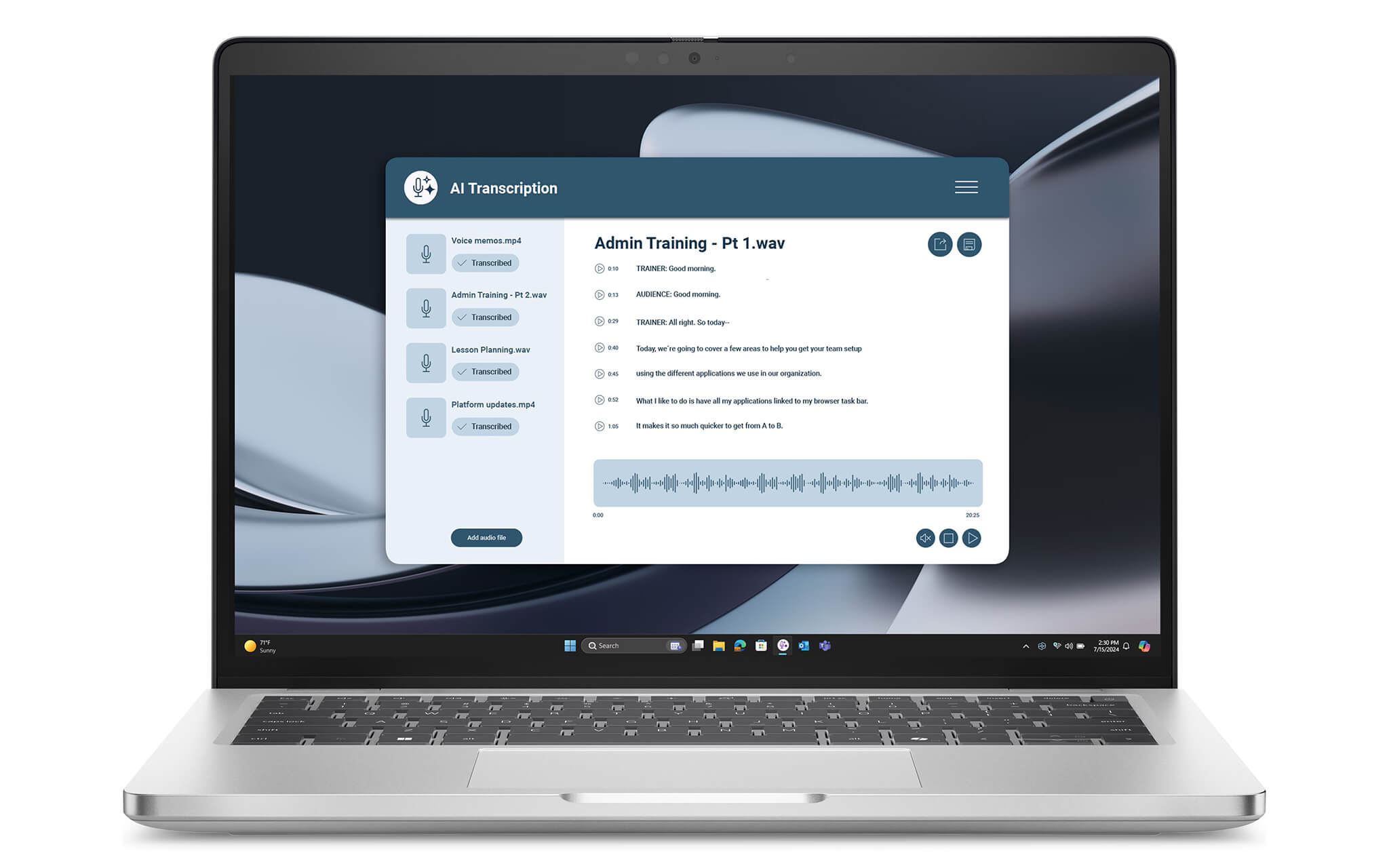
The popular configuration uses an FHD+ (1920 x 1200) IPS panel with 400 nits of brightness, 100% sRGB color gamut, Anti-Glare technology, and ComfortView Plus for reduced blue light. These specs are ideal for office work, basic content editing, and long working hours without eye strain.
IPS technology provides wide viewing angles, making it convenient for group meetings or presentations. A Low Power display option is also available to extend battery life for mobile professionals. If you require touch functionality, you can opt for the 2-in-1 touchscreen model.
Keyboard & Touchpad
The Dell Pro 14 Plus PB14255 keyboard features backlighting and a dedicated Copilot key for instant access to the Windows AI assistant. The key travel is tuned for a quiet, tactile typing experience, perfect for heavy typists.
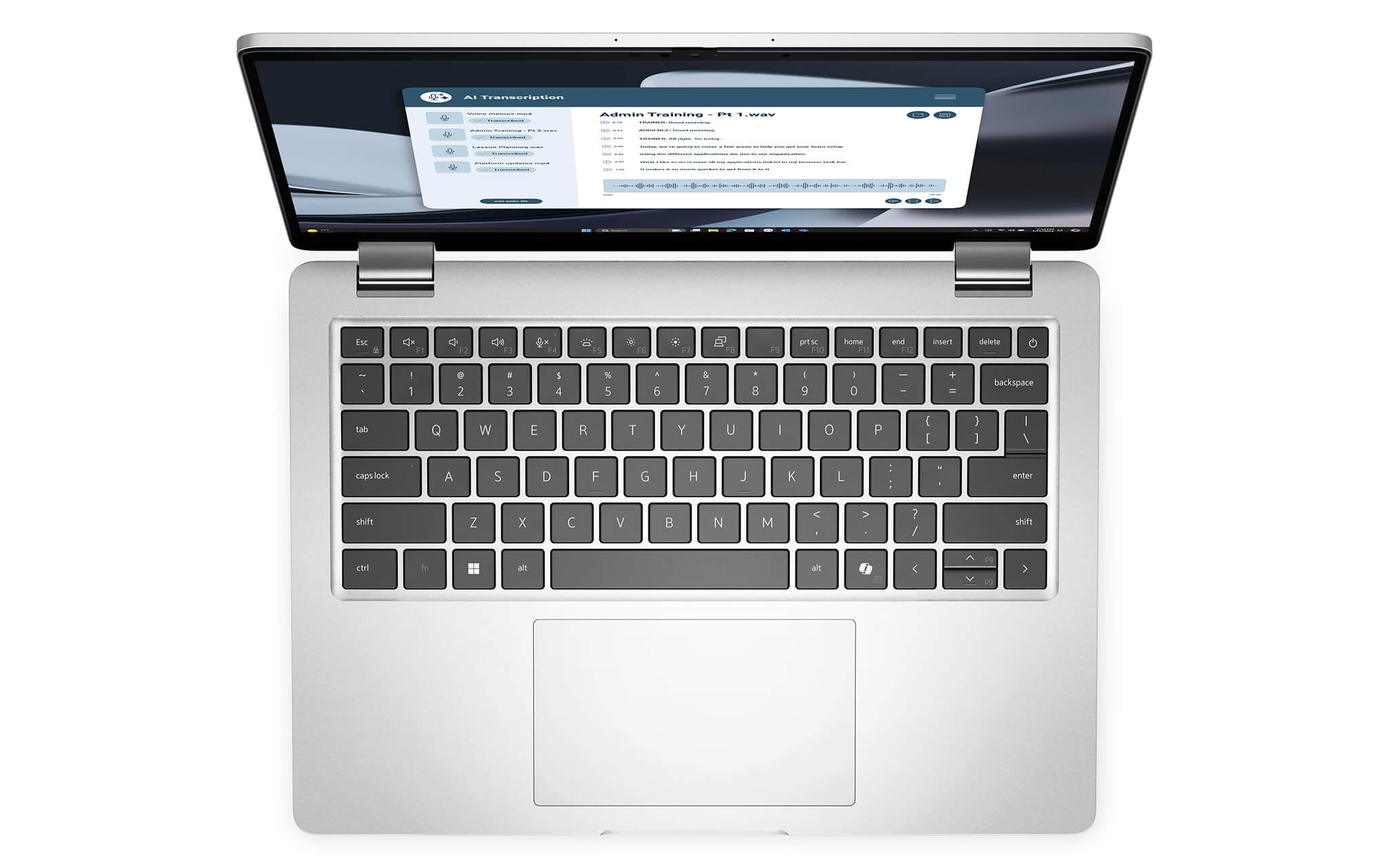
The touchpad is large and responsive, supporting full Windows multi-touch gestures like scrolling, zooming, and app switching. You can work comfortably without an external mouse, which is ideal for working in cafes or while traveling.
Combined with the backlit keyboard, Copilot key, and spacious touchpad, the overall input experience is seamless and professional.
Ports & Connectivity: Dell Pro 14 Plus PB14255
The Dell Pro 14 Plus PB14255 excels with a comprehensive port selection-a major advantage for business laptops compared to minimalist ultrabooks. You will rarely need to carry a dongle for your daily needs.
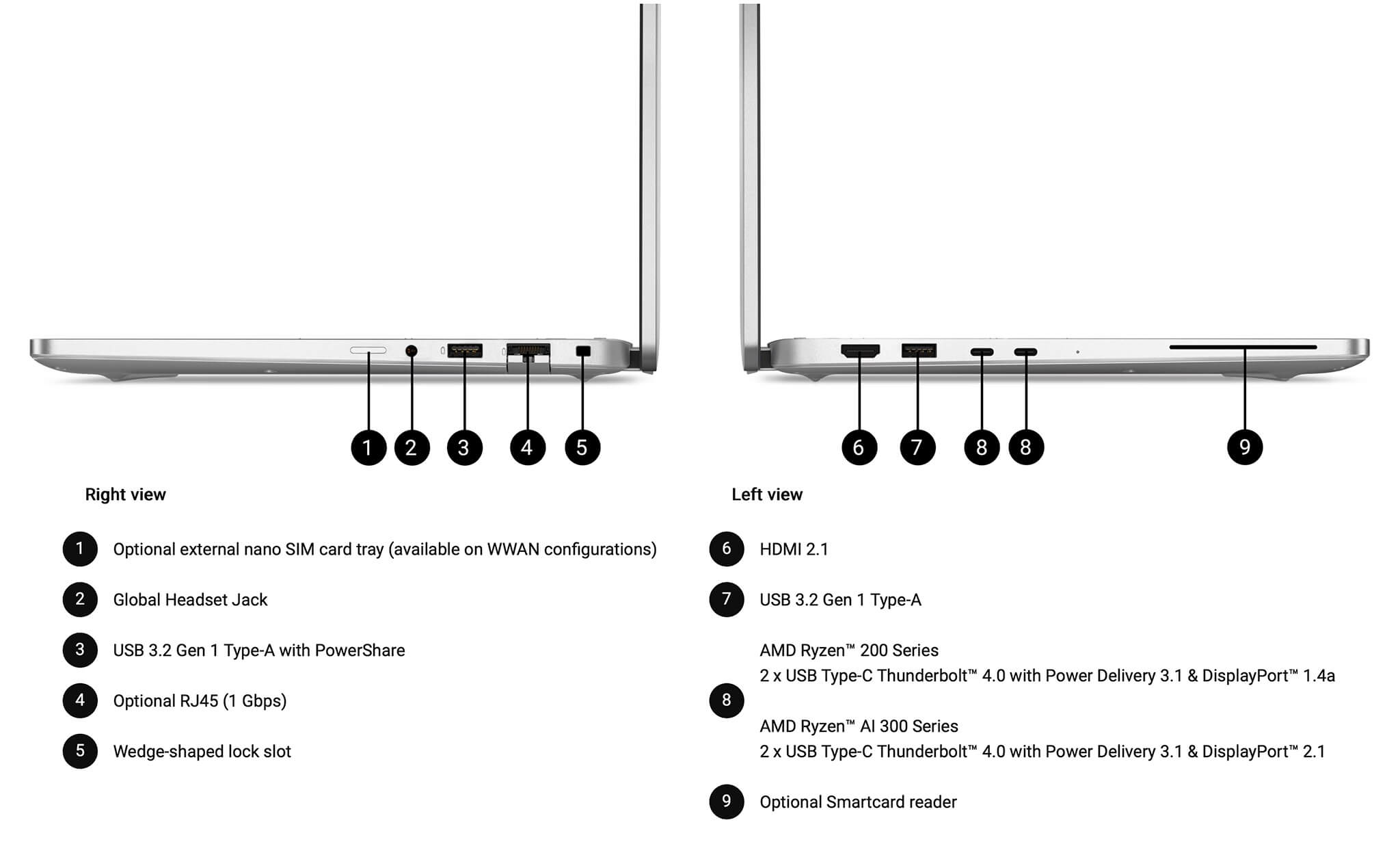
The device is equipped with two USB4 Type-C 40Gbps ports supporting Power Delivery and DisplayPort, two USB-A 3.2 Gen 1 ports, an HDMI port for presentations, and a 3.5mm headphone jack. This array easily accommodates external monitors, mice, USB drives, and conference equipment simultaneously.
For wireless connectivity, it uses a Wi-Fi 7 MediaTek MT7925 (2x2) card (802.11be standard) and Bluetooth 5.4, ensuring high speeds and low latency for video calls and large data transfers. Some configurations also offer WWAN (4G/5G) mobile data options, perfect for professionals on the move.
Comprehensive Enterprise Security
As part of the Dell Pro series, the PB14255 is equipped with security solutions tailored for the enterprise, where data safety is paramount. It features a fingerprint sensor on the power button and an Infrared (IR) camera for Windows Hello facial recognition, allowing for fast and secure logins.
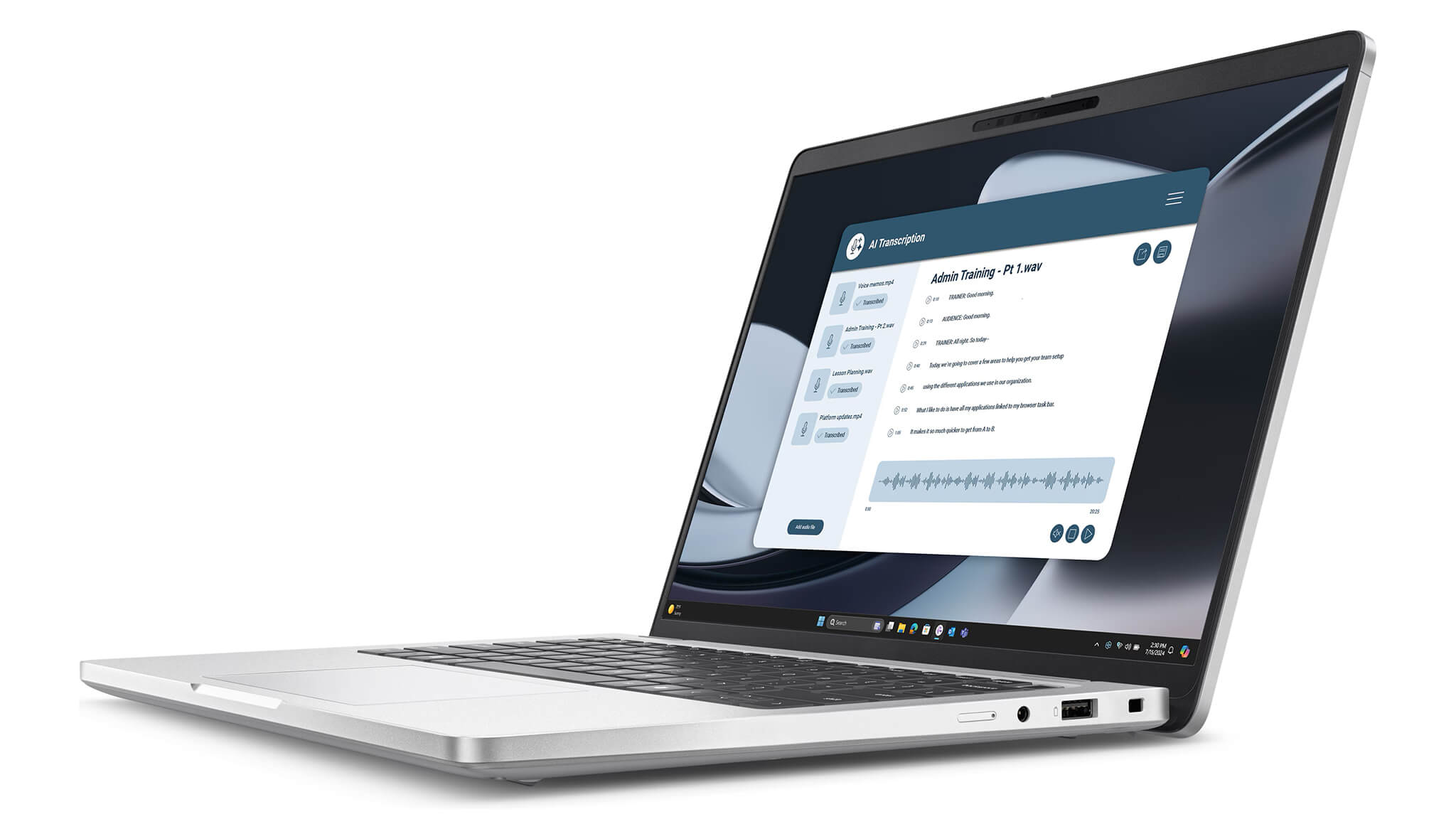
Additionally, a hardware security chip and the Dell ControlVault 3+ platform keep authentication data isolated, protecting against credential theft. The camera also includes a physical privacy shutter and presence detection, which automatically locks the device when you walk away and wakes it when you return.
Depending on the configuration, businesses can add further security layers, such as a smart card reader. With multi-factor authentication and Dell's management tools, this machine is ideal for corporate environments requiring strict device access control.
Thermals & Battery Life
The Dell Pro 14 Plus PB14255 utilizes a thermal system optimized to keep the device cool and quiet during standard office tasks. Thanks to the power-efficient AMD Zen 5 architecture, the laptop maintains a great balance between performance and temperature, preventing heat buildup during continuous use.
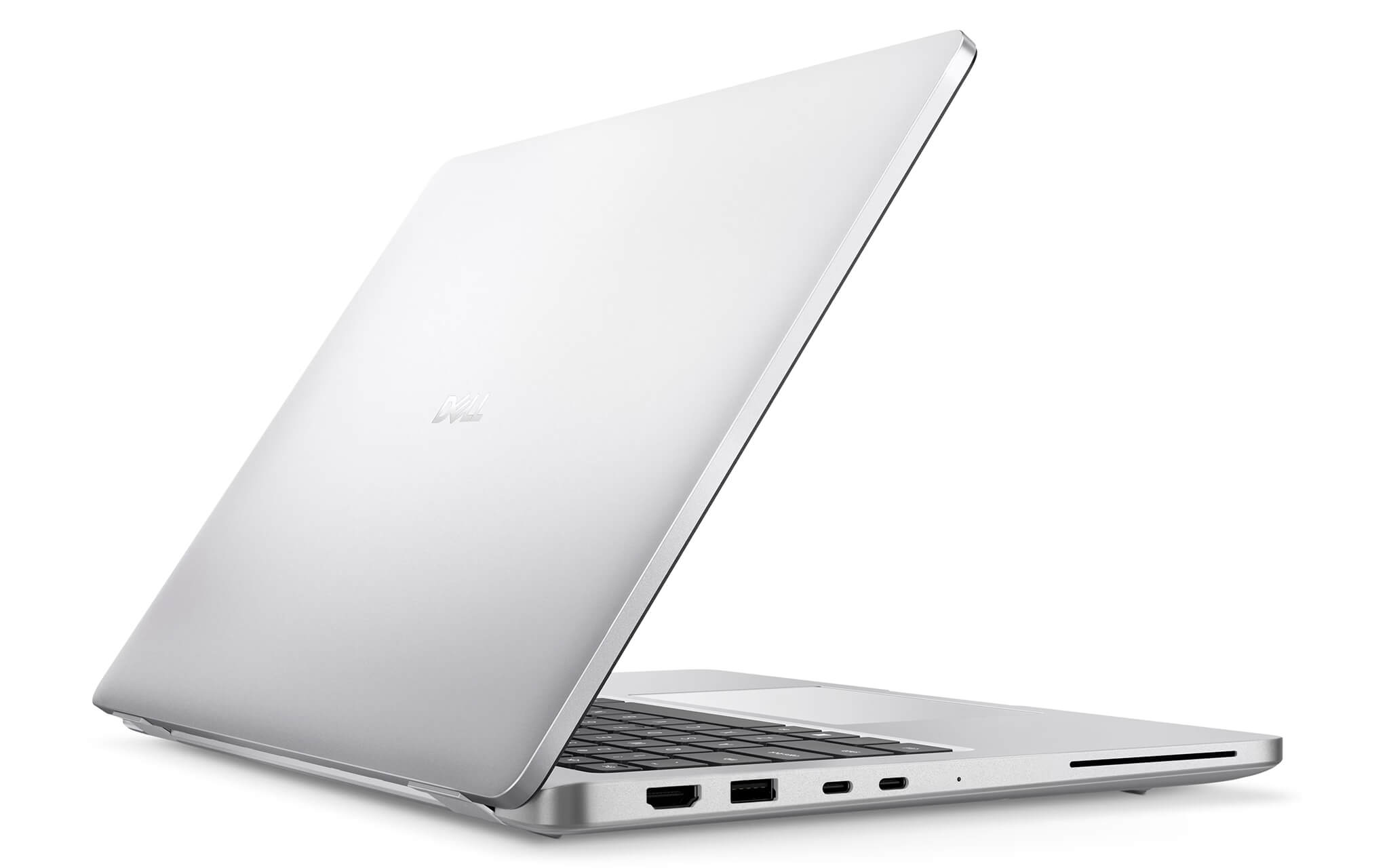
Designed for productivity and mobility, this machine is best suited for office work, programming, data processing, and light creative tasks rather than long, intensive gaming sessions. For its intended use cases, the thermal management ensures stable performance and a comfortable user experience.
The laptop is powered by a 3-cell 55Wh battery that supports ExpressCharge and ExpressCharge Boost technologies, allowing for quick top-ups during breaks. It comes with a compact 65W USB-C charger for easy portability. Combined with the AMD chip and the Low Power display option, the battery can comfortably sustain a full day of mobile work.
Overview and Review: Dell Pro 14 Plus PB14255
The Dell Pro 14 Plus PB14255 is a compelling choice for businesses and professionals seeking a lightweight, highly secure laptop with strong multi-core performance. Its standout feature is the AMD Ryzen AI PRO 7 350 with 16 threads, offering superior multitasking compared to the Intel version in the same series, alongside a 50 TOPS NPU that meets Copilot+ PC standards.
It also scores highly for its comprehensive port selection, robust enterprise security, comfortable 14-inch 16:10 display, and sustainable EPEAT Gold design. These are the practical values that corporate environments look for in long-term hardware investments.
A few considerations before purchasing: the onboard RAM means you must select the correct capacity upfront; the integrated Radeon 860M graphics is designed for professional work rather than heavy gaming; and the standard configuration uses an FHD+ display rather than a higher-resolution option. Nevertheless, within the enterprise laptop segment, the Dell Pro 14 Plus PB14255 remains a powerful, durable, and worthwhile investment.
| Pros | Cons |
|---|---|
|
|
FAQ - Frequently Asked Questions about Dell Pro 14 Plus PB14255
1. What processor does the Dell Pro 14 Plus PB14255 use?
It uses the AMD Ryzen AI PRO 7 350 from the Ryzen AI PRO 300 Series, built on Zen 5 architecture, featuring 8 cores, 16 threads, 24MB cache, a 5.0GHz max boost clock, and a 50 TOPS NPU. The integrated graphics are AMD Radeon 860M.
2. What is the difference between the PB14255 (AMD) and PB14250 (Intel)?
Both belong to the Dell Pro 14 Plus series with similar enterprise designs and features. The main difference is the chip: the AMD PB14255 has 16 threads, making it stronger in multitasking and multi-core tasks, while the Intel PB14250 uses the Core Ultra Series 2. If your work is heavy on multitasking, the AMD version is the better choice.
3. Is the Dell Pro 14 Plus PB14255 a Copilot+ PC?
Yes. The AMD Ryzen AI PRO 7 350 NPU delivers 50 TOPS, exceeding Microsoft's 40 TOPS requirement, so it is certified as a Copilot+ PC and can utilize all new Windows AI features.
4. What are the display specifications for the PB14255?
The standard configuration features a 14-inch FHD+ (1920 x 1200) IPS display with a 16:10 aspect ratio, 400 nits of brightness, 100% sRGB color gamut, and ComfortView Plus blue light reduction. A 2-in-1 touchscreen option is also available.
5. Can the RAM and SSD be upgraded?
The RAM is LPDDR5 onboard and cannot be upgraded after purchase; please select your required capacity (32GB is common) at the time of purchase. The SSD is a PCIe Gen4 NVMe M.2 2280, with 512GB capacity depending on the configuration.
6. What ports does the Dell Pro 14 Plus PB14255 have?
It features two USB4 Type-C 40Gbps ports (supporting Power Delivery and DisplayPort), two USB-A 3.2 Gen 1 ports, one HDMI port, and a 3.5mm headphone jack. Wireless connectivity includes Wi-Fi 7 MediaTek MT7925 and Bluetooth 5.4, with an optional WWAN mobile data option.
7. What enterprise security features are included?
The PB14255 includes a fingerprint sensor on the power button, an IR camera for Windows Hello, the ControlVault 3+ platform for secure credential storage, a physical webcam shutter, and presence detection for auto-locking. Some configurations also include a smart card reader.
8. How is the battery life and charging?
The laptop uses a 3-cell 55Wh battery that supports ExpressCharge and ExpressCharge Boost, accompanied by a 65W USB-C charger. Combined with the efficient AMD chip and the Low Power display option, it easily supports a full day of mobile work.
9. What is the warranty policy at Hung Phat Laptop?
Hung Phat Laptop provides a 12-month warranty for new devices and a 6-month warranty for used devices. Customers are also eligible for a 30-day return policy if the product has manufacturing defects.
Where to buy the Dell Pro 14 Plus PB14255 at a reliable store with the best price?
If you are looking for a business laptop that is lightweight, highly secure, and offers powerful multi-core performance, the Dell Pro 14 Plus PB14255 with AMD Ryzen AI PRO 7 350 is an excellent choice. It is ideal for executives, engineers, and office professionals who need a durable, Copilot+ PC-ready device for long-term use.
Hung Phat Laptop is a trusted provider specializing in genuine Dell Pro products, offering official imports, full invoicing, and transparent warranty policies. When you purchase the Dell Pro 14 Plus PB14255 here, you will receive expert advice to find the right configuration for your needs, dedicated technical support, nationwide shipping, and many attractive promotions.
Performance & benchmarks DELL Pro 14 Plus PB14255 AMD (2025)
AMD Ryzen AI 7 PRO 350 AMD Radeon 860M - best for Văn phòng 9.5/10, Lập trình 8.5/10.
AMD Ryzen AI 7 PRO 350
- Cinebench R23 (đa nhân)14,278.5
- Geekbench 6 (đa nhân)13,181
- Geekbench 6 (đơn nhân)2,830
- PassMark24,079
- Cores / Threads8/16
AMD Radeon 860M
- 3DMark Time Spy2,552
- 3DMark Fire Strike6,908
- ArchitectureRDNA 3+
Best for
Scored from real benchmarks- Chơi game3/10
- Dựng phim / Đồ hoạ4.5/10
- Lập trình8.5/10
- Văn phòng9.5/10
Why CPU matters
CPU là “bộ não” xử lý mọi tác vụ: mở ứng dụng, đa nhiệm, biên dịch, dựng phim. CPU càng mạnh, máy càng nhanh và mượt khi làm nhiều việc cùng lúc.
- Cơ bảnThis product
Lướt web, xem phim, soạn thảo văn phòng nhẹ.
- Phổ thôngThis product
Văn phòng, đa nhiệm vừa, học tập.
- Tầm trungThis product
Đa nhiệm tốt, lập trình, đồ hoạ nhẹ.
- Khá mạnhThis product
Dựng phim, lập trình nặng, ảo hoá, chơi game.
- Cao cấpThis product
Render nặng, biên tập 4K/8K, máy ảo, tác vụ AI.
Why GPU matters
GPU (card đồ hoạ) lo phần hình ảnh: chơi game, dựng video, render 3D và tăng tốc AI. GPU càng mạnh, khung hình game càng cao và xuất video càng nhanh.
- Cơ bản (iGPU)This product
Hiển thị mượt, xem phim 4K, game rất nhẹ (LMHT, Valorant mức thấp).
- Phổ thôngThis product
Game eSports 1080p, chỉnh ảnh, dựng video nhẹ.
- Tầm trungThis product
Game 1080p thiết lập trung-cao, dựng video Full HD ổn.
- Khá mạnhThis product
Game 1080p/1440p thiết lập cao, dựng video 4K, render 3D.
- Cao cấpThis product
Game 4K/240Hz, ray tracing, render & AI nặng.
Game performance
Real FPS - FHD- Dota 274 fps1080p Ultra
- GTA V61 fps1080p Cao
- Star Wars Outlaws15 fps1080p Thấp
- Cyberpunk 207735 fps1080p Thấp
🟢 ≥60fps rất mượt · 🟡 30-60fps chơi tốt · 🔴 <30fps cần giảm thiết lập
Local AI performance
Tokens/second running locally on GPU- Gemma 4 E2B IT5.6 GB · ctx 256K15 tok/sDecent
- GLM-4 9B5.1 GB · ctx 128K16 tok/sDecent
- Gemma 4 E4B4.6 GB · ctx 256K18 tok/sDecent
- Ministral 8B4.6 GB · ctx 32K18 tok/sDecent
- Qwen 3.5 4B4.6 GB · ctx 32K18 tok/sDecent
- DeepSeek R1 Distill 7B4.1 GB · ctx 64K20 tok/sRuns well
- Gemma 4 E2B3.1 GB · ctx 256K27 tok/sRuns well
- Qwen 3.5 2B2.5 GB · ctx 32K34 tok/sRuns well
- Phi-4 Mini Reasoning2.4 GB · ctx 16K35 tok/sRuns well
- Llama 3.2 3B2 GB · ctx 128K42 tok/sRuns great
- SmolLM3 3B2 GB · ctx 128K42 tok/sRuns great
- DeepSeek R1 1.5B1.3 GB · ctx 64K65 tok/sRuns great
- Qwen 3.5 0.8B1.3 GB · ctx 32K65 tok/sRuns great
- TinyLlama 1.1B1.1 GB · ctx 2K76 tok/sRuns great
- Llama 3.2 1B1 GB · ctx 128K84 tok/sRuns great
- Gemma 2 9B5.1 GB · ctx 8K16 tok/sDecent
- Nemotron Nano 9B v25.1 GB · ctx 128K16 tok/sDecent
- Llama 3.1 8B4.6 GB · ctx 128K18 tok/sDecent
- Qwen 3 8B4.6 GB · ctx 128K18 tok/sDecent
- Mistral 7B v0.34.1 GB · ctx 32K20 tok/sRuns well
- Qwen 2.5 7B4.1 GB · ctx 128K20 tok/sRuns well
- Qwen 2.5 Coder 7B4.1 GB · ctx 128K20 tok/sRuns well
- Qwen 3 4B2.5 GB · ctx 32K34 tok/sRuns well
- Gemma 3 4B2.5 GB · ctx 128K34 tok/sRuns well
- Phi-3.5 Mini2.4 GB · ctx 128K35 tok/sRuns well
- Gemma 2 2B1.5 GB · ctx 8K56 tok/sRuns great
- Qwen 3 1.7B1.4 GB · ctx 32K60 tok/sRuns great
- Qwen 2.5 Coder 1.5B1.3 GB · ctx 32K65 tok/sRuns great
- Qwen 3 0.6B1.1 GB · ctx 32K76 tok/sRuns well
- Gemma 3 1B1 GB · ctx 32K84 tok/sRuns great
🟢 Great · 🟡 Well · 🟠 Decent - 4-bit quantized, ctx = context window
No comments yet
Q&A about DELL Pro 14 Plus PB14255 AMD (2025)
Frequently asked questions about DELL Pro 14 Plus PB14255 AMD (2025)
What are the specifications of DELL Pro 14 Plus PB14255 AMD (2025)?
What is the warranty for DELL Pro 14 Plus PB14255 AMD (2025)?
Can I buy DELL Pro 14 Plus PB14255 AMD (2025) with home delivery?
Worth a Look
 2 configurations
DELL Pro 16 PC16250 (2025)
DELL Pro 14 PC14250 (2025)
DELL Pro 16 Plus PB16255 AMD (2025)
 2 configurations
DELL Pro 14 Premium PA14250 (2025)
 4 configurations




Hoàng Nam 07/07/2026
This machine runs very smoothly, guys! Multitasking is excellent thanks to the new AMD chip. The touchscreen is beautiful, but it's a bit of a shame that the RAM is soldered and cannot be upgraded.
Hoàng Minh 07/07/2026
This machine is stunningly thin and light with a very solid build quality. The AMD chip makes multitasking incredibly smooth, and the touchscreen is a joy to use. Highly recommended, everyone!
Minh Anh 05/07/2026
The machine runs very smoothly; multitasking is effortless thanks to the truly powerful AMD chip. My only slight regret is that the 512GB SSD is a bit small.