

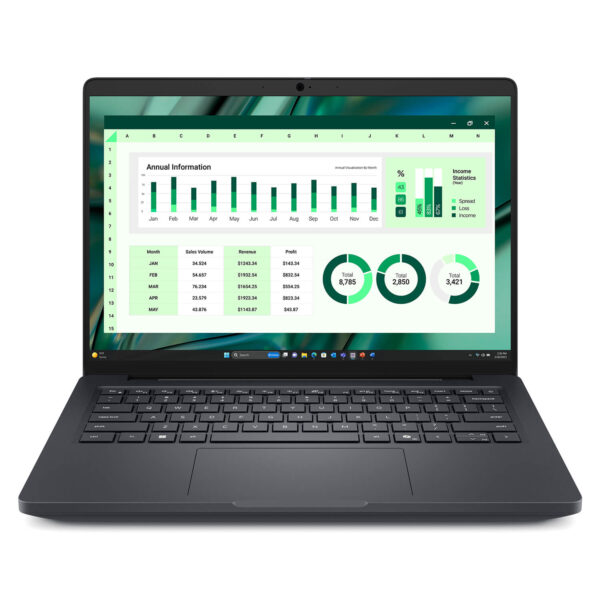
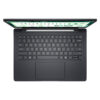
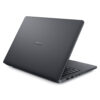
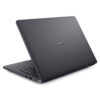
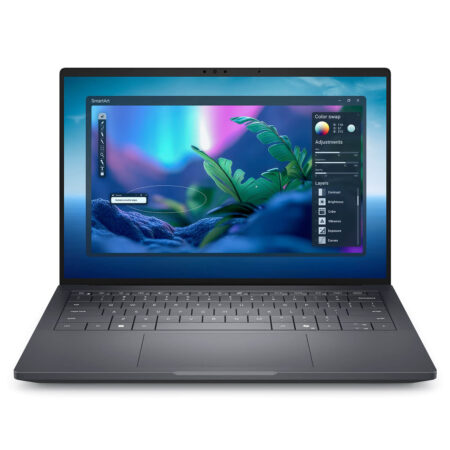
DELL Pro Max 14 MC14250 - Mobile Workstation (2025)
- CPU: Intel Core Ultra 7 255H Up To 5.1GHz (16 Cores, 16 Threads, 24MB Cache - 13 TOPS NPU)
- RAM: LPCAMM2 LPDDR5x 16GB 7467MHz
- SSD: 512GB PCIe Gen4 M.2 - Self-Encrypting SSD
- VGA: Intel® Arc™ 140T Graphics
- DISPLAY: 14" FHD+ (1920*1200), 60Hz, Non-Touch, Anti-Glare, 45% NTSC, 300 nits
- CONDITION: Like New 99%
- WARRANTY: Bảo hành 12 tháng
- Minimalist Design, Maximum Performance
- Impressive Performance with Intel Core Ultra Series 2
- AI-Accelerated Workflows for Complex Tasks
- Dell Pro Max 14 MC14250 (2025) Display
- Keyboard & Touchpad
- Ports & Connectivity: Dell Pro Max 14 MC14250 (2025)
- Enterprise-Grade Security & Data Protection
- Thermal Management & Battery Life
- Summary: Dell Pro Max 14 MC14250 – Mobile Workstation (2025)
- FAQ - Frequently Asked Questions About Dell Pro Max 14 MC14250 (2025)
- Where to Buy the Dell Pro Max 14 MC14250 (2025) with Trusted Quality and Great Value?
Dell Pro Max 14 MC14250 (2025), part of the newly launched 2025 Dell Pro Max 14 lineup, is a next-generation mobile workstation engineered for demanding professionals. Powered by Intel Core Ultra Series 2 processors, it delivers breakthrough computing performance, robust multi-threading capabilities, and effortless handling of compute-heavy tasks. Combined with MIL-STD military-grade durability, the Dell Pro Max 14 is the premier choice for engineers, designers, and video editors who need a true workhorse—powerful, rugged, and built for life on the move.
Minimalist Design, Maximum Performance
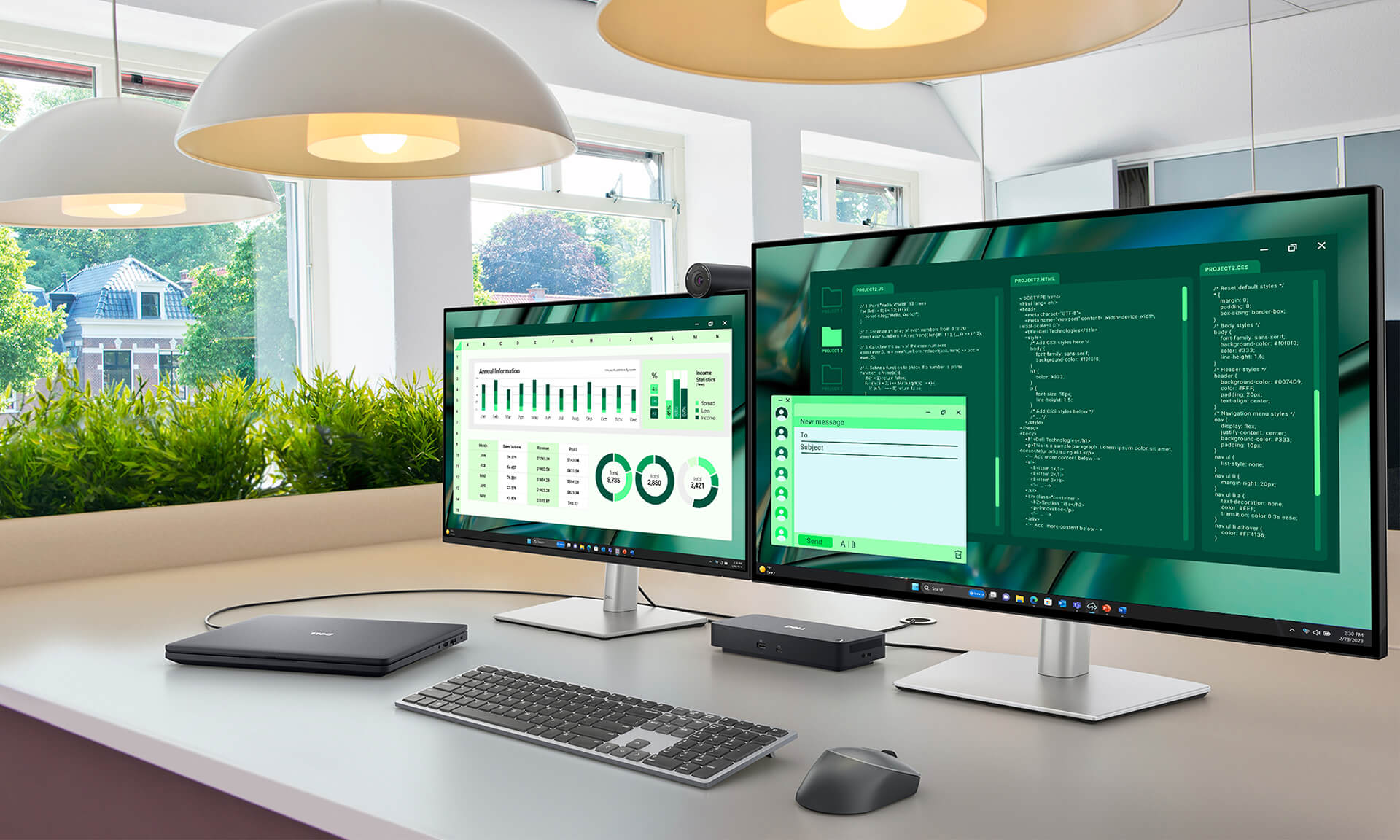
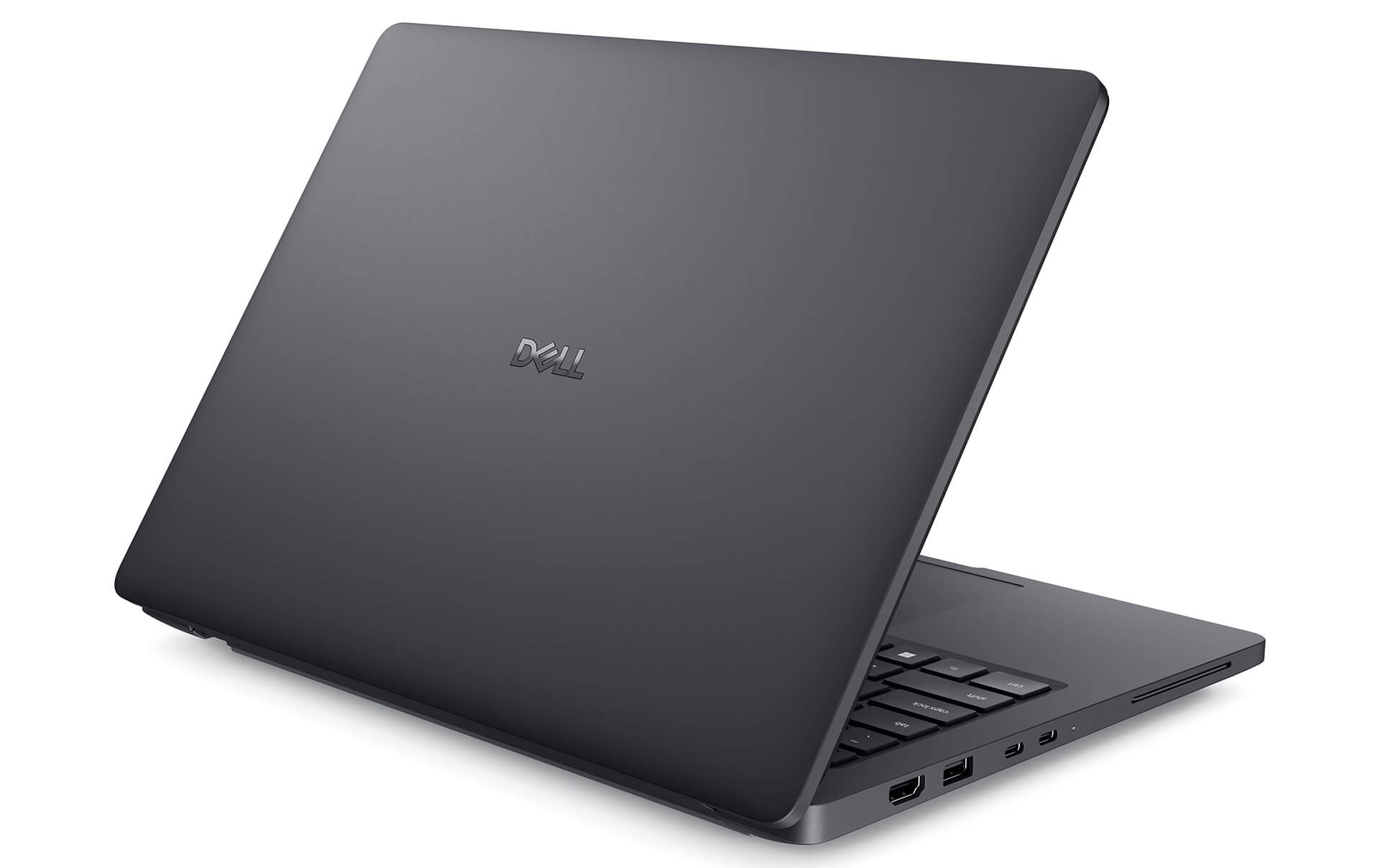
The Dell Pro Max 14 MC14250 (2025) features a sleek, modern chassis engineered for peak practicality and workflow efficiency. Crafted from eco-friendly recycled materials, it delivers a clean, professional aesthetic along with a remarkably solid, premium feel in hand. Every detail is optimized for demanding professional environments, embodying the true spirit of a high-performance mobile workstation.
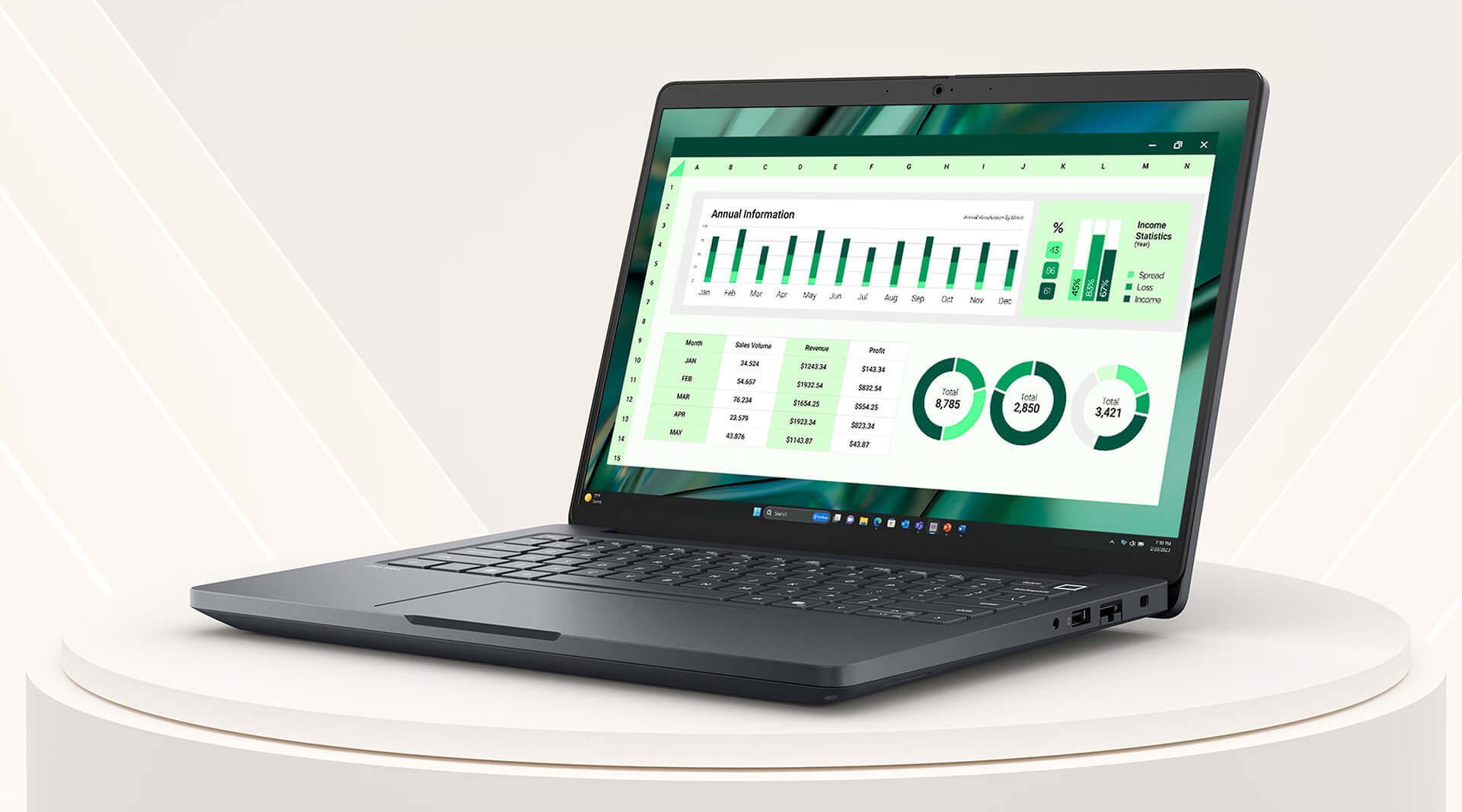
Using recycled and bio-based materials not only minimizes environmental impact but also reflects Dell’s commitment to sustainable technology. This makes it an appealing choice for environmentally conscious professionals who value social responsibility alongside enterprise-grade hardware.
While not an ultra-thin notebook, measuring between 14.79mm and 24.65mm thick and weighing approximately 1.83kg, the Dell Pro Max 14 MC14250 retains exceptional portability—making it an ideal match for engineers, designers, and editors working on the move. Tested to rigorous MIL-STD 810H standards, it guarantees enterprise-grade durability and dependable operation across varied work conditions.
Impressive Performance with Intel Core Ultra Series 2
The Dell Pro Max 14 MC14250 Ultra 2 is a next-generation mobile workstation engineered by Dell for professionals demanding uncompromising power, rock-solid stability, and optimized performance. Powered by cutting-edge Intel® Core™ Ultra Series 2 processors, it easily handles intensive workloads such as software development, graphic design, video editing, and big data analysis.
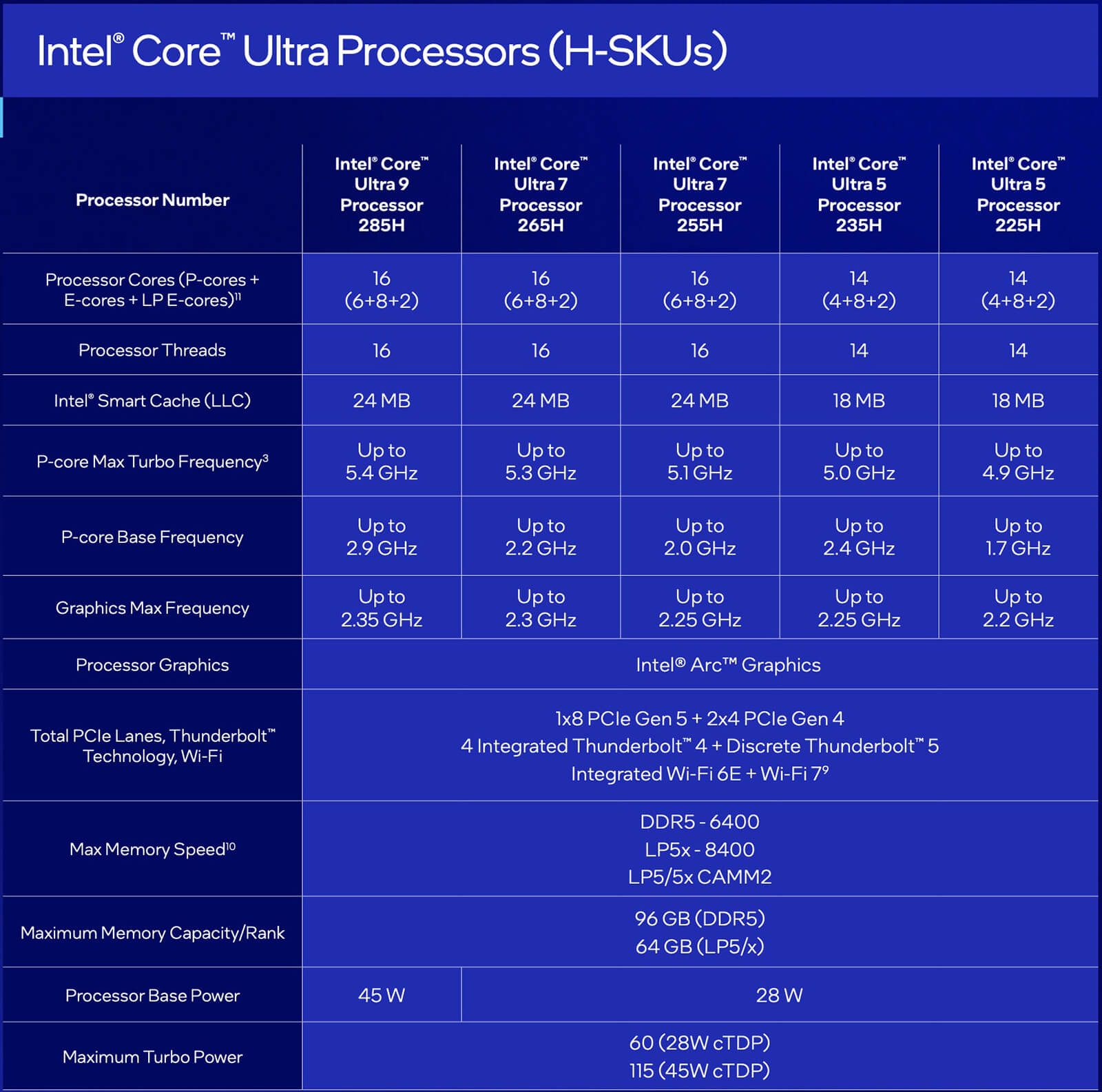
Users can tailor the CPU configuration to match their specific workload:
- Intel® Core™ Ultra 5 225H (14 cores, 14 threads, up to 4.90 GHz)
- Intel® Core™ Ultra 5 235H vPro® (14 cores, 14 threads, up to 5.00 GHz)
- Intel® Core™ Ultra 7 255H (16 cores, 16 threads, up to 5.10 GHz)
- Intel® Core™ Ultra 7 265H vPro® (16 cores, 16 threads, up to 5.30 GHz)
On the graphics front, the Dell Pro Max 14 MC14250 offers both integrated Intel® Graphics and an optional dedicated NVIDIA® RTX™ PRO 500 Blackwell GPU with 6GB GDDR7 memory—accelerating rendering speeds, engineering simulations, and complex 3D modeling tasks.
Memory configurations feature ultra-fast LPCAMM2 LPDDR5x RAM clocked at 7467 MT/s, available from 16GB up to 64GB, alongside Gen4 PCIe NVMe SSD storage with capacities up to 2TB for blazing-fast SSD speeds and effortless multitasking. Everything runs optimized on Windows 11 Pro, unlocking AI-assisted capabilities and ensuring maximum productivity.
AI-Accelerated Workflows for Complex Tasks
The Dell Pro Max 14 MC14250 (2025) leverages cutting-edge artificial intelligence (AI) to streamline workflows, assisting users in handling complex workloads such as data analytics, system health monitoring, and intelligent resource allocation. Integrated AI features not only speed up processing times but also boost accuracy and system stability throughout intense work sessions.
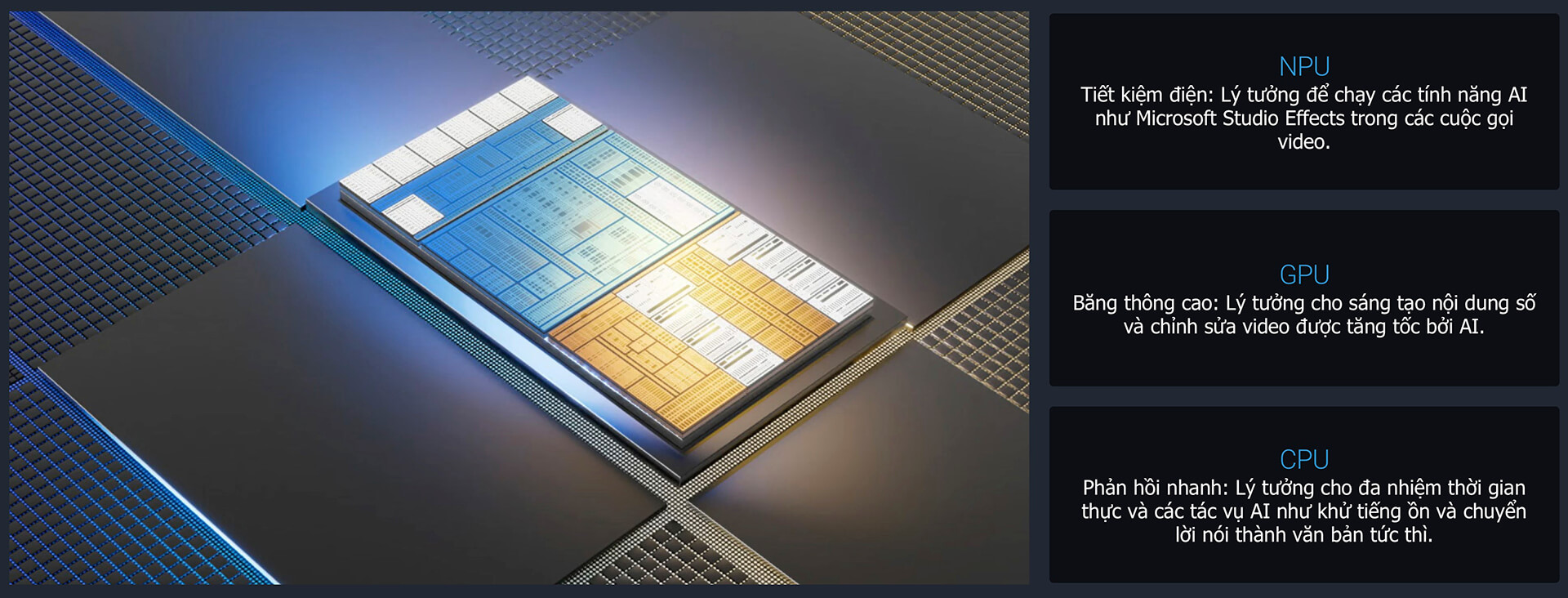
Equipped with advanced AI-enabled utilities like McAfee Deepfake Detector and Lakeside SysTrack, the system allows users to rapidly analyze, detect, and process large volumes of data. This delivers a distinct competitive edge in fields requiring machine learning, digital visualization, and compute-intensive workflows.
The combination of smart AI integration, high-end silicon, and a productivity-optimized operating system empowers the Dell Pro Max 14 to deliver an elevated user experience. With intelligent automation, professionals spend less time managing tasks and more time driving creative innovation and making informed, high-impact decisions.
Dell Pro Max 14 MC14250 (2025) Display
The Dell Pro Max 14 MC14250 features a productivity-driven 16:10 WVA display with up to FHD+ 1920x1200 resolution, delivering crisp visuals and an expanded vertical view ideal for office multitasking and content creation. Thanks to Anti-Glare technology and 300 nits of brightness, you can work comfortably across diverse lighting environments without harsh reflections or eye fatigue.
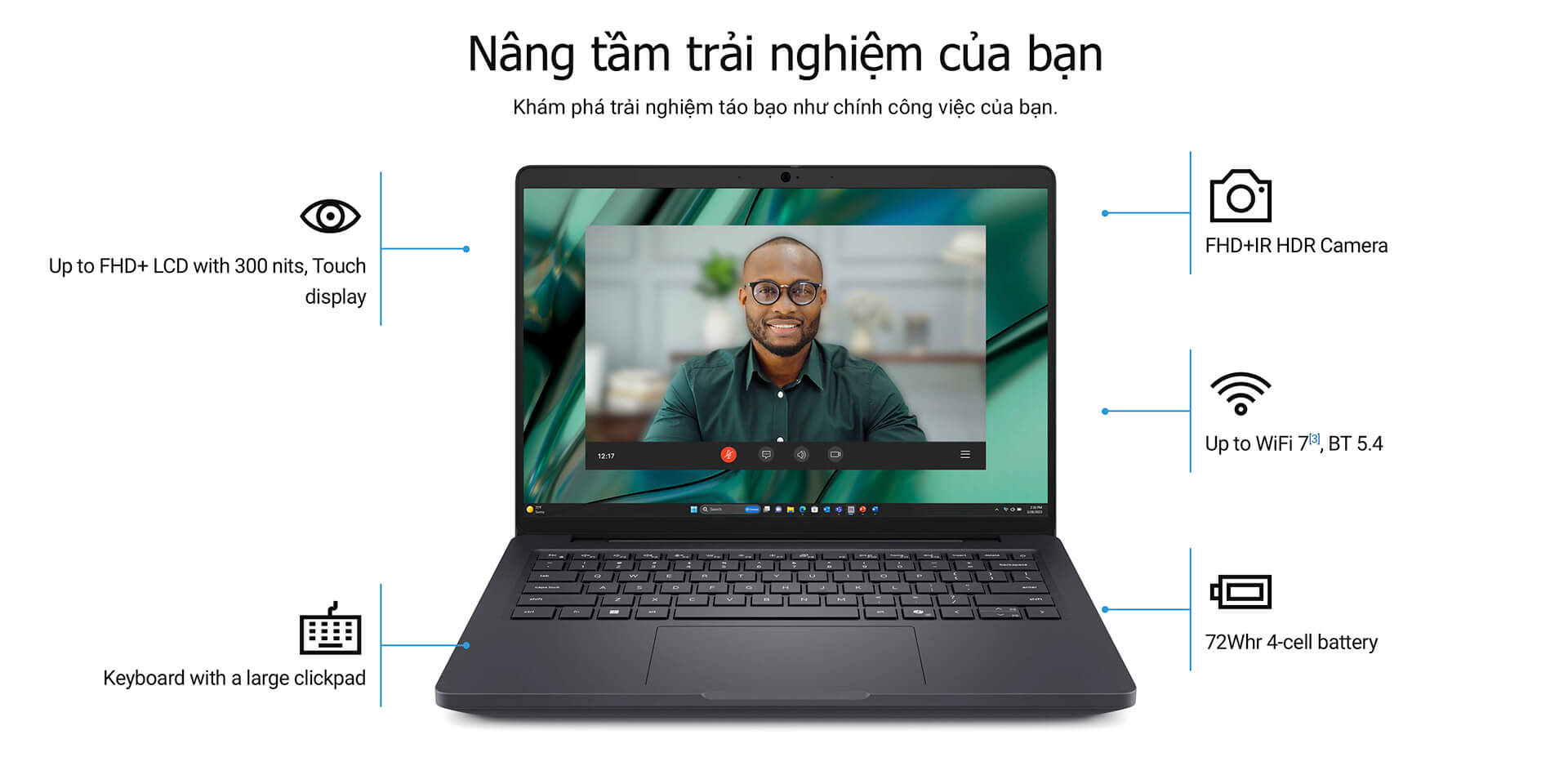
As a true enterprise-grade mobile workstation, the Dell Pro Max 14 MC14250 provides multiple display options tailored to stringent color accuracy and refresh rate requirements:
- 14” Non-Touch, FHD+ (1920x1200), 60Hz, WVA, Anti-Glare, 300 nit, 45% NTSC
- 14” Touch, FHD+ (1920x1200), 60Hz, WVA, Anti-Glare, 300 nit, 100% sRGB, No Pen Support
- 14” Non-Touch, QHD+ (2560x1600), 120Hz, WVA, Anti-Glare, 300 nit, 100% sRGB, ComfortView Plus
The WVA LED panel maintains steady brightness and wide viewing angles, while the matte anti-glare finish enables effortless work whether you're at your desk, in a coffee shop, or working on site. Tailored for a professional viewing experience, the Dell Pro Max 14 MC14250 display ensures sharp detail, high contrast, and faithful color reproduction for every project.
Keyboard & Touchpad
The Dell Pro Max 14 MC14250 provides a smooth, precise typing and navigation experience—an essential asset for heavy everyday productivity. The backlit keyboard keeps you working effortlessly in low-light settings, while its well-spaced layout and tactile key travel deliver comfortable typing that minimizes hand strain over long sessions—a major benefit for developers, analysts, and late-night creators.
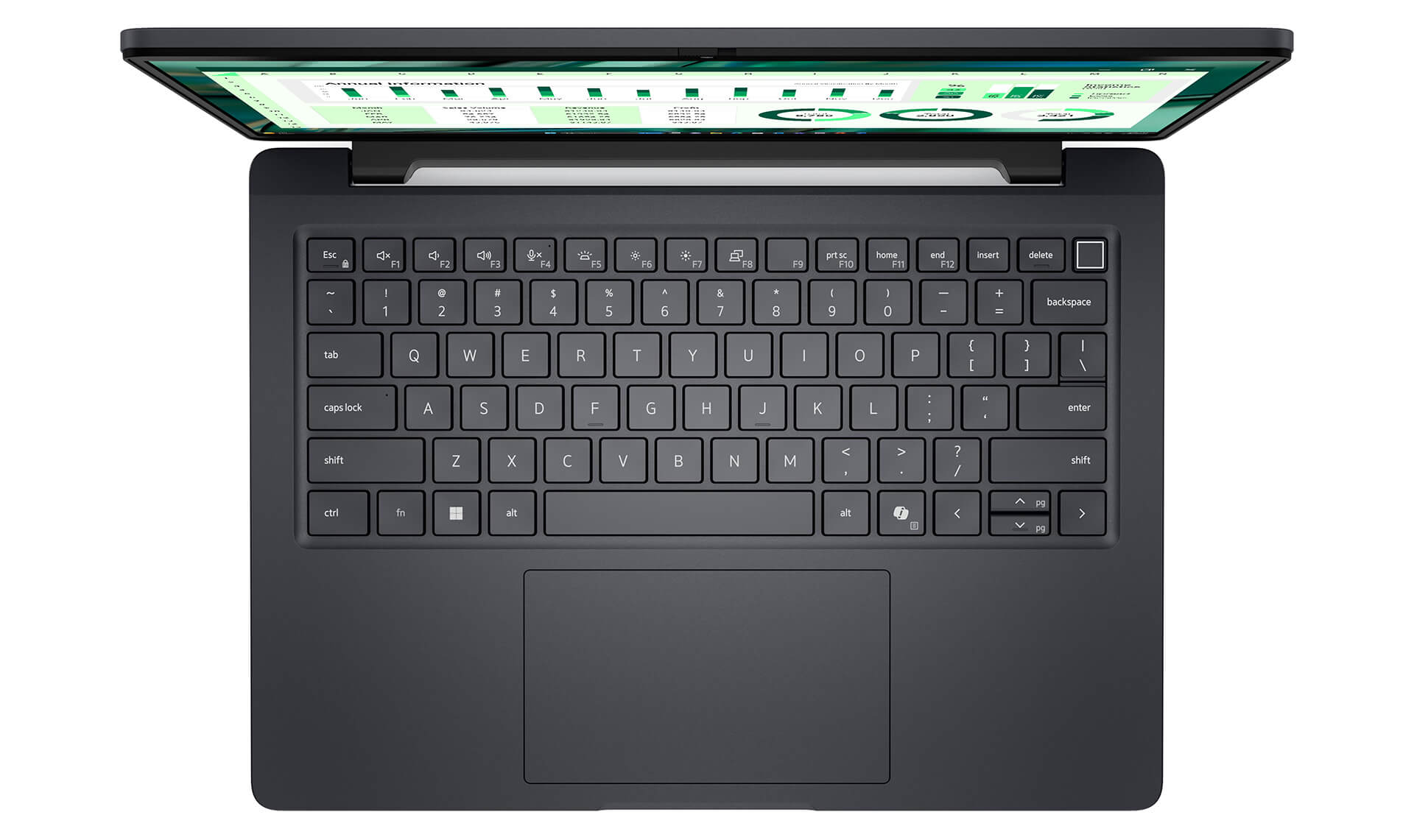
The touchpad on the Dell Pro Max 14 MC14250 is finely calibrated for responsive tracking and full multi-touch gesture support, including smooth scrolling, pinch-to-zoom, and rapid app switching. Its silky, color-matched surface ensures accurate, fluid control. As expected from a high-tier mobile workstation, the Dell Pro Max ensures every interaction feels natural, elevating your daily productivity.
Ports & Connectivity: Dell Pro Max 14 MC14250 (2025)
The Dell Pro Max 14 MC14250 comes outfitted with a comprehensive I/O array built for professional demands. Dual Thunderbolt™ 4 ports (40 Gbps) support Power Delivery and DisplayPort™, enabling instant hookups to external displays, ultra-fast storage drives, or docking stations—transforming your laptop into an efficient workstation hub.
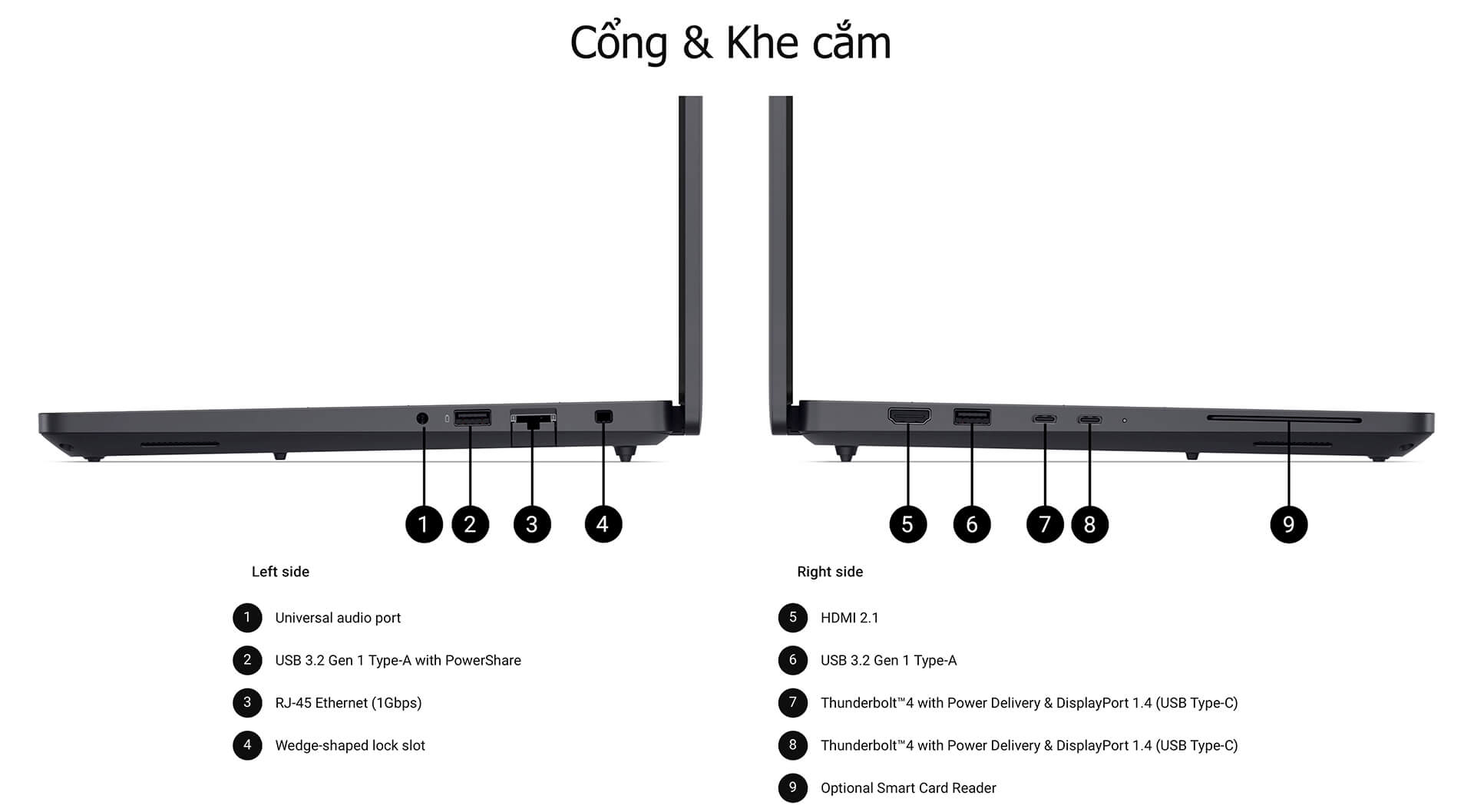
Additionally, the Dell Pro Max 14 MC14250 (2025) integrates USB 3.2 Gen 1 ports, HDMI 2.1, and a dedicated 10 Gbps RJ45 Ethernet port for rock-solid wired network connectivity and presentations. The onboard PowerShare USB port lets you recharge peripheral devices even while the laptop is powered down—a handy feature for travel.
Wireless performance takes a major leap forward with Intel® Wi-Fi 7 BE201 and Bluetooth® 5.4, ensuring lightning-fast transfer speeds and minimal latency. The system also includes enterprise security options such as a Smart Card Reader, a wedge-shaped lock slot, and a universal audio jack for a truly seamless workflow.
Enterprise-Grade Security & Data Protection
The Dell Pro Max 14 MC14250 (2025) is built from the ground up with data security at the forefront, matching the rigorous requirements of business professionals. Layered hardware- and software-level protections keep sensitive company data thoroughly protected across modern hybrid and digital workspaces.
An integrated Trusted Platform Module (TPM) chip provides silicon-level encryption to block unauthorized tampering. An optional Smart Card Reader enhances identity authentication, reducing password vulnerabilities and aligning with strict corporate security policies.
Furthermore, the Dell Pro Max 14 carries full ISV certification, guaranteeing rock-solid stability and compatibility with professional engineering, digital content creation, and data software suites. It delivers a comprehensive security and reliability package for a high-performance Dell Pro Max mobile workstation.
Thermal Management & Battery Life
The Dell Pro Max 14 MC14250 excels across both cooling efficiency and battery endurance—two non-negotiable factors for mobile power users. Thanks to an optimized thermal design and energy-efficient architecture, the workstation maintains sustained peak output without performance throttling or disruptions.
Its 4-cell 72 Whr battery delivers long-lasting power, making it ideal for frequent travelers and hybrid workers out in the field. This mobile workstation powers through hours of continuous use away from an outlet, keeping your creative and analytical workflows uninterrupted.
An intelligent active thermal architecture provides efficient heat dissipation, keeping internal temperatures cool under heavy computational stress. In addition, the Dell Pro Max 14 holds both ENERGY STAR® and EPEAT Gold certifications, proving that flagship-tier performance can pair seamlessly with energy conservation and environmental responsibility.
Summary: Dell Pro Max 14 MC14250 – Mobile Workstation (2025)
The Dell Pro Max 14 MC14250 (2025) is a purpose-built mobile workstation crafted for demanding professionals, striking the ultimate balance between pro-grade performance, military-standard durability, and end-to-end security. Equipped with Intel® Core™ Ultra processors, cutting-edge LPCAMM2 LPDDR5x RAM, and an extensive port selection, this machine is primed to excel in any workflow where speed, stability, and reliability matter most.
| Key Pros | Cons |
|---|---|
|
|
If you are an engineer, designer, or video editor seeking a reliable workhorse, the Dell Pro Max 14 MC14250 (2025) is the right tool for the job. More than just a laptop, it is a complete workstation solution built for high-demand, mission-critical environments.
FAQ - Frequently Asked Questions About Dell Pro Max 14 MC14250 (2025)
1. How is the graphics performance on the Dell Pro Max 14 MC14250?
The Dell Pro Max 14 MC14250 is equipped with integrated Intel Graphics or an optional dedicated NVIDIA RTX Pro 500 Blackwell GPU, effortlessly handling demanding 2D/3D workflows such as CAD modeling, technical design, and video rendering.
2. Is this laptop suitable for photo editing and video production?
Yes. Its powerful hardware configuration combined with a dedicated GPU ensures smooth performance in creative suites like Adobe Photoshop, Premiere Pro, After Effects, and DaVinci Resolve.
3. Can the Dell Pro Max 14 MC14250 handle programming and development software?
Absolutely. Powered by Intel Core Ultra Series 2 processors, it provides excellent multi-threaded performance for compiling code and running IDEs like VS Code, IntelliJ IDEA, and PyCharm smoothly.
4. Does the Dell Pro Max 14 support 3D CAD and engineering software?
Yes. With its specialized GPU options and high-speed RAM, the laptop runs engineering software like AutoCAD, SolidWorks, Revit, Blender, and Fusion 360 with rock-solid stability.
5. What is the battery life of the Dell Pro Max 14 MC14250?
Equipped with a 4-cell 72Wh battery, the laptop provides an average of 5 to 7 hours of runtime depending on your workload. Heavy tasks like continuous 3D rendering may shorten runtime to around 3 to 4 hours.
6. Does the Dell Pro Max 14 MC14250 support Linux?
Yes, the system supports popular Linux distributions. However, to guarantee optimal performance, ensure compatible drivers are installed and consult relevant community documentation or Dell Support.
7. Can the hardware on the Dell Pro Max 14 MC14250 be upgraded?
The laptop supports upgradable M.2 PCIe SSDs and LPCAMM2 LPDDR5x RAM up to 64GB. Depending on the exact configuration, you can upgrade components to fit your evolving workflow.
8. How much does the laptop weigh?
The Dell Pro Max 14 MC14250 weighs approximately 1.83kg, striking a great balance between workstation-tier power and everyday mobility.
9. What is the warranty policy at Hưng Phát Laptop?
Hưng Phát Laptop provides a genuine 12-month warranty on brand-new units, a 30-day return/replacement policy for manufacturer defects, and dedicated lifetime post-sale technical support.
Where to Buy the Dell Pro Max 14 MC14250 (2025) with Trusted Quality and Great Value?
If you are looking for a high-performance, durable, and dependable mobile workstation, the Dell Pro Max 14 MC14250 Ultra Series 2 (2025) at Hưng Phát Laptop is your perfect match. With over 10 years of trusted experience in premium laptops and tech gear, Hưng Phát guarantees 100% genuine products, free nationwide delivery, and transparent warranty coverage.
In addition, Hưng Phát Laptop offers dedicated technical consultations and attractive offers. Don’t miss your opportunity to own the genuine Dell Pro Max 14 MC14250 (2025) at the best price today—contact us now for expert advice and order your unit!
Performance & benchmarks DELL Pro Max 14 MC14250 - Mobile Workstation (2025)
Intel Core Ultra 7 255H Intel Arc Graphics 140T - best for Lập trình 8.5/10, Văn phòng 8.5/10.
Intel Core Ultra 7 255H
- Cinebench R23 (đa nhân)17,845
- Geekbench 6 (đa nhân)15,223
- Geekbench 6 (đơn nhân)2,866.5
- NPU (AI)13 TOPS
- Cores / Threads16/16
Intel Arc Graphics 140T
- 3DMark Time Spy3,843
- 3DMark Fire Strike8,663.5
- ArchitectureXe+
Best for
Scored from real benchmarks- Chơi game3.5/10
- Dựng phim / Đồ hoạ Recommended5.5/10
- Lập trình Recommended8.5/10
- Văn phòng8.5/10
Why CPU matters
CPU là “bộ não” xử lý mọi tác vụ: mở ứng dụng, đa nhiệm, biên dịch, dựng phim. CPU càng mạnh, máy càng nhanh và mượt khi làm nhiều việc cùng lúc.
- Cơ bảnThis product
Lướt web, xem phim, soạn thảo văn phòng nhẹ.
- Phổ thôngThis product
Văn phòng, đa nhiệm vừa, học tập.
- Tầm trungThis product
Đa nhiệm tốt, lập trình, đồ hoạ nhẹ.
- Khá mạnhThis product
Dựng phim, lập trình nặng, ảo hoá, chơi game.
- Cao cấpThis product
Render nặng, biên tập 4K/8K, máy ảo, tác vụ AI.
Why GPU matters
GPU (card đồ hoạ) lo phần hình ảnh: chơi game, dựng video, render 3D và tăng tốc AI. GPU càng mạnh, khung hình game càng cao và xuất video càng nhanh.
- Cơ bản (iGPU)This product
Hiển thị mượt, xem phim 4K, game rất nhẹ (LMHT, Valorant mức thấp).
- Phổ thôngThis product
Game eSports 1080p, chỉnh ảnh, dựng video nhẹ.
- Tầm trungThis product
Game 1080p thiết lập trung-cao, dựng video Full HD ổn.
- Khá mạnhThis product
Game 1080p/1440p thiết lập cao, dựng video 4K, render 3D.
- Cao cấpThis product
Game 4K/240Hz, ray tracing, render & AI nặng.
Game performance
Real FPS - FHD- Dota 278 fps1080p Ultra
- GTA V41 fps1080p Cao
- Cyberpunk 207737 fps1080p Thấp
🟢 ≥60fps rất mượt · 🟡 30-60fps chơi tốt · 🔴 <30fps cần giảm thiết lập
Local AI performance
Tokens/second running locally on GPU- Gemma 4 E2B IT5.6 GB · ctx 256K17 tok/sDecent
- GLM-4 9B5.1 GB · ctx 128K18 tok/sDecent
- Gemma 4 E4B4.6 GB · ctx 256K20 tok/sDecent
- Ministral 8B4.6 GB · ctx 32K20 tok/sDecent
- Qwen 3.5 4B4.6 GB · ctx 32K20 tok/sDecent
- DeepSeek R1 Distill 7B4.1 GB · ctx 64K23 tok/sRuns well
- Gemma 4 E2B3.1 GB · ctx 256K30 tok/sRuns well
- Qwen 3.5 2B2.5 GB · ctx 32K38 tok/sRuns well
- Phi-4 Mini Reasoning2.4 GB · ctx 16K39 tok/sRuns well
- Llama 3.2 3B2 GB · ctx 128K47 tok/sRuns great
- SmolLM3 3B2 GB · ctx 128K47 tok/sRuns great
- DeepSeek R1 1.5B1.3 GB · ctx 64K72 tok/sRuns great
- Qwen 3.5 0.8B1.3 GB · ctx 32K72 tok/sRuns great
- TinyLlama 1.1B1.1 GB · ctx 2K86 tok/sRuns great
- Llama 3.2 1B1 GB · ctx 128K94 tok/sRuns great
- Gemma 2 9B5.1 GB · ctx 8K18 tok/sDecent
- Nemotron Nano 9B v25.1 GB · ctx 128K18 tok/sDecent
- Llama 3.1 8B4.6 GB · ctx 128K20 tok/sDecent
- Qwen 3 8B4.6 GB · ctx 128K20 tok/sDecent
- Mistral 7B v0.34.1 GB · ctx 32K23 tok/sRuns well
- Qwen 2.5 7B4.1 GB · ctx 128K23 tok/sRuns well
- Qwen 2.5 Coder 7B4.1 GB · ctx 128K23 tok/sRuns well
- Qwen 3 4B2.5 GB · ctx 32K38 tok/sRuns well
- Gemma 3 4B2.5 GB · ctx 128K38 tok/sRuns well
- Phi-3.5 Mini2.4 GB · ctx 128K39 tok/sRuns well
- Gemma 2 2B1.5 GB · ctx 8K63 tok/sRuns great
- Qwen 3 1.7B1.4 GB · ctx 32K67 tok/sRuns great
- Qwen 2.5 Coder 1.5B1.3 GB · ctx 32K72 tok/sRuns great
- Qwen 3 0.6B1.1 GB · ctx 32K86 tok/sRuns great
- Gemma 3 1B1 GB · ctx 32K94 tok/sRuns great
🟢 Great · 🟡 Well · 🟠 Decent - 4-bit quantized, ctx = context window
No comments yet
Q&A about DELL Pro Max 14 MC14250 - Mobile Workstation (2025)
Frequently asked questions about DELL Pro Max 14 MC14250 - Mobile Workstation (2025)
What are the specifications of DELL Pro Max 14 MC14250 - Mobile Workstation (2025)?
What is the warranty for DELL Pro Max 14 MC14250 - Mobile Workstation (2025)?
Can I buy DELL Pro Max 14 MC14250 - Mobile Workstation (2025) with home delivery?
Worth a Look
 3 configurations




Hoàng Nam 18/06/2026
The machine runs incredibly smoothly, truly a workstation for graphic designers. With a powerful configuration for fast processing and a very sturdy design, it is well worth the money.
Minh Hoàng 18/06/2026
The machine runs incredibly smoothly thanks to the new Ultra chip, making it excellent for graphics rendering. With its sturdy build, it is perfect for professional work.
Minh Hằng 12/05/2026
The machine runs very smoothly and is quite good for graphic design. The only downside is that it's a bit thick and heavy, not as slim and lightweight as I expected.
Thanh Quân 12/05/2026
It runs super smoothly, everyone! The new Ultra chip handles graphics incredibly fast. The build quality is solid, true to a workstation, making it perfect for work.