

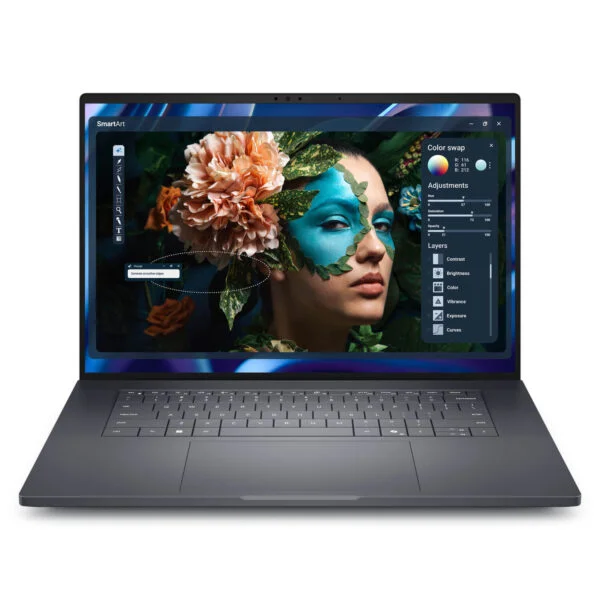
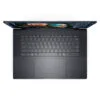
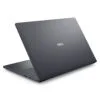
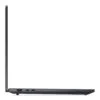
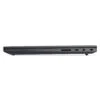
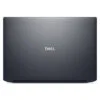
Dell Pro Precision 7 16 PW716260 (2026)
- CPU: Intel Core Ultra 7 356H Up To 4.7GHz (16 Cores, 16 Threads, 18MB Cache - 50 TOPS NPU)
- RAM: 32GB LPDDR5X 8533MT/s (Onboard, dual-channel)
- SSD: 1TB PCIe Gen4 NVMe M.2 SSD
- VGA: NVIDIA RTX PRO 1000 Blackwell 8GB GDDR7 + Intel Graphics
- DISPLAY: 16" FHD+ (1920*1200) 16:10, 120Hz VRR, Non-touch, Anti-Glare, 500 nits, 100% DCI-P3
- OS: Windows 11 Pro
- CONDITION: New 100% Full Box
- WARRANTY: 12-month warranty
- Dell Pro Precision 7 16 Design: Aluminum and Magnesium Chassis, Dual-Fan Cooling
- Dell Pro Precision 7 16 Display: FHD+ 120Hz, 100% DCI-P3
- Dell Pro Precision 7 16 Performance: 16-Core Core Ultra, RTX PRO Graphics
- Dell Pro Precision 7 16 Keyboard and Webcam: Backlight, 8MP IR Camera
- Dell Pro Precision 7 16 Ports: 2 Thunderbolt 5, 96Wh Battery
- Dell Pro Precision 7 16 Overview and Verdict: A Workstation for Engineers
- FAQ - Frequently Asked Questions About the Dell Pro Precision 7 16 PW716260 (2026)
- Where to Buy a Genuine Dell Pro Precision 7 16 PW716260 (2026) at a Great Price?
The Dell Pro Precision 7 16 PW716260 (2026) is a 16-inch mobile workstation in Dell's premium Pro Precision 7 line. It pairs a 16-core Intel Core Ultra Series 3 (Panther Lake) processor with a professional NVIDIA RTX PRO Blackwell graphics card, and it is built for structural engineers, architects, 3D artists and people doing simulation and data analysis who need consistent processing power for hours on end. This article covers 2 configurations: the Intel Core Ultra 7 356H with the NVIDIA RTX PRO 1000 Blackwell 8GB and 32GB of RAM, and the Intel Core Ultra 9 386H vPro with the NVIDIA RTX PRO 2000 Blackwell 8GB and 64GB of RAM. Both have a 1TB SSD, a 16-inch FHD+ 120Hz display covering 100% DCI-P3, 2 Thunderbolt 5 ports and a 96Wh battery. Dell announced the line on March 16, 2026, and the discrete GPU models went on sale in May 2026. Below we walk through the design, display, measured performance, upgradability and what you should know before you buy.
Dell Pro Precision 7 16 Design: Aluminum and Magnesium Chassis, Dual-Fan Cooling
According to Dell, the Dell Pro Precision 7 16 measures 353.8 x 240.28mm; the FHD+ display version is 20.85mm thick at the front and rear, 22mm at most, with a starting weight of 2.17kg. The frame is made of aluminum and magnesium in a dark gray Magnetite color, the display lid and palm rest use 75% recycled aluminum, and the bottom uses 90% recycled magnesium. Compared with the Pro Precision 5 line, the 7 16 has a thicker, heavier body to house the RTX PRO card, the 96Wh battery and a dual-fan cooling system with a vapor chamber, which helps the machine sustain performance during long rendering or simulation runs.
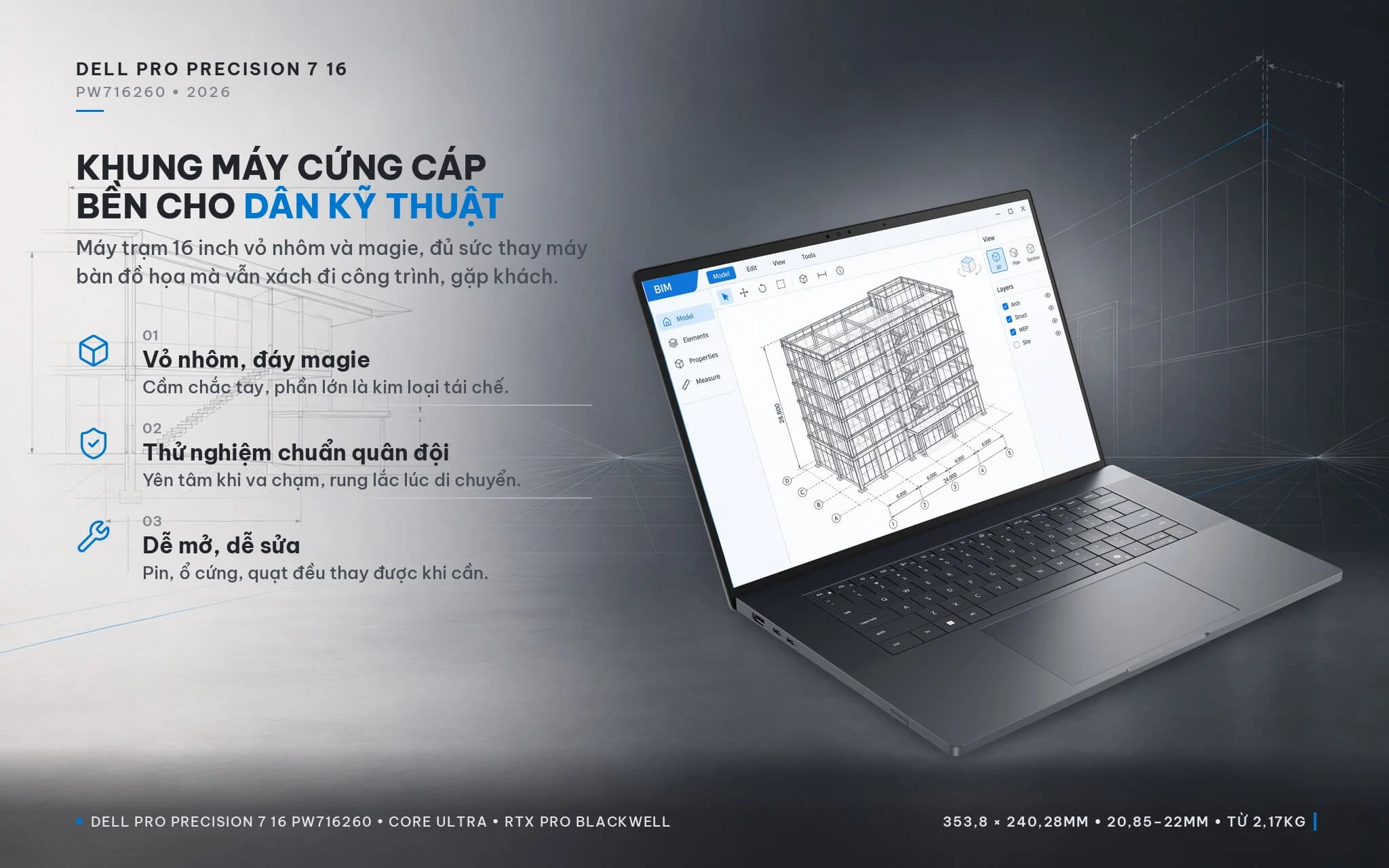
Dell says the machine is tested to military standards for resistance to bumps and vibration in everyday use, and it is also validated by engineering software vendors (ISV certification). It is designed for easy repair: the motherboard and I/O board are separate modules, the battery is a customer-replaceable part, and removing the bottom cover gives access to the battery, SSD and cooling fans. The machine is EPEAT Gold with Climate+, ENERGY STAR and TCO Certified. If you need a Dell laptop that can replace a graphics desktop while still going with you to job sites and client meetings, the Pro Precision 7 16 is well worth considering.
Dell Pro Precision 7 16 Display: FHD+ 120Hz, 100% DCI-P3
Both configurations of the Dell Pro Precision 7 16 PW716260 (2026) use a 16-inch FHD+ display with a resolution of 1920 x 1200, a 16:10 aspect ratio, non-touch, with an anti-glare coating, 500 nits of brightness, 100% DCI-P3 color gamut coverage and a 120Hz refresh rate with VRR (which adjusts the refresh rate to the content to save battery). The DCI-P3 gamut is wider than the sRGB standard, enough for photo editing, modeling and video previews with true-to-life colors; the 120Hz refresh rate makes rotating 3D models and scrolling through long drawings feel smoother than on a 60Hz screen.
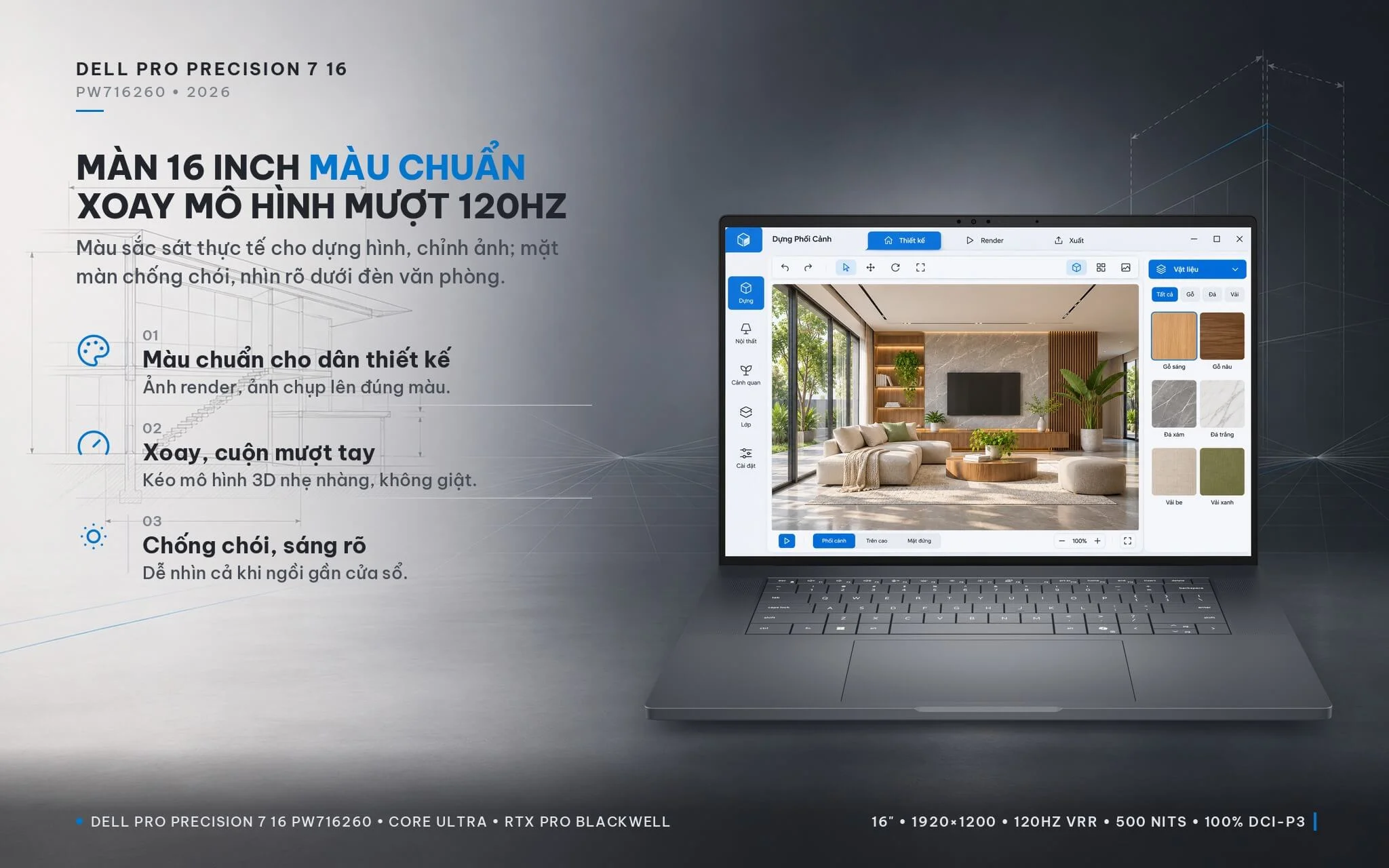
FHD+ resolution on a 16-inch screen gives a pixel density of about 141 PPI, so text and fine lines are not as crisp as on a 4K screen, but in exchange it saves more battery and displays software interfaces at 100% scaling without needing to zoom in. According to Techaeris, the FHD+ panel draws about 5.2W, compared with 12.8W for the 4K Tandem OLED option. If your work demands high detail, such as editing high-resolution photos or 4K video, Dell offers a 4K UHD+ Tandem OLED touch display option for this line, or you can connect an external monitor via Thunderbolt 5 or HDMI 2.1. The anti-glare coating on the FHD+ version keeps the screen clear under office ceiling lights, with less glare than a glossy screen.
Dell Pro Precision 7 16 Performance: 16-Core Core Ultra, RTX PRO Graphics
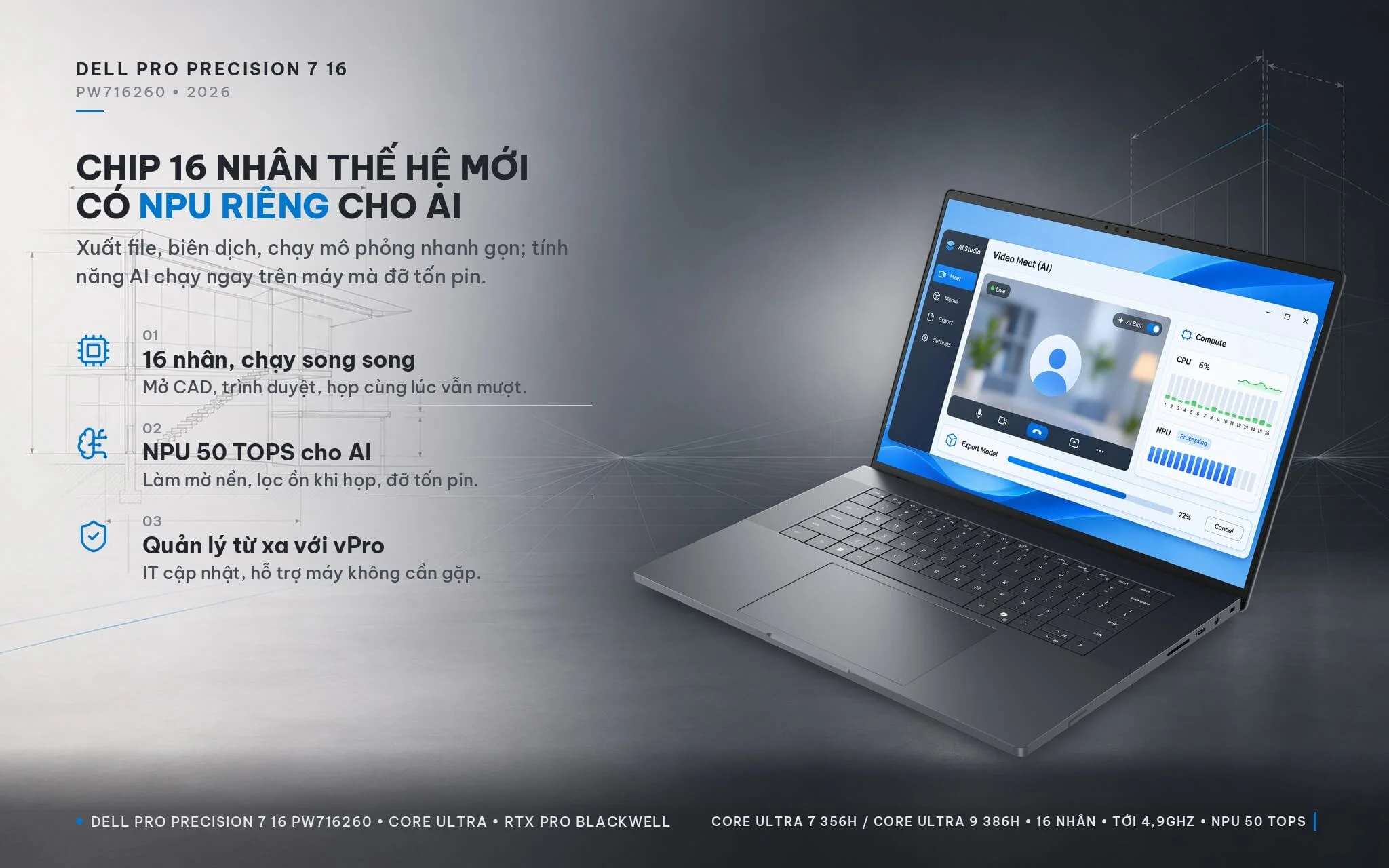
The Dell Pro Precision 7 16 comes with 2 processor choices in this article: the Intel Core Ultra 7 356H (16 cores, 16 threads, up to 4.7GHz) and the Intel Core Ultra 9 386H vPro Enterprise (16 cores, 16 threads, up to 4.9GHz). Both belong to the Panther Lake generation, with 4 performance cores, 8 efficient cores and 4 low-power efficient cores, 18MB of cache and a 50 TOPS NPU, enough for Dell to classify the machine as a Copilot+ PC. The NPU handles on-device AI features such as Windows Studio Effects (background blur, auto framing and noise suppression during video calls) without taking up CPU or GPU resources. The Core Ultra 9 386H model has vPro Enterprise enabled out of the box, helping IT departments manage, update and troubleshoot the machine remotely.
| CPU | Cinebench 2024 Single-Core | Cinebench 2024 Multi-Core | Cinebench R23 Multi-Core |
|---|---|---|---|
| Intel Core Ultra 9 386H (64GB configuration) | 122.1 | 1,210 | 20,750 |
| Intel Core Ultra 7 356H (32GB configuration) | 121.8 | 1,143 | 19,523 |
| Intel Core Ultra 9 285H (Arrow Lake, 2025 generation) | 127 | 1,142 | 20,782 |
| AMD Ryzen AI 9 HX 370 (reference) | 116.9 | 1,139 | 21,761 |
| Intel Core Ultra 7 155H (Meteor Lake, 2024 generation) | 102.3 | 789 | 15,028 |
Source: Notebookcheck, average scores measured on laptops using the same chip (there is no dedicated review of the Dell Pro Precision 7 16 yet). The Core Ultra 7 356H has only 2 to 3 tested samples so far, so these figures are for reference only.
In Cinebench 2024 multi-core, the Core Ultra 7 356H is about 45% faster than the Core Ultra 7 155H in 2024 workstations and on par with the 2025 Core Ultra 9 285H; the Core Ultra 9 386H is about 6% ahead of the 356H. The Ryzen AI 9 HX 370 scores about 11% higher than the 356H in Cinebench R23 multi-core but is even in Cinebench 2024. In practice, single-core-dependent tasks such as drawing and editing in AutoCAD, SketchUp and Revit run fast on both chips, while file exports, code compilation and CPU rendering benefit from the 16 cores. The CPU gap between the two configurations is small; the main differences lie in the graphics card, RAM capacity and vPro Enterprise.
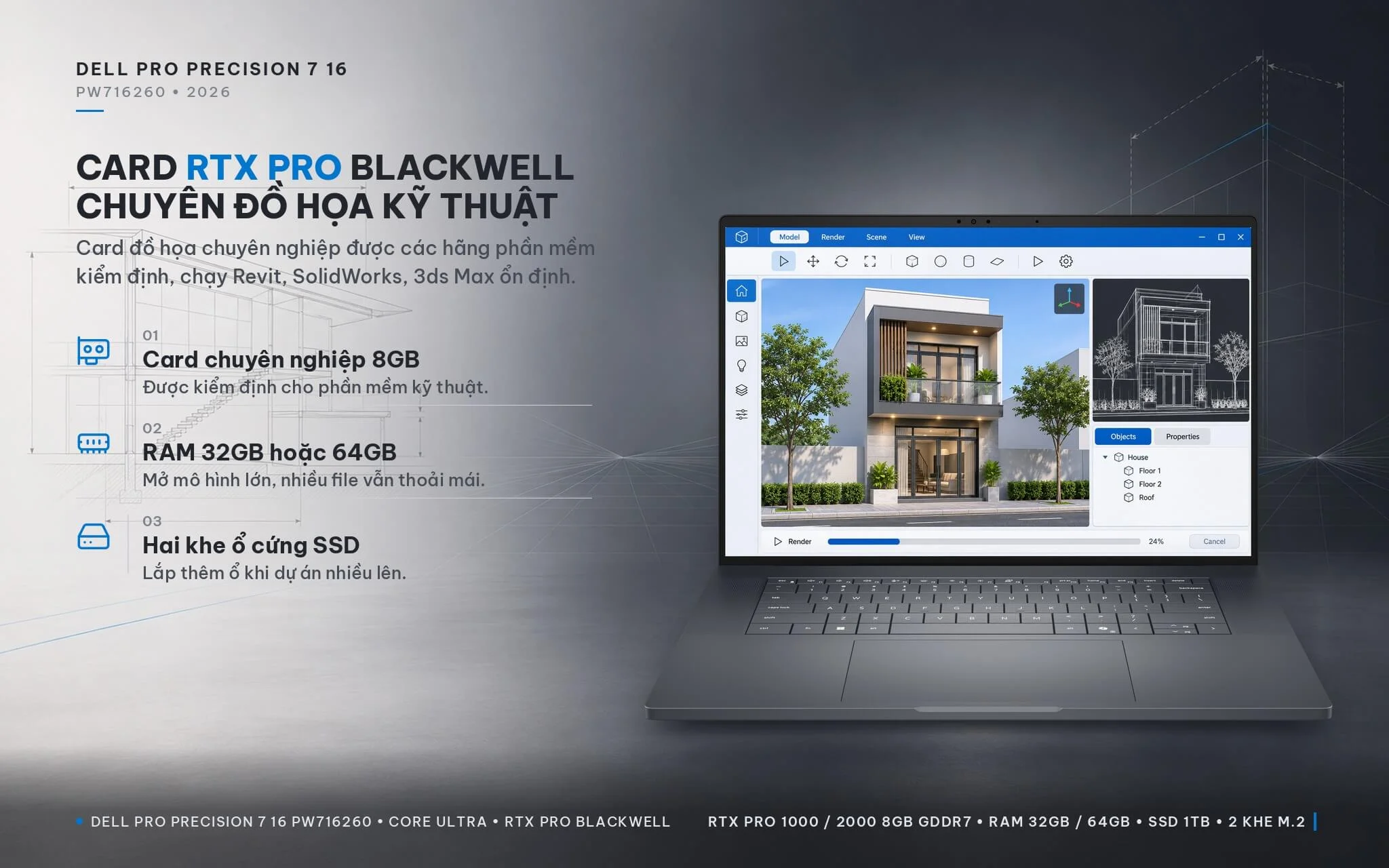
On the graphics side, the 32GB configuration uses the NVIDIA RTX PRO 1000 Blackwell 8GB GDDR7 (2,560 CUDA cores) and the 64GB configuration uses the NVIDIA RTX PRO 2000 Blackwell 8GB GDDR7 (3,328 CUDA cores), both paired with the CPU's integrated Intel Graphics to save battery during light work. Unlike GeForce gaming cards, the RTX PRO family uses professional drivers validated by software vendors, making it a good fit for Revit, SolidWorks, 3ds Max, the Adobe suites and applications with CUDA or GPU-based AI acceleration.
| GPU | 3DMark Time Spy Graphics | 3DMark Fire Strike Graphics |
|---|---|---|
| NVIDIA RTX PRO 3000 Blackwell 12GB (higher option in the line) | 14,875 | 36,897 |
| NVIDIA RTX PRO 2000 Blackwell 8GB (64GB configuration) | 9,120 | 25,603 |
| NVIDIA RTX 2000 Ada 8GB (previous generation) | 8,095 | 21,379 |
| Intel Arc B390 (Core Ultra X7, X9 integrated graphics, reference) | 6,653 | 16,885 |
| NVIDIA RTX A2000 (older workstations) | 5,016 | 13,157 |
| Intel Graphics 4 Xe3 (integrated graphics of the Core Ultra 7 356H, 9 386H) | 2,865 | 6,815 |
Source: Notebookcheck, average scores measured on laptops using the same GPU. The RTX PRO 1000 Blackwell has no 3DMark scores in Notebookcheck's data yet, so it is not included in the table; real-world performance also depends on how much power Dell allots to the card in this machine.
In 3DMark Time Spy, the RTX PRO 2000 Blackwell is about 13% faster than the previous-generation RTX 2000 Ada, about 1.8 times as fast as the RTX A2000 in older workstations and about 37% faster than the integrated Arc B390. The RTX PRO 1000 Blackwell has fewer CUDA cores and suits 2D CAD, moderate 3D modeling, light SketchUp and Lumion work and Full HD video editing; the RTX PRO 2000 is a better fit for large Revit and SolidWorks models, GPU rendering and 4K video editing. If you need more VRAM for heavy rendering or running AI models locally, Dell offers an RTX PRO 3000 12GB option, which scores about 63% higher than the RTX PRO 2000 in Time Spy.
The Pro Precision 7 16 PW716260 uses dual-channel LPDDR5X 8533MT/s RAM, 32GB or 64GB depending on the configuration. According to Dell's spec sheet and StorageReview's review, the RAM is soldered to the motherboard and cannot be upgraded, so you need to choose the right capacity at purchase: 32GB is enough for CAD, mid-size modeling and Full HD video editing, while 64GB is for large models, simulations and heavy data. Storage, on the other hand, is easy to expand: the machine has 2 M.2 slots supporting PCIe Gen5 SSDs with a total capacity of up to 8TB. The 32GB configuration comes with a 1TB PCIe Gen4 SSD, and the 64GB configuration comes with a 1TB PCIe Gen5 M.2 2280 SSD with DRAM cache and hardware encryption (SED) support. The free M.2 slot lets you add a second drive as your project library grows.
Dell Pro Precision 7 16 Keyboard and Webcam: Backlight, 8MP IR Camera
The Dell Pro Precision 7 16 uses a spill-resistant zero-lattice keyboard (the keys sit right next to each other with very narrow gaps), with a battery-saving mini LED backlight and a Copilot key for quick access to the Windows AI assistant. With no numeric keypad, the keyboard sits centered in the chassis, flanked by speaker strips. The large haptic (force-sensing) touchpad delivers a consistent click anywhere on its surface, making pointing and multi-touch gestures comfortable when you have not plugged in a mouse. If you enter a lot of spreadsheet data, you can add a USB or Bluetooth numeric keypad.
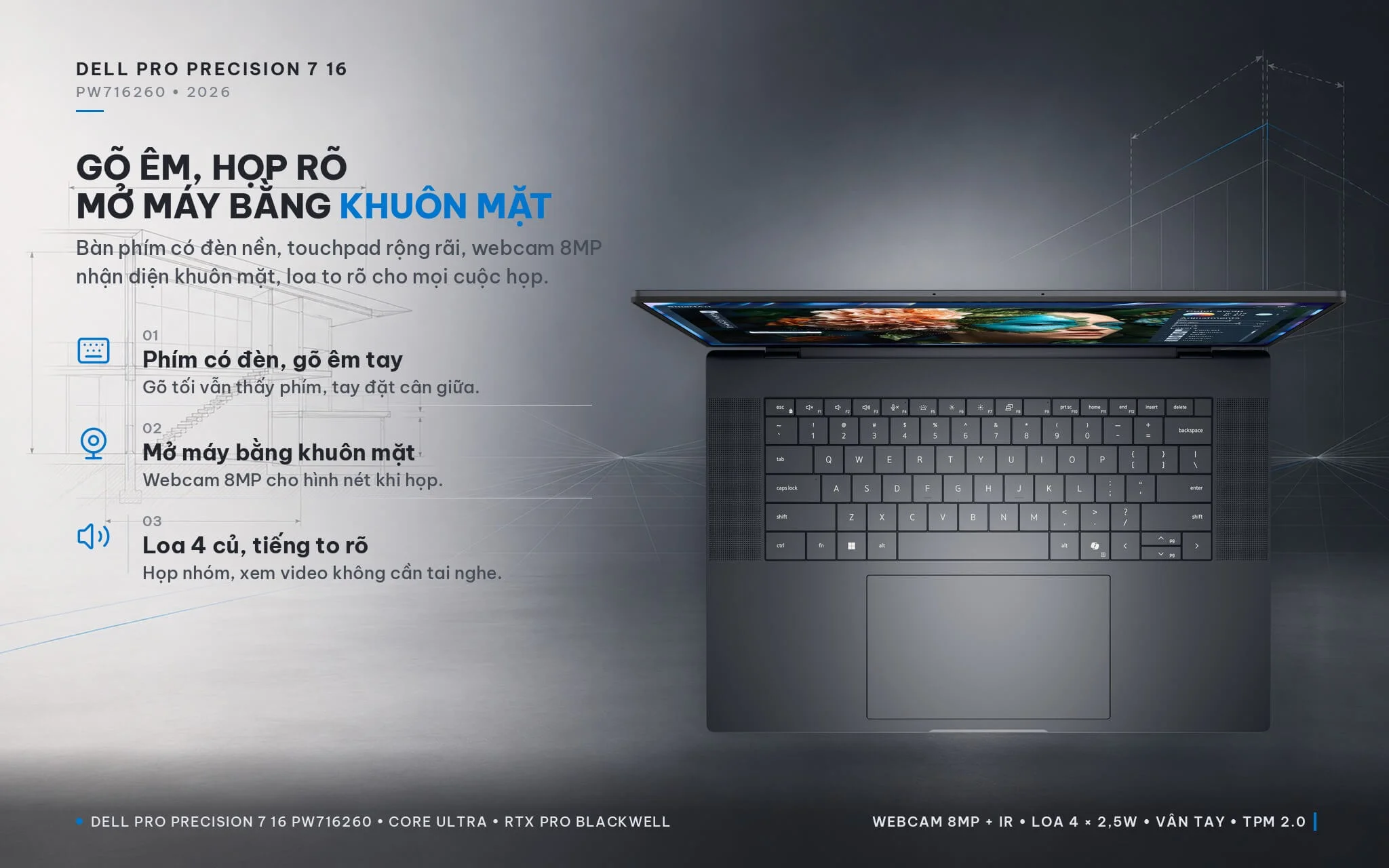
The 8MP HDR webcam with an infrared (IR) camera supports Windows Hello facial sign-in, joined by a presence sensor that locks the machine when you walk away and unlocks it when you return, an ambient light sensor and two noise-canceling microphones. According to StorageReview, the camera module has no physical privacy shutter; when you need privacy, you can turn off the camera in Windows settings. Both configurations include a fingerprint reader per Dell's configuration. The audio system consists of 2 2.5W woofers and 2 2.5W tweeters, with 10W of total peak output and Dolby Atmos support, loud and clear enough for team meetings and training content. For security, the machine has a discrete TPM 2.0 chip with FIPS 140-3 certification, chassis intrusion detection and the Dell Trusted Workspace suite, helping businesses manage devices more securely.
Dell Pro Precision 7 16 Ports: 2 Thunderbolt 5, 96Wh Battery
On the left side, the Dell Pro Precision 7 16 PW716260 (2026) has 1 HDMI 2.1 port and 2 Thunderbolt 5 ports (USB-C, 80Gbps, up to 120Gbps in bandwidth boost mode) supporting Power Delivery charging and DisplayPort 2.1 output. The right side has a full-size SD card slot, 1 Thunderbolt 4 port (USB-C 40Gbps) with charging and display output, a 3.5mm audio jack and a wedge-shaped security lock slot. There are no USB-A or LAN ports; if you need them, use a USB-C to USB-A adapter (included by Dell with some configurations) or a Thunderbolt dock that has these ports built in.
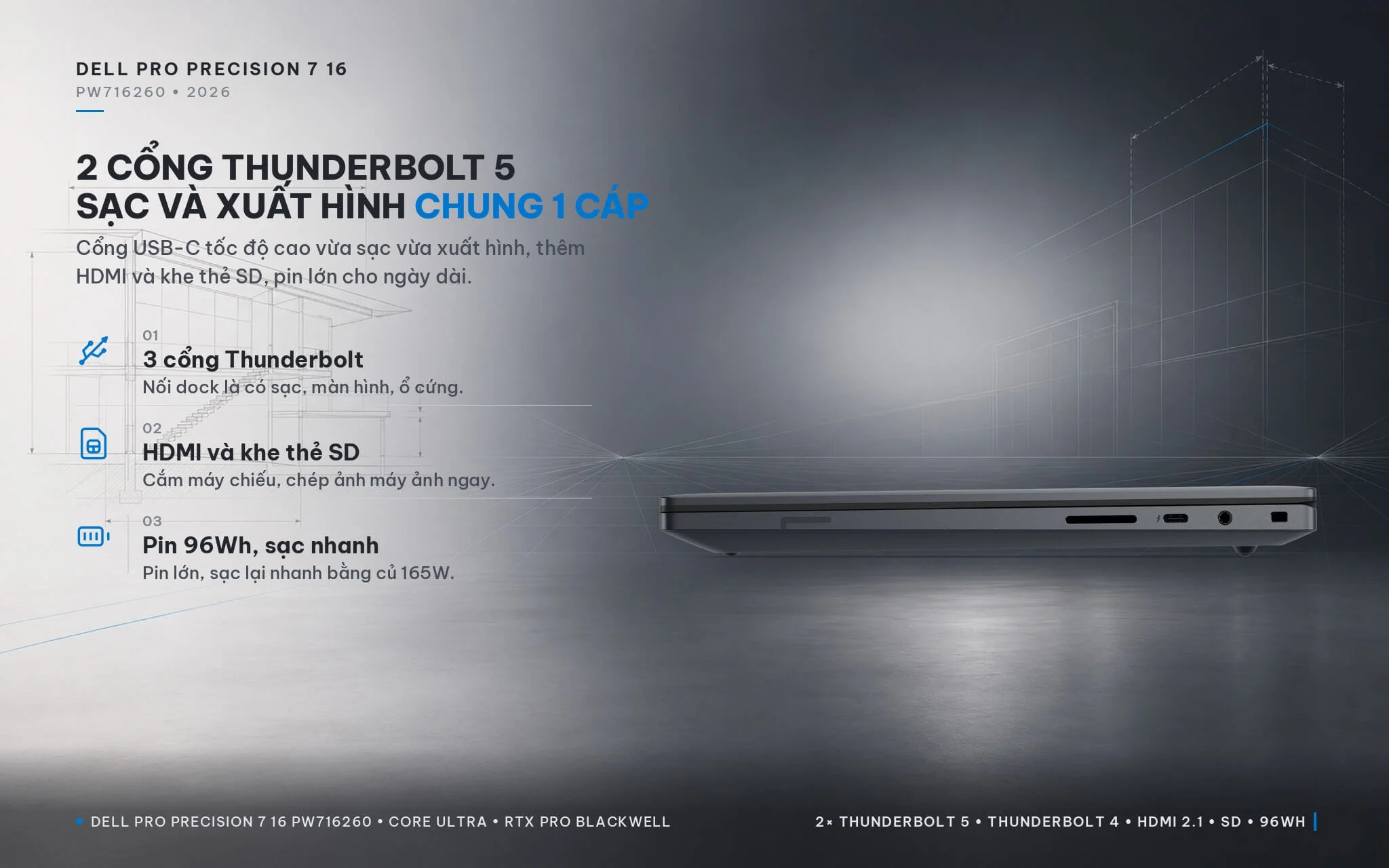
Thunderbolt 5 bandwidth lets you connect high-speed external SSDs, multiple high-resolution monitors or a single-cable dock such as the Dell Pro Thunderbolt 5 Smart Dock SD25TB5: one cable is all it takes to charge the machine while connecting monitors, network and peripherals at your desk. The SD card slot is handy for anyone who shoots on-site photos or video. Wireless connectivity includes Intel BE211 2x2 Wi-Fi 7 and Bluetooth 6.0. The 6-cell 96Wh battery supports ExpressCharge fast charging and comes with a 165W USB-C charger. Dell has not published battery life figures for these configurations; Techaeris recorded about 6 to 8 hours of office work and online meetings, and about 1.5 to 2 hours running heavy graphics workloads on battery.
Dell Pro Precision 7 16 Overview and Verdict: A Workstation for Engineers
The Dell Pro Precision 7 16 PW716260 (2026) is a 16-inch workstation that combines a 16-core Intel Core Ultra 7 356H or Intel Core Ultra 9 386H processor with a 50 TOPS NPU, an NVIDIA RTX PRO 1000 Blackwell or NVIDIA RTX PRO 2000 Blackwell 8GB GDDR7 card with ISV-certified drivers, 32GB or 64GB of LPDDR5X 8533MT/s RAM, a 1TB SSD with a free second M.2 slot, a 120Hz FHD+ display covering 100% DCI-P3, 2 Thunderbolt 5 ports and a 96Wh battery, all in an aluminum and magnesium chassis with dual-fan cooling. It suits structural and mechanical engineers, architects, 3D artists, video editors and data analysts who need a machine that can replace a desktop. You can also browse other configurations in the Dell Pro Precision 7 category.
Things to consider: the 2.17kg weight plus the 165W charger is fairly heavy to carry every day, but in return you get a discrete card and a large battery. The RAM is soldered to the motherboard and cannot be upgraded, so choose 64GB if you work with large models or simulations. The FHD+ display is not as sharp as 4K; you can choose Dell's 4K Tandem OLED version or use an external monitor. The machine has no USB-A or LAN port, so you will need an adapter or dock. According to Techaeris, the fans can get noticeably loud when the CPU and GPU run at full load for extended periods.
| Pros | Cons |
|---|---|
|
|
FAQ - Frequently Asked Questions About the Dell Pro Precision 7 16 PW716260 (2026)
1. Should I choose the RTX PRO 1000 or RTX PRO 2000 configuration?
2. Can the RAM and SSD be upgraded?
3. Is the display suitable for photo and video editing?
4. Does it have USB-A and LAN ports?
5. Is it a Copilot+ PC, and does it support facial sign-in?
6. What support do I get when buying from Hung Phat Laptop?
Where to Buy a Genuine Dell Pro Precision 7 16 PW716260 (2026) at a Great Price?
Do you need a 16-inch workstation powerful enough to replace a desktop for modeling, simulation or rendering? Hung Phat Laptop will ask about the software you use and the scale of the projects you work on every day. From there, we recommend whether the RTX PRO 1000 Blackwell version with 32GB of RAM or the RTX PRO 2000 Blackwell version with 64GB of RAM of the Dell Pro Precision 7 16 PW716260 is the right fit. If you need lots of storage, our technicians will suggest an additional SSD and a suitable Thunderbolt dock. When your company is equipping multiple machines, we recommend standardized configurations for each role.
Every machine comes with a full invoice and a 12-month warranty. Machines with manufacturer defects within the first 30 days will be replaced. Our technicians help install technical software and add an SSD when you need it. We offer long-term technical support and nationwide delivery. Order the Dell Pro Precision 7 16 16-inch workstation at Hung Phat Laptop.
Performance & benchmarks Dell Pro Precision 7 16 PW716260 (2026)
Intel Core Ultra 7 356H NVIDIA RTX PRO 1000 Blackwell Generation Laptop - best for Programming 9.5/10, Office 9.5/10.
Intel Core Ultra 7 356H
- Cinebench R23 (multi-core)19,522.5
- Geekbench 6 (multi-core)16,587
- Geekbench 6 (single-core)2,839
- PassMark33,855
- NPU (AI)50 TOPS
- Cores / Threads16/16
NVIDIA RTX PRO 1000 Blackwell Generation Laptop
- 3DMark Time Spy8,260
- VRAM8 GB
- AI INT8440 TOPS
- ArchitectureBlackwell
Best for
Scored from real benchmarks- Gaming6.5/10
- Video / Graphics7.5/10
- Programming9.5/10
- Office9.5/10
- AI / Generative AI6/10
Why does the CPU matter?
The CPU is the "brain" that handles every task: launching apps, multitasking, compiling code and editing video. The stronger the CPU, the faster and smoother the laptop runs when you juggle many things at once.
- BasicThis product
Web browsing, streaming and light office work.
- MainstreamThis product
Office work, moderate multitasking and studying.
- Mid-rangeThis product
Solid multitasking, programming and light graphics work.
- StrongThis product
Video editing, heavy programming, virtualization and gaming.
- FlagshipThis product
Heavy rendering, 4K/8K editing, virtual machines and AI workloads.
Why does the GPU matter?
The GPU (graphics card) handles visuals: gaming, video editing, 3D rendering and AI acceleration. The stronger the GPU, the higher your frame rates and the faster your video exports.
- Basic (iGPU)This product
Smooth display, 4K video and very light games (League of Legends, Valorant on low).
- MainstreamThis product
1080p eSports gaming, photo editing and light video editing.
- Mid-rangeThis product
1080p gaming on medium-high settings and smooth Full HD video editing.
- StrongThis product
1080p/1440p gaming on high settings, 4K video editing and 3D rendering.
- FlagshipThis product
4K/240Hz gaming, ray tracing, heavy rendering and AI.
Local AI performance
Tokens/second running locally on GPU 8GB VRAM- Llama 3.2 11B Vision6.1 GB · ctx 128K44 tok/sDecent
- Gemma 4 E2B IT5.6 GB · ctx 256K48 tok/sDecent
- GLM-4 9B5.1 GB · ctx 128K53 tok/sDecent
- Gemma 4 E4B4.6 GB · ctx 256K58 tok/sRuns well
- Ministral 8B4.6 GB · ctx 32K58 tok/sRuns well
- Qwen 3.5 4B4.6 GB · ctx 32K58 tok/sRuns well
- DeepSeek R1 Distill 7B4.1 GB · ctx 64K66 tok/sRuns well
- Gemma 4 E2B3.1 GB · ctx 256K87 tok/sRuns great
- Qwen 3.5 2B2.5 GB · ctx 32K108 tok/sRuns great
- Phi-4 Mini Reasoning2.4 GB · ctx 16K112 tok/sRuns great
- Llama 3.2 3B2 GB · ctx 128K134 tok/sRuns great
- SmolLM3 3B2 GB · ctx 128K134 tok/sRuns great
- DeepSeek R1 1.5B1.3 GB · ctx 64K207 tok/sRuns great
- Qwen 3.5 0.8B1.3 GB · ctx 32K207 tok/sRuns great
- TinyLlama 1.1B1.1 GB · ctx 2K244 tok/sRuns great
- Llama 3.2 1B1 GB · ctx 128K269 tok/sRuns great
- Gemma 3 12B6.6 GB · ctx 128K41 tok/sDecent
- Mistral Nemo 12B6.6 GB · ctx 128K41 tok/sDecent
- Gemma 2 9B5.1 GB · ctx 8K53 tok/sDecent
- Nemotron Nano 9B v25.1 GB · ctx 128K53 tok/sDecent
- Llama 3.1 8B4.6 GB · ctx 128K58 tok/sRuns well
- Qwen 3 8B4.6 GB · ctx 128K58 tok/sRuns well
- Mistral 7B v0.34.1 GB · ctx 32K66 tok/sRuns well
- Qwen 2.5 7B4.1 GB · ctx 128K66 tok/sRuns well
- Qwen 2.5 Coder 7B4.1 GB · ctx 128K66 tok/sRuns well
- Qwen 3 4B2.5 GB · ctx 32K108 tok/sRuns great
- Gemma 3 4B2.5 GB · ctx 128K108 tok/sRuns great
- Phi-3.5 Mini2.4 GB · ctx 128K112 tok/sRuns great
- Gemma 2 2B1.5 GB · ctx 8K179 tok/sRuns great
- Qwen 3 1.7B1.4 GB · ctx 32K192 tok/sRuns great
- Qwen 2.5 Coder 1.5B1.3 GB · ctx 32K207 tok/sRuns great
- Qwen 3 0.6B1.1 GB · ctx 32K244 tok/sRuns great
- Gemma 3 1B1 GB · ctx 32K269 tok/sRuns great
GreatWellDecent4-bit quantized, ctx = context window
No comments yet
Q&A about Dell Pro Precision 7 16 PW716260 (2026)
Frequently asked questions about Dell Pro Precision 7 16 PW716260 (2026)
What are the specifications of Dell Pro Precision 7 16 PW716260 (2026)?
What is the warranty for Dell Pro Precision 7 16 PW716260 (2026)?
Can I buy Dell Pro Precision 7 16 PW716260 (2026) with home delivery?
Worth a Look
 2 configurations


Dương Văn Nhân 14 giờ trước
Màn hình FHD+ của máy hiển thị khá rõ dưới đèn văn phòng, nhưng độ phân giải này hơi thiếu chi tiết nếu làm ảnh độ phân giải lớn.