

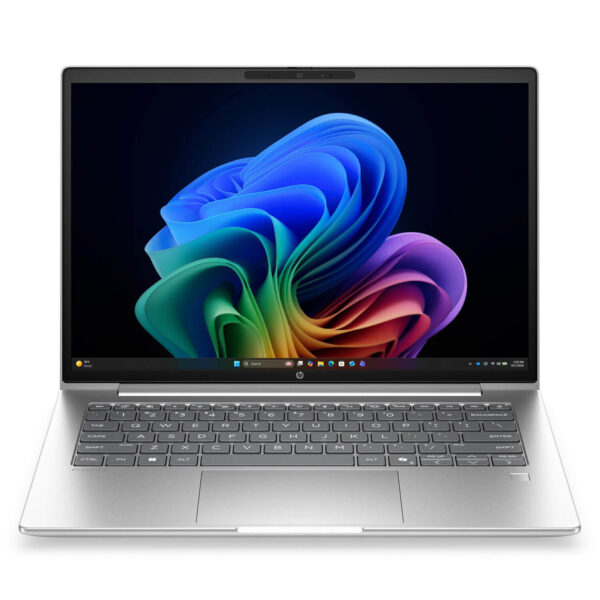
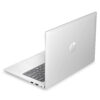
HP ProBook 4 G2i 14 AI (2026)
- CPU: Intel Core Ultra 5 325 Up To 4.5GHz (8 Cores, 8 Threads, 12MB Cache - 47 TOPS NPU)
- RAM: DDR5 16GB 5600MHz
- SSD: 512GB PCIe Gen4 M.2 SSD
- VGA: Intel® Graphics
- DISPLAY: 14" IPS FHD+ (1920*1200), Multi-Touch, Anti-Glare, 62.5% sRGB, 300-nits
- CONDITION: New 100% Full Box
- WARRANTY: 12-month warranty
- The durable, business-grade design of the HP ProBook 4 G2i 14 AI
- 14-inch WUXGA touchscreen with an anti-glare finish for office work
- Performance with the Intel Core Ultra 5 325 and Core Ultra 7 355
- Copilot+ PC-class AI features on the HP ProBook 4 G2i 14 AI
- HP Wolf Security for business
- Spill-resistant keyboard and Precision touchpad
- 5MP IR camera and audio for online meetings
- Ports and battery life on the HP ProBook 4 G2i 14 AI
- Summary and review of the HP ProBook 4 G2i 14 AI (2026)
- FAQ - Frequently asked questions about the HP ProBook 4 G2i 14 AI (2026)
- Where to buy the HP ProBook 4 G2i 14 AI (2026) from a trusted seller at a good price?
HP ProBook 4 G2i 14 AI (2026) is a new-generation business laptop built for office workers, companies, and professionals who need a durable, highly secure, AI-ready device. It runs on the Intel Core Ultra 5 325 or Intel Core Ultra 7 355 processor from the Panther Lake generation, meets the Copilot+ PC standard, and comes with a touchscreen and the HP Wolf Security suite. This article walks through the full specs, from CPU, RAM, and storage to the display, security, ports, and battery.
The durable, business-grade design of the HP ProBook 4 G2i 14 AI
The HP ProBook 4 G2i 14 AI has a minimalist, professional look with aluminum accents, a smart port layout, and a clean overall profile. It is aimed at hybrid workers who move often between the office and other locations, so durability and portability come first.
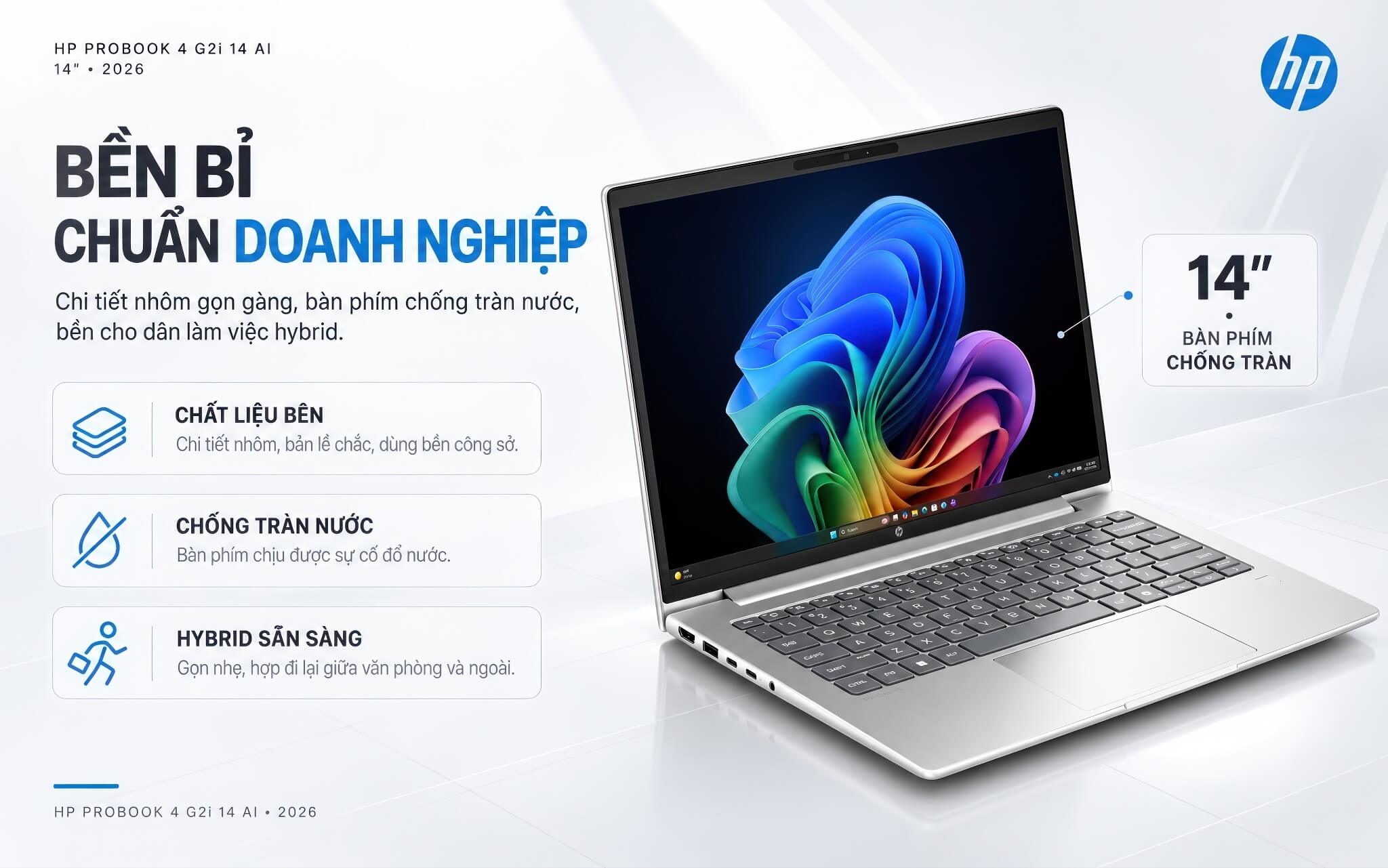
The laptop is available in 14-inch and 16-inch sizes, and the 14-inch model is lighter and more compact, making it a good fit for everyday carry. A spill-resistant keyboard and sturdy hinges keep it going strong in an office environment.
This is a machine designed for long-term work, balancing a professional look, durability, and a reasonable cost for businesses that buy in volume.
14-inch WUXGA touchscreen with an anti-glare finish for office work
The HP ProBook 4 G2i 14 AI uses a 14-inch WUXGA (1920 x 1200) IPS display with a 16:10 aspect ratio and touch support. The taller display area compared with the 16:9 standard makes multitasking, reading documents, and working in spreadsheets more convenient, while touch support allows intuitive tapping and swiping in Windows 11.
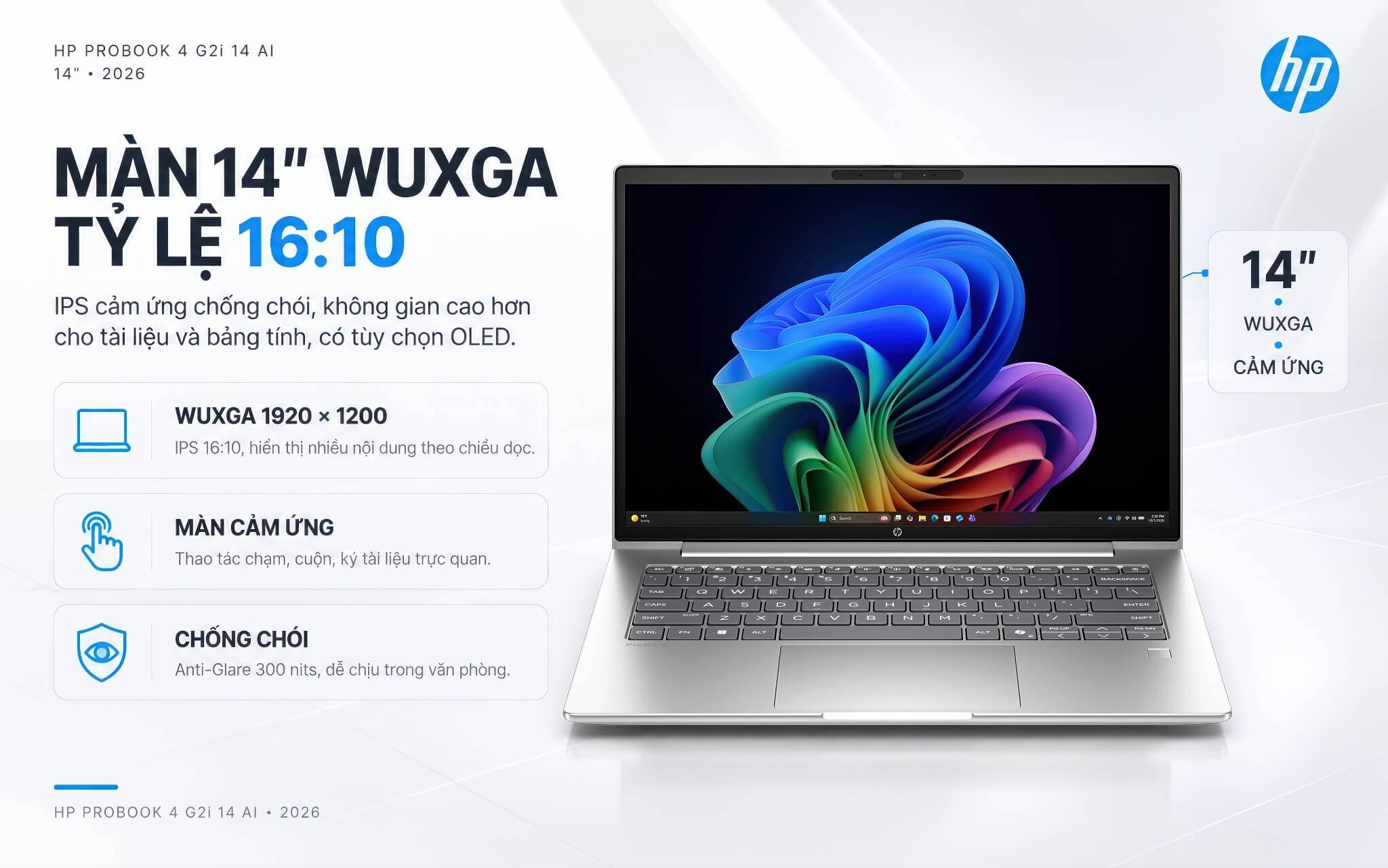
The display has an anti-glare coating that reduces reflections and 300 nits of brightness, which suits an office environment. Besides the IPS touch version, the laptop also offers a standard IPS option and an OLED panel option for those with higher display demands.
To help you choose the right one, here is a straightforward note: this IPS version has average color coverage (about 62.5% sRGB), which is good enough for office work and presentations, but if you need accurate color for design work, consider the OLED option.
Performance with the Intel Core Ultra 5 325 and Core Ultra 7 355
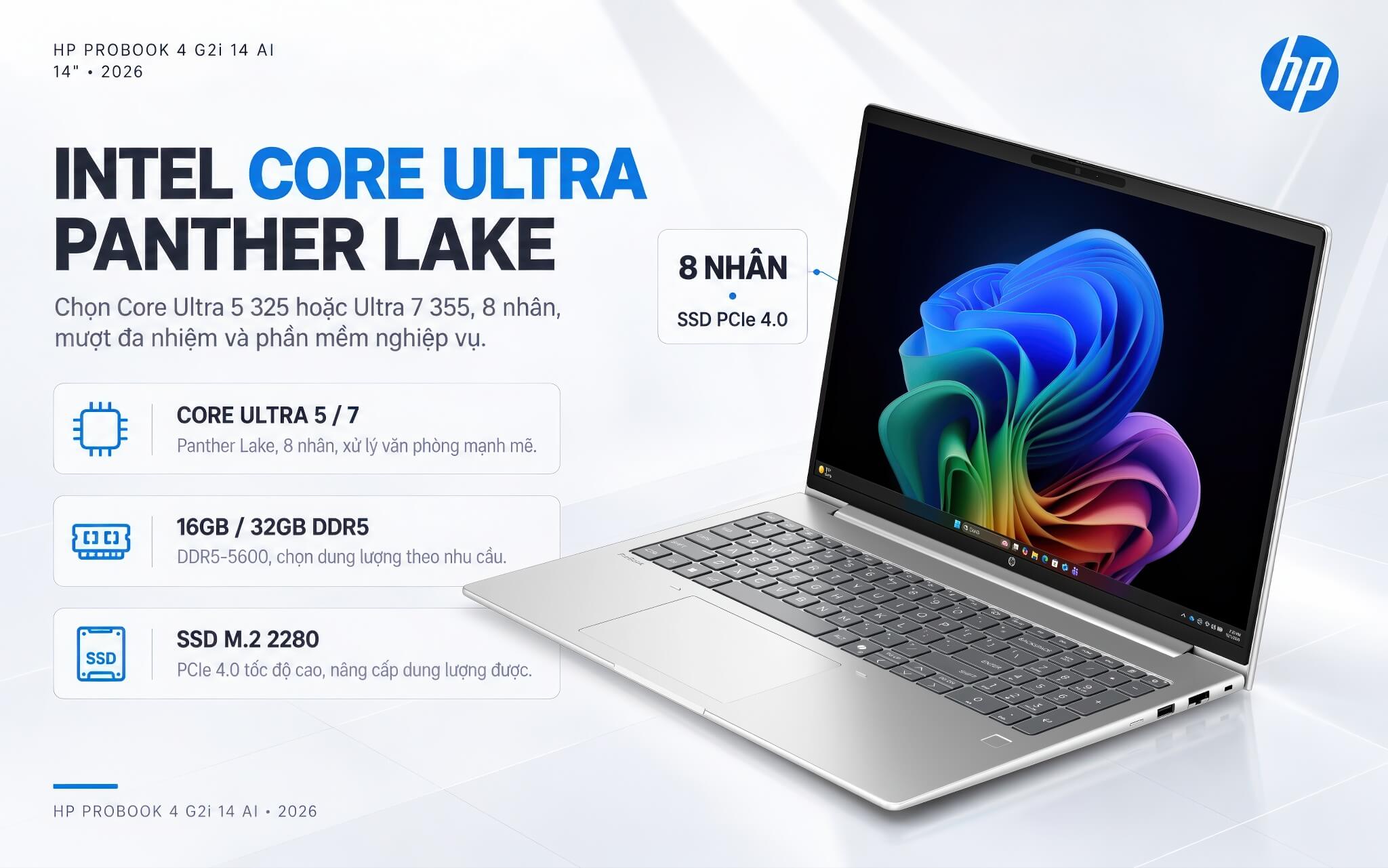
The HP ProBook 4 G2i 14 AI runs an Intel processor from the Panther Lake generation, with a choice of the Intel Core Ultra 5 325 (8 cores) or the Intel Core Ultra 7 355 (8 cores), paired with Intel Graphics integrated graphics. This configuration handles office tasks, multitasking, online meetings, and business software smoothly. The table below gives a quick look at the specs.
| Specification | Details |
|---|---|
| CPU | Intel Core Ultra 5 325 or Core Ultra 7 355 (Panther Lake, 8 cores) |
| Graphics | Intel Graphics (integrated) |
| NPU (AI) | Up to 47 TOPS, meets the Copilot+ PC standard |
| RAM | 16GB DDR5-5600 (up to 32GB depending on the version) |
| Storage | 512GB SSD M.2 2280 PCIe 4.0 NVMe (256GB depending on the version) |
| Display | 14-inch WUXGA (1920 x 1200) IPS touchscreen, anti-glare, 300 nits |
| Battery | HP Long-life, HP Fast Charge, 65W USB-C adapter |
| Operating system | Windows 11 Pro |
According to Notebookcheck data, the Core Ultra 5 325 scores about 10.738 points in Cinebench R23 multi-core and 11.033 points in Geekbench 6 multi-core, enough for office multitasking and everyday tasks. The Core Ultra 7 355 is more powerful, a better fit when you need to handle heavier workloads or want a longer service life. The M.2 2280 SSD is fast and can be upgraded to a larger capacity when needed.
Copilot+ PC-class AI features on the HP ProBook 4 G2i 14 AI
What stands out about the HP ProBook 4 G2i 14 AI is its AI processing unit (NPU), which reaches 47 TOPS on the Intel Core Ultra 5 325 chip. That clears the 40 TOPS threshold, so the laptop earns Microsoft's Copilot+ PC certification. As a result, it runs on-device AI features well, including Windows Studio Effects, the Copilot assistant, and the new AI tools in Windows 11.
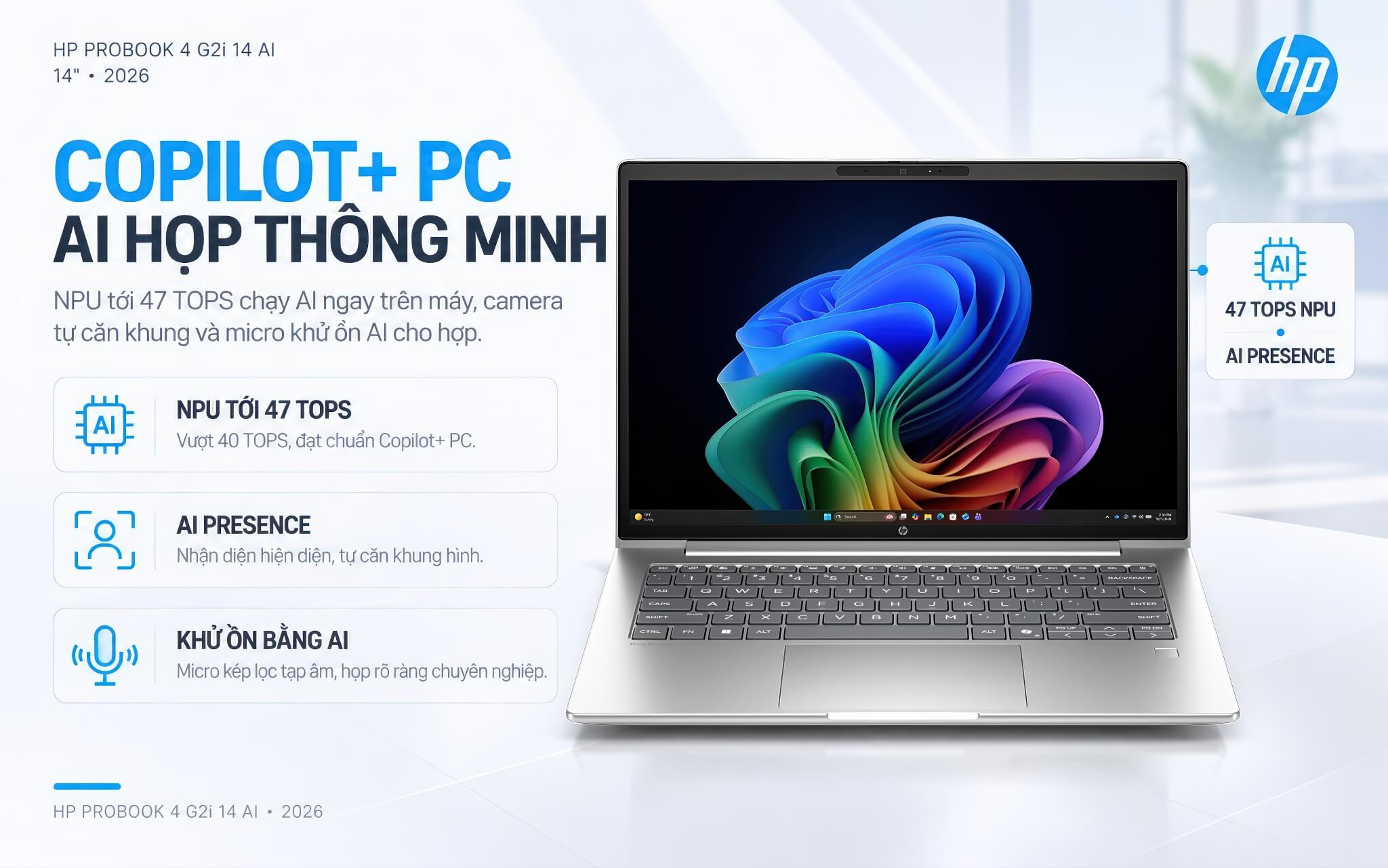
The AI power also improves online meetings: the camera supports AI Presence Detection and automatic framing, and dual microphones with AI noise reduction keep video and audio clear and professional on every call.
For businesses and users interested in the new AI tools, this is a valuable advantage over many older laptops that do not meet the Copilot+ PC standard.
HP Wolf Security for business
HP ProBook 4 G2i 14 AI comes with the HP Wolf Security for Business suite, which builds a hardware-level layer of defense that works from the BIOS all the way up to the browser. It is a comprehensive security solution suited to business environments that need to protect important data.
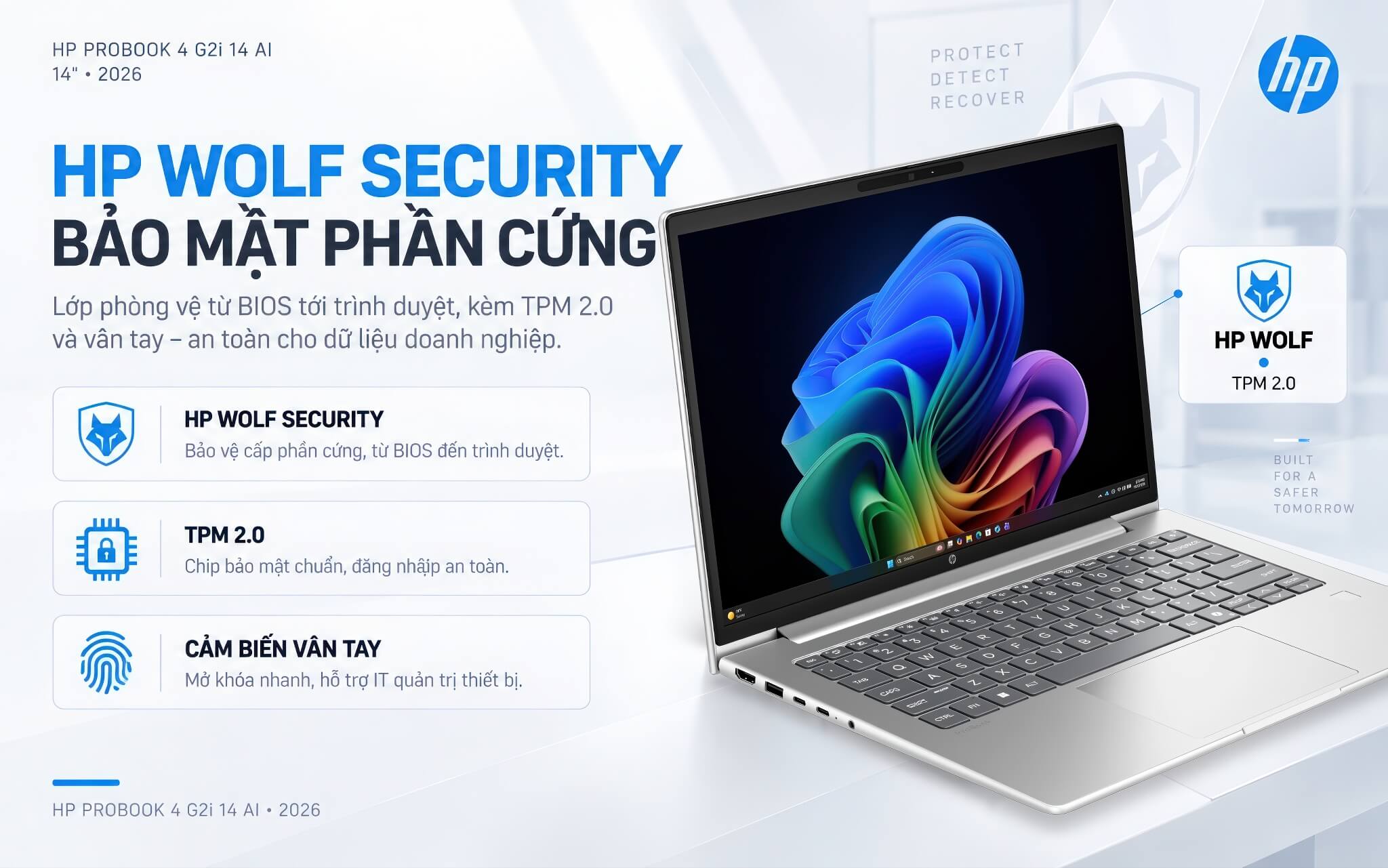
The laptop also includes a TPM 2.0 security chip and a fingerprint sensor for secure sign-in, plus device management features that make life easier for IT teams. These layers of protection reduce risk when employees work on the go, away from the office.
For companies that prioritize information security, hardware-level protection is an important factor that standard consumer laptops typically lack.
Spill-resistant keyboard and Precision touchpad
The HP ProBook 4 G2i 14 AI features a backlit keyboard with spill-resistant keys, giving a comfortable, durable typing feel during long hours of work. It is a useful feature for anyone who types and edits documents often.
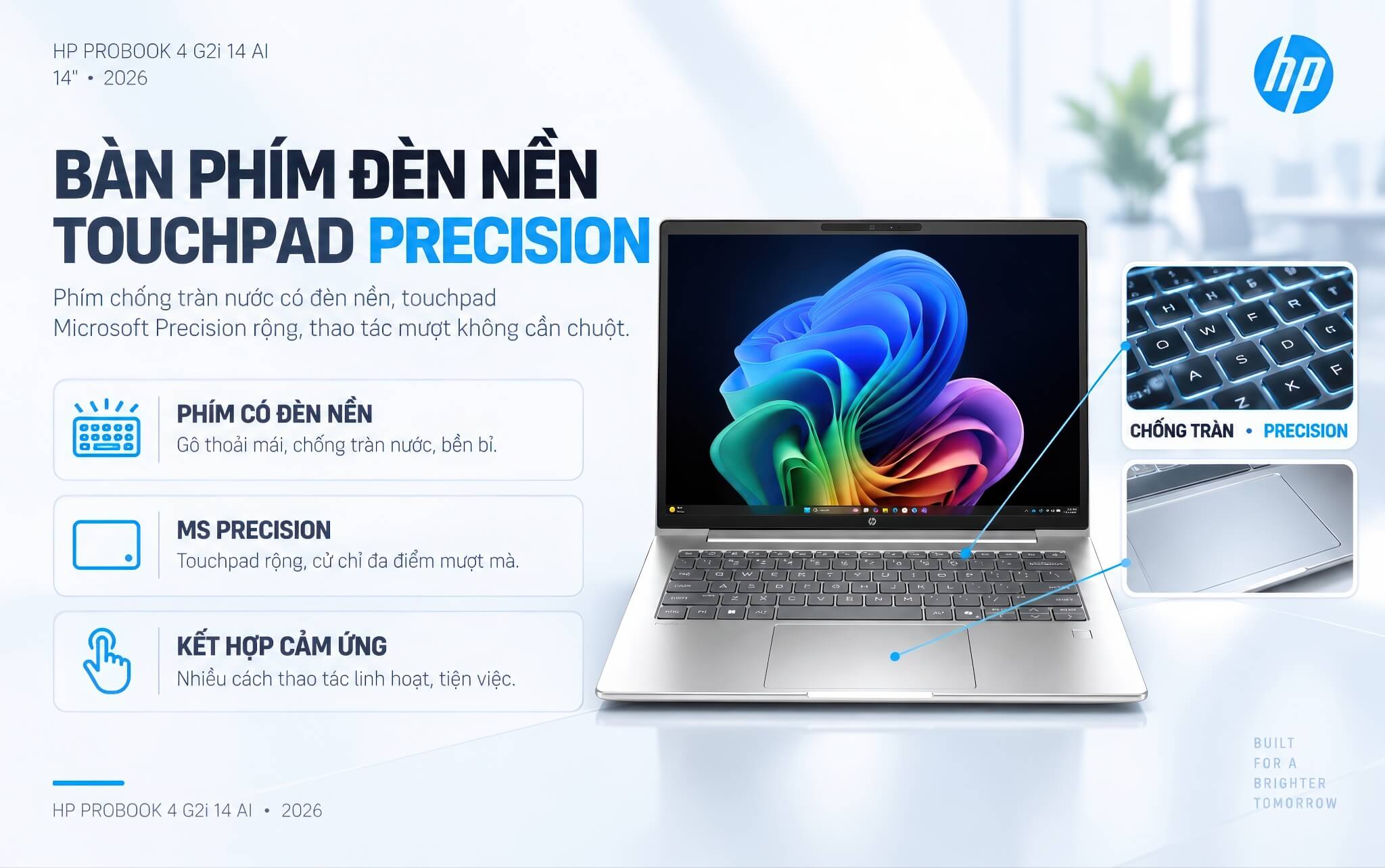
The Microsoft Precision touchpad is large and fully supports multi-touch gestures, for smooth scrolling, zooming, and cursor movement. Combined with the touchscreen, it gives users flexible ways to work without needing a separate mouse.
The familiar ProBook keyboard and touchpad layout helps business users get comfortable quickly and work efficiently.
5MP IR camera and audio for online meetings
The HP ProBook 4 G2i 14 AI comes with a 5MP camera with an IR sensor, supporting Windows Hello facial sign-in along with smart features such as automatic framing and lighting adjustment, for a sharp picture on video calls.
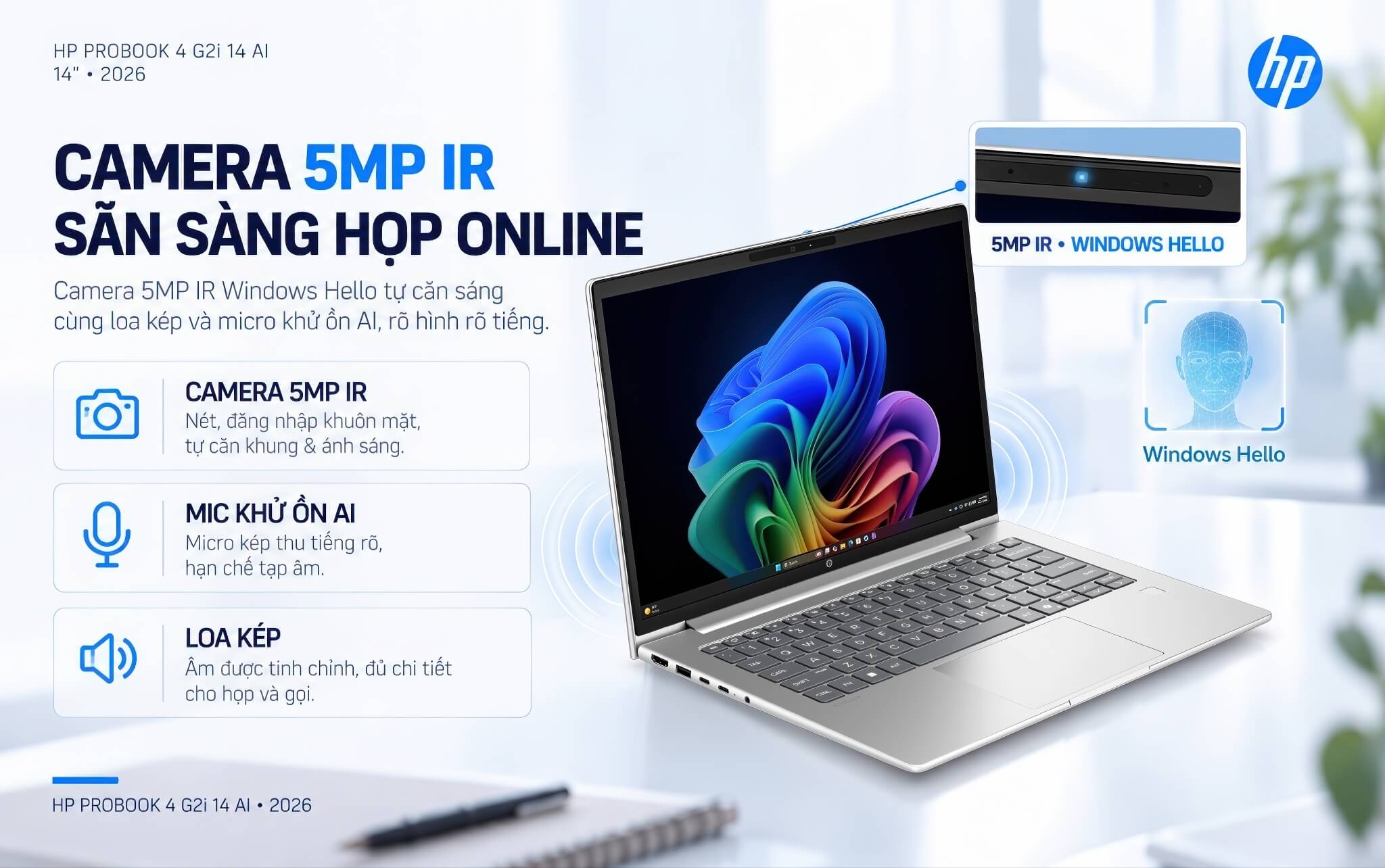
For audio, the laptop has a tuned dual-speaker system and built-in dual microphones with AI noise reduction, which capture voices clearly and cut background noise so every meeting and call stays clear and professional.
The combination of a quality IR camera, noise-canceling microphones, and dual speakers makes the laptop ready for online meetings and remote work.
Ports and battery life on the HP ProBook 4 G2i 14 AI
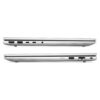
The HP ProBook 4 G2i 14 AI has a modern, well-rounded port selection: 2 USB-C 3.2 Gen 2x2 ports at 20Gbps (supporting Power Delivery charging and DisplayPort 1.4 video output), 2 USB-A 3.2 Gen 1 ports (5Gbps), one HDMI 2.1 port, and a 3.5mm headphone jack. That makes it easy to connect an external monitor, drives, and work accessories, usually without needing an adapter.
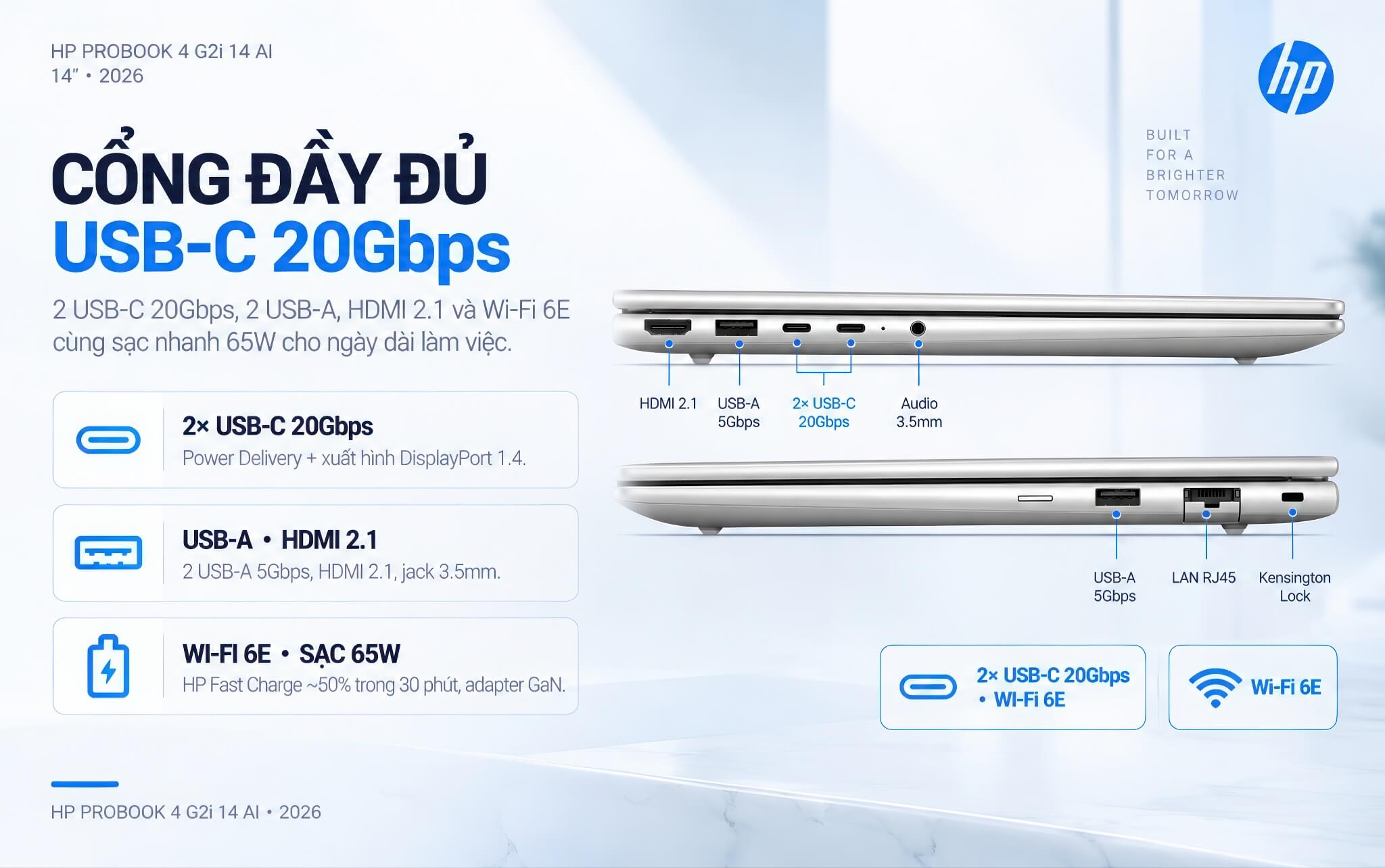
For wireless connectivity, the laptop supports Wi-Fi 6E (802.11ax) for fast, stable speeds in environments with many devices, along with Bluetooth 5.3 for connecting wireless headphones, mice, and keyboards.
The laptop uses an HP Long-life battery that lasts through a full workday, along with HP Fast Charge technology that recharges about 50% of the battery in 30 minutes. The included adapter is a compact 65W USB-C GaN unit that is easy to carry.
Summary and review of the HP ProBook 4 G2i 14 AI (2026)
HP ProBook 4 G2i 14 AI (2026) is worth considering in the business laptop segment, aimed at companies and professionals who need a durable, highly secure, AI-ready device. Its strengths are the Intel Core Ultra processor from the Panther Lake generation that meets the Copilot+ PC standard, the WUXGA touchscreen, and the HP Wolf Security suite.
The laptop also scores well with its 5MP IR camera and AI features for online meetings, a full set of ports including 2 USB-C at 20Gbps, Wi-Fi 6E, and HP Fast Charge. It is a good fit for office workers, businesses, and anyone who needs a stable, secure laptop for work.
A few points to weigh before buying: the IPS display version has average color coverage (about 62.5% sRGB), the laptop uses integrated graphics so it is not suited to heavy gaming or 3D graphics, and the standard version has 16GB of RAM. Even so, for genuine business needs, the HP ProBook 4 G2i 14 AI delivers a good balance of performance, security, and durability.
| Pros | Cons |
|---|---|
|
|
FAQ - Frequently asked questions about the HP ProBook 4 G2i 14 AI (2026)
1. What chip does the HP ProBook 4 G2i 14 AI use?
It uses an Intel processor from the Panther Lake generation, with a choice of the Intel Core Ultra 5 325 or Core Ultra 7 355, both 8 cores, along with Intel Graphics integrated graphics and an NPU of up to 47 TOPS that meets the Copilot+ PC standard.
2. Is it a Copilot+ PC?
Yes. The Intel Core Ultra 5 325 chip integrates an NPU of up to 47 TOPS, which clears the 40 TOPS threshold, so the laptop earns Microsoft's Copilot+ PC certification and runs Windows 11's on-device AI features well.
3. Can it be upgraded?
The M.2 2280 PCIe 4.0 SSD can be replaced or upgraded to a larger capacity when needed. As for RAM, the laptop comes in 16GB and 32GB versions, so you should choose the capacity that fits your needs from the start.
4. Is the laptop secure enough for business use?
Yes. It comes with the HP Wolf Security for Business suite, which works at the hardware level from the BIOS to the browser, along with a TPM 2.0 chip and a fingerprint sensor, making it well suited to business environments that prioritize data security.
5. Is the touchscreen practical?
Yes. The laptop uses a 14-inch WUXGA (1920 x 1200) IPS touchscreen with an anti-glare finish, a 16:10 aspect ratio, and 300 nits of brightness. Touch support makes tapping, scrolling, and signing documents intuitive, which is handy for work.
6. Are the camera and audio good for online meetings?
Very much so. The laptop has a 5MP IR camera with AI automatic framing and presence detection, plus dual speakers and dual microphones with AI noise reduction, for clear video and audio in meetings.
7. How are the battery life and fast charging?
The laptop uses an HP Long-life battery that lasts a full workday, along with HP Fast Charge technology that recharges about 50% of the battery in 30 minutes. The included adapter is a compact 65W USB-C GaN unit.
8. What is the warranty policy at Hung Phat Laptop?
Hung Phat Laptop distributes genuine HP laptops with full invoices and a transparent warranty, including a replacement with a new unit within the first 30 days if there is a manufacturer defect, plus technical support and nationwide delivery.
Where to buy the HP ProBook 4 G2i 14 AI (2026) from a trusted seller at a good price?
If you are looking for a durable, highly secure, AI-ready business laptop for work, the HP ProBook 4 G2i 14 AI (2026) is well worth considering. It serves office workers, companies, and professionals who need a stable, secure device with a long service life.
At Hung Phat Laptop, you can shop with confidence for genuine HP laptops, officially imported, with full invoices and a transparent warranty. When you buy the HP ProBook 4 G2i 14 AI here, you get advice on choosing the right configuration for your needs, attentive technical support, nationwide delivery, and plenty of attractive offers.
Performance & benchmarks HP ProBook 4 G2i 14 AI (2026)
Intel Core Ultra 5 325 Intel Graphics 4 Xe3 Panther Lake iGPU - best for Office 8.5/10, Programming 6.5/10.
Intel Core Ultra 5 325
- Cinebench R23 (multi-core)10,738
- Geekbench 6 (multi-core)11,033
- Geekbench 6 (single-core)2,576
- PassMark19,814
- Cores / Threads8/8
Intel Graphics 4 Xe3 Panther Lake iGPU iGPU
- 3DMark Time Spy2,883
- 3DMark Fire Strike6,826
- AI INT840 TOPS
Best for
Scored from real benchmarks- Gaming2.5/10
- Video / Graphics3.5/10
- Programming6.5/10
- Office8.5/10
Why does the CPU matter?
The CPU is the "brain" that handles every task: launching apps, multitasking, compiling code and editing video. The stronger the CPU, the faster and smoother the laptop runs when you juggle many things at once.
- BasicThis product
Web browsing, streaming and light office work.
- MainstreamThis product
Office work, moderate multitasking and studying.
- Mid-rangeThis product
Solid multitasking, programming and light graphics work.
- StrongThis product
Video editing, heavy programming, virtualization and gaming.
- FlagshipThis product
Heavy rendering, 4K/8K editing, virtual machines and AI workloads.
Why does the GPU matter?
The GPU (graphics card) handles visuals: gaming, video editing, 3D rendering and AI acceleration. The stronger the GPU, the higher your frame rates and the faster your video exports.
- Basic (iGPU)This product
Smooth display, 4K video and very light games (League of Legends, Valorant on low).
- MainstreamThis product
1080p eSports gaming, photo editing and light video editing.
- Mid-rangeThis product
1080p gaming on medium-high settings and smooth Full HD video editing.
- StrongThis product
1080p/1440p gaming on high settings, 4K video editing and 3D rendering.
- FlagshipThis product
4K/240Hz gaming, ray tracing, heavy rendering and AI.
Game performance
Real FPS - FHD- Dota 274 fps1080p Ultra
- CS259 fps1080p Medium
- GTA V53 fps1080p High
- Black Myth: Wukong18 fps1080p Low
- Cyberpunk 207737 fps1080p Low
≥60fps very smooth30-60fps playable<30fps lower the settings
No comments yet
Q&A about HP ProBook 4 G2i 14 AI (2026)
Frequently asked questions about HP ProBook 4 G2i 14 AI (2026)
What are the specifications of HP ProBook 4 G2i 14 AI (2026)?
What is the warranty for HP ProBook 4 G2i 14 AI (2026)?
Can I buy HP ProBook 4 G2i 14 AI (2026) with home delivery?
Worth a Look





Bùi Khánh An 3 tuần trước
Máy chạy mượt, màn cảm ứng dùng khá okela, đặc biệt là có hỗ trợ AI khá xịn xò. Mỗi tội độ phủ màu màn IPS hơi bình thường, nếu làm đồ họa chuyên nghiệp thì nên chọn bản OLED cho chuẩn.