

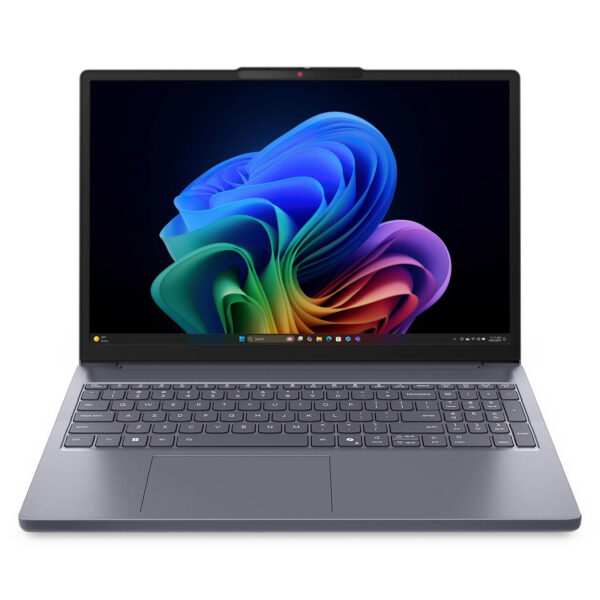
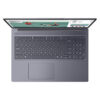
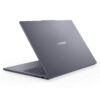
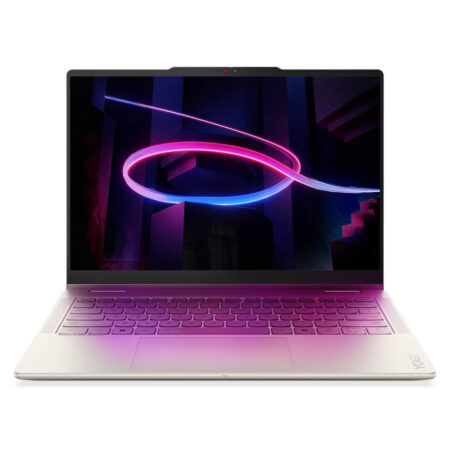
Lenovo IdeaPad Slim 3 16 inch (2026)
- CPU: Intel Core 5 320 Up To 4.6GHz (6 Cores, 6 Threads, 12MB Cache - 16 TOPS NPU)
- RAM: DDR5 16GB 5600MHz
- SSD: 512GB PCIe Gen4 M.2 SSD
- VGA: Intel® Graphics
- DISPLAY: 16" WUXGA (1920*1200) IPS, Anti-Glare, 45% NTSC, 400nits
- OS: Windows 11 Home
- COLOR: Luna Grey
- CONDITION: New 100% Full Box
- WARRANTY: 24-month official warranty
- Slim, lightweight, durable design with a large 16 inch display
- 16 inch WUXGA IPS anti-glare display, 400 nits
- Performance with the Intel Core 5 320 and Core Ultra 5 322
- AI features and the Copilot key on the Lenovo IdeaPad Slim 3 16
- Keyboard with numeric keypad and Precision touchpad
- FHD IR camera and Dolby Audio sound
- Ports and battery life on the Lenovo IdeaPad Slim 3 16
- Conclusion and review of the Lenovo IdeaPad Slim 3 16 inch (2026)
- FAQ - Frequently asked questions about the Lenovo IdeaPad Slim 3 16 inch (2026)
- Where to buy the Lenovo IdeaPad Slim 3 16 inch (2026) at a trusted store with a good price?
Lenovo IdeaPad Slim 3 16 inch (2026) is a well-priced, large-screen office laptop for people who need a wide display for work, study, and entertainment. It comes with two chip options: the 16IWC11 model runs an Intel Core 5 320, and the 16IPH11 model runs an Intel Core Ultra 5 322 that meets the Copilot+ PC standard. Compared with the 14 inch version, the 16 inch model has a bigger screen, adds a numeric keypad, and offers longer battery life. This article walks through the full specs.
Slim, lightweight, durable design with a large 16 inch display
Lenovo IdeaPad Slim 3 16 is made for users who love a wide screen but still want an affordable price. It weighs about 1.73 kg and comes in Luna Grey (with Cosmic Blue as an option), with an aluminum lid on some versions. The overall look is clean and understated, at home on campus and in the office.
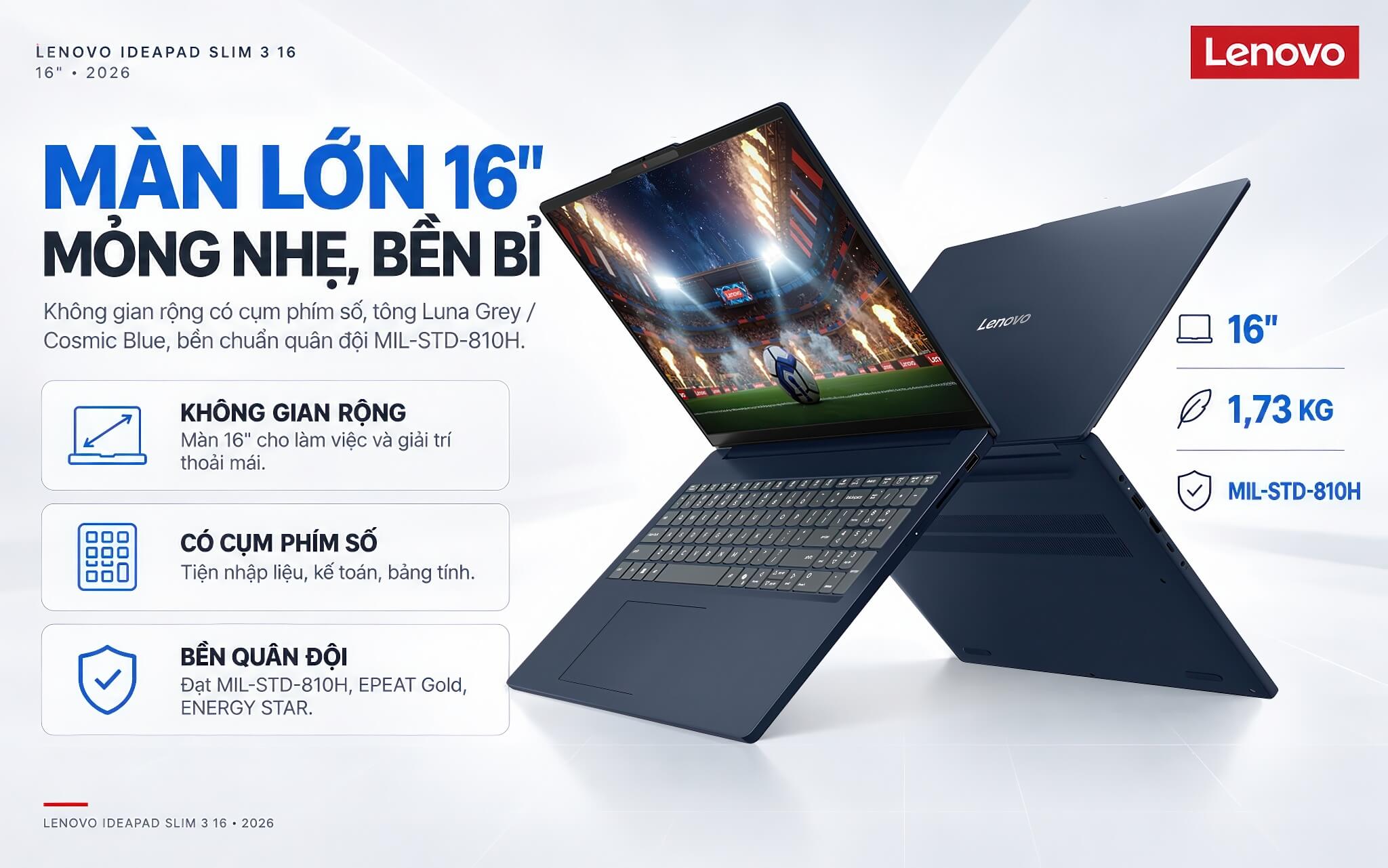
Thanks to the 16 inch body, the keyboard includes a dedicated numeric keypad, which is very handy for anyone who does a lot of data entry, accounting, or spreadsheet work. The laptop also meets the MIL-STD-810H military durability standard across 21 tests, along with EPEAT Gold and ENERGY STAR environmental certifications.
It is a good fit for people who value a roomy workspace, do not travel much, and need a durable large-screen laptop at a reasonable cost.
16 inch WUXGA IPS anti-glare display, 400 nits
Lenovo IdeaPad Slim 3 16 uses a 16 inch WUXGA (1920 x 1200) IPS panel with a 16:10 aspect ratio. The large size and 16:10 ratio give you a very spacious canvas, which is convenient when you have many windows open, work through long spreadsheets, or watch content.
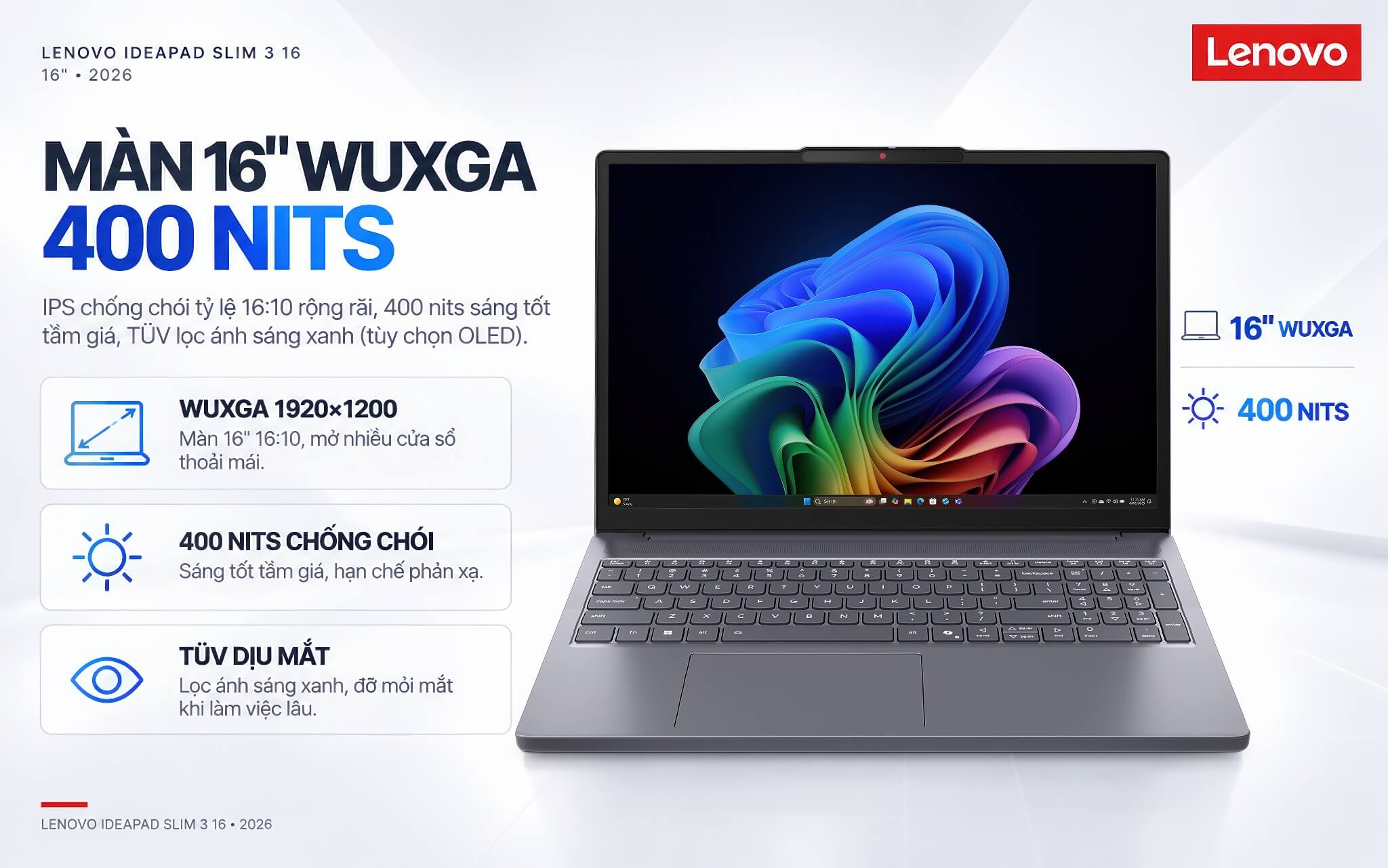
The 400 nits brightness is quite good for the price range. The Anti-Glare coating cuts reflections, and TÜV Rheinland blue light filter certification helps reduce eye strain during long work sessions. The line also offers an OLED panel option for those who need richer color.
To help you choose the right one, here is an honest note: the IPS version has standard color coverage (about 45% NTSC). That is plenty for study, office work, and entertainment, but it is not the pick for work that demands highly accurate color.
Performance with the Intel Core 5 320 and Core Ultra 5 322
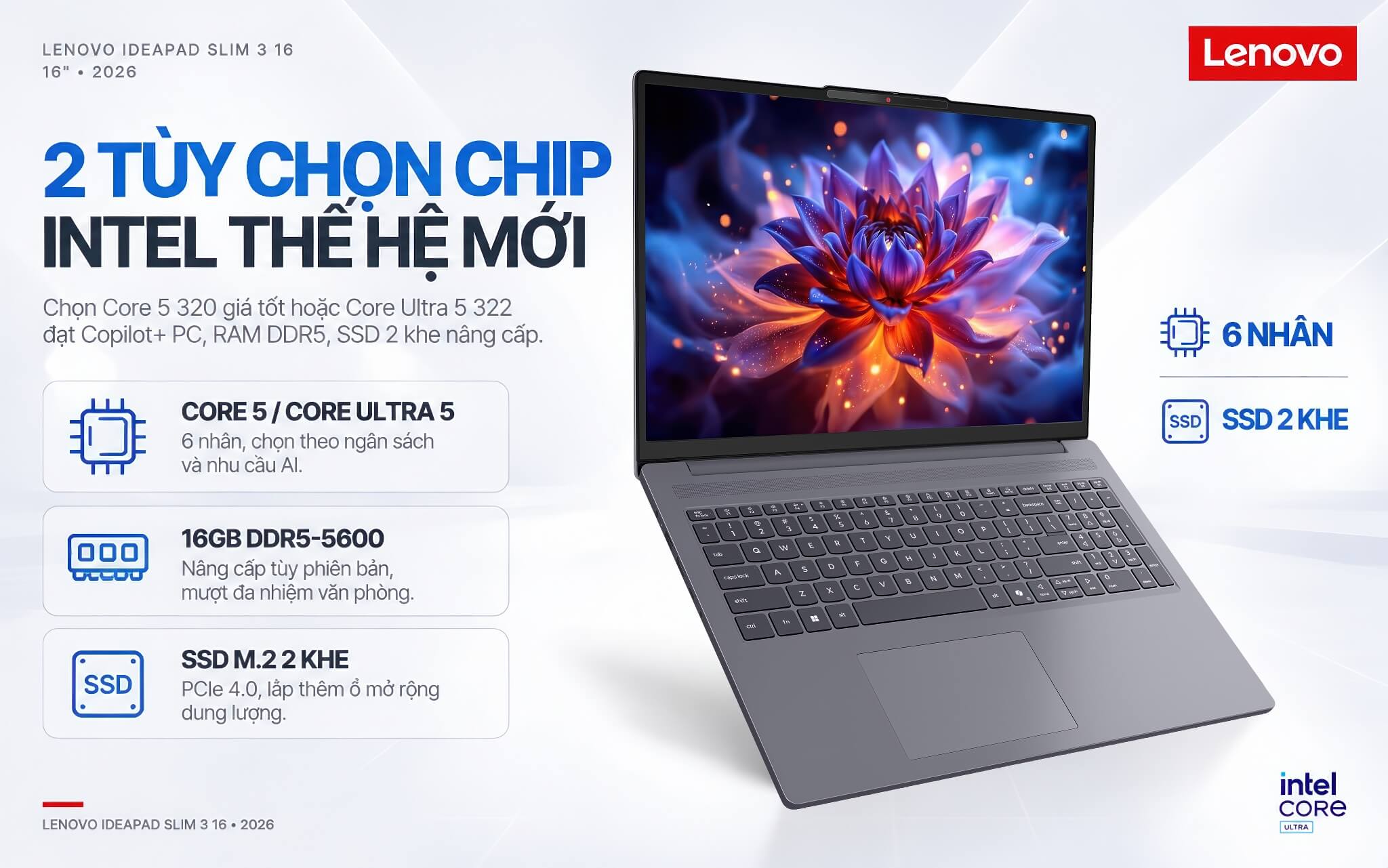
Lenovo IdeaPad Slim 3 16 offers two new-generation Intel processor options: the Intel Core 5 320 (Wildcat Lake architecture) on the 16IWC11 model, and the Intel Core Ultra 5 322 (Panther Lake architecture) on the 16IPH11 model. Both have 6 cores and integrated Intel Graphics, and they handle office tasks, multi-tab browsing, online meetings, and everyday entertainment smoothly. The table below gives a quick look at the specs.
| Specification | Details |
|---|---|
| CPU | Intel Core 5 320 (Wildcat Lake) or Core Ultra 5 322 (Panther Lake), 6 cores |
| Graphics | Intel Graphics (integrated) |
| RAM | 16GB DDR5-5600 (upgradable depending on version, up to 24 - 32GB) |
| Storage | 512GB M.2 2242 PCIe 4.0 NVMe SSD (2 slots, upgradable) |
| Display | 16 inch WUXGA (1920 x 1200) IPS anti-glare, 400 nits (OLED optional) |
| Battery | 3-cell 60Wh, Rapid Charge Boost fast charging, 65W adapter |
| Colors | Luna Grey (Gray), Cosmic Blue optional |
| Operating system | Windows 11 Home Single Language |
The main difference between the two models lies in the processor and AI capability. The table below makes it easy to compare at a glance.
| Model | Processor | NPU / AI standard |
|---|---|---|
| 16IWC11 | Intel Core 5 320 (Wildcat Lake) | About 16 TOPS, an AI PC (does not meet Copilot+) |
| 16IPH11 | Intel Core Ultra 5 322 (Panther Lake) | Up to 46 TOPS, meets the Copilot+ PC standard |
The Core 5 320 (16IWC11) suits anyone who wants a large-screen laptop that handles office tasks well at a friendly price. The Core Ultra 5 322 (16IPH11) meets the Copilot+ PC standard and is the better fit if you want to use the newest AI features and keep the laptop for the long haul. The M.2 2242 storage has two slots, so you can add a drive later to expand capacity.
AI features and the Copilot key on the Lenovo IdeaPad Slim 3 16
Lenovo IdeaPad Slim 3 16 has a built-in Copilot key on the keyboard for quick access to the Windows 11 AI assistant, but the level of AI support differs between the two versions. This is worth understanding before you choose.
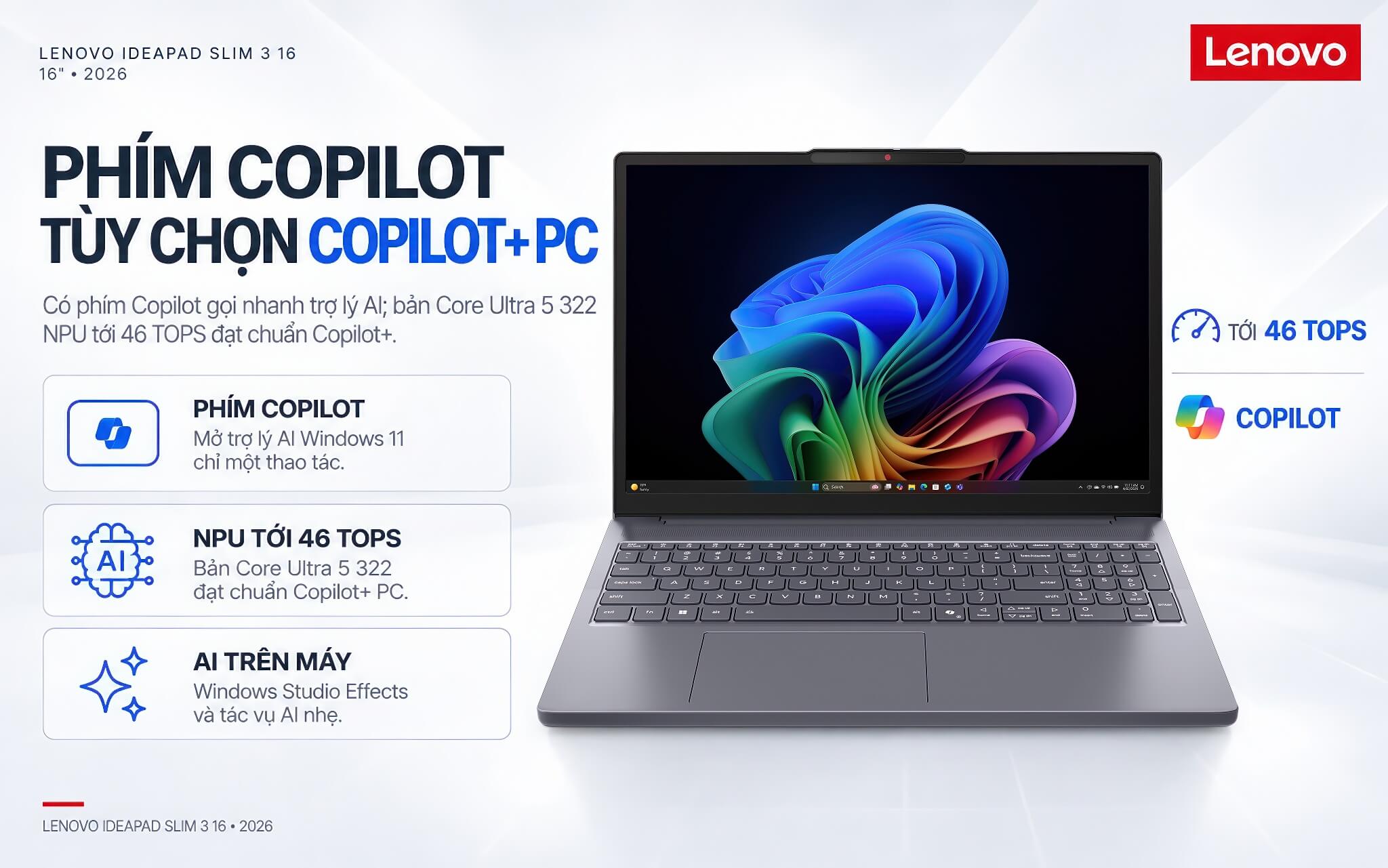
The Intel Core Ultra 5 322 version integrates a neural processing unit (NPU) of up to 46 TOPS. That clears the 40 TOPS threshold, so it earns Copilot+ PC certification and runs on-device AI features such as Windows Studio Effects well. The Intel Core 5 320 version has an NPU of about 16 TOPS and belongs to the AI PC category. It still works with the Copilot assistant and light AI tasks, but it does not meet the Copilot+ PC standard.
If you care about the full set of new Windows AI features, the Core Ultra 5 322 version is the better one to consider. For basic office needs, both versions do the job well.
Keyboard with numeric keypad and Precision touchpad
Thanks to the 16 inch body, Lenovo IdeaPad Slim 3 16 has a full-size keyboard with a dedicated numeric keypad, 1.3mm key travel, a Copilot key, and an optional backlight. This is a clear advantage for anyone who regularly enters figures or does accounting or spreadsheet work, and the 14 inch version does not offer it.
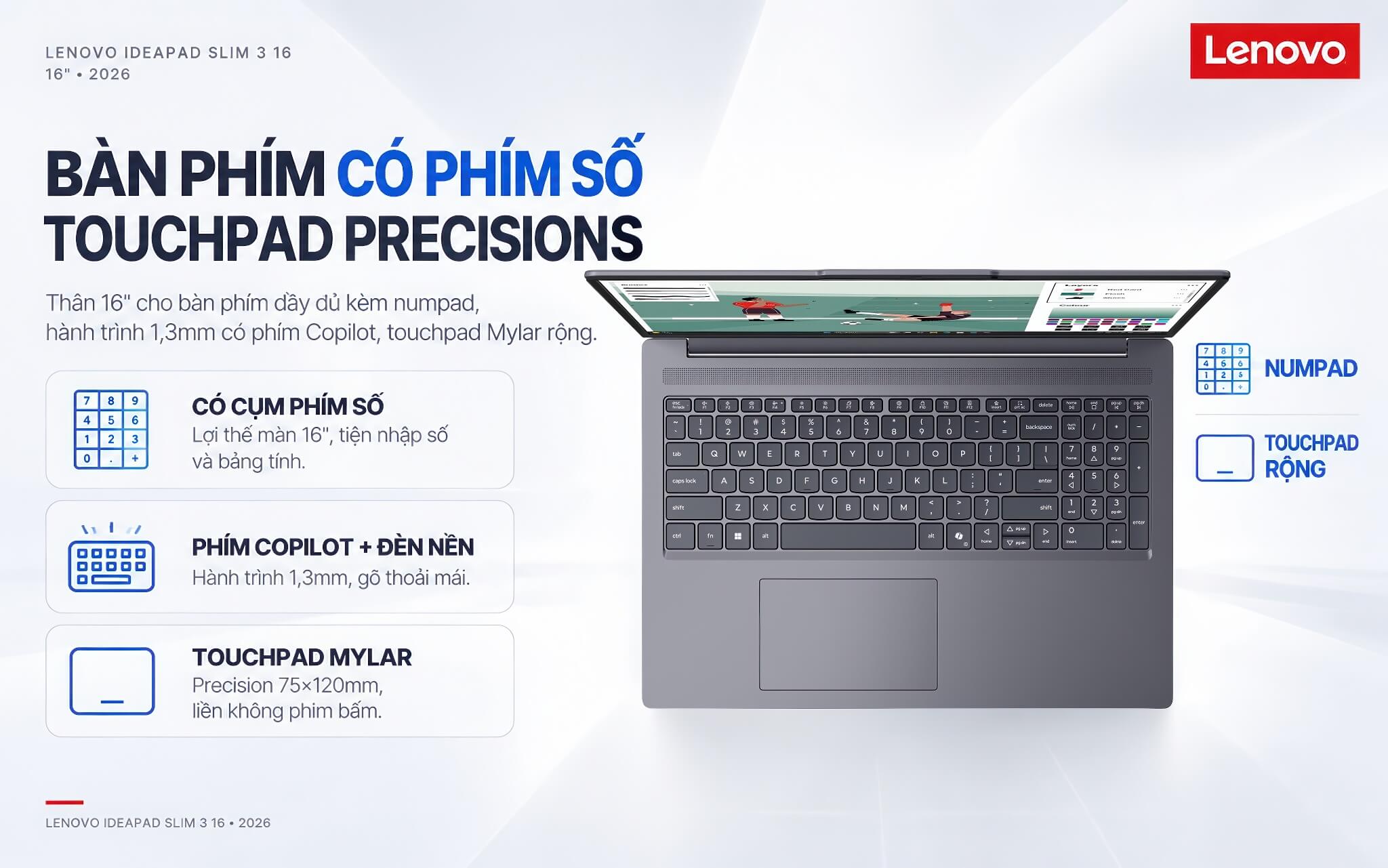
The touchpad has a one-piece Mylar surface with no separate buttons and supports the Microsoft Precision standard. Its large size (75 x 120mm) makes scrolling, zooming, and moving around smooth without needing a separate mouse.
Together, the keyboard with number keys and the wide touchpad make this laptop a strong performer for office work that involves a lot of typing and data entry.
FHD IR camera and Dolby Audio sound
Lenovo IdeaPad Slim 3 16 is equipped with an FHD 1080p camera with infrared (IR) and a physical privacy shutter. It delivers a clear picture on video calls, supports Windows Hello face sign-in, and protects your privacy when the camera is not in use.
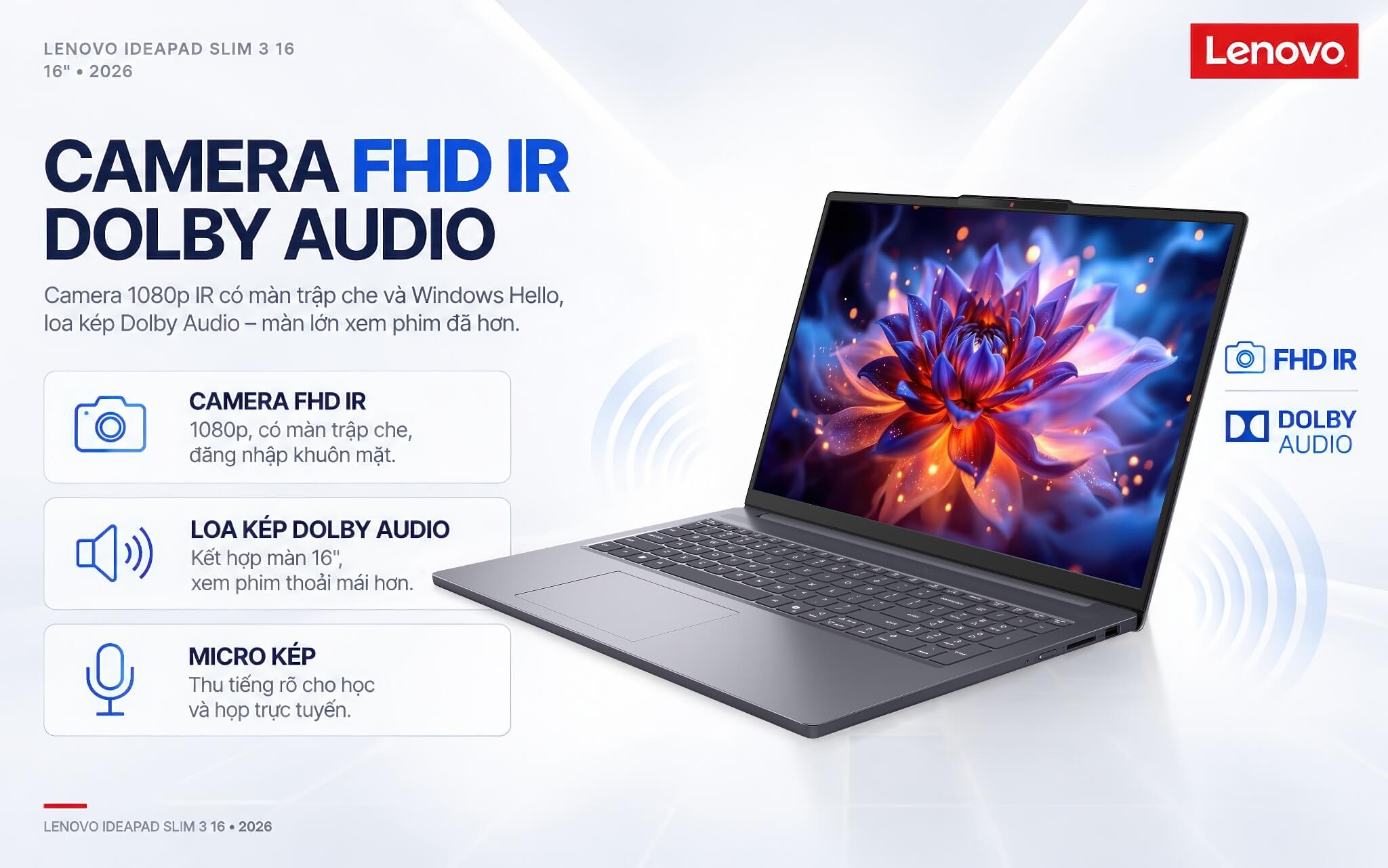
For audio, the laptop has dual speakers tuned with Dolby Audio technology plus a dual microphone array. The volume is sufficient and recording is clear, which works well for online meetings, movies, and music. The large screen paired with Dolby Audio also makes movies more comfortable to watch.
The FHD IR camera and dual microphones make the laptop ready for online learning and remote work without any extra accessories.
Ports and battery life on the Lenovo IdeaPad Slim 3 16
Lenovo IdeaPad Slim 3 16 has a full set of ports for everyday needs: 2 USB-A ports, 1 USB-C port (supporting Power Delivery charging and DisplayPort video output), 1 HDMI port, a 3.5mm headphone jack, and an SD card reader. You can easily connect a mouse, external drive, projector, memory card, and other work accessories.
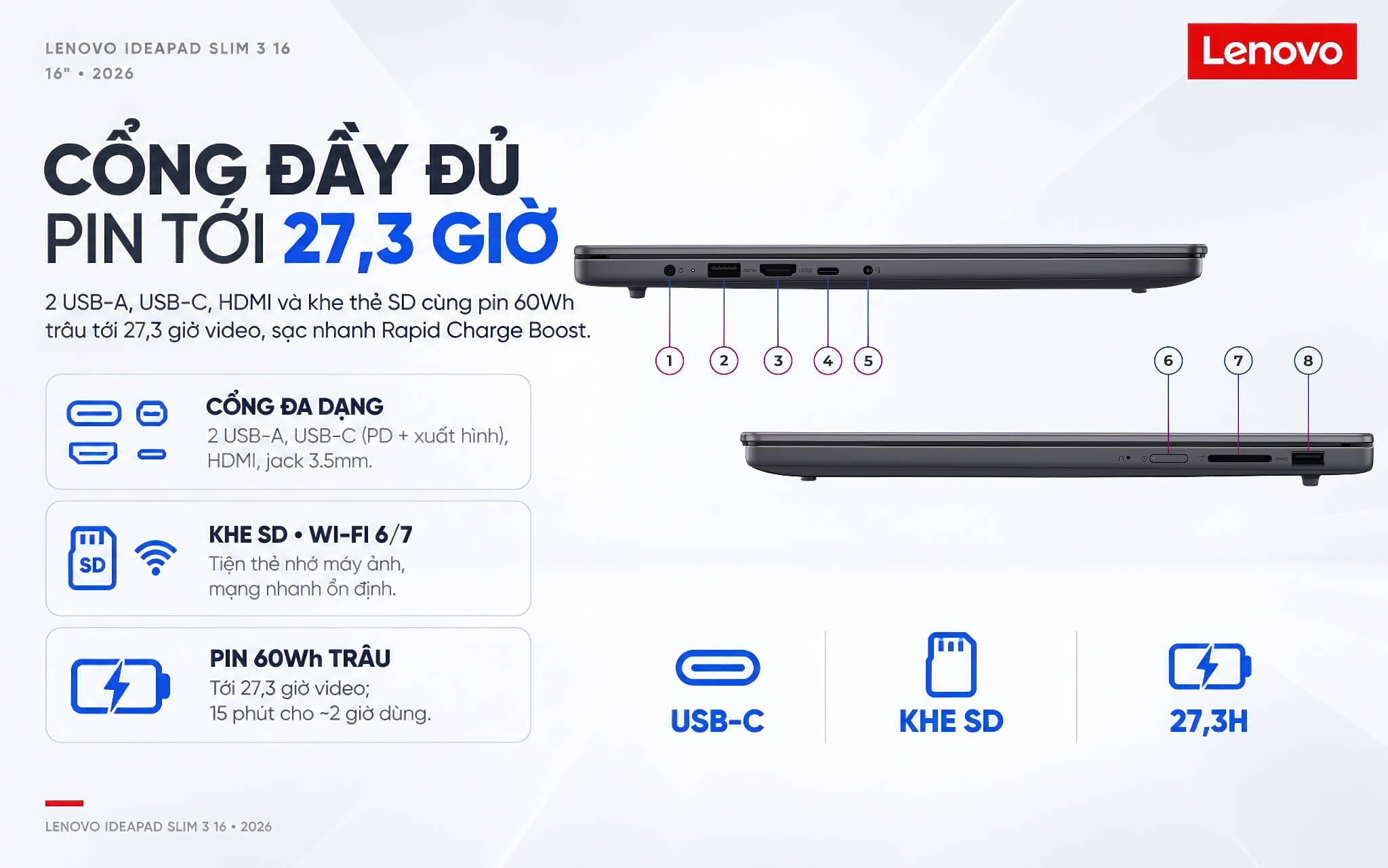
For wireless connectivity, the laptop supports Wi-Fi 6 or Wi-Fi 7 (depending on the version) along with Bluetooth, for fast and stable network speeds during online work.
It uses a 3-cell 60Wh battery. Thanks to the roomy battery space in the 16 inch body, it delivers up to about 27.3 hours of video playback according to Lenovo, slightly more than the 14 inch version. Rapid Charge Boost fast charging provides about 2 hours of use from just 15 minutes of charging, and the laptop ships with a 65W adapter or can charge through the USB-C port with Power Delivery support.
Conclusion and review of the Lenovo IdeaPad Slim 3 16 inch (2026)
Lenovo IdeaPad Slim 3 16 inch (2026) is worth considering for anyone who needs a well-priced, large-screen laptop for study and work. Its strengths are the roomy 16 inch WUXGA 400 nits display, a keyboard with a numeric keypad, two new-generation Intel chip options (with the Core Ultra 5 322 version meeting the Copilot+ PC standard), and a 60Wh battery for long runtime.
It also scores well for its upgradable SSD with two M.2 slots, FHD IR camera, military-grade durability design, and full set of ports, including an SD card slot. It is a good device for users who prioritize a large screen, do not travel much, and need a dependable office laptop at a reasonable cost.
A few points to weigh before buying: the IPS version has standard color coverage (about 45% NTSC), the laptop uses integrated graphics so it is not suited to heavy gaming or 3D graphics, the Core 5 320 version does not meet the Copilot+ PC standard, and the 16 inch model weighs about 1.73 kg, so it is less portable than the 14 inch version. Even so, within the large-screen, good-value segment, Lenovo IdeaPad Slim 3 16 delivers very good value.
| Pros | Cons |
|---|---|
|
|
FAQ - Frequently asked questions about the Lenovo IdeaPad Slim 3 16 inch (2026)
1. How many chip options does the Lenovo IdeaPad Slim 3 16 have, and how do they differ?
There are two options: the 16IWC11 model runs the Intel Core 5 320 (Wildcat Lake), and the 16IPH11 model runs the Intel Core Ultra 5 322 (Panther Lake). The Core Ultra 5 322 version has a more powerful NPU and meets the Copilot+ PC standard, while the Core 5 320 version is a standard AI PC.
2. How does the 16 inch version differ from the 14 inch version?
The 16 inch version has a larger screen, a keyboard with an added numeric keypad for easier data entry, and longer battery life (up to about 27.3 hours of video). In return, it is heavier (about 1.73 kg versus 1.43 kg), so it is less portable when you carry it around.
3. Is it a Copilot+ PC?
It depends on the version. The Intel Core Ultra 5 322 version has an NPU of up to 46 TOPS, which clears the 40 TOPS threshold and meets the Copilot+ PC standard. The Intel Core 5 320 version has an NPU of about 16 TOPS and does not meet the Copilot+ standard, but it still runs the Copilot assistant and light AI tasks.
4. Can I upgrade the RAM and storage?
The M.2 2242 storage has two slots, so you can add a drive to expand capacity. As for RAM, upgradability varies by version (some versions have a SODIMM slot that allows an upgrade to 24 or 32GB), so check carefully for each model.
5. Is it suitable for study and office work?
Absolutely. With a 6-core Intel chip, 16GB of DDR5 RAM, and an SSD, it handles office tasks, document editing, online meetings, and multi-tab browsing smoothly. The wide 16 inch screen and numeric keypad are also handy for work that involves a lot of data entry.
6. How are the battery life and fast charging?
It uses a 3-cell 60Wh battery, giving up to about 27.3 hours of video playback according to Lenovo. Rapid Charge Boost technology provides about 2 hours of use from just 15 minutes of charging, and you can charge with the included adapter or through the USB-C port.
7. What is the warranty policy at Hung Phat Laptop?
The laptop carries a 24-month official Lenovo Vietnam warranty. When you buy at Hung Phat Laptop, you also get technical support, help choosing a configuration, and nationwide delivery.
Where to buy the Lenovo IdeaPad Slim 3 16 inch (2026) at a trusted store with a good price?
If you are looking for a well-priced large-screen office laptop for study and work, the Lenovo IdeaPad Slim 3 16 inch (2026) is worth considering. It serves students and office workers who need a wide display and a numeric keypad, with two chip options to flex with your budget.
At Hung Phat Laptop, you can shop with confidence for genuine Lenovo IdeaPad laptops, officially imported, with full invoices and transparent warranty. When you buy the Lenovo IdeaPad Slim 3 16 here, you get advice on choosing the right version for your needs, attentive technical support, nationwide delivery, and plenty of attractive offers.
Performance & benchmarks Lenovo IdeaPad Slim 3 16 inch (2026)
Intel Core 5 320 Intel Graphics 2 Xe3 Wildcat Lake iGPU - best for Office 8.5/10, Programming 5.5/10.
Intel Core 5 320
- Geekbench 6 (multi-core)8,017.5
- Geekbench 6 (single-core)2,582
- Cores / Threads6/6
Intel Graphics 2 Xe3 Wildcat Lake iGPU iGPU
- 3DMark Time Spy1,372
- 3DMark Fire Strike3,564
- AI INT821 TOPS
- ArchitectureXe3
Best for
Scored from real benchmarks- Gaming1.5/10
- Video / Graphics3/10
- Programming5.5/10
- Office8.5/10
Why does the CPU matter?
The CPU is the "brain" that handles every task: launching apps, multitasking, compiling code and editing video. The stronger the CPU, the faster and smoother the laptop runs when you juggle many things at once.
- BasicThis product
Web browsing, streaming and light office work.
- MainstreamThis product
Office work, moderate multitasking and studying.
- Mid-rangeThis product
Solid multitasking, programming and light graphics work.
- StrongThis product
Video editing, heavy programming, virtualization and gaming.
- FlagshipThis product
Heavy rendering, 4K/8K editing, virtual machines and AI workloads.
Why does the GPU matter?
The GPU (graphics card) handles visuals: gaming, video editing, 3D rendering and AI acceleration. The stronger the GPU, the higher your frame rates and the faster your video exports.
- Basic (iGPU)This product
Smooth display, 4K video and very light games (League of Legends, Valorant on low).
- MainstreamThis product
1080p eSports gaming, photo editing and light video editing.
- Mid-rangeThis product
1080p gaming on medium-high settings and smooth Full HD video editing.
- StrongThis product
1080p/1440p gaming on high settings, 4K video editing and 3D rendering.
- FlagshipThis product
4K/240Hz gaming, ray tracing, heavy rendering and AI.
No comments yet
Q&A about Lenovo IdeaPad Slim 3 16 inch (2026)
Frequently asked questions about Lenovo IdeaPad Slim 3 16 inch (2026)
What are the specifications of Lenovo IdeaPad Slim 3 16 inch (2026)?
What is the warranty for Lenovo IdeaPad Slim 3 16 inch (2026)?
Is Lenovo IdeaPad Slim 3 16 inch (2026) genuine?
Can I buy Lenovo IdeaPad Slim 3 16 inch (2026) with home delivery?
Worth a Look
Lenovo IdeaPad Slim 3 14 inch (2026)
 4 configurations




Vũ Đình Quang 3 tuần trước
Màn hình 16 inch to rộng, có cả cụm phím số nên nhập liệu cực tiện luôn. Máy chạy mượt, thiết kế mỏng nhẹ, nhìn rất xịn xò và chuyên nghiệp.