

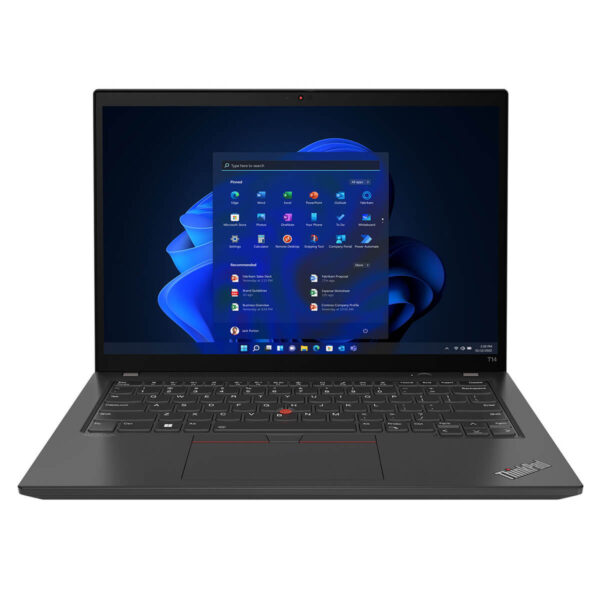
Lenovo ThinkPad T14 Gen 3 (2022)
- CPU: Intel Core i5 1235U vPro Up To 4.4GHz (10 Cores, 12 Threads, 12MB Cache)
- RAM: DDR4 16GB 3200MHz
- SSD: 256GB Gen 4 PCIe x4 M.2 SSD
- VGA: Intel® Iris® Xe Graphics
- DISPLAY: 14" WUXGA (1920 x 1200) IPS, Touchscreen, Anti-Glare, 300 nits
- CONDITION: Like New 99%
- WARRANTY: 6-month warranty
- A Professional Design Made for Business Users
- Outstanding Performance with 12th Gen Intel Alder Lake
- The ThinkPad T14 Gen 3 (2022) Display
- Keyboard & TouchPad on the Lenovo T14 Gen 3
- Ports, Connectivity & Battery Life
- Military-Grade Durability and Data Security
- Summary of the Lenovo ThinkPad T14 Gen 3 (2022)
- FAQ - Frequently asked questions about the ThinkPad T14 Gen 3 Intel (2022)
- Where to Buy the Lenovo ThinkPad T14 Gen 3 at a Good Price from a Trusted Seller?
With technology advancing so quickly, choosing a laptop that fits your work, especially if you are a business professional, matters more every year. Built to meet rising demands for performance, durability and flexibility, the Lenovo ThinkPad T14 Gen 3 (2022) is an all-around solution for the professional workplace. The ThinkPad T Series stands out not only for its business-grade, durable design but also for its range of powerful features, delivering steady performance for demanding office tasks and frequent travel. This review takes a detailed look at the laptop, from its design and processing power to real-world use, to help you make the right decision.
A Professional Design Made for Business Users
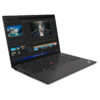
The ThinkPad T14 Gen 3 (2022) stays true to the signature design language of the ThinkPad business laptop line: minimalist and sturdy, yet still elegant. It comes in two colors, classic black and Storm Grey, with an illuminated ThinkPad logo on the corner of the lid that gives it a recognizable brand accent. Premium finishing materials improve durability and impact resistance, and the laptop meets the demanding MIL-STD 810G military standard.
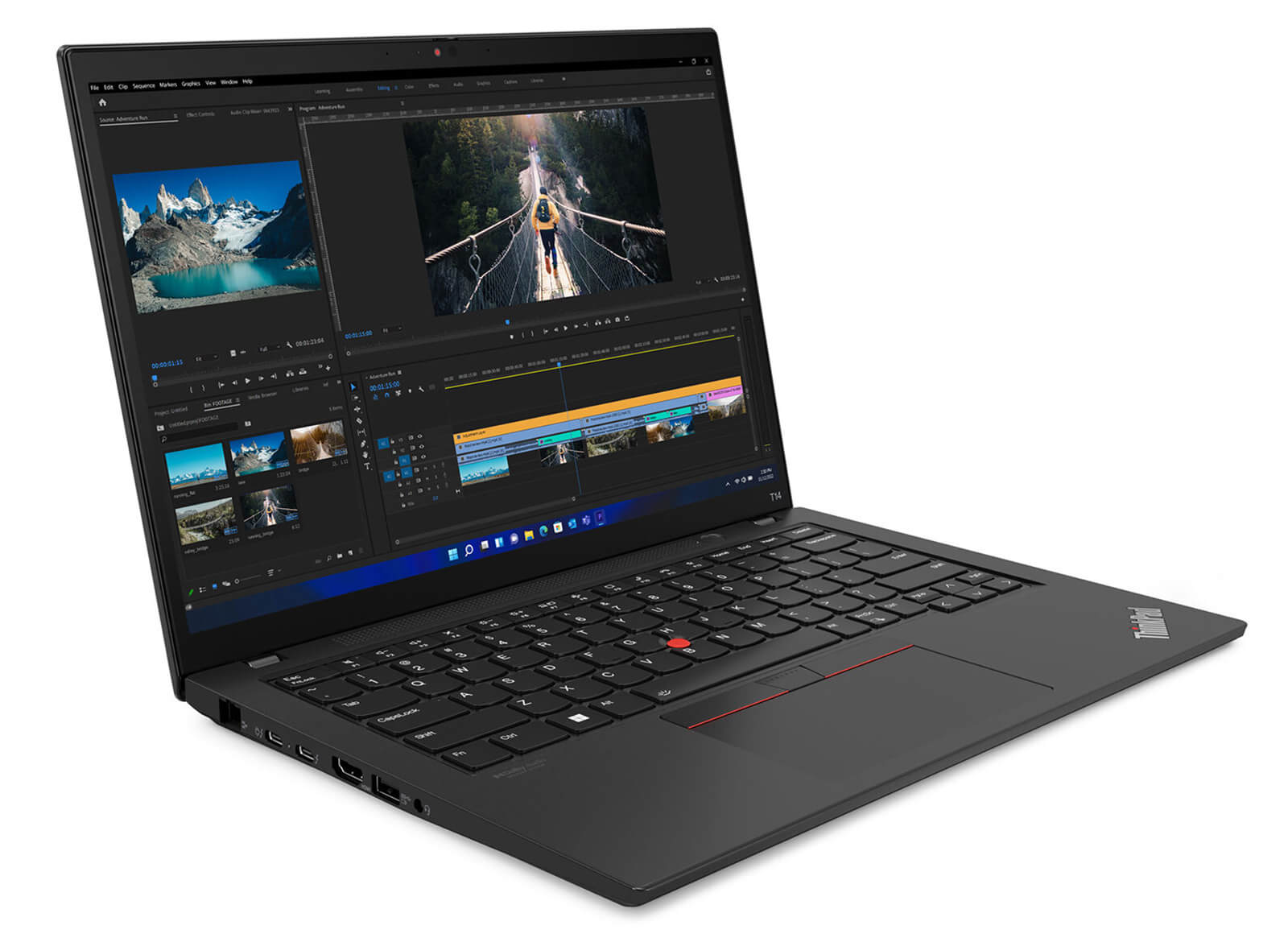
Weighing just 1.32kg and measuring a compact 317.75 x 226.82 x 17.78 mm, the ThinkPad T14 Gen 3 is easy to bring along on any business trip. The thin, light chassis still feels solid in the hand, which makes it comfortable to hold and carry every day. Every line reflects the care Lenovo puts into designing for professional customers.
The 16:10 display is a big plus. It adds screen space and reduces constant scrolling when you work with spreadsheets, reports or multiple apps at once. The well-placed ports and the renowned ThinkPad keyboard further strengthen this model's standing with modern business professionals who need a flexible, efficient and durable work device.
Outstanding Performance with 12th Gen Intel Alder Lake
Strong performance has always been a highlight of the ThinkPad T14 Gen 3, which is equipped with a 12th Gen Intel Core processor (Alder Lake), a platform that delivers optimized multitasking for both office work and more intensive tasks. The hybrid core architecture keeps the laptop running steadily under heavy load, so it performs well with many applications open at once.
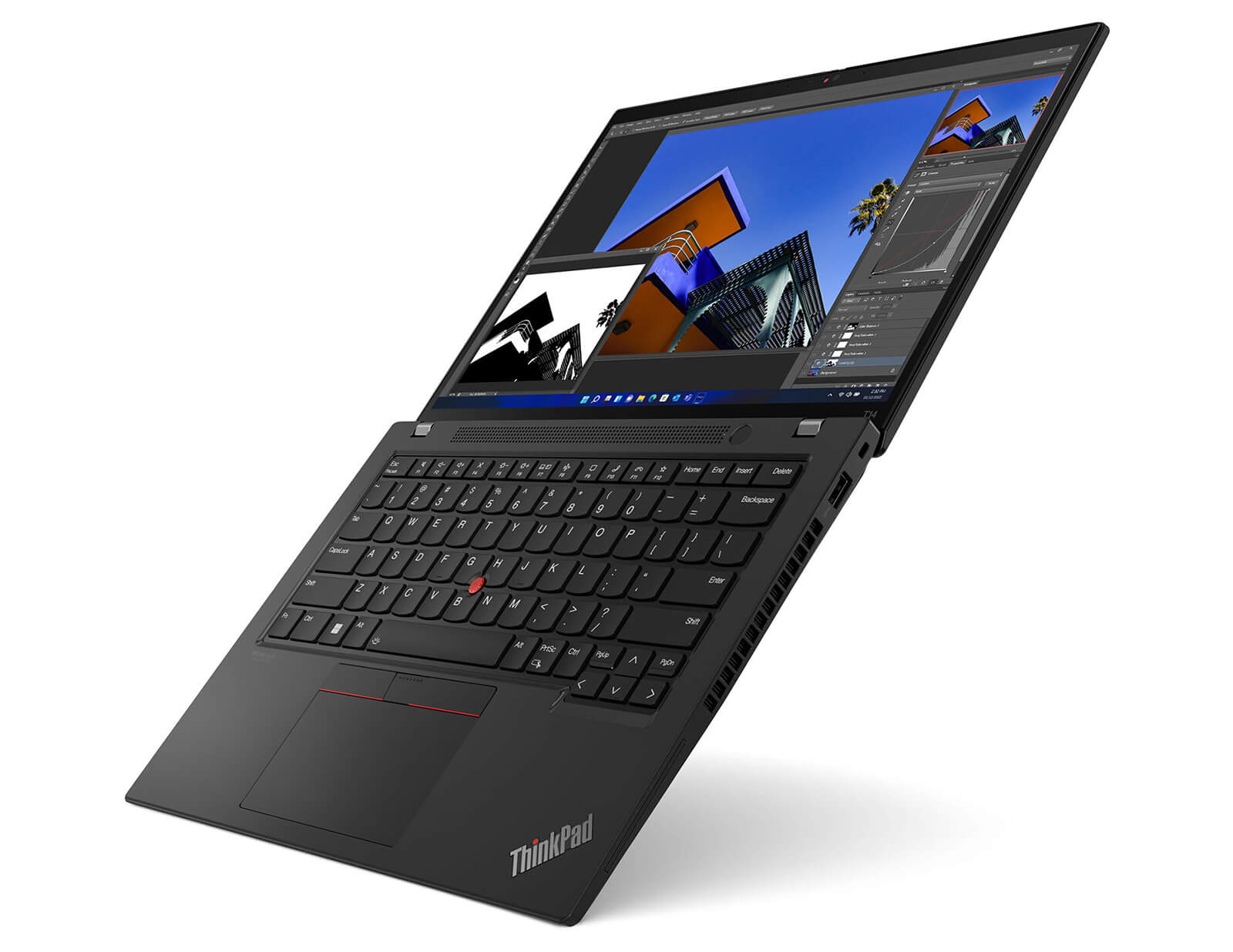
Thanks to Intel Turbo Boost technology, performance rises significantly when you need it while power consumption stays reasonable. That makes it ideal for business users who travel often and need a durable, battery-efficient device that still delivers high performance.
The choice of Intel UHD Graphics or a discrete NVIDIA GeForce MX550 GPU gives you flexibility for handling images, video or light entertainment. In addition, you can upgrade the RAM up to 48GB and choose a PCIe SSD of up to 2TB, so the ThinkPad T14 Gen 3 handles both everyday work and long-term storage without performance bottlenecks.
The ThinkPad T14 Gen 3 (2022) Display
The display of the ThinkPad T14 Gen 3 (2022) is designed to meet a wide range of needs, from office users to creative professionals. With several resolution options, from WUXGA to 4K WQUXGA (3840 x 2400), it delivers sharp images, accurate colors and high brightness, helping you work efficiently in any lighting.
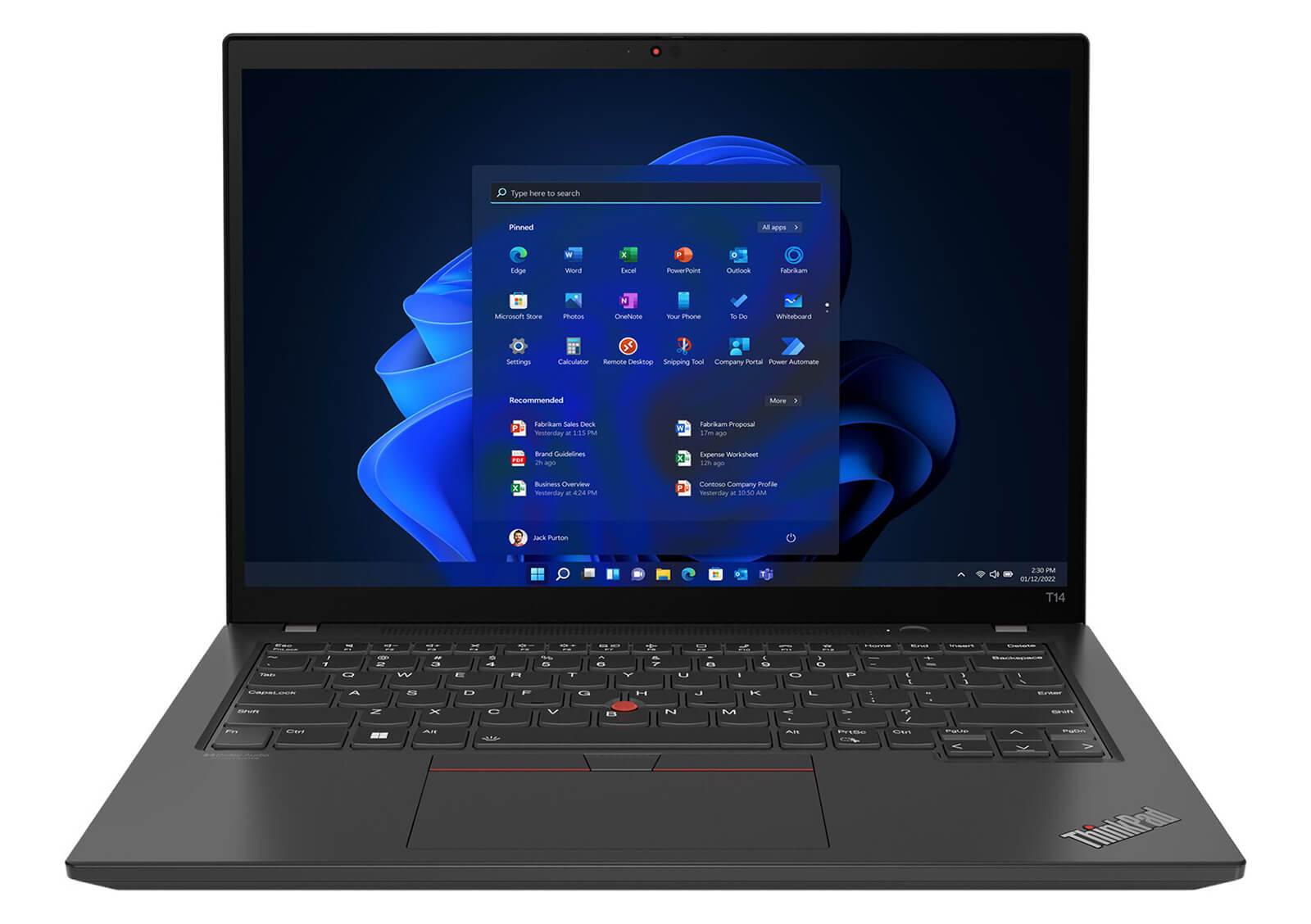
Beyond its excellent image quality, the ThinkPad T14 Gen 3 display also features anti-glare technology and Eyesafeu00ae to reduce harmful blue light, protecting your eyes and limiting eye strain over long sessions. This is especially helpful for users who spend many hours a day looking at a screen.
The ThinkPad T14 Gen 3 also improves the audio-visual experience with integrated Dolby Audiou2122 speakers that deliver lively, clear sound. That is a valuable plus when you join online meetings or relax with high-quality entertainment.
Keyboard & TouchPad on the Lenovo T14 Gen 3
The keyboard on the Lenovo ThinkPad T14 Gen 3 continues to reinforce its standing among business laptops with 1.8mm of deep key travel and slightly curved keycaps. The stable, responsive typing feel lets you work for long periods without fatigue, which suits office workers who write documents or work in spreadsheets all day.
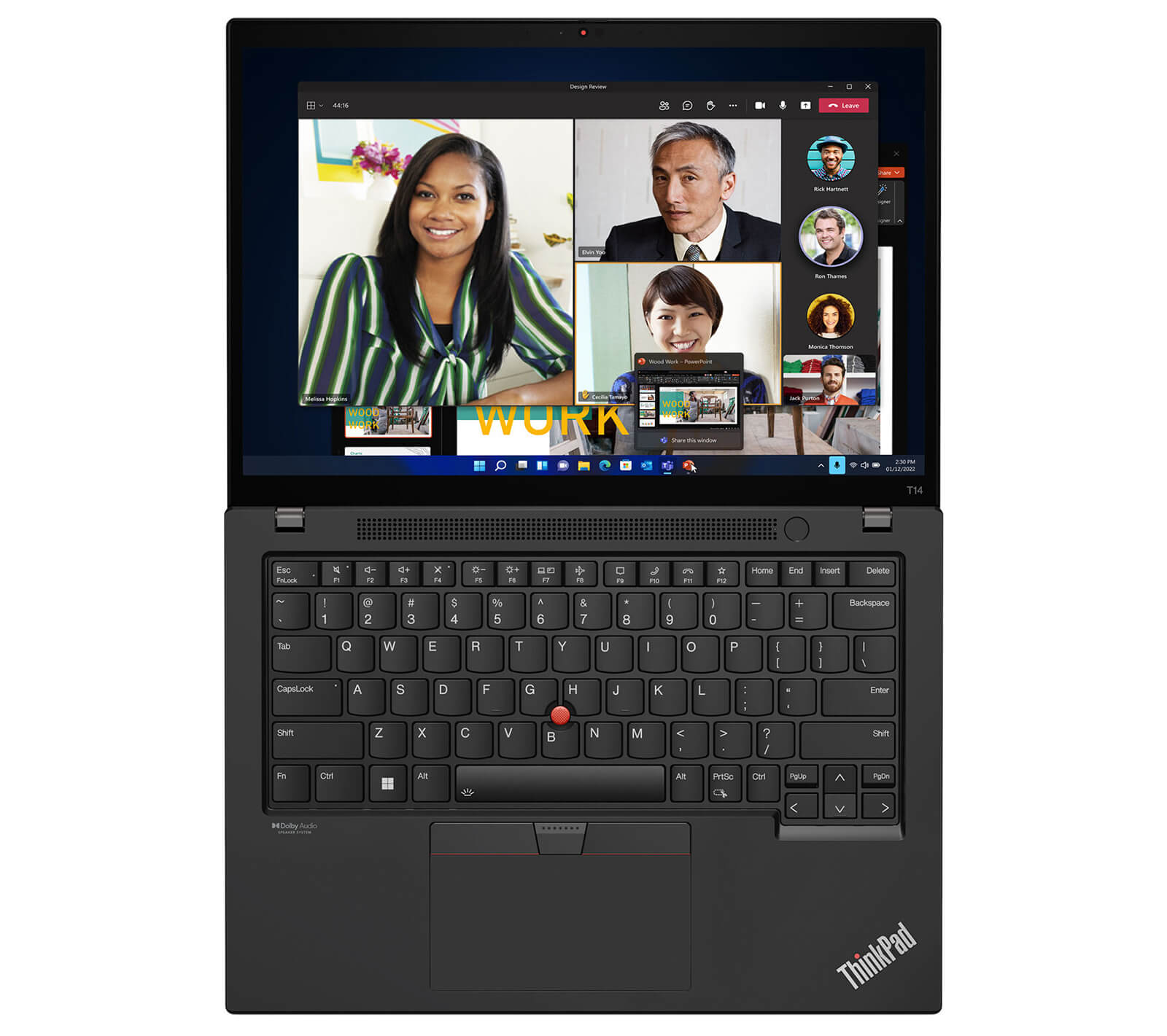
The ergonomic design gets careful attention, and the keyboard includes a backlight for working in low light. The function keys are laid out logically, so you can act quickly without taking your eyes off the screen. This noticeably improves productivity for professional users.
The TouchPad on the ThinkPad T14 Gen 3 is highly sensitive and recognizes multi-touch gestures smoothly, so you can move the cursor and work precisely even without a mouse. The TrackPoint, the traditional hallmark of the ThinkPad line, also improves the experience by letting you control the cursor right from the keyboard without lifting your hands, which noticeably speeds up your work and boosts efficiency.
Ports, Connectivity & Battery Life
One of the notable strengths of the ThinkPad T14 Gen 3 is its diverse and flexible connectivity. With Thunderbolt 4, USB-A 3.2 Gen 1, HDMI 2.0, RJ45 and even a smart card reader slot, this laptop covers business users' connectivity needs, from high-speed data transfer to connecting external displays and storage devices.
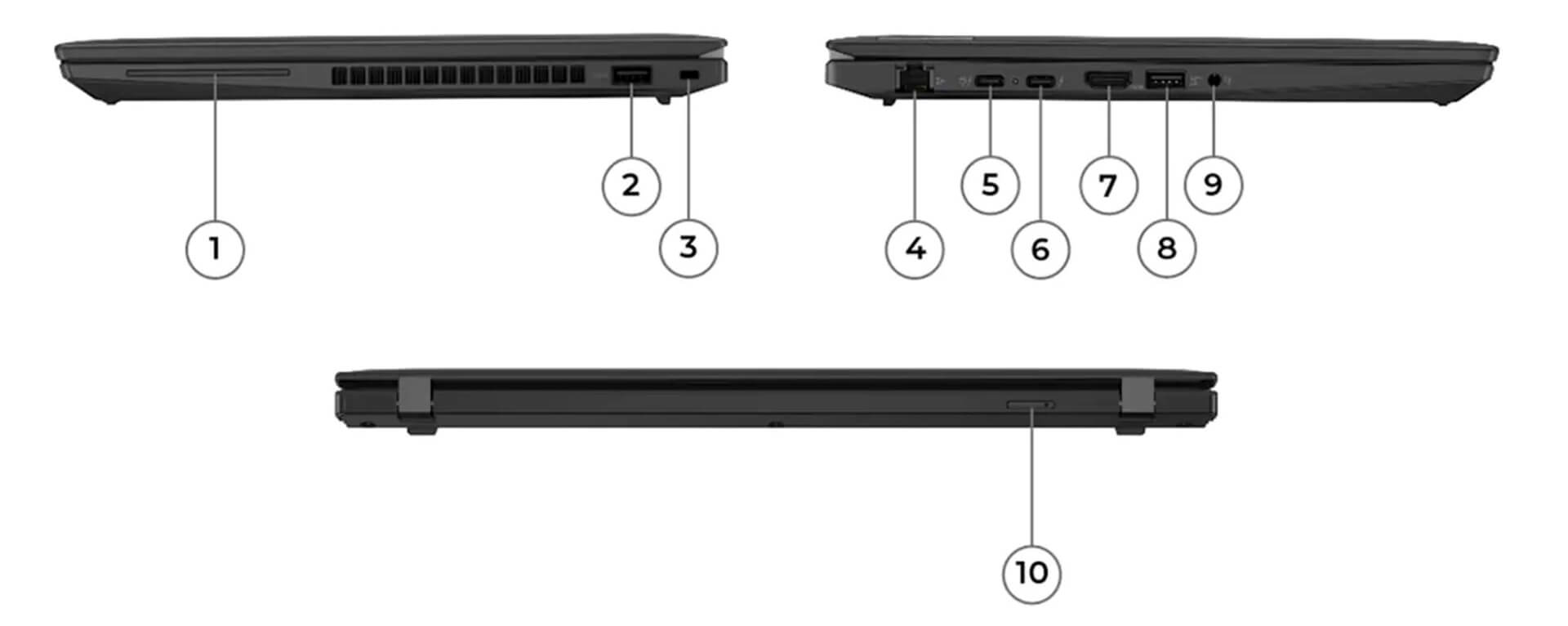
Beyond its wide range of physical ports, the ThinkPad T14 Gen 3 also supports Wi-Fi 6 and Bluetooth 5.2 for fast, stable wireless connections. These technologies matter most for people who work remotely, join online meetings or travel a lot and need to keep connectivity performance high in any environment.
For battery life, the laptop has a 52.5Whr battery that provides about 6 hours of continuous use. That is suitable for a standard workday and lets you get your work done without worrying much about recharging several times during the day.
Military-Grade Durability and Data Security
The ThinkPad T14 Gen 3 is designed for professionals and business users who need a durable, data-secure laptop. It meets the MIL‑STD‑810H military standard, ensuring resistance to impact and vibration in many harsh environments. The chassis, made of premium carbon and aluminum materials, not only adds physical durability but also helps it keep its shape and premium look over the long term.
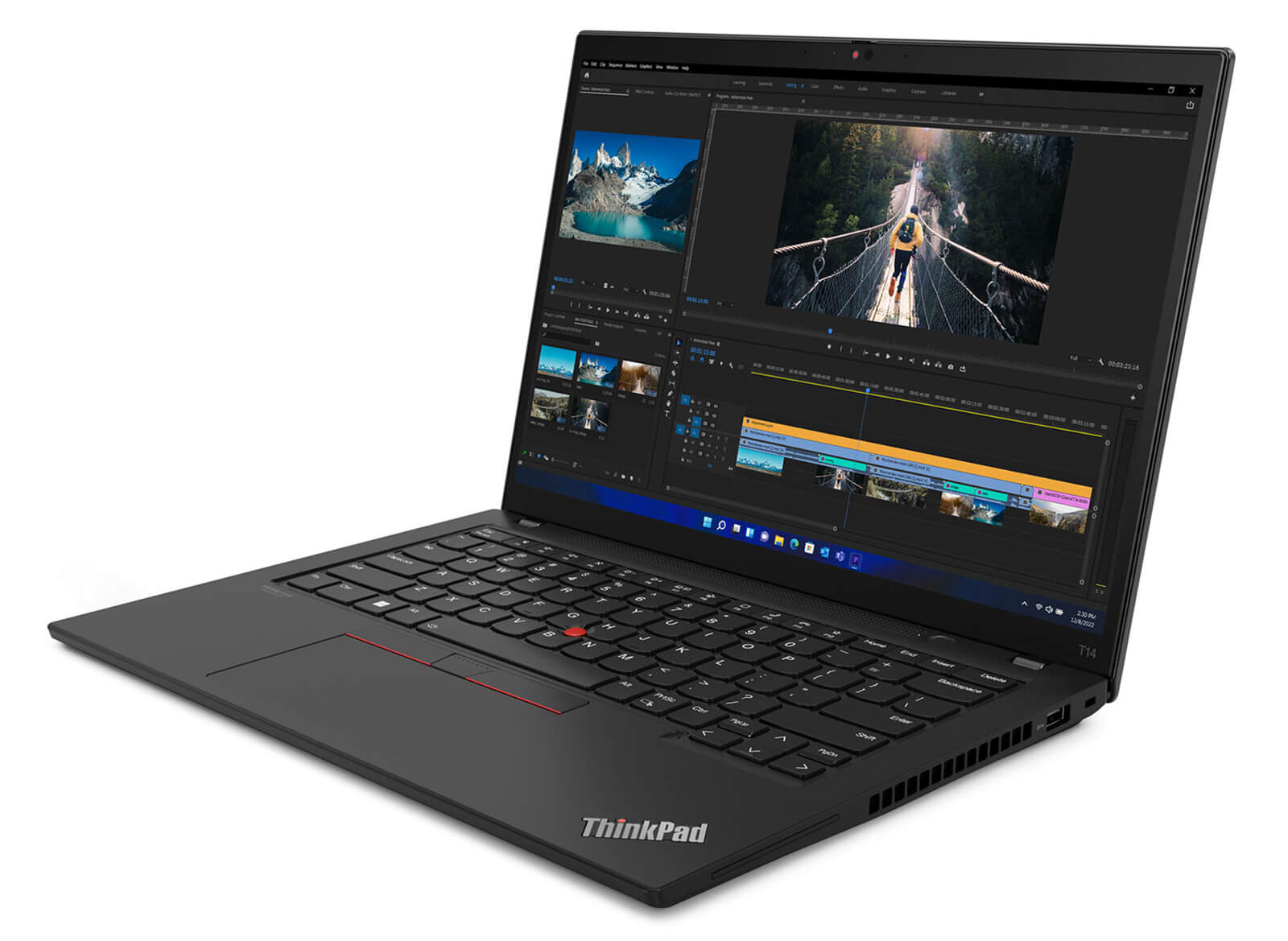
The built-in security features of the T14 Gen 3 provide thorough data protection, including a TPM 2.0 security chip (with integrated Microsoft Pluton), a fingerprint reader built into the power button and a Kensington lock slot. It also supports an optional IR camera with Windows Hello, a ThinkShutter webcam cover and a Privacy Guard feature that blocks prying eyes, protecting privacy and information security for business users.
Lenovo integrates the ThinkShield solution and the (optional) Intel vPro management platform, which support data encryption, multi-factor authentication (FIDO) and a self-healing BIOS, giving users confidence in system integrity. With these features, the ThinkPad T14 Gen 3 is not only a reliable laptop for mobile professionals but also a good fit for organizations that need a high security standard.
Summary of the Lenovo ThinkPad T14 Gen 3 (2022)
The Lenovo ThinkPad T14 Gen 3 (2022) combines elegant design, steady performance and military-grade durability, and it meets the demanding requirements of the business environment well. With flexible configurations and many advanced security features, this business laptop line serves office work efficiently and also supports more specialized tasks.
Its standout strengths in durable design, flexible upgradability and diverse connectivity make the ThinkPad T14 Gen 3 a dependable choice for professional users. If you are looking for a stable device that performs well over the long term and can keep up with heavy workloads, this laptop is well worth considering.
| Pros | Cons |
|---|---|
|
|
FAQ - Frequently asked questions about the ThinkPad T14 Gen 3 Intel (2022)
1. Is the T14 Gen 3 durable and light enough to carry around a flexible office environment?
The T14 Gen 3 Intel has a sturdy alloy frame, meets the MIL‑STD‑810H standard, is ~17.9 mm thin and weighs only ~1.35 kg, which makes it a great fit for people who move often between the office, meeting rooms and outside locations.
2. Is the display bright enough for presentations and long reading sessions?
The laptop has an FHD display at 300-400 nits, with a standard IPS option. Colors are accurate and contrast is good, so documents, slides and code stay clear even in low light.
3. Is it powerful enough to handle large documents, reports and online meetings?
With an Intel Core i5/i7 Alder Lake (12th Gen) CPU, up to 32 GB of DDR4 RAM and an NVMe SSD, the T14 Gen 3 can open many heavy Excel files, run Power BI and host Zoom/Teams meetings without a drop in performance.
4. Is the ThinkPad T14 Gen 3 Intel suitable for programming and running heavy IDEs?
A multi-core CPU, plenty of RAM and a fast SSD let the laptop run IDEs such as VS Code, IntelliJ IDEA and PyCharm smoothly, and keep Docker or virtual machines running reliably all through the workday.
5. Can it handle complex digital tasks such as data analysis or writing technical documents?
Besides its strong performance, the T14 Gen 3 has the standard ThinkPad keyboard, which supports heavy data entry, technical writing and efficient handling of scripts and data workflows.
6. How long does the battery last in real mixed use?
According to forum feedback, the 52.5 Wh battery in the T14 Gen 3 Intel lasts only about 4 hours of web browsing and 2 hours under heavy load with the screen at ~75% brightness and Balanced mode.
Source: Reddit - user experiences
7. Does it hold its performance when running multiple IDEs, browser tabs and code builds?
The cooling is good, but the laptop still runs fairly hot under sustained high load (the CPU has reached ~99 °C before throttling), which causes a sudden performance drop if you have not updated the BIOS or are using a power-saving mode.
8. Is the ThinkPad T14 Gen 3 compatible with Linux for developers?
The T14 Gen 3 Intel is Ubuntu 20.04 LTS certified, and ArchWiki also confirms that hardware such as the touchpad, Wi‑Fi and Bluetooth works smoothly on Linux.
Source: Ubuntu Certified - T14 Gen 3 Intel, ArchWiki - T14 Gen 3 Intel
9. What is the warranty policy at Hung Phat Laptop for the T14 Gen 3 Intel?
Hung Phat Laptop provides a 12-month warranty on new units and a 30-day exchange for new if a manufacturer defect appears. For like‑new or used units, the warranty is 6 months, with the 30-day exchange still applying in the first 30 days, plus free cleaning, software installation and nationwide delivery.
Where to Buy the Lenovo ThinkPad T14 Gen 3 at a Good Price from a Trusted Seller?
The Lenovo ThinkPad T14 Gen 3 is one of the standout business ultrabooks, with strong performance and a design optimized for work. If you are looking for a trusted place to buy the ThinkPad T14 Gen 3 at a fair price, Hung Phat Laptop is worth considering thanks to its transparent sourcing and its commitment to product quality.
Hung Phat Laptop specializes in officially imported Lenovo laptops, with full invoices, clear origin and a clear warranty policy. When you buy the Lenovo ThinkPad T14 Gen 3 here, you also get many attractive offers that lower your cost while you stay confident in the device's reliability.
Performance & benchmarks Lenovo ThinkPad T14 Gen 3 (2022)
Intel Core i5-1235U Intel Iris Xe Graphics G7 80EUs - best for Office 8/10, Programming 4.5/10.
Intel Core i5-1235U
- Geekbench 6 (multi-core)6,362
- Geekbench 6 (single-core)2,089
- PassMark12,574
- Cores / Threads10/12
Intel Iris Xe Graphics G7 80EUs iGPU
- 3DMark Time Spy1,181
- 3DMark Fire Strike4,048
- ArchitectureGen. 11 Ice Lake
Best for
Scored from real benchmarks- Gaming1.5/10
- Video / Graphics2.5/10
- Programming4.5/10
- Office8/10
Why does the CPU matter?
The CPU is the "brain" that handles every task: launching apps, multitasking, compiling code and editing video. The stronger the CPU, the faster and smoother the laptop runs when you juggle many things at once.
- BasicThis product
Web browsing, streaming and light office work.
- MainstreamThis product
Office work, moderate multitasking and studying.
- Mid-rangeThis product
Solid multitasking, programming and light graphics work.
- StrongThis product
Video editing, heavy programming, virtualization and gaming.
- FlagshipThis product
Heavy rendering, 4K/8K editing, virtual machines and AI workloads.
Why does the GPU matter?
The GPU (graphics card) handles visuals: gaming, video editing, 3D rendering and AI acceleration. The stronger the GPU, the higher your frame rates and the faster your video exports.
- Basic (iGPU)This product
Smooth display, 4K video and very light games (League of Legends, Valorant on low).
- MainstreamThis product
1080p eSports gaming, photo editing and light video editing.
- Mid-rangeThis product
1080p gaming on medium-high settings and smooth Full HD video editing.
- StrongThis product
1080p/1440p gaming on high settings, 4K video editing and 3D rendering.
- FlagshipThis product
4K/240Hz gaming, ray tracing, heavy rendering and AI.
Game performance
Real FPS - FHD- Dota 243 fps1080p High
- CS231 fps1080p Low
- GTA V71 fps1080p Medium
- CoD: Black Ops 615 fps1080p Low
- God of War Ragnarök14 fps1080p Low
- Cyberpunk 207715 fps1080p Low
≥60fps very smooth30-60fps playable<30fps lower the settings
Local AI performance
Tokens/second running locally on GPU- Gemma 4 E2B IT5.6 GB · ctx 256K6.0 tok/sDecent
- GLM-4 9B5.1 GB · ctx 128K7.0 tok/sDecent
- Gemma 4 E4B4.6 GB · ctx 256K8.0 tok/sDecent
- Ministral 8B4.6 GB · ctx 32K8.0 tok/sDecent
- Qwen 3.5 4B4.6 GB · ctx 32K8.0 tok/sDecent
- DeepSeek R1 Distill 7B4.1 GB · ctx 64K9.0 tok/sRuns well
- Gemma 4 E2B3.1 GB · ctx 256K12 tok/sRuns well
- Qwen 3.5 2B2.5 GB · ctx 32K14 tok/sRuns well
- Phi-4 Mini Reasoning2.4 GB · ctx 16K15 tok/sRuns well
- Llama 3.2 3B2 GB · ctx 128K18 tok/sRuns well
- SmolLM3 3B2 GB · ctx 128K18 tok/sRuns well
- DeepSeek R1 1.5B1.3 GB · ctx 64K28 tok/sRuns great
- Qwen 3.5 0.8B1.3 GB · ctx 32K28 tok/sRuns well
- TinyLlama 1.1B1.1 GB · ctx 2K33 tok/sRuns well
- Llama 3.2 1B1 GB · ctx 128K36 tok/sRuns well
- Gemma 2 9B5.1 GB · ctx 8K7.0 tok/sDecent
- Nemotron Nano 9B v25.1 GB · ctx 128K7.0 tok/sDecent
- Llama 3.1 8B4.6 GB · ctx 128K8.0 tok/sDecent
- Qwen 3 8B4.6 GB · ctx 128K8.0 tok/sDecent
- Mistral 7B v0.34.1 GB · ctx 32K9.0 tok/sRuns well
- Qwen 2.5 7B4.1 GB · ctx 128K9.0 tok/sRuns well
- Qwen 2.5 Coder 7B4.1 GB · ctx 128K9.0 tok/sRuns well
- Qwen 3 4B2.5 GB · ctx 32K14 tok/sRuns well
- Gemma 3 4B2.5 GB · ctx 128K14 tok/sRuns well
- Phi-3.5 Mini2.4 GB · ctx 128K15 tok/sRuns well
- Gemma 2 2B1.5 GB · ctx 8K24 tok/sRuns great
- Qwen 3 1.7B1.4 GB · ctx 32K26 tok/sRuns great
- Qwen 2.5 Coder 1.5B1.3 GB · ctx 32K28 tok/sRuns great
- Qwen 3 0.6B1.1 GB · ctx 32K33 tok/sRuns well
- Gemma 3 1B1 GB · ctx 32K36 tok/sRuns well
GreatWellDecent4-bit quantized, ctx = context window
No comments yet
Q&A about Lenovo ThinkPad T14 Gen 3 (2022)
Frequently asked questions about Lenovo ThinkPad T14 Gen 3 (2022)
What are the specifications of Lenovo ThinkPad T14 Gen 3 (2022)?
What is the warranty for Lenovo ThinkPad T14 Gen 3 (2022)?
Can I buy Lenovo ThinkPad T14 Gen 3 (2022) with home delivery?
Worth a Look
 2 configurations
Lenovo ThinkPad T1G Gen 8 (2026)
 3 configurations
Lenovo ThinkPad T16 Gen 4 (2025)
 4 configurations
Lenovo ThinkPad T14s Gen 6 (2025)
 3 configurations
Lenovo ThinkPad T14 Gen 6 (2025)





Anh Hoàng 07/06/2023Purchased at Hung Phat
Fast delivery, on time.
Từ Ngô Nhật Tân 07/03/2023Purchased at Hung Phat
A reputable place to buy from next time.
Thanh Thanh 20/02/2023Purchased at Hung Phat
Product quality exceeds expectations