

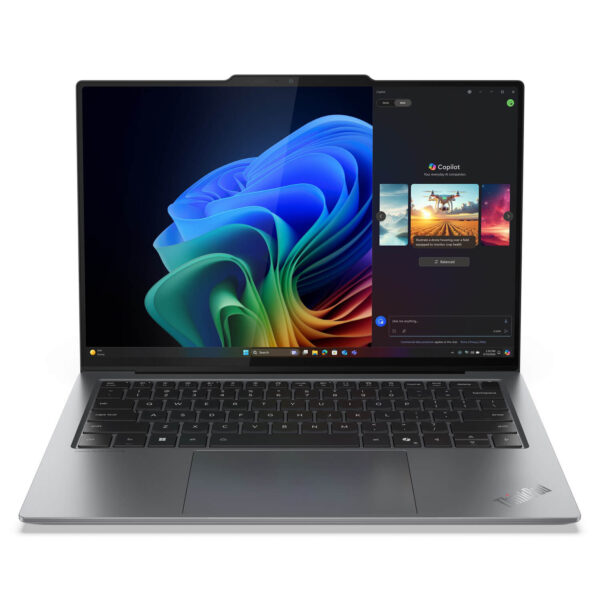
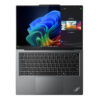
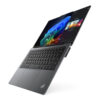
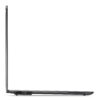
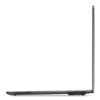
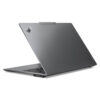
Lenovo ThinkPad X9 14 inch | Aura Edition (2025)
- CPU: Intel Core Ultra 7 258V Up To 4.8GHz (8 Cores, 8 Threads, 12MB Cache – 47 TOPS NPU)
- RAM: LPDDR5X 32GB 8533MHz
- SSD: 512GB PCIe Gen5 M.2 SSD
- VGA: Intel® Arc™ Graphics 140V
- DISPLAY: 14″ 2.8k (2880*1800) OLED, Touchscreen, Anti-Reflective, Anti-Smudge, 100% DCI-P3, Eyesafe®, DisplayHDR 600, 500 nits
- CONDITION: Like New 99%
- WARRANTY: Bảo hành 12 tháng
- What makes the ThinkPad X9 14 Aura Edition impressive?
- How does the Core Ultra 7 258V handle daily tasks?
- Is the screen and visual experience worthy of its segment?
- How are the keyboard, touchpad, and actual usage feel?
- How do Aura Edition and AI actually help in work?
- Where does the X9 14 stand between the X1 Carbon and X1 2-in-1?
- What type of user is the ThinkPad X9 14 Aura Edition suitable for?
- Ports, slots & connectivity on the ThinkPad X9 14 Aura Edition
- In conclusion, is the ThinkPad X9 14 Aura Edition worth considering?
- FAQ - Frequently Asked Questions about ThinkPad X9 14 Aura Edition
- Where to buy the ThinkPad X9 14 inch Aura Edition with prestige and good prices?
Lenovo ThinkPad X9 14 Aura Edition is one of the rare models that makes the ThinkPad line feel fresher without losing the unique identity that has built its reputation over many years. Instead of continuing with a purely corporate formula, this model shows that Lenovo wants to bring ThinkPad closer to premium users who need a laptop that is thin, light, beautiful, modern, and ready for a new pace of work. Interestingly, Lenovo has not only changed the design but also combined the Intel Core Ultra 7 258V platform with Aura Edition to create a clearer “AI-era ThinkPad” image than ever before. If you are looking for a premium Lenovo model that sits at the intersection of business, personal experience, and mobility, the ThinkPad X9 14 Aura Edition is a name well worth a close look.
What makes the ThinkPad X9 14 Aura Edition impressive?
The first impression of the ThinkPad X9 14 Aura Edition lies in the fact that this machine looks completely different from the familiar ThinkPad image. The chassis is more compact, modern, and sleek, while the overall build maintains the meticulousness that premium users expect from a business laptop line. This is not a change made just for aesthetics, but a significant adjustment to turn the X9 14 into a ThinkPad that is more accessible to young users, managers, consultants, or professionals who need to meet clients every day. While the X1 Carbon often evokes a standard and very “business” feel, the X9 14 carries a more premium, minimalist, and fashionable vibe.
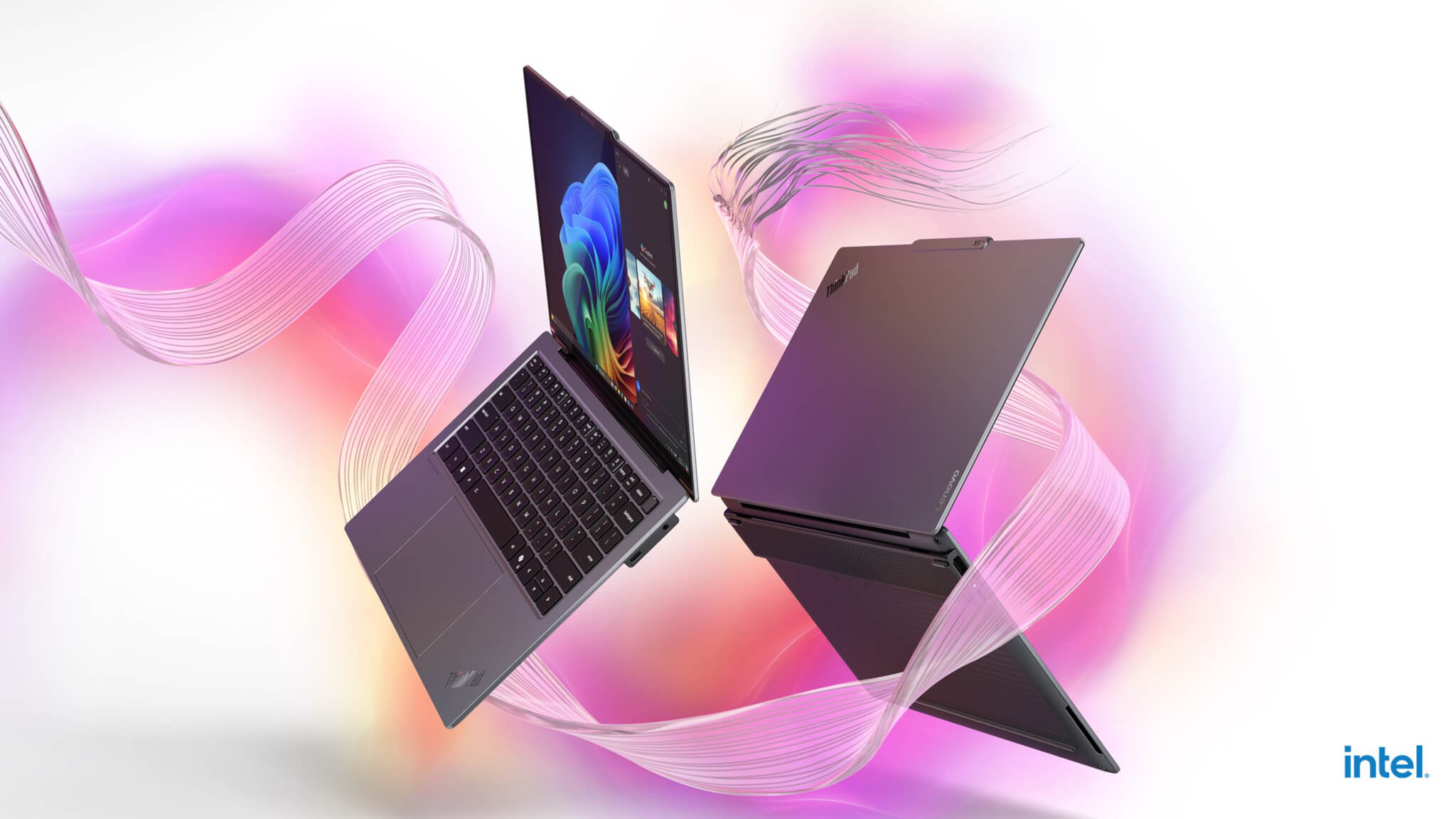
The way Lenovo built the Aura Edition also gives this machine a unique position from the moment you see its name. It is not merely a new configuration, but a product positioned to offer a complete experience, where appearance, hardware, and smart features go hand in hand. Therefore, if you are interested in premium Lenovo models in the current ecosystem, you can explore the laptop Lenovo category to see that the X9 14 does not follow a mainstream path, but is placed in a higher, newer, and much more “contemporary” position than many familiar ThinkPad models.
How does the Core Ultra 7 258V handle daily tasks?
The Intel Core Ultra 7 258V is a processor suited for the modern workflow, where users often have many browser tabs open, attend online meetings, process large documents, work on Office and cloud applications, and occasionally perform moderate image editing. With the direction of the ThinkPad X9 14 Aura Edition, this chip does not need to prove itself through “the hotter, the more powerful” performance style; instead, it focuses on creating a fast-responding, smooth, and stable experience throughout a long workday. The real value lies in the fact that this experience comes with a platform optimized for battery life, AI, and premium thin-and-light laptops—exactly what buyers in this segment actually use every day.
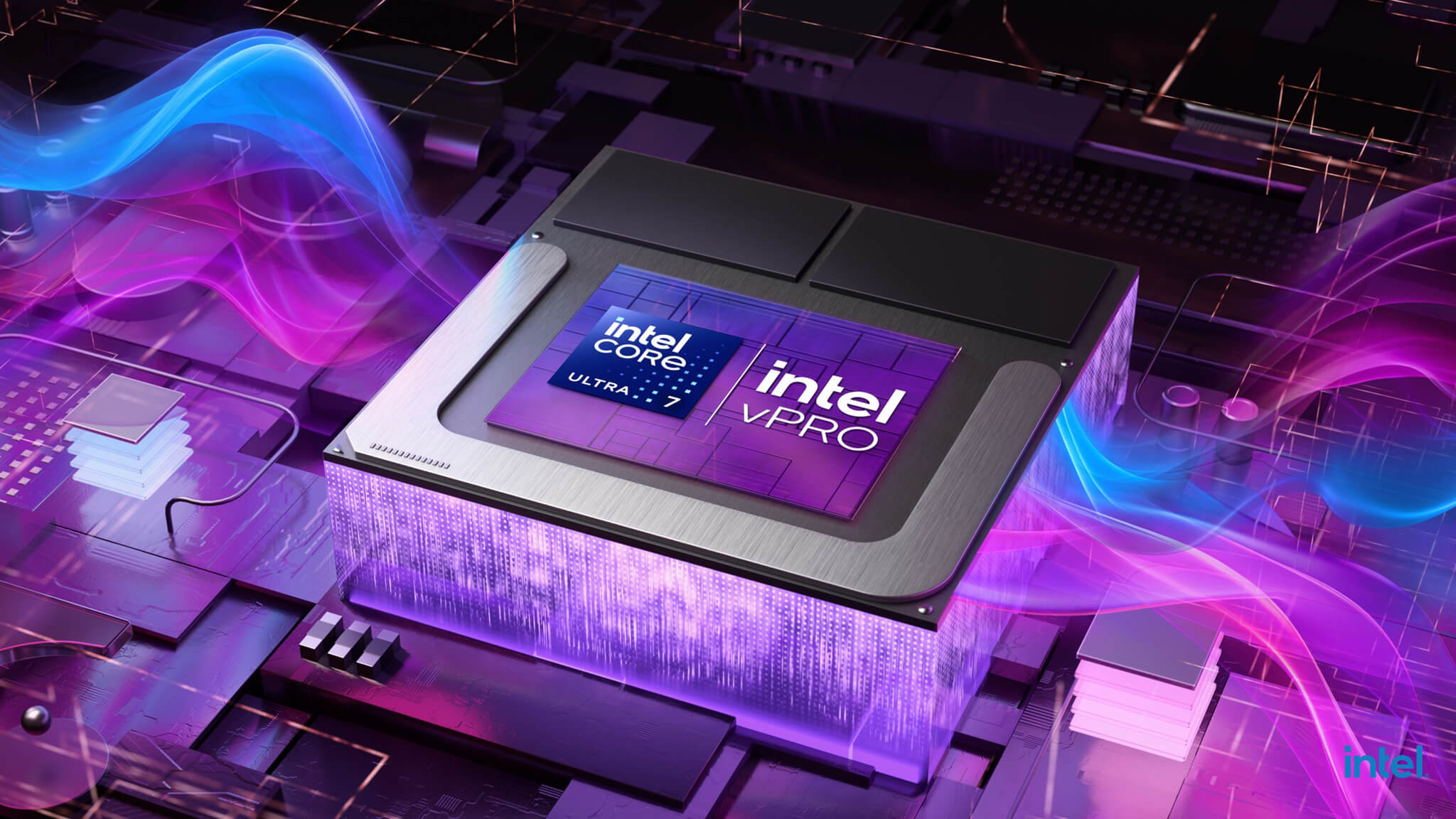
When placed alongside more traditional business models, the ThinkPad X9 14 Aura Edition gives the feeling of a machine stepping clearly into a new generation of computing. The Core Ultra 7 258V is not a choice intended to replace a workstation, but it is perfect for users wanting to balance performance, smoothness, and lightweight portability. This is also why the X9 14 should be viewed as a smarter, more practical work machine rather than just a beautiful ultrabook. From a product selection perspective, users can compare it with the ThinkPad X1 Carbon Gen 13 to see that the X9 14 is attempting to create a different style—younger, yet still serious enough for work.
Is the screen and visual experience worthy of its segment?
For a machine in the premium group, the screen is not just a place to display content, but a factor that heavily influences the daily user experience. The ThinkPad X9 14 Aura Edition makes a great impression by placing the screen in its rightful role: beautiful enough to feel premium, yet comfortable enough to serve long working days. This is the kind of difference users notice when sitting in front of the machine for many hours, from reading text, processing spreadsheets, and presenting slides to reviewing creative content or light entertainment after work. A good screen in this segment does not need to be overly flashy, but it must make the user clearly feel the difference compared to standard business laptops.
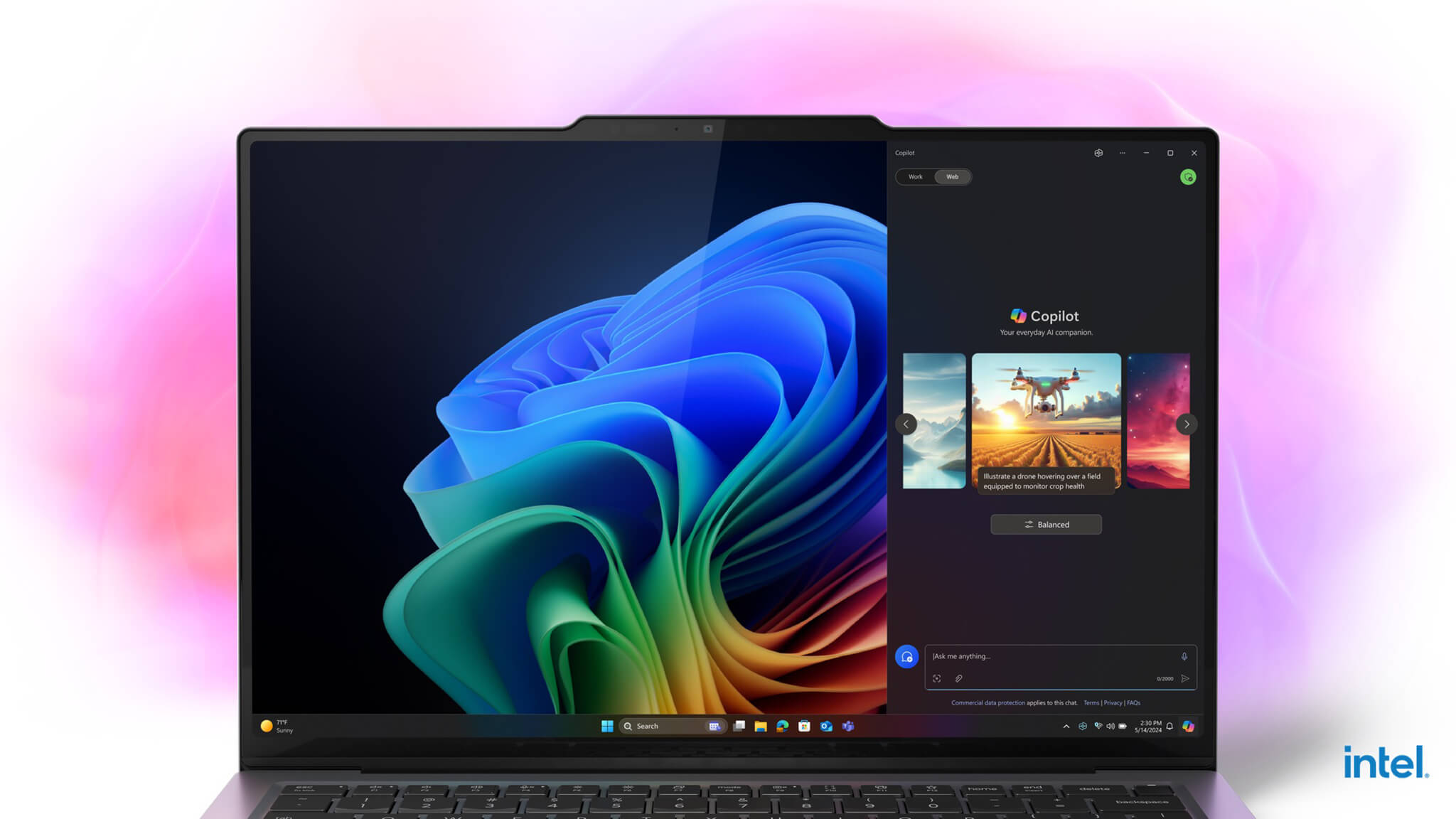
The strength of the X9 14 is a visual sensation that is much more modern compared to the familiar ThinkPad image of recent years. It does not lose the seriousness of this product line but adds comfort and “proper premium” feel for both office workers and frequent mobile workers. This is very important for customers who buy a machine not just to run work, but also want their laptop to have a beautiful, airy, and sophisticated look when placed next to other premium ultrabooks on the market. When writing sales content for this model, the screen should therefore be viewed as an emotional touchpoint, not just a spec to be listed.
How are the keyboard, touchpad, and actual usage feel?
To mention ThinkPad and overlook the keyboard is to miss the most important part. ThinkPad buyers are usually deeply concerned with the typing feel, tactile feedback, key travel, and reliability when used continuously for daily work. With the ThinkPad X9 14 Aura Edition, what users want to know is not just whether the keyboard is still good, but whether this machine maintains the “peace of mind” associated with ThinkPad or if it has sacrificed too much for a new look. This is a point Lenovo must handle very skillfully, as a more modern design is only truly valuable if it does not significantly diminish the input experience.
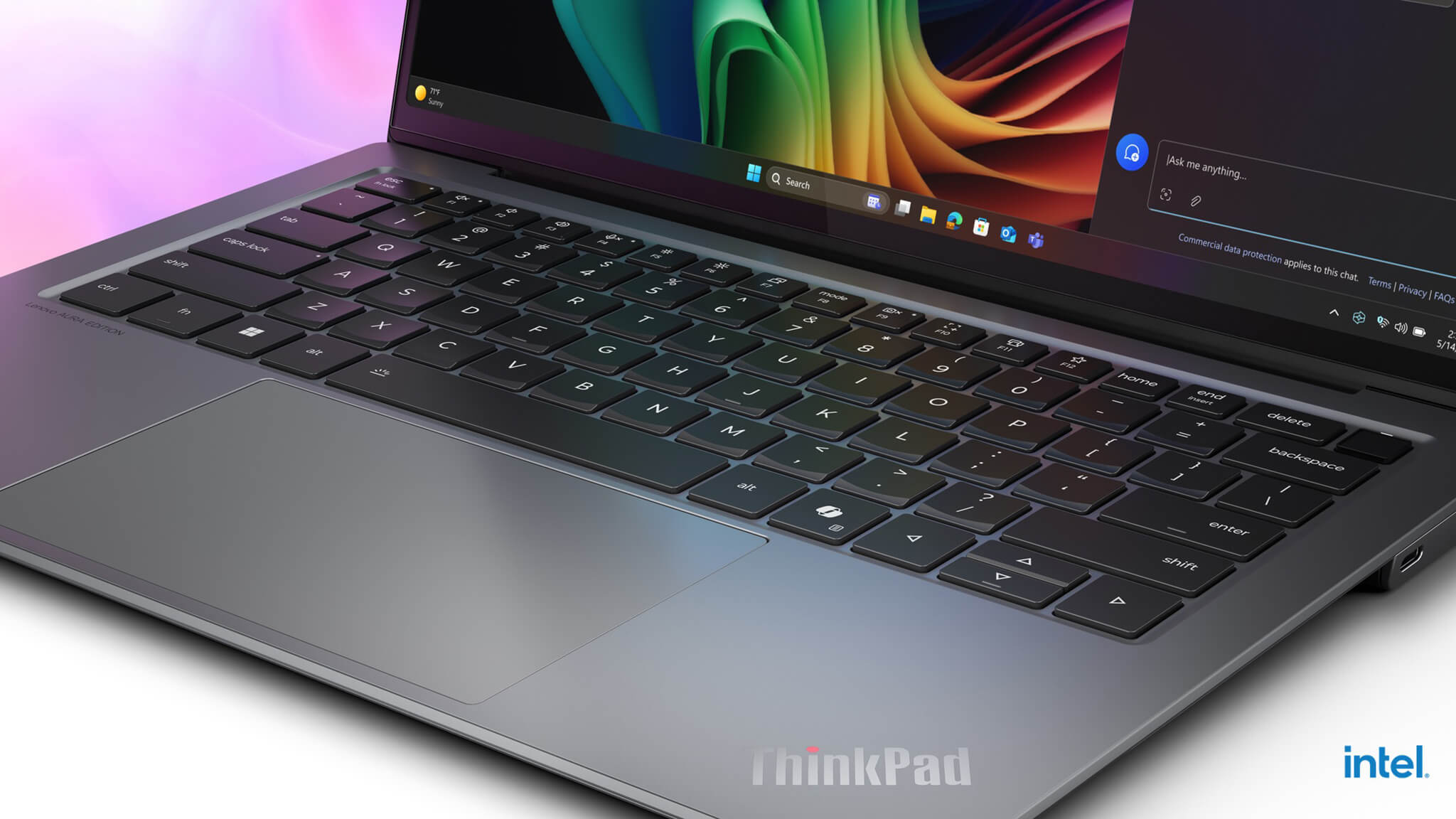
The touchpad also clearly demonstrates the new spirit of the X9 14. While older ThinkPad generations often leaned towards a familiar, solid, and conservative feel, the X9 14 can be seen as a transition to a more modern, streamlined experience that meets the expectations of today’s premium laptop users. The important thing is that the machine must provide precise, comfortable control without making loyal ThinkPad users feel overly alienated. This is also a section where “subtle marketing” is highly effective; if readers feel the X9 14 maintains the reliability of the keyboard and touchpad, their acceptance of the machine’s new appearance will be much higher.
How do Aura Edition and AI actually help in work?
Aura Edition would be meaningless if it were just an added name to the product. What makes the ThinkPad X9 14 Aura Edition noteworthy is how Lenovo combines a new hardware platform with a user experience focused on AI and convenience in daily work. Today’s users no longer need vague promises about artificial intelligence; they need more concrete things like faster response times, better battery optimization, improved meeting support, smarter office task processing, and the feeling that this machine “belongs to a new generation.” From that perspective, AI on the X9 14 should be described as a support layer for practical work, rather than the center of every experience.
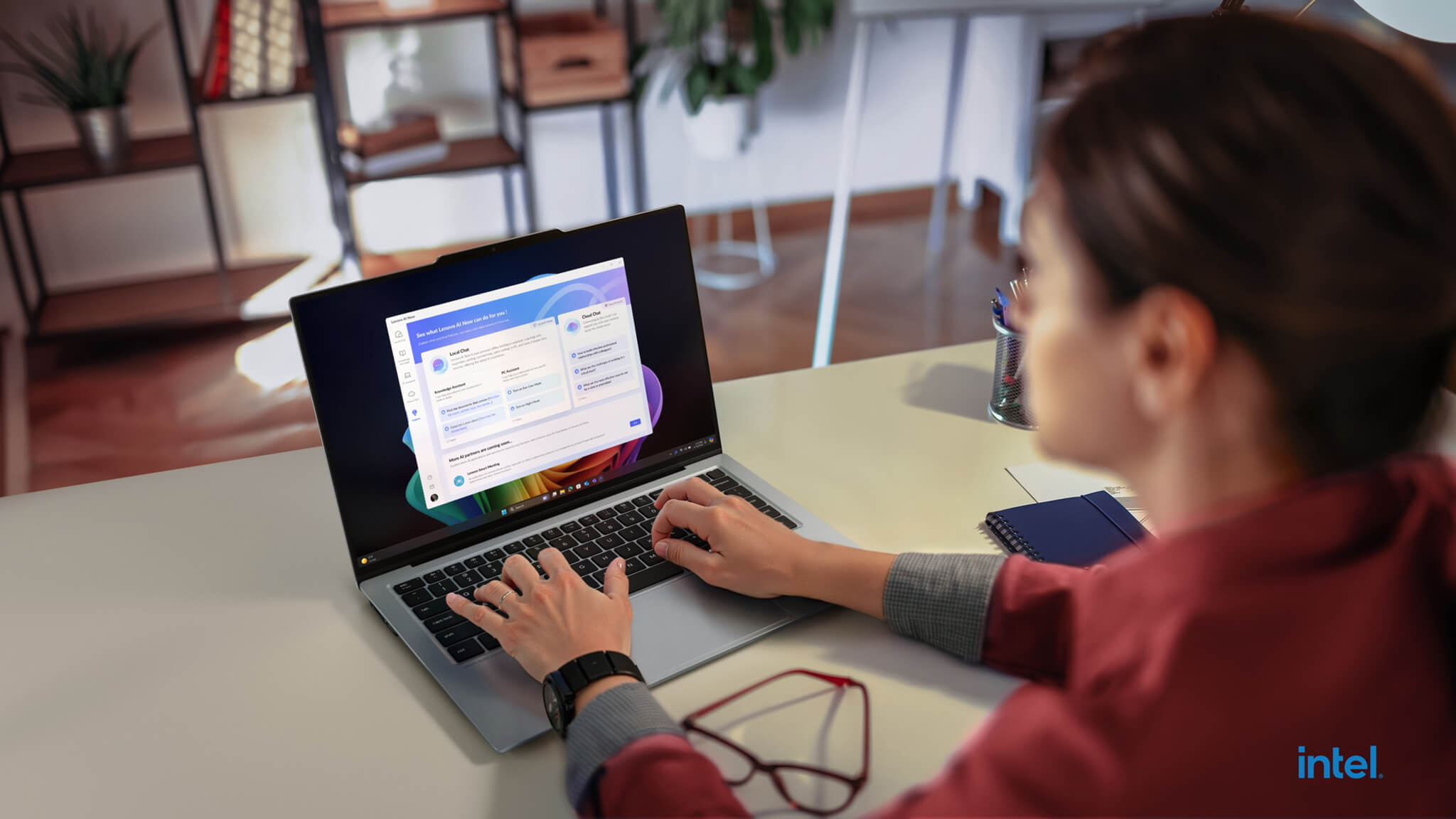
This is also what sets the X9 14 apart from some older ThinkPad models that were highly regarded for durability and stability but had not created a distinct modern feeling in how Lenovo tells the product story. Aura Edition and the AI PC platform give the machine an additional reason to enter the group of worthwhile premium laptops, especially for users looking to buy a model that can serve them well for the next few years. When compared to lines like the X1 Carbon or X1 2-in-1, the X9 14 has an advantage in conveying a clearer “new ThinkPad” image, closer to the flexible work and smart computing needs of the current era.
Where does the X9 14 stand between the X1 Carbon and X1 2-in-1?
If we consider the X1 Carbon as the icon of traditional business ThinkPads and the X1 2-in-1 as a more flexible choice for those needing touchscreens, folding/rotating, and multiple modes, then the ThinkPad X9 14 Aura Edition stands in a quite unique position. This model does not attempt to completely replace the other two lines, but opens up a different approach where the ThinkPad maintains its seriousness but is softened by design, visual experience, and the way Lenovo integrates AI into the product. Therefore, the X9 14 should not be seen as a “sub-version” of the X1 Carbon, but as a newer conceptual variant, suitable for those who want modernity, neatness, and a more distinct premium feel in daily use.

From a purchasing perspective, the X1 Carbon Gen 13 will suit those who prefer the classic ThinkPad standard, while the X1 2-in-1 Gen 10 is suitable for those needing more flexibility in operation. The X9 14 Aura Edition, however, is suited for those who do not strictly need a 2-in-1 hinge but want a more beautiful, younger laptop with a clearer “business premium” spirit. That is why the comparison in this article should follow a classification of users and needs, rather than turning into a spec war. This writing style is more natural and helps place the product in its correct position without needing to push too hard with a sales tone.
What type of user is the ThinkPad X9 14 Aura Edition suitable for?
The ThinkPad X9 14 Aura Edition is most suitable for the group of users who have moved past the stage of just needing a laptop that “works.” This is a machine for those who want a device that both handles work reliably and creates a premium, professional feeling when carried every day. Managers, experts, consultants, high-end sales professionals, small business owners, or frequent travelers will be the group that most easily perceives the value of the X9 14. Notably, this machine is also suitable for those who used to like ThinkPads but once found the line a bit dry, a bit too serious, and lacking a little emotion in the overall experience.

From a purchasing perspective, the X9 14 Aura Edition is not a machine for everyone, and that is exactly what makes it more attractive. Those needing heavy workstations or those who just want a basic ThinkPad might find a better fit elsewhere. But for the customer segment wanting a premium, modern, high-performing laptop with AI, a beautiful screen, and that core ThinkPad soul, this is a model very much worth considering in the current period.
Ports, slots & connectivity on the ThinkPad X9 14 Aura Edition
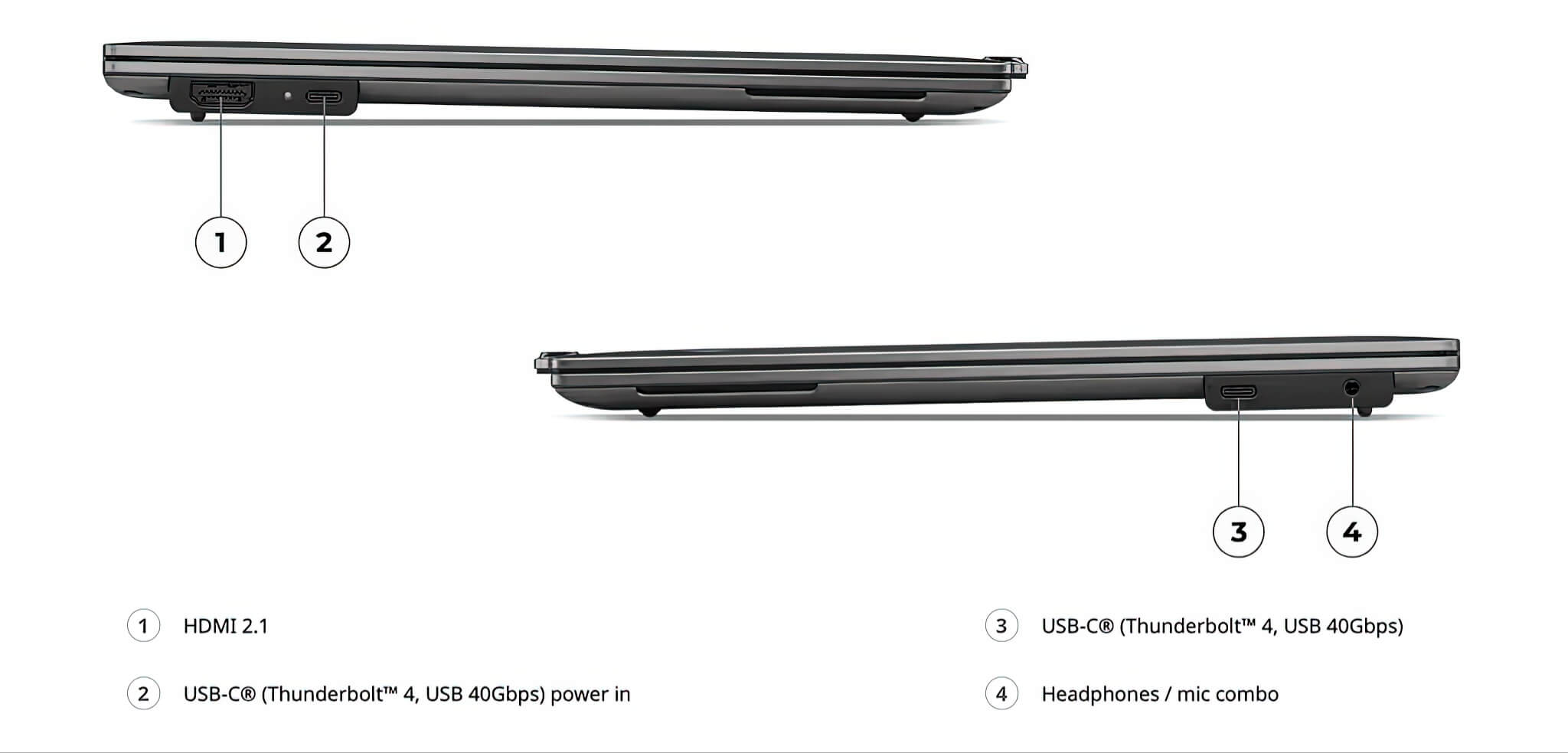
Regarding wired connectivity, the ThinkPad X9 14 Aura Edition follows the spirit of modern premium laptops: compact yet containing everything essential for serious daily work. The machine features 1x HDMI 2.1 port, 2x USB-C Thunderbolt 4 (supporting USB4 40Gbps) ports, one of which supports power input, along with a 3.5mm combo headphone and mic jack. This arrangement is sufficient for external monitor output, fast charging, high-speed data transfer, and modern docking station connectivity, but it also means that users still using many old USB-A devices should prepare a hub for more comfortable work.
For wireless connectivity, Lenovo does not hold back, equipping Intel WiFi 7 and Bluetooth 5.4, making it suitable for new working environments where network speed, stability, and wireless accessory pairing are increasingly important. This is the kind of upgrade that isn’t too loud in terms of specs, but significantly impacts long-term usage experience, especially for those who frequently hold online meetings, work flexibly, or travel constantly. Additionally, the machine features an 8MP MIPI 4K webcam with RGB and IR support, along with an F9 key e-shutter to close the camera, making the meeting experience and personal privacy much more polished than many standard thin-and-light laptops.
In conclusion, is the ThinkPad X9 14 Aura Edition worth considering?
Overall, ThinkPad X9 14 Aura Edition is the kind of product that shows Lenovo wants to tell a new story for the ThinkPad line. The machine does not try to become a clone of the X1 Carbon, nor does it follow the flexibility of the X1 2-in-1, but chooses its own path: more modern, more beautiful, more clearly linked to AI, yet still maintaining a serious working spirit. It is this balance that makes this model attractive to premium buyers who need a laptop that is both efficient and has a sophisticated feel for long-term companionship.
For a sales website, the conclusion should help readers realize that the X9 14 is not just a new ThinkPad, but a very logical choice for those wanting to upgrade their daily work experience. If you are looking for a premium business laptop with a fresh design, a new Intel platform, useful AI, and a very unique position within the ThinkPad ecosystem, the X9 14 Aura Edition is a name worth adding to your priority list.
| Pros | Points to consider |
|---|---|
|
|
FAQ - Frequently Asked Questions about ThinkPad X9 14 Aura Edition
1. Who is the ThinkPad X9 14 Aura Edition best suited for?
The ThinkPad X9 14 Aura Edition is best suited for premium users such as managers, experts, consultants, sales professionals, or frequent travelers who want a laptop that is beautiful, modern, and maintains the ThinkPad essence for work.
2. How does the ThinkPad X9 14 Aura Edition differ from the X1 Carbon Gen 13?
The X1 Carbon Gen 13 leans more towards the traditional corporate ThinkPad spirit, while the X9 14 Aura Edition offers a more modern, softer, and experience-rich image. If you need a ThinkPad that is fresher in its finish and positioning, the X9 14 is a noteworthy choice.
3. How does the ThinkPad X9 14 Aura Edition differ from the X1 2-in-1 Gen 10?
The X1 2-in-1 Gen 10 excels in its folding/rotating and touch capabilities, making it suitable for those needing more usage modes for work. The ThinkPad X9 14 Aura Edition is better for those wanting a traditional but modern laptop that is sleek, beautiful, and focused on a premium daily experience.
4. Is the Core Ultra 7 258V powerful enough for heavy office work?
The Core Ultra 7 258V is suitable for modern office tasks such as online meetings, multi-tab working, processing large documents, presentations, writing, and moderate content editing. This is an optimized performance direction for premium thin-and-light laptops rather than pure workstation power.
5. Is the ThinkPad X9 14 Aura Edition screen suitable for long working hours?
The screen of the ThinkPad X9 14 Aura Edition is positioned to both meet serious work requirements and provide a more premium and comfortable viewing experience than many traditional ThinkPad models. This is a valuable point for users who sit at a computer for many hours each day.
6. Does the ThinkPad X9 14 Aura Edition keyboard still maintain the ThinkPad feel?
This is a question many ThinkPad buyers will care about. The direction of the X9 14 is to refresh the design and experience, but it must still maintain a typing feel that is solid and reliable enough so that long-time users do not feel disappointed when switching to a newer generation of ThinkPad.
7. Are Aura Edition and AI truly useful?
Aura Edition and AI on the ThinkPad X9 14 Aura Edition are most useful when viewed as support for daily work, from optimizing the user experience to assisting modern tasks on the AI PC platform. Its value lies in convenience and the feeling of being part of a new generation rather than grand promises.
8. Should I choose the ThinkPad X9 14 Aura Edition instead of the X1 2-in-1 Gen 10?
If you prioritize a premium, modern clamshell laptop and do not need a 2-in-1 hinge, the ThinkPad X9 14 Aura Edition will be more suitable. Conversely, if your needs require a touchscreen and multiple usage modes, the X1 2-in-1 Gen 10 remains a choice to consider.
9. Is the ThinkPad X9 14 Aura Edition worth considering in the premium segment?
If you are looking for a premium business laptop with a fresh design, a modern Intel platform, useful AI elements, and a more sophisticated user experience than traditional ThinkPads, the ThinkPad X9 14 Aura Edition is one of the choices very much worth considering.
Where to buy the ThinkPad X9 14 inch Aura Edition with prestige and good prices?
ThinkPad X9 14″ Aura Edition (2025) will reach its full value when purchased at a place with clear configuration information, transparent warranty policies, and good after-sales support. This is particularly important for customers buying business laptops for long-term professional use.
Hưng Phát Laptop is a destination to consider if you prioritize genuine products, clear consultation, and full after-sales service. By choosing a reputable seller, users will have more peace of mind regarding product origin, return policies, and long-term usage experience.
Performance & benchmarks Lenovo ThinkPad X9 14 inch | Aura Edition (2025)
Intel Core Ultra 7 258V Intel Arc Graphics 140V — best for Văn phòng 9.5/10, Lập trình 7/10.
Intel Core Ultra 7 258V
- Cinebench R23 (đa nhân)10,301
- Geekbench 6 (đa nhân)10,965.5
- Geekbench 6 (đơn nhân)2,754
- PassMark18,925
- NPU (AI)47 TOPS
- Cores / Threads8/8
Intel Arc Graphics 140V
- 3DMark Time Spy4,047
- 3DMark Fire Strike9,819
- ArchitectureXe² Battlemage
Best for
Scored from real benchmarks- Chơi game3/10
- Dựng phim / Đồ hoạ4/10
- Lập trình7/10
- Văn phòng9.5/10
- AI / Sáng tạo AI4.5/10
Why CPU matters
CPU là “bộ não” xử lý mọi tác vụ: mở ứng dụng, đa nhiệm, biên dịch, dựng phim. CPU càng mạnh, máy càng nhanh và mượt khi làm nhiều việc cùng lúc.
- Cơ bảnThis product
Lướt web, xem phim, soạn thảo văn phòng nhẹ.
- Phổ thôngThis product
Văn phòng, đa nhiệm vừa, học tập.
- Tầm trungThis product
Đa nhiệm tốt, lập trình, đồ hoạ nhẹ.
- Khá mạnhThis product
Dựng phim, lập trình nặng, ảo hoá, chơi game.
- Cao cấpThis product
Render nặng, biên tập 4K/8K, máy ảo, tác vụ AI.
Why GPU matters
GPU (card đồ hoạ) lo phần hình ảnh: chơi game, dựng video, render 3D và tăng tốc AI. GPU càng mạnh, khung hình game càng cao và xuất video càng nhanh.
- Cơ bản (iGPU)This product
Hiển thị mượt, xem phim 4K, game rất nhẹ (LMHT, Valorant mức thấp).
- Phổ thôngThis product
Game eSports 1080p, chỉnh ảnh, dựng video nhẹ.
- Tầm trungThis product
Game 1080p thiết lập trung–cao, dựng video Full HD ổn.
- Khá mạnhThis product
Game 1080p/1440p thiết lập cao, dựng video 4K, render 3D.
- Cao cấpThis product
Game 4K/240Hz, ray tracing, render & AI nặng.
Game performance
Real FPS — QHD- Dota 280 fps1080p Ultra
- CS253 fps1080p Cao
- GTA V18 fpsQHD Ultra
- CoD: Black Ops 616 fpsQHD Ultra
- Battlefield 611 fpsQHD Ultra
- Star Wars Outlaws16 fps1080p Thấp
- Black Myth: Wukong26 fps1080p Thấp
- God of War Ragnarök26 fps1080p Thấp
- Final Fantasy XVI21 fps1080p Thấp
- Cyberpunk 207714 fpsQHD Ultra
🟢 ≥60fps rất mượt · 🟡 30–60fps chơi tốt · 🔴 <30fps cần giảm thiết lập
Local AI performance
Tokens/second running locally on GPU- Llama 3.2 11B Vision6.1 GB · ctx 128K16 tok/sDecent
- Gemma 4 E2B IT5.6 GB · ctx 256K17 tok/sDecent
- GLM-4 9B5.1 GB · ctx 128K19 tok/sDecent
- Gemma 4 E4B4.6 GB · ctx 256K21 tok/sDecent
- Ministral 8B4.6 GB · ctx 32K21 tok/sDecent
- Qwen 3.5 4B4.6 GB · ctx 32K21 tok/sDecent
- DeepSeek R1 Distill 7B4.1 GB · ctx 64K23 tok/sRuns well
- Gemma 4 E2B3.1 GB · ctx 256K31 tok/sRuns well
- Qwen 3.5 2B2.5 GB · ctx 32K38 tok/sRuns well
- Phi-4 Mini Reasoning2.4 GB · ctx 16K40 tok/sRuns well
- Llama 3.2 3B2 GB · ctx 128K48 tok/sRuns great
- SmolLM3 3B2 GB · ctx 128K48 tok/sRuns great
- DeepSeek R1 1.5B1.3 GB · ctx 64K74 tok/sRuns great
- Qwen 3.5 0.8B1.3 GB · ctx 32K74 tok/sRuns great
- TinyLlama 1.1B1.1 GB · ctx 2K87 tok/sRuns great
- Llama 3.2 1B1 GB · ctx 128K96 tok/sRuns great
- Gemma 2 9B5.1 GB · ctx 8K19 tok/sDecent
- Nemotron Nano 9B v25.1 GB · ctx 128K19 tok/sDecent
- Llama 3.1 8B4.6 GB · ctx 128K21 tok/sDecent
- Qwen 3 8B4.6 GB · ctx 128K21 tok/sDecent
- Mistral 7B v0.34.1 GB · ctx 32K23 tok/sRuns well
- Qwen 2.5 7B4.1 GB · ctx 128K23 tok/sRuns well
- Qwen 2.5 Coder 7B4.1 GB · ctx 128K23 tok/sRuns well
- Qwen 3 4B2.5 GB · ctx 32K38 tok/sRuns well
- Gemma 3 4B2.5 GB · ctx 128K38 tok/sRuns well
- Phi-3.5 Mini2.4 GB · ctx 128K40 tok/sRuns well
- Gemma 2 2B1.5 GB · ctx 8K64 tok/sRuns great
- Qwen 3 1.7B1.4 GB · ctx 32K68 tok/sRuns great
- Qwen 2.5 Coder 1.5B1.3 GB · ctx 32K74 tok/sRuns great
- Qwen 3 0.6B1.1 GB · ctx 32K87 tok/sRuns great
- Gemma 3 1B1 GB · ctx 32K96 tok/sRuns great
🟢 Great · 🟡 Well · 🟠 Decent — 4-bit quantized, ctx = context window
No comments yet
Q&A about Lenovo ThinkPad X9 14 inch | Aura Edition (2025)
Frequently asked questions about Lenovo ThinkPad X9 14 inch | Aura Edition (2025)
What are the specifications of Lenovo ThinkPad X9 14 inch | Aura Edition (2025)?
What is the warranty for Lenovo ThinkPad X9 14 inch | Aura Edition (2025)?
Can I buy Lenovo ThinkPad X9 14 inch | Aura Edition (2025) with home delivery?
Worth a Look
Lenovo ThinkPad X1 2-in-1 Gen 11 | Aura Edition (2026)
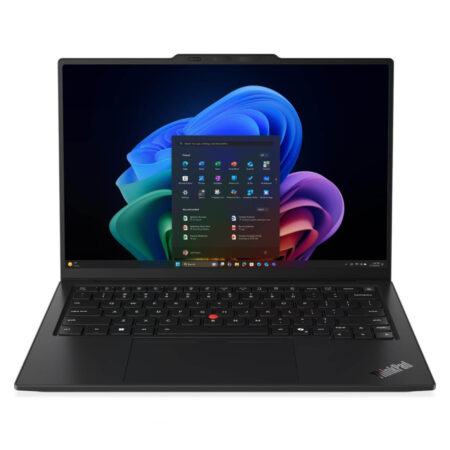 4 configurations
Lenovo ThinkPad X1 Carbon Gen 14 | Aura Edition (2026)
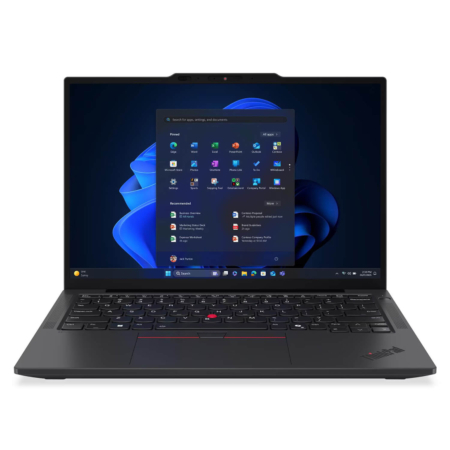 3 configurations
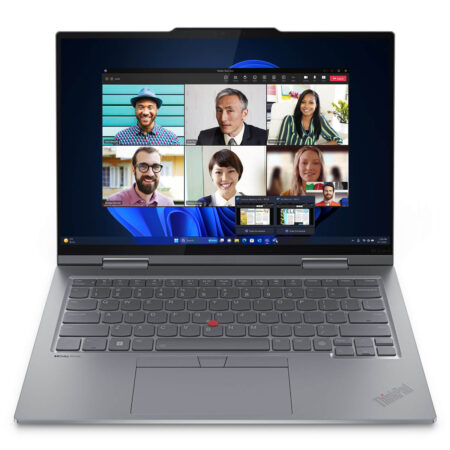
Lenovo Thinkpad X13 Gen 6 (Intel) (2025)
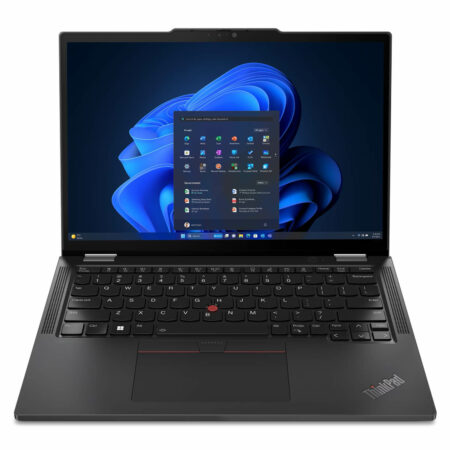
Lenovo ThinkPad X1 2-in-1 Gen 10 | Aura Edition (2025)





Thị Dũng 29/04/2026Purchased at Hung Phat
It runs incredibly smoothly, everyone! The OLED screen is crystal clear and looks amazing, and the touchscreen is very responsive too. The new design looks modern rather than bulky like the older models. The only downside is that the 512GB SSD is a bit low for such a powerful configuration; I'll probably have to upgrade it later. Overall, it's great for the price.
Thị Phong 29/04/2026Purchased at Hung Phat
The machine is truly beautiful and high-end; it's thin, light, and feels great in hand. The touchscreen is a joy to use and incredibly sharp, capturing the true essence of a modern ThinkPad. It's absolutely worth the money, everyone!
Minh Hùng 29/04/2026Purchased at Hung Phat