

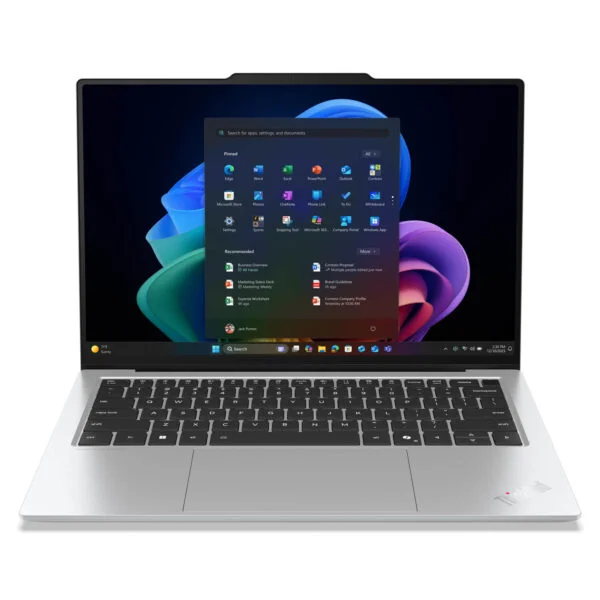
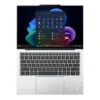
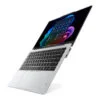
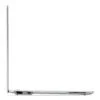
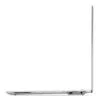
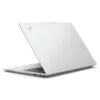
Lenovo ThinkPad X9 14-inch | Aura Edition (2025)
- CPU: Intel Core Ultra 7 258V Up To 4.8GHz (8 Cores, 8 Threads, 12MB Cache - 47 TOPS NPU)
- RAM: LPDDR5X 32GB 8533MHz
- SSD: 1TB PCIe Gen5 M.2 SSD
- VGA: Intel® Arc™ Graphics 140V
- DISPLAY: 14″ 2.8k (2880*1800) OLED, Touchscreen, Anti-Reflective, Anti-Smudge, 100% DCI-P3, Eyesafe®, DisplayHDR 600, 500 nits
- OS: Windows 11 Pro
- COLOR: Glacier White
- CONDITION: Like New 99%
- WARRANTY: 12-month warranty
- What makes the ThinkPad X9 14 Aura Edition stand out?
- ThinkPad X9 14 Aura Edition Glacier White: An elegant white ThinkPad
- How does the Core Ultra 7 258V handle everyday workloads?
- Are the Display and Visual Experience Worthy of Its Segment?
- How Do the Keyboard, Touchpad, and Real-World Usability Hold Up?
- How Do Aura Edition and Practical AI Actually Help with Work?
- Where Does the X9 14 Stand Between the X1 Carbon and X1 2-in-1?
- Who Is the ThinkPad X9 14 Aura Edition For?
- Ports, Slots & Connectivity on the ThinkPad X9 14 Aura Edition
- Conclusion: Is the ThinkPad X9 14 Aura Edition Worth Considering?
- FAQ - Frequently Asked Questions About the ThinkPad X9 14 Aura Edition
- Where to Buy the ThinkPad X9 14-inch Aura Edition with Trusted Quality and Great Prices?
Lenovo ThinkPad X9 14 Aura Edition is one of those rare machines that brings a fresh feel to the ThinkPad lineup without losing the signature identity that built its reputation over the years. Rather than sticking strictly to a purely corporate formula, Lenovo designed this laptop to bring ThinkPad closer to premium users who want a thin and light, modern, stylish machine ready for new ways of working. What makes it particularly compelling is that Lenovo did not simply update the design; pairing the Intel Core Ultra 7 258V platform with the Aura Edition creates a much clearer "AI-era ThinkPad" identity than ever before. The machine is currently available in Thunder Grey and Glacier White, with the white finish being an exceptionally rare sight on a ThinkPad. If you are looking for a high-end Lenovo laptop that balances business, personal use, and mobility, the ThinkPad X9 14 Aura Edition is well worth a close look.
What makes the ThinkPad X9 14 Aura Edition stand out?
The first impression of the ThinkPad X9 14 Aura Edition is how distinctly different it looks from the traditional image of a ThinkPad. The chassis is more compact, modern, and contoured, while the overall build retains the refined polish premium users expect from a business laptop. This is not just a cosmetic refresh; it is a substantial redesign that makes the X9 14 much more approachable for younger professionals, managers, consultants, or anyone meeting clients daily. While the X1 Carbon feels classic and strictly business, the X9 14 leans noticeably more premium, minimalist, and stylish.

The way Lenovo conceptualized the Aura Edition also gives this laptop a distinct identity right from its name. It is not merely a new spec sheet, but a product positioned around a complete experience where design, hardware, and smart features work in tandem. If you are exploring premium Lenovo models in the current lineup, you can browse the Lenovo laptops category to see how the X9 14 avoids the mainstream route, positioning itself higher, fresher, and noticeably more contemporary than many familiar ThinkPad models.
ThinkPad X9 14 Aura Edition Glacier White: An elegant white ThinkPad
Following the Thunder Grey version introduced at CES 2025, Lenovo unveiled the ThinkPad X9 14 Aura Edition Glacier White at IFA 2025 in Berlin. It is one of the few ThinkPads finished in white, breaking away from the matte black aesthetic associated with the lineup for over thirty years. The top lid, palm rest, and keyboard deck all feature a bright white finish, while the ThinkPad logo with its red dot remains in the corner of the lid as a familiar signature.
According to Lenovo, the Glacier White edition only changes the color, keeping the exact same hardware as the grey version: an Intel Core Ultra 7 258V processor, 32GB of LPDDR5X-8533 RAM, a 1TB SSD, an OLED display, two Thunderbolt 4 ports, Wi-Fi 7, and a replaceable 55Wh battery. As a result, choosing the ThinkPad X9 14 Glacier White means you never have to sacrifice performance or features just for a color option.
The white finish suits creators, young managers, professionals who frequently meet clients, or anyone looking for a work laptop with a more stylish touch. The dark keyboard set against the white deck delivers sharp contrast, making the key legends easy to read while typing. To keep the finish looking pristine, you should use a protective sleeve or cover, and gently wipe it down with a slightly damp, soft cloth when smudges appear.
How does the Core Ultra 7 258V handle everyday workloads?
The Intel Core Ultra 7 258V is built for modern workflows where users typically open multiple browser tabs, attend online meetings, handle large documents, work across Office and cloud tools, and occasionally edit visual content at a moderate level. Given the design direction of the ThinkPad X9 14 Aura Edition, this processor does not need to chase raw, heat-heavy power; more importantly, it delivers fast responsiveness, smooth performance, and consistent stability throughout a long workday. The real value lies in how that experience pairs with a platform optimized for battery life, AI, and a premium thin and light form factor - precisely what buyers in this segment actually use every day.

Compared to more traditional, business-oriented models, the ThinkPad X9 14 Aura Edition feels much more like a machine that has stepped into a new computing era. The Core Ultra 7 258V is not meant to replace a workstation, but it hits the sweet spot for users seeking a balance of performance, fluid operation, and portability. That is also why the X9 14 should be viewed as a smarter productivity laptop for real-world work, rather than just an attractive ultrabook. From a buying perspective, users can also compare it with the ThinkPad X1 Carbon Gen 13 to see how the X9 14 carves out a distinct style - younger, yet every bit as serious about getting work done.
Are the Display and Visual Experience Worthy of Its Segment?
On a premium laptop, the screen does more than just show content; it heavily shapes the daily user experience. The ThinkPad X9 14 Aura Edition hits the right note by putting the display where it belongs: gorgeous enough to feel upscale, yet easy on the eyes during marathon work sessions. That is the kind of difference you appreciate after spending long hours at your desk, whether you are reviewing text, working through spreadsheets, presenting slide decks, or catching up on creative projects and casual entertainment after hours. A quality display in this tier does not need over-the-top flashiness, but it must deliver a clear step up from typical corporate laptops.

The real strength of the X9 14 is a visual presentation that feels considerably more modern than the familiar ThinkPad look built over the years. It preserves the lineup's no-nonsense character while introducing a welcoming, genuinely upscale feel for office professionals and frequent travelers alike. That balance is crucial for buyers who want a work machine that also delivers a clean, sharp, and sophisticated screen when sitting next to other high-end ultrabooks on the market. In fact, the display is one of the main reasons users fall for the X9 14 the moment they open the lid.
How Do the Keyboard, Touchpad, and Real-World Usability Hold Up?
Discussing a ThinkPad without focusing on the keyboard leaves out a defining strength of the brand. ThinkPad shoppers care deeply about key feel, solid key travel, tactile feedback, and unwavering reliability through continuous daily work. With the ThinkPad X9 14 Aura Edition, users want to know more than just whether the keyboard is still good; they want to know whether it keeps that trusted ThinkPad reassurance or sacrifices too much in pursuit of a refreshed aesthetic. Lenovo had to strike a careful balance here, because a more modern profile is only worth having if the typing experience remains intact.

The touchpad also reflects the refreshed character of the X9 14. Where earlier ThinkPad generations favored a familiar, rigid, and conservative layout, the X9 14 marks a clear shift toward a cleaner, more streamlined experience aligned with what modern premium laptop buyers expect. Most importantly, navigation stays accurate and comfortable without feeling jarring to long-time ThinkPad users. Because the keyboard and touchpad maintain their signature reliability, loyal fans will find it easy to adapt to the updated look of the X9 14.
How Do Aura Edition and Practical AI Actually Help with Work?
Aura Edition would mean very little if it were just an extra label on the spec sheet. What makes the ThinkPad X9 14 Aura Edition noteworthy is how Lenovo pairs a new hardware architecture with AI-assisted workflows and everyday conveniences. Today's professionals do not need vague promises about artificial intelligence; they look for tangible benefits like faster system responsiveness, smarter battery management, smoother meeting support, more intuitive office productivity, and the unmistakable feeling of a next-generation machine. Looking at it through that lens, AI on the X9 14 acts as an unobtrusive assistant for daily tasks rather than the center of the universe.

This practical integration helps the X9 14 stand out from older ThinkPad models that earned praise for durability and dependability, but lacked a truly modern identity in Lenovo's narrative. Aura Edition and the AI PC platform give this machine plenty of justification to enter the premium conversation as a smart purchase, especially for anyone looking for a system that will remain capable for years down the line. Stacked against staples like the X1 Carbon or X1 2-in-1, the X9 14 does a better job of projecting a fresh ThinkPad identity built around flexible work routines and smart computing.
Where Does the X9 14 Stand Between the X1 Carbon and X1 2-in-1?
If the X1 Carbon serves as the benchmark for traditional executive ThinkPads and the X1 2-in-1 caters to professionals who rely on touch input, 360-degree hinges, and multimode flexibility, the X9 14 Aura Edition carves out its own distinct space. It does not try to replace either sibling outright. Instead, it offers an alternative path: preserving classic ThinkPad dependability while softening the edges through refined styling, an upgraded visual presentation, and thoughtful AI integration. For that reason, the X9 14 should not be considered a secondary offshoot of the X1 Carbon, but rather a forward-thinking variant tailored for users who prioritize a clean aesthetic, contemporary styling, and an unmistakable premium feel every single day.

From a purchasing perspective, the X1 Carbon Gen 13 caters to traditionalists who want the quintessential business standard, while the X1 2-in-1 Gen 10 targets users who require versatile interaction. The X9 14 Aura Edition speaks directly to users who do not need a convertible hinge, but want a sleeker, more youthful design with a clear "business premium" presence. The introduction of the Glacier White finish sets the X9 14 even further apart from the classic dark tones of the X1 family. Deciding between them comes down to how you work every day, rather than simply matching spec sheets line by line.
Who Is the ThinkPad X9 14 Aura Edition For?
The ThinkPad X9 14 Aura Edition is an ideal fit for users who have moved past simply needing a laptop that gets the job done. It is designed for those who want a device that handles work reliably while delivering a premium, professional feel to carry every day. Managers, specialists, consultants, senior sales executives, small-business owners, and frequent travelers will appreciate the value of the X9 14 most. Notably, this machine also suits those who have always liked ThinkPads but previously found the lineup a bit dry, overly serious, and lacking a certain emotional appeal in the overall experience.

From a buyer's perspective, the X9 14 Aura Edition is not a laptop for everyone, and that is precisely what makes it more compelling. Users who need a heavy-duty workstation or simply want an entry-level ThinkPad might find better options elsewhere. But for shoppers looking for a modern, high-end laptop that performs well, features AI, offers a gorgeous display, and still retains the soul of a ThinkPad, this is a model well worth considering right now. Those who prefer a fresh, distinctive look in the conference room can opt for the Glacier White finish, while anyone who favors a familiar, understated aesthetic will feel right at home with Thunder Grey.
Ports, Slots & Connectivity on the ThinkPad X9 14 Aura Edition
For wired connectivity, the ThinkPad X9 14 Aura Edition stays true to the modern premium laptop ethos: streamlined, yet packed with the essentials for serious daily work. It features 1 HDMI 2.1 port, 2 USB-C Thunderbolt 4 ports with USB4 40Gbps capability (one of which supports power in), and a 3.5mm headphone/mic combo jack. This setup easily covers external monitor output, fast charging, high-speed data transfer, and modern docking stations. At the same time, users who still rely on legacy USB-A peripherals should keep an adapter hub handy for a smoother workflow.

Lenovo made no compromises on wireless connectivity either, equipping the machine with Intel WiFi 7 and Bluetooth 5.4 to match modern workspaces where network speeds, connection stability, and wireless accessory pairing matter more than ever. It is the kind of upgrade that might not shout on a spec sheet, but noticeably improves the day-to-day experience over the long haul, especially for frequent video calls, flexible work setups, or constant travel. Rounding out the package is a 4K 8MP MIPI webcam with RGB and IR support alongside an electronic privacy shutter toggled via the F9 key, delivering a meeting and personal security experience that feels far more refined than what most thin and light laptops offer.
Conclusion: Is the ThinkPad X9 14 Aura Edition Worth Considering?
Overall, the ThinkPad X9 14 Aura Edition shows that Lenovo wants to tell a new story for the ThinkPad lineup. Rather than trying to clone the X1 Carbon or taking the flexible approach of the X1 2-in-1, it charts its own path: more modern, more stylish, more clearly tied to AI, yet still retaining a serious work ethic. That very balance gives this model strong appeal for premium buyers who want a laptop that is both productive and luxurious enough for the long haul.
The X9 14 is not just another ThinkPad: it is a compelling choice for anyone looking to upgrade their daily work experience. Offered in Thunder Grey and Glacier White, it also lets you pick the finish that matches your style. If you are shopping for a premium business laptop with a fresh design, a new Intel platform, practical AI features, and a unique identity within the ThinkPad family, the X9 14 Aura Edition belongs on your shortlist.
| Pros | Points to Consider |
|---|---|
|
|
FAQ - Frequently Asked Questions About the ThinkPad X9 14 Aura Edition
1. Who is the ThinkPad X9 14 Aura Edition designed for?
The ThinkPad X9 14 Aura Edition is well-suited for premium users such as managers, professionals, consultants, sales executives, and frequent travelers who want a laptop that looks sleek and modern while retaining classic ThinkPad reliability for work.
2. What color options are available for the ThinkPad X9 14 Aura Edition?
The laptop comes in two colors: Thunder Grey, introduced at CES 2025, and Glacier White, launched at IFA 2025. Both share the same specs, differing only in exterior finish.
3. Does the Glacier White version differ in specs from the grey model?
No. According to Lenovo, the Glacier White version shares the exact same hardware configuration as Thunder Grey, including an Intel Core Ultra 7 258V, 32GB RAM, 1TB SSD, Thunderbolt 4, Wi-Fi 7, and a 55Wh battery. You simply pick the color that matches your preference.
4. How does the ThinkPad X9 14 Aura Edition differ from the X1 Carbon Gen 13?
The X1 Carbon Gen 13 leans more toward the traditional enterprise ThinkPad identity, whereas the X9 14 Aura Edition delivers a softer, more modern aesthetic focused on the everyday user experience. If you are looking for a fresher take on ThinkPad craftsmanship and positioning, the X9 14 is a compelling option.
5. How does the ThinkPad X9 14 Aura Edition differ from the X1 2-in-1 Gen 10?
The X1 2-in-1 Gen 10 stands out for its convertible 360-degree hinge and touchscreen versatility, making it ideal for those who need multiple usage modes throughout their workday. By contrast, the ThinkPad X9 14 Aura Edition is tailored for users who prefer a modern, sleek clamshell laptop with a premium everyday feel.
6. Is the Core Ultra 7 258V powerful enough for demanding office workloads?
The Core Ultra 7 258V handles modern productivity tasks with ease, including video conferencing, multi-tab browsing, processing large documents, presentations, writing, and moderate content editing. Its performance profile is optimized for premium thin and light laptops rather than brute workstation power.
7. Does the keyboard on the ThinkPad X9 14 Aura Edition still feel like a ThinkPad?
While the X9 14 refreshes both the design and the overall typing feel, it retains the solid, reliable keystroke feedback so longtime ThinkPad users will feel right at home moving to a newer generation.
8. Are the Aura Edition features and AI truly practical?
The Aura Edition capabilities and AI features on the ThinkPad X9 14 Aura Edition are most beneficial as daily workflow enhancements, optimizing day-to-day usability and supporting modern tasks on an AI PC platform. Their real value lies in practical convenience and a distinct next-gen feel rather than exaggerated hype.
9. Should you choose the ThinkPad X9 14 Aura Edition over the X1 2-in-1 Gen 10?
If you prioritize a sleek, modern clamshell laptop and do not need a convertible form factor, the ThinkPad X9 14 Aura Edition is the better fit. Conversely, if your workflow demands touchscreen support and multi-mode versatility, the X1 2-in-1 Gen 10 remains the option to consider.
You can also check other configurations in ThinkPad X Series.
Where to Buy the ThinkPad X9 14-inch Aura Edition with Trusted Quality and Great Prices?
The ThinkPad X9 14" Aura Edition (2025) delivers its full value when purchased from a retailer offering verified spec sheets, transparent warranty policies, and dependable after-sales support. This is crucial for business laptop buyers investing in a reliable machine for long-term work. Torn between Thunder Grey and Glacier White? A knowledgeable support team can help you select the ideal color and configuration for your workflow.
Hung Phat Laptop is a trusted destination if you value genuine products, clear advice, and comprehensive after-sales care. Choosing a reputable seller gives you complete peace of mind regarding product provenance, return policies, and your long-term ownership experience.
Performance & benchmarks Lenovo ThinkPad X9 14-inch | Aura Edition (2025)
Intel Core Ultra 7 258V Intel Arc Graphics 140V - best for Office 9.5/10, Programming 7.5/10.
Intel Core Ultra 7 258V
- Cinebench R23 (multi-core)10,301
- Geekbench 6 (multi-core)10,965.5
- Geekbench 6 (single-core)2,754
- PassMark18,925
- NPU (AI)47 TOPS
- Cores / Threads8/8
Intel Arc Graphics 140V
- 3DMark Time Spy4,047
- 3DMark Fire Strike9,819
- AI INT867 TOPS
- ArchitectureXe² Battlemage
Best for
Scored from real benchmarks- Gaming3/10
- Video / Graphics4/10
- Programming7.5/10
- Office9.5/10
- AI / Generative AI3/10
Why does the CPU matter?
The CPU is the "brain" that handles every task: launching apps, multitasking, compiling code and editing video. The stronger the CPU, the faster and smoother the laptop runs when you juggle many things at once.
- BasicThis product
Web browsing, streaming and light office work.
- MainstreamThis product
Office work, moderate multitasking and studying.
- Mid-rangeThis product
Solid multitasking, programming and light graphics work.
- StrongThis product
Video editing, heavy programming, virtualization and gaming.
- FlagshipThis product
Heavy rendering, 4K/8K editing, virtual machines and AI workloads.
Why does the GPU matter?
The GPU (graphics card) handles visuals: gaming, video editing, 3D rendering and AI acceleration. The stronger the GPU, the higher your frame rates and the faster your video exports.
- Basic (iGPU)This product
Smooth display, 4K video and very light games (League of Legends, Valorant on low).
- MainstreamThis product
1080p eSports gaming, photo editing and light video editing.
- Mid-rangeThis product
1080p gaming on medium-high settings and smooth Full HD video editing.
- StrongThis product
1080p/1440p gaming on high settings, 4K video editing and 3D rendering.
- FlagshipThis product
4K/240Hz gaming, ray tracing, heavy rendering and AI.
Game performance
Real FPS - QHD- Dota 280 fps1080p Ultra
- CS253 fps1080p High
- GTA V18 fpsQHD Ultra
- CoD: Black Ops 616 fpsQHD Ultra
- Battlefield 611 fpsQHD Ultra
- Star Wars Outlaws16 fps1080p Low
- Black Myth: Wukong26 fps1080p Low
- God of War Ragnarök26 fps1080p Low
- Final Fantasy XVI21 fps1080p Low
- Cyberpunk 207714 fpsQHD Ultra
≥60fps very smooth30-60fps playable<30fps lower the settings
Local AI performance
Tokens/second running locally on GPU- Llama 3.2 11B Vision6.1 GB · ctx 128K16 tok/sDecent
- Gemma 4 E2B IT5.6 GB · ctx 256K17 tok/sDecent
- GLM-4 9B5.1 GB · ctx 128K19 tok/sDecent
- Gemma 4 E4B4.6 GB · ctx 256K21 tok/sDecent
- Ministral 8B4.6 GB · ctx 32K21 tok/sDecent
- Qwen 3.5 4B4.6 GB · ctx 32K21 tok/sDecent
- DeepSeek R1 Distill 7B4.1 GB · ctx 64K23 tok/sRuns well
- Gemma 4 E2B3.1 GB · ctx 256K31 tok/sRuns well
- Qwen 3.5 2B2.5 GB · ctx 32K38 tok/sRuns well
- Phi-4 Mini Reasoning2.4 GB · ctx 16K40 tok/sRuns well
- Llama 3.2 3B2 GB · ctx 128K48 tok/sRuns great
- SmolLM3 3B2 GB · ctx 128K48 tok/sRuns great
- DeepSeek R1 1.5B1.3 GB · ctx 64K74 tok/sRuns great
- Qwen 3.5 0.8B1.3 GB · ctx 32K74 tok/sRuns great
- TinyLlama 1.1B1.1 GB · ctx 2K87 tok/sRuns great
- Llama 3.2 1B1 GB · ctx 128K96 tok/sRuns great
- Gemma 2 9B5.1 GB · ctx 8K19 tok/sDecent
- Nemotron Nano 9B v25.1 GB · ctx 128K19 tok/sDecent
- Llama 3.1 8B4.6 GB · ctx 128K21 tok/sDecent
- Qwen 3 8B4.6 GB · ctx 128K21 tok/sDecent
- Mistral 7B v0.34.1 GB · ctx 32K23 tok/sRuns well
- Qwen 2.5 7B4.1 GB · ctx 128K23 tok/sRuns well
- Qwen 2.5 Coder 7B4.1 GB · ctx 128K23 tok/sRuns well
- Qwen 3 4B2.5 GB · ctx 32K38 tok/sRuns well
- Gemma 3 4B2.5 GB · ctx 128K38 tok/sRuns well
- Phi-3.5 Mini2.4 GB · ctx 128K40 tok/sRuns well
- Gemma 2 2B1.5 GB · ctx 8K64 tok/sRuns great
- Qwen 3 1.7B1.4 GB · ctx 32K68 tok/sRuns great
- Qwen 2.5 Coder 1.5B1.3 GB · ctx 32K74 tok/sRuns great
- Qwen 3 0.6B1.1 GB · ctx 32K87 tok/sRuns great
- Gemma 3 1B1 GB · ctx 32K96 tok/sRuns great
GreatWellDecent4-bit quantized, ctx = context window
No comments yet
Q&A about Lenovo ThinkPad X9 14-inch | Aura Edition (2025)
Frequently asked questions about Lenovo ThinkPad X9 14-inch | Aura Edition (2025)
What are the specifications of Lenovo ThinkPad X9 14-inch | Aura Edition (2025)?
What is the warranty for Lenovo ThinkPad X9 14-inch | Aura Edition (2025)?
Can I buy Lenovo ThinkPad X9 14-inch | Aura Edition (2025) with home delivery?
Worth a Look

Lenovo ThinkPad X1 2-in-1 Gen 11 | Aura Edition (2026)
 3 configurations
Lenovo ThinkPad X1 Carbon Gen 14 | Aura Edition (2026)
 3 configurations
Lenovo ThinkPad X13 Gen 6 (Intel) (2025)

Lenovo ThinkPad X1 2-in-1 Gen 10 | Aura Edition (2025)
 2 configurations


Đỗ Gia Hân 29/04/2026Purchased at Hung Phat
It runs incredibly smoothly, everyone! The OLED screen is crystal clear and looks amazing, and the touchscreen is very responsive too. The new design looks modern rather than bulky like the older models. The only downside is that the 512GB SSD is a bit low for such a powerful configuration; I'll probably have to upgrade it later. Overall, it's great for the price.
Vũ Khánh Chi 29/04/2026Purchased at Hung Phat
The machine is truly beautiful and high-end; it's thin, light, and feels great in hand. The touchscreen is a joy to use and incredibly sharp, capturing the true essence of a modern ThinkPad. It's absolutely worth the money, everyone!
Vũ Thanh Phong 29/04/2026Purchased at Hung Phat