

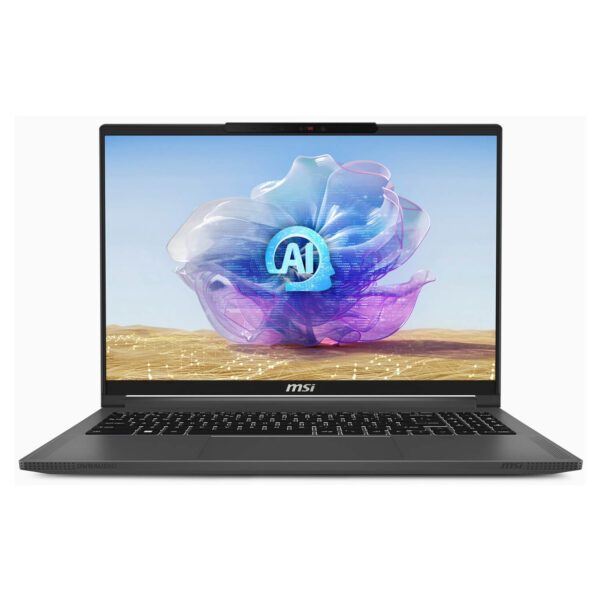

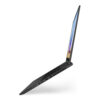
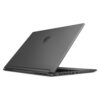
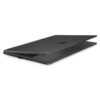
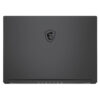
MSI Creator 16 AI Studio (2024)
- CPU: Intel Core Ultra 9 185H vPro Up To 5.1GHz (16 Cores, 22 Threads, 24MB Cache)
- RAM: DDR5 32GB 5600MHz
- SSD: 1TB PCIe Gen4 M.2 SSD
- VGA: NVIDIA® GeForce RTX™ 4080 12GB GDDR6
- DISPLAY: 16" UHD+ (3840*2400) 120Hz, Mini LED, HDR 1000, 100% DCI-P3, Calman Verified, 1000 nits
- CONDITION: New 100% Full Box
- WARRANTY: Bảo hành 12 tháng
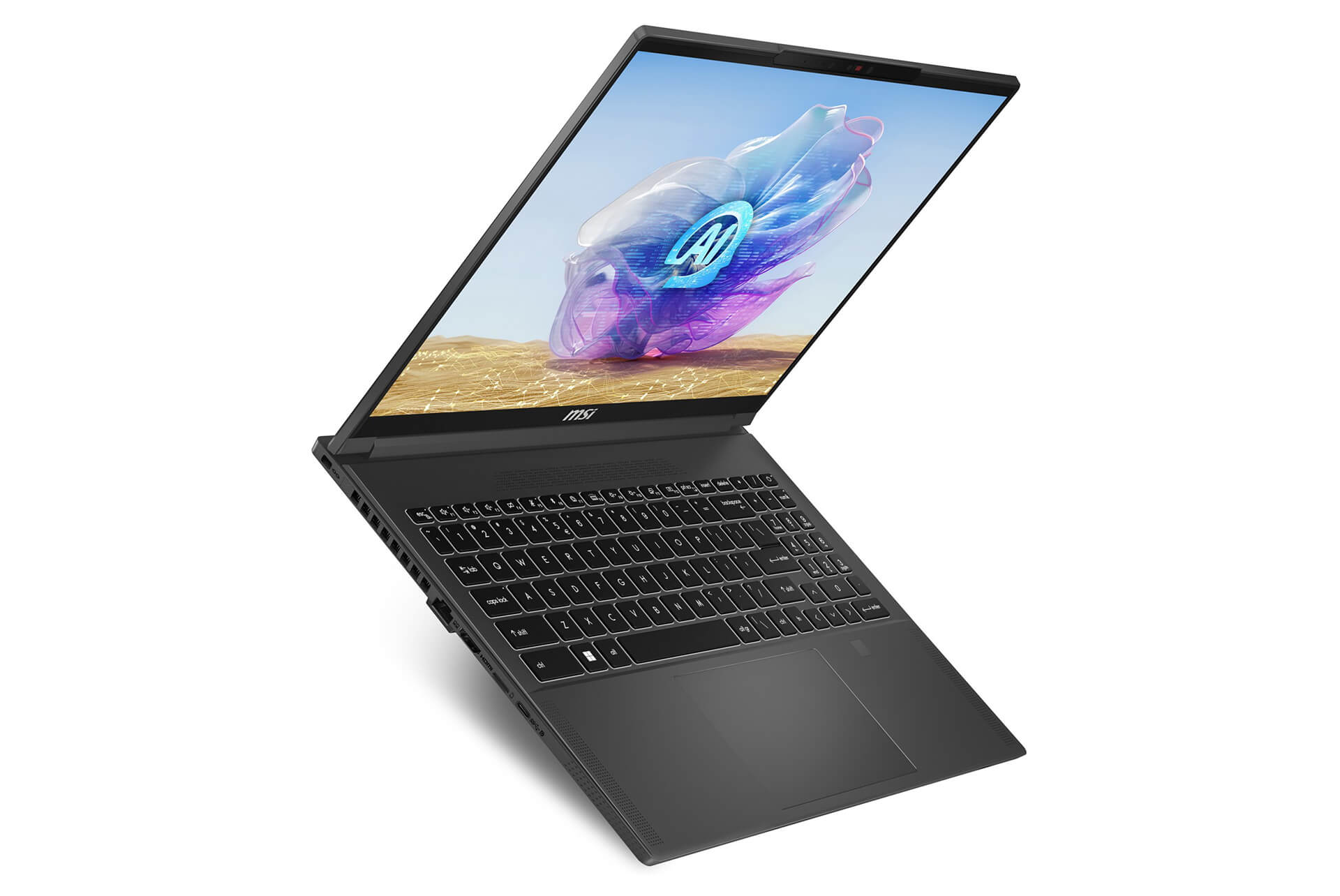
- MSI Creator 16 AI Studio (2024) features a minimalist, luxurious, and classy design
- Sophistication in every line
- Exceptional portability
- The fusion of technology and art
- The MSI Creator 16 AI Studio screen is detailed, sharp, with a wide color gamut and high brightness
- Sharp display with high resolution
- Vivid and realistic colors
- Excellent movie and gaming experience
- Superior performance with powerful and professional Intel® Core™ Ultra 185H CPU and RTX™ 4090 GPU
- High-performance architecture
- Excellent multitasking capability
- Optimization through AI
- Copilot+ PC experience on MSI Creator 16 AI Studio (2024)
- Improved workflow
- Content creation support
- Integrated smart AI technology
- Responsive, Accurate, and Comfortable Keyboard and Touchpad
- Convenient keyboard design
- Responsive touchpad
- Comfortable typing experience
- MSI Creator 16 AI Studio delivers incredibly sharp and vivid sound quality
- Vivid and realistic sound
- High-capacity speaker system
- Surround sound experience
- Stable temperature and expected battery life - Supports fast charging
- Excellent cooling performance
- Impressive battery life
- Flexible usage
- Diverse and convenient connection ports on MSI Creator 16 AI Studio (2024)
- Modern connection ports
- Convenience in data access
- High compatibility
- Summary of MSI Creator 16 AI Studio (2024)
- What is the biggest strength?
- Who should use the MSI Creator 16 AI Studio?
- The perfect choice for the future
- Where to buy MSI Creator 16 AI Studio (2024) with prestige and good prices?
MSI Creator 16 AI Studio brings users a wonderful experience through the perfect combination of advanced technology and sophisticated design. This is not just an ordinary laptop, but a powerful tool for those working in graphics and content creation. With superior processing capabilities combined with intelligent AI features, MSI Creator 16 AI Studio is truly a standout choice for creative professionals.
MSI Creator 16 AI Studio (2024) features a minimalist, luxurious, and classy design
The design of the MSI Creator 16 AI Studio 2024 catches the eye from the very first glance. With a minimalist yet equally luxurious style, this laptop is crafted from aluminum-magnesium alloy (AZ91D), which helps reduce weight while ensuring durability. The Lunar Gray color creates elegance, making it easily suitable for various working environments, from offices to creative studios.
One of the highlights in the design of the MSI Creator 16 is the attention to every small detail. The Chiclet keyboard with backlight is not only aesthetically pleasing but also provides a comfortable typing experience. The touchpad is designed to be highly responsive, allowing users to operate easily without any obstacles. The thin and lightweight form factor also makes mobility more convenient for those who frequently work on the go.
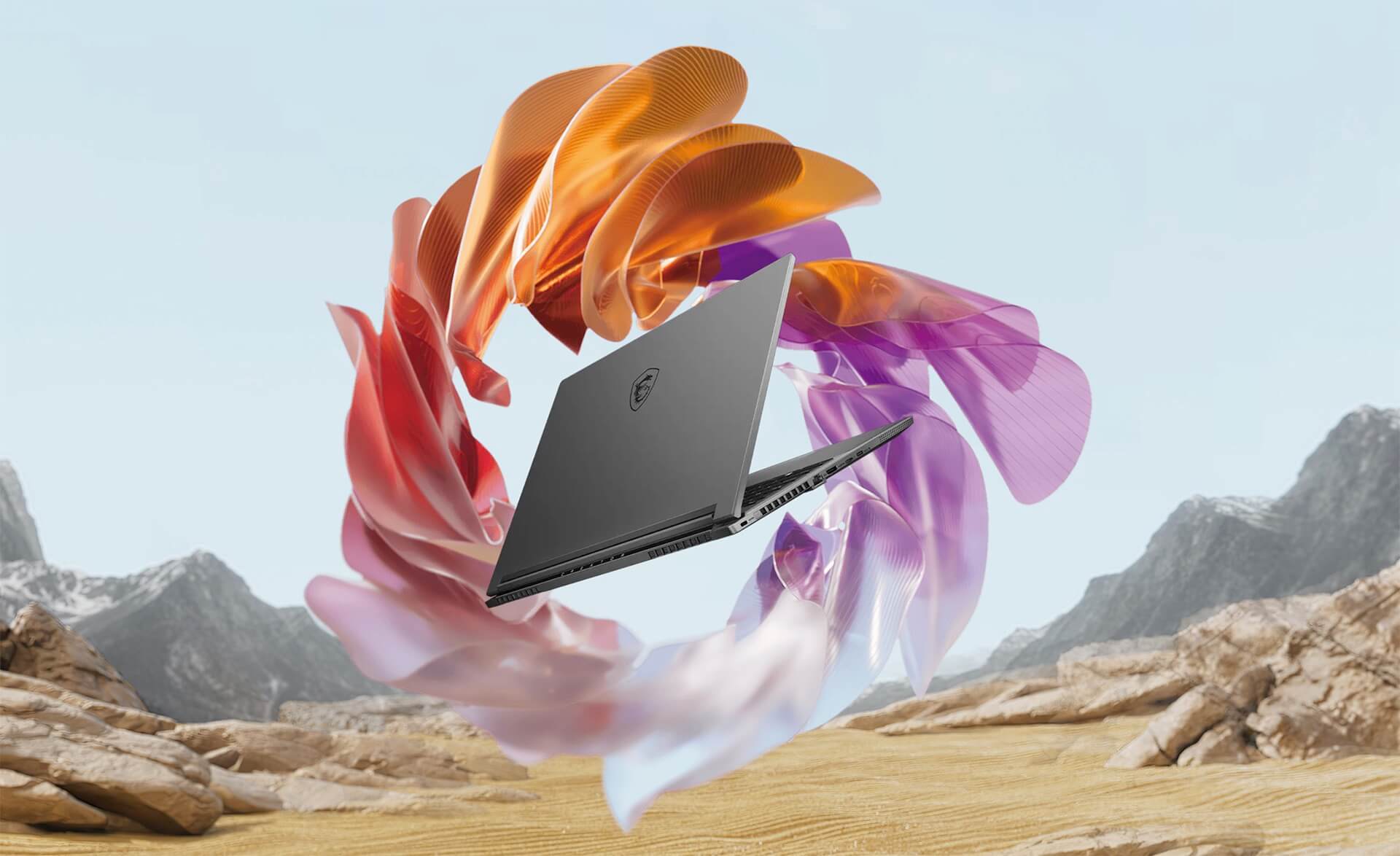
Sophistication in every line
Every line on the MSI Creator 16 AI Studio is meticulously crafted. More than just a laptop, it is a work of art. The use of premium materials not only enhances aesthetics but also improves impact and scratch resistance, helping to protect the machine from external forces.
Exceptional portability
With a weight of only about 1.99kg, the MSI Creator 16 AI Studio truly stands out in the line of laptops for creative professionals. This allows users to easily carry it with them without worrying about heaviness or bulkiness. You can easily slip it into a backpack and take it anywhere, from meetings to coffee shops, or even on trips.
The fusion of technology and art
Another interesting aspect is that the design of the MSI Creator 16 AI Studio focuses not only on form but also on function. The ports are logically arranged, ensuring users can easily access them without wasting time searching. The overall design demonstrates the fusion of modern technology and art, creating a product that is not only powerful but also eye-catching.
The MSI Creator 16 AI Studio screen is detailed, sharp, with a wide color gamut and high brightness
The screen is where everything begins, and for the MSI Creator 16 AI Studio, the 16-inch UHD+ (3840x2400) display is truly a highlight. MiniLED technology delivers vivid colors and excellent contrast, helping designers and artists see every detail as clearly as possible.
The screen meets the 100% DCI-P3 standard and supports HDR 1000, allowing you to watch movies, edit videos, or design graphics with high color accuracy. The maximum brightness and 120Hz refresh rate provide a smooth and vivid experience, helping users feel the most realistic depiction of every scene.
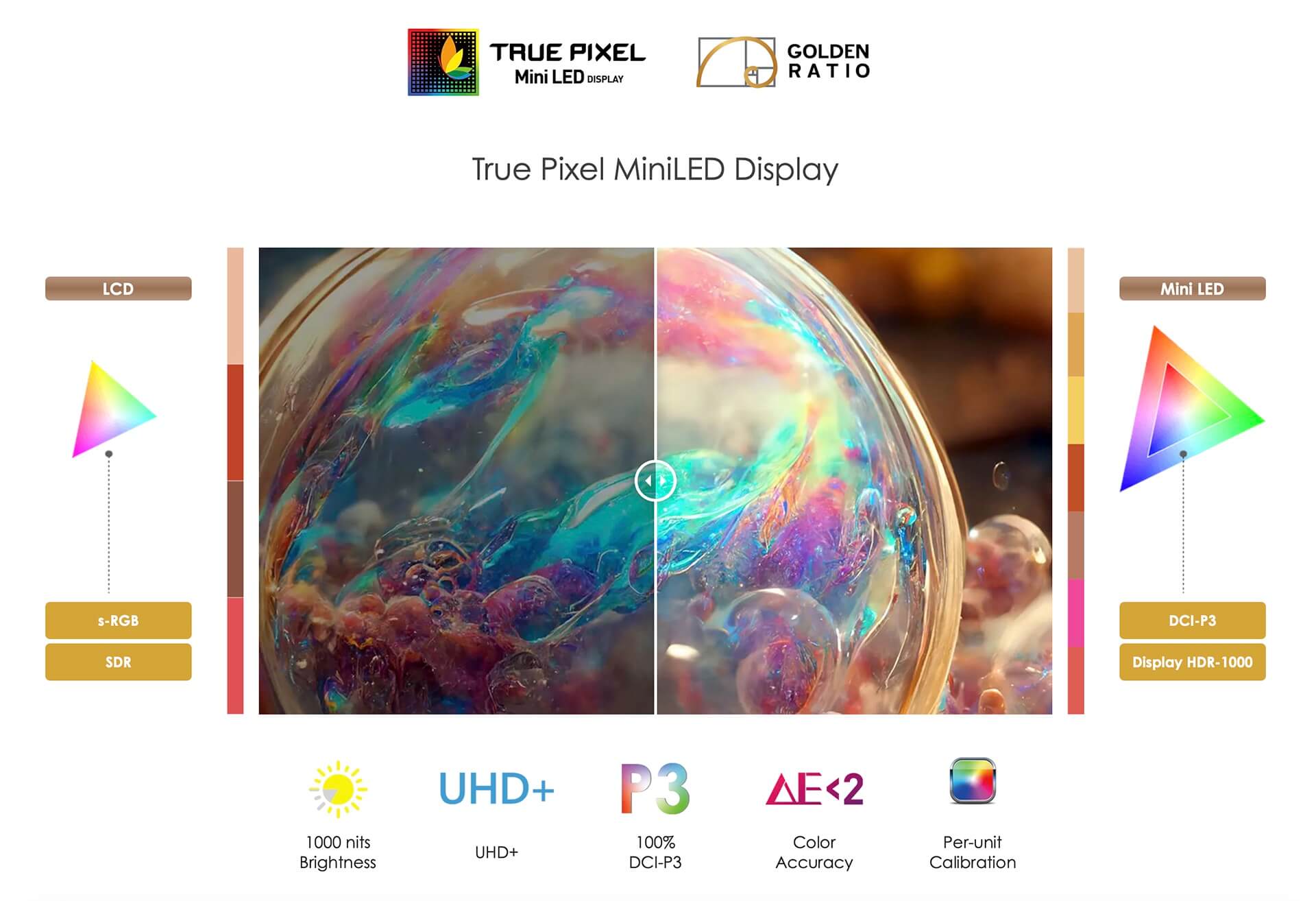
Sharp display with high resolution
High resolution is an extremely important factor for those working in creative fields. The screen of the MSI Creator 16 AI Studio is not only sharp but also provides a vast workspace so users can operate more easily. You will no longer have to worry about a lack of workspace when editing photos or videos.
Vivid and realistic colors
One of the biggest benefits of this screen is its ability to display realistic colors. Natural and vivid colors help designers more easily recognize tones and brightness in their works. This is what makes the MSI Creator 16 AI Studio a standout choice for many professionals in the graphics industry.
Excellent movie and gaming experience
Not just for work, the screen of the MSI Creator 16 AI Studio also provides an excellent entertainment experience. You can enjoy your favorite movies or play games without interruption. With high brightness and contrast, images become more vivid than ever, bringing a realistic and engaging feeling to the viewer.
Superior performance with powerful and professional Intel® Core™ Ultra 185H CPU and RTX™ 4090 GPU
When it comes to performance, the MSI Creator 16 AI Studio will not disappoint you. Equipped with the Intel® Core™ Ultra 9 (Series 1) processor and NVIDIA® GeForce RTX™ 4090 graphics card, this laptop is capable of smoothly handling heavy tasks such as 4K video editing, 3D graphics rendering, or running complex AI applications.
A notable point is that the RTX™ 4090 graphics card is not only powerful but also NVIDIA Studio certified, helping to optimize performance for creative applications. This means you can rest assured that the laptop will meet your work requirements well without experiencing lag or stuttering.
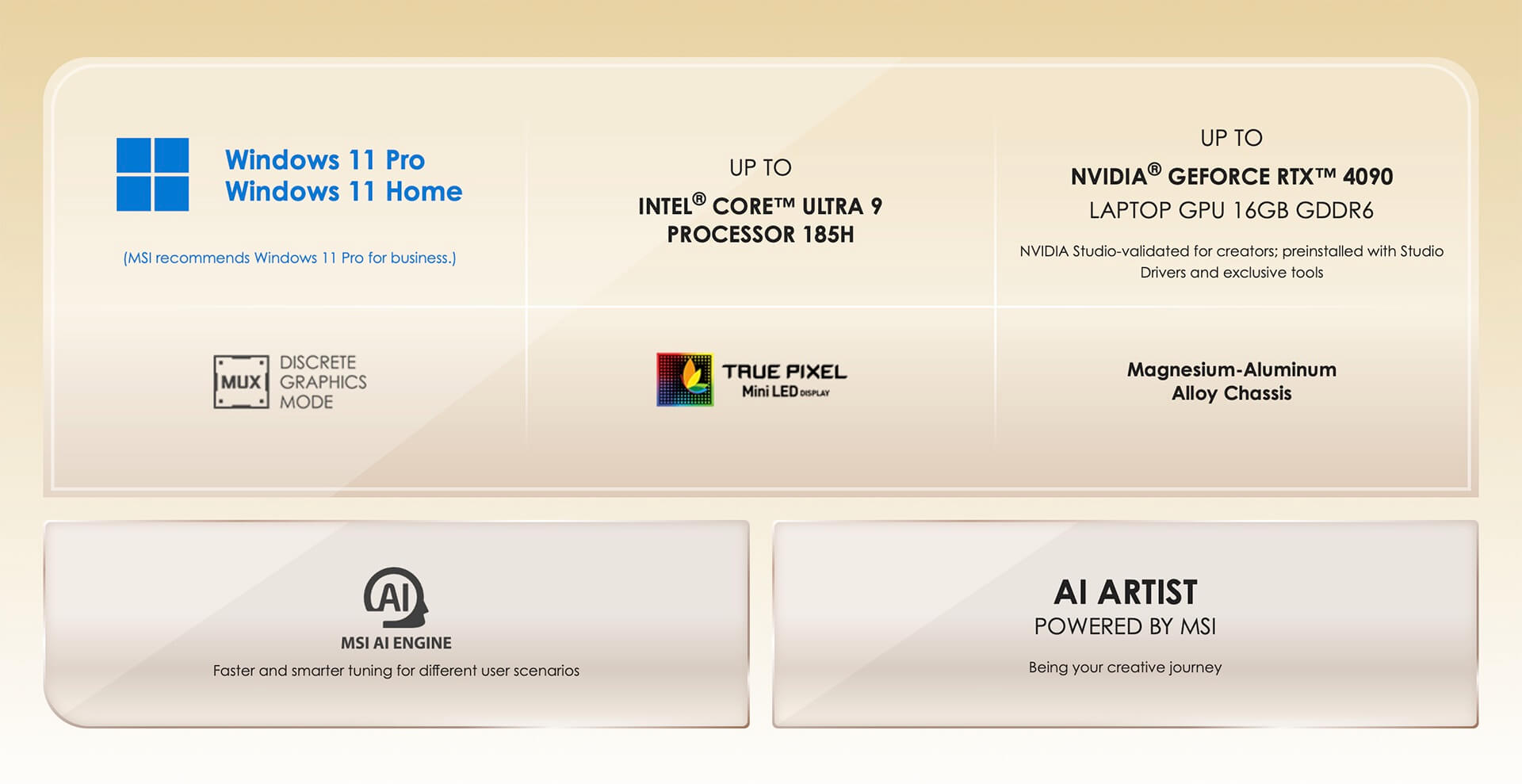
High-performance architecture
The combination of a powerful CPU and GPU creates a high-performance architecture, allowing the MSI Creator 16 AI Studio to quickly process all requests. This is particularly useful for those working in the graphics field, where speed and performance are paramount.
Excellent multitasking capability
In addition to handling heavy tasks, the MSI Creator 16 AI Studio also allows users to work with many applications simultaneously without encountering system freezes. This helps you save time and increase productivity. You can open multiple browser tabs, design applications, and video editing software while still ensuring stable performance.
Optimization through AI
With the AI Engine & AI Artist features, the MSI Creator 16 AI Studio can also automatically optimize performance based on the user's usage needs. This not only helps improve performance but also saves energy, helping to extend battery life during use.
Copilot+ PC experience on MSI Creator 16 AI Studio (2024)
On the Windows 11 Home operating system, you will have the opportunity to experience Copilot+ PC-one of the incredibly convenient new features for users. This feature helps enhance work efficiency by optimizing resources and supporting users in daily tasks.
Copilot+ PC is not just a virtual assistant, but it truly understands user needs. It has the ability to analyze how you work, thereby providing suggestions and optimizing performance for you.
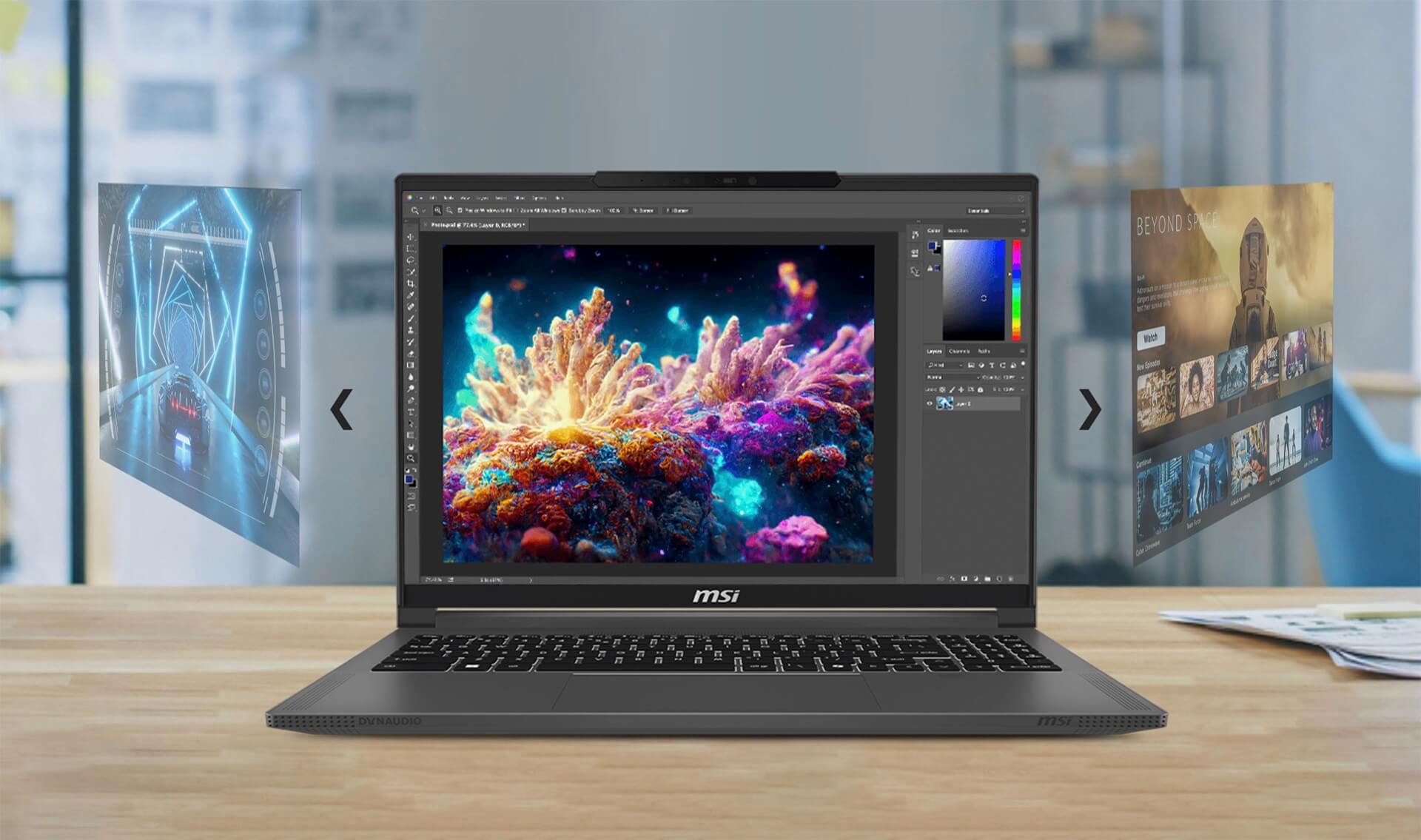
Improved workflow
With Copilot+ PC, your workflow will become more convenient than ever. From opening files and managing applications to planning work, everything is performed easily and quickly. You don't need to spend too much time on trivial tasks, allowing you to focus on your main tasks.
Content creation support
In the field of content creation, Copilot+ PC also plays a very important role. It can help you search for information, suggest ideas, or even assist in editing content. This not only saves time but also helps you improve the quality of the final product.
Integrated smart AI technology
The integration of smart AI technology in the MSI Creator 16 AI Studio helps users have smoother and more efficient experiences. Thanks to its ability to self-learn, Copilot+ PC becomes increasingly intelligent, better meeting user needs day by day.
Responsive, Accurate, and Comfortable Keyboard and Touchpad
The keyboard is an important factor that all laptop users pay attention to. With the MSI Creator 16 AI Studio, the Chiclet keyboard is designed not only for beauty but also to provide users with a great typing experience.
The touchpad is equally important, as it helps users operate easily without needing an external mouse. With a smooth and precise experience, the MSI Creator 16 AI Studio is truly an ideal choice for those who frequently type text or work with design software.
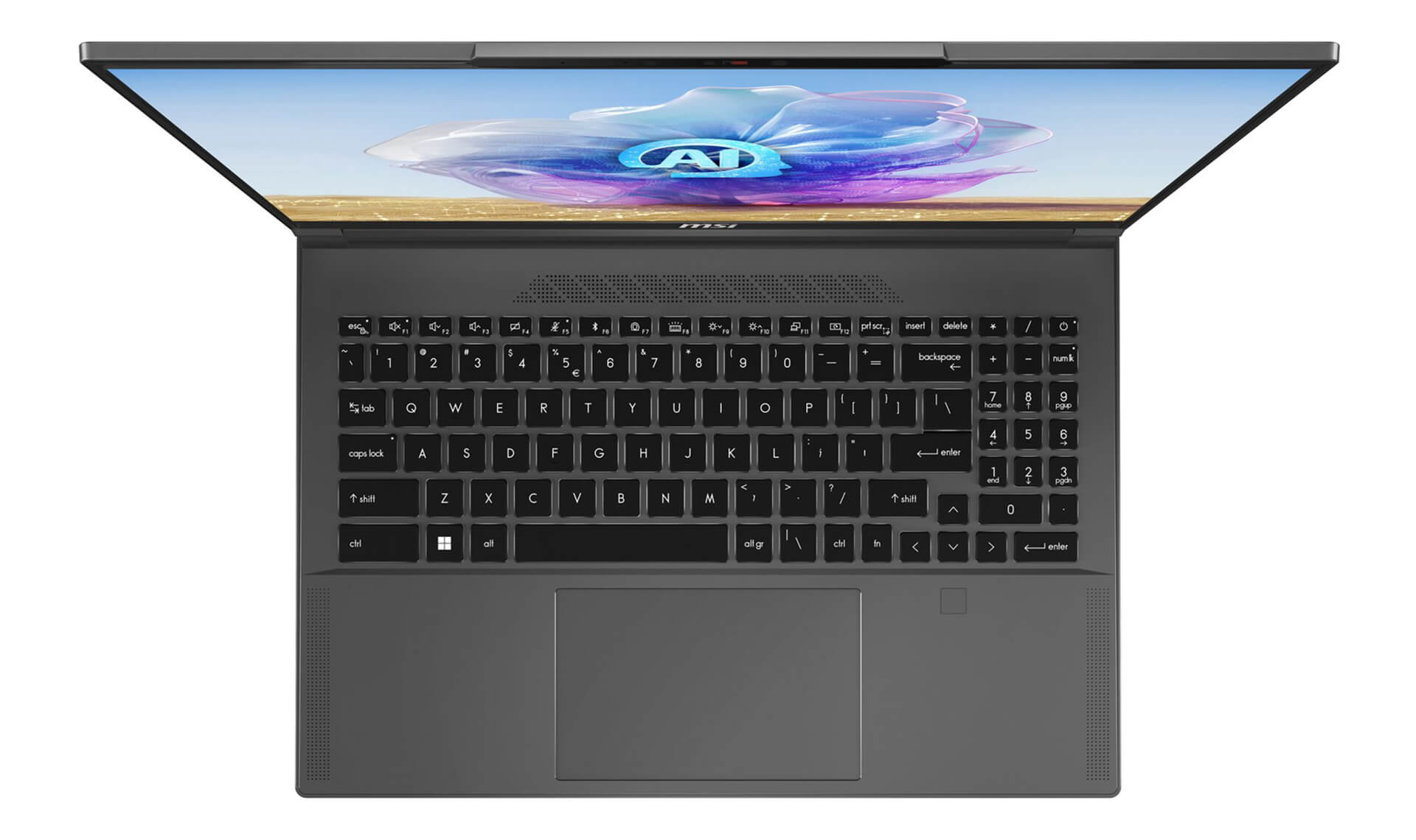
Convenient keyboard design
The Chiclet keyboard of the MSI Creator 16 AI Studio has reasonable key spacing, helping users type easily without difficulty in identifying key positions. In particular, the keyboard backlight helps users work in low-light conditions without any trouble.
Responsive touchpad
The touchpad of the MSI Creator 16 AI Studio has a large area and is highly responsive, helping users control easily without any obstacles. You can swipe, click, and perform control operations easily, thereby saving time during the work process.
Comfortable typing experience
Those who frequently work with text will appreciate the typing experience on the MSI Creator 16 AI Studio. The key travel is moderate-neither too stiff nor too soft-providing a comfortable feeling for users even when inputting data for long periods. Because of this, you will not feel tired or experience hand pain when using it.
MSI Creator 16 AI Studio delivers incredibly sharp and vivid sound quality
Sound is also one of the indispensable factors when talking about the laptop experience, especially for those working in creative fields. The MSI Creator 16 AI Studio is equipped with a high-quality sound system, bringing a wonderful music and movie watching experience to users.
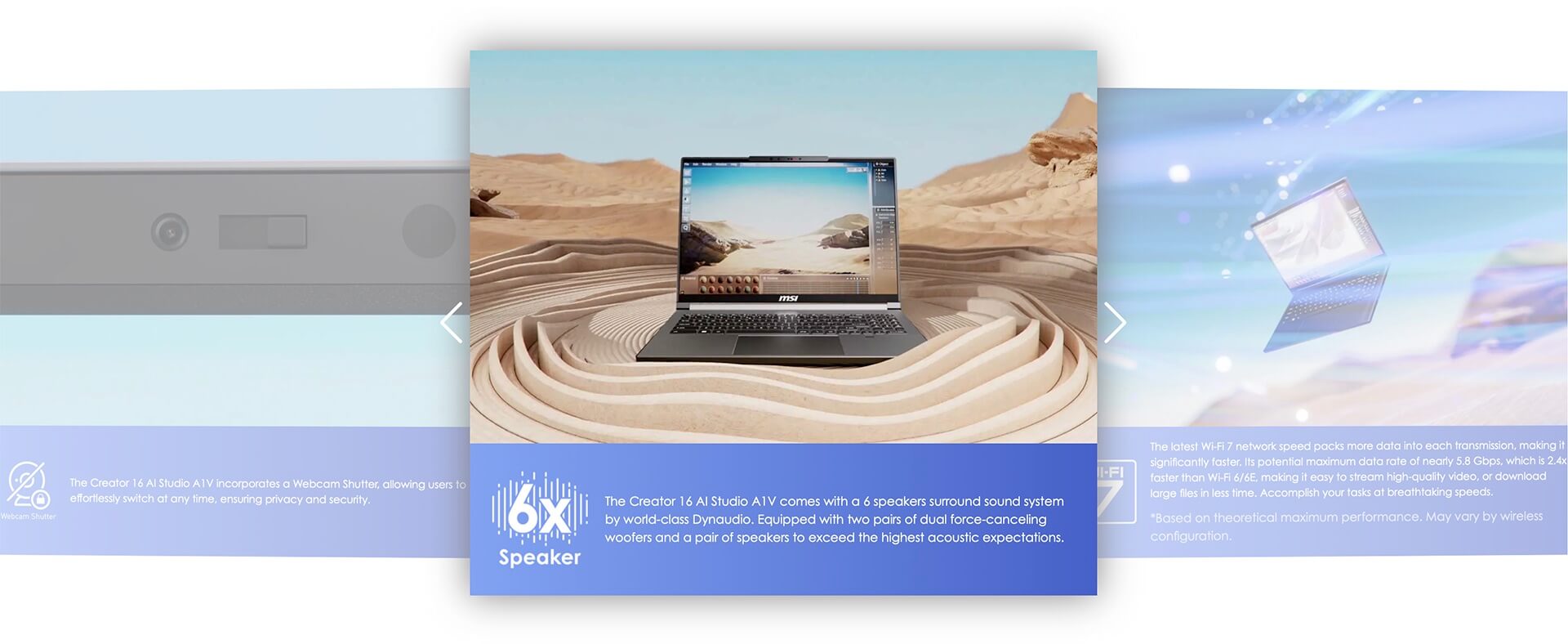
Vivid and realistic sound
The sound quality of the MSI Creator 16 AI Studio is truly impressive with powerful bass and clear treble. This allows you to enjoy your favorite music or cinematic movies with the most vivid and realistic sound.
High-capacity speaker system
The high-capacity speaker system on the MSI Creator 16 AI Studio helps the sound be loud and clear, without distortion or crackling. This is a major advantage for multimedia professionals, where sound is a crucial element in the content creation process.
Surround sound experience
With surround sound capabilities, the MSI Creator 16 AI Studio brings a music and movie watching experience similar to a cinema. This not only helps users have wonderful moments of relaxation but also supports the work process when checking the audio of a video or a music track you are working on.
Stable temperature and expected battery life - Supports fast charging
One of the important factors users often care about when choosing a laptop is cooling capability and battery life. The MSI Creator 16 AI Studio is equipped with the Cooler Boost 5 cooling system with 2 fans and 7 heat pipes, ensuring the machine's temperature always stays at a safe level even during continuous operation.
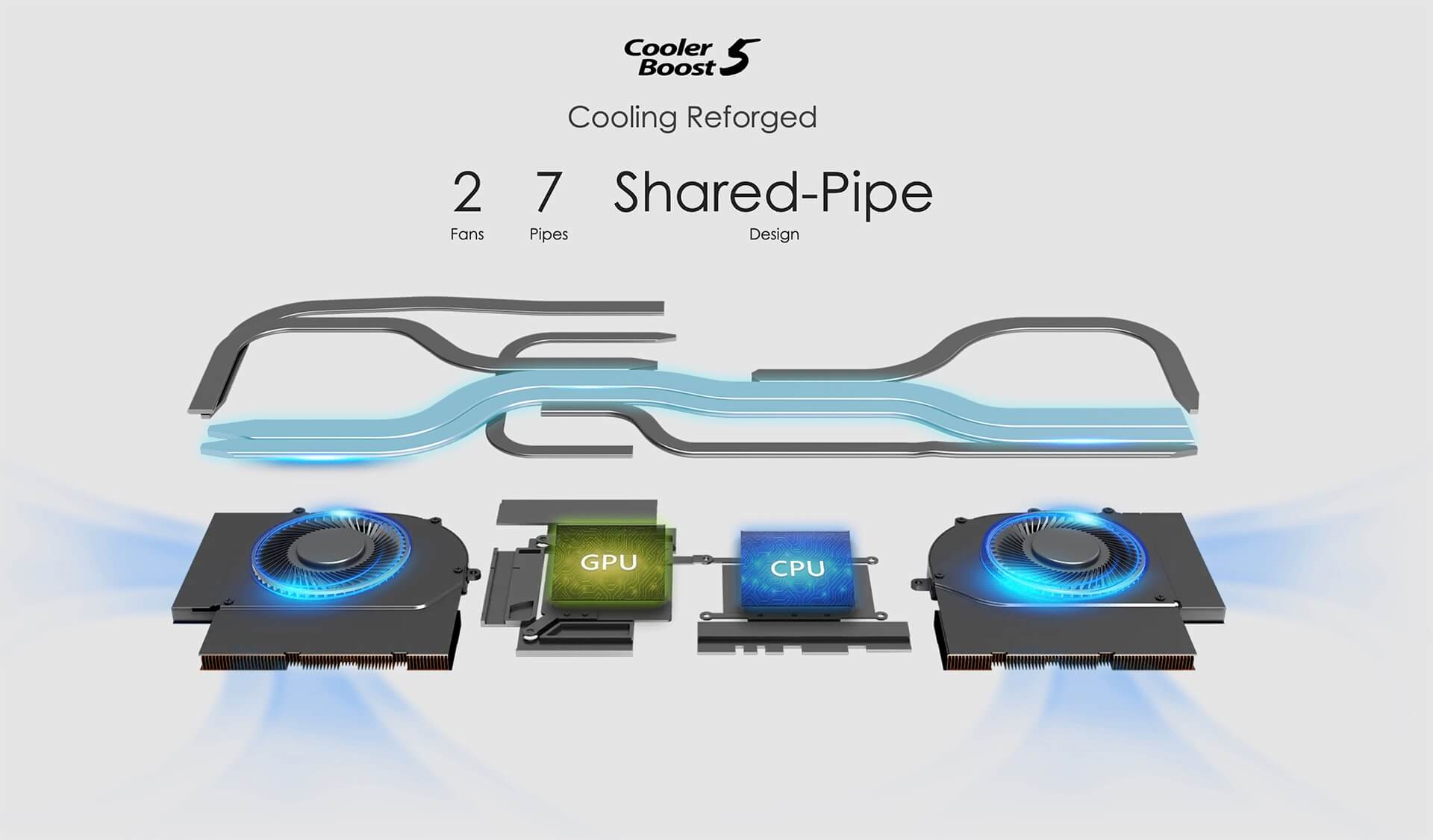
Excellent cooling performance
The Cooler Boost 5 cooling system helps the MSI Creator 16 AI Studio maintain stable performance, preventing performance drops due to high temperatures. You can comfortably work or play games without worrying about the machine overheating or performance throttling.
Impressive battery life
The battery life of the MSI Creator 16 AI Studio is also a big plus. With a 99.9Whr battery, you can work continuously for many hours without worrying about frequent recharging. In particular, the 240W fast charging feature helps save waiting time, allowing you to quickly get back to work.
Flexible usage
Good cooling capability and long battery life allow users to use the MSI Creator 16 AI Studio flexibly. You can work at the office, in a coffee shop, or even on business trips without needing to constantly search for a power source.
Diverse and convenient connection ports on MSI Creator 16 AI Studio (2024)
The connection port system on the MSI Creator 16 AI Studio 2024 is very diverse, offering users many different connection options. This helps you easily connect to peripherals, from external monitors to storage devices.
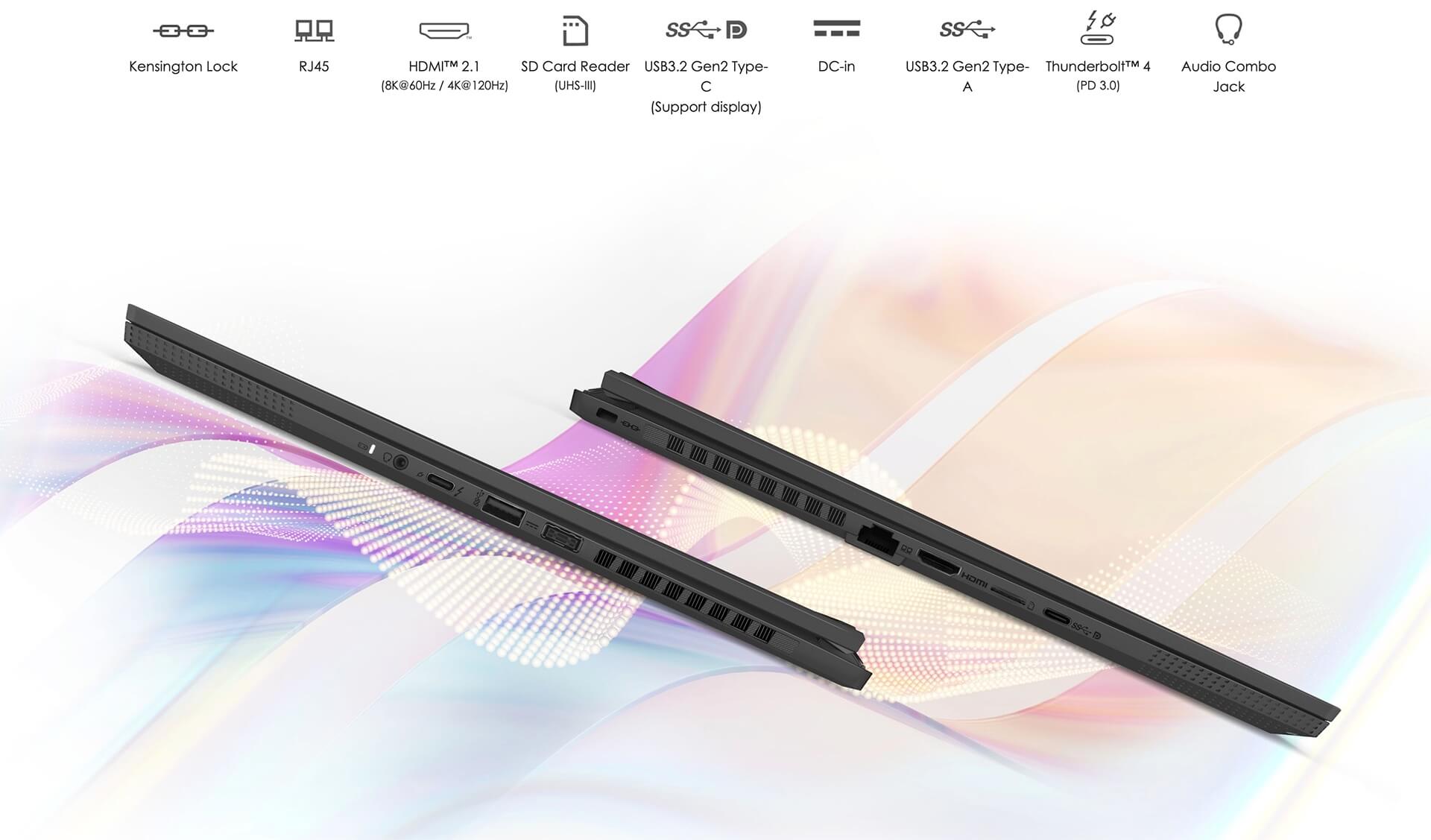
Modern connection ports
Equipped with a full range of modern connection ports such as Thunderbolt™ 4, USB-C, USB-A, HDMI 2.1, RJ45, and a microSD card reader, the MSI Creator 16 AI Studio meets all user connection needs. You can easily connect to a large monitor to expand your workspace or quickly connect to storage devices.
Convenience in data access
These connection ports also help users easily access data from other devices without any obstacles. Data transfer becomes fast and efficient, helping you save time during the work process.
High compatibility
With many different types of connection ports, the MSI Creator 16 AI Studio ensures high compatibility with many peripherals. You can easily connect to projectors, cameras, or external hard drives without needing additional adapters.
Summary of MSI Creator 16 AI Studio (2024)
In summary, MSI Creator 16 AI Studio 2024 is a wonderful laptop for those working in the creative field. With a luxurious design, sharp screen, powerful performance, and intelligent AI features, this is truly the perfect choice for professionals.
What is the biggest strength?
The biggest strength of the MSI Creator 16 AI Studio is the ability to combine technology and design. Not only does it deliver high performance, but this laptop also focuses on the user experience, from the exterior design to the supporting features.
Who should use the MSI Creator 16 AI Studio?
This laptop is suitable for many audiences, from graphic designers and video editors to those working in marketing and content creation. If you are looking for a powerful tool to support your creative work, the MSI Creator 16 AI Studio will certainly not disappoint you.
The perfect choice for the future
With outstanding features and a classy design, the MSI Creator 16 AI Studio 2024 is the perfect choice for the future. Whether you are a professional or a beginner in the creative field, this laptop will be a reliable companion on your career development path.
Where to buy MSI Creator 16 AI Studio (2024) with prestige and good prices?
If you are looking for a fashionable, lightweight laptop with high performance, MSI Creator 16 AI Studio (2024) is one of the best choices currently available. However, if you still do not know where to buy MSI Creator 16 Ai Studio (2024) with prestige, quality, and good market prices, you can visit Hưng Phát Laptop to view the product.
Hưng Phát Laptop is one of the reputable units; specializing in the official distribution and import of high-quality MSI laptop lines with clear origins and invoices. With a warranty policy and many attractive offers for you when buying an MSI Creator 16 AI Studio laptop at Hưng Phát Laptop.
Performance & benchmarks MSI Creator 16 AI Studio (2024)
Intel Core Ultra 9 185H NVIDIA GeForce RTX 4080 Laptop GPU - best for Chơi game 9.5/10, Lập trình 9.5/10.
Intel Core Ultra 9 185H
- Cinebench R23 (đa nhân)18,177
- Geekbench 6 (đa nhân)13,973
- Geekbench 6 (đơn nhân)2,493.5
- NPU (AI)11 TOPS
- Cores / Threads16/22
NVIDIA GeForce RTX 4080 Laptop GPU
- 3DMark Time Spy18,441
- 3DMark Fire Strike41,431
- VRAM12 GB
- AI INT8542 TOPS
- ArchitectureAda Lovelace
Best for
Scored from real benchmarks- Chơi game Recommended9.5/10
- Dựng phim / Đồ hoạ Recommended9/10
- Lập trình Recommended9.5/10
- Văn phòng9.5/10
- AI / Sáng tạo AI5/10
Why CPU matters
CPU là “bộ não” xử lý mọi tác vụ: mở ứng dụng, đa nhiệm, biên dịch, dựng phim. CPU càng mạnh, máy càng nhanh và mượt khi làm nhiều việc cùng lúc.
- Cơ bảnThis product
Lướt web, xem phim, soạn thảo văn phòng nhẹ.
- Phổ thôngThis product
Văn phòng, đa nhiệm vừa, học tập.
- Tầm trungThis product
Đa nhiệm tốt, lập trình, đồ hoạ nhẹ.
- Khá mạnhThis product
Dựng phim, lập trình nặng, ảo hoá, chơi game.
- Cao cấpThis product
Render nặng, biên tập 4K/8K, máy ảo, tác vụ AI.
Why GPU matters
GPU (card đồ hoạ) lo phần hình ảnh: chơi game, dựng video, render 3D và tăng tốc AI. GPU càng mạnh, khung hình game càng cao và xuất video càng nhanh.
- Cơ bản (iGPU)This product
Hiển thị mượt, xem phim 4K, game rất nhẹ (LMHT, Valorant mức thấp).
- Phổ thôngThis product
Game eSports 1080p, chỉnh ảnh, dựng video nhẹ.
- Tầm trungThis product
Game 1080p thiết lập trung-cao, dựng video Full HD ổn.
- Khá mạnhThis product
Game 1080p/1440p thiết lập cao, dựng video 4K, render 3D.
- Cao cấpThis product
Game 4K/240Hz, ray tracing, render & AI nặng.
Game performance
Real FPS - 4K- Dota 2145 fps4K Ultra
- CS290 fps4K Ultra
- GTA V144 fps4K Ultra
- CoD: Black Ops 660 fps4K Ultra
- Battlefield 654 fps4K Ultra
- Star Wars Outlaws24 fps4K Ultra
- Black Myth: Wukong18 fps4K Ultra
- God of War Ragnarök56 fps4K Ultra
- Final Fantasy XVI32 fps4K Ultra
- Cyberpunk 207735 fps4K Ultra
🟢 ≥60fps rất mượt · 🟡 30-60fps chơi tốt · 🔴 <30fps cần giảm thiết lập
Local AI performance
Tokens/second running locally on GPU 12GB VRAM- Gemma 4 E4B IT8.7 GB · ctx 256K35 tok/sDecent
- Phi-4 14B7.7 GB · ctx 16K39 tok/sDecent
- DeepSeek R1 Distill 14B7.7 GB · ctx 64K39 tok/sDecent
- Llama 3.2 11B Vision6.1 GB · ctx 128K50 tok/sRuns well
- Gemma 4 E2B IT5.6 GB · ctx 256K54 tok/sRuns well
- GLM-4 9B5.1 GB · ctx 128K59 tok/sRuns well
- Gemma 4 E4B4.6 GB · ctx 256K66 tok/sRuns great
- Ministral 8B4.6 GB · ctx 32K66 tok/sRuns great
- Qwen 3.5 4B4.6 GB · ctx 32K66 tok/sRuns well
- DeepSeek R1 Distill 7B4.1 GB · ctx 64K74 tok/sRuns great
- Gemma 4 E2B3.1 GB · ctx 256K98 tok/sRuns great
- Qwen 3.5 2B2.5 GB · ctx 32K121 tok/sRuns great
- Phi-4 Mini Reasoning2.4 GB · ctx 16K126 tok/sRuns great
- Llama 3.2 3B2 GB · ctx 128K151 tok/sRuns great
- SmolLM3 3B2 GB · ctx 128K151 tok/sRuns great
- DeepSeek R1 1.5B1.3 GB · ctx 64K233 tok/sRuns great
- Qwen 3.5 0.8B1.3 GB · ctx 32K233 tok/sRuns great
- TinyLlama 1.1B1.1 GB · ctx 2K275 tok/sRuns great
- Llama 3.2 1B1 GB · ctx 128K302 tok/sRuns great
- Qwen 2.5 14B7.7 GB · ctx 128K39 tok/sDecent
- Qwen 3 14B7.7 GB · ctx 128K39 tok/sDecent
- Gemma 3 12B6.6 GB · ctx 128K46 tok/sRuns well
- Mistral Nemo 12B6.6 GB · ctx 128K46 tok/sRuns well
- Gemma 2 9B5.1 GB · ctx 8K59 tok/sRuns well
- Nemotron Nano 9B v25.1 GB · ctx 128K59 tok/sRuns well
- Llama 3.1 8B4.6 GB · ctx 128K66 tok/sRuns great
- Qwen 3 8B4.6 GB · ctx 128K66 tok/sRuns great
- Mistral 7B v0.34.1 GB · ctx 32K74 tok/sRuns great
- Qwen 2.5 7B4.1 GB · ctx 128K74 tok/sRuns great
- Qwen 2.5 Coder 7B4.1 GB · ctx 128K74 tok/sRuns great
- Qwen 3 4B2.5 GB · ctx 32K121 tok/sRuns great
- Gemma 3 4B2.5 GB · ctx 128K121 tok/sRuns great
- Phi-3.5 Mini2.4 GB · ctx 128K126 tok/sRuns great
- Gemma 2 2B1.5 GB · ctx 8K202 tok/sRuns great
- Qwen 3 1.7B1.4 GB · ctx 32K216 tok/sRuns great
- Qwen 2.5 Coder 1.5B1.3 GB · ctx 32K233 tok/sRuns great
- Qwen 3 0.6B1.1 GB · ctx 32K275 tok/sRuns great
- Gemma 3 1B1 GB · ctx 32K302 tok/sRuns great
🟢 Great · 🟡 Well · 🟠 Decent - 4-bit quantized, ctx = context window
No comments yet





Minh Khôi 10/06/2026
Using this machine is a real pleasure; the screen is incredibly sharp with accurate colors, making it perfect for graphic design. With its powerful configuration and smooth performance, it is definitely worth your money, everyone!
Anh Tú 15/10/2024Purchased at Hung Phat
Great prices, quality products