

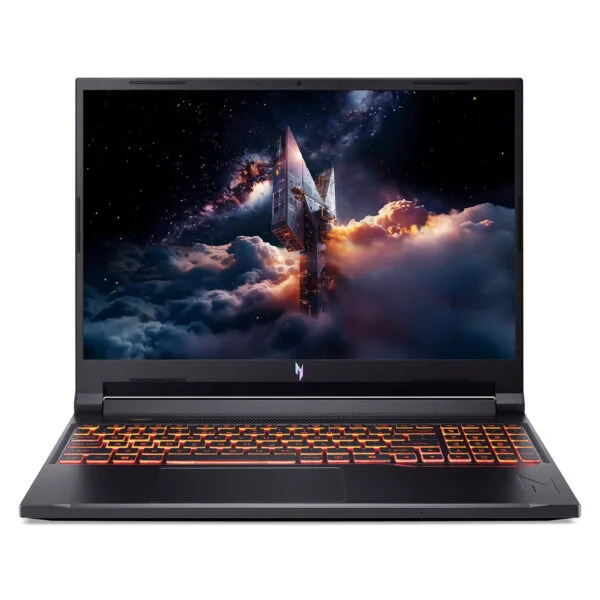
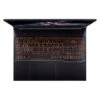
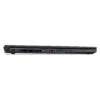
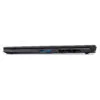
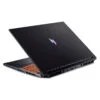
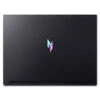
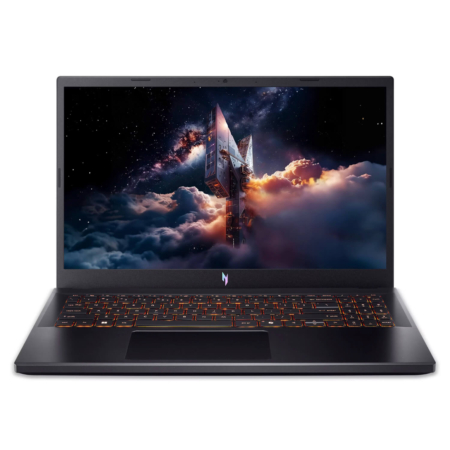
Acer Nitro V16 Gaming Laptop (2025)
- CPU: Intel Core 7 240H Up To 5.2GHz (10 Cores, 16 Threads, 24MB Cache)
- RAM: DDR5 16GB 5200MHz
- SSD: 1TB PCIe Gen4 M.2 SSD
- VGA: NVIDIA® GeForce RTX™ 5050 8GB GDDR7
- DISPLAY: 16" FHD+ (1920*1080) IPS, 3ms, 180Hz, Anti-Glare, ComfyView (Matte), 400 nits sRGB 100%
- CONDITION: New 100% Full Box
- WARRANTY: 12-month warranty
- Acer Nitro V16 (2025) design with rigid plastic chassis, weighing 2.4 kg
- 16-inch display with 180Hz refresh rate, 16:10 aspect ratio, and MUX Switch
- Nitro V16 performance with Intel Core 7 240H
- RTX 5050 Graphics with DLSS 4 for Full HD Gaming
- Dual-Fan Cooling System with NitroSense
- Keyboard with Number Pad and DTS:X Ultra Speakers
- Nitro V16 Ports with Thunderbolt 4 and HDMI 2.1
- Easy RAM and SSD Upgrades with a 76Wh Battery
- Acer Nitro V16 (2025) Summary and Review
- FAQ - Frequently Asked Questions About the Acer Nitro V16 (2025)
- Where to Buy the Genuine Acer Nitro V16 (2025) at a Great Price?
Acer Nitro V16 (2025) (ANV16-72-70X9) is a mid-range 16-inch gaming laptop powered by a 10-core, 16-thread Intel Core 7 240H processor, an 8GB NVIDIA GeForce RTX 5050 graphics card running at up to 85W, 16GB of DDR5 RAM, a 1TB SSD, and a 180Hz WUXGA display. It targets students and gamers who want solid Full HD gaming on a moderate budget. This article covers its performance, thermals, port selection, and key considerations before buying.
Acer Nitro V16 (2025) design with rigid plastic chassis, weighing 2.4 kg
The machine comes exclusively in Obsidian Black, featuring the Nitro logo on the lid and an all-plastic exterior. According to LaptopMedia, the plastic quality is quite good, delivering a rigid chassis with virtually no flex under pressure, though smudges are noticeable when viewed at an angle. Measuring 360 x 274.5mm, 16.1 to 24.5mm thick, and weighing around 2.4 kg, it sits right in the mainstream 16-inch segment of the Acer Nitro lineup.
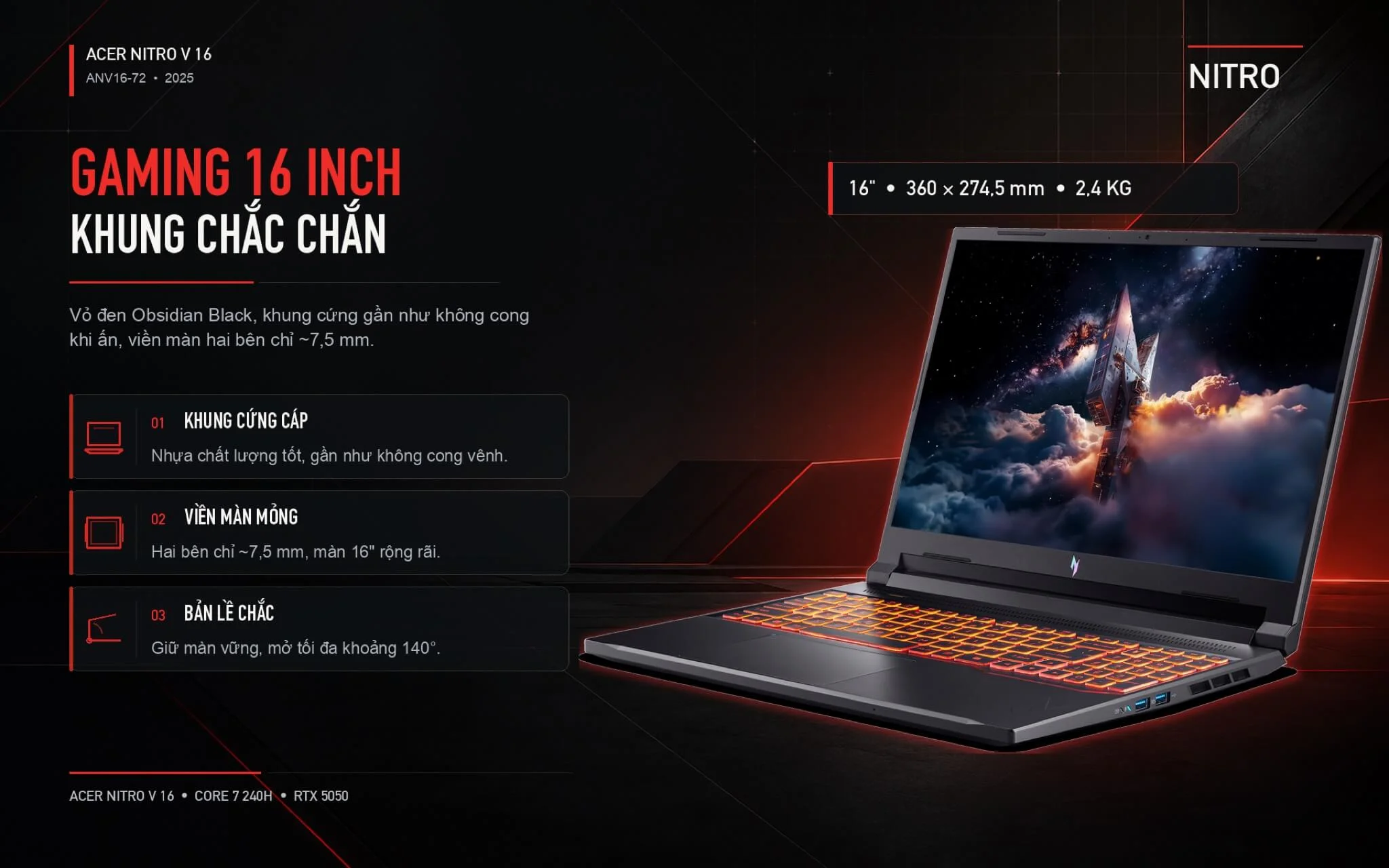
The hinge holds the screen firmly, opening up to about 140 degrees. Side bezels are slim at roughly 7.5mm, while the 11mm top bezel houses the webcam and microphone. At 2.4 kg plus a 135W power adapter, this laptop suits a dedicated desk or workstation setup much better than carrying it around all day.
16-inch display with 180Hz refresh rate, 16:10 aspect ratio, and MUX Switch
The Acer Nitro V16 (2025) uses a 16-inch IPS display with a 1920 x 1200 resolution (WUXGA), a 16:10 aspect ratio, a 180Hz refresh rate, and an anti-glare ComfyView matte finish. The 180Hz refresh rate ensures fluid motion and fast responsiveness in shooters like Valorant and CS2. According to LaptopMedia, this model's 180Hz WUXGA display panel covers roughly 100% sRGB, making it well-suited for editing social media photos and YouTube video editing.
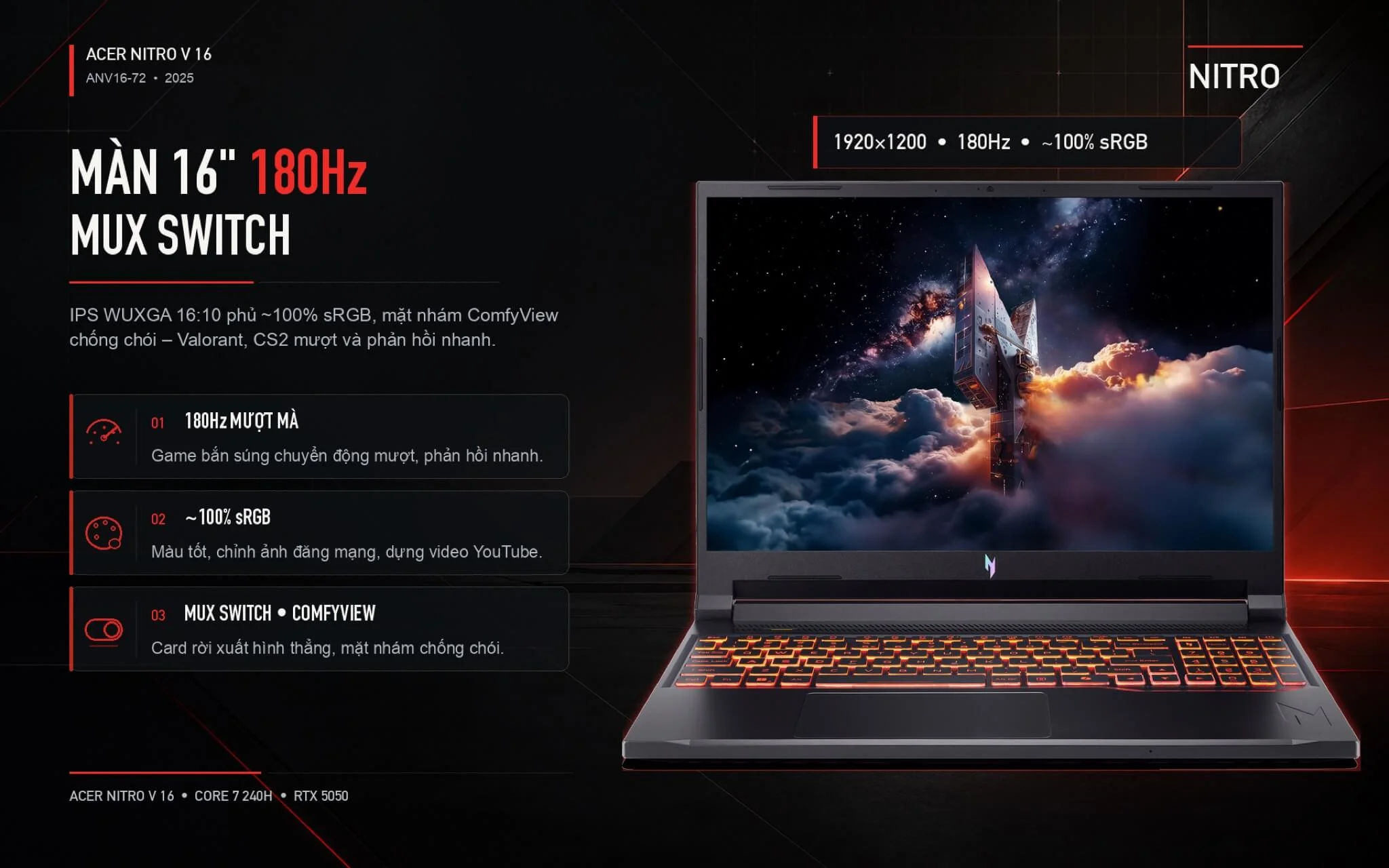
A MUX Switch lets the RTX 5050 route display output directly to the screen, bypassing integrated graphics to pick up a few extra percent in frame rates. The Nitro V16 lineup also includes a 2560 x 1600 180Hz WQXGA option on higher-tier configurations and a 165Hz WUXGA panel covering only about 62% sRGB on lower-spec builds; the 70X9 sits in the middle, pairing the 180Hz panel with solid color accuracy.
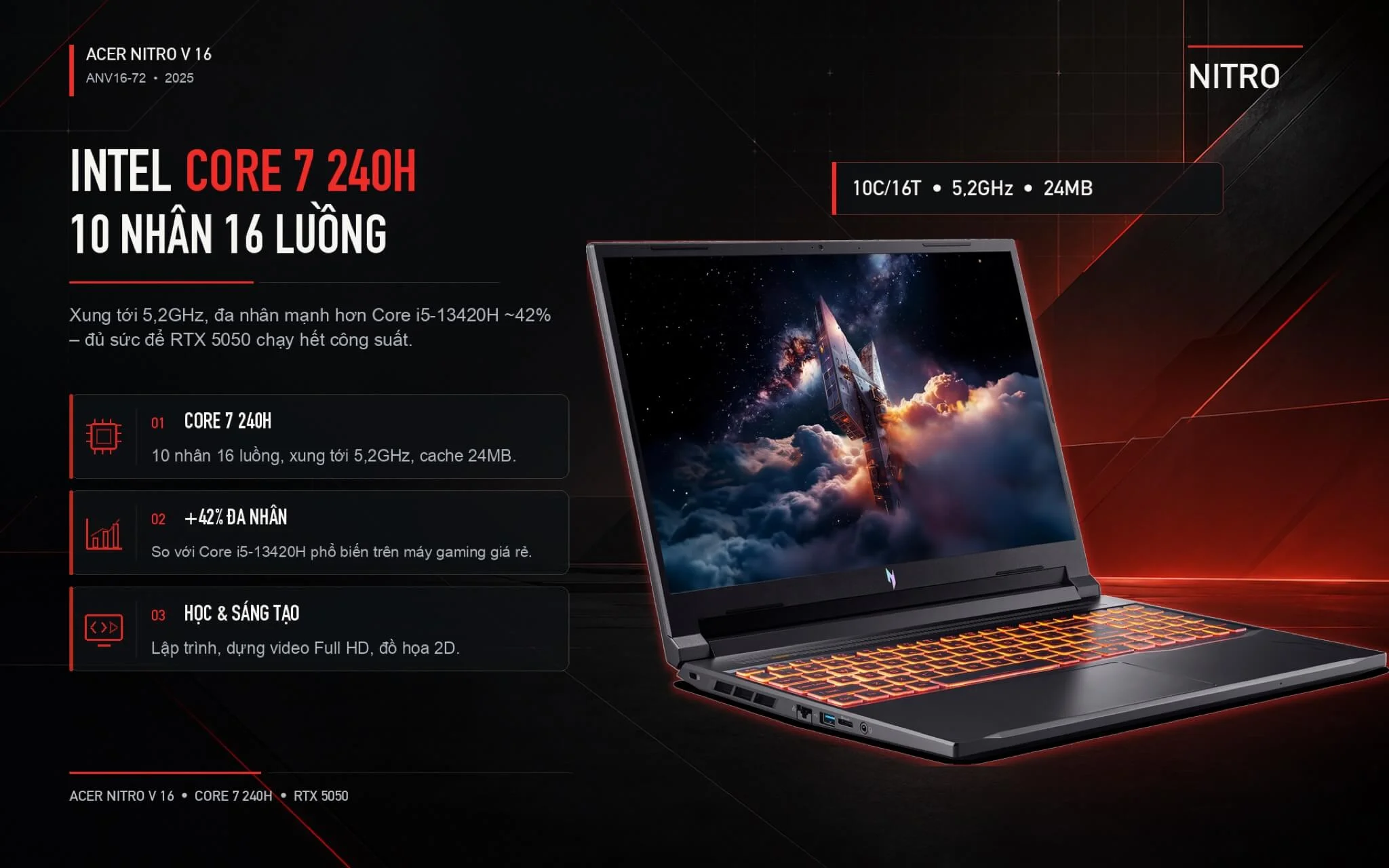
Nitro V16 performance with Intel Core 7 240H
The Intel Core 7 240H belongs to the Core Series 2 family (a Raptor Lake refresh architecture), packing 10 cores (6 performance cores and 4 efficient cores) and 16 threads, with clock speeds from 2.5 to 5.2GHz and a 24MB cache. The Intel Nitro V16 lineup also features a lower-cost Core 5 210H build and a higher-tier Core 9 270H version. The table below compares the Core 7 240H with these processors and the Ryzen 7 260 typically found in similarly priced gaming laptops.
| Processor | Cores / Threads | Cinebench R23 Single-Core | Cinebench R23 Multi-Core | Geekbench 6 Multi-Core |
|---|---|---|---|---|
| Core 7 240H (this machine) | 10 / 16 | 1,719 | 15,764 | 12,525 |
| Core 9 270H (higher-tier Nitro V16) | 14 / 20 | 2,040 | 18,000 | 13,262 |
| Ryzen 7 260 | 8 / 16 | 1,764 | 17,277 | 13,299 |
| Core 5 210H (lower-tier Nitro V16) | 8 / 12 | 1,771 | 11,830 | 9,617 |
| Core i5-13420H | 8 / 12 | 1,689 | 11,084 | 8,444 |
Average reference figures sourced from Notebookcheck; individual unit results vary based on performance mode and cooling system.
Scoring roughly 15,764 Cinebench R23 multi-core points, the Core 7 240H is about 33% faster than the Core 5 210H and roughly 42% ahead of the Core i5-13420H commonly found in entry-level gaming laptops. That provides plenty of headroom for the RTX 5050 to run at full tilt in games, while comfortably handling programming coursework, Full HD video editing, or 2D graphics software.
Against the Core 9 270H on the higher-tier build, the Core 7 240H trails by roughly 12% in multi-core performance - a minor gap during gaming sessions where the graphics card does the heavy lifting. If you regularly handle 3D rendering or long video exports, the Core 9 version will save you more time.
Because the Core 7 240H lacks a dedicated AI engine (NPU), the machine does not qualify as an AI PC or Copilot+ PC, even though the keyboard includes a Copilot key. Online AI tools like ChatGPT, Copilot, and Gemini work normally over the internet, while on-device AI tasks can take full advantage of the discrete RTX 5050 graphics card.
RTX 5050 Graphics with DLSS 4 for Full HD Gaming
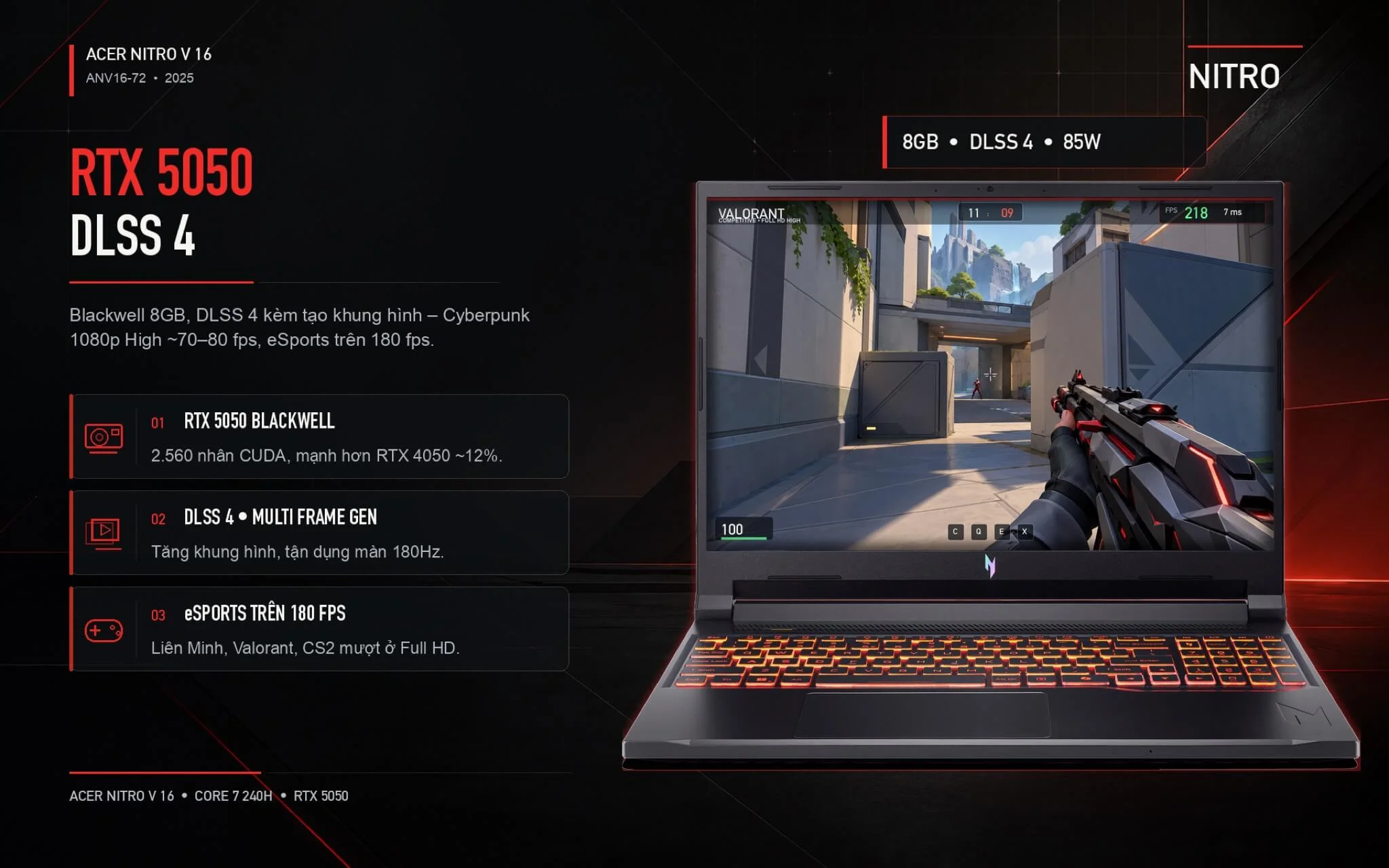
The NVIDIA GeForce RTX 5050 Laptop GPU uses the Blackwell architecture, featuring 2,560 CUDA cores, 8GB of VRAM, and support for DLSS 4 alongside Multi Frame Generation. On this Nitro V16 configuration, Acer caps the GPU at a maximum of 85W, which is lower than the 115W limit found on some laptops with the same graphics card. The table below compares the RTX 5050 against the RTX 5060, RTX 4060, and RTX 4050.
| Benchmark | RTX 5050 (this laptop) | RTX 5060 | RTX 4060 | RTX 4050 |
|---|---|---|---|---|
| 3DMark Time Spy (Graphics) | 9,122 | 11,755 | 10,338 | 8,125 |
| Cyberpunk 2077 (1080p, High) | ~79 fps | ~94 fps | ~81 fps | ~59 fps |
| Cyberpunk 2077 (1080p, Ultra) | ~68 fps | ~85 fps | ~72 fps | ~51 fps |
| GTA V (1080p, Very High) | ~109 fps | ~129 fps | ~110 fps | ~87 fps |
Average reference figures sourced from Notebookcheck with DLSS disabled, mostly tested on laptops supplying more than 85W to the GPU. On this Nitro V16 configuration, actual frame rates may be roughly 5% to 10% lower.
At native Full HD+ resolution, the Acer Nitro V16 RTX 5050 runs Cyberpunk 2077 at High settings around 70 to 80 fps, while enabling DLSS 4 with frame generation pushes frame rates high enough to take full advantage of the 180Hz display. Esports titles such as League of Legends, Valorant, and CS2 run at over 180 fps. The RTX 5050 outperforms the previous-generation RTX 4050 by about 12% in Time Spy, though it still trails the RTX 5060 by roughly 22%; gamers planning to play new AAA titles at high settings over the long term should consider the RTX 5060 version.
Dual-Fan Cooling System with NitroSense
The cooling system uses dual fans, pulling in air through vents above the keyboard and on the bottom panel to cool both the CPU and the graphics card. NitroSense software lets you adjust fan speeds, switch performance modes, and monitor temperatures directly on the laptop, accessible quickly via a dedicated NitroSense key.
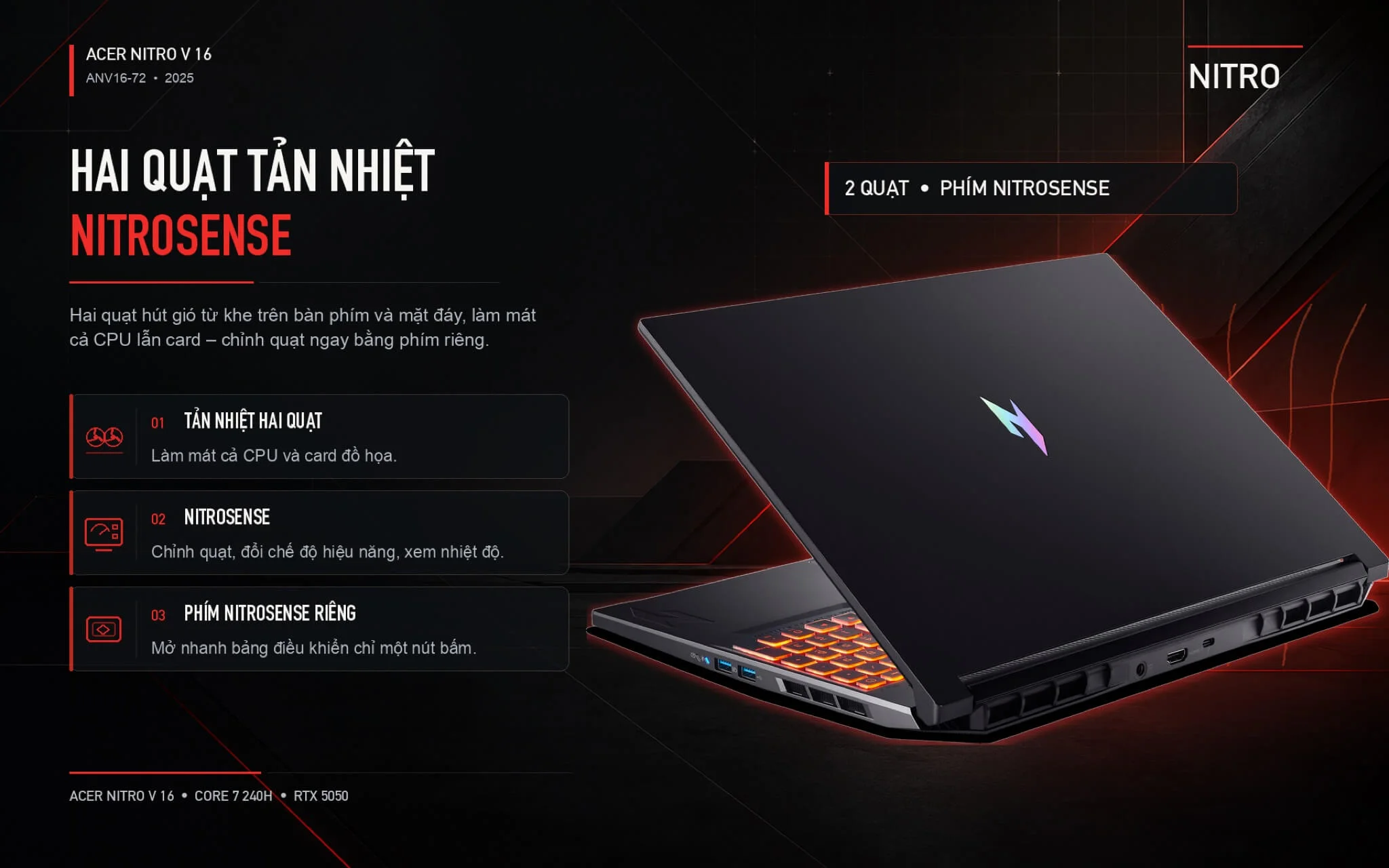
According to LaptopMedia, under heavy loads the CPU on the Intel-based Nitro V16 reaches around 99°C, which is quite hot, while the graphics card stays around 75°C to 78°C. During extended gaming sessions, propping up the rear of the laptop or using a cooling pad helps keep the bottom intake vents clear, alongside periodic fan cleaning.
Keyboard with Number Pad and DTS:X Ultra Speakers
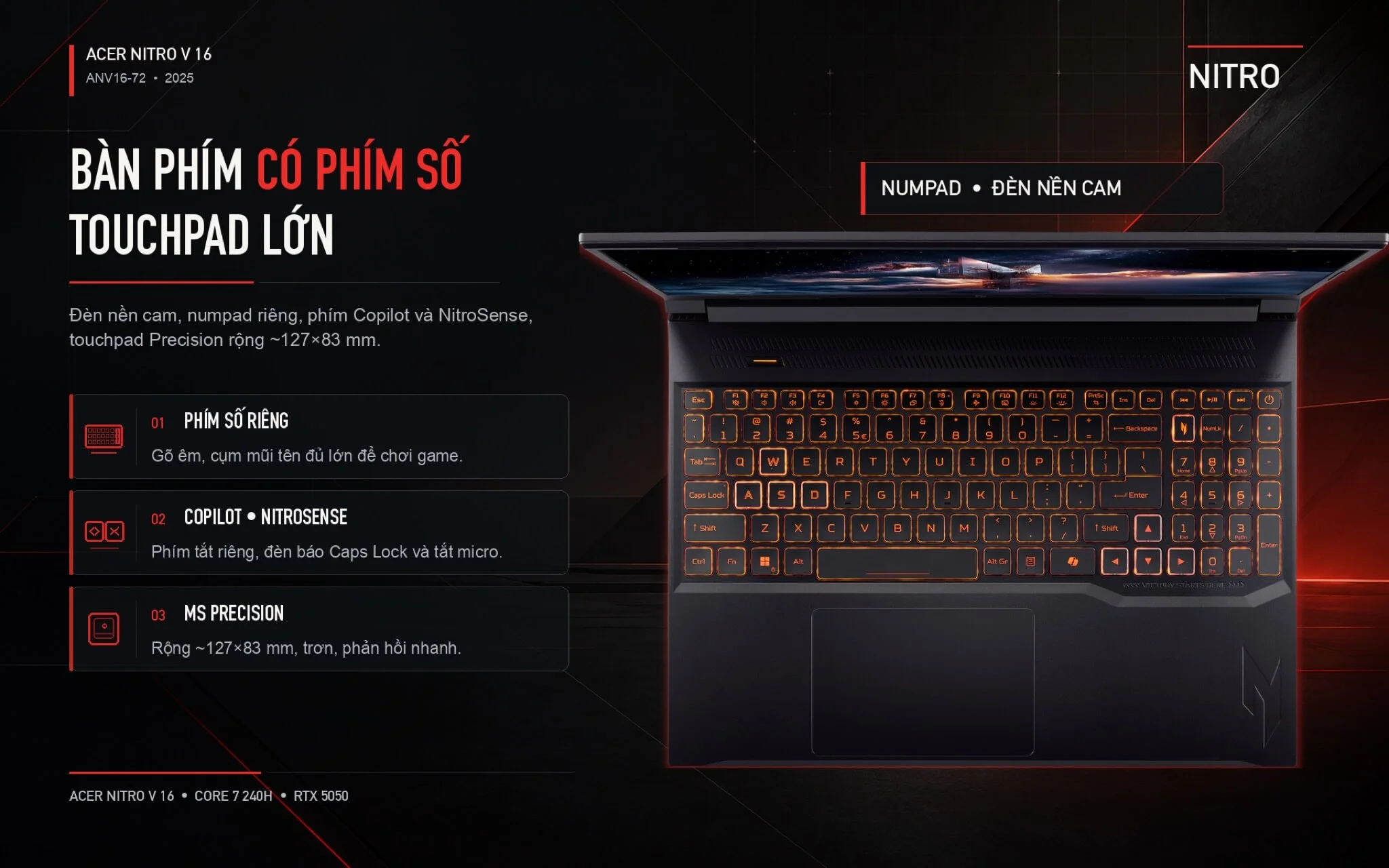
The backlit keyboard features orange backlighting, a dedicated number pad, a Copilot key, a NitroSense key, and indicator lights for Caps Lock and microphone mute. According to LaptopMedia, keystrokes feel quiet and smooth; the number pad keys are slightly smaller than the main keys but remain easy to use, and the arrow cluster is large enough for gaming. The Microsoft Precision touchpad measures roughly 127 x 82.6 mm, offering a smooth surface and responsive tracking.
The laptop features two 2W speakers tuned by DTS:X Ultra, which LaptopMedia notes deliver clear audio across the bass, midrange, and treble. The 720p HD webcam includes temporal noise reduction but lacks a privacy shutter; there is also no IR camera or fingerprint reader, so logging in requires a password or PIN. Anyone who attends frequent online meetings should consider using an external webcam.
Nitro V16 Ports with Thunderbolt 4 and HDMI 2.1
The left side features a Kensington lock slot, a Killer E2600 Ethernet port, one 5Gbps USB-A port, a microSD card slot, and a 3.5 mm audio jack. The right side houses two 10Gbps USB-A ports, one of which supports power-off charging for phones. On the rear, you will find the power port, an HDMI 2.1 port capable of outputting to an external 4K 120Hz display, and one 40Gbps Thunderbolt 4 USB-C port supporting display output and up to 65W charging input.
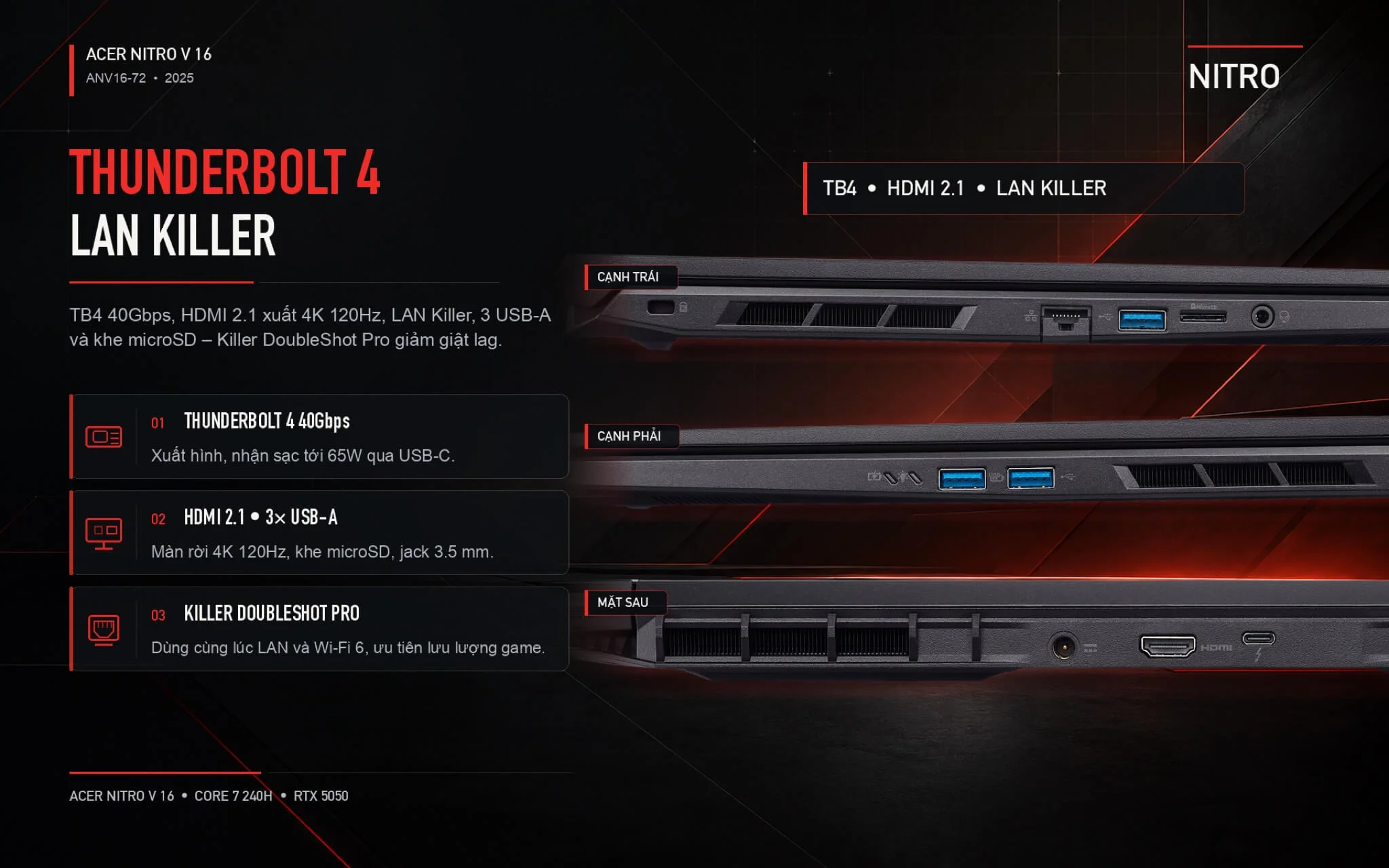
Wireless connectivity is handled by Killer Wi-Fi 6 AX1650i and Bluetooth 5.2. Killer DoubleShot Pro allows simultaneous use of Wi-Fi and a wired connection, prioritizing gaming traffic over the faster link to reduce lag. If you are comparing other models, feel free to browse the Acer laptops selection at Hung Phat Laptop.
Easy RAM and SSD Upgrades with a 76Wh Battery
The laptop comes with 16GB of DDR5 RAM across two SO-DIMM slots, with Acer supporting upgrades up to 32GB. Storage includes a 1TB PCIe 4.0 SSD, and according to LaptopMedia, the system features two M.2 2280 slots, leaving one empty slot to add extra storage for larger game libraries.
The 76Wh battery comes with a 135W power adapter. For studying and web browsing, the battery lasts several hours, while gaming calls for plugging in so the graphics card can draw its full 85W. The Thunderbolt 4 port supports up to 65W charging input, which is convenient for school when you only need to carry a compact USB-C charger for light tasks.
Acer Nitro V16 (2025) Summary and Review
The Acer Nitro V16 (2025) with Core 7 240H and RTX 5050 is well suited for students and gamers looking for a 16-inch laptop for smooth Full HD gaming, a 180Hz display with good color, Thunderbolt 4, LAN, a microSD slot, and a spacious 1TB SSD at an accessible price.
Points to consider: a plastic chassis, a weight of 2.4 kg, a CPU that runs hot under heavy loads, an RTX 5050 capped at 85W, a 720p webcam without a privacy shutter, no fingerprint reader or IR camera, Wi-Fi 6 instead of Wi-Fi 6E or 7, and no NPU for on-device AI features.
| Pros | Cons |
|---|---|
|
|
FAQ - Frequently Asked Questions About the Acer Nitro V16 (2025)
1. What are the specs of the Acer Nitro V16 ANV16-72-70X9?
The laptop is powered by an Intel Core 7 240H (10 cores, 16 threads, up to 5.2GHz), an 8GB RTX 5050 at up to 85W, 16GB of DDR5 RAM, a 1TB PCIe 4.0 SSD, a 16-inch 1920 x 1200 180Hz display, a 76Wh battery, Killer Wi-Fi 6, Bluetooth 5.2, and Windows 11 Home.
2. What games can this laptop handle?
The machine smoothly runs eSports titles like League of Legends, Valorant, and CS2 at over 180 fps, and runs Cyberpunk 2077 at 1080p High settings at about 70 to 80 fps. Turning on DLSS 4 boosts frame rates even further.
3. Is the 85W RTX 5050 weaker than the RTX 5050 in other laptops?
A little. Some laptops supply up to 115W to the RTX 5050, resulting in about 5 to 10% higher frame rates. On the Nitro V16, the 85W limit helps the machine run cooler and quieter.
4. Can the RAM and SSD be upgraded?
Yes. The machine has 2 DDR5 RAM slots, with Acer supporting up to 32GB, and 2 M.2 2280 SSD slots, leaving one empty slot to add an extra drive.
5. Does the laptop have Thunderbolt 4?
Yes. The rear USB-C port is a 40Gbps Thunderbolt 4 port that supports display output and charging input up to 65W.
6. Does the laptop run hot?
Under heavy loads, the CPU can reach about 99°C according to LaptopMedia, while the GPU stays around 75 to 78°C. You should elevate the rear of the laptop or use a cooling pad during long gaming sessions.
7. Does the laptop have a fingerprint sensor or Windows Hello camera?
No. The laptop has a 720p webcam without a privacy shutter, and it lacks both a fingerprint sensor and an IR camera.
8. Is this an AI PC or Copilot+ PC?
No. The Core 7 240H does not have an NPU, so the machine is not classified as an AI PC or Copilot+ PC. The Copilot key and online AI tools still function normally.
9. What is the warranty policy at Hung Phat Laptop?
Hung Phat Laptop provides genuine products with full invoices, a 12-month warranty, 30-day returns, lifetime technical support, and nationwide shipping.
You can also compare it with the Acer Gaming Nitro V (2023) or Acer Nitro V15 Gaming ProPanel (2025).
Where to Buy the Genuine Acer Nitro V16 (2025) at a Great Price?
If you need a 16-inch gaming laptop that delivers smooth Full HD gaming, comes with a 1TB SSD, and offers plenty of ports for both study and entertainment, the Acer Nitro V16 (2025) with Core 7 240H and RTX 5050 is a sensible choice in the budget-friendly segment.
Hung Phat Laptop imports genuine units, inspects specs and thermals together with you before delivery, and assists with RAM upgrades, adding extra SSDs, and periodic cleaning. The machine is shipped nationwide with a clear warranty at Hung Phat Laptop.
Performance & benchmarks Acer Nitro V16 Gaming Laptop (2025)
Intel Core 7 240H NVIDIA GeForce RTX 5050 Laptop - best for Programming 8.5/10, Office 8.5/10.
Intel Core 7 240H
- Cinebench R23 (multi-core)15,764
- Geekbench 6 (multi-core)12,524
- Geekbench 6 (single-core)2,497.5
- PassMark23,960
- Cores / Threads10/16
NVIDIA GeForce RTX 5050 Laptop
- 3DMark Time Spy9,122
- 3DMark Fire Strike24,926.5
- VRAM8 GB
- AI INT8440 TOPS
- ArchitectureBlackwell
Best for
Scored from real benchmarks- Gaming Recommended6.5/10
- Video / Graphics6.5/10
- Programming8.5/10
- Office8.5/10
- AI / Generative AI5.5/10
Why does the CPU matter?
The CPU is the "brain" that handles every task: launching apps, multitasking, compiling code and editing video. The stronger the CPU, the faster and smoother the laptop runs when you juggle many things at once.
- BasicThis product
Web browsing, streaming and light office work.
- MainstreamThis product
Office work, moderate multitasking and studying.
- Mid-rangeThis product
Solid multitasking, programming and light graphics work.
- StrongThis product
Video editing, heavy programming, virtualization and gaming.
- FlagshipThis product
Heavy rendering, 4K/8K editing, virtual machines and AI workloads.
Why does the GPU matter?
The GPU (graphics card) handles visuals: gaming, video editing, 3D rendering and AI acceleration. The stronger the GPU, the higher your frame rates and the faster your video exports.
- Basic (iGPU)This product
Smooth display, 4K video and very light games (League of Legends, Valorant on low).
- MainstreamThis product
1080p eSports gaming, photo editing and light video editing.
- Mid-rangeThis product
1080p gaming on medium-high settings and smooth Full HD video editing.
- StrongThis product
1080p/1440p gaming on high settings, 4K video editing and 3D rendering.
- FlagshipThis product
4K/240Hz gaming, ray tracing, heavy rendering and AI.
Game performance
Real FPS - FHD- Dota 2125 fps1080p Ultra
- GTA V109 fps1080p Ultra
- Battlefield 656 fps1080p Ultra
- Star Wars Outlaws41 fps1080p High
- Cyberpunk 207768 fps1080p Ultra
≥60fps very smooth30-60fps playable<30fps lower the settings
Local AI performance
Tokens/second running locally on GPU 8GB VRAM- Llama 3.2 11B Vision6.1 GB · ctx 128K44 tok/sDecent
- Gemma 4 E2B IT5.6 GB · ctx 256K48 tok/sDecent
- GLM-4 9B5.1 GB · ctx 128K53 tok/sDecent
- Gemma 4 E4B4.6 GB · ctx 256K58 tok/sRuns well
- Ministral 8B4.6 GB · ctx 32K58 tok/sRuns well
- Qwen 3.5 4B4.6 GB · ctx 32K58 tok/sRuns well
- DeepSeek R1 Distill 7B4.1 GB · ctx 64K66 tok/sRuns well
- Gemma 4 E2B3.1 GB · ctx 256K87 tok/sRuns great
- Qwen 3.5 2B2.5 GB · ctx 32K108 tok/sRuns great
- Phi-4 Mini Reasoning2.4 GB · ctx 16K112 tok/sRuns great
- Llama 3.2 3B2 GB · ctx 128K134 tok/sRuns great
- SmolLM3 3B2 GB · ctx 128K134 tok/sRuns great
- DeepSeek R1 1.5B1.3 GB · ctx 64K207 tok/sRuns great
- Qwen 3.5 0.8B1.3 GB · ctx 32K207 tok/sRuns great
- TinyLlama 1.1B1.1 GB · ctx 2K244 tok/sRuns great
- Llama 3.2 1B1 GB · ctx 128K269 tok/sRuns great
- Gemma 3 12B6.6 GB · ctx 128K41 tok/sDecent
- Mistral Nemo 12B6.6 GB · ctx 128K41 tok/sDecent
- Gemma 2 9B5.1 GB · ctx 8K53 tok/sDecent
- Nemotron Nano 9B v25.1 GB · ctx 128K53 tok/sDecent
- Llama 3.1 8B4.6 GB · ctx 128K58 tok/sRuns well
- Qwen 3 8B4.6 GB · ctx 128K58 tok/sRuns well
- Mistral 7B v0.34.1 GB · ctx 32K66 tok/sRuns well
- Qwen 2.5 7B4.1 GB · ctx 128K66 tok/sRuns well
- Qwen 2.5 Coder 7B4.1 GB · ctx 128K66 tok/sRuns well
- Qwen 3 4B2.5 GB · ctx 32K108 tok/sRuns great
- Gemma 3 4B2.5 GB · ctx 128K108 tok/sRuns great
- Phi-3.5 Mini2.4 GB · ctx 128K112 tok/sRuns great
- Gemma 2 2B1.5 GB · ctx 8K179 tok/sRuns great
- Qwen 3 1.7B1.4 GB · ctx 32K192 tok/sRuns great
- Qwen 2.5 Coder 1.5B1.3 GB · ctx 32K207 tok/sRuns great
- Qwen 3 0.6B1.1 GB · ctx 32K244 tok/sRuns great
- Gemma 3 1B1 GB · ctx 32K269 tok/sRuns great
GreatWellDecent4-bit quantized, ctx = context window
No comments yet
Q&A about Acer Nitro V16 Gaming Laptop (2025)
Frequently asked questions about Acer Nitro V16 Gaming Laptop (2025)
What are the specifications of Acer Nitro V16 Gaming Laptop (2025)?
What is the warranty for Acer Nitro V16 Gaming Laptop (2025)?
Can I buy Acer Nitro V16 Gaming Laptop (2025) with home delivery?
Worth a Look





Đặng Đức Tâm 4 tuần trước
The laptop's 180Hz screen is super smooth, playing Valorant or CS2 feels great. Sturdy plastic design, looks really sleek.