

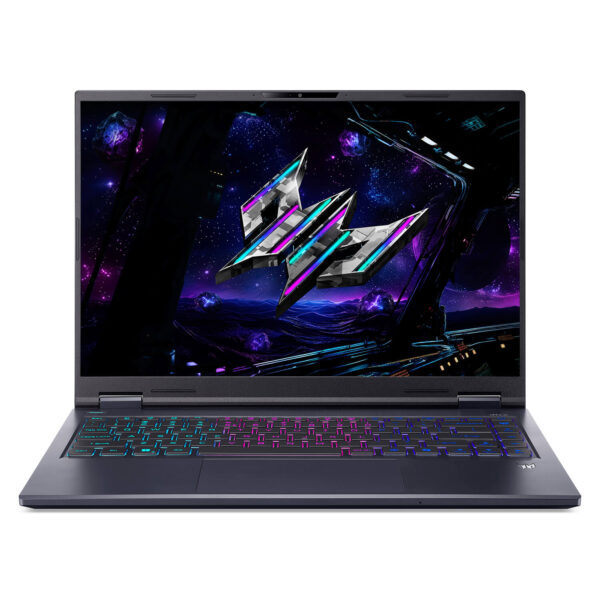




Acer Predator Helios Neo 14 AI (2025)
- CPU: Intel Core Ultra 9 285H Up To 5.4GHz (16 Cores, 16 Threads, 24MB Cache - 13 TOPS NPU)
- RAM: LPDDR5X 32GB 7467MHz
- SSD: 1TB PCIe Gen4 M.2 SSD
- VGA: NVIDIA® GeForce RTX™ 5070 8GB GDDR7
- DISPLAY: 14.5" IPS WQXGA (2560 x 1600), 165Hz, 3ms, ComfyView, NVIDIA G-SYNC™, 100% DCI-P3
- CONDITION: New 100% Full Box
- WARRANTY: 12-month warranty
- Thiết kế kim loại 14,5 inch của Acer Predator Helios Neo 14 AI
- Màn hình 14,5 inch WQXGA 165Hz chống chói
- Hiệu năng Helios Neo 14 AI Core Ultra 9 285H
- RTX 5070 115W chơi game ở độ phân giải gốc 2.5K
- Tản nhiệt AeroBlade 3D thế hệ 5 và kim loại lỏng
- Bàn phím RGB 3 vùng, touchpad và âm thanh DTS:X Ultra
- Cổng kết nối trên Predator Helios Neo 14 AI: Thunderbolt 4, HDMI 2.1
- Pin 76Wh và sạc USB-C 90W khi đi ra ngoài
- Tổng kết và Đánh giá Acer Predator Helios Neo 14 AI
- FAQ - Các câu hỏi thường gặp về Acer Predator Helios Neo 14 AI
- Mua Acer Predator Helios Neo 14 AI ở đâu uy tín, giá tốt?
Acer Predator Helios Neo 14 AI (PHN14-71-906J) là laptop gaming 14,5 inch nặng khoảng 1,9kg. Máy dùng Intel Core Ultra 9 285H 16 nhân, card NVIDIA GeForce RTX 5070 8GB GDDR7 chạy tối đa 115W, 32GB RAM LPDDR5X, SSD 1TB và màn hình IPS 2560 x 1600 tần số quét 165Hz chống chói. Bài viết phân tích hiệu năng chơi game, chất lượng màn hình, tản nhiệt, pin và những điểm cần lưu ý trước khi mua.
Thiết kế kim loại 14,5 inch của Acer Predator Helios Neo 14 AI
Nắp và đáy của Acer Helios Neo 14 AI làm bằng nhôm màu đen Abyssal Black, mặt nắp có logo Predator phát sáng RGB đổi màu được. Kích thước 325 x 254mm, độ dày từ 11,4mm ở cạnh trước đến 20,8mm ở phía sau, gọn hơn nhiều so với các mẫu gaming 16 inch như Helios Neo 16, nên bỏ vừa balo laptop 15 inch để mang đi học hay đi làm. Đây là mẫu Helios gọn nhất trong dòng Acer Predator.
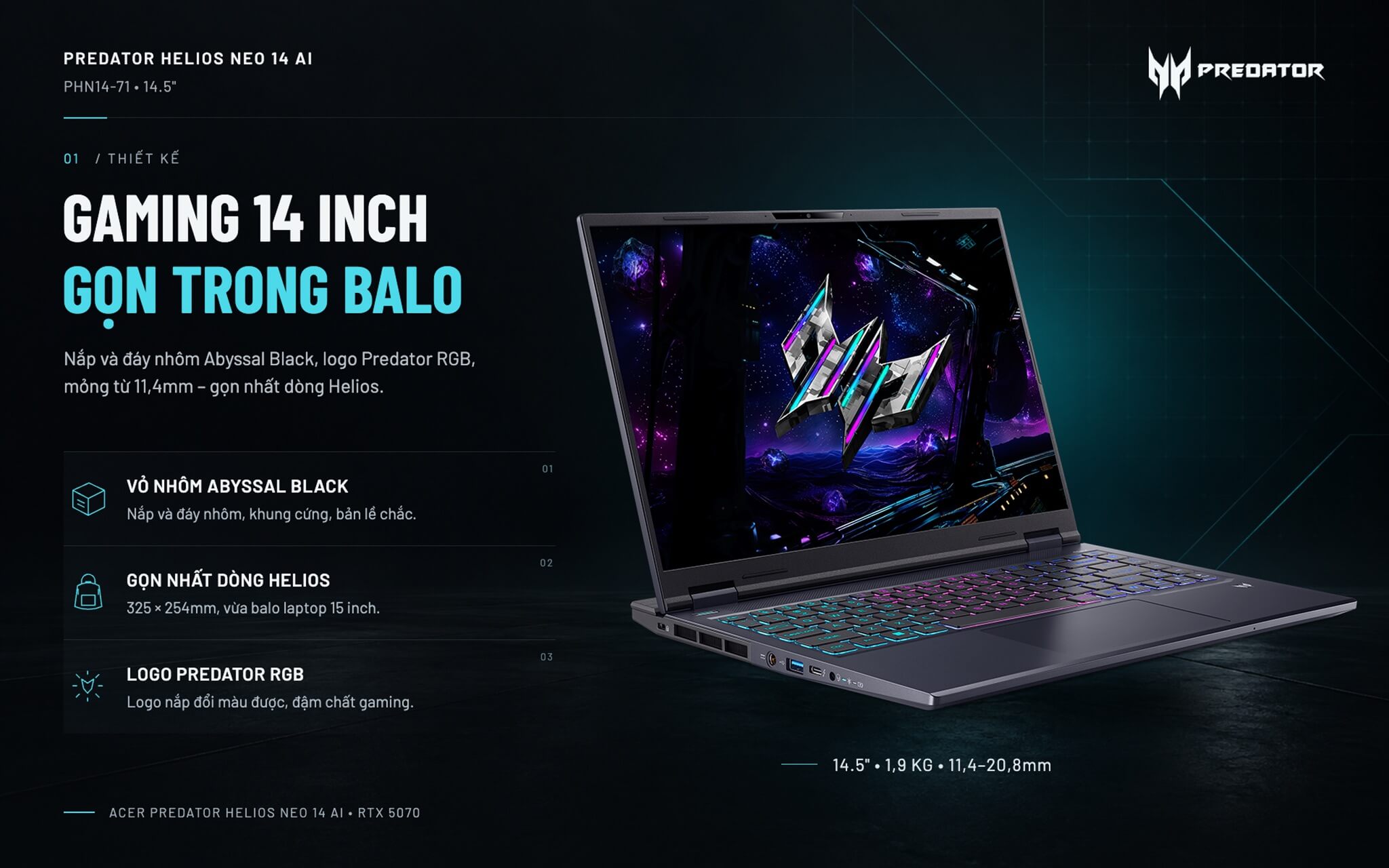
Khung máy cứng, bản lề giữ màn hình chắc và mở được bằng một tay. Phần sau máy nhô ra để chứa khe thoát gió, khiến chiều sâu lên tới 25,4cm, nhiều túi chống sốc 14 inch sẽ không vừa. Mặt kê tay làm bằng nhựa, và theo PCWorld, phần đáy hơi kêu nhẹ khi ấn mạnh.
Màn hình 14,5 inch WQXGA 165Hz chống chói
Predator Helios Neo 14 AI trang bị màn hình TFT LCD tấm nền IPS 14,5 inch, độ phân giải 2560 x 1600 (WQXGA), tỉ lệ 16:10 và tần số quét 165Hz. Tỉ lệ 16:10 cao hơn màn 16:9 khoảng 10%, nên xem bản đồ trong game hay trang tính Excel được nhiều nội dung hơn.
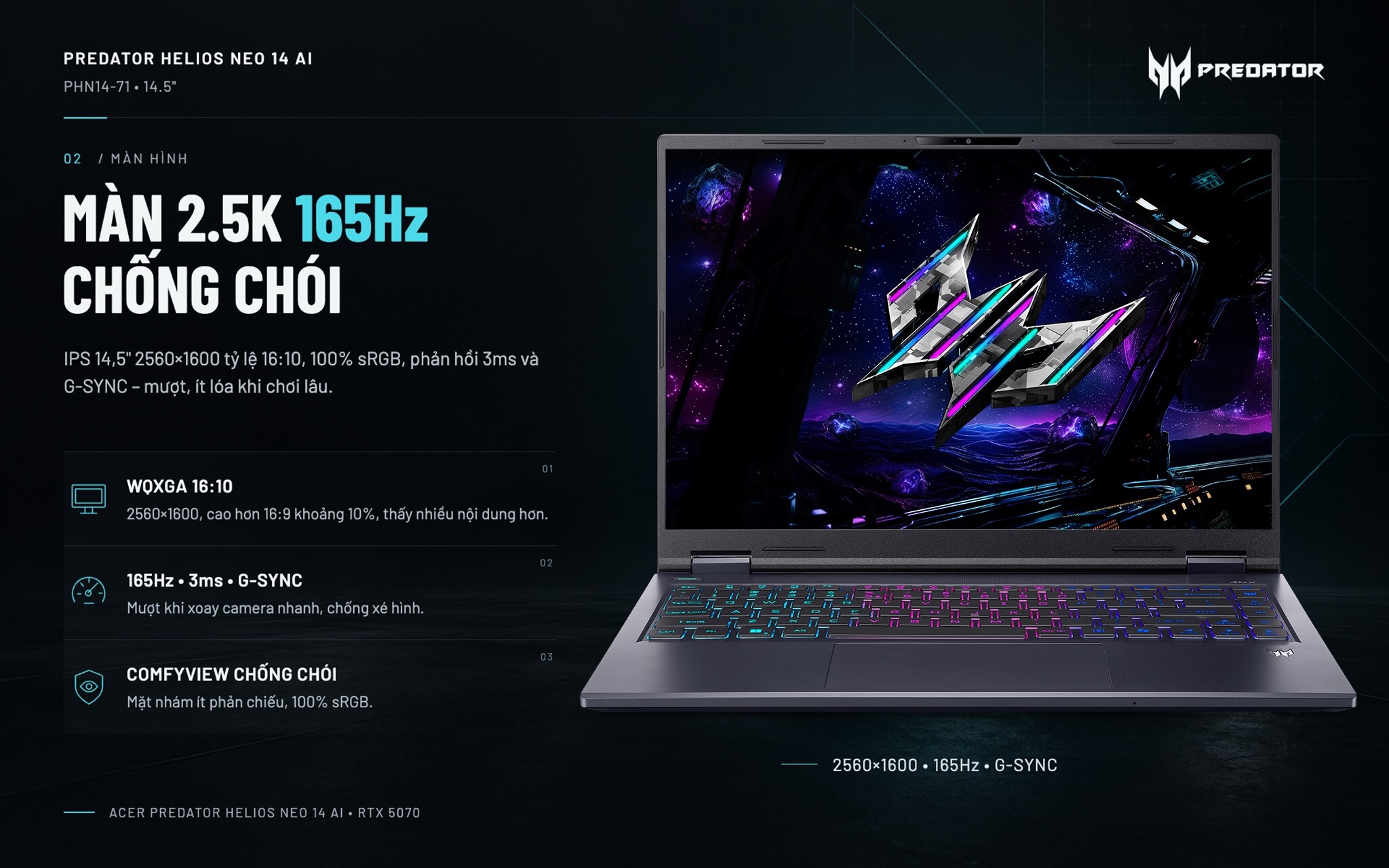
Màn phủ 100% gam màu sRGB, phản hồi 3ms ở chế độ Overdrive giúp giảm bóng mờ khi xoay camera nhanh, kèm NVIDIA G-SYNC chống xé hình. Bề mặt nhám ComfyView ít phản chiếu đèn trần hay cửa sổ, ngồi chơi game hay làm việc lâu không bị lóa.
Ngoài bản IPS này, dòng máy còn có tùy chọn màn OLED 2880 x 1800 120Hz phủ 100% DCI-P3, màu rực hơn nhưng mặt bóng dễ phản chiếu. Màn IPS 165Hz chuyển động mượt hơn trong game bắn súng và không lo lưu ảnh khi để giao diện tĩnh lâu.
Hiệu năng Helios Neo 14 AI Core Ultra 9 285H
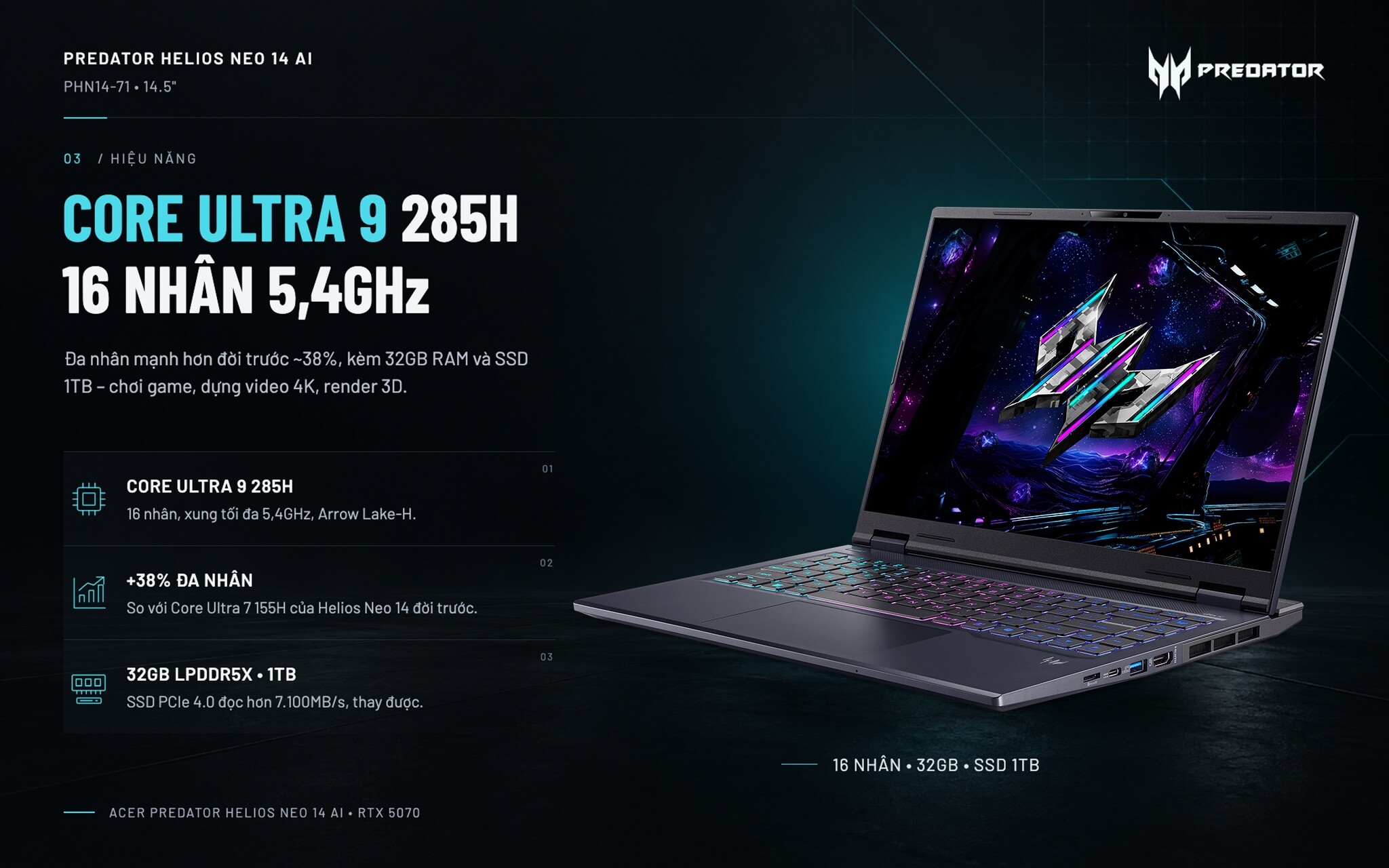
Intel Core Ultra 9 285H thuộc thế hệ Arrow Lake-H, gồm 16 nhân (6 nhân hiệu năng cao, 8 nhân tiết kiệm điện, 2 nhân siêu tiết kiệm điện), xung tối đa 5,4GHz. Bảng dưới so sánh chip này với Core Ultra 7 255H trên bản thấp hơn, Core Ultra 7 155H của Helios Neo 14 đời trước, cùng hai chip thường gặp trên laptop gaming cùng tầm giá.
| Vi xử lý | Nhân / Luồng | Cinebench R23 đơn nhân | Cinebench R23 đa nhân | Geekbench 6 đa nhân |
|---|---|---|---|---|
| Core Ultra 9 285H (máy này) | 16 / 16 | 2.130 | 20.782 | 16.207 |
| Core Ultra 7 255H (Helios Neo 14 AI bản thấp) | 16 / 16 | 2.061 | 17.845 | 15.223 |
| Core Ultra 7 155H (Helios Neo 14 đời trước) | 16 / 22 | 1.743 | 15.028 | 12.385 |
| Ryzen AI 9 HX 370 | 12 / 24 | 2.018 | 21.762 | 14.996 |
| Core i7-14700HX | 20 / 28 | 2.103 | 24.595 | 15.765 |
Số liệu tham khảo trung bình theo Notebookcheck, kết quả thực tế thay đổi theo chế độ hiệu năng và tản nhiệt của từng máy.
So với Core Ultra 7 155H trên Helios Neo 14 đời trước, Helios Neo 14 AI tăng khoảng 38% điểm đa nhân Cinebench R23 và khoảng 22% điểm đơn nhân. Core Ultra 9 285H cũng nhỉnh hơn khoảng 16% so với Core Ultra 7 255H trên bản thấp hơn của chính dòng máy này. Trong game, đơn nhân cao giúp giữ khung hình ổn định ở các tựa eSports như Valorant, CS2 hay Liên Minh Huyền Thoại.
Ngoài chơi game, máy xử lý tốt dựng video 4K trên Premiere hay DaVinci Resolve, render 3D, lập trình, chạy máy ảo. Trong bài thử nén video Handbrake của PCWorld, Helios Neo 14 AI còn hoàn thành nhanh hơn Legion 5i dùng Core i7-14700HX, dù chip HX này có điểm Cinebench cao hơn.
Bộ nhớ RAM 32GB LPDDR5X trên Predator Helios Neo 14 AI được hàn trên bo mạch, không nâng cấp được về sau. Bù lại, 32GB đã đủ cho game, livestream và phần mềm đồ họa chạy cùng lúc trong nhiều năm. Ổ SSD M.2 2280 PCIe 4.0 1TB thì thay được, PCWorld đo tốc độ đọc tuần tự hơn 7.100MB/s.
Một điểm cần nói rõ: trang Acer có nhắc tới Copilot+ PC, nhưng NPU của Core Ultra 9 285H chỉ đạt 13 TOPS, thấp hơn mức 40 TOPS Microsoft yêu cầu. Vì vậy, máy không có các tính năng Copilot+ như Recall hay Cocreator. Các tác vụ AI vẫn chạy được trên card RTX 5070 (798 AI TOPS), và ChatGPT, Copilot, Gemini dùng bình thường.
RTX 5070 115W chơi game ở độ phân giải gốc 2.5K
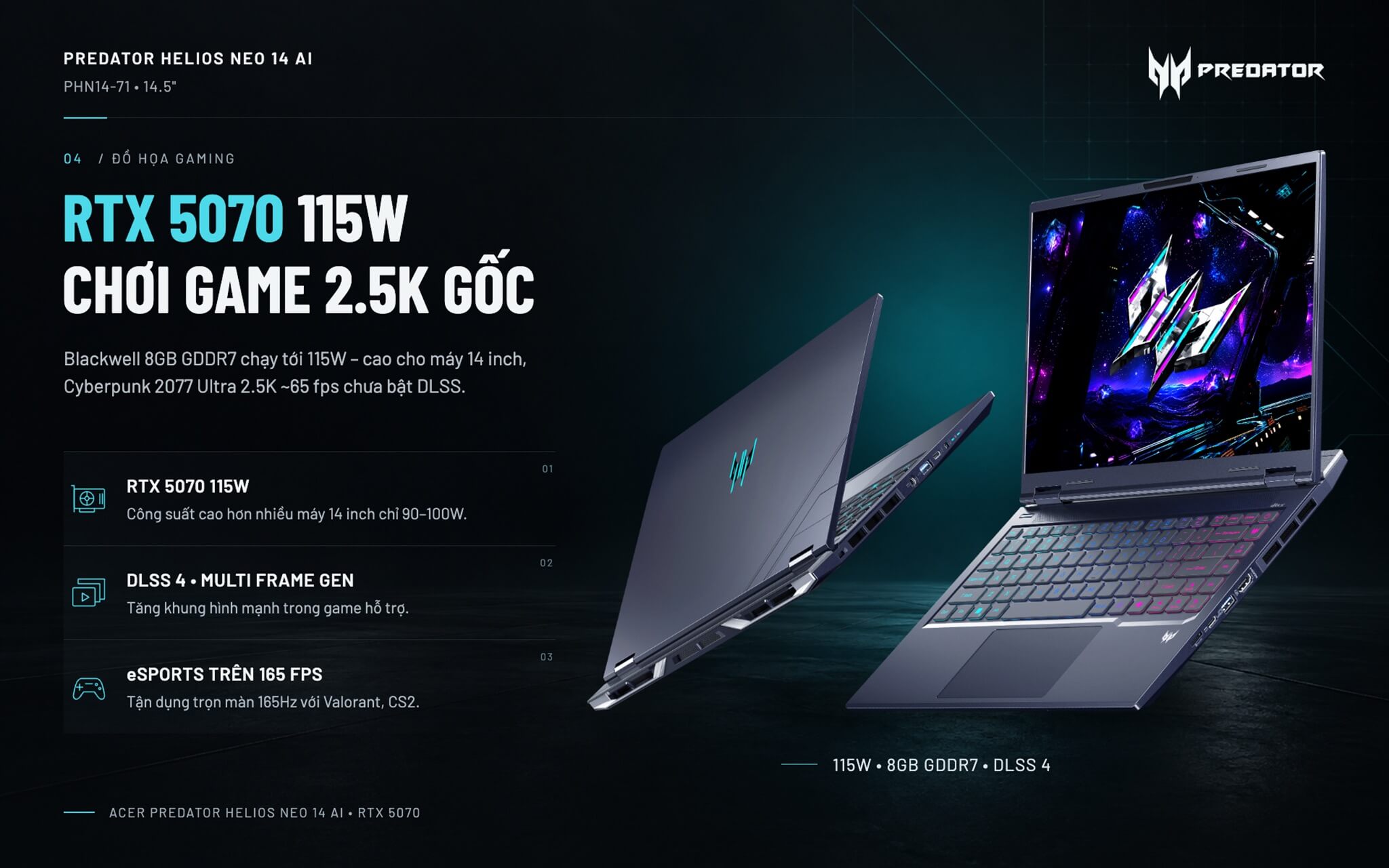
Card NVIDIA GeForce RTX 5070 Laptop dùng kiến trúc Blackwell, 4.608 nhân CUDA, 8GB GDDR7 và công suất tối đa 115W kèm Dynamic Boost. Mức 115W khá cao với một máy 14 inch; nhiều mẫu cùng cỡ chỉ chạy 90 đến 100W. Bảng dưới đặt RTX 5070 của Predator Helios Neo 14 AI cạnh RTX 5060 trên bản thấp hơn, RTX 4070 của đời trước và RTX 5070 Ti.
| Bài kiểm tra | RTX 5070 (máy này) | RTX 5060 | RTX 4070 | RTX 5070 Ti |
|---|---|---|---|---|
| 3DMark Time Spy (đồ họa) | 13.536 | 11.755 | 11.960 | 16.740 |
| Cyberpunk 2077 (1080p, Ultra) | ~101 fps | ~85 fps | ~83 fps | ~118 fps |
| Cyberpunk 2077 (QHD, Ultra) | ~65 fps | ~55 fps | ~50 fps | ~81 fps |
| Black Myth: Wukong (1080p, High) | ~65 fps | ~50 fps | ~54 fps | ~76 fps |
| Battlefield 6 (1080p, Ultra) | ~79 fps | ~70 fps | ~73 fps | ~97 fps |
Số liệu tham khảo trung bình theo Notebookcheck, chưa bật DLSS. Khung hình trên từng máy thay đổi theo công suất card và chế độ hiệu năng.
Ở độ phân giải gốc 2560 x 1600, Acer Predator Helios Neo 14 AI RTX 5070 chơi Cyberpunk 2077 thiết lập Ultra khoảng 65 fps, và có thể vượt 100 fps khi bật DLSS 4 kèm tạo khung hình đa luồng (Multi Frame Generation). Các game eSports chạy trên 165 fps, tận dụng trọn màn 165Hz. Điểm hạn chế là 8GB VRAM: một số game mới ở thiết lập texture cao nhất có thể hết bộ nhớ đồ họa, khi đó nên hạ texture xuống một bậc.
Tản nhiệt AeroBlade 3D thế hệ 5 và kim loại lỏng
Bên trong Acer Predator Helios Neo 14 AI là quạt AeroBlade 3D thế hệ 5 với cánh quạt mỏng, các ống dẫn nhiệt dạng vector và keo tản nhiệt kim loại lỏng trên CPU. Kim loại lỏng dẫn nhiệt tốt hơn keo thường nhiều lần, giúp CPU mát hơn khi chạy tải nặng. Gió được hút vào từ đáy và khe trên bàn phím, rồi thổi ra phía sau và hai bên hông.
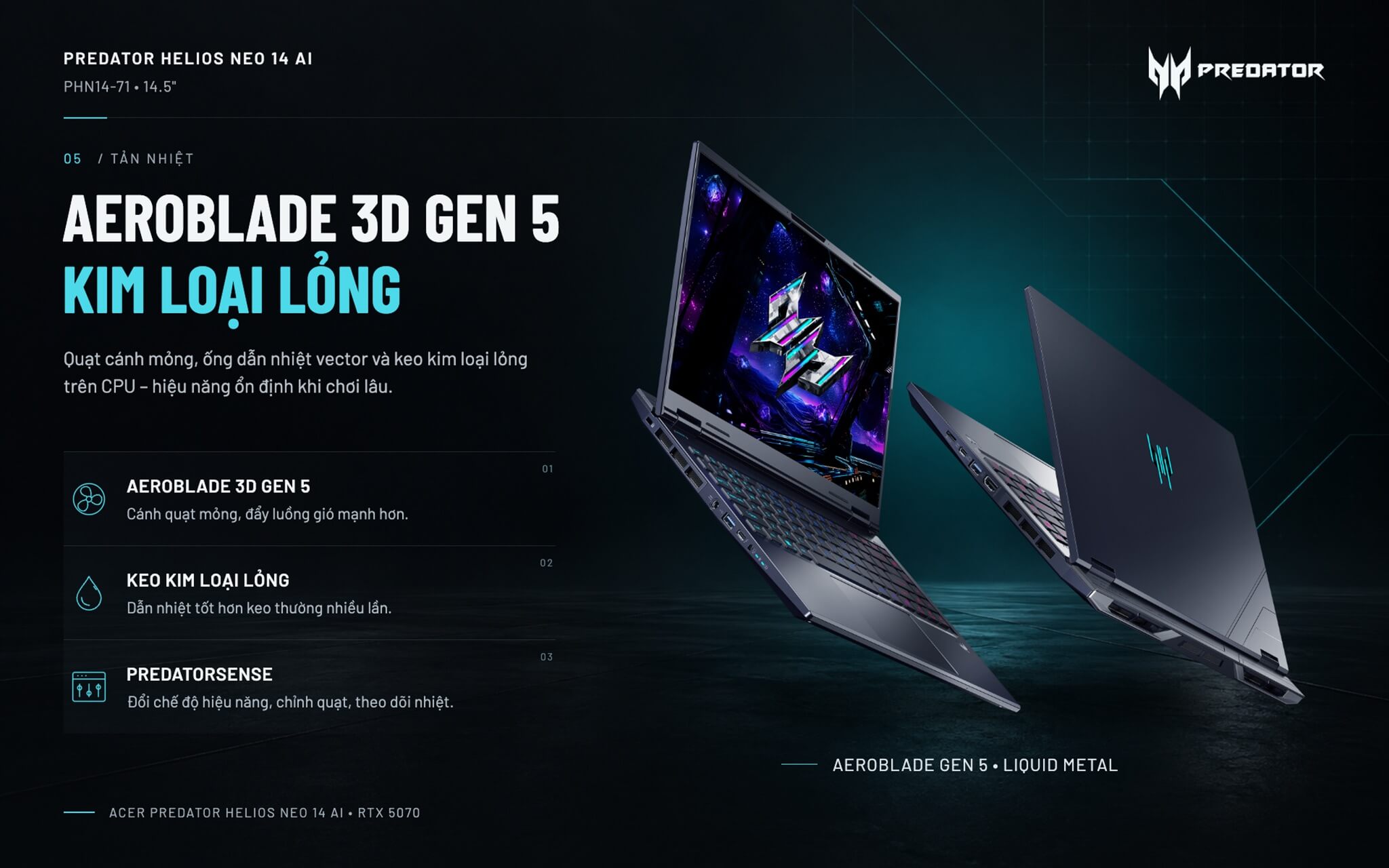
Theo PCWorld, máy vượt qua bài thử độ ổn định 3DMark Steel Nomad Light, nghĩa là hiệu năng gần như không tụt khi chơi game lâu. Quạt nghe rõ khi tải nặng và khá ồn ở chế độ Turbo, trong khi chế độ này chỉ tăng thêm chút ít hiệu năng. Phần mềm PredatorSense cho phép đổi chế độ hiệu năng, chỉnh tốc độ quạt và theo dõi nhiệt độ ngay trên máy.
Bàn phím RGB 3 vùng, touchpad và âm thanh DTS:X Ultra
Bàn phím có đèn nền RGB chia 3 vùng, chỉnh màu và hiệu ứng trong PredatorSense, kèm phím tắt PredatorSense, đèn báo Caps Lock và đèn báo tắt micro. Các phím mũi tên to đủ cỡ, bên phải có thêm một cột phím điều khiển đa phương tiện, nhưng máy không có bàn phím số. Theo PCWorld, mặt phím hơi cong lồi và độ nảy chưa đều giữa tâm với mép phím, nên người gõ văn bản nhiều sẽ cần vài ngày để quen.
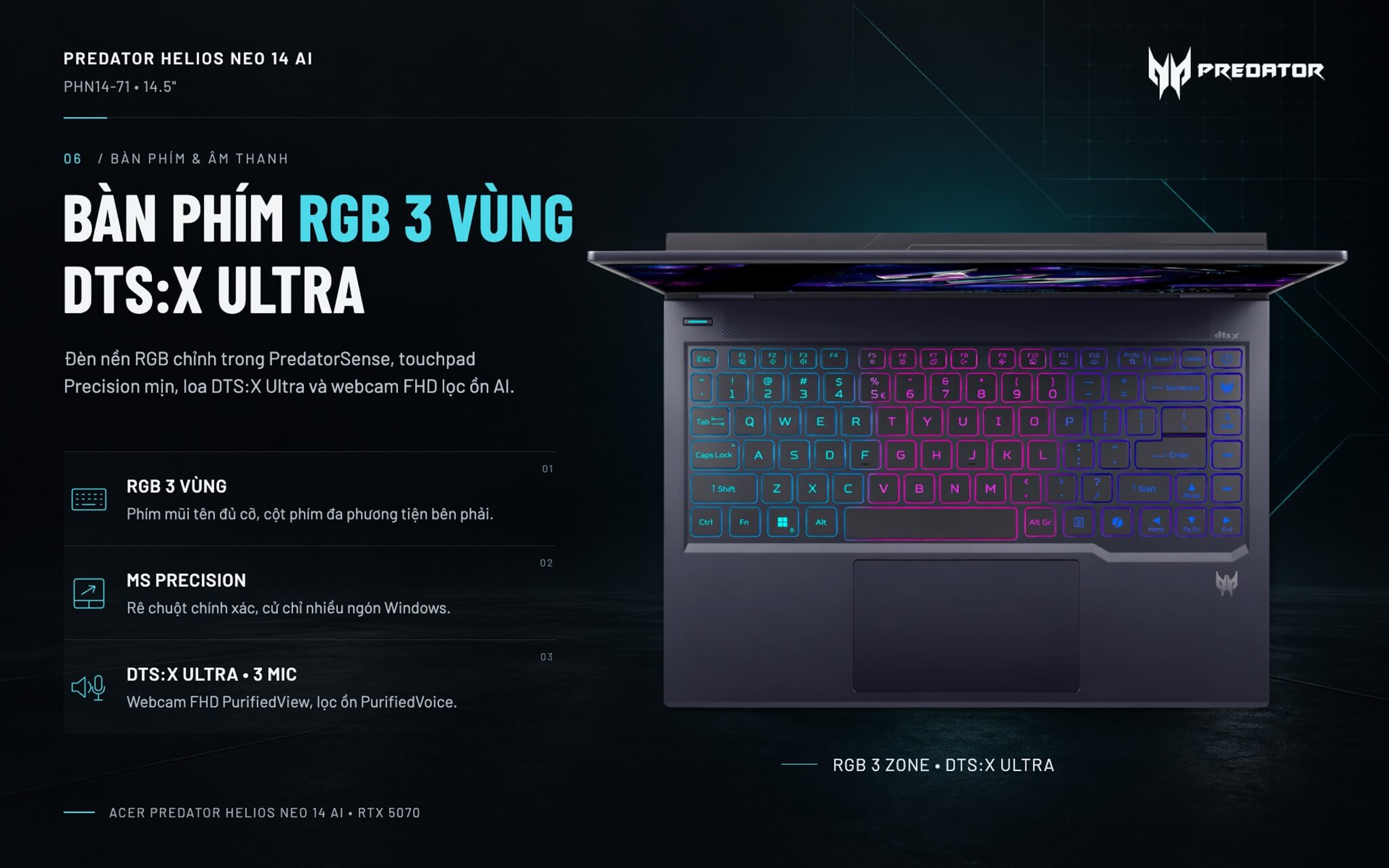
Touchpad của Predator Helios Neo 14 AI đạt chuẩn Microsoft Precision, hỗ trợ đầy đủ thao tác nhiều ngón của Windows như vuốt ba ngón chuyển cửa sổ, chụm hai ngón để thu phóng. Bề mặt mịn, rê chuột chính xác, còn cú nhấn hơi cứng. Hai loa ngoài được tinh chỉnh bằng DTS:X Ultra, âm lượng lớn nhưng thiên về giọng và âm cao, ít bass; khi chơi game hay nghe nhạc lâu, tai nghe vẫn là lựa chọn tốt hơn.
Webcam Full HD đặt trên màn hình, đi kèm Acer PurifiedView 2.0 tự căn khung mặt, làm mờ phông và chỉnh hướng nhìn khi gọi video. PurifiedVoice 2.0 dùng 3 micro và AI để lọc tiếng ồn xung quanh. Riêng phần mềm Acer ProCam tự nhận ra và ghi lại các pha highlight trong game.
Cổng kết nối trên Predator Helios Neo 14 AI: Thunderbolt 4, HDMI 2.1
Acer Helios Neo 14 AI có 1 cổng Thunderbolt 4 40Gbps, 1 cổng USB-C 10Gbps (cả hai cùng xuất hình và sạc được), 2 cổng USB-A 10Gbps, 1 cổng HDMI 2.1, khe thẻ microSD, jack âm thanh 3.5mm và khe khóa Kensington. Cổng HDMI 2.1 xuất được màn hình rời 4K tần số quét cao, tiện khi cắm màn hình lớn ở nhà. Kết nối không dây dùng Killer Wi-Fi 6E AX1675i và Bluetooth 5.3.
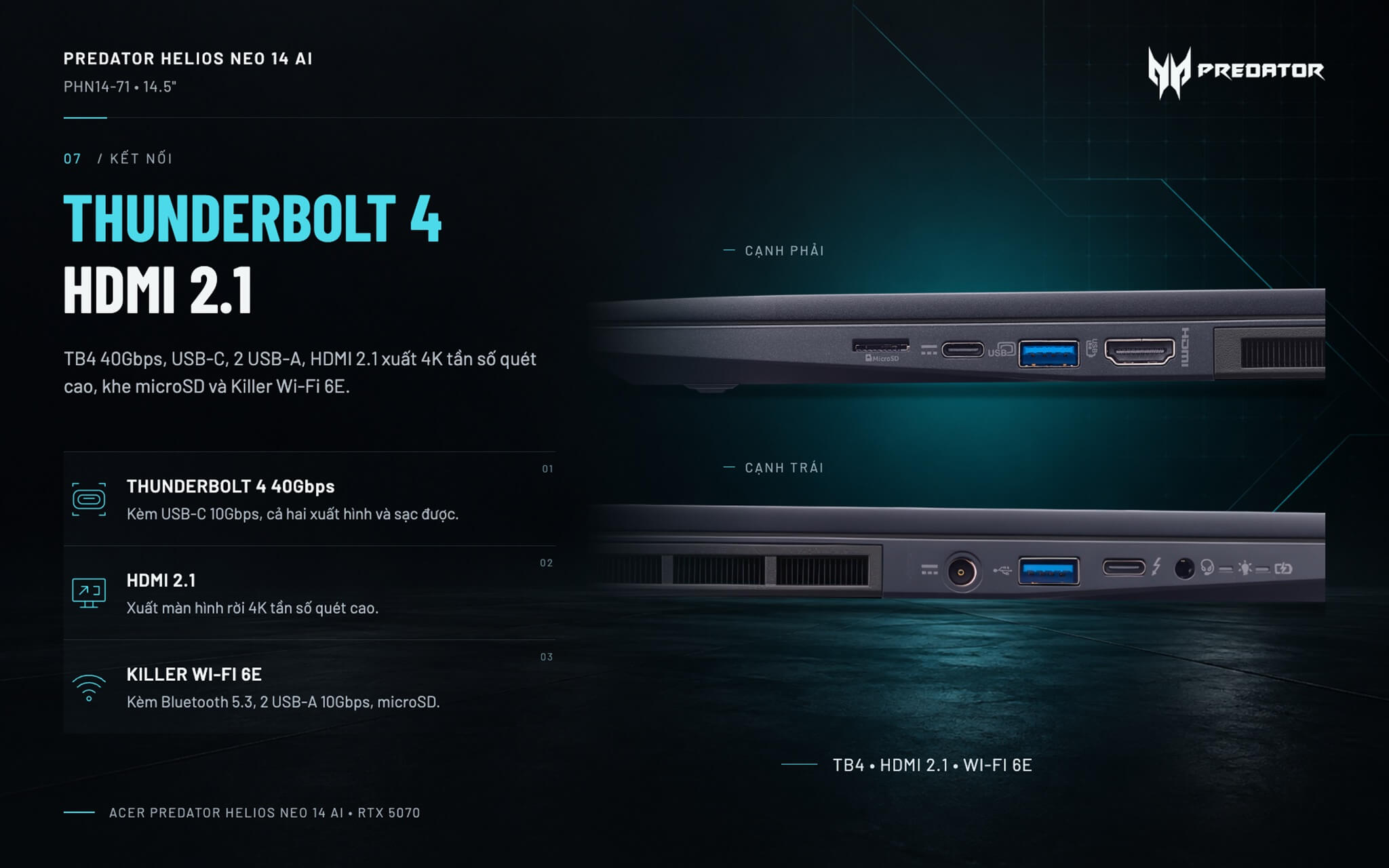
Có hai điểm cần lưu ý. Thứ nhất, máy không có cổng mạng LAN, nếu chơi game online bằng dây mạng bạn cần mua thêm bộ chuyển USB sang LAN. Thứ hai, toàn bộ cổng nằm ở nửa trước hai cạnh vì phía sau dành cho khe thoát gió, nên dây cắm có thể vướng chuột khi chơi. Người đang tìm thêm lựa chọn có thể xem các dòng khác trong danh mục laptop Acer tại Hung Phat.
Pin 76Wh và sạc USB-C 90W khi đi ra ngoài
Viên pin 76Wh của Predator Helios Neo 14 AI được Acer công bố dùng tối đa 13 giờ, nhưng con số đó đo trong điều kiện nhẹ nhất. Theo PCWorld, máy dùng thực tế khoảng 4 đến 5 giờ cho lướt web, làm văn bản và xem phim; chơi game nặng thì nên cắm sạc. Trong cùng bài, phiên bản OLED phát video 4K được hơn 5 giờ.
Adapter đi kèm là loại 230W đầu tròn để chơi game hết công suất. Khi đi học hay đi công tác, bạn có thể để adapter lớn ở nhà và sạc máy bằng củ sạc USB-C 90W gọn nhẹ qua một trong hai cổng USB-C, chỉ lưu ý sạc USB-C không đủ để chạy game nặng.
Tổng kết và Đánh giá Acer Predator Helios Neo 14 AI
Acer Predator Helios Neo 14 AI hợp với game thủ và người làm đồ họa cần máy 14 inch dễ mang theo mà vẫn chơi game ở độ phân giải 2.5K. Core Ultra 9 285H, RTX 5070 115W, 32GB RAM và màn hình 165Hz chống chói là bộ cấu hình cân đối, ít phải hạ thiết lập trong game.
Đổi lại, Helios Neo 14 AI nặng 1,9kg và dày hơn các mẫu 14 inch cao cấp khác, pin thực tế chỉ khoảng 4 đến 5 giờ, loa ít bass, quạt ồn ở chế độ Turbo, không có cổng LAN, RAM không nâng cấp được và không đạt chuẩn Copilot+ PC.
| Ưu điểm | Khuyết điểm |
|---|---|
|
|
FAQ - Các câu hỏi thường gặp về Acer Predator Helios Neo 14 AI
1. Helios Neo 14 AI chơi được game nặng không?
Được. RTX 5070 115W chơi Cyberpunk 2077 Ultra ở 1080p khoảng 100 fps và ở 2560 x 1600 khoảng 65 fps khi chưa bật DLSS. Bật DLSS 4, khung hình còn tăng thêm đáng kể.
2. Bản IPS 165Hz khác bản OLED thế nào?
Bản đang bán tại Hung Phat dùng màn IPS 2560 x 1600 165Hz mặt nhám chống chói, chuyển động mượt và ít phản chiếu. Bản OLED 2880 x 1800 120Hz phủ 100% DCI-P3, màu đẹp hơn cho làm ảnh, video nhưng mặt bóng dễ lóa.
3. RAM và SSD có nâng cấp được không?
RAM 32GB LPDDR5X hàn trên bo mạch nên không nâng cấp được. SSD M.2 2280 PCIe 4.0 1TB thay được bằng ổ dung lượng lớn hơn.
4. Máy có phải Copilot+ PC không?
Không. NPU của Core Ultra 9 285H đạt 13 TOPS, thấp hơn mức 40 TOPS Microsoft yêu cầu. Các tác vụ AI vẫn chạy trên card RTX 5070, và ChatGPT, Copilot, Gemini dùng bình thường.
5. Máy nặng bao nhiêu, có dễ mang theo không?
Máy nặng khoảng 1,9kg, kích thước 325 x 254 x 20,8mm, gọn hơn laptop gaming 16 inch nhưng nặng hơn các mẫu 14 inch văn phòng. Adapter 230W đi kèm khá nặng, khi đi ngắn ngày bạn có thể dùng củ sạc USB-C 90W.
6. Pin dùng được bao lâu?
Khoảng 4 đến 5 giờ cho học tập, làm văn phòng và xem phim. Khi chơi game nặng nên cắm sạc để card chạy đủ công suất.
7. Máy có cổng LAN không?
Không. Máy kết nối mạng qua Killer Wi-Fi 6E AX1675i; nếu cần mạng dây khi chơi game, bạn dùng thêm bộ chuyển USB sang LAN.
8. Máy xuất được màn hình rời không?
Được, qua cổng HDMI 2.1, cổng Thunderbolt 4 và cổng USB-C. HDMI 2.1 xuất được màn hình 4K tần số quét cao.
9. Chính sách bảo hành tại Hung Phat Laptop như thế nào?
Hung Phat Laptop cung cấp máy chính hãng, đầy đủ hóa đơn, bảo hành 12 tháng, đổi trả trong 30 ngày, hỗ trợ kỹ thuật trọn đời và giao hàng toàn quốc.
Mua Acer Predator Helios Neo 14 AI ở đâu uy tín, giá tốt?
Với game thủ cần một chiếc laptop gaming 14 inch đủ sức chơi game 2.5K, dựng video và mang theo hằng ngày, Acer Predator Helios Neo 14 AI là cấu hình RTX 5070 đáng cân nhắc trong tầm giá.
Tại Hung Phat Laptop, bạn được tư vấn chọn đúng cấu hình, kiểm tra máy trước khi nhận, kèm hàng chính hãng, hóa đơn đầy đủ, bảo hành minh bạch và giao hàng toàn quốc.
Performance & benchmarks Acer Predator Helios Neo 14 AI (2025)
Intel Core Ultra 9 285H NVIDIA GeForce RTX 5070 Laptop - best for Programming 9.5/10, Office 9.5/10.
Intel Core Ultra 9 285H
- Cinebench R23 (multi-core)20,781.5
- Geekbench 6 (multi-core)16,207
- Geekbench 6 (single-core)2,878
- NPU (AI)13 TOPS
- Cores / Threads16/16
NVIDIA GeForce RTX 5070 Laptop
- 3DMark Time Spy13,535.5
- 3DMark Fire Strike35,841.5
- VRAM8 GB
- AI INT8798 TOPS
- ArchitectureBlackwell
Best for
Scored from real benchmarks- Gaming Recommended9/10
- Video / Graphics8.5/10
- Programming9.5/10
- Office9.5/10
- AI / Generative AI6/10
Why does the CPU matter?
The CPU is the "brain" that handles every task: launching apps, multitasking, compiling code and editing video. The stronger the CPU, the faster and smoother the laptop runs when you juggle many things at once.
- BasicThis product
Web browsing, streaming and light office work.
- MainstreamThis product
Office work, moderate multitasking and studying.
- Mid-rangeThis product
Solid multitasking, programming and light graphics work.
- StrongThis product
Video editing, heavy programming, virtualization and gaming.
- FlagshipThis product
Heavy rendering, 4K/8K editing, virtual machines and AI workloads.
Why does the GPU matter?
The GPU (graphics card) handles visuals: gaming, video editing, 3D rendering and AI acceleration. The stronger the GPU, the higher your frame rates and the faster your video exports.
- Basic (iGPU)This product
Smooth display, 4K video and very light games (League of Legends, Valorant on low).
- MainstreamThis product
1080p eSports gaming, photo editing and light video editing.
- Mid-rangeThis product
1080p gaming on medium-high settings and smooth Full HD video editing.
- StrongThis product
1080p/1440p gaming on high settings, 4K video editing and 3D rendering.
- FlagshipThis product
4K/240Hz gaming, ray tracing, heavy rendering and AI.
Game performance
Real FPS - QHD- Dota 2140 fps1080p Ultra
- CS2115 fpsQHD Ultra
- GTA V115 fpsQHD Ultra
- CoD: Black Ops 672 fpsQHD Ultra
- Battlefield 647 fpsQHD Ultra
- Star Wars Outlaws34 fpsQHD Ultra
- Black Myth: Wukong26 fpsQHD Ultra
- Cyberpunk 207765 fpsQHD Ultra
≥60fps very smooth30-60fps playable<30fps lower the settings
Local AI performance
Tokens/second running locally on GPU 8GB VRAM- Llama 3.2 11B Vision6.1 GB · ctx 128K44 tok/sDecent
- Gemma 4 E2B IT5.6 GB · ctx 256K48 tok/sDecent
- GLM-4 9B5.1 GB · ctx 128K53 tok/sDecent
- Gemma 4 E4B4.6 GB · ctx 256K58 tok/sRuns well
- Ministral 8B4.6 GB · ctx 32K58 tok/sRuns well
- Qwen 3.5 4B4.6 GB · ctx 32K58 tok/sRuns well
- DeepSeek R1 Distill 7B4.1 GB · ctx 64K66 tok/sRuns well
- Gemma 4 E2B3.1 GB · ctx 256K87 tok/sRuns great
- Qwen 3.5 2B2.5 GB · ctx 32K108 tok/sRuns great
- Phi-4 Mini Reasoning2.4 GB · ctx 16K112 tok/sRuns great
- Llama 3.2 3B2 GB · ctx 128K134 tok/sRuns great
- SmolLM3 3B2 GB · ctx 128K134 tok/sRuns great
- DeepSeek R1 1.5B1.3 GB · ctx 64K207 tok/sRuns great
- Qwen 3.5 0.8B1.3 GB · ctx 32K207 tok/sRuns great
- TinyLlama 1.1B1.1 GB · ctx 2K244 tok/sRuns great
- Llama 3.2 1B1 GB · ctx 128K269 tok/sRuns great
- Gemma 3 12B6.6 GB · ctx 128K41 tok/sDecent
- Mistral Nemo 12B6.6 GB · ctx 128K41 tok/sDecent
- Gemma 2 9B5.1 GB · ctx 8K53 tok/sDecent
- Nemotron Nano 9B v25.1 GB · ctx 128K53 tok/sDecent
- Llama 3.1 8B4.6 GB · ctx 128K58 tok/sRuns well
- Qwen 3 8B4.6 GB · ctx 128K58 tok/sRuns well
- Mistral 7B v0.34.1 GB · ctx 32K66 tok/sRuns well
- Qwen 2.5 7B4.1 GB · ctx 128K66 tok/sRuns well
- Qwen 2.5 Coder 7B4.1 GB · ctx 128K66 tok/sRuns well
- Qwen 3 4B2.5 GB · ctx 32K108 tok/sRuns great
- Gemma 3 4B2.5 GB · ctx 128K108 tok/sRuns great
- Phi-3.5 Mini2.4 GB · ctx 128K112 tok/sRuns great
- Gemma 2 2B1.5 GB · ctx 8K179 tok/sRuns great
- Qwen 3 1.7B1.4 GB · ctx 32K192 tok/sRuns great
- Qwen 2.5 Coder 1.5B1.3 GB · ctx 32K207 tok/sRuns great
- Qwen 3 0.6B1.1 GB · ctx 32K244 tok/sRuns great
- Gemma 3 1B1 GB · ctx 32K269 tok/sRuns great
GreatWellDecent4-bit quantized, ctx = context window
No comments yet
Q&A about Acer Predator Helios Neo 14 AI (2025)
Frequently asked questions about Acer Predator Helios Neo 14 AI (2025)
What are the specifications of Acer Predator Helios Neo 14 AI (2025)?
What is the warranty for Acer Predator Helios Neo 14 AI (2025)?
Can I buy Acer Predator Helios Neo 14 AI (2025) with home delivery?
Worth a Look





Lê Ngọc Tuyết 12 giờ trước
Mình mới sắm con Helios Neo 14 này để phục vụ công việc và giải trí thì thấy cực kỳ ưng ý. Điểm mình thích nhất là màn hình IPS 165Hz của máy, xem phim hay chơi mấy trò bắn súng thấy hình ảnh mượt mà, không bị bóng mờ hay lóa mắt khi ngồi làm việc lâu dưới đèn. Dù là dòng gaming nhưng máy thiết kế khá gọn, mình bỏ vừa vặn vào balo 15 inch để mang đi làm hàng ngày rất tiện. Cấu hình mạnh mẽ với chip Core Ultra 9 và card RTX 5070 giúp mình xử lý mượt các tác vụ đồ họa nặng mà không gặp trở ngại gì. Tổng thể thì mình rất hài lòng với lựa chọn này vì máy vừa mạnh vừa dễ mang theo.