

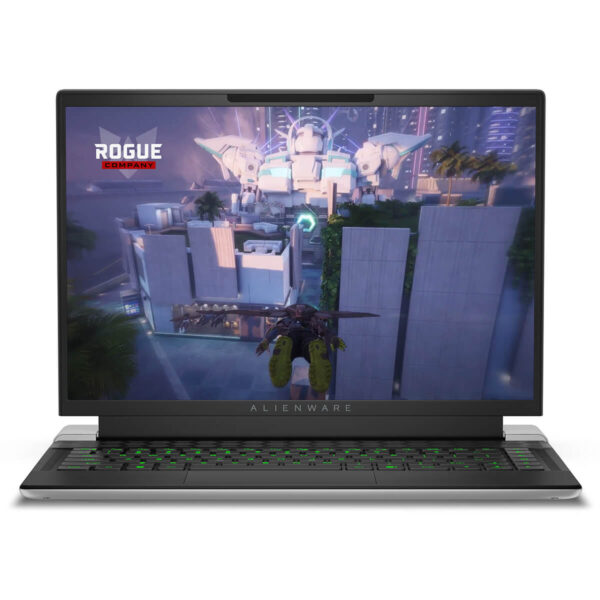
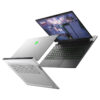
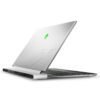
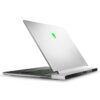
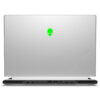
Alienware X14 R2 (2023)
- CPU: Intel Core i7 13620H Up To 4.9GHz (10 Cores, 16 Threads, 24MB Cache)
- RAM: LPDDR5 16GB 4800MHz
- SSD: 512GB PCIe Gen 4 M.2 SSD
- VGA: NVIDIA® GeForce RTX™ 4050 6GB GDDR6
- DISPLAY: 14" QHD+ (2560 x 1200) 165Hz, Non-Touch, 3ms, 100% DCI-P3, Advanced Optimus, ComfortView Plus, NVIDIA G-SYNC, 300 nits
- CONDITION: New 100% Full Box
- WARRANTY: Bảo hành 12 tháng
- Compact design, high mobility
- Superior performance with Core-i Gen 13th and RTX 40 Series
- Sharp display on Alienware X14 R2 (2023)
- Crisp audio with Dolby Atmos®
- Keyboard & Touchpad on Alienware X14 R2 (2023)
- Ports & Connectivity of Alienware x14 R2 2023
- Impressive Cooling & Battery Life
- Summary of Alienware x14 R2 2023
- FAQ - Frequently Asked Questions about Alienware x14 R2 (2023)
- Where to buy Alienware x14 R2 (2023) with good price and reputation?
Dell Alienware X14 R2 asserts its position in the high-end gaming laptop segment thanks to the combination of a unique graphic design and superior performance. Equipped with Intel Gen 13 NVIDIA RTX 4000 series, the machine delivers powerful graphics processing capabilities, ready to conquer heavy AAA titles or eSports with high graphics settings while maintaining stable performance even during high-intensity competition. With a reputation built over time and real-world experiences from the gaming community, this product continues to prove the durability, reliability, and pioneering spirit of the Alienware brand, fully meeting the demanding requirements for both performance and aesthetics of tech enthusiasts.
Compact design, high mobility
Alienware X14 R2 (2023) offers a compact appearance while maintaining the signature powerful style of the X-series Gaming line. The chassis uses aluminum and magnesium alloy, ensuring both high durability and a lightweight build for convenient portability. The luxurious Lunar Light finish along with the prominent Alienware logo on the back creates a high-end gaming identity.
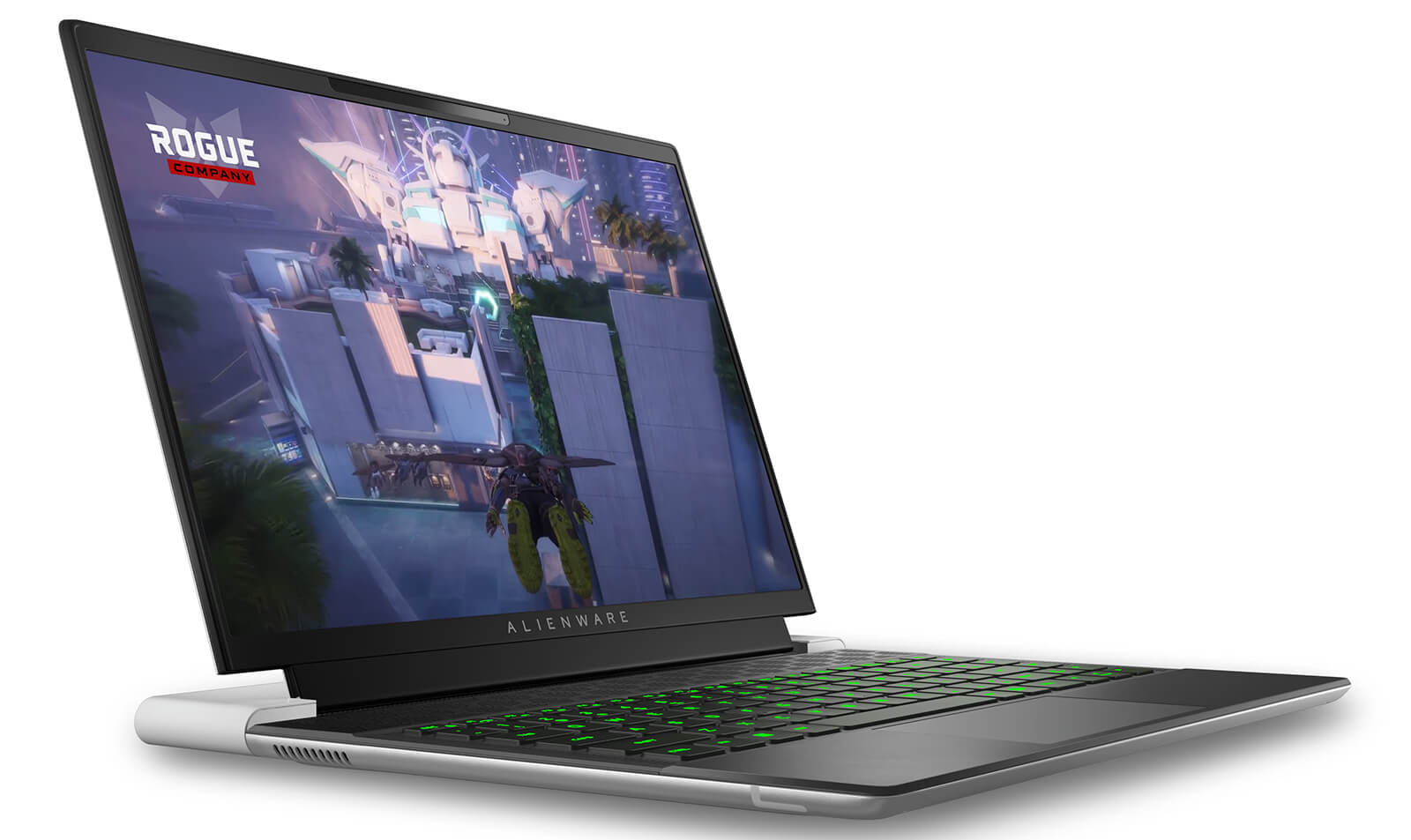
The cooling system is optimally designed with honeycomb air vents at the rear, helping to maintain stable temperatures when handling heavy tasks or long gaming sessions. With dimensions of only 14.5mm x 260.41mm x 321.8mm and a weight of 1.9kg, this is considered the world's thinnest gaming laptop, surpassing even the Asus ROG Zephyrus G14 and Razer Blade 14. To achieve this impressive thinness, the machine has omitted the RGB LED strip on the back.
The 14-inch QHD+ screen supports 100% DCI-P3 color gamut and 300 nits brightness, delivering sharp display quality and authentic colors. The 165Hz refresh rate optimizes the experience when playing high-speed competitive games and provides great support for content creators. Additionally, the Dolby Vision HDR standard improves contrast and image depth, ensuring every frame is vivid and detailed, meeting the strict needs of both gamers and professional graphic designers.
Superior performance with Core-i Gen 13th and RTX 40 Series
Alienware X14 R2 2023 brings an optimal balance between gaming performance and mobility. The machine supports Windows 11 Home or Windows 11 Pro, with options for Intel Core i7-13420H (8 cores, 12MB cache, up to 4.60GHz) or i7-13620H (10 cores, 24MB cache, up to 4.90GHz), meeting the needs for gaming, multitasking, and creative content processing. This design helps users maintain high performance even on the go, suitable for both work and entertainment environments.
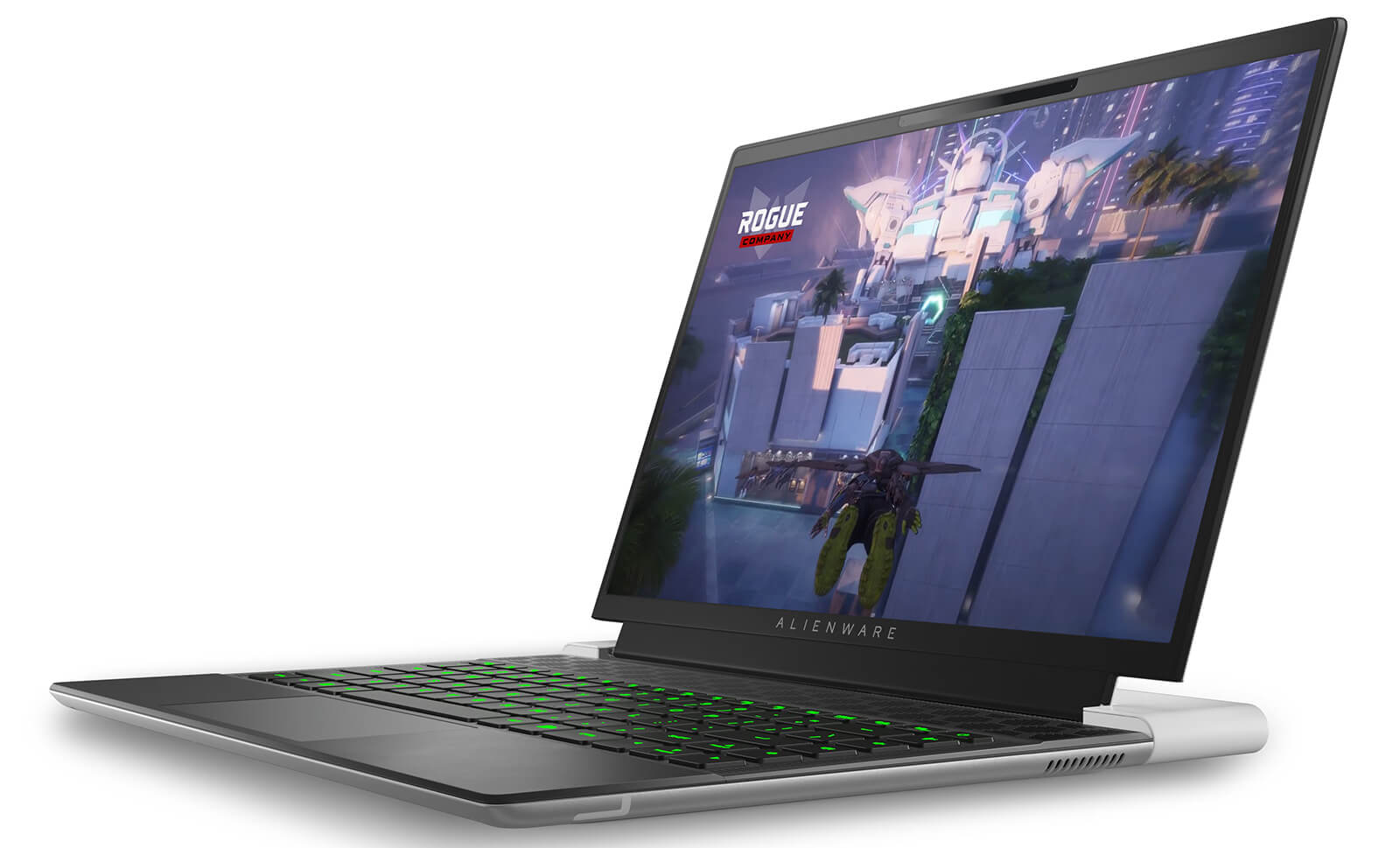
Regarding graphics processing, the device provides NVIDIA GeForce RTX 3050, RTX 4050, and RTX 4060 options, ensuring a smooth experience with AAA and eSports games, while stably running creative software such as Adobe, DaVinci Resolve, or Blender. Integrated Intel UHD Graphics helps save energy when handling light tasks. The LPDDR5 4800MHz RAM with 16GB or 32GB options effectively meets multitasking and browsing many tabs without lagging.
Flexible storage space with SSD PCIe Gen4 options ranging from 256GB to 4TB provides impressive read/write speeds, suitable for large projects or storing high-capacity video and documents. With a powerful configuration and customizable capabilities, the Alienware X14 R2 becomes the ideal choice for gamers and content creators looking for a compact device capable of handling all tasks.
| Alienware X14 R2 (2023) - Configuration & Performance Comparison | |||
|---|---|---|---|
| Configuration | CPU / GPU Performance | Price | Who is it for? |
| Core i7 13620H 16GB LPDDR5 / 512GB SSD Gen4 RTX 4050 6GB GDDR6 14” QHD+ (2560×1200), 165Hz, 3ms, 100% DCI-P3, G-SYNC | 10 cores / 16 threads (6P + 4E) Max Boost: 4.9GHz RTX 4050 is suitable for 2K eSports gaming, FHD video editing, supports DLSS 3.0 | 32,500,000đ | Mobile gamers, semi-pro streamers, graphic design students, office workers needing a powerful yet compact gaming setup |
| Core i7 13620H 32GB RAM / 1TB SSD RTX 4060 8GB GDDR6 14” QHD+ (2560×1200), 165Hz, 3ms, 100% DCI-P3, G-SYNC | Same CPU but upgraded RAM + GPU RTX 4060 is ~25% stronger than 4050 Great for 4K video editing, AAA games at medium-high settings | 46,500,000đ | Users requiring high multitasking, engineering design, video editing, smooth 2K gaming, and flexible portability |
Sharp display on Alienware X14 R2 (2023)
Alienware X14 R2 (2023) features a 14-inch QHD+ (2560 x 1600) screen with a 165Hz refresh rate and 3ms response time, providing a sharp and smooth visual experience for both gamers and content creators. The 100% DCI-P3 color gamut combined with ComfortView Plus technology helps reduce harmful blue light, ensuring comfort during long working hours while maintaining high color accuracy.
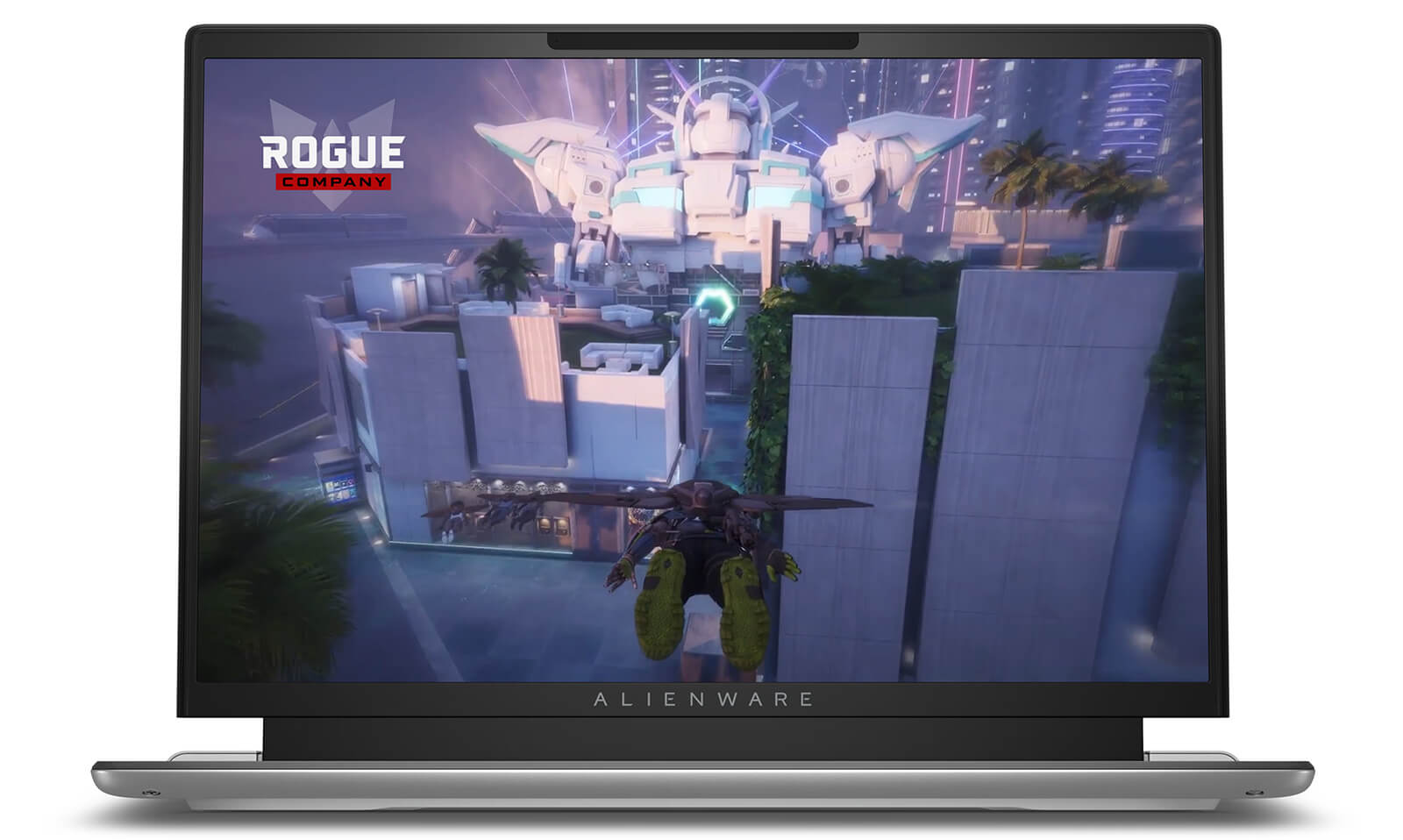
The WVA panel integrates NVIDIA G-SYNC and Advanced Optimus, allowing flexible switching between integrated and discrete GPUs to optimize performance, reduce latency, and increase frame rates in heavy graphics tasks. The 300 nits brightness helps the screen display clearly even in bright environments, meeting the needs of outdoor or bright office use.
To achieve a segment-leading ultra-thin design, the Alienware X14 R2 has minimized some traditional ports such as USB-A, Mini DisplayPort, and Ethernet. Nevertheless, the machine is still fully equipped with USB-C ports that support Power Delivery, high-speed data transfer, and 4K video output, ensuring modern connectivity without sacrificing the sleek design.
Crisp audio with Dolby Atmos®
The Alienware X14 R2 is equipped with a dual-speaker system positioned right above the keyboard, combined with Dolby Atmos® technology to reproduce immersive 3D surround sound. Thanks to precise directional audio, users can clearly perceive every detail from voices and musical instruments to in-game effects, providing a more immersive feeling and elevating the premium audio experience.
Additionally, IntelliGo AI-driven noise cancellation effectively eliminates background noise while enhancing the clarity of mid and high-frequency sounds. Whether in gaming, movie watching, or music listening modes, the Alienware X14 R2 maintains stable, detailed, and emotive sound, meeting the needs of both entertainment and professional work.
Keyboard & Touchpad on Alienware X14 R2 (2023)
Alienware X14 R2 (2023) features an AlienFX RGB keyboard with 85 keys, supporting color and effect customization via the Alienware Command Center, allowing gamers to personalize their experience. The 1.2mm key travel provides a responsive and quick tactile feel, optimized for precise operations in intense matches. The key layout is logically arranged, combined with subtle decorative details, maintaining a premium gaming design style.
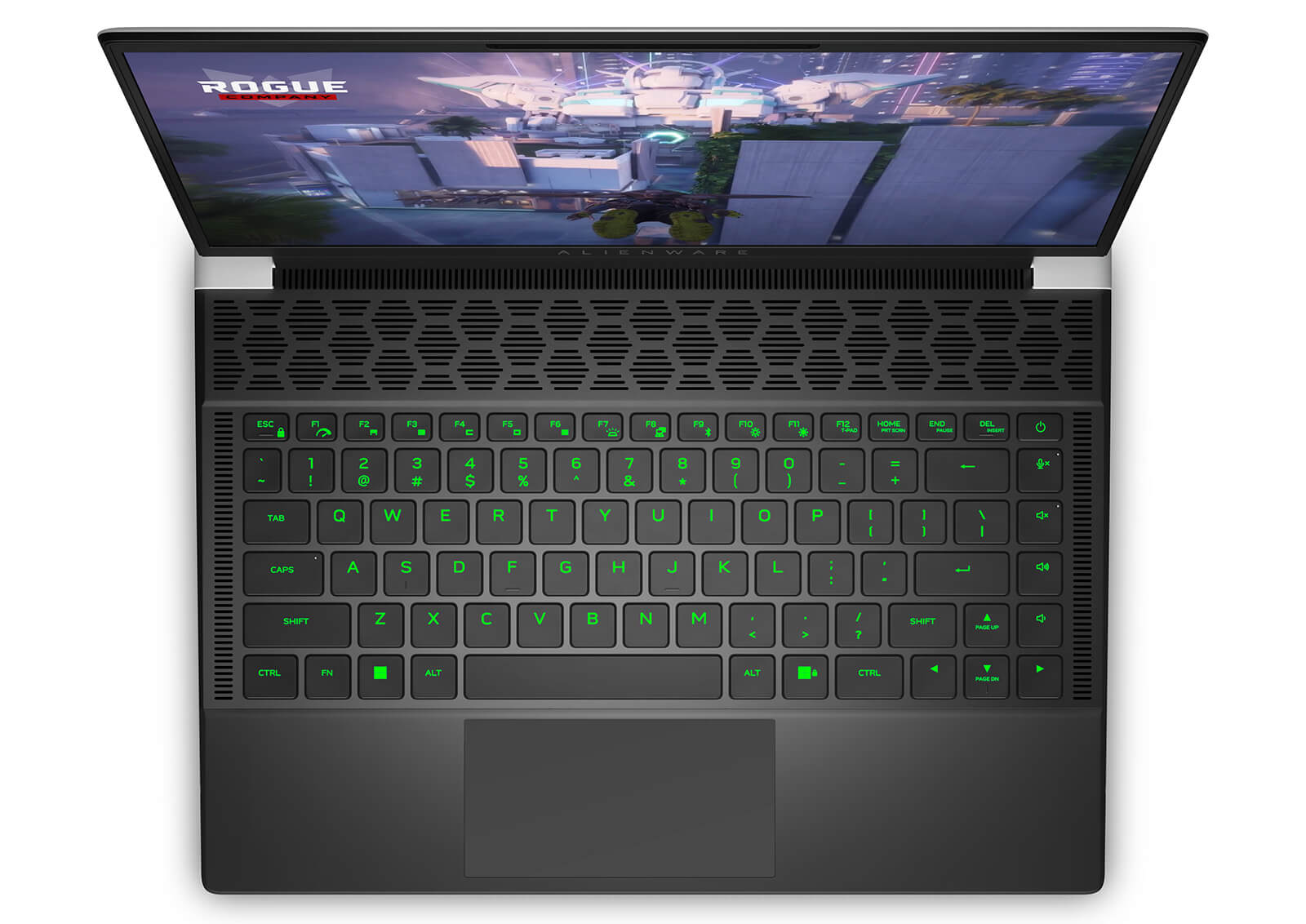
The Touchpad is large, features a smooth glass surface, and supports multi-touch, enabling smooth and precise control when working or gaming. Although the palm rest area is limited due to the thin and light design, the touchpad is placed in a convenient position to ensure comfort during long-term use.
The synchronization between the keyboard and touchpad on the Alienware X14 R2 demonstrates a philosophy of optimizing experience, combining performance, usability, and flexibility. This is clear evidence of Alienware's commitment to quality, meeting the demanding needs of gamers and users who require precision.
Ports & Connectivity of Alienware x14 R2 2023
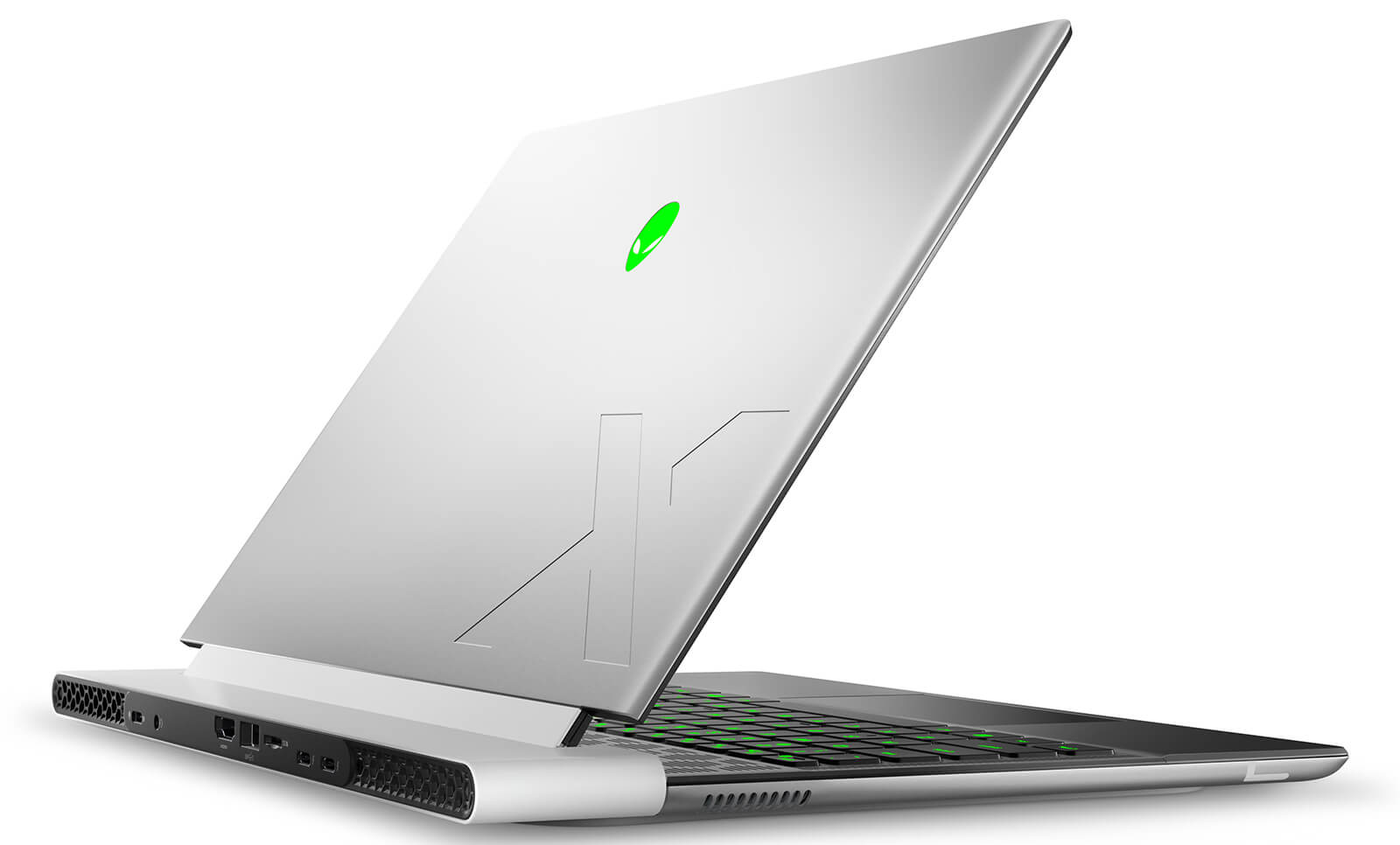
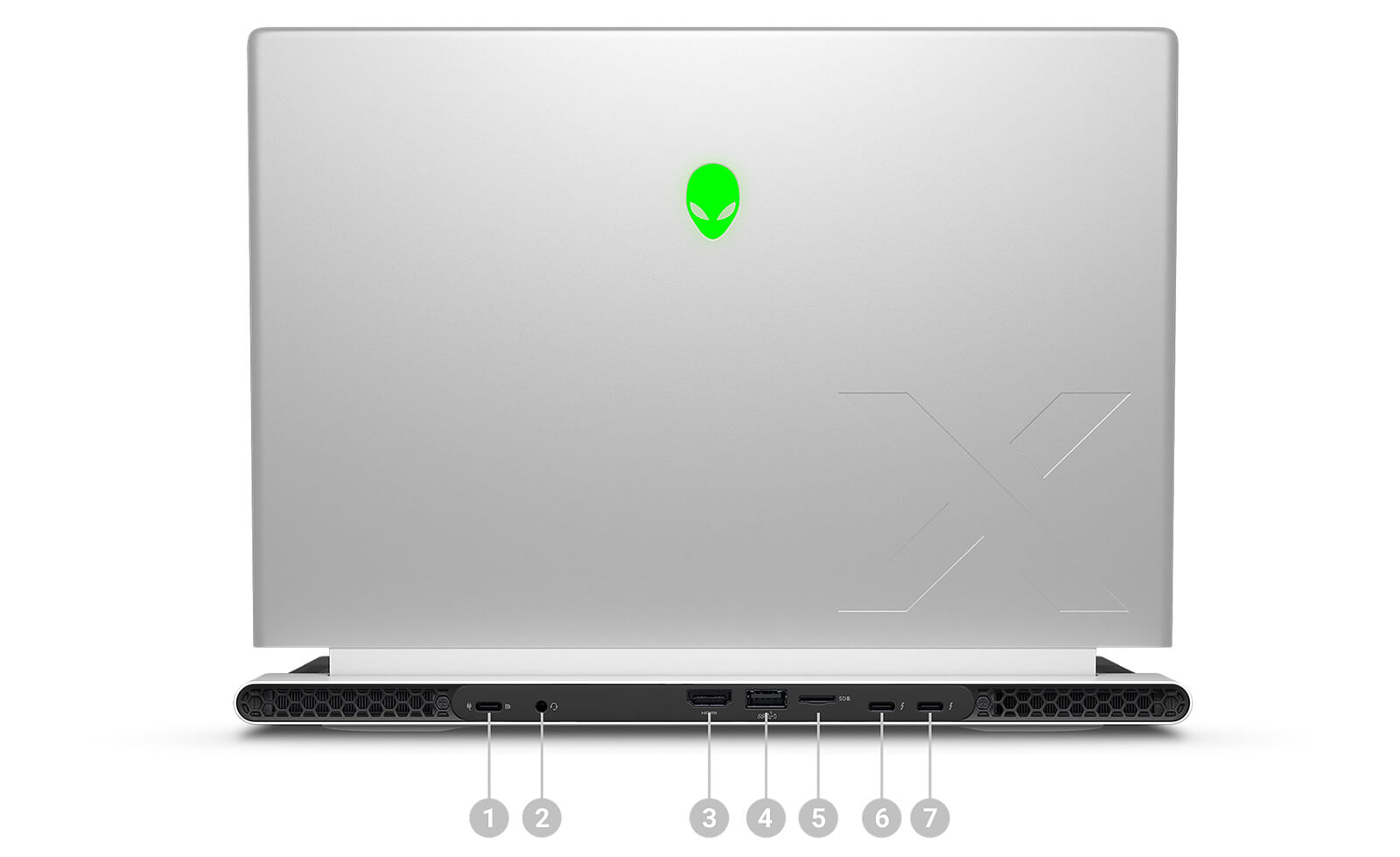
Alienware X14 R2 (2023) features an intelligently refined design that moves all connectivity ports to the rear, providing a neat workspace that is optimal for gaming or multitasking. The machine possesses two Thunderbolt™ 4 ports (Type-C) supporting Power Delivery and DisplayPort™, along with one USB 3.2 Gen 2 Type-C port for fast charging, high-speed data transfer, and DisplayPort™ output. Additionally, the device is equipped with USB 3.2 Gen 1 Type-A PowerShare, HDMI 2.1, a MicroSD UHS-II card reader, and a universal standard 3.5mm headphone jack, flexibly meeting all peripheral connection needs.
Wireless connectivity on the Alienware X14 R2 meets high standards thanks to Intel® Wi-Fi 6E AX211 supporting 802.11ax with 2×2 MU-MIMO configuration, ensuring high speed, low latency, and wide coverage. This helps maintain a stable connection for game streaming, online meetings, or remote work. This technology ensures optimal network performance even in environments with many connected devices.
Additionally, Bluetooth® 5.2 increases flexibility when pairing with headphones, mice, wireless keyboards, or other peripherals, providing a clean and stable experience. This comprehensive connectivity ecosystem not only enhances performance and convenience but also affirms Alienware's Trust and Experience standards in the high-end gaming laptop segment.
Impressive Cooling & Battery Life
Alienware X14 R2 is equipped with the exclusive Cryo-tech™ cooling system, utilizing vapor chambers, copper pipes, and Element 31 material to optimize heat conduction. The dual-intake, four-way exhaust design helps increase cooling efficiency by up to 25% compared to the previous generation, maintaining stable temperatures even when gaming or handling heavy graphics. In practice, the touchpad stays at around 30°C, the keyboard at 35.5°C, and the bottom at 45°C, outperforming many other thin and light gaming laptops.
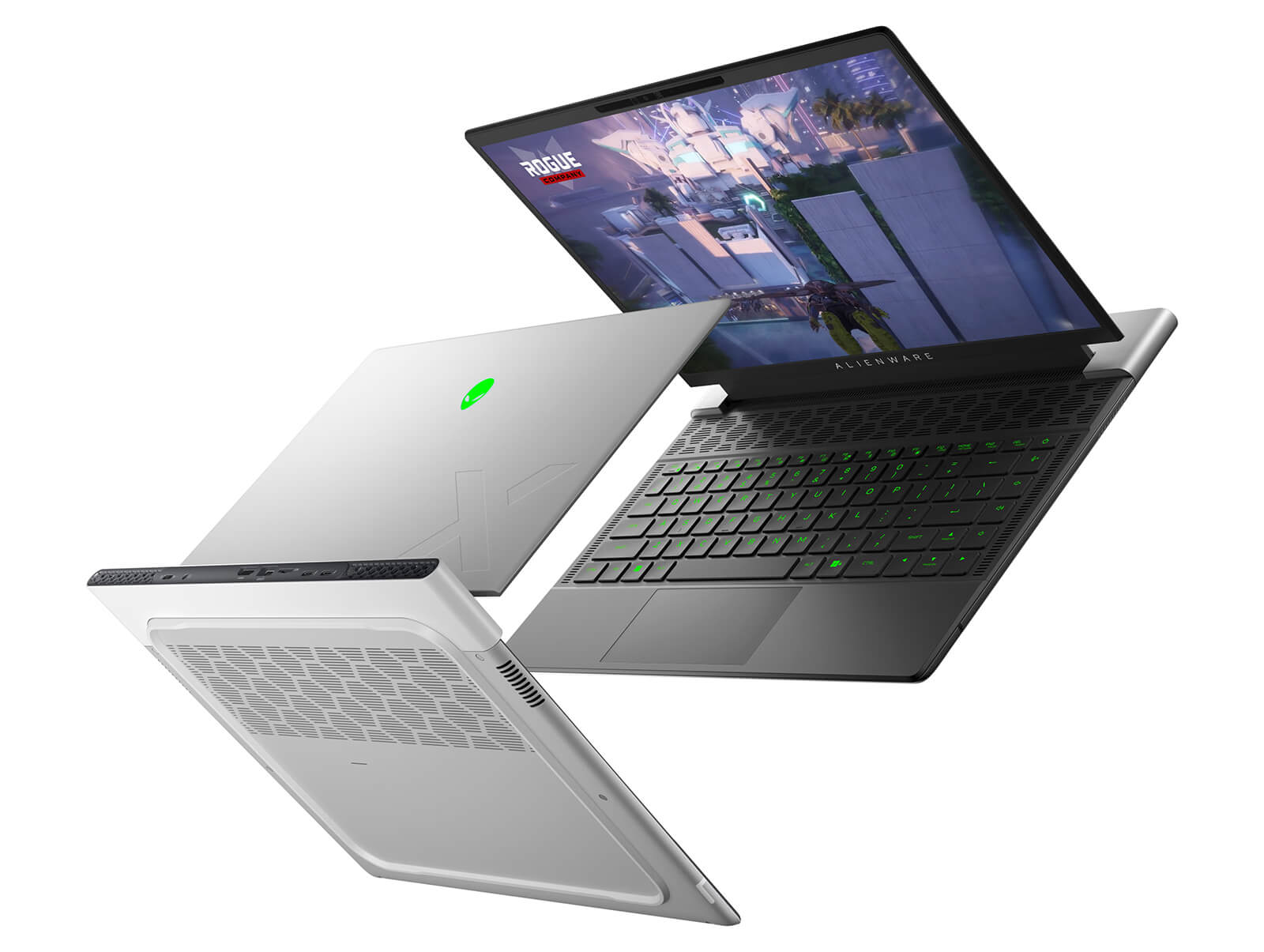
Battery life is optimized thanks to Thermal Control Circuit, allowing up to 5 hours of operation when browsing the web or doing office work at 150 nits brightness, and about 1 hour 15 minutes when gaming or handling heavy tasks. The combination of efficient cooling and durable battery helps the machine maintain stable performance throughout the day, meeting the mobility needs of gamers and content creators.
Summary of Alienware x14 R2 2023
Alienware X14 R2 (2023) is a high-end gaming laptop model that brings a balance between powerful performance and optimized mobility. The machine is equipped with Intel Core Gen 13 NVIDIA RTX 40 series, combined with a QHD+ 165Hz screen supporting Dolby Vision and G-SYNC, smoothly handling everything from AAA games to professional graphics software. The Cryo-tech™ cooling system using Element 31 material helps maintain ideal temperatures, ensuring stable performance during high-intensity tasks.
With a weight of only 1.9kg, a durable metal frame, and an ultra-thin design, the Alienware X14 R2 is particularly suitable for streamers, content creators, engineers, and users who travel frequently. The machine features a series of high-end equipment such as Wi-Fi 6E, Thunderbolt 4, HDMI 2.1, Dolby Atmos sound, RGB keyboard, and a smooth glass touchpad. Despite limitations like soldered RAM, a battery of about 5 hours, and the lack of LAN and traditional USB-A, for those who prioritize performance, compactness, and a comprehensive experience, this remains a worthy choice in the thin and light gaming laptop segment.
| Pros | Cons |
|---|---|
|
|
FAQ - Frequently Asked Questions about Alienware x14 R2 (2023)
1. Is the Alienware x14 R2 suitable for programming and multitasking?
The X14 R2 uses Intel Core Gen 13, LPDDR5 RAM, and PCIe Gen4 SSD, running IDEs (VS Code, IntelliJ), Docker/VM, online meetings, and heavy spreadsheets smoothly and stably.
2. Is using the x14 R2 for light professional 2D/3D graphics okay?
The RTX 4050/4060 Laptop GPU options accelerate Adobe Photoshop/Illustrator, After Effects, Blender... for smooth viewports, fast rendering, and support for popular creative tasks.
3. How is the performance for heavy games and AAA games on the x14 R2?
The 16:10 high refresh rate screen combined with appropriately powered RTX GPUs helps play many AAA titles smoothly at suitable settings; DLSS/Frame Generation effectively boosts FPS.
4. Is the 14-inch 16:10 screen beneficial for coding and content?
The 2560×1600 (165Hz) anti-glare panel with a 16:10 ratio displays more lines of code/spreadsheets, helping to open IDE - documents - browsers side-by-side comfortably.
5. How is the keyboard and touchpad for long hours of typing?
The keyboard has good travel and per-key LED; the touchpad is responsive, providing a comfortable experience for long-term data entry, drafting, and office operations.
6. What is the actual battery life of the x14 R2 during daily work?
According to Digital Trends, the Alienware x14 R2 achieves nearly 10 hours in web browsing tests, showing very good battery life for a thin and light gaming laptop.
Source: Digital Trends
7. Does the machine get hot or loud when running multitasking, coding, or light rendering?
The cooling system with multiple air intakes/exhausts and optimized fans helps the machine maintain stable performance; under heavy load, fans speed up but maintain a balance between temperature and noise.
8. Does the Alienware x14 R2 support Linux installation?
Dell announced that the x14 R2 only officially supports Windows 11; if installing Linux, you may need to disable Hybrid Graphics/Advanced Optimus in the BIOS (Linux does not support it when this feature is enabled).
Source: Dell Supported OS | Dell Service Manual
9. What is the warranty policy at Hung Phat Laptop for the x14 R2?
Hung Phat Laptop provides a 12-month warranty for new machines and a 30-day replacement for manufacturer defects; for like-new/used machines (2023 models and older), it includes a 6-month warranty with the same 30-day replacement policy, along with free cleaning, software installation, and nationwide delivery.
Where to buy Alienware x14 R2 (2023) with good price and reputation?
Buying an Alienware X14 R2 is a reasonable decision for those seeking an ultra-thin gaming laptop that still maintains powerful performance. With a modern design, high configuration, and optimized cooling system, this machine effectively meets the needs of gaming, professional graphics, and content creation. However, to ensure product quality and a reasonable price, choosing a reputable retailer is a key factor.
At Hung Phat Laptop, customers can own an authentic Alienware X14 R2, directly imported from the US with transparent origin and full invoices. The provider offers clear warranty policies, attractive incentives, and dedicated support services, giving users peace of mind throughout the usage process. This is a reliable choice for those wanting to invest in a premium Alienware laptop with competitive pricing and professional after-sales service.
Performance & benchmarks Alienware X14 R2 (2023)
Intel Core i7-13620H NVIDIA GeForce RTX 4050 Laptop GPU - best for Văn phòng 8.5/10, Lập trình 8/10.
Intel Core i7-13620H
- Cinebench R23 (đa nhân)15,176
- Geekbench 6 (đa nhân)11,723
- Geekbench 6 (đơn nhân)2,568
- Cores / Threads10/16
NVIDIA GeForce RTX 4050 Laptop GPU
- 3DMark Time Spy8,125
- 3DMark Fire Strike21,949
- VRAM6 GB
- AI INT8194 TOPS
- ArchitectureAda Lovelace
Best for
Scored from real benchmarks- Chơi game Recommended6/10
- Dựng phim / Đồ hoạ Recommended6/10
- Lập trình Recommended8/10
- Văn phòng8.5/10
Why CPU matters
CPU là “bộ não” xử lý mọi tác vụ: mở ứng dụng, đa nhiệm, biên dịch, dựng phim. CPU càng mạnh, máy càng nhanh và mượt khi làm nhiều việc cùng lúc.
- Cơ bảnThis product
Lướt web, xem phim, soạn thảo văn phòng nhẹ.
- Phổ thôngThis product
Văn phòng, đa nhiệm vừa, học tập.
- Tầm trungThis product
Đa nhiệm tốt, lập trình, đồ hoạ nhẹ.
- Khá mạnhThis product
Dựng phim, lập trình nặng, ảo hoá, chơi game.
- Cao cấpThis product
Render nặng, biên tập 4K/8K, máy ảo, tác vụ AI.
Why GPU matters
GPU (card đồ hoạ) lo phần hình ảnh: chơi game, dựng video, render 3D và tăng tốc AI. GPU càng mạnh, khung hình game càng cao và xuất video càng nhanh.
- Cơ bản (iGPU)This product
Hiển thị mượt, xem phim 4K, game rất nhẹ (LMHT, Valorant mức thấp).
- Phổ thôngThis product
Game eSports 1080p, chỉnh ảnh, dựng video nhẹ.
- Tầm trungThis product
Game 1080p thiết lập trung-cao, dựng video Full HD ổn.
- Khá mạnhThis product
Game 1080p/1440p thiết lập cao, dựng video 4K, render 3D.
- Cao cấpThis product
Game 4K/240Hz, ray tracing, render & AI nặng.
Game performance
Real FPS - QHD- Dota 2132 fps1080p Ultra
- CS279 fpsQHD Ultra
- GTA V58 fpsQHD Ultra
- CoD: Black Ops 650 fpsQHD Ultra
- Star Wars Outlaws23 fpsQHD Ultra
- God of War Ragnarök49 fpsQHD Ultra
- Final Fantasy XVI27 fpsQHD Ultra
- Cyberpunk 207731 fpsQHD Ultra
🟢 ≥60fps rất mượt · 🟡 30-60fps chơi tốt · 🔴 <30fps cần giảm thiết lập
Local AI performance
Tokens/second running locally on GPU 6GB VRAM- DeepSeek R1 Distill 7B4.1 GB · ctx 64K33 tok/sDecent
- Gemma 4 E2B3.1 GB · ctx 256K43 tok/sRuns well
- Qwen 3.5 2B2.5 GB · ctx 32K54 tok/sRuns well
- Phi-4 Mini Reasoning2.4 GB · ctx 16K56 tok/sRuns well
- Llama 3.2 3B2 GB · ctx 128K67 tok/sRuns great
- SmolLM3 3B2 GB · ctx 128K67 tok/sRuns great
- DeepSeek R1 1.5B1.3 GB · ctx 64K103 tok/sRuns great
- Qwen 3.5 0.8B1.3 GB · ctx 32K103 tok/sRuns great
- TinyLlama 1.1B1.1 GB · ctx 2K122 tok/sRuns great
- Llama 3.2 1B1 GB · ctx 128K134 tok/sRuns great
- Mistral 7B v0.34.1 GB · ctx 32K33 tok/sDecent
- Qwen 2.5 7B4.1 GB · ctx 128K33 tok/sDecent
- Qwen 2.5 Coder 7B4.1 GB · ctx 128K33 tok/sDecent
- Qwen 3 4B2.5 GB · ctx 32K54 tok/sRuns well
- Gemma 3 4B2.5 GB · ctx 128K54 tok/sRuns well
- Phi-3.5 Mini2.4 GB · ctx 128K56 tok/sRuns well
- Gemma 2 2B1.5 GB · ctx 8K90 tok/sRuns great
- Qwen 3 1.7B1.4 GB · ctx 32K96 tok/sRuns great
- Qwen 2.5 Coder 1.5B1.3 GB · ctx 32K103 tok/sRuns great
- Qwen 3 0.6B1.1 GB · ctx 32K122 tok/sRuns great
- Gemma 3 1B1 GB · ctx 32K134 tok/sRuns great
🟢 Great · 🟡 Well · 🟠 Decent - 4-bit quantized, ctx = context window
-
MN Minh Nguyễn
Máy này nâng SSD được không shop?
Reply • like- PL Hưng Phát Laptop Administrator
Dạ thoải mái anh nhé. Cụ thể anh muốn nâng lên SSD bao nhiêu dung lượng ạ?
Reply • 1 like
-
Q&A about Alienware X14 R2 (2023)
Frequently asked questions about Alienware X14 R2 (2023)
What are the specifications of Alienware X14 R2 (2023)?
What is the warranty for Alienware X14 R2 (2023)?
Can I buy Alienware X14 R2 (2023) with home delivery?
Worth a Look
Alienware X17 R1 (2021)
Alienware X14 R1 (2022)
Alienware X15 R2 (2022)
Alienware X17 R2 (2022)





Minh Khôi 13/08/2026
Beautiful and premium design, thin and lightweight—perfect for taking to work. Gaming is smooth, and the screen is crystal clear, exactly what I wanted. Highly recommended, everyone!
Võ Tấn Đạt 01/09/2024Purchased at Hung Phat
I will definitely buy from you again, very satisfied.
Phạm Văn Chiến 17/08/2024Purchased at Hung Phat
I would buy it again if I had the chance to upgrade to a new machine.