

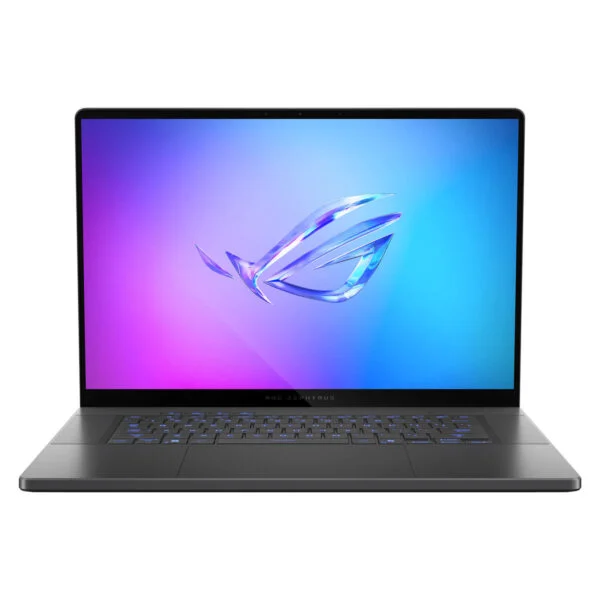


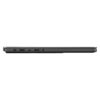
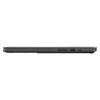
Asus ROG Zephyrus G16 GU605 (2025)
- CPU: Intel Core Ultra 7 255H Up To 5.1GHz (16 Cores, 16 Threads, 24MB Cache - 13 TOPS NPU)
- RAM: LPDDR5X 32GB 7467MHz
- SSD: 512GB PCIe Gen4 M.2 SSD
- VGA: NVIDIA® GeForce RTX™ 5070 8GB GDDR7
- DISPLAY: 16" WQXGA (2560*1600) OLED 240Hz, 0.2ms, G-SYNC, 100% DCI-P3, Pantone Validated, HDR True Black 500, 500 nits
- OS: Windows 11 Home
- CONDITION: New 100% Full Box
- WARRANTY: 24-month official warranty
- Ultra-Slim CNC Aluminum Design of the ROG Zephyrus G16 GU605 (2025)
- Smooth 240Hz OLED Display on the Zephyrus G16 GU605 with 100% DCI-P3
- Stable 2025 Zephyrus G16 GU605 Performance with the Core Ultra 7 255H
- RTX 5070 Graphics on the ASUS Zephyrus G16 GU605: Smooth Gaming with DLSS 4
- High-Speed 32GB RAM, Dual SSD Slots, and a Fast-Charging 90Wh Battery
- Quiet Zephyrus G16 GU605 Cooling with Liquid Metal
- Comfortable keyboard, spacious touchpad, and immersive 6-speaker Dolby Atmos audio
- Comprehensive connectivity on the Asus Zephyrus G16 GU605 with Thunderbolt 4 and an SD card reader
- Verdict: ASUS ROG Zephyrus G16 GU605 (2025)
- FAQ - Frequently Asked Questions About the ASUS ROG Zephyrus G16 GU605 (2025)
- Where to buy the genuine ASUS ROG Zephyrus G16 GU605 (2025) at a competitive price?
The ASUS ROG Zephyrus G16 GU605 (2025) is an aluminum 16-inch gaming laptop measuring just 14.9 mm thin and weighing 1.85 kg. It pairs a 16-core Intel Core Ultra 7 255H processor with an 8GB GDDR7 NVIDIA GeForce RTX 5070 graphics card, 32GB of LPDDR5X RAM, a 512GB SSD, and a 2.5K 240Hz OLED display. It targets users who want strong gaming performance while staying thin and light enough for daily carrying. This review covers its design, real-world performance, upgradeability, and key points to consider before buying.
Ultra-Slim CNC Aluminum Design of the ROG Zephyrus G16 GU605 (2025)
The ROG Zephyrus G16 GU605 features an entire chassis, lid, and palm rest machined from CNC aluminum alloy, measuring 354 x 246 mm, ranging from 14.9 to 16.4 mm thick, and weighing 1.85 kg. For a 16-inch laptop with an RTX 5070, this level of portability is rare; many gaming laptops of the same screen size are over 2 cm thick and weigh 2.3 kg or more. According to PCWorld, the chassis is rigid, exhibits virtually no flex under pressure, and features an edge-to-edge glass display surface.
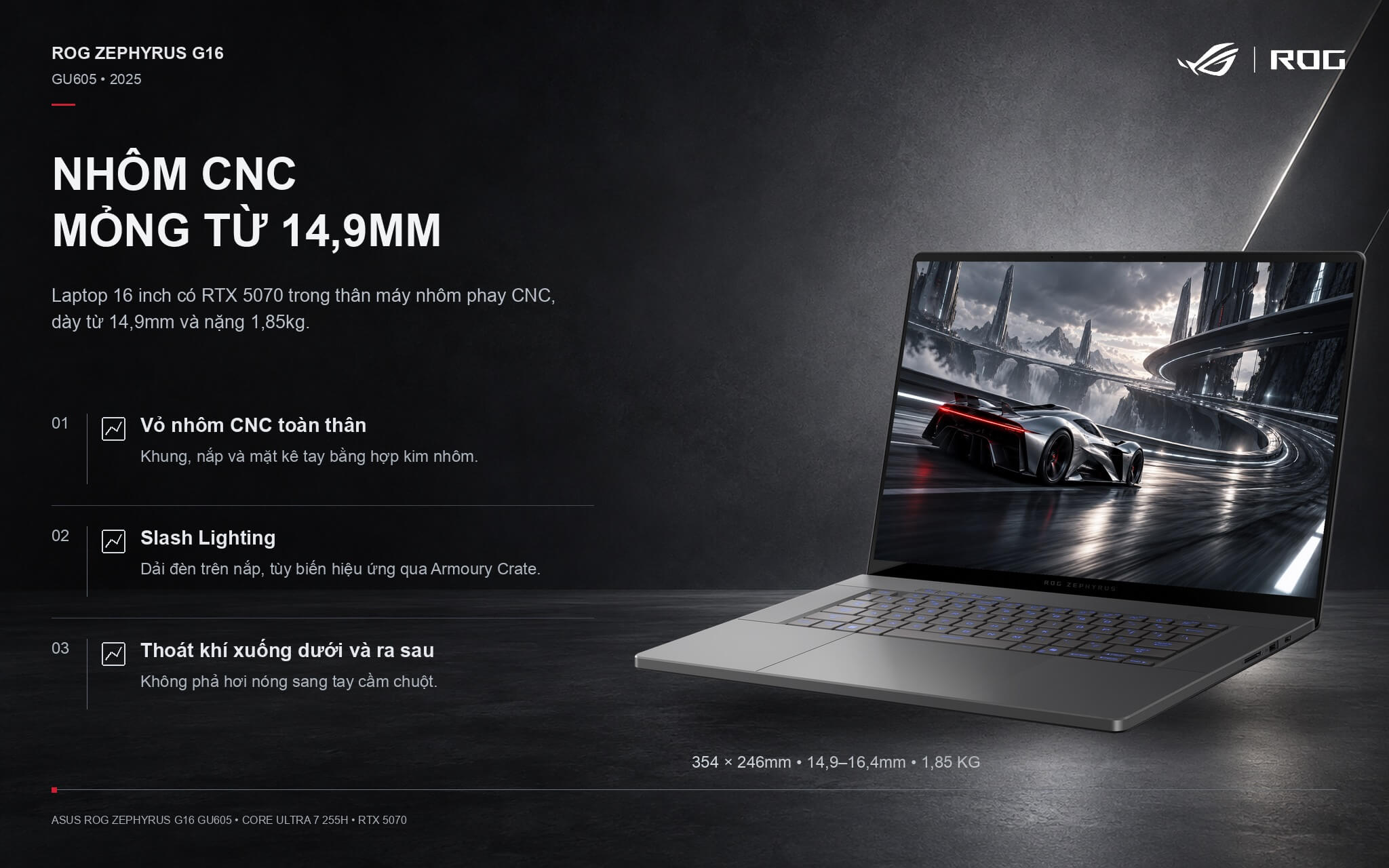
The model sold in Vietnam comes in Eclipse Gray, featuring a diagonal Slash Lighting strip across the lid with customizable effects in Armoury Crate. The laptop lacks side exhaust vents, blowing hot air downward and toward the rear instead, so your mouse hand next to the machine stays free from hot air exhaust. An ROG Zephyrus G16 Sleeve comes bundled in the box.
Smooth 240Hz OLED Display on the Zephyrus G16 GU605 with 100% DCI-P3
The 16-inch ROG Nebula display uses an OLED panel with a 2560 x 1600 (2.5K) resolution, a 16:10 aspect ratio, a 240Hz refresh rate, and a 0.2 ms response time. These two specs keep shooter and racing titles running smoothly without motion blur during fast camera pans, while leaving ample screen real estate to view two work windows side by side.
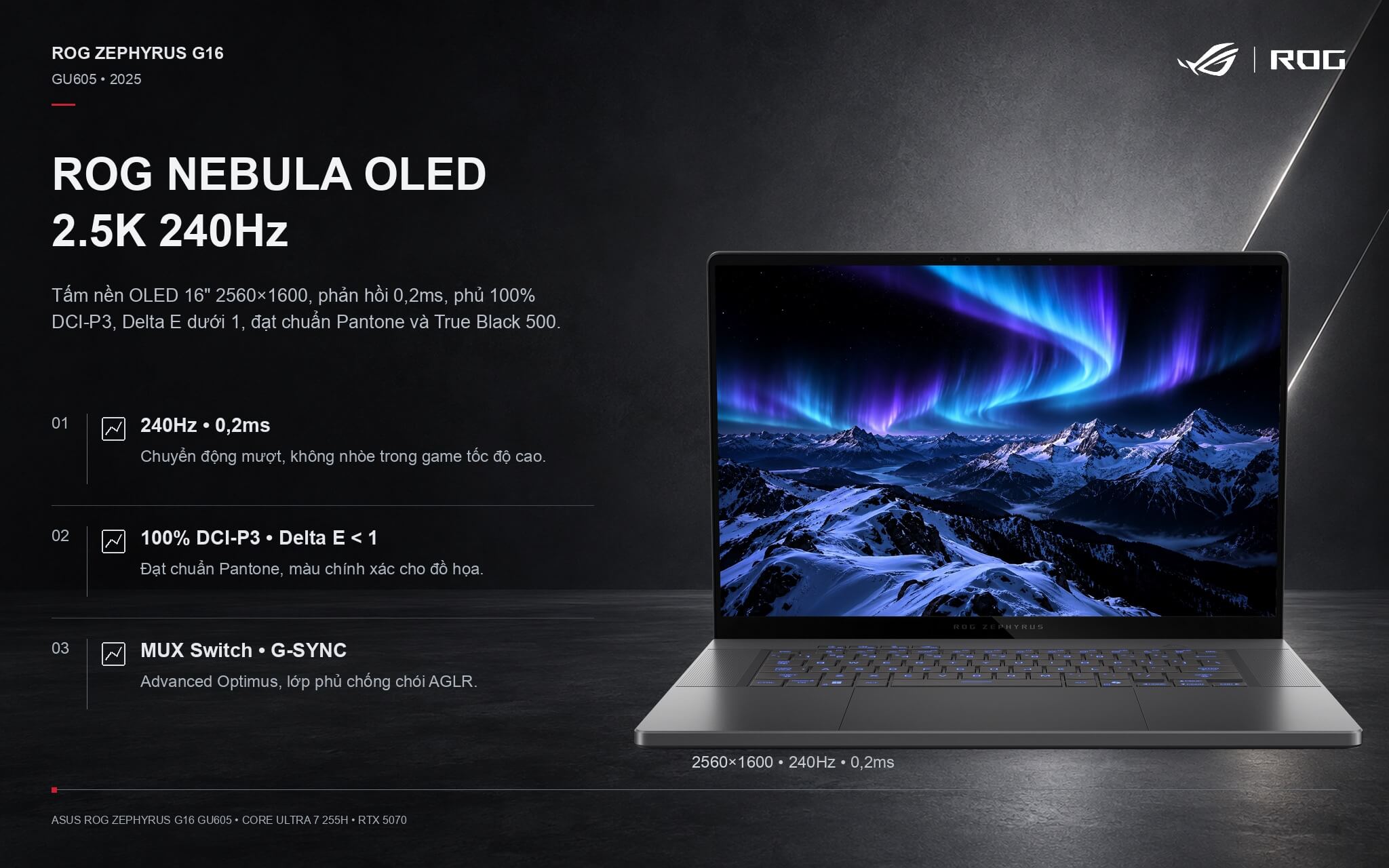
The screen covers 100% DCI-P3, keeps color deviation under a Delta E of 1, and is certified for both Pantone Validated and VESA DisplayHDR True Black 500 standards at 500 nits of brightness. PCWorld measured about 419 nits in standard content and 640 nits on small highlights in HDR, with an average color deviation of just 0.85. An anti-glare, low-reflection (AGLR) coating joins G-SYNC and a MUX Switch with Advanced Optimus, routing discrete graphics output directly to the display when gaming.
Stable 2025 Zephyrus G16 GU605 Performance with the Core Ultra 7 255H
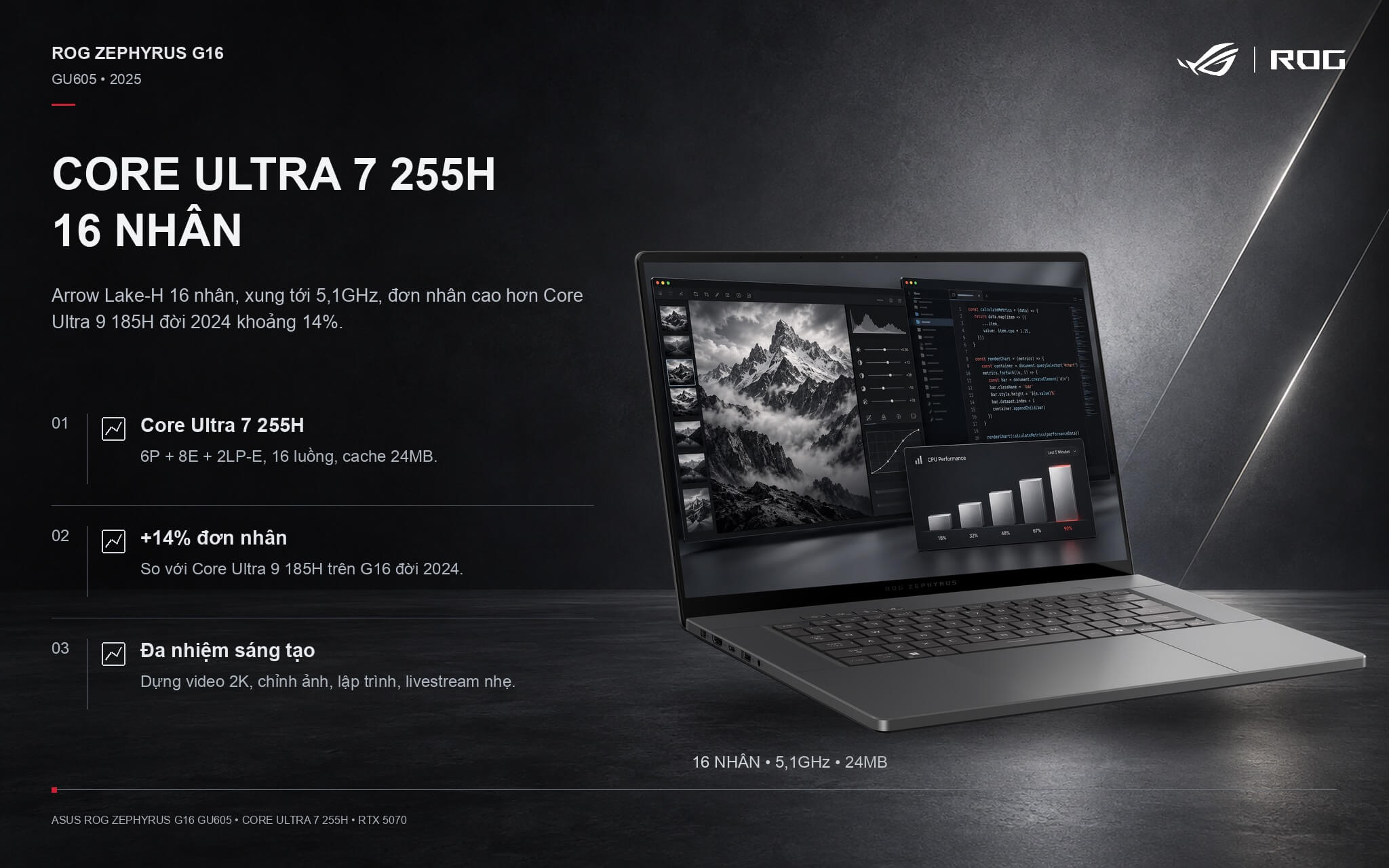
Under the hood is the Intel Core Ultra 7 255H, a Core Ultra Series 2 processor built on the Arrow Lake-H architecture with 6 P-cores, 8 E-cores, and 2 LP-E cores (16 cores total), 16 threads, a max clock speed of 5.1 GHz, 24 MB cache, integrated Intel Arc 140T graphics, and a 13 TOPS NPU. The table below compares the 255H to the Core Ultra 9 285H on higher-tier G16 configurations, the 2024 G16's Core Ultra 9 185H, and several other popular processors.
| Processor | Cores / Threads | Cinebench R23 Single-Core | Cinebench R23 Multi-Core | Geekbench 6 Multi-Core |
|---|---|---|---|---|
| Core Ultra 7 255H (this model) | 16 / 16 | 2,061 | 17,845 | 15,223 |
| Core Ultra 9 285H (higher-tier G16) | 16 / 16 | 2,130 | 20,782 | 16,207 |
| Core Ultra 9 185H (2024 G16) | 16 / 22 | 1,811 | 18,177 | 13,973 |
| Ryzen AI 9 HX 370 | 12 / 24 | 2,018 | 21,761 | 14,996 |
| Core Ultra 9 275HX | 24 / 24 | 2,204 | 35,589 | 19,464 |
Reference average figures sourced from Notebookcheck; individual laptop results vary based on performance mode and cooling system.
In single-core tasks like launching apps, web browsing, or playing clock-speed-dependent games, the Core Ultra 7 255H scores around 2,061 points in Cinebench R23 - roughly 14% higher than the 2024 model's Core Ultra 9 185H and only about 3% behind the Core Ultra 9 285H. As a result, the laptop delivers snappy responsiveness across everyday workflows and gaming.
Under sustained multi-core workloads, the 255H posts roughly 17,845 points, which is about 14% behind the 285H and well below HX-series processors like the Core Ultra 9 275HX found in thicker gaming laptops. PCWorld also noted that the H-series CPU in the G16 cannot keep pace with HX chips in heavy rendering and extended video exports. In return, H-series processors generate less heat, which is what allows the chassis to stay so thin and deliver such strong battery life.
For Full HD to 2K video editing, photo editing, coding, and gaming with Discord or light streaming on the side, the 255H handles the workload with ease. The 13 TOPS NPU can run AI video call effects, but falling short of the 40 TOPS threshold means this is not a Copilot+ PC; demanding AI tools rely on the discrete RTX 5070 graphics instead.
RTX 5070 Graphics on the ASUS Zephyrus G16 GU605: Smooth Gaming with DLSS 4
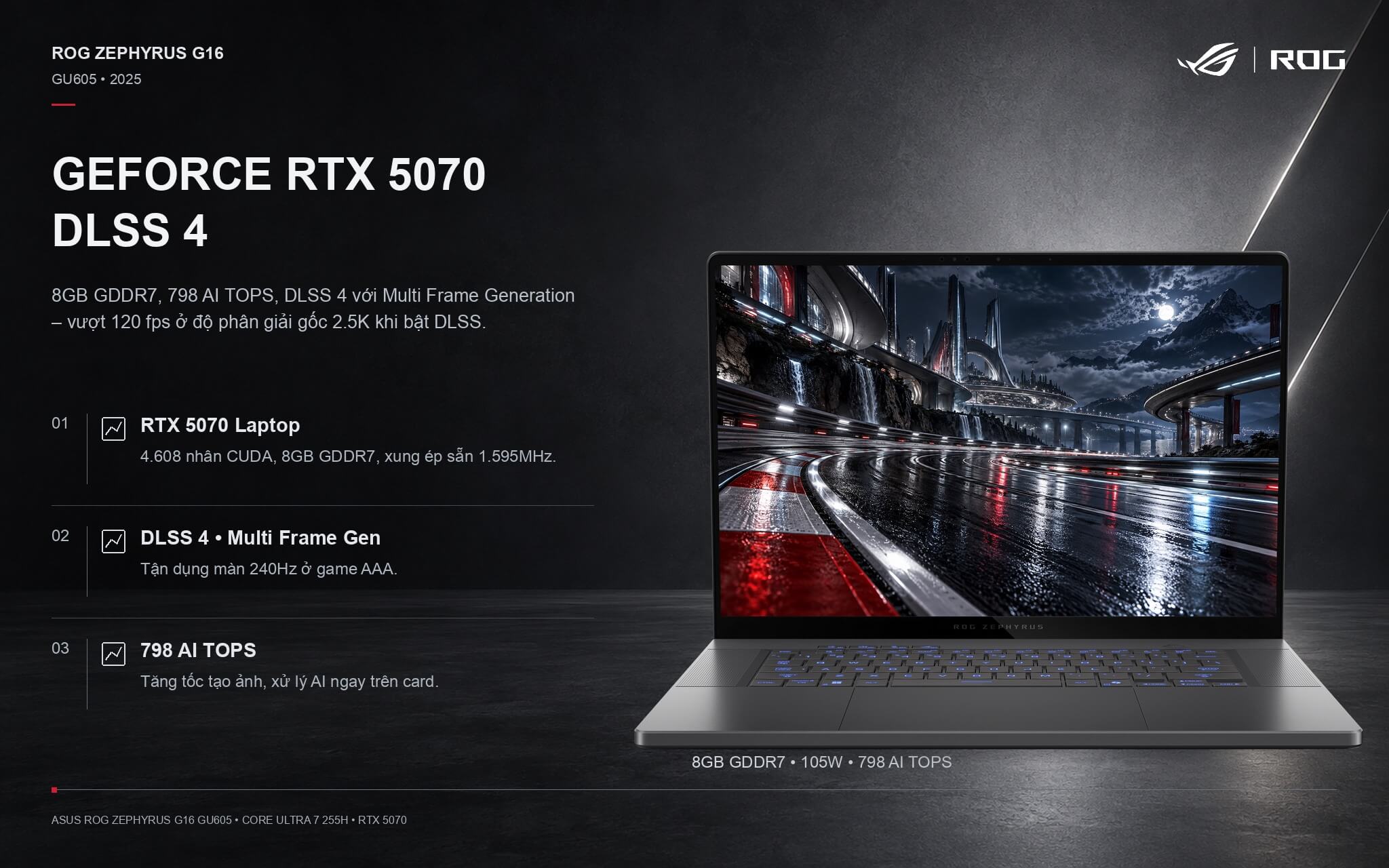
The NVIDIA GeForce RTX 5070 Laptop GPU features 4,608 CUDA cores, 8GB of GDDR7 memory, 798 AI TOPS, and supports DLSS 4 with Multi Frame Generation. On the G16, the GPU runs at up to 105W (90W plus a 15W Dynamic Boost) in ROG Boost mode, clocked at 1,595MHz with a factory 50MHz overclock from ASUS. The table below compares the RTX 5070 against the previous-gen G16's RTX 4070, the RTX 5070 Ti, and the RTX 5060.
| Benchmark | RTX 5070 (this laptop) | RTX 4070 | RTX 5070 Ti | RTX 5060 |
|---|---|---|---|---|
| 3DMark Time Spy (Graphics) | 13,536 | 11,960 | 16,740 | 11,755 |
| Cyberpunk 2077 (1080p, Ultra) | ~101 fps | ~87 fps | ~118 fps | ~85 fps |
| Cyberpunk 2077 (QHD, Ultra) | ~65 fps | ~54 fps | ~81 fps | ~55 fps |
| Black Myth: Wukong (1080p, High) | ~65 fps | ~54 fps | ~76 fps | ~50 fps |
Average reference figures according to Notebookcheck, without DLSS enabled. These averages include laptops running the RTX 5070 at up to 115W; with the G16 capped at 105W, real-world results may be a few percent lower.
At native 2.5K resolution, the Zephyrus G16 RTX 5070 plays Cyberpunk 2077 at Ultra settings around 60 fps without DLSS; enabling DLSS 4 Quality mode with frame generation pushes it past 120 fps, taking full advantage of the 240Hz display. Esports titles like Valorant and CS2 run at over 200 fps. The 8GB VRAM is a limitation in a few newer titles at maximum textures, where dropping textures by one notch is enough.
One important note: PCWorld observed that in the default Performance mode, ASUS limits GPU power to keep the laptop quiet, yielding graphics performance comparable only to an RTX 5060. Switching to Turbo mode in Armoury Crate allows the GPU to run at full power, noticeably increasing frame rates. For heavy gaming, you should plug in the charger and enable Turbo so the laptop can deliver its full potential.
High-Speed 32GB RAM, Dual SSD Slots, and a Fast-Charging 90Wh Battery
The laptop comes with 32GB of dual-channel LPDDR5X-7467 RAM, soldered to the motherboard so it cannot be upgraded, but this capacity is ample for AAA games, graphics software, and heavy multitasking for years to come. The 512GB PCIe 4.0 SSD is rather modest for gamers; on the upside, the machine has two M.2 PCIe slots, leaving an open slot to add a 1TB or 2TB drive without removing the original one.
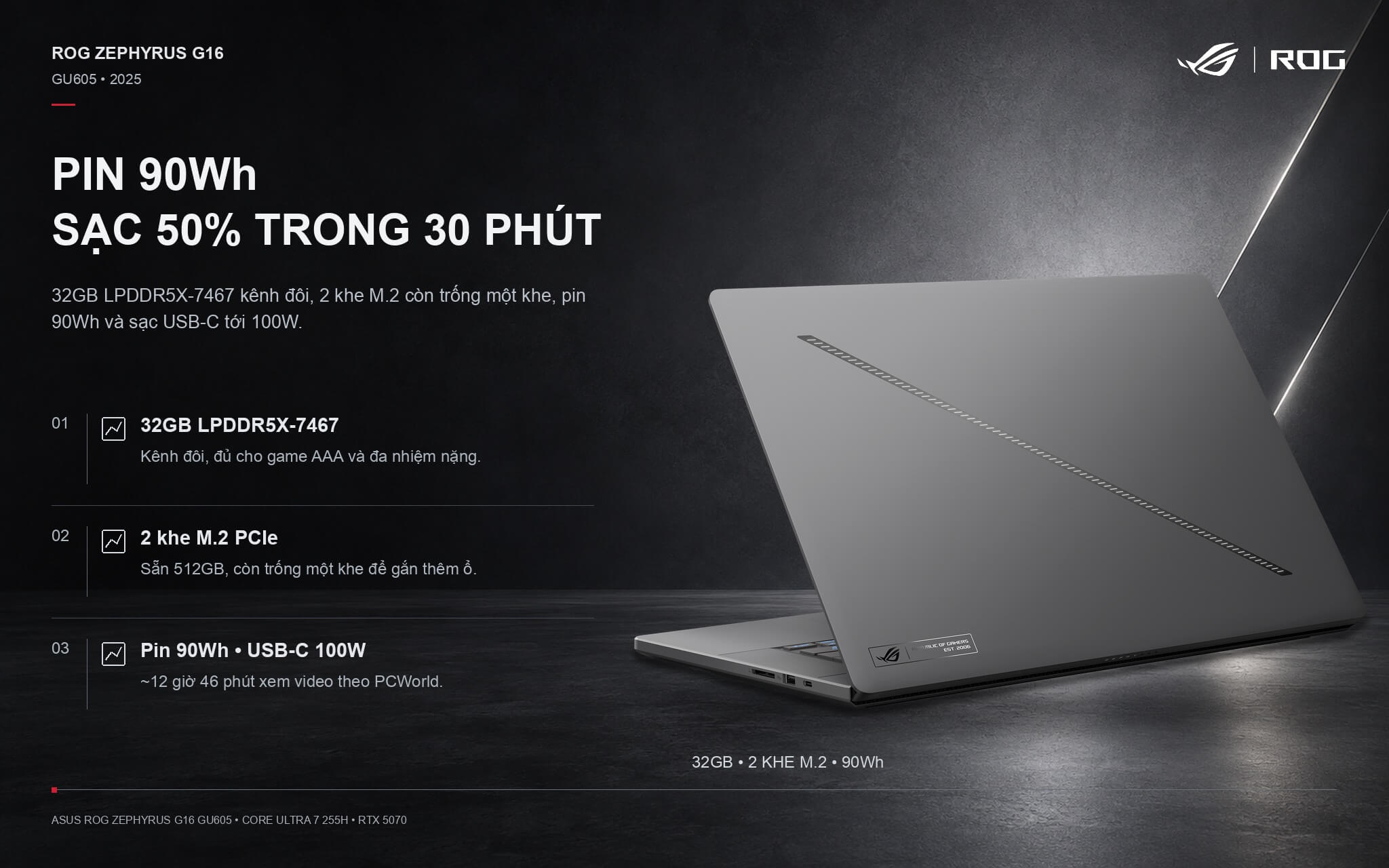
The 90Wh battery comes with a 200W adapter and supports fast charging from 0 to 50% in about 30 minutes when powered off. The machine also accepts USB-C charging with up to a 100W power adapter, making it convenient for work or class since you only need to carry a compact charger. PCWorld measured 12 hours and 46 minutes of offline video playback and about 5 to 6 hours of office work, lasting far longer than many gaming laptops that manage only 2 to 3 hours. If you want to compare further, check out the gaming laptops catalog at Hung Phat Laptop.
Quiet Zephyrus G16 GU605 Cooling with Liquid Metal
The ROG Intelligent Cooling system incorporates Thermal Grizzly liquid metal thermal compound on the CPU (which ASUS states reduces temperatures by up to 13 degrees C compared to standard thermal paste), 2nd Gen Arc Flow Fans, tri-fan technology, and improved heatpipes. A vapor chamber is reserved for select configurations; the ASUS website separates the cooling system setup of the RTX 5070 and RTX 5060 group from models with the RTX 5070 Ti and above.
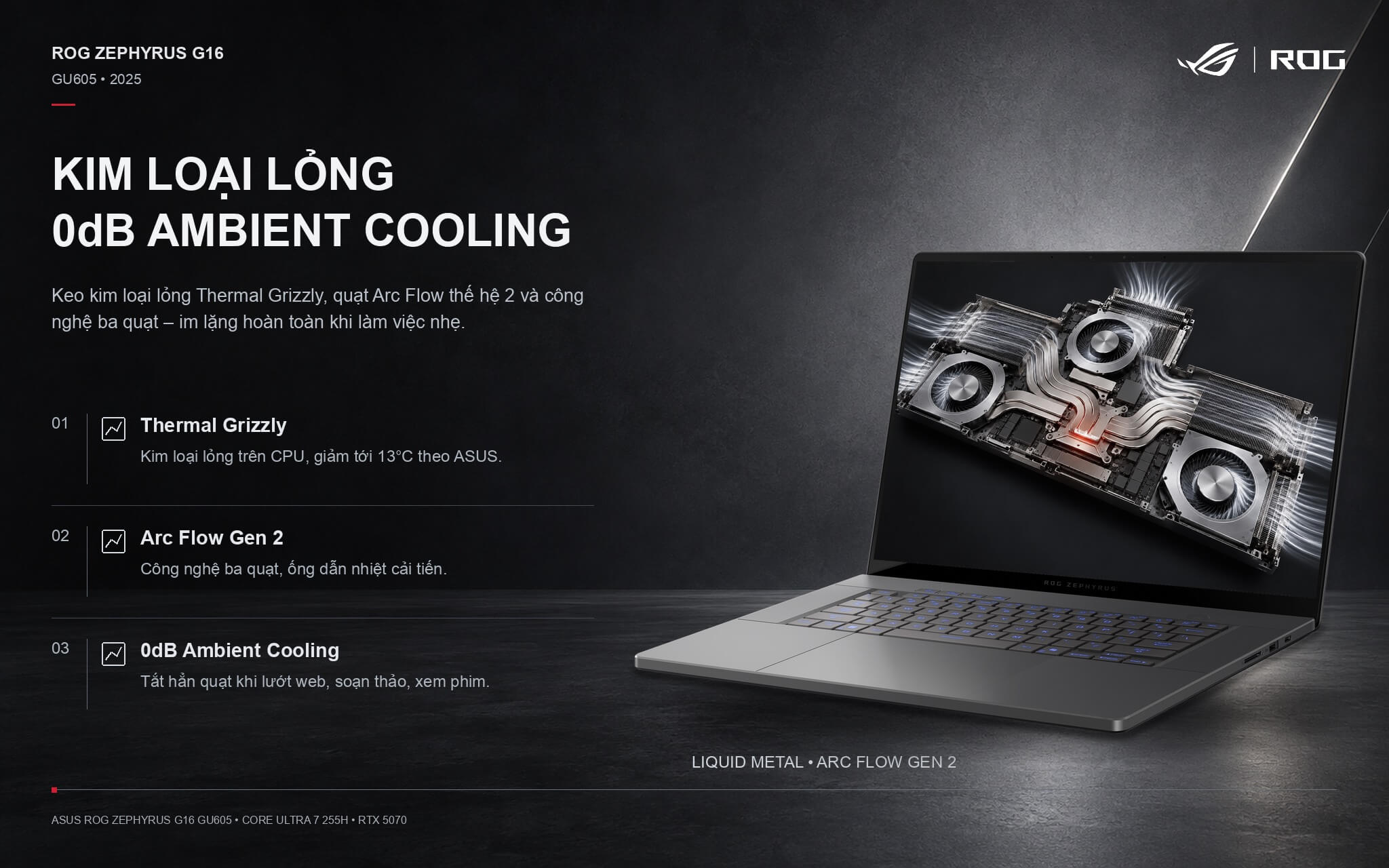
In Silent mode, 0dB Ambient Cooling shuts the fans off completely during web browsing, word processing, or movie watching, making the laptop completely silent. According to PCWorld, the fans remain very quiet in Performance mode; in Turbo mode, the fans spin aggressively without high-pitched whining, the chassis stays cool, and performance holds a 99.1% stability rating across a 20-run 3DMark Steel Nomad stress test.
Comfortable keyboard, spacious touchpad, and immersive 6-speaker Dolby Atmos audio
The keyboard features single-zone RGB backlighting, keycaps that are 12% larger than the previous generation, 1.7 mm of key travel, and a rated lifespan of 20,000,000 keystrokes. There is no numeric keypad, which allows the keyboard to sit centered for a balanced typing posture. The glass touchpad is exceptionally large, smooth, and quiet to click; PCWorld noted that palm rejection remains solid despite its generous size.
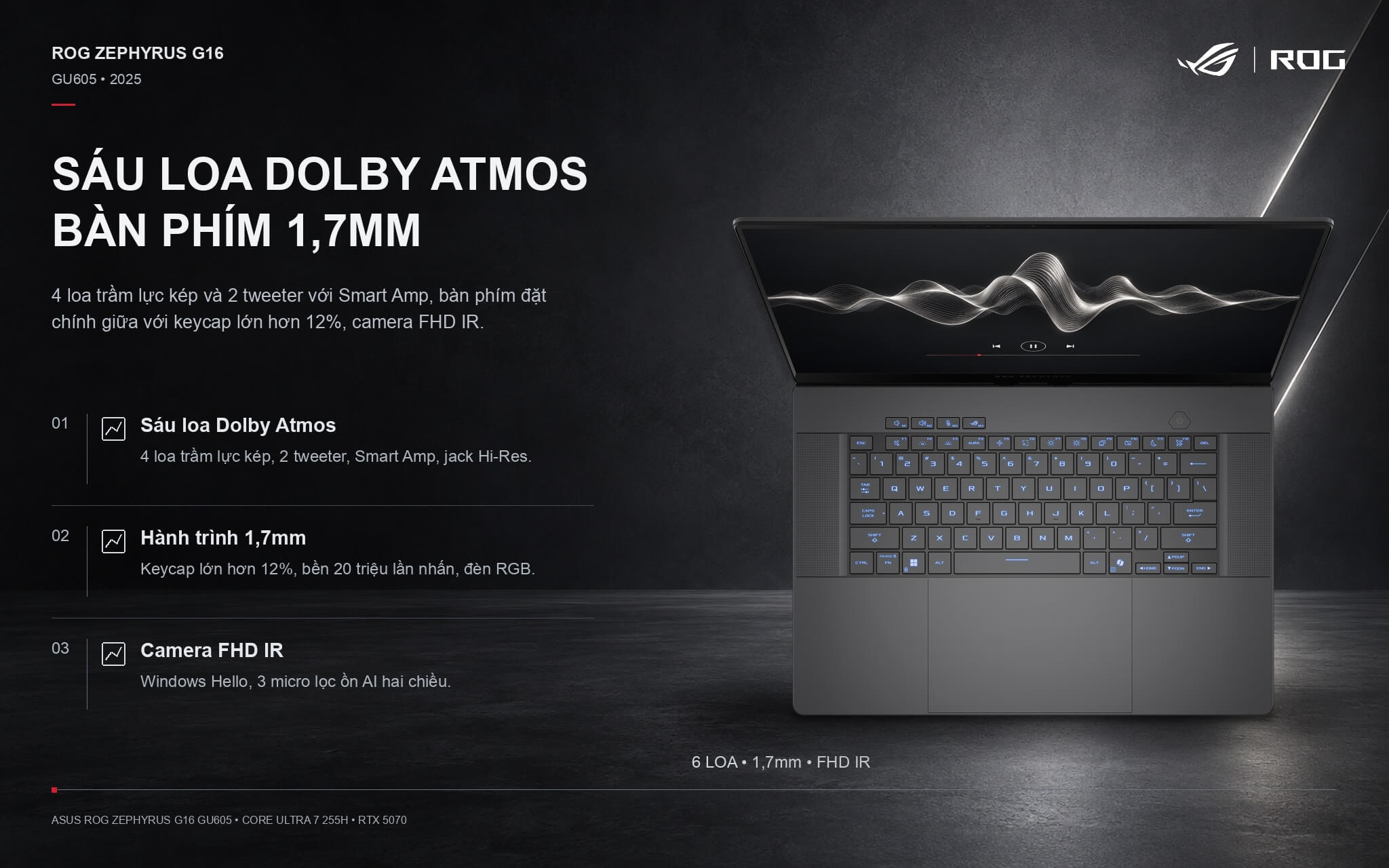
The 6-speaker sound system includes four dual-force woofers and two tweeters, backed by Dolby Atmos and Smart Amp technology; PCWorld praised it as an uncommon standout on a laptop, delivering high volume without distortion. The 1080p webcam features infrared support for Windows Hello facial recognition, producing decent video in adequate lighting though showing some noise in low-light environments. A built-in three-microphone array provides two-way AI noise cancellation, and the audio jack is certified for Hi-Res Audio.
Comprehensive connectivity on the Asus Zephyrus G16 GU605 with Thunderbolt 4 and an SD card reader
The left side houses the power port, an HDMI 2.1 FRL port, a 40 Gbps Thunderbolt 4 port supporting display output and charging, a 10 Gbps USB-A port, and a 3.5 mm audio combo jack. The right side features a full-size UHS-II SD card slot with speeds up to 312 MB/s, a 10 Gbps USB-A port, and a 10 Gbps USB-C port supporting display output, charging, and G-SYNC. With one USB-A port and one USB-C port on each side, plugging in a mouse or external drive is convenient from either direction.
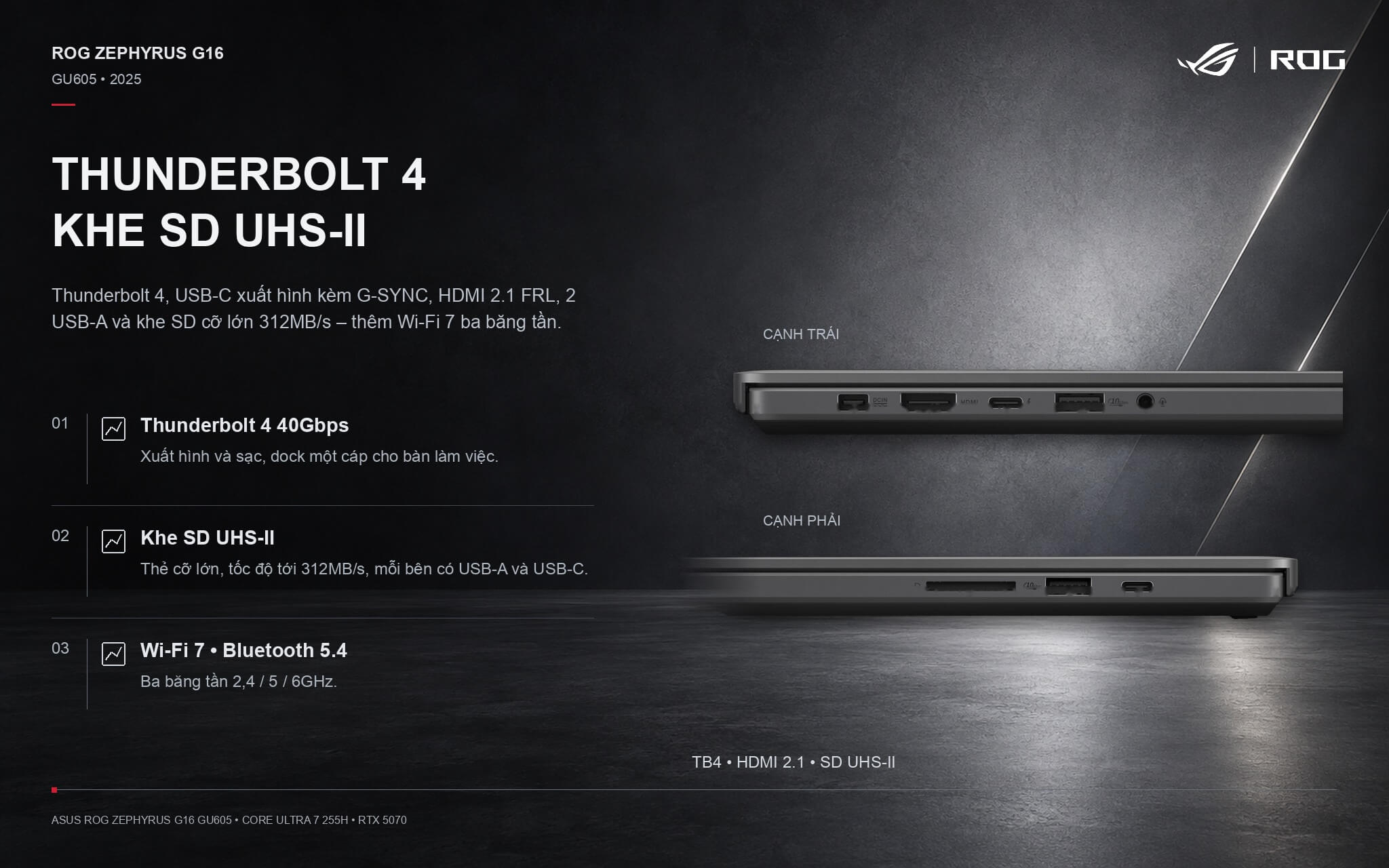
A Wi-Fi 7 wireless card operates across all three bands (2.4 GHz, 5 GHz, and 6 GHz), keeping game downloads and online play stable when paired with modern routers, while Bluetooth 5.4 pairs quickly with headphones and controllers. The main drawback is the absence of an RJ-45 port, meaning anyone in a dorm or office relying on a wired connection will need a hub. You can browse more options in our Asus laptops selection at Hung Phat Laptop.
Verdict: ASUS ROG Zephyrus G16 GU605 (2025)
The ASUS ROG Zephyrus G16 GU605 (2025) configuration with Core Ultra 7 255H and RTX 5070 hits the sweet spot for anyone seeking a 16-inch laptop that handles AAA gaming with ease, powers through creative workloads, and stays thin and light enough for everyday carry. It brings together an accurate 2.5K 240 Hz OLED display, a 1.85 kg aluminum chassis, 32 GB of RAM, an open SSD slot, a fast-charging 90 Wh battery, and a standout speaker setup.
Points to keep in mind: soldered RAM, a modest 512 GB SSD, an H-series processor that falls behind HX-class chips under heavy workloads, an NPU that does not qualify for Copilot+ PC status, 8 GB of VRAM, the need to enable Turbo mode to get the most out of the RTX 5070, no numpad, and no ethernet port.
| Pros | Cons |
|---|---|
|
|
FAQ - Frequently Asked Questions About the ASUS ROG Zephyrus G16 GU605 (2025)
1. What are the specs of this Zephyrus G16 GU605 2025 model?
This laptop features an Intel Core Ultra 7 255H (16 cores, 16 threads, up to 5.1 GHz), an RTX 5070 8GB GDDR7 105W GPU, 32 GB of LPDDR5X-7467 RAM, a 512 GB PCIe 4.0 SSD, a 16-inch 2560 x 1600 240 Hz OLED display, a 90 Wh battery, Wi-Fi 7, Bluetooth 5.4, and Windows 11 Home.
2. Can the RAM and SSD be upgraded?
The 32 GB of RAM is soldered onto the motherboard and cannot be upgraded. The system includes two M.2 PCIe slots: one is occupied by the 512 GB SSD, and the second remains available for an additional drive.
3. Can the Zephyrus G16 GU605 run demanding games?
Yes. The RTX 5070 runs Cyberpunk 2077 on Ultra settings at roughly 100 fps in 1080p and about 60 fps in 2.5K without DLSS. With DLSS 4 and frame generation enabled, many titles push past 120 fps. Enabling Turbo mode is recommended for gaming.
4. How does the fast charging work on this laptop?
According to ASUS, the 90 Wh battery charges from 0% to 50% in about 30 minutes with the laptop powered off at ambient temperatures between 20 and 45 degrees Celsius. The machine also supports USB-C charging at up to 100W.
5. Is this laptop a Copilot+ PC?
No. The NPU inside the Core Ultra 7 255H delivers 13 TOPS, short of the 40 TOPS Microsoft requires for Copilot+ PCs. Heavy AI tasks, such as image generation, run smoothly on the discrete RTX 5070 GPU instead.
6. How long does the battery last?
PCWorld recorded 12 hours and 46 minutes during offline video playback, and roughly 5 to 6 hours during office productivity tasks. Plugging in the 200W adapter is recommended when gaming.
7. Is the display well-suited for creative and graphic design work?
Yes. The OLED panel covers 100% of the DCI-P3 color gamut, maintains a Delta E color accuracy under 1, and is Pantone Validated, making it an excellent choice for photo retouching and video editing.
8. Does the Zephyrus G16 GU605 have an ethernet port?
No. The laptop relies on Wi-Fi 7; if you require a wired connection, you can use a Thunderbolt dock or a USB-to-LAN adapter.
9. What is the warranty policy at Hung Phat Laptop?
Hung Phat Laptop supplies genuine products with full invoices, clear warranty coverage, a 30-day return policy, lifetime technical support, and nationwide delivery.
Where to buy the genuine ASUS ROG Zephyrus G16 GU605 (2025) at a competitive price?
If you want a 16-inch laptop that games exceptionally well while remaining as slim as a high-end business notebook, the ASUS ROG Zephyrus G16 GU605 (2025) configured with the Core Ultra 7 255H, RTX 5070, and 32 GB of RAM strikes a balanced mix of performance, display quality, and portability.
At Hung Phat Laptop, you can test the 240 Hz OLED screen and 6-speaker audio setup in person, have our technicians install an additional drive into the spare M.2 slot, and get Turbo mode configured for gaming right out of the box. Every unit is a genuine product backed by full documentation, nationwide delivery, and transparent warranty service at Hung Phat Laptop.
Performance & benchmarks Asus ROG Zephyrus G16 GU605 (2025)
Intel Core Ultra 7 255H NVIDIA GeForce RTX 5070 Laptop - best for Office 9.5/10, Programming 9/10.
Intel Core Ultra 7 255H
- Cinebench R23 (multi-core)17,845
- Geekbench 6 (multi-core)15,223
- Geekbench 6 (single-core)2,866.5
- NPU (AI)13 TOPS
- Cores / Threads16/16
NVIDIA GeForce RTX 5070 Laptop
- 3DMark Time Spy13,535.5
- 3DMark Fire Strike35,841.5
- VRAM8 GB
- AI INT8798 TOPS
- ArchitectureBlackwell
Best for
Scored from real benchmarks- Gaming Recommended8.5/10
- Video / Graphics8/10
- Programming9/10
- Office9.5/10
- AI / Generative AI6/10
Why does the CPU matter?
The CPU is the "brain" that handles every task: launching apps, multitasking, compiling code and editing video. The stronger the CPU, the faster and smoother the laptop runs when you juggle many things at once.
- BasicThis product
Web browsing, streaming and light office work.
- MainstreamThis product
Office work, moderate multitasking and studying.
- Mid-rangeThis product
Solid multitasking, programming and light graphics work.
- StrongThis product
Video editing, heavy programming, virtualization and gaming.
- FlagshipThis product
Heavy rendering, 4K/8K editing, virtual machines and AI workloads.
Why does the GPU matter?
The GPU (graphics card) handles visuals: gaming, video editing, 3D rendering and AI acceleration. The stronger the GPU, the higher your frame rates and the faster your video exports.
- Basic (iGPU)This product
Smooth display, 4K video and very light games (League of Legends, Valorant on low).
- MainstreamThis product
1080p eSports gaming, photo editing and light video editing.
- Mid-rangeThis product
1080p gaming on medium-high settings and smooth Full HD video editing.
- StrongThis product
1080p/1440p gaming on high settings, 4K video editing and 3D rendering.
- FlagshipThis product
4K/240Hz gaming, ray tracing, heavy rendering and AI.
Game performance
Real FPS - QHD- Dota 2140 fps1080p Ultra
- CS2115 fpsQHD Ultra
- GTA V115 fpsQHD Ultra
- CoD: Black Ops 672 fpsQHD Ultra
- Battlefield 647 fpsQHD Ultra
- Star Wars Outlaws34 fpsQHD Ultra
- Black Myth: Wukong26 fpsQHD Ultra
- Cyberpunk 207765 fpsQHD Ultra
≥60fps very smooth30-60fps playable<30fps lower the settings
Local AI performance
Tokens/second running locally on GPU 8GB VRAM- Llama 3.2 11B Vision6.1 GB · ctx 128K44 tok/sDecent
- Gemma 4 E2B IT5.6 GB · ctx 256K48 tok/sDecent
- GLM-4 9B5.1 GB · ctx 128K53 tok/sDecent
- Gemma 4 E4B4.6 GB · ctx 256K58 tok/sRuns well
- Ministral 8B4.6 GB · ctx 32K58 tok/sRuns well
- Qwen 3.5 4B4.6 GB · ctx 32K58 tok/sRuns well
- DeepSeek R1 Distill 7B4.1 GB · ctx 64K66 tok/sRuns well
- Gemma 4 E2B3.1 GB · ctx 256K87 tok/sRuns great
- Qwen 3.5 2B2.5 GB · ctx 32K108 tok/sRuns great
- Phi-4 Mini Reasoning2.4 GB · ctx 16K112 tok/sRuns great
- Llama 3.2 3B2 GB · ctx 128K134 tok/sRuns great
- SmolLM3 3B2 GB · ctx 128K134 tok/sRuns great
- DeepSeek R1 1.5B1.3 GB · ctx 64K207 tok/sRuns great
- Qwen 3.5 0.8B1.3 GB · ctx 32K207 tok/sRuns great
- TinyLlama 1.1B1.1 GB · ctx 2K244 tok/sRuns great
- Llama 3.2 1B1 GB · ctx 128K269 tok/sRuns great
- Gemma 3 12B6.6 GB · ctx 128K41 tok/sDecent
- Mistral Nemo 12B6.6 GB · ctx 128K41 tok/sDecent
- Gemma 2 9B5.1 GB · ctx 8K53 tok/sDecent
- Nemotron Nano 9B v25.1 GB · ctx 128K53 tok/sDecent
- Llama 3.1 8B4.6 GB · ctx 128K58 tok/sRuns well
- Qwen 3 8B4.6 GB · ctx 128K58 tok/sRuns well
- Mistral 7B v0.34.1 GB · ctx 32K66 tok/sRuns well
- Qwen 2.5 7B4.1 GB · ctx 128K66 tok/sRuns well
- Qwen 2.5 Coder 7B4.1 GB · ctx 128K66 tok/sRuns well
- Qwen 3 4B2.5 GB · ctx 32K108 tok/sRuns great
- Gemma 3 4B2.5 GB · ctx 128K108 tok/sRuns great
- Phi-3.5 Mini2.4 GB · ctx 128K112 tok/sRuns great
- Gemma 2 2B1.5 GB · ctx 8K179 tok/sRuns great
- Qwen 3 1.7B1.4 GB · ctx 32K192 tok/sRuns great
- Qwen 2.5 Coder 1.5B1.3 GB · ctx 32K207 tok/sRuns great
- Qwen 3 0.6B1.1 GB · ctx 32K244 tok/sRuns great
- Gemma 3 1B1 GB · ctx 32K269 tok/sRuns great
GreatWellDecent4-bit quantized, ctx = context window
No comments yet
Q&A about Asus ROG Zephyrus G16 GU605 (2025)
Frequently asked questions about Asus ROG Zephyrus G16 GU605 (2025)
What are the specifications of Asus ROG Zephyrus G16 GU605 (2025)?
What is the warranty for Asus ROG Zephyrus G16 GU605 (2025)?
Is Asus ROG Zephyrus G16 GU605 (2025) genuine?
Can I buy Asus ROG Zephyrus G16 GU605 (2025) with home delivery?
Worth a Look
 2 configurations
Asus ROG Zephyrus G14 GU405 (2026)
Asus ROG Zephyrus G14 GA403 (2026)
Asus TUF Gaming F16 (FX608LM) (2025)
 4 configurations
Asus Gaming V16 V3607 (2025)
 2 configurations




Share your review of this product
Write a reviewThere are no reviews yet.