

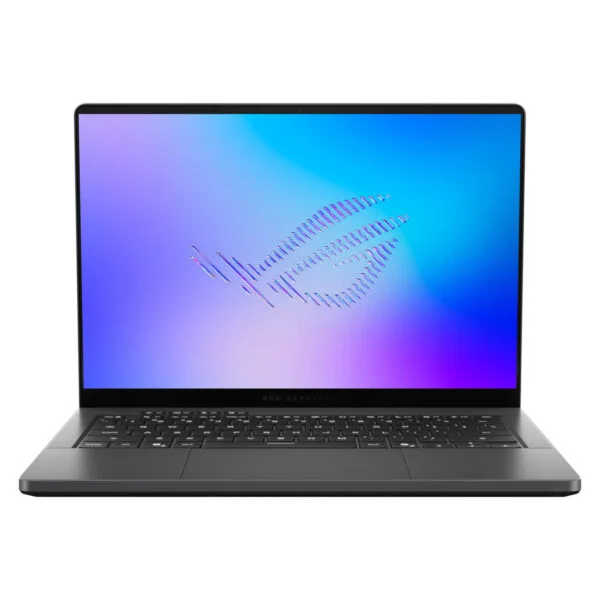
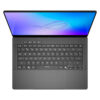
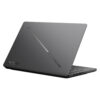
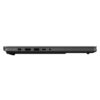
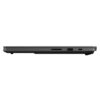
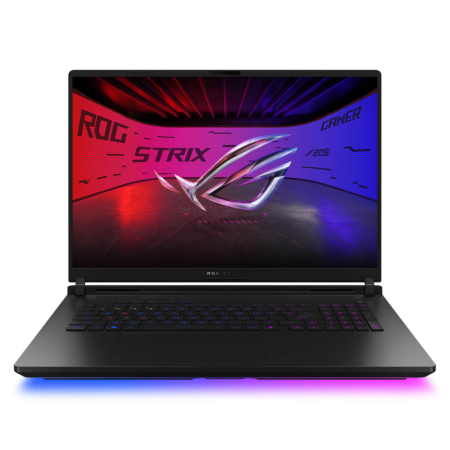
Asus ROG Zephyrus G14 GU405 (2026)
- CPU: Intel Core Ultra 9 386H Up To 4.9GHz (16 Cores, 16 Threads, 18MB Cache - 50 TOPS NPU)
- RAM: LPDDR5X 32GB 7500MHz
- SSD: 1TB PCIe Gen4 M.2 SSD
- VGA: NVIDIA® GeForce RTX™ 5070 Ti 12GB GDDR7
- DISPLAY: 14" 3K (2880*1800) OLED 120Hz, 0.2ms, G-SYNC, 100% DCI-P3, Pantone Validated, HDR True Black 1000, 1100 nits
- OS: Windows 11 Home
- CONDITION: New 100% Full Box
- WARRANTY: 24-month official warranty
- A minimalist design for the ROG Zephyrus G14 GU405 (2026) with an all-aluminum unibody chassis
- Sharp 3K OLED display on the Zephyrus G14 GU405 with HDR True Black 1000 certification
- Energy-efficient Zephyrus G14 GU405 2026 performance with the Core Ultra 9 386H
- High-End ASUS Zephyrus G14 GU405 Graphics with RTX 5070 Ti and RTX 5080
- High-Speed 8533MHz RAM, Generous 1TB SSD, and 73Wh Battery
- Cooling System with Large Dual Fans and Liquid Metal
- A tactile ROG keyboard, a spacious glass touchpad, and 6 Dolby Atmos speakers
- Versatile connectivity on the Asus Zephyrus G14 GU405 with Thunderbolt 4 and a full-size SD card slot
- Summary and Review: ASUS ROG Zephyrus G14 GU405 (2026)
- FAQ - Frequently Asked Questions About the ASUS ROG Zephyrus G14 GU405 (2026)
- Where to buy the genuine ASUS ROG Zephyrus G14 GU405 (2026) at the best price?
The ASUS ROG Zephyrus G14 GU405 (2026) is this year's Intel-powered version of the G14 lineup, packing a 16-core Panther Lake Intel Core Ultra 9 386H, 32GB of LPDDR5X-8533 RAM, a 1TB SSD, and a 3K 120Hz OLED display into a 14-inch aluminum chassis weighing 1.58 kg. In Vietnam, the machine is available in two gray variants differing in their graphics cards: the 12GB NVIDIA GeForce RTX 5070 Ti (GU405AR-SY016W) and the 16GB NVIDIA GeForce RTX 5080 (GU405AW-SY029W). This article compares both versions, analyzes real-world performance, and helps you choose the right specs.
A minimalist design for the ROG Zephyrus G14 GU405 (2026) with an all-aluminum unibody chassis
The ROG Zephyrus G14 GU405 retains the minimalist styling of the Zephyrus line: a CNC-milled unibody aluminum alloy chassis in Eclipse Gray, with a lid featuring a customizable diagonal Slash Lighting LED strip. Measuring 311 x 220 mm and weighing 1.58 kg, it hits a weight class that many 16-inch gaming laptops can match only by dropping discrete graphics entirely.
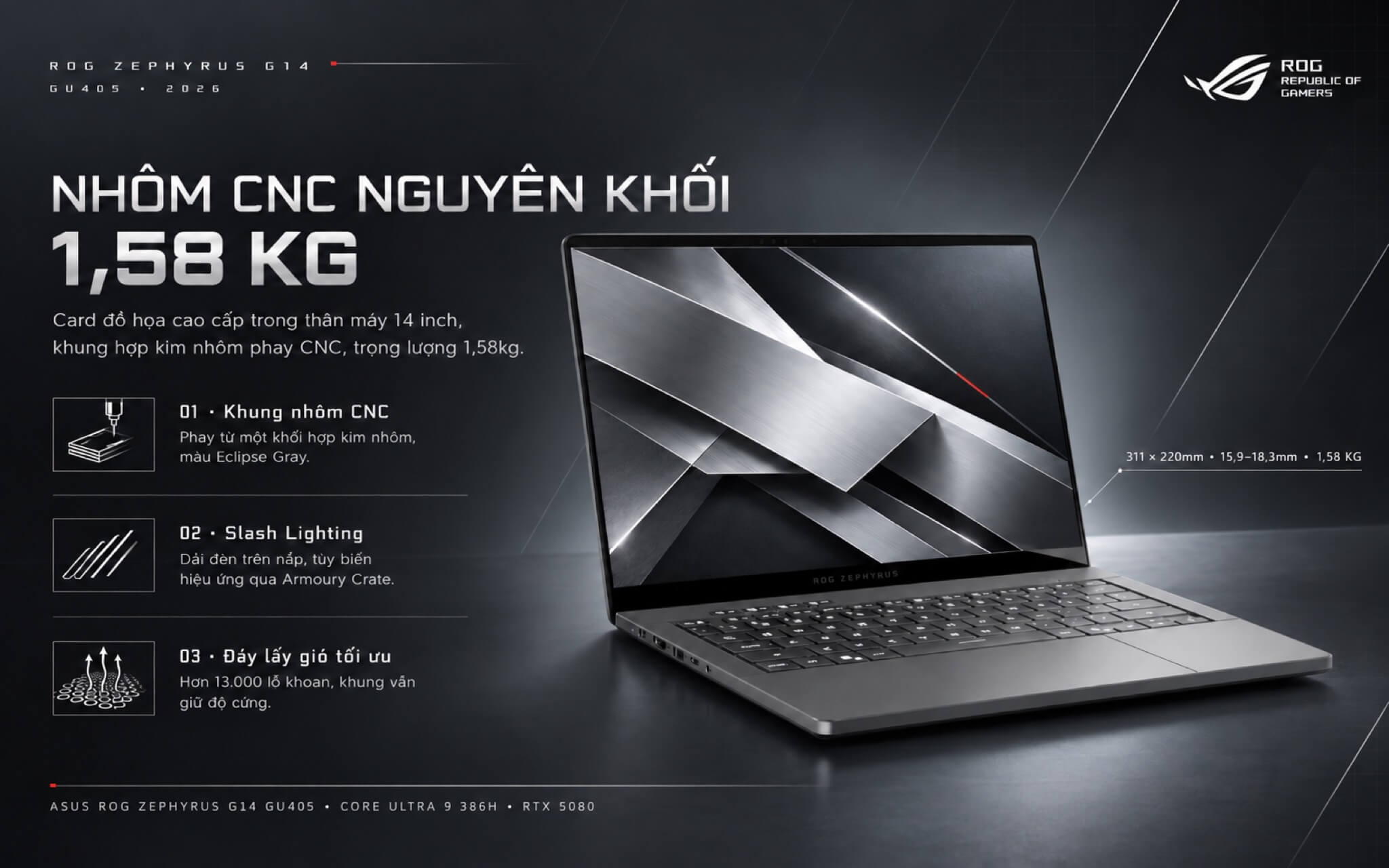
Compared to the 16.3 mm AMD GA403 model, the RTX 5070 Ti and RTX 5080 versions measure between 15.9 and 18.3 mm thick and add 80 g, with the extra thickness dedicated to a larger rear cooling system. The bottom intake grille has been re-drilled with more than 13,000 holes, expanding the airflow intake area while preserving chassis rigidity. The hinge opens to roughly 130 degrees at most, which feels a bit limited when using the laptop on your lap and wanting to tilt the screen further back.
Sharp 3K OLED display on the Zephyrus G14 GU405 with HDR True Black 1000 certification
The 14-inch OLED panel features a 2880 x 1800 resolution and a 16:10 aspect ratio, giving you more vertical workspace than a 16:9 screen when reviewing documents or navigating a video editing timeline. It runs at a 120Hz refresh rate with a 0.2 ms response time and includes G-SYNC to synchronize frames with the GPU, preventing screen tearing as frame rates fluctuate during gameplay.
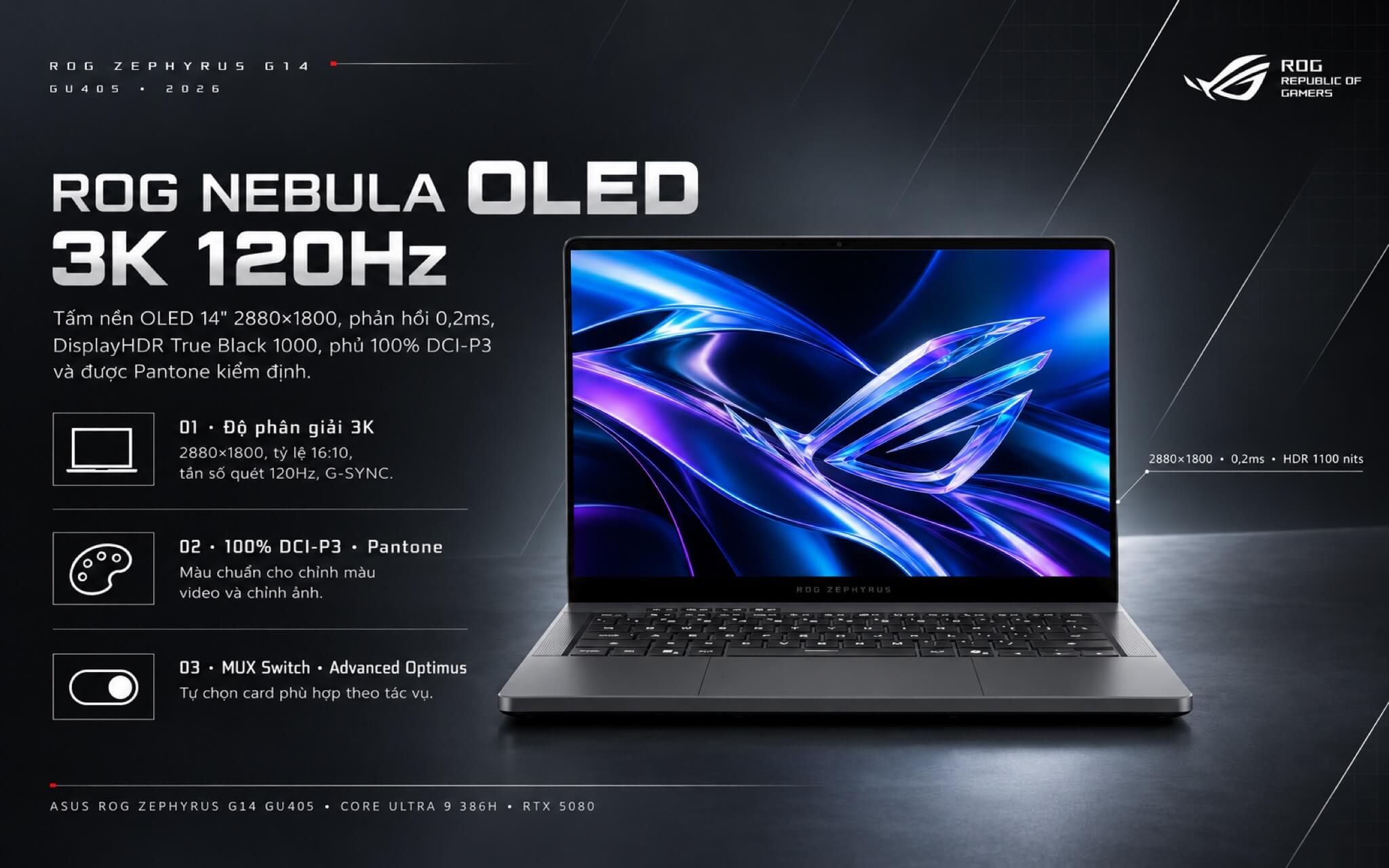
The ROG Nebula HDR screen meets VESA DisplayHDR True Black 1000 standards, peaks at 1100 nits of brightness, covers 100% of the DCI-P3 color gamut, and is Pantone Validated, making it equally suited for color grading video and streaming HDR movies on Netflix. A MUX Switch combined with Advanced Optimus lets the system automatically select the right GPU: discrete graphics for gaming and integrated graphics for lighter workloads. The downside is that 120Hz falls short of the 240Hz panels found on similarly priced gaming laptops, which competitive esports players may find lacking.
Energy-efficient Zephyrus G14 GU405 2026 performance with the Core Ultra 9 386H
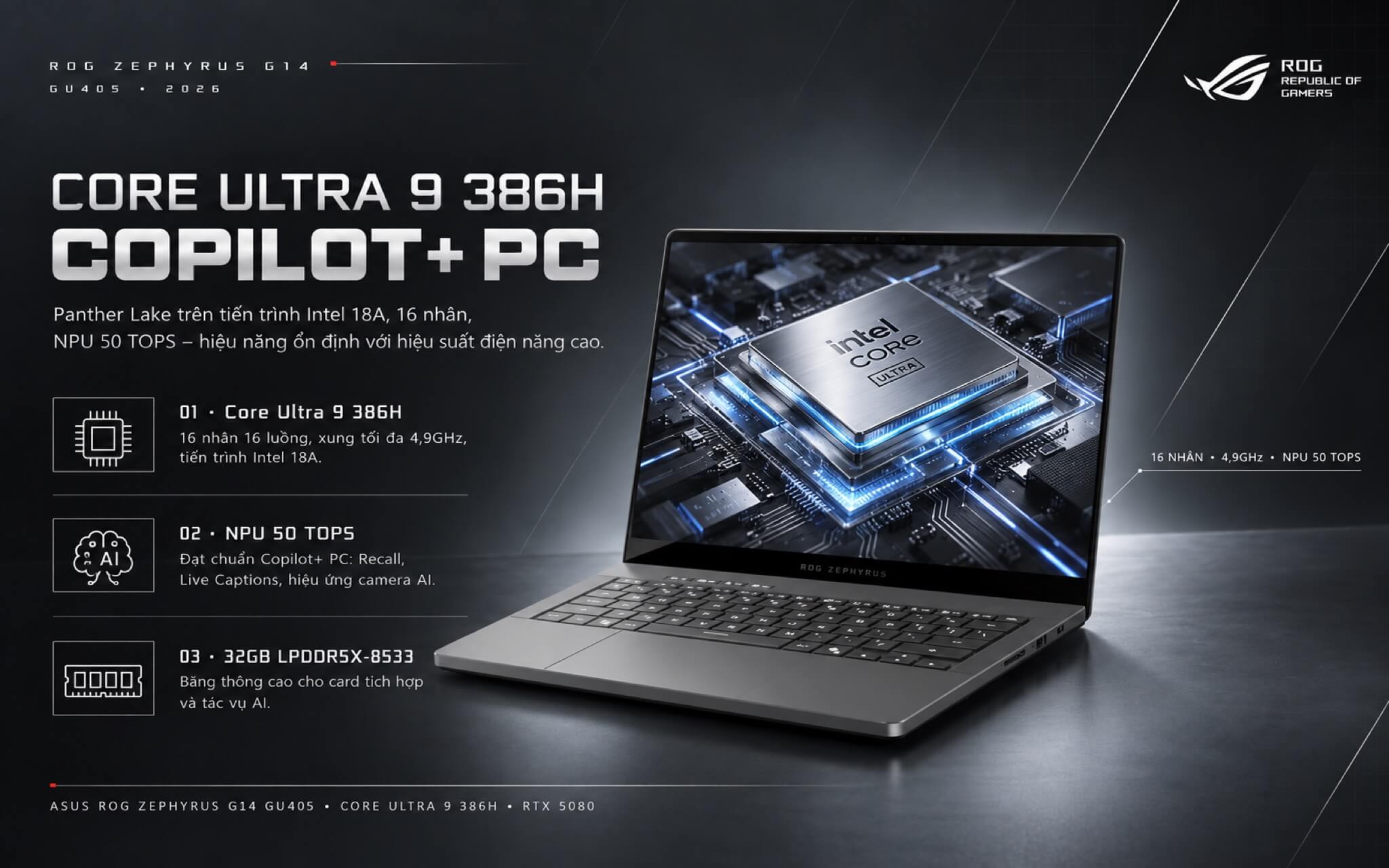
The Intel Core Ultra 9 386H is a Core Ultra Series 3 (Panther Lake) processor built on the Intel 18A process node, featuring 16 cores (4 Performance-cores, 8 Efficient-cores, and 4 Low Power Efficient-cores), 16 threads, a max boost clock of 4.9GHz, an 18MB cache, and a 50 TOPS NPU. The table below compares the 386H to the chip in the AMD GA403 model, the 2025 G14, and two prior-generation Intel processors.
| Processor | Cores / Threads | Cinebench R23 Single-Core | Cinebench R23 Multi-Core | Geekbench 6 Multi-Core |
|---|---|---|---|---|
| Core Ultra 9 386H (this unit) | 16 / 16 | 2,077 | 20,750 | 16,816 |
| Core Ultra 9 285H | 16 / 16 | 2,130 | 20,782 | 16,207 |
| Ryzen AI 9 HX 370 (G14 2025) | 12 / 24 | 2,018 | 21,761 | 14,996 |
| Ryzen AI 9 465 (G14 GA403) | 10 / 20 | 1,997 | 17,580 | 14,562 |
| Core Ultra 9 275HX | 24 / 24 | 2,204 | 35,589 | 19,464 |
Reference figures based on Notebookcheck averages; individual results vary by performance mode and cooling system.
In Cinebench R23 multi-core, the Core Ultra 9 386H scores roughly 20,750 points - about 18% higher than the GA403 model's Ryzen AI 9 465 and near parity with the 2025 G14's Ryzen AI 9 HX 370. UltrabookReview reported similar findings when testing the G14 GU405: sustained multi-core loads were about 5% lower than the 2025 version, while single-core performance edged ahead by 5 to 7%. In other words, raw CPU muscle hasn't jumped much; the real payoff is power efficiency.
A 24-core HX processor like the Core Ultra 9 275HX still delivers far higher multi-core scores, but it is only found in 16-to-18-inch chassis weighing 2.5kg or more. For a 14-inch footprint, the 386H strikes a well-judged balance among speed, temperatures, and battery life, packing plenty of headroom for 4K video editing, programming, and gaming while livestreaming.
UltrabookReview's testing shows the CPU pulls roughly 40W in Silent mode and 70W in Turbo mode, with only about a 20% performance delta between the two. For everyday work, you can easily keep it in Silent mode to run cool and quiet without sacrificing much speed.
The 50 TOPS NPU meets Copilot+ PC requirements, handling Recall, Live Captions, and camera AI effects directly on-device. The 32GB of LPDDR5X-8533 RAM also offers higher bandwidth than the AMD model's 7500MHz memory, giving integrated graphics and AI workloads a modest speed bump.
High-End ASUS Zephyrus G14 GU405 Graphics with RTX 5070 Ti and RTX 5080
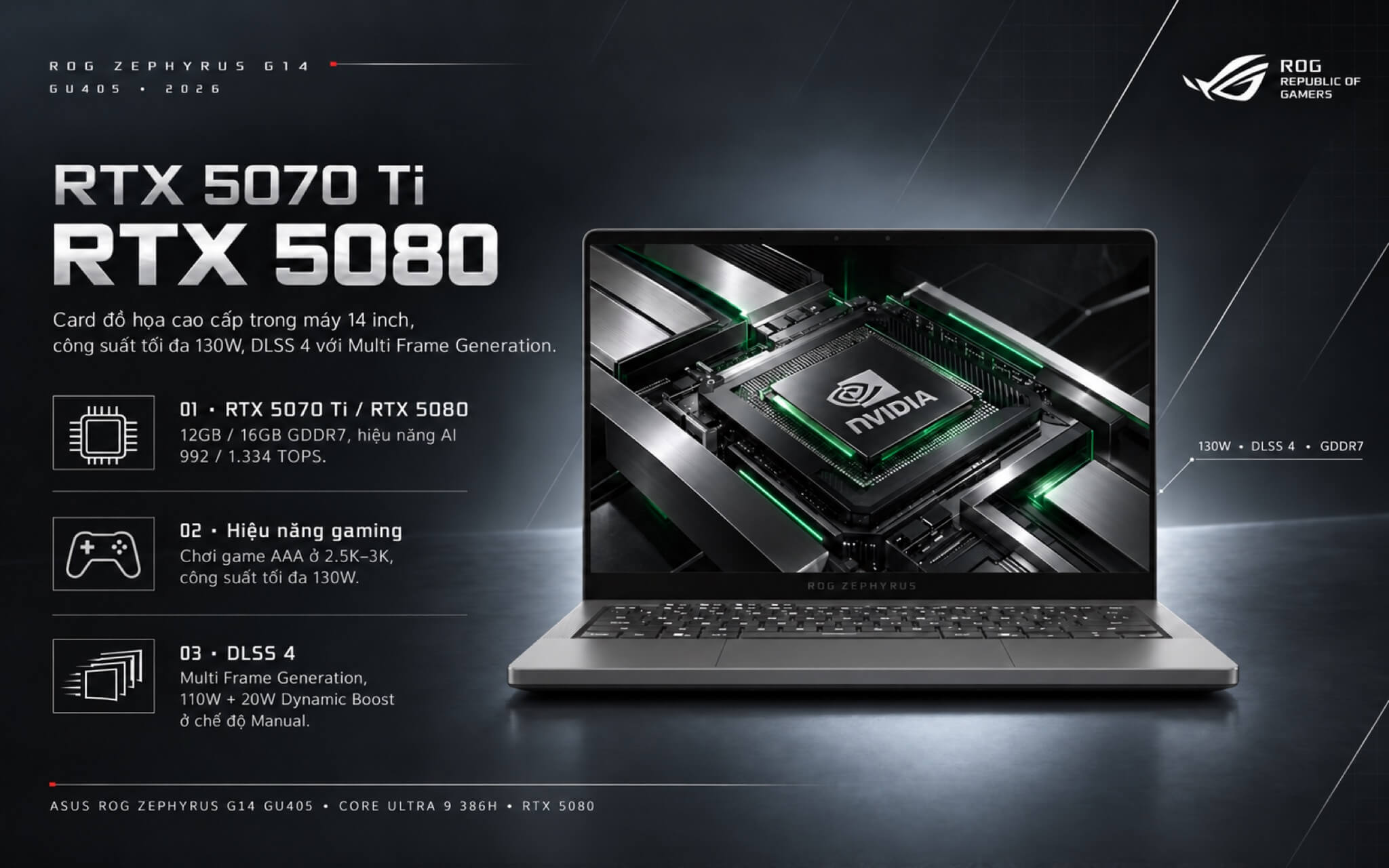
The two GU405 configurations in Vietnam differ only in their graphics card. The NVIDIA GeForce RTX 5070 Ti features 12GB of GDDR7 memory, 992 AI TOPS, and a 1,812MHz clock speed. The NVIDIA GeForce RTX 5080 packs 16GB of GDDR7 memory, 1,334 AI TOPS, and a 1,550MHz clock speed. Both deliver up to 130W in Manual mode (110W plus 20W Dynamic Boost) and 115W in Turbo mode, supporting DLSS 4 with multi-frame generation.
| Benchmark | RTX 5070 Ti | RTX 5080 | RTX 5070 | RTX 5060 |
|---|---|---|---|---|
| 3DMark Time Spy (Graphics) | 16,740 | 21,625 | 13,536 | 11,755 |
| Cyberpunk 2077 (1080p, Ultra) | ~118 fps | ~140 fps | ~101 fps | ~85 fps |
| Cyberpunk 2077 (QHD, Ultra) | ~81 fps | ~99 fps | ~65 fps | ~55 fps |
| Black Myth: Wukong (1080p, High) | ~76 fps | ~96 fps | ~65 fps | ~50 fps |
Average reference data according to Notebookcheck, without DLSS enabled. These averages include larger laptops running GPUs at up to 175W; on the G14, which is capped at 130W, real-world results will be lower, especially for the RTX 5080.
The ROG Zephyrus G14 RTX 5070 Ti configuration runs Cyberpunk 2077 at 2.5K Ultra at about 70 to 80 fps without DLSS enabled. According to UltrabookReview, using a custom fan profile at only about 40dB of noise, the machine delivers around 104 fps in Black Myth: Wukong at 2.5K with 4x frame generation turned on. That translates to very comfortable AAA gaming on its 120Hz display.
While the RTX 5080 looks more powerful on paper, sharing the same 130W limit inside a 14-inch chassis narrows the gap between it and the RTX 5070 Ti compared to the difference shown in the table. The standout advantage of the RTX 5080 is its 16GB of VRAM, which proves useful for 3K gaming at maximum texture settings, 8K video editing, or running image generation AI models that demand substantial video memory. If your primary focus is gaming, the RTX 5070 Ti model is the more cost-effective choice.
High-Speed 8533MHz RAM, Generous 1TB SSD, and 73Wh Battery
Both configurations come with 32GB of soldered LPDDR5X-8533 RAM and a 1TB PCIe 4.0 SSD. The RAM cannot be upgraded, while the SSD occupies the machine's single M.2 slot, meaning expansion requires replacing it with a higher-capacity drive. A 1TB drive holds roughly 6 to 8 AAA games alongside work applications; heavy gamers can upgrade to a 2TB drive.
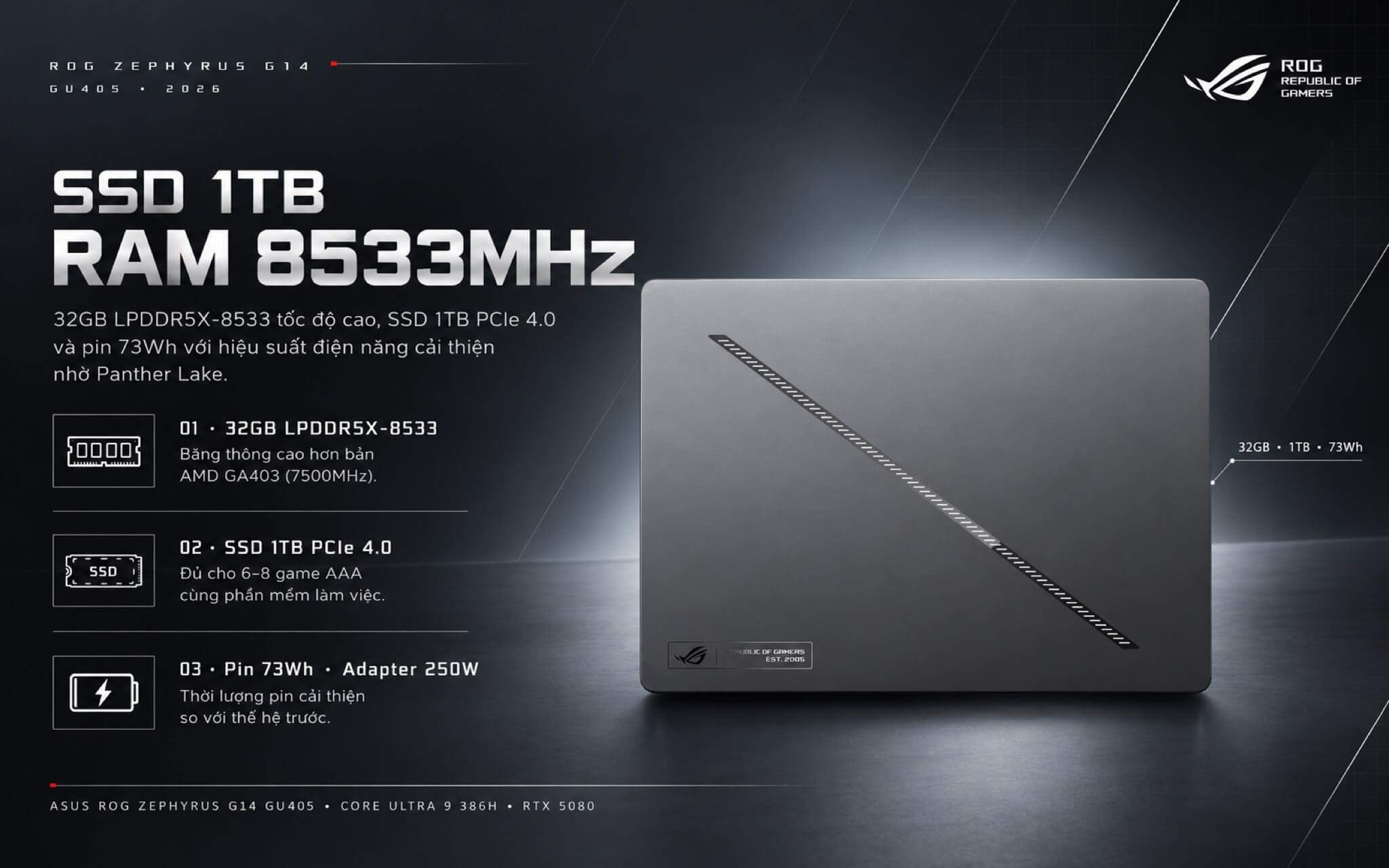
The 73Wh battery comes with a 250W power adapter. Notebookcheck noted that this Intel GU405 edition delivers improved battery life over the previous generation thanks to its more power-efficient Panther Lake processor. When gaming, you should plug in the power adapter so the graphics card can run at its full 130W. Anyone looking to compare other configurations can browse the gaming laptops catalog at Hung Phat Laptop.
Cooling System with Large Dual Fans and Liquid Metal
The RTX 5070 Ti and RTX 5080 editions utilize a dedicated cooling module: two large fans, two heatsinks, and multiple heat pipes covering the CPU and graphics card, paired with liquid metal thermal compound on the CPU. According to UltrabookReview, while the laptop does not use a vapor chamber, it runs noticeably cooler than the 2025 G14, with the CPU and graphics card staying between 80 and 85 degrees C during gaming in Turbo mode sitting flat on a desk, and dropping to 75 to 80 degrees C when the rear is elevated.
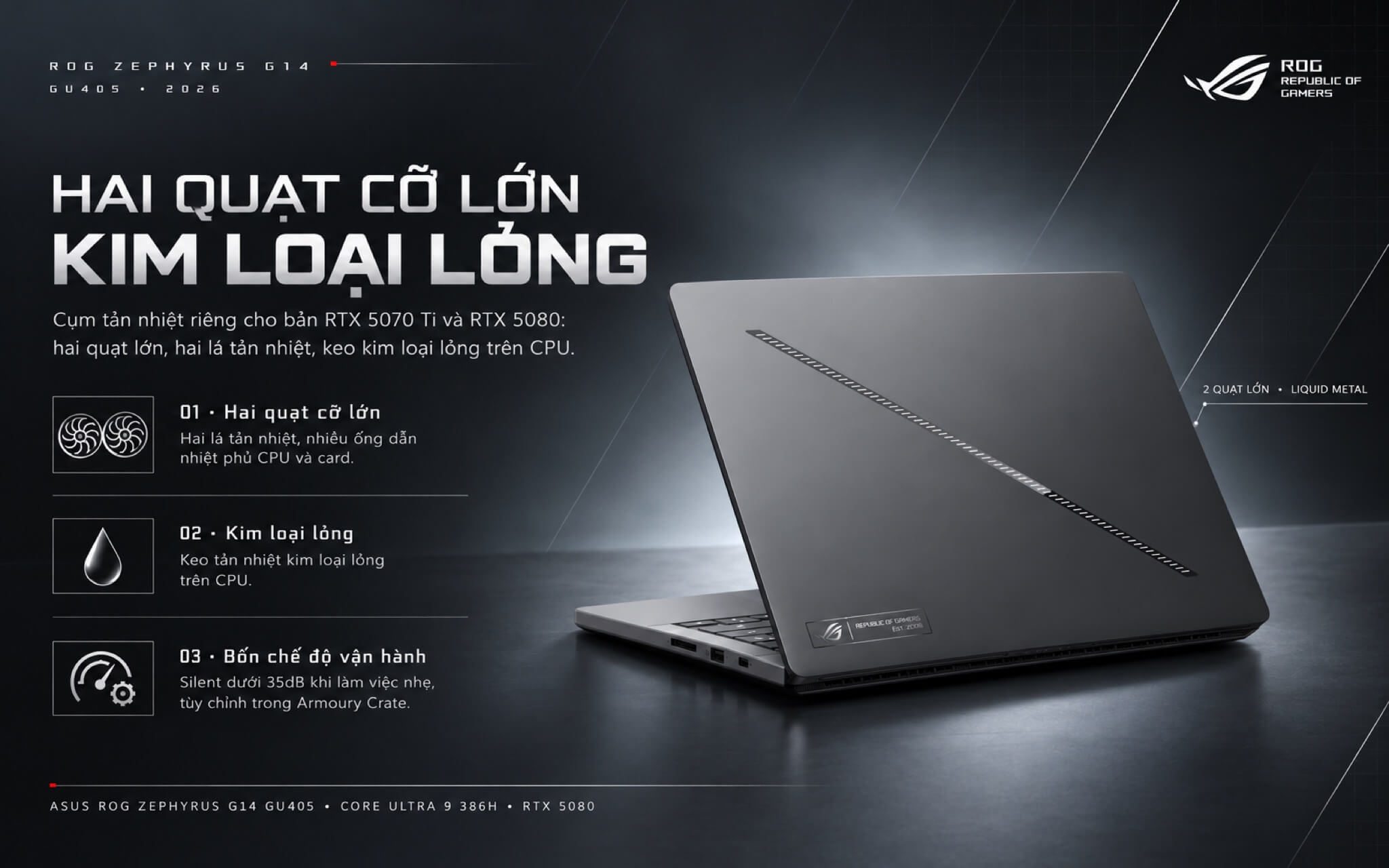
Measured noise levels come in under 35dB in Silent mode, 42dB in Performance, 48dB in Turbo, and 52dB in Manual. During light workloads, the fans remain virtually silent, and the chassis stays cool to the touch. When gaming in Turbo mode, fan noise is fairly audible, so wearing headphones or setting a lower custom fan curve in Armoury Crate helps balance fps with noise levels.
A tactile ROG keyboard, a spacious glass touchpad, and 6 Dolby Atmos speakers
The keyboard features single-zone RGB backlighting, a dedicated Copilot key, 1.7mm key travel, crisp tactile feedback, and quiet typing. Key legends on the gray chassis remain clear and legible across all lighting conditions. The oversized matte glass touchpad delivers ample room for smooth gesture navigation, though UltrabookReview noted that its generous surface area can lead to occasional accidental touches when used on your lap.
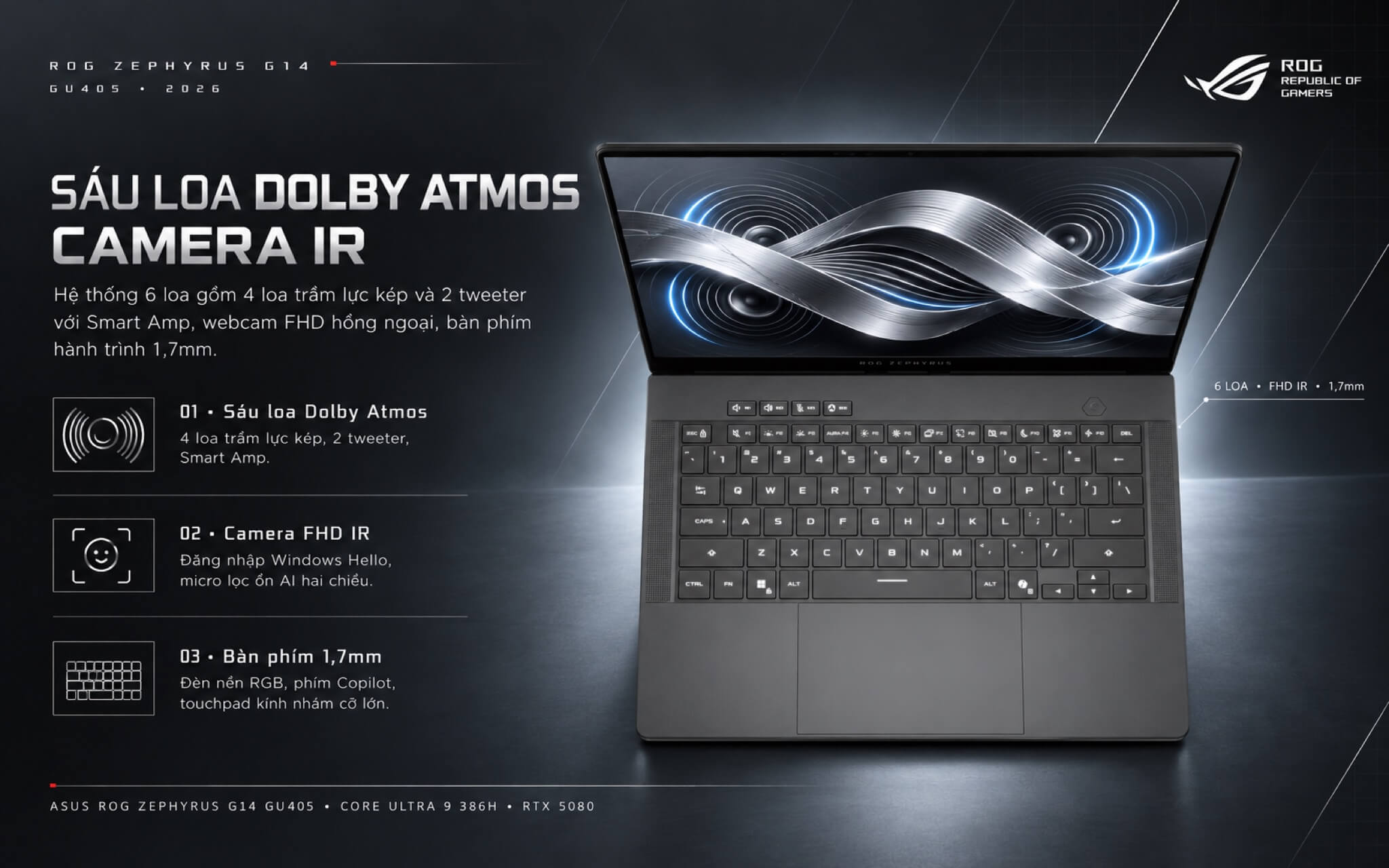
A Full HD webcam with an IR sensor handles facial recognition via Windows Hello, delivering decent video quality for online meetings. The 6-speaker array pairs 4 dual-force woofers with 2 tweeters, backed by Dolby Atmos and Smart Amp support for high volume output and rich, punchy bass. Two-way AI noise cancellation on the microphone array keeps voice communication clear during team voice chat.
Versatile connectivity on the Asus Zephyrus G14 GU405 with Thunderbolt 4 and a full-size SD card slot
The port selection includes 1 Thunderbolt 4 port (40Gbps) and 1 USB-C port (10Gbps) with display output, power delivery, and G-SYNC support, alongside 2 USB-A ports (10Gbps), an HDMI 2.1 FRL port, a 3.5mm audio jack, and a full-size UHS-II SD card slot reaching speeds up to 312MB/s. That full-size SD slot is a welcome addition for photographers and videographers who want fast file offloads straight from camera media without carrying an external dongle.
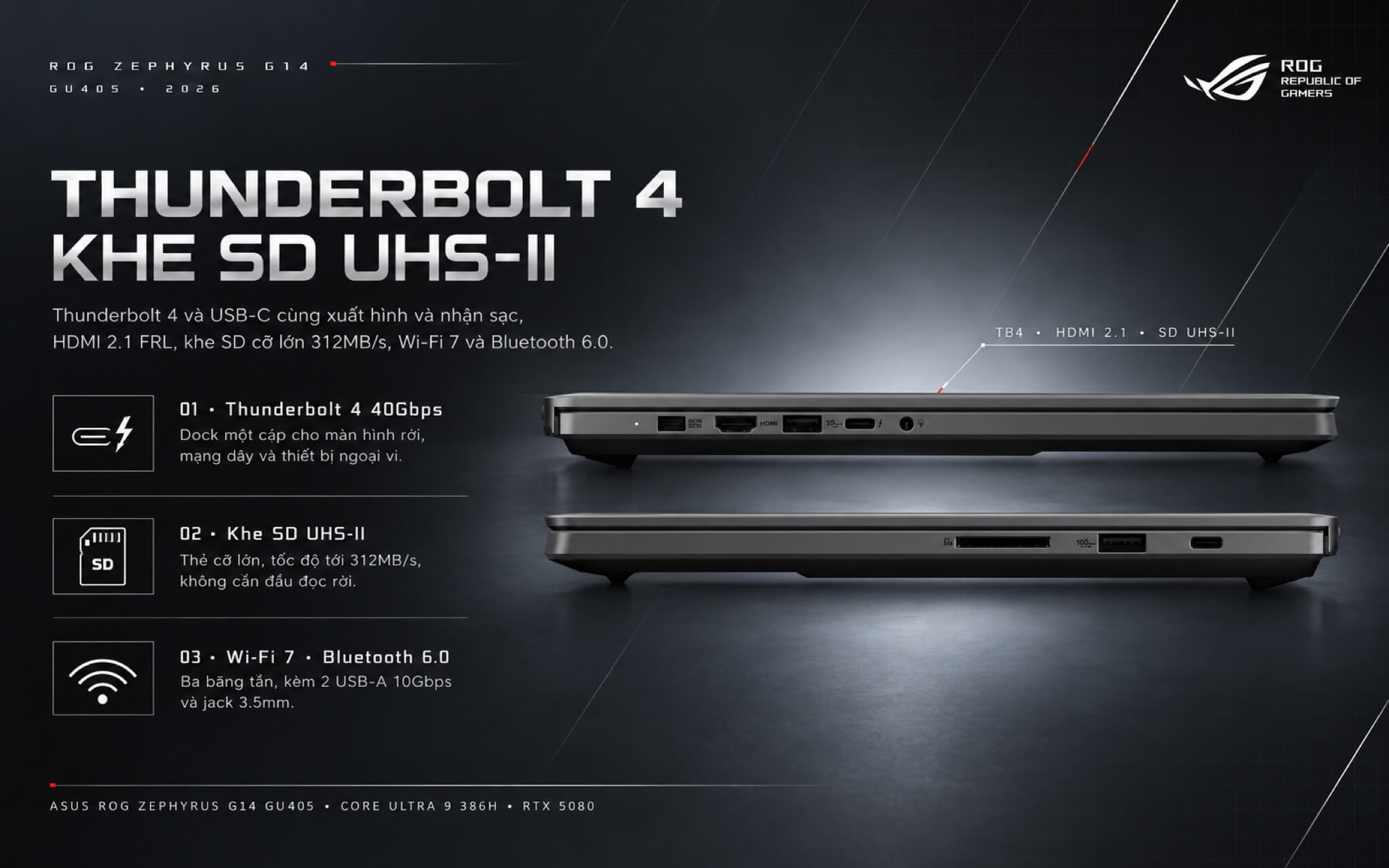
Wireless connectivity features tri-band Wi-Fi 7 and Bluetooth 6.0, an upgrade over Bluetooth 5.4 on the AMD variant. There is no dedicated Ethernet port on board. However, Thunderbolt 4 allows for single-cable docking solutions that easily supply wired LAN, external monitors, and extra USB peripherals at a desk. You can explore more options in our Asus laptop category at Hung Phat Laptop.
Summary and Review: ASUS ROG Zephyrus G14 GU405 (2026)
The ASUS ROG Zephyrus G14 GU405 (2026) is built for gamers and creators seeking the graphical horsepower of an RTX 5070 Ti or RTX 5080 in a compact 14-inch footprint weighing just 1.58kg. It boasts a color-accurate 3K OLED panel, 8533MHz memory, a 1TB SSD, Thunderbolt 4, a full-size SD reader, and Copilot+ PC certification. The RTX 5070 Ti model hits the sweet spot for primary gaming, while the RTX 5080 version delivers 16GB of VRAM tailored for demanding content creation and local AI workloads.
Things to consider: soldered RAM, a single SSD slot, multi-core CPU performance that is on par with the 2025 iteration rather than faster, audible fan noise in Turbo mode, a 120Hz refresh rate, no built-in Ethernet port, and a 130W cap on the RTX 5080 that narrows the performance gap with the RTX 5070 Ti compared to larger chassis.
| Pros | Cons |
|---|---|
|
|
FAQ - Frequently Asked Questions About the ASUS ROG Zephyrus G14 GU405 (2026)
1. What is the difference between the RTX 5070 Ti and RTX 5080 configurations?
Both variants share the Intel Core Ultra 9 386H, 32GB of LPDDR5X-8533 RAM, a 1TB SSD, a 3K 120Hz OLED screen, and an Eclipse Gray finish. The primary distinction is the graphics card: one comes with a 12GB RTX 5070 Ti, while the other steps up to a 16GB RTX 5080. Both GPUs run at a maximum TGP of 130W.
2. Is it worth paying extra to upgrade to the RTX 5080?
If your primary focus is gaming, the RTX 5070 Ti easily delivers smooth frame rates across modern AAA titles at 2.5K to 3K resolution. The RTX 5080 becomes a worthwhile investment if you need 16GB of VRAM for high-resolution video editing, local AI models, or running future games with maximum texture settings.
3. Is the Core Ultra 9 386H faster than the 2025 G14?
Performance is roughly comparable. Single-core speeds see a modest 5% to 7% gain, while multi-core figures come in about 5% lower than the AMD Ryzen AI 9 HX 370 on the 2025 G14. The real generational benefits lie in cooler operating temperatures and improved battery efficiency.
4. Can the RAM and SSD be upgraded?
The 32GB of RAM is soldered directly to the motherboard and cannot be upgraded. The 1TB SSD can be swapped out for a higher-capacity drive, but keep in mind there is only a single M.2 slot available.
5. Does the laptop get noisy when gaming?
In Turbo mode, fan noise measures around 48dB according to testing by UltrabookReview. Performance mode dials that back to roughly 42dB, and Silent mode stays below 35dB. Under light everyday workloads, the fans remain virtually silent or off.
6. Is this a Copilot+ PC?
Yes. The NPU inside the Core Ultra 9 386H delivers 50 TOPS, surpassing Microsoft's 40 TOPS requirement and unlocking on-device Copilot+ PC features.
7. How does the GU405 differ from the AMD-based GA403?
The GU405 features the Core Ultra 9 386H, RTX 5070 Ti or RTX 5080 graphics, 8533MHz RAM, Thunderbolt 4, a full-size SD card slot, Bluetooth 6.0, a 250W power adapter, and a weight of 1.58kg. In comparison, the GA403 uses a Ryzen AI 9 465 processor, RTX 5060 graphics, 7500MHz RAM, USB4, a microSD slot, and weighs 1.5kg.
8. Does the laptop have an Ethernet port?
No. It relies on Wi-Fi 7 for wireless networking. If you prefer a wired connection, you can easily use a Thunderbolt docking station or a standard USB-to-LAN adapter.
9. What is the warranty policy at Hung Phat Laptop?
Hung Phat Laptop provides genuine authorized products backed by clear tax invoices, transparent warranty coverage, a 30-day return policy, lifetime technical support, and nationwide delivery.
Where to buy the genuine ASUS ROG Zephyrus G14 GU405 (2026) at the best price?
For users who demand tier-one graphics performance without hauling a 2.5kg workstation, the ASUS ROG Zephyrus G14 GU405 (2026) stands out as one of the few 14-inch laptops equipped with an RTX 5070 Ti or RTX 5080. Choosing between the two comes down to whether your primary focus is gaming or whether your workflow calls for extra VRAM for content creation and AI tasks.
Visit our showroom to test games on both the RTX 5070 Ti and RTX 5080 models firsthand, and let our technicians configure custom fan profiles that balance framerates and acoustics to your liking. Every machine is a genuine import backed by proper invoices, nationwide shipping, and transparent warranty coverage at Hung Phat Laptop.
Performance & benchmarks Asus ROG Zephyrus G14 GU405 (2026)
Intel Core Ultra 9 386H NVIDIA GeForce RTX 5070 Ti Laptop - best for Gaming 10/10, Video / Graphics 9.5/10.
Intel Core Ultra 9 386H
- Cinebench R23 (multi-core)20,750
- Geekbench 6 (multi-core)16,816
- Geekbench 6 (single-core)2,873
- PassMark35,550
- Cores / Threads16/16
NVIDIA GeForce RTX 5070 Ti Laptop
- 3DMark Time Spy16,739.5
- 3DMark Fire Strike43,722
- VRAM12 GB
- AI INT8992 TOPS
- ArchitectureBlackwell
Best for
Scored from real benchmarks- Gaming Recommended10/10
- Video / Graphics9.5/10
- Programming9.5/10
- Office9.5/10
- AI / Generative AI9.5/10
Why does the CPU matter?
The CPU is the "brain" that handles every task: launching apps, multitasking, compiling code and editing video. The stronger the CPU, the faster and smoother the laptop runs when you juggle many things at once.
- BasicThis product
Web browsing, streaming and light office work.
- MainstreamThis product
Office work, moderate multitasking and studying.
- Mid-rangeThis product
Solid multitasking, programming and light graphics work.
- StrongThis product
Video editing, heavy programming, virtualization and gaming.
- FlagshipThis product
Heavy rendering, 4K/8K editing, virtual machines and AI workloads.
Why does the GPU matter?
The GPU (graphics card) handles visuals: gaming, video editing, 3D rendering and AI acceleration. The stronger the GPU, the higher your frame rates and the faster your video exports.
- Basic (iGPU)This product
Smooth display, 4K video and very light games (League of Legends, Valorant on low).
- MainstreamThis product
1080p eSports gaming, photo editing and light video editing.
- Mid-rangeThis product
1080p gaming on medium-high settings and smooth Full HD video editing.
- StrongThis product
1080p/1440p gaming on high settings, 4K video editing and 3D rendering.
- FlagshipThis product
4K/240Hz gaming, ray tracing, heavy rendering and AI.
Game performance
Real FPS - QHD- Dota 2171 fps1080p Ultra
- CS2174 fpsQHD Ultra
- GTA V139 fpsQHD Ultra
- CoD: Black Ops 668 fpsQHD Ultra
- Battlefield 668 fpsQHD Ultra
- Star Wars Outlaws42 fpsQHD Ultra
- Black Myth: Wukong32 fpsQHD Ultra
- Cyberpunk 207781 fpsQHD Ultra
≥60fps very smooth30-60fps playable<30fps lower the settings
Local AI performance
Tokens/second running locally on GPU 12GB VRAM- Qwen 3.5 9B9.7 GB · ctx 32K48 tok/sDecent
- Gemma 4 E4B IT8.7 GB · ctx 256K54 tok/sDecent
- Phi-4 14B7.7 GB · ctx 16K61 tok/sRuns well
- DeepSeek R1 Distill 14B7.7 GB · ctx 64K61 tok/sRuns well
- Llama 3.2 11B Vision6.1 GB · ctx 128K77 tok/sRuns well
- Gemma 4 E2B IT5.6 GB · ctx 256K84 tok/sRuns well
- GLM-4 9B5.1 GB · ctx 128K92 tok/sRuns great
- Gemma 4 E4B4.6 GB · ctx 256K102 tok/sRuns great
- Ministral 8B4.6 GB · ctx 32K102 tok/sRuns great
- Qwen 3.5 4B4.6 GB · ctx 32K102 tok/sRuns great
- DeepSeek R1 Distill 7B4.1 GB · ctx 64K115 tok/sRuns great
- Gemma 4 E2B3.1 GB · ctx 256K152 tok/sRuns great
- Qwen 3.5 2B2.5 GB · ctx 32K188 tok/sRuns great
- Phi-4 Mini Reasoning2.4 GB · ctx 16K196 tok/sRuns great
- Llama 3.2 3B2 GB · ctx 128K235 tok/sRuns great
- SmolLM3 3B2 GB · ctx 128K235 tok/sRuns great
- DeepSeek R1 1.5B1.3 GB · ctx 64K362 tok/sRuns great
- Qwen 3.5 0.8B1.3 GB · ctx 32K362 tok/sRuns great
- TinyLlama 1.1B1.1 GB · ctx 2K428 tok/sRuns great
- Llama 3.2 1B1 GB · ctx 128K470 tok/sRuns great
- Qwen 2.5 14B7.7 GB · ctx 128K61 tok/sRuns well
- Qwen 3 14B7.7 GB · ctx 128K61 tok/sRuns well
- Gemma 3 12B6.6 GB · ctx 128K71 tok/sRuns well
- Mistral Nemo 12B6.6 GB · ctx 128K71 tok/sRuns well
- Gemma 2 9B5.1 GB · ctx 8K92 tok/sRuns great
- Nemotron Nano 9B v25.1 GB · ctx 128K92 tok/sRuns great
- Llama 3.1 8B4.6 GB · ctx 128K102 tok/sRuns great
- Qwen 3 8B4.6 GB · ctx 128K102 tok/sRuns great
- Mistral 7B v0.34.1 GB · ctx 32K115 tok/sRuns great
- Qwen 2.5 7B4.1 GB · ctx 128K115 tok/sRuns great
- Qwen 2.5 Coder 7B4.1 GB · ctx 128K115 tok/sRuns great
- Qwen 3 4B2.5 GB · ctx 32K188 tok/sRuns great
- Gemma 3 4B2.5 GB · ctx 128K188 tok/sRuns great
- Phi-3.5 Mini2.4 GB · ctx 128K196 tok/sRuns great
- Gemma 2 2B1.5 GB · ctx 8K314 tok/sRuns great
- Qwen 3 1.7B1.4 GB · ctx 32K336 tok/sRuns great
- Qwen 2.5 Coder 1.5B1.3 GB · ctx 32K362 tok/sRuns great
- Qwen 3 0.6B1.1 GB · ctx 32K428 tok/sRuns great
- Gemma 3 1B1 GB · ctx 32K470 tok/sRuns great
GreatWellDecent4-bit quantized, ctx = context window
No comments yet
Q&A about Asus ROG Zephyrus G14 GU405 (2026)
Frequently asked questions about Asus ROG Zephyrus G14 GU405 (2026)
What are the specifications of Asus ROG Zephyrus G14 GU405 (2026)?
What is the warranty for Asus ROG Zephyrus G14 GU405 (2026)?
Is Asus ROG Zephyrus G14 GU405 (2026) genuine?
Can I buy Asus ROG Zephyrus G14 GU405 (2026) with home delivery?
Worth a Look
Asus ROG Zephyrus G16 GU605 (2025)
Asus ROG Zephyrus G14 GA403 (2026)
Asus TUF Gaming F16 (FX608LM) (2025)
 4 configurations
Asus Gaming V16 V3607 (2025)
 2 configurations




Share your review of this product
Write a reviewThere are no reviews yet.