

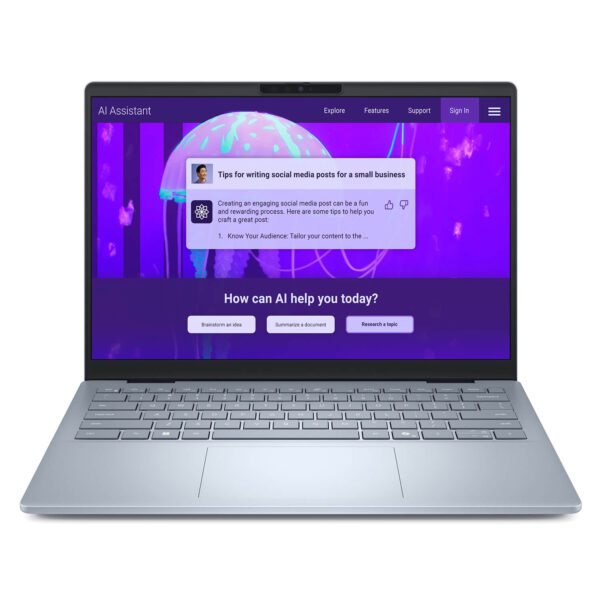
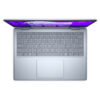
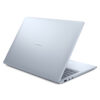
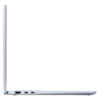
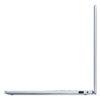
DELL 14 Plus DB14250 (2025)
- CPU: AMD Ryzen™ AI 7 PRO 350 Up To 5.0GHz (8 Cores, 16 Threads, 24MB Cache - 50 TOPS NPU)
- RAM: LPDDR5X 16GB 7500MHz
- SSD: 1TB PCIe Gen4 M.2 SSD
- VGA: AMD Radeon™ Graphics
- DISPLAY: 14″ FHD+ IPS (1920 x 1200), Non-Touch, Anti-Glare, 300 nits
- CONDITION: New 100% Full Box
- WARRANTY: Bảo hành 12 tháng
- Sleek and Sophisticated Design
- Powerful Performance with Core Ultra Series 2
- Display on the Dell 14 Plus DB14250 (2025)
- Comprehensive Security: Protecting Your Data
- Integrated AI Assistant for Maximum Productivity
- Keyboard & Touchpad: Dell 14 Plus DB14250
- Ports, Connectivity & Battery Life
- Overview & Review: Dell 14 Plus DB14250 (2025)
- FAQ - Frequently Asked Questions about Dell 14 Plus DB14250 (2025)
- Where to buy the Dell 14 Plus DB14250 (2025) with the best price and reliability?
Featuring a slim and lightweight, fashionable design paired with powerful performance, the Dell 14 Plus DB14250 is the ideal choice for professionals, content creators, and students in 2025. Combining a modern aesthetic with premium configuration, this Dell 14 Plus laptop perfectly meets the demands of professional workflows and mobile entertainment. With standout advantages in design, performance, and versatility, the Dell 14 Plus DB14250 is poised to become a new icon in the ultrabook segment, delivering exceptional processing power without the bulk.
Sleek and Sophisticated Design
The Dell 14 Plus DB14250 makes a lasting impression with its slim, lightweight design and elegant look, embracing the minimalist trends of 2025. The premium aluminum chassis ensures durability while maintaining a weight of just 1.55 kg, making it incredibly easy to carry anywhere. Ultra-thin bezels not only enhance the aesthetic but also optimize screen real estate, providing an expansive viewing experience perfect for professionals and creators. The overall dimensions are 314 x 226 x 16.95 mm, making it compact and convenient for life on the move.
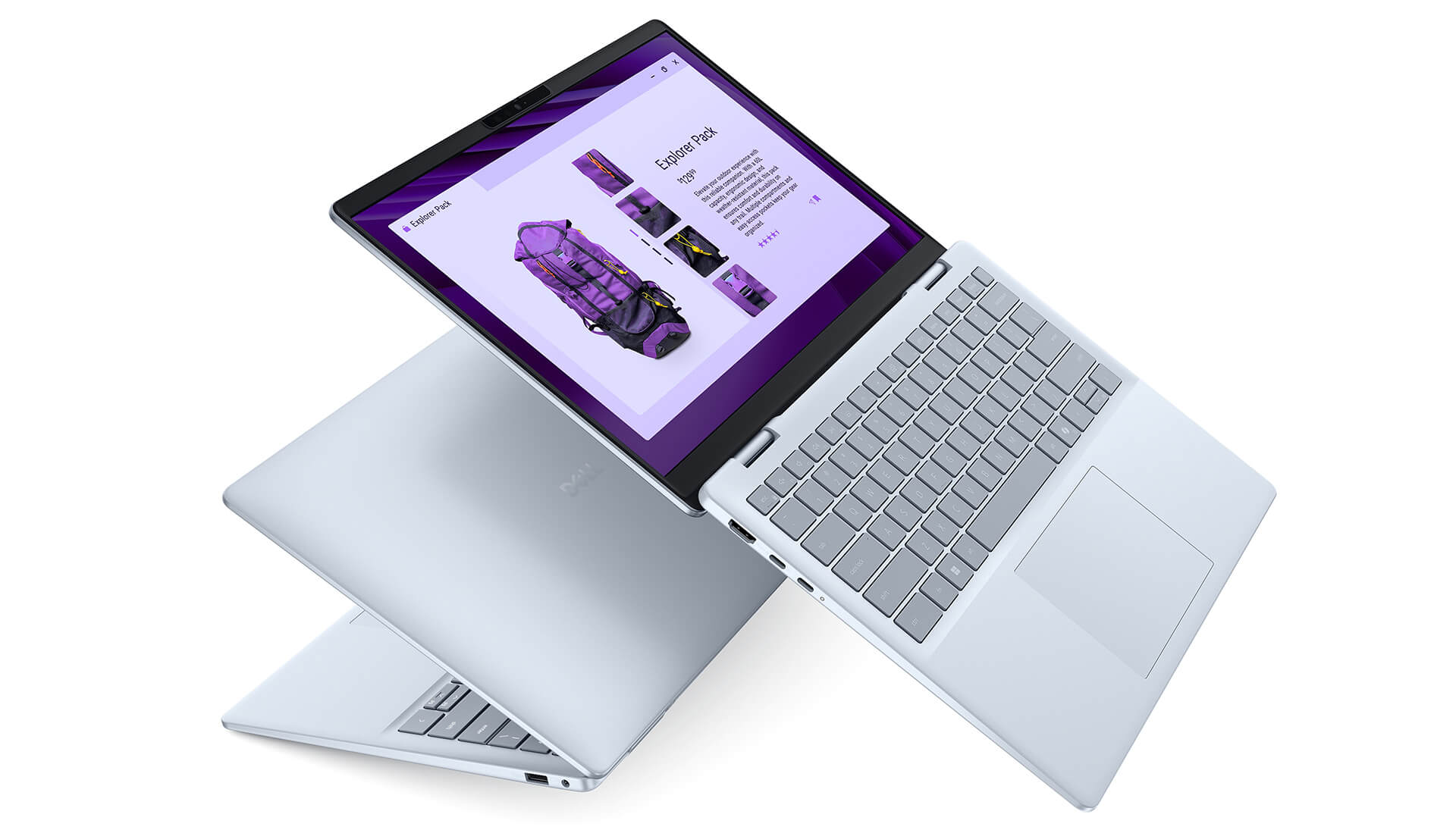
The Dell 14 Plus DB14250 laptop features a unique Ice Blue finish, offering a look that is both elegant and fresh. Every detail, from the display bezels to the palm rest, is crafted from high-quality materials that are scratch-resistant, ensuring the device maintains its beauty over time. This is the perfect choice for those looking to express their personality through a laptop that is both lightweight and sophisticated.
Overall, the Dell 14 Plus DB14250 is a harmonious blend of portability, modern design, and reliable durability. With its minimalist, slim profile and professional appearance, this laptop is ideal for mobile professionals, content creators, or anyone seeking a stylish yet powerful device.
Powerful Performance with Core Ultra Series 2
Processing power is a highlight of the Dell 14 Plus DB14250, powered by the Intel Core Ultra 7 256V or 258V processor. Featuring an integrated NPU (Neural Processing Unit), it optimizes performance for AI tasks, photo editing, and video processing. With clock speeds reaching up to 4.8 GHz and 8 cores, it ensures smooth multitasking, making it perfect for content creation or graphic design work. Pre-installed Windows 11 Home and Copilot+ PC integration further boosts productivity.
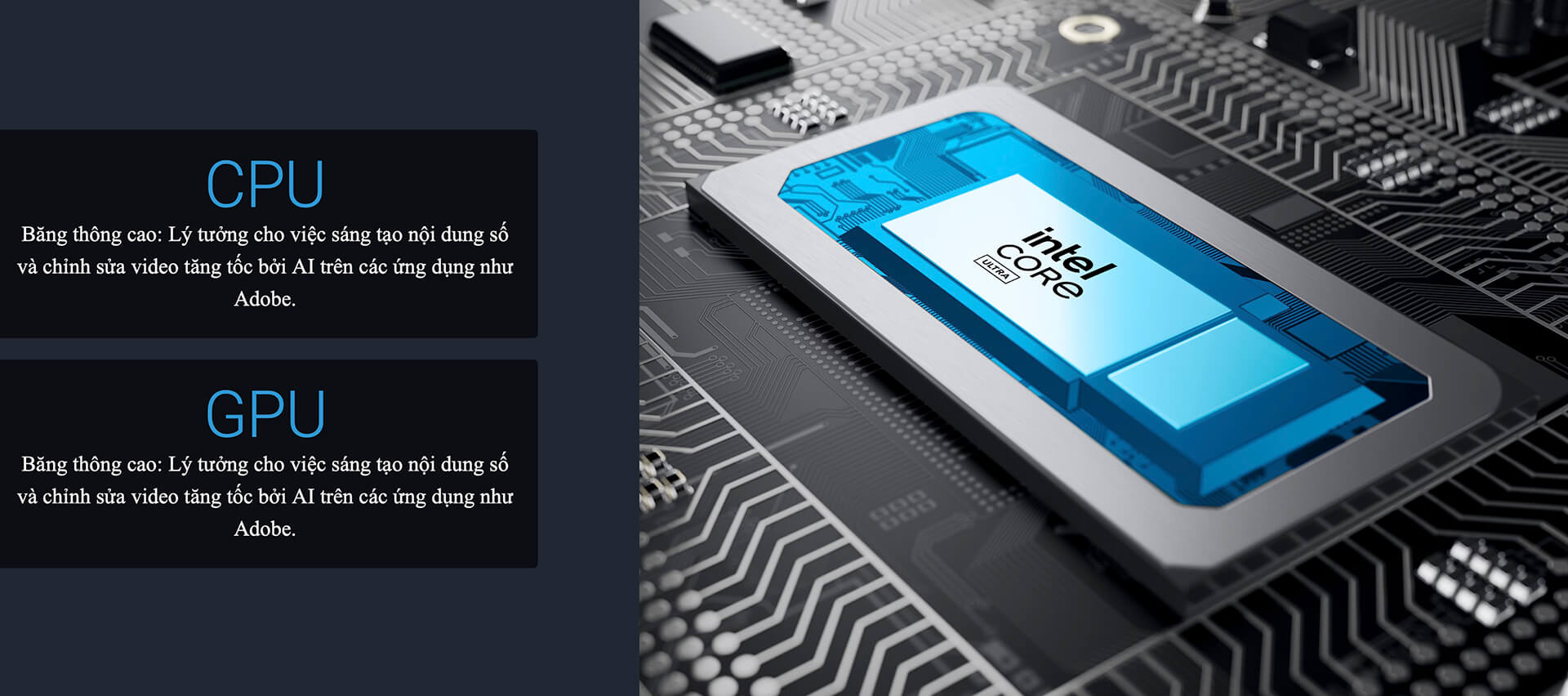
For graphics, the Dell 14 Plus DB14250 (2025) is equipped with Intel Arc Graphics, providing stable visual performance for creative tasks like photo editing, video production, or light gaming. This system ensures smooth operation during work sessions and delivers a high-quality entertainment experience.
Beyond raw power, the Core Ultra Series 2 in the Dell 14 Plus is highly energy-efficient, allowing for up to 22 hours of continuous local video playback. This allows users to work or play for extended periods without worrying about battery life, making it ideal for mobile lifestyles.
Display on the Dell 14 Plus DB14250 (2025)
The Dell 14 Plus DB14250 (2025) features a 14-inch display with 2.5K or QHD+ resolution options, delivering sharp and lifelike imagery. The IPS WVA panel technology ensures wide viewing angles and consistent color accuracy. With brightness up to 300 nits and an anti-glare coating, the screen remains clear even in bright environments. Additionally, the 100% sRGB color gamut makes it ideal for photo editing, design, and content creation.
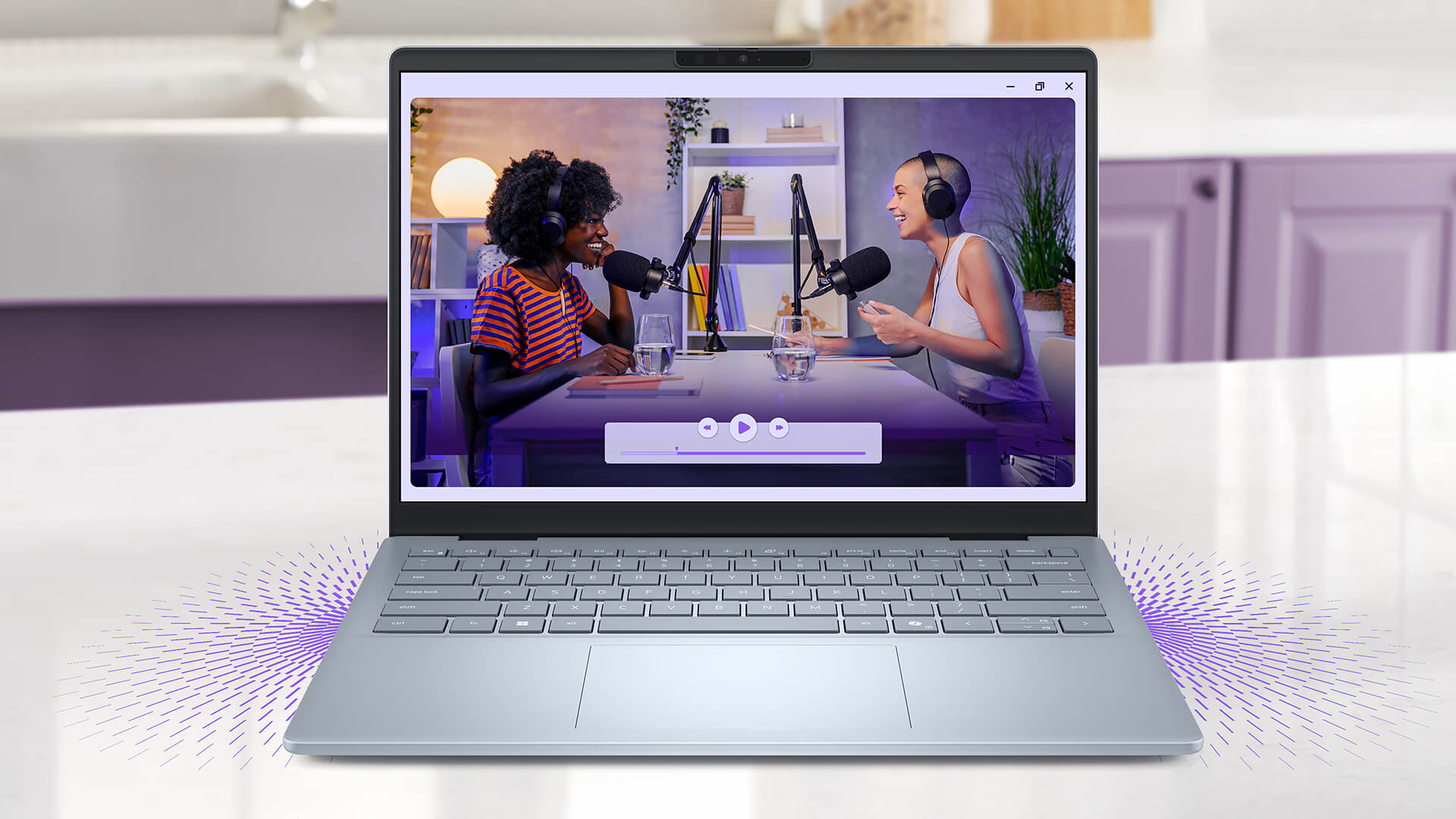
The display also integrates ComfortView Plus, a low blue light technology that protects your eyes and reduces fatigue during long sessions. This is a crucial feature for users who work or consume media for extended periods. Combined with accurate color reproduction, the Dell 14 Plus DB14250 provides a comfortable and professional visual experience.
In addition to visuals, the device features dual speakers with Waves MaxxAudio Pro and Dolby Atmos, delivering immersive audio perfect for video calls, music, and movies. The optimized sound quality complements the high-quality display, making the Dell 14 Plus DB14250 a complete solution for both professional and entertainment needs.
Comprehensive Security: Protecting Your Data
Data security is a top priority when choosing a premium laptop. The Dell 14 Plus DB14250 integrates a TPM chip for data encryption, a fingerprint sensor on the power button, and Windows Hello with an IR camera for fast, secure logins. Additionally, McAfee+ Premium software provides protection against viruses, malware, and cyberattacks.
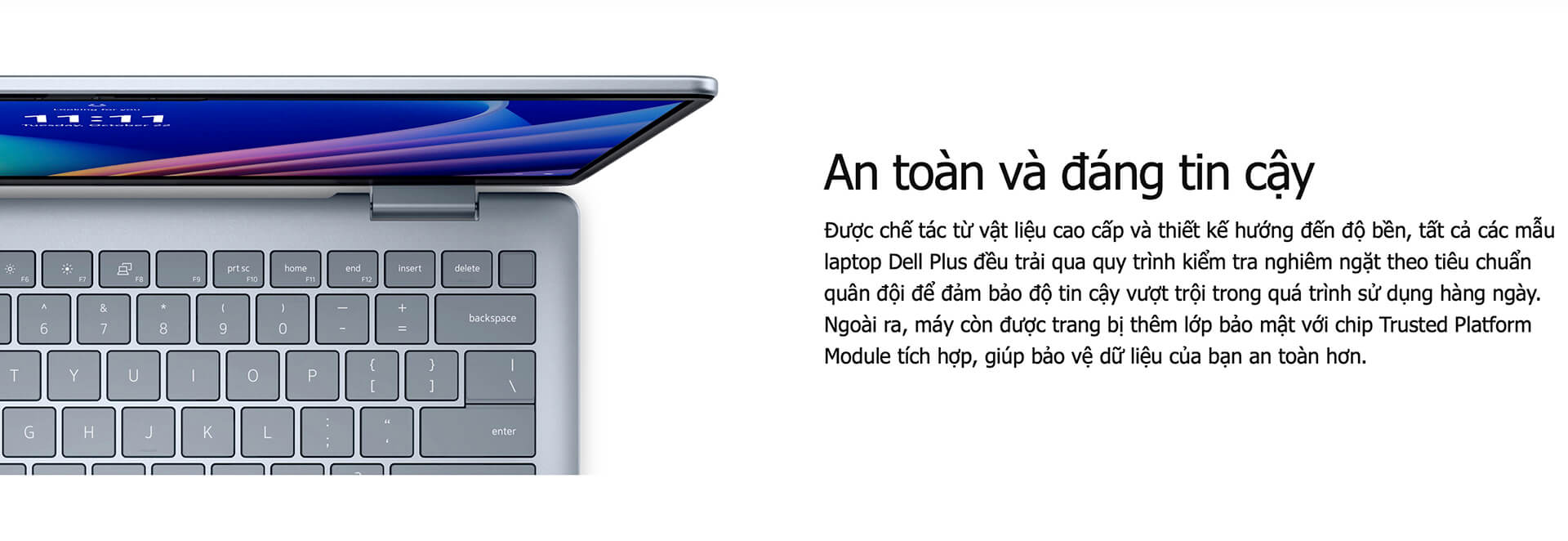
With security solutions spanning from hardware to software, the Dell 14 Plus DB14250 offers maximum protection for personal and business data. Automatic security updates and proactive threat prevention ensure your information remains safe, meeting the high security standards of the modern workplace.
Integrated AI Assistant for Maximum Productivity
Beyond its premium design, the Dell 14 Plus DB14250 features intelligent AI assistants to optimize workflows and user experience. Thanks to the Neural Processing Unit (NPU), the machine quickly handles AI tasks such as noise cancellation, live translation, photo/video editing, and support for software like Luminar Neo and Zoom. The Recall feature helps you quickly find data across files, emails, and websites, while Live Captions provides real-time English subtitles during video calls or movies, enhancing international communication and productivity.
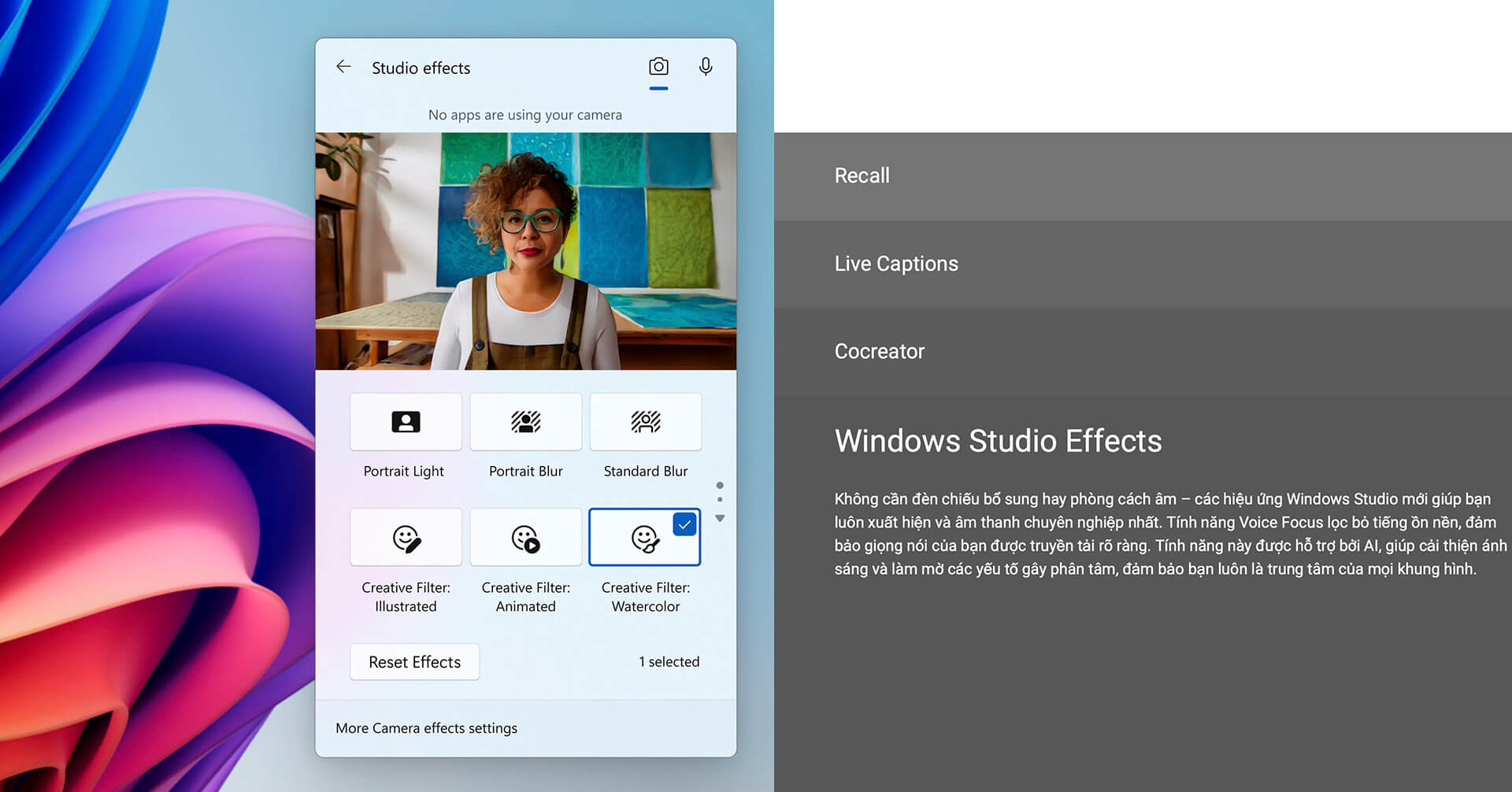
The Windows Studio Effects suite improves video call quality by filtering background noise, adjusting lighting, and blurring backgrounds, ensuring a professional appearance during meetings or livestreams. These technologies transform the Dell 14 Plus DB14250 into a powerful assistant for creative work, multimedia editing, and online communication.
Keyboard & Touchpad: Dell 14 Plus DB14250
Dell 14 Plus DB14250 is equipped with a backlit keyboard, enabling efficient work in low-light environments. The keys offer excellent tactile feedback and quick response times, reducing fatigue during long typing sessions. Notably, the dedicated Copilot key provides instant access to AI features, enhancing daily usability. The touchpad is spacious and highly responsive, supporting smooth multi-touch gestures for precise and fluid control.
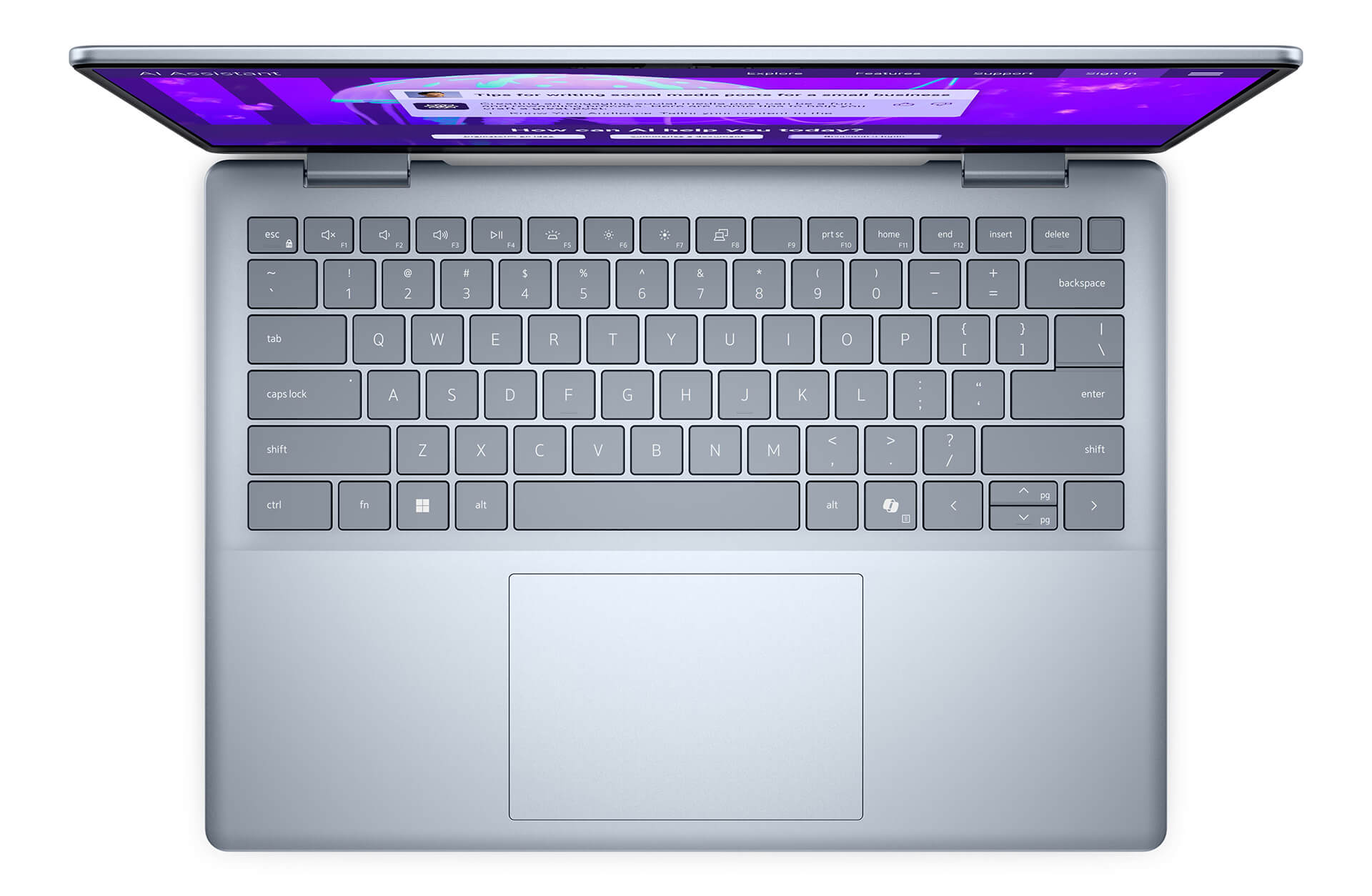
The combination of a responsive keyboard and a modern touchpad creates a smooth and comfortable typing experience. Whether you are working long hours or creating content, the Dell 14 Plus DB14250 meets the demands for precision and ease of use, boosting efficiency in both work and play.
Ports, Connectivity & Battery Life
The Dell 14 Plus DB14250 features a diverse array of ports to meet modern connectivity needs. It is equipped with 1 x USB 3.2 Gen 1, 1 x USB 3.2 Gen 2, a USB Type-C port supporting DisplayPort 1.4 and Power Delivery, along with Thunderbolt 4, HDMI 2.1, and a Universal Audio jack. This setup ensures fast connections and stable data transfer for a wide range of peripherals, from external monitors and keyboards to portable hard drives. Additionally, Wi-Fi 7 BE201 2x2 and Bluetooth provide high-speed, stable wireless connectivity in any environment.
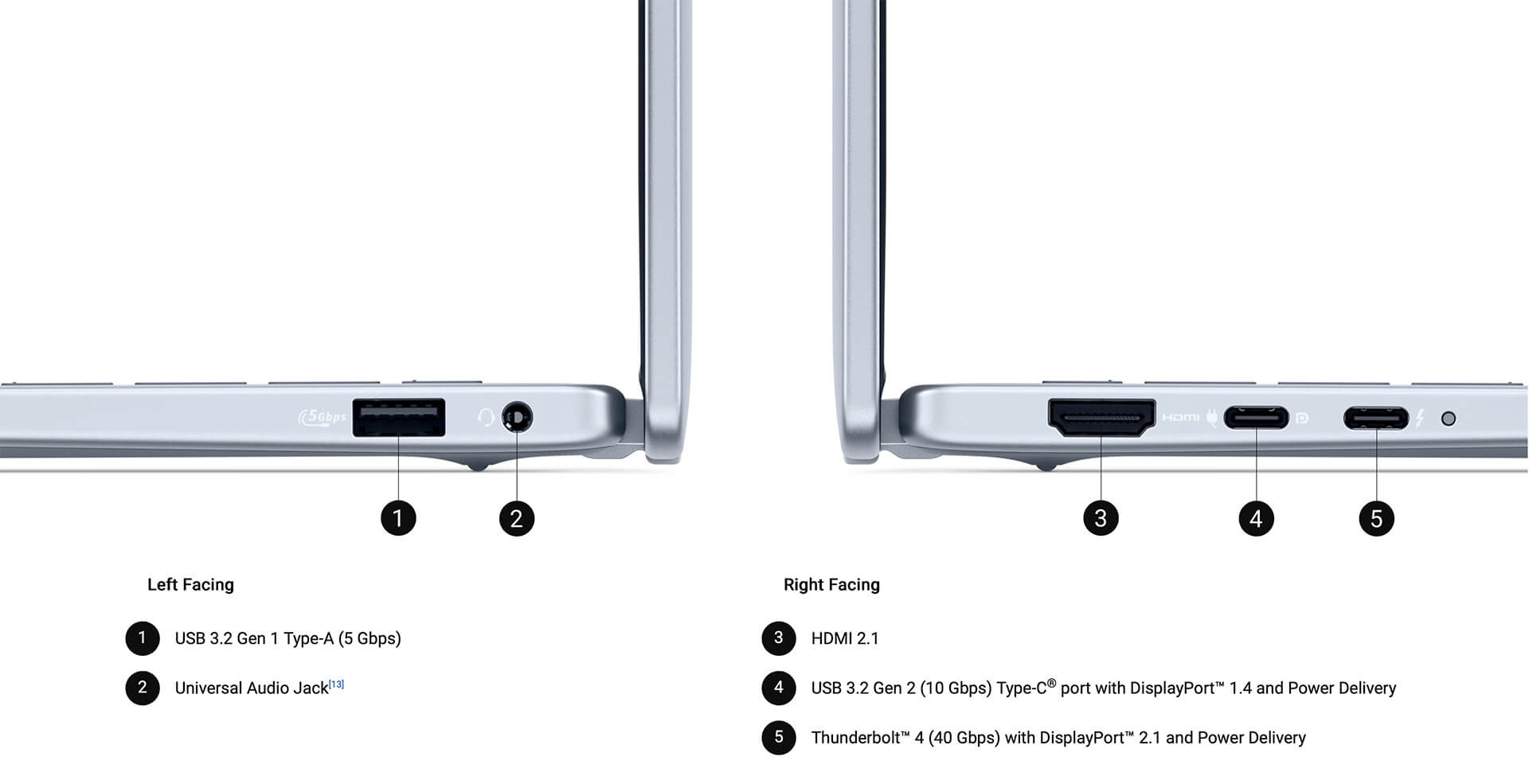
Battery life is also impressive, with a 64WHr 4-cell battery that allows for up to 22 hours of continuous video playback. The 65W Type-C charger enables fast charging, making it convenient for life on the go. The durable design, built with premium military-grade materials, protects the ports and extends the device's lifespan, providing peace of mind for daily use.
Overview & Review: Dell 14 Plus DB14250 (2025)
In summary, the Dell 14 Plus DB14250 is the perfect choice for users seeking a slim, lightweight laptop with high performance and versatile capabilities. This model is particularly suited for professionals, content creators, and students thanks to its elegant design, lightweight build, and premium finish. Powered by Intel Core Ultra Series 2 and intelligent AI processing, it handles everything from office tasks to creative graphics with speed, smoothness, and stability.
With a 14-inch 2.5K/QHD+ display, ComfortView Plus eye protection, immersive Dolby Atmos audio, and a long-lasting 22-hour battery, the Dell 14 Plus DB14250 is designed for both professional productivity and personal entertainment. Its sleek design, advanced security, and extensive connectivity make this laptop an ideal companion in the modern digital workspace.
| Pros | Cons |
|---|---|
|
|
FAQ - Frequently Asked Questions about Dell 14 Plus DB14250 (2025)
1. Is the Dell 14 Plus DB14250 design suitable for a professional environment?
The Dell 14 Plus DB14250 features a unibody aluminum chassis in a modern gray finish, weighing approximately 1.6kg. It is perfectly suited for office professionals who need a mobile, durable, and professional-looking device for the workplace or travel.
2. Is the Dell 14 Plus DB14250 screen good for office work?
Equipped with a 14-inch 2.5K (2560x1600) IPS display, the laptop provides ample screen real estate and supports easy window snapping. The anti-glare panel makes it easy to work in bright environments, and the stable color accuracy is ideal for handling documents and spreadsheets.
3. Is the Dell 14 Plus DB14250 configuration powerful enough for work?
The machine is equipped with Intel Core Ultra 5 or Ultra 7 Gen 15 processors, featuring an integrated NPU to assist with AI tasks like content summarization, quick text suggestions, and optimizing online meetings. DDR5 RAM and PCIe Gen 4 SSD ensure fast file opening and smooth multitasking.
4. How does the integrated NPU AI in the Dell 14 Plus DB14250 help with work?
The integrated AI processor supports tools like Windows Copilot, accelerating language processing, voice recognition, automatic text summarization, and enhancing online meeting efficiency via Microsoft Teams, saving you time on drafting and data analysis.
5. Is the Dell 14 Plus DB14250 suitable for developers?
The powerful CPU combined with fast RAM and SSD allows developers to compile code, run virtual machines, and develop web or backend applications stably. The NPU AI can also assist with AI-related projects or simple automation tasks.
6. What is the actual battery life of the Dell 14 Plus DB14250?
According to NotebookCheck, the version with a 54Wh battery achieves approximately 10 hours of light office work, dropping to 7-8 hours when multitasking with many browser tabs or during continuous video conferencing.
Source: Notebookcheck
7. Does the laptop run hot during multitasking or online meetings?
The Dell 14 Plus DB14250 features a dual-fan system that helps maintain stable temperatures when running multiple office applications or long video calls. The fans operate quietly, ensuring consistent performance in office environments.
8. Does the Dell 14 Plus DB14250 support Linux?
The Dell 14 Plus DB14250 is highly compatible with popular Linux distributions like Ubuntu and Debian. While some features like the fingerprint sensor or AI Copilot may not be fully supported, core components operate stably.
Source: Ubuntu Certified
9. What is the warranty policy at Hung Phat Laptop for the Dell 14 Plus DB14250?
Hung Phat Laptop offers the Dell 14 Plus DB14250 as a new device with a 12-month warranty and a 30-day replacement policy for technical defects. Customers also receive free lifetime device cleaning, software installation, and nationwide delivery.
Where to buy the Dell 14 Plus DB14250 (2025) with the best price and reliability?
Given its standout slim and lightweight design, powerful Core Ultra performance, and useful AI experiences, finding a reliable place to buy the Dell 14 Plus DB14250 (2025) is essential. If you are looking for a premium office laptop that excels at both professional work and content creation, Hung Phat Laptop is a top contender.
With over 10 years of experience providing genuine laptops, Hung Phat Laptop is committed to delivering products with clear origins, transparent warranties, lifetime technical support, and free nationwide shipping. It is the ideal destination to own the Dell 14 Plus DB14250 (2025) at a reasonable price with professional service.
Performance & benchmarks DELL 14 Plus DB14250 (2025)
AMD Ryzen AI 7 PRO 350 AMD Radeon 860M - best for Văn phòng 8.5/10, Lập trình 8/10.
AMD Ryzen AI 7 PRO 350
- Cinebench R23 (đa nhân)14,278.5
- Geekbench 6 (đa nhân)13,181
- Geekbench 6 (đơn nhân)2,830
- PassMark24,079
- Cores / Threads8/16
AMD Radeon 860M iGPU
- 3DMark Time Spy2,552
- 3DMark Fire Strike6,908
- ArchitectureRDNA 3+
Best for
Scored from real benchmarks- Chơi game3/10
- Dựng phim / Đồ hoạ4/10
- Lập trình8/10
- Văn phòng Recommended8.5/10
Why CPU matters
CPU là “bộ não” xử lý mọi tác vụ: mở ứng dụng, đa nhiệm, biên dịch, dựng phim. CPU càng mạnh, máy càng nhanh và mượt khi làm nhiều việc cùng lúc.
- Cơ bảnThis product
Lướt web, xem phim, soạn thảo văn phòng nhẹ.
- Phổ thôngThis product
Văn phòng, đa nhiệm vừa, học tập.
- Tầm trungThis product
Đa nhiệm tốt, lập trình, đồ hoạ nhẹ.
- Khá mạnhThis product
Dựng phim, lập trình nặng, ảo hoá, chơi game.
- Cao cấpThis product
Render nặng, biên tập 4K/8K, máy ảo, tác vụ AI.
Why GPU matters
GPU (card đồ hoạ) lo phần hình ảnh: chơi game, dựng video, render 3D và tăng tốc AI. GPU càng mạnh, khung hình game càng cao và xuất video càng nhanh.
- Cơ bản (iGPU)This product
Hiển thị mượt, xem phim 4K, game rất nhẹ (LMHT, Valorant mức thấp).
- Phổ thôngThis product
Game eSports 1080p, chỉnh ảnh, dựng video nhẹ.
- Tầm trungThis product
Game 1080p thiết lập trung-cao, dựng video Full HD ổn.
- Khá mạnhThis product
Game 1080p/1440p thiết lập cao, dựng video 4K, render 3D.
- Cao cấpThis product
Game 4K/240Hz, ray tracing, render & AI nặng.
Game performance
Real FPS - FHD- Dota 274 fps1080p Ultra
- GTA V61 fps1080p Cao
- Star Wars Outlaws15 fps1080p Thấp
- Cyberpunk 207735 fps1080p Thấp
🟢 ≥60fps rất mượt · 🟡 30-60fps chơi tốt · 🔴 <30fps cần giảm thiết lập
Local AI performance
Tokens/second running locally on GPU- Gemma 4 E2B IT5.6 GB · ctx 256K15 tok/sDecent
- GLM-4 9B5.1 GB · ctx 128K16 tok/sDecent
- Gemma 4 E4B4.6 GB · ctx 256K18 tok/sDecent
- Ministral 8B4.6 GB · ctx 32K18 tok/sDecent
- Qwen 3.5 4B4.6 GB · ctx 32K18 tok/sDecent
- DeepSeek R1 Distill 7B4.1 GB · ctx 64K20 tok/sRuns well
- Gemma 4 E2B3.1 GB · ctx 256K27 tok/sRuns well
- Qwen 3.5 2B2.5 GB · ctx 32K34 tok/sRuns well
- Phi-4 Mini Reasoning2.4 GB · ctx 16K35 tok/sRuns well
- Llama 3.2 3B2 GB · ctx 128K42 tok/sRuns great
- SmolLM3 3B2 GB · ctx 128K42 tok/sRuns great
- DeepSeek R1 1.5B1.3 GB · ctx 64K65 tok/sRuns great
- Qwen 3.5 0.8B1.3 GB · ctx 32K65 tok/sRuns great
- TinyLlama 1.1B1.1 GB · ctx 2K76 tok/sRuns great
- Llama 3.2 1B1 GB · ctx 128K84 tok/sRuns great
- Gemma 2 9B5.1 GB · ctx 8K16 tok/sDecent
- Nemotron Nano 9B v25.1 GB · ctx 128K16 tok/sDecent
- Llama 3.1 8B4.6 GB · ctx 128K18 tok/sDecent
- Qwen 3 8B4.6 GB · ctx 128K18 tok/sDecent
- Mistral 7B v0.34.1 GB · ctx 32K20 tok/sRuns well
- Qwen 2.5 7B4.1 GB · ctx 128K20 tok/sRuns well
- Qwen 2.5 Coder 7B4.1 GB · ctx 128K20 tok/sRuns well
- Qwen 3 4B2.5 GB · ctx 32K34 tok/sRuns well
- Gemma 3 4B2.5 GB · ctx 128K34 tok/sRuns well
- Phi-3.5 Mini2.4 GB · ctx 128K35 tok/sRuns well
- Gemma 2 2B1.5 GB · ctx 8K56 tok/sRuns great
- Qwen 3 1.7B1.4 GB · ctx 32K60 tok/sRuns great
- Qwen 2.5 Coder 1.5B1.3 GB · ctx 32K65 tok/sRuns great
- Qwen 3 0.6B1.1 GB · ctx 32K76 tok/sRuns well
- Gemma 3 1B1 GB · ctx 32K84 tok/sRuns great
🟢 Great · 🟡 Well · 🟠 Decent - 4-bit quantized, ctx = context window
No comments yet
Q&A about DELL 14 Plus DB14250 (2025)
Frequently asked questions about DELL 14 Plus DB14250 (2025)
What are the specifications of DELL 14 Plus DB14250 (2025)?
What is the warranty for DELL 14 Plus DB14250 (2025)?
Can I buy DELL 14 Plus DB14250 (2025) with home delivery?
Worth a Look
 3 configurations
DELL 16 Plus DB16250 (2025)





Minh Hoàng 21/07/2026
Sleek, thin, and lightweight with very smooth performance. The machine is fast and has solid specs, but the screen is a bit dim, making it somewhat difficult to view when working outdoors.
Trần Thành Lợi 02/06/2025Purchased at Hung Phat
The ideal place to buy a laptop that perfectly meets your needs
Ngũ Tấn An 15/05/2025Purchased at Hung Phat
Students should receive a 500k discount during the back-to-school season.