

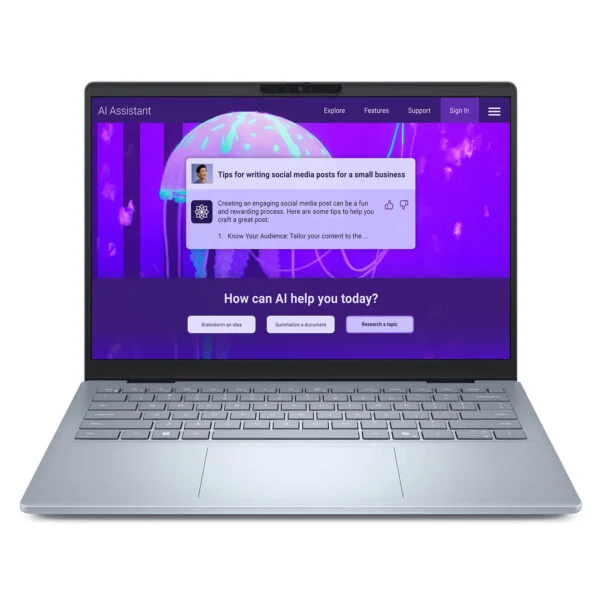
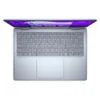
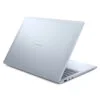
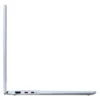
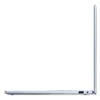
DELL 14 Plus DB14255 (2025)
- CPU: AMD Ryzen AI 7 350 Up To 5.0GHz (8 Cores, 16 Threads, 24MB Cache - 50 TOPS NPU)
- RAM: LPDDR5X 16GB 7500MHz
- SSD: 1TB PCIe Gen4 M.2 SSD
- VGA: AMD Radeon™ 860M Graphics
- DISPLAY: 14" FHD+ (1920*1200) IPS, Non-Touch, Anti-glare, 300 nits
- OS: Windows 11 Home
- CONDITION: New 100% Full Box
- Dell 14 Plus DB14255 Design in Ice Blue, Weighing About 1.52kg
- Dell 14 Plus DB14255 (2025) Display: 14-Inch FHD+ 16:10 Anti-Glare
- Dell 14 Plus DB14255 Performance With AMD Ryzen AI 7 350, Radeon 860M and LPDDR5X RAM
- Security on the Dell 14 Plus DB14255 for Personal and Work Data
- Copilot+ PC AI Features on the Dell 14 Plus DB14255 (2025)
- Keyboard, Touchpad, Speakers and FHD Webcam on the Dell 14 Plus DB14255
- Dell 14 Plus DB14255 Ports and Battery: 2 USB-C 10Gbps, HDMI, Wi-Fi 7, 64Wh Battery
- DELL 14 Plus DB14255 (2025) Overview and Review
- FAQ - Frequently Asked Questions About the DELL 14 Plus DB14255 (2025)
- Where to Buy a Genuine Dell 14 Plus DB14255 (2025) at a Great Price?
The DELL 14 Plus DB14255 (2025) is the AMD version of the Dell 14 Plus line, made for office workers, students and small business owners who need a compact 14-inch laptop that runs cool and meets the Copilot+ PC standard. It uses AMD Ryzen AI 300 Series processors with a 50 TOPS NPU, unlike the Dell 14 Plus DB14250 with Intel Core Ultra Series 2, while keeping the same Ice Blue chassis and familiar layout. Read on for the design, display, performance and connectivity, plus the trade-offs worth weighing before you buy.
Dell 14 Plus DB14255 Design in Ice Blue, Weighing About 1.52kg
The Dell 14 Plus DB14255 has an aluminum display lid and bottom cover, with a plastic bezel and palm rest, all finished in a soft Ice Blue. It measures 314mm wide, 226.15mm deep and 16.95mm thick, and starts at about 1.52kg, fitting in the laptop compartment of most 14-inch backpacks.
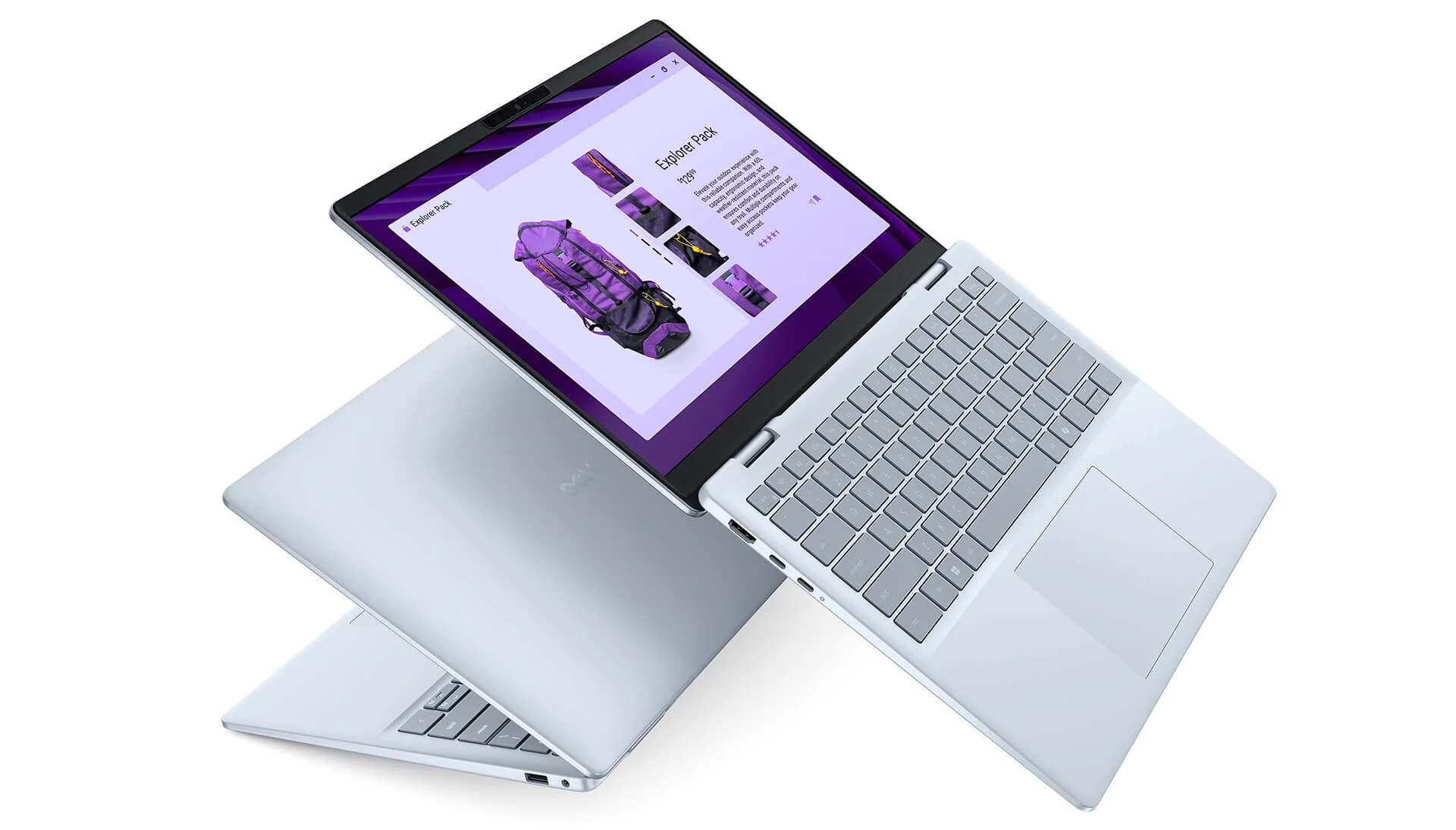
The lid carries only an embossed Dell logo in the center, a clean look that suits both the office and the classroom. If you need a 14-inch Dell laptop to carry every day without feeling the weight, this size is easy to get comfortable with.
Dell 14 Plus DB14255 (2025) Display: 14-Inch FHD+ 16:10 Anti-Glare
The Dell 14 Plus DB14255 (2025) version on sale uses a 14-inch IPS display with FHD+ (1920 x 1200) resolution, a 16:10 aspect ratio, no touch, an anti-glare coating and 300 nits of brightness. The 16:10 ratio adds vertical space compared with a 16:9 screen, so long documents, spreadsheets and web pages need less scrolling.
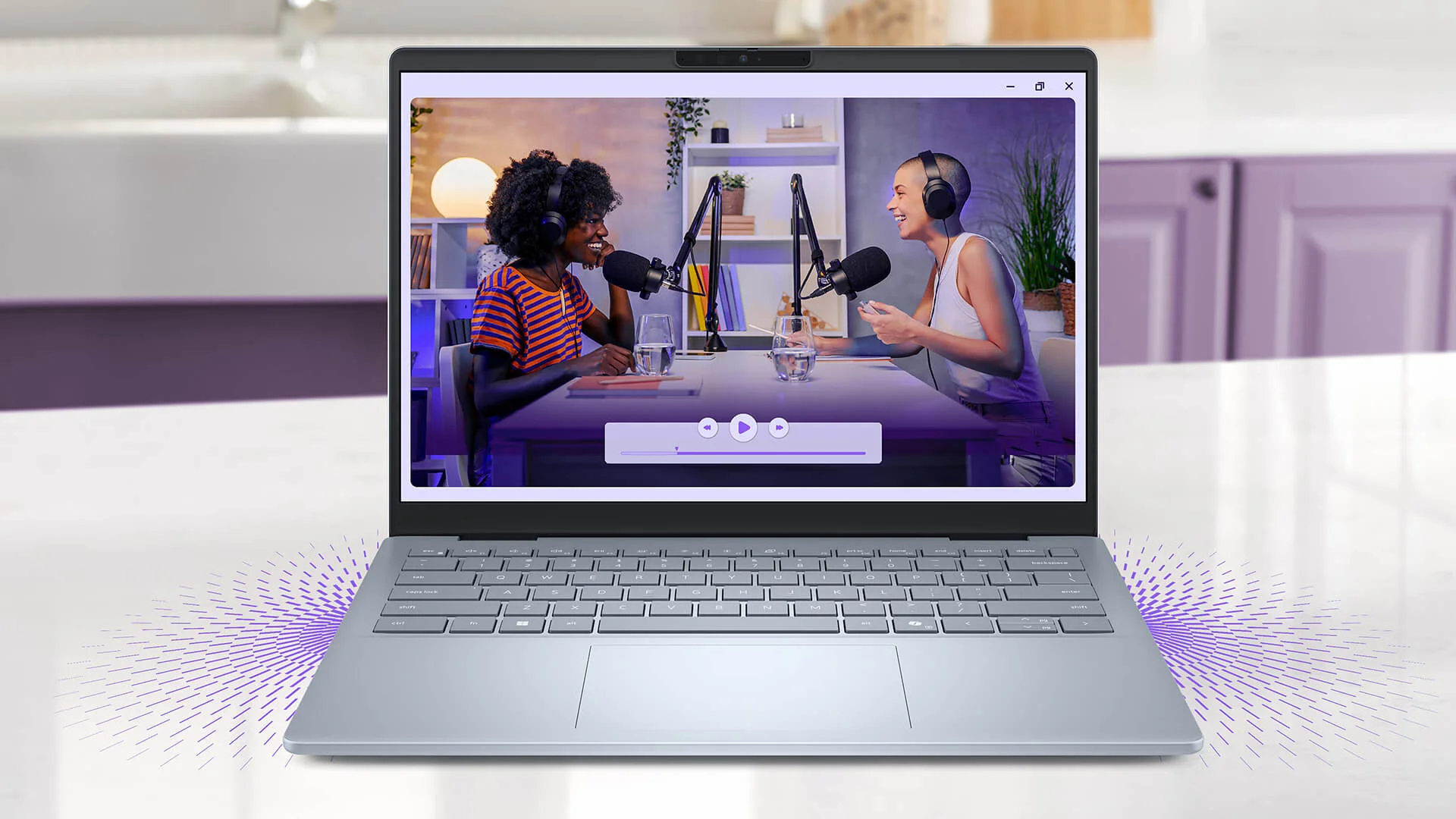
The 300-nit brightness works well in the office, a cafe or a classroom. The display isn't aimed at color-critical work, so if you edit photos, prepare print files or need a larger screen, connect an external monitor through a USB-C port with DisplayPort.
Dell 14 Plus DB14255 Performance With AMD Ryzen AI 7 350, Radeon 860M and LPDDR5X RAM
The version on sale at Hung Phat Laptop uses the AMD Ryzen AI 7 350 with 8 cores (4 Zen 5 and 4 Zen 5c cores), 16 threads, a max boost of 5.0GHz, 24MB of cache and a 50 TOPS NPU. According to Dell, the DB14255 line also offers the 6-core Ryzen AI 5 340 for lighter needs.
| CPU | Cinebench R23 single / multi-core | Geekbench 6 single / multi-core |
|---|---|---|
| AMD Ryzen AI 7 350 (version on sale) | 1,958 / 16,015 | 2,853 / 12,835 |
| AMD Ryzen AI 5 340 | 1,916 / 12,532 | 2,782 / 10,765 |
| Intel Core Ultra 7 256V (DB14250 version, reference) | 1,878 / 10,399 | 2,749 / 10,933 |
Source: average scores from Notebookcheck. Real-world results may vary depending on the power mode and ambient temperature.
With 16 threads, the Ryzen AI 7 350 scores about 54% higher in Cinebench R23 multi-core than the Core Ultra 7 256V in the DB14250, and its single-core score is slightly higher too. That handles large Excel files, many browser tabs, web development, photo editing and short social media videos well.
Graphics come from the integrated AMD Radeon 860M (8 RDNA 3.5 cores), enough for presentations, photo editing, light video editing and eSports games at low settings. For graphics, the Intel Arc 140V in the DB14250 scores higher, so if you prioritize light gaming or graphics work over multi-core processing, the Intel version is worth a look.
| GPU | 3DMark Time Spy Graphics | 3DMark Fire Strike Graphics |
|---|---|---|
| AMD Radeon 860M (version on sale) | ~2,552 | ~6,908 |
| AMD Radeon 840M (Ryzen AI 5 340 version) | ~1,479 | ~4,854 |
| Intel Arc Graphics 140V (DB14250 version, reference) | ~4,047 | ~9,819 |
Source: average scores from Notebookcheck.
The DELL 14 Plus DB14255 has 16GB of LPDDR5X 7500MHz RAM soldered to the motherboard, running in dual channel for high bandwidth that helps the integrated graphics, but it cannot be upgraded later. The 1TB PCIe Gen4 M.2 2230 SSD has plenty of room for documents, photos and software, and can still be swapped when needed.
Security on the Dell 14 Plus DB14255 for Personal and Work Data
The Dell 14 Plus DB14255 has a TPM 2.0 security chip and runs Windows 11 with device encryption support to protect your data if the laptop is ever lost. Ryzen AI 300 Series processors also integrate the Microsoft Pluton security processor, which stores sign-in and encryption keys right on the chip.
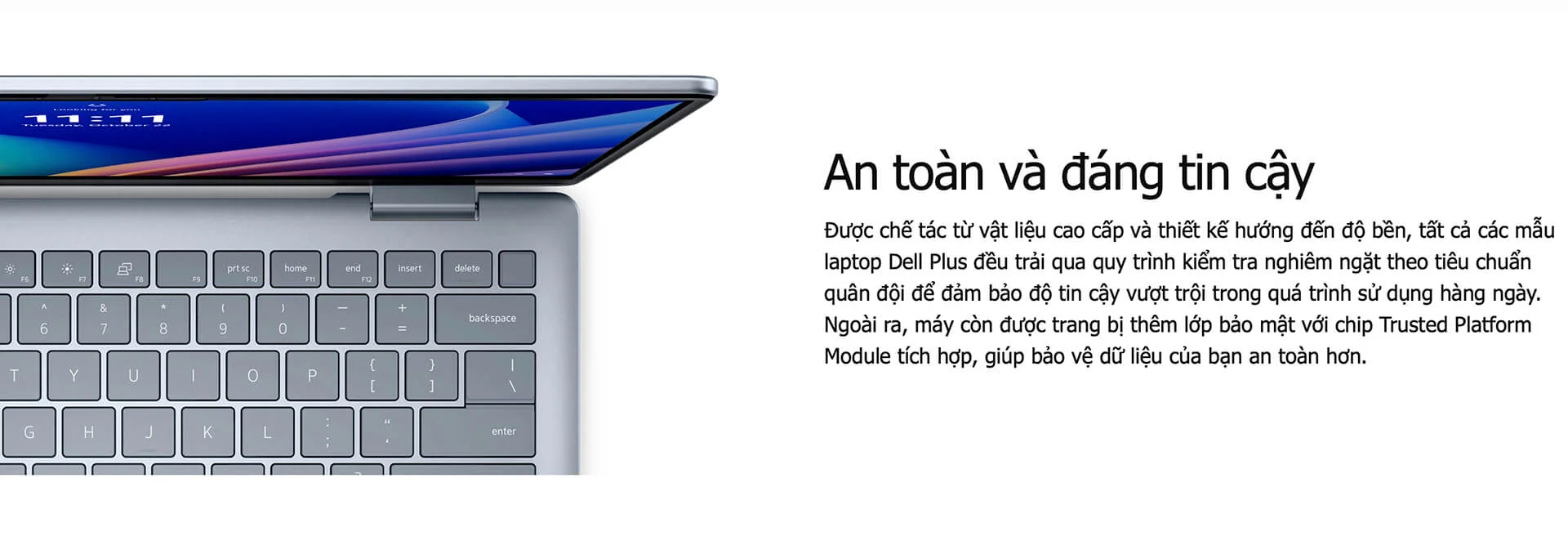
For small business owners and freelancers who keep contracts and quotes on their laptop, these layers of protection are enough without installing complex software. Turn on Windows Hello PIN sign-in and back up important data to the cloud regularly.
Copilot+ PC AI Features on the Dell 14 Plus DB14255 (2025)
The 50 TOPS NPU makes the Dell 14 Plus DB14255 (2025) a Copilot+ PC that runs Windows AI features right on the device. Windows Studio Effects blurs the background, adjusts lighting and keeps you in frame on video calls; Live Captions creates real-time subtitles; Cocreator helps you draw and generate images from a description; and Recall helps you find content you have viewed on the laptop.
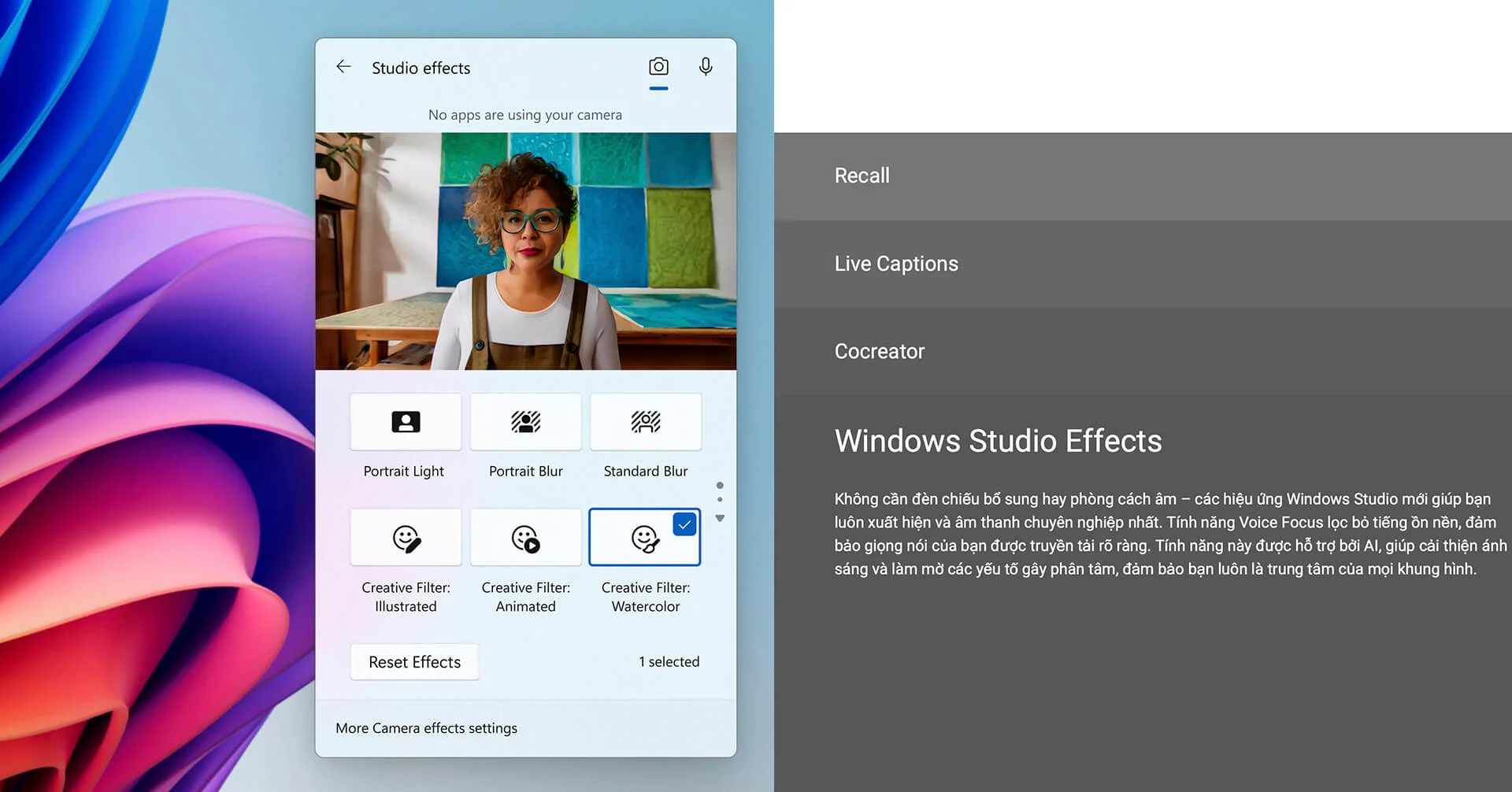
Because these tasks run on the NPU instead of the CPU, the laptop stays cool and saves battery during long online meetings. The dedicated Copilot key opens the AI assistant quickly when you write emails, summarize documents or brainstorm ideas.
Keyboard, Touchpad, Speakers and FHD Webcam on the Dell 14 Plus DB14255
The Dell 14 Plus DB14255 has a backlit keyboard in matching Ice Blue, without a numeric keypad, with clear key travel that keeps long typing sessions comfortable. The wide touchpad sits in the center of the palm rest and supports Windows multi-touch gestures for quick scrolling, zooming and window switching.
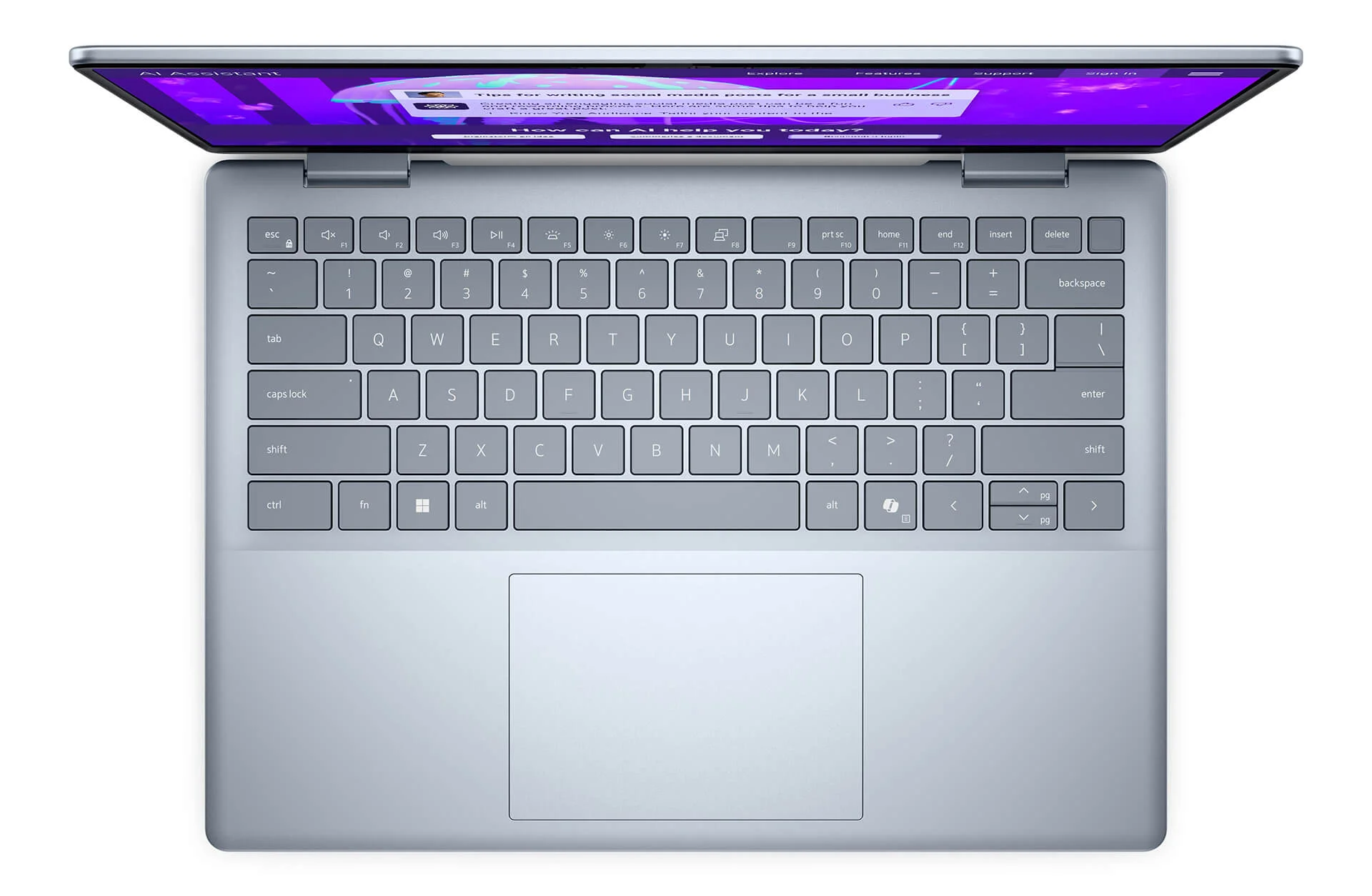
The two 2.5W stereo speakers are clear enough for online meetings and videos, and the FHD 1080p webcam delivers a sharper image than the common 720p webcams. The speakers are moderately loud, so a headset is more comfortable if you listen to music often or take calls in noisy places.
Dell 14 Plus DB14255 Ports and Battery: 2 USB-C 10Gbps, HDMI, Wi-Fi 7, 64Wh Battery
The Dell 14 Plus DB14255 has 2 USB-C 3.2 Gen 2 (10Gbps) ports with DisplayPort and charging, 1 USB-A 3.2 Gen 1 port, 1 HDMI 1.4 port and 1 audio jack. You can plug in a mouse, USB drives, a projector or an external monitor without an adapter.
Wireless connectivity uses a MediaTek Wi-Fi 7 MT7925 2x2 card with Bluetooth 5.4, stable for video calls and cloud data. The 64Wh battery charges over USB-C with a 65W adapter and lasts through most light office workdays. The laptop has no Thunderbolt or USB4, and HDMI 1.4 outputs 4K only at 30Hz, so connect 4K monitors through a USB-C port with DisplayPort.
DELL 14 Plus DB14255 (2025) Overview and Review
The DELL 14 Plus DB14255 (2025) is a 14-inch laptop that balances a weight of about 1.52kg, the 8-core, 16-thread Ryzen AI 7 350, 16GB of RAM, a 1TB SSD and the Copilot+ PC standard. It suits office workers, students, small business owners and content creators who need a compact machine with strong multitasking in the upper mainstream price range.
Points to consider: the 300-nit display has office-grade color, so add an external monitor for color work. The soldered RAM cannot be upgraded, and 16GB is enough for office multitasking. HDMI 1.4 is limited to 4K at 30Hz, so use USB-C for 4K monitors. The palm rest is plastic, so use a padded sleeve when traveling. You can browse more models in the Dell 14 Plus category.
| Pros | Cons |
|---|---|
|
|
FAQ - Frequently Asked Questions About the DELL 14 Plus DB14255 (2025)
1. How is the Dell 14 Plus DB14255 different from the DB14250?
The DB14255 uses AMD Ryzen AI 300 Series processors with Radeon graphics, while the DB14250 uses Intel Core Ultra Series 2 with Intel Arc 140V. The AMD version has higher multi-core scores, while the Intel version has stronger integrated graphics and a Thunderbolt 4 port.
2. Can the Dell 14 Plus DB14255's RAM be upgraded?
No. The 16GB of LPDDR5X 7500MHz RAM is soldered to the motherboard. The M.2 2230 SSD can still be swapped when needed.
3. Is it a Copilot+ PC?
Yes. The Ryzen AI 7 350 has a 50 TOPS NPU and runs Windows Studio Effects, Live Captions, Cocreator and Recall.
4. Does the Dell 14 Plus DB14255 have a touchscreen?
The version on sale uses a 14-inch FHD+ (1920 x 1200) IPS display, non-touch, anti-glare, with 300 nits of brightness.
5. Does it have HDMI and USB-A ports?
Yes. It has 1 HDMI 1.4 port, 1 USB-A 3.2 Gen 1 port, 2 USB-C 3.2 Gen 2 (10Gbps) ports with DisplayPort and charging, and 1 audio jack.
6. What support do I get when buying from Hung Phat Laptop?
Every unit is a genuine product with an invoice, a clear warranty, 30-day returns for manufacturer defects, SSD upgrade support and nationwide delivery.
Where to Buy a Genuine Dell 14 Plus DB14255 (2025) at a Great Price?
Not sure whether to pick the AMD or the Intel version of the Dell 14 Plus? Tell Hung Phat Laptop about your work and the software you use. For office work and heavy multitasking, the Dell 14 Plus DB14255 is a sensible choice. If you need stronger integrated graphics or a Thunderbolt port, we will point you to the DB14250.
Every unit is a genuine product with a full invoice and clearly stated warranty terms. Units with manufacturer defects are exchanged within the first 30 days. Our technicians can replace the SSD when you need more storage, and you also get long-term technical support and nationwide delivery. Order your 14-inch AMD Dell laptop at Hung Phat Laptop.
Performance & benchmarks DELL 14 Plus DB14255 (2025)
AMD Ryzen AI 7 350 AMD Radeon 860M - best for Programming 8.5/10, Office 8.5/10.
AMD Ryzen AI 7 350
- Cinebench R23 (multi-core)16,014.5
- Geekbench 6 (multi-core)12,835
- Geekbench 6 (single-core)2,853
- PassMark24,934
- NPU (AI)50 TOPS
- Cores / Threads8/16
AMD Radeon 860M
- 3DMark Time Spy2,552
- 3DMark Fire Strike6,908
- ArchitectureRDNA 3+
Best for
Scored from real benchmarks- Gaming3/10
- Video / Graphics4.5/10
- Programming8.5/10
- Office8.5/10
- AI / Generative AI4.5/10
Why does the CPU matter?
The CPU is the "brain" that handles every task: launching apps, multitasking, compiling code and editing video. The stronger the CPU, the faster and smoother the laptop runs when you juggle many things at once.
- BasicThis product
Web browsing, streaming and light office work.
- MainstreamThis product
Office work, moderate multitasking and studying.
- Mid-rangeThis product
Solid multitasking, programming and light graphics work.
- StrongThis product
Video editing, heavy programming, virtualization and gaming.
- FlagshipThis product
Heavy rendering, 4K/8K editing, virtual machines and AI workloads.
Why does the GPU matter?
The GPU (graphics card) handles visuals: gaming, video editing, 3D rendering and AI acceleration. The stronger the GPU, the higher your frame rates and the faster your video exports.
- Basic (iGPU)This product
Smooth display, 4K video and very light games (League of Legends, Valorant on low).
- MainstreamThis product
1080p eSports gaming, photo editing and light video editing.
- Mid-rangeThis product
1080p gaming on medium-high settings and smooth Full HD video editing.
- StrongThis product
1080p/1440p gaming on high settings, 4K video editing and 3D rendering.
- FlagshipThis product
4K/240Hz gaming, ray tracing, heavy rendering and AI.
Game performance
Real FPS - FHD- Dota 274 fps1080p Ultra
- GTA V61 fps1080p High
- Star Wars Outlaws15 fps1080p Low
- Cyberpunk 207735 fps1080p Low
≥60fps very smooth30-60fps playable<30fps lower the settings
Local AI performance
Tokens/second running locally on GPU- Gemma 4 E2B IT5.6 GB · ctx 256K15 tok/sDecent
- GLM-4 9B5.1 GB · ctx 128K16 tok/sDecent
- Gemma 4 E4B4.6 GB · ctx 256K18 tok/sDecent
- Ministral 8B4.6 GB · ctx 32K18 tok/sDecent
- Qwen 3.5 4B4.6 GB · ctx 32K18 tok/sDecent
- DeepSeek R1 Distill 7B4.1 GB · ctx 64K20 tok/sRuns well
- Gemma 4 E2B3.1 GB · ctx 256K27 tok/sRuns well
- Qwen 3.5 2B2.5 GB · ctx 32K34 tok/sRuns well
- Phi-4 Mini Reasoning2.4 GB · ctx 16K35 tok/sRuns well
- Llama 3.2 3B2 GB · ctx 128K42 tok/sRuns great
- SmolLM3 3B2 GB · ctx 128K42 tok/sRuns great
- DeepSeek R1 1.5B1.3 GB · ctx 64K65 tok/sRuns great
- Qwen 3.5 0.8B1.3 GB · ctx 32K65 tok/sRuns great
- TinyLlama 1.1B1.1 GB · ctx 2K76 tok/sRuns great
- Llama 3.2 1B1 GB · ctx 128K84 tok/sRuns great
- Gemma 2 9B5.1 GB · ctx 8K16 tok/sDecent
- Nemotron Nano 9B v25.1 GB · ctx 128K16 tok/sDecent
- Llama 3.1 8B4.6 GB · ctx 128K18 tok/sDecent
- Qwen 3 8B4.6 GB · ctx 128K18 tok/sDecent
- Mistral 7B v0.34.1 GB · ctx 32K20 tok/sRuns well
- Qwen 2.5 7B4.1 GB · ctx 128K20 tok/sRuns well
- Qwen 2.5 Coder 7B4.1 GB · ctx 128K20 tok/sRuns well
- Qwen 3 4B2.5 GB · ctx 32K34 tok/sRuns well
- Gemma 3 4B2.5 GB · ctx 128K34 tok/sRuns well
- Phi-3.5 Mini2.4 GB · ctx 128K35 tok/sRuns well
- Gemma 2 2B1.5 GB · ctx 8K56 tok/sRuns great
- Qwen 3 1.7B1.4 GB · ctx 32K60 tok/sRuns great
- Qwen 2.5 Coder 1.5B1.3 GB · ctx 32K65 tok/sRuns great
- Qwen 3 0.6B1.1 GB · ctx 32K76 tok/sRuns well
- Gemma 3 1B1 GB · ctx 32K84 tok/sRuns great
GreatWellDecent4-bit quantized, ctx = context window
No comments yet
Q&A about DELL 14 Plus DB14255 (2025)
Frequently asked questions about DELL 14 Plus DB14255 (2025)
What are the specifications of DELL 14 Plus DB14255 (2025)?
Can I buy DELL 14 Plus DB14255 (2025) with home delivery?
Worth a Look
 2 configurations


Thái Duy Đạt 5 ngày trước
Máy dùng chip Ryzen AI 7 chạy khá mượt, làm việc với Excel hay nhiều tab trình duyệt đều ổn áp, màn hình FHD+ xem tài liệu rất thích.