

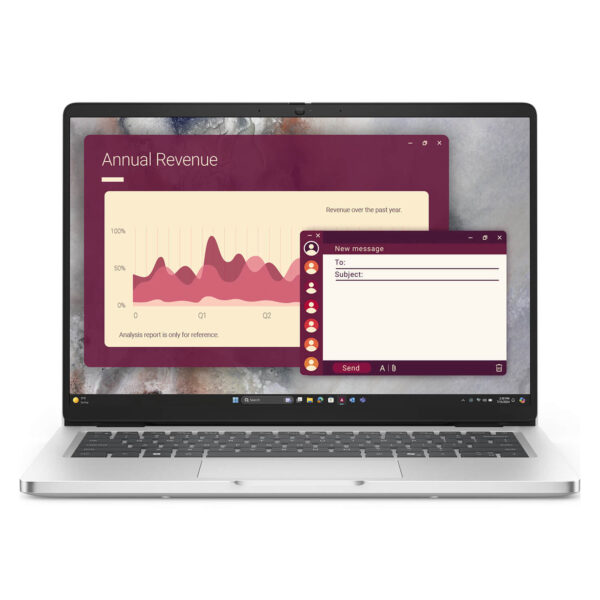
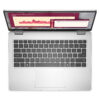
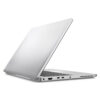
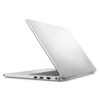
DELL Pro 14 PC14250 (2025)
- CPU: Intel Core Ultra 5 235U vPro Up To 4.9GHz (12 Cores, 14 Threads, 12MB Cache – 12 TOPS NPU)
- RAM: DDR5 16GB 5200MHz
- SSD: 256GB PCIe Gen4 M.2 SSD
- VGA: Intel® Graphics
- DISPLAY: 14" FHD+ (1920*1200) IPS, 16:10, 60Hz, Non-Touch, Anti-Glare, 300 nits
- CONDITION: New 100% No Box
- WARRANTY: Bảo hành 12 tháng
- Ultra-Slim, Executive-Class Design
- Reliable Performance with Intel® Core™ Series
- Dell Pro 14 PC14250 (2025) Display
- Keyboard & Touchpad
- Ports & Slots: Dell Pro 14 PC14250 (2025)
- Advanced Security – Optimized Data Protection
- Thermals & Battery Life
- Summary & Review: Dell Pro 14 PC14250 (2025)
- FAQ - Frequently Asked Questions about Dell Pro 14 PC14250 (2025)
- Where to buy the Dell Pro 14 PC14250 (2025) at a reliable store with the best price?
Dell Pro 14 PC14250 (2025) is a standout model in the Dell Pro 14 lineup, offering the perfect blend of sleek design and reliable performance. Beyond meeting standard professional needs, this laptop delivers a smooth, stable user experience tailored for enterprise and professional environments. With practical security features, intelligent operation, and refined design details, it is a dependable choice for the modern workspace.
Ultra-Slim, Executive-Class Design
The Dell Pro 14 PC14250 (2025) strikes a perfect balance between consistent performance and a lightweight, slim profile—ideal for professionals on the move. Starting at just 1.35kg (2.99 lbs) with dimensions of 313.70 x 225.30 x 18.89-20.37mm, this laptop slides easily into a briefcase or bag, ensuring maximum mobility. The ultra-narrow bezels provide 5% more screen real estate compared to the previous generation within the same chassis footprint, while being 10% lighter, delivering a crisp experience for work and presentations.

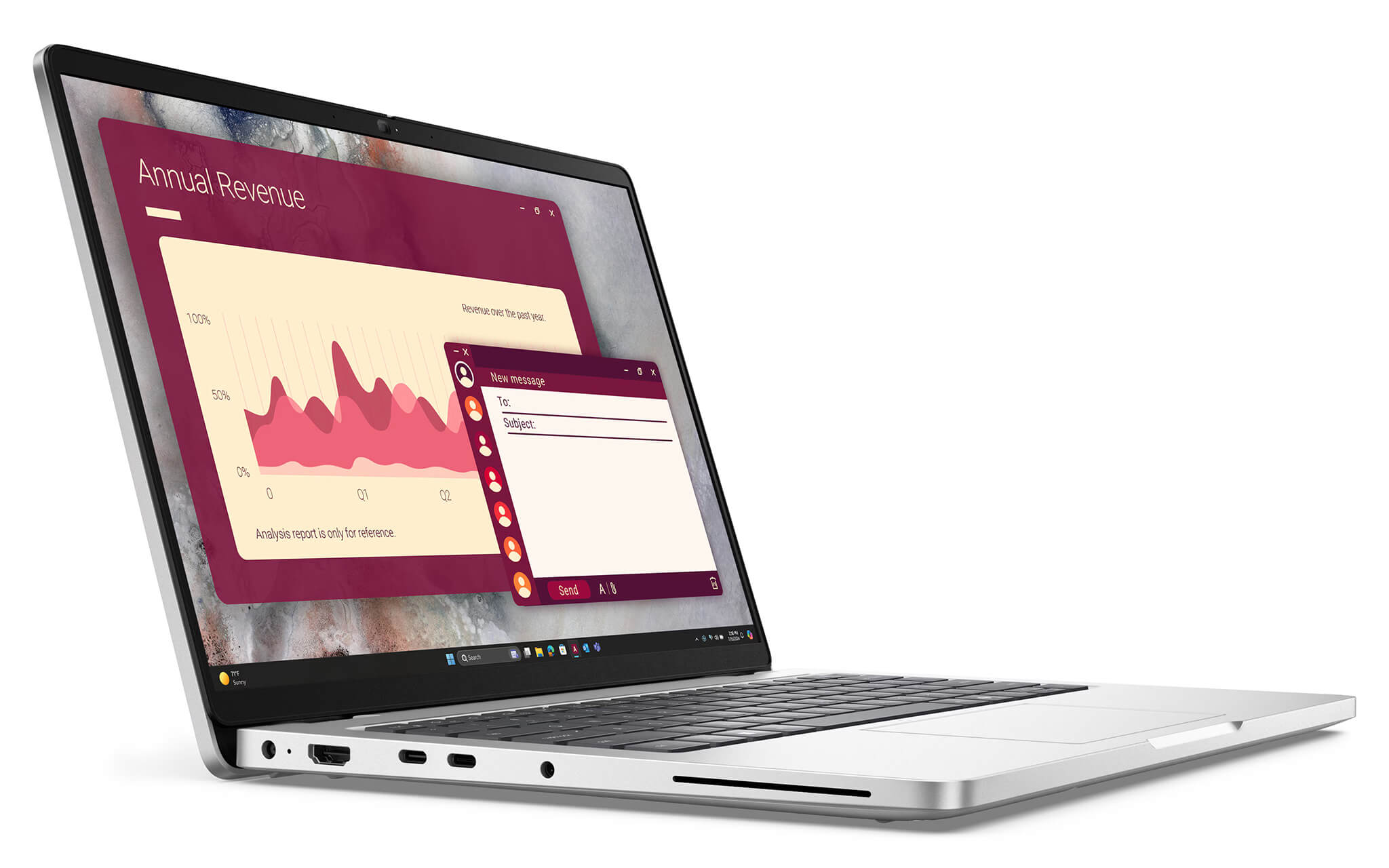
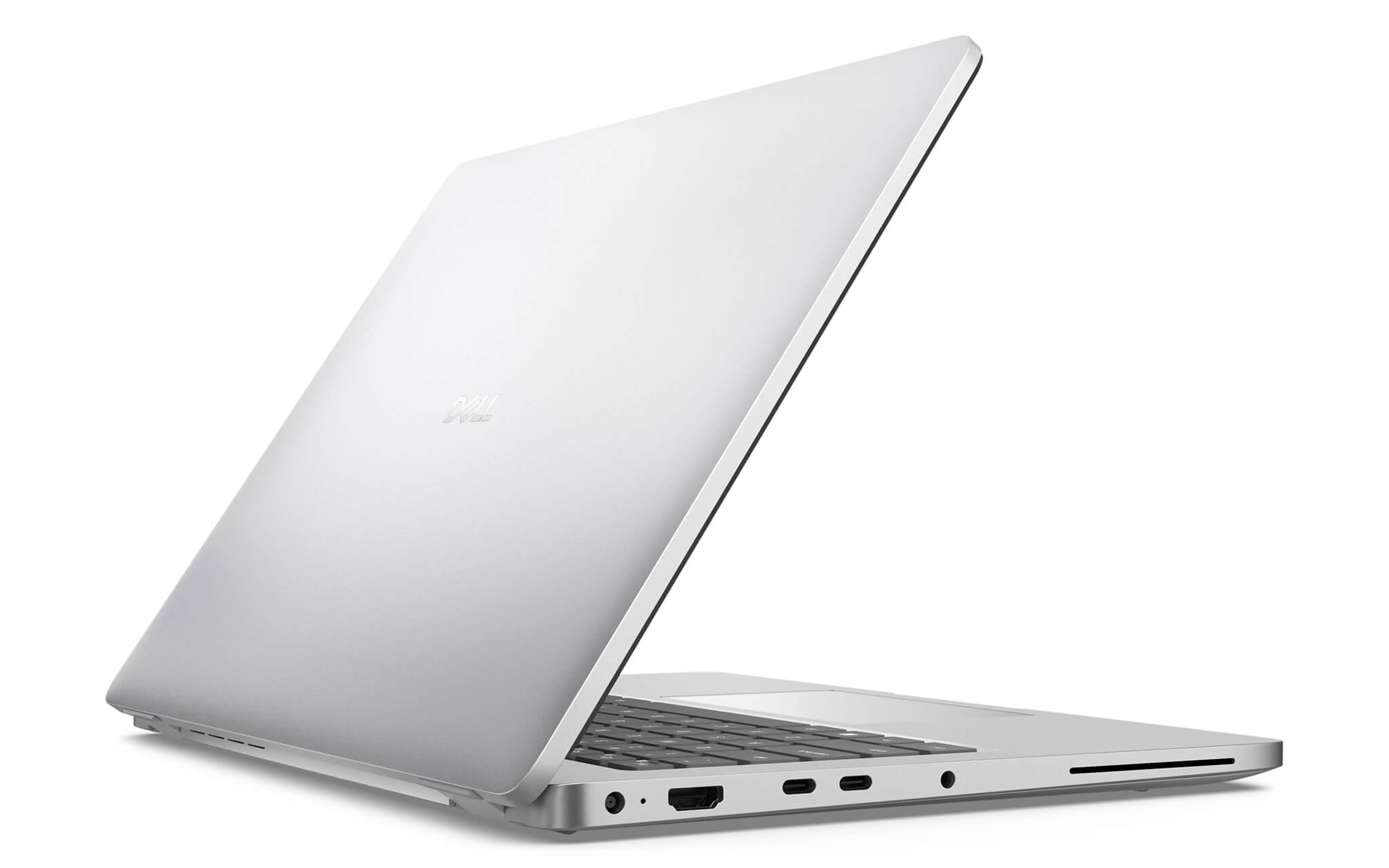
The device is available in two chassis options: Magnetite with a matte finish and Platinum Silver with a polished metal finish (exclusive to the Core Ultra 200U version), allowing you to choose a style that fits your personality. The polished Dell logo on the lid and refined rounded edges create a sophisticated, professional look at first glance.
Beyond aesthetics, the Dell Pro 14 PC14250 (2025) is built with sustainability in mind, featuring up to 50% post-consumer recycled plastic on the bezels, palm rest, and base, and 98% recycled plastic in the battery frame. It is EPEAT® Gold with Climate+, ENERGY STAR®, and TCO Certified, and it passes standard MIL-STD durability tests, ensuring stable operation in various demanding environments. Its minimalist yet sophisticated design makes the device more than just a tool—it is a symbol of success for the modern professional.
Reliable Performance with Intel® Core™ Series
The Dell Pro 14 PC14250 (2025) delivers dependable performance powered by the Intel® Core™ Series, meeting the demands of office work, programming, multitasking, and daily business tasks. The version available at Hung Phat Laptop features the Intel® Core™ 5 Series (10 cores, up to 5.0GHz), paired with 16GB DDR5 (5600 MT/s) and a 512GB SSD, ensuring smooth multitasking and rapid data access.
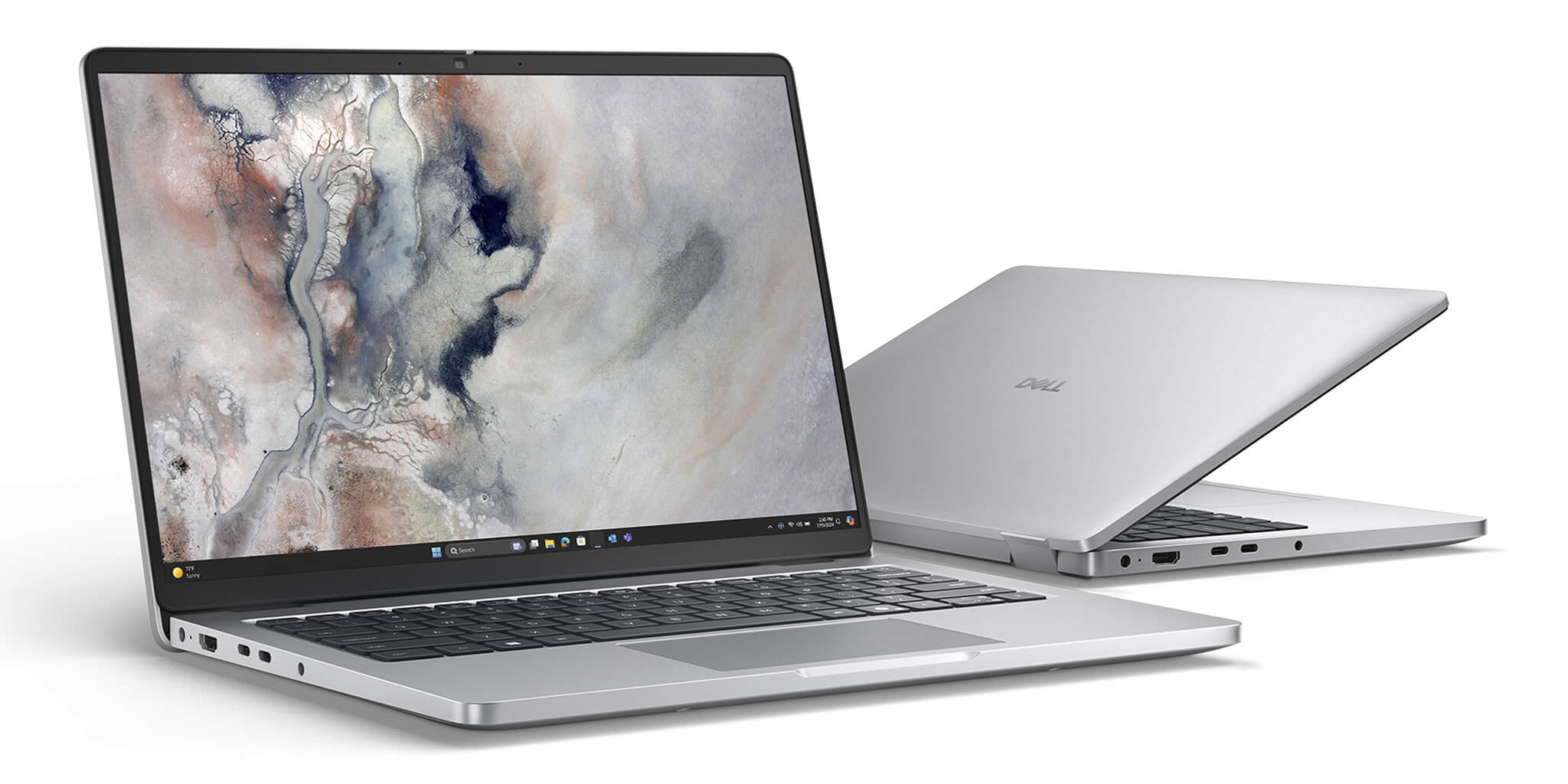
For graphics, the Core™ 5 version utilizes integrated Intel® Graphics, which is sufficient for office tasks, video conferencing, and daily content consumption. The optimized thermal system helps maintain stable temperatures and reduces noise by up to 30%, providing a quiet workspace and sustained performance throughout the day. The lineup also offers higher configuration options to suit diverse business needs:
| Configuration | CPU | RAM | SSD | Key Features |
|---|---|---|---|---|
| Standard | Core™ 5 120U | 16GB DDR5 | 512GB | Intel Graphics, ideal for office work |
| Upgrade | Core™ Ultra 5 235U vPro® | 16-32GB DDR5 | 512GB-1TB | Intel Arc Graphics, NPU AI, vPro® |
| Premium | Core™ Ultra 7 265U vPro® | 16-32GB DDR5 | 512GB-1TB | Highest performance, remote IT management |
With flexible configurations and extensive scalability, the Dell Pro 14 PC14250 meets the needs of everyone from general office users to enterprise professionals requiring AI performance and high-level security.
Dell Pro 14 PC14250 (2025) Display
The Dell Pro 14 PC14250 (2025) features a 16:10 aspect ratio, optimizing screen real estate for multitasking, content editing, and document review. The ultra-slim bezels provide 5% more viewing area compared to the previous generation within the same chassis size, expanding your workspace while maintaining a compact, modern design perfect for both solo work and group presentations.
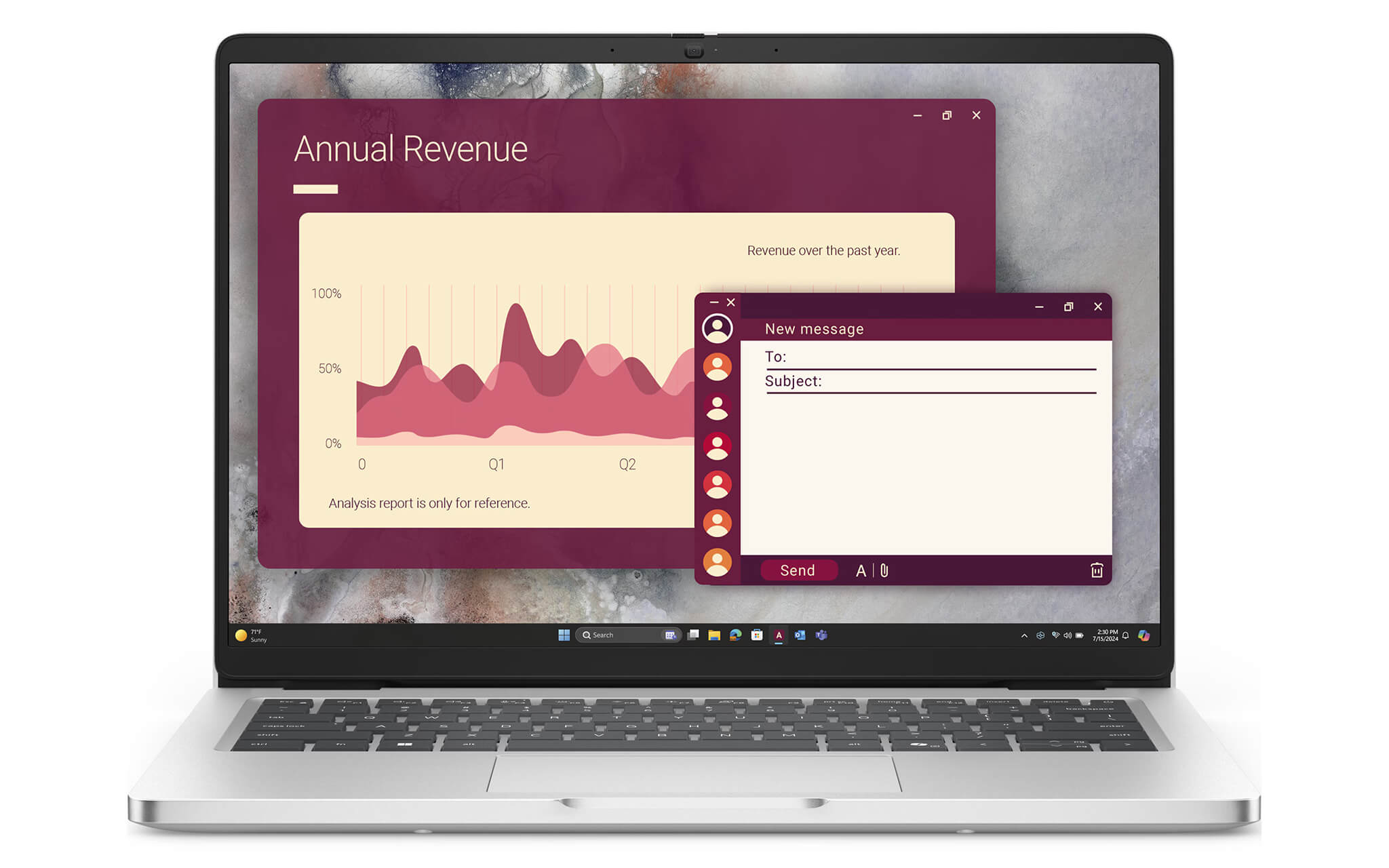
The standard version is equipped with a 14-inch FHD+ (1920×1200) display, featuring an anti-glare IPS panel, 300 nits of brightness, and an FHD+IR camera supporting Windows Hello facial recognition. The IPS technology provides wide viewing angles and accurate colors, making it ideal for meetings and presentations. Higher-end display options are also available to suit your specific needs:
| Display Version | Brightness | Color Gamut | Best For |
|---|---|---|---|
| FHD+ IPS, Anti-Glare (Non-touch) | 300 nits | 45% NTSC | Office work, document viewing |
| FHD+ IPS, ComfortView Plus (Touch) | 300 nits | 100% sRGB | Graphic design, creative content |
| FHD+ IPS, Low Power, 8-bit | 400 nits | 100% sRGB | Eye comfort, extended battery life |
ComfortView Plus reduces blue light to help prevent eye fatigue during long work sessions. The 400-nit Low Power option not only increases brightness but also optimizes power consumption, significantly extending battery life during daily use.
Keyboard & Touchpad
The Dell Pro 14 PC14250 keyboard features backlighting and a dedicated Copilot key, allowing users to work comfortably in low-light environments and access the Windows Copilot AI assistant with a single touch. The optimized key travel provides a quiet, tactile typing experience, increasing speed and accuracy for office work, programming, and content creation.
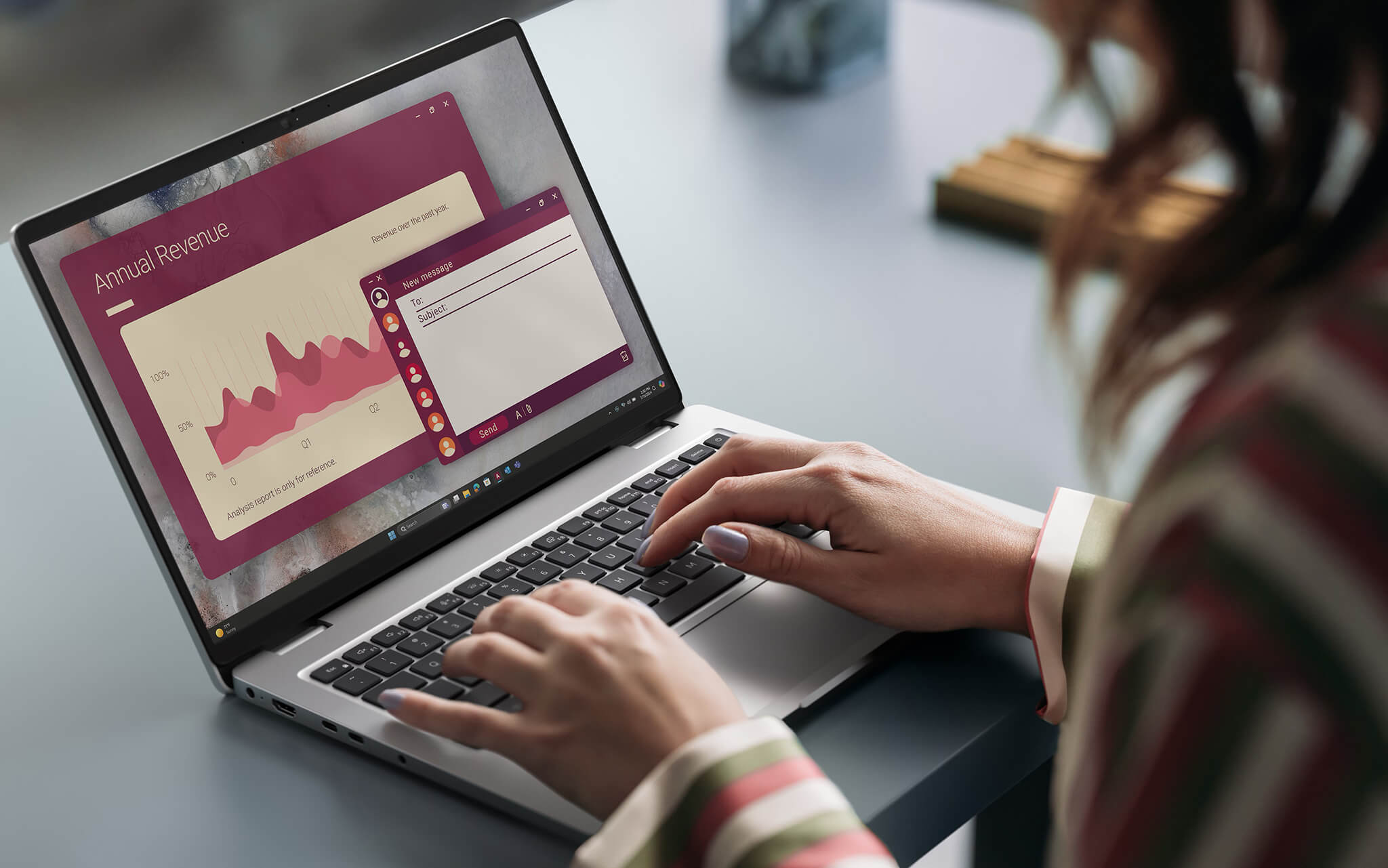
This is also the first commercial PC series to utilize a modular Type-C port, which is 4x more resistant to twisting and 33x more impact-resistant than traditional designs, increasing overall durability and ease of repair. The minimalist keyboard design and logically placed function keys allow for faster operation during common work tasks.
The large, high-sensitivity precision multi-touch touchpad allows for smooth cursor movement without the need for an external mouse. It fully supports multi-finger gestures like scrolling, zooming, and switching windows, providing an intuitive and convenient experience for users who work on the go without a fixed desk.
Ports & Slots: Dell Pro 14 PC14250 (2025)
The Dell Pro 14 PC14250 is not just powerful in performance; it also features a comprehensive connectivity system to meet professional needs. The intelligent port layout on both sides of the chassis allows users to connect peripherals flexibly in any situation, from the office to travel.
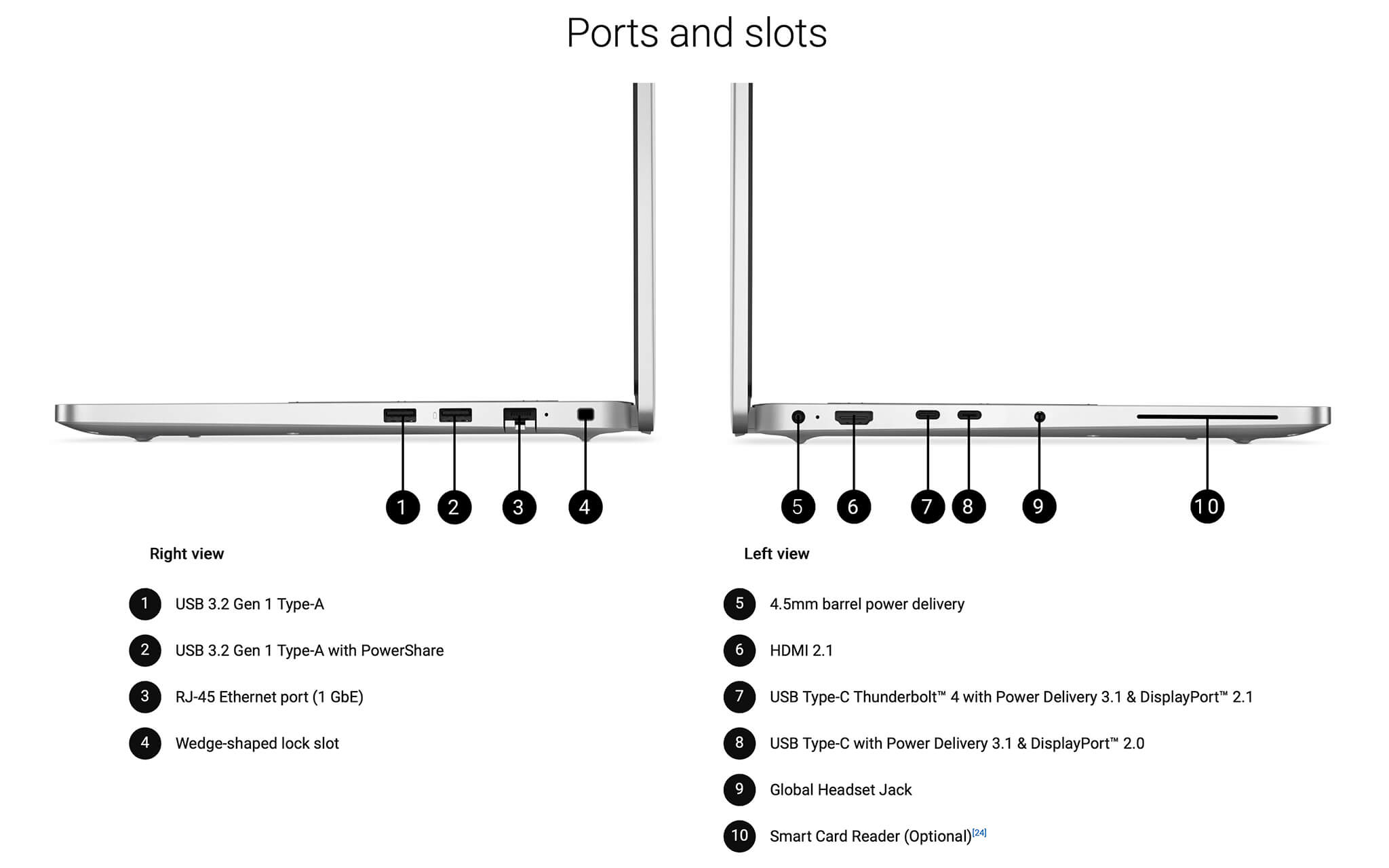
Wireless standards like Intel® Wi-Fi 6E AX211 and Bluetooth 5.4 ensure fast, stable connections and reduced latency during online meetings or data transfers. The device also supports upgrades to Wi-Fi 7 and WWAN (4G/5G LTE) connectivity via a nano SIM tray, making it ideal for traveling professionals who need stable internet anywhere. All connectivity options are summarized in the table below:
| Port / Connection | Specification | Notes |
|---|---|---|
| Thunderbolt™ 4 | 40Gbps, USB-C | Power Delivery 3.1, DisplayPort 2.1 |
| USB Type-C® | 3.2 Gen 2, 10Gbps | DisplayPort Alt Mode, Power Delivery |
| USB Type-A | 3.2 Gen 1, 5Gbps × 2 | 1 port supports PowerShare |
| HDMI | HDMI 2.1 | High-resolution video output |
| RJ45 Ethernet | 1GbE | Stable wired network connection |
| Audio Jack | Global Headset Jack | For online meetings, headphones |
| Lock Slot | Wedge-shaped lock slot | Anti-theft in office environments |
| Wi-Fi | Wi-Fi 6E (Upgradable to Wi-Fi 7) | Bluetooth 5.4 |
| Smart Card Reader | Optional | Available on Platinum Silver, Core Ultra models |
The abundance of ports allows users to easily connect external monitors, transfer high-speed data, and charge devices via a single USB-C port, eliminating the need for multiple accessories while traveling.
Advanced Security – Optimized Data Protection
The Dell Pro 14 PC14250 is equipped with practical security solutions, ensuring comprehensive protection for enterprise data. The device integrates TPM (Firmware TPM) to encrypt data and detect unauthorized access, combined with Dell SafeBIOS and BIOS intrusion detection technology to prevent firmware attacks at the hardware level. The FHD+IR camera supports fast and secure login via Windows Hello, removing the need for manual password entry in busy environments.
In addition to built-in features, users can opt for advanced security solutions including an integrated fingerprint sensor on the power button (FIPS 140-3 Level 3 Certified), an FHD IR camera with user presence detection, and a smart card reader with ControlVault 3+ Advanced Authentication. The security system also includes a Security Lock Slot to protect the device in shared workspaces.
With the Intel vPro® platform (available on Core Ultra 235U/265U models), corporate IT departments can remotely manage, monitor, and maintain devices via the Dell Management Portal, which integrates seamlessly with Microsoft Intune. This is a major advantage for small to medium-sized businesses that need to manage a fleet of computers without excessive IT resources, while ensuring devices remain updated and protected against the latest threats.
Thermals & Battery Life
The intelligent thermal system helps the Dell Pro 14 PC14250 (2025) maintain stable temperatures during use, preventing overheating that can impact performance. Thanks to an optimized cooling mechanism and improved fan design, the laptop operates quietly and reliably, reducing noise by up to 30% compared to the previous generation, ensuring a comfortable working experience even during continuous multitasking for several hours.
The Dell Pro 14 PC14250 (2025) features a 3-cell 55Wh battery that supports ExpressCharge™ and ExpressCharge™ Boost, allowing for rapid recharging—ideal for users on the move. The device uses a convenient 65W USB-C charger, compatible with many devices. Dell reports a battery life of approximately 10.3 hours under real-world office usage conditions.
The laptop includes smart battery-saving features that automatically adjust performance and screen brightness based on usage, extending operating time while maintaining optimal performance. The Low Power 400-nit display option also contributes to significantly longer battery life compared to standard display versions, making it suitable for those frequently working away from a power outlet.
Summary & Review: Dell Pro 14 PC14250 (2025)
The Dell Pro 14 PC14250 (2025) is the perfect choice for executives and professionals seeking a slim, lightweight, stable, and secure business laptop. With a sophisticated MIL-STD-rated design, reliable performance from the Intel® Core™ Series, and a sharp 16:10 FHD+ display, this Dell Pro series meets all office and enterprise needs, from basic tasks to advanced professional workflows.
The combination of EPEAT Gold-certified sustainable materials, a diverse array of connectivity options, and flexible upgradeability (Core Ultra 5/7 vPro®, 32GB RAM, 1TB SSD) makes the Dell Pro 14 PC14250 one of the most compelling Business Laptops in its price range. If you are looking for a laptop that is premium, durable, and delivers optimal daily performance, the Dell Pro 14 PC14250 is an option you cannot ignore.
| Pros | Cons |
|---|---|
|
|
FAQ - Frequently Asked Questions about Dell Pro 14 PC14250 (2025)
1. What type of work is the Dell Pro 14 PC14250 (2025) best suited for?
The device is designed for office employees, executives, accountants, and business users who require a stable, lightweight device. With an Intel Core™ Series CPU and DDR5 RAM, it smoothly handles everything from report writing and large spreadsheet processing to video conferencing and project management.
2. Does it support data analysis or basic programming?
Yes. The Intel Core™ 5 Series processor, paired with 16GB DDR5 RAM and a PCIe SSD, allows you to run code, use IDEs like VS Code or PyCharm, and manage large spreadsheets or basic virtual machines quickly and stably without lag.
3. Does the Dell Pro 14 PC14250 have AI features to assist with work?
The laptop features a dedicated Copilot Key for instant access to the Windows Copilot AI assistant, helping with rapid drafting, content summarization, and productivity boosts. The Core Ultra 235U/265U versions also include an AI NPU to handle AI tasks directly on the device without needing a cloud connection.
4. Is the 14-inch screen comfortable for long working hours?
The 14-inch FHD+ (1920×1200) 16:10 display with an anti-glare IPS panel ensures clear visibility in various environments. The slim bezels provide 5% more screen area than the previous generation, making it easier to use split-screen multitasking throughout the day.
5. Are the keyboard and touchpad suitable for long periods of typing?
The Dell Pro 14 keyboard is backlit with optimal key travel and tactile feedback, plus a dedicated Copilot key. The large, high-precision multi-touch touchpad is responsive and accurate, making typing and navigation comfortable even during extended sessions.
6. What is the actual battery life of the Dell Pro 14 PC14250 (2025)?
According to Dell, the 55Wh battery provides approximately 10.3 hours of real-world office use. ExpressCharge Boost technology allows for rapid charging, reducing downtime. The Low Power 400-nit screen option also significantly extends battery life.
Source: Dell Official
7. Does the laptop get hot or loud when multitasking?
The optimized thermal system keeps the device cool and quiet, even when running multiple office applications simultaneously. Dell has improved fan noise by 30% compared to the previous generation, ensuring a quieter environment for both meetings and shared workspaces.
8. Is the Dell Pro 14 PC14250 (2025) Linux compatible?
The Dell Pro series has been certified for Ubuntu 22.04 LTS on certain configurations, providing stable support for basic tasks and software development on Linux. Some features, such as Wi-Fi, may require specific drivers depending on the OS version.
Source: Ubuntu Certified
9. What is the warranty policy at Hung Phat Laptop for the Dell Pro 14 PC14250?
Hung Phat Laptop provides a 12-month warranty for new units and a 30-day replacement policy for manufacturing defects. For like-new or used models, we offer a 6-month warranty with a 30-day replacement period, plus free cleaning, software installation, and nationwide delivery.
Where to buy the Dell Pro 14 PC14250 (2025) at a reliable store with the best price?
If you are interested in the Dell Pro 14 PC14250 Business Laptop, you can purchase it at Hung Phat Laptop—offering free nationwide shipping. With over 10 years of experience in distributing high-end technology and laptops, Hung Phat Laptop is committed to providing customers with premium products and exceptional service.
We guarantee fast and effective technical support and warranty services. Additionally, Hung Phat Laptop offers many attractive promotions to help you easily own your new Dell Pro 14 PC14250 (2025).
Performance & benchmarks DELL Pro 14 PC14250 (2025)
Intel Core Ultra 5 235U Intel Arc 7-Core iGPU — best for Văn phòng 8.5/10, Lập trình 5.5/10.
Intel Core Ultra 5 235U
- Geekbench 6 (đa nhân)9,395
- Geekbench 6 (đơn nhân)2,422
- PassMark17,541
- Cores / Threads12/14
Intel Arc 7-Core iGPU iGPU
- 3DMark Time Spy2,940.5
- 3DMark Fire Strike7,612.5
- ArchitectureXe LPG
Best for
Scored from real benchmarks- Chơi game2.5/10
- Dựng phim / Đồ hoạ3/10
- Lập trình5.5/10
- Văn phòng8.5/10
Why CPU matters
CPU là “bộ não” xử lý mọi tác vụ: mở ứng dụng, đa nhiệm, biên dịch, dựng phim. CPU càng mạnh, máy càng nhanh và mượt khi làm nhiều việc cùng lúc.
- Cơ bảnThis product
Lướt web, xem phim, soạn thảo văn phòng nhẹ.
- Phổ thôngThis product
Văn phòng, đa nhiệm vừa, học tập.
- Tầm trungThis product
Đa nhiệm tốt, lập trình, đồ hoạ nhẹ.
- Khá mạnhThis product
Dựng phim, lập trình nặng, ảo hoá, chơi game.
- Cao cấpThis product
Render nặng, biên tập 4K/8K, máy ảo, tác vụ AI.
Why GPU matters
GPU (card đồ hoạ) lo phần hình ảnh: chơi game, dựng video, render 3D và tăng tốc AI. GPU càng mạnh, khung hình game càng cao và xuất video càng nhanh.
- Cơ bản (iGPU)This product
Hiển thị mượt, xem phim 4K, game rất nhẹ (LMHT, Valorant mức thấp).
- Phổ thôngThis product
Game eSports 1080p, chỉnh ảnh, dựng video nhẹ.
- Tầm trungThis product
Game 1080p thiết lập trung–cao, dựng video Full HD ổn.
- Khá mạnhThis product
Game 1080p/1440p thiết lập cao, dựng video 4K, render 3D.
- Cao cấpThis product
Game 4K/240Hz, ray tracing, render & AI nặng.
Game performance
Real FPS — FHD- Dota 270 fps1080p Ultra
- CS258 fps1080p Trung bình
- GTA V126 fps1080p Trung bình
- Cyberpunk 207729 fps1080p Thấp
🟢 ≥60fps rất mượt · 🟡 30–60fps chơi tốt · 🔴 <30fps cần giảm thiết lập
Local AI performance
Tokens/second running locally on GPU- Gemma 4 E2B IT5.6 GB · ctx 256K15 tok/sDecent
- GLM-4 9B5.1 GB · ctx 128K16 tok/sDecent
- Gemma 4 E4B4.6 GB · ctx 256K18 tok/sDecent
- Ministral 8B4.6 GB · ctx 32K18 tok/sDecent
- Qwen 3.5 4B4.6 GB · ctx 32K18 tok/sDecent
- DeepSeek R1 Distill 7B4.1 GB · ctx 64K20 tok/sRuns well
- Gemma 4 E2B3.1 GB · ctx 256K27 tok/sRuns well
- Qwen 3.5 2B2.5 GB · ctx 32K34 tok/sRuns well
- Phi-4 Mini Reasoning2.4 GB · ctx 16K35 tok/sRuns well
- Llama 3.2 3B2 GB · ctx 128K42 tok/sRuns great
- SmolLM3 3B2 GB · ctx 128K42 tok/sRuns great
- DeepSeek R1 1.5B1.3 GB · ctx 64K65 tok/sRuns great
- Qwen 3.5 0.8B1.3 GB · ctx 32K65 tok/sRuns great
- TinyLlama 1.1B1.1 GB · ctx 2K76 tok/sRuns great
- Llama 3.2 1B1 GB · ctx 128K84 tok/sRuns great
- Gemma 2 9B5.1 GB · ctx 8K16 tok/sDecent
- Nemotron Nano 9B v25.1 GB · ctx 128K16 tok/sDecent
- Qwen 3 8B4.6 GB · ctx 128K18 tok/sDecent
- Mistral 7B v0.34.1 GB · ctx 32K20 tok/sRuns well
- Qwen 2.5 7B4.1 GB · ctx 128K20 tok/sRuns well
- Qwen 2.5 Coder 7B4.1 GB · ctx 128K20 tok/sRuns well
- Qwen 3 4B2.5 GB · ctx 32K34 tok/sRuns well
- Gemma 3 4B2.5 GB · ctx 128K34 tok/sRuns well
- Phi-3.5 Mini2.4 GB · ctx 128K35 tok/sRuns well
- Gemma 2 2B1.5 GB · ctx 8K56 tok/sRuns great
- Qwen 3 1.7B1.4 GB · ctx 32K60 tok/sRuns great
- Qwen 2.5 Coder 1.5B1.3 GB · ctx 32K65 tok/sRuns great
- Qwen 3 0.6B1.1 GB · ctx 32K76 tok/sRuns well
- Gemma 3 1B1 GB · ctx 32K84 tok/sRuns great
🟢 Great · 🟡 Well · 🟠 Decent — 4-bit quantized, ctx = context window
No comments yet
Q&A about DELL Pro 14 PC14250 (2025)
Frequently asked questions about DELL Pro 14 PC14250 (2025)
What are the specifications of DELL Pro 14 PC14250 (2025)?
What is the warranty for DELL Pro 14 PC14250 (2025)?
Can I buy DELL Pro 14 PC14250 (2025) with home delivery?
Worth a Look
DELL Pro 14 Plus PB14255 AMD (2025)
 2 configurations
DELL Pro 14 Premium PA14250 (2025)
 2 configurations





Minh Anh 17/06/2026
The laptop is beautiful, thin, and lightweight, making it very easy to carry around. The configuration is smooth and works perfectly for office tasks. It runs quietly without overheating. Highly recommended!
Minh Triều 17/06/2026
The machine is beautiful; it feels premium and much lighter in hand. It runs office applications smoothly without overheating, and the screen is incredibly sharp. Highly recommended!