

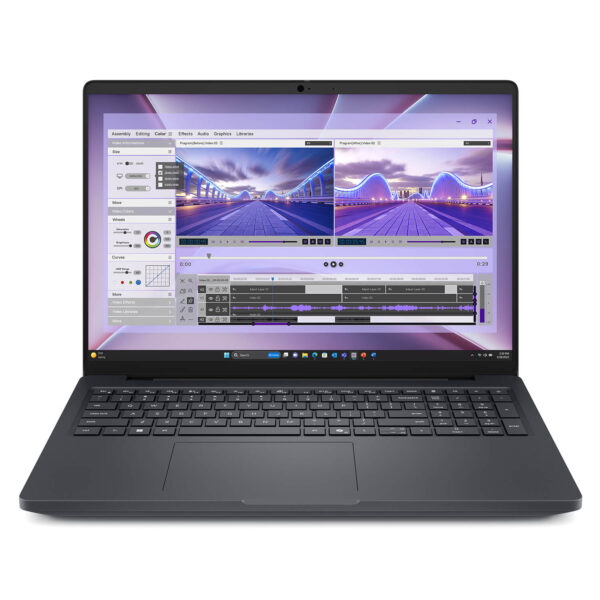
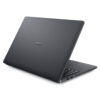
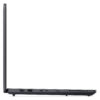
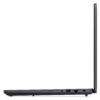
Dell Pro Max 16 MC16250 - Mobile Workstation (2025)
- CPU: Intel Core Ultra 5 235H vPro Up To 5.0GHz (14 Cores, 14 Threads, 18MB Cache - 13 TOPS NPU)
- RAM: DDR5 16GB 5600MHz
- SSD: 256GB PCIe Gen4 M.2 SSD
- VGA: Intel® Arc™ 140T Graphics
- DISPLAY: 16" FHD+ (1920*1200), 60Hz, Non-Touch, Anti-Glare, 45% NTSC, 300 nits
- CONDITION: New 100% Full Box
- WARRANTY: Bảo hành 12 tháng
- Rugged Design, Optimized for Performance
- High-Octane Performance with Intel Core Ultra Series 2 and RTX PRO Blackwell GPUs
- AI-Accelerated Intensive Workflows
- Dell Pro Max 16 MC16250 (2025) Display
- Spacious & Comfortable Keyboard & Touchpad
- Dell Pro Max 16 MC16250 (2025) Ports & Connectivity
- Advanced Security & Comprehensive Data Protection
- Efficient Thermal Management & Battery Life
- Summary: Dell Pro Max 16 MC16250 – Mobile Workstation (2025)
- FAQ - Frequently Asked Questions about Dell Pro Max 16 MC16250 (2025)
- Buy the Dell Pro Max 16 MC16250 or get a configuration consultation at Hung Phat
Engineers, designers, and developers searching for a mobile workstation that truly lives up to its name often face a dilemma: gaming laptops offer performance but lack the reliability required for professional production environments, while desktop workstations simply can’t travel. The Dell Pro Max 16 MC16250 fills that gap, featuring the Intel Arrow Lake Core Ultra Series 2 platform, ISV-certified NVIDIA RTX PRO Blackwell GPUs, and MIL-STD 810H durability housed in a 2.2kg aluminum chassis. This is a Dell laptop line built for professionals, not the masses.
Rugged Design, Optimized for Performance
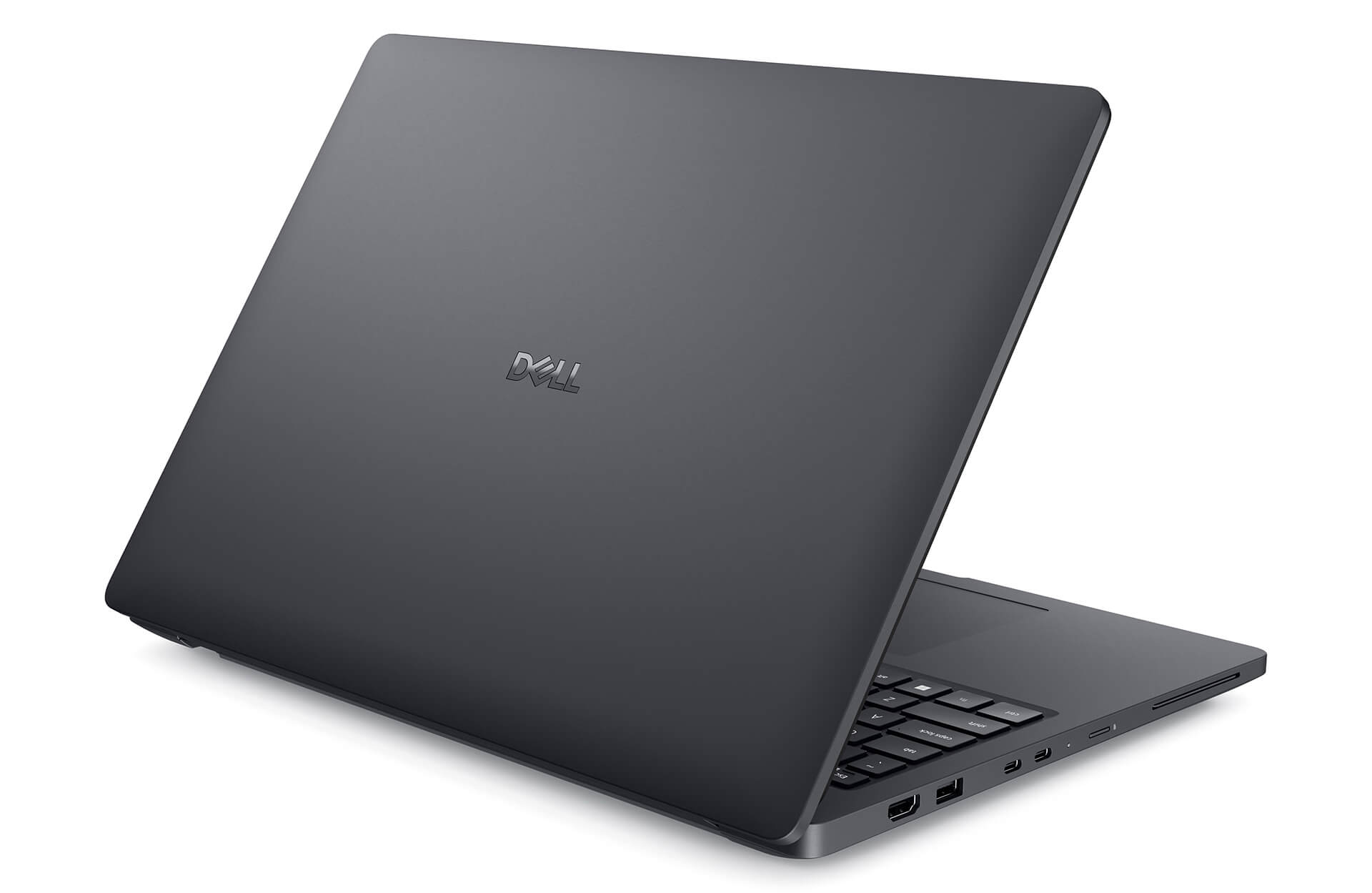
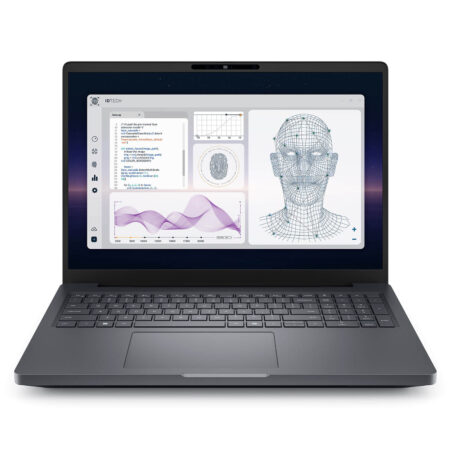
The Dell Pro Max 16 MC16250 (2025) features a modern, minimalist design centered on performance and durability. The premium aluminum alloy chassis feels incredibly solid with zero flex, making it ideal for users on the move. At 2.2kg, it is a highly reasonable weight for a full-featured enterprise mobile workstation.
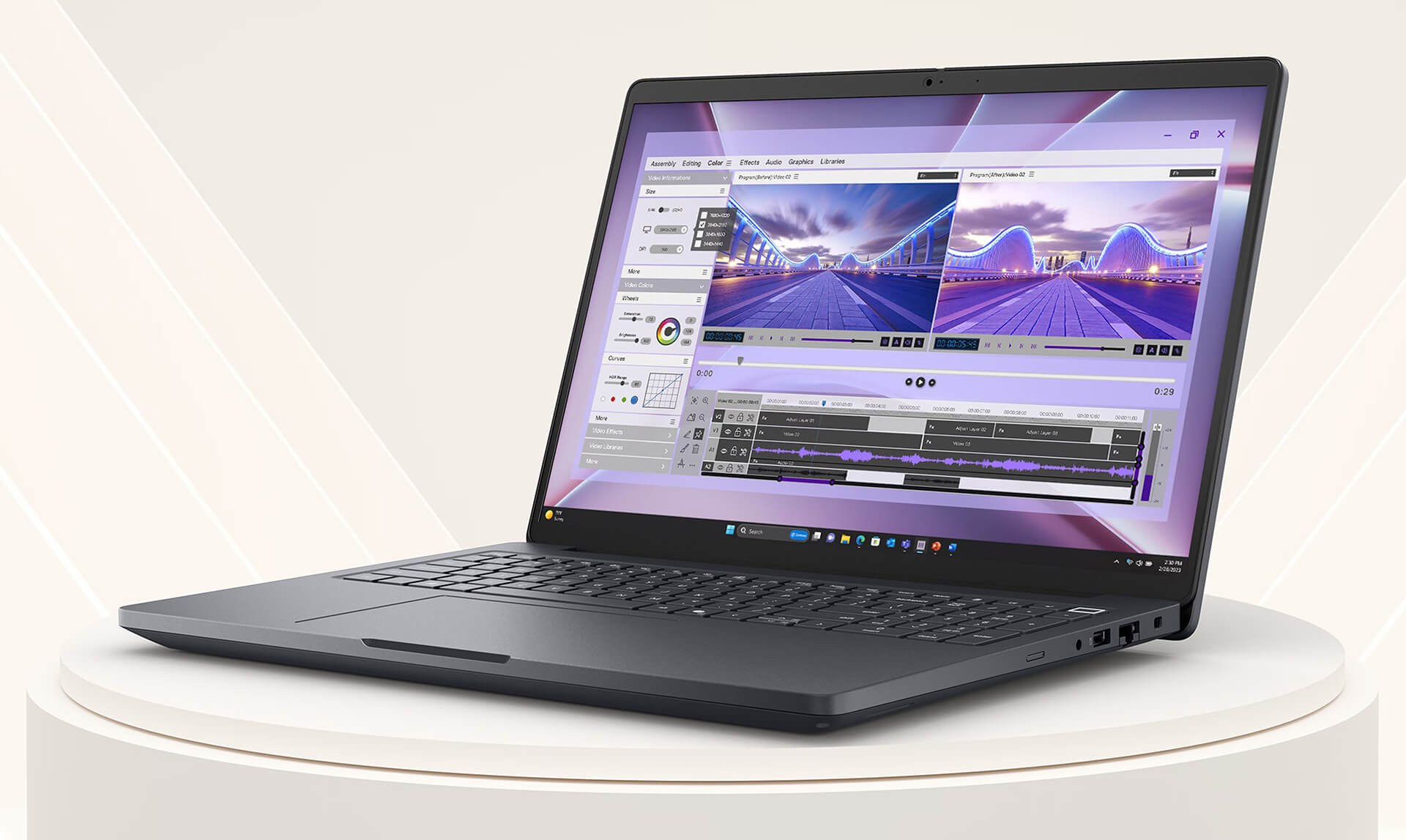
Built to MIL-STD 810H military standards, this machine has been tested against extreme temperatures, high humidity, and continuous impact. Measuring 358 x 256mm with a thickness ranging from 15.08 to 25.60mm, it provides a spacious workspace on a 16-inch 16:10 display. Ports are intelligently placed on both sides for easy access to multiple peripherals simultaneously. All these elements make the Dell Pro Max 16 series a reliable choice for long-term field assignments.
High-Octane Performance with Intel Core Ultra Series 2 and RTX PRO Blackwell GPUs
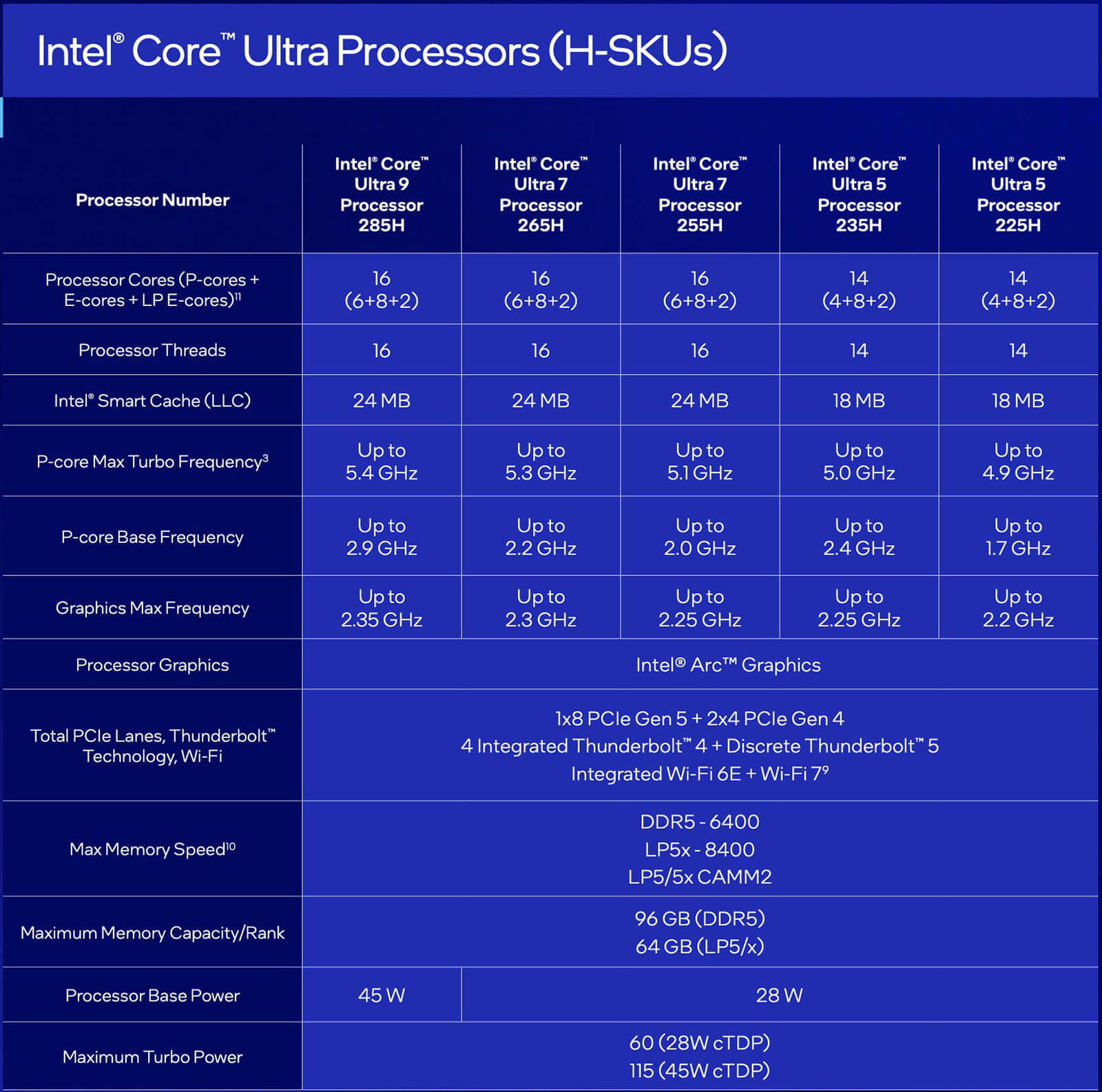
At the heart of the Dell Pro Max 16 MC16250 is the Intel Core Ultra Series 2 (Arrow Lake architecture), with options ranging from the Core Ultra 5 235H (14 cores, up to 5GHz) and Core Ultra 7 265H vPro (16 cores, 5.3GHz) to the flagship Core Ultra 9 285H vPro (16 cores, 5.4GHz). An integrated NPU handles high-speed local AI processing without relying on the cloud—a massive advantage for engineers running inference models or developers using AI assistants.
For graphics, users can choose from NVIDIA RTX PRO Blackwell discrete GPUs, ranging from the RTX PRO 500 (6GB GDDR7) to the RTX PRO 2000 (8GB GDDR7). The core difference compared to gaming laptops at the same price point? The RTX PRO series is ISV-certified for SolidWorks, AutoCAD, Revit, Blender, and Maya. Drivers are optimized by Dell and NVIDIA for stability in continuous production environments, rather than just chasing high framerates in games. High-speed DDR5 RAM and Gen4 NVMe Self-Encrypting Drive (SED) SSDs complete this hardware trio for intensive professional workflows. You can view the full specifications on Dell’s official website.
AI-Accelerated Intensive Workflows
The Dell Pro Max 16 MC16250 integrates AI to accelerate workflows and increase efficiency when handling complex tasks. The NPU within the Arrow Lake architecture allows for direct execution of local AI tasks—such as data analysis, image recognition, and workflow automation—without needing the cloud, reducing latency and enhancing data privacy.
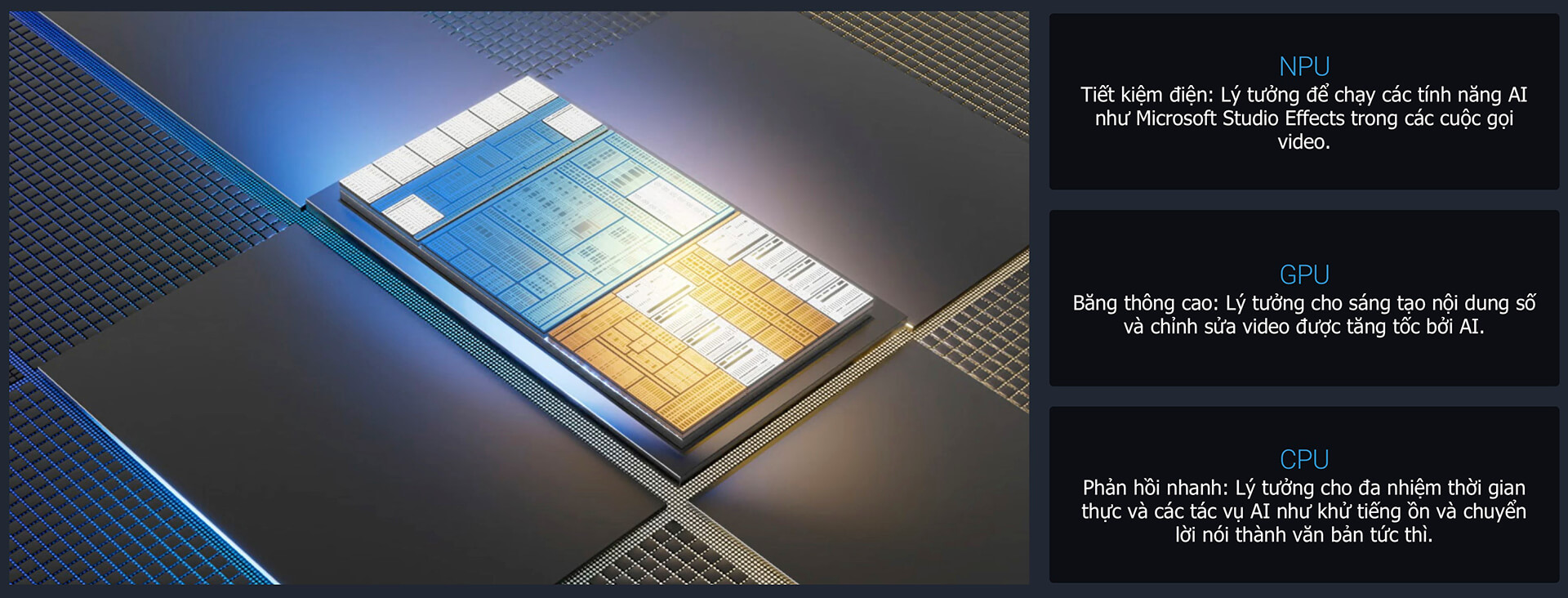
Built-in tools like McAfee Deepfake Detector and Lakeside SysTrack help secure content and optimize system operations. The Copilot+ PC platform, combined with software like Cyberlink PowerDirector, supports advanced image and video processing to boost creativity. These are the features that the Dell Pro Max series is championing throughout its 2025 lineup.
Dell Pro Max 16 MC16250 (2025) Display
Display quality is critical for a mobile workstation. The Dell Pro Max 16 MC16250 offers three flexible panel options: a standard FHD+ (1920×1200) 60Hz, an FHD+ touchscreen 60Hz, and a QHD+ (2560×1600) 120Hz with 100% sRGB and ComfortView Plus blue light reduction. The 16:10 aspect ratio provides extra vertical screen real estate, which is particularly useful when viewing code, CAD drawings, or long spreadsheets.

The WVA panel ensures wide viewing angles, while the anti-glare coating minimizes reflections and reduces eye strain during long work sessions. The QHD+ option with 100% sRGB ensures the color accuracy required by designers and digital content creators. ComfortView Plus is a hardware-level, always-on blue light reduction solution that doesn’t compromise color quality.
Spacious & Comfortable Keyboard & Touchpad
The full-size keyboard features a standard layout and backlit keys to ensure precise typing even in low-light environments. With deep key travel and excellent tactile feedback, it is perfectly suited for developers and engineers who perform heavy data entry daily. The design is engineered to reduce hand fatigue during continuous professional use.
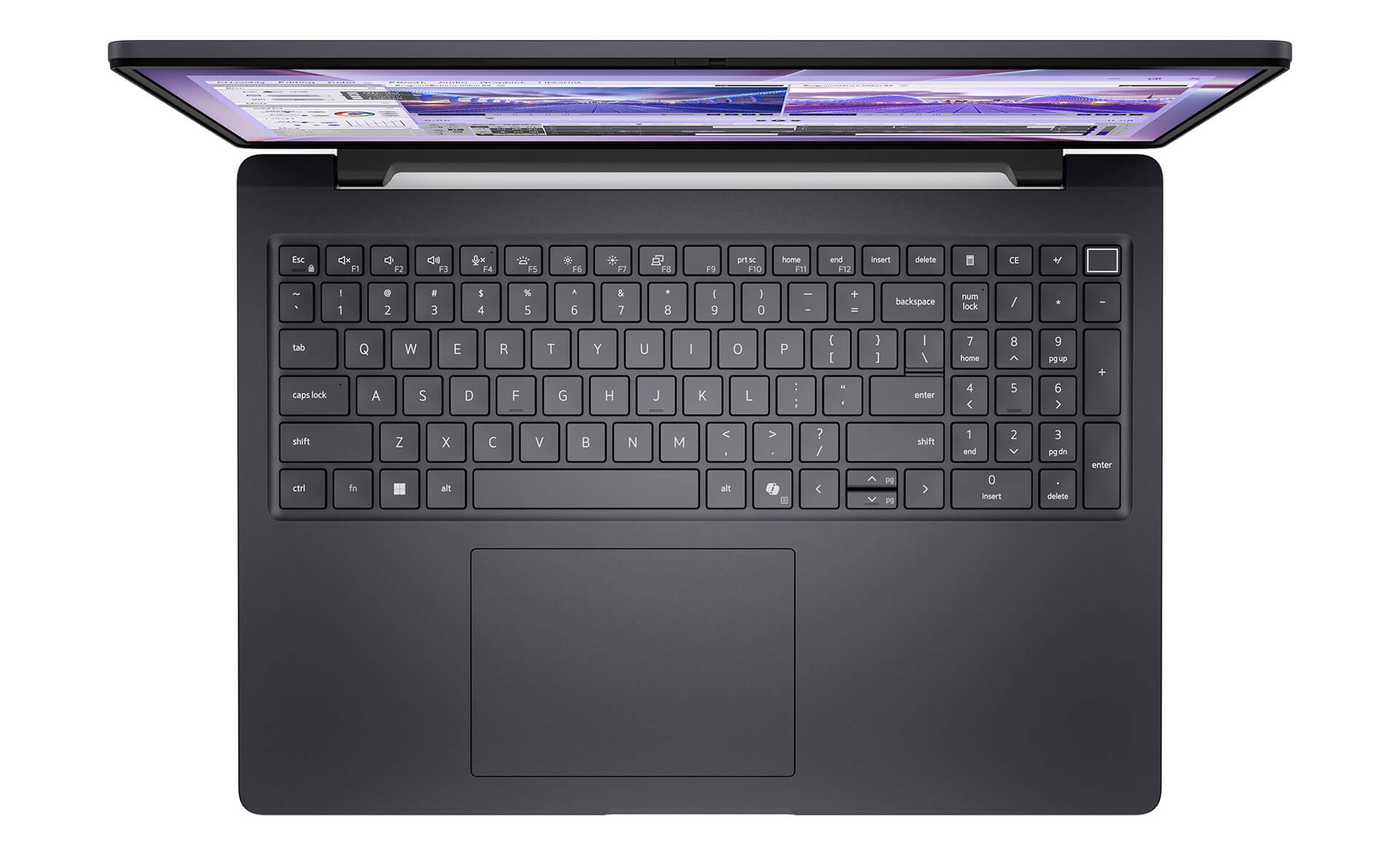
The large, responsive touchpad supports multi-touch gestures, allowing for smooth navigation without the need for an external mouse. The combination of a standard keyboard and a modern touchpad provides a comfortable navigation experience, boosting productivity for text-heavy tasks, data entry, and complex navigation.
Dell Pro Max 16 MC16250 (2025) Ports & Connectivity
The Dell Pro Max 16 MC16250 is equipped with a comprehensive port selection for professional environments: 2x Thunderbolt 4 (40Gbps, supporting Power Delivery and DisplayPort), HDMI 2.1, RJ45 Gigabit Ethernet, and 2x USB 3.2 Gen 1 (one port supports PowerShare to charge peripherals while the laptop is off). This thoughtful layout allows you to connect external monitors, projectors, external storage, and LAN simultaneously without needing a hub.
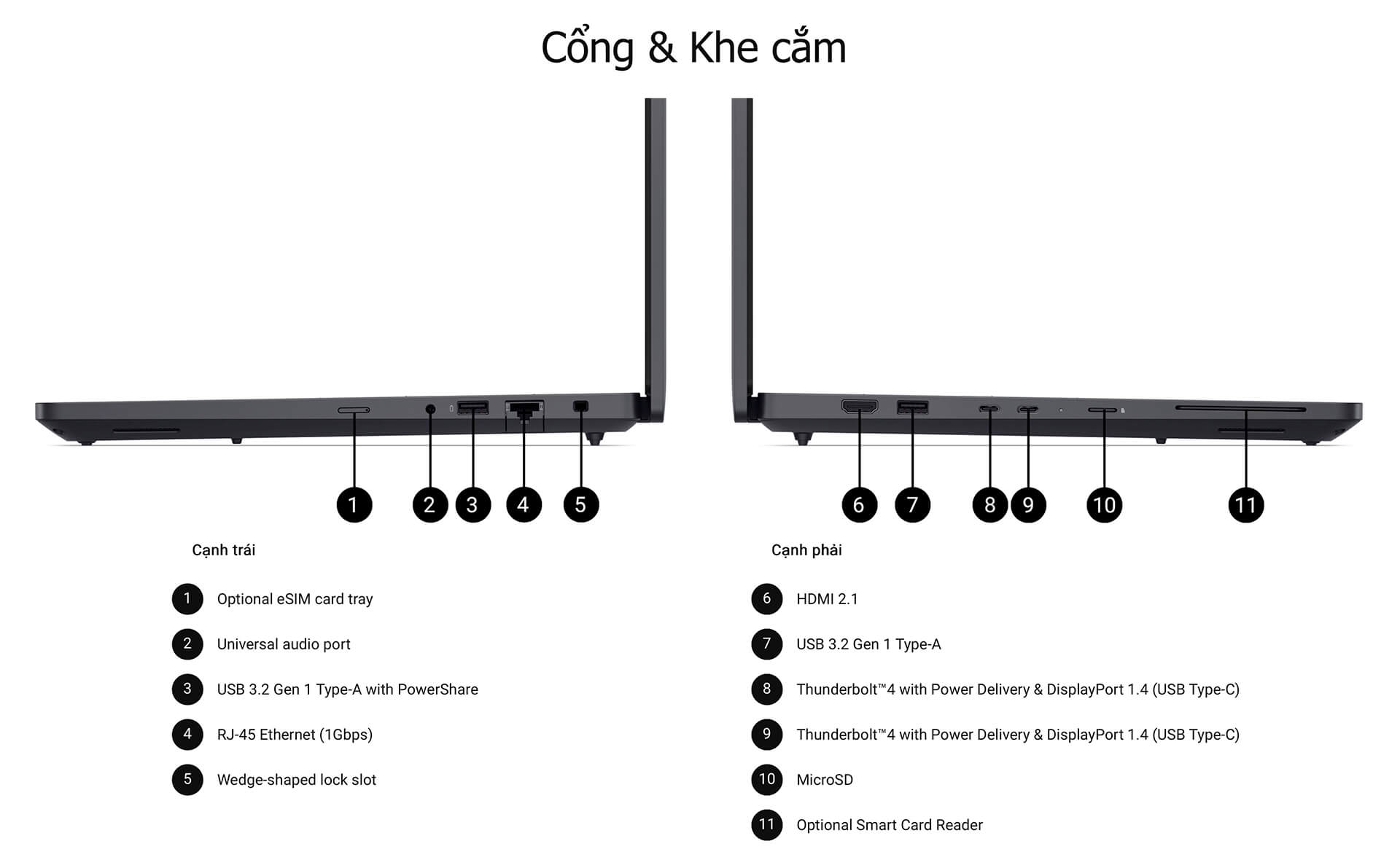
For wireless connectivity, the machine supports Intel Wi-Fi 7, Bluetooth 5.4, and an optional 5G WWAN (Mediatek T700, eSIM), ensuring a stable connection in any environment, even while traveling. This connectivity suite meets the needs of distributed engineers, eliminating the need to carry extra adapters.
Advanced Security & Comprehensive Data Protection
The Dell Pro Max 16 MC16250 features a multi-layered security system tailored for the enterprise: a Smart Card Reader, Windows Hello biometric authentication options, TPM 2.0, and software tools like McAfee Deepfake Detector and Lakeside SysTrack. This makes it particularly suitable for organizations handling sensitive data or those requiring strict security compliance.
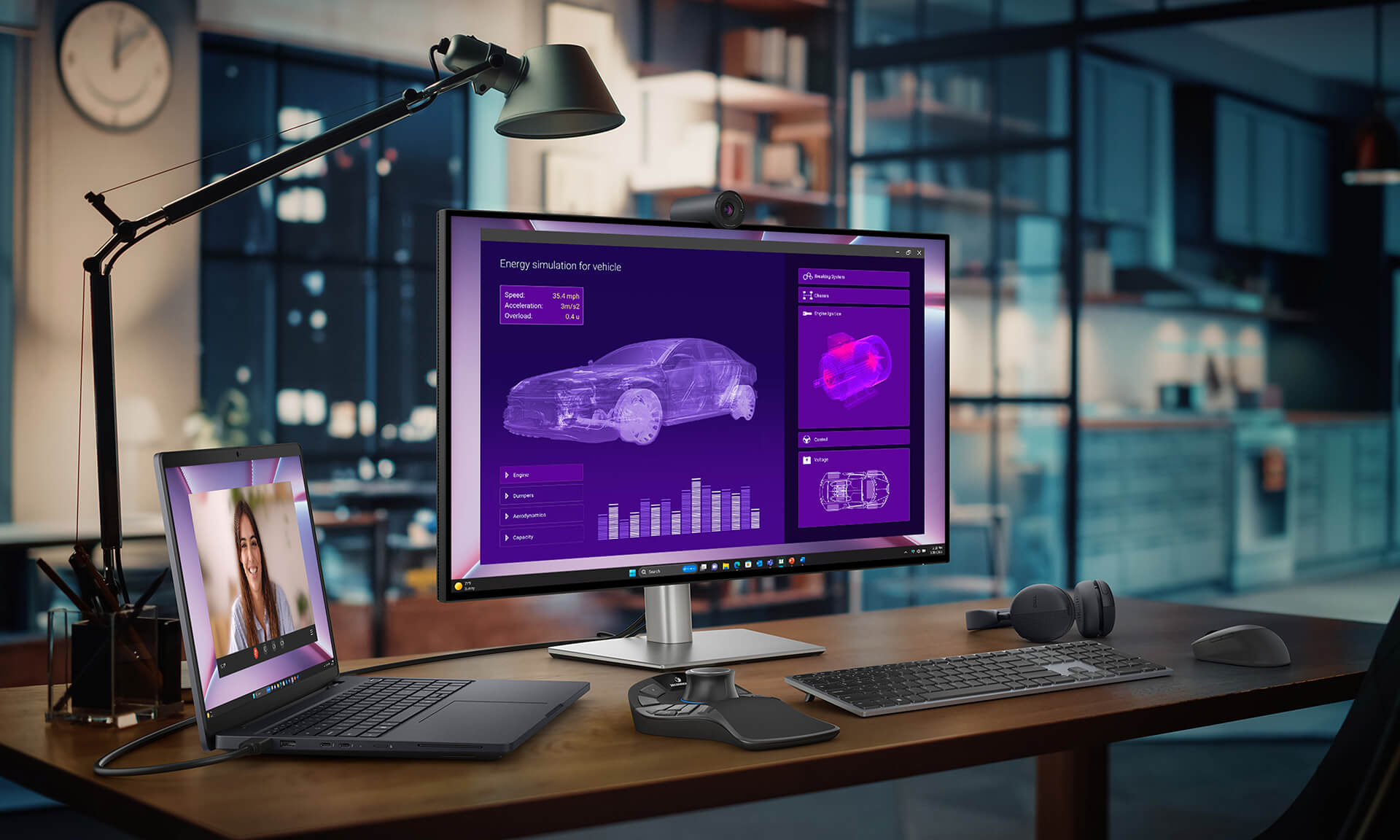
The Self-Encrypting Drive (SED) SSD encrypts data directly at the hardware level without impacting performance. The Intel vPro platform allows IT departments to perform remote management and technical support without the user being present, which is ideal for distributed teams. With this comprehensive security ecosystem, the Dell Pro Max 16 MC16250 provides true peace of mind for professional users.
Efficient Thermal Management & Battery Life
The Dell Pro Max 16 MC16250 is designed with an optimized thermal system to maintain stable performance even under heavy, continuous workloads like 3D rendering or parallel compilation. Unlike some gaming laptops that throttle after 30 minutes, this mobile workstation is engineered to maintain peak performance throughout a long workday.
The 6-cell 96Whr battery provides 6–9 hours of actual usage depending on the workload, enough to last through a standard office day or travel without constantly carrying an adapter. The combination of efficient cooling and long-lasting battery makes the Dell Pro Max 16 MC16250 a reliable workhorse for engineers, designers, and developers who need to stay connected.
Summary: Dell Pro Max 16 MC16250 – Mobile Workstation (2025)
The Dell Pro Max 16 MC16250 (2025) is the ideal choice for mechanical engineers, software engineers, graphic designers, and AI developers in need of a reliable mobile workstation. The combination of Intel Core Ultra Series 2 (Arrow Lake), ISV-certified NVIDIA RTX PRO Blackwell GPUs, and MIL-STD 810H durability creates a machine that is not only powerful but also stable throughout long-term project lifecycles.
With an optional QHD+ 100% sRGB display, 96Whr battery, multi-layer hardware security (SED, vPro, biometrics), Wi-Fi 7, and optional 5G WWAN, the Dell Pro Max 16 MC16250 excels at everything from 3D rendering and AI model compilation to remote meetings and mobile productivity. If you are considering other models in the lineup, check out the Dell Pro Max series to compare the MC16250 with the Plus and Premium versions.
| Key Pros | Cons |
|---|---|
|
|
FAQ - Frequently Asked Questions about Dell Pro Max 16 MC16250 (2025)
1. Which professions is the Dell Pro Max 16 MC16250 best suited for?
The Dell Pro Max 16 MC16250 is ideal for mechanical, electrical, and civil engineers using SolidWorks, AutoCAD, or Revit; graphic and motion graphic designers using Adobe CC; AI/ML developers requiring multi-core CPUs and NPUs; and software developers working in Docker/VMware virtualization environments. The machine is officially ISV-certified by Dell and NVIDIA for intensive engineering software.
2. What is the price of the Dell Pro Max 16 MC16250 and what configurations are available?
The Dell Pro Max 16 MC16250 starts at 51.7 million VND at Hung Phat Laptop, with several configurations: Core Ultra 5 235H + RTX PRO 500 (entry-level), Core Ultra 7 265H + RTX PRO 1000 (balanced), and Core Ultra 9 285H vPro + RTX PRO 2000 (maximum performance). RAM ranges from 16GB to 64GB DDR5, and SSDs range from 512GB to 2TB NVMe Gen4.
3. Can the Dell Pro Max 16 MC16250 run SolidWorks, AutoCAD, and Revit?
Yes. The NVIDIA RTX PRO Blackwell GPU on the MC16250 is officially ISV-certified (Independent Software Vendor) by Dell and NVIDIA for SolidWorks, AutoCAD, Revit, Rhino, Blender, and CATIA. The drivers are optimized for production stability, preventing the crashes or graphical glitches often seen in standard gaming laptops when running these engineering applications.
4. How does the Dell Pro Max 16 MC16250 differ from the Dell Pro Max 16 Plus MB16250?
The MC16250 uses the Intel Core Ultra Series 2 (Arrow Lake, 45W) and RTX PRO GPUs up to the 2000 series. The MB16250 (Plus) uses higher-wattage HX series CPUs (55W), RTX PRO GPUs up to the 5000 series, up to 128GB of RAM, and a triple-fan cooling system. The MC16250 is suited for daily engineering tasks, while the MB16250 is designed for heavy continuous rendering, complex engineering simulations, and AI training.
5. How long does the battery last on the Dell Pro Max 16 MC16250?
The 96Wh 6-cell battery provides 6–9 hours of actual use for office work, video conferencing, or programming. Under heavy workloads like 3D rendering, compilation, or intensive AI tasks, the battery lasts approximately 4–5 hours. The machine supports charging via Thunderbolt 4 and a dedicated power port.
6. Does the Dell Pro Max 16 MC16250 run Linux well?
Yes. It is highly compatible with Ubuntu 22.04/24.04 and Fedora. We recommend installing the official NVIDIA drivers for the RTX PRO GPU and Intel Wi-Fi drivers to ensure stable performance. The Intel vPro platform also provides excellent remote management support on Linux in enterprise environments.
7. Does the Dell Pro Max 16 MC16250 have an AI NPU for local AI processing?
Yes. The Intel Core Ultra Series 2 (Arrow Lake) CPU features an integrated NPU (Neural Processing Unit) that allows you to run local AI inference tasks—such as Copilot+ PC features, AI image processing, and small model inference—without needing the cloud. The RTX PRO Blackwell GPU also supports CUDA for training and running larger models.
8. Can I upgrade the RAM and SSD on the Dell Pro Max 16 MC16250?
Yes, you can upgrade the M.2 NVMe Gen4 SSD up to 2TB and the DDR5 RAM up to 64GB (depending on whether your version uses SoDIMM or CAMM2). This is a major advantage of this workstation line compared to many ultrabooks with soldered components. Hung Phat Laptop offers consultation and upgrade services after purchase.
9. What is the warranty policy for the Dell Pro Max 16 MC16250 at Hung Phat Laptop?
Hung Phat Laptop provides a 12-month official warranty for the Dell Pro Max 16 MC16250. We offer a 1-for-1 replacement within the first 30 days if there is a manufacturer defect. Our service includes lifetime technical support, free periodic cleaning, and free nationwide delivery.
Buy the Dell Pro Max 16 MC16250 or get a configuration consultation at Hung Phat
Hung Phat Laptop is an authorized Dell dealer with over 10 years of experience, guaranteeing genuine products, transparent warranties, and free nationwide shipping. The Dell Pro Max 16 MC16250 is available in multiple configurations from Core Ultra 5 to Core Ultra 9, starting from 51.7 million VND. We offer 24/7 technical consultation and exclusive offers for customers purchasing the Dell Pro Max 16 mobile workstation. Contact us today to find the perfect configuration for your profession and budget.
Performance & benchmarks Dell Pro Max 16 MC16250 - Mobile Workstation (2025)
Intel Core Ultra 5 235H Intel Arc Graphics 140T — best for Văn phòng 8.5/10, Lập trình 8/10.
Intel Core Ultra 5 235H
- Geekbench 6 (đa nhân)14,451
- Geekbench 6 (đơn nhân)2,743
- PassMark30,046
- NPU (AI)13 TOPS
- Cores / Threads14/14
Intel Arc Graphics 140T
- 3DMark Time Spy3,843
- 3DMark Fire Strike8,663.5
- ArchitectureXe+
Best for
Scored from real benchmarks- Chơi game3.5/10
- Dựng phim / Đồ hoạ Recommended4.5/10
- Lập trình Recommended8/10
- Văn phòng8.5/10
Why CPU matters
CPU là “bộ não” xử lý mọi tác vụ: mở ứng dụng, đa nhiệm, biên dịch, dựng phim. CPU càng mạnh, máy càng nhanh và mượt khi làm nhiều việc cùng lúc.
- Cơ bảnThis product
Lướt web, xem phim, soạn thảo văn phòng nhẹ.
- Phổ thôngThis product
Văn phòng, đa nhiệm vừa, học tập.
- Tầm trungThis product
Đa nhiệm tốt, lập trình, đồ hoạ nhẹ.
- Khá mạnhThis product
Dựng phim, lập trình nặng, ảo hoá, chơi game.
- Cao cấpThis product
Render nặng, biên tập 4K/8K, máy ảo, tác vụ AI.
Why GPU matters
GPU (card đồ hoạ) lo phần hình ảnh: chơi game, dựng video, render 3D và tăng tốc AI. GPU càng mạnh, khung hình game càng cao và xuất video càng nhanh.
- Cơ bản (iGPU)This product
Hiển thị mượt, xem phim 4K, game rất nhẹ (LMHT, Valorant mức thấp).
- Phổ thôngThis product
Game eSports 1080p, chỉnh ảnh, dựng video nhẹ.
- Tầm trungThis product
Game 1080p thiết lập trung–cao, dựng video Full HD ổn.
- Khá mạnhThis product
Game 1080p/1440p thiết lập cao, dựng video 4K, render 3D.
- Cao cấpThis product
Game 4K/240Hz, ray tracing, render & AI nặng.
Game performance
Real FPS — FHD- Dota 278 fps1080p Ultra
- GTA V41 fps1080p Cao
- Cyberpunk 207737 fps1080p Thấp
🟢 ≥60fps rất mượt · 🟡 30–60fps chơi tốt · 🔴 <30fps cần giảm thiết lập
Local AI performance
Tokens/second running locally on GPU- Gemma 4 E2B IT5.6 GB · ctx 256K17 tok/sDecent
- GLM-4 9B5.1 GB · ctx 128K18 tok/sDecent
- Gemma 4 E4B4.6 GB · ctx 256K20 tok/sDecent
- Ministral 8B4.6 GB · ctx 32K20 tok/sDecent
- Qwen 3.5 4B4.6 GB · ctx 32K20 tok/sDecent
- DeepSeek R1 Distill 7B4.1 GB · ctx 64K23 tok/sRuns well
- Gemma 4 E2B3.1 GB · ctx 256K30 tok/sRuns well
- Qwen 3.5 2B2.5 GB · ctx 32K38 tok/sRuns well
- Phi-4 Mini Reasoning2.4 GB · ctx 16K39 tok/sRuns well
- Llama 3.2 3B2 GB · ctx 128K47 tok/sRuns great
- SmolLM3 3B2 GB · ctx 128K47 tok/sRuns great
- DeepSeek R1 1.5B1.3 GB · ctx 64K72 tok/sRuns great
- Qwen 3.5 0.8B1.3 GB · ctx 32K72 tok/sRuns great
- TinyLlama 1.1B1.1 GB · ctx 2K86 tok/sRuns great
- Llama 3.2 1B1 GB · ctx 128K94 tok/sRuns great
- Gemma 2 9B5.1 GB · ctx 8K18 tok/sDecent
- Nemotron Nano 9B v25.1 GB · ctx 128K18 tok/sDecent
- Llama 3.1 8B4.6 GB · ctx 128K20 tok/sDecent
- Qwen 3 8B4.6 GB · ctx 128K20 tok/sDecent
- Mistral 7B v0.34.1 GB · ctx 32K23 tok/sRuns well
- Qwen 2.5 7B4.1 GB · ctx 128K23 tok/sRuns well
- Qwen 2.5 Coder 7B4.1 GB · ctx 128K23 tok/sRuns well
- Qwen 3 4B2.5 GB · ctx 32K38 tok/sRuns well
- Gemma 3 4B2.5 GB · ctx 128K38 tok/sRuns well
- Phi-3.5 Mini2.4 GB · ctx 128K39 tok/sRuns well
- Gemma 2 2B1.5 GB · ctx 8K63 tok/sRuns great
- Qwen 3 1.7B1.4 GB · ctx 32K67 tok/sRuns great
- Qwen 2.5 Coder 1.5B1.3 GB · ctx 32K72 tok/sRuns great
- Qwen 3 0.6B1.1 GB · ctx 32K86 tok/sRuns great
- Gemma 3 1B1 GB · ctx 32K94 tok/sRuns great
🟢 Great · 🟡 Well · 🟠 Decent — 4-bit quantized, ctx = context window
No comments yet
Q&A about Dell Pro Max 16 MC16250 - Mobile Workstation (2025)
Frequently asked questions about Dell Pro Max 16 MC16250 - Mobile Workstation (2025)
What are the specifications of Dell Pro Max 16 MC16250 - Mobile Workstation (2025)?
What is the warranty for Dell Pro Max 16 MC16250 - Mobile Workstation (2025)?
Can I buy Dell Pro Max 16 MC16250 - Mobile Workstation (2025) with home delivery?
Worth a Look
 5 configurations
Dell Pro Max 16 Premium MA16250 - Mobile Workstation (2025)
 4 configurations





Minh Quân 4 tuần trước
The machine runs smoothly; it's quite good for CAD and rendering, and the screen is sharp. The only downside is the 512GB SSD is a bit low; I'll probably need to upgrade it a bit more to get the best experience.
Minh Triết 4 tuần trước
The machine runs smoothly and feels incredibly solid in hand. The 16-inch screen is amazing for graphic design and coding, truly a professional workstation standard. Definitely worth the money.
Hữu An 27/05/2026
This machine runs CAD well, and the aluminum chassis is very sturdy. However, at 2.2kg, it's a bit heavy and quite tiring to carry around, and the FHD+ screen isn't very sharp.
Đức Hà 09/05/2026Purchased at Hung Phat
The machine runs incredibly smoothly; there is no lag at all when doing graphic design or rendering. The aluminum chassis feels very solid and looks professional. It's definitely worth the money, everyone!