


DELL Pro Max 16 Plus MB16250 - Mobile Workstation (2025)
- CPU: Intel Core Ultra 7 265HX vPro Up To 5.3GHz (20 Cores, 20 Threads, 36MB Cache - 13 TOPS NPU)
- RAM: DDR5 32GB 6400MHz
- SSD: 512GB PCIe Gen4 M.2 SSD
- VGA: NVIDIA® RTX™ PRO 3000 Blackwell, 12GB GDDR7
- DISPLAY: 16" FHD+ (1920*1200), IPS, 120Hz, Non-Touch, 100% DCI-P3, 500 nits
- CONDITION: New 100% Full Box
- WARRANTY: 12-month warranty
- Rugged Design Focused on Optimizing Performance
- Formidable Performance with Intel Core Ultra HX Series CPUs and RTX PRO Blackwell GPUs
- AI Acceleration for Specialized Workflows
- 16-Inch Display on the Dell Pro Max 16 Plus MB16250 (2025)
- Spacious, Comfortable Keyboard & Touchpad
- Ports & Connectivity on the Dell Pro Max 16 Plus MB16250 (2025)
- Advanced Security Features, Comprehensive Data Protection
- Efficient Thermal Management and Battery Life
- Summary of the Dell Pro Max 16 Plus MB16250 - Mobile Workstation
- FAQ - Frequently Asked Questions About the Dell Pro Max 16 Plus MB16250 (2025)
- Where to Buy the Dell Pro Max 16 Plus MB16250 with Reputable Service and Great Pricing?
Are you an engineer, AI developer, or 3D designer looking for a mobile workstation powerful enough to handle every project without keeping you chained to a desk? The Dell Pro Max 16 Plus MB16250 (2025) is the answer - bringing together an Intel Core Ultra HX Series CPU, an NVIDIA RTX PRO Blackwell GPU, and a Qualcomm AI 100 NPU in a 2.55kg MIL-STD military-standard chassis. Starting at 78 million VND at Hung Phat Laptop.
Rugged Design Focused on Optimizing Performance
The Dell Pro Max 16 Plus MB16250 (2025) is engineered to prioritize performance and durability across every material choice. The chassis combines recycled and bio-based materials - lighter yet sturdy, meeting the MIL-STD 810H standard after 18 tests enduring drops, vibration, humidity, and extreme temperatures. ISV certification guarantees full compatibility with professional software like SolidWorks, CATIA, AutoCAD, and Adobe CC.

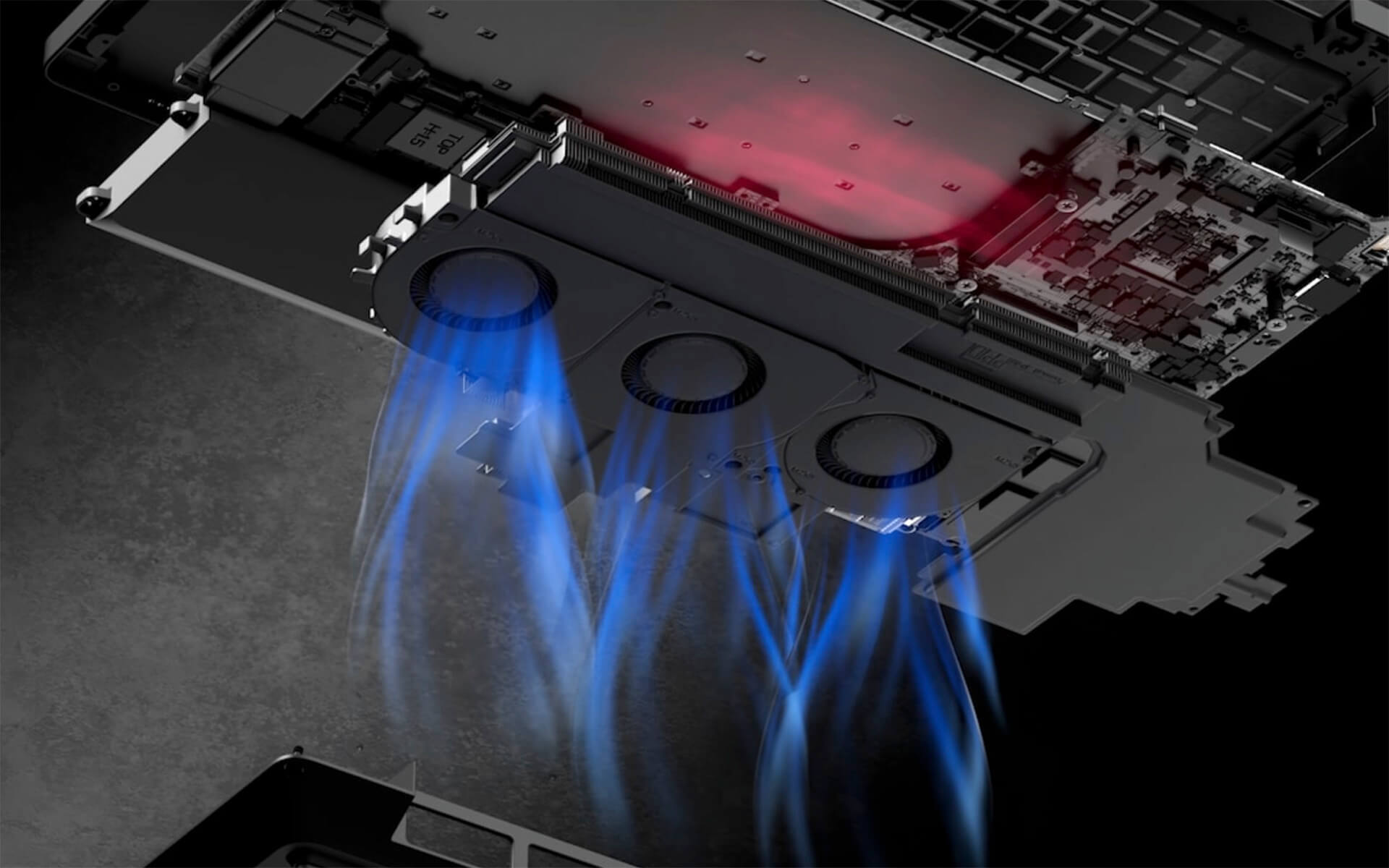
Weighing 2.55kg and measuring 360 × 258.6 × 30.9mm, it features a quick-access maintenance door on the bottom - allowing you to swap RAM and SSDs without removing the entire chassis. A 3-fan cooling system and dual vapor chambers keep the system running steadily and continuously, even during 3D rendering or heavy code compilation. Noise levels are well controlled at significantly lower levels than previous-generation workstations.
Formidable Performance with Intel Core Ultra HX Series CPUs and RTX PRO Blackwell GPUs
The Dell Pro Max 16 Plus MB16250 is the first mobile workstation equipped with Intel Core Ultra 5/7/9 HX Series 2 (55W TDP) CPUs - Arrow Lake architecture optimized for multi-threading, excelling in code compilation, engineering simulation, and big data analytics. Up to 128GB of DDR5 CAMM-2 RAM and PCIe Gen4/Gen5 SSDs deliver read/write speeds 2-3× faster than previous-generation SSDs.
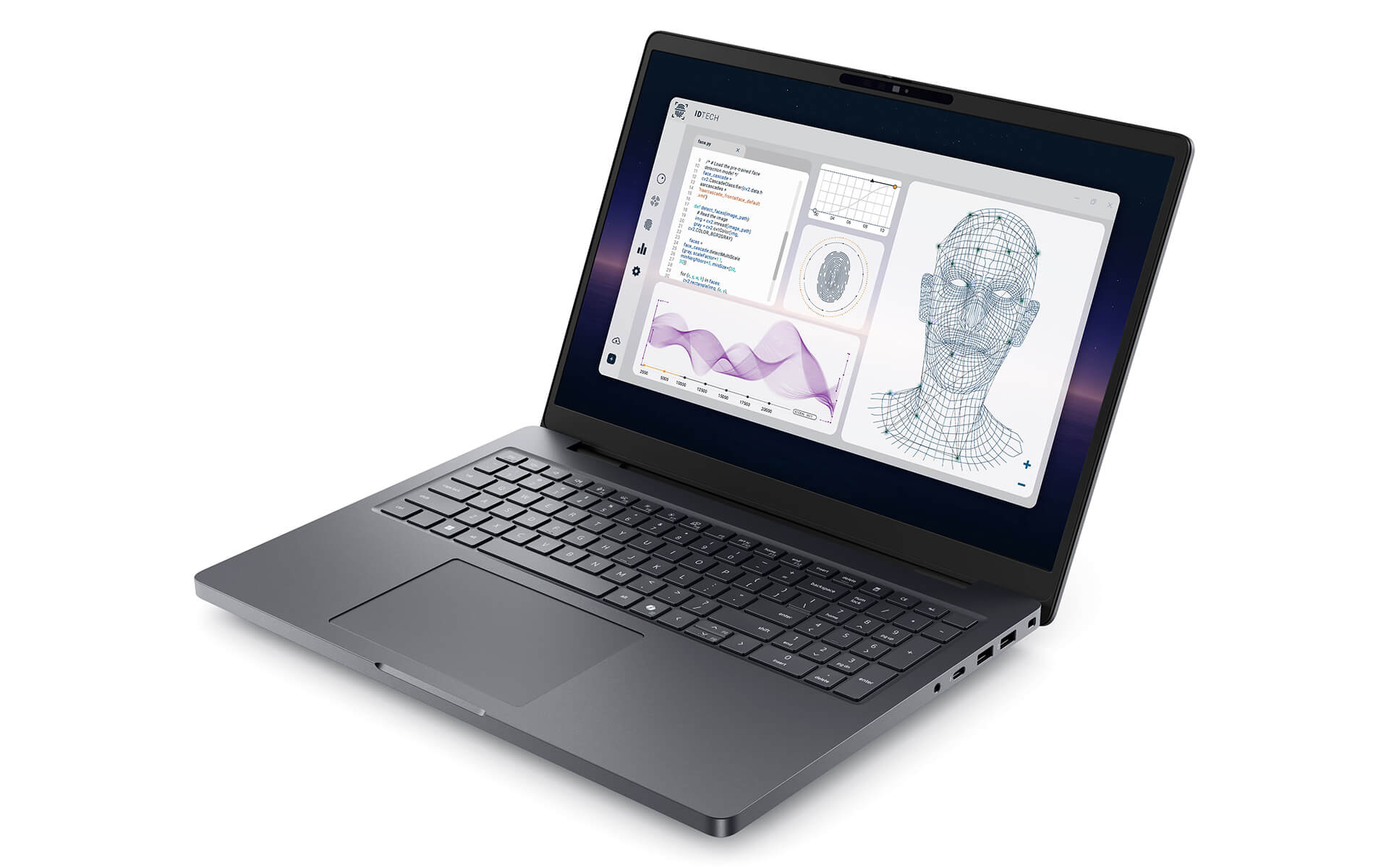
GPU options range from NVIDIA RTX PRO 1000 to RTX PRO 5000 Blackwell (8-16GB VRAM) - all supporting next-generation ray tracing, DLSS 4, and especially Tensor Core-accelerated AI inference. Whether you need to render virtual reality architecture or train machine learning models on-premises, this configuration handles it all. Users of the Dell Pro Max 16 series typically choose the RTX PRO 2000 for a solid balance between performance and battery life.
AI Acceleration for Specialized Workflows
It is no coincidence that the Dell Pro Max 16 Plus MB16250 integrates a discrete Qualcomm AI 100 NPU - a dedicated AI chip that enables local inference processing without needing the cloud, protecting sensitive data 100%. Combined with the integrated Intel NPU (~13 TOPS) and the RTX PRO GPU, the machine processes three independent AI compute streams in parallel.

It offers full compatibility with TensorFlow, PyTorch, ONNX Runtime, MATLAB, and popular AI frameworks. AI developers can train and test small-to-medium models right on the machine without pushing to a GPU cluster for every test run. Development iteration cycles speed up significantly when inference runs locally with <1ms latency.
16-Inch Display on the Dell Pro Max 16 Plus MB16250 (2025)
The standard FHD+ 1920×1200 display (16:10 aspect ratio) reaches 500 nits, covers 100% DCI-P3, and offers a 120Hz refresh rate - plenty for any color-critical professional design task. The 16:10 ratio adds 11.3% more screen area compared to a 16:9 screen of the same size, providing an obvious edge when coding across multiple files or designing complex layouts.
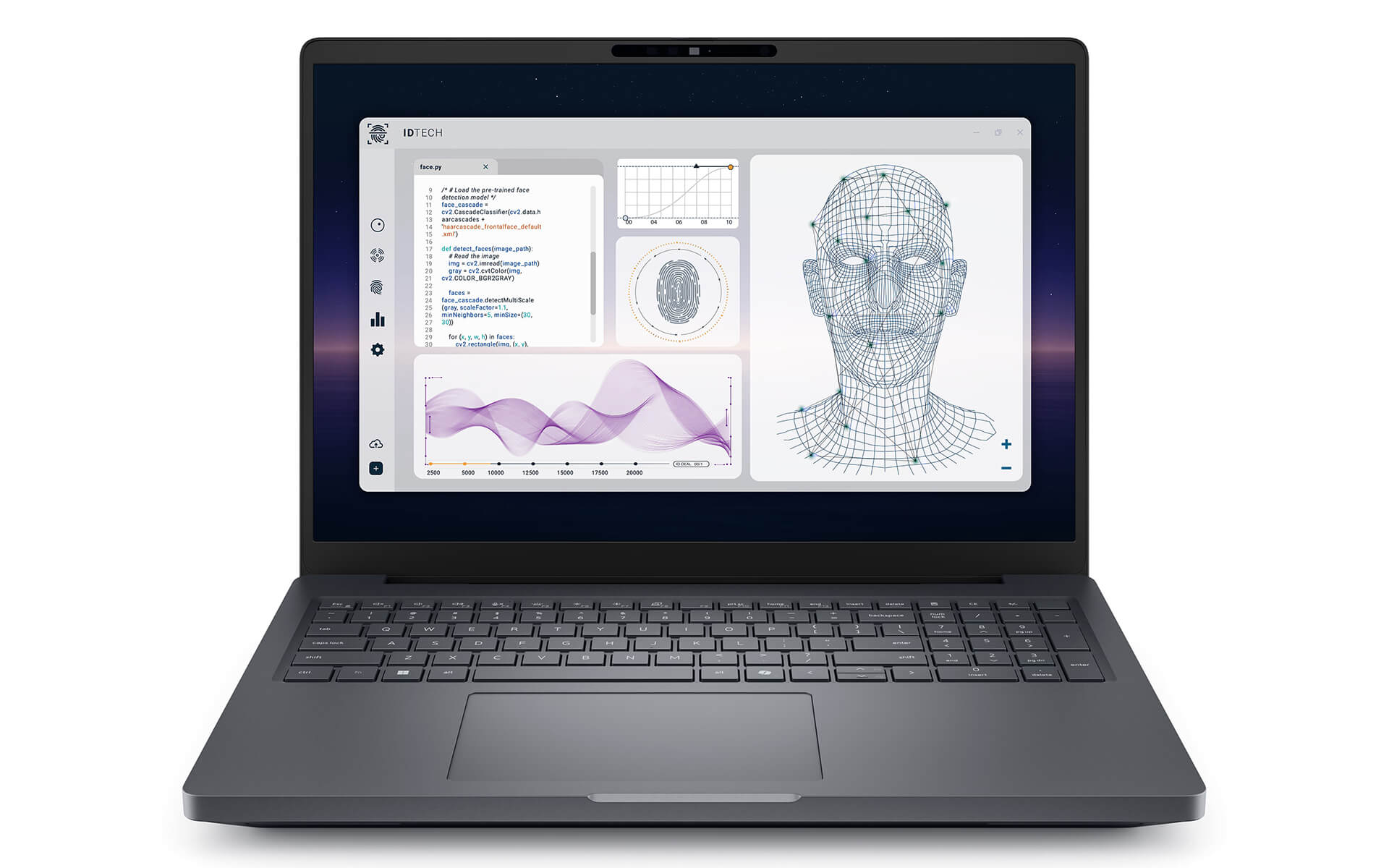
An upgrade option to OLED UHD+ 3840×2400 features HDR True Black 500 nits and multi-touch - ideal for editorial designers or content creators demanding maximum color accuracy. A Corning Gorilla Glass NBT anti-glare display panel protects the surface from everyday scratches. The anti-reflective coating reduces eye fatigue when working under bright lighting.
Spacious, Comfortable Keyboard & Touchpad
The keyboard on the Dell Pro Max 16 Plus MB16250 delivers 1.5mm key travel, consistent actuation force, and customizable per-zone RGB backlighting. A full discrete numeric keypad - something many 16-inch ultrabooks omit - helps accountants, engineers, and analysts enter numeric data significantly faster. English or Vietnamese layouts are optional when ordering.
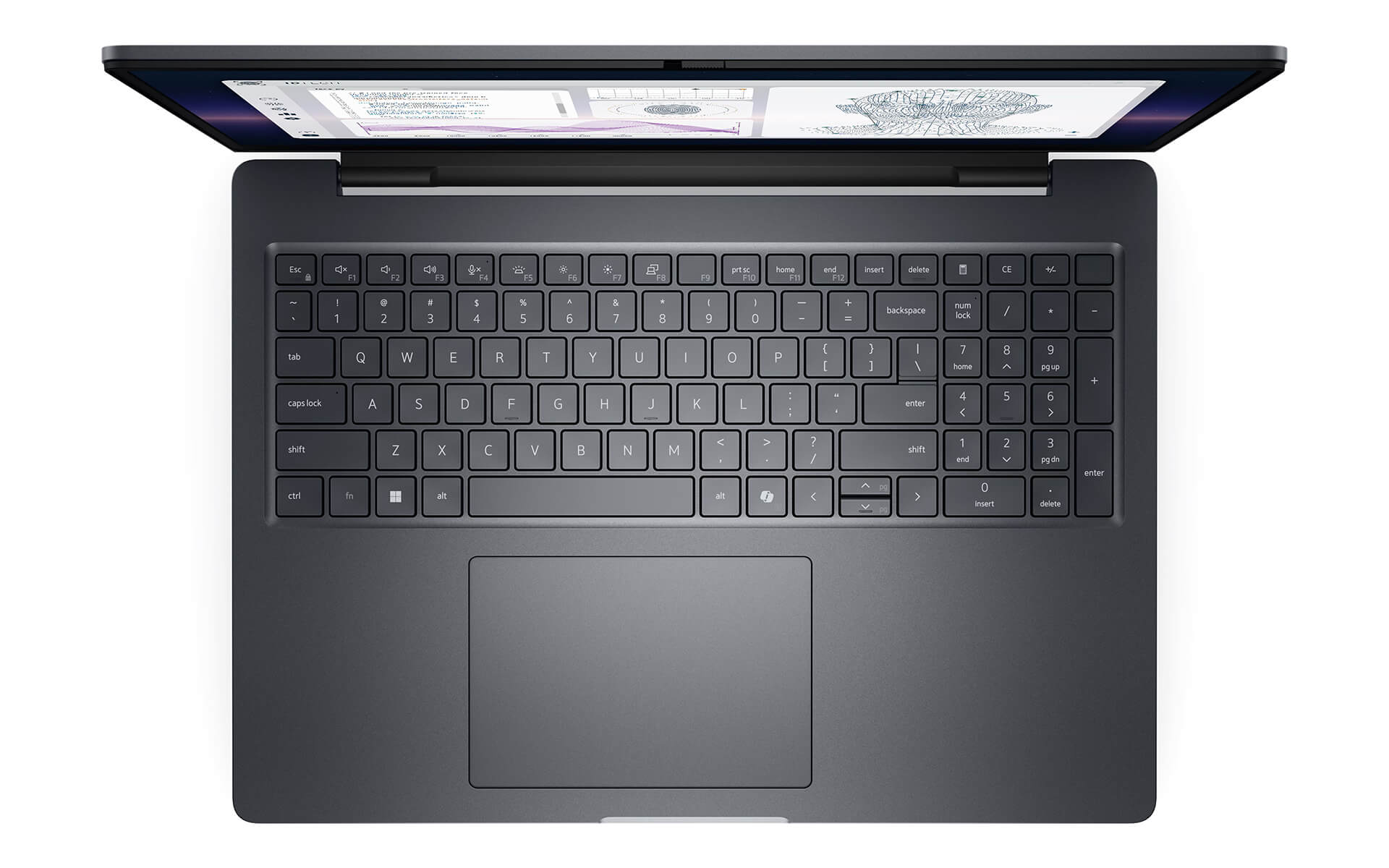
The spacious 150×90mm touchpad is topped with Corning Glass, supporting Windows Precision Touchpad with 5-finger multi-touch - scrolling, zooming, and rotating images are all smooth. Cursor tracking, scrolling, and multi-touch navigation are fluid, without any sense of sluggishness or input lag. A built-in Microsoft Copilot button on the keyboard lets you call up the AI assistant with a single keystroke. This is especially useful for those working long consecutive hours, from coding to deep document processing.
Ports & Connectivity on the Dell Pro Max 16 Plus MB16250 (2025)
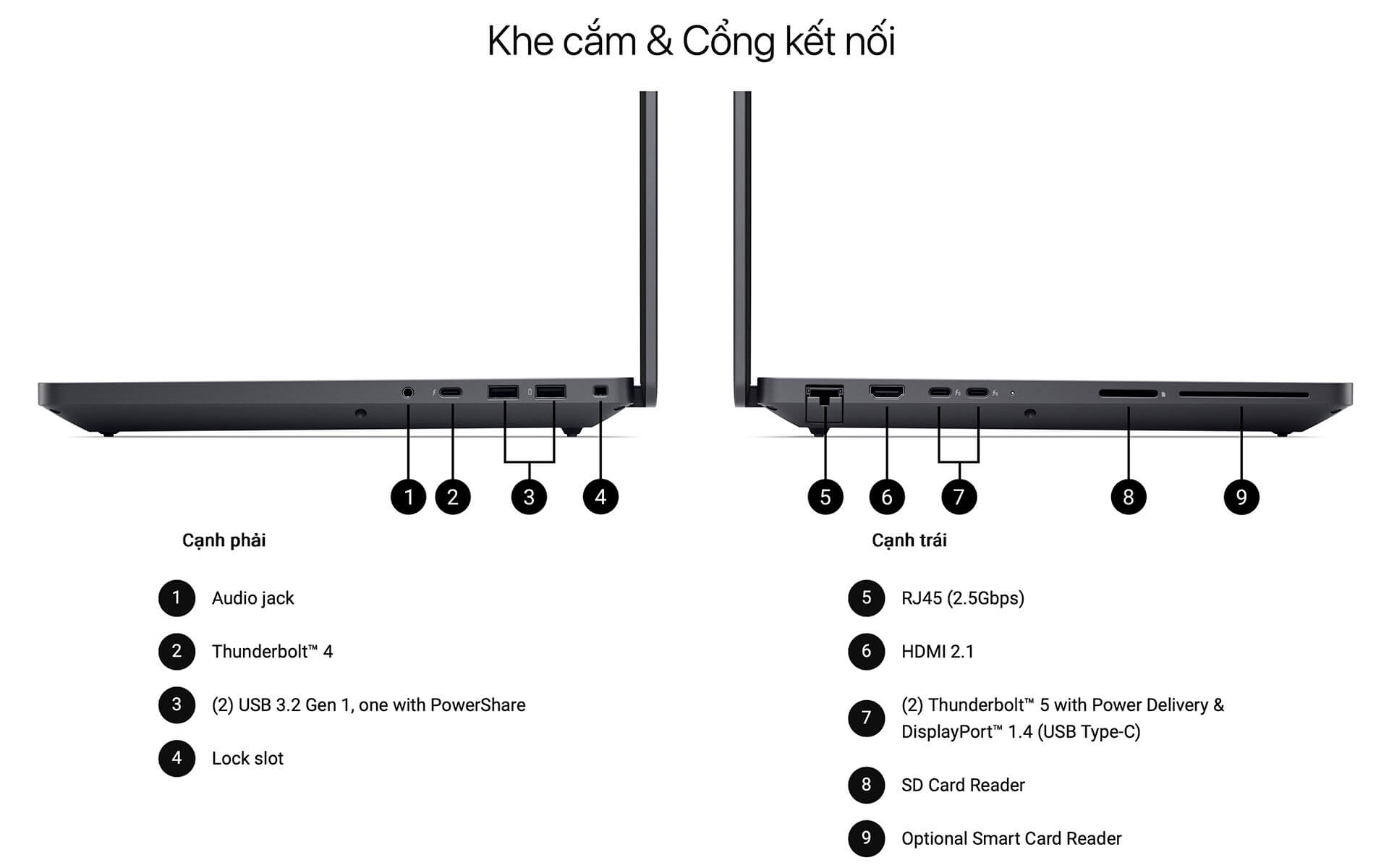
The Dell Pro Max 16 Plus MB16250 is a mobile workstation that eliminates the need for an external hub for most requirements. On the left: 2× Thunderbolt 5 (120Gbps, Power Delivery, DisplayPort 2.1) and 1× Thunderbolt 4 (40Gbps). On the right: 2× USB-A 3.2 Gen 1, HDMI 2.1, RJ45 2.5GbE, an SD 4.0 UHS-II slot, and a Smart Card Reader. In total, it supports 3-4 external displays simultaneously.
Wireless connectivity: Wi-Fi 7 (802.11be) with speeds up to 5.8Gbps, Bluetooth 5.4, and optional 5G LTE (integrated nano SIM) - keeping you constantly connected even without company Wi-Fi. Thunderbolt 5 also supports eGPUs, ideal for users who need to expand graphics power at the office while preserving on-the-go portability. Explore more products in the Dell catalog at Hung Phat Laptop.
Advanced Security Features, Comprehensive Data Protection
For sensitive engineering and R&D data, the Dell Pro Max 16 Plus MB16250 offers multiple layers of hardware security. ControlVault 3 Plus with FIPS 140-3 certification processes biometric authentication right on a dedicated chip - power-button fingerprint reader, NFC, and Smart Card all run through ControlVault, bypassing the main CPU. A discrete TPM 2.0 achieves FIPS 140-2 and TCG Certification.

Opal 2.0 SED (Self-Encrypting Drive) standard encrypts data directly at the SSD controller - if the machine is stolen, the drive remains unreadable without the key. Chassis Intrusion Detection alerts immediately whenever anyone attempts to tamper with the chassis. Dell Trusted Workspace combines with Microsoft Intune to give IT administrators remote device fleet management, zero-touch provisioning, and automated threat detection.
Efficient Thermal Management and Battery Life
The triple-fan cooling system and dual vapor chambers in the Dell Pro Max 16 Plus MB16250 maintain CPU temperatures at 75-85°C during continuous 3D rendering - well below the thermal throttling threshold. An intelligent thermal management algorithm adjusts fan speeds according to the real workload, cutting noise significantly compared to previous-generation workstations. At idle and during office tasks, the fan is virtually inaudible.
The 96Whr 6-cell battery with ExpressCharge 2.0 recharges to 80% in 1 hour. Real-world battery life delivers 8-10 hours for office tasks and light coding, or 3-4 hours of continuous rendering. An optional Long Life Cycle battery slows battery degradation over time - ideal for enterprises planning to keep devices for 4-5 years. The system charges via 130W USB-C or an optional standard 130W power adapter.
Summary of the Dell Pro Max 16 Plus MB16250 - Mobile Workstation
The Dell Pro Max 16 Plus MB16250 (2025) is an optimal choice for mechanical and software engineers, AI developers, architects, and professional designers needing a portable, ISV-certified mobile workstation. It delivers strong processing power with the Intel Core Ultra HX Arrow Lake CPU, ample rendering and AI inference performance with the RTX PRO Blackwell GPU, enterprise-grade security via ControlVault 3 Plus and TPM 2.0, and maximum data speeds through Thunderbolt 5 connectivity. It is a great fit for tech companies, architectural firms, and engineering projects running ISV-certified software such as SolidWorks, CATIA, Revit, or AutoCAD.
Pros:
| Pros | Cons |
|---|---|
|
|
FAQ - Frequently Asked Questions About the Dell Pro Max 16 Plus MB16250 (2025)
1. Which professions is the Dell Pro Max 16 Plus MB16250 best suited for?
It is an excellent fit for mechanical engineers (SolidWorks, CATIA), AI/ML software engineers (PyTorch, TensorFlow), architects (Revit, AutoCAD), 3D designers (Blender, Houdini), 4K-8K video editors, and game developers. ISV certification ensures rock-solid stability with specialized professional software.
2. What are the pricing and available configurations for the Dell Pro Max 16 Plus MB16250?
At Hung Phat Laptop: starting from 78 million VND for the configuration with Core Ultra 7 265HX + RTX PRO 1000 8GB + 32GB RAM + 512GB SSD. Higher-end configurations (Core Ultra 9 285HX + RTX PRO 5000) run around 130-150 million VND.
3. Can it run SolidWorks, CATIA, AutoCAD, and Revit?
Yes. The NVIDIA RTX PRO 1000/2000/3000/4000/5000 Blackwell GPUs are ISV-certified by Dassault Systèmes (SolidWorks, CATIA), Autodesk (AutoCAD, Revit, Maya, 3ds Max), and PTC (Creo). The machine runs reliably without driver errors or system crashes - something standard gaming GPUs cannot guarantee.
4. How does the Dell Pro Max 16 Plus MB16250 differ from the MC16250?
The MC16250 relies on integrated Intel Arc 140T graphics (no discrete GPU) - suitable for office work and light coding, starting from 27 million VND. The MB16250 Plus features discrete NVIDIA RTX PRO graphics - required for professional 3D CAD applications, rendering, and AI inference. The MB16250 Plus also includes a Qualcomm AI 100 NPU, which the MC16250 lacks.
5. What is the real-world battery life of the Dell Pro Max 16 Plus MB16250?
It comes with a 96Whr battery and ExpressCharge 2.0. In real-world use: 8-10 hours during coding or office tasks without using the discrete GPU; 4-5 hours under light GPU tasks (UI design, light 3D work); 2-3 hours during continuous heavy rendering. It charges from 0 to 80% in approximately 60 minutes using the 130W adapter. Source: Dell Official Blog.
6. Does the laptop have an AI NPU, and what is it used for?
Yes - it includes a dedicated, discrete Qualcomm AI 100 NPU designed for local AI inference without relying on cloud processing. Total NPU capability: high-performance Qualcomm AI 100 + an Intel NPU delivering ~13 TOPS. It handles real-time object detection, internal speech-to-text, image classification, Windows AI Copilot, and enterprise ML pipelines requiring local data security.
7. How can the RAM and SSD on the Dell Pro Max 16 Plus MB16250 be upgraded?
The DDR5 CAMM-2 RAM features 2 slots, upgradable up to 128GB. The PCIe Gen4/Gen5 M.2 SSD storage offers 2 slots with RAID 0/1 support. A dedicated service hatch on the underside allows quick installation without disassembling the entire chassis. Using Dell-certified RAM and SSDs is recommended to preserve warranty coverage.
8. How well does the Dell Pro Max 16 Plus MB16250 run Linux?
It is certified for Ubuntu 24.04 LTS and RHEL. Note: Wi-Fi 7 (Intel BE200) currently lacks official driver support on Linux kernels earlier than 6.8 - Dell plans to release driver updates by late 2025. In the meantime, an external USB Wi-Fi adapter can be used. Source: Dell Support.
9. What is the warranty policy for the Dell Pro Max 16 Plus at Hung Phat Laptop?
Hung Phat Laptop distributes genuine Dell Pro Max 16 Plus MB16250 models with a 12-month warranty honored at Dell service centers and a 30-day 1-to-1 replacement policy for manufacturer defects. It also includes complimentary machine cleaning, free software installation, and free nationwide shipping.
Two other models to consider: the DELL Pro Max 16 MC16250 - Mobile Workstation (2025) and the Dell Pro Max 16 Premium MA16250 - Mobile Workstation (2025).
Where to Buy the Dell Pro Max 16 Plus MB16250 with Reputable Service and Great Pricing?
If you are searching for a capable Dell Pro Max mobile workstation for demanding professional workflows, Hung Phat Laptop is your trusted destination with over 10 years specializing in official imports. Every product comes with genuine warranty seals, VAT invoices, and clear warranty terms. Specifically for the Dell Pro Max 16 Plus MB16250, we provide complimentary configuration consultations and hands-on testing directly at our showroom.
Contact Hung Phat Laptop for a tailored quote based on your specific needs, as engineers, designers, and AI specialists often require substantially different GPU and RAM specs. Fast delivery is available within Ho Chi Minh City, with nationwide shipping delivered in 1-3 business days.
Performance & benchmarks DELL Pro Max 16 Plus MB16250 - Mobile Workstation (2025)
Intel Core Ultra 7 265HX NVIDIA RTX PRO 3000 Blackwell Generation Laptop - best for Gaming 9.5/10, Video / Graphics 9.5/10.
Intel Core Ultra 7 265HX
- Geekbench 6 (multi-core)17,242
- Geekbench 6 (single-core)2,928
- PassMark48,485
- NPU (AI)13 TOPS
- Cores / Threads20/20
NVIDIA RTX PRO 3000 Blackwell Generation Laptop
- 3DMark Time Spy14,875
- 3DMark Fire Strike36,897
- VRAM12 GB
- AI INT8992 TOPS
- ArchitectureBlackwell
Best for
Scored from real benchmarks- Gaming9.5/10
- Video / Graphics9.5/10
- Programming9/10
- Office9.5/10
- AI / Generative AI6.5/10
Why does the CPU matter?
The CPU is the "brain" that handles every task: launching apps, multitasking, compiling code and editing video. The stronger the CPU, the faster and smoother the laptop runs when you juggle many things at once.
- BasicThis product
Web browsing, streaming and light office work.
- MainstreamThis product
Office work, moderate multitasking and studying.
- Mid-rangeThis product
Solid multitasking, programming and light graphics work.
- StrongThis product
Video editing, heavy programming, virtualization and gaming.
- FlagshipThis product
Heavy rendering, 4K/8K editing, virtual machines and AI workloads.
Why does the GPU matter?
The GPU (graphics card) handles visuals: gaming, video editing, 3D rendering and AI acceleration. The stronger the GPU, the higher your frame rates and the faster your video exports.
- Basic (iGPU)This product
Smooth display, 4K video and very light games (League of Legends, Valorant on low).
- MainstreamThis product
1080p eSports gaming, photo editing and light video editing.
- Mid-rangeThis product
1080p gaming on medium-high settings and smooth Full HD video editing.
- StrongThis product
1080p/1440p gaming on high settings, 4K video editing and 3D rendering.
- FlagshipThis product
4K/240Hz gaming, ray tracing, heavy rendering and AI.
Local AI performance
Tokens/second running locally on GPU 12GB VRAM- Qwen 3.5 9B9.7 GB · ctx 32K48 tok/sDecent
- Gemma 4 E4B IT8.7 GB · ctx 256K54 tok/sDecent
- Phi-4 14B7.7 GB · ctx 16K61 tok/sRuns well
- DeepSeek R1 Distill 14B7.7 GB · ctx 64K61 tok/sRuns well
- Llama 3.2 11B Vision6.1 GB · ctx 128K77 tok/sRuns well
- Gemma 4 E2B IT5.6 GB · ctx 256K84 tok/sRuns well
- GLM-4 9B5.1 GB · ctx 128K92 tok/sRuns great
- Gemma 4 E4B4.6 GB · ctx 256K102 tok/sRuns great
- Ministral 8B4.6 GB · ctx 32K102 tok/sRuns great
- Qwen 3.5 4B4.6 GB · ctx 32K102 tok/sRuns great
- DeepSeek R1 Distill 7B4.1 GB · ctx 64K115 tok/sRuns great
- Gemma 4 E2B3.1 GB · ctx 256K152 tok/sRuns great
- Qwen 3.5 2B2.5 GB · ctx 32K188 tok/sRuns great
- Phi-4 Mini Reasoning2.4 GB · ctx 16K196 tok/sRuns great
- Llama 3.2 3B2 GB · ctx 128K235 tok/sRuns great
- SmolLM3 3B2 GB · ctx 128K235 tok/sRuns great
- DeepSeek R1 1.5B1.3 GB · ctx 64K362 tok/sRuns great
- Qwen 3.5 0.8B1.3 GB · ctx 32K362 tok/sRuns great
- TinyLlama 1.1B1.1 GB · ctx 2K428 tok/sRuns great
- Llama 3.2 1B1 GB · ctx 128K470 tok/sRuns great
- Qwen 2.5 14B7.7 GB · ctx 128K61 tok/sRuns well
- Qwen 3 14B7.7 GB · ctx 128K61 tok/sRuns well
- Gemma 3 12B6.6 GB · ctx 128K71 tok/sRuns well
- Mistral Nemo 12B6.6 GB · ctx 128K71 tok/sRuns well
- Gemma 2 9B5.1 GB · ctx 8K92 tok/sRuns great
- Nemotron Nano 9B v25.1 GB · ctx 128K92 tok/sRuns great
- Llama 3.1 8B4.6 GB · ctx 128K102 tok/sRuns great
- Qwen 3 8B4.6 GB · ctx 128K102 tok/sRuns great
- Mistral 7B v0.34.1 GB · ctx 32K115 tok/sRuns great
- Qwen 2.5 7B4.1 GB · ctx 128K115 tok/sRuns great
- Qwen 2.5 Coder 7B4.1 GB · ctx 128K115 tok/sRuns great
- Qwen 3 4B2.5 GB · ctx 32K188 tok/sRuns great
- Gemma 3 4B2.5 GB · ctx 128K188 tok/sRuns great
- Phi-3.5 Mini2.4 GB · ctx 128K196 tok/sRuns great
- Gemma 2 2B1.5 GB · ctx 8K314 tok/sRuns great
- Qwen 3 1.7B1.4 GB · ctx 32K336 tok/sRuns great
- Qwen 2.5 Coder 1.5B1.3 GB · ctx 32K362 tok/sRuns great
- Qwen 3 0.6B1.1 GB · ctx 32K428 tok/sRuns great
- Gemma 3 1B1 GB · ctx 32K470 tok/sRuns great
GreatWellDecent4-bit quantized, ctx = context window
No comments yet
Q&A about DELL Pro Max 16 Plus MB16250 - Mobile Workstation (2025)
Frequently asked questions about DELL Pro Max 16 Plus MB16250 - Mobile Workstation (2025)
What are the specifications of DELL Pro Max 16 Plus MB16250 - Mobile Workstation (2025)?
What is the warranty for DELL Pro Max 16 Plus MB16250 - Mobile Workstation (2025)?
Can I buy DELL Pro Max 16 Plus MB16250 - Mobile Workstation (2025) with home delivery?
Worth a Look
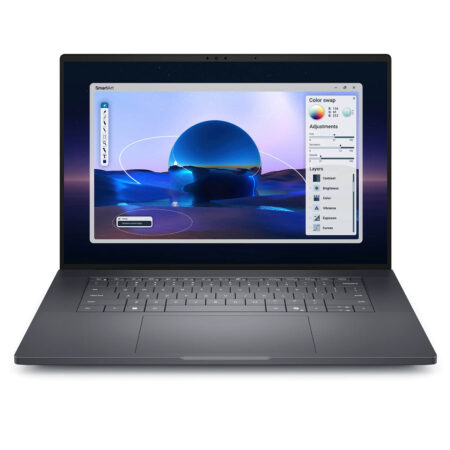 4 configurations
Dell Pro Max 16 Premium MA16250 - Mobile Workstation (2025)
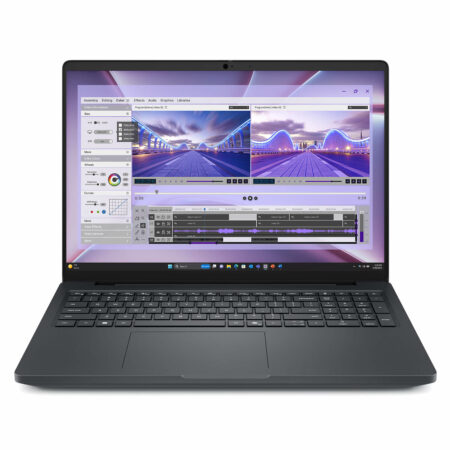 3 configurations


Phan Thu Hằng 05/06/2026
This machine is truly powerful, rendering is smooth, and the cooling is excellent. It's great for coding and graphic design; the price is reasonable and definitely worth the money.
Vũ Bảo Ngọc 11/05/2026
This machine is incredibly smooth for 3D rendering and AI coding; it's powerful, and the cooling is great, so it doesn't overheat. The screen is beautiful with accurate colors - definitely worth your money, everyone!