


Dell Pro Max 16 Premium MA16250 - Mobile Workstation (2025)
- CPU: Intel Core Ultra 7 265H vPro Up To 5.3GHz (16 Cores, 16 Threads, 24MB Cache - 13 TOPS NPU)
- RAM: LPDDR5x 32GB 8400MHz
- SSD: 512GB PCIe Gen4 M.2 SSD
- VGA: NVIDIA® RTX™ PRO 1000 Blackwell, 8GB GDDR7
- DISPLAY: 16" UHD+ (3840*2400), Tandem OLED, VRR 120Hz, Touch, VESA HDR 1000, 100% DCI-P3, 500 nits
- CONDITION: New 100% Full Box
- WARRANTY: 12-month warranty
- Enterprise-Grade Design Focused on Optimizing Performance
- Powerful Performance with Core Ultra Series 2 CPUs and RTX Pro Series
- AI Enhances Processing for Specialized Tasks
- 16-Inch Display Options on the Dell Pro Max 16 Premium MA16250 (2025)
- Keyboard and Touchpad Built for Working Comfort
- Ports and Connectivity on the Dell Pro Max Premium 16 inch MA16250 (2025)
- Advanced Security Features, Comprehensive Data Protection
- Efficient Cooling System and Optimized Battery Life
- Summary of the Dell Pro Max 16 Premium MA16250 Mobile Workstation
- FAQ - Frequently Asked Questions About the Dell Pro Max 16 Premium MA16250 (2025)
- Where to Buy the Dell Pro Max 16 Premium MA16250 (2025) from a Reputable Dealer at a Great Price?
When a 3D design engineer renders a 10GB file that takes a standard office laptop 40 minutes, this machine finishes it in under 12 minutes. The Dell Pro Max 16 Premium MA16250 is not just a standard laptop with upgraded hardware, but a mobile workstation 2025 designed from the ground up by Dell for professional workloads: AI, 3D rendering, big data analytics, and high-level enterprise security. Explore more Dell Pro Max laptops to compare your options before deciding.
Enterprise-Grade Design Focused on Optimizing Performance
The Dell Pro Max 16 Premium MA16250 measures 353.8 x 240.28 mm and weighs 2.19 kg. While roughly 700g heavier than an ultrabook, that extra weight accommodates a cooling system with enough room to prevent throttling under continuous heavy loads.

The machine meets MIL-STD 810H standards: a military spec tested across 26 harsh environmental conditions, including vibration, shock, extreme temperatures, and high humidity. This is not just a spec-sheet boast, but a crucial factor for users who need a machine that runs reliably in demanding work environments. The chassis is crafted from unibody aluminum with sturdy hinges that do not flex during transit. Its design focuses entirely on performance, skipping RGB lighting and unnecessary cosmetic flair. This is a workstation built for professionals who need a machine running reliably for 8 continuous hours in professional environments.
Powerful Performance with Core Ultra Series 2 CPUs and RTX Pro Series
The CPU configuration offers three choices: the Core Ultra 7 255H for demanding office workloads, the Core Ultra 7 265H vPro for enterprises requiring advanced security, and the Core Ultra 9 285H vPro for AI workloads and heavy rendering - all featuring 16 cores and a boost clock of up to 5.40 GHz. GPU options range from Intel Arc 140T / Arc Pro 140T up to NVIDIA RTX Pro Blackwell, including the RTX Pro 1000 (8GB), RTX Pro 2000 (8GB), and RTX Pro 3000 (12GB), complete with ISV-certified driver support for AutoCAD, SolidWorks, and ANSYS.

RAM scales up to 64GB LPDDR5x 8400 MT/s. The PCIe Gen4 SSD reaches up to 4TB and supports RAID 0 and RAID 1 configurations. RAID 0 nearly doubles read/write speeds, making it ideal for working with 4K/8K video files. RAID 1 mirrors data in real time, which is critical for enterprise workstations where mid-task data loss is unacceptable - a feature rarely seen on standard laptops, yet essential for a true workstation.
AI Enhances Processing for Specialized Tasks
Powered by Intel Core Ultra Series 2, the chip integrates an NPU (Neural Processing Unit) delivering 13 TOPS of AI performance. The NPU processes local AI tasks directly on device without offloading them to the cloud: voice recognition, video call background blur, image upscaling, and intelligent battery optimization.

Pairing the CPU's 13 TOPS NPU with a Tensor Core-equipped RTX Pro GPU gives the system enough total AI horsepower to run medium-sized AI inference models (7B-13B parameters) right on device. For AI researchers and ML developers, this is a practical advantage rather than a cosmetic spec. Dell also includes Dell Optimizer, which leverages AI to learn work habits, automatically prioritizing resources and tuning battery life to match each context.
16-Inch Display Options on the Dell Pro Max 16 Premium MA16250 (2025)
The Dell Pro Max 16 Premium MA16250 offers two distinct display panel options tailored to different workflows. The FHD+ IPS 1920x1200 120Hz 500nit Anti-Glare display suits programming, CAD, and heavy office work - delivering smooth visuals when dragging and snapping multiple windows while drawing less power. The touch-enabled OLED UHD+ 3840x2400 HDR TrueBlack 1000nit panel suits professional photo and video editing - offering infinite contrast and 100% DCI-P3 that no IPS display panel can match when working in dark rooms or requiring true HDR reproduction.

Developers, CAD engineers, and data analysts should opt for the FHD+ 120Hz option. For color grading, professional video editing, or tasks requiring absolute color accuracy, choose the OLED UHD+. Because each display option serves a specific need, selecting the right one for your daily workflow is key.
Keyboard and Touchpad Built for Working Comfort
The full-size keyboard on the Dell Pro Max 16 Premium MA16250 is backlit with key travel of about 1.5mm, enough for long typing sessions without fatigue. The layout includes a full numpad, a vital inclusion for finance professionals, engineers, and anyone handling heavy data entry.

The large touchpad features a smooth glass surface with Windows Precision multi-touch gesture support. It tracks accurately without cursor drift. Dedicated physical mouse buttons provide clear feedback, unlike the indistinct clicks found on some ultrabooks. You can comfortably use it all day without an external mouse - a major benefit when working on the go.
Ports and Connectivity on the Dell Pro Max Premium 16 inch MA16250 (2025)
The port selection covers everything a modern workstation requires: Thunderbolt 4/5 (120 Gbps, charging, display output, eGPU), HDMI 2.1 (4K 120Hz or 8K 60Hz), USB-A, wired RJ45 LAN, Wi-Fi 7 (46 Gbps theoretical), and Bluetooth 5.4.

Thunderbolt 5 reaches 120 Gbps, doubling the bandwidth of TB4 - letting you connect external NVMe SSDs with read/write speeds up to 10GB/s, or run external eGPUs without bottlenecks. For video editors, only this port delivers the speed needed to edit directly off external drives without lag or stutter.
Advanced Security Features, Comprehensive Data Protection
Enterprise workstations like the Dell Pro Max 16 Premium MA16250 require hardware-level security. Intel Boot Guard and BIOS Guard protect the boot sequence against firmware attacks - an especially dangerous threat vector because it operates beneath the operating system. TPM (Trusted Platform Module) provides hardware-level encryption, a must for environments that require BitLocker or enterprise encryption.

Dell Trusted Workspace is a comprehensive security framework spanning hardware to software, pre-integrated with enterprise device management ecosystems. A fingerprint sensor and an optional IR camera support Windows Hello for passwordless login. For businesses looking for a Dell Precision for environments requiring strict security, the Dell Pro Max 16 Premium MA16250 is a solid choice in this segment.
Efficient Cooling System and Optimized Battery Life
Dell uses DOO (Dell Optimized Airflow) technology paired with a vapor chamber and copper heat pipes. The vapor chamber dissipates heat across a broad surface from the CPU/GPU, while copper heat pipes guide thermal load out to the cooling fins and fans. This cooling system keeps the CPU under 90 degrees during continuous rendering without throttling after 20-30 minutes like some other thin workstations.

With its 96Whr battery, real-world testing yields 8-10 hours of office work (email, documents, light coding). When rendering or running heavy GPU workloads, expect 3-4 hours. It supports ExpressCharge Boost, charging from 0% to 80% in about 60 minutes. The 2.19 kg weight combined with the 96Whr battery strikes a practical balance for users frequently moving between the office and job sites without needing to stay plugged in all day.
Summary of the Dell Pro Max 16 Premium MA16250 Mobile Workstation
The Dell Pro Max 16 Premium MA16250 is a clear choice for anyone needing true workstation performance in a portable laptop chassis: an ISV-certified RTX Pro GPU for CAD/CAE with AutoCAD, SolidWorks, and ANSYS; an OLED UHD+ display and Thunderbolt 5 for professional video workflows; a 13 TOPS NPU alongside 64GB RAM to run local AI inference models; and a complete hardware security stack (Boot Guard, BIOS Guard, TPM, vPro, Dell Trusted Workspace) for businesses in regulated environments. Compared to current top workstation laptops 2025, the MA16250 competes directly in the mobile workstation segment with a remarkably complete hardware security suite for its price point.
| Pros | Cons |
|---|---|
|
|
FAQ - Frequently Asked Questions About the Dell Pro Max 16 Premium MA16250 (2025)
1. How many display options are available for the Dell Pro Max 16 Premium MA16250?
The laptop offers 2 options: FHD+ 1920x1200 120Hz 500 nits Anti-Glare and touch-enabled UHD+ OLED 3840x2400 HDR TrueBlack 1000 nits. FHD+ is well-suited for programming, CAD, and heavy office work. OLED is ideal for photo and video editing as well as professional content creation requiring absolute color accuracy.
2. How long does the battery last on the Dell Pro Max 16 Premium MA16250?
With its 96Whr battery, real-world use reaches 8-10 hours for office work (email, documents, light coding). It supports ExpressCharge Boost, charging from 0% to 80% in about 60 minutes. When running renders or heavy GPU workloads, expect 3-4 hours.
3. Who is the Dell Pro Max 16 Premium MA16250 best suited for?
CAD/CAE design engineers requiring an ISV-certified GPU, video and graphics professionals needing a color-accurate OLED display, AI researchers and ML developers requiring an NPU with high-capacity RAM, and businesses demanding high-level hardware security (vPro, TPM, Boot Guard, Dell Trusted Workspace).
4. Does the Dell Pro Max 16 Premium MA16250 support RAID?
Yes. The PCIe Gen4 SSD supports both RAID 0 (nearly doubling read/write speeds, ideal for working with 4K/8K video files) and RAID 1 (real-time data mirroring for safe protection), with up to 4TB of storage. This is a rare feature on standard laptops.
5. How fast is Thunderbolt 5 on this machine?
Thunderbolt 5 reaches 120 Gbps, twice as fast as Thunderbolt 4. It is fast enough to connect high-speed external NVMe SSDs, drive 8K displays, or connect an eGPU without bottlenecks. In practice, you can edit 4K/8K video directly from an external drive without stutter or lag.
6. How much does the Dell Pro Max 16 Premium MA16250 weigh, and is it suitable for commuting?
The machine weighs 2.19 kg, about 700g heavier than an ultrabook. It is well-suited for users who frequently commute between the office and job sites without having to carry it around all day long. The 96Whr battery offsets the weight somewhat since you do not need to stay tethered to a power outlet all day.
7. Can the Dell Pro Max 16 Premium MA16250 run AutoCAD and SolidWorks?
Yes. The RTX Pro Blackwell GPU configurations (1000/2000/3000) all feature ISV-certified drivers, officially certified for compatibility with AutoCAD, SolidWorks, ANSYS, Catia, and other professional CAD/CAE software. This is a major differentiator compared to typical gaming GPUs.
8. What security standards does the Dell Pro Max 16 Premium MA16250 feature?
The machine integrates Intel Boot Guard, BIOS Guard, TPM (Trusted Platform Module), Intel vPro (on the 265H and 285H configurations), a fingerprint sensor, an optional Windows Hello IR camera, and the Dell Trusted Workspace framework. That provides a complete security stack for regulated enterprise environments requiring BitLocker and enterprise encryption.
9. Where can I reliably buy the Dell Pro Max 16 Premium MA16250 in HCMC?
Hung Phat Laptop is a trusted Dell dealer in Ho Chi Minh City, offering genuine products, full warranty coverage, and same-day delivery within the inner city. Contact us directly to get a quote on the configuration tailored to your actual needs.
Browse more models in the Dell Pro Max 16 category, or widen your options with Dell laptops. If you are comparing options, also see the DELL Pro Max 16 MC16250 - Mobile Workstation (2025) and the DELL Pro Max 16 Plus MB16250 - Mobile Workstation (2025).
Where to Buy the Dell Pro Max 16 Premium MA16250 (2025) from a Reputable Dealer at a Great Price?
Hung Phat Laptop is a reputable Dell dealer in TP.HCM, specializing in Dell laptops and workstations for businesses and professionals. When you buy the Dell Pro Max 16 Premium MA16250 at Hung Phat Laptop, you get a genuine Dell warranty, same-day delivery within TP.HCM with an inspection before receiving the device, and spec consultation tailored to your actual needs.
Contact us now to get an updated quote and advice on choosing the right specs for your workload. Our technical team is ready to demo the machine and answer any questions about specs.
Performance & benchmarks Dell Pro Max 16 Premium MA16250 - Mobile Workstation (2025)
Intel Core Ultra 7 265H NVIDIA RTX PRO 1000 Blackwell Generation Laptop - best for Office 9.5/10, Programming 9/10.
Intel Core Ultra 7 265H
- Cinebench R23 (multi-core)19,940
- Geekbench 6 (multi-core)15,669.5
- Geekbench 6 (single-core)2,906
- PassMark34,162
- NPU (AI)13 TOPS
- Cores / Threads16/16
NVIDIA RTX PRO 1000 Blackwell Generation Laptop
- 3DMark Time Spy8,260
- VRAM8 GB
- AI INT8440 TOPS
- ArchitectureBlackwell
Best for
Scored from real benchmarks- Gaming6.5/10
- Video / Graphics7.5/10
- Programming9/10
- Office9.5/10
- AI / Generative AI4/10
Why does the CPU matter?
The CPU is the "brain" that handles every task: launching apps, multitasking, compiling code and editing video. The stronger the CPU, the faster and smoother the laptop runs when you juggle many things at once.
- BasicThis product
Web browsing, streaming and light office work.
- MainstreamThis product
Office work, moderate multitasking and studying.
- Mid-rangeThis product
Solid multitasking, programming and light graphics work.
- StrongThis product
Video editing, heavy programming, virtualization and gaming.
- FlagshipThis product
Heavy rendering, 4K/8K editing, virtual machines and AI workloads.
Why does the GPU matter?
The GPU (graphics card) handles visuals: gaming, video editing, 3D rendering and AI acceleration. The stronger the GPU, the higher your frame rates and the faster your video exports.
- Basic (iGPU)This product
Smooth display, 4K video and very light games (League of Legends, Valorant on low).
- MainstreamThis product
1080p eSports gaming, photo editing and light video editing.
- Mid-rangeThis product
1080p gaming on medium-high settings and smooth Full HD video editing.
- StrongThis product
1080p/1440p gaming on high settings, 4K video editing and 3D rendering.
- FlagshipThis product
4K/240Hz gaming, ray tracing, heavy rendering and AI.
Local AI performance
Tokens/second running locally on GPU 8GB VRAM- Llama 3.2 11B Vision6.1 GB · ctx 128K44 tok/sDecent
- Gemma 4 E2B IT5.6 GB · ctx 256K48 tok/sDecent
- GLM-4 9B5.1 GB · ctx 128K53 tok/sDecent
- Gemma 4 E4B4.6 GB · ctx 256K58 tok/sRuns well
- Ministral 8B4.6 GB · ctx 32K58 tok/sRuns well
- Qwen 3.5 4B4.6 GB · ctx 32K58 tok/sRuns well
- DeepSeek R1 Distill 7B4.1 GB · ctx 64K66 tok/sRuns well
- Gemma 4 E2B3.1 GB · ctx 256K87 tok/sRuns great
- Qwen 3.5 2B2.5 GB · ctx 32K108 tok/sRuns great
- Phi-4 Mini Reasoning2.4 GB · ctx 16K112 tok/sRuns great
- Llama 3.2 3B2 GB · ctx 128K134 tok/sRuns great
- SmolLM3 3B2 GB · ctx 128K134 tok/sRuns great
- DeepSeek R1 1.5B1.3 GB · ctx 64K207 tok/sRuns great
- Qwen 3.5 0.8B1.3 GB · ctx 32K207 tok/sRuns great
- TinyLlama 1.1B1.1 GB · ctx 2K244 tok/sRuns great
- Llama 3.2 1B1 GB · ctx 128K269 tok/sRuns great
- Gemma 3 12B6.6 GB · ctx 128K41 tok/sDecent
- Mistral Nemo 12B6.6 GB · ctx 128K41 tok/sDecent
- Gemma 2 9B5.1 GB · ctx 8K53 tok/sDecent
- Nemotron Nano 9B v25.1 GB · ctx 128K53 tok/sDecent
- Llama 3.1 8B4.6 GB · ctx 128K58 tok/sRuns well
- Qwen 3 8B4.6 GB · ctx 128K58 tok/sRuns well
- Mistral 7B v0.34.1 GB · ctx 32K66 tok/sRuns well
- Qwen 2.5 7B4.1 GB · ctx 128K66 tok/sRuns well
- Qwen 2.5 Coder 7B4.1 GB · ctx 128K66 tok/sRuns well
- Qwen 3 4B2.5 GB · ctx 32K108 tok/sRuns great
- Gemma 3 4B2.5 GB · ctx 128K108 tok/sRuns great
- Phi-3.5 Mini2.4 GB · ctx 128K112 tok/sRuns great
- Gemma 2 2B1.5 GB · ctx 8K179 tok/sRuns great
- Qwen 3 1.7B1.4 GB · ctx 32K192 tok/sRuns great
- Qwen 2.5 Coder 1.5B1.3 GB · ctx 32K207 tok/sRuns great
- Qwen 3 0.6B1.1 GB · ctx 32K244 tok/sRuns great
- Gemma 3 1B1 GB · ctx 32K269 tok/sRuns great
GreatWellDecent4-bit quantized, ctx = context window
No comments yet
Q&A about Dell Pro Max 16 Premium MA16250 - Mobile Workstation (2025)
Frequently asked questions about Dell Pro Max 16 Premium MA16250 - Mobile Workstation (2025)
What are the specifications of Dell Pro Max 16 Premium MA16250 - Mobile Workstation (2025)?
What is the warranty for Dell Pro Max 16 Premium MA16250 - Mobile Workstation (2025)?
Can I buy Dell Pro Max 16 Premium MA16250 - Mobile Workstation (2025) with home delivery?
Worth a Look
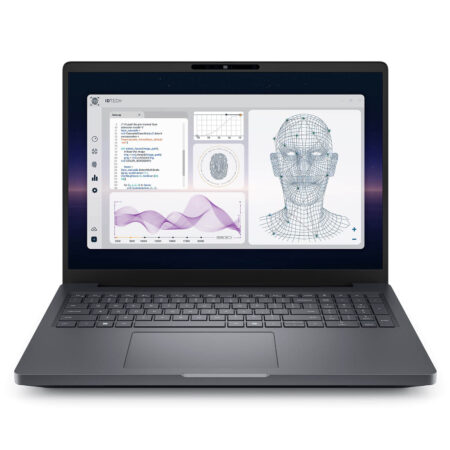
DELL Pro Max 16 Plus MB16250 - Mobile Workstation (2025)
 3 configurations


Ngô Hữu Nghĩa 13/05/2026
Renders 3D tasks smoothly and maintains stable temperatures without overheating. However, it is a bit heavy, making it somewhat tiring to carry around.
Nguyễn Thảo Vy 13/05/2026
Renders 3D lightning-fast without overheating or lagging like older models. Extremely solid build quality and a beautiful display - truly a professional-grade machine.