

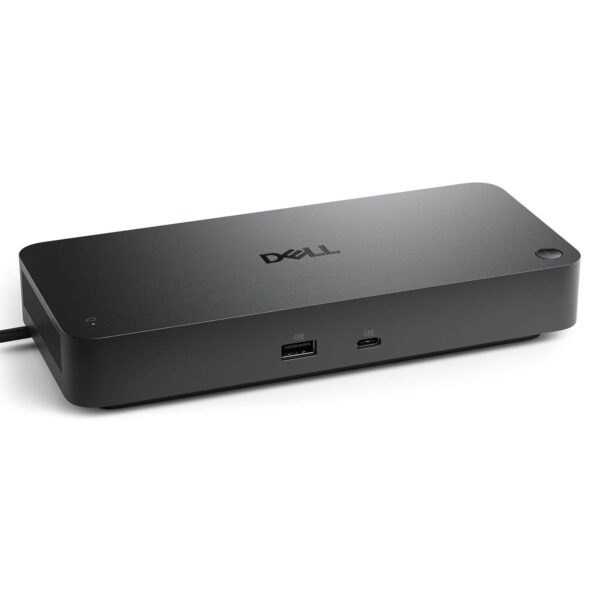
Dell Pro Smart Dock SD25 - 130W USB-C Dock
- CONNECTION: Đế cắm USB-C, một sợi cáp cho dữ liệu, hình ảnh & sạc
- DISPLAY: Xuất tối đa 4 màn hình (2x 5K / 1x 6K @60Hz)
- PORTS: 2x DisplayPort 1.4, HDMI 2.1, USB-C, nhiều USB-A 10Gbps
- NETWORK: Ethernet RJ45 2.5GbE
- POWER: Nguồn 180W, Power Delivery tới 130W
- SMART: Quản trị từ xa qua Wi-Fi, bảo mật WPA-3
- CONDITION: New 100% Full Box
- WARRANTY: Bảo hành 12 tháng
- Transform your laptop into a workstation with just one cable
- Connectivity & Expansion Capabilities
- Multi-monitor support, up to 4 monitors
- Powerful power delivery up to 130W
- Smart features, remote management for enterprises
- Device Compatibility
- Overview and Review of Dell Pro Smart Dock SD25
- FAQ - Frequently Asked Questions about Dell Pro Smart Dock SD25
- Where to buy the Dell Pro Smart Dock SD25 with good price and reputation?
Dell Pro Smart Dock SD25 is a USB-C docking station that transforms a slim, lightweight laptop with limited ports into a complete workstation. With just a single USB-C cable, you can simultaneously connect external monitors, wired network, mouse, keyboard, hard drives, and charge your laptop, keeping your desk tidy and speeding up your daily workflow. The standout feature of the Smart Dock series is its remote management capability for enterprises, something standard docking stations do not offer.
Transform your laptop into a workstation with just one cable
The Dell Pro Smart Dock SD25 solves a common problem for modern laptops: as chassis become thinner, the number of ports is reduced. Instead of plugging and unplugging multiple cables every time you sit at your desk, you only need to connect a single USB-C cable to instantly connect all peripherals and power.
This method is particularly convenient for people who use a mobile laptop but have a fixed workstation. When arriving at the office, plug in one cable to immediately have a large monitor, LAN, and a mechanical keyboard; when it's time to move, unplug one cable and take your laptop with you. The dock helps make your workspace much more organized and professional.
With a sturdy desktop design, the SD25 is suitable for both individuals and businesses looking to equip multiple employees with standardized gear, creating a unified and easy-to-manage working environment.
Connectivity & Expansion Capabilities
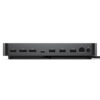
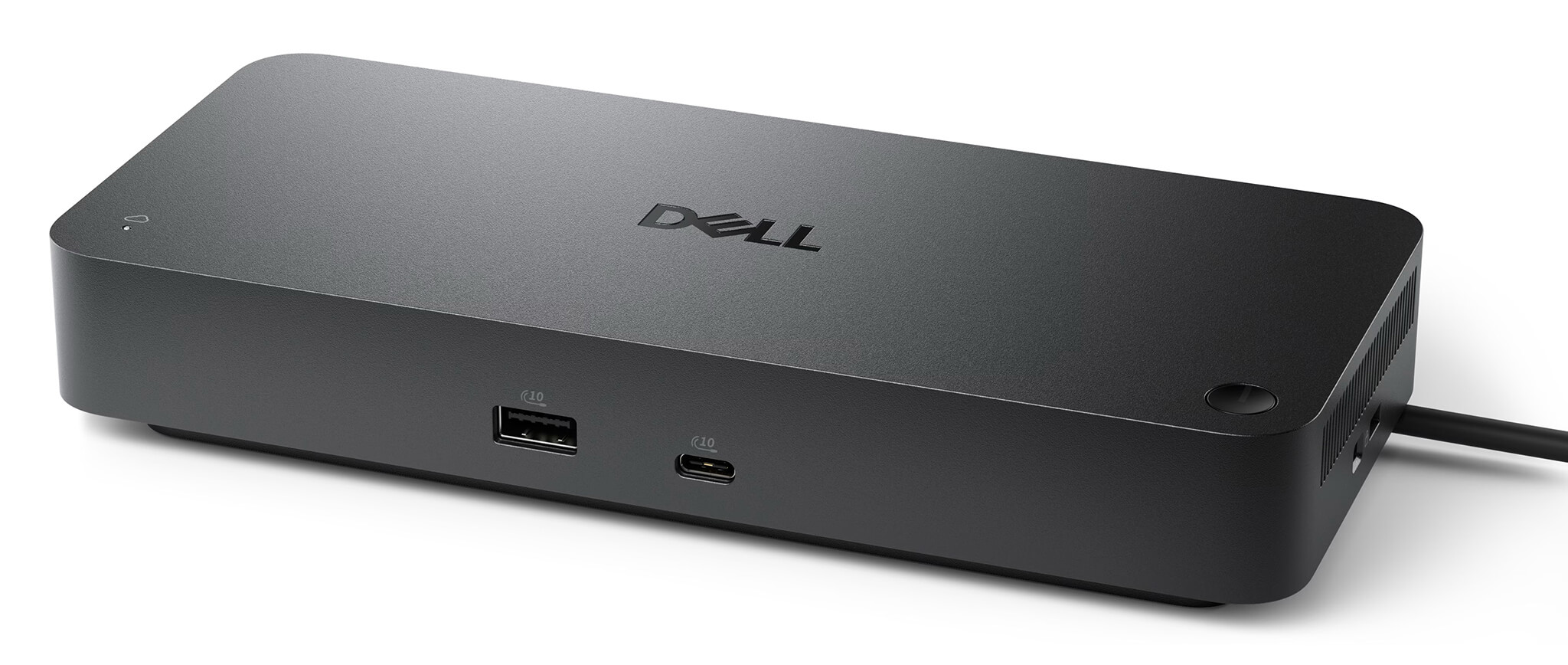
The Dell Pro Smart Dock SD25 features a rich array of ports, meeting almost every connectivity need at your desk. You can connect multiple monitors, storage devices, and peripherals simultaneously without needing an additional hub. All ports are summarized in the table below.
| Port / Connection | Specifications | Function |
|---|---|---|
| USB-C (Laptop Connection) | USB-C DP Alt Mode | A single cable for data, video, and power |
| DisplayPort | DisplayPort 1.4 × 2 | Output to up to 2 external monitors |
| HDMI | HDMI 2.1 | High-resolution video output |
| USB-C Expansion | 3.2 Gen 2, 10Gbps | Includes DisplayPort 1.4, high-speed data |
| USB Type-A | 3.2 Gen 2, 10Gbps | Mouse, keyboard, hard drives, USB drives |
| Wired Network | Ethernet RJ45 2.5GbE | Fast and stable network connection |
| Power Input | 180W Adapter | Powers the dock and charges the laptop |
Notably, the 2.5 Gigabit Ethernet port provides speeds many times faster than the standard 1GbE, which is extremely useful when transferring large files over a local network or for stable video conferencing. The multiple USB-A and USB-C ports allow you to plug in many devices at once without worrying about running out of slots.
Multi-monitor support, up to 4 monitors
One of the major values of the Dell Pro Smart Dock SD25 is its ability to output to multiple monitors simultaneously, which is excellent for multitasking, data analysis, or content creation that requires extra screen real estate. The number and resolution of monitors depend on whether Display Stream Compression (DSC) technology is enabled.
| Mode | Monitor Configuration (at 60Hz) |
|---|---|
| Without DSC | 1x 4K, or 2x QHD, or 3x Full HD |
| With DSC | Up to 4 monitors, or 2x 5K, or 1x 6K |
Thanks to this capability, users can set up a professional multi-monitor system right at their desk, significantly increasing productivity compared to using only the laptop screen. This is a clear advantage for office workers, accountants, programmers, and data analysts.
Powerful power delivery up to 130W
The Dell Pro Smart Dock SD25 comes with a 180W power supply, providing up to 130W of charging power for Dell commercial laptops and up to 96W for non-Dell devices. This power level is sufficient to run the dock and fully charge the laptop even when the machine is performing heavy tasks.
As a result, you don't need to carry a separate laptop charger when working at your desk: a single USB-C cable from the dock handles data transfer, video output, and laptop charging. This helps reduce cable clutter on your desk and eliminates the hassle of plugging in multiple connectors.
High power delivery is also a crucial factor for large-screen enterprise laptops like the Dell Pro series, which require high charging power to maintain stable performance when docked all day.
Smart features, remote management for enterprises
What earns it the name Smart Dock is its remote management capability, which turns the docking station into a true enterprise device rather than just a port hub. IT departments can configure, deploy, and update firmware for a large number of docks remotely via Wi-Fi through the Dell Device Management Console, without needing to manually interact with each individual machine.
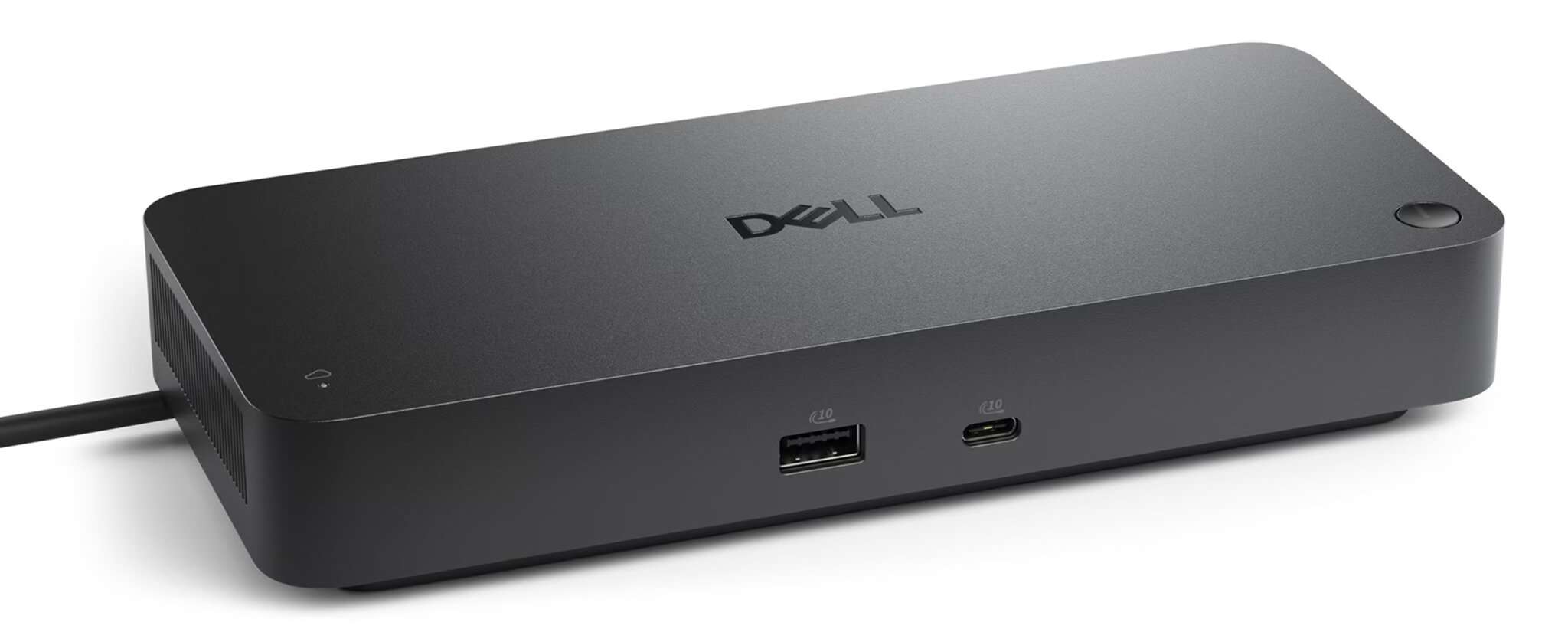
This is a comprehensive accessory management solution that helps businesses save significant time and IT manpower when operating a large number of devices. The dock supports features like Wake on LAN for remote power-on, along with a dedicated management status light to help technical departments monitor devices easily.
Regarding security, the Wi-Fi management channel is encrypted using the WPA-3 192-bit standard, ensuring safety for enterprise infrastructure. For companies that are standardizing equipment and prioritizing centralized control, this is a major advantage that standard docks cannot provide.
Device Compatibility
The Dell Pro Smart Dock SD25 is a multi-platform USB-C dock, compatible with laptops that have USB-C ports supporting DisplayPort Alt Mode. It works best with Dell commercial laptop lines such as Dell Pro and Dell Pro Max, while still being compatible with many USB-C laptops from other brands.
Please note that this is a USB-C connection version. If you require higher bandwidth for specialized needs, Dell also offers Thunderbolt 4 and Thunderbolt 5 versions within the same Smart Dock line. For most office and standard multi-monitor needs, the USB-C SD25 version meets requirements very well.
To fully utilize the 130W charging capacity and management features, it is recommended to use the dock with a Dell commercial laptop. When paired with a Dell Pro, it forms an ideal duo for a modern enterprise working environment.
Overview and Review of Dell Pro Smart Dock SD25
The Dell Pro Smart Dock SD25 is a highly recommended choice for users and businesses needing a USB-C dock with full ports, powerful power delivery, and multi-monitor support. With just one cable, the dock turns a laptop into a complete workstation, keeping your desk tidy and your workflow faster every day.
The product's highlight is the remote management capability via the Dell Device Management Console, making it suitable for businesses needing to deploy and manage devices at scale. Along with up to 130W power delivery, 2.5GbE networking, and support for up to 4 monitors, this is a premium dock aimed at professional working environments.
A few points to consider: this is the USB-C version, so it has lower bandwidth than Thunderbolt versions, and the remote management features work best in enterprise environments with IT infrastructure. For individual users who simply need more ports and monitors, the dock still performs well and is a worthwhile investment.
| Pros | Cons |
|---|---|
|
|
FAQ - Frequently Asked Questions about Dell Pro Smart Dock SD25
1. What is the Dell Pro Smart Dock SD25 used for?
This is a USB-C expansion dock that helps turn a laptop into a complete workstation. With just one USB-C cable, you can simultaneously connect external monitors, LAN, mouse, keyboard, hard drives, and charge your machine, keeping your desk tidy and your operations faster.
2. How many monitors does the SD25 support?
Without DSC signal compression, the dock can output to 1x 4K, or 2x QHD, or 3x Full HD at 60Hz. When DSC is enabled, the dock supports up to 4 monitors, or 2x 5K, or 1x 6K at 60Hz, suitable for professional multitasking needs.
3. Can the dock charge a laptop?
Yes. The SD25 comes with a 180W power supply, providing up to 130W of charging power for Dell commercial laptops and up to 96W for non-Dell devices. You only need one USB-C cable to handle data transfer, video output, and laptop charging.
4. What are the Smart features of the dock?
Smart Dock allows IT departments to configure, deploy, and update firmware for multiple docks remotely via Wi-Fi through the Dell Device Management Console, without needing direct manual intervention. The dock supports Wake on LAN and uses WPA-3 encryption for the management channel, which is very convenient for enterprises.
5. Can the SD25 be used with non-Dell laptops?
Yes. This is a multi-platform USB-C dock, compatible with laptops that have USB-C ports supporting DisplayPort Alt Mode. However, the maximum charging power for non-Dell laptops is 96W, and remote management features work best with Dell devices.
6. Should I choose the USB-C SD25 or the Thunderbolt version?
The USB-C SD25 version meets most standard office and multi-monitor needs at a more reasonable price. If you require high bandwidth for specialized tasks, Dell offers Thunderbolt 4 and Thunderbolt 5 versions within the same Smart Dock line.
7. Is there a warranty when buying the Dell Pro Smart Dock SD25?
Yes. When purchased at Hung Phat Laptop, the product is genuine, comes with a full invoice, and is covered by the manufacturer's warranty. You will receive advice on choosing the correct dock compatible with your laptop and technical support when needed.
Where to buy the Dell Pro Smart Dock SD25 with good price and reputation?
If you are looking for a USB-C dock with full ports, powerful power delivery, and multi-monitor support for your work, then the Dell Pro Smart Dock SD25 is a very worthy consideration. This product is particularly suitable when used with Dell Pro enterprise laptop lines, creating a tidy and professional workstation.
Hung Phat Laptop is a reputable address specializing in the distribution of genuine Dell accessories, with full invoices and transparent warranties. When you buy the Dell Pro Smart Dock SD25 here, you will receive expert advice on choosing the dock compatible with your laptop, dedicated technical support, nationwide delivery, and many attractive offers.
No comments yet





Minh Hoàng 15/07/2026
Genuine Dell product, works very well. Just plug in one cable to handle both charging and external display output, making the desk extremely tidy. Fast shipping too.
Hoàng Minh 15/07/2026
Top-notch quality. Using just one cable for both charging and external display is extremely convenient. The laptop runs smoothly without any issues; definitely worth the money.
Minh Quân 13/07/2026
The dock works very well; plugging in a single cable handles everything from charging to external display output, which is extremely convenient. My only slight regret is that if you aren't using a Dell charger, the power output is a bit lower.