

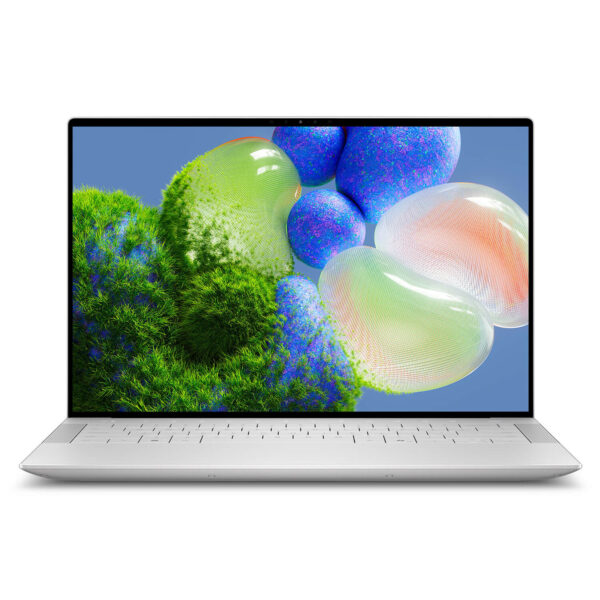
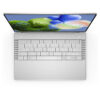
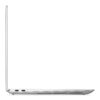
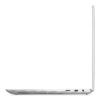
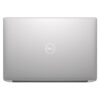
Dell XPS 14 9440 (2024)
- CPU: Intel Core Ultra 7 155H vPro Up To 4.8GHz (16 Cores, 22 Threads, 24MB Cache)
- RAM: LPDDR5X 16GB 6400MHz
- SSD: 1TB PCIe Gen4 M.2 SSD
- VGA: NVIDIA® GeForce RTX™ 4050 6GB GDDR6
- DISPLAY: 14.5" IPS FHD+ (1920 x 1200), 30-120Hz, InfinityEdge Non-Touch Display, Anti-Glare, Dolby Vision™, 100% sRGB, 500-nits
- COLOR: Platinum
- CONDITION: New 100% Full Box
- WARRANTY: Bảo hành 12 tháng
- Who is the Dell XPS 14 9440 for?
- What makes the Dell XPS 14 9440 design special?
- Is the 3.2K OLED screen worth the premium?
- Real-world Intel Core Ultra 7 performance
- What can the RTX 4050 do for you?
- Zero-Lattice Keyboard and Hidden Touchpad
- Are the ports sufficient for your workflow?
- What is the real-world battery life of the Dell XPS 14 9440?
- XPS 14 vs. MacBook Pro 14 Comparison
- Which configuration fits your needs?
- FAQ - Frequently Asked Questions about Dell XPS 14 9440 (2024)
- Where to buy the Dell XPS 14 9440?
Dell XPS 14 9440 (2024) weighs 1.64kg and is only 15mm thin-significantly slimmer than many 14-inch ultrabooks on the market. Yet, inside, it packs an Intel Core Ultra 7 155H, an optional RTX 4050, and a stunning 3.2K 120Hz OLED display. This isn't a laptop designed to please everyone, but if you fall into its target user group, you'll find it hard to find an equivalent in this segment.
Who is the Dell XPS 14 9440 for?
The Dell XPS 14 9440 was built for professionals on the move who refuse to compromise on display quality or performance. Business executives, mid-to-high-level managers, remote developers, designers, and content creators-these are the users who will feel the true value of this machine every single day. This is not a laptop for basic office tasks.
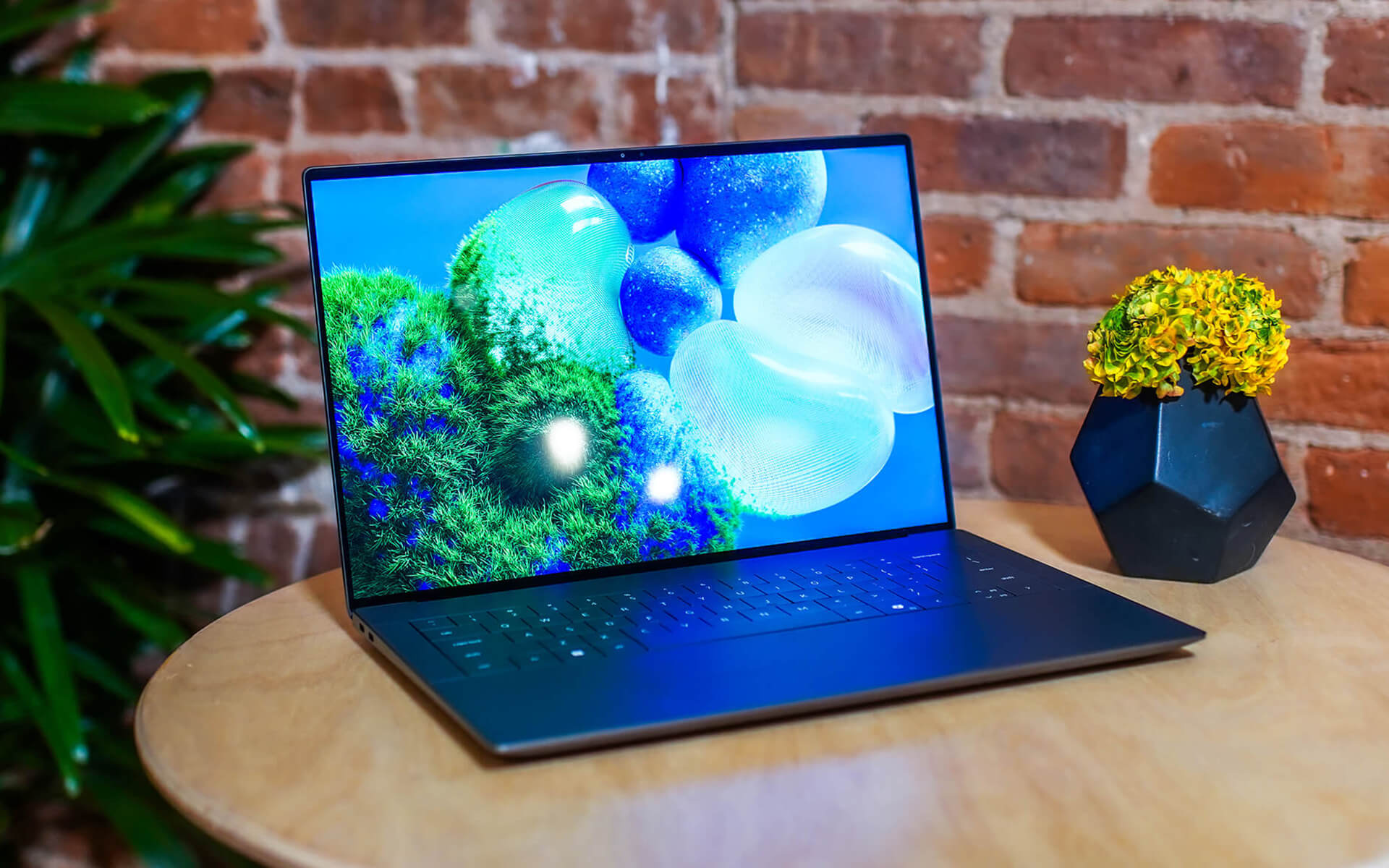
If your workday revolves around video calls, heavy documentation, browsing 20+ tabs, moderate Lightroom/Premiere Pro editing, or continuous front-end and back-end coding, the XPS 14 9440 is perfectly positioned for you. It is powerful enough to handle professional workflows, light enough to carry to the airport every week, and elegant enough to sit on a boardroom table without needing an explanation.
Conversely, if you need to render 3D all day, plug in five peripherals simultaneously without a hub, or require future RAM upgrades, the XPS 14 is not the right choice. The entire Dell XPS line is designed around a premium, mobile philosophy, not as a workstation replacement.
What makes the Dell XPS 14 9440 design special?
At 15mm thick and 1.64kg, these numbers speak volumes. You get a 14.5-inch laptop with a dedicated GPU, a premium aluminum chassis, ultra-thin bezels, and a minimalist surface free of bulky logos or tacky plastic textures. The XPS 14 exudes a quiet sophistication, perfect for those who dislike flashiness.
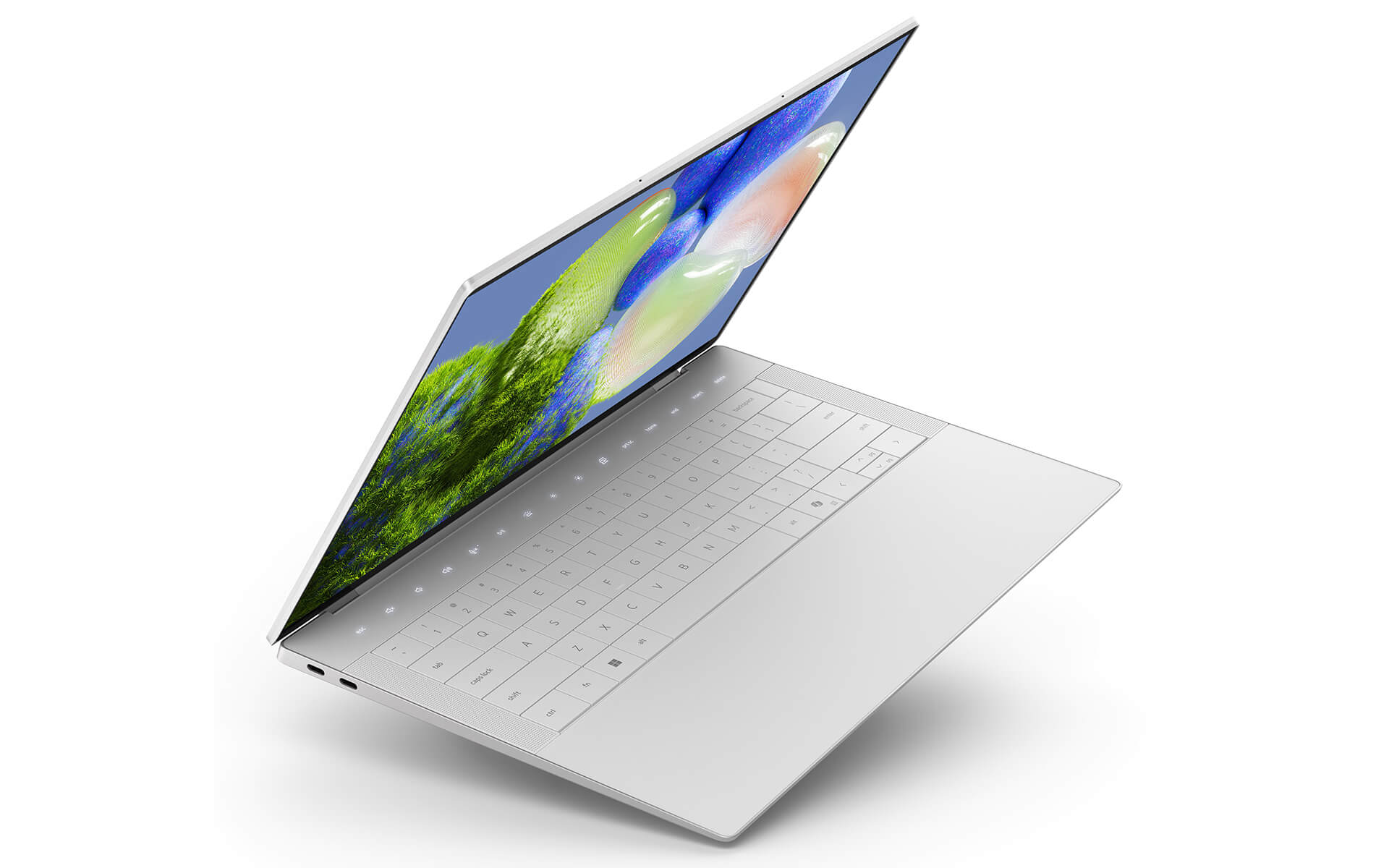
The 14.5-inch form factor is an ideal sweet spot. It is wide enough to provide a comfortable workspace compared to 13-inch laptops, yet significantly more compact than 15-16 inch models when sliding into a backpack or briefcase. For those traveling 3-4 days a month, that 400-600g difference becomes very noticeable after a year. The CNC aluminum chassis is expertly finished, avoiding the fingerprint-prone soft-touch plastics of the past, and the hinges feel incredibly sturdy.
The trade-off for this slim profile is a reduction in ports. There is no USB-A and no direct HDMI. Dell has made a conscious design choice for users already integrated into the USB-C ecosystem. If you aren't, you should factor the cost of a hub into your budget.
Is the 3.2K OLED screen worth the premium?
The short answer: Yes, if you are the right kind of user. The 3.2K OLED (2880x1800) 120Hz display on the XPS 14 9440 covers 100% DCI-P3, features a Delta E of less than 2, reaches 500 nits peak brightness on white, and hits up to 1000 nits for HDR content. The OLED contrast is near-infinite-blacks are truly black, not the dark gray seen on IPS panels. It is a difference you notice the moment you turn the screen on.
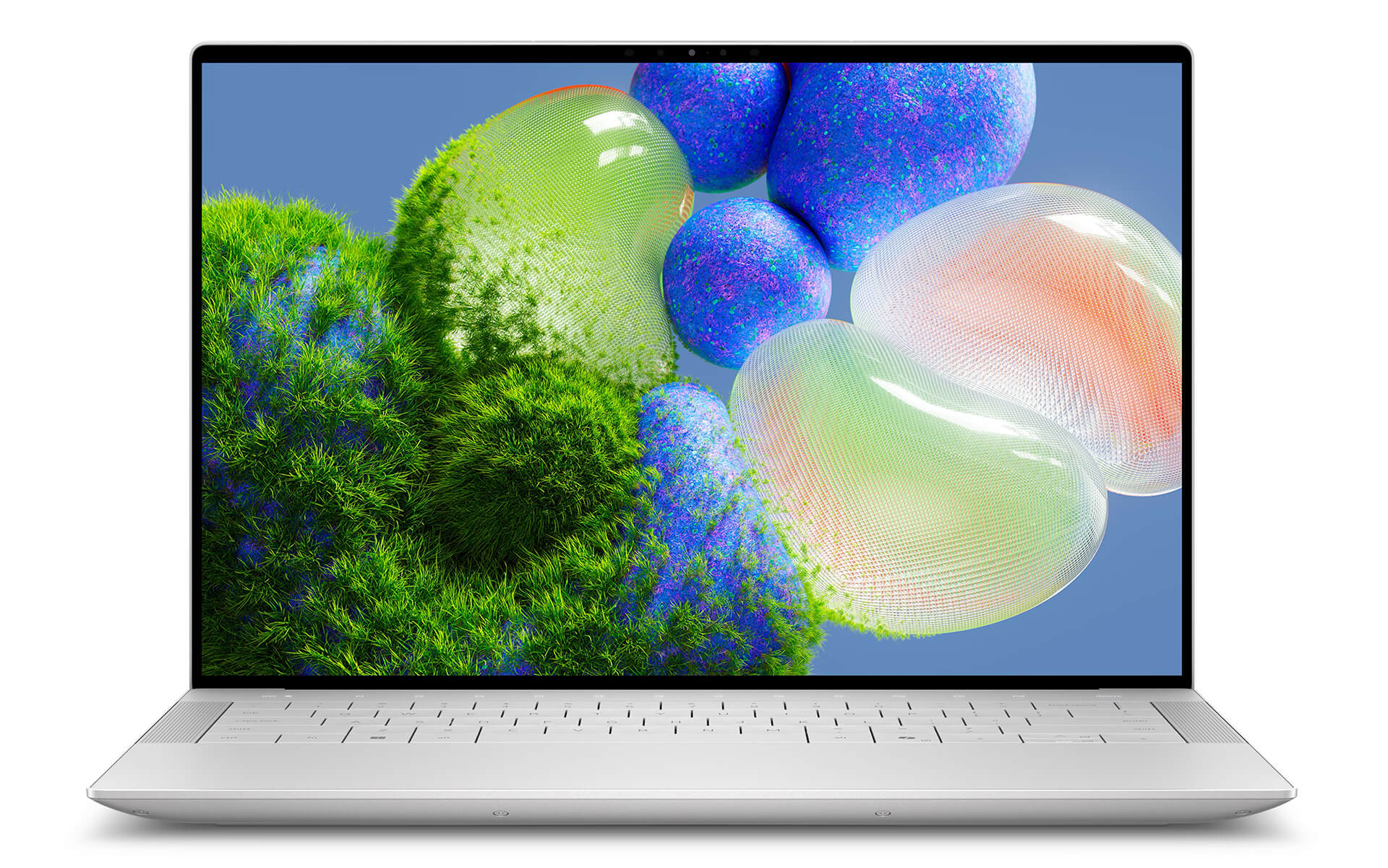
For social media content creators, product photographers, thumbnail editors, short-form video editors, or anyone requiring color accuracy, an OLED screen isn't a luxury-it's a professional tool. Better color representation means fewer revisions, fewer test prints, and fewer file resends to clients.
However, if 90% of your time is spent on emails, Word, Excel, and Zoom meetings, the FHD+ 1920x1200 120Hz version is more than sufficient. The FHD+ model is still beautiful and smooth at 120Hz, but it comes at a lower price point and typically offers 1-1.5 hours of extra battery life. Choosing based on your actual needs is smarter than paying for specs you won't use.
Real-world Intel Core Ultra 7 performance
The Intel Core Ultra 7 155H in the XPS 14 9440 features a 16-core hybrid architecture (6P + 8E + 2LPE), 22 threads, boost speeds up to 4.8GHz, and integrated Intel AI Boost NPU delivering 34 TOPS. In real-world, high-intensity office workloads-not just lab benchmarks-the machine handles multitasking seamlessly. You won't feel any lag even with 25-30 Chrome tabs, Slack, Notion, Zoom, and Photoshop running simultaneously.
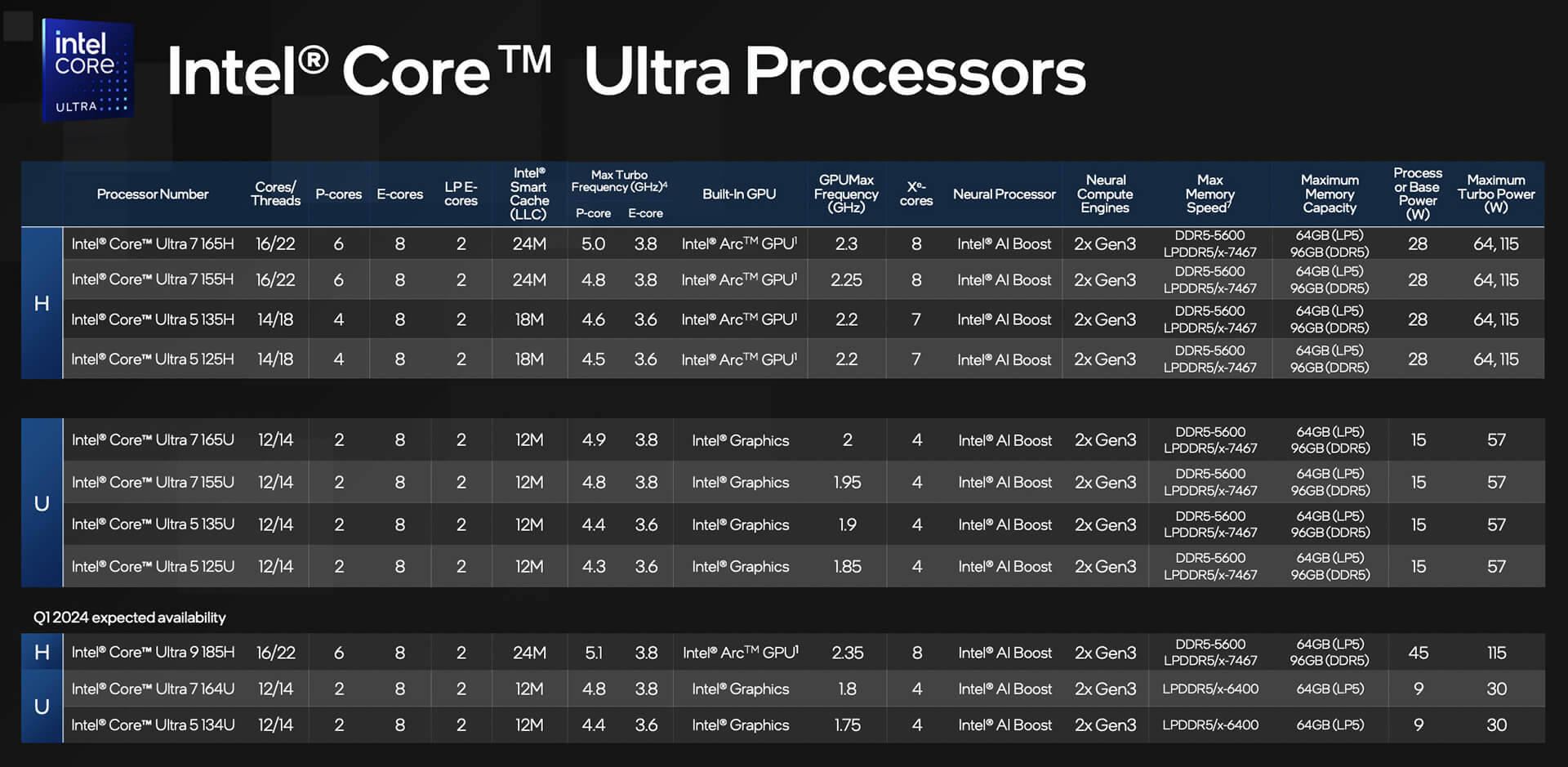
Cinebench R23 multi-core scores on the XPS 14 9440 reach approximately 14,000-15,000 points depending on the profile, comparable to mid-range gaming laptops but in a much thinner chassis. More important than benchmarks is how the machine maintains performance over time: during standard workloads, the Core Ultra 7 155H rarely experiences significant thermal throttling, thanks to Dell's efficient thermal management for a 15mm chassis.
Note that the LPDDR5x 32GB 6400MHz RAM is soldered-this is crucial to know. It cannot be upgraded later. If you plan to keep this machine for 4-5 years, we recommend choosing the 32GB version over the 16GB version from the start. The PCIe Gen 4 NVMe SSD offers read/write speeds around 5000/4500 MB/s, making application launches and booting incredibly fast.
What can the RTX 4050 do for you?
The NVIDIA GeForce RTX 4050 Laptop GPU in the XPS 14 9440 operates at a TGP of 35-40W-significantly lower than the 60-80W found in thick gaming laptops. This means real-world GPU performance won't match a gaming laptop of the same name. However, it is still a dedicated GPU with 2048 CUDA cores, 6GB of GDDR6, and DLSS 3 support, making it more than capable for creative content tasks.
| GPU | TGP (Laptop) | VRAM | Best For |
|---|---|---|---|
| Intel Arc (Integrated) | 15-20W | Shared System RAM | Office, web, documents |
| RTX 4050 Laptop (XPS 14) | 35-40W | 6GB GDDR6 | Lightroom, Premiere, AI inference |
| RTX 4060 Laptop (Gaming) | 80-115W | 8GB GDDR6 | Heavy gaming, continuous rendering |
| RTX 4070 Laptop (Gaming) | 100-140W | 8GB GDDR6 | 3D, heavy rendering, VFX |
In practice, the RTX 4050 on the XPS 14 is enough to export 4K H.264 video in Premiere Pro 3-4 times faster than the Intel Arc version, run Stable Diffusion locally at acceptable speeds, and handle AI features in Photoshop smoothly. This is a dedicated GPU for creators, not a gaming laptop.
Zero-Lattice Keyboard and Hidden Touchpad
This is the most polarizing feature. Dell's Zero-Lattice keyboard has no rubber chiclet gaps-the keys sit flush with the chassis, creating an ultra-minimalist look. With 1.3mm travel and tactile feedback, it's comfortable for long typing sessions. The RGB backlighting is also customizable per-key.
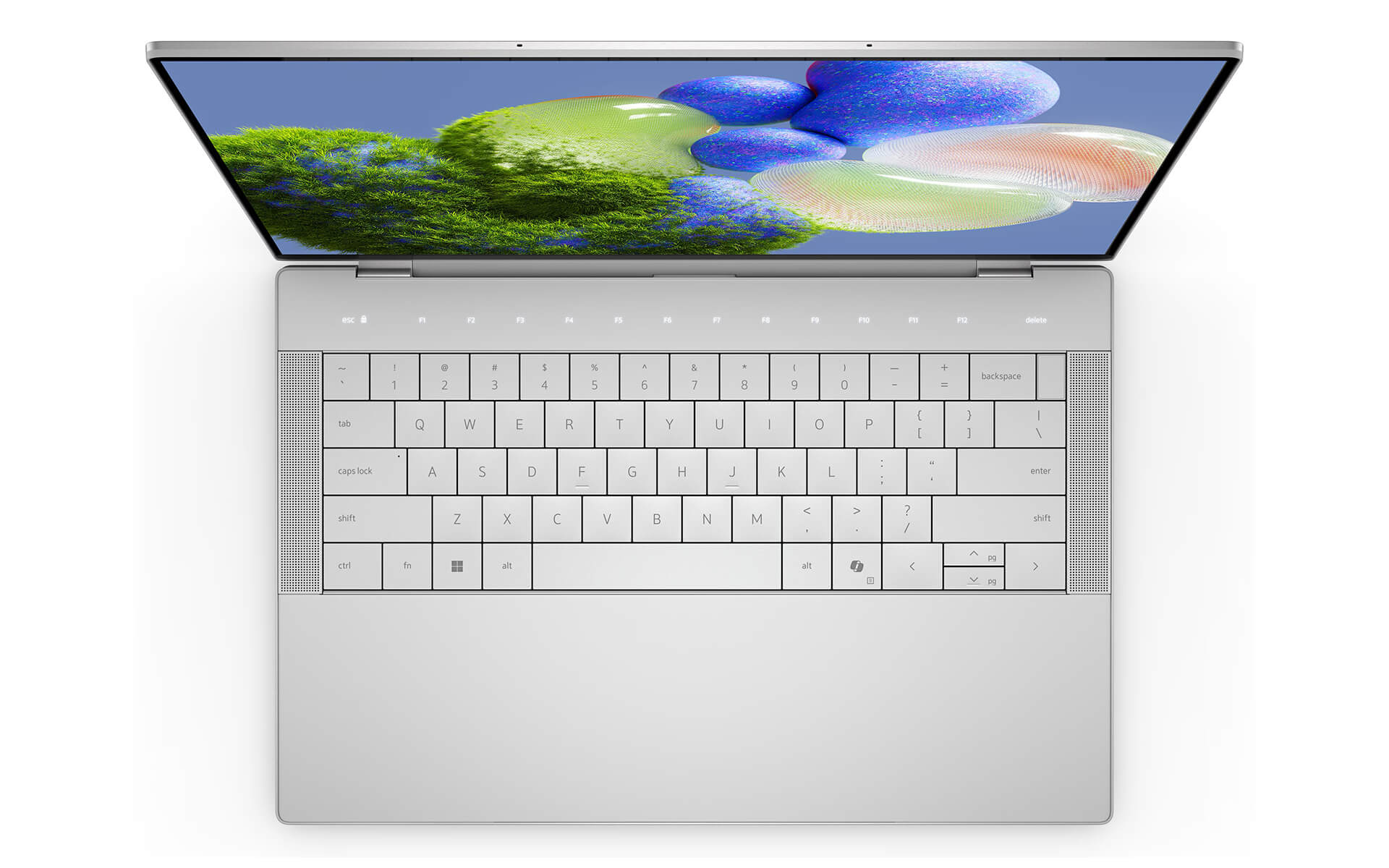
The haptic touchpad, hidden beneath the glass surface, is the most debated element. Aesthetically, it's stunning-a seamless, flat glass surface. Functionally, the haptic click simulates a physical press quite well, though it isn't 100% identical to a traditional mechanical touchpad. It is spacious, highly accurate with multi-touch gestures, and works flawlessly with Windows 11.
It takes about 3-5 days to get used to if you are coming from a standard laptop. After that, most users find it seamless. If you have the chance to try it in person before buying, take 10-15 minutes to type-the Zero-Lattice keyboard is something you need to feel to truly understand.
Are the ports sufficient for your workflow?
The XPS 14 9440 focuses on modern standards. There is no USB-A, no direct HDMI, and no full-size SD card reader-this is a deliberate design choice. In exchange, the available ports are the highest standards available.
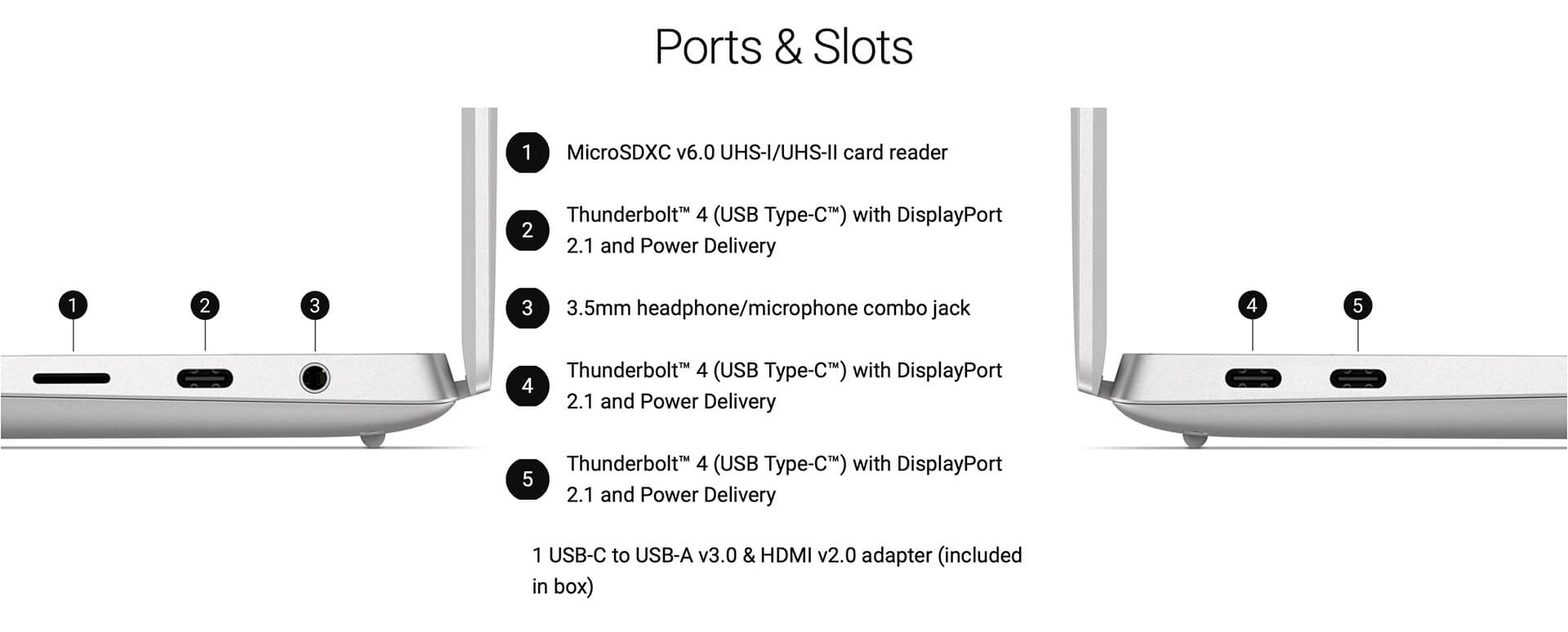
| Port / Connection | Details |
|---|---|
| Thunderbolt 4 (USB-C) | x2 - 40Gbps, charging, 8K display output, eGPU support |
| USB-C 3.2 Gen 2 | x1 - 10Gbps, charging, display output |
| 3.5mm Audio Jack | x1 - headphone/mic combo |
| MicroSD | x1 - microSD card reader |
| Wi-Fi 6E | 802.11ax, 6GHz band |
| Bluetooth 5.3 | Wireless mouse, headphones, keyboard connectivity |
If you frequently use USB-A devices (mice, dongles, standard USB drives), HDMI for projectors, or wired LAN, you should budget for a versatile Thunderbolt 4 hub. Good hubs typically range from 700,000 to 1,500,000 VND. This is a necessary cost to keep in mind so you aren't surprised after your purchase. If you want to see larger models with more ports, check out the Dell XPS 16 9640.
What is the real-world battery life of the Dell XPS 14 9440?
The 72Wh battery in the XPS 14 9440 isn't the largest in its class, but the Intel Core Ultra 7 155H features an NPU and E-cores that are much more power-efficient than previous generations. Real-world results: the FHD+ version gets about 7-8 hours during office work (150-180 nits brightness, dedicated GPU off). The OLED version typically lasts about 1-1.5 hours less because OLED panels consume more power when displaying bright content.
When the RTX 4050 is active, battery life drops significantly to 3-4 hours. This is normal for any laptop with a dedicated GPU running continuously. The XPS 14 supports USB-C charging (65W or higher), so you can use a high-end power bank or a premium smartphone charger if needed. The included charger is 60W or 90W depending on your configuration.
Temperatures and noise levels are quite manageable during standard office tasks. Under light loads-documents, web browsing, Zoom-the machine is nearly silent and stays only slightly warm. When rendering video or running heavy Premiere Pro exports, the fans become audible and the keyboard area warms up. This isn't a dealbreaker for a high-performance thin-and-light laptop, but it is something to be aware of.
XPS 14 vs. MacBook Pro 14 Comparison
This is the most common question we get before a purchase. Both are premium 14-inch ultrabooks in the same price bracket, targeting professionals and creators. However, their design philosophies and ecosystems are completely different.
| Feature | Dell XPS 14 9440 | MacBook Pro 14 M3 |
|---|---|---|
| CPU | Intel Core Ultra 7 155H | Apple M3 (8-core) |
| Dedicated GPU | RTX 4050 6GB (Optional) | None (Integrated GPU) |
| Display | 3.2K 120Hz OLED or FHD+ 120Hz | Liquid Retina XDR mini-LED 3024x1964 120Hz |
| Real-world Battery | 7-8 hours (FHD+), 6-7 hours (OLED) | 10-12 hours |
| Weight | 1.64kg | 1.61kg |
| Ports | 3x USB-C/TB4, MicroSD, 3.5mm Jack | 3x TB4, HDMI 2.1, Full-size SD, MagSafe, 3.5mm Jack |
| OS | Windows 11 | macOS |
| Key Advantage | Clear dedicated GPU, Windows software flexibility, OLED | Superior battery, Apple ecosystem, performance/watt |
The bottom line: If you use an iPhone, iPad, and AirPods and rely heavily on iCloud, the MacBook Pro 14 M3 is more integrated and offers significantly better battery life. If you need Windows, specialized Windows software (ERP, CRM, enterprise tools), a real dedicated GPU for creative work, and love the OLED experience, the XPS 14 9440 is the more powerful choice. Also, remember to check out the Dell XPS 13 if you need an even more compact 13-inch chassis.
Which configuration fits your needs?
In the Vietnamese market, the XPS 14 9440 typically comes in two main configurations. Choosing the right one is more important than simply buying the most expensive version.
| Feature | FHD+ Config (Base) | OLED Config (Premium) |
|---|---|---|
| CPU | Intel Core Ultra 7 155H | Intel Core Ultra 7 155H / 165H |
| RAM | 16GB LPDDR5x | 32GB LPDDR5x |
| SSD | 512GB PCIe Gen 4 | 1TB / 2TB PCIe Gen 4 |
| Display | FHD+ 1920x1200 IPS 120Hz | OLED 3.2K 2880x1800 120Hz |
| GPU | Integrated Intel Arc | RTX 4050 6GB GDDR6 |
| Real-world Battery | 7-8 hours of work | 6-7 hours of work |
| Best For | Business, high-intensity office, developers | Designers, content creators, editors, creatives |
Practical advice: If you aren't sure whether you actually need an RTX 4050, you probably don't. The 16GB FHD+ model is still a true premium business laptop, capable of handling all high-intensity office tasks, coding, and basic content creation. Upgrade to the 32GB OLED RTX 4050 version when you know exactly what specific tasks you will use the GPU for.
| Pros | Cons |
|---|---|
< |
|
FAQ - Frequently Asked Questions about Dell XPS 14 9440 (2024)
1. How much does the Dell XPS 14 9440 cost?
In the Vietnamese market, the Dell XPS 14 9440 typically ranges from approximately 45-55 million VND for the FHD+ version and 55-70 million VND for the 3.2K OLED RTX 4050 version, depending on RAM and SSD configurations. Prices may vary based on current promotions. Contact Hung Phat Laptop for an accurate quote and configuration advice.
2. Does the Dell XPS 14 9440 have soldered RAM? Can it be upgraded?
Yes, the RAM on the XPS 14 9440 is LPDDR5x and is soldered to the motherboard, meaning it cannot be upgraded later. Therefore, it is important to choose the right RAM configuration for your long-term needs from the start. If you plan to keep the machine for 4-5 years, the 32GB version is a safer choice than the 16GB version. The M.2 SSD, however, is replaceable.
3. Will the 3.2K OLED screen suffer from burn-in?
Burn-in is a potential risk for all OLED screens, including laptops. However, with normal usage-avoiding static images at 100% brightness for many hours and not keeping the taskbar in the same position constantly-the risk of burn-in in the first 3-4 years is very low. Windows 11 includes automatic pixel refresh features to help mitigate this issue.
4. Can the Dell XPS 14 9440 run games?
The RTX 4050 version can run many AAA games at medium-to-high settings at 1080p resolution. However, this is not a gaming laptop-the RTX 4050's TGP is only 35-40W, so gaming performance will be lower than a dedicated gaming laptop with the same GPU. If gaming is your primary goal, consider a dedicated gaming series instead of the XPS 14.
5. How many hours of real-world battery life does the Dell XPS 14 9440 get?
In real-world office work (150 nits brightness, dedicated GPU off): the FHD+ version gets 7-8 hours, while the OLED version gets 6-7 hours. When running the RTX 4050 continuously (Premiere Pro, Lightroom), battery life drops to 3-4 hours. The machine supports fast charging via 65W+ USB-C.
6. Should I choose the Dell XPS 14 9440 or the MacBook Pro 14?
Choose the MacBook Pro 14 M3 if: you are in the Apple ecosystem, need over 10 hours of battery life, prefer macOS, and don't require specific Windows software. Choose the Dell XPS 14 9440 if: you need Windows, require a real dedicated GPU for content creation, prefer an OLED display, and need the flexibility of Windows enterprise software.
7. Is the Zero-Lattice keyboard difficult to use?
It takes about 3-5 days to get used to if you are transitioning from a standard laptop. It has 1.3mm travel and light tactile feedback-some users love it, while others may need time to adjust. If possible, we recommend trying it in person before purchasing. The hidden haptic touchpad also becomes intuitive once you get used to the position and click force.
8. Where can I buy an authentic Dell XPS 14 9440 in Vietnam?
Hung Phat Laptop is a specialist in premium business laptops, offering the full range of authentic Dell XPS 14 9440 configurations. We provide official Dell Vietnam warranties and VAT invoices for businesses. Contact us directly for the latest configurations and pricing.
Where to buy the Dell XPS 14 9440?
Hung Phat Laptop is your destination for authentic, premium business laptops, including the entire Dell XPS line. At Hung Phat, we carry the Dell XPS 14 9440 (2024) in all configurations, from the FHD+ model to the 3.2K OLED RTX 4050 version, all backed by official Dell Vietnam warranties and available with VAT invoices for businesses.
Before ordering, we recommend contacting our team for a consultation to find the configuration that best fits your specific workflow-especially if you are deciding between the FHD+ and OLED models, or between the XPS 14 and other models in the series. Our consultants are here to help you compare based on your actual use case, rather than just pushing the highest-spec model.
If you are looking for models in the same segment or need a larger screen, check out the Dell XPS 16 9640-the 16-inch version that offers significantly more power and screen real estate.
Performance & benchmarks Dell XPS 14 9440 (2024)
Intel Core Ultra 7 155H NVIDIA GeForce RTX 4050 Laptop GPU - best for Lập trình 8.5/10, Văn phòng 8.5/10.
Intel Core Ultra 7 155H
- Cinebench R23 (đa nhân)15,028
- Geekbench 6 (đa nhân)12,385
- Geekbench 6 (đơn nhân)2,409
- NPU (AI)11 TOPS
- Cores / Threads16/22
NVIDIA GeForce RTX 4050 Laptop GPU
- 3DMark Time Spy8,125
- 3DMark Fire Strike21,949
- VRAM6 GB
- AI INT8194 TOPS
- ArchitectureAda Lovelace
Best for
Scored from real benchmarks- Chơi game5.5/10
- Dựng phim / Đồ hoạ6/10
- Lập trình8.5/10
- Văn phòng8.5/10
Why CPU matters
CPU là “bộ não” xử lý mọi tác vụ: mở ứng dụng, đa nhiệm, biên dịch, dựng phim. CPU càng mạnh, máy càng nhanh và mượt khi làm nhiều việc cùng lúc.
- Cơ bảnThis product
Lướt web, xem phim, soạn thảo văn phòng nhẹ.
- Phổ thôngThis product
Văn phòng, đa nhiệm vừa, học tập.
- Tầm trungThis product
Đa nhiệm tốt, lập trình, đồ hoạ nhẹ.
- Khá mạnhThis product
Dựng phim, lập trình nặng, ảo hoá, chơi game.
- Cao cấpThis product
Render nặng, biên tập 4K/8K, máy ảo, tác vụ AI.
Why GPU matters
GPU (card đồ hoạ) lo phần hình ảnh: chơi game, dựng video, render 3D và tăng tốc AI. GPU càng mạnh, khung hình game càng cao và xuất video càng nhanh.
- Cơ bản (iGPU)This product
Hiển thị mượt, xem phim 4K, game rất nhẹ (LMHT, Valorant mức thấp).
- Phổ thôngThis product
Game eSports 1080p, chỉnh ảnh, dựng video nhẹ.
- Tầm trungThis product
Game 1080p thiết lập trung-cao, dựng video Full HD ổn.
- Khá mạnhThis product
Game 1080p/1440p thiết lập cao, dựng video 4K, render 3D.
- Cao cấpThis product
Game 4K/240Hz, ray tracing, render & AI nặng.
Game performance
Real FPS - FHD- Dota 2132 fps1080p Ultra
- CS296 fps1080p Ultra
- GTA V87 fps1080p Ultra
- CoD: Black Ops 671 fps1080p Ultra
- Star Wars Outlaws43 fps1080p Cao
- God of War Ragnarök67 fps1080p Ultra
- Final Fantasy XVI42 fps1080p Cao
- Cyberpunk 207751 fps1080p Ultra
🟢 ≥60fps rất mượt · 🟡 30-60fps chơi tốt · 🔴 <30fps cần giảm thiết lập
Local AI performance
Tokens/second running locally on GPU 6GB VRAM- DeepSeek R1 Distill 7B4.1 GB · ctx 64K33 tok/sDecent
- Gemma 4 E2B3.1 GB · ctx 256K43 tok/sRuns well
- Qwen 3.5 2B2.5 GB · ctx 32K54 tok/sRuns well
- Phi-4 Mini Reasoning2.4 GB · ctx 16K56 tok/sRuns well
- Llama 3.2 3B2 GB · ctx 128K67 tok/sRuns great
- SmolLM3 3B2 GB · ctx 128K67 tok/sRuns great
- DeepSeek R1 1.5B1.3 GB · ctx 64K103 tok/sRuns great
- Qwen 3.5 0.8B1.3 GB · ctx 32K103 tok/sRuns great
- TinyLlama 1.1B1.1 GB · ctx 2K122 tok/sRuns great
- Llama 3.2 1B1 GB · ctx 128K134 tok/sRuns great
- Mistral 7B v0.34.1 GB · ctx 32K33 tok/sDecent
- Qwen 2.5 7B4.1 GB · ctx 128K33 tok/sDecent
- Qwen 2.5 Coder 7B4.1 GB · ctx 128K33 tok/sDecent
- Qwen 3 4B2.5 GB · ctx 32K54 tok/sRuns well
- Gemma 3 4B2.5 GB · ctx 128K54 tok/sRuns well
- Phi-3.5 Mini2.4 GB · ctx 128K56 tok/sRuns well
- Gemma 2 2B1.5 GB · ctx 8K90 tok/sRuns great
- Qwen 3 1.7B1.4 GB · ctx 32K96 tok/sRuns great
- Qwen 2.5 Coder 1.5B1.3 GB · ctx 32K103 tok/sRuns great
- Qwen 3 0.6B1.1 GB · ctx 32K122 tok/sRuns great
- Gemma 3 1B1 GB · ctx 32K134 tok/sRuns great
🟢 Great · 🟡 Well · 🟠 Decent - 4-bit quantized, ctx = context window
No comments yet
Q&A about Dell XPS 14 9440 (2024)
Frequently asked questions about Dell XPS 14 9440 (2024)
What are the specifications of Dell XPS 14 9440 (2024)?
What is the warranty for Dell XPS 14 9440 (2024)?
Can I buy Dell XPS 14 9440 (2024) with home delivery?
Worth a Look
 2 configurations




Loan 23/12/2024Purchased at Hung Phat
Enthusiastic service
Marketing Team 23/12/2024 Administrator
Thank you for supporting our Shop!
Anh Khang 02/09/2024Purchased at Hung Phat
Where to buy?
[email protected] 25/08/2024Purchased at Hung Phat
Phạm Thiên Phước 25/08/2024 Administrator
Thank you for supporting our shop!