

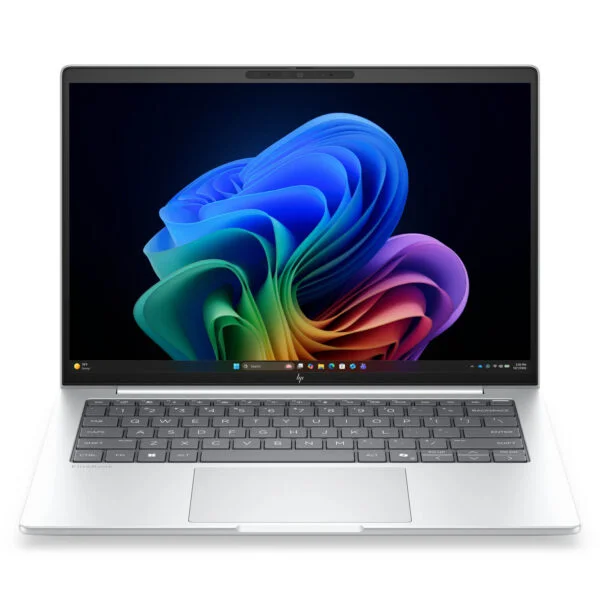
HP EliteBook 8 G2i 14 Next Gen AI (2026)
- CPU: Intel Core Ultra 5 325 Up To 4.5GHz (8 Cores, 8 Threads, 12MB Cache - 47 TOPS NPU)
- RAM: LPDDR5X 16GB 8533MHz
- SSD: 512GB PCIe Gen4 M.2 SSD
- VGA: Intel® Graphics
- DISPLAY: 14" WUXGA (1920*1200) IPS 60Hz, Anti-glare, 62.5% sRGB, 300 nits
- OS: Windows 11 Pro
- CONDITION: New 100% Full Box
- WARRANTY: 12-month warranty
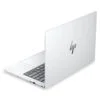
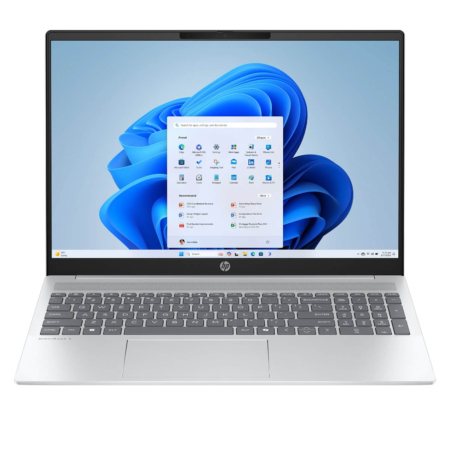
- HP EliteBook 8 G2i 14 inch design: Glacier Silver aluminum chassis, weighing just 1.4 kg
- HP EliteBook 8 G2i WUXGA 16:10 anti-glare display for long work sessions
- HP EliteBook 8 G2i 14 inch performance with the Panther Lake Intel Core Ultra 5 325
- Intel Graphics Xe3 on the HP EliteBook 8 G2i Is Plenty for Office Work and Light Entertainment
- LPDDR5X RAM, PCIe SSD, and a 62Wh Battery on the HP EliteBook 8 G2i 14 inch
- 47 TOPS NPU and HP Wolf Security on the HP EliteBook 8 G2i
- Spill-Resistant Keyboard, 5MP Webcam, and Poly Studio Audio on the HP EliteBook 8 G2i
- HP EliteBook 8 G2i 14 inch Connectivity with 2 Thunderbolt 4 Ports, HDMI 2.1, and Wi-Fi 7
- HP EliteBook 8 G2i 14 inch Next Gen AI Overview and Review
- FAQ - Frequently Asked Questions About the HP EliteBook 8 G2i 14 inch Next Gen AI
- Where to Buy the Genuine HP EliteBook 8 G2i 14 inch Next Gen AI at a Competitive Price
With most office work shifting to virtual meetings, cloud collaboration, and daily AI assistants, the HP EliteBook 8 G2i 14 inch Next Gen AI is HP's answer for professionals who need a sleek business laptop without paying flagship prices. Built on the new Intel Core Ultra Series 3 platform, it meets Copilot+ PC standards and includes the familiar security suite of the EliteBook lineup. This review covers the design, display, real-world performance, upgradeability, and key details you should know before buying.
HP EliteBook 8 G2i 14 inch design: Glacier Silver aluminum chassis, weighing just 1.4 kg
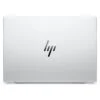
The HP EliteBook 8 G2i 14 inch features an aluminum chassis finished in Glacier Silver, with gently rounded edges and a debossed HP logo centered on the lid. It measures 315.6 mm wide, 222 mm deep, and tapers from 11.75 mm at the front edge to 18.95 mm at its thickest point. This understated design fits right into conference rooms, service counters, or client meetings that demand a polished look.
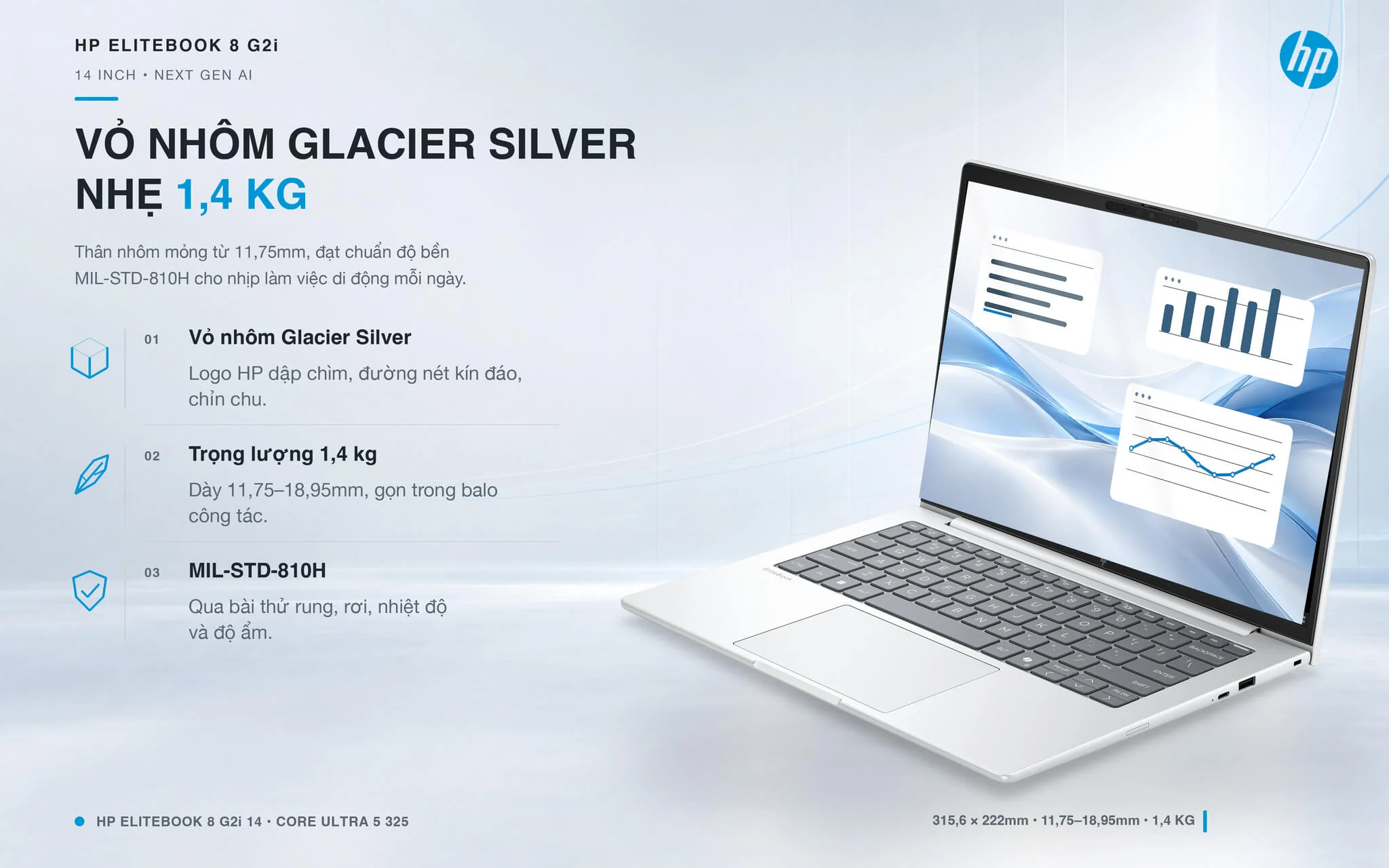
Starting at about 1.4 kg, it is light enough to slip into a backpack and carry all day between the office, coffee shops, and airports. The laptop meets MIL-STD-810H durability standards, having passed tests for vibration, drops, temperature, and humidity. If you are looking for an HP laptop built to last for your work over the next few years, this chassis is a reliable starting point.
HP EliteBook 8 G2i WUXGA 16:10 anti-glare display for long work sessions
This version features a 14-inch WUXGA (1920 x 1200) 16:10 display with an IPS display panel offering wide 178-degree viewing angles and an anti-glare coating. The 16:10 aspect ratio provides extra vertical screen space, showing more lines in spreadsheets, Word documents, or web pages compared to a 16:9 screen. It uses a Low Power display panel, helping the HP EliteBook 8 G2i preserve battery life when working away from a power outlet.
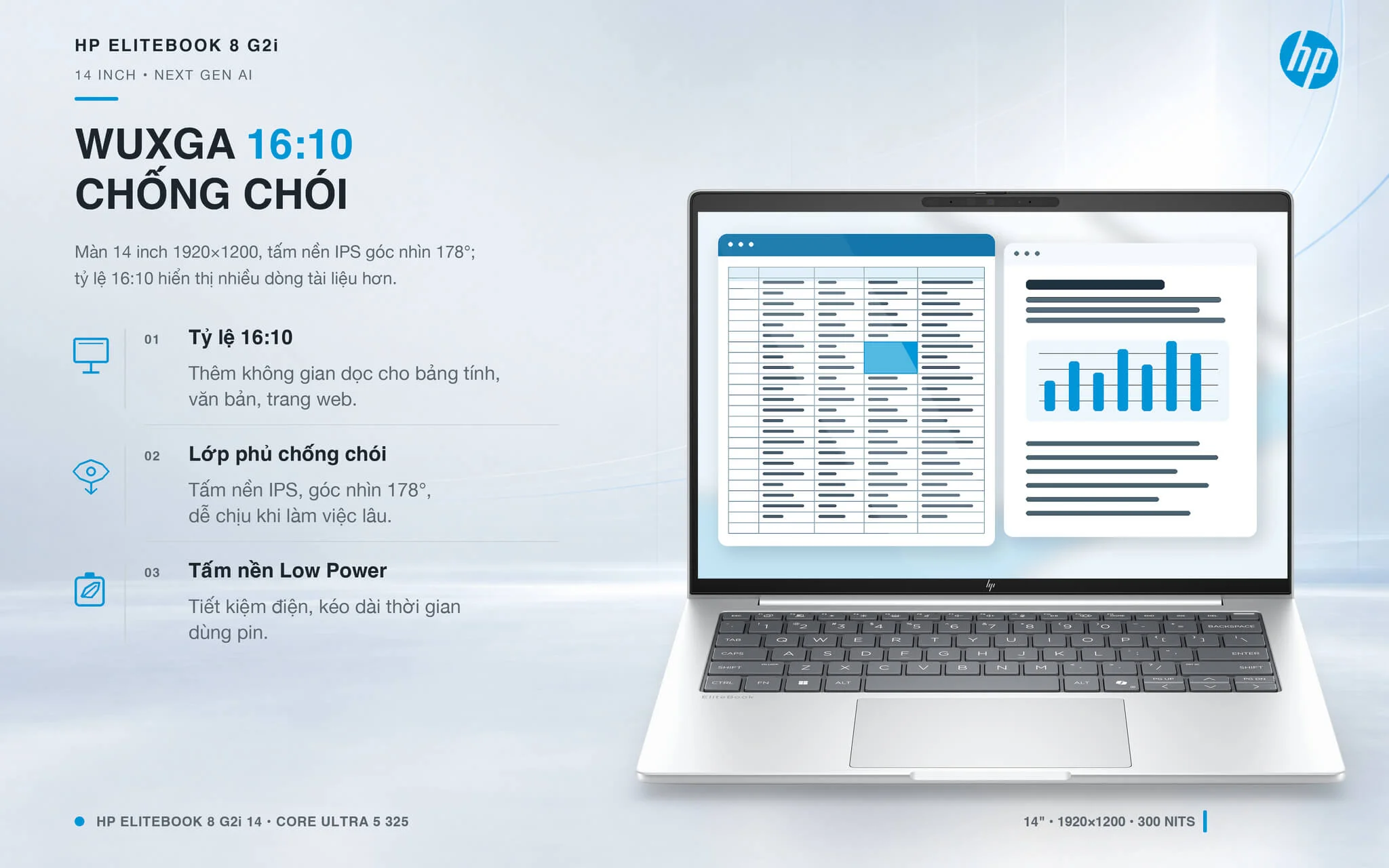
With 300 nits of brightness and 62.5% sRGB color gamut coverage, it is plenty for typical office tasks, reading documents, and indoor virtual meetings. The 60Hz refresh rate suits everyday work better than gaming or video editing. If you frequently work outdoors or require color accuracy for photo editing, you can connect an external monitor through the HDMI 2.1 or Thunderbolt 4 ports.
HP EliteBook 8 G2i 14 inch performance with the Panther Lake Intel Core Ultra 5 325
At the heart of the HP EliteBook 8 G2i 14 inch is the Panther Lake Intel Core Ultra 5 325 processor, with compute cores built on the Intel 18A process node. The chip packs 8 cores and 8 threads, consisting of 4 Cougar Cove performance cores boosting up to 4.5 GHz and 4 Darkmont LP efficiency cores up to 3.4 GHz, paired with 12MB of cache.
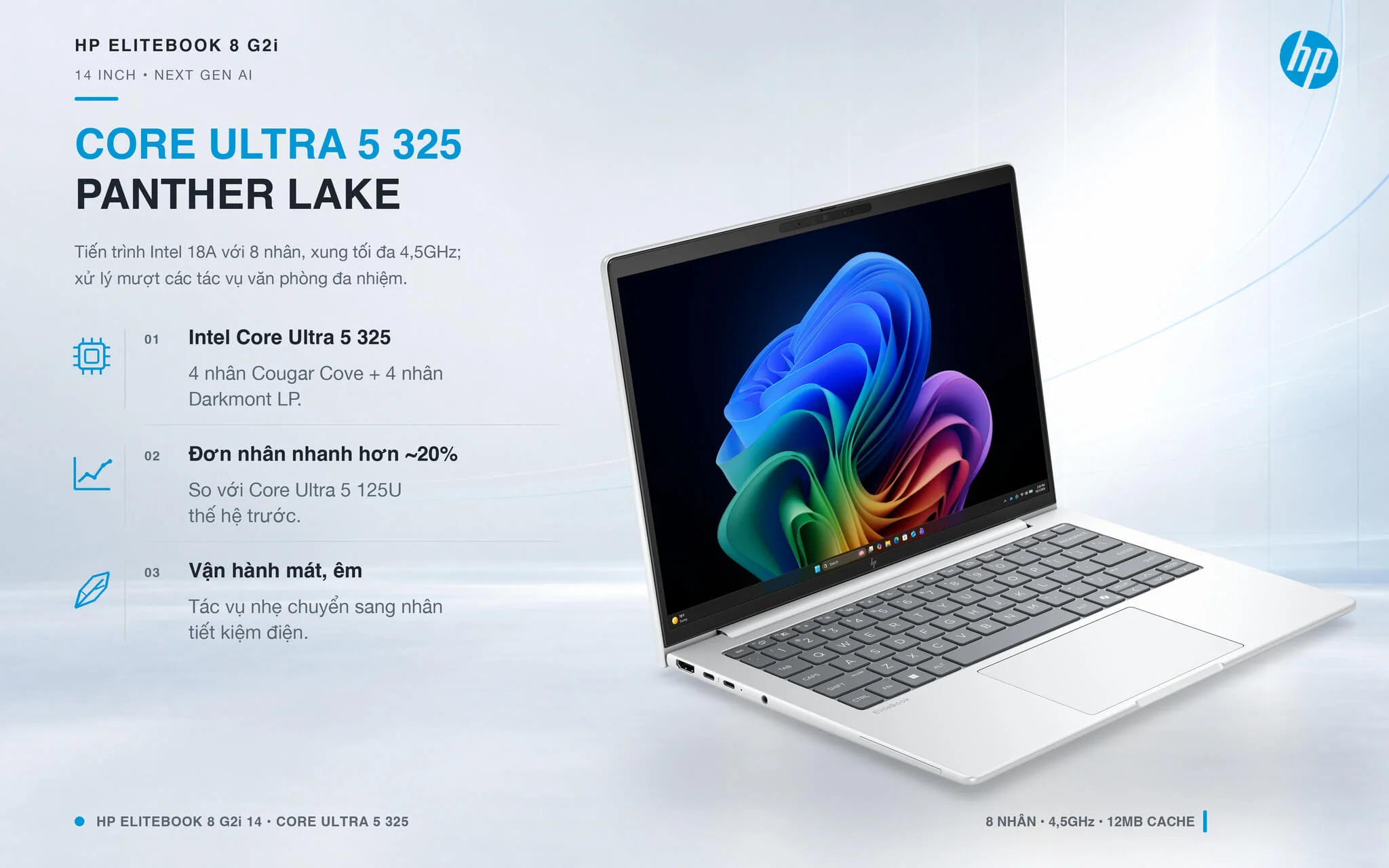
This core configuration enables fast processing when opening heavy files while offloading light background tasks like streaming music, syncing emails, or running Teams to the efficiency cores. As a result, the laptop stays cool, runs quietly, and sips power throughout a typical workday. The table below compares average benchmark scores for the Core Ultra 5 325 against several popular office processors.
| CPU | Cinebench R23 single / multi-core | Cinebench 2024 single / multi-core | Geekbench 6 single / multi-core |
|---|---|---|---|
| Intel Core Ultra 5 325 | 1,896 / 10,989 | 114 / 629 | 2,574 / 10,970 |
| Intel Core Ultra 5 226V | 1,732 / 9,858 | 112 / 584 | 2,582 / 10,011 |
| Intel Core Ultra 5 225U | 1,731 / 11,844 | 102 / 621 | 2,373 / 9,887 |
| Intel Core Ultra 5 125U | 1,561 / 9,799 | 92 / 508 | 2,150 / 9,351 |
Source: average scores according to Notebookcheck. Actual real-world results may vary depending on HP's configured power limits and selected power mode.
Compared to the Meteor Lake Core Ultra 5 125U, the new chip is about 20% faster in single-core performance and nearly 20% faster in Geekbench 6 multi-core. Compared to the Lunar Lake Core Ultra 5 226V, single-core performance is on par or slightly better, while multi-core scores are noticeably higher in Cinebench. In practice, opening dozens of Chrome tabs, handling multi-sheet Excel workbooks, and taking Teams calls while screen sharing all run smoothly.
Note that this processor is geared toward office productivity and portability rather than 3D rendering or long 4K video editing workflows. If your workload is more demanding, HP EliteBook 8 G2i configurations powered by Core Ultra 7 or H-series processors are a better fit.
Intel Graphics Xe3 on the HP EliteBook 8 G2i Is Plenty for Office Work and Light Entertainment
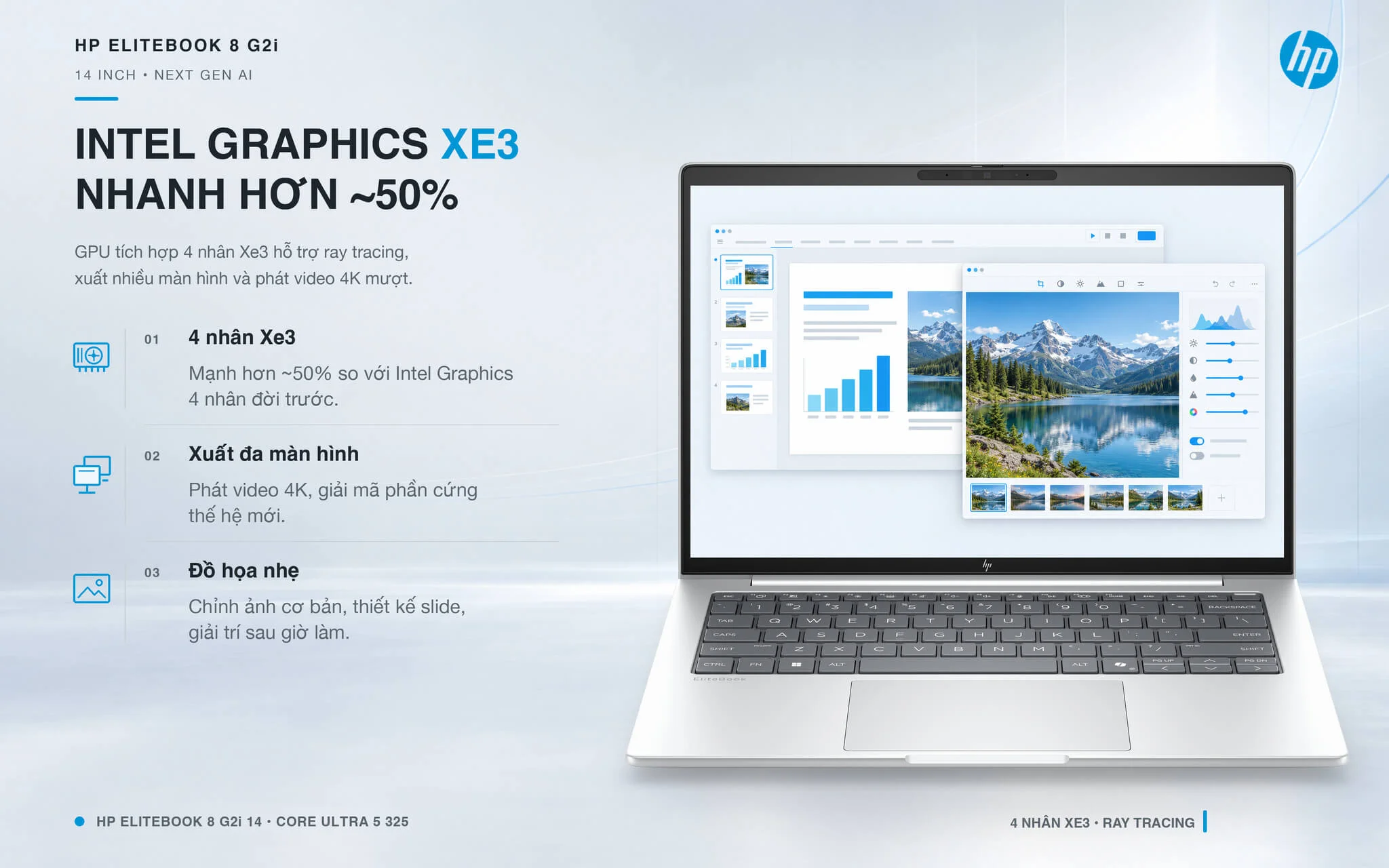
The HP EliteBook 8 G2i 14 inch features an integrated Intel Graphics GPU with 4 Xe3 cores, supporting ray tracing and next-generation hardware video decoding. This GPU can drive multiple displays simultaneously, stream 4K video smoothly, and easily handle light graphics tasks such as basic photo editing, slide design, and simple banner creation.
| Integrated GPU | 3DMark Time Spy Graphics | 3DMark Fire Strike Graphics |
|---|---|---|
| Intel Graphics 4 Xe3 (Core Ultra 5 325) | ~2,865 | ~6,815 |
| Intel Graphics 4-core (Meteor Lake / Arrow Lake) | ~1,902 | ~4,973 |
| Intel Arc 140T (Arrow Lake H) | ~3.843 | ~8.664 |
Source: Average scores according to Notebookcheck.
The new GPU is roughly 50% faster than the 4-core Intel Graphics on previous-generation office laptops, though it still falls short of the H-series Intel Arc 140T. Casual titles such as League of Legends, Valorant, or CS2 remain playable at low settings for unwinding after work. If you need more graphics power, you should choose a configuration with an Intel Arc B370 or B390 GPU.
LPDDR5X RAM, PCIe SSD, and a 62Wh Battery on the HP EliteBook 8 G2i 14 inch
This configuration comes with 16GB of soldered, dual-channel LPDDR5X RAM. This memory is fast and power-efficient, but it cannot be upgraded later. For Office, web browsing, and Teams, 16GB provides plenty of headroom; if you frequently run virtual machines or open multiple large Excel spreadsheets at the same time, you should opt for the 32GB version of the HP EliteBook 8 G2i when purchasing.
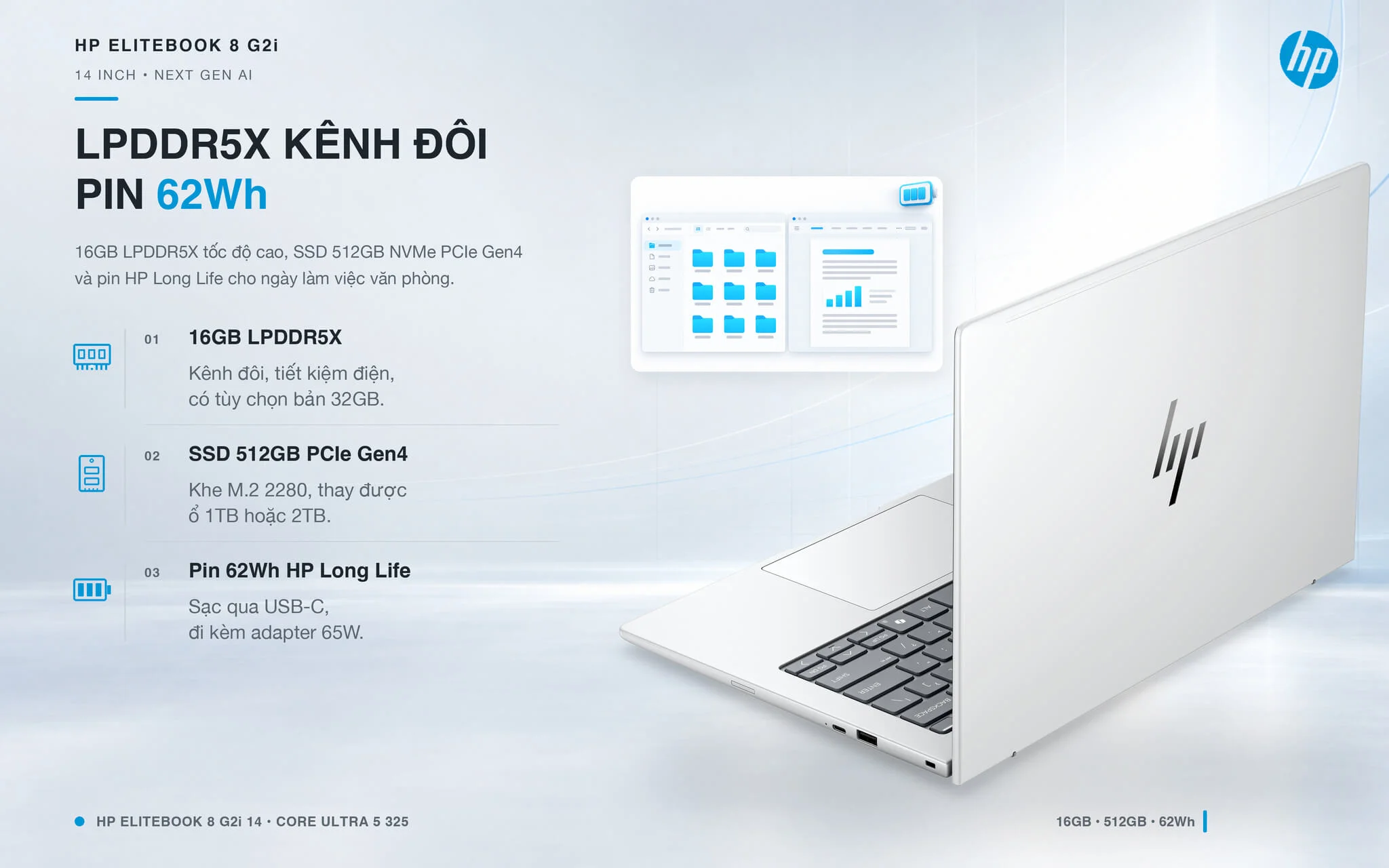
The 512GB NVMe SSD is installed in an M.2 2280 slot, and according to HP, the drives in this laptop run at PCIe Gen4 speeds. The machine has only one M.2 slot and it is already occupied, so expanding capacity requires replacing it with a 1TB or 2TB drive, or using an external hard drive over the Thunderbolt 4 port.
The 62Wh HP Long Life battery comes with a 65W USB-C power adapter, providing enough runtime for a workday of office tasks at moderate brightness. According to HP, fast charging to 50% in 30 minutes on batteries above 56Wh requires a 100W or higher adapter, so if you frequently need quick charges between meetings, you can purchase an additional HP 100W USB-C GaN adapter.
47 TOPS NPU and HP Wolf Security on the HP EliteBook 8 G2i
The NPU integrated into the Core Ultra 5 325 delivers 47 TOPS, qualifying the HP EliteBook 8 G2i 14 inch as a Copilot+ PC. Features like Windows Studio Effects (background blur and eye contact during meetings), live captions with real-time translation, Click to Do, and smart search in Windows run directly on the NPU, so they do not tie up the CPU and consume less battery.
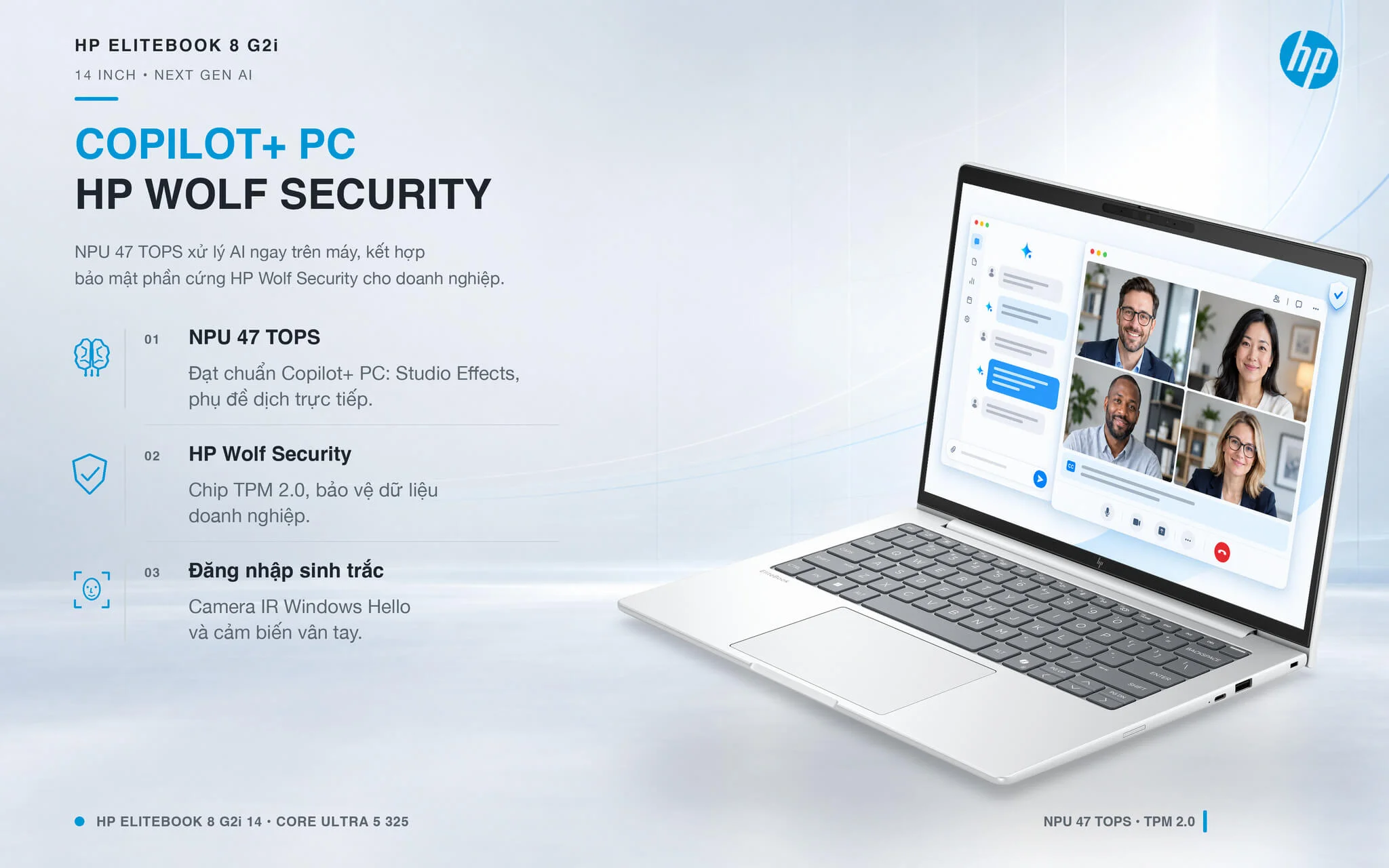
For security, the laptop includes a TPM 2.0 chip, the HP Wolf Security for Business suite, a fingerprint sensor, and an infrared camera for Windows Hello facial recognition login. A physical webcam shutter and a Nano Security lock slot help protect your data and laptop in public places. These are features that enterprise IT departments typically require when selecting systems for employees.
Spill-Resistant Keyboard, 5MP Webcam, and Poly Studio Audio on the HP EliteBook 8 G2i
The backlit HP Premium keyboard on the HP EliteBook 8 G2i is spill-resistant and features a DuraKey coating that keeps the keys durable and less prone to shine over time. Key travel is distinct, preventing hand fatigue during long typing sessions. The centrally placed touchpad provides ample room and supports Windows multi-touch gestures.
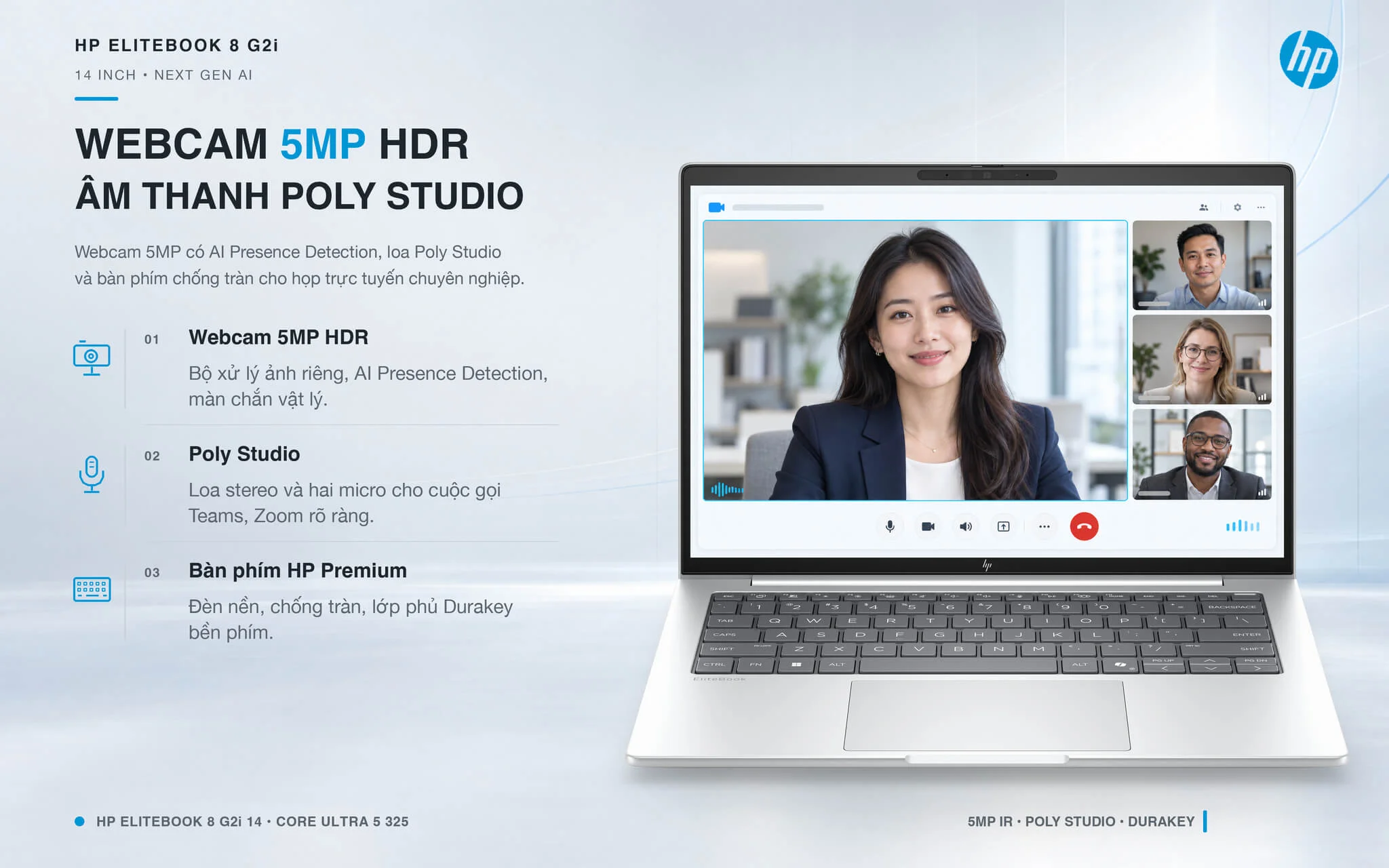
The 5MP HDR webcam has its own dedicated image processor and AI Presence Detection, delivering visibly sharper video than standard 720p webcams during online meetings. Dual stereo speakers tuned by Poly Studio and dual microphones keep speech clear on Teams or Zoom calls. Output is limited to 1W per side, making them best suited for small rooms; in noisy settings, using a headset with a microphone is recommended.
HP EliteBook 8 G2i 14 inch Connectivity with 2 Thunderbolt 4 Ports, HDMI 2.1, and Wi-Fi 7
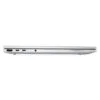
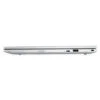
The HP EliteBook 8 G2i 14 inch includes 2 Thunderbolt 4 USB-C 40Gbps ports supporting charging and DisplayPort 2.1, 1 USB-C 10Gbps port supporting charging and DisplayPort 1.4, 1 USB-A 5Gbps port, 1 HDMI 2.1 port, and a 3.5mm audio jack. You can charge the machine from either side and output to two external displays simultaneously without needing a dock.
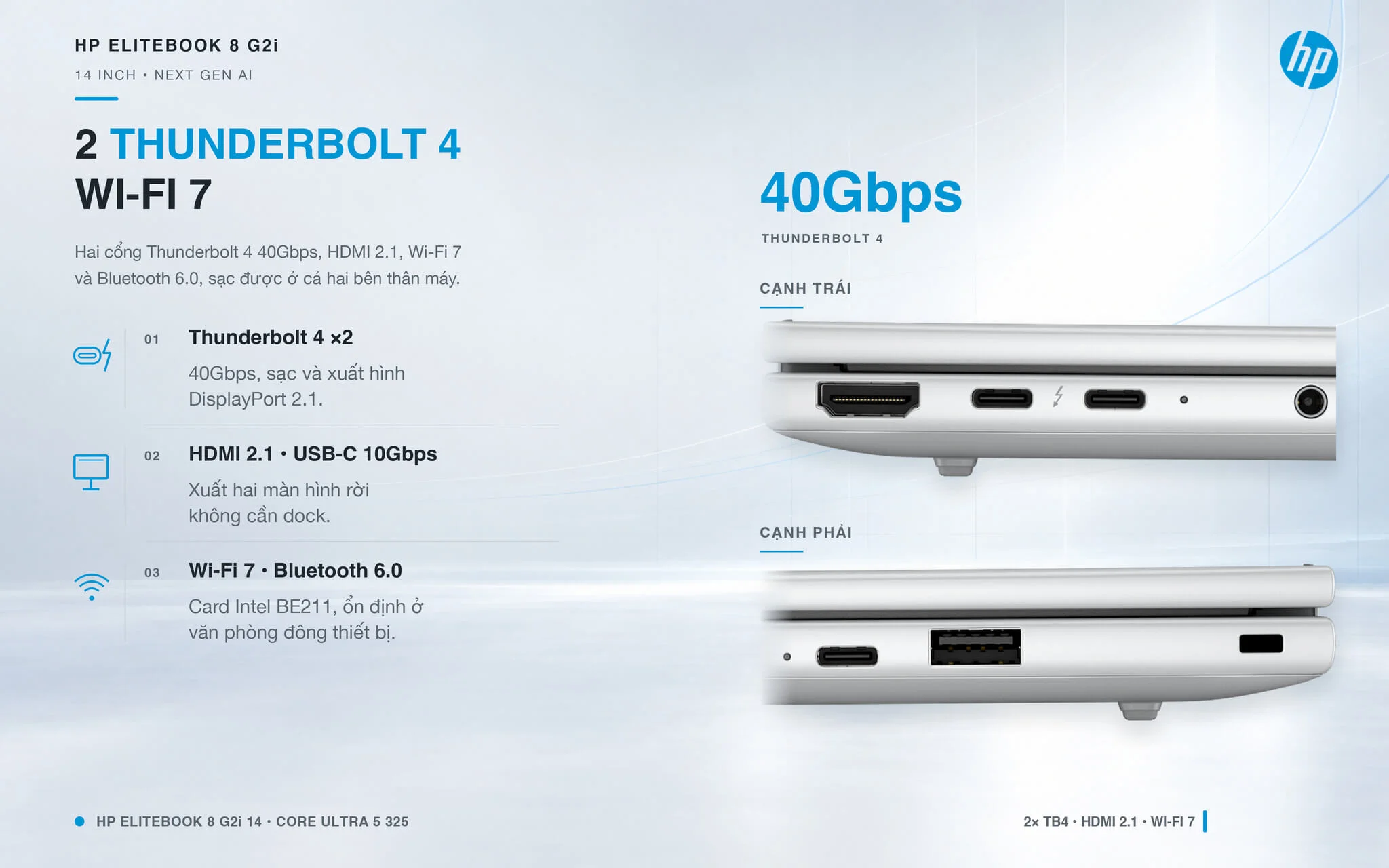
Wireless connectivity relies on an Intel BE211 Wi-Fi 7 card paired with Bluetooth 6.0, offering greater stability when working in offices crowded with devices. This version lacks an RJ45 LAN port and a memory card slot. If you need a wired connection or more ports at your desk, a USB-C or Thunderbolt dock neatly handles it all over a single cable.
HP EliteBook 8 G2i 14 inch Next Gen AI Overview and Review
The HP EliteBook 8 G2i 14 inch Next Gen AI strikes a practical balance for businesses and working professionals who need a lightweight, durable, secure laptop built for Windows AI features. The new Core Ultra 5 325 processor delivers snappy performance for office workflows, while Wi-Fi 7 and two Thunderbolt 4 ports keep the machine capable and relevant for years to come.
One key consideration is the soldered, non-upgradable RAM, so choosing the right capacity up front is essential: 16GB handles standard office work, while heavier workloads call for 32GB. The 300-nit, 62.5% sRGB display panel is well-suited for everyday office tasks; for color-critical work or frequent outdoor use, connecting an external monitor is recommended. The laptop lacks an Ethernet port and an SD card slot, which a compact USB-C dock readily resolves, and fast charging requires an optional 100W power adapter.
Within the HP EliteBook family, the HP EliteBook 8 G2i occupies the premium mainstream tier just below the flagship EliteBook X line. It is an ideal fit for office staff, accountants, sales representatives, mid-level managers, and corporate IT teams looking to deploy a reliable, standardized fleet.
| Pros | Cons |
|---|---|
|
|
FAQ - Frequently Asked Questions About the HP EliteBook 8 G2i 14 inch Next Gen AI
1. Are the HP EliteBook 8 G2i and EliteBook X G2i the same laptop?
No. The EliteBook X G2i is a higher-tier lineup with distinct chassis designs and spec options. The HP EliteBook 8 G2i 14 inch is a premium mainstream business laptop with its own official QuickSpecs documentation. When ordering, make sure to cross-check the exact model name and product number.
2. Can you upgrade the RAM on the HP EliteBook 8 G2i?
This model comes with 16GB of LPDDR5X memory soldered directly onto the motherboard, so it cannot be upgraded later. If your workload requires more memory, select the 32GB configuration at the time of purchase.
3. Can you add a second SSD to the laptop?
The laptop features a single M.2 2280 slot, which comes populated with the 512GB SSD. You can upgrade storage by swapping in a higher-capacity SSD or by connecting external high-speed storage via Thunderbolt 4.
4. Is the HP EliteBook 8 G2i a Copilot+ PC?
Yes. The Intel Core Ultra 5 325 processor includes an NPU rated at 47 TOPS, exceeding Microsoft's 40 TOPS baseline requirement for Copilot+ PCs.
5. Does the laptop have an Ethernet port?
This Wi-Fi model does not feature an RJ45 Ethernet port. You can use a USB-C dock or a USB-C to Ethernet adapter whenever you need a wired connection.
6. Which port is used for charging, and does the laptop support fast charging?
The laptop charges via USB-C and comes bundled with a 65W power adapter. According to HP, fast charging the 62Wh battery to 50% in 30 minutes requires an adapter rated at 100W or higher.
7. Is the display panel suitable for creative and graphic design work?
The 16:10 display panel is tailored for document editing, spreadsheets, and video conferencing. For photo retouching or print design requiring critical color fidelity, connecting a wide-gamut external monitor via HDMI 2.1 is recommended.
8. How much does the HP EliteBook 8 G2i weigh?
The laptop has a starting weight of about 1.4 kg and measures 11.75 to 18.95 mm thin, making it effortless to carry on daily commutes.
9. What support do you receive when purchasing the HP EliteBook 8 G2i at Hung Phat Laptop?
You receive a genuine product backed by full documentation and an official invoice, along with a 30-day exchange policy for manufacturer defects. Hung Phat Laptop also provides lifetime technical support, nationwide doorstep delivery, and can install an upgraded SSD before shipping.
If you are comparing options, also see the HP EliteBook 640 G11 (2024) and the HP EliteBook 640 G10 (2023).
Where to Buy the Genuine HP EliteBook 8 G2i 14 inch Next Gen AI at a Competitive Price
Whether you are outfitting an entire corporate department or picking up a single machine for your personal workflow, the team at Hung Phat Laptop consults closely on your daily computing needs. We help you choose the ideal RAM and SSD capacity for the HP EliteBook 8 G2i 14 inch. Corporate fleet purchases also include deployment consultation and complete VAT invoicing.
Every HP business laptop at our store is a genuine product backed by complete paperwork and clearly outlined warranty terms. If a manufacturer defect arises within the first 30 days, your unit will be replaced promptly. Our technicians are on hand to help transfer data from your old PC, and our technical support team is always ready to assist with software setups or maintenance checks free of charge. We offer nationwide delivery directly to your location. Place your order today at Hung Phat Laptop.
Performance & benchmarks HP EliteBook 8 G2i 14 Next Gen AI (2026)
Intel Core Ultra 5 325 Intel Graphics 4 Xe3 Panther Lake iGPU - best for Office 8.5/10, Programming 6.5/10.
Intel Core Ultra 5 325
- Cinebench R23 (multi-core)10,738
- Geekbench 6 (multi-core)11,033
- Geekbench 6 (single-core)2,576
- PassMark19,814
- NPU (AI)50 TOPS
- Cores / Threads8/8
Intel Graphics 4 Xe3 Panther Lake iGPU iGPU
- 3DMark Time Spy2,883
- 3DMark Fire Strike6,826
- AI INT840 TOPS
- ArchitectureXe3
Best for
Scored from real benchmarks- Gaming2.5/10
- Video / Graphics3.5/10
- Programming6.5/10
- Office8.5/10
- AI / Generative AI3/10
Why does the CPU matter?
The CPU is the "brain" that handles every task: launching apps, multitasking, compiling code and editing video. The stronger the CPU, the faster and smoother the laptop runs when you juggle many things at once.
- BasicThis product
Web browsing, streaming and light office work.
- MainstreamThis product
Office work, moderate multitasking and studying.
- Mid-rangeThis product
Solid multitasking, programming and light graphics work.
- StrongThis product
Video editing, heavy programming, virtualization and gaming.
- FlagshipThis product
Heavy rendering, 4K/8K editing, virtual machines and AI workloads.
Why does the GPU matter?
The GPU (graphics card) handles visuals: gaming, video editing, 3D rendering and AI acceleration. The stronger the GPU, the higher your frame rates and the faster your video exports.
- Basic (iGPU)This product
Smooth display, 4K video and very light games (League of Legends, Valorant on low).
- MainstreamThis product
1080p eSports gaming, photo editing and light video editing.
- Mid-rangeThis product
1080p gaming on medium-high settings and smooth Full HD video editing.
- StrongThis product
1080p/1440p gaming on high settings, 4K video editing and 3D rendering.
- FlagshipThis product
4K/240Hz gaming, ray tracing, heavy rendering and AI.
Game performance
Real FPS - FHD- Dota 274 fps1080p Ultra
- CS259 fps1080p Medium
- GTA V53 fps1080p High
- Black Myth: Wukong18 fps1080p Low
- Cyberpunk 207737 fps1080p Low
≥60fps very smooth30-60fps playable<30fps lower the settings
No comments yet
Q&A about HP EliteBook 8 G2i 14 Next Gen AI (2026)
Frequently asked questions about HP EliteBook 8 G2i 14 Next Gen AI (2026)
What are the specifications of HP EliteBook 8 G2i 14 Next Gen AI (2026)?
What is the warranty for HP EliteBook 8 G2i 14 Next Gen AI (2026)?
Can I buy HP EliteBook 8 G2i 14 Next Gen AI (2026) with home delivery?
Worth a Look
HP ProBook 4 G2i 14 AI (2026)
HP Laptop 15-fd2050wm (2025)
HP OmniBook 5 LaptopAI 16-inch (AMD) (2026)
HP OmniBook 5 Flip 14 inch (2 in 1) (2025)
 3 configurations





Lý Thùy Thanh 2 tuần trước
Máy cầm rất chắc tay và nhẹ, mình dùng làm văn phòng hay mang đi cafe cả ngày đều cực kỳ tiện lợi.