

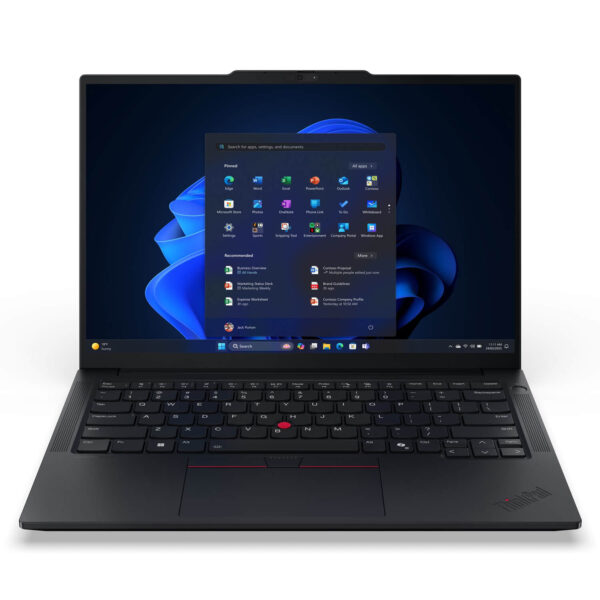
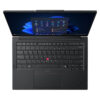
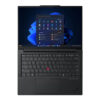
Lenovo ThinkPad E14 Gen 7 (2025)
- CPU: Intel Core Ultra 5 135H Up To 4.6GHz (14 Cores, 18 Threads, 18MB Cache)
- RAM: DDR5 16GB 5600MHz
- SSD: 512GB PCIe Gen4 M.2 SSD
- VGA: Intel® graphics
- OS: No OS
- DISPLAY: 14" WUXGA (1920x1200) IPS, Anti-Glare, 45% NTSC, 300nits
- CONDITION: New 100% Full Box
- WARRANTY: Bảo hành Chính hãng 24 tháng
- Modern and Elegant Design
- Display on Thinkpad E14 Gen 7 (2025)
- Superior Performance with Intel® Core™ Ultra Series 2
- Thinkpad E14 Gen 7 Keyboard & Touchpad
- Vivid Sound Quality
- Temperature & Battery Life on Thinkpad E14 Gen 7
- Ports & Connectivity of Thinkpad E14 Gen 7
- Overview of Lenovo Thinkpad E14 Gen 7 (2025)
- FAQ - Frequently Asked Questions about ThinkPad E14 Gen 7 (2025)
- Where to buy Lenovo Thinkpad E14 Gen 7 with good price and reputation?
Lenovo ThinkPad E14 Gen 7 asserts its position in the business laptop segment thanks to the combination of modern design, powerful configuration, and advanced security systems. This device is highly rated for its ability to flexibly meet the needs of professionals, office employees, and small to medium enterprises requiring a durable, mobile laptop that maintains a professional aesthetic. With an optimal balance between stable performance, ThinkPad durability, and easy portability, the ThinkPad E14 Gen 7 has become a standout choice, appearing on the list of most popular laptop models in 2025.
Modern and Elegant Design
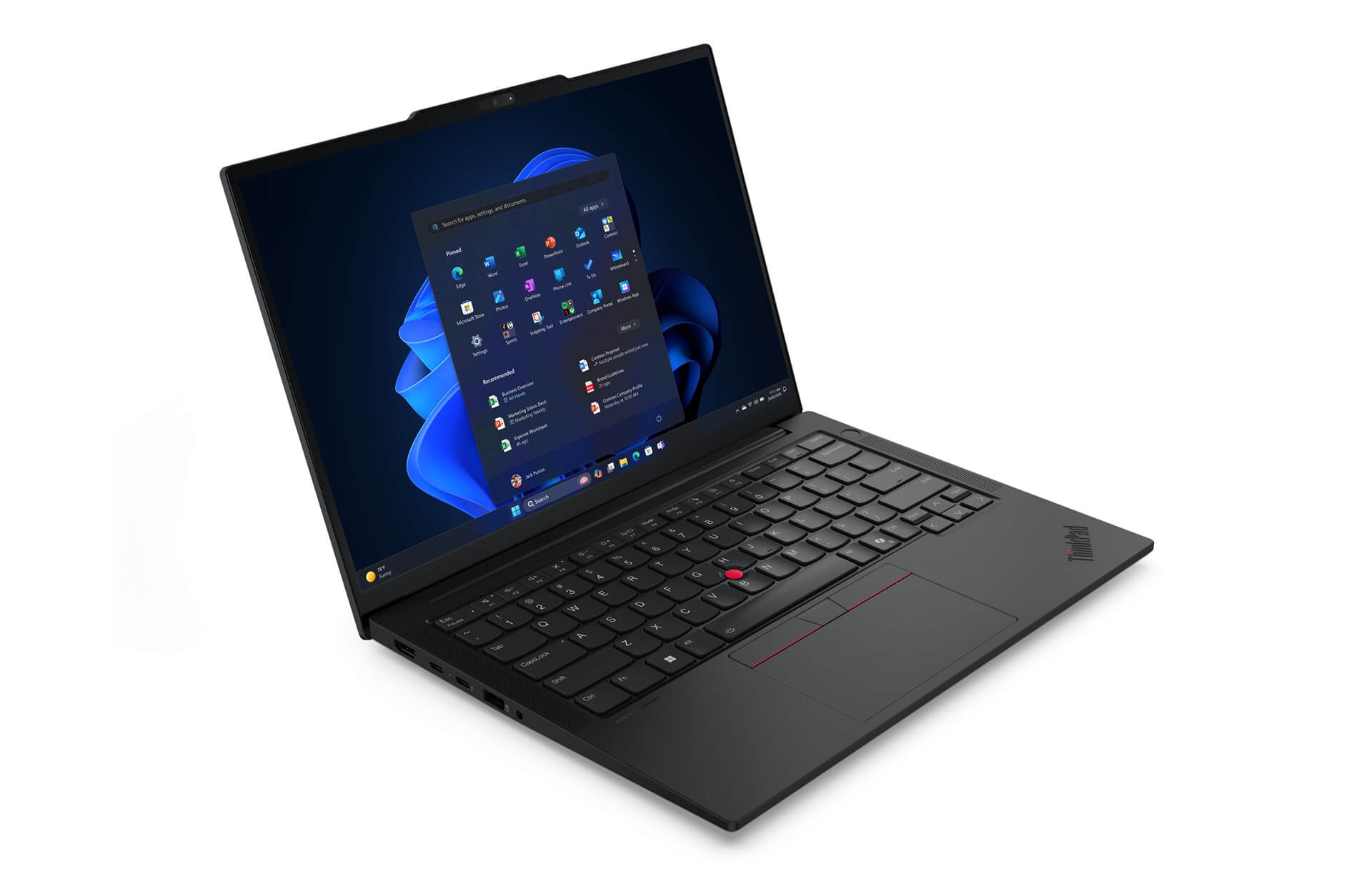
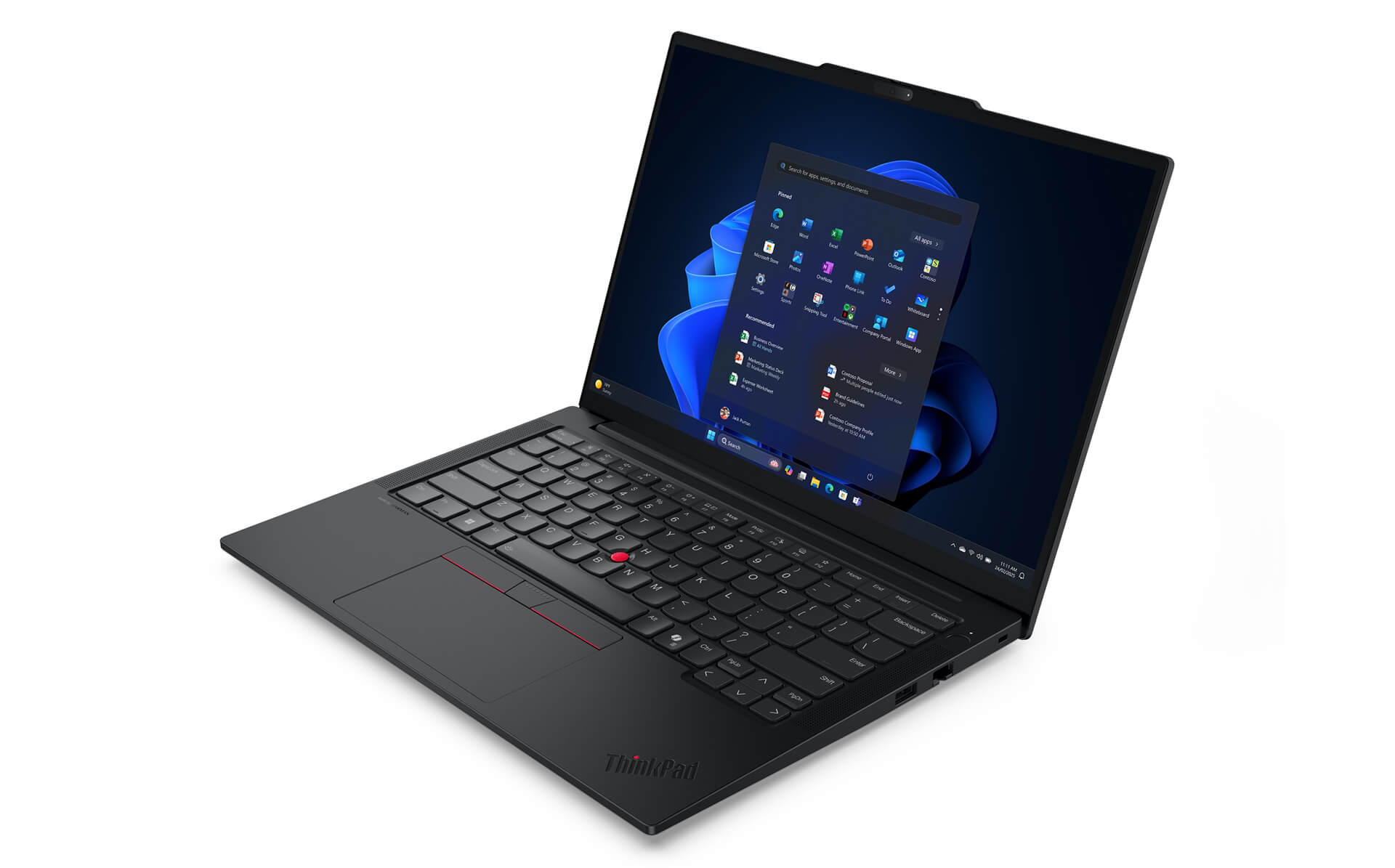
The Lenovo ThinkPad E14 Gen 7 offers a modern and sophisticated look with a slim and lightweight design of only about 17mm, combining a traditional black tone with smooth curves, creating the characteristic professional style of the ThinkPad business laptop line. The device is crafted from recycled materials such as PCC plastic and aluminum alloy, ensuring durability while contributing to environmental protection. Notably, the machine meets the MIL-STD-810H military standard, providing stable operation even in harsh conditions, making it suitable for frequent travelers who need security in their work.
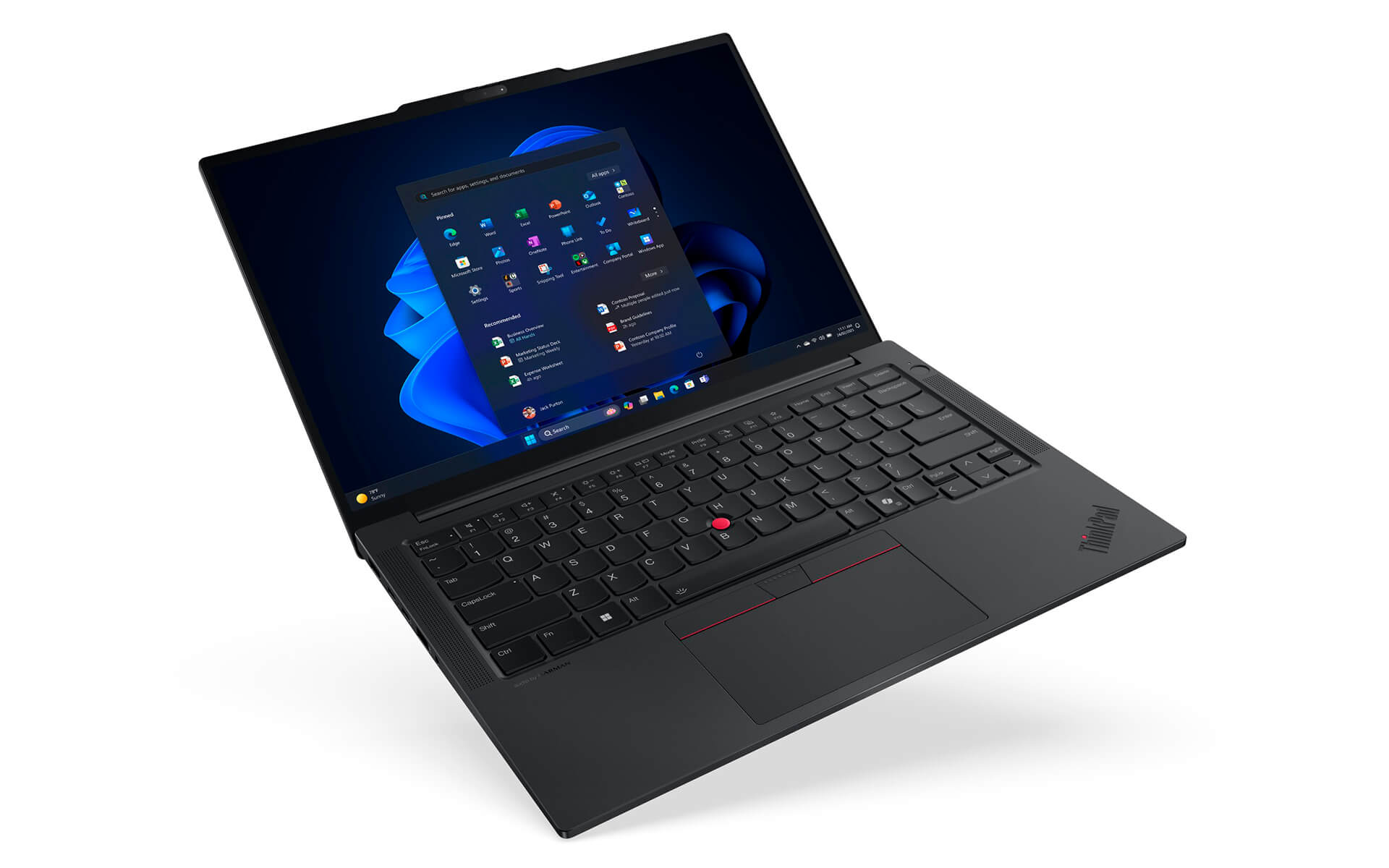
With a starting weight of only 1.34kg and dimensions of 313 x 220.3 x 10.1/15.25 mm (maximum 20.5mm depending on configuration), the ThinkPad E14 Gen 7 is an ideal choice for users requiring high mobility. The aluminum top cover and PC-ABS bottom cover help balance lightweight, durability, and aesthetics, while demonstrating Lenovo's commitment to sustainable development. This laptop model not only meets the requirements of stable performance and elegant design but also brings long-term value to both work and the environment.
Display on Thinkpad E14 Gen 7 (2025)
The Lenovo ThinkPad E14 Gen 7 (2025) features a 14-inch screen with various resolution options such as WUXGA (1920x1200) and WQXGA+ (2560x1600), meeting both work and multimedia entertainment needs. Some versions also support multi-touch screens, allowing flexible operations like on mobile devices. Thanks to IPS technology, the screen provides wide viewing angles, realistic colors, and high brightness, ensuring clear display even when used outdoors or in bright environments.
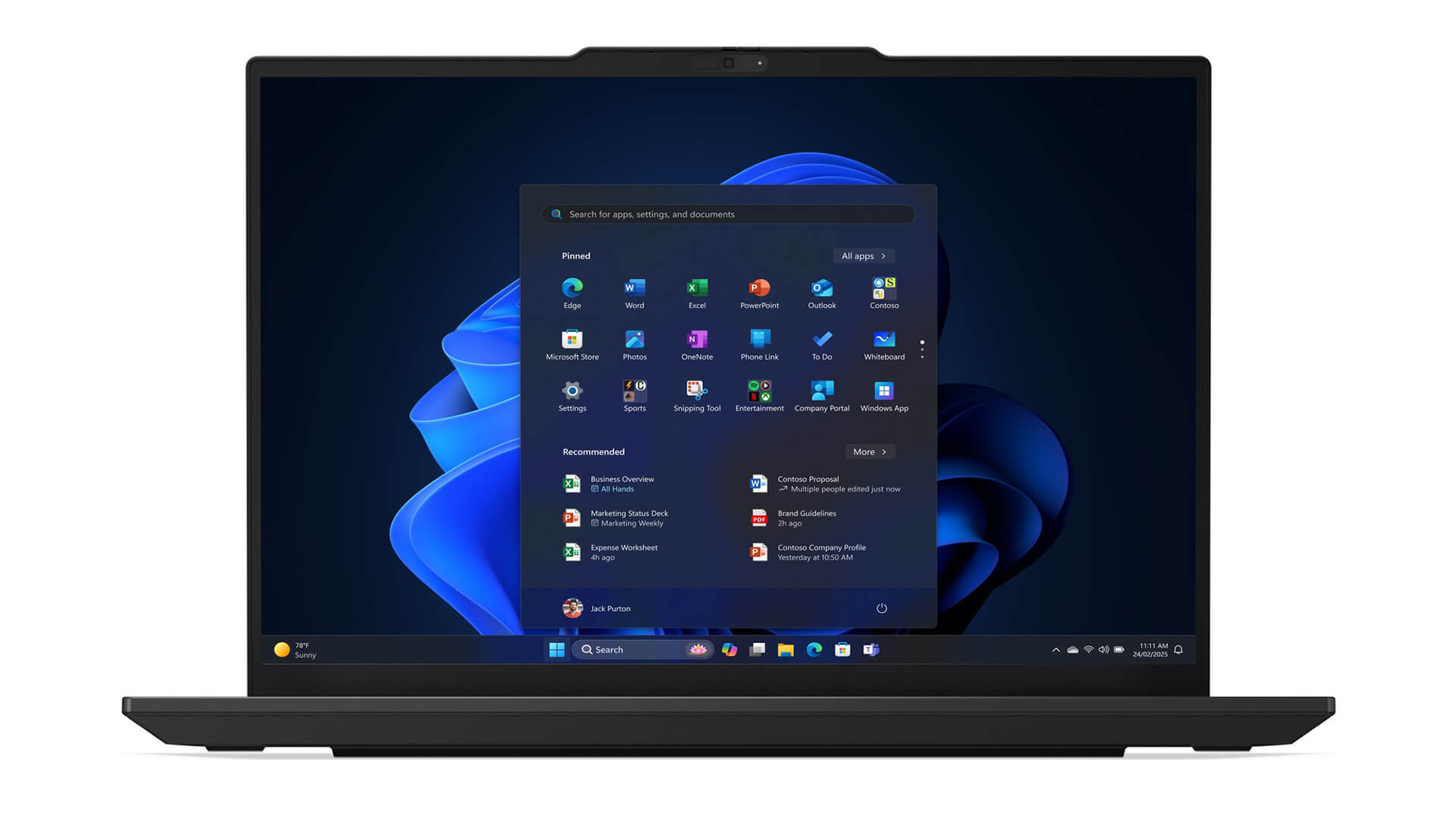
To enhance the long-term experience, the ThinkPad E14 Gen 7 is integrated with TÜV Low Blue Light technology, which limits harmful blue light and reduces eye strain during continuous work. Additionally, the screen is equipped with tempered glass, enhancing scratch resistance and impact resistance, maintaining aesthetics over long-term use. This is an ideal choice for office employees, students, or content creators who travel frequently and need a durable device with sharp display optimized for various working situations.
Superior Performance with Intel® Core™ Ultra Series 2
The Lenovo ThinkPad E14 Gen 7 delivers impressive power thanks to being equipped with Intel® Core™ Ultra Series 2, a modern processor platform optimized for the enterprise environment. With higher-end versions using Intel Core Ultra 7 or above, the device supports Intel vPro technology, allowing remote management, enhanced security, and smooth processing of complex tasks such as large spreadsheets, data analysis, or specialized graphics software. This is a major advantage for professional users needing a stable, efficient, and highly secure laptop.
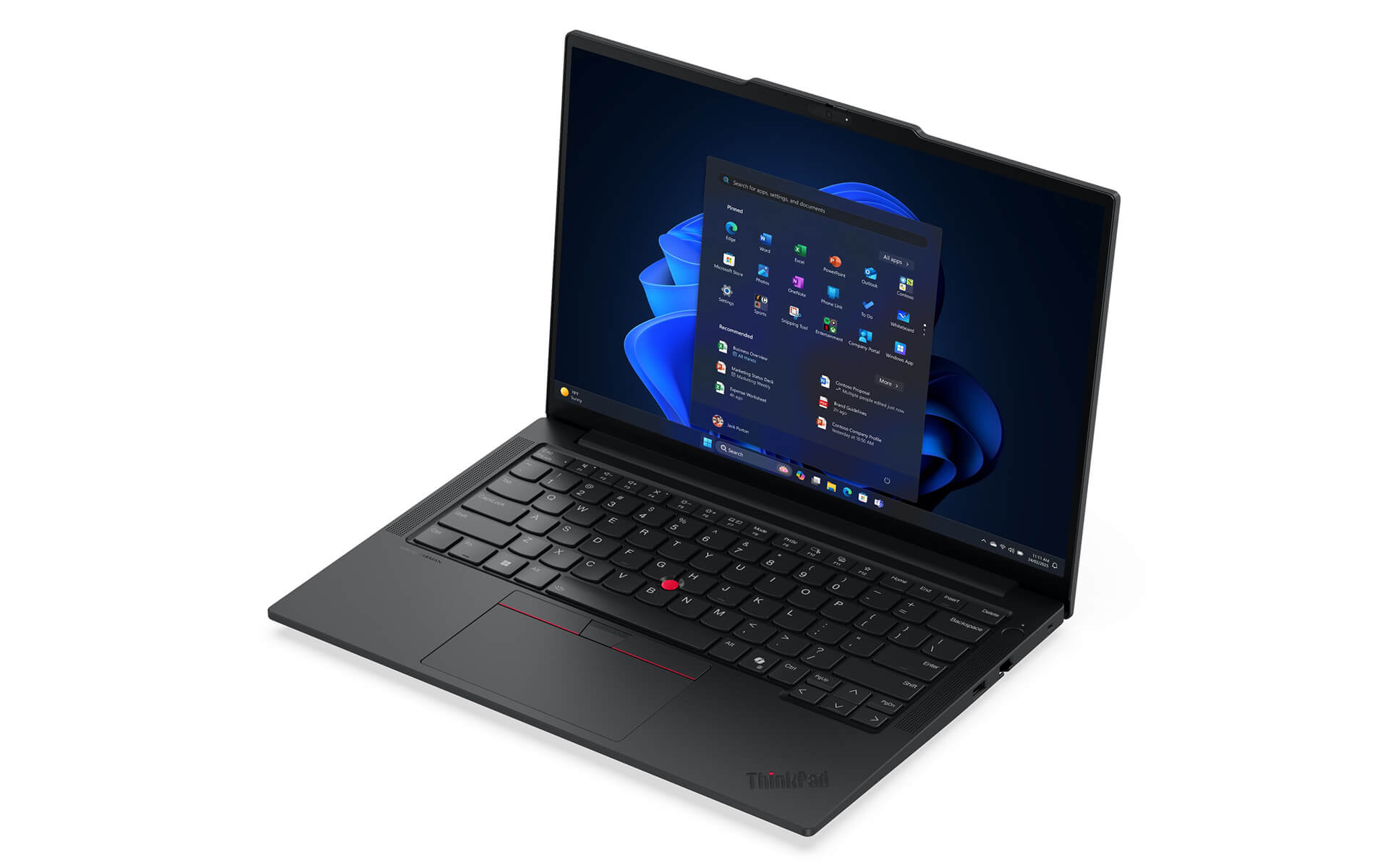
Another highlight of the ThinkPad E14 Gen 7 is the ability to leverage integrated AI, which helps adjust system resources in real-time. Thanks to this mechanism, the machine maintains stability when handling heavy multitasking while reducing response latency. This is particularly useful for those who frequently open many applications simultaneously, from office work and studying to specialized software.
In addition to the powerful CPU, the device also offers Intel Arc Graphics or Intel Iris Xe graphics options, suitable for basic design, light rendering, and multimedia entertainment. The system supports upgrading RAM DDR5 up to 32GB and PCIe Gen4 x4 SSD up to 1TB, ensuring fast processing speeds and ample storage space. Thanks to the combination of performance, durability, and expandability, the ThinkPad E14 Gen 7 becomes a comprehensive solution for modern entrepreneurs and technical experts.
Thinkpad E14 Gen 7 Keyboard & Touchpad
The Lenovo ThinkPad E14 Gen 7 is equipped with the signature ThinkPad full-size keyboard, providing a precise typing experience with reasonable key travel and clear tactile feedback. This design is particularly suitable for those who frequently work with text, programming, or intensive content processing. Built-in function keys such as volume adjustment, microphone and camera toggle contribute to enhancing daily work efficiency. On some versions, the power button also integrates a fingerprint sensor, providing an additional layer of convenient and secure security for business users.
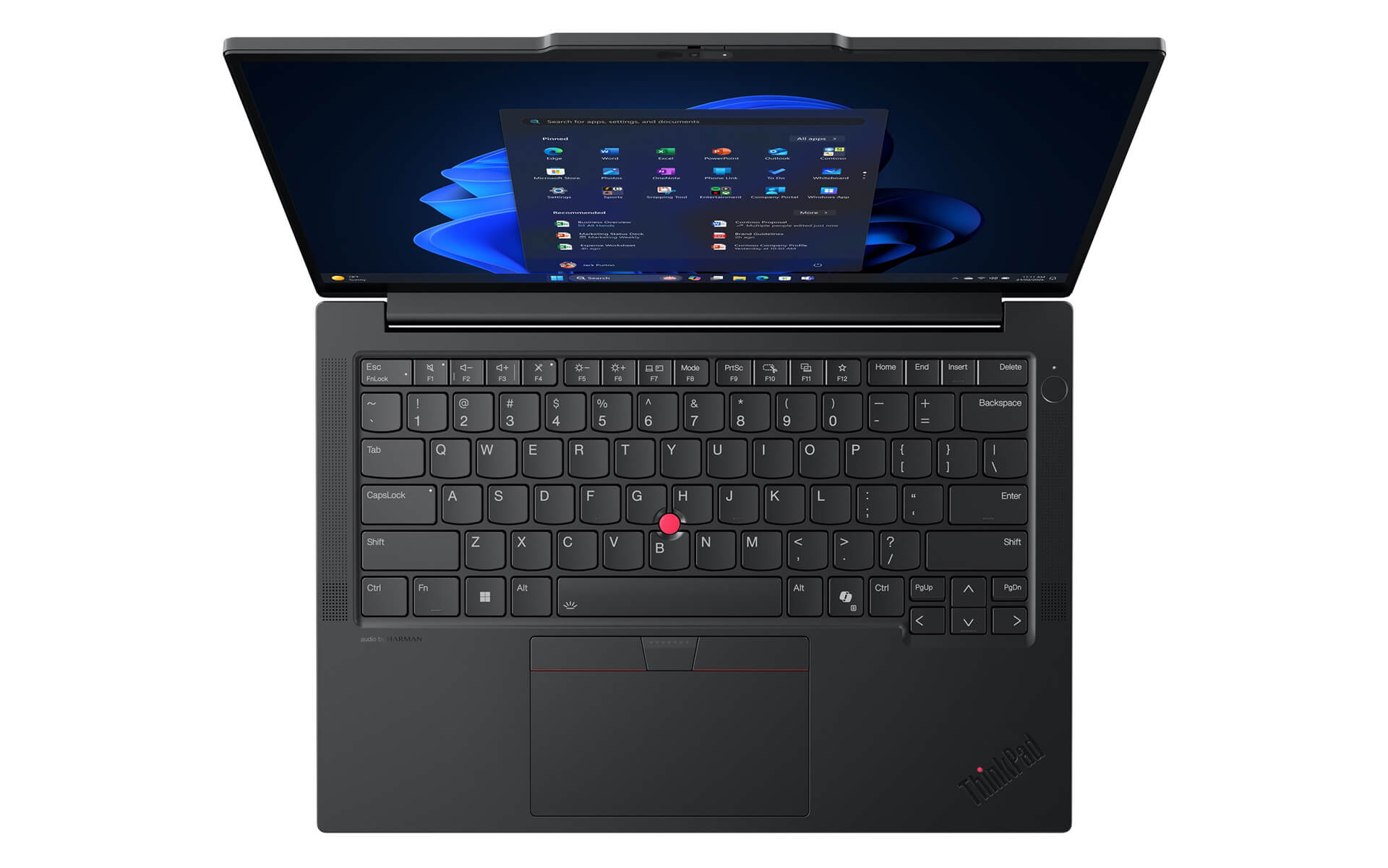
Alongside this, the touchpad of the ThinkPad E14 Gen 7 has a large size, supporting multi-touch with high sensitivity, helping scrolling, zooming, or window switching operations occur smoothly and accurately. The ergonomic design provides comfort during long-term use while ensuring rapid response. The combination of a responsive keyboard and a flexible touchpad makes the ThinkPad E14 Gen 7 an optimal choice for users who frequently move or work in professional office environments.
Vivid Sound Quality
The Lenovo ThinkPad E14 Gen 7 has been focused on audio upgrades to bring a comprehensive entertainment and work experience. The Harman Kardon speaker system combined with Dolby Atmos technology reproduces a vivid, detailed, and deep soundstage, ensuring users can enjoy music, watch movies, or participate in online meetings with clear, balanced, and authentic sound. The ability to play at high volumes without distortion also helps the ThinkPad E14 Gen 7 maintain sound quality even when used in meeting rooms or large spaces.
Alongside premium speakers, the integrated microphone on the ThinkPad E14 Gen 7 is equipped with intelligent noise-canceling technology, allowing voices to be transmitted clearly and naturally in all situations. In some configurations, the machine also supports noise reduction modes and automatic sound adjustment, optimizing for both quiet environments and noisy public places. As a result, the ThinkPad E14 Gen 7 becomes a reliable choice for entrepreneurs, students, and remote workers who need a laptop that is not only powerful in performance but also excellent in audio experience.
Temperature & Battery Life on Thinkpad E14 Gen 7
The Lenovo ThinkPad E14 Gen 7 stands out with its effective temperature control capability, helping to maintain stable performance even when processing heavy tasks. The cooling system is fine-tuned with smart air vents and automatic cooling fans, ensuring the machine always operates smoothly and limiting overheating phenomena. This mechanism not only improves the long-term user experience but also contributes to increasing component lifespan, making it suitable for those who frequently work at high intensity in office environments or while traveling.
In addition to cooling capability, the battery life of the ThinkPad E14 Gen 7 is also a major plus. The 64Whr battery allows for continuous use from 8 to 12 hours, combined with fast charging technology that can fully charge in about 60 minutes, providing maximum convenience for busy users. The intelligent power management system helps balance performance and power saving, ensuring this laptop is always ready to accompany you in all situations, from office work and studying to long business trips.
Ports & Connectivity of Thinkpad E14 Gen 7
The Lenovo ThinkPad E14 Gen 7 is equipped with a comprehensive connection system, flexibly meeting everything from office needs to multimedia entertainment. The machine features common connection ports including USB-A, USB-C supporting Thunderbolt 4 and USB 3.2 Gen 2, allowing high-speed data transmission and quick connection with peripheral devices. Additionally, the HDMI 2.1 port ensures high-quality image output, while Ethernet RJ45, a headphone jack, and a card reader provide convenience for data processing and maintaining stable connections. Regarding wireless connectivity, the device supports Wi-Fi 6E and Bluetooth 5.3, helping to maintain high speeds, save power, and suit large capacity data sharing.
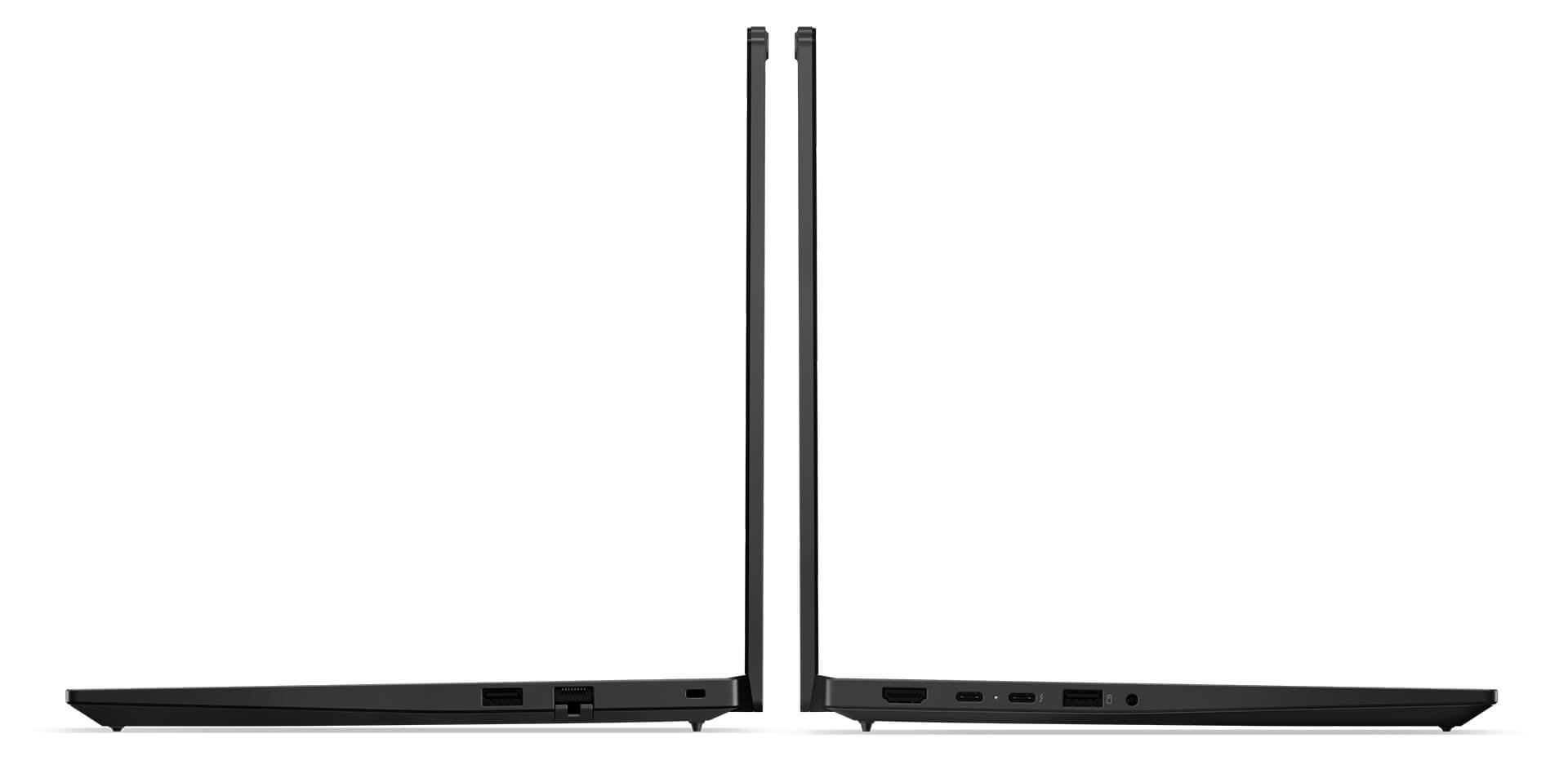
A notable highlight is the Thunderbolt 4 port, which not only serves fast charging but also expands connectivity capabilities with high-resolution monitors and high-end peripheral devices. This combination brings a professional working experience, from fixed office environments to mobile situations. Thanks to powerful, diverse, and stable connectivity, the ThinkPad E14 Gen 7 becomes the optimal choice for entrepreneurs, experts, and modern users who always need a flexible and reliable work tool.
Overview of Lenovo Thinkpad E14 Gen 7 (2025)
The Lenovo ThinkPad E14 Gen 7 (2025) is designed for entrepreneurs, office employees, and small businesses needing a lightweight device that is powerful enough to meet daily work. With a weight of only about 1.34 kg, a battery life of 8-12 hours, and fast charging technology, the machine is suitable for people who frequently move between offices, meetings, and long-distance business trips. Security features such as the fingerprint sensor integrated into the power button and the business-standard ThinkPad keyboard help optimize the professional working experience, while the 14-inch anti-glare IPS screen and Harman Kardon with Dolby Atmos sound meet both presentation and personal entertainment needs.
For those who work flexibly or remotely, the ThinkPad E14 Gen 7 brings peace of mind thanks to its diverse connection system: USB-A, USB-C, HDMI 2.1, LAN, Thunderbolt 4, combined with Wi-Fi 6E to ensure seamless connectivity in all situations. This is an ideal choice for office personnel needing stable performance, freelancers who travel frequently, or small business owners looking for a device that is both durable and cost-effective. Although it lacks a discrete GPU and the webcam is basic, the machine still fully meets the practical needs of the modern professional user group.
| Pros | Cons |
|---|---|
|
|
FAQ - Frequently Asked Questions about ThinkPad E14 Gen 7 (2025)
1. Is the ThinkPad E14 Gen 7 (2025) suitable for a professional business environment?
The E14 Gen 7 features a sturdy metal chassis, meeting MIL-STD-810H standards with a weight of ~1.34 kg - making it a perfect choice for office employees or data specialists who travel frequently.
2. Does the 14-inch screen provide clear display for text and presentations?
The device has options for a WUXGA (1920×1200) or 2.8K screen with 400 nits brightness - providing sharp images and a smooth feel when reading documents, creating slides, or sharing content online.
3. Does the ThinkPad E14 Gen 7 handle large spreadsheets and intensive reports smoothly?
With the Intel Core Ultra Series 2 CPU, up to 32 GB of RAM, and a PCIe Gen 4 SSD, the machine efficiently handles large Excel files, Power BI, ERP software, and maintains stable multitasking without lag.
4. Does the machine support daily programming and software development?
The powerful configuration helps the Thinkpad E14 Gen 7 run IDEs like Visual Studio, VS Code, and IntelliJ IDEA smoothly. Building, debugging, and running Docker or virtual machines are all stable throughout the workday.
5. Although not focused on graphics, can it be used for light content design?
The integrated Intel GPU combined with a color-accurate screen supports light 2D design tasks like Figma, Illustrator, or editing PowerPoint slides, meeting office and technical documentation requirements.
6. How long is the actual battery life of the ThinkPad E14 Gen 7?
According to Lenovo PSREF, the 64Wh battery of the E14 Gen 7 reaches approximately 12.3 hours according to the MobileMark 30 test (at 250 nits brightness).
Source: Lenovo PSREF
7. Does the machine maintain performance when running many applications and continuous code builds?
The efficient cooling system helps the E14 Gen 7 maintain high performance, without slowing down when using multitasking, compiling, or running Docker tools for long periods.
8. Does the ThinkPad E14 Gen 7 support Linux installation for developers?
The Thinkpad E14 Gen 7 is certified by Lenovo for good compatibility with Ubuntu (via the Linux User Guide specifically for the E14 Gen 7). Users need to switch the BIOS to AHCI and update Wi-Fi or touchpad drivers for full functionality.
Source: Lenovo Linux User Guide
9. What is the warranty policy at Hung Phat Laptop for the E14 Gen 7?
Hung Phat Laptop commits to a 12-month warranty for new machines, supporting a 1-for-1 exchange within the first 30 days if manufacturer defects occur. For like-new or used products, customers still receive a 6-month warranty and a one-month exchange policy. Additionally, Hung Phat provides free periodic cleaning, software installation upon request, and nationwide delivery.
Where to buy Lenovo Thinkpad E14 Gen 7 with good price and reputation?
If you are looking for a Lenovo ThinkPad laptop that is slim, lightweight, high-performance, and reliable for professional work, then the ThinkPad E14 Gen 7 is the ideal choice. The product offers a balance between portable design, powerful performance, and premium security features.
Hung Phat Laptop is a reputable address specializing in distributing genuine ThinkPad products through official channels, with a clear warranty policy, good prices, and many attractive promotions. When purchasing the ThinkPad E14 Gen 7 (2025) here, you will receive dedicated consultation and full technical support, ensuring peace of mind throughout your usage.
Performance & benchmarks Lenovo ThinkPad E14 Gen 7 (2025)
Intel Core Ultra 5 135H Intel Arc 8-Core iGPU - best for Văn phòng 8.5/10, Lập trình 7/10.
Intel Core Ultra 5 135H
- Cinebench R23 (đa nhân)11,875.5
- Geekbench 6 (đa nhân)10,368
- Geekbench 6 (đơn nhân)2,278
- Cores / Threads14/18
Intel Arc 8-Core iGPU iGPU
- 3DMark Time Spy3,270
- 3DMark Fire Strike8,513
- ArchitectureXe LPG
Best for
Scored from real benchmarks- Chơi game3/10
- Dựng phim / Đồ hoạ4/10
- Lập trình7/10
- Văn phòng8.5/10
Why CPU matters
CPU là “bộ não” xử lý mọi tác vụ: mở ứng dụng, đa nhiệm, biên dịch, dựng phim. CPU càng mạnh, máy càng nhanh và mượt khi làm nhiều việc cùng lúc.
- Cơ bảnThis product
Lướt web, xem phim, soạn thảo văn phòng nhẹ.
- Phổ thôngThis product
Văn phòng, đa nhiệm vừa, học tập.
- Tầm trungThis product
Đa nhiệm tốt, lập trình, đồ hoạ nhẹ.
- Khá mạnhThis product
Dựng phim, lập trình nặng, ảo hoá, chơi game.
- Cao cấpThis product
Render nặng, biên tập 4K/8K, máy ảo, tác vụ AI.
Why GPU matters
GPU (card đồ hoạ) lo phần hình ảnh: chơi game, dựng video, render 3D và tăng tốc AI. GPU càng mạnh, khung hình game càng cao và xuất video càng nhanh.
- Cơ bản (iGPU)This product
Hiển thị mượt, xem phim 4K, game rất nhẹ (LMHT, Valorant mức thấp).
- Phổ thôngThis product
Game eSports 1080p, chỉnh ảnh, dựng video nhẹ.
- Tầm trungThis product
Game 1080p thiết lập trung-cao, dựng video Full HD ổn.
- Khá mạnhThis product
Game 1080p/1440p thiết lập cao, dựng video 4K, render 3D.
- Cao cấpThis product
Game 4K/240Hz, ray tracing, render & AI nặng.
Game performance
Real FPS - FHD- Dota 269 fps1080p Ultra
- CS252 fps1080p Cao
- GTA V140 fps1080p Trung bình
- CoD: Black Ops 624 fps1080p Thấp
- Star Wars Outlaws17 fps1080p Thấp
- Black Myth: Wukong20 fps1080p Thấp
- God of War Ragnarök11 fps1080p Thấp
- Final Fantasy XVI19 fps1080p Trung bình
- Cyberpunk 207731 fps1080p Thấp
🟢 ≥60fps rất mượt · 🟡 30-60fps chơi tốt · 🔴 <30fps cần giảm thiết lập
Local AI performance
Tokens/second running locally on GPU- Gemma 4 E2B IT5.6 GB · ctx 256K15 tok/sDecent
- GLM-4 9B5.1 GB · ctx 128K16 tok/sDecent
- Gemma 4 E4B4.6 GB · ctx 256K18 tok/sDecent
- Ministral 8B4.6 GB · ctx 32K18 tok/sDecent
- Qwen 3.5 4B4.6 GB · ctx 32K18 tok/sDecent
- DeepSeek R1 Distill 7B4.1 GB · ctx 64K20 tok/sRuns well
- Gemma 4 E2B3.1 GB · ctx 256K27 tok/sRuns well
- Qwen 3.5 2B2.5 GB · ctx 32K34 tok/sRuns well
- Phi-4 Mini Reasoning2.4 GB · ctx 16K35 tok/sRuns well
- Llama 3.2 3B2 GB · ctx 128K42 tok/sRuns great
- SmolLM3 3B2 GB · ctx 128K42 tok/sRuns great
- DeepSeek R1 1.5B1.3 GB · ctx 64K65 tok/sRuns great
- Qwen 3.5 0.8B1.3 GB · ctx 32K65 tok/sRuns great
- TinyLlama 1.1B1.1 GB · ctx 2K76 tok/sRuns great
- Llama 3.2 1B1 GB · ctx 128K84 tok/sRuns great
- Gemma 2 9B5.1 GB · ctx 8K16 tok/sDecent
- Nemotron Nano 9B v25.1 GB · ctx 128K16 tok/sDecent
- Llama 3.1 8B4.6 GB · ctx 128K18 tok/sDecent
- Qwen 3 8B4.6 GB · ctx 128K18 tok/sDecent
- Mistral 7B v0.34.1 GB · ctx 32K20 tok/sRuns well
- Qwen 2.5 7B4.1 GB · ctx 128K20 tok/sRuns well
- Qwen 2.5 Coder 7B4.1 GB · ctx 128K20 tok/sRuns well
- Qwen 3 4B2.5 GB · ctx 32K34 tok/sRuns well
- Gemma 3 4B2.5 GB · ctx 128K34 tok/sRuns well
- Phi-3.5 Mini2.4 GB · ctx 128K35 tok/sRuns well
- Gemma 2 2B1.5 GB · ctx 8K56 tok/sRuns great
- Qwen 3 1.7B1.4 GB · ctx 32K60 tok/sRuns great
- Qwen 2.5 Coder 1.5B1.3 GB · ctx 32K65 tok/sRuns great
- Qwen 3 0.6B1.1 GB · ctx 32K76 tok/sRuns well
- Gemma 3 1B1 GB · ctx 32K84 tok/sRuns great
🟢 Great · 🟡 Well · 🟠 Decent - 4-bit quantized, ctx = context window
No comments yet
Q&A about Lenovo ThinkPad E14 Gen 7 (2025)
Frequently asked questions about Lenovo ThinkPad E14 Gen 7 (2025)
What are the specifications of Lenovo ThinkPad E14 Gen 7 (2025)?
What is the warranty for Lenovo ThinkPad E14 Gen 7 (2025)?
Is Lenovo ThinkPad E14 Gen 7 (2025) genuine?
Can I buy Lenovo ThinkPad E14 Gen 7 (2025) with home delivery?
Worth a Look
Lenovo ThinkPad E14 Gen 6 (2024)
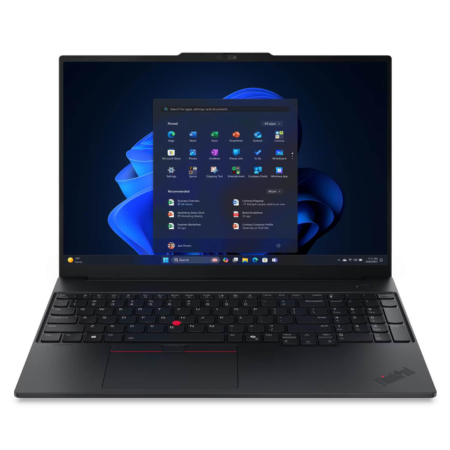 5 configurations
Lenovo ThinkPad E16 Gen 3 (2025)
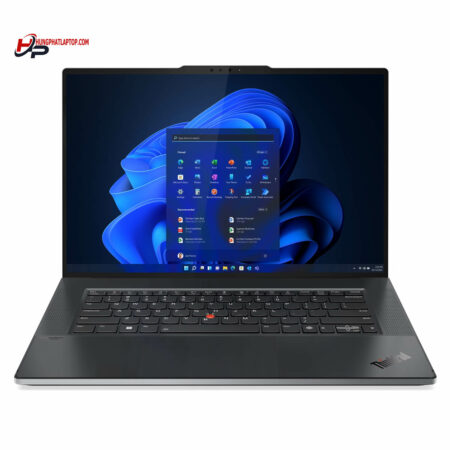
Lenovo ThinkPad Z16 Gen 1 (2022)
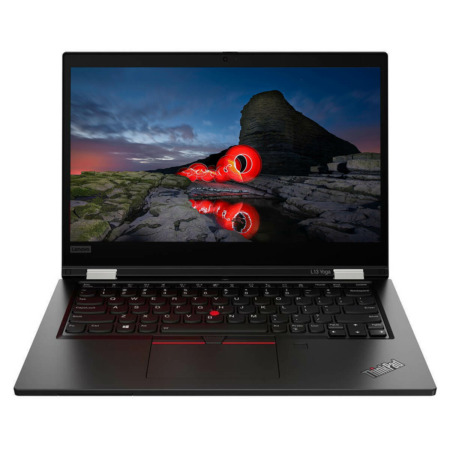
Lenovo Thinkpad L13 Yoga Gen 2 (2021)
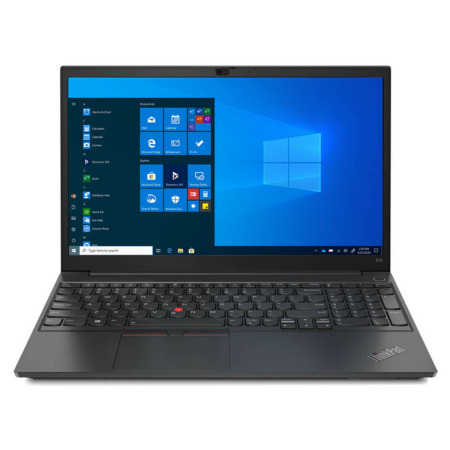





Nguyễn Minh Tiến 31/05/2025Purchased at Hung Phat
The order took a bit long, but the consultation was enthusiastic. 4 stars.
Lâm Khương Duy 14/05/2025Purchased at Hung Phat
Great price
Nguyễn Phan Bảo Khoa 16/03/2025Purchased at Hung Phat
Right near your house and super reliable! :))