

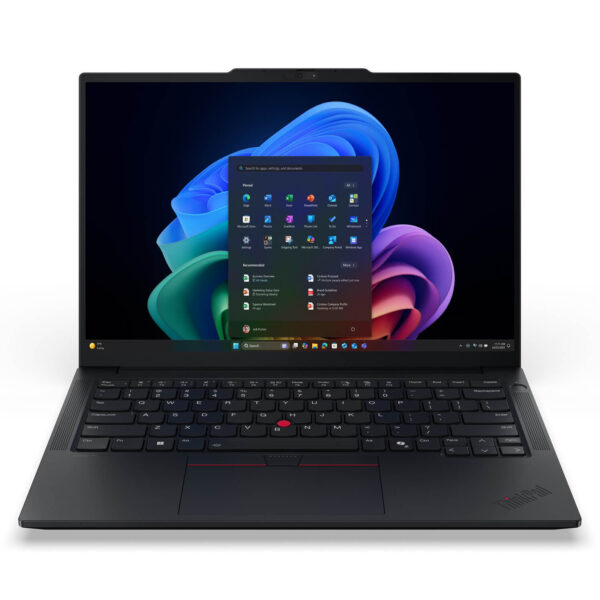
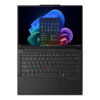
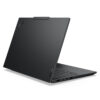
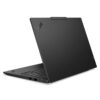
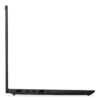
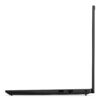
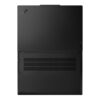
Lenovo ThinkPad E14 Gen 8 (2026)
- CPU: Intel Core 7 350 Up To 4.8GHz (6 Cores, 6 Threads, 6MB Cache - 17 TOPS NPU)
- RAM: DDR5 16GB 5600MHz
- SSD: 512GB PCIe Gen4 M.2 SSD
- VGA: Intel® graphics
- OS: Windows 11 Home
- DISPLAY: 14" WUXGA (1920x1200) IPS, Anti-Glare, 45% NTSC, 400nits
- CONDITION: New 100% Full Box
- WARRANTY: 24-month official warranty
- Lenovo ThinkPad E14 Gen 8 1.4kg Aluminum Build
- 14-Inch WUXGA 400-Nit Anti-Glare Display
- ThinkPad E14 Gen 8 Intel Core 7 350 Performance
- RAM, SSD, and integrated graphics you should know before buying
- ThinkPad keyboard, TrackPoint, and touchpad
- IR camera, fingerprint sensor, and HARMAN audio for online meetings
- Connectivity on the ThinkPad E14 Gen 8 (2026): 2 Thunderbolt 4 ports, Wi-Fi 7
- 48Wh battery and Rapid Charge Pro fast charging
- Summary and Review of Lenovo ThinkPad E14 Gen 8 (2026)
- FAQ - Frequently Asked Questions about Lenovo ThinkPad E14 Gen 8 (2026)
- Where to buy a reliable Lenovo ThinkPad E14 Gen 8 (2026) at a good price?
The Lenovo ThinkPad E14 Gen 8 (2026) (21Y8002GVN) is a 14-inch business laptop built with an aluminum chassis, weighing around 1.4 kg. This configuration runs an Intel Core 7 350 processor from the Wildcat Lake generation, 16GB of DDR5-5600 RAM, a 512GB SSD, a 400-nit WUXGA display, and pre-installed Windows 11 Home. It also features two Thunderbolt 4 ports, Wi-Fi 7, an IR camera, and a fingerprint reader. Below is our breakdown of its performance, upgrade potential, and key considerations before buying.
Lenovo ThinkPad E14 Gen 8 1.4kg Aluminum Build
The 21Y8002GVN configuration uses aluminum for both the display lid and the bottom cover. Finished in black, it measures 313 x 220.3 mm, with a thickness ranging from 10.1 mm at the front edge to a maximum of 19.7 mm, and weighs roughly 1.4 kg. This sits at the higher end of the ThinkPad E Series lineup, as many other configurations feature an aluminum top cover paired with a plastic base. It easily slides into a backpack or briefcase for daily meetings and business trips.
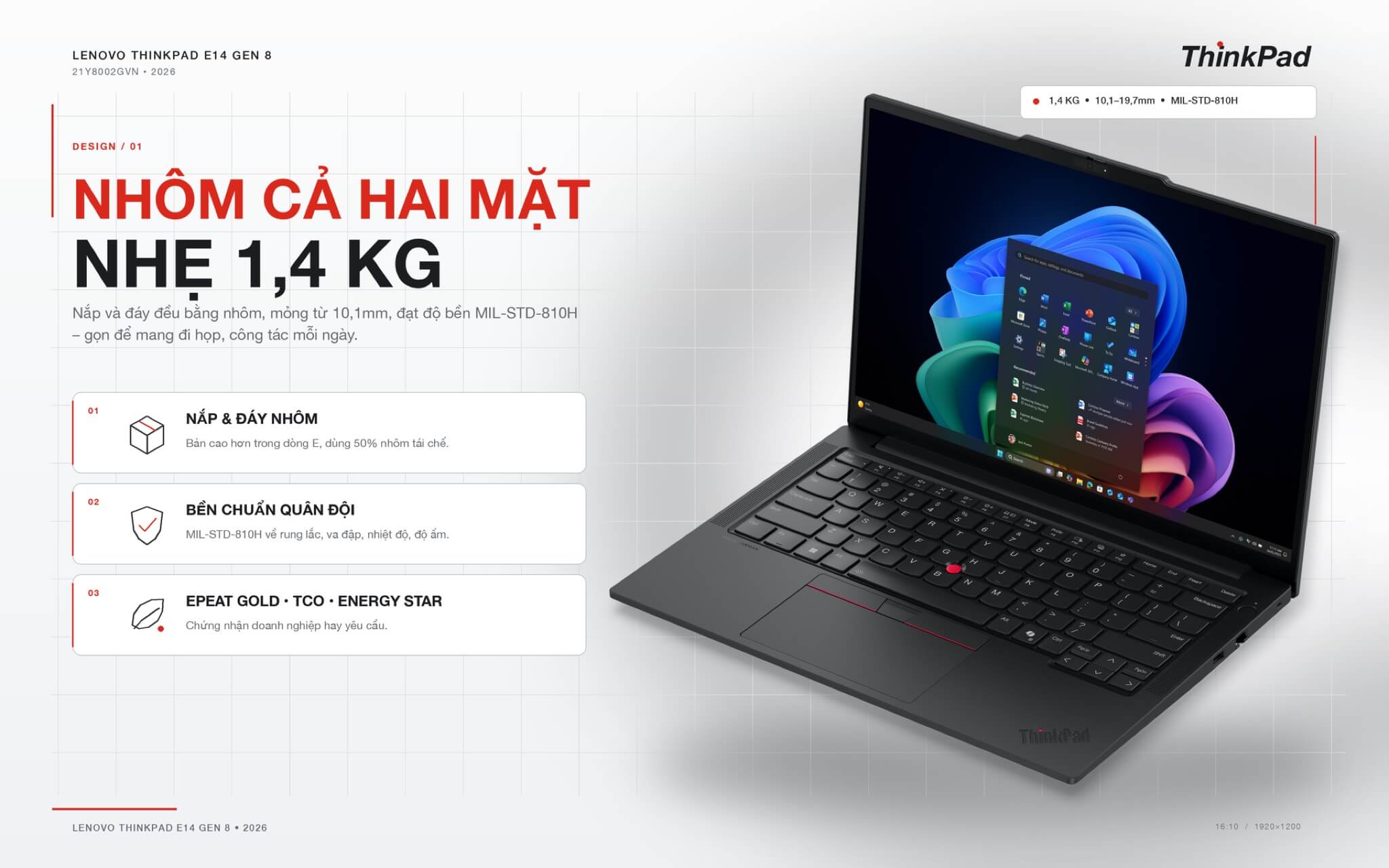
The machine meets MIL-STD-810H military durability standards against vibration, shock, temperature, and humidity. According to Lenovo, the aluminum lid and base use 50% recycled aluminum, earning the laptop EPEAT Gold, TCO Certified generation 10, and ENERGY STAR certifications. In plain terms, these energy-efficiency and eco-friendly material certifications are standard procurement requirements for corporate fleet purchases.
14-Inch WUXGA 400-Nit Anti-Glare Display
The 21Y8002GVN configuration features a 14-inch IPS display with a 1920 x 1200 resolution (WUXGA), a 16:10 aspect ratio, 400 nits of brightness, an anti-glare finish, a 60Hz refresh rate, and a 1000:1 contrast ratio. It is bright enough for working near windows or under bright office lighting, and it carries TÜV Rheinland certification for software-based low blue light reduction. Slim bezels give it a 90% screen-to-body ratio.
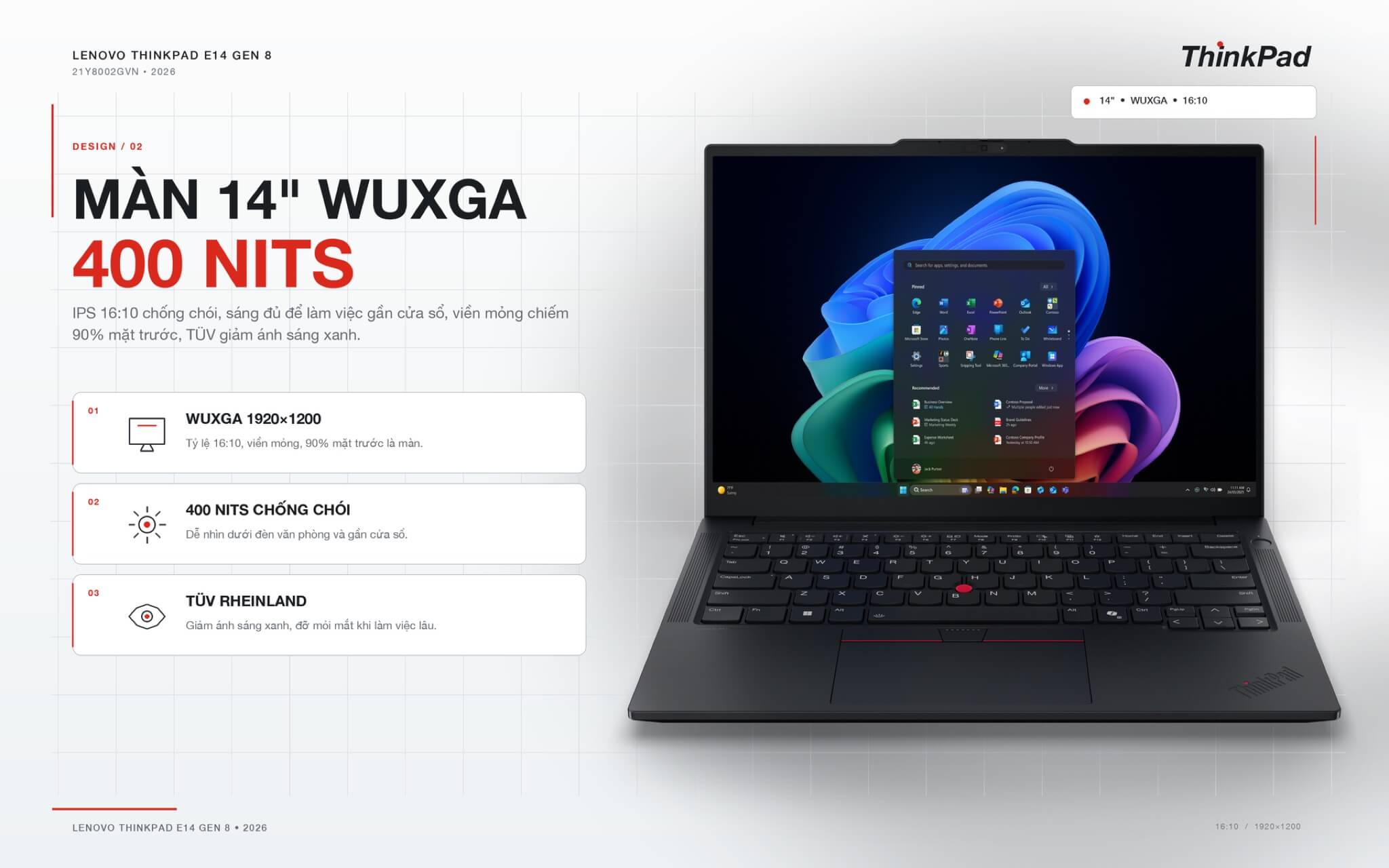
Color gamut coverage sits at 45% NTSC, resulting in slightly muted colors that suit text documents, Excel spreadsheets, video calls, and web browsing better than photo editing. The E14 Gen 8 lineup also offers a 400-nit WUXGA touchscreen option and a 500-nit 2.8K (2880 x 1800) panel with 100% sRGB coverage and a 120Hz refresh rate; however, those two panels come with different configurations and are not available on this specific model number.
ThinkPad E14 Gen 8 Intel Core 7 350 Performance
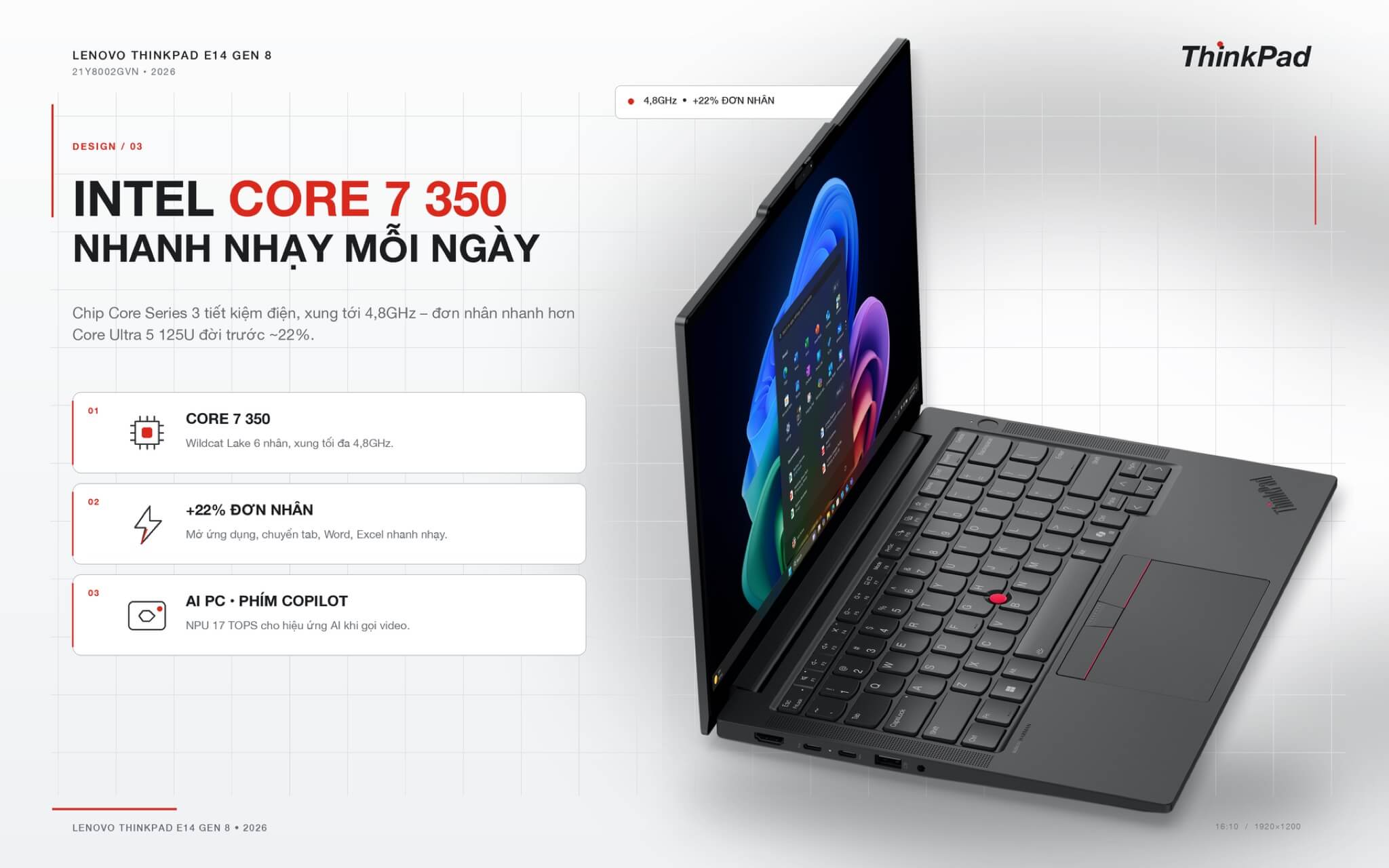
The Intel Core 7 350 is part of the Core Series 3 (Wildcat Lake) lineup launched in 2026. It features 6 cores (2 performance cores and 4 efficiency cores) handling 6 threads, a maximum boost clock of 4.8 GHz, a 6MB cache, and a 17 TOPS NPU. This is a low-power processor family, distinct from the Core Ultra Series 3 (Panther Lake) chips found on higher-tier E14 Gen 8 models. The table below compares the Core 7 350 against other common office-laptop processors.
| Processor | Cores / Threads | Geekbench 6 Single-Core | Geekbench 6 Multi-Core | NPU |
|---|---|---|---|---|
| Core 7 350 (this unit) | 6 / 6 | 2,613 | 7,503 | 17 TOPS |
| Core 5 320 (Wildcat Lake) | 6 / 6 | 2,582 | 8,018 | 16 TOPS |
| Core Ultra 5 325 (E14 Gen 8 Panther Lake model) | 8 / 8 | 2,574 | 10,970 | 47 TOPS |
| Core Ultra 5 225U | 12 / 14 | 2,373 | 9,887 | 12 TOPS |
| Core Ultra 5 125U (previous-gen ThinkPad E14) | 12 / 14 | 2,150 | 9,351 | 11 TOPS |
Reference figures sourced from Notebookcheck. Because the Core 7 350 is relatively new, few benchmarks are available, so scores may shift as more machines are tested.
With a single-core score of roughly 2,613, the Core 7 350 outperforms the previous-generation Core Ultra 5 125U by about 22%. Launching apps, switching tabs, browsing the web, and working in Word or Excel all feel fast and responsive. Because most office workloads only utilize a few cores simultaneously, this remains the most critical metric for everyday users.
Conversely, with just 6 cores and 6 threads, its multi-core score of roughly 7,503 trails behind earlier 12-core U-series processors. It provides ample headroom for accounting tools, POS software, Zoom calls, and dozens of open Chrome tabs, but heavier tasks like rendering, compiling large codebases, or exporting long videos will take longer. If your workflow routinely involves these tasks, you should opt for an E14 Gen 8 model equipped with a Core Ultra 5 325 or higher.
The 17 TOPS NPU handles AI-driven video-call effects like background blur and noise cancellation with minimal battery draw, complemented by a dedicated Copilot key. Still, coming in under 40 TOPS means Lenovo classifies this machine as an AI PC rather than a Copilot+ PC. Promotional images for the lineup showing the Copilot+ PC badge apply specifically to the Panther Lake configurations.
RAM, SSD, and integrated graphics you should know before buying
The machine features a single SO-DIMM RAM slot, currently populated with one 16GB DDR5-5600 stick, expandable up to 32GB by replacing it with a 32GB stick. Because there is only one slot, the RAM runs in single-channel mode; this does not impact office work much, but integrated graphics will have less bandwidth.
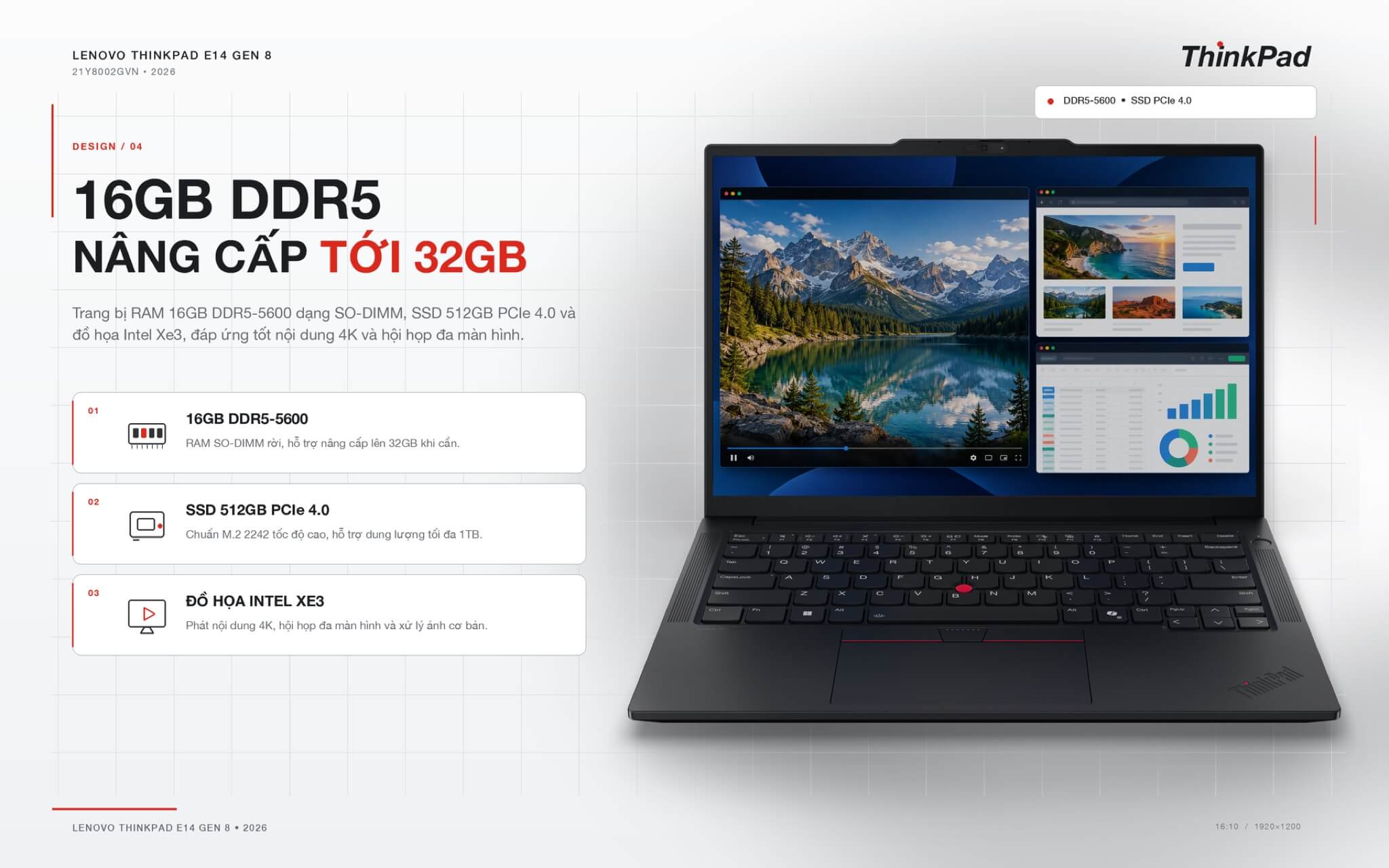
The storage is a 512GB M.2 2242 PCIe 4.0 SSD; the machine has only one SSD slot and supports drives up to 1TB. The Intel Graphics integrated graphics with 2 Xe3 cores are sufficient for 4K video playback, multi-monitor meetings, and light photo editing, but are not suitable for 3D gaming or heavy video editing.
ThinkPad keyboard, TrackPoint, and touchpad
The 6-row backlit keyboard is spill-resistant and features a 1.5mm key travel (the function row and the three G, H, and B keys have 1.35mm travel), providing the quiet and tactile typing experience characteristic of the ThinkPad line. The 14-inch version lacks a numeric keypad, but includes a Copilot key for quick access to the AI assistant.
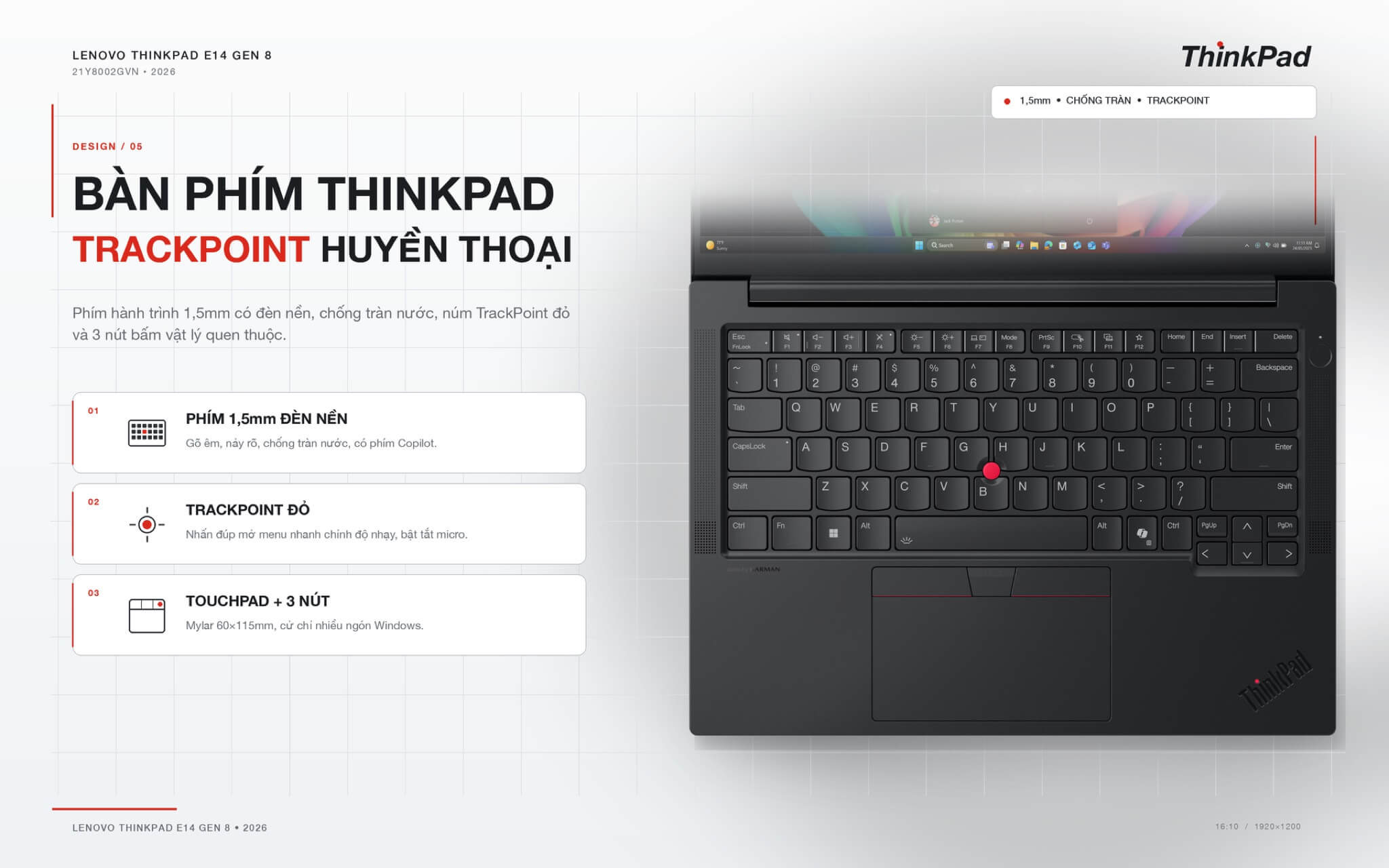
The familiar red TrackPoint sits between the keys; double-clicking it opens a quick menu to adjust sensitivity or toggle the microphone. The touchpad measures 60 x 115mm with a Mylar surface, supports Windows multi-touch gestures, and includes 3 physical buttons above for those accustomed to using the TrackPoint.
IR camera, fingerprint sensor, and HARMAN audio for online meetings
The Full HD 1080p webcam includes an infrared sensor for facial recognition unlocking (Windows Hello), a physical camera shutter, and image noise reduction for low-light environments. The fingerprint sensor is integrated into the power button, allowing you to log in simply by pressing to wake the machine. A discrete TPM 2.0 security chip meets FIPS 140-3 standards to help encrypt data if the machine is lost.
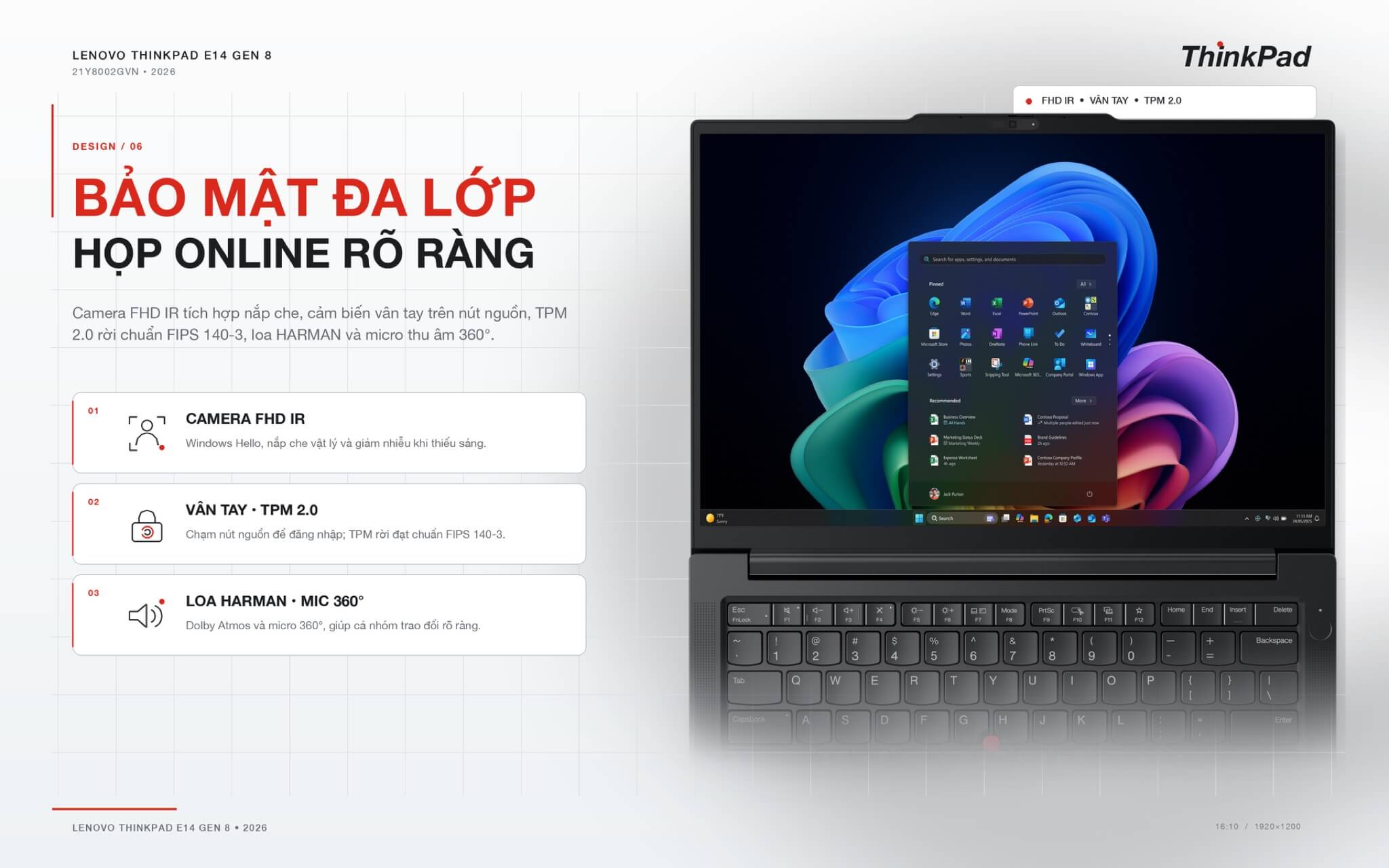
The audio system consists of two 2W speakers tuned by HARMAN and supports Dolby Atmos. A pair of far-field 360-degree microphones with intelligent noise cancellation ensures everyone around a meeting table can be heard clearly during Teams or Zoom calls.
Connectivity on the ThinkPad E14 Gen 8 (2026): 2 Thunderbolt 4 ports, Wi-Fi 7
The left side features an HDMI 2.1 port, 2 Thunderbolt 4 ports (supporting charging and DisplayPort 2.1 video output), one 10Gbps USB-A port that provides power even when the machine is off to charge phones, and a 3.5mm headphone jack. The right side has one 5Gbps USB-A port, a Gigabit LAN port, and a Kensington lock slot. Powered by the Wildcat Lake chip, the machine can drive up to 3 displays simultaneously, with each Thunderbolt 4 and HDMI port supporting up to 4K 60Hz.
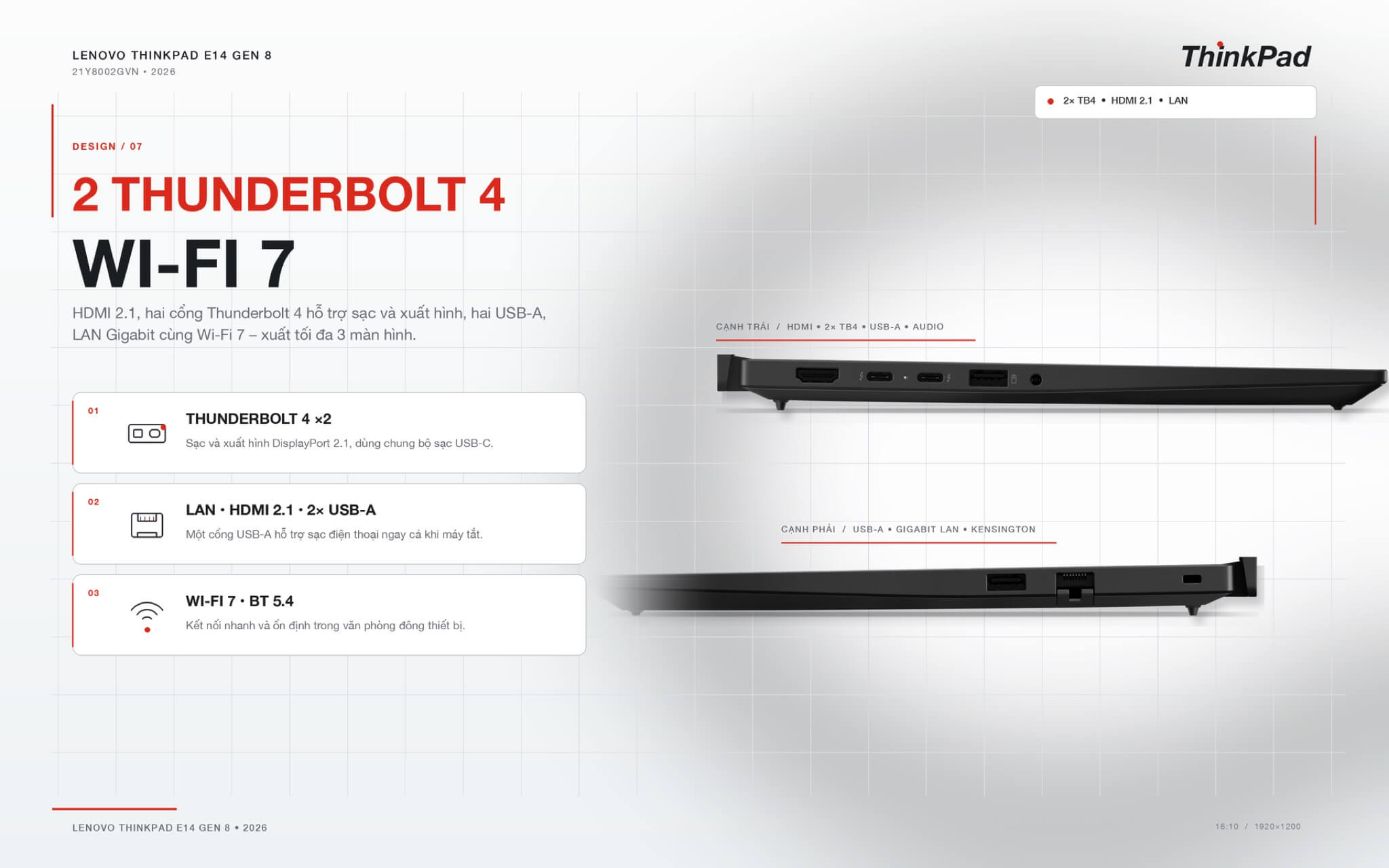
Wireless connectivity uses Wi-Fi 7 and Bluetooth 5.4, providing faster and more stable connections in offices with many shared network devices. The machine does not have an SD card reader. If you need a larger screen and a numeric keypad, you can consider the Lenovo ThinkPad E16 Gen 2.
48Wh battery and Rapid Charge Pro fast charging
This configuration uses a 48Wh battery that supports Rapid Charge Pro, which can charge 50% in 30 minutes when the machine is turned off or in sleep mode, and comes with a 65W USB-C adapter. Both Thunderbolt 4 ports support charging, so you can use a USB-C charger shared with a phone or tablet.
The 16 to 18 hour battery life advertised by Lenovo for the E14 Gen 8 series is measured using a 64Wh battery, so this 48Wh version will be shorter. The Wildcat Lake chip is power-efficient enough for a day of light office work, but if you frequently work away from a power outlet, you should carry an adapter.
Summary and Review of Lenovo ThinkPad E14 Gen 8 (2026)
The Lenovo ThinkPad E14 Gen 8 (2026) Core 7 350 version is suitable for office workers, accountants, students, and businesses needing a lightweight, durable 14-inch laptop with strong security. Featuring an aluminum chassis on both the lid and base, a 400 nits display, two Thunderbolt 4 ports, Wi-Fi 7, an infrared camera, and a fingerprint reader, it provides everything office professionals need at an accessible price point.
Points to consider: the 6-core chip performs weaker under heavy workloads, there is only one RAM slot (up to 32GB) and one SSD slot, the 45% NTSC display is not suitable for color grading, it has a 48Wh battery, lacks a card reader, and does not meet Copilot+ PC standards.
| Pros | Cons |
|---|---|
|
|
FAQ - Frequently Asked Questions about Lenovo ThinkPad E14 Gen 8 (2026)
1. What are the specs for the ThinkPad E14 Gen 8 21Y8002GVN?
This machine uses an Intel Core 7 350 (6 cores, 6 threads, up to 4.8GHz, 17 TOPS NPU), 16GB DDR5-5600 RAM, 512GB M.2 2242 PCIe 4.0 SSD, a 14-inch WUXGA 400 nits display, Wi-Fi 7, Bluetooth 5.4, a 1080p camera with IR, a fingerprint reader, a 48Wh battery, and Windows 11 Home Single Language.
2. How does the Core 7 350 differ from the Core Ultra 5 325?
The Core 7 350 belongs to the power-efficient Wildcat Lake series, featuring 6 cores, a 17 TOPS NPU, and 1 RAM slot. The Core Ultra 5 325 belongs to the Panther Lake series, featuring 8 cores, a 47 TOPS NPU that meets Copilot+ PC standards, dual-channel 2 RAM slots, and 2 SSD slots, with multi-core performance approximately 46% higher.
3. Can the RAM and SSD be upgraded?
Yes, but there are limits. The laptop has 1 RAM slot, upgradable up to 32GB by replacing the existing module, and 1 M.2 2242 SSD slot that supports drives up to 1TB.
4. Is this a Copilot+ PC?
No. The Core 7 350 NPU reaches 17 TOPS, which is below the 40 TOPS requirement, so while it is an AI PC with a Copilot key, Copilot+ features like Recall are only available on Panther Lake models.
5. How much does it weigh and is it durable?
The laptop weighs about 1.4kg, features an aluminum lid and base, meets MIL-STD-810H military durability standards, and includes a spill-resistant keyboard.
6. How many external displays can it support?
Up to 3 displays simultaneously (the laptop screen plus 2 external monitors) via HDMI 2.1 and Thunderbolt 4, with each port supporting up to 4K 60Hz.
7. Does it have a numeric keypad?
No. The 14-inch version features a 6-row backlit keyboard, a Copilot key, and a TrackPoint. If you need a numeric keypad, you should choose the ThinkPad E16.
8. How long does the battery last?
The 48Wh battery is sufficient for a light office workday, which is shorter than the 64Wh version Lenovo uses to measure 16 to 18 hours. The machine charges to 50% in 30 minutes using a 65W adapter when powered off.
9. What is the warranty policy at Hung Phat Laptop?
Hung Phat Laptop provides genuine products with full invoices, a 12-month warranty, a 30-day return policy, lifetime technical support, and nationwide delivery.
Where to buy a reliable Lenovo ThinkPad E14 Gen 8 (2026) at a good price?
Office professionals looking for a lightweight 14-inch ThinkPad with an aluminum chassis, strong security, and sufficient ports will find the Lenovo ThinkPad E14 Gen 8 (2026) Core 7 350, 16GB, 512GB version to be a practical configuration for daily work.
Hung Phat Laptop distributes genuine ThinkPads with full invoicing, and provides support for installing office software and upgrading RAM or SSD as needed. Machines are delivered nationwide, with clear warranties and long-term technical support at Hung Phat Laptop.
Performance & benchmarks Lenovo ThinkPad E14 Gen 8 (2026)
Intel Core 7 350 Intel Graphics 2 Xe3 Wildcat Lake iGPU - best for Office 8.5/10, Programming 5.5/10.
Intel Core 7 350
- Geekbench 6 (multi-core)7,503
- Geekbench 6 (single-core)2,613
- Cores / Threads6/6
Intel Graphics 2 Xe3 Wildcat Lake iGPU iGPU
- 3DMark Time Spy1,372
- 3DMark Fire Strike3,564
- AI INT821 TOPS
- ArchitectureXe3
Best for
Scored from real benchmarks- Gaming1.5/10
- Video / Graphics3/10
- Programming5.5/10
- Office8.5/10
Why does the CPU matter?
The CPU is the "brain" that handles every task: launching apps, multitasking, compiling code and editing video. The stronger the CPU, the faster and smoother the laptop runs when you juggle many things at once.
- BasicThis product
Web browsing, streaming and light office work.
- MainstreamThis product
Office work, moderate multitasking and studying.
- Mid-rangeThis product
Solid multitasking, programming and light graphics work.
- StrongThis product
Video editing, heavy programming, virtualization and gaming.
- FlagshipThis product
Heavy rendering, 4K/8K editing, virtual machines and AI workloads.
Why does the GPU matter?
The GPU (graphics card) handles visuals: gaming, video editing, 3D rendering and AI acceleration. The stronger the GPU, the higher your frame rates and the faster your video exports.
- Basic (iGPU)This product
Smooth display, 4K video and very light games (League of Legends, Valorant on low).
- MainstreamThis product
1080p eSports gaming, photo editing and light video editing.
- Mid-rangeThis product
1080p gaming on medium-high settings and smooth Full HD video editing.
- StrongThis product
1080p/1440p gaming on high settings, 4K video editing and 3D rendering.
- FlagshipThis product
4K/240Hz gaming, ray tracing, heavy rendering and AI.
No comments yet
Q&A about Lenovo ThinkPad E14 Gen 8 (2026)
Frequently asked questions about Lenovo ThinkPad E14 Gen 8 (2026)
What are the specifications of Lenovo ThinkPad E14 Gen 8 (2026)?
What is the warranty for Lenovo ThinkPad E14 Gen 8 (2026)?
Is Lenovo ThinkPad E14 Gen 8 (2026) genuine?
Can I buy Lenovo ThinkPad E14 Gen 8 (2026) with home delivery?
Worth a Look
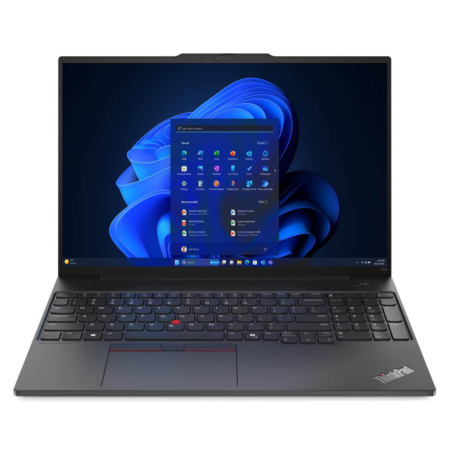
Lenovo ThinkPad E16 Gen 2 (2024)
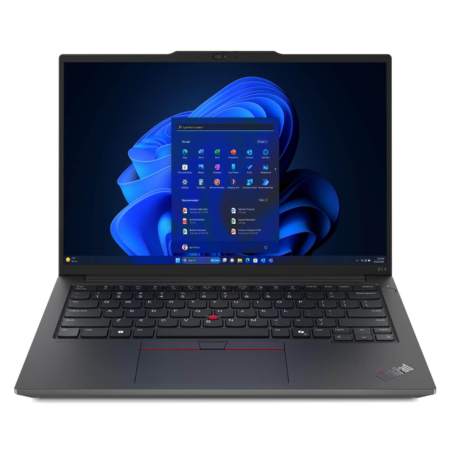
Lenovo ThinkPad E14 Gen 6 (2024)
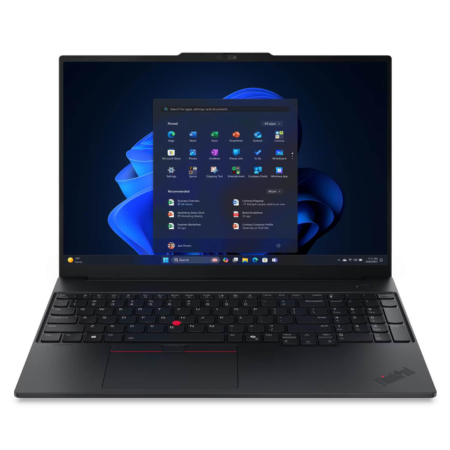 5 configurations
Lenovo ThinkPad E16 Gen 3 (2025)
 6 configurations
Lenovo ThinkPad E14 Gen 7 (2025)





Share your review of this product
Write a reviewThere are no reviews yet.