

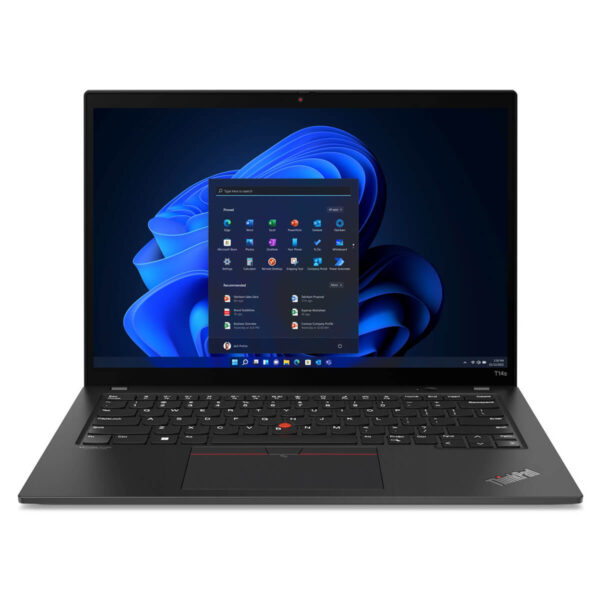
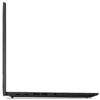
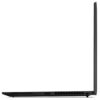
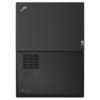
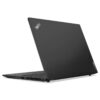
Lenovo ThinkPad T14s Gen 3 (2022)
- CPU: Intel Core i5 1245U vPro Up To 4.4GHz (10 Cores, 12 Threads, 12MB Cache)
- RAM: LPDDR5 16GB 4800MHz
- SSD: 256GB Gen 4 PCIe x4 M.2 SSD
- VGA: Intel® Iris® Xe Graphics
- DISPLAY: 14" WUXGA IPS (1920 x 1200), Touchscreen, Anti-Glare, 300 nits, 45% NTSC
- CONDITION: Like New 99%
- WARRANTY: Bảo hành 12 tháng
- Professional Design, Business Standard
- Superior Performance with 12th Gen Intel CPU
- Display of Thinkpad T14s Gen 3 (2022)
- Keyboard & TouchPad on Thinkpad T14s Gen 3
- Ports, Connectivity & Battery Life
- Military-Grade Durability & Data Security
- Summary & Review of Lenovo ThinkPad T14s Gen 3 (2022)
- FAQ - Frequently Asked Questions about Lenovo ThinkPad T14s Gen 3 (Intel, 2022)
- Where to buy a reliable Lenovo Thinkpad T14s Gen 3 at a good price?
ThinkPad T14s Gen 3 (2022) is the ideal choice for modern business users thanks to its combination of lightweight design, powerful performance, and numerous flexible work-support features. With an upgrade from the previous generation, Lenovo continues to assert its position by optimizing both performance and user experience. Featuring an impressive configuration and a sharp screen, this laptop not only meets mobile work needs well but also contributes to a professional image for the user.
Professional Design, Business Standard
Design is the first element to impress on the Lenovo ThinkPad T14s Gen 3, as the machine weighs only about 1.22kg and possesses a compact shape, making it easy to accompany users on every trip. This is an ideal business laptop for those who frequently move between meetings, offices, or business trips.
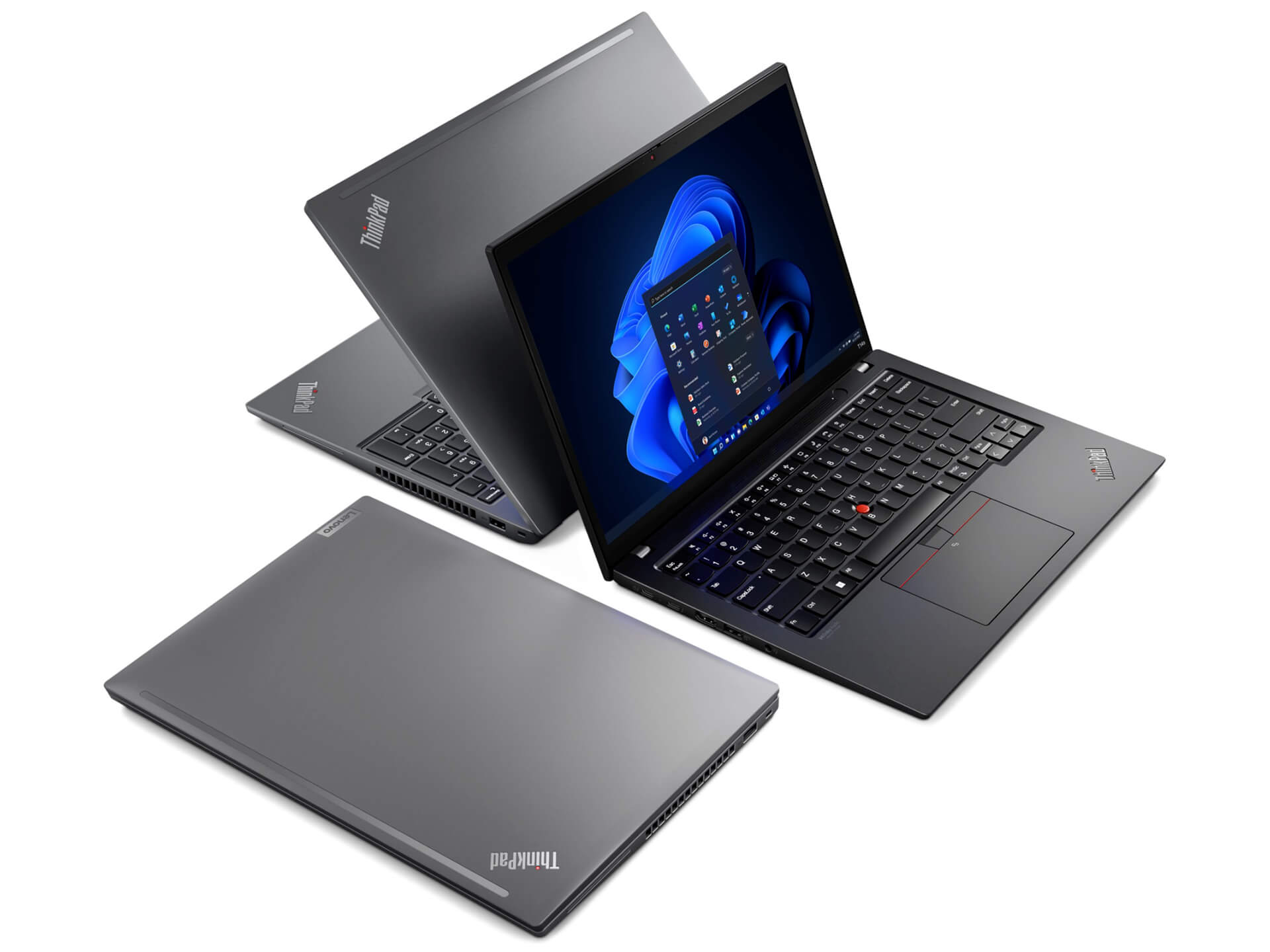
The appearance of the ThinkPad T14s Gen 3 demonstrates sophistication and class with a premium material finish, providing a sturdy feel during use. The flexible hinge allows for maximum opening, supporting various flexible usage modes such as a 360-degree fold for presentations or convenient content sharing. This design flexibility helps the machine adapt well to many different working environments.
Built to military-grade durability standards, the ThinkPad T14s Gen 3 is not only durable but also environmentally friendly due to the use of recycled materials. The overall dimensions of only 317.5 x 226.9 x 16.6mm further highlight its portability and space optimization when carrying. This is the ideal choice for users needing a device that is both thin and light while ensuring durability and stable performance in daily work.
Superior Performance with 12th Gen Intel CPU
Performance is a highlight of the Lenovo ThinkPad T14s Gen 3, equipped with the Intel Core i7-1270P vPro processor featuring 12 cores and 16 threads. This configuration allows the machine to smoothly handle all tasks from office work to intensive applications. This is the ideal choice for enterprise users needing a device that is both thin and light while providing reliable performance.
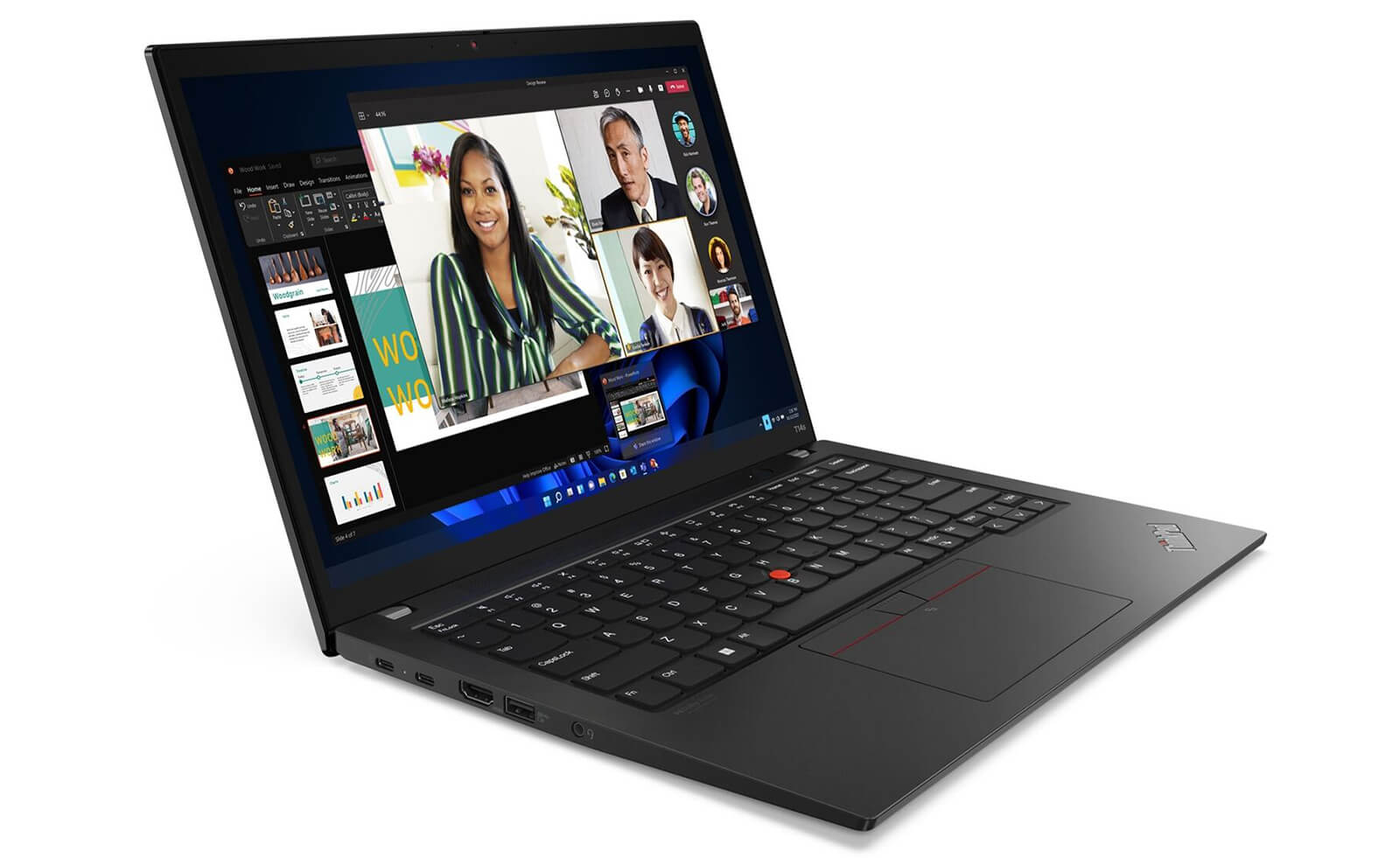
Additionally, the 16GB LPDDR5 RAM with a 4800MHz bus speed allows for efficient multitasking, even when opening many software programs simultaneously. The smoothness in usage helps users work continuously without experiencing lag. The 512GB PCIe Gen4 SSD ensures rapid access speeds, helping to shorten boot times and application loading.
Not only powerful in processing, the ThinkPad T14s Gen 3 is also integrated with Intel Iris Xe Graphics, meeting the needs of image editing, video processing, and professional presentations. With the combination of advanced hardware and stable operation, this laptop brings peace of mind to users looking for a versatile device for modern work.
Display of Thinkpad T14s Gen 3 (2022)
In the business laptop segment, the screen is always a factor that directly affects the user experience. The Lenovo ThinkPad T14s Gen 3 (2022) is equipped with a 14-inch IPS screen with 1920 x 1200 pixels resolution, providing sharp images and realistic colors. This is the optimal choice for office tasks, online meetings, or deep document reading.
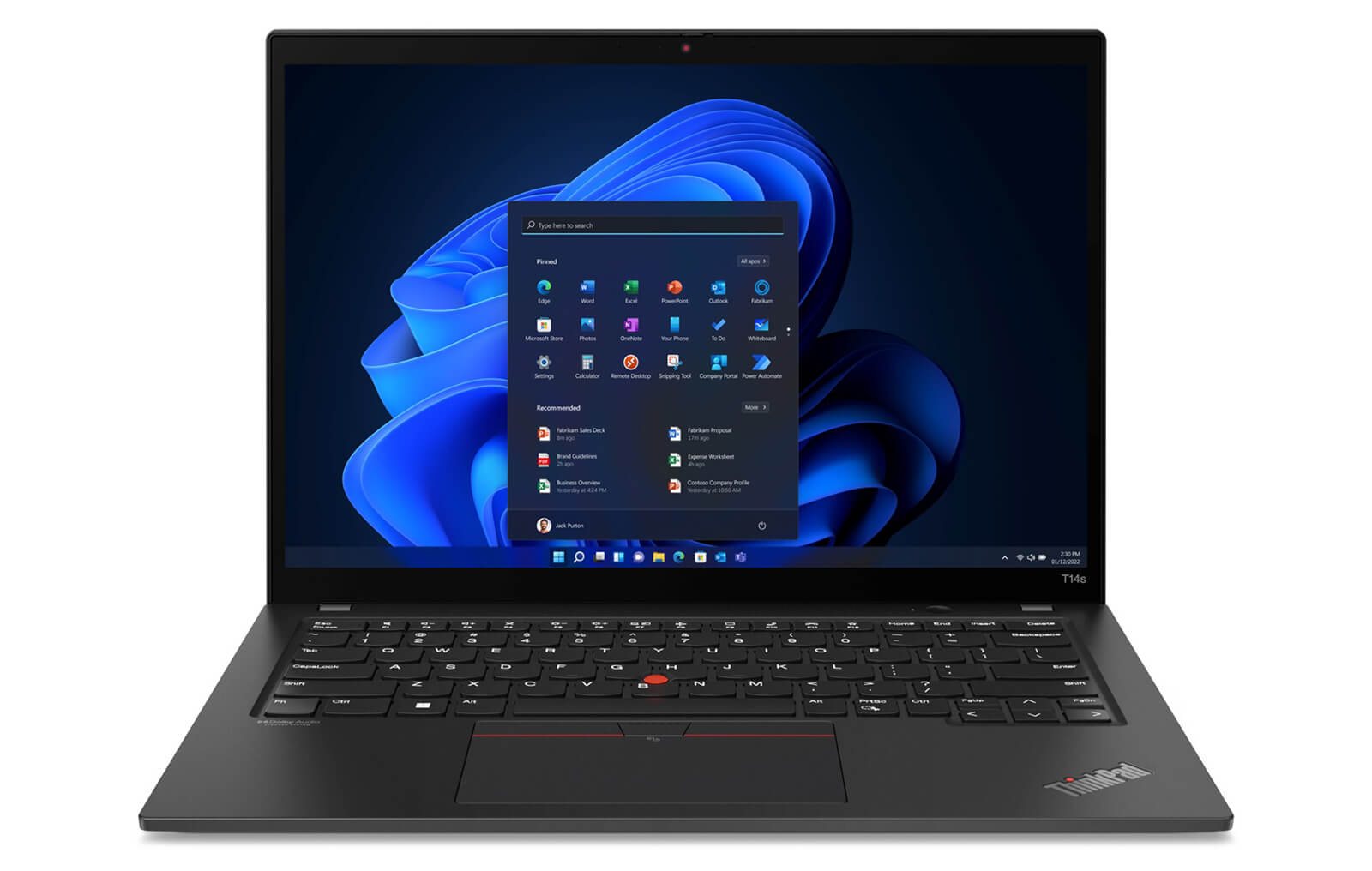
With a brightness of 300 nits and effective anti-glare capability, the ThinkPad T14s Gen 3 screen allows users to work comfortably even in brightly lit areas. The 16:10 aspect ratio helps expand the vertical display space, supporting smoother multitasking and increasing efficiency when splitting windows.
In addition to the standard IPS version, Lenovo also provides a 2.8K OLED screen (2880 x 1800) option with 100% DCI-P3 color gamut and brightness up to 400 nits. This version delivers vibrant, detailed, and vivid images, ideal for creative tasks such as photo editing, video production, or watching high-quality movies. This is a major plus for users requiring professional display quality.
Keyboard & TouchPad on Thinkpad T14s Gen 3
One of the impressive highlights of the ThinkPad T14s Gen 3 is the legendary keyboard system of the ThinkPad line, providing a professional typing experience that few laptop lines can match. With appropriate tactile feedback, firm key presses, and minimized flex, users can operate for long periods while maintaining comfort. The function keys are scientifically arranged, providing optimal support for office work and document processing.
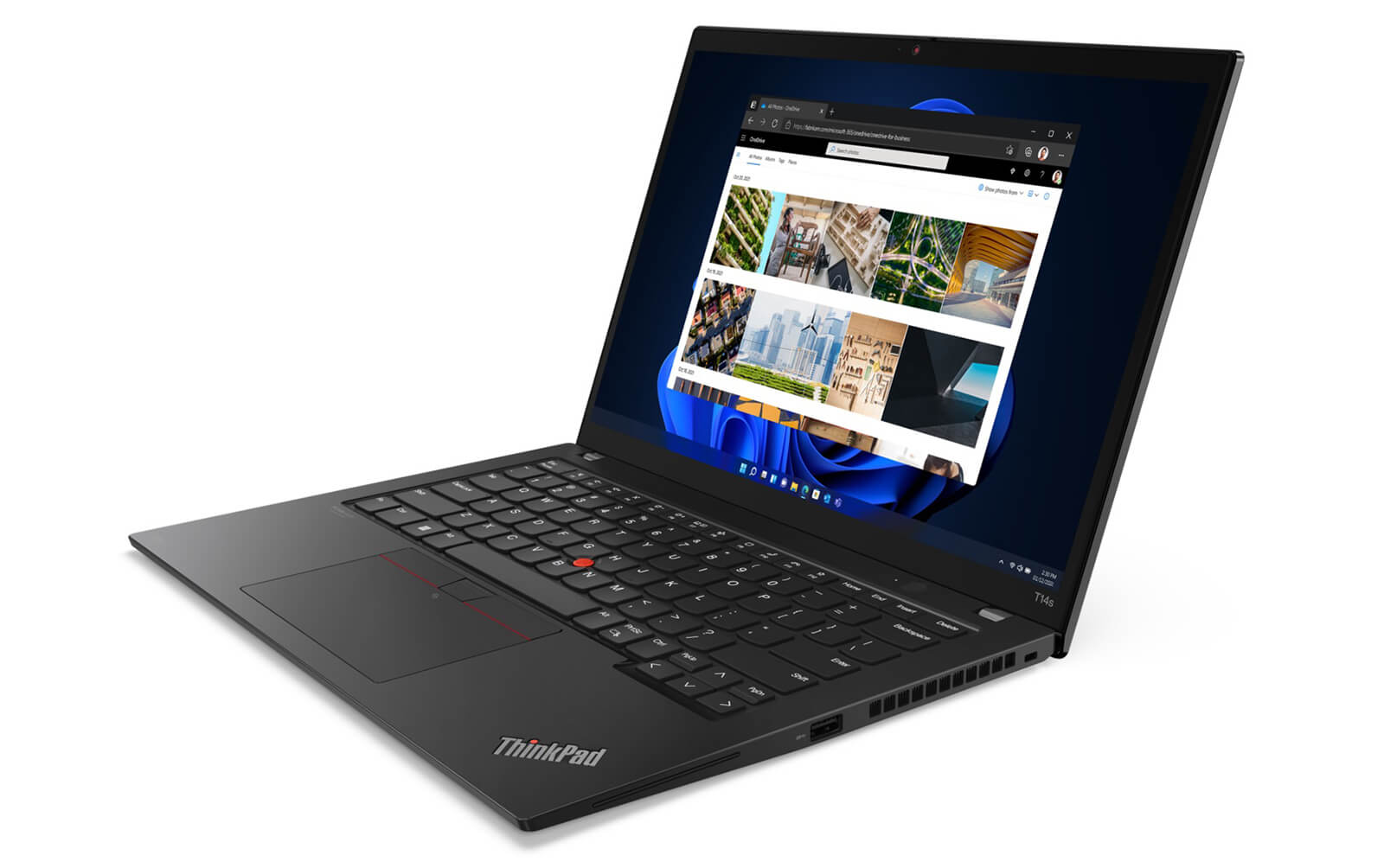
Additionally, the machine's TouchPad has a large area, high sensitivity, and smooth multi-touch support, helping users operate precisely without needing an external mouse. An indispensable characteristic of ThinkPad models is the TrackPoint-the prominent red center navigation button. The TrackPoint allows users to control the cursor flexibly right in the middle of the keyboard without moving their hands from the main keys, enhancing work efficiency in cramped environments.
Not only focusing on the typing feel, the Lenovo ThinkPad T14s Gen 3 is also equipped with a backlit keyboard, supporting efficient work in low-light conditions. This feature is particularly useful for those who frequently work at night or on long business trips. The combination of the keyboard and pointing device on the T14s Gen 3 not only meets office needs well but also creates a significant difference compared to many competitors in the same segment.
Ports, Connectivity & Battery Life
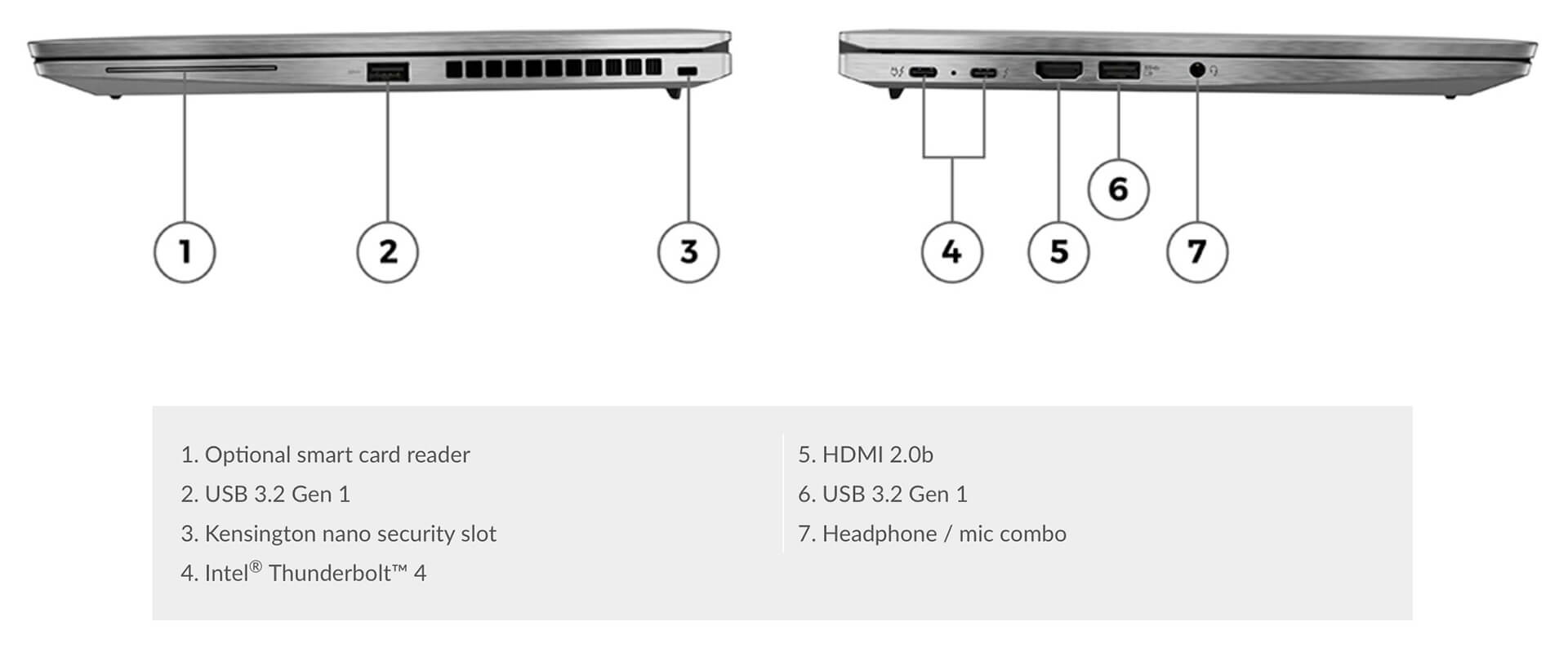
The Lenovo ThinkPad T14s Gen 3 not only stands out with powerful performance but also scores points thanks to its diverse connectivity system and impressive battery life. The machine is equipped with 2 Thunderbolt 4 ports, 2 USB-A 3.2 Gen 1 ports, 1 HDMI 2.0b port, and a headphone jack with integrated microphone, fully meeting the needs of connecting peripherals such as external monitors, external keyboards, or projectors. This is a major advantage for users who frequently travel or work in dynamic office environments.
In addition, the ThinkPad T14s Gen 3 also possesses high-speed wireless connectivity with Intel AX211 Wi-Fi 6E (802.11AX standard, 2x2) supporting vPro™, along with Bluetooth 5.2 helping to maintain a stable connection with wireless peripherals like headphones, mice, or smartphones. The Dolby Audio™ sound system integrated with Dolby Voice® and 2 user-facing microphones provides a clearer and more professional video calling and meeting experience.
Regarding battery life, the machine is equipped with a 57Wh Lithium-Ion battery that supports fast charging, helping users work continuously for many hours without worrying about power. This is a valuable plus for business professionals or office personnel needing a laptop with good battery endurance to support mobile work.
Military-Grade Durability & Data Security
Durability is always a highly rated factor in business laptop lines, and the Lenovo ThinkPad T14s Gen 3 continues to maintain this standard. The machine has passed a series of rigorous tests according to MIL-STD-810H standards, ensuring resistance to impact, vibration, and temperature changes, making it suitable for harsh working environments or frequent business trips. This is a reliable choice for users who prioritize device stability and durability.
In terms of security, the ThinkPad T14s Gen 3 is fully equipped with modern technologies such as a fingerprint sensor, the ThinkShield platform, and the PrivacyGuard feature, helping to enhance privacy and protect personal data from prying eyes. Additionally, the machine's cooling system operates effectively, ensuring stable temperatures even when processing heavy tasks, contributing to maintaining long-term performance and durability for the device.
Summary & Review of Lenovo ThinkPad T14s Gen 3 (2022)
Lenovo ThinkPad T14s Gen 3 (2022) continues to assert its position in the business laptop segment thanks to the combination of a thin, light design and impressive performance. With a weight of only about 1.22kg, this machine easily accompanies users on every work journey. The Intel Core i7-1270P vPro processor, Intel Iris Xe graphics, along with 16GB LPDDR5 RAM and a PCIe SSD provide fast processing capabilities for all office tasks and multitasking.
Not only outstanding in performance, the ThinkPad T14s Gen 3 also scores points thanks to its high-quality keyboard, sharp IPS screen or 2.8K OLED option, along with diverse connectivity with Thunderbolt 4, USB-A, HDMI, and Wi-Fi 6E. Certified according to MIL-STD-810H standards, the machine ensures superior durability and stable operation in many different environments. This is the ideal choice for those who need a device that is both flexible and powerful to serve professional work.
| Pros | Cons |
|---|---|
|
|
FAQ - Frequently Asked Questions about Lenovo ThinkPad T14s Gen 3 (Intel, 2022)
1. Is the ThinkPad T14s Gen 3 powerful enough to handle intensive office tasks and programming?
Equipped with an Intel Core i7-1270P CPU (12 cores, 16 threads), up to 32GB LPDDR5 RAM, and a PCIe SSD, the machine smoothly handles tasks such as complex Excel, data analysis, and programming in IDEs like VS Code, IntelliJ, or Docker/virtual machines - providing stable performance throughout the day.
2. Is the 14
The 14″ IPS WUXGA (1920×1200) anti-glare screen, with ~300 nits brightness and 100% sRGB color gamut, provides sharp and clear display-very suitable for programming and light UI image processing.
3. Does the machine maintain performance when opening many IDEs, browsers, and Docker simultaneously?
The improved cooling system helps the CPU maintain high performance even when running heavy multitasking. According to reviews, the experience when compiling, running Docker, or virtual machines is very smooth, with almost no performance drops encountered.
4. Is the ThinkPad T14s Gen 3 suitable for 2D photo editing and basic color processing?
The integrated Intel Iris Xe GPU is capable of handling Photoshop and Lightroom for photo editing tasks, batch processing, and basic 2D graphic design-suitable for light content creation needs.
5. Can the machine play games or handle heavy 3D graphics?
No-the T14s Gen 3 is not designed for AAA gaming or intensive 3D rendering. This device is aimed at users who need to handle office work, programming, and light design with flexibility.
6. How long is the actual battery life when using it for office work and programming?
According to Lenovo documentation, the 57Wh battery version used under optimal conditions (WUXGA, Windows, 150 nits brightness) can achieve maximum duration as tested by MobileMark® 2018.
Source: Lenovo PSREF
Real-world experience on Linux (browsing, coding) records about 6-8 hours on Windows, and 8-10 hours on Linux when optimizing battery with TLP.
7. When running IDE and Docker, does the machine maintain a stable temperature?
According to user feedback on Reddit, the machine operates extremely quietly and coolly, with the fan being almost inaudible after 2 weeks of use-providing a comfortable long-term programming experience without worrying about overheating.
8. Is the ThinkPad T14s Gen 3 highly compatible with the Linux operating system?
Users have successfully installed Ubuntu 22.04, Manjaro, and Fedora with full features: Wi-Fi, touchpad, HDMI, fingerprint... all working smoothly.
Source: linux-hardware.org
9. Is the ThinkPad T14s Gen 3 suitable for running Docker, Git CLI, and software development?
With stable performance, large RAM, and high-speed storage, the machine is very suitable for developers and data professionals when they need to build, test, run containers, or source code seamlessly without worrying about lag.
10. What is the warranty policy at Hung Phat Laptop for the ThinkPad T14s Gen 3?
Hung Phat Laptop provides a 12-month warranty for new machines and a 30-day replacement if there is a manufacturer defect. Like-new or used machines (models from 2022 and earlier) have a 6-month warranty, still applying a 30-day replacement in the first month, along with free cleaning, software installation, and nationwide delivery.
Where to buy a reliable Lenovo Thinkpad T14s Gen 3 at a good price?
The Lenovo ThinkPad T14s Gen 3 is a highly recommended choice for anyone looking for a lightweight Ultrabook that still possesses powerful performance. With a balanced configuration and compact design, the machine meets mobile work needs well. If you are still unsure where to buy a reliable ThinkPad T14s Gen 3, please refer to Hung Phat Laptop.
Hung Phat Laptop is an authorized Lenovo laptop distributor, specializing in official imports with clear invoices and origins. In addition to competitive prices, you will also enjoy a transparent warranty policy along with attractive offers when purchasing the Lenovo ThinkPad T14s Gen 3 here.
Performance & benchmarks Lenovo ThinkPad T14s Gen 3 (2022)
Intel Core i5-1245U Intel Iris Xe Graphics G7 80EUs - best for Văn phòng 8.5/10, Lập trình 5.5/10.
Intel Core i5-1245U
- Cinebench R23 (đa nhân)8,199
- Geekbench 6 (đa nhân)8,356
- Geekbench 6 (đơn nhân)2,136
- Cores / Threads10/12
Intel Iris Xe Graphics G7 80EUs iGPU
- 3DMark Time Spy1,181
- 3DMark Fire Strike4,048
- ArchitectureGen. 11 Ice Lake
Best for
Scored from real benchmarks- Chơi game1.5/10
- Dựng phim / Đồ hoạ2.5/10
- Lập trình5.5/10
- Văn phòng8.5/10
Why CPU matters
CPU là “bộ não” xử lý mọi tác vụ: mở ứng dụng, đa nhiệm, biên dịch, dựng phim. CPU càng mạnh, máy càng nhanh và mượt khi làm nhiều việc cùng lúc.
- Cơ bảnThis product
Lướt web, xem phim, soạn thảo văn phòng nhẹ.
- Phổ thôngThis product
Văn phòng, đa nhiệm vừa, học tập.
- Tầm trungThis product
Đa nhiệm tốt, lập trình, đồ hoạ nhẹ.
- Khá mạnhThis product
Dựng phim, lập trình nặng, ảo hoá, chơi game.
- Cao cấpThis product
Render nặng, biên tập 4K/8K, máy ảo, tác vụ AI.
Why GPU matters
GPU (card đồ hoạ) lo phần hình ảnh: chơi game, dựng video, render 3D và tăng tốc AI. GPU càng mạnh, khung hình game càng cao và xuất video càng nhanh.
- Cơ bản (iGPU)This product
Hiển thị mượt, xem phim 4K, game rất nhẹ (LMHT, Valorant mức thấp).
- Phổ thôngThis product
Game eSports 1080p, chỉnh ảnh, dựng video nhẹ.
- Tầm trungThis product
Game 1080p thiết lập trung-cao, dựng video Full HD ổn.
- Khá mạnhThis product
Game 1080p/1440p thiết lập cao, dựng video 4K, render 3D.
- Cao cấpThis product
Game 4K/240Hz, ray tracing, render & AI nặng.
Game performance
Real FPS - FHD- Dota 243 fps1080p Cao
- CS231 fps1080p Thấp
- GTA V71 fps1080p Trung bình
- CoD: Black Ops 615 fps1080p Thấp
- God of War Ragnarök14 fps1080p Thấp
- Cyberpunk 207715 fps1080p Thấp
🟢 ≥60fps rất mượt · 🟡 30-60fps chơi tốt · 🔴 <30fps cần giảm thiết lập
Local AI performance
Tokens/second running locally on GPU- Gemma 4 E2B IT5.6 GB · ctx 256K6.0 tok/sDecent
- GLM-4 9B5.1 GB · ctx 128K7.0 tok/sDecent
- Gemma 4 E4B4.6 GB · ctx 256K8.0 tok/sDecent
- Ministral 8B4.6 GB · ctx 32K8.0 tok/sDecent
- Qwen 3.5 4B4.6 GB · ctx 32K8.0 tok/sDecent
- DeepSeek R1 Distill 7B4.1 GB · ctx 64K9.0 tok/sRuns well
- Gemma 4 E2B3.1 GB · ctx 256K12 tok/sRuns well
- Qwen 3.5 2B2.5 GB · ctx 32K14 tok/sRuns well
- Phi-4 Mini Reasoning2.4 GB · ctx 16K15 tok/sRuns well
- Llama 3.2 3B2 GB · ctx 128K18 tok/sRuns well
- SmolLM3 3B2 GB · ctx 128K18 tok/sRuns well
- DeepSeek R1 1.5B1.3 GB · ctx 64K28 tok/sRuns great
- Qwen 3.5 0.8B1.3 GB · ctx 32K28 tok/sRuns well
- TinyLlama 1.1B1.1 GB · ctx 2K33 tok/sRuns well
- Llama 3.2 1B1 GB · ctx 128K36 tok/sRuns well
- Gemma 2 9B5.1 GB · ctx 8K7.0 tok/sDecent
- Nemotron Nano 9B v25.1 GB · ctx 128K7.0 tok/sDecent
- Llama 3.1 8B4.6 GB · ctx 128K8.0 tok/sDecent
- Qwen 3 8B4.6 GB · ctx 128K8.0 tok/sDecent
- Mistral 7B v0.34.1 GB · ctx 32K9.0 tok/sRuns well
- Qwen 2.5 7B4.1 GB · ctx 128K9.0 tok/sRuns well
- Qwen 2.5 Coder 7B4.1 GB · ctx 128K9.0 tok/sRuns well
- Qwen 3 4B2.5 GB · ctx 32K14 tok/sRuns well
- Gemma 3 4B2.5 GB · ctx 128K14 tok/sRuns well
- Phi-3.5 Mini2.4 GB · ctx 128K15 tok/sRuns well
- Gemma 2 2B1.5 GB · ctx 8K24 tok/sRuns great
- Qwen 3 1.7B1.4 GB · ctx 32K26 tok/sRuns great
- Qwen 2.5 Coder 1.5B1.3 GB · ctx 32K28 tok/sRuns great
- Qwen 3 0.6B1.1 GB · ctx 32K33 tok/sRuns well
- Gemma 3 1B1 GB · ctx 32K36 tok/sRuns well
🟢 Great · 🟡 Well · 🟠 Decent - 4-bit quantized, ctx = context window
No comments yet
Q&A about Lenovo ThinkPad T14s Gen 3 (2022)
Frequently asked questions about Lenovo ThinkPad T14s Gen 3 (2022)
What are the specifications of Lenovo ThinkPad T14s Gen 3 (2022)?
What is the warranty for Lenovo ThinkPad T14s Gen 3 (2022)?
Can I buy Lenovo ThinkPad T14s Gen 3 (2022) with home delivery?
Worth a Look
 2 configurations
Lenovo ThinkPad T1G Gen 8 (2026)
 3 configurations
Lenovo ThinkPad T16 Gen 4 (2025)
 4 configurations
Lenovo ThinkPad T14s Gen 6 (2025)
 3 configurations
Lenovo ThinkPad T14 Gen 6 (2025)





Chú Lợi 13/01/2025Purchased at Hung Phat
The machine runs very quietly; I will provide more reviews after using it for a while.
Lo Bỉnh Kiên 27/11/2024Purchased at Hung Phat
The technical support team is very responsive.
Anh Quang 16/12/2023Purchased at Hung Phat
Works great, no issues at all.
Tạ Minh Duy 16/06/2023Purchased at Hung Phat
The consultants are very professional.