

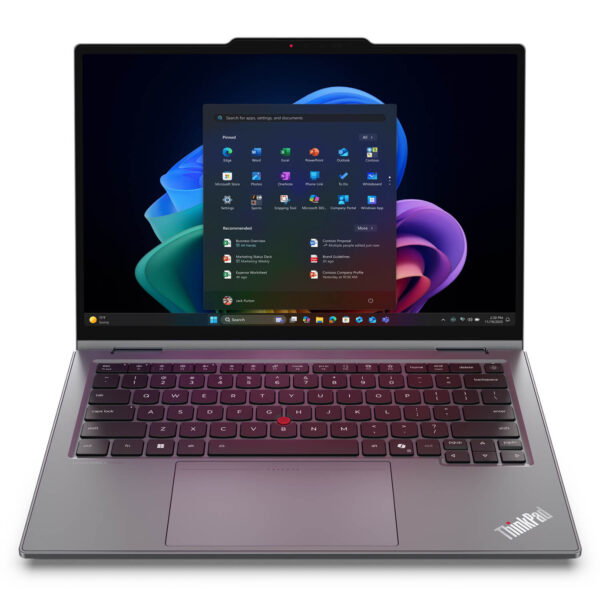
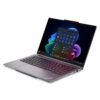
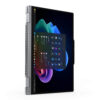
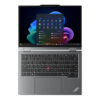
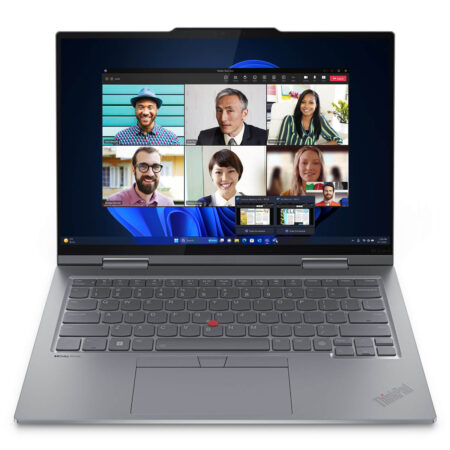
Lenovo ThinkPad X1 2-in-1 Gen 11 | Aura Edition (2026)
- CPU: Intel Core Ultra 7 365 vPro Up To 4.8GHz (8 Cores, 8 Threads, 12MB Cache - 49 TOPS NPU)
- RAM: LPDDR5X 32GB 8533MHz
- SSD: 512GB PCIe Gen4 M.2 SSD
- VGA: Intel® Graphics
- DISPLAY: 14″ WUXGA (1920*1200) IPS, Touchscreen, Anti-Reflection, 100% sRGB, Eyesafe®, 500nit - Gập 360 độ
- CONDITION: New 100% Full Box
- WARRANTY: 12-month warranty
- A business-grade design that is flexible and refined
- Powerful AI PC performance with Intel® Core™ Ultra Series 3
- A sharp touchscreen built for work and creativity
- A keyboard, TrackPoint, and TouchPad that uphold the ThinkPad standard
- Military-grade durability and comprehensive data security
- Ports, connectivity, and battery life for a mobile workday
- Summary of the ThinkPad X1 2-in-1 Gen 11 | Aura Edition (2026)
- FAQ - Frequently asked questions about the Lenovo ThinkPad X1 2-in-1 Gen 11 | Aura Edition (2026)
- Where to buy the ThinkPad X1 2-in-1 Gen 11 | Aura Edition at a trusted store with a good price?
ThinkPad X1 2-in-1 Gen 11 | Aura Edition (2026) is a notable step up from Lenovo in the premium business laptop segment. It brings together the three things professionals always look for: a flexible 360° convertible design, powerful AI PC performance for the modern workday, and a dependable security platform for handling important data with confidence every day. It also comes with a built-in charging Lenovo Slim Pen, turning the laptop into an all-in-one tool for executives, managers, and content creators.
A business-grade design that is flexible and refined
ThinkPad X1 2-in-1 Gen 11 | Aura Edition (2026) makes a good impression at first glance with a clean, sturdy look that fits the spirit of a premium business laptop. The chassis uses 75% recycled aluminum in the lid and 90% recycled magnesium in the keyboard frame and space frame, giving it a premium feel in the hand while keeping it light enough for busy days on the move. Starting at just 1.2kg and measuring 313.5 x 219.25mm, it slips easily into any professional bag.
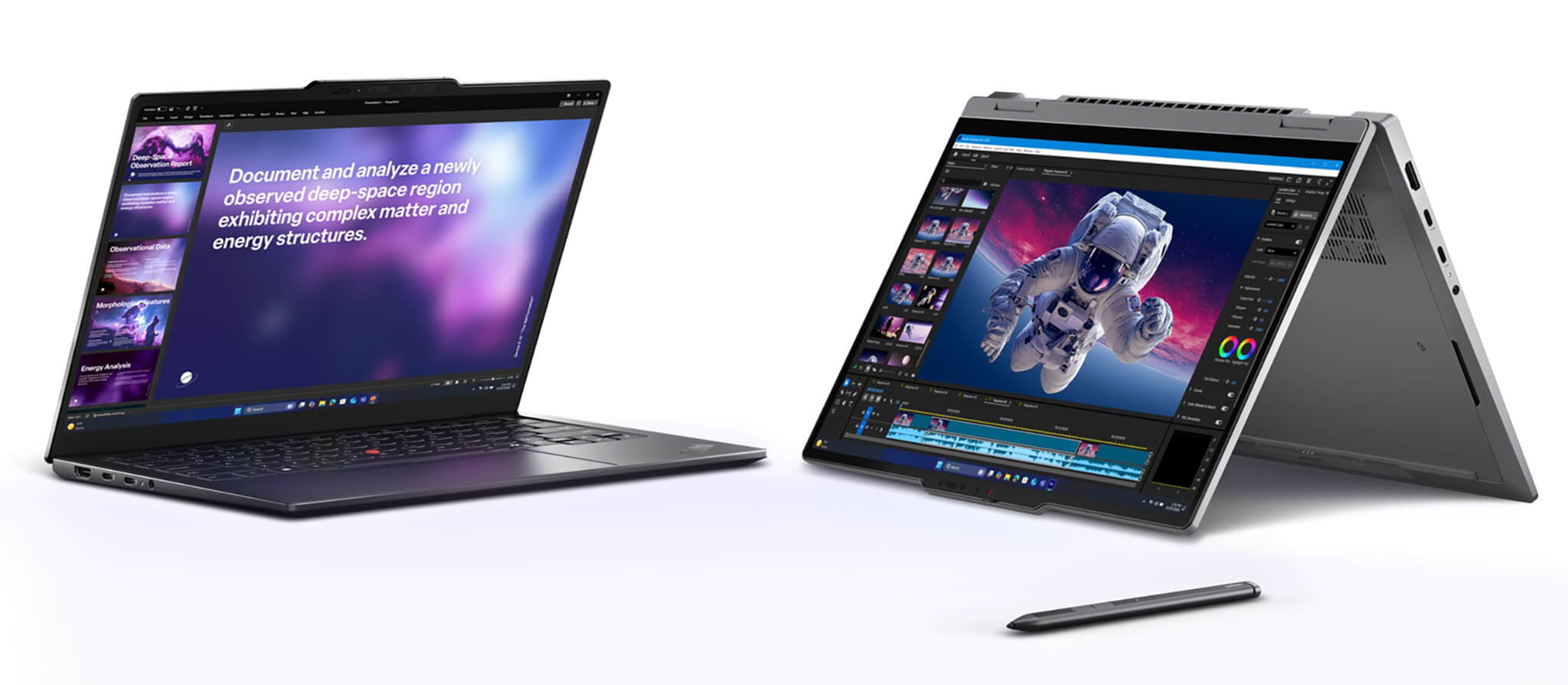
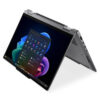
The standout feature of this line is its 360-degree hinge, which lets you switch quickly between laptop, tablet, presentation (tent), and pen note-taking modes. It is a very practical kind of flexibility for executives, managers, content creators, and anyone who has to attend meetings and handle documents on a single device. The Lenovo Slim Pen charges as soon as it is docked in the slot on the front of the laptop, or you can attach it magnetically to the edge of the screen when the lid is open, so you never lose it.
The laptop meets the MIL-STD-810H standard with more than 200 quality tests, ensuring stable operation in extreme temperatures, vibration, and everyday bumps. Together with a 9/10 iFixit Repairability score, this is a business design built to look professional in any setting, from the boardroom and the coffee shop to short business trips.
Powerful AI PC performance with Intel® Core™ Ultra Series 3
ThinkPad X1 2-in-1 Gen 11 Aura (2026) is powered by the Intel® Core™ Ultra Series 3 platform, delivering fast, stable processing that suits multitasking work environments especially well. Whether you are working through heavy spreadsheets, keeping many windows open at once, sitting through long video meetings, or creating content, the laptop feels quick and smooth. This is the first generation of chips built on the Intel 18A process, bringing a significant performance jump over the previous generation.

The integrated AI NPU reaches up to 50 TOPS, helping the laptop run newer workflows better, such as Copilot+ support, improved online meeting quality, noise filtering, smart content processing, and better productivity across many modern tools. It is also the foundation for the full set of Copilot+ PC features, including Recall, Click to Do, Live Captions with real-time translation from more than 40 languages, and Windows Studio Effects, which automatically adjusts framing, eye contact, and noise filtering during video calls.
| Highlights | Real-world value | |
|---|---|---|
| CPU | Intel Core Ultra 5 335 / Ultra 7 355 / Ultra 7 365 vPro® | Fast multitasking and responsive performance in professional work environments |
| NPU | Up to 50 TOPS | Copilot+ PC, Recall, Live Captions, Windows Studio Effects |
| Graphics | Integrated Intel® Graphics | Smooth photo editing, short videos, heavy slide decks, and 2D graphics |
| RAM / SSD | Up to 64GB LPDDR5x / 1TB PCIe Gen4 | Fast app launches, smooth task switching, high-speed storage |
In practical terms, this configuration is a great fit for customers who want to invest in a business laptop with a long service life that runs reliably and does not run out of steam as workloads grow over time.
A sharp touchscreen built for work and creativity
The display is one of the things that sets the ThinkPad X1 2-in-1 Gen 11 (2026) apart among premium business laptops. The 16:10 aspect ratio shows more content vertically, making work feel more open and convenient when handling documents, spreadsheets, or several windows side by side. Every display option supports multi-touch and includes Eyesafe® certification to reduce harmful blue light.
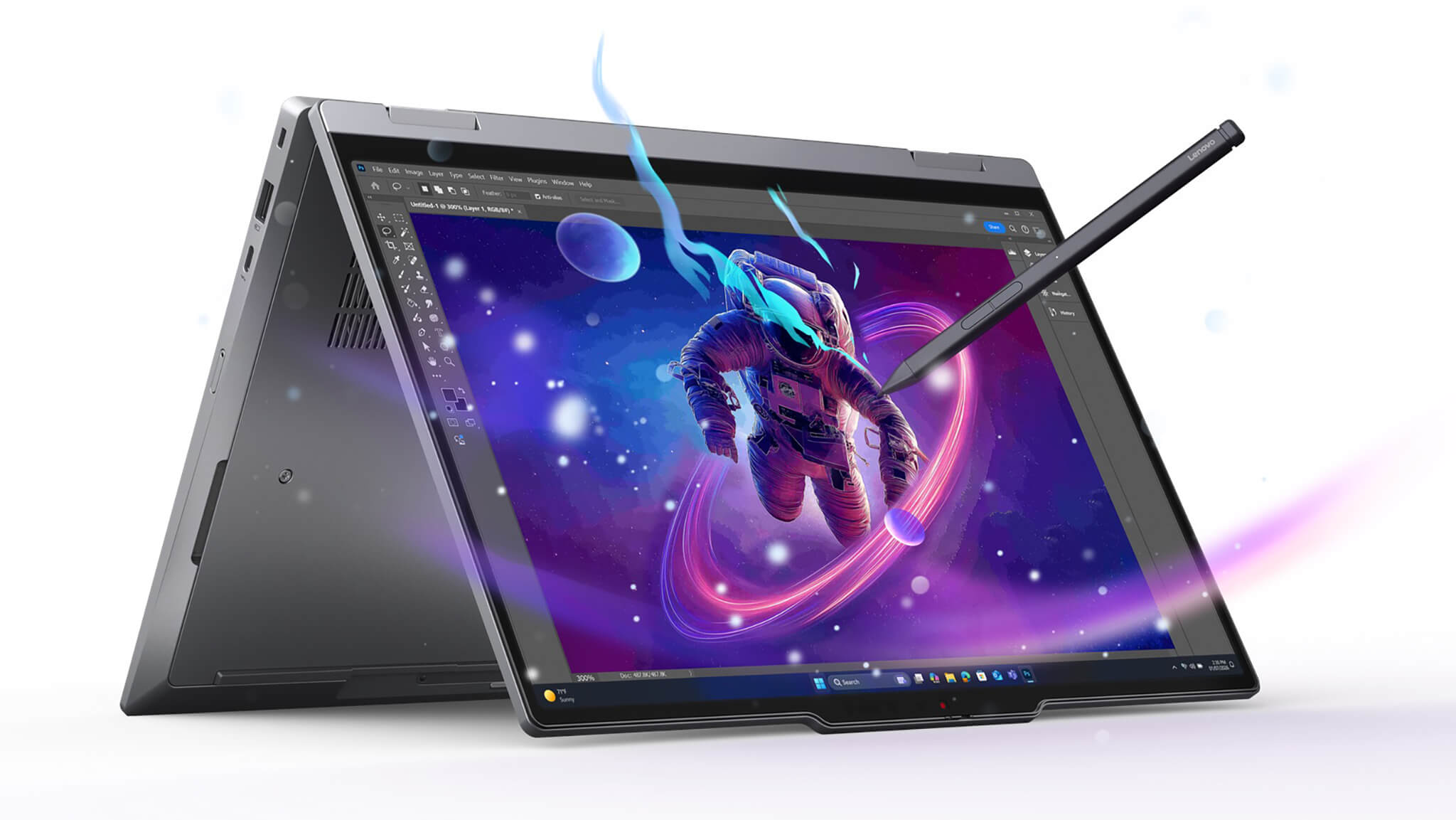
The 2.8K OLED (2880×1800) version, with 120Hz VRR, 500 nits, 100% DCI-P3, and VESA DisplayHDR True Black 500 certification, will appeal to anyone who prioritizes beautiful color, high contrast, and striking visuals in creative work. The WUXGA IPS (1920×1200) Low Power version, with 500 nits and 100% sRGB, suits users who want the best balance of sharpness, brightness, anti-glare performance, and battery life. The WUXGA IPS PrivacyGuard option is ideal for anyone who often works in public spaces and needs to keep on-screen information private.
Multi-touch combined with the Lenovo Slim Pen included in the box makes taking notes, signing documents, and sketching ideas feel far more natural. It is the kind of upgrade that premium office users, managers, and content creators will notice every day, not a spec that merely makes the spec sheet look good.
A keyboard, TrackPoint, and TouchPad that uphold the ThinkPad standard
The keyboard has always been one of the reasons users stay loyal to ThinkPad X laptops, and the ThinkPad X1 2-in-1 Gen 11 keeps that strength. A solid typing feel, good bounce with 1.5mm of key travel, white LED backlighting, and a familiar layout make it especially well suited to people who write a lot of emails, reports, contracts, or long documents. The power button integrates a fingerprint sensor right in the keyboard for instant startup and login with no extra steps.
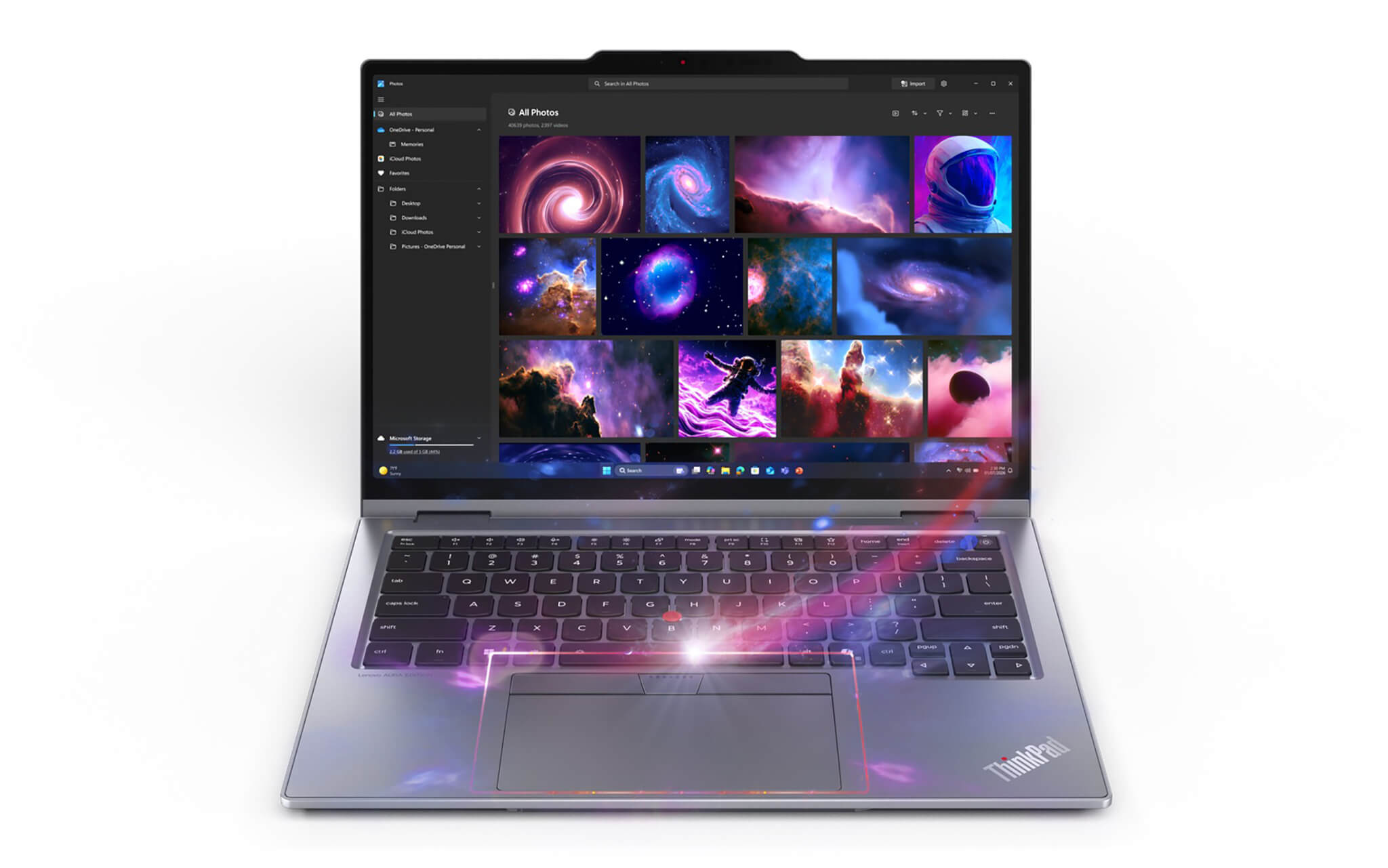
The iconic red TrackPoint remains a valuable detail for professionals, especially when you need to work quickly in tight spaces without taking your hands off the keyboard area. New in Gen 11 is the double-tap TrackPoint feature, which opens the TrackPoint Quick Menu to tune audio and video, toggle mute alerts, and use the Dictation Toolbar to turn speech into text instantly.
The glass TouchPad (130mm x 80mm) or haptic TouchPad responds well and supports smooth multi-touch gestures, making the whole navigation experience more cohesive. A spill-resistant design protects the keyboard from unexpected accidents in demanding work environments. Combining all three elements, keyboard, TrackPoint, and TouchPad, the ThinkPad X1 2-in-1 Gen 11 continues to show why this business laptop line is so highly rated for real-world usability.
Military-grade durability and comprehensive data security
A good business laptop needs to be not only powerful but also durable and secure enough for work data. The ThinkPad X1 2-in-1 Gen 11 meets both requirements with MIL-STD-810H certification and more than 200 quality tests, allowing it to hold up reliably against bumps, vibration, temperature stress, and harsh conditions during daily travel.
Lenovo also equips it with the comprehensive ThinkShield security suite, which includes: dTPM 2.0 data encryption, Microsoft Pluton, Self-healing BIOS, Intel® Threat Detection Technology for AI-based threat detection, facial recognition, a match-on-chip fingerprint sensor, and Alert Presence Detection, which warns you when someone else is nearby. A mechanical webcam shutter and the optional PrivacyGuard add another layer of protection for your data and privacy in any situation.
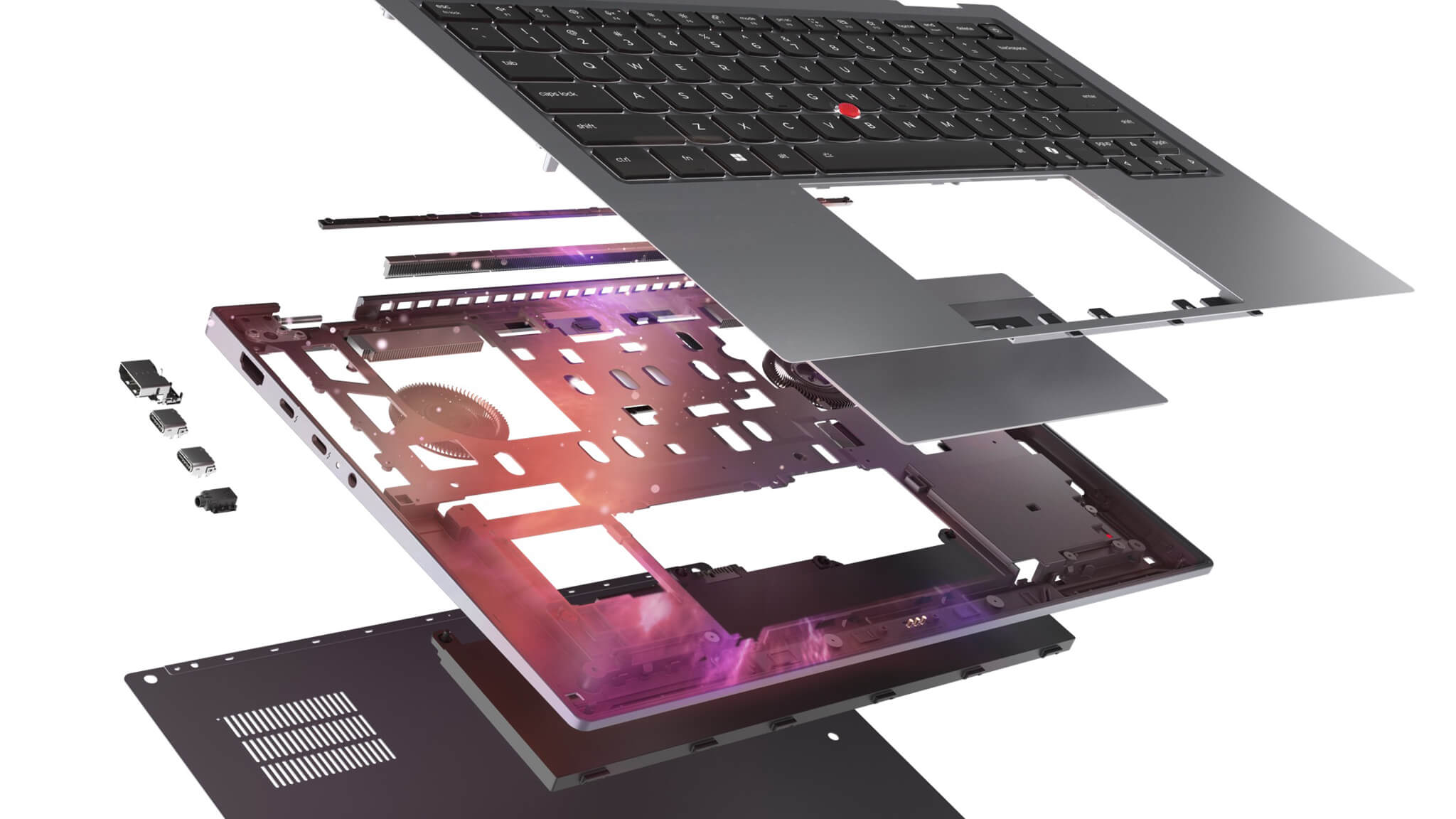
In addition, the 9/10 iFixit Repairability Score and CRU (Customer Replaceable Unit) design let you replace the battery, keyboard, SSD, USB-C ports, and I/O board at home without sending the laptop in for warranty service. With recycled materials and EPEAT® Gold with Climate+, TCO 10, and ENERGY STAR® 9.0 certifications, this model suits modern businesses where operational efficiency goes hand in hand with sustainability.
Ports, connectivity, and battery life for a mobile workday
In real-world use, convenient ports and a long-lasting battery are often just as important as the specs. The ThinkPad X1 2-in-1 Gen 11 comes with a full set of ports for professionals, including 3 Thunderbolt™ 4 ports (40Gbps) that support high-speed data transfer, multiple external displays, and fast charging at the same time, plus 1 USB-A (5Gbps), HDMI 2.1 supporting 4K@60Hz, and a combo headphone/mic jack. This is a port selection rarely seen on a thin and light laptop, enough to cover every office connectivity need without a hub.
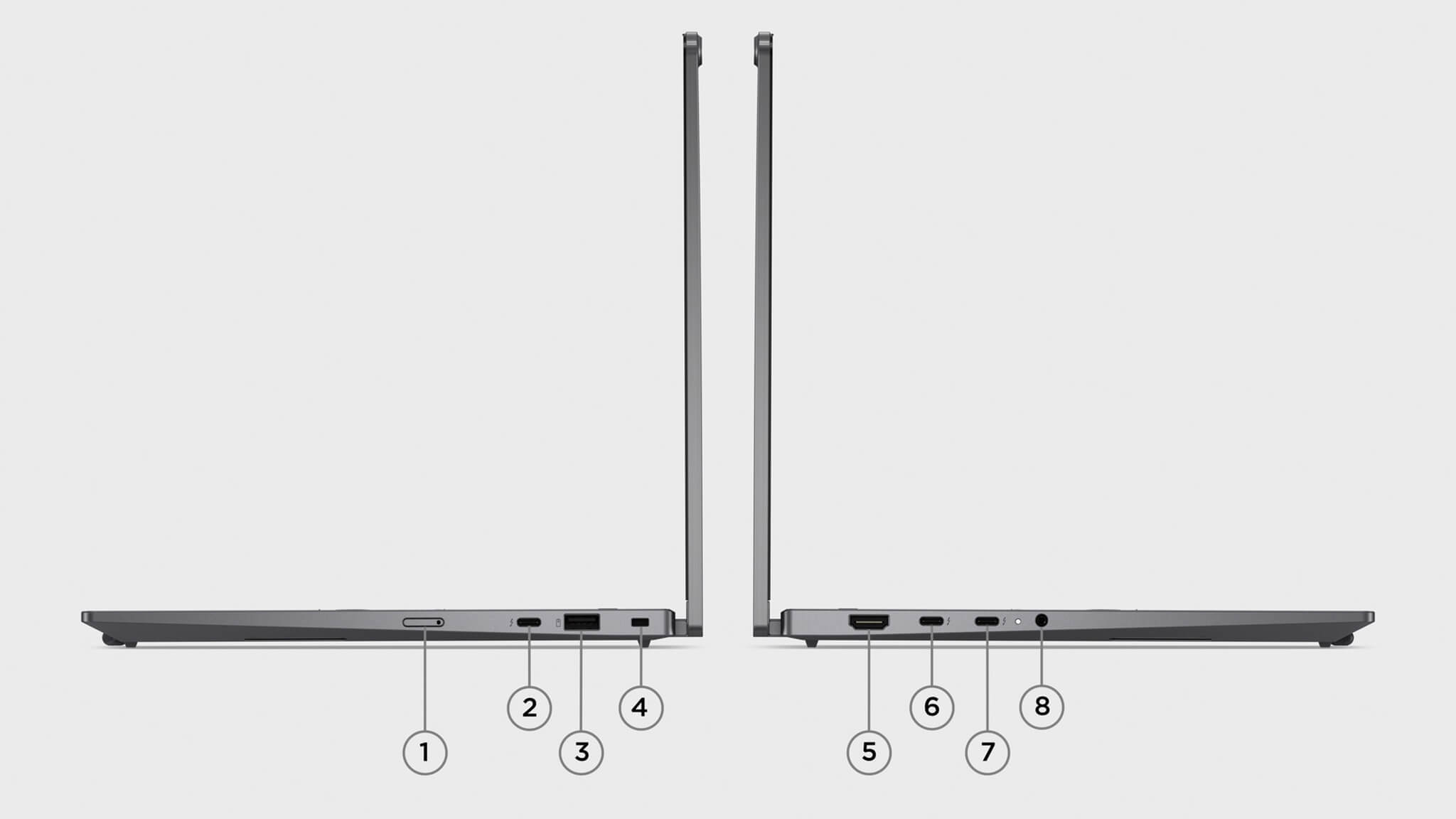
| Port / Connectivity | Specs | Notes |
|---|---|---|
| Thunderbolt™ 4 | 40Gbps × 3 (USB-C) | Fast charging, video output, high-speed data transfer |
| USB-A | 5Gbps × 1 | Connects standard peripherals |
| HDMI | HDMI 2.1 | Supports video output up to 4K@60Hz |
| Audio jack | Combo headphone/mic | Online meetings, headphones |
| Wi-Fi | Wi-Fi 7, 802.11BE (2×2) | Bluetooth 5.4, the fastest wireless speeds available today |
| WWAN | Optional 4G LTE / 5G Sub-6GHz | Built-in eSIM, mobile connectivity anywhere |
| Lock slot | Kensington Nano Security Slot™ | Anti-theft protection in the office |
The 58Whr CRU battery (user-replaceable) supports Rapid Charge, reaching 80% in just 60 minutes with the compact 65W GaN charger included in the box, 4 times faster than a standard adapter. When you need a quick turnaround between meetings, that is a clear advantage, especially for users with packed schedules who are constantly on the move.
Summary of the ThinkPad X1 2-in-1 Gen 11 | Aura Edition (2026)
ThinkPad X1 2-in-1 Gen 11 | Aura Edition (2026) is a premium business laptop that covers just about everything professionals are looking for: a beautiful 360° convertible design at an ultralight 1.2kg, Copilot+ PC performance with Intel Core Ultra Series 3, a high-quality OLED or IPS touchscreen, a durable ThinkPad keyboard, and the comprehensive ThinkShield security platform. The built-in charging Lenovo Slim Pen and three Thunderbolt 4 ports remain rare highlights on a thin and light laptop in this segment.
The most valuable thing about this model is its balance. It does not try to impress with flashy specs. Instead, it wins users over with a mature, stable real-world experience that suits the modern workplace. That is why the ThinkPad X1 2-in-1 Gen 11 is especially well suited to executives, managers, consultants, and creators who need a device that is professional, portable, and durable over time.
If you are looking for a 2-in-1 business laptop that can keep up with a packed schedule while still projecting a premium image in front of clients or partners, this is a strong option to consider in the top-tier segment for 2026.
| Pros | Cons |
|---|---|
|
|
FAQ - Frequently asked questions about the Lenovo ThinkPad X1 2-in-1 Gen 11 | Aura Edition (2026)
1. Is the ThinkPad X1 2-in-1 Gen 11 (Aura Edition) suitable for office work, accounting, and studying?
Yes. It is a great fit for users who need a thin and light business laptop that is still powerful enough for Excel, reports, online meetings, and advanced study. The 360-degree design also makes note-taking and presenting far more flexible than on a conventional laptop.
2. Can it handle running many apps such as Office, Google Workspace, and video meetings?
Absolutely. The Intel Core Ultra Series 3 platform, fast LPDDR5x RAM, and PCIe Gen4 SSD keep the laptop running smoothly with many tabs open and Office, Google Workspace, Zoom, or Teams running at the same time, with no stuttering or lag.
3. Do the keyboard, touchscreen, and stylus work well over long periods of use?
Yes. The ThinkPad keyboard is known for staying comfortable during long typing sessions, while the touchscreen and the Lenovo Slim Pen included in the box make note-taking, signing documents, brainstorming, and presenting directly on screen much more convenient. The pen also charges automatically when docked on the laptop.
4. Is the ThinkPad X1 2-in-1 Gen 11 | Aura Edition (2026) suitable for programmers?
It suits programmers who prioritize a compact, lightweight laptop, a good keyboard, a 16:10 display, and stable multitasking. It handles web development, backend work, system administration, and running development environments at a high productivity level. The three Thunderbolt 4 ports also make it easy to connect docks and external displays.
5. How do the Copilot+ PC and built-in AI features support work?
The laptop fully supports Copilot+ PC with its 50 TOPS NPU: Recall to find content you have seen before, Click to Do for smart action suggestions, Live Captions with real-time translation from 40+ languages, and Windows Studio Effects to automatically frame your face and filter noise in video meetings. Lenovo Aura Edition also adds extra smart experiences tuned specifically for this line.
6. What is the real-world battery life of the ThinkPad X1 2-in-1 Gen 11 (Aura Edition)?
For typical office work and online meetings, the 58Whr battery can comfortably cover a long workday, nearly a full day. When you need to recharge, the included 65W GaN charger reaches up to 80% in just 60 minutes, 4 times faster than a standard adapter. If battery life is your priority, the IPS Low Power configuration strikes a better balance than OLED.
7. Does it get hot or noisy during long use?
Gen 11 brings significant thermal improvements with a new space frame, a PCB that is 20% smaller to reduce system noise, and a fan that is 70% larger for better heat dissipation. Overall, it runs cooler and quieter than the previous generation, making it well suited to offices and meeting rooms.
8. Is it a good fit for people who like a flexible work environment?
Very much so. This is a true 2-in-1 business laptop that works as your main machine and switches quickly to tablet mode for taking notes, presenting, or signing documents when needed. The built-in charging Lenovo Slim Pen means you are always ready to change modes at any moment.
9. What is the warranty policy at Hung Phat Laptop for the ThinkPad X1 2-in-1 Gen 11 | Aura Edition (2026)?
Hung Phat Laptop offers a 12-month warranty on new laptops, with a replacement with a new unit within the first 30 days if there is a manufacturer defect. Like-new or used laptops come with a 6-month warranty and the same 30-day replacement, along with free cleaning, free software installation, and nationwide delivery.
Where to buy the ThinkPad X1 2-in-1 Gen 11 | Aura Edition at a trusted store with a good price?
ThinkPad X1 2-in-1 Gen 11
Performance & benchmarks Lenovo ThinkPad X1 2-in-1 Gen 11 | Aura Edition (2026)
Intel Core Ultra 7 365 Intel Graphics 4 Xe3 Panther Lake iGPU - best for Office 9.5/10, Programming 7/10.
Intel Core Ultra 7 365
- Geekbench 6 (multi-core)10,960
- Geekbench 6 (single-core)2,737
- PassMark21,203
- Cores / Threads8/8
Intel Graphics 4 Xe3 Panther Lake iGPU iGPU
- 3DMark Time Spy2,883
- 3DMark Fire Strike6,826
- AI INT840 TOPS
Best for
Scored from real benchmarks- Gaming2.5/10
- Video / Graphics4/10
- Programming7/10
- Office9.5/10
Why does the CPU matter?
The CPU is the "brain" that handles every task: launching apps, multitasking, compiling code and editing video. The stronger the CPU, the faster and smoother the laptop runs when you juggle many things at once.
- BasicThis product
Web browsing, streaming and light office work.
- MainstreamThis product
Office work, moderate multitasking and studying.
- Mid-rangeThis product
Solid multitasking, programming and light graphics work.
- StrongThis product
Video editing, heavy programming, virtualization and gaming.
- FlagshipThis product
Heavy rendering, 4K/8K editing, virtual machines and AI workloads.
Why does the GPU matter?
The GPU (graphics card) handles visuals: gaming, video editing, 3D rendering and AI acceleration. The stronger the GPU, the higher your frame rates and the faster your video exports.
- Basic (iGPU)This product
Smooth display, 4K video and very light games (League of Legends, Valorant on low).
- MainstreamThis product
1080p eSports gaming, photo editing and light video editing.
- Mid-rangeThis product
1080p gaming on medium-high settings and smooth Full HD video editing.
- StrongThis product
1080p/1440p gaming on high settings, 4K video editing and 3D rendering.
- FlagshipThis product
4K/240Hz gaming, ray tracing, heavy rendering and AI.
Game performance
Real FPS - FHD- Dota 274 fps1080p Ultra
- CS259 fps1080p Medium
- GTA V53 fps1080p High
- Black Myth: Wukong18 fps1080p Low
- Cyberpunk 207737 fps1080p Low
≥60fps very smooth30-60fps playable<30fps lower the settings
No comments yet
Q&A about Lenovo ThinkPad X1 2-in-1 Gen 11 | Aura Edition (2026)
Frequently asked questions about Lenovo ThinkPad X1 2-in-1 Gen 11 | Aura Edition (2026)
What are the specifications of Lenovo ThinkPad X1 2-in-1 Gen 11 | Aura Edition (2026)?
What is the warranty for Lenovo ThinkPad X1 2-in-1 Gen 11 | Aura Edition (2026)?
Can I buy Lenovo ThinkPad X1 2-in-1 Gen 11 | Aura Edition (2026) with home delivery?
Worth a Look
 3 configurations
Lenovo ThinkPad X1 Carbon Gen 14 | Aura Edition (2026)
Lenovo ThinkPad X9 14 inch | Aura Edition (2025)
 3 configurations
Lenovo Thinkpad X13 Gen 6 (Intel) (2025)
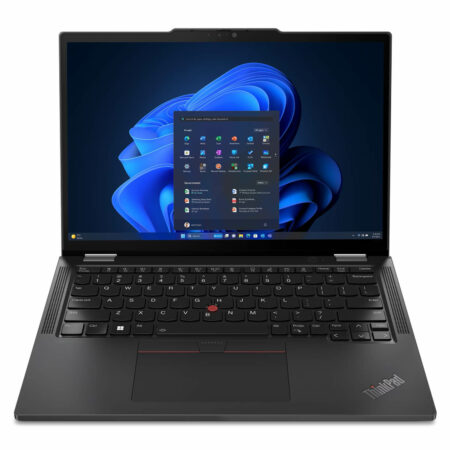
Lenovo ThinkPad X1 2-in-1 Gen 10 | Aura Edition (2025)





Lý Thùy Dương 21/07/2026
The machine is incredibly beautiful and feels very solid in hand, and the touchscreen is super smooth. With its powerful configuration, multitasking is seamless without any lag at all; it's definitely worth the money.
Mai Mai Trang 19/06/2026
It runs incredibly smoothly; the new chip handles multitasking very fast. The 360-degree flip screen is very convenient for my work, and the included pen is also top-notch.
Phạm Ngọc Mai 19/06/2026
Extremely beautiful design with a solid, premium feel. The touchscreen is smooth, and using it with a stylus is incredibly convenient for work. With its powerful configuration, it runs lightning-fast and is definitely worth every penny.