


Lenovo ThinkPad X1 Carbon Gen 11 (2023)
- CPU: Intel Core i5 1335U vPro Up To 4.6GHz (10 Cores, 12 Threads, 12MB Cache)
- RAM: LPDDR5 16GB 5200MHz
- SSD: 512GB PCIe M.2 SSD
- VGA: Intel® Iris® Xe Graphics
- DISPLAY: 14.0″ WUXGA (1920 x 1200) IPS, Non-Touch, 100% sRGB, anti-glare, low-power, 400 nits
- CONDITION: Like New 99%
- WARRANTY: 12-month warranty
- Modern, Premium Design
- Outstanding Performance with 13th Gen Intel Core CPUs
- ThinkPad X1 Carbon Gen 11 (2023) Display
- Keyboard & Touchpad
- Durability & Battery Life
- ThinkPad X1 Carbon Gen 11 (2023) Ports & Connectivity
- Lenovo ThinkPad X1 Carbon Gen 11 Summary
- FAQ - Frequently Asked Questions About the Lenovo ThinkPad X1 Carbon Gen 11 (2023)
- Where Should You Buy a Lenovo ThinkPad X1 Carbon Gen 11 at a Trusted Store with a Good Price?
Lenovo ThinkPad X1 Carbon Gen 11 (2023) is a premium Ultrabook that perfectly combines an ultralight design, powerful performance, and outstanding portability, making it an ideal solution for business professionals and professional users. With an optimized configuration, premium materials, and refined craftsmanship, the ThinkPad X1 Carbon Gen 11 reinforces its status as a modern business laptop, where flexibility, military-grade durability, and advanced technology come together to meet every mobile work demand in the digital era.
Modern, Premium Design
Lenovo ThinkPad X1 Carbon Gen 11 strikes a strong balance between a thin-and-light design, premium materials, and high mobility, meeting the flexible travel needs of today’s business professionals. Weighing just 1.12kg and measuring only 15.36mm thin, the device is easy to carry on business trips or to important meetings.
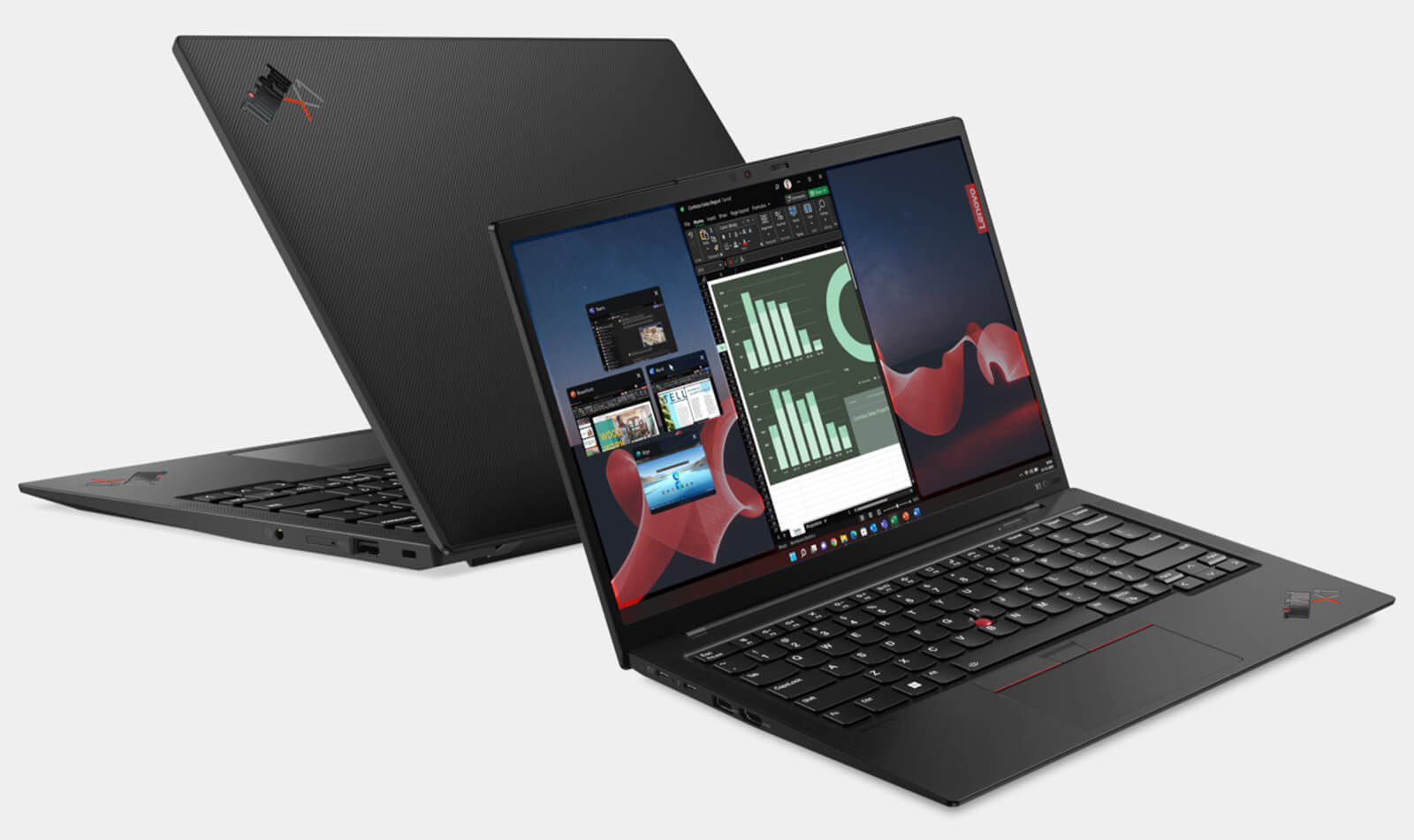
The ThinkPad X1 Carbon Gen 11 chassis is made from magnesium alloy and recycled plastic, helping improve durability while keeping weight to a minimum. According to Lenovo, the laptop uses up to 90% recycled magnesium and 98% recycled plastic, highlighting the brand’s commitment to environmental protection. Its detailed dimensions of 315.6 x 222.5 x 15.36 mm help maintain an ideal balance between rigidity and flexibility.
Beyond its thin-and-light form, the ThinkPad X1 Carbon Gen 11 stands out with a matte black finish and an illuminated ThinkPad logo that carries Lenovo’s signature identity. From the refined rounded edges to the balanced logo placement, every detail adds to the premium, professional look of this premium Ultrabook.
Outstanding Performance with 13th Gen Intel Core CPUs
Outstanding performance is a key reason the ThinkPad X1 Carbon Gen 11 (2023) stands out in the premium business laptop segment. Equipped with a 13th Gen Intel Core CPU, the device delivers excellent processing performance, handling demanding tasks smoothly in business environments. A broad range of configuration options includes: Intel Core i5-1335U, i7-1355U, i7-1365U, i7-1360P, and i7-1370P, giving users the flexibility to choose the right level of performance for their specific needs.
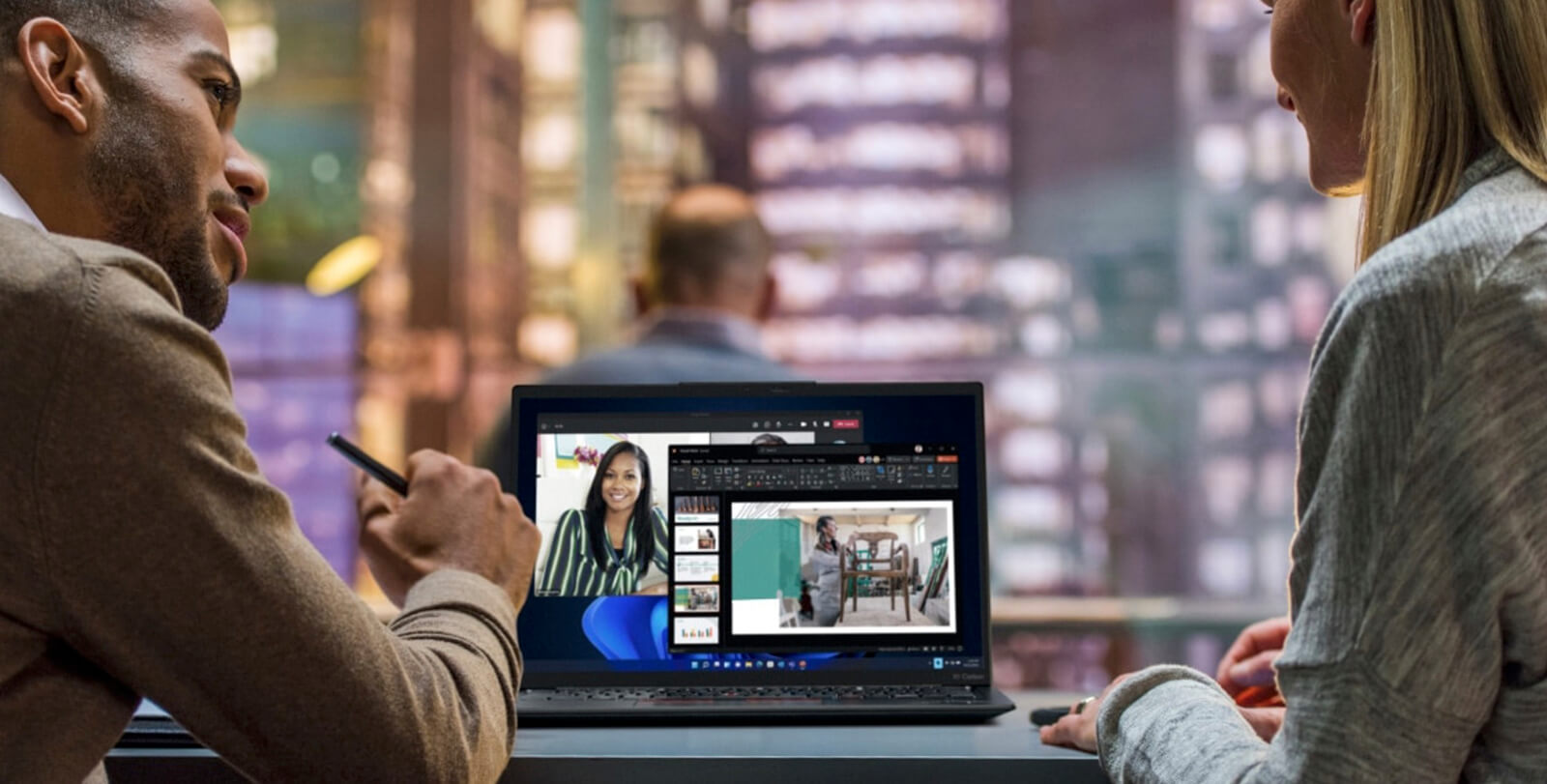
Beyond its powerful processor, the ThinkPad X1 Carbon Gen 11 also supports up to 64GB of LPDDR5 RAM and a PCIe Gen 4 SSD, delivering fast data access and quick operating system startup. Thanks to this configuration, the device handles multitasking well and supports heavier workloads such as programming, design, and video editing.
The combination of a 13th Gen Intel CPU, high-speed RAM, and ultrafast SSD storage makes the Lenovo ThinkPad X1 Carbon Gen 11 a dependable machine for business professionals, engineers, and creative content professionals who need a device that is both compact and capable of handling advanced workloads.
ThinkPad X1 Carbon Gen 11 (2023) Display
The ThinkPad X1 Carbon Gen 11 display is one of its key highlights, improving the visual experience for professional users. With multiple display options such as OLED 2.8K (2880 x 1800) and WUXGA IPS (1920 x 1200) in touch and non-touch versions, this laptop delivers sharp visuals, vibrant color, and impressive contrast. The 16:10 aspect ratio expands vertical screen space, supporting more efficient multitasking and productivity.
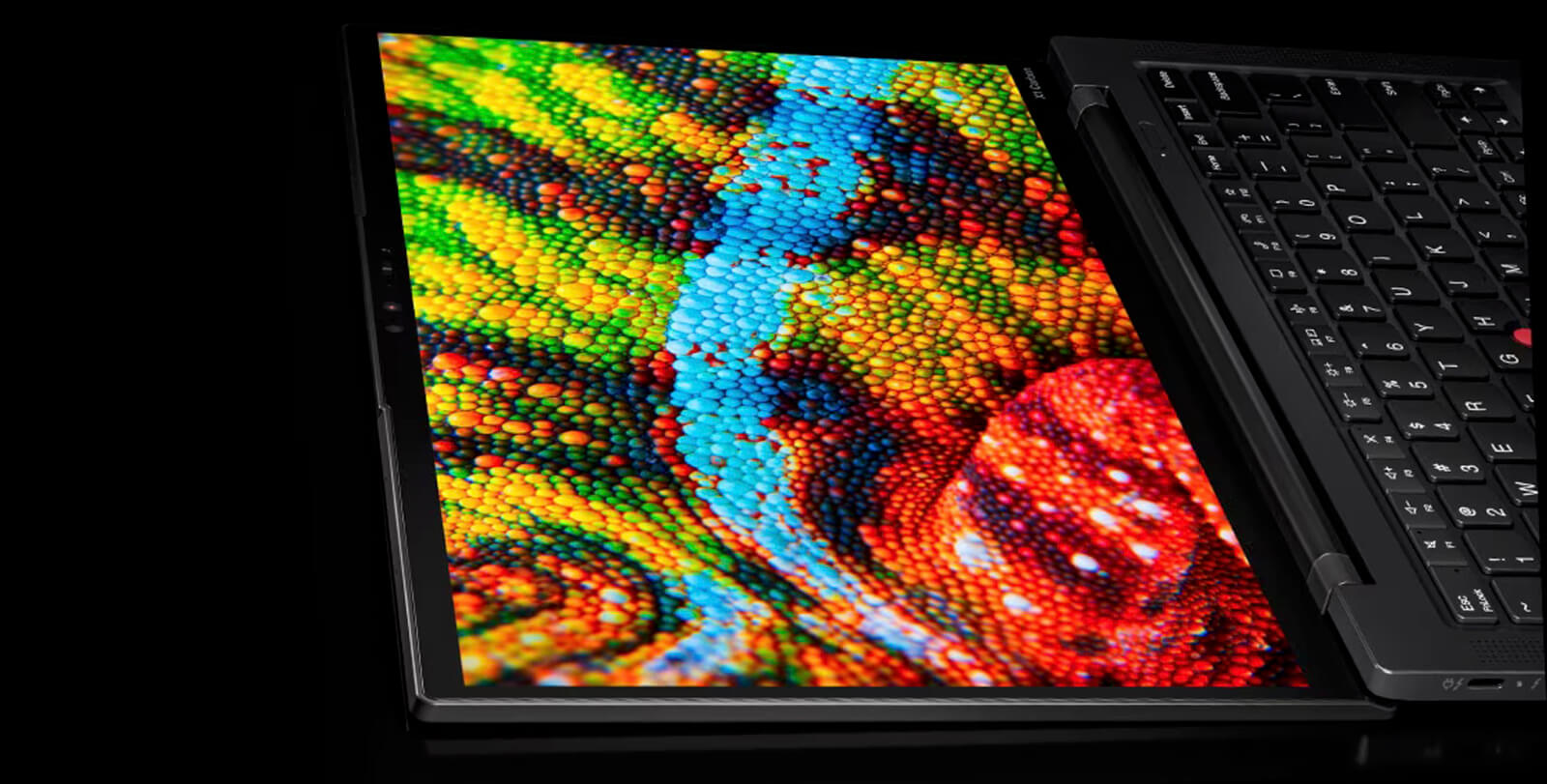
The OLED 2.8K display version offers a 100% DCI-P3 color gamut, 400 nits of brightness, and Eyesafe® low blue light technology, making it well suited for graphic work, video editing, or users who spend long hours on their laptop. The WUXGA version is also impressive, with 100% sRGB, strong anti-glare performance, and efficient power usage, making it ideal for business users.
In addition to its high-quality display, the ThinkPad X1 Carbon Gen 11 is equipped with Anti-Glare and Anti-Reflective coatings, helping reduce glare in outdoor work environments or brightly lit spaces. These features not only improve everyday flexibility but also create a well-rounded device ready to support users in any work setting.
Keyboard & Touchpad
The keyboard on the ThinkPad X1 Carbon Gen 11 is finely tuned for a precise, comfortable typing experience. The slightly concave key design and well-spaced layout help reduce errors during fast typing. In addition, the two-level backlight helps users work effectively even in low-light conditions, maintaining a professional experience in every situation.
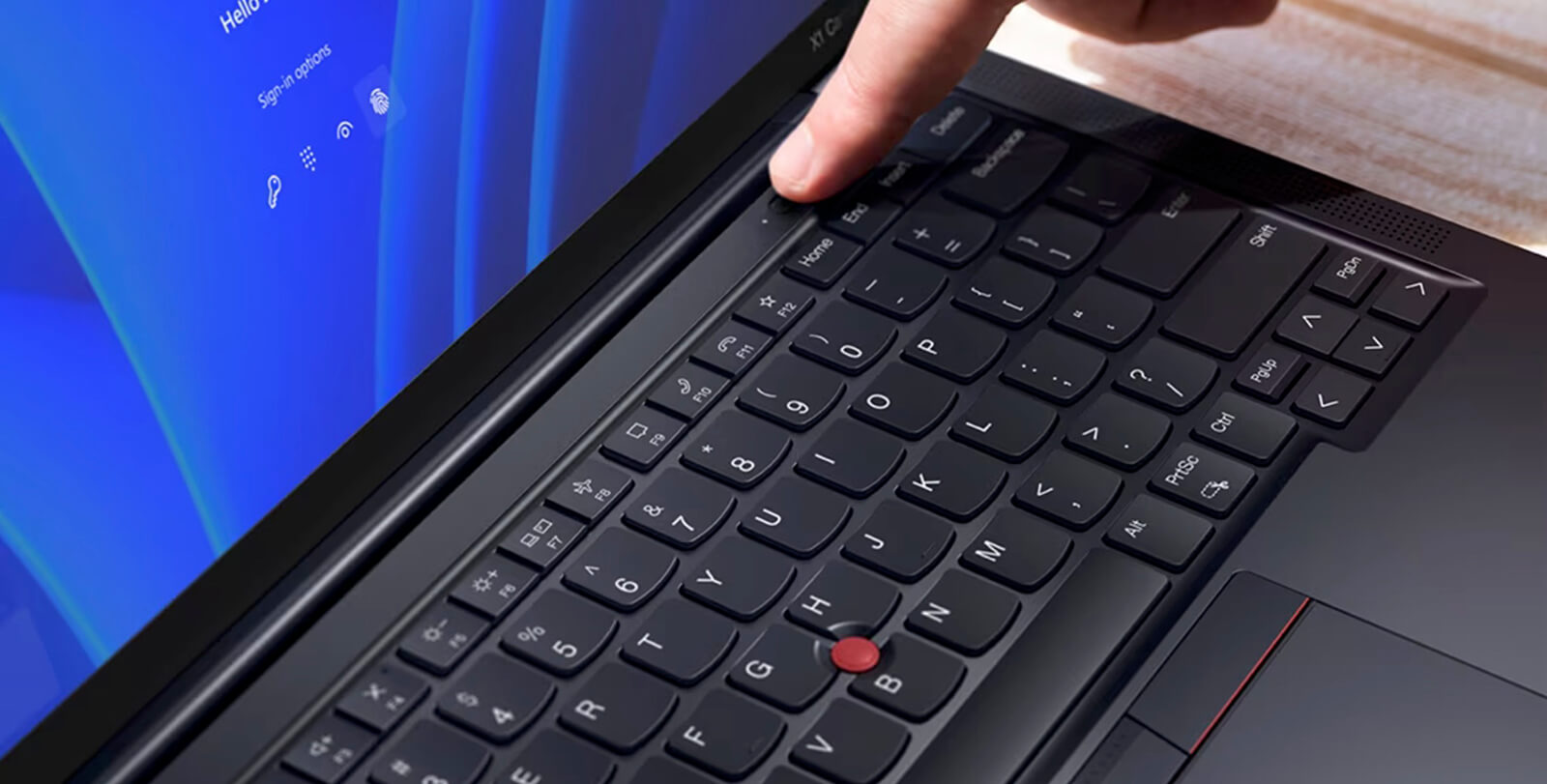
The touchpad on the Lenovo ThinkPad X1 Carbon Gen 11 has a spacious surface and supports responsive multi-touch gestures, making swiping, scrolling, and zooming smooth and accurate. Fast response and well-balanced surface friction maximize the user experience, matching the flexible work needs of business users.
Durability & Battery Life
The keyboard on the ThinkPad X1 Carbon Gen 11 is finely tuned for a precise, comfortable typing experience. The slightly concave key design and well-spaced layout help reduce errors during fast typing. In addition, the two-level backlight helps users work effectively even in low-light conditions, maintaining a professional experience in every situation.
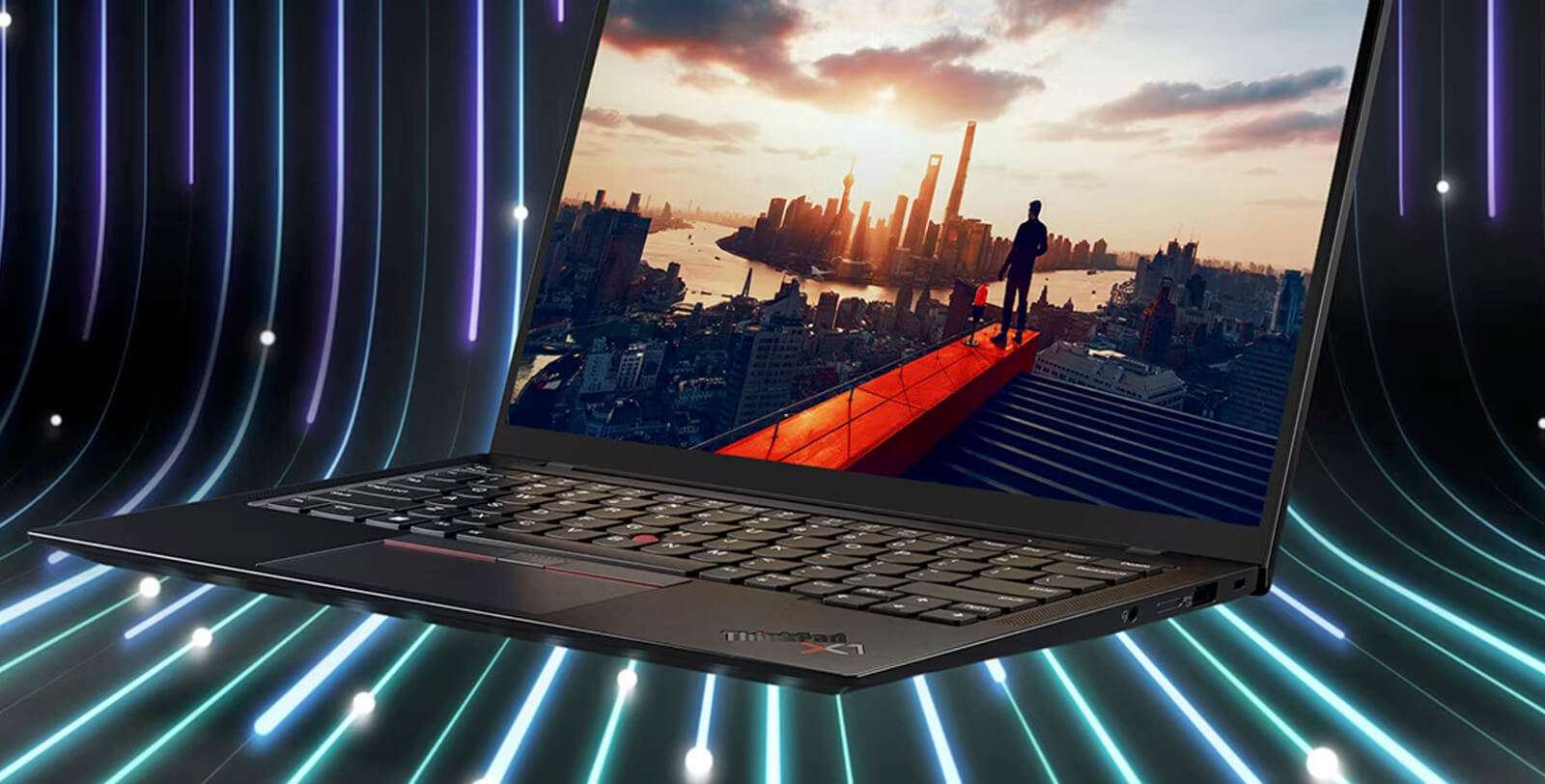
The touchpad on the Lenovo ThinkPad X1 Carbon Gen 11 has a spacious surface and supports responsive multi-touch gestures, making swiping, scrolling, and zooming smooth and accurate. Fast response and well-balanced surface friction maximize the user experience, matching the flexible work needs of business users.
ThinkPad X1 Carbon Gen 11 (2023) Ports & Connectivity
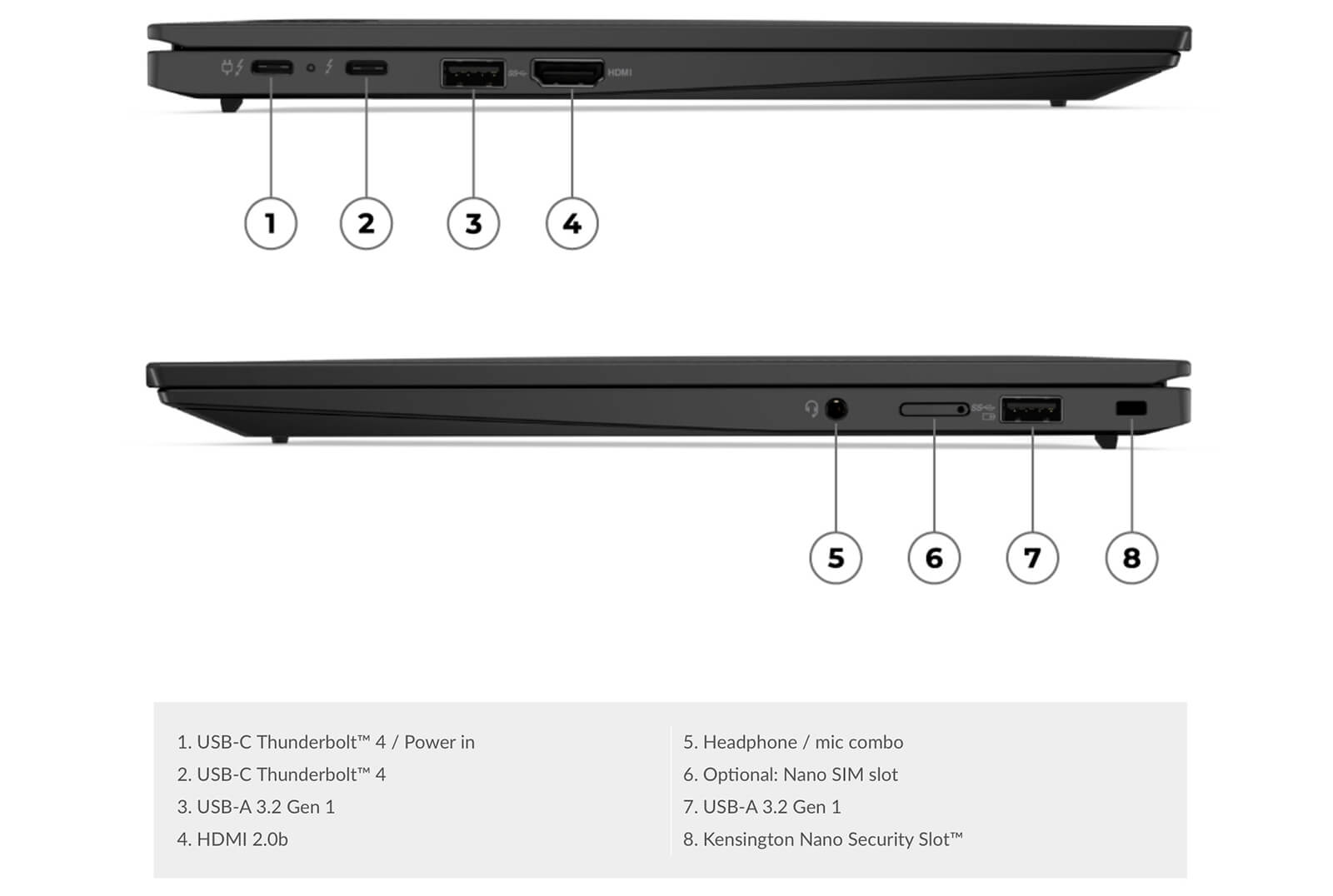
ThinkPad X1 Carbon Gen 11 (2023) delivers flexible connectivity that effectively supports the modern work needs of professional users. The device is equipped with a full range of popular ports, including 2 x USB-C Thunderbolt 4, 2 x USB-A 3.2 Gen 1, HDMI 2.0b, and a 3.5mm headphone/microphone jack, allowing quick connection to peripherals without needing a hub. This is a major advantage for anyone who frequently uses an external monitor, mouse, keyboard, or external hard drive.
For wireless connectivity, the laptop supports Intel Wi-Fi 6E (AX211) with the 802.11AX (2x2) standard and Bluetooth 5.1, delivering fast transfer speeds and a stable connection. Whether in the office or on the go, users can maintain smooth connectivity for online work, meetings, or large file transfers.
In addition, Intel Unison™ is a valuable feature on the Lenovo ThinkPad X1 Carbon Gen 11, allowing easy syncing between the laptop and a smartphone. This feature lets users share files, receive notifications, send messages, or make calls directly from the computer, creating a smooth cross-platform workflow that is especially useful for business professionals and users who regularly work across multiple devices.
Lenovo ThinkPad X1 Carbon Gen 11 Summary
Overall, the Lenovo ThinkPad X1 Carbon Gen 11 is a premium Ultrabook designed specifically for business professionals, creative professionals, and modern office users. With a thin-and-light design, powerful configuration, and military-grade durability, this laptop delivers an excellent balance of portability, work performance, and a professional user experience. A versatile connectivity ecosystem, comfortable keyboard, and sharp OLED display help improve productivity in every situation, from the office to life on the move.
Although the price may give some everyday users pause, for anyone who needs a reliable, durable device that can keep up with a demanding workload, the ThinkPad X1 Carbon Gen 11 is a fully worthwhile investment. It is an ideal choice for users in business, technology, marketing, project management, or anyone who frequently gives presentations, attends meetings, and travels often.
| Pros | Cons |
|---|---|
|
|
FAQ - Frequently Asked Questions About the Lenovo ThinkPad X1 Carbon Gen 11 (2023)
1. What are the standout advantages of the Lenovo ThinkPad X1 Carbon Gen 11 (2023)?
The Lenovo ThinkPad X1 Carbon Gen 11 (2023) stands out with powerful performance from a 13th Gen Intel Core processor, a high-quality display with 2K/4K resolution support, and an ultrathin, lightweight design weighing only about 1.12kg, making it well suited for users who are frequently on the move.
2. Who is this laptop best suited for?
This product is designed specifically for business professionals, technology professionals, and anyone who needs a premium, durable, and reliable laptop for office work or frequent business travel.
3. Is the battery life of the Lenovo ThinkPad X1 Carbon Gen 11 (2023) good?
The laptop has impressive battery life and can run continuously for up to 12 - 15 hours for basic tasks. When handling heavier workloads, usage time will be shorter, but it still meets the needs of a full workday.
4. Is the Lenovo ThinkPad X1 Carbon Gen 11 (2023) upgradeable?
Because the RAM is soldered onto the motherboard, this product does not support RAM upgrades. However, you can replace or upgrade the SSD to increase storage capacity when needed.
5. Do the ports on this laptop meet work needs?
The Lenovo ThinkPad X1 Carbon Gen 11 (2023) is equipped with a full range of modern ports, including 2 Thunderbolt 4 ports, 2 USB-A 3.2 Gen 1 ports, HDMI 2.0b, a microSD card slot, and a 3.5mm headphone jack, meeting every work need.
6. What are the security features of the Lenovo ThinkPad X1 Carbon Gen 11 (2023)?
The laptop integrates advanced security features, including a fingerprint reader, TPM 2.0 chip, and IR camera with facial recognition through Windows Hello, helping protect data effectively.
7. How well can the laptop handle demanding software?
With a 13th Gen Intel Core processor and high-speed SSD, the Lenovo ThinkPad X1 Carbon Gen 11 (2023) easily handles performance-demanding software such as Office 365, Photoshop ... or data analysis tools.
8. Is the Lenovo ThinkPad X1 Carbon Gen 11 (2023) suitable for graphic design work?
Although it is not a dedicated graphics workstation, the product can still handle basic graphics tasks thanks to its high-resolution display and powerful configuration.
9. What is the warranty policy at Hung Phat Laptop?
Hung Phat Laptop provides an official warranty policy with a 12-month term for new laptops and a 6-month term for used laptops. In particular, it supports 1-for-1 exchange within the first 30 days if a manufacturer defect is found.
Related models are collected in the ThinkPad X Series category. Two other models worth a look: the Lenovo ThinkPad X1 Carbon Gen 12 (2024) and the Lenovo ThinkPad X1 Carbon Gen 10 (2022).
Where Should You Buy a Lenovo ThinkPad X1 Carbon Gen 11 at a Trusted Store with a Good Price?
Buying the Lenovo ThinkPad X1 Carbon Gen 11 is a smart choice for anyone who needs a thin-and-light Ultrabook, high performance, and business-grade durability. However, to ensure you are buying an authentic Lenovo product with complete invoices and a transparent warranty policy, choosing a reputable distributor is essential.
At Hung Phat Laptop, you can easily purchase an officially imported ThinkPad X1 Carbon Gen 11 at a competitive price, along with many attractive promotions. The store is committed to products with clear origins, professional consultation, and dedicated after-sales service, giving you peace of mind for long-term use in a professional work environment.
Performance & benchmarks Lenovo ThinkPad X1 Carbon Gen 11 (2023)
Intel Core i5-1335U Intel Iris Xe Graphics G7 80EUs - best for Office 8.5/10, Programming 6/10.
Intel Core i5-1335U
- Cinebench R23 (multi-core)8,889.5
- Geekbench 6 (multi-core)8,597
- Geekbench 6 (single-core)2,260
- PassMark13,737
- Cores / Threads10/12
Intel Iris Xe Graphics G7 80EUs iGPU
- 3DMark Time Spy1,181
- 3DMark Fire Strike4,048
- ArchitectureGen. 11 Ice Lake
Best for
Scored from real benchmarks- Gaming1.5/10
- Video / Graphics3/10
- Programming6/10
- Office8.5/10
Why does the CPU matter?
The CPU is the "brain" that handles every task: launching apps, multitasking, compiling code and editing video. The stronger the CPU, the faster and smoother the laptop runs when you juggle many things at once.
- BasicThis product
Web browsing, streaming and light office work.
- MainstreamThis product
Office work, moderate multitasking and studying.
- Mid-rangeThis product
Solid multitasking, programming and light graphics work.
- StrongThis product
Video editing, heavy programming, virtualization and gaming.
- FlagshipThis product
Heavy rendering, 4K/8K editing, virtual machines and AI workloads.
Why does the GPU matter?
The GPU (graphics card) handles visuals: gaming, video editing, 3D rendering and AI acceleration. The stronger the GPU, the higher your frame rates and the faster your video exports.
- Basic (iGPU)This product
Smooth display, 4K video and very light games (League of Legends, Valorant on low).
- MainstreamThis product
1080p eSports gaming, photo editing and light video editing.
- Mid-rangeThis product
1080p gaming on medium-high settings and smooth Full HD video editing.
- StrongThis product
1080p/1440p gaming on high settings, 4K video editing and 3D rendering.
- FlagshipThis product
4K/240Hz gaming, ray tracing, heavy rendering and AI.
Game performance
Real FPS - FHD- Dota 243 fps1080p High
- CS231 fps1080p Low
- GTA V71 fps1080p Medium
- CoD: Black Ops 615 fps1080p Low
- God of War Ragnarök14 fps1080p Low
- Cyberpunk 207715 fps1080p Low
≥60fps very smooth30-60fps playable<30fps lower the settings
Local AI performance
Tokens/second running locally on GPU- Gemma 4 E2B IT5.6 GB · ctx 256K6.0 tok/sDecent
- GLM-4 9B5.1 GB · ctx 128K7.0 tok/sDecent
- Gemma 4 E4B4.6 GB · ctx 256K8.0 tok/sDecent
- Ministral 8B4.6 GB · ctx 32K8.0 tok/sDecent
- Qwen 3.5 4B4.6 GB · ctx 32K8.0 tok/sDecent
- DeepSeek R1 Distill 7B4.1 GB · ctx 64K9.0 tok/sRuns well
- Gemma 4 E2B3.1 GB · ctx 256K12 tok/sRuns well
- Qwen 3.5 2B2.5 GB · ctx 32K14 tok/sRuns well
- Phi-4 Mini Reasoning2.4 GB · ctx 16K15 tok/sRuns well
- Llama 3.2 3B2 GB · ctx 128K18 tok/sRuns well
- SmolLM3 3B2 GB · ctx 128K18 tok/sRuns well
- DeepSeek R1 1.5B1.3 GB · ctx 64K28 tok/sRuns great
- Qwen 3.5 0.8B1.3 GB · ctx 32K28 tok/sRuns well
- TinyLlama 1.1B1.1 GB · ctx 2K33 tok/sRuns well
- Llama 3.2 1B1 GB · ctx 128K36 tok/sRuns well
- Gemma 2 9B5.1 GB · ctx 8K7.0 tok/sDecent
- Nemotron Nano 9B v25.1 GB · ctx 128K7.0 tok/sDecent
- Llama 3.1 8B4.6 GB · ctx 128K8.0 tok/sDecent
- Qwen 3 8B4.6 GB · ctx 128K8.0 tok/sDecent
- Mistral 7B v0.34.1 GB · ctx 32K9.0 tok/sRuns well
- Qwen 2.5 7B4.1 GB · ctx 128K9.0 tok/sRuns well
- Qwen 2.5 Coder 7B4.1 GB · ctx 128K9.0 tok/sRuns well
- Qwen 3 4B2.5 GB · ctx 32K14 tok/sRuns well
- Gemma 3 4B2.5 GB · ctx 128K14 tok/sRuns well
- Phi-3.5 Mini2.4 GB · ctx 128K15 tok/sRuns well
- Gemma 2 2B1.5 GB · ctx 8K24 tok/sRuns great
- Qwen 3 1.7B1.4 GB · ctx 32K26 tok/sRuns great
- Qwen 2.5 Coder 1.5B1.3 GB · ctx 32K28 tok/sRuns great
- Qwen 3 0.6B1.1 GB · ctx 32K33 tok/sRuns well
- Gemma 3 1B1 GB · ctx 32K36 tok/sRuns well
GreatWellDecent4-bit quantized, ctx = context window
No comments yet
Q&A about Lenovo ThinkPad X1 Carbon Gen 11 (2023)
Frequently asked questions about Lenovo ThinkPad X1 Carbon Gen 11 (2023)
What are the specifications of Lenovo ThinkPad X1 Carbon Gen 11 (2023)?
What is the warranty for Lenovo ThinkPad X1 Carbon Gen 11 (2023)?
Can I buy Lenovo ThinkPad X1 Carbon Gen 11 (2023) with home delivery?
Worth a Look
Lenovo ThinkPad X1 2-in-1 Gen 11 | Aura Edition (2026)
 3 configurations
Lenovo ThinkPad X1 Carbon Gen 14 | Aura Edition (2026)
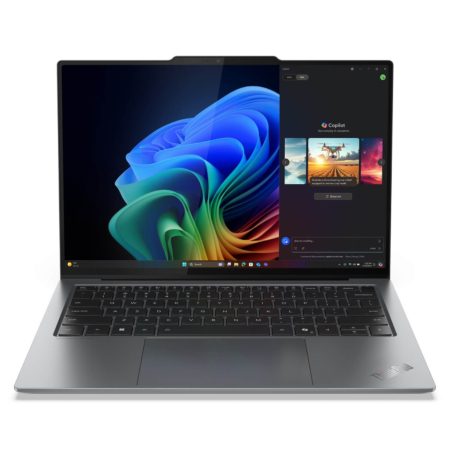
Lenovo ThinkPad X9 14-inch | Aura Edition (2025)
 3 configurations
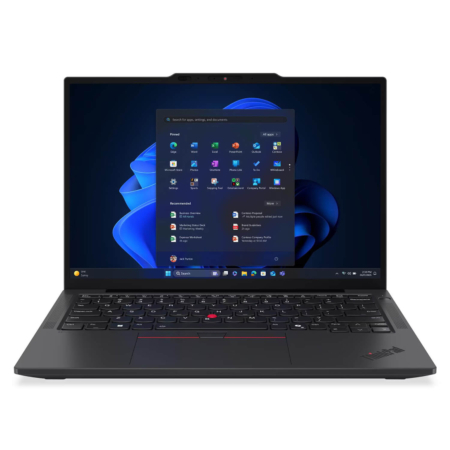
Lenovo ThinkPad X13 Gen 6 (Intel) (2025)


Hieu Nguyen 07/06/2024Purchased at Hung Phat
Unsealed machine, 100% New as described
Nguyễn Minh Hiếu 24/12/2023Purchased at Hung Phat
The owner is a professional in providing consultation.
Phong Trần 18/09/2023Purchased at Hung Phat
Great value for the price
Hồ Phú Thiện 01/07/2023Purchased at Hung Phat
Great product and dedicated support