

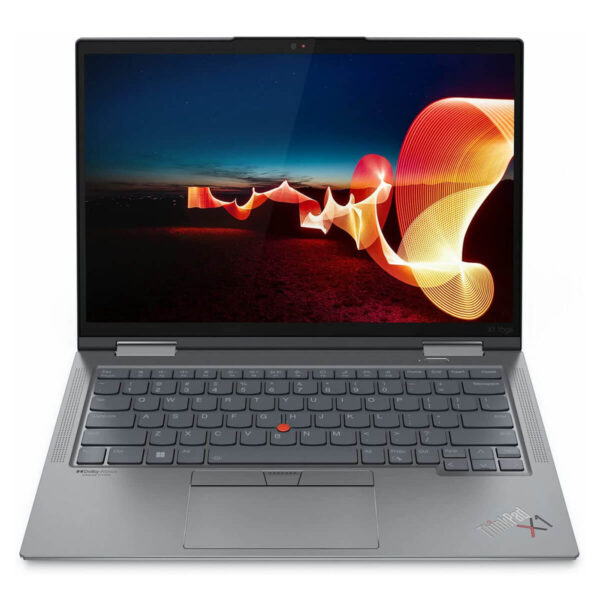
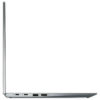
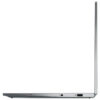
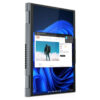
Lenovo ThinkPad X1 Yoga Gen 7 (2022)
- CPU: Intel Core i7 1270P vPro Up To 4.8GHz (12 Cores, 16 Threads, 18MB Cache)
- RAM: LPDDR5 32GB 5200MHz
- SSD: 512GB PCIe M.2 SSD
- VGA: Intel® Iris® Xe Graphics
- DISPLAY: 14.0" WUXGA (1920x1200), IPS, Anti-Reflective/Anti-Smudge, Touch, 100% sRGB, 400nits - Gập 360 độ - Kèm Bút
- CONDITION: New 100% Outlet
- WARRANTY: Bảo hành 12 tháng
- Professional Design, Business Standard
- Superior Performance with 12th Gen Intel CPU
- Display on Lenovo ThinkPad X1 Yoga Gen 7 (2022)
- Keyboard & TouchPad on Thinkpad X1 Yoga Gen 7
- Military-Grade Durability and Security
- Slots, Ports & Battery Life
- Summary & Review of ThinkPad X1 Yoga Gen 7 (2022)
- FAQ - Frequently Asked Questions about ThinkPad X1 Yoga Gen 7 (2022)
- Where to buy Lenovo Thinkpad X1 Yoga Gen 7 with good price and reputation?
Lenovo ThinkPad X1 Yoga Gen 7 (2022) is a standout premium 2-in-1 laptop in the business device segment. Thanks to its flexible 360-degree hinge design, exquisite finish, and powerful performance from the latest generation Intel processors, this machine meets both work and entertainment needs. With high portability, military-grade durability, and a modern security system, the ThinkPad X1 Yoga Gen 7 is an ideal choice for users demanding stability, reliability, and professionalism in every detail.
Professional Design, Business Standard
ThinkPad X1 Yoga Gen 7 features a modern design specifically tailored for the corporate environment, subtly combining premium materials with practicality. The aluminum exterior is smoothly finished, creating a luxurious and sturdy feel. With dimensions of 315.6 x 222.5 x 14.95 mm and a weight of only 1.38 kg, this 2-in-1 laptop model is particularly ideal for mobile users who require a device that is both powerful and easy to carry.

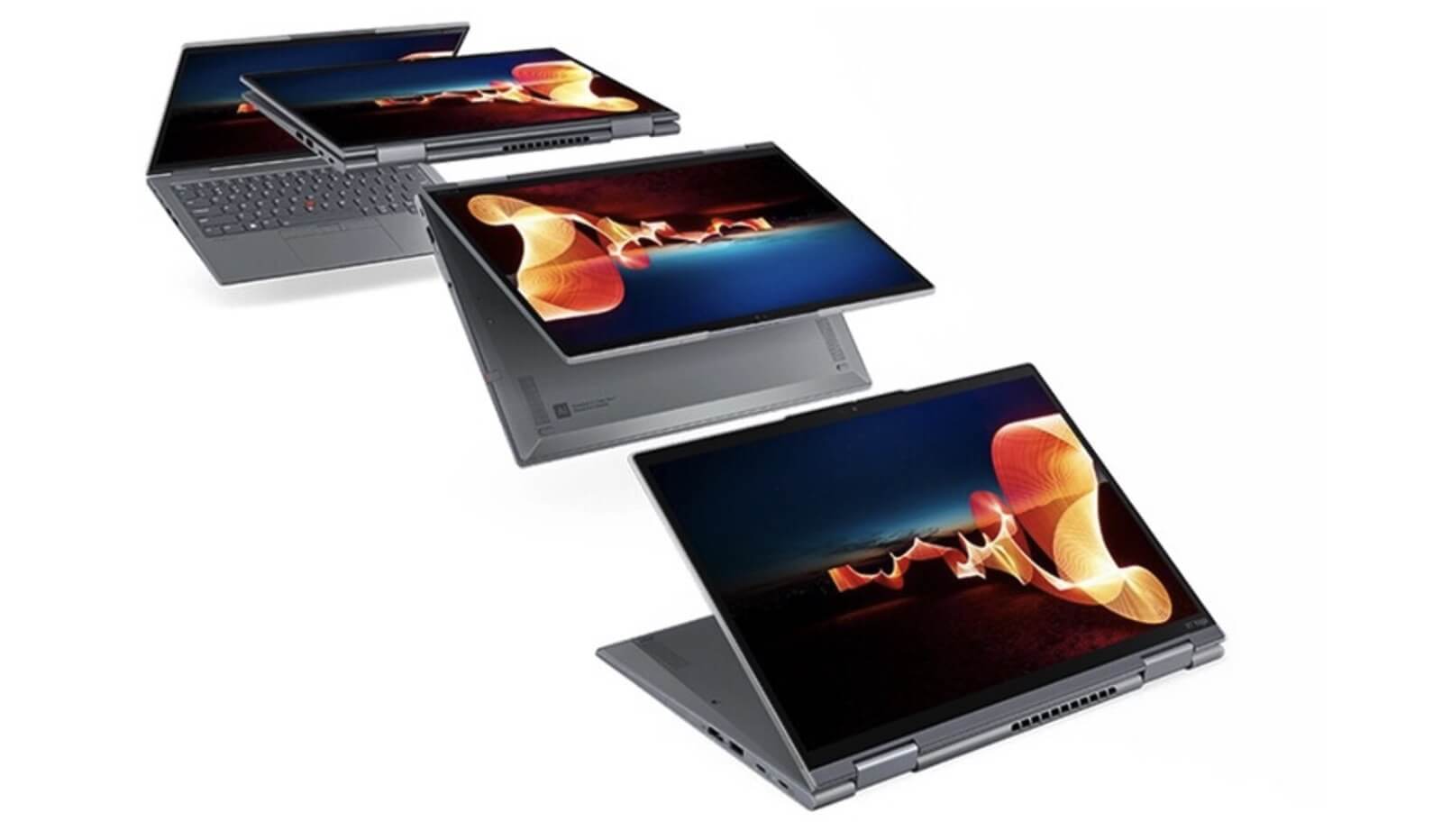
A highlight of the ThinkPad X1 Yoga Gen 7 is its 360-degree rotation capability, allowing flexible switching between modes such as laptop, tablet, presentation, or note-taking. This feature not only expands interaction capabilities but also optimizes efficiency during meetings, presentations, or creative work. This is a major advantage for business professionals, specialists, or anyone working in a flexible environment.
The user experience is enhanced by the ThinkPad standard keyboard, featuring reasonable tactile feedback and deep key travel, providing a comfortable typing experience even during continuous work. The large multi-touch TouchPad offers smooth and precise operation, meeting all needs from basic office tasks to more intensive workloads.
Superior Performance with 12th Gen Intel CPU
ThinkPad X1 Yoga Gen 7 (2022) delivers powerful performance thanks to the 12th Gen Intel Core processor, making it particularly suitable for users needing high computing power and smooth multitasking. With options for Intel Core i5-1235U vPro (10 cores, 12 threads, 12MB cache, up to 4.4GHz) and Intel Core i7-1270P vPro (12 cores, 16 threads, 18MB cache, up to 4.8GHz), the machine flexibly handles everything from office work and photo/video editing to advanced data analysis. The integrated Intel Iris Xe Graphics also supports entertainment needs and sharp display in professional working environments.
The processing power of the ThinkPad X1 Yoga Gen 7 is supported by 5200MHz LPDDR5 RAM with 16GB or 32GB options, combined with a 512GB PCIe Gen 4 SSD, enabling fast data access and near-instant system boot times. As a result, users can open dozens of tabs and heavy software without experiencing lag or system bottlenecks, optimizing continuous work performance throughout the day.
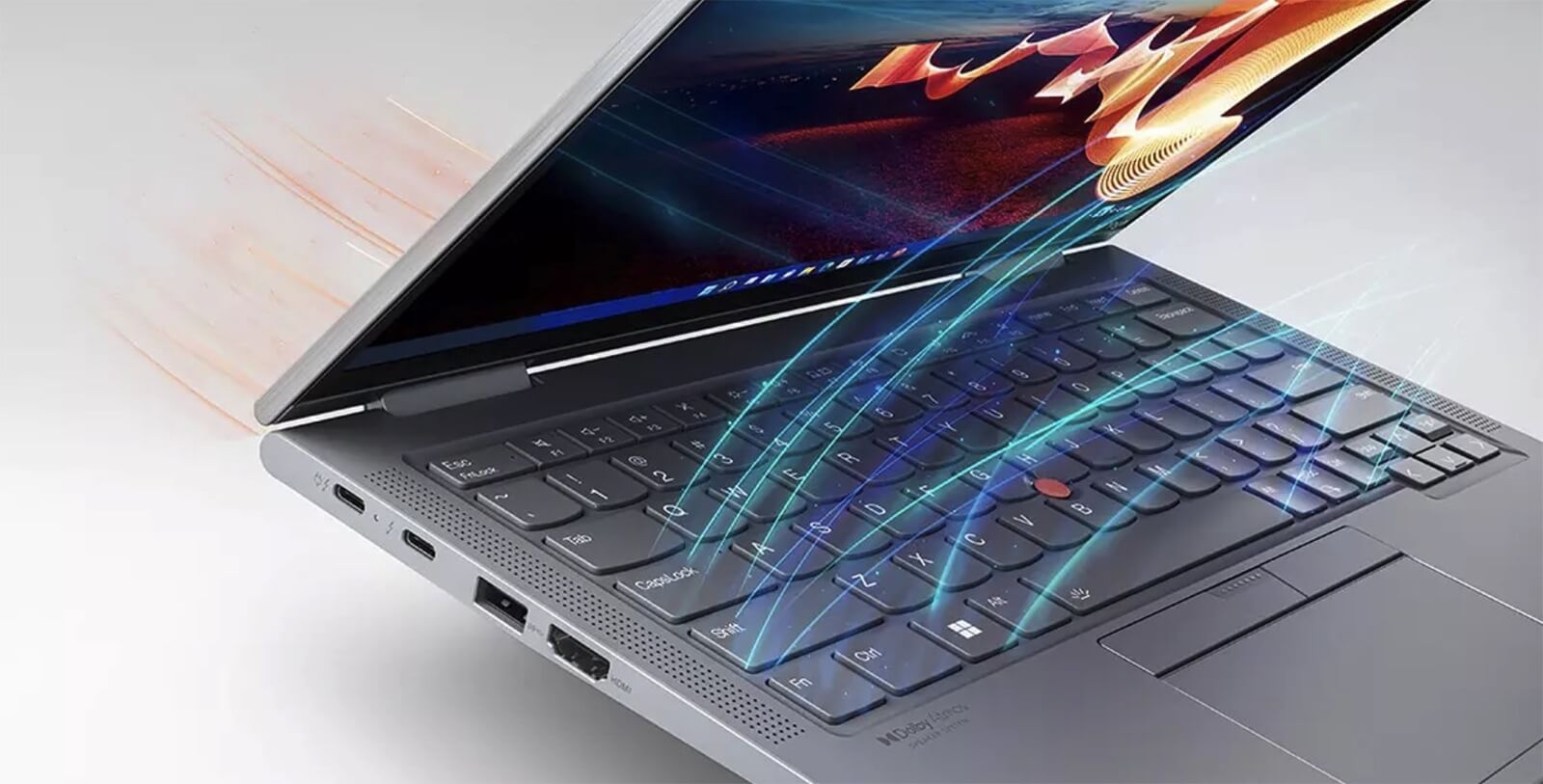
In addition to high-end configuration, durable operation is a major plus thanks to the intelligent thermal design. Air vents integrated directly above the keyboard help draw in air efficiently, maintaining stable temperatures even when the machine is running at full capacity. This not only protects internal components but also keeps the user experience smooth and quiet in all circumstances.
Display on Lenovo ThinkPad X1 Yoga Gen 7 (2022)
The display of the Lenovo ThinkPad X1 Yoga Gen 7 offers a premium visual experience thanks to its flexible 2-in-1 design and various resolution options. For those who prioritize the highest image quality, the 4K+ OLED screen option provides an impressive display space with high contrast, clear details, and 100% DCI-P3 color gamut - perfect for graphic designers, content creators, or those requiring absolute image quality.
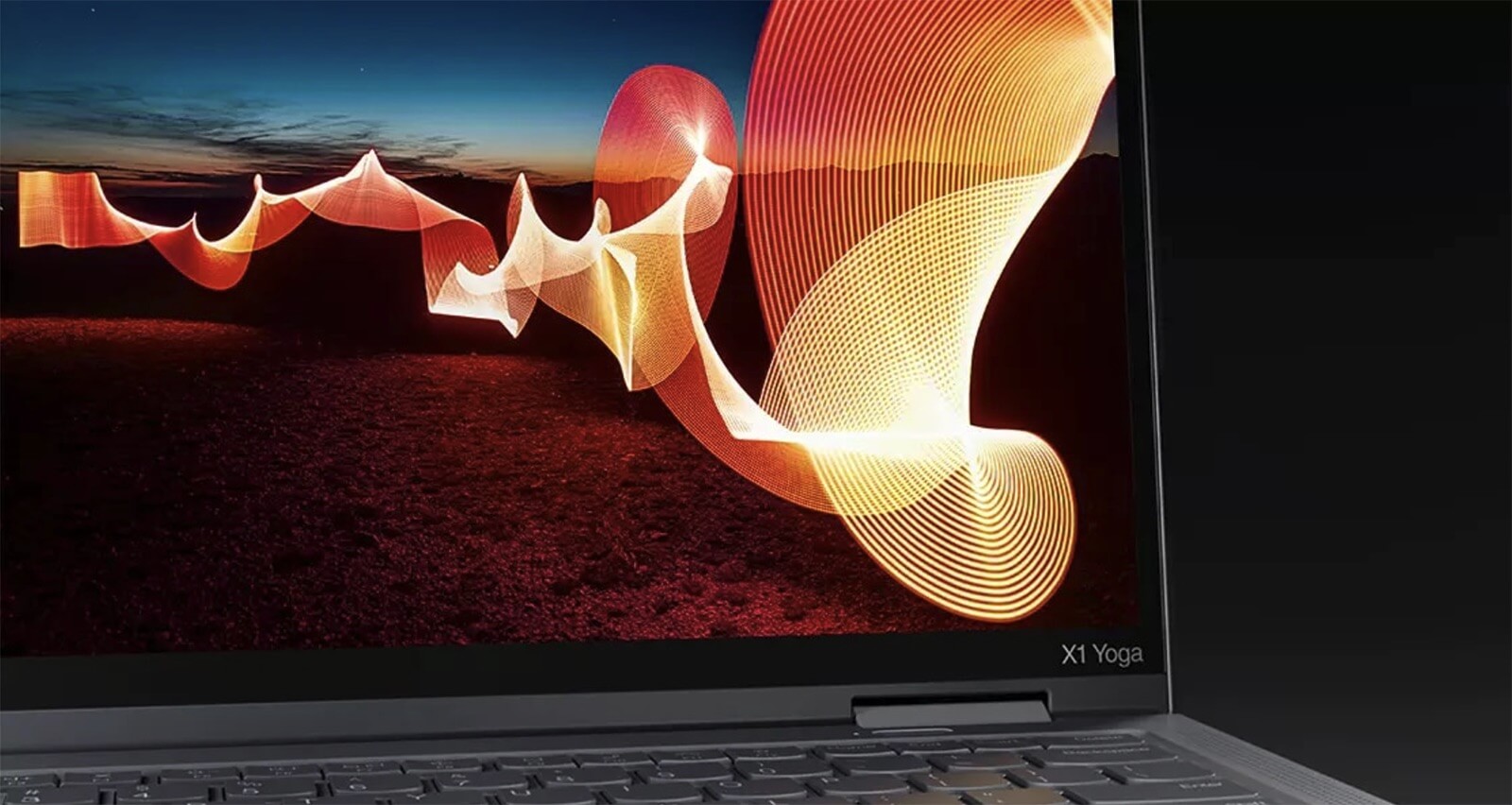
Besides the premium option, the ThinkPad X1 Yoga Gen 7 also offers a stable Full HD+ screen (1920 x 1200) with 400 nits brightness, suitable for daily office needs. The 2-in-1 laptop design allows users to easily switch between laptop and tablet modes, providing convenience when taking notes, sketching, or presenting on the touchscreen.
Not just a companion for work, the ThinkPad X1 Yoga Gen 7 also excels at entertainment and movie watching. Vivid colors, sharp image details, and excellent visibility under various lighting conditions significantly enhance the user experience, whether in work mode or relaxation.
Keyboard & TouchPad on Thinkpad X1 Yoga Gen 7
The keyboard has always been one of the factors that built the ThinkPad reputation, and on the Lenovo ThinkPad X1 Yoga Gen 7, the typing experience is significantly elevated. The keyboard features good tactile feedback and reasonable key travel, providing a comfortable and accurate typing feel even during long working sessions. The spill-resistant design increases device protection against unexpected accidents, ensuring durability and safety in professional environments. Function keys are logically arranged, helping users operate quickly without a learning curve.
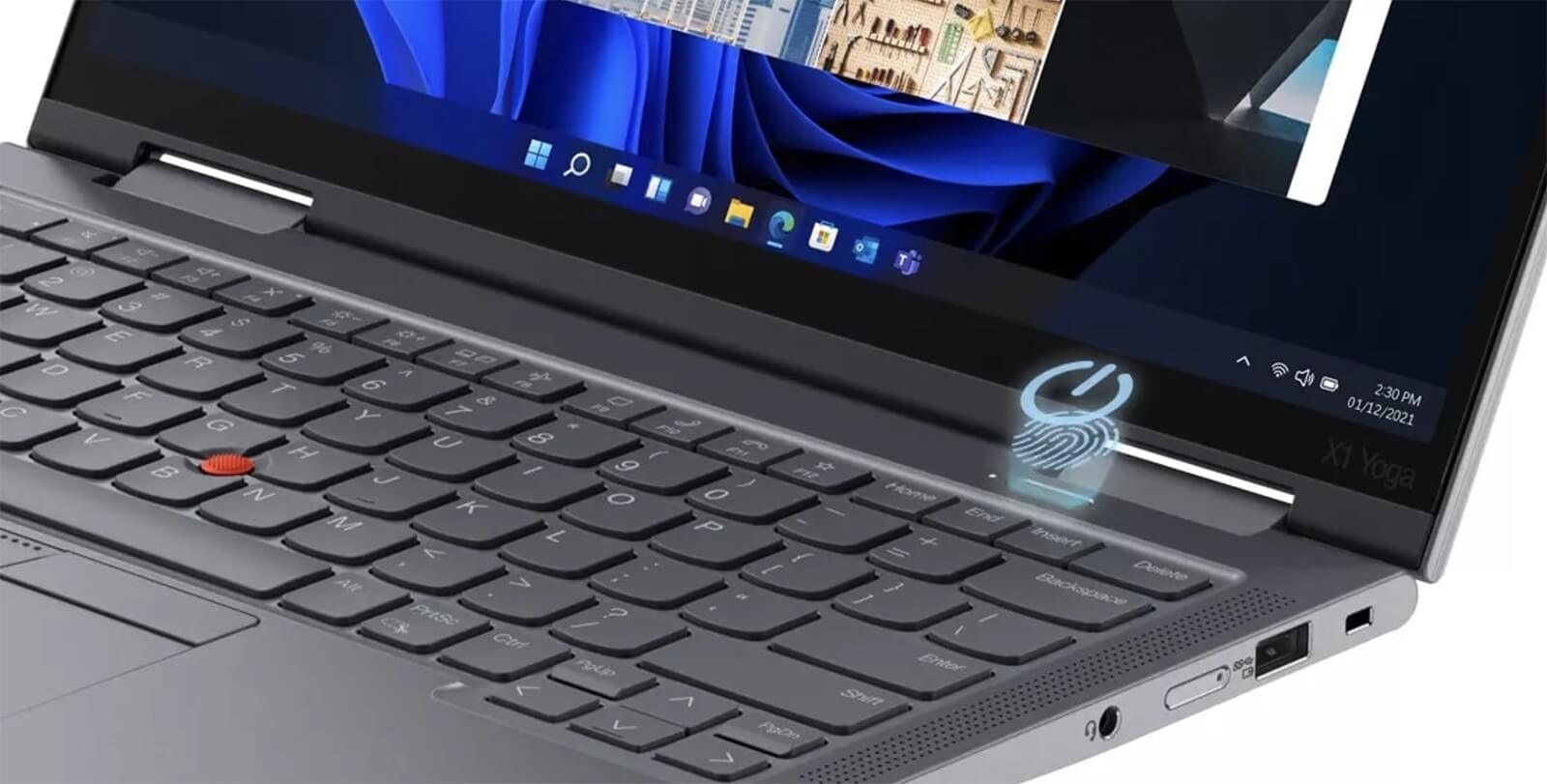
An indispensable feature of premium ThinkPad lines is the TrackPoint - the small red navigation button in the middle of the keyboard, allowing quick cursor control without moving your hands from the typing area. This tool is favored by business professionals and programmers due to its precise navigation and superior speed. The integration of both the TouchPad and TrackPoint provides flexibility in control, suitable for many different working styles.
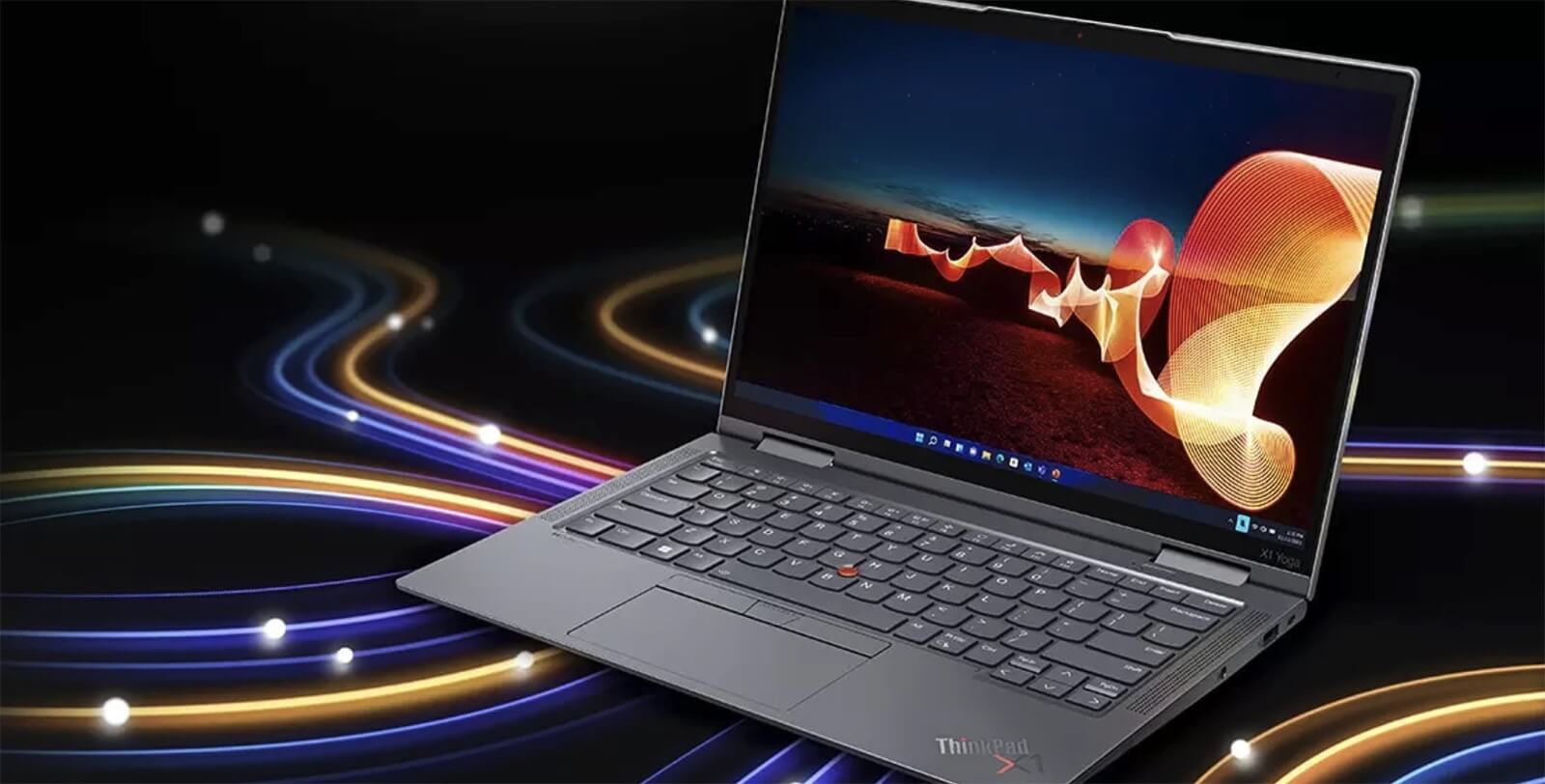
The TouchPad on the ThinkPad X1 Yoga Gen 7 is also designed to be spacious, with a smooth surface and high sensitivity, fully supporting multi-touch gestures like scrolling, zooming in, and zooming out. Precise responsiveness helps improve work efficiency, which is particularly useful when editing documents or working with design software. The combination of a quality keyboard, traditional TrackPoint, and a modern TouchPad provides a comprehensive, professional experience for high-end users.
Military-Grade Durability and Security
Lenovo ThinkPad X1 Yoga Gen 7 (2022) is designed with reliable durability, meeting the strictest standards in professional environments. Having achieved MIL-STD 810H certification, this device has passed a series of tests regarding impact resistance, extreme temperatures, humidity, and vibration. This ensures absolute peace of mind for users when using it during continuous travel or in non-ideal working environments.

The combination of premium materials and robust design gives the ThinkPad X1 Yoga Gen 7 excellent resistance to warping, scratches, and impacts, while still maintaining a sophisticated appearance. With its lightweight build and durable chassis, this is the ideal choice for those who require a device that is both mobile and reliable for daily work.
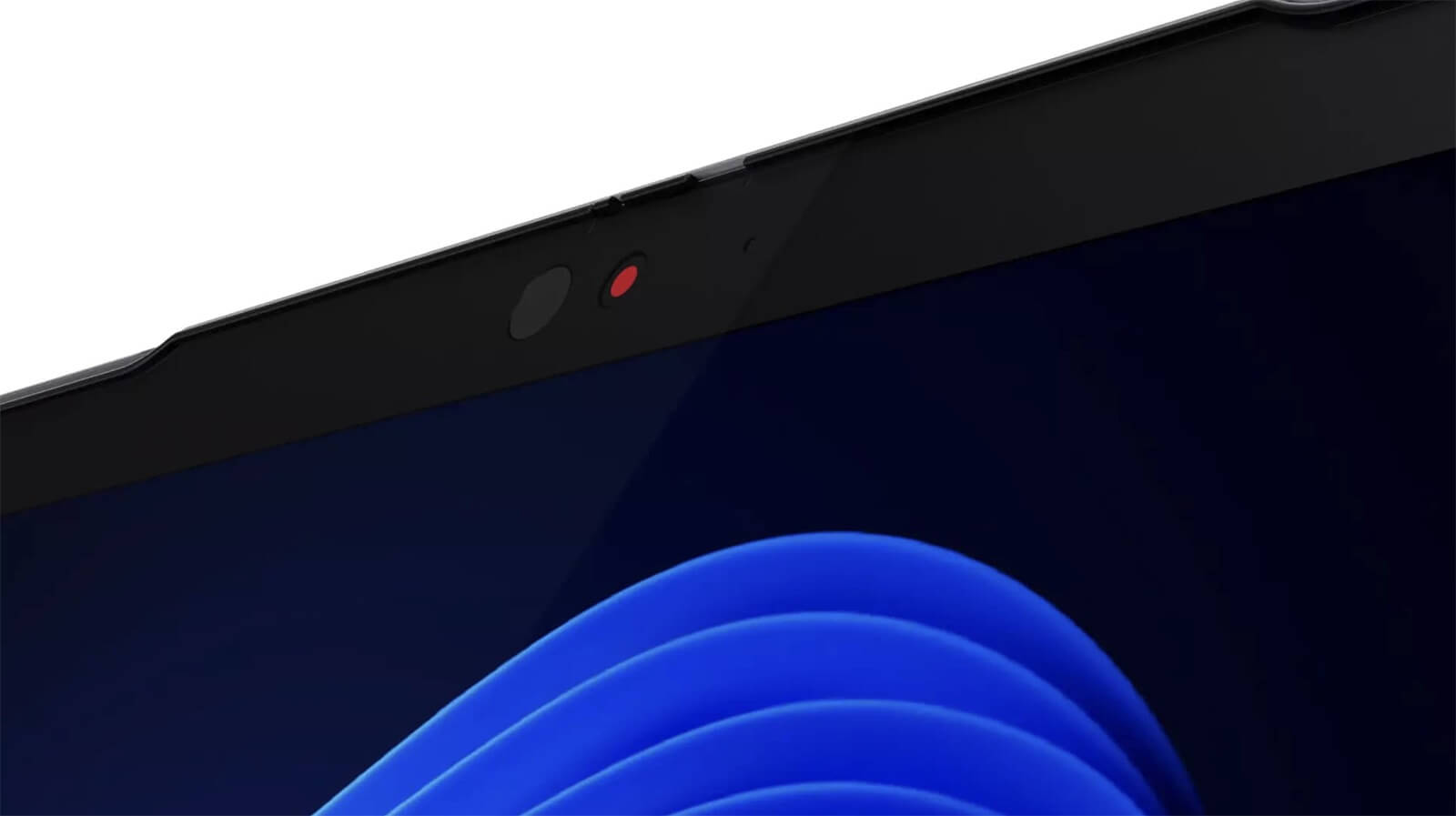
Regarding security, the machine is equipped with advanced technologies such as Windows Hello, allowing biometric login via fingerprint or face recognition, ensuring a high level of data security. Additionally, the integrated Tile® feature helps users easily locate the device when necessary, enhancing proactive personal device protection and management.
Slots, Ports & Battery Life
ThinkPad X1 Yoga Gen 7 stands out with diverse connectivity, helping to optimize the user experience in many work situations. The machine is equipped with 2 Thunderbolt 4 ports that support high-speed data transfer up to 40Gbps and fast charging via USB-C. Additionally, it integrates a USB-A 3.2 Gen 1 port, HDMI 2.0b, a headphone/mic combo jack, a Kensington lock slot, and a Lenovo Integrated Pen, meeting most peripheral connection needs without the need for a hub.
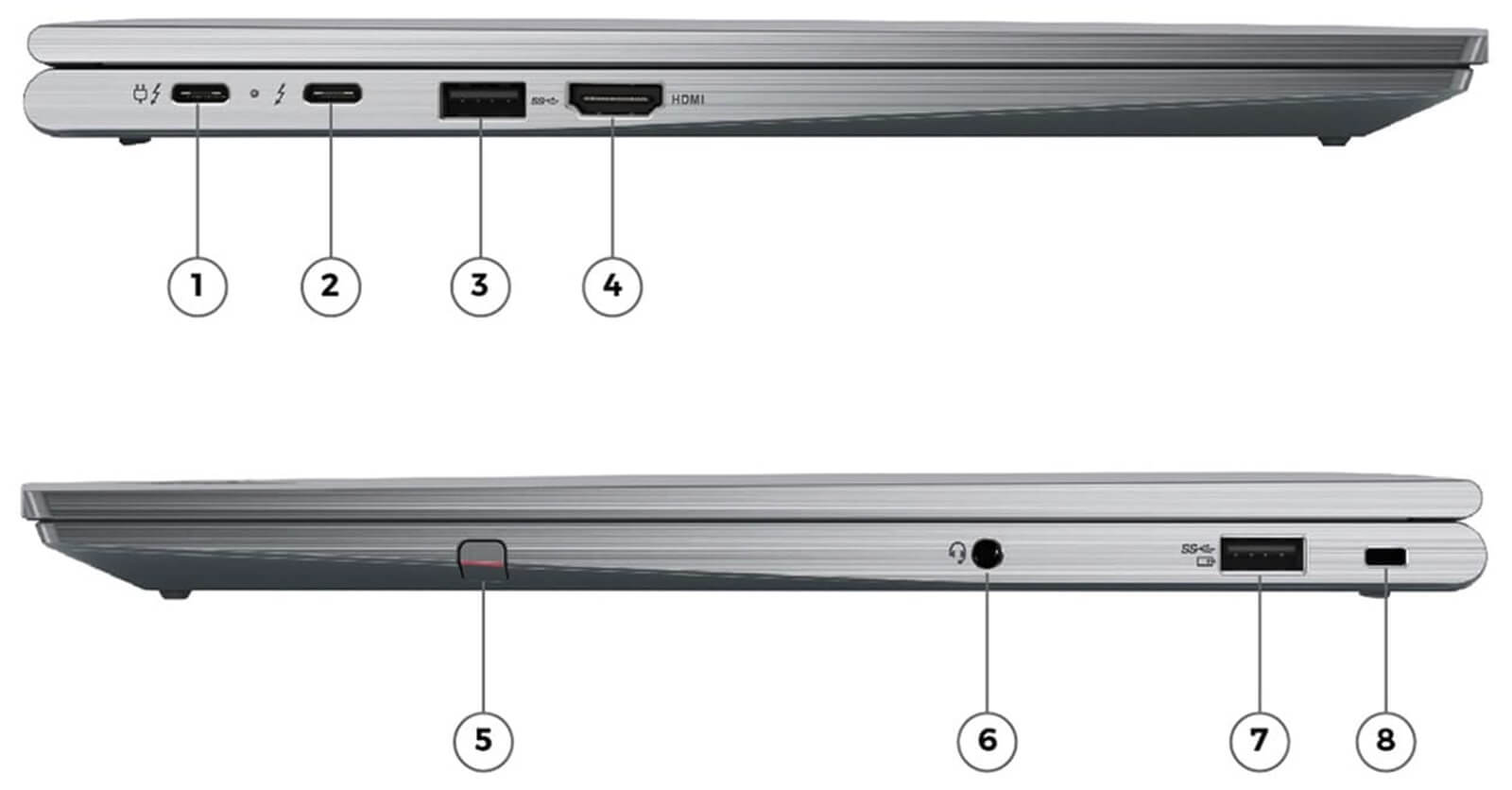
| 1/ USB-C Thunderbolt™ 4 / Power in 2/ USB-C Thunderbolt™ 4 3/ USB-A 3.2 Gen 1 4/ HDMI 2.0b |
5/ Lenovo Integrated Pen 6/ Headphone / mic combo 7/ USB-A 3.2 Gen 1 8/ Kensington lock slot |
Not only strong in connectivity, the ThinkPad X1 Yoga Gen 7 also stands out for its high mobility and flexibility in use. All ports are logically arranged along the chassis, allowing users to operate conveniently without tangled wires or obstruction when working on small desks or in cramped spaces. This is a major advantage for users who travel frequently or work in flexible environments.
Regarding battery, the laptop uses a 57Wh battery, capable of meeting continuous work needs from 8 to 10 hours depending on the task. The fast charging via USB-C capability allows for recharging large capacities in a short time, making it very suitable for those who travel or work on the go. Long battery life and high energy efficiency are key advantages that make the X1 Yoga Gen 7 a reliable choice in the premium 2-in-1 laptop segment.
Summary & Review of ThinkPad X1 Yoga Gen 7 (2022)
The Lenovo ThinkPad X1 Yoga Gen 7 (2022) is the optimal choice for professionals needing a lightweight, powerful, and flexible device. Thanks to its 360-degree foldable 2-in-1 design, this laptop is suitable for business people, high-level managers, or frequent travelers who need to handle work in various environments. From office work and online meetings to presenting content or quickly signing documents on the touchscreen, the ThinkPad X1 Yoga Gen 7 delivers exceptional convenience and efficiency.
With powerful performance from the 12th Gen Intel processor, a high-quality keyboard, and military-grade durability, the ThinkPad X1 Yoga Gen 7 not only meets daily usage needs but also reflects the user's status in a professional environment. This is a premium 2-in-1 laptop worth considering for any modern individual seeking a balance between performance, durability, and mobility.
| Pros | Cons |
|---|---|
|
|
FAQ - Frequently Asked Questions about ThinkPad X1 Yoga Gen 7 (2022)
1. Is the X1 Yoga Gen 7 suitable for mobile and professional work environments?
The X1 Yoga Gen 7 maintains a durable alloy frame design, flexible 360° hinges, and a weight of ~1.36 kg, making it very convenient for office specialists, lecturers, or those who frequently move between the office, meetings, and cafes.
2. Does the 14
The device is equipped with a 14″ FHD (1920×1200) IPS touchscreen, supporting stylus pens, high brightness, and good color accuracy. The multi-mode folding feature (laptop/tablet/tent/stand) provides flexibility when entering data, handwriting, or sharing the screen.
3. Can the X1 Yoga Gen 7 handle complex spreadsheets and reports?
With the 12th Gen Intel Core P-series processor, up to 32 GB of LPDDR5 RAM, and a PCIe Gen 4 SSD, the machine can easily handle large Excel files, Power BI, and opening multiple applications simultaneously without lagging.
4. Does the machine meet the needs of programming and running software development environments?
The multi-core CPU, high-speed RAM, and NVMe SSD allow the X1 Yoga Gen 7 to run IDEs like VS Code, IntelliJ, and PyCharm smoothly; providing stable build, debug, and Docker/VM performance throughout a work session.
5. Is the device capable of supporting light content design tasks?
While not focused on heavy graphics, the color-accurate touchscreen and integrated Intel Iris Xe GPU are capable of supporting slide editing, technical document design, or sketching in Figma/Illustrator when needed.
6. What is the actual battery life of the X1 Yoga Gen 7?
Many users report that the battery only lasts about **2-3 hours when running web and video on Linux**, whereas on Windows, the X1 Yoga Gen 7 shows good endurance with scores near **9 hours and 1 minute** in continuous mixed tests.
Source: Reddit, Tom’s Hardware
7. Does the machine maintain performance during multitasking and compiling?
The intelligent cooling system and alloy structure help the X1 Yoga Gen 7 run cool and quiet during multitasking-opening many tabs, building code, online meetings, or using a stylus-without throttling.
8. Does the X1 Yoga Gen 7 support Linux installation for developers?
Although Lenovo previously restricted AHCI in the BIOS, the X1 Yoga Gen 7 still runs well on Ubuntu and Fedora; you just need to enable AHCI and update the platform-profiles software for the touchscreen, Wi-Fi, and trackpoint to function fully.
Source: ArchWiki
9. How does Hung Phat Laptop handle the warranty for the X1 Yoga Gen 7?
Hung Phat Laptop commits to a 12-month warranty for new machines and supports product exchanges within 30 days if there is a manufacturer defect. For like-new or used machines, there is a 6-month warranty and a 30-day exchange period. Additionally, customers receive free cleaning, software installation support, and nationwide delivery.
Where to buy Lenovo Thinkpad X1 Yoga Gen 7 with good price and reputation?
The Lenovo ThinkPad X1 Yoga Gen 7 is a highly recommended choice for those seeking an Ultrabook 2-in-1 with high performance, flexible design, and business-grade durability. This model is suitable for business people, mobile workers, and anyone needing a thin and light device that can still handle intensive tasks. However, to purchase an authentic, high-quality product at the right value, choosing a reputable distributor is a crucial factor.
Hung Phat Laptop is a specialist in providing officially imported Lenovo ThinkPad lines, ensuring clear origin and invoices. Here, customers are committed to transparent warranty policies, dedicated technical support, and many accompanying promotional programs. If you are looking for a reliable, high-quality, and well-priced place to buy a ThinkPad X1 Yoga Gen 7, Hung Phat is a trustworthy choice.
Performance & benchmarks Lenovo ThinkPad X1 Yoga Gen 7 (2022)
Intel Core i7-1270P Intel Iris Xe Graphics G7 96EUs - best for Văn phòng 9.5/10, Lập trình 7/10.
Intel Core i7-1270P
- Cinebench R23 (đa nhân)9,718
- Geekbench 6 (đa nhân)9,978
- Geekbench 6 (đơn nhân)2,304
- Cores / Threads12/16
Intel Iris Xe Graphics G7 96EUs iGPU
- 3DMark Time Spy1,560.5
- 3DMark Fire Strike5,159.5
- ArchitectureGen. 11 Ice Lake
Best for
Scored from real benchmarks- Chơi game2/10
- Dựng phim / Đồ hoạ3.5/10
- Lập trình7/10
- Văn phòng9.5/10
Why CPU matters
CPU là “bộ não” xử lý mọi tác vụ: mở ứng dụng, đa nhiệm, biên dịch, dựng phim. CPU càng mạnh, máy càng nhanh và mượt khi làm nhiều việc cùng lúc.
- Cơ bảnThis product
Lướt web, xem phim, soạn thảo văn phòng nhẹ.
- Phổ thôngThis product
Văn phòng, đa nhiệm vừa, học tập.
- Tầm trungThis product
Đa nhiệm tốt, lập trình, đồ hoạ nhẹ.
- Khá mạnhThis product
Dựng phim, lập trình nặng, ảo hoá, chơi game.
- Cao cấpThis product
Render nặng, biên tập 4K/8K, máy ảo, tác vụ AI.
Why GPU matters
GPU (card đồ hoạ) lo phần hình ảnh: chơi game, dựng video, render 3D và tăng tốc AI. GPU càng mạnh, khung hình game càng cao và xuất video càng nhanh.
- Cơ bản (iGPU)This product
Hiển thị mượt, xem phim 4K, game rất nhẹ (LMHT, Valorant mức thấp).
- Phổ thôngThis product
Game eSports 1080p, chỉnh ảnh, dựng video nhẹ.
- Tầm trungThis product
Game 1080p thiết lập trung-cao, dựng video Full HD ổn.
- Khá mạnhThis product
Game 1080p/1440p thiết lập cao, dựng video 4K, render 3D.
- Cao cấpThis product
Game 4K/240Hz, ray tracing, render & AI nặng.
Game performance
Real FPS - FHD- Dota 250 fps1080p Ultra
- Fortnite57 fps1080p Thấp
- GTA V85 fps1080p Trung bình
- Black Myth: Wukong10 fps1080p Thấp
- Cyberpunk 207717 fps1080p Thấp
🟢 ≥60fps rất mượt · 🟡 30-60fps chơi tốt · 🔴 <30fps cần giảm thiết lập
Local AI performance
Tokens/second running locally on GPU- Gemma 4 E2B IT5.6 GB · ctx 256K6.0 tok/sDecent
- GLM-4 9B5.1 GB · ctx 128K7.0 tok/sDecent
- Gemma 4 E4B4.6 GB · ctx 256K8.0 tok/sDecent
- Ministral 8B4.6 GB · ctx 32K8.0 tok/sDecent
- Qwen 3.5 4B4.6 GB · ctx 32K8.0 tok/sDecent
- DeepSeek R1 Distill 7B4.1 GB · ctx 64K9.0 tok/sRuns well
- Gemma 4 E2B3.1 GB · ctx 256K12 tok/sRuns well
- Qwen 3.5 2B2.5 GB · ctx 32K14 tok/sRuns well
- Phi-4 Mini Reasoning2.4 GB · ctx 16K15 tok/sRuns well
- Llama 3.2 3B2 GB · ctx 128K18 tok/sRuns well
- SmolLM3 3B2 GB · ctx 128K18 tok/sRuns well
- DeepSeek R1 1.5B1.3 GB · ctx 64K28 tok/sRuns great
- Qwen 3.5 0.8B1.3 GB · ctx 32K28 tok/sRuns well
- TinyLlama 1.1B1.1 GB · ctx 2K33 tok/sRuns well
- Llama 3.2 1B1 GB · ctx 128K36 tok/sRuns well
- Gemma 2 9B5.1 GB · ctx 8K7.0 tok/sDecent
- Nemotron Nano 9B v25.1 GB · ctx 128K7.0 tok/sDecent
- Llama 3.1 8B4.6 GB · ctx 128K8.0 tok/sDecent
- Qwen 3 8B4.6 GB · ctx 128K8.0 tok/sDecent
- Mistral 7B v0.34.1 GB · ctx 32K9.0 tok/sRuns well
- Qwen 2.5 7B4.1 GB · ctx 128K9.0 tok/sRuns well
- Qwen 2.5 Coder 7B4.1 GB · ctx 128K9.0 tok/sRuns well
- Qwen 3 4B2.5 GB · ctx 32K14 tok/sRuns well
- Gemma 3 4B2.5 GB · ctx 128K14 tok/sRuns well
- Phi-3.5 Mini2.4 GB · ctx 128K15 tok/sRuns well
- Gemma 2 2B1.5 GB · ctx 8K24 tok/sRuns great
- Qwen 3 1.7B1.4 GB · ctx 32K26 tok/sRuns great
- Qwen 2.5 Coder 1.5B1.3 GB · ctx 32K28 tok/sRuns great
- Qwen 3 0.6B1.1 GB · ctx 32K33 tok/sRuns well
- Gemma 3 1B1 GB · ctx 32K36 tok/sRuns well
🟢 Great · 🟡 Well · 🟠 Decent - 4-bit quantized, ctx = context window
No comments yet
Q&A about Lenovo ThinkPad X1 Yoga Gen 7 (2022)
Frequently asked questions about Lenovo ThinkPad X1 Yoga Gen 7 (2022)
What are the specifications of Lenovo ThinkPad X1 Yoga Gen 7 (2022)?
What is the warranty for Lenovo ThinkPad X1 Yoga Gen 7 (2022)?
Can I buy Lenovo ThinkPad X1 Yoga Gen 7 (2022) with home delivery?
Worth a Look
Lenovo ThinkPad X1 2-in-1 Gen 11 | Aura Edition (2026)
 3 configurations
Lenovo ThinkPad X1 Carbon Gen 14 | Aura Edition (2026)
Lenovo ThinkPad X9 14 inch | Aura Edition (2025)
 3 configurations
Lenovo Thinkpad X13 Gen 6 (Intel) (2025)





Minh Triết 30/05/2026
The machine runs extremely smoothly; with 32GB of RAM, you can open many tabs without any lag. The touchscreen flips and rotates flexibly, and it feels very lightweight and comfortable to hold. Definitely worth your money, everyone!
Minh Khôi 30/05/2026
The machine runs extremely smoothly; with 32GB of RAM, you can open as many tabs as you want without any lag. The touchscreen flips and rotates flexibly, and its lightweight design makes it incredibly convenient to carry to meetings.
Nguyễn Chí Cương 20/09/2022Purchased at Hung Phat
Phạm Thiên Phước 20/09/2022 Administrator
Thank you very much for supporting our shop!