

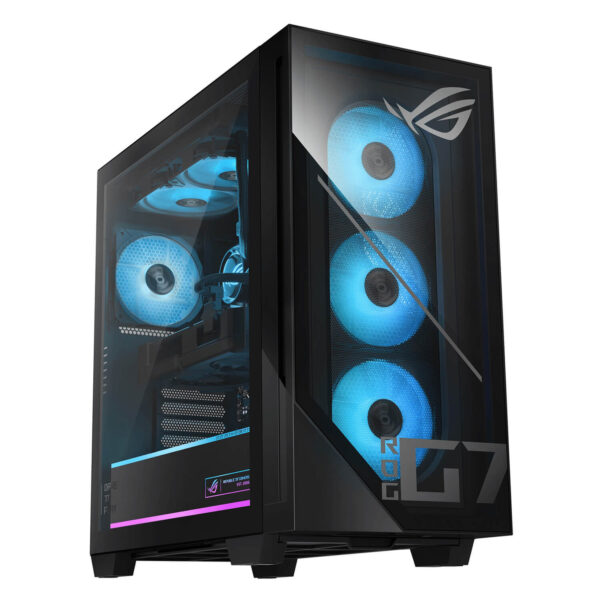
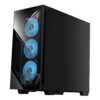
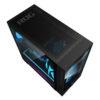
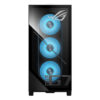
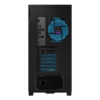
Asus ROG G700 - Gaming Desktop (2026)
- CPU: Intel Core Ultra 7 265KF Up To 5.5GHz (20 Cores, 20 Threads, 30MB Cache - 13 TOPS NPU)
- RAM: DDR5 32GB 5200MHz
- SSD: 1TB PCIe Gen4 M.2 SSD
- VGA: NVIDIA® GeForce RTX™ 5070 12GB GDDR7
- PSU: 850W power supply (80+ Gold, peak 900W)
- COOLING: Liquid Cooler 240mm
- KEYBOARD & MOUSE: Gaming RGB Keyboard & Mouse (USB)
- CONDITION: New 100% Full Box
- WARRANTY: Bảo hành 12 tháng
ASUS ROG G700 (2026) is a high-end gaming desktop designed for users who want a machine that is powerful, beautiful, and ready for years of use without having to build each component themselves. Starting with a foundation of Intel Core Ultra 7 265KF, NVIDIA GeForce RTX 5070, 32GB DDR5 RAM, and 1TB M.2 NVMe PCIe 4.0 SSD, the product has a very clear direction: conquering AAA games, content creation, streaming, graphics processing, and even practical local AI tasks. The appeal of the ROG G700 lies not in individual specs, but in how ASUS packages everything into a system with a signature ROG design, professional cooling, modern connectivity, and long-term upgrade potential. This is the type of desktop suitable for those needing a powerful machine to sit fixed in a workspace or entertainment corner, where performance and user experience must feel premium from the very first glance.
ROG full tower design creates a premium feel right from its appearance
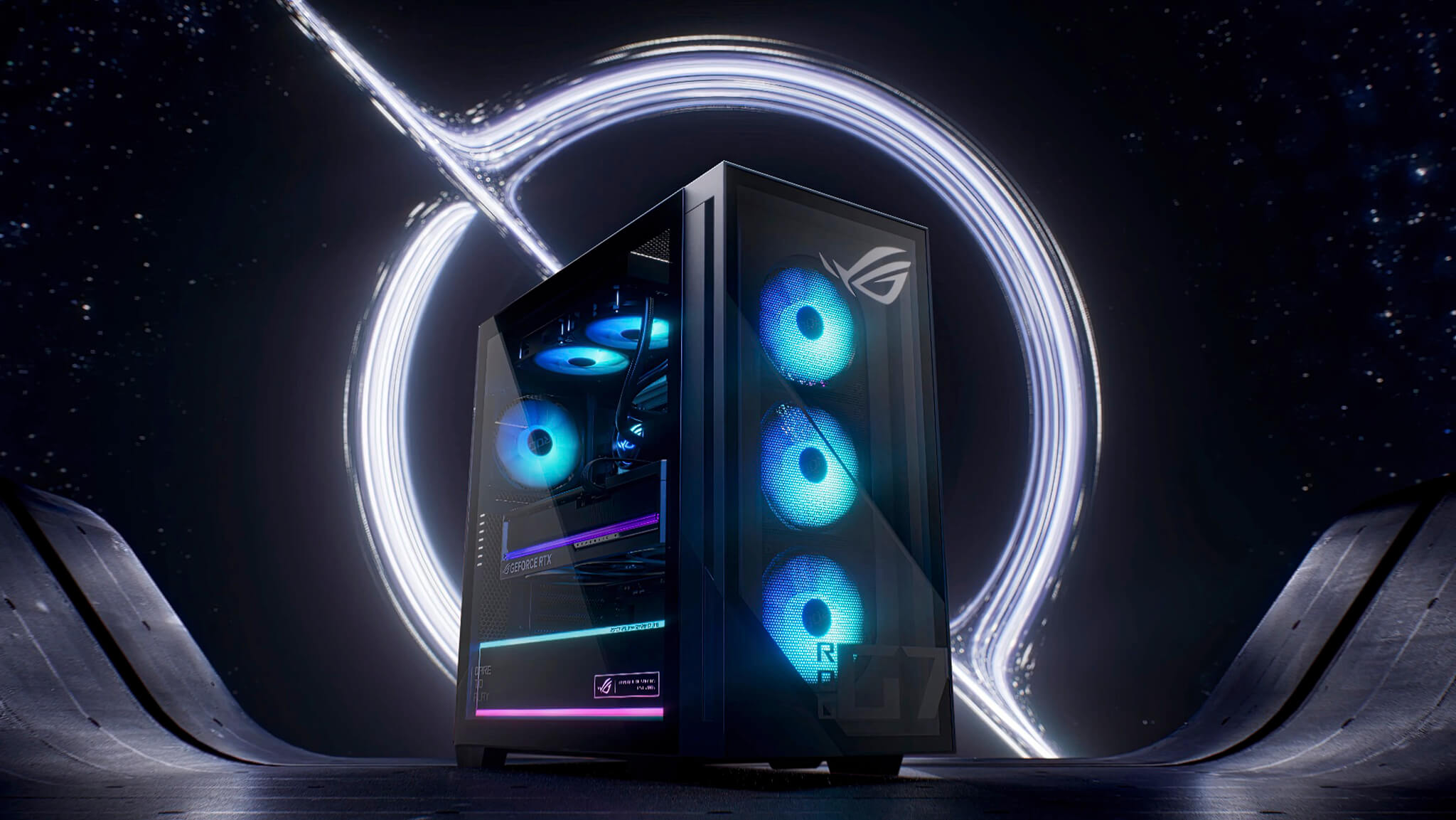
ASUS ROG G700 (2026) does not follow a minimalist office design. This model chooses a heavy gaming language with a large full tower chassis, tempered glass side panel, Aura Sync RGB lighting, and very distinct ROG identity details. The overall look provides the feeling of a high-end desktop built for display, syncing perfectly with gaming monitors, mechanical keyboards, and high-performance peripherals. This is the type of machine suitable for setups that need a visual centerpiece rather than just a simple case placed under a desk.
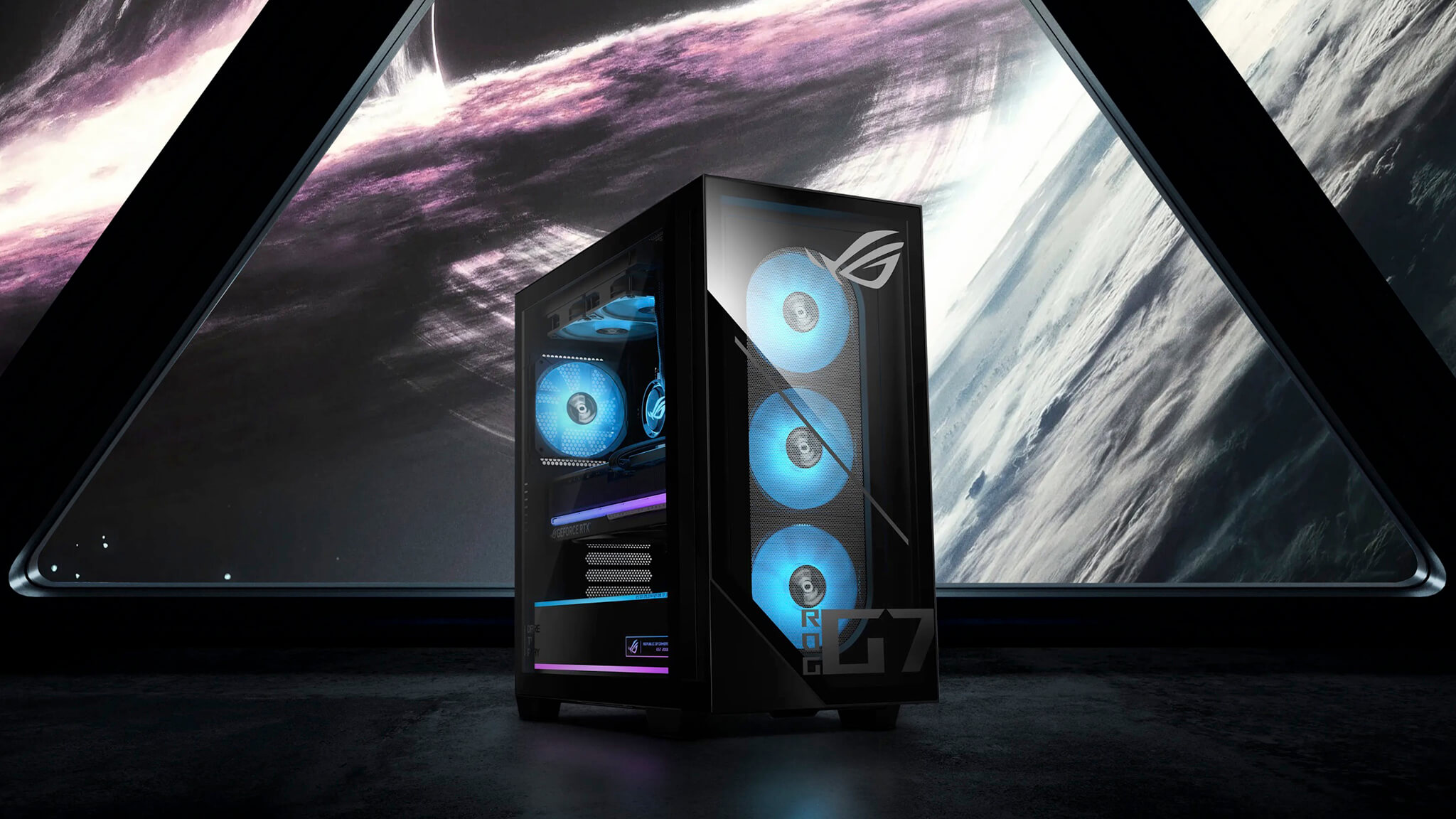
But the value of the design does not stop at aesthetics. The large chassis provides more internal space, cleaner cable management, and makes upgrading components much more convenient. For a pre-built desktop, this is a very valuable factor because long-term usability depends heavily on the meticulousness of the entire system, not just the CPU or GPU. Compared to other product lines in the authentic ASUS laptop ecosystem or the ASUS brand category at Hung Phat Laptop, it is clear that the ROG G700 is positioned firmly in the high-performance gaming desktop group, leaning towards a fixed setup experience that is powerful and full of personality.
Another commendable point is that the ROG G700's design language is not just aimed at young gamers, but also suits users who prefer a machine with a strong, sophisticated, and unique technological aura. This is a desktop model that easily makes an impression in a showroom, a streaming corner, or a creative content workspace.
Core Ultra 7 265KF and RTX 5070 deliver a very practical premium gaming experience
The most convincing point of ASUS ROG G700 (2026) lies in the balance between power and practicality. The Intel Core Ultra 7 265KF is a CPU powerful enough to handle many simultaneous tasks well, while the GeForce RTX 5070 opens up highly valuable performance for AAA games, real-time graphics, ray tracing, and GPU-intensive workloads. Combined with 32GB DDR5 RAM and SSD NVMe 1TB PCIe 4.0, this machine creates a fast, smooth, and stable experience for most heavy demands that a high-end gaming desktop typically carries.
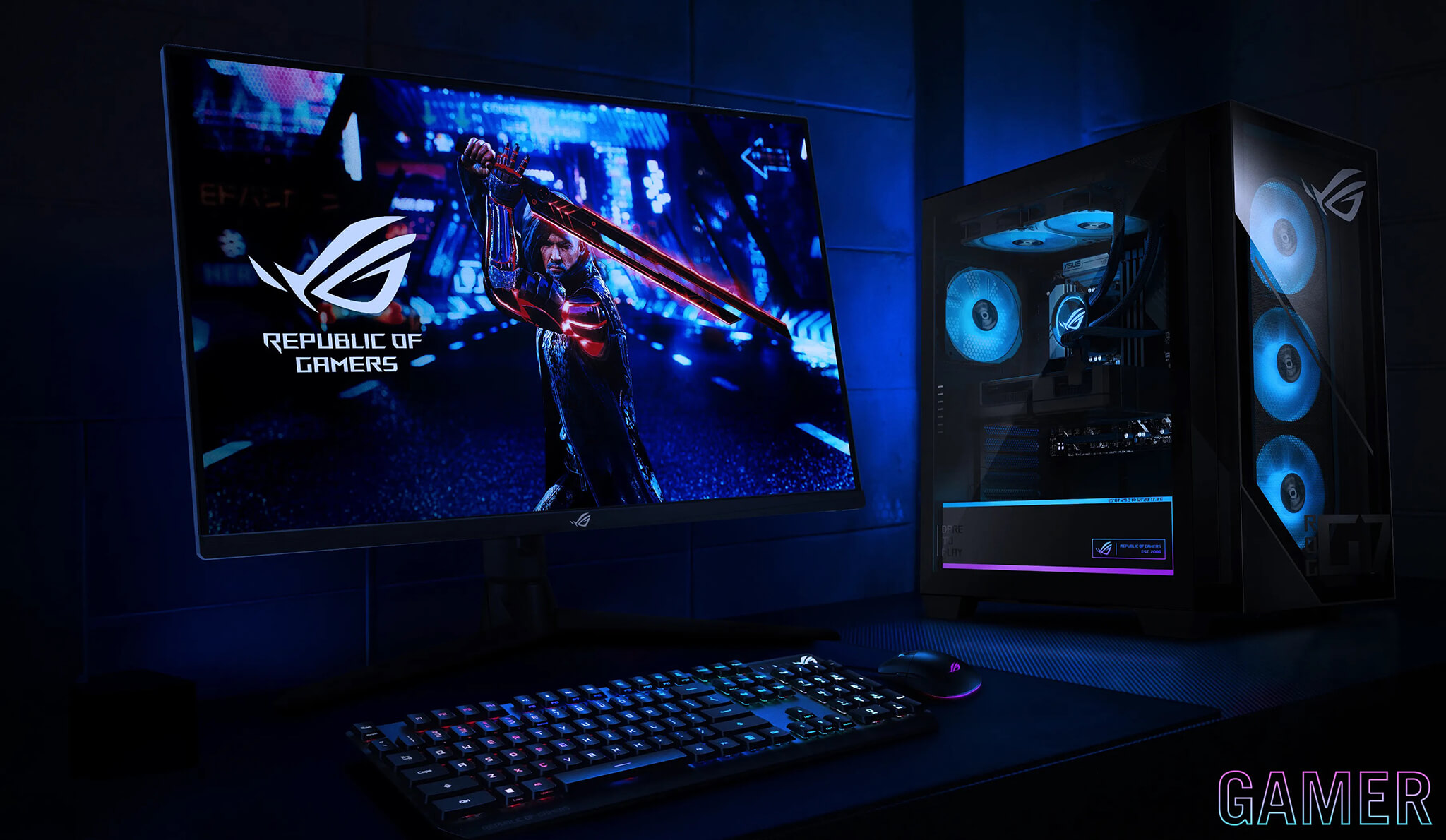
In practice, this configuration is very suitable for gamers playing at 1440p high settings, while still maintaining comfort when streaming, recording, opening many background applications, or editing video after playing. The RTX 5070 is also a GPU tier with more long-term value than the mainstream group because it is compatible with the trend of games becoming increasingly heavy on graphics, VRAM, and new rendering technologies. For those wanting a desktop powerful enough to use stably for many years without constant upgrades, this is a heavyweight choice.
The 32GB DDR5 memory is a big plus as it provides a sense of abundance for multitasking. This is an ideal RAM level for those who both play games and work, create content, and still need to run light virtual machines, process data, edit clips, or open many browser tabs for long periods. The 1TB PCIe 4.0 SSD is also good enough to provide fast game loading speeds, quick OS boot times, and reduced waiting when using daily.
Not only gaming, ROG G700 is also suitable for content creation and local AI
A high-end gaming desktop today would lack appeal if it were only powerful in gaming. The ASUS ROG G700 (2026) has the advantage of a configuration flexible enough to step into broader demand groups, especially content creation and local AI. The Core Ultra 7 265KF supports heavy CPU tasks well, while the RTX 5070 provides a clear advantage in GPU-leveraged applications such as video editing, effect acceleration, image processing, upscaling, AI image generation, or running local language models at a level appropriate for the machine's actual VRAM.
For users who like to build their own AI systems at home, the ROG G700 is suitable for running workflows like medium-sized LLM model inference, text-to-image, voice processing, content automation, or creating a local environment for personal AI experimentation. This is not yet a machine specialized for large-scale enterprise model training, but it is a very suitable platform for practical AI needs: faster than a laptop, more stable than a mini PC, and easier to expand if you want to increase storage or fine-tune the system later.
From a trend perspective, this is also why high-performance gaming desktop lines are becoming increasingly attractive. Buyers are not just paying for FPS, but also for the ability to turn a gaming machine into a center for entertainment, work, and technology experimentation right at home. In the context of ASUS continuously expanding its presence in the gaming hardware ecosystem, the article ASUS releases ROG Equalizer 12V-2x6, mitigating GPU connector melting risks also partially shows that the company is focusing more heavily on stability and long-term ownership experience.
Cooling, connectivity and upgradeability are what maintain long-term value
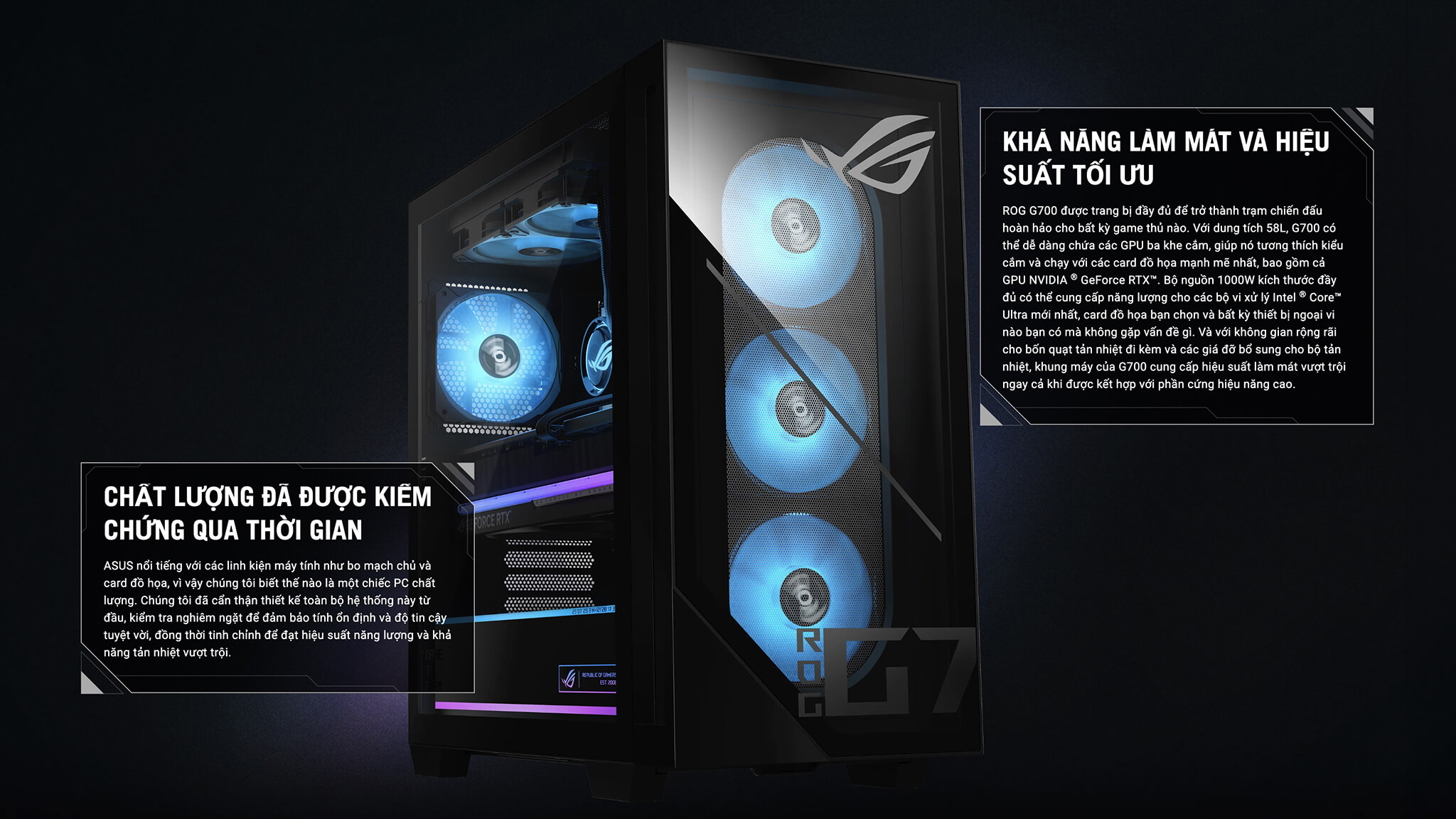
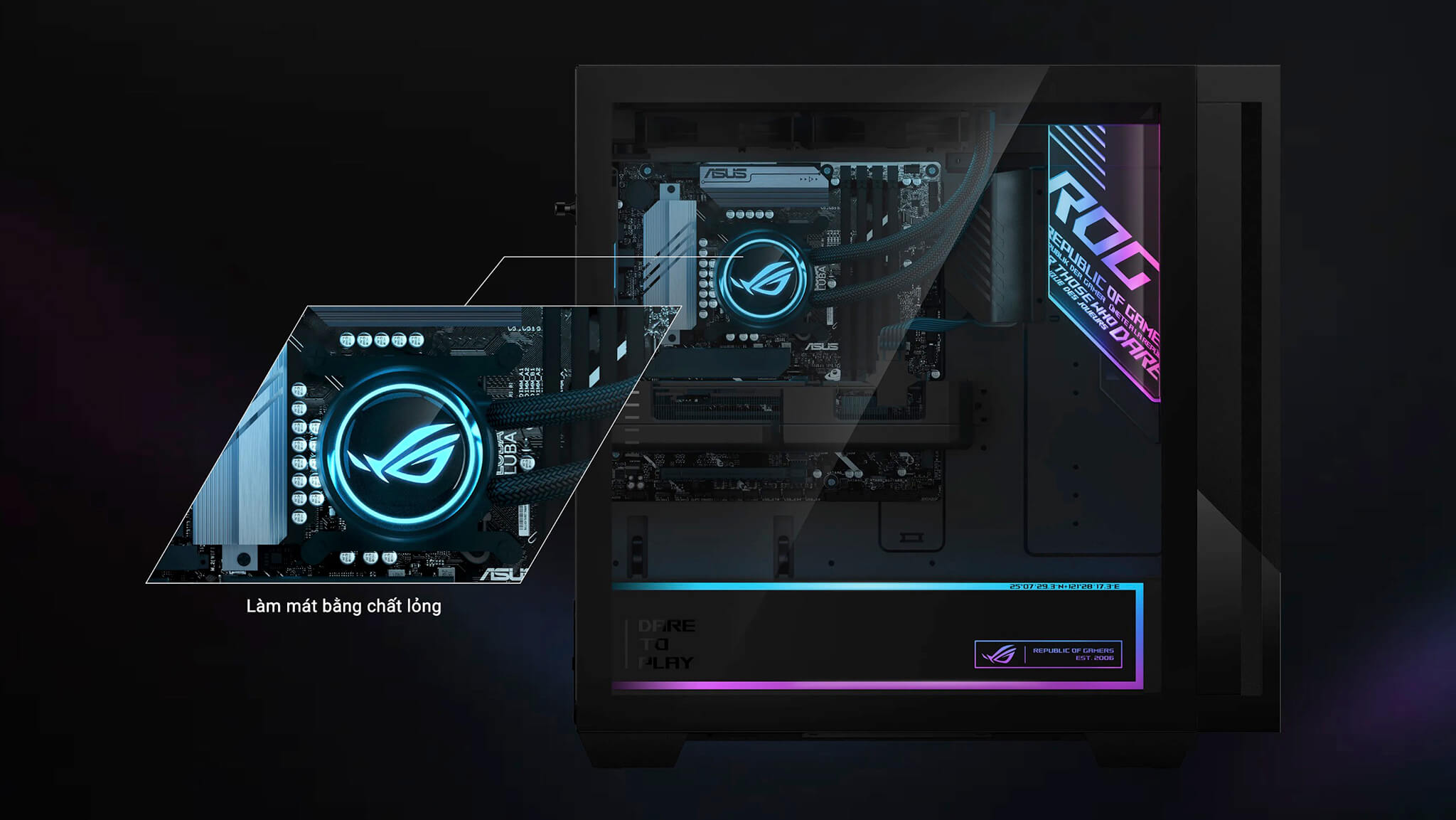
Powerful specs only truly have value when the system is good enough to maintain stable performance over a long period. According to the listed description, the ASUS ROG G700 - Gaming Desktop uses a multi-tier fan system combined with a 240mm AIO liquid cooler. This type of cooling configuration is very suitable for a high-end gaming desktop because it helps control temperatures better during long gaming sessions, extended rendering, or continuous GPU workloads. Proper cooling not only helps the machine stay cooler but also keeps noise levels pleasant during heavy usage.
The machine's connectivity is also very practical for modern users. 2.5Gbps Ethernet, Wi-Fi 6, and a diverse range of ports help the machine fit many different types of setups, from gaming and streaming to working with multiple peripherals. This is a value that is easily overlooked when only looking at the CPU and GPU, but it directly affects daily experience quality.
Additionally, the full tower chassis serves as a guarantee for upgradeability. Adding an SSD, upgrading RAM, replacing a graphics card, or fine-tuning the system later will be significantly more convenient compared to small desktop models. For buyers of a high-end machine for long-term use, expandability is always a key factor. You can refer to more details on the product line at the official ROG G700 specification page to better visualize ASUS's design philosophy for this desktop line.
Who is this ASUS ROG G700 (2026) Gaming PC suitable for?
The Asus ROG G700 is most suitable for the group of users who want a truly worthwhile pre-built desktop: serious AAA gamers, streamers, content creators, editors, graphic designers, or those who like to build their own local AI ecosystem for personal or professional work. This is also a machine suitable for those who do not want to spend much time building it themselves but still want to benefit from a powerful configuration, a beautiful chassis, and an easy-to-upgrade platform.
Conversely, if your needs are limited to light eSports, basic office work, or simple entertainment, the ROG G700 might be slightly over the required level. The machine's value lies in opening up a comprehensive premium desktop experience, where gaming, aesthetics, computing power, and flexibility all appear in a single system.
Summary of ASUS ROG G700 - Gaming Desktop (2026)
The ASUS ROG G700 (2026) is a high-end gaming desktop that converges exactly the elements that make a pre-built machine attractive: beautiful appearance, powerful configuration, professional cooling, good upgradeability, and a wider range of use beyond traditional gaming. With Intel Core Ultra 7 265KF, RTX 5070, 32GB DDR5, and SSD 1TB PCIe 4.0, the product is not only suitable for gamers but also for content creators, streamers, and users who want to exploit local AI in a personal environment. This is a very noteworthy choice for a setup that needs a premium, powerful feel and is ready for long-term service.
| Pros | Cons |
|---|---|
|
|
FAQ - Frequently Asked Questions about ASUS ROG G700 (2026)
1. Does the ASUS ROG G700 (2026) play AAA games well at 1440p?
Yes. With the Core Ultra 7 265KF and GeForce RTX 5070, this model is very suitable for playing most AAA games at 1440p resolution with high settings. If you take advantage of technologies like DLSS, performance can be even further optimized in many heavy titles.
2. Is the ASUS ROG G700 (2026) suitable for gaming streams and YouTube?
Yes. This configuration is suitable for both gaming and streaming, screen recording, video editing, and digital content processing. 32GB of RAM helps the system maintain better smoothness when many applications are running simultaneously.
3. Is this machine good for Photoshop, Premiere Pro, and video editing?
Yes. This is a configuration powerful enough for popular content creation software such as Photoshop, Premiere Pro, CapCut desktop, or other video editing tools. The RTX 5070 GPU also provides a clear advantage in hardware-accelerated tasks.
4. Can the ASUS ROG G700 (2026) run local AI?
Yes. The machine is suitable for running many local AI workflows such as AI image generation, speech-to-text, text-to-speech, medium-sized language model inference, or content automation on a personal machine. This is a major advantage if you need a desktop that both plays games and exploits practical AI at home or in a private office.
5. Is the ASUS ROG G700 (2026) suitable for AI training?
The machine is suitable for testing, light fine-tuning, personal AI workflow research, and tasks that lean more towards inference. For large training tasks or models requiring very high VRAM, this is not yet an optimal configuration like workstations or specialized multi-GPU systems.
6. Is 1TB SSD enough if I play games and do local AI at the same time?
In the initial stage, it is enough for the operating system, main applications, and some popular games or models. However, if you store many AAA games, datasets, checkpoints, or AI outputs, upgrading the SSD is a direction you should consider early to ensure the system always has ample capacity.
7. Is the machine's cooling system sufficient for prolonged heavy workloads?
According to the listed description, the machine uses a 240mm AIO combined with multiple fans, so the cooling foundation is more suitable for long gaming sessions, extended rendering, or continuous GPU tasks. This is a valuable point because a powerful desktop needs good cooling to maintain long-term stable performance.
8. Is it easy to upgrade RAM, SSD, and GPU on the ASUS ROG G700 (2026)?
Yes. The advantage of the full tower chassis is the large space, making it much easier and more convenient to operate when wanting to upgrade later. This is one of the factors that makes high-end pre-built desktops more attractive to users looking for a long-term investment.
9. Which user group is this machine most suitable for?
The ROG G700 is most suitable for heavy gamers, streamers, content creators, editors, graphic designers, and those who want to use local AI for personal or professional needs. This is a desktop model for users who want a powerful and versatile machine, not just for light gaming.
10. What should I note when choosing to buy the ASUS ROG G700 (2026)?
The most important thing is to match the correct model and the actual configuration being sold, especially the GPU, RAM, SSD, ports, and warranty policy. Since gaming desktops can have many variants depending on the market, checking the correct version is a very important step before finalizing your purchase.
Performance & benchmarks Asus ROG G700 - Gaming Desktop (2026)
Intel Core Ultra 7 265KF NVIDIA GeForce RTX 5070 - best for Chơi game 10/10, Dựng phim / Đồ hoạ 9.5/10.
Intel Core Ultra 7 265KF
- Geekbench 6 (đa nhân)21,377
- Geekbench 6 (đơn nhân)3,157
- PassMark58,680
- Cores / Threads20/20
NVIDIA GeForce RTX 5070
- 3DMark Time Spy22,260
- 3DMark Fire Strike56,472
- VRAM12 GB
- AI INT8988 TOPS
- ArchitectureBlackwell
Best for
Scored from real benchmarks- Chơi game Recommended10/10
- Dựng phim / Đồ hoạ Recommended9.5/10
- Lập trình Recommended9.5/10
- Văn phòng9.5/10
- AI / Sáng tạo AI9.5/10
Why CPU matters
CPU là “bộ não” xử lý mọi tác vụ: mở ứng dụng, đa nhiệm, biên dịch, dựng phim. CPU càng mạnh, máy càng nhanh và mượt khi làm nhiều việc cùng lúc.
- Cơ bảnThis product
Lướt web, xem phim, soạn thảo văn phòng nhẹ.
- Phổ thôngThis product
Văn phòng, đa nhiệm vừa, học tập.
- Tầm trungThis product
Đa nhiệm tốt, lập trình, đồ hoạ nhẹ.
- Khá mạnhThis product
Dựng phim, lập trình nặng, ảo hoá, chơi game.
- Cao cấpThis product
Render nặng, biên tập 4K/8K, máy ảo, tác vụ AI.
Why GPU matters
GPU (card đồ hoạ) lo phần hình ảnh: chơi game, dựng video, render 3D và tăng tốc AI. GPU càng mạnh, khung hình game càng cao và xuất video càng nhanh.
- Cơ bản (iGPU)This product
Hiển thị mượt, xem phim 4K, game rất nhẹ (LMHT, Valorant mức thấp).
- Phổ thôngThis product
Game eSports 1080p, chỉnh ảnh, dựng video nhẹ.
- Tầm trungThis product
Game 1080p thiết lập trung-cao, dựng video Full HD ổn.
- Khá mạnhThis product
Game 1080p/1440p thiết lập cao, dựng video 4K, render 3D.
- Cao cấpThis product
Game 4K/240Hz, ray tracing, render & AI nặng.
Game performance
Real FPS - desktop GPU- Dota 2222 fps4K Ultra
- CoD: Black Ops 664 fps4K Ultra
- Star Wars Outlaws73 fps1080p Ultra
- Black Myth: Wukong57 fps1080p Ultra
- God of War Ragnarök82 fps4K Ultra
- Final Fantasy XVI74 fpsQHD Ultra
- Cyberpunk 2077110 fpsQHD Ultra
🟢 ≥60fps rất mượt · 🟡 30-60fps chơi tốt · 🔴 <30fps cần giảm thiết lập
Local AI performance
Tokens/second running locally on GPU 12GB VRAM- Qwen 3.5 9B9.7 GB · ctx 32K48 tok/sDecent
- Gemma 4 E4B IT8.7 GB · ctx 256K54 tok/sDecent
- Phi-4 14B7.7 GB · ctx 16K61 tok/sRuns well
- DeepSeek R1 Distill 14B7.7 GB · ctx 64K61 tok/sRuns well
- Gemma 4 E2B IT5.6 GB · ctx 256K84 tok/sRuns well
- GLM-4 9B5.1 GB · ctx 128K92 tok/sRuns great
- Gemma 4 E4B4.6 GB · ctx 256K102 tok/sRuns great
- Ministral 8B4.6 GB · ctx 32K102 tok/sRuns great
- Qwen 3.5 4B4.6 GB · ctx 32K102 tok/sRuns great
- DeepSeek R1 Distill 7B4.1 GB · ctx 64K115 tok/sRuns great
- Gemma 4 E2B3.1 GB · ctx 256K152 tok/sRuns great
- Qwen 3.5 2B2.5 GB · ctx 32K188 tok/sRuns great
- Phi-4 Mini Reasoning2.4 GB · ctx 16K196 tok/sRuns great
- SmolLM3 3B2 GB · ctx 128K235 tok/sRuns great
- DeepSeek R1 1.5B1.3 GB · ctx 64K362 tok/sRuns great
- Qwen 3.5 0.8B1.3 GB · ctx 32K362 tok/sRuns great
- TinyLlama 1.1B1.1 GB · ctx 2K428 tok/sRuns great
- Qwen 2.5 14B7.7 GB · ctx 128K61 tok/sRuns well
- Qwen 3 14B7.7 GB · ctx 128K61 tok/sRuns well
- Gemma 3 12B6.6 GB · ctx 128K71 tok/sRuns well
- Mistral Nemo 12B6.6 GB · ctx 128K71 tok/sRuns well
- Llama 3.2 11B Vision6.1 GB · ctx 128K77 tok/sRuns well
- Gemma 2 9B5.1 GB · ctx 8K92 tok/sRuns great
- Nemotron Nano 9B v25.1 GB · ctx 128K92 tok/sRuns great
- Llama 3.1 8B4.6 GB · ctx 128K102 tok/sRuns great
- Qwen 3 8B4.6 GB · ctx 128K102 tok/sRuns great
- Mistral 7B v0.34.1 GB · ctx 32K115 tok/sRuns great
- Qwen 2.5 7B4.1 GB · ctx 128K115 tok/sRuns great
- Qwen 2.5 Coder 7B4.1 GB · ctx 128K115 tok/sRuns great
- Qwen 3 4B2.5 GB · ctx 32K188 tok/sRuns great
- Gemma 3 4B2.5 GB · ctx 128K188 tok/sRuns great
- Phi-3.5 Mini2.4 GB · ctx 128K196 tok/sRuns great
- Llama 3.2 3B2 GB · ctx 128K235 tok/sRuns great
- Gemma 2 2B1.5 GB · ctx 8K314 tok/sRuns great
- Qwen 3 1.7B1.4 GB · ctx 32K336 tok/sRuns great
- Qwen 2.5 Coder 1.5B1.3 GB · ctx 32K362 tok/sRuns great
- Qwen 3 0.6B1.1 GB · ctx 32K428 tok/sRuns great
- Llama 3.2 1B1 GB · ctx 128K470 tok/sRuns great
- Gemma 3 1B1 GB · ctx 32K470 tok/sRuns great
🟢 Great · 🟡 Well · 🟠 Decent - 4-bit quantized, ctx = context window
No comments yet
Q&A about Asus ROG G700 - Gaming Desktop (2026)
Frequently asked questions about Asus ROG G700 - Gaming Desktop (2026)
What are the specifications of Asus ROG G700 - Gaming Desktop (2026)?
What is the warranty for Asus ROG G700 - Gaming Desktop (2026)?
Can I buy Asus ROG G700 - Gaming Desktop (2026) with home delivery?
Worth a Look
 4 configurations
Asus Gaming V16 V3607 (2025)

Asus TUF Gaming A15 (FA506NCQ) (2025)





Ngọc Hằng 02/05/2026Purchased at Hung Phat
This machine is incredibly powerful; gaming is extremely smooth. The design looks super cool, and it makes my workspace setup look much more premium. Definitely worth every penny, everyone!
Hữu Hùng 29/04/2026Purchased at Hung Phat
It runs incredibly smoothly; playing AAA games is completely lag-free. The ROG design looks super cool and makes my workspace look much more premium. Definitely worth the money, everyone!