

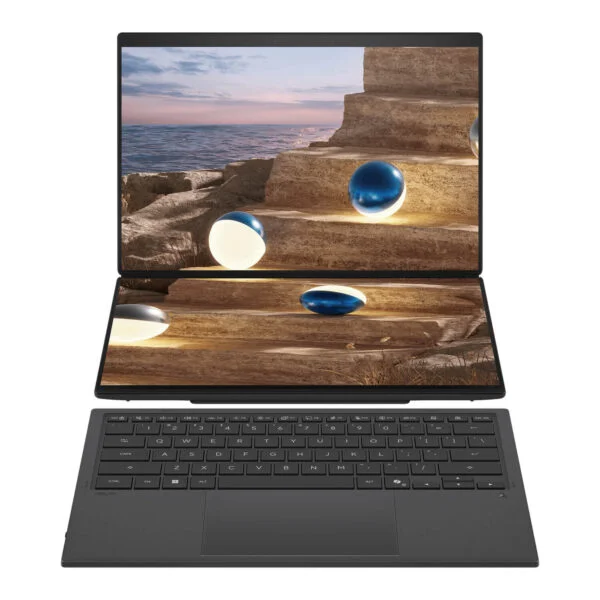
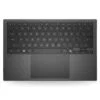
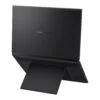
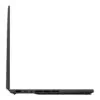
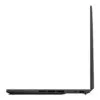
Asus Zenbook Duo UX8407AA (2026)
- CPU: Intel Core Ultra X7 358H Up To 4.8GHz (16 Cores, 16 Threads, 18MB Cache - 50 TOPS NPU)
- RAM: 32GB LPDDR5X (On board)
- SSD: 512GB PCIe Gen4 M.2 SSD
- VGA: Intel® Arc™ B390 Graphics
- DISPLAY: Dual 14" 3K (2880*1800) OLED 144Hz, 0.2ms, 16:10, Touch, Stylus support, 100% DCI-P3, Pantone Validated, HDR True Black 1000, 1000 nits HDR peak, 500 nits
- OS: Windows 11 Home + Office Home 2024 + Microsoft 365 Basic (1 year)
- COLOR: Moher Gray
- CONDITION: New 100% Full Box
- WARRANTY: 24-month official warranty
- Zenbook Duo UX8407AA Design: Dual 14-inch Screens, Four Usage Modes
- Zenbook Duo UX8407AA Displays: Dual 3K 144Hz OLED, 1,000-Nit HDR
- Zenbook Duo UX8407AA Performance: Core Ultra X7, X9, and Arc B390
- Zenbook Duo UX8407AA Keyboard: Detachable Bluetooth Keyboard, ASUS Pen
- Zenbook Duo UX8407AA Connectivity: 2 Thunderbolt 4 Ports, 99Wh Battery
- Zenbook Duo UX8407AA Overview: Dual Displays for Multitaskers
- FAQ - Frequently Asked Questions About the Asus Zenbook Duo UX8407AA (2026)
- Where to Buy the Genuine Asus Zenbook Duo UX8407AA (2026) at a Great Price?
Video editors, programmers, and data analysts often need to carry a portable monitor when working outside the office, and the Asus Zenbook Duo UX8407AA (2026) addresses that exact need with dual 14-inch OLED screens built into a single chassis, paired with a detachable Bluetooth keyboard. This is the third-generation Zenbook Duo to feature equal-sized dual screens, launching in early 2026 with an Intel Core Ultra Series 3 (Panther Lake) X-series processor with Intel Arc graphics, dual 3K 144Hz touchscreens, a 99Wh battery, and a bundled ASUS Pen. In Vietnam, DGW distributes the machine in two configurations: Core Ultra X7 and Core Ultra X9, both with 32GB of RAM and pre-installed lifetime licenses for Windows 11 Home and Office Home 2024. This article breaks down its design, how to use its four dual-screen modes, real-world benchmark performance, and key details to consider before buying.
Zenbook Duo UX8407AA Design: Dual 14-inch Screens, Four Usage Modes
The Asus Zenbook Duo UX8407AA measures 310.1 x 208.6 mm, ranges from 19.6 to 23.4 mm in thickness, and weighs 1.65 kg according to Asus; in actual testing, Notebookcheck weighed it at about 1.7 kg. The chassis is crafted from Ceraluminum, an aluminum-ceramic material Asus uses on its high-end Zenbook line, featuring a smooth matte surface that resists fingerprints and handles scratches better than standard painted aluminum. It comes in a single Moher Gray colorway and meets MIL-STD 810H durability standards. Compared to the 2025 Zenbook Duo, the 2026 model is about 5% more compact while maintaining the same weight; a redesigned hinge that is smaller and recessed into the chassis reduces the gap between the two displays by 70%, making them sit nearly flush together when opened.
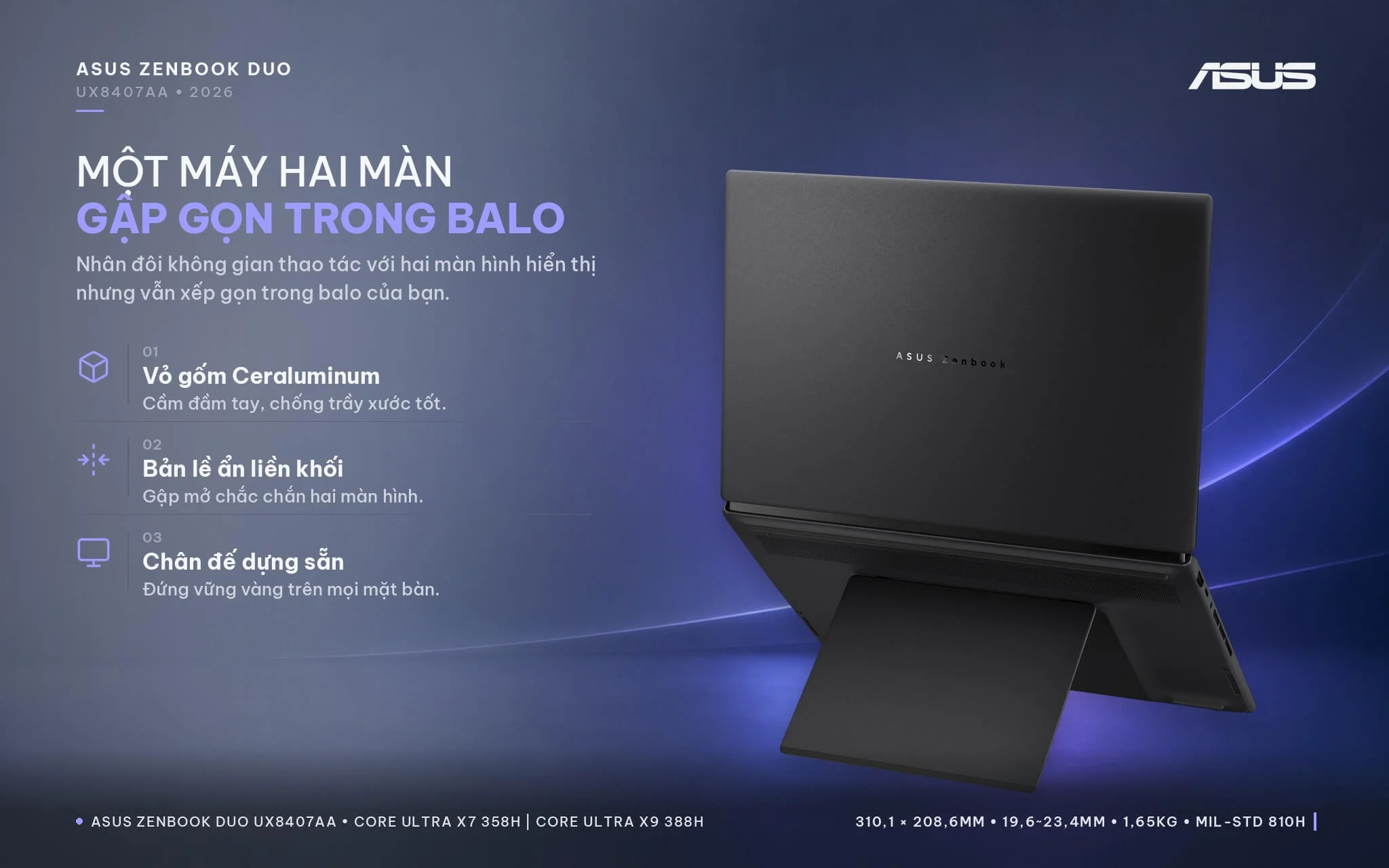
What sets the Zenbook Duo apart is how you can use its two screens. In Laptop mode, you place the keyboard over the bottom screen, where magnets and pogo pins align it automatically and charge it on the fly, letting you use the machine just like a standard 14-inch laptop. In Dual Screen mode, you open the rear kickstand to stack both screens vertically and position the Bluetooth keyboard in front, effectively putting two 14-inch displays on your desk: the top screen can show code or a video timeline, while the bottom screen handles documents, a browser, or meeting windows. Desktop mode props the device upright like an open book with the two displays arranged side by side in portrait orientation, well suited for reading long documents, reviewing wide spreadsheets with many rows, or comparing two design drafts. Sharing mode lays the device flat at 180 degrees: once tilted past 175 degrees, a quick-share menu pops up to flip content for someone sitting across from you, and you can use a stylus or virtual laser pointer to annotate during client presentations.
Asus tested the hidden hinge for over 40,000 opening and closing cycles under a 15 kg load, and the integrated kickstand also withstands 40,000 cycles; in internal testing, the upper screen withstood 5 kg of pressure and the lower screen withstood 15 kg. Notebookcheck noted that the 2026 kickstand feels sturdier than its predecessor, Desktop mode no longer wobbles like it did on the 2025 version, and the chassis does not flex or creak under firm pressure. If you need an Asus laptop that offers workspace comparable to dual standalone monitors while still fitting into a backpack, the Zenbook Duo is a completely different proposition from conventional 14-inch laptops.
Zenbook Duo UX8407AA Displays: Dual 3K 144Hz OLED, 1,000-Nit HDR
Both screens on the Asus Zenbook Duo UX8407AA (2026) are 14-inch Lumina Pro OLED panels with 3K resolution (2880 x 1800), a 16:10 aspect ratio, a 144Hz refresh rate, a 0.2ms response time, touch support, and stylus compatibility. The displays cover 100% of the DCI-P3 color gamut, carry Pantone Validated and VESA DisplayHDR True Black 1000 certifications, and deliver 500 nits of brightness, peaking at 1,000 nits when viewing HDR content. Asus added an anti-reflective coating (which reduces reflected light by about 65% according to the manufacturer) and an E-Reading mode that shifts the screen to high-contrast monochrome to ease eye strain during long reading sessions. While the 2025 generation included an FHD 60Hz screen option, the 2026 lineup equips every configuration with the 3K 144Hz display.
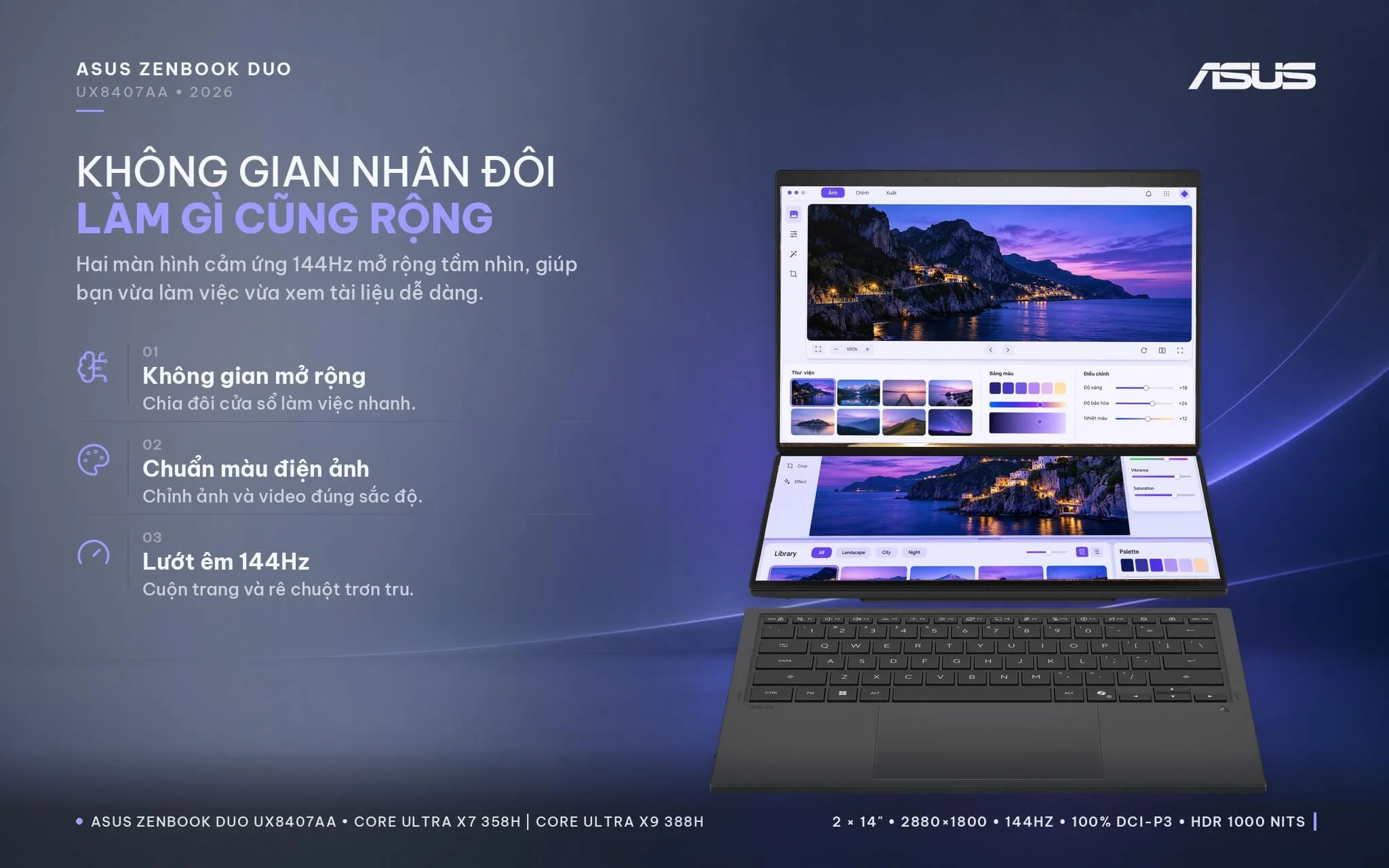
Notebookcheck measured SDR brightness at about 495 nits, HDR at nearly 1,000 nits (with the ambient light sensor enabled), 99.5% Display P3 coverage, and a Delta E color variance of about 1.6 on the default color profile, meeting standards for photo editing, video editing, and design proofing. Both displays recognize dedicated gestures through the ScreenXpert software: a six-finger tap pulls up a virtual keyboard and virtual touchpad on the lower screen, a five-finger swipe stretches a window across both displays, and dragging an application into App Switcher assigns a default screen for that program. Note that the displays retain a glossy finish, so reflections will be noticeable when working outdoors or directly beneath overhead lighting. Notebookcheck also detected PWM flickering at a frequency of 720Hz; when brightness drops below about 70%, the system suggests enabling flicker-free OLED dimming in MyASUS, which users sensitive to flicker should keep active.
Zenbook Duo UX8407AA Performance: Core Ultra X7, X9, and Arc B390
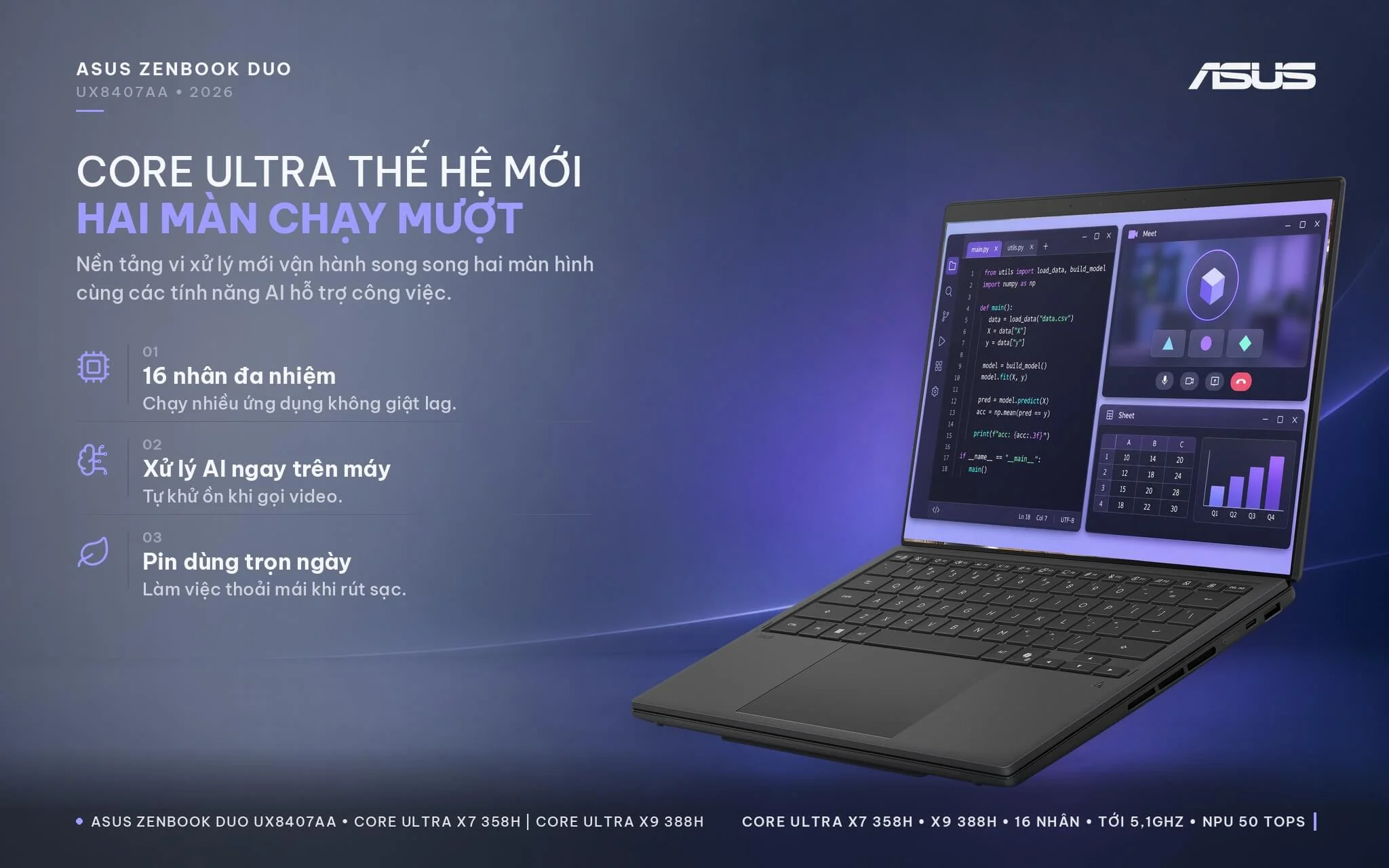
Both Asus Zenbook Duo UX8407AA configurations run on Intel Core Ultra Series 3 (Panther Lake) X-series processors featuring 16 cores and 16 threads (4 P-cores, 8 E-cores, and 4 LP-E cores), an 18MB cache, and a 50 TOPS NPU meeting Copilot+ PC standards. The UX8407AA-SN439WS model is powered by the Intel Core Ultra X7 358H with boost speeds up to 4.8GHz, while the UX8407AA-SN138WS model features the Intel Core Ultra X9 388H reaching up to 5.1GHz; both are paired with the 12-core Xe3 Intel Arc B390 integrated graphics. Asus upgraded the cooling system with 3x larger air intakes and a 97-blade fan to sustain a 45W CPU power limit; Notebookcheck recorded the X9 model running at 64W short-term and 46W sustained, delivering stable performance under sustained workloads as well as on battery power.
| CPU | Cinebench 2024 single / multi-core | Geekbench 6 single / multi-core |
|---|---|---|
| Intel Core Ultra X9 388H (SN138WS model) | 129 / 1,023 | 3,027 / 17,694 |
| Intel Core Ultra X7 358H (SN439WS model) | 124 / 1,000 | 2,864 / 16,674 |
| Intel Core Ultra 9 285H (Zenbook Duo 2025) | 127 / 1,142 | 2,878 / 16,207 |
| AMD Ryzen AI 9 HX 370 (reference) | 117 / 1,139 | 2,881 / 14,996 |
| Intel Core Ultra 7 155H (Zenbook Duo 2024) | 102 / 789 | 2,409 / 12,385 |
Source: Notebookcheck, average scores tested across multiple laptops powered by the same chip. In its specific review of the Zenbook Duo UX8407AA with the Core Ultra X9 388H, Notebookcheck recorded Cinebench 2024 scores of 129.8 / 1,172 points in Performance mode.
On the CPU side, the Core Ultra X9 388H is only about 2% faster than the Core Ultra X7 358H in Cinebench 2024 multi-core and roughly 6% in Geekbench 6, meaning the real-world difference between the two configurations comes down primarily to single-core clock speeds and SSD capacity. Compared to the Core Ultra 7 155H in the Zenbook Duo 2024, the X7 model is roughly 27% faster in Cinebench 2024 multi-core and 35% faster in Geekbench 6 multi-core. Compared to the Core Ultra 9 285H in the Zenbook Duo 2025, multi-core scores between the two generations are roughly comparable (the 285H holds a slight edge in average Cinebench 2024 results, while the 388H leads in Geekbench 6); the key improvement lies in power efficiency. Notebookcheck noted that Panther Lake matches Arrow Lake's multi-core performance at substantially lower power draw, which explains why the 2026 Duo delivers longer battery life. For programming, heavy multi-sheet Excel work, or video calls alongside dozens of browser tabs spread across both screens, both configurations run smoothly.
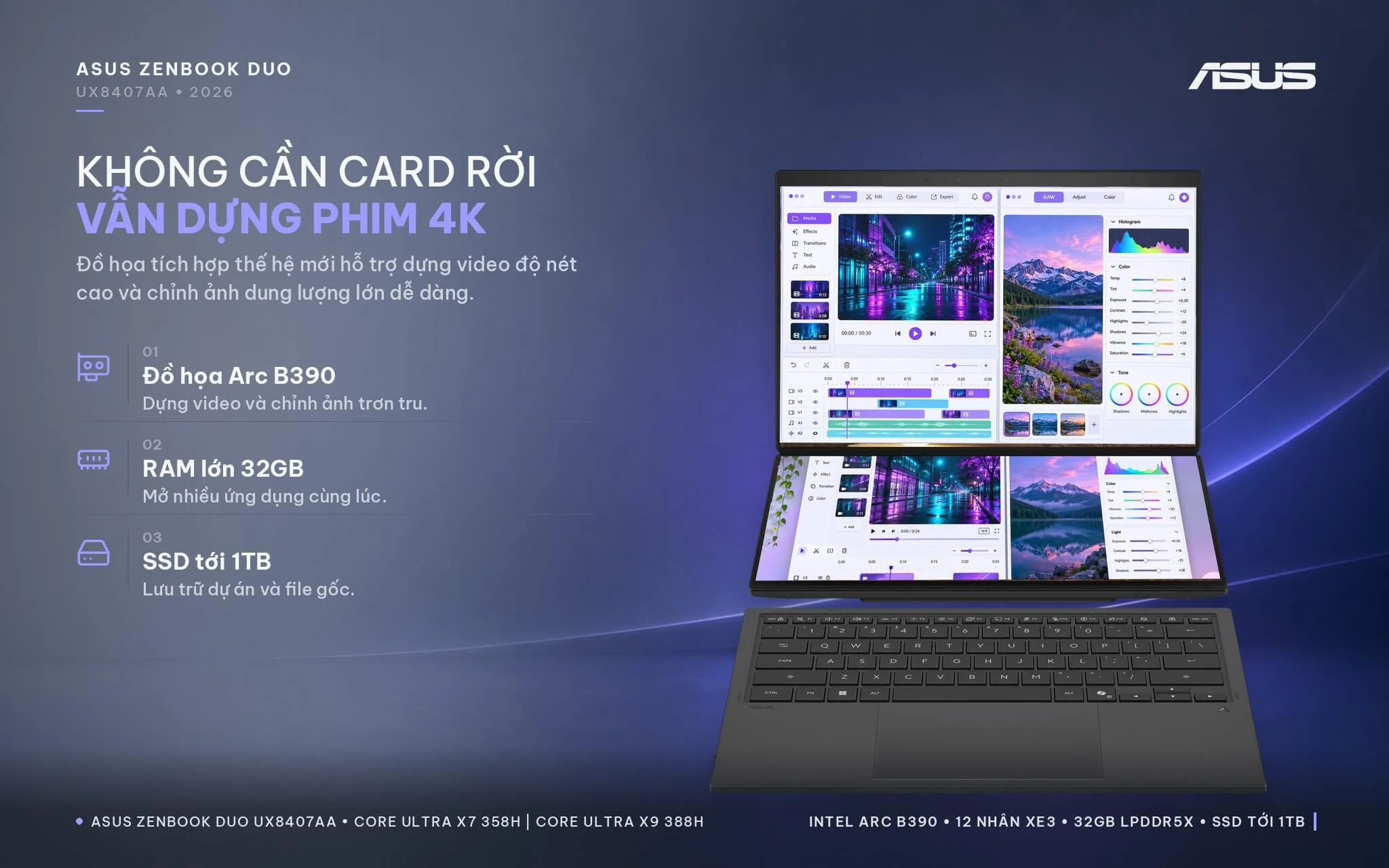
The biggest leap over the previous two generations comes in graphics. The Intel Arc B390 GPU averages 6,653 points in 3DMark Time Spy Graphics, roughly 73% higher than the Arc 140T in the Zenbook Duo 2025, about double the 8-core Arc in the Zenbook Duo 2024, and roughly 82% of the discrete GeForce RTX 4050 Laptop GPU. Notebookcheck notes that the Arc B390 matches a 60W RTX 4050 Laptop in Time Spy, runs Cyberpunk 2077 at Full HD Ultra settings at around 40 FPS directly on the Zenbook Duo UX8407AA, and includes XeSS 3 frame generation to boost frame rates even higher. For creators editing 4K video, processing RAW photos, handling 2D graphics, moderate 3D projects, or casual gaming, this integrated graphics performance delivers plenty of power without requiring a discrete graphics card.
| GPU | 3DMark Time Spy Graphics | 3DMark Steel Nomad Light |
|---|---|---|
| Intel Arc B390 12-core Xe3 (both models) | 6,653 | 5,897 |
| Intel Arc 140T (Zenbook Duo 2025) | 3,843 | 3,547 |
| AMD Radeon 890M (reference) | 3,376 | 3,294 |
| Intel Arc 8-core (Zenbook Duo 2024) | 3,270 | 2,971 |
| GeForce RTX 4050 Laptop (discrete GPU reference) | 8,125 | 6,206 |
Source: Notebookcheck, average scores by GPU across multiple tested laptops. Actual results vary depending on performance mode and whether the laptop is plugged in or running on battery.
Both models feature 32GB of soldered LPDDR5X memory (Notebookcheck measured the X9 model running at 9600 MT/s). While non-upgradable, 32GB provides plenty of headroom for video editing, running light virtual machines, or local small AI models, while giving the Arc B390 GPU ample shared memory. The SN439WS model comes equipped with a 512GB SSD, while the SN138WS features a 1TB SSD, both using PCIe 4.0 x4 across a single M.2 2280 slot. According to Notebookcheck, the SSD slot sits behind a small maintenance hatch under the kickstand, so upgrading the drive does not require removing the entire bottom chassis. As your photo and video libraries grow, you can easily swap in a higher-capacity drive or connect an external SSD via Thunderbolt 4.
Zenbook Duo UX8407AA Keyboard: Detachable Bluetooth Keyboard, ASUS Pen
The Asus Zenbook Duo UX8407AA comes with a full-size detachable Bluetooth keyboard featuring a desktop-grade 19.05 mm key pitch, 1.7 mm key travel (deeper than the previous generation), backlighting, and a Copilot key. Its keycaps have an Excimer coating that withstands 50,000 abrasion rubs, and the keyboard has passed testing for 1,000,000 keystrokes. When placed on the lower screen, the keyboard is held magnetically, connecting and charging via pogo pins; once detached, you can use it as a wireless keyboard, complete with a dedicated USB-C port for charging. The 12.7 x 7.8 cm touchpad (measured by Notebookcheck) supports edge-swipe gestures to adjust volume and brightness; Notebookcheck rated this as one of the best typing experiences on a 14-inch laptop.
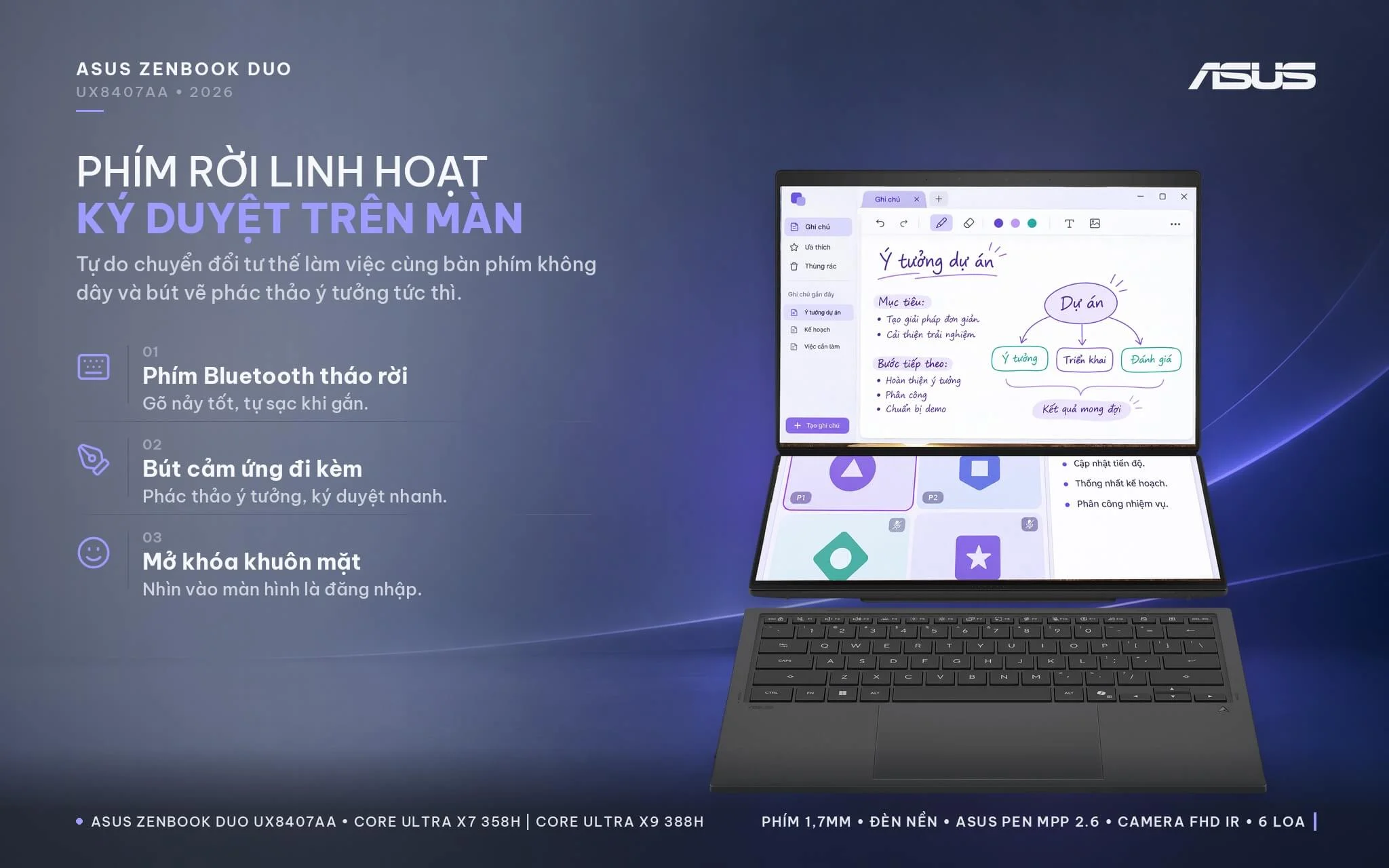
The box includes an ASUS Pen (MPP 2.6 standard) with a wireless charging dock and a protective sleeve, making it convenient to take notes, sign documents, or sketch directly on the lower display. An FHD webcam with an IR sensor enables facial login via Windows Hello, paired with ASUS Adaptive Lock to automatically lock the laptop when you walk away; according to Notebookcheck, webcam image quality is average, yet sufficient for online meetings. A 6-speaker audio system with tweeters and woofers earned praise from Notebookcheck for delivering good sound for the laptop's size, letting you watch movies or listen to music without external speakers. For security, the laptop features firmware TPM and a Microsoft Pluton security chip.
Zenbook Duo UX8407AA Connectivity: 2 Thunderbolt 4 Ports, 99Wh Battery
On the left edge, the Asus Zenbook Duo UX8407AA (2026) features an HDMI 2.1 FRL port, one Thunderbolt 4 port (40Gbps USB-C with display output and charging), and a 3.5 mm audio jack; the right edge houses the power button, a second Thunderbolt 4 port, and one USB-A 3.2 Gen 2 port (10Gbps). The 2026 model moves one Thunderbolt 4 port to the right side, allowing you to charge from either side. According to Asus, the two Thunderbolt 4 ports can drive two external 4K 60Hz displays or a single 8K 60Hz screen, making it easy to expand your workspace at a desk. The laptop lacks a memory card slot and a LAN port, so you will need a USB-C adapter if you frequently transfer camera cards or rely on a wired connection.
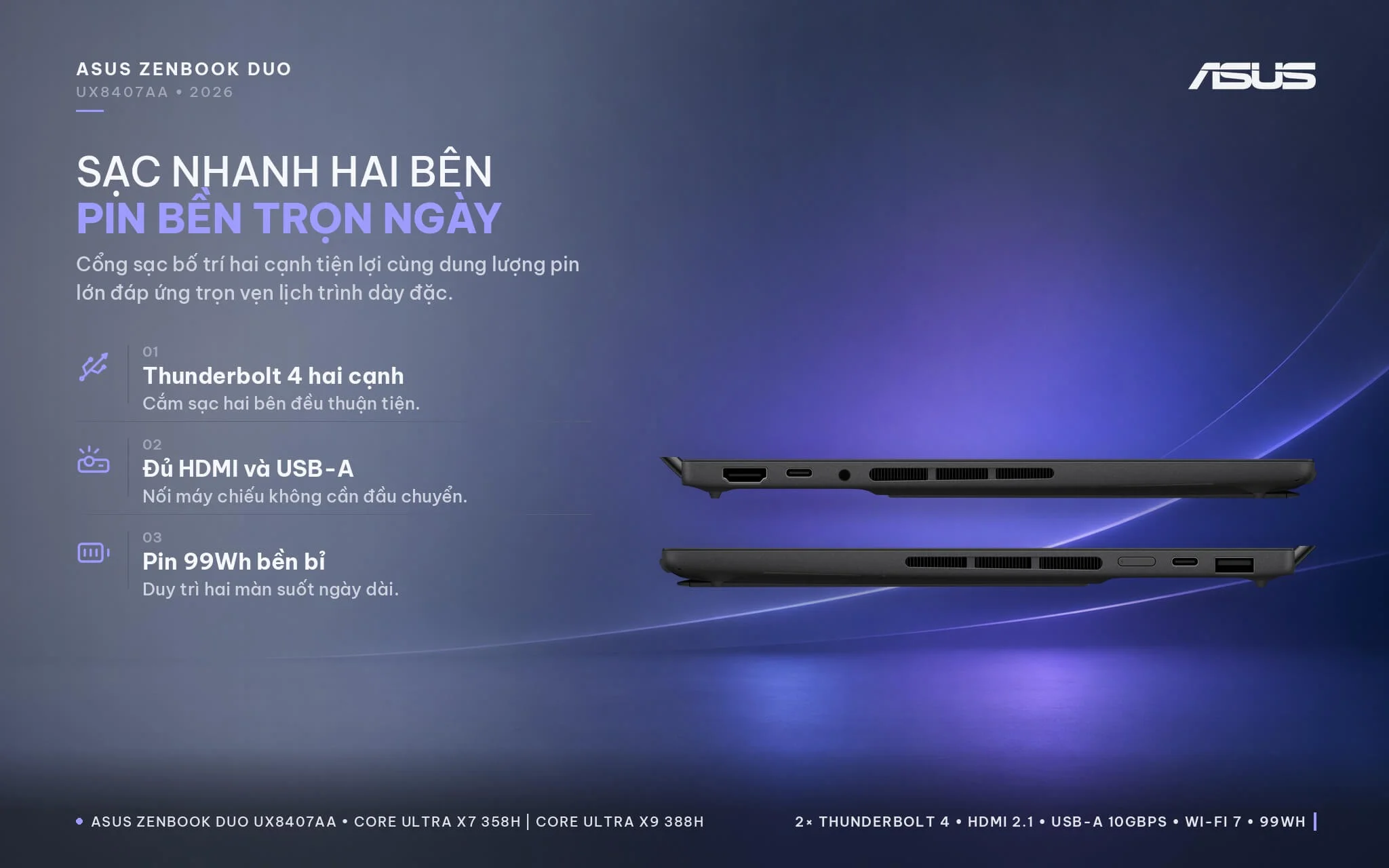
Wireless connectivity includes tri-band 2x2 Wi-Fi 7 and Bluetooth 5.4. Battery capacity increases from 75Wh on the previous generation to 99Wh by placing an additional battery pack in the upper half of the chassis, charging via a 100W USB-C charger that Asus claims can fast charge to 60% in 49 minutes. Asus rates the battery for up to 18 hours of video playback and 12 hours of web browsing when using both screens, and up to 32 hours of video playback using only a single screen. In Notebookcheck's Wi-Fi browsing test at 150 nits of brightness, the laptop lasted about 17 hours on one screen and nearly 12 hours on two screens - impressive results for a dual 3K OLED machine. At 99Wh, the battery remains under the 100Wh airline limit, allowing you to carry it on flights under standard regulations.
Zenbook Duo UX8407AA Overview: Dual Displays for Multitaskers
The Asus Zenbook Duo UX8407AA (2026) is a dual 14-inch 3K 144Hz OLED touchscreen laptop powered by a Core Ultra X7 358H or Core Ultra X9 388H processor paired with an Arc B390 GPU, 32GB of RAM, a 99Wh battery, a detachable Bluetooth keyboard, and an included stylus, all housed in a 1.65 kg Ceraluminum chassis. Notebookcheck awarded the X9 configuration an 89% rating and considered it a dual-screen laptop well worth buying on the market. It suits creators who need color-accurate displays for photo editing and video editing with a timeline spread across the lower screen; developers running code and documentation side by side; finance and stock professionals monitoring multiple spreadsheets; sales professionals presenting to clients in Sharing mode; and engineering students needing an expansive workspace they can still carry to class.
Compared to the 2025 Zenbook Duo, the UX8407AA features brighter 144Hz displays with an anti-reflective coating, a concealed hinge that brings the two screens closer together, a sturdier kickstand, deeper key travel, a 99Wh battery replacing the 75Wh unit, a Thunderbolt 4 port on each side, and an Arc B390 GPU that runs roughly 70% faster. The 512GB X7 configuration handles most workloads if you store data in the cloud or on external drives; the 1TB X9 configuration suits video editors storing multiple projects and seeking higher single-core clocks. You can explore additional models in the Asus ZenBook category.
Considerations to keep in mind: at up to 23.4 mm thick and 1.65 kg, the laptop is heavier than typical 14-inch models and is only worth buying if you actually need the second screen. The soldered RAM cannot be upgraded, though both configurations come standard with 32GB. There is only 1 SSD slot; if you need more capacity, you must replace the drive via the maintenance hatch or use an external Thunderbolt 4 SSD. The glossy display reflects easily outdoors, so avoid sitting directly opposite strong light sources. The panels use PWM flickering, so sensitive users should enable OLED anti-flicker mode in MyASUS. There is no memory card slot or LAN port, which can be offset with a USB-C hub. The fans are louder than the previous generation under heavy loads (around 46 dB in Performance mode), though switching to Balanced or Whisper mode during light tasks makes the system much quieter.
| Pros | Cons |
|---|---|
|
|
FAQ - Frequently Asked Questions About the Asus Zenbook Duo UX8407AA (2026)
1. How do the UX8407AA-SN439WS and SN138WS differ?
2. How do you use the Zenbook Duo's dual screens?
3. Does the laptop include a keyboard and pen?
4. Can the RAM and SSD be upgraded?
5. How long does the battery last with both screens on?
6. What support do you get when buying from Hung Phat Laptop?
Where to Buy the Genuine Asus Zenbook Duo UX8407AA (2026) at a Great Price?
Deciding between the Core Ultra X7 512GB model and the Core Ultra X9 1TB model? Hung Phat Laptop will consult with you on your software workflow and storage needs, helping you select the Asus Zenbook Duo UX8407AA configuration that fits your work. Video editors receive practical guidance on internal SSD capacity and high-speed Thunderbolt external storage. Developers and finance professionals get walkthroughs on organizing multi-window layouts across both displays using ScreenXpert. If you are looking for a dual-OLED laptop for creative work, we are ready to provide a detailed comparison of each configuration.
Every unit is a genuine product distributed by DGW with a full invoice and an official 24-month Asus Vietnam warranty. The box includes the Bluetooth keyboard, an ASUS Pen, and a protective sleeve. Any unit with a manufacturer defect within the first 30 days will be replaced. Our technicians are ready to assist with software installation and SSD upgrades whenever you need extra storage. Enjoy long-term technical support and reliable nationwide delivery. Order your Asus Zenbook Duo 2026 at Hung Phat Laptop.
Performance & benchmarks Asus Zenbook Duo UX8407AA (2026)
Intel Core Ultra X7 358H Intel Arc B390 12 Xe3 Panther Lake iGPU - best for Office 9.5/10, Programming 9/10.
Intel Core Ultra X7 358H
- Cinebench R23 (multi-core)18,747
- Geekbench 6 (multi-core)16,674
- Geekbench 6 (single-core)2,864
- PassMark33,820
- NPU (AI)50 TOPS
- Cores / Threads16/16
Intel Arc B390 12 Xe3 Panther Lake iGPU
- 3DMark Time Spy6,627
- 3DMark Fire Strike16,722.5
- AI INT8122 TOPS
- ArchitectureXe3
Best for
Scored from real benchmarks- Gaming5/10
- Video / Graphics6.5/10
- Programming9/10
- Office9.5/10
- AI / Generative AI3.5/10
Why does the CPU matter?
The CPU is the "brain" that handles every task: launching apps, multitasking, compiling code and editing video. The stronger the CPU, the faster and smoother the laptop runs when you juggle many things at once.
- BasicThis product
Web browsing, streaming and light office work.
- MainstreamThis product
Office work, moderate multitasking and studying.
- Mid-rangeThis product
Solid multitasking, programming and light graphics work.
- StrongThis product
Video editing, heavy programming, virtualization and gaming.
- FlagshipThis product
Heavy rendering, 4K/8K editing, virtual machines and AI workloads.
Why does the GPU matter?
The GPU (graphics card) handles visuals: gaming, video editing, 3D rendering and AI acceleration. The stronger the GPU, the higher your frame rates and the faster your video exports.
- Basic (iGPU)This product
Smooth display, 4K video and very light games (League of Legends, Valorant on low).
- MainstreamThis product
1080p eSports gaming, photo editing and light video editing.
- Mid-rangeThis product
1080p gaming on medium-high settings and smooth Full HD video editing.
- StrongThis product
1080p/1440p gaming on high settings, 4K video editing and 3D rendering.
- FlagshipThis product
4K/240Hz gaming, ray tracing, heavy rendering and AI.
Game performance
Real FPS - QHD- Dota 2102 fps1080p Ultra
- CS241 fpsQHD Ultra
- GTA V31 fpsQHD Ultra
- Battlefield 625 fpsQHD Ultra
- Star Wars Outlaws21 fps1080p Low
- Black Myth: Wukong11 fpsQHD Ultra
- Final Fantasy XVI29 fps1080p Low
- Cyberpunk 207727 fpsQHD Ultra
≥60fps very smooth30-60fps playable<30fps lower the settings
No comments yet
Q&A about Asus Zenbook Duo UX8407AA (2026)
Frequently asked questions about Asus Zenbook Duo UX8407AA (2026)
What are the specifications of Asus Zenbook Duo UX8407AA (2026)?
• Version 1: CORE ULTRA X7 358H / 32GB / 512GB SSD / INTEL ARC B390 / DUAL 3K OLED / OFFICE
• Version 2: CORE ULTRA X9 388H / 32GB / 1TB SSD / INTEL ARC B390 / DUAL 3K OLED / OFFICE
What is the warranty for Asus Zenbook Duo UX8407AA (2026)?
Is Asus Zenbook Duo UX8407AA (2026) genuine?
Can I buy Asus Zenbook Duo UX8407AA (2026) with home delivery?
Worth a Look
Asus Zenbook S 16 UM5606GA (2026)
 3 configurations
Asus Zenbook S 14 UX5406AA (2026)
 2 configurations


Kiều Gia Nam 2 ngày trước
Màn hình kép 3K rất nét và hữu ích, nhưng máy nặng hơn mình tưởng nên mang đi lại hơi vất vả.