

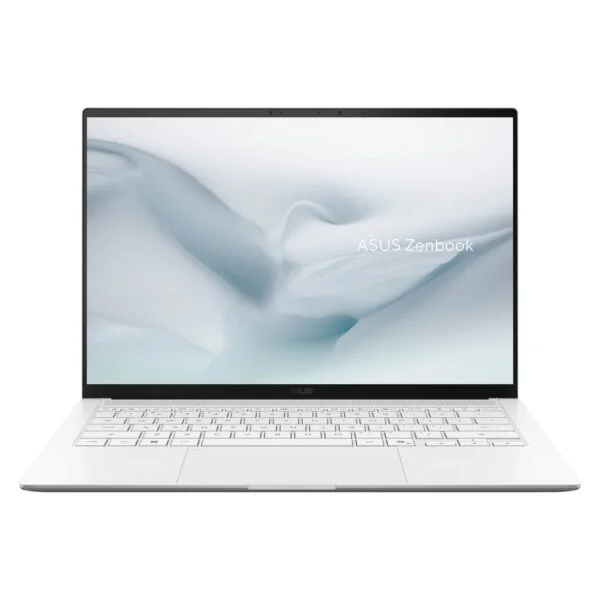
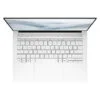
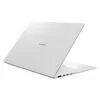
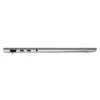
Asus Zenbook S 14 UX5406AA (2026)
- CPU: Intel Core Ultra 9 386H Up To 4.9GHz (16 Cores, 16 Threads, 18MB Cache - 50 TOPS NPU)
- RAM: LPDDR5X 16GB 8533MHz (On board)
- SSD: 512GB PCIe Gen4 M.2 SSD
- VGA: Intel® Graphics
- DISPLAY: 14" 3K (2880*1800) OLED 120Hz, 0.2ms, Non-touch, 16:10, 100% DCI-P3, Pantone Validated, HDR True Black 1000, 1100 nits HDR peak, 500 nits
- OS: Windows 11 Home
- COLOR: Scandinavian White
- CONDITION: New 100% Full Box
- WARRANTY: 24-month official warranty
- Zenbook S 14 UX5406AA design: Ceraluminum lid, 1.2 kg weight
- Zenbook S 14 UX5406AA display: 3K 120Hz OLED, 1,100 nits HDR
- Zenbook S 14 UX5406AA Performance: Core Ultra 9 386H, 50 TOPS NPU
- Zenbook S 14 UX5406AA keyboard: quiet typing, IR camera, and quad speakers
- Zenbook S 14 UX5406AA ports: 2 Thunderbolt 4, 77Wh battery
- Zenbook S 14 UX5406AA overview: three configurations for office professionals
- FAQ - Frequently Asked Questions About the Asus Zenbook S 14 UX5406AA (2026)
- Where to buy the genuine Asus Zenbook S 14 UX5406AA (2026) at a great price?
Office workers, young entrepreneurs, or students constantly on the move all need a 14-inch laptop light enough to carry everywhere while easily handling dozens of tabs, online meetings, and document workflows, and Asus built the Asus Zenbook S 14 UX5406AA (2026) specifically for that purpose. This is an upgrade over the 2024 Zenbook S 14 UX5406SA: the processor jumps from Intel Core Ultra Series 2 (Lunar Lake) to a 16-core Intel Core Ultra Series 3 (Panther Lake) with a 50 TOPS NPU, alongside a brighter 3K 120Hz OLED display and a larger battery, all while maintaining a 1.1 cm thin, 1.2 kg chassis with a Ceraluminum lid and a port selection that includes both USB-A and HDMI. In Vietnam, it comes in Scandinavian White distributed by DGW. This article walks through its design, display, real-world benchmark performance, upgrade options, and how to choose among the three configurations currently on sale.
Zenbook S 14 UX5406AA design: Ceraluminum lid, 1.2 kg weight
The Asus Zenbook S 14 UX5406AA measures 310.3 x 214.7 mm, ranges from 11.9 to 12.9 mm thick, and weighs 1.20 kg according to Asus. The chassis is formed from cast metal and finished with CNC machining, while the lid features Ceraluminum, an Asus-exclusive high-tech ceramic material that blends the hardness of ceramic with the lightweight, formable qualities of metal. Compared to the 2024 version, this year's lid removes the large geometric lines, leaving only a subtle ASUS Zenbook logo in the same color tone as the chassis for a more unified, minimalist aesthetic. The Scandinavian White finish is a warm off-white inspired by Nordic sunlight on snow, catering to those who favor a clean, understated look.
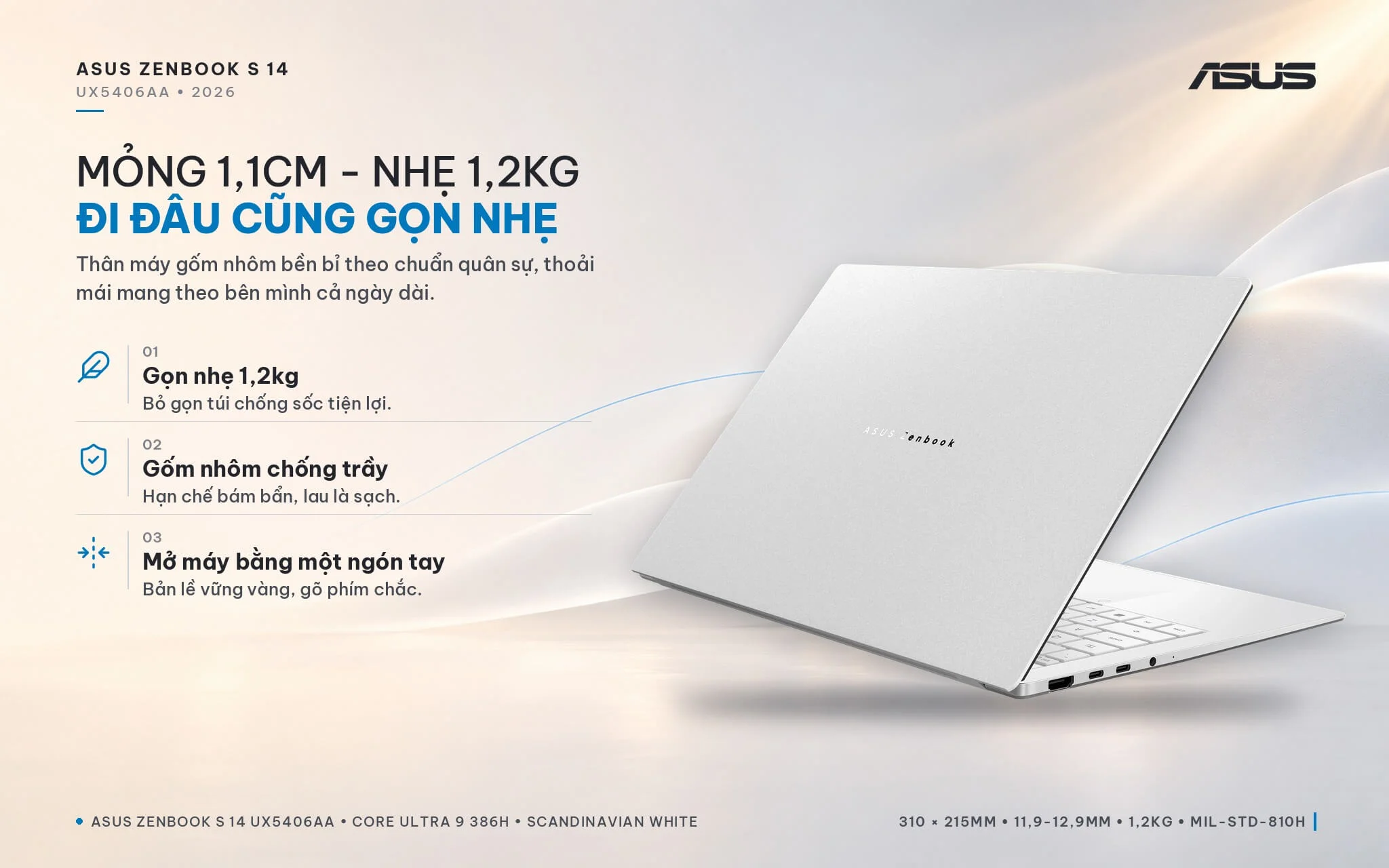
Asus reports that the Ceraluminum surface withstands more than 18,000 rubs in the same spot without scratching; the machine was drop-tested from a height of 50 cm across 6 different angles and meets MIL-STD-810H military durability standards. The EasyLift hinge allows you to open the lid with a single fingertip while keeping the display steady as you type. Under the hood, the cooling system features dual fans and a vapor chamber 37% larger than the UX5406SA's, which Asus claims reduces keyboard surface temperatures by up to 4°C. If you are searching for a thin and light Asus laptop to carry daily between the office, coffee shops, and client meetings, the Zenbook S 14 is a compelling option.
Zenbook S 14 UX5406AA display: 3K 120Hz OLED, 1,100 nits HDR
The Asus Zenbook S 14 UX5406AA (2026) features a 14-inch ASUS Lumina OLED panel with a 3K resolution (2880 x 1800), a 16:10 aspect ratio, a 120Hz refresh rate, and a 0.2 ms response time. The display covers 100% of the DCI-P3 color space, is Pantone Validated and VESA DisplayHDR True Black 1000 certified, delivers 500 nits of typical brightness peaking at 1,100 nits for HDR content, and carries TÜV Rheinland and SGS Eye Care certifications for a 70% reduction in harmful blue light. Across the configurations distributed in Vietnam, the 16GB/512GB and 32GB/512GB models feature non-touch panels, while the 32GB/1TB tier includes a touchscreen, which Asus notes supports stylus input.
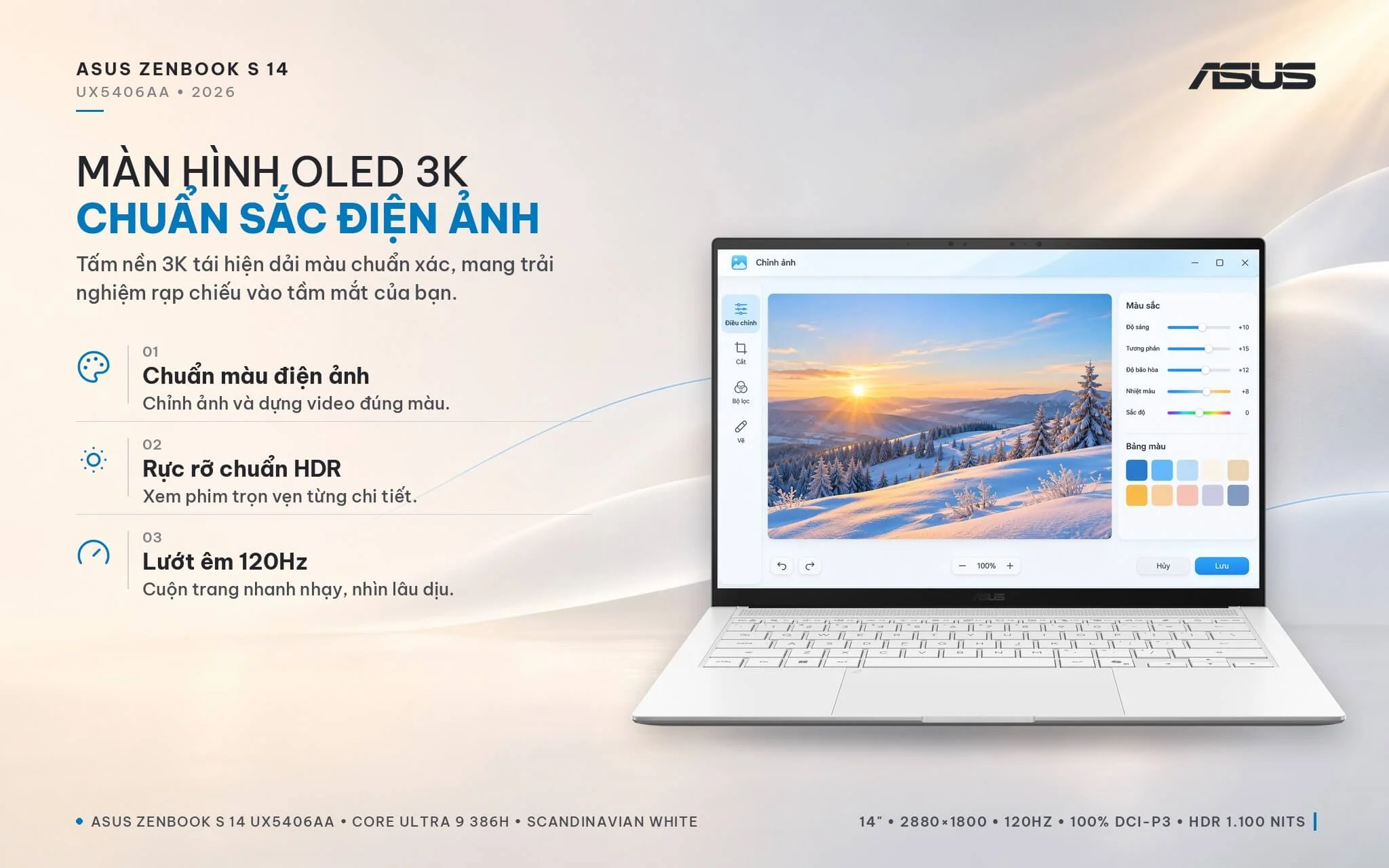
Notebookcheck tested the 2026 model's display and recorded a peak brightness of roughly 459 nits in standard mode and about 1,050 nits with HDR turned on, noticeably higher than the 370 and 615 nits measured on the prior generation. Delta E color deviation sits at around 1 right out of the box without calibration, with complete sRGB and P3 coverage, letting you retouch photos, evaluate design assets, or prepare presentations with reliable color fidelity. The 16:10 aspect ratio provides extra vertical screen real estate over standard 16:9 displays, reducing the need to scroll through lengthy documents and spreadsheets. A few caveats to keep in mind: the glossy display finish shows reflections easily near bright windows; on the touchscreen edition, the digitizer layer introduces a slight graininess against plain white backgrounds up close; and the panel uses PWM dimming at approximately 960Hz, which goes unnoticed by most users, though those with sensitive eyes should stick to moderate brightness settings and take regular screen breaks.
Zenbook S 14 UX5406AA Performance: Core Ultra 9 386H, 50 TOPS NPU
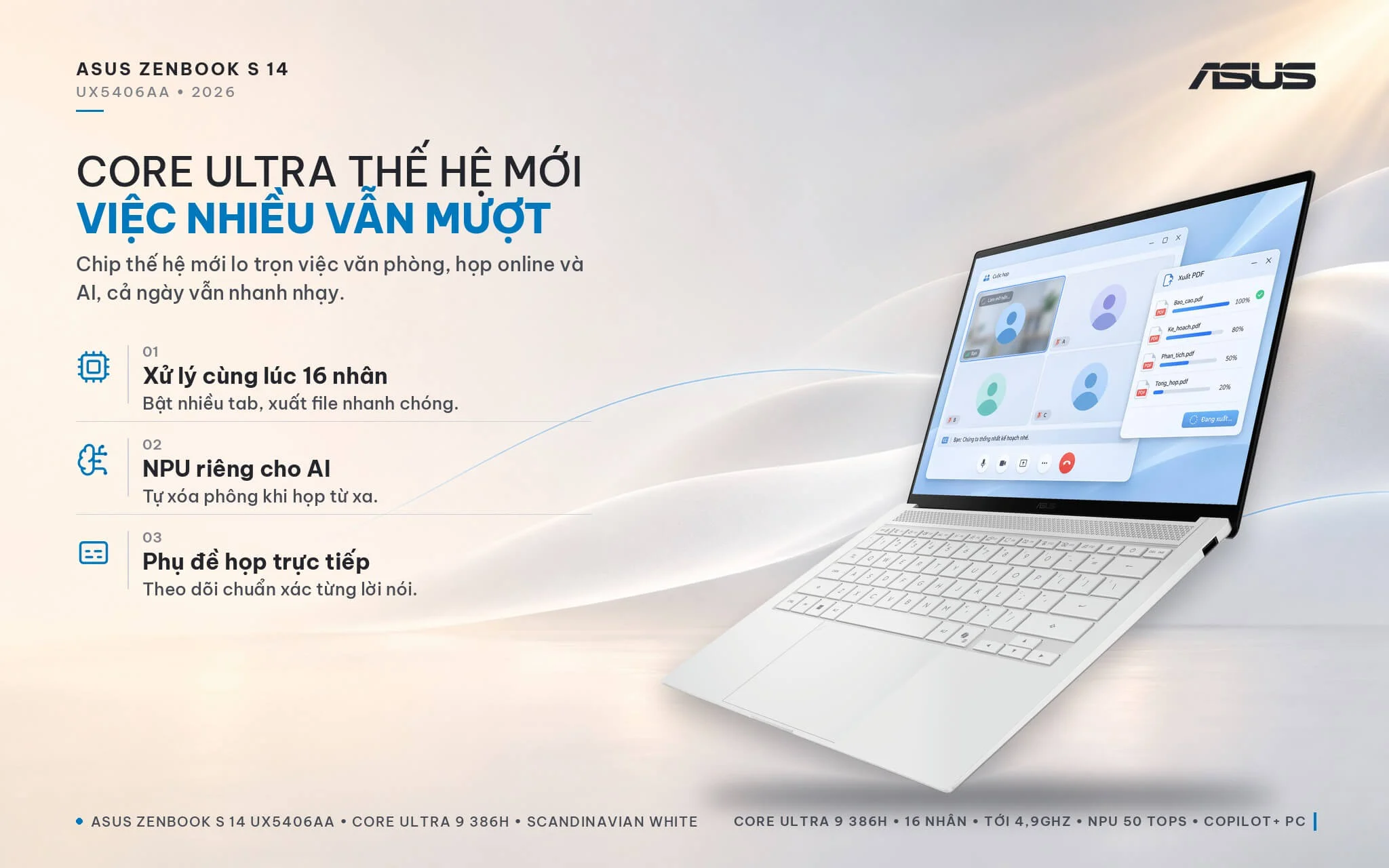
All three versions of the Asus Zenbook S 14 UX5406AA share the Intel Core Ultra 9 386H processor from the Core Ultra Series 3 (Panther Lake) family, featuring 16 cores and 16 threads (4 performance cores, 8 efficiency cores, and 4 low-power efficiency cores), up to a 4.9GHz clock speed, and an 18MB cache. With an integrated NPU delivering 50 TOPS, the laptop meets Copilot+ PC standards, running on-device AI features like Windows Studio Effects during video calls (background blur, eye contact correction, noise cancellation), Live Captions, Click to Do, and image upscaling in Photos without consuming CPU resources. According to Notebookcheck, the chip in this machine runs at 57W for short bursts before settling at a sustained 28W under prolonged heavy workloads.
| CPU | Cinebench 2024 Single / Multi-Core | Geekbench 6 Single / Multi-Core |
|---|---|---|
| Intel Core Ultra 9 386H (Zenbook S 14 UX5406AA) | 122 / 1,210 | 2,873 / 16,816 |
| Intel Core Ultra 7 255H (Arrow Lake, 2025 generation) | 124 / 1,053 | 2,867 / 15,223 |
| AMD Ryzen AI 9 HX 370 (reference) | 117 / 1,139 | 2,881 / 14,996 |
| Intel Core Ultra 9 288V (Lunar Lake) | 122 / 580 | 2,844 / 11,049 |
| Intel Core Ultra 7 258V (Zenbook S 14 UX5406SA 2024 model) | 120 / 573 | 2,754 / 10,966 |
Source: Notebookcheck, average scores measured across laptops using the same chip. Real-world performance on the Zenbook S 14 varies depending on power mode and whether it is plugged in or running on battery.
In Cinebench 2024 multi-core, the Core Ultra 9 386H scores about 2.1 times higher than the Core Ultra 7 258V in the 2024 Zenbook S 14, while its Geekbench 6 multi-core score is roughly 53% higher. Compared to the 2025-generation Core Ultra 7 255H, the new chip is about 15% faster in Cinebench 2024 and 10% faster in Geekbench 6; against the Ryzen AI 9 HX 370, it edges ahead by about 6% to 12%. Single-core scores across these chips are virtually neck and neck, so opening apps, web browsing, and document typing feel equally fast; the clear difference emerges in demanding tasks such as batch PDF exports, data compression, massive spreadsheets, code compilation, or short video editing. In return, when pushed to full throttle, fan noise can reach nearly 50 dB(A) according to Notebookcheck measurements; for everyday office workloads, you should set it to Silent mode in MyASUS to keep the laptop running quietly.
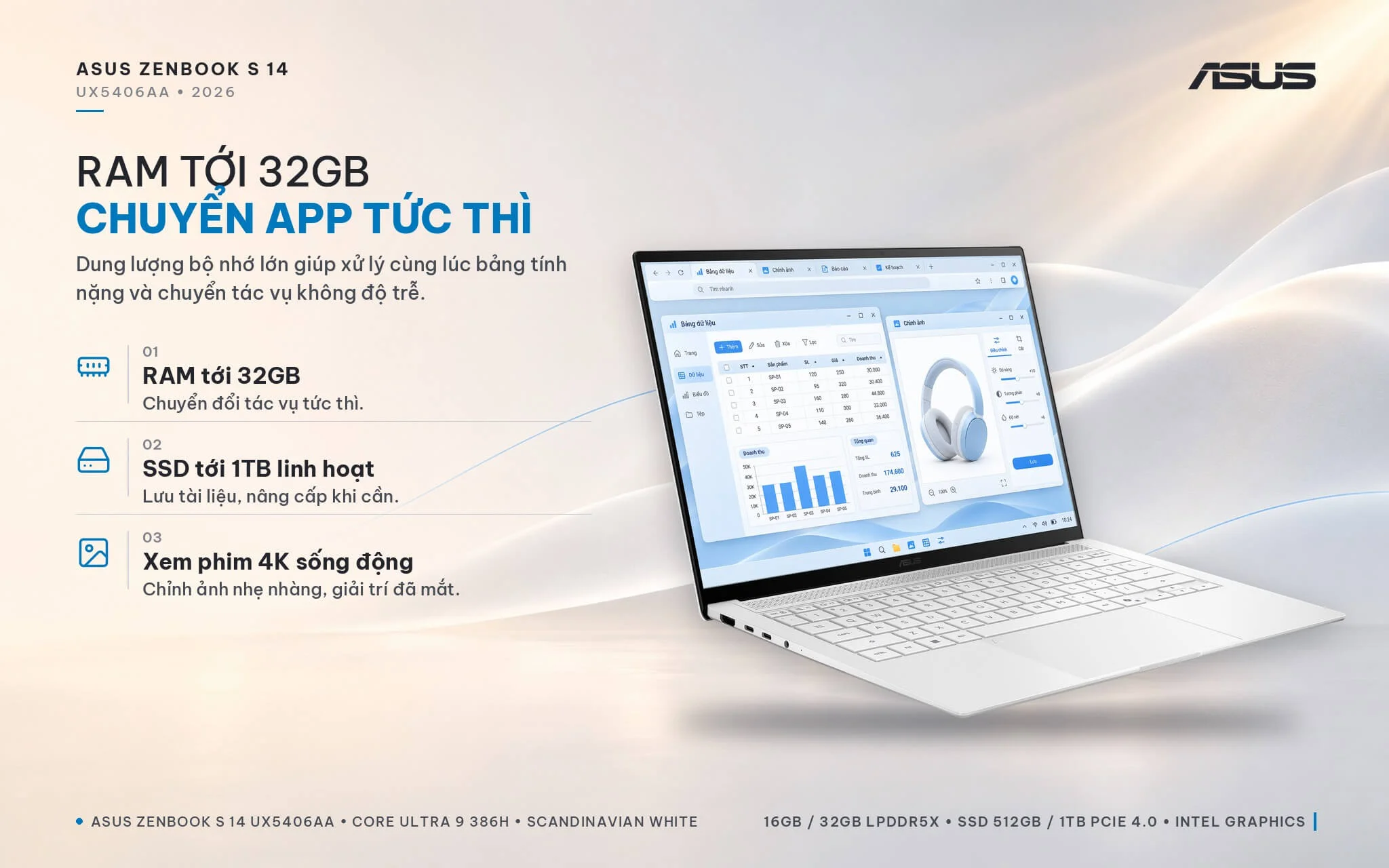
When it comes to graphics, the Core Ultra 9 386H features 4-core Xe3 Intel Graphics, unlike the Core Ultra X7 and X9 configurations that utilize the 12-core Intel Arc B390 GPU. This is an important detail to note before purchasing: this GPU is well-suited for 4K video playback, presentations, basic photo editing, and powering external monitors, but it is not intended for demanding 3D gaming or rendering.
| GPU | 3DMark Time Spy Graphics | 3DMark Steel Nomad Light |
|---|---|---|
| Intel Arc B390 12 Xe3 cores (Core Ultra X7, X9, reference) | 6,653 | 5,897 |
| Intel Arc 140V (Zenbook S 14 UX5406SA 2024 model) | 4,047 | 3,275 |
| AMD Radeon 890M (Ryzen AI 9 HX 370, reference) | 3,376 | 3,294 |
| Intel Graphics 4 Xe3 cores (Zenbook S 14 UX5406AA) | 2,865 | 2,501 |
| Intel Iris Xe G7 96EUs (older office laptops) | 1,561 | 1,280 |
Source: Notebookcheck, average GPU scores across multiple tested laptops. Actual results vary depending on performance mode and whether the laptop is plugged in or on battery power.
In 3DMark Time Spy, the Intel Graphics on the Zenbook S 14 UX5406AA is about 29% slower than the 2024 model's Arc 140V and reaches only roughly 43% of the Arc B390, yet it remains about 1.8 times faster than Iris Xe found in older office laptops. Notebookcheck also noted that the 2026 edition delivers nearly double the CPU performance, though graphics are slightly slower compared to the previous generation. According to Notebookcheck testing, this GPU achieves around 79 FPS in Counter-Strike 2 at Full HD on low settings and about 37 FPS in Cyberpunk 2077 at Full HD on low settings. In other words, if your routine consists primarily of Office applications, virtual meetings, browsing, and light photo adjustments, this laptop handles it capably; if you regularly play games or work with 3D graphics, you should consider a laptop equipped with an Arc B390 GPU or discrete graphics.
The memory on the Zenbook S 14 UX5406AA is onboard, non-upgradable LPDDR5X 8533MHz RAM: the SU348W model comes with 16GB, while the SU415W and SU425W models provide 32GB. The 16GB configuration easily covers office productivity, study needs, online meetings, and several dozen open browser tabs; if you frequently run multiple heavy apps simultaneously, edit photos, assemble short videos, or run on-device AI, stepping directly up to the 32GB option is well worth it, especially since the integrated graphics shares this system memory. Storage is handled by a PCIe 4.0 SSD with 512GB (SU348W, SU415W) or 1TB (SU425W) capacity in an M.2 2280 slot. Because the laptop houses only a single slot, adding more capacity requires swapping in a larger drive or using an external SSD via the Thunderbolt 4 port.
Zenbook S 14 UX5406AA keyboard: quiet typing, IR camera, and quad speakers
The Asus Zenbook S 14 UX5406AA features a backlit chiclet keyboard with 1.1 mm key travel according to Asus specifications, along with a dedicated Copilot key for quick access to Windows AI assistance. While key travel is short, Notebookcheck notes crisp tactile feedback, keeping long typing sessions comfortable. The spacious ErgoSense touchpad has a smooth surface and supports Smart Gestures, letting you swipe along its edges to adjust volume, brightness, or scrub through video. The mechanical click is a bit loud, so if you work in quiet spaces, you can enable tap-to-click in Windows settings.
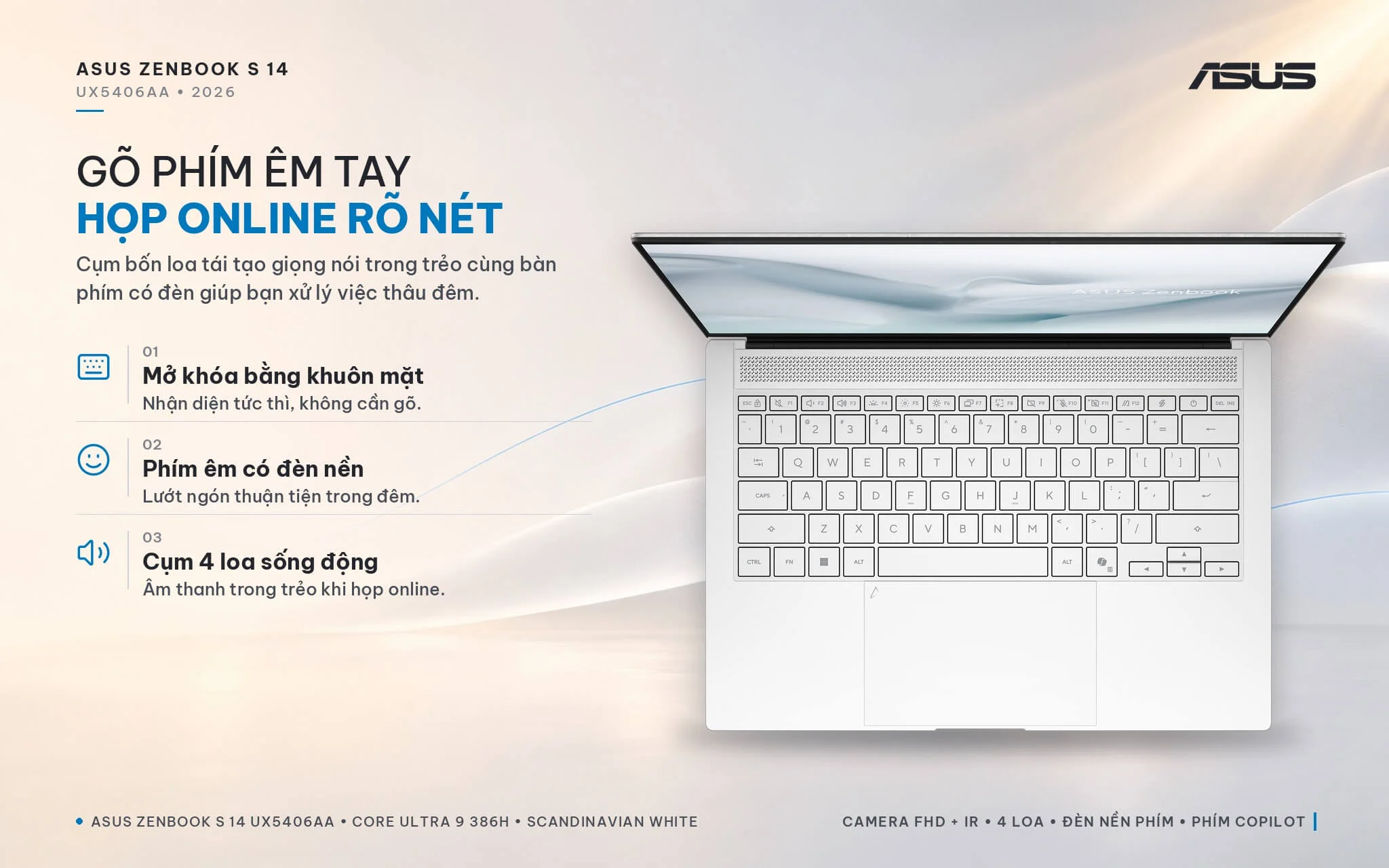
A 1080p FHD webcam paired with an infrared sensor enables facial login via Windows Hello. Asus's AiSense camera also detects when you look away to automatically dim the display (Adaptive Dimming) and locks the laptop when you walk away (Adaptive Lock), preserving privacy in public spaces while saving battery life. The quad-speaker setup features front-firing tweeters and Smart Amp technology, earning praise from Notebookcheck for impressive audio from such a slim chassis, while an array microphone combined with AI noise cancellation in MyASUS keeps meetings clear. For security, the system includes firmware TPM and a Microsoft Pluton security processor; Asus does not list a fingerprint sensor, so logins rely on facial recognition or a PIN.
Zenbook S 14 UX5406AA ports: 2 Thunderbolt 4, 77Wh battery
On the left edge, the Asus Zenbook S 14 UX5406AA (2026) offers 1 HDMI 2.1 port, 2 Thunderbolt 4 ports (USB-C 40Gbps) supporting display output and Power Delivery charging, along with a 3.5 mm audio jack; the right side houses 1 USB-A 3.2 Gen 2 port running at 10Gbps. Asus notes the machine supports up to 4 displays. Retaining HDMI and USB-A lets you plug directly into meeting room projectors, mice, or flash drives without packing a hub, while the dual Thunderbolt 4 ports support single-cable docking to charge and run external monitors at your desk. Wireless connectivity includes tri-band 2x2 Wi-Fi 7 and Bluetooth 6.0, with Notebookcheck measuring Wi-Fi speeds above 4Gbps on a Wi-Fi 7 router.
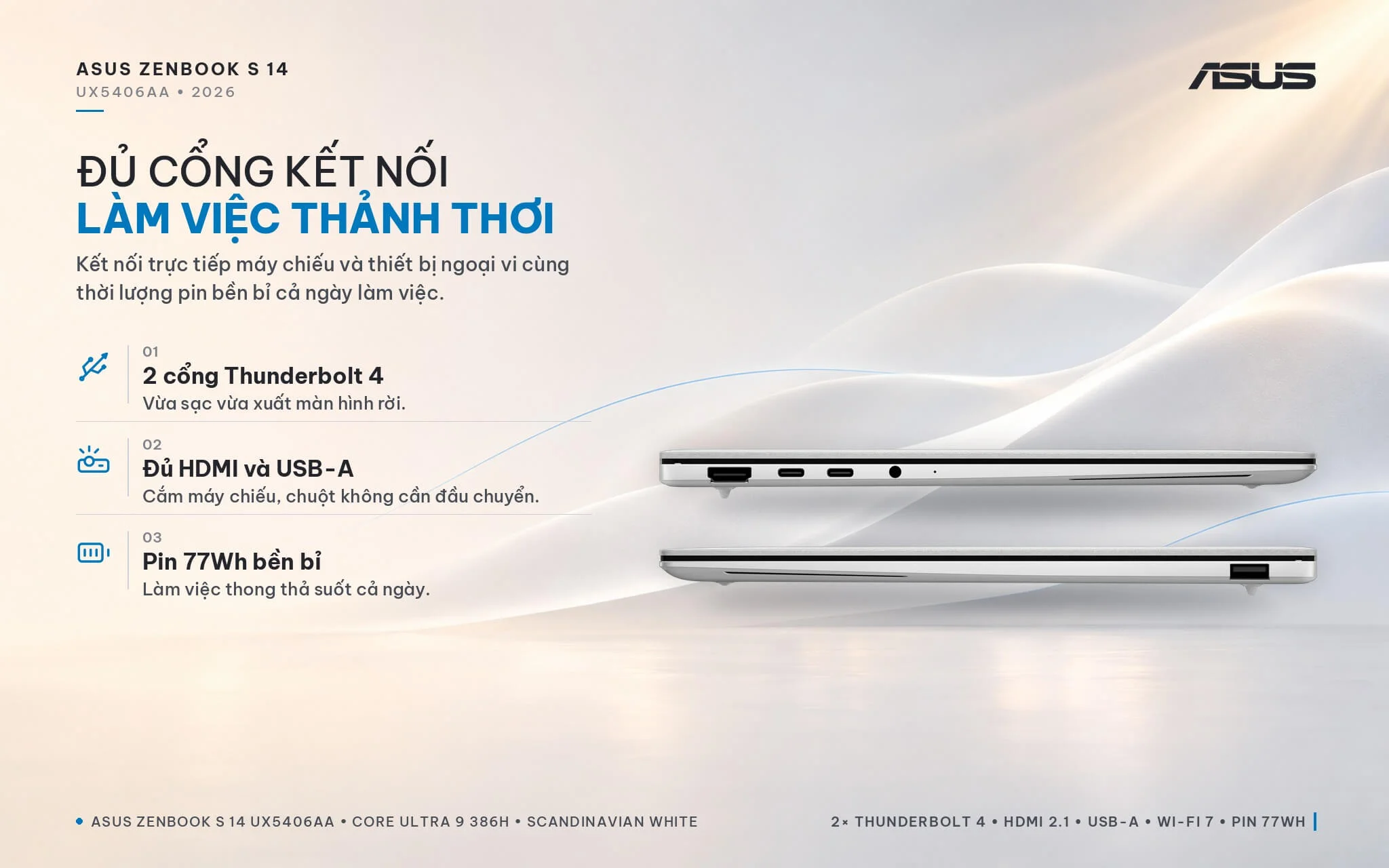
The 77Wh battery (up from 72Wh on the previous generation) charges via an included 68W USB-C charger, with Asus claiming a 60% fast charge in 49 minutes and up to 27 hours of 1080p video playback in internal testing. In Notebookcheck's Wi-Fi web browsing test at 150 nits, the laptop lasted over 16 hours - roughly 2 hours longer than its predecessor - and about 10 hours at maximum brightness, easily covering a full workday without packing a charger. Note: under maximum load, power draw can reach up to 87W, exceeding the 68W charger's capacity so the battery slowly drains even while plugged in; if you regularly run demanding workloads, consider stepping up to a 100W USB-C PD charger, which Asus supports for fast charging.
Zenbook S 14 UX5406AA overview: three configurations for office professionals
The Asus Zenbook S 14 UX5406AA (2026) is a 14-inch laptop measuring 1.1 cm thin and weighing 1.2 kg, powered by a 16-core Intel Core Ultra 9 386H processor with a 50 TOPS NPU meeting Copilot+ PC standards, 16GB or 32GB of LPDDR5X RAM, a 512GB or 1TB SSD, a 3K 120Hz OLED display certified for HDR True Black 1000, a MIL-STD-810H rated Ceraluminum lid, quad speakers, Wi-Fi 7, and a 77Wh battery. Notebookcheck awarded it an 88% rating, praising its build, display, keyboard, speakers, and battery life. It suits office professionals, young entrepreneurs, students, and frequent travelers looking for a lightweight, stylish machine with long battery life that handles everyday productivity and on-device AI tasks with ease. You can explore more models in the same lineup in our Asus ZenBook category.
Choose the SU348W configuration (16GB, 512GB) if your routine centers on Office apps, virtual meetings, and study at a lower cost. The SU415W (32GB, 512GB) is built for multitasking across numerous apps, photo editing, or long-term durability. The SU425W (32GB, 1TB, touchscreen) is ideal for those who need extra storage and prefer touch interaction. Compared to the previous-generation UX5406SA, the 2026 model delivers nearly double the multi-core speed, a brighter display, and longer battery life, though integrated graphics are slightly slower.
Points to consider: the 4-core Intel Graphics GPU is weaker than the previous generation's Arc 140V; for gaming or 3D rendering, consider a model equipped with Arc B390 or discrete graphics. The soldered RAM cannot be upgraded, so prioritize the 32GB model for heavy workloads. Fan noise can approach 50 dB(A) under full load, so switch to quiet mode for office tasks. The bundled 68W charger falls short under heavy loads, but you can supplement it with a 100W USB-C PD charger. The glossy display is prone to reflections, which you can counter by raising the brightness or applying an anti-glare screen protector. The laptop lacks a fingerprint reader and memory card slot, balanced out by facial recognition login and the option to use an external card reader via USB-C.
| Pros | Cons |
|---|---|
|
|
FAQ - Frequently Asked Questions About the Asus Zenbook S 14 UX5406AA (2026)
1. How do the SU348W, SU415W, and SU425W configurations differ?
2. How does the Zenbook S 14 UX5406AA differ from the 2024 UX5406SA generation?
3. Can this laptop play games?
4. Can the RAM and SSD be upgraded?
5. How long does the battery last, and what charger does it use?
6. What support do you get when buying at Hung Phat Laptop?
Where to buy the genuine Asus Zenbook S 14 UX5406AA (2026) at a great price?
Wondering whether to choose the 16GB or 32GB model? Hung Phat Laptop will learn about your daily workflow to recommend the Asus Zenbook S 14 UX5406AA configuration that fits your needs and budget. Customers who prefer touch interactions receive dedicated advice on the 1TB touchscreen version. If you are looking for a thin and light OLED laptop for office work, we are ready to provide side-by-side spec comparisons. Businesses outfitting sales teams will receive recommendations on standardized configurations.
Every unit is an authorized product distributed by DGW with a full invoice. The laptop is backed by an official Asus Vietnam warranty, with a 30-day replacement policy for manufacturer defects. Our technicians support software installation and SSD upgrades whenever you need extra capacity. Enjoy long-term technical support and nationwide shipping. Order the Zenbook S 14 Copilot+ PC laptop at Hung Phat Laptop.
Performance & benchmarks Asus Zenbook S 14 UX5406AA (2026)
Intel Core Ultra 9 386H Intel Graphics 4 Xe3 Panther Lake iGPU - best for Programming 8.5/10, Office 8.5/10.
Intel Core Ultra 9 386H
- Cinebench R23 (multi-core)20,750
- Geekbench 6 (multi-core)16,816
- Geekbench 6 (single-core)2,873
- PassMark35,550
- NPU (AI)50 TOPS
- Cores / Threads16/16
Intel Graphics 4 Xe3 Panther Lake iGPU iGPU
- 3DMark Time Spy2,883
- 3DMark Fire Strike6,826
- AI INT840 TOPS
- ArchitectureXe3
Best for
Scored from real benchmarks- Gaming3.5/10
- Video / Graphics5.5/10
- Programming8.5/10
- Office8.5/10
- AI / Generative AI3/10
Why does the CPU matter?
The CPU is the "brain" that handles every task: launching apps, multitasking, compiling code and editing video. The stronger the CPU, the faster and smoother the laptop runs when you juggle many things at once.
- BasicThis product
Web browsing, streaming and light office work.
- MainstreamThis product
Office work, moderate multitasking and studying.
- Mid-rangeThis product
Solid multitasking, programming and light graphics work.
- StrongThis product
Video editing, heavy programming, virtualization and gaming.
- FlagshipThis product
Heavy rendering, 4K/8K editing, virtual machines and AI workloads.
Why does the GPU matter?
The GPU (graphics card) handles visuals: gaming, video editing, 3D rendering and AI acceleration. The stronger the GPU, the higher your frame rates and the faster your video exports.
- Basic (iGPU)This product
Smooth display, 4K video and very light games (League of Legends, Valorant on low).
- MainstreamThis product
1080p eSports gaming, photo editing and light video editing.
- Mid-rangeThis product
1080p gaming on medium-high settings and smooth Full HD video editing.
- StrongThis product
1080p/1440p gaming on high settings, 4K video editing and 3D rendering.
- FlagshipThis product
4K/240Hz gaming, ray tracing, heavy rendering and AI.
Game performance
Real FPS - QHD- Dota 274 fps1080p Ultra
- CS259 fps1080p Medium
- GTA V53 fps1080p High
- Black Myth: Wukong18 fps1080p Low
- Cyberpunk 207737 fps1080p Low
≥60fps very smooth30-60fps playable<30fps lower the settings
No comments yet
Q&A about Asus Zenbook S 14 UX5406AA (2026)
Frequently asked questions about Asus Zenbook S 14 UX5406AA (2026)
What are the specifications of Asus Zenbook S 14 UX5406AA (2026)?
• Version 1: CORE ULTRA 9 386H / 16GB / 512GB SSD / INTEL GRAPHICS / 3K OLED
• Version 2: CORE ULTRA 9 386H / 32GB / 512GB SSD / INTEL GRAPHICS / 3K OLED
• Version 3: CORE ULTRA 9 386H / 32GB / 1TB SSD / INTEL GRAPHICS / 3K OLED / CẢM ỨNG
What is the warranty for Asus Zenbook S 14 UX5406AA (2026)?
Is Asus Zenbook S 14 UX5406AA (2026) genuine?
Can I buy Asus Zenbook S 14 UX5406AA (2026) with home delivery?
Worth a Look
Asus Zenbook S 16 UM5606GA (2026)
 2 configurations
Asus Zenbook Duo UX8407AA (2026)
 2 configurations


Lâm Thanh Nhi 1 ngày trước
Màn hình OLED 3K của máy hiển thị đẹp và màu sắc cực kỳ chuẩn, làm đồ họa hay xem phim đều rất sướng.