

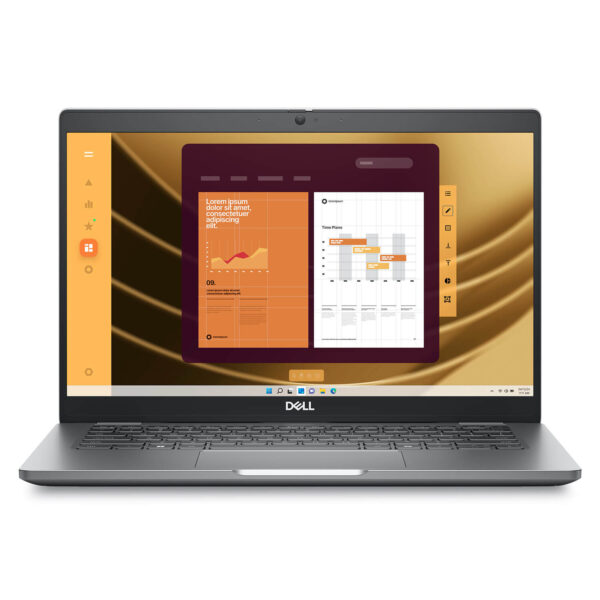
DELL Latitude 5350 (2024)
- CPU: Intel Core Ultra 7 165U vPro Up To 4.9GHz (12 Cores, 14 Threads, 12MB Cache)
- RAM: LPDDR5x 16GB 6400MHz
- SSD: 256GB TLC PCIe Gen4 M.2 SSD
- VGA: Intel® Graphics
- DISPLAY: 13.3″ IPS FHD (1920*1080), Anti-Glare, Touchscreen, 72% NTSC, 400 nits
- CONDITION: Like New 99%
- WARRANTY: Bảo hành 12 tháng
- Lightweight, practical design, true to the enterprise laptop spirit
- Display on Dell Latitude 5350 (2024)
- Stable performance with Intel Core Gen 13 and Core Ultra
- Security and management - the true Latitude strength
- Keyboard and Touchpad on Dell Latitude 5350 (2024)
- Slots & Connectivity on Dell Latitude 5350
- Battery, camera, and collaboration experience on Dell Latitude 5350 (2024)
- Overview and review of Dell Latitude 5350 (2024)
- FAQ - Frequently Asked Questions about Dell Latitude 5350 (2024)
- Where to buy the Dell Latitude 5350 (2024) with good prices and reputation?
Dell Latitude 5350 (2024) belongs to the Dell Latitude UltraBook line, aimed at enterprise users who need a lightweight, durable, and stable device for daily work. The product stands out with 13th Gen Intel Core and Intel Core Ultra options, up to 32GB LPDDR5/LPDDR5X RAM, high-speed PCIe Gen 4 SSD, and ExpressCharge 42Wh or 54Wh batteries. With a compact 13.3-inch size, a full range of connectivity ports, and various enterprise security options, this laptop model is suitable for office employees, managers, technical sales, and frequent travelers.
Lightweight, practical design, true to the enterprise laptop spirit
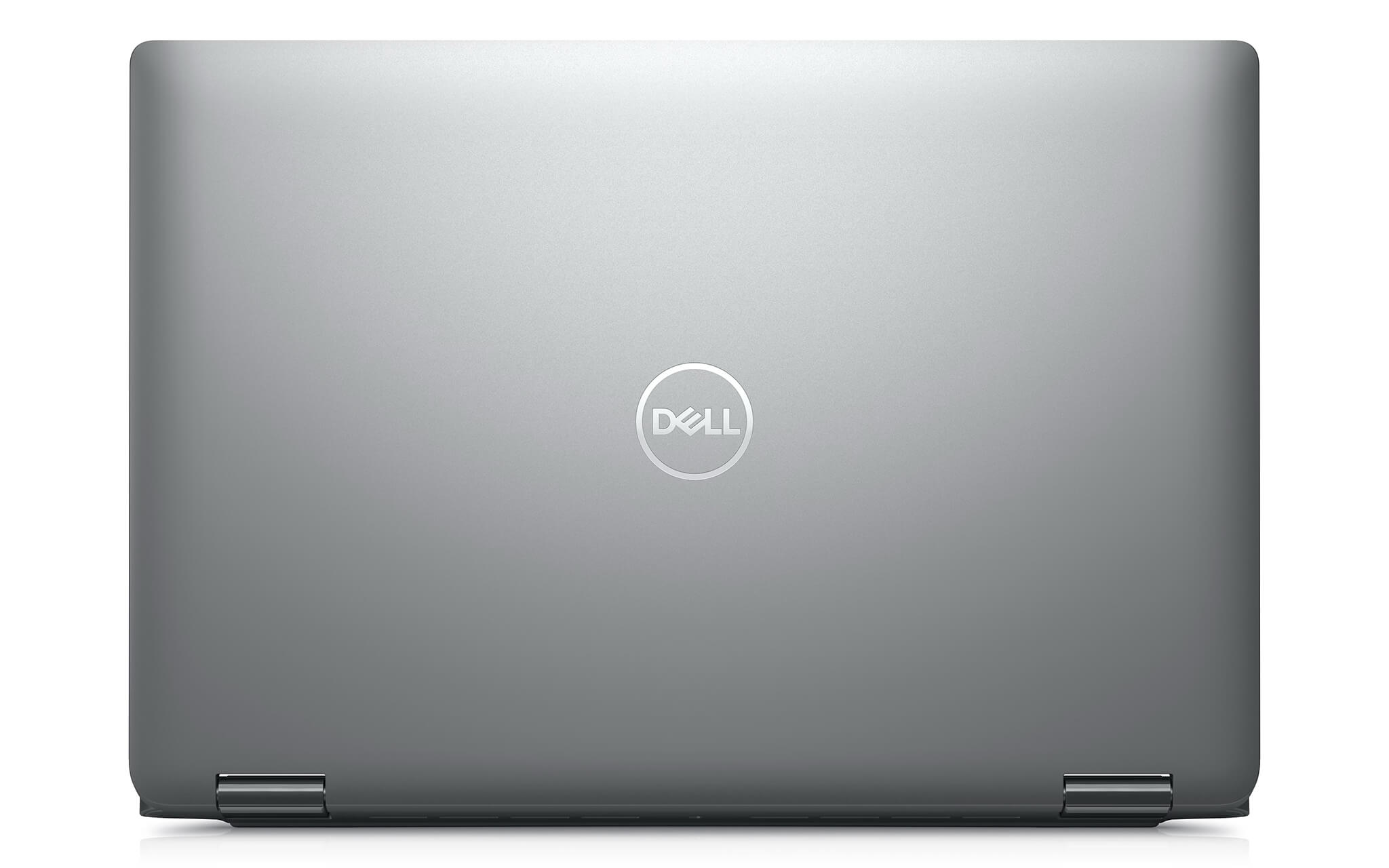
The design of the Dell Latitude 5350 (2024) follows a pragmatic, neat philosophy that prioritizes long-term efficiency in a business environment. The machine has a starting weight of approximately 1.23kg and dimensions of 305.70 x 207.50 x 16.79 - 19 mm, making it small enough to easily carry every day when moving between offices, meeting rooms, or business trips. This size is ideal for users who need a lightweight device that is still robust enough to serve as their primary work machine.
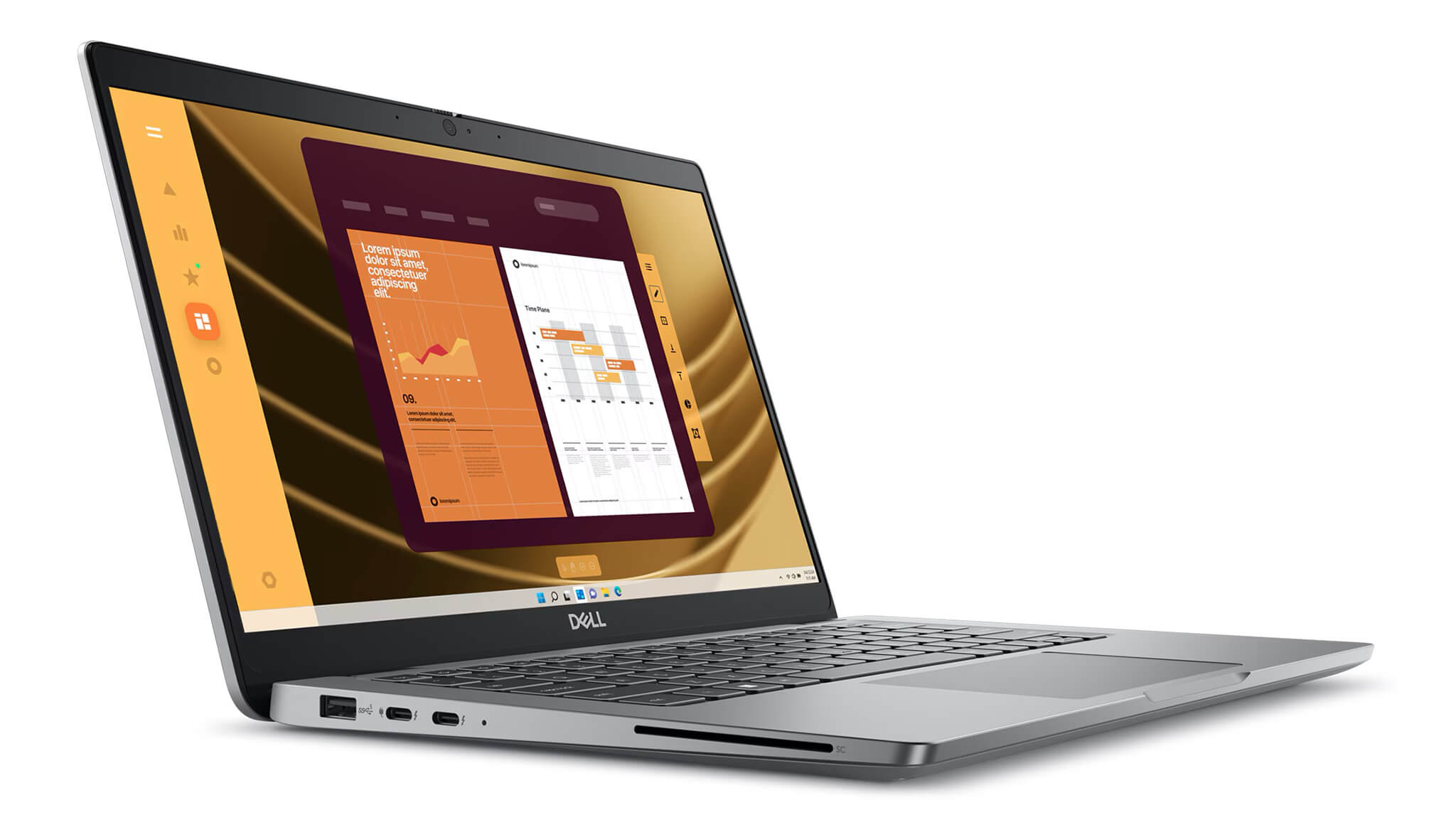
From a practical perspective, the advantage of the Latitude 5350 lies not in flashiness but in the peace of mind provided during long-term use. The Latitude series is positioned by Dell for the enterprise sector; therefore, the chassis design, build quality, and port layout focus on stability rather than chasing extreme thinness trends. This makes the machine suitable for work environments requiring high reliability, where users prioritize durability and practicality over showy details.
Additionally, Dell emphasizes sustainability, as the Latitude 5350 utilizes many recycled materials such as post-consumer recycled plastic, bio-plastics, ocean-bound plastic, and recycled carbon fiber. The included packaging also follows a 100% recycled, renewable, and recyclable approach. For businesses concerned with ESG or procurement based on sustainability standards, this is a valuable practical plus.
Display on Dell Latitude 5350 (2024)
The Dell Latitude 5350 (2024) features a 13.3-inch screen with Full HD 1920 x 1080 resolution, suitable for office work, document processing, spreadsheet monitoring, and daily online meetings. In practice, this is a reasonable specification for a business laptop focused on mobility, as it maintains necessary clarity while optimizing power consumption and battery life.
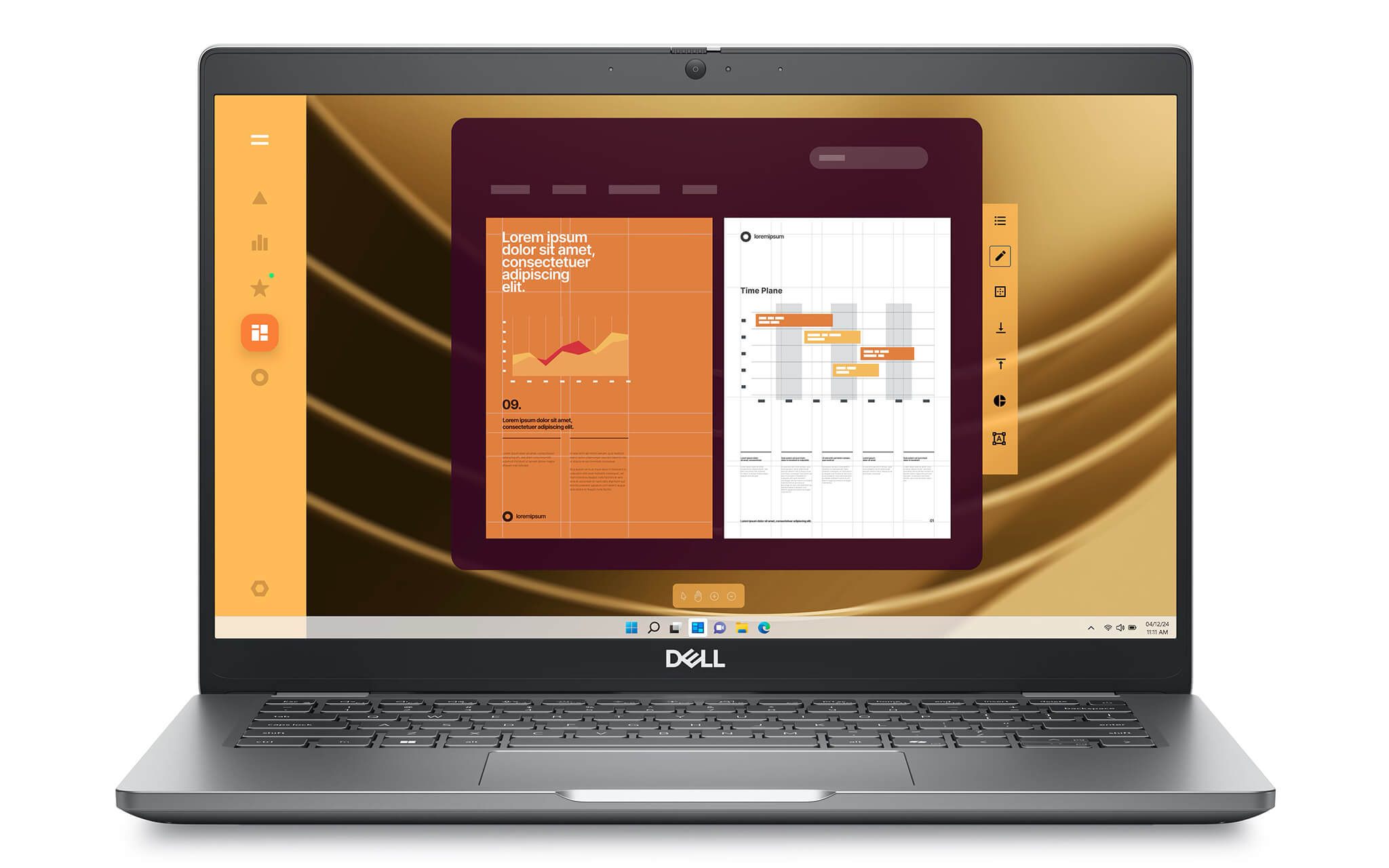
Dell provides various display options, from a 250 nits anti-glare, 45% NTSC version for basic needs to a higher-end version with 400 nits, 100% sRGB, Low Blue Light. There is also a 300 nits, 72% NTSC touch version on some clamshell configurations. For business users in marketing, content creation, presentations, or those needing better display quality than the average office laptop, the 400 nits 100% sRGB option is the most noteworthy configuration.
From a real-world usage perspective, the 13.3-inch screen of the Latitude 5350 is suited for those who prioritize mobility and focused work over large-screen entertainment. This size is compact enough to carry daily but still provides enough space to open familiar multitasking windows like browsers, email, Excel, or management software. This type of display is more aligned with the specific needs of business work rather than chasing flashy specifications.
Stable performance with Intel Core Gen 13 and Core Ultra
The performance of the Dell Latitude 5350 (2024) is built to serve various levels of work, from basic office tasks to modern enterprise environments requiring AI collaboration and high multitasking. The machine supports Intel Core i3-1315U, Core i5-1335U, Core i5-1345U vPro, Core i7-1365U, and also includes Intel Core Ultra 5 125U, Core Ultra 5 135U vPro, and Core Ultra 7 165U vPro configurations. This range of configurations makes the Latitude 5350 accessible to both general business users and those needing more power for heavy workloads.
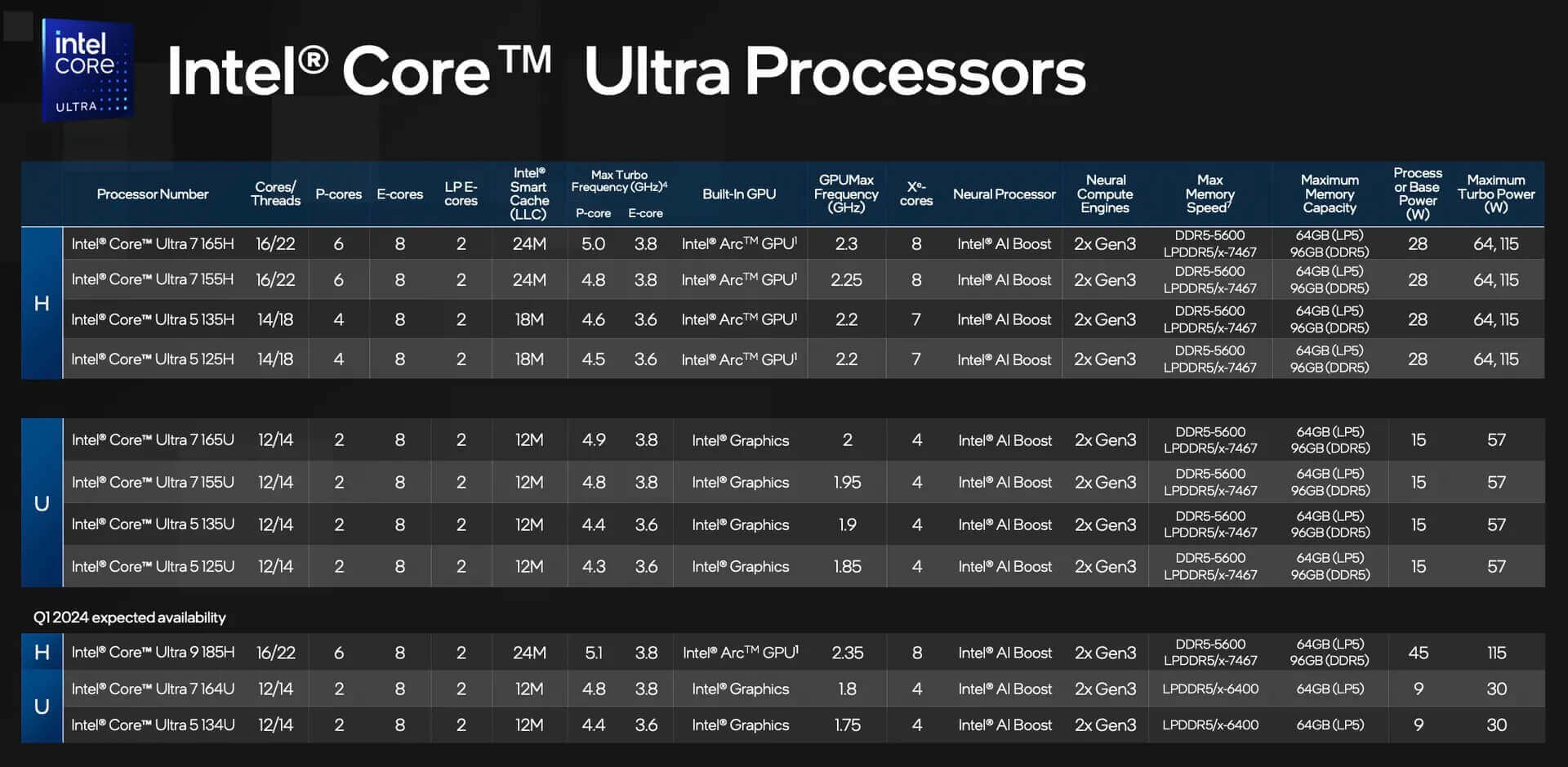
The standout feature of the Core Ultra series lies in its better optimization for modern task workflows thanks to an architecture that combines CPU, GPU, and NPU. Following Dell's direction, this platform is suitable for needs such as Windows Studio Effects, noise cancellation, smart framing, and light AI features in a digital workspace. If users need a laptop with a longer lifecycle, ready for Windows 11 Pro and intelligent collaborative tasks in the coming years, this is the configuration group to prioritize.
The machine features up to 32GB LPDDR5/LPDDR5X onboard memory, with speeds ranging from 4800 MT/s to 6400 MT/s depending on the CPU version, paired with M.2 2230 PCIe Gen 4 NVMe SSD capacities from 256GB to 2TB. In actual use, this configuration is sufficient to open many browser tabs, process large Excel reports, run enterprise management software, participate in long online meetings, or work simultaneously with multiple applications while maintaining stable responsiveness. The Intel Graphics component is suitable for light photo editing, basic 2D design, and presentation tasks, but is not the choice for heavy 3D graphics or intensive video editing.
Security and management - the true Latitude strength
In a corporate environment, security and manageability are often as important as performance, and the Dell Latitude 5350 (2024) is clearly built with this in mind. Some configurations support Intel vPro, providing an advantage for businesses that need to manage devices at the hardware level, increasing system control and improving remote support. This is a key difference between a true business laptop and consumer laptops that only focus on raw specifications.
The Latitude 5350 also offers many camera and security options for professional work, such as FHD RGB camera, FHD RGB-IR camera, ExpressSign-in with Presence Detection, and Intelligent Privacy. These features help improve the login experience, enhance privacy, and better support users in open workspaces or during frequent online meetings. For managers, sales, or HR professionals working outside the office, these are practical utilities rather than just decorative specs.
Additionally, the machine offers Smart Card Reader, nano-SIM, WWAN 4G LTE or 5G options, along with various service packages like ProSupport Suite, Accidental Damage Protection, and business warranties up to 5 years. From an enterprise investment perspective, the Latitude 5350 offers a very complete support ecosystem, suitable for businesses seeking long-term stability rather than just short-term specifications.
Keyboard and Touchpad on Dell Latitude 5350 (2024)
For a 13.3-inch office laptop, the daily typing and navigation experience directly affects productivity, and the Dell Latitude 5350 (2024) maintains the pragmatic spirit of the Latitude line. The keyboard is optimized for continuous data entry tasks such as emails, reports, drafting contracts, internal data, or working on spreadsheets. The typing feel aims for stability, ease of learning, and suitability for users who must work for many consecutive hours.
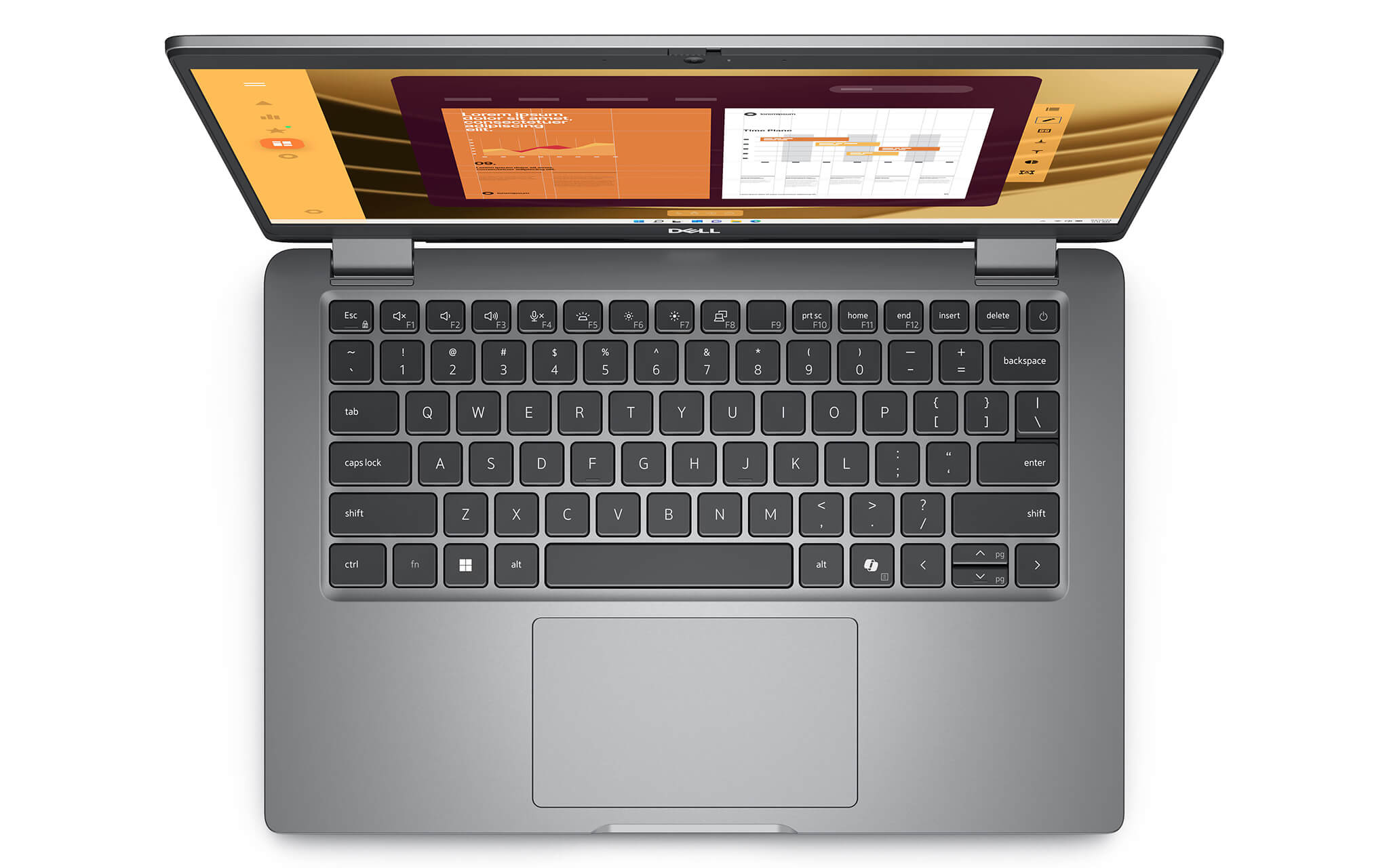
The machine's touchpad is a multi-touch precision touchpad with a seamless glass surface design. In real-world use, gestures like scrolling, zooming, switching windows, or navigating between multiple applications are performed quite smoothly, helping users reduce dependence on an external mouse when working on the go. This is a small but very important detail for those who frequently take their machine to meetings, client visits, or remote work.
Slots & Connectivity on Dell Latitude 5350
Slots and connectivity on the Dell Latitude 5350 (2024) are arranged to serve practical work needs, rather than following the trend of excessive port removal seen in many common ultrabooks. The machine is equipped with 2 Thunderbolt 4 ports supporting DisplayPort Alt Mode, USB4, and Power Delivery, allowing for charging, high-speed data transfer, and video output through the same connection standard. This is a clear advantage for business users who need to connect to docks, external monitors, or modern accessory systems.
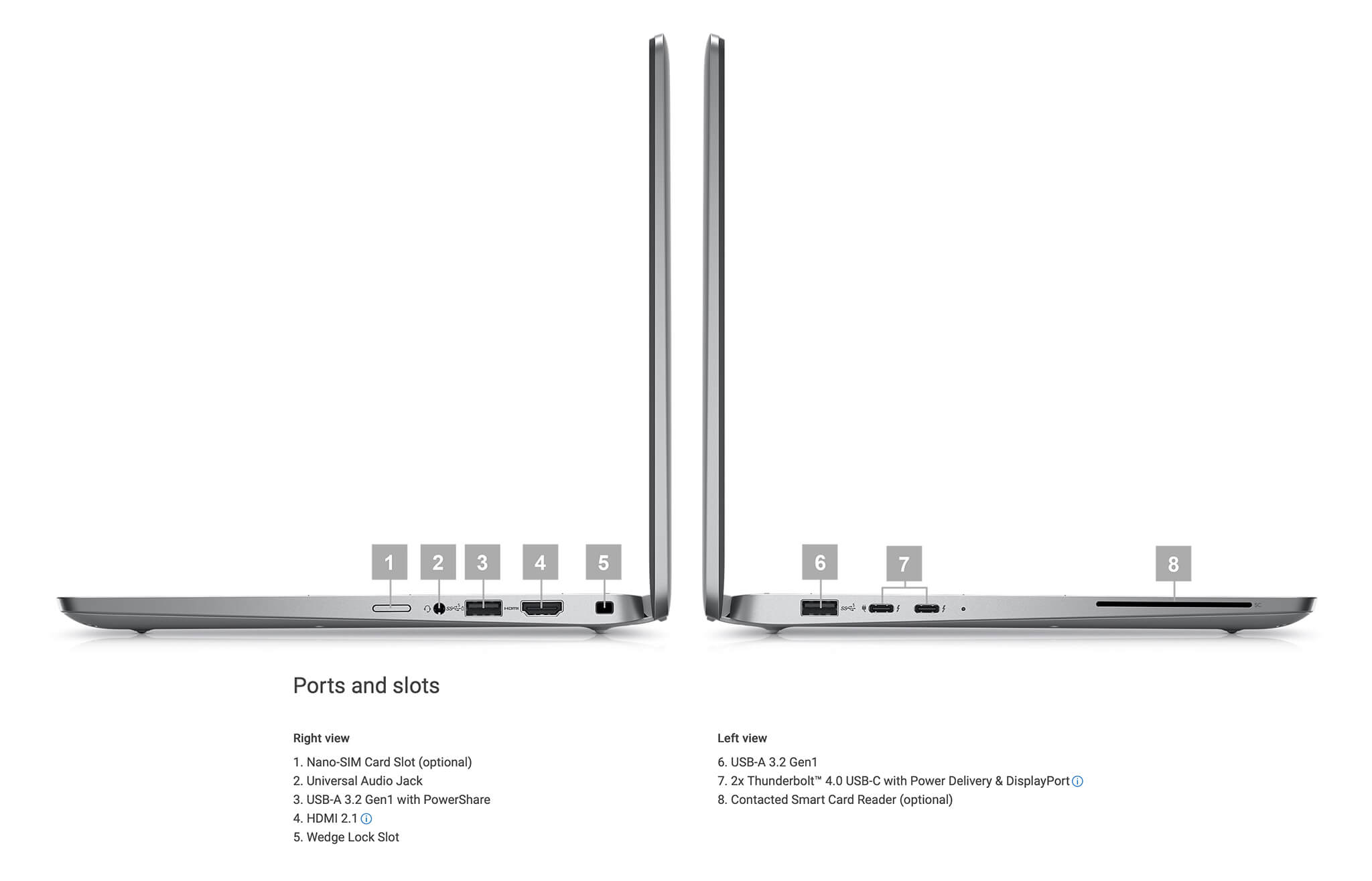
Additionally, the laptop features 1 USB 3.2 Gen 1 port with PowerShare, 1 USB 3.2 Gen 1 port, 1 HDMI 2.1 port, and 1 universal audio jack. This port configuration is sufficient to serve most common needs such as connecting a mouse, keyboard, projector, secondary monitor, headphones, or external hard drives without relying too heavily on conversion hubs.
Regarding wireless connectivity, the Latitude 5350 (2024) supports Wi-Fi 6 or Wi-Fi 6E, Bluetooth 5.3, and also offers WWAN 4G LTE or 5G options. In an era where business users work more flexibly, this group of connectivity options provides very high practical value, especially for personnel who travel frequently and need to maintain stable access to cloud data, video meetings, or internal company systems.
Battery, camera, and collaboration experience on Dell Latitude 5350 (2024)
One of the things that makes the Dell Latitude 5350 (2024) much more noteworthy than many common office laptops is that it is clearly optimized for hybrid work environments. The product offers 42Wh or 54Wh battery options, both supporting ExpressCharge, with some versions including ExpressCharge Boost and Long Cycle Life. For business users, these are important details as they directly affect charging frequency, charging speed when on the move, and battery longevity over long-term use.

The machine's camera performance is also better than the average office laptop, as Dell provides FHD 1080p camera, FHD IR, and higher-end versions with Ambient Light Sensor, Multi-exposure HDR, ExpressSign-in, and Presence Detection. In practice, these features are particularly useful for those who frequently use Zoom, Google Meet, or Microsoft Teams in challenging lighting environments like glass rooms, bright backlit offices, or when moving between multiple workspaces.
Furthermore, the 2 x 2W stereo speaker system comes with Waves MaxxAudio Pro 13.0 and intelligent audio features that help reduce background noise during calls. This is an experience often overlooked when looking at specs, but it significantly impacts daily work quality. If you prioritize a laptop that serves collaboration, online meetings, and continuous work well, the Latitude 5350 shows a very clear product direction.
Overview and review of Dell Latitude 5350 (2024)
Dell Latitude 5350 (2024) is a 13.3-inch business laptop built in the true spirit of the Latitude series: lightweight, durable, stable, and heavily focused on practicality. The machine does not attempt to impress with flashy specifications but scores points through the balance between performance, connectivity, security, and collaboration experience. With 13th Gen Intel Core and Intel Core Ultra options, the device is well-equipped to meet the needs of professional office users, managers, technical sales, data specialists, and business travelers.
From an experiential perspective, this model is highly rated for its practical usability because Dell's investment in the Latitude 5350 closely follows business needs: lightweight weight, fast-charging battery, good camera for online meetings, WWAN connectivity, Thunderbolt 4 ports, and vPro or Smart Card options. The main points to consider are the non-upgradable onboard RAM, the screen being limited to Full HD, and the integrated graphics not being intended for heavy creative tasks. Nevertheless, if you prioritize a stable Dell Latitude UltraBook that is easy to deploy in a corporate environment and offers long-term value for professional work, the Dell Latitude 5350 (2024) remains a very worthy option.
Below is a table of pros and cons for easy insertion into the overview section:
| Pros | Cons |
|---|---|
|
|
FAQ - Frequently Asked Questions about Dell Latitude 5350 (2024)
1. Who is the Dell Latitude 5350 (2024) best suited for?
The Dell Latitude 5350 is best suited for office employees, managers, technical sales, data specialists, and business travelers. Its strengths lie in its lightweight design, full connectivity, excellent camera for online meetings, and enterprise security options rather than heavy graphics configurations.
2. Is the Dell Latitude 5350 powerful enough for heavy Excel, many browser tabs, and simultaneous online meetings?
Yes. With configurations ranging from 13th Gen Intel Core i5 and i7 to Intel Core Ultra 5 or Ultra 7, paired with up to 32GB of RAM and PCIe Gen 4 SSD, the Latitude 5350 handles office multitasking well, including large Excel files, many Chrome tabs, report generation, Teams or Zoom meetings, and enterprise management software.
3. Is the Dell Latitude 5350 screen good enough for content creation and marketing?
If you choose the right configuration, yes. Higher-end versions of the Latitude 5350 use an FHD 400 nits, 100% sRGB, and Low Blue Light screen, making it more suitable for content creators, marketers, or those needing more accurate color representation than the standard 250 nits version. For typical office needs, the basic FHD anti-glare version is sufficient.
4. Is the Dell Latitude 5350 suitable for programming and IT work?
The machine is suitable for web programming, light backend work, system administration, working with VS Code, IntelliJ, basic Docker, and technical office tools. While not designed for heavy rendering or high-end graphics simulation, it is very well-suited for programmers and engineers who need a lightweight laptop with stable battery life that is easy to carry daily.
5. What are the security strengths of the Dell Latitude 5350?
The Latitude 5350 features security strengths aligned with enterprise needs, such as Intel vPro options, IR camera, ExpressSign-in with Presence Detection, Intelligent Privacy, Smart Card Reader, and nano-SIM support for WWAN connectivity. These features are highly useful for businesses that need better device management and increased security when working outside the office.
6. Is the battery life of the Dell Latitude 5350 enough for a full workday?
The machine offers 42Wh and 54Wh battery options, both supporting ExpressCharge, with some configurations including ExpressCharge Boost or Long Cycle Life. Actual usage time depends on screen configuration, CPU, brightness, and workload, but with Dell's orientation, the Latitude 5350 is optimized for mobility and continuous work in a business environment.
Nguồn: Dell Official
7. Does the Dell Latitude 5350 support 4G or 5G for remote work?
Yes. The Latitude 5350 supports WWAN options including 4G LTE and 5G, with a nano-SIM slot on certain configurations. This is a major advantage for users who travel frequently, work in the field, or need stable data access without relying entirely on public Wi-Fi.
8. Can the Dell Latitude 5350 run Linux?
Yes. According to Dell's specifications, the Latitude 5350 supports Ubuntu 22.04 LTS on the clamshell version. This is a practical plus for technical users or businesses wanting to deploy a standard Linux environment on a lightweight business laptop.
Nguồn: Dell Official
9. What is the warranty policy at Hung Phat Laptop for the Dell Latitude 5350?
Hung Phat Laptop provides a 12-month warranty for new machines and supports replacement within the first 30 days if hardware defects occur. For like-new or used machines, the warranty period may vary based on actual condition; additionally, customers are supported with cleaning, software installation, and nationwide delivery.
Where to buy the Dell Latitude 5350 (2024) with good prices and reputation?
Dell Latitude 5350 (2024) is the ideal choice for users needing a lightweight, stable 13.3-inch business laptop optimized for practical work. The product stands out due to its sufficient performance for professional office environments, diverse connectivity, good security, and various features for remote collaboration such as an FHD camera, intelligent audio, and optional WWAN.
If you are looking for a place to buy an authentic Dell Latitude 5350 (2024), Hung Phat Laptop is a highly recommended address. With extensive experience in distributing officially imported Dell Latitude laptops, Hung Phat commits to transparent product origins, clear warranty policies, and dedicated technical support. This is the perfect foundation for investing in a durable, practical, and long-term Dell Latitude UltraBook for your professional work.
Performance & benchmarks DELL Latitude 5350 (2024)
Intel Core Ultra 7 165U Intel Arc 7-Core iGPU - best for Văn phòng 8.5/10, Lập trình 6/10.
Intel Core Ultra 7 165U
- Cinebench R23 (đa nhân)10,226
- Geekbench 6 (đa nhân)9,441
- Geekbench 6 (đơn nhân)2,282.5
- Cores / Threads12/14
Intel Arc 7-Core iGPU iGPU
- 3DMark Time Spy2,940.5
- 3DMark Fire Strike7,612.5
- ArchitectureXe LPG
Best for
Scored from real benchmarks- Chơi game2.5/10
- Dựng phim / Đồ hoạ3.5/10
- Lập trình6/10
- Văn phòng8.5/10
Why CPU matters
CPU là “bộ não” xử lý mọi tác vụ: mở ứng dụng, đa nhiệm, biên dịch, dựng phim. CPU càng mạnh, máy càng nhanh và mượt khi làm nhiều việc cùng lúc.
- Cơ bảnThis product
Lướt web, xem phim, soạn thảo văn phòng nhẹ.
- Phổ thôngThis product
Văn phòng, đa nhiệm vừa, học tập.
- Tầm trungThis product
Đa nhiệm tốt, lập trình, đồ hoạ nhẹ.
- Khá mạnhThis product
Dựng phim, lập trình nặng, ảo hoá, chơi game.
- Cao cấpThis product
Render nặng, biên tập 4K/8K, máy ảo, tác vụ AI.
Why GPU matters
GPU (card đồ hoạ) lo phần hình ảnh: chơi game, dựng video, render 3D và tăng tốc AI. GPU càng mạnh, khung hình game càng cao và xuất video càng nhanh.
- Cơ bản (iGPU)This product
Hiển thị mượt, xem phim 4K, game rất nhẹ (LMHT, Valorant mức thấp).
- Phổ thôngThis product
Game eSports 1080p, chỉnh ảnh, dựng video nhẹ.
- Tầm trungThis product
Game 1080p thiết lập trung-cao, dựng video Full HD ổn.
- Khá mạnhThis product
Game 1080p/1440p thiết lập cao, dựng video 4K, render 3D.
- Cao cấpThis product
Game 4K/240Hz, ray tracing, render & AI nặng.
Game performance
Real FPS - FHD- Dota 270 fps1080p Ultra
- CS258 fps1080p Trung bình
- GTA V126 fps1080p Trung bình
- Cyberpunk 207729 fps1080p Thấp
🟢 ≥60fps rất mượt · 🟡 30-60fps chơi tốt · 🔴 <30fps cần giảm thiết lập
Local AI performance
Tokens/second running locally on GPU- Gemma 4 E2B IT5.6 GB · ctx 256K15 tok/sDecent
- GLM-4 9B5.1 GB · ctx 128K16 tok/sDecent
- Gemma 4 E4B4.6 GB · ctx 256K18 tok/sDecent
- Ministral 8B4.6 GB · ctx 32K18 tok/sDecent
- Qwen 3.5 4B4.6 GB · ctx 32K18 tok/sDecent
- DeepSeek R1 Distill 7B4.1 GB · ctx 64K20 tok/sRuns well
- Gemma 4 E2B3.1 GB · ctx 256K27 tok/sRuns well
- Qwen 3.5 2B2.5 GB · ctx 32K34 tok/sRuns well
- Phi-4 Mini Reasoning2.4 GB · ctx 16K35 tok/sRuns well
- Llama 3.2 3B2 GB · ctx 128K42 tok/sRuns great
- SmolLM3 3B2 GB · ctx 128K42 tok/sRuns great
- DeepSeek R1 1.5B1.3 GB · ctx 64K65 tok/sRuns great
- Qwen 3.5 0.8B1.3 GB · ctx 32K65 tok/sRuns great
- TinyLlama 1.1B1.1 GB · ctx 2K76 tok/sRuns great
- Llama 3.2 1B1 GB · ctx 128K84 tok/sRuns great
- Gemma 2 9B5.1 GB · ctx 8K16 tok/sDecent
- Nemotron Nano 9B v25.1 GB · ctx 128K16 tok/sDecent
- Qwen 3 8B4.6 GB · ctx 128K18 tok/sDecent
- Mistral 7B v0.34.1 GB · ctx 32K20 tok/sRuns well
- Qwen 2.5 7B4.1 GB · ctx 128K20 tok/sRuns well
- Qwen 2.5 Coder 7B4.1 GB · ctx 128K20 tok/sRuns well
- Qwen 3 4B2.5 GB · ctx 32K34 tok/sRuns well
- Gemma 3 4B2.5 GB · ctx 128K34 tok/sRuns well
- Phi-3.5 Mini2.4 GB · ctx 128K35 tok/sRuns well
- Gemma 2 2B1.5 GB · ctx 8K56 tok/sRuns great
- Qwen 3 1.7B1.4 GB · ctx 32K60 tok/sRuns great
- Qwen 2.5 Coder 1.5B1.3 GB · ctx 32K65 tok/sRuns great
- Qwen 3 0.6B1.1 GB · ctx 32K76 tok/sRuns well
- Gemma 3 1B1 GB · ctx 32K84 tok/sRuns great
🟢 Great · 🟡 Well · 🟠 Decent - 4-bit quantized, ctx = context window
No comments yet
Q&A about DELL Latitude 5350 (2024)
Frequently asked questions about DELL Latitude 5350 (2024)
What are the specifications of DELL Latitude 5350 (2024)?
What is the warranty for DELL Latitude 5350 (2024)?
Can I buy DELL Latitude 5350 (2024) with home delivery?
Worth a Look
DELL Latitude 7640 (2023)
DELL Latitude 5330 (2 in 1) (2022)
DELL Latitude 7350 (2 in 1) (2024)
DELL Latitude 9450 (2 in 1) (2024)
 3 configurations




Minh Tuấn 01/07/2026
Extremely durable and lightweight, making it very convenient for work. The touchscreen is sharp, and the Core Ultra 7 runs smoothly. Fast shipping, full warranty; it's a perfect choice for work.
Minh Đức 01/07/2026
Durable and beautiful design, sharp touchscreen, and the Core Ultra 7 ensures smooth performance for office work. Long battery life and lightweight, making it easy to carry. Very satisfied with this product.
Anh Trang 21/05/2026
Thin and lightweight, making it very convenient to carry to work, with a powerful configuration that handles tasks smoothly. The only downside is the 256GB SSD is a bit small; it fills up quickly with use.
Thành Tùng 21/05/2026
Extremely lightweight and incredibly convenient to carry to work. The touchscreen is responsive, and it handles office tasks smoothly—absolutely flawless.