

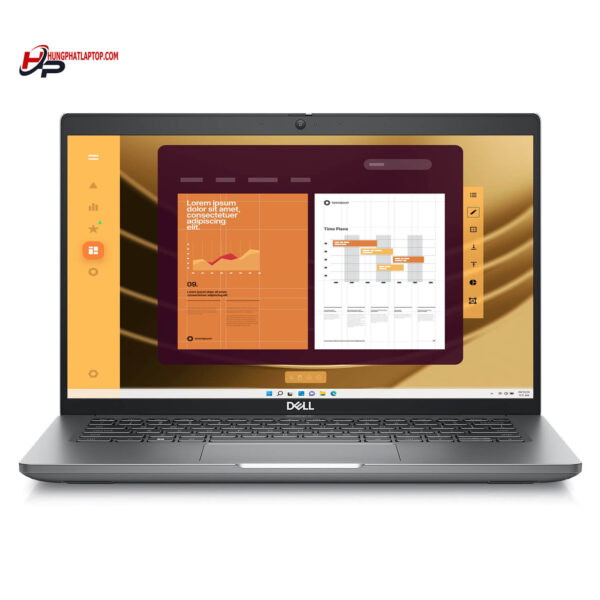
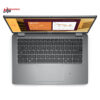
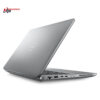
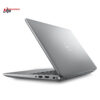
DELL Latitude 5450 (2024)
- CPU: Intel Core Ultra 5 135U vPro Up To 4.4GHz (12 Cores, 14 Threads, 12MB Cache)
- RAM: DDR5 16GB 5600MHz
- SSD: 256GB TLC PCIe Gen4 M.2 SSD
- VGA: Intel® Graphics
- DISPLAY: 14″ IPS FHD (1920*1080), Anti-Glare, Non-Touch, 45% NTSC, 250 nits
- CONDITION: Like New 99%
- WARRANTY: Bảo hành 12 tháng
- Minimalist Design, Business Standard
- Display on Dell Latitude 5450 (2024)
- Superior Performance with Intel® Core™ Ultra CPU
- Comprehensive Security - Data Safety
- Keyboard and Touchpad on Dell Latitude 5450 (2024)
- Slots & Connectivity on Dell Latitude 5450
- Overview and Review of Dell Latitude 14 5450 (2024)
- FAQ - Frequently Asked Questions about Dell Latitude 5450 (2024)
- Where to buy a reliable Dell Latitude 5450 (2024) at a good price?
Dell Latitude 5450 (2024) belongs to the Dell Latitude UltraBook series, highly regarded for its compact design, impressive performance, and enterprise-grade security synchronization. The product features a 14th Gen Intel Core Ultra CPU, up to 64GB LPDDR5X RAM, along with a reliable cooling system and ExpressCharge battery, helping the device operate durably for many consecutive hours. This is a reasonable choice for professionals, office workers, or entrepreneurs needing a device that balances ruggedness and flexibility in daily work.
Minimalist Design, Business Standard
The design of the Dell Latitude 5450 (2024) demonstrates a perfect balance between portability and durability, making it particularly suitable for office workers and professionals who travel frequently. With a weight of only about 1.4kg and compact dimensions of 321.35 x 212.00 x 19.06 mm, this Dell Latitude UltraBook is not only easy to fit into a backpack but also convenient to carry for work anywhere.
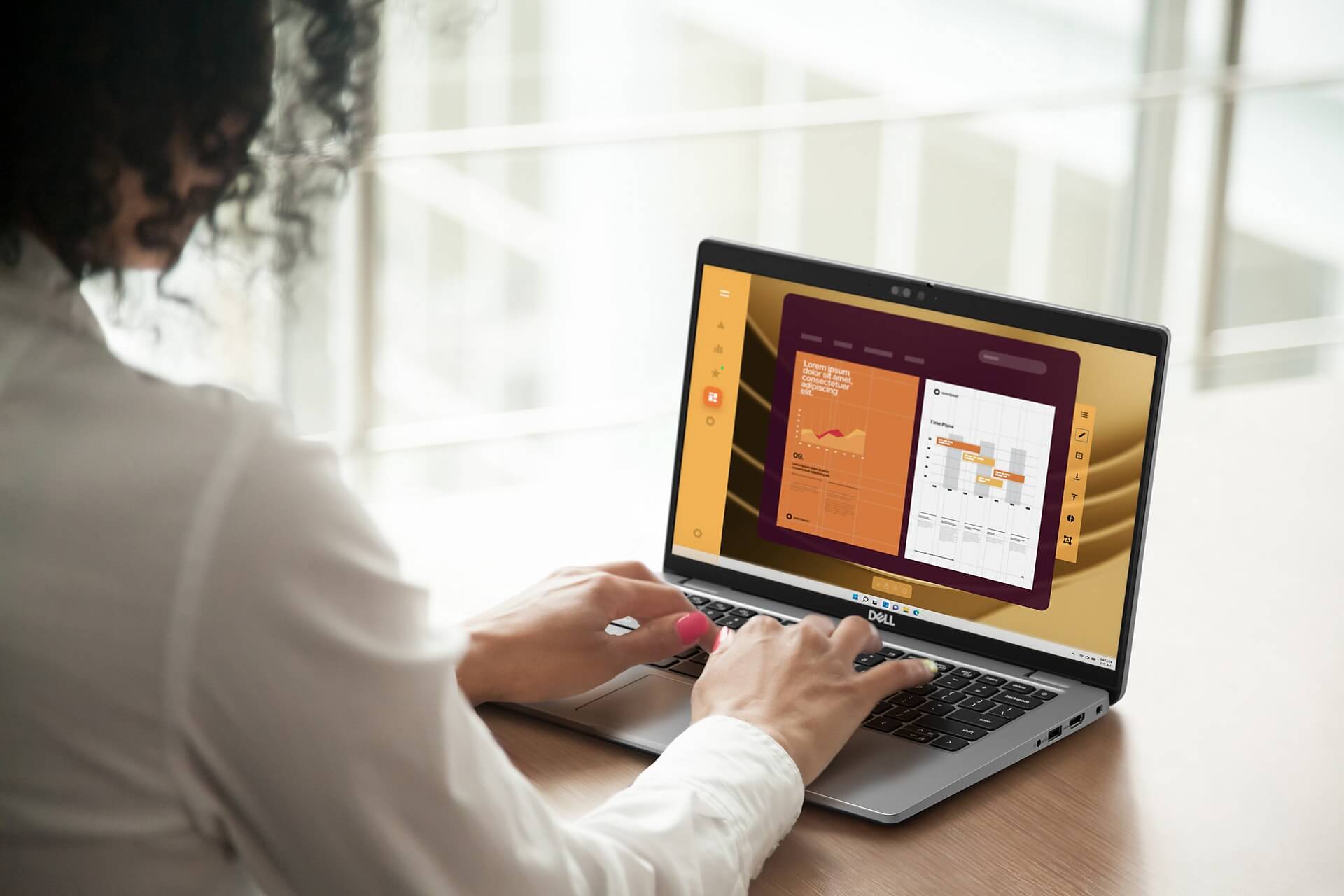
Regarding materials, Dell has selected eco-friendly recycled components while still ensuring ruggedness according to MIL-STD-810H military standards. This helps the device withstand impacts, extreme temperatures, and dust during real-world use. The combination of minimalist design, durable materials, and an environmentally friendly orientation has enhanced the overall value of the Dell Latitude 5450 (2024) in the eyes of professional users.
The device surface is exquisitely finished with a modern silver-gray or matte black tone, suitable for various personal styles and office environments. The gentle curved lines, comfortable grip, and luxurious appearance create a laptop that is not just a work tool but also a highlight of personal class. Whether you are a leader, a programmer, or a sales specialist, the Dell Latitude 5450 (2024) always creates a professional and elegant impression.
Display on Dell Latitude 5450 (2024)
The screen of the Dell Latitude 5450 (2024) provides an impressive visual experience with Full HD (1920 x 1080) resolution on a 14-inch size, meeting daily work and entertainment needs. Integrated with ComfortView Plus technology, the screen reduces harmful blue light, helping to protect your eyes during long periods of use. A brightness of 300 nits along with a wide color gamut of 72% NTSC ensures clear images and realistic colors, making it particularly suitable for professionals in graphics and digital content.
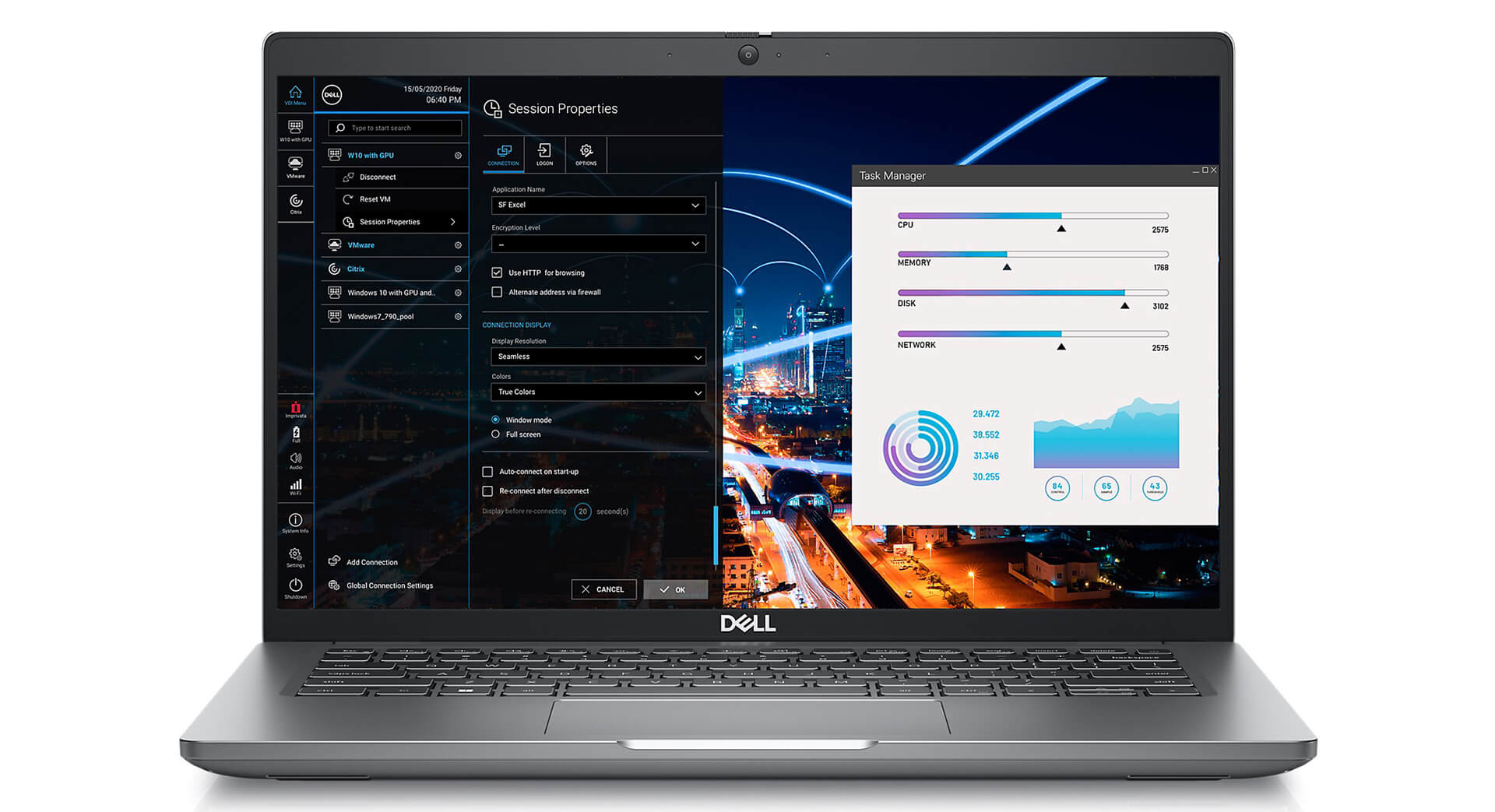
The touchscreen option on the Dell Latitude 5450 (2024) increases interaction flexibility, allowing users to tap, swipe, or drag to perform tasks quickly without an external mouse. This is very useful during presentations or online meetings, where users can interact directly with content without losing connection with the audience.
Not only suitable for work, this Dell Latitude UltraBook screen also brings a high-quality entertainment experience with high detail when watching movies or playing light games. Although not a dedicated gaming laptop, the Dell Latitude 5450 (2024) still meets graphic needs well thanks to Intel® Graphics, making it suitable for those seeking versatility in a single device.
Superior Performance with Intel® Core™ Ultra CPU
The performance of the Dell Latitude 5450 (2024) is optimized to meet all modern work needs, from office tasks to intensive data processing. With the latest Intel Core Ultra CPU options, including the Core Ultra 7-165U vPro, the device delivers powerful processing capabilities, ensuring high performance and stability in multitasking work environments. Configuration flexibility helps users choose the solution that best fits their actual usage requirements.
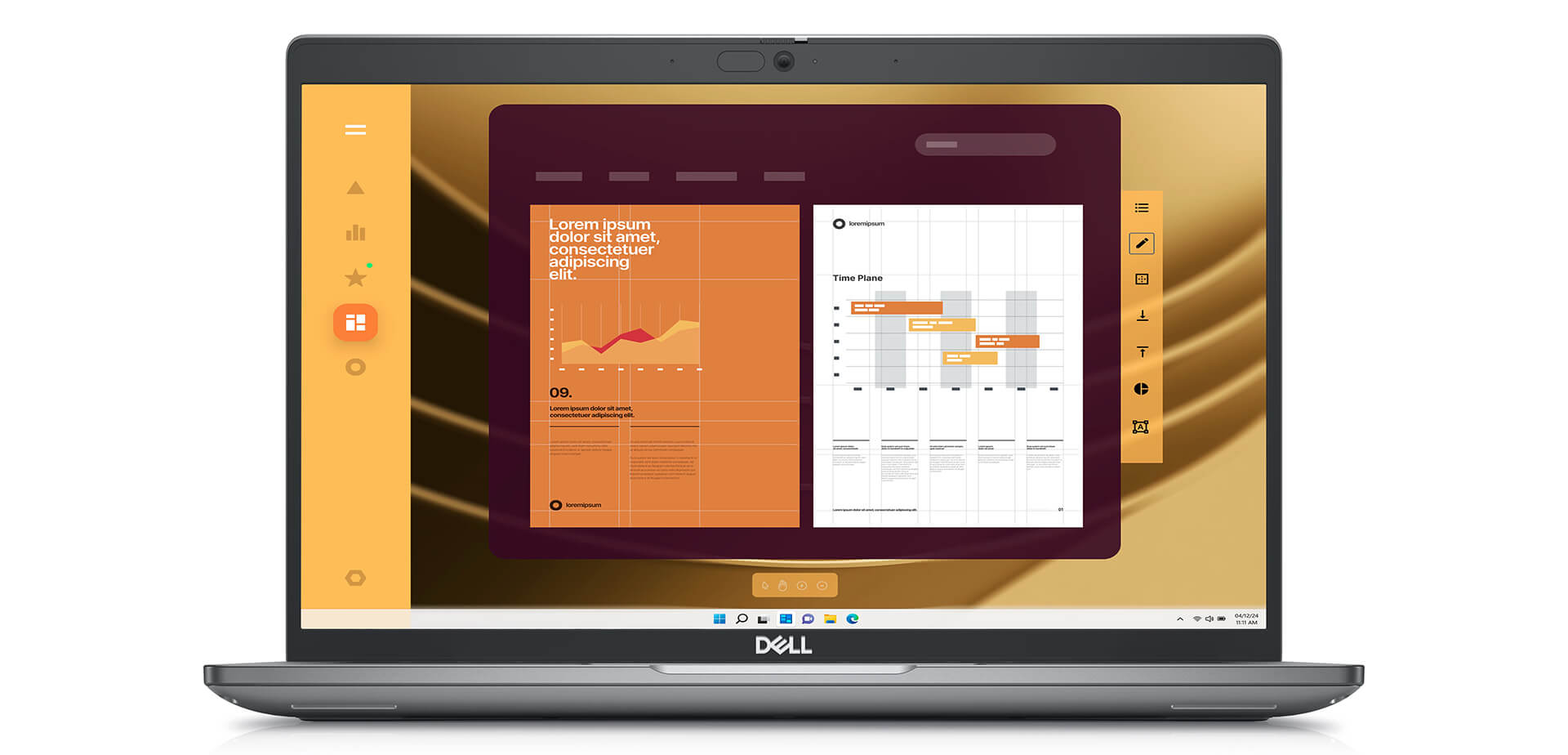
Combined with 16GB DDR5 5600MHz RAM and a 256GB PCIe Gen4 SSD, the Latitude 5450 (2024) provides extremely fast data access and near-instant response times. Users can open multiple applications simultaneously without lagging, helping to optimize daily work efficiency. This configuration is particularly suitable for those who frequently work with large documents, accounting software, text editing, or heavy spreadsheets.
Regarding graphics, the machine uses Intel Graphics, which is sufficient to support basic needs such as photo editing, light video editing, or multimedia presentations. Although not targeting the gaming segment, the Dell Latitude 5450 (2024) still provides a smooth and sharp visual experience, contributing to enhanced visual efficiency in office and creative tasks. This is an ideal choice for tech professionals, corporate employees, and creators who need a stable, high-performance, and energy-efficient device.
Comprehensive Security - Data Safety
In the modern technological environment, ensuring data security is a key factor for individuals and businesses. The Dell Latitude 5450 (2024) is designed with a series of comprehensive security solutions, helping to protect users from risks ranging from unauthorized access to malware, while enhancing peace of mind when working remotely or on mobile devices.
The machine supports both fingerprint sensors and facial recognition through Windows Hello, allowing for quick login while ensuring privacy and security. Additionally, the integrated TPM 2.0 on the motherboard helps encrypt sensitive data, while Secure Boot controls the startup process, preventing malware from infiltrating from the very first step. These layers of protection provide peace of mind for both individual and business users, especially in the context of increasing cyber security threats.
In addition to hardware, remote management and control capabilities are also a strength of the Latitude 5450. The system can be locked remotely if stolen, ensuring information is not leaked. This feature is very suitable for organizations with strict security policies, supporting device control in flexible working environments. Thanks to this, Dell continues to affirm its position in the field of providing safe and reliable Dell Latitude UltraBooks.
Keyboard and Touchpad on Dell Latitude 5450 (2024)
In practice, the typing experience and touchpad control play an important role in daily work efficiency. The Dell Latitude 5450 (2024) is designed with a standard keyboard, providing a tactile typing feel thanks to reasonable key travel, suitable for office users or intensive text work. The integrated backlight helps easy operation in low-light environments, thereby enhancing work efficiency day and night.
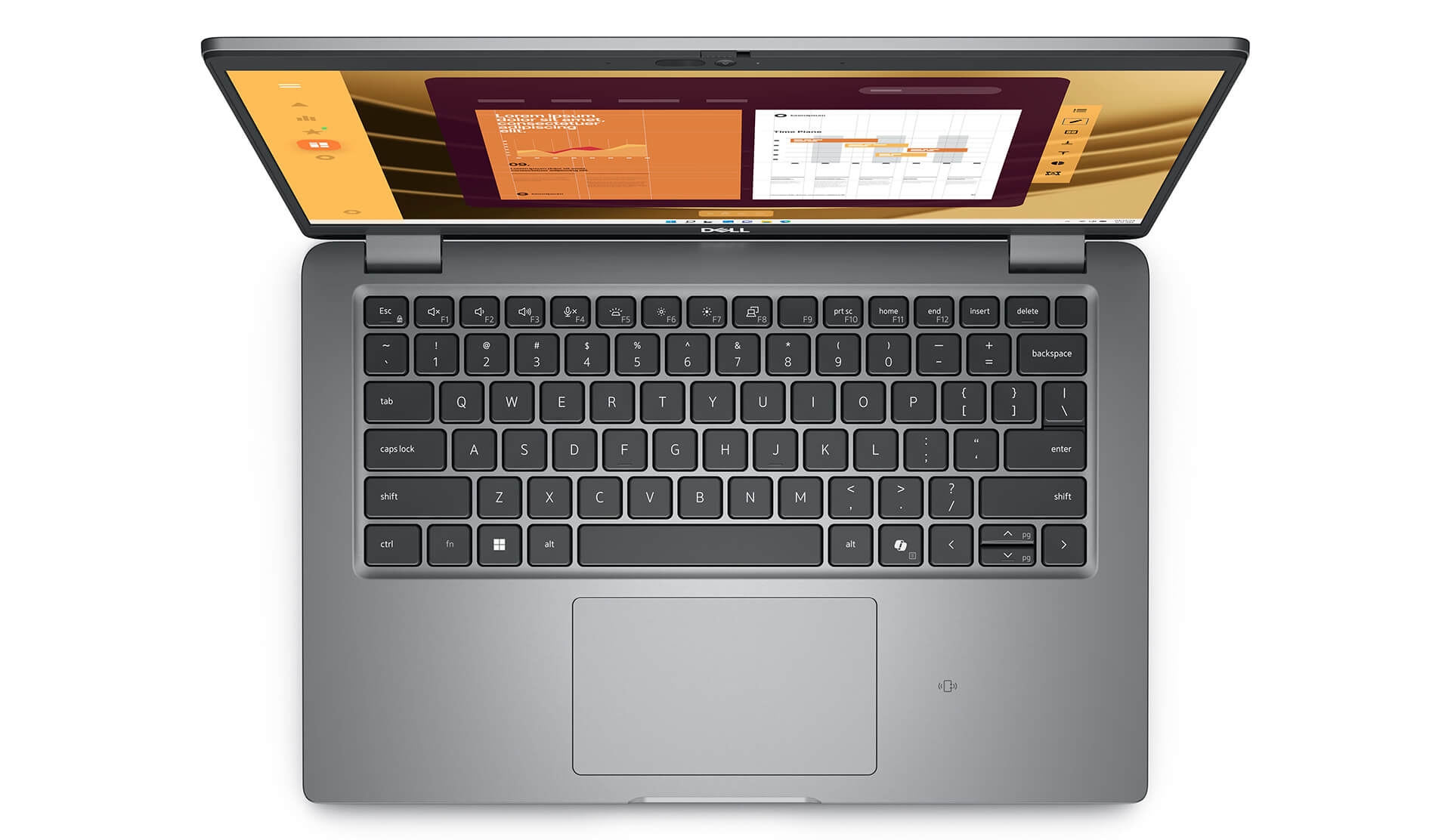
The touchpad of this Dell Latitude UltraBook also impresses with high sensitivity and flexible multi-touch support. Scrolling, zooming, or switching windows are all performed smoothly, providing a convenient navigation experience without the need for a separate mouse. As a result, the device not only meets mobility needs but also optimally supports work efficiency in all situations.
Slots & Connectivity on Dell Latitude 5450
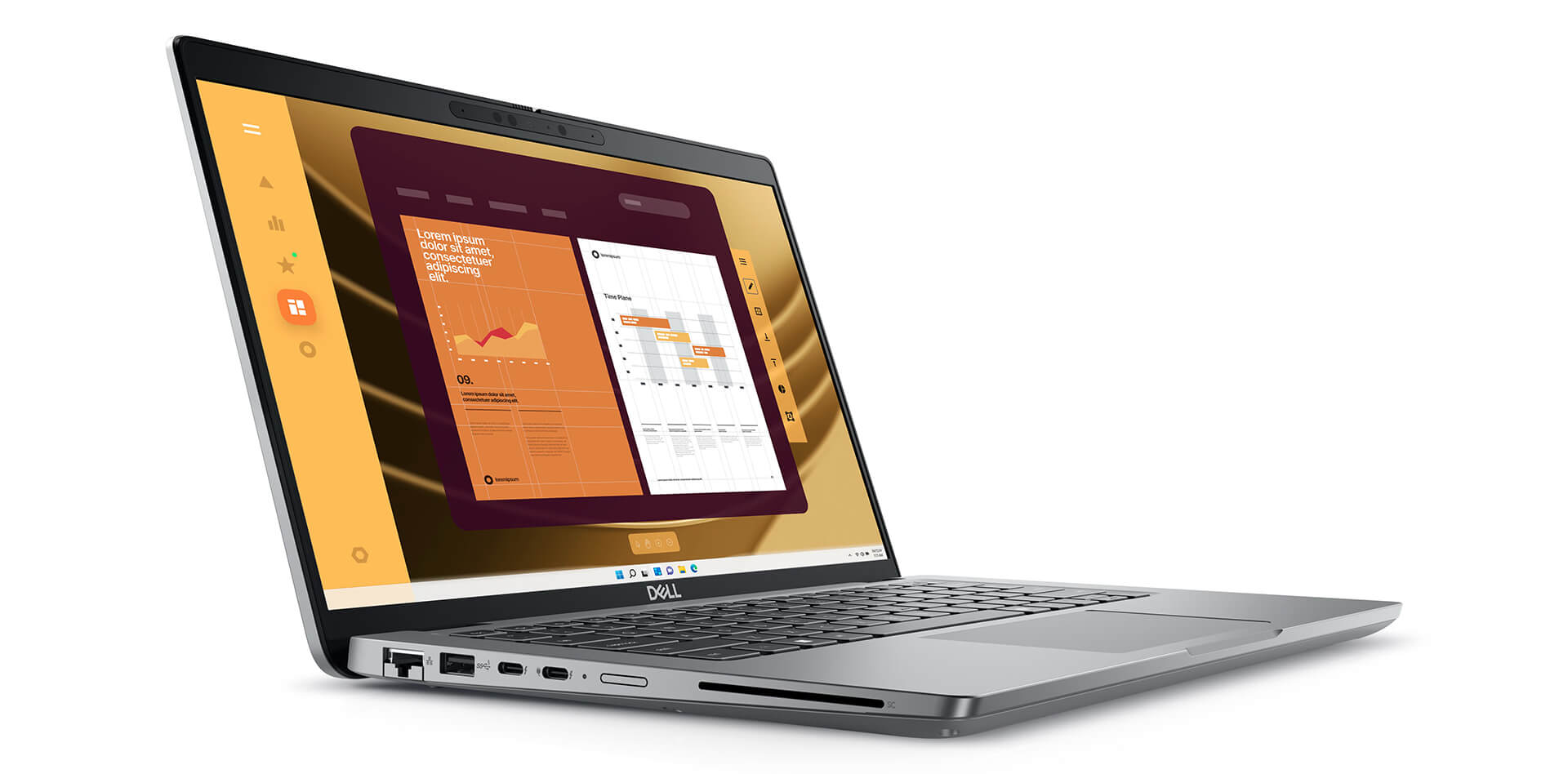
Slots and connectivity on the Dell Latitude 5450 (2024) are designed to provide maximum convenience for users in a professional working environment. Being equipped with all necessary connection ports helps the device easily synchronize with many peripherals, meeting all user needs in practical situations.
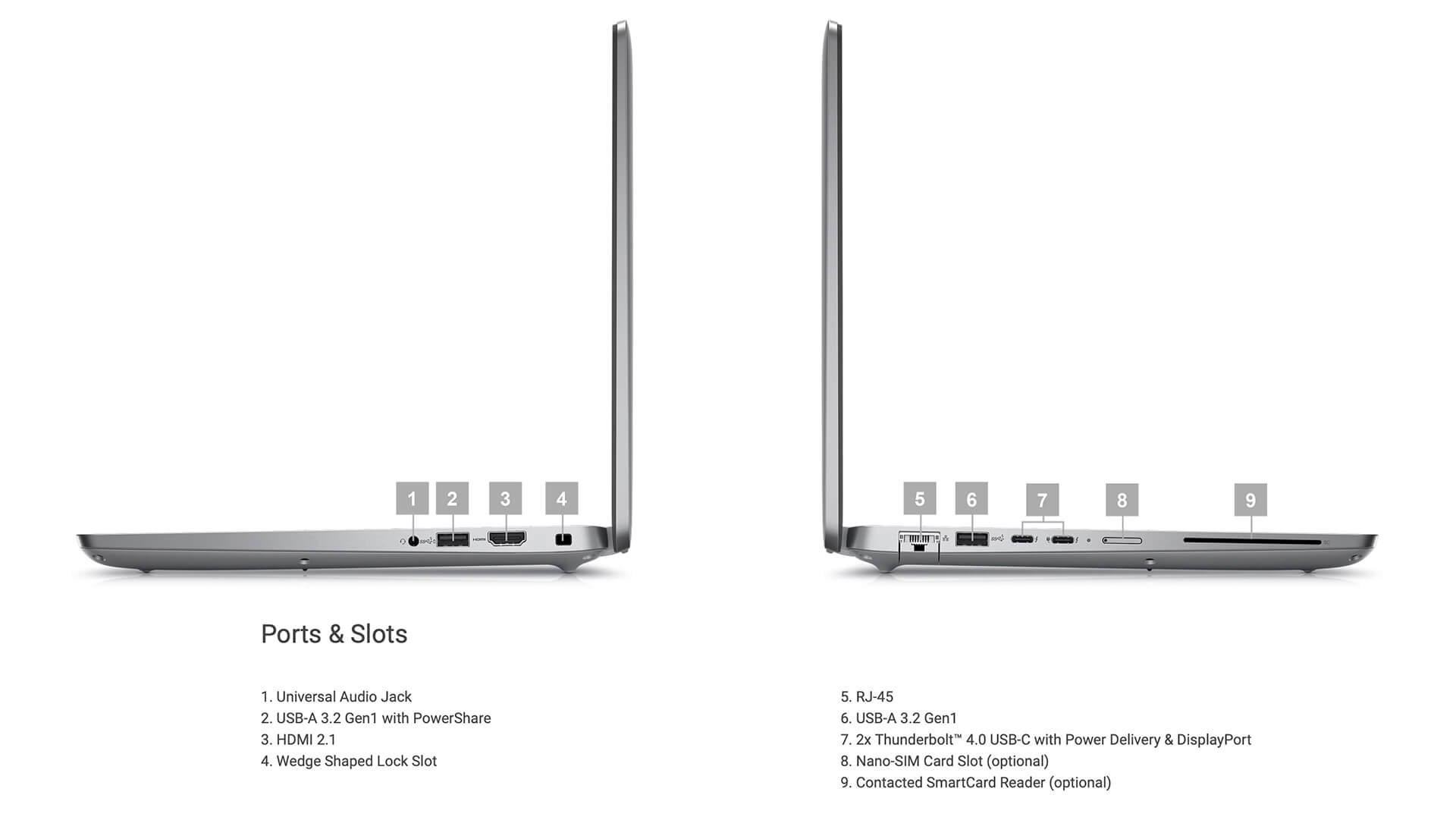
The two Thunderbolt™ 4 ports on this Dell Latitude UltraBook not only ensure ultra-fast data transfer speeds but also have the ability to provide power to peripheral devices. Professionals working with multiple devices or in a minimalist environment will particularly appreciate this capability. Additionally, the machine includes USB 3.2 Gen 1 (PowerShare) ports, standard USB 3.2 Gen 1 ports, and HDMI 2.1, supporting users in flexibly connecting with various types of devices from mice and keyboards to monitors or projectors.
Wireless connectivity on the Latitude 5450 (2024) is also very impressive thanks to support for Wi-Fi 6E and Bluetooth 5.3. Thanks to these two connection standards, the device ensures strong, stable access speeds and good synchronization with other devices such as headphones, mice, or mobile devices. The combination of physical and wireless ports makes the premium Dell Latitude UltraBook a versatile tool for modern users.
Overview and Review of Dell Latitude 14 5450 (2024)
The Dell Latitude 5450 (2024) is an ideal choice for office workers and corporate users, thanks to the harmonious combination of thin and light design, stable performance, and many modern security features. The device not only meets daily work tasks well but also brings a seamless user experience with a sharp screen, smooth keyboard, and flexible connectivity. From a professional perspective, this is a Dell Latitude UltraBook model that is highly rated for both durability and practical utility in a professional working environment.
Although the price of the Dell Latitude 5450 (2024) may be higher than some common laptop lines, for those who prioritize quality, reliability, and performance, this is a completely reasonable investment. Overall, this laptop clearly demonstrates its role as a powerful supporting tool for those who need a durable, flexible device with high security in all usage situations.
| Pros | Cons |
|---|---|
|
|
FAQ - Frequently Asked Questions about Dell Latitude 5450 (2024)
1. Is the Dell Latitude 5450 suitable for professional data environments?
The Latitude 5450 is constructed from a sturdy aluminum frame, meeting MIL-STD 810H durability standards. The device has a compact size and a weight of approximately 1.42 kg, making it suitable for people who travel frequently and need a durable, specialized machine for the office.
2. Does the 14-inch FHD screen meet work and presentation needs?
The Latitude 5450 is equipped with a 14″ FHD (1920×1080) IPS anti-glare screen, with a brightness of about 300 nits, providing wide viewing angles and sharp display, suitable for working with documents, presentations, and online meetings.
3. Can the machine handle complex data workloads well?
Featuring an Intel Core Ultra CPU (12 cores), up to 64GB DDR5 RAM, and PCIe Gen 4 SSD, the Latitude 5450 can easily handle large Excel files, run Power BI, manage data, and open many browser tabs without lagging.
4. Does the Latitude 5450 support programming and software development?
The multi-core CPU, high-speed SSD, and DDR5 RAM help the Latitude 5450 run IDEs like VS Code, IntelliJ smoothly, supporting compilation, debugging, and running Docker containers efficiently throughout a long workday.
5. Can the machine be used for 2D photo design or simple UI?
The integrated Intel GPU combined with a color-accurate screen is sufficient to run basic 2D design software like Photoshop, Figma, or Illustrator for marketing needs or light UI design.
6. What is the actual battery life of the Dell Latitude 5450?
According to LaptopMedia, the Latitude 5450 with a 54 Wh battery can run for approximately **9 continuous hours of FHD video playback**, enough for a full workday without needing a charge.
Source: LaptopMedia
7. Does the machine maintain performance when multitasking?
The optimized single-fan cooling system helps the Latitude 5450 maintain stable temperatures. The machine still operates quietly and does not reduce performance when running many applications or continuous code compilation. [oai_citation:0‡laptopmedia.com](https://laptopmedia.com/review/dell-latitude-5450-review-small-but-fast/?utm_source=chatgpt.com) [oai_citation:1‡amazon.com](https://www.amazon.com/Dell-Latitude-5450-Laptop-1920x1080/dp/B0D6B2YVHY?utm_source=chatgpt.com)
8. Does the Latitude 5450 support Linux for developers?
The Latitude 5450 is well-compatible with popular distributions like Ubuntu and Fedora, although users may need to add touchpad or Wi-Fi drivers to achieve a complete experience.
Source: Dell Support
9. What is the warranty policy at Hung Phat Laptop for the Latitude 5450?
Hung Phat Laptop provides a 12-month warranty for new machines, supporting a 1-for-1 exchange in the first 30 days if hardware defects occur. For like-new or used machines (models from 2024 and earlier), the warranty is 6 months, and still supports a 1-for-1 exchange in the first 30 days. Customers receive free cleaning, lifetime software installation, and nationwide delivery.
Where to buy a reliable Dell Latitude 5450 (2024) at a good price?
Dell Latitude 5450 (2024) is the ideal choice for those who need a premium business laptop, combining minimalist design, powerful performance, and exceptional durability. Not only suitable for frequent travelers, this series is also highly rated for smooth operation in professional environments, from modern offices to continuous business trips.
If you are looking for a place to buy an authentic Dell Latitude 5450 (2024), Hung Phat Laptop is a reliable address. With experience in distributing officially imported Dell Latitude laptops, Hung Phat commits to providing products with transparent origins, full invoices, and clear warranty policies. Additionally, users have the opportunity to receive many attractive offers, ensuring peace of mind and long-term investment value for this high-end technology device.
Performance & benchmarks DELL Latitude 5450 (2024)
Intel Core Ultra 5 135U Intel Arc 7-Core iGPU - best for Văn phòng 8.5/10, Lập trình 6/10.
Intel Core Ultra 5 135U
- Cinebench R23 (đa nhân)9,315
- Geekbench 6 (đa nhân)9,514
- Geekbench 6 (đơn nhân)2,176
- Cores / Threads12/14
Intel Arc 7-Core iGPU iGPU
- 3DMark Time Spy2,940.5
- 3DMark Fire Strike7,612.5
- ArchitectureXe LPG
Best for
Scored from real benchmarks- Chơi game2.5/10
- Dựng phim / Đồ hoạ3.5/10
- Lập trình6/10
- Văn phòng8.5/10
Why CPU matters
CPU là “bộ não” xử lý mọi tác vụ: mở ứng dụng, đa nhiệm, biên dịch, dựng phim. CPU càng mạnh, máy càng nhanh và mượt khi làm nhiều việc cùng lúc.
- Cơ bảnThis product
Lướt web, xem phim, soạn thảo văn phòng nhẹ.
- Phổ thôngThis product
Văn phòng, đa nhiệm vừa, học tập.
- Tầm trungThis product
Đa nhiệm tốt, lập trình, đồ hoạ nhẹ.
- Khá mạnhThis product
Dựng phim, lập trình nặng, ảo hoá, chơi game.
- Cao cấpThis product
Render nặng, biên tập 4K/8K, máy ảo, tác vụ AI.
Why GPU matters
GPU (card đồ hoạ) lo phần hình ảnh: chơi game, dựng video, render 3D và tăng tốc AI. GPU càng mạnh, khung hình game càng cao và xuất video càng nhanh.
- Cơ bản (iGPU)This product
Hiển thị mượt, xem phim 4K, game rất nhẹ (LMHT, Valorant mức thấp).
- Phổ thôngThis product
Game eSports 1080p, chỉnh ảnh, dựng video nhẹ.
- Tầm trungThis product
Game 1080p thiết lập trung-cao, dựng video Full HD ổn.
- Khá mạnhThis product
Game 1080p/1440p thiết lập cao, dựng video 4K, render 3D.
- Cao cấpThis product
Game 4K/240Hz, ray tracing, render & AI nặng.
Game performance
Real FPS - FHD- Dota 270 fps1080p Ultra
- CS258 fps1080p Trung bình
- GTA V126 fps1080p Trung bình
- Cyberpunk 207729 fps1080p Thấp
🟢 ≥60fps rất mượt · 🟡 30-60fps chơi tốt · 🔴 <30fps cần giảm thiết lập
Local AI performance
Tokens/second running locally on GPU- Gemma 4 E2B IT5.6 GB · ctx 256K15 tok/sDecent
- GLM-4 9B5.1 GB · ctx 128K16 tok/sDecent
- Gemma 4 E4B4.6 GB · ctx 256K18 tok/sDecent
- Ministral 8B4.6 GB · ctx 32K18 tok/sDecent
- Qwen 3.5 4B4.6 GB · ctx 32K18 tok/sDecent
- DeepSeek R1 Distill 7B4.1 GB · ctx 64K20 tok/sRuns well
- Gemma 4 E2B3.1 GB · ctx 256K27 tok/sRuns well
- Qwen 3.5 2B2.5 GB · ctx 32K34 tok/sRuns well
- Phi-4 Mini Reasoning2.4 GB · ctx 16K35 tok/sRuns well
- Llama 3.2 3B2 GB · ctx 128K42 tok/sRuns great
- SmolLM3 3B2 GB · ctx 128K42 tok/sRuns great
- DeepSeek R1 1.5B1.3 GB · ctx 64K65 tok/sRuns great
- Qwen 3.5 0.8B1.3 GB · ctx 32K65 tok/sRuns great
- TinyLlama 1.1B1.1 GB · ctx 2K76 tok/sRuns great
- Llama 3.2 1B1 GB · ctx 128K84 tok/sRuns great
- Gemma 2 9B5.1 GB · ctx 8K16 tok/sDecent
- Nemotron Nano 9B v25.1 GB · ctx 128K16 tok/sDecent
- Qwen 3 8B4.6 GB · ctx 128K18 tok/sDecent
- Mistral 7B v0.34.1 GB · ctx 32K20 tok/sRuns well
- Qwen 2.5 7B4.1 GB · ctx 128K20 tok/sRuns well
- Qwen 2.5 Coder 7B4.1 GB · ctx 128K20 tok/sRuns well
- Qwen 3 4B2.5 GB · ctx 32K34 tok/sRuns well
- Gemma 3 4B2.5 GB · ctx 128K34 tok/sRuns well
- Phi-3.5 Mini2.4 GB · ctx 128K35 tok/sRuns well
- Gemma 2 2B1.5 GB · ctx 8K56 tok/sRuns great
- Qwen 3 1.7B1.4 GB · ctx 32K60 tok/sRuns great
- Qwen 2.5 Coder 1.5B1.3 GB · ctx 32K65 tok/sRuns great
- Qwen 3 0.6B1.1 GB · ctx 32K76 tok/sRuns well
- Gemma 3 1B1 GB · ctx 32K84 tok/sRuns great
🟢 Great · 🟡 Well · 🟠 Decent - 4-bit quantized, ctx = context window
No comments yet
Q&A about DELL Latitude 5450 (2024)
Frequently asked questions about DELL Latitude 5450 (2024)
What are the specifications of DELL Latitude 5450 (2024)?
What is the warranty for DELL Latitude 5450 (2024)?
Can I buy DELL Latitude 5450 (2024) with home delivery?
Worth a Look
DELL Latitude 7640 (2023)
DELL Latitude 5330 (2 in 1) (2022)
DELL Latitude 7350 (2 in 1) (2024)
DELL Latitude 9450 (2 in 1) (2024)
 3 configurations




Mai Hương 01/07/2026
Durable and beautiful with a luxurious design perfect for office workers. The Core Ultra 5 performance is smooth, and the battery lasts comfortably all day. Very satisfied with my purchase.
Thủy Tiên 10/01/2025Purchased at Hung Phat
Great prices, quality products
Anh Hạ 27/03/2024Purchased at Hung Phat
Works great, no issues at all.