

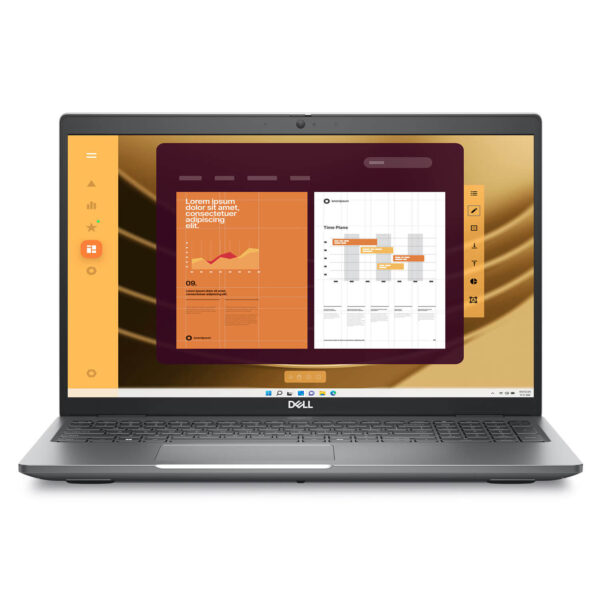
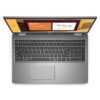
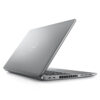
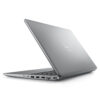
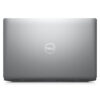
DELL Latitude 5550 (2024)
- CPU: Intel Core Ultra 5 135U vPro Up To 4.4GHz (12 Cores, 14 Threads, 12MB Cache)
- RAM: DDR5 16GB 5600MHz
- SSD: 256GB TLC PCIe Gen4 M.2 SSD
- VGA: Intel® Graphics
- DISPLAY: 15.6″ IPS FHD (1920*1080), Anti-Glare, Non-touch, 45 NTSC, 250 nits
- CONDITION: Like New 99%
- WARRANTY: Bảo hành 12 tháng
- Modern, Sophisticated, and Elegant Design
- Display of the Dell Latitude 5550 (2024)
- Impressive Performance with Intel® Core™ Ultra CPU
- Security Features - Safety for Personal Information
- Keyboard and Touchpad on Dell Latitude 5550
- Slots & Connectivity on Dell Latitude 15 5550 (2024)
- Overview and Review of Dell Latitude 15 5550 (2024)
- FAQ - Frequently Asked Questions about Dell Latitude 5550 (2024)
- Where to buy Dell Latitude 15 5550 (2024) with good prices and reputation?
Dell Latitude 5550 (2024) is the perfect combination of sleek design and powerful performance, aimed at business users and tech professionals in need of a stable, highly secure device. Featuring a modern configuration and advanced security features, this Dell Latitude laptop not only supports efficient workflow processing but also ensures flexibility and safety in every working environment. With superior build quality and durable operation, the Dell Latitude 5550 (2024) becomes a reliable choice for users seeking a comprehensive technology solution.
Modern, Sophisticated, and Elegant Design
The Dell Latitude 5550 (2024) features a modern design with robust lines, creating a solid and professional feel. The chassis is finished from premium aluminum and alloy, which not only enhances aesthetics but also ensures high durability during daily use. This is an ideal laptop line for corporate environments or intensive study, where devices must be both elegant and reliable.
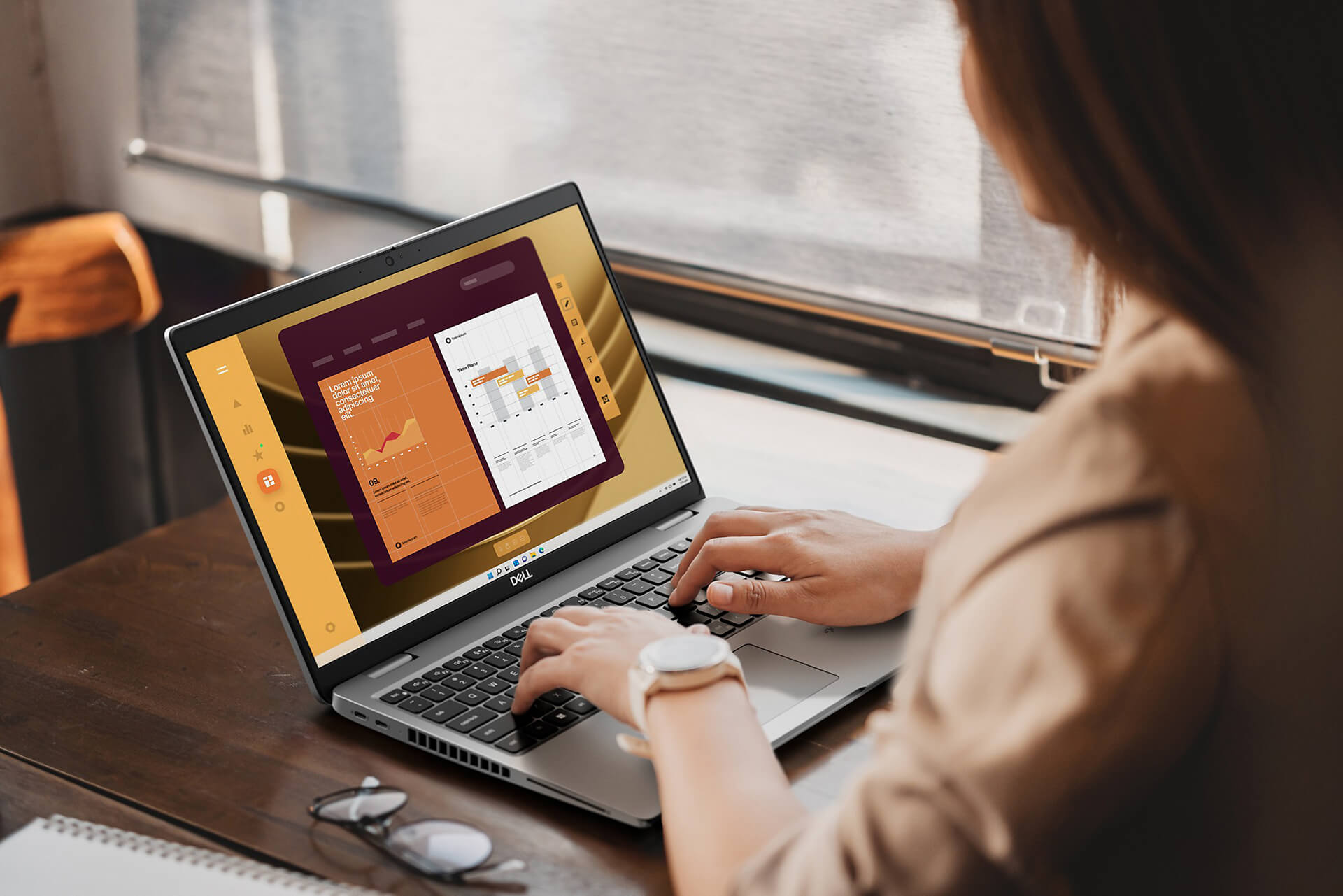
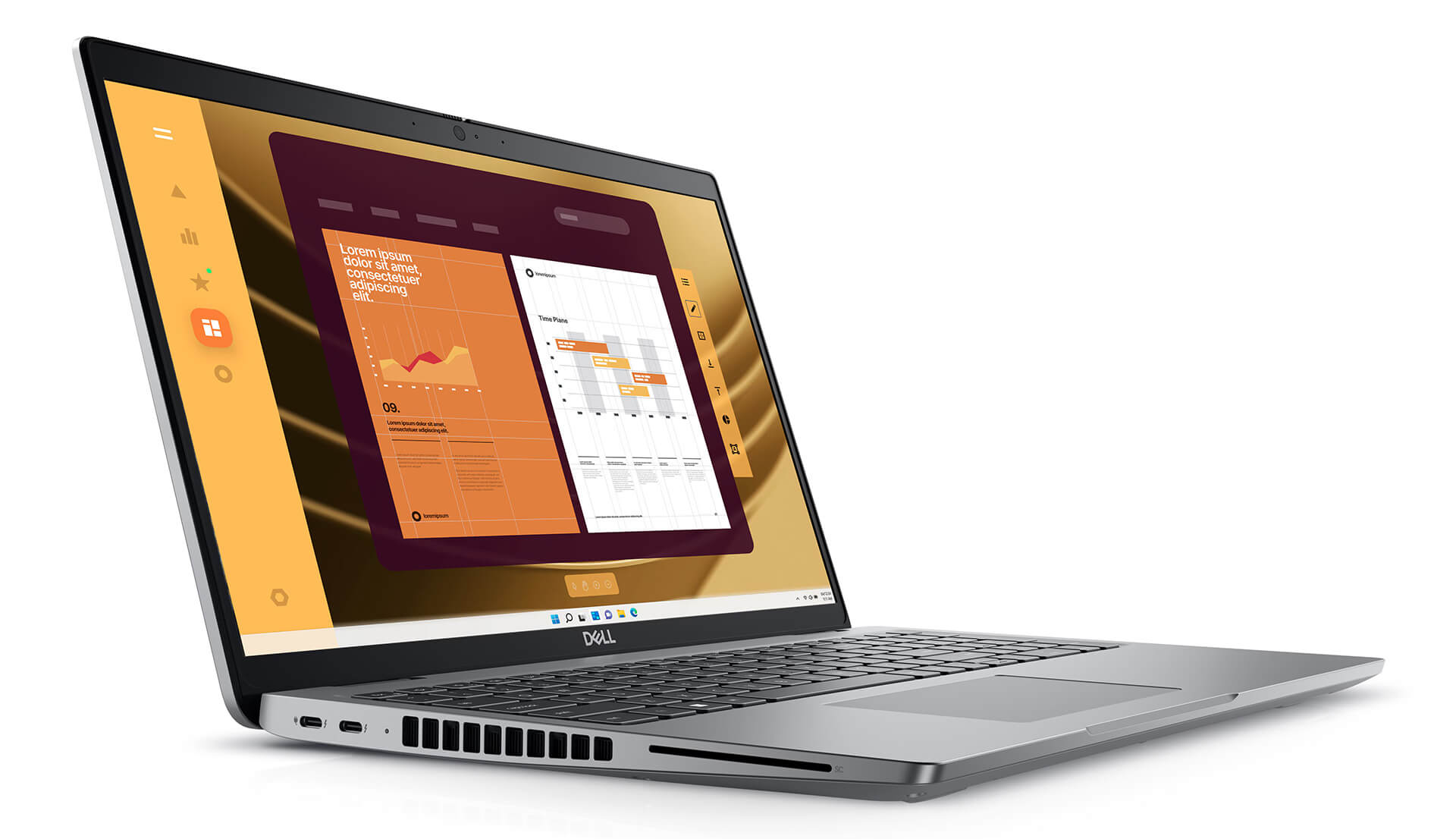
In terms of dimensions, the Dell Latitude 5550 has a height of 20.80 mm at the front and 22.80 mm at the rear, a width of 357.80 mm, and a depth of 233.30 mm, with a weight of only 1.62 kg (3.58 lb). These specifications help this 15.6-inch laptop maintain its compactness and flexibility, making it suitable for users who travel frequently. The optimized design allows you to easily carry it in a bag without feeling heavy.
Not only focusing on mobility, the Dell Latitude 5550 (2024) also integrates convenient features such as a backlit keyboard, supporting efficient work in low-light conditions. This is a valuable plus for those who often work at night or in low-light environments, ensuring a complete and professional user experience.
Display of the Dell Latitude 5550 (2024)
The display of the Dell Latitude 5550 (2024) is designed to meet the display needs of a modern working environment. With an IPS FHD (1920x1080) panel, the device delivers sharp image quality and 250 nits of brightness, helping to display clearly even in indoor or office lighting conditions. This is a suitable choice for users who need an intuitive, stable, and eye-friendly workspace for long periods.
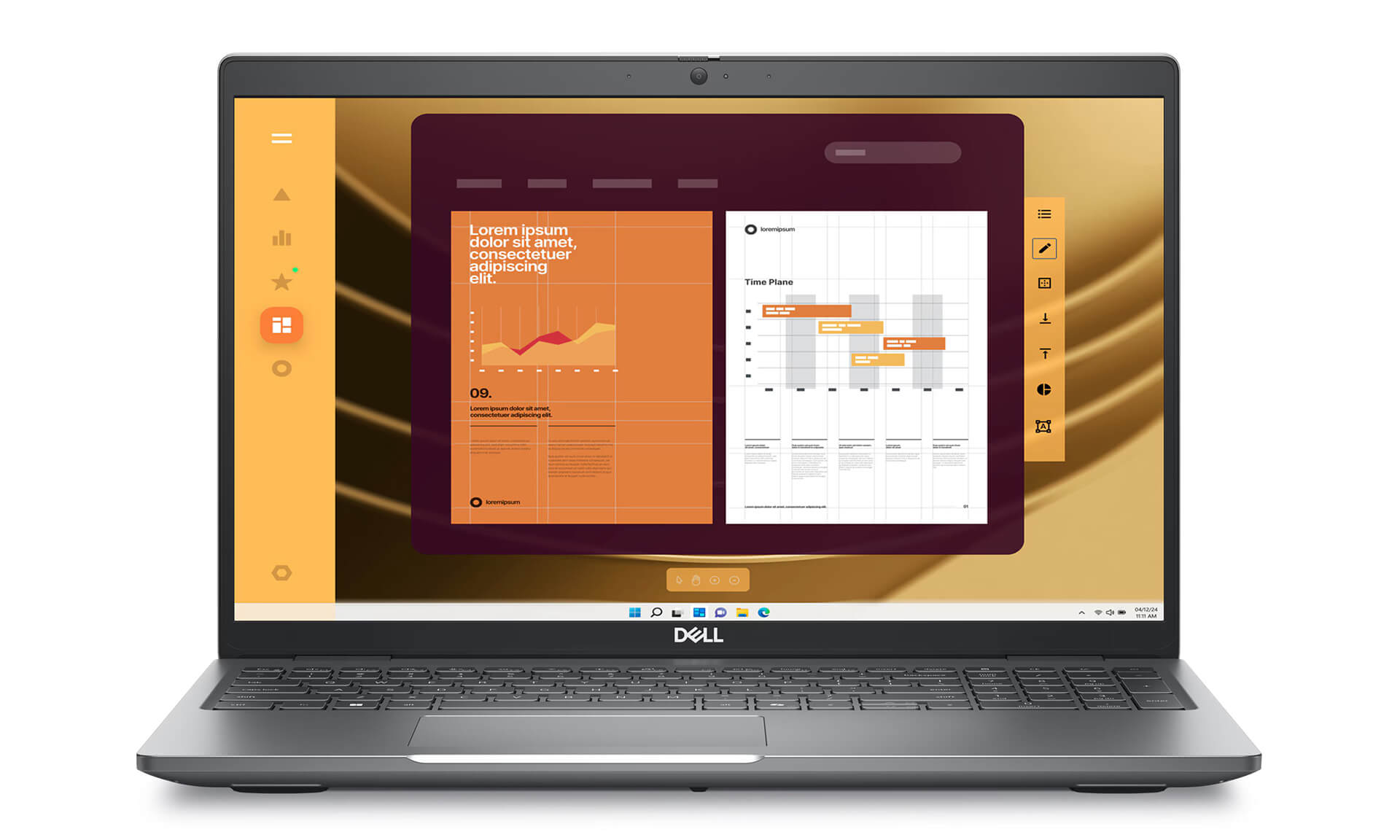
The Full HD resolution ensures clear detail, from text to images, supporting users in processing documents, simple design, or multimedia entertainment comfortably. Thanks to IPS technology, the screen provides wide viewing angles, maintaining stable colors even when viewed from different directions. This is particularly useful during meetings or when sharing content with those around you.
In addition to superior display capabilities, the screen of the Dell Latitude 5550 (2024) also supports touch (on certain configurations) and Anti-Glare technology, helping to minimize reflections and eye strain when working outdoors or under strong lights. The combination of touch features, reasonable brightness, and anti-glare capability enhances the user experience in all usage situations.
Impressive Performance with Intel® Core™ Ultra CPU
Powerful performance is the key factor that makes the Dell Latitude 5550 (2024) an ideal choice for professional working environments. The machine is equipped with optional 14th Gen Intel Core Ultra processors, including the Core Ultra 5 125U, 135U, and Core Ultra 7 165U, providing fast and stable processing capabilities. With configurations up to 12 cores and 14 threads and maximum clock speeds from 4.3GHz to 4.9GHz, this CPU line allows users to smoothly handle heavy tasks such as programming, video editing, or complex data simulation.
Not only powerful in its processor, the Dell Latitude 5550 (2024) Core Ultra 5/7 also demonstrates outstanding efficiency in multitasking. Memory options of 16GB or 32GB DDR5 at 5600MHz help optimize workflows, allowing multiple applications to be opened simultaneously without lagging. Users will clearly feel the smoothness and flexibility, especially when using office software, online meetings, or running data analysis tools.
To meet storage and fast boot-up needs, the device supports PCIe Gen4 M.2 SSD with capacity options ranging from 256GB to 512GB. Combined with Intel Graphics integrated graphics, the Dell Latitude 5550 provides a stable and efficient processing experience, not only for daily work but also sufficient to support light entertainment tasks like watching movies or multimedia presentations.
Security Features - Safety for Personal Information
In the context of rapid technological development, protecting personal data has become more urgent than ever. The Dell Latitude 5550 (2024) meets this need by integrating a multi-layer security system, bringing peace of mind to both business and individual users who frequently handle sensitive information.
Security technologies such as Dell SafeID and Dell SafeBIOS help protect important information from malware attacks or unauthorized access. Additionally, the device integrates a fingerprint reader and a TPM chip, supporting secure user authentication and hardware-level data encryption, ensuring integrity and privacy throughout the usage process.
In addition to traditional security layers, the Latitude 5550 is also equipped with smart security features like Onlooker Detection and Look Away Dim (automatically dims the screen when the user is not looking). These technologies contribute to enhancing personal information protection in flexible working environments or when using a laptop in public places.
Keyboard and Touchpad on Dell Latitude 5550
The keyboard and touchpad always play an important role in enhancing work efficiency on a laptop. On the Dell Latitude 5550 (2024), these two components are meticulously designed to provide an optimal experience for professional users. The US standard keyboard with a backlit system and 99 keys, including a numeric keypad, supports users in rapid and accurate data entry. The key layout is reasonably arranged with good tactile feedback, helping to type comfortably and reducing hand fatigue during long-term use.
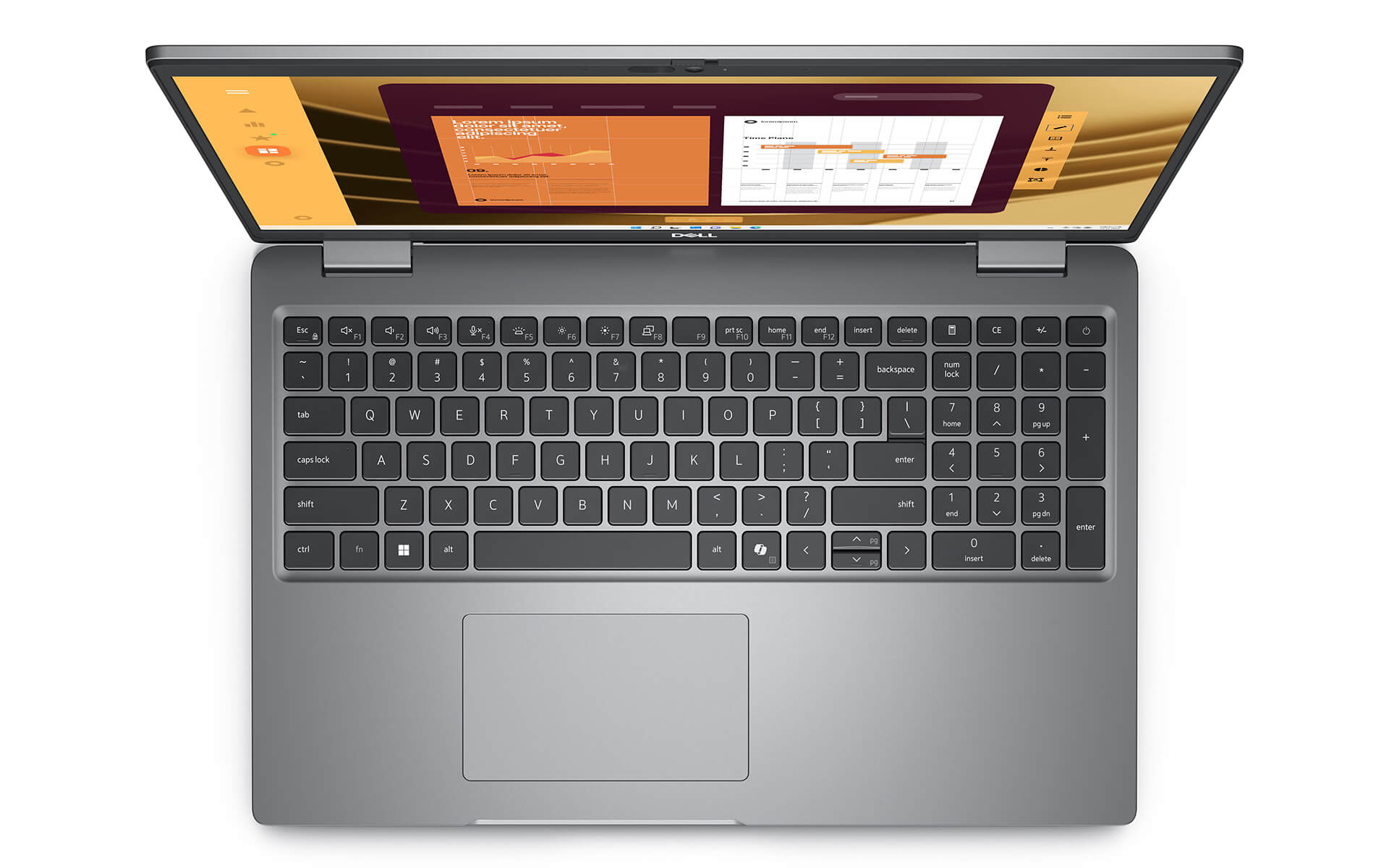
The multi-touch touchpad is seamlessly integrated and highly responsive, providing precise operations without the need for an external mouse. Dell also allows users to customize keyboard and touchpad settings to suit personal habits. These details demonstrate a serious investment in the user experience, helping the Dell Latitude 5550 (2024) become a reliable choice in the business laptop segment.
Slots & Connectivity on Dell Latitude 15 5550 (2024)
Connectivity is a key factor when choosing a laptop for modern work. With a design aimed at professional users, the Dell Latitude 5550 (2024) is fully equipped with modern connection ports, meeting daily usage needs and supporting a variety of peripheral devices.
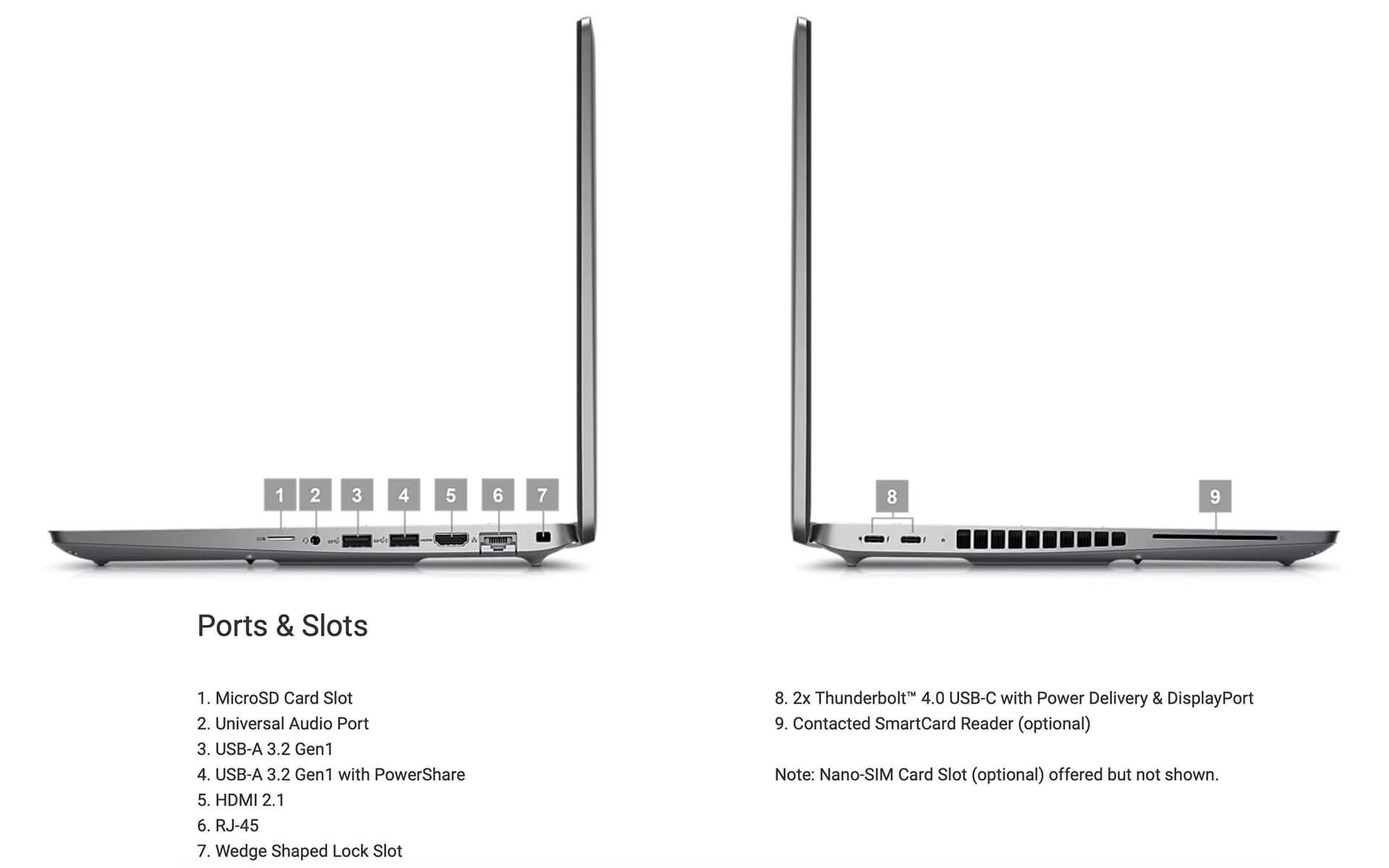
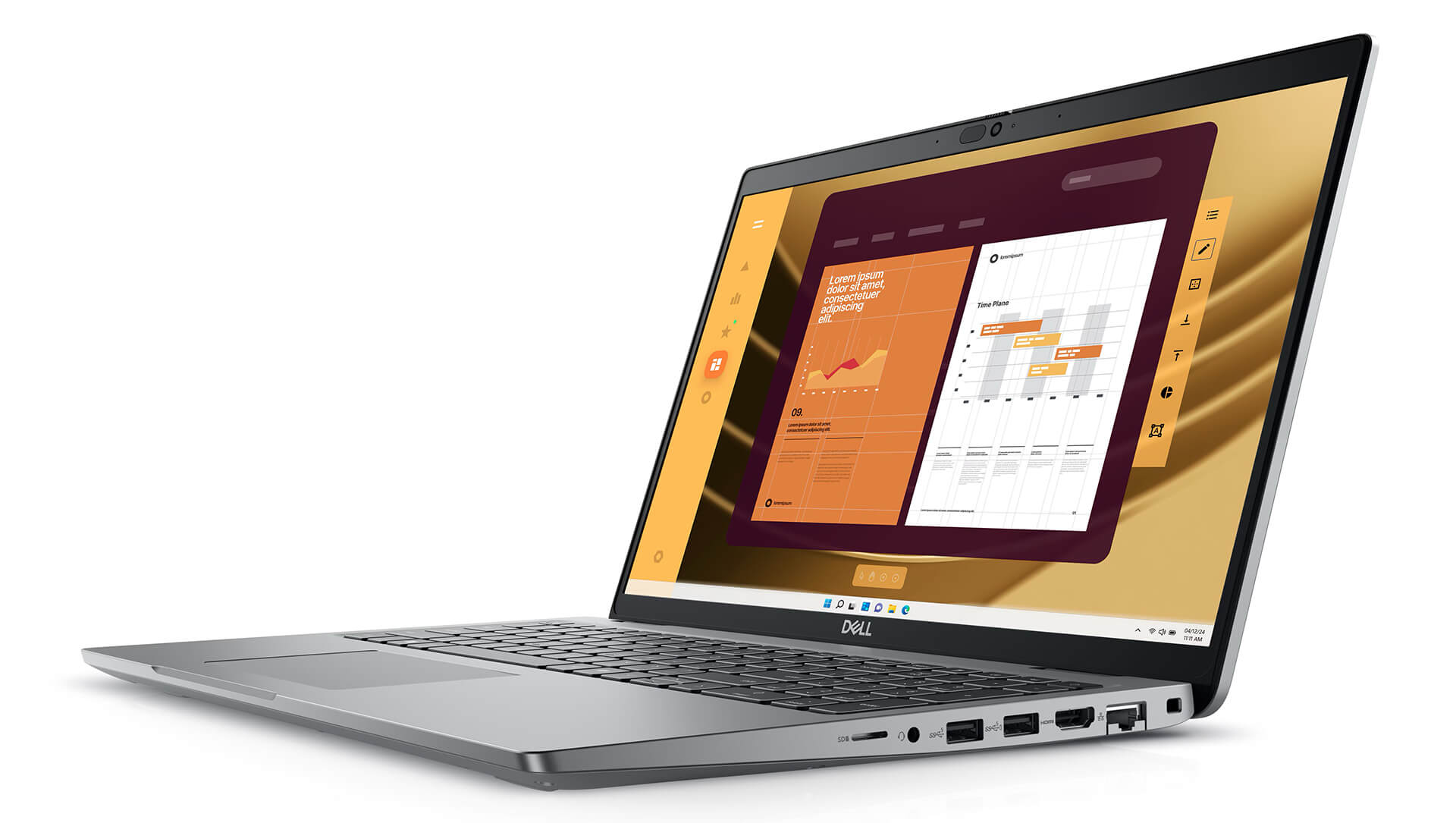
The machine features two Thunderbolt™ 4 ports supporting data transfer speeds up to 40Gbps, while also integrating DisplayPort™ Alt Mode and Power Delivery, making it easy to connect to external monitors or charging devices. Additionally, two USB 3.2 Gen 1 ports (including one with PowerShare), along with HDMI 2.1, a universal audio jack, and an RJ45 Ethernet port, provide high flexibility in connecting networks and office equipment.
Notably, the Dell Latitude 5550 (2024) also supports a microSD slot and nano-SIM (optional), expanding storage capabilities and mobile data connectivity. Combined with Intel® Wi-Fi 6E and Bluetooth® 5.3, this laptop ensures stable and fast wireless connection performance, ideal for users who travel frequently or work in environments requiring high network performance.
Overview and Review of Dell Latitude 15 5550 (2024)
The Dell Latitude 5550 (2024) stands out with a combination of professional design, powerful processing performance, and high-end security features, bringing peace of mind to both business and individual users. With a flexible configuration and many hardware options, this is an ideal solution to serve both work and daily entertainment needs.
Many users have highly rated the practical experience with the Latitude 5550, from stable performance and display quality to the convenience of its design. Compared to products in the same segment, this laptop model excels thanks to its high durability, smart security system, and comprehensive connectivity. If you need a reliable laptop for modern office work, the Dell Latitude 5550 (2024) is a very worthy option to consider.
| Pros | Cons |
|---|---|
|
|
FAQ - Frequently Asked Questions about Dell Latitude 5550 (2024)
1. Is the Dell Latitude 5550 (2024) suitable for a professional working environment?
The Latitude 5550 features a modern design with a robust chassis that meets MIL-STD 810H military-grade durability standards. A weight of approximately 1.65 kg and reasonable thickness make it easy to carry, making it suitable for dynamic office and corporate environments.
2. Is the display on the Latitude 5550 good enough for daily work?
The machine is equipped with a 15.6-inch Full HD anti-glare screen, high brightness, and a wide color gamut for sharp images. It is very ideal for tasks such as data analysis, presentations, or editing long documents.
3. Does the Latitude 5550 handle complex office tasks well?
With the new Intel Core Ultra processor, up to 64GB RAM, and high-speed PCIe Gen 4 SSD, the machine smoothly handles intensive tasks such as creating Power BI reports, running ERP software, and processing large Excel spreadsheets without delay.
4. Is the machine suitable for programming and software development?
The Latitude 5550 provides good support for popular IDEs such as Visual Studio, Android Studio, or VS Code. Thanks to the multi-core CPU and fast SSD, operations like building, testing, debugging, or running Docker environments are both stable and time-efficient.
5. Can the Latitude 5550 be used for 2D design or content creation?
The integrated Intel Arc Graphics is sufficient to smoothly run 2D design software such as Figma, Photoshop, Adobe XD, or professional slide creation on Canva and advanced PowerPoint.
6. What is the actual battery life of the Dell Latitude 5550?
According to data from LaptopMedia, the machine can operate for about 13 hours during web browsing and nearly 10 hours when watching videos at 120 nits brightness, thanks to its large battery capacity and power-efficient CPU.
Source: LaptopMedia
7. Does the Latitude 5550 maintain stable performance during multitasking?
The optimized cooling system helps the machine operate quietly, maintaining good performance even when opening many browser tabs, running Zoom, Excel, and a programming environment simultaneously without excessive overheating.
8. Can the Latitude 5550 install Linux operating systems?
The machine supports installing Linux distributions such as Ubuntu or Fedora. Some hardware components like the touchpad or camera may require custom drivers to operate stably.
Source: Dell Support
9. What is the warranty policy at Hung Phat Laptop for the Latitude 5550?
Hung Phat Laptop provides a 12-month warranty for new machines, supporting replacements within the first 30 days if hardware defects occur. Used or like-new machines (if available) will have a 6-month warranty with similar policies.
Where to buy Dell Latitude 15 5550 (2024) with good prices and reputation?
If you are looking for a high-performance business laptop with a flexible design suitable for a modern working environment, the Dell Latitude 5550 (2024) is a choice worth considering. With smooth operation and a durable design, this device meets the needs of mobile users, from businesspeople to tech experts.
To buy an authentic Dell Latitude with guaranteed quality and reasonable prices, Hung Phat Laptop is a reputable address. We specialize in providing officially imported laptops with full invoices and clear origins. Customers also benefit from transparent warranty policies and many attractive offers for premium Latitude lines like the Dell Latitude 5550 (2024).
Performance & benchmarks DELL Latitude 5550 (2024)
Intel Core Ultra 5 135U Intel Arc 7-Core iGPU - best for Văn phòng 8.5/10, Lập trình 6/10.
Intel Core Ultra 5 135U
- Cinebench R23 (đa nhân)9,315
- Geekbench 6 (đa nhân)9,514
- Geekbench 6 (đơn nhân)2,176
- Cores / Threads12/14
Intel Arc 7-Core iGPU iGPU
- 3DMark Time Spy2,940.5
- 3DMark Fire Strike7,612.5
- ArchitectureXe LPG
Best for
Scored from real benchmarks- Chơi game2.5/10
- Dựng phim / Đồ hoạ3.5/10
- Lập trình6/10
- Văn phòng8.5/10
Why CPU matters
CPU là “bộ não” xử lý mọi tác vụ: mở ứng dụng, đa nhiệm, biên dịch, dựng phim. CPU càng mạnh, máy càng nhanh và mượt khi làm nhiều việc cùng lúc.
- Cơ bảnThis product
Lướt web, xem phim, soạn thảo văn phòng nhẹ.
- Phổ thôngThis product
Văn phòng, đa nhiệm vừa, học tập.
- Tầm trungThis product
Đa nhiệm tốt, lập trình, đồ hoạ nhẹ.
- Khá mạnhThis product
Dựng phim, lập trình nặng, ảo hoá, chơi game.
- Cao cấpThis product
Render nặng, biên tập 4K/8K, máy ảo, tác vụ AI.
Why GPU matters
GPU (card đồ hoạ) lo phần hình ảnh: chơi game, dựng video, render 3D và tăng tốc AI. GPU càng mạnh, khung hình game càng cao và xuất video càng nhanh.
- Cơ bản (iGPU)This product
Hiển thị mượt, xem phim 4K, game rất nhẹ (LMHT, Valorant mức thấp).
- Phổ thôngThis product
Game eSports 1080p, chỉnh ảnh, dựng video nhẹ.
- Tầm trungThis product
Game 1080p thiết lập trung-cao, dựng video Full HD ổn.
- Khá mạnhThis product
Game 1080p/1440p thiết lập cao, dựng video 4K, render 3D.
- Cao cấpThis product
Game 4K/240Hz, ray tracing, render & AI nặng.
Game performance
Real FPS - FHD- Dota 270 fps1080p Ultra
- CS258 fps1080p Trung bình
- GTA V126 fps1080p Trung bình
- Cyberpunk 207729 fps1080p Thấp
🟢 ≥60fps rất mượt · 🟡 30-60fps chơi tốt · 🔴 <30fps cần giảm thiết lập
Local AI performance
Tokens/second running locally on GPU- Gemma 4 E2B IT5.6 GB · ctx 256K15 tok/sDecent
- GLM-4 9B5.1 GB · ctx 128K16 tok/sDecent
- Gemma 4 E4B4.6 GB · ctx 256K18 tok/sDecent
- Ministral 8B4.6 GB · ctx 32K18 tok/sDecent
- Qwen 3.5 4B4.6 GB · ctx 32K18 tok/sDecent
- DeepSeek R1 Distill 7B4.1 GB · ctx 64K20 tok/sRuns well
- Gemma 4 E2B3.1 GB · ctx 256K27 tok/sRuns well
- Qwen 3.5 2B2.5 GB · ctx 32K34 tok/sRuns well
- Phi-4 Mini Reasoning2.4 GB · ctx 16K35 tok/sRuns well
- Llama 3.2 3B2 GB · ctx 128K42 tok/sRuns great
- SmolLM3 3B2 GB · ctx 128K42 tok/sRuns great
- DeepSeek R1 1.5B1.3 GB · ctx 64K65 tok/sRuns great
- Qwen 3.5 0.8B1.3 GB · ctx 32K65 tok/sRuns great
- TinyLlama 1.1B1.1 GB · ctx 2K76 tok/sRuns great
- Llama 3.2 1B1 GB · ctx 128K84 tok/sRuns great
- Gemma 2 9B5.1 GB · ctx 8K16 tok/sDecent
- Nemotron Nano 9B v25.1 GB · ctx 128K16 tok/sDecent
- Qwen 3 8B4.6 GB · ctx 128K18 tok/sDecent
- Mistral 7B v0.34.1 GB · ctx 32K20 tok/sRuns well
- Qwen 2.5 7B4.1 GB · ctx 128K20 tok/sRuns well
- Qwen 2.5 Coder 7B4.1 GB · ctx 128K20 tok/sRuns well
- Qwen 3 4B2.5 GB · ctx 32K34 tok/sRuns well
- Gemma 3 4B2.5 GB · ctx 128K34 tok/sRuns well
- Phi-3.5 Mini2.4 GB · ctx 128K35 tok/sRuns well
- Gemma 2 2B1.5 GB · ctx 8K56 tok/sRuns great
- Qwen 3 1.7B1.4 GB · ctx 32K60 tok/sRuns great
- Qwen 2.5 Coder 1.5B1.3 GB · ctx 32K65 tok/sRuns great
- Qwen 3 0.6B1.1 GB · ctx 32K76 tok/sRuns well
- Gemma 3 1B1 GB · ctx 32K84 tok/sRuns great
🟢 Great · 🟡 Well · 🟠 Decent - 4-bit quantized, ctx = context window
No comments yet
Q&A about DELL Latitude 5550 (2024)
Frequently asked questions about DELL Latitude 5550 (2024)
What are the specifications of DELL Latitude 5550 (2024)?
What is the warranty for DELL Latitude 5550 (2024)?
Can I buy DELL Latitude 5550 (2024) with home delivery?
Worth a Look
DELL Latitude 7640 (2023)
DELL Latitude 5330 (2 in 1) (2022)
DELL Latitude 7350 (2 in 1) (2024)
DELL Latitude 9450 (2 in 1) (2024)





Minh Thư 01/07/2026
Powerful and durable, built to enterprise standards; the screen is crystal clear, though the price is slightly higher than the market average.
Trần Đức Huy 21/11/2024Purchased at Hung Phat
Students should receive a 500k discount during the back-to-school season.
Nguyễn Hà Lộc 05/11/2024Purchased at Hung Phat
The technical support team is very responsive.