

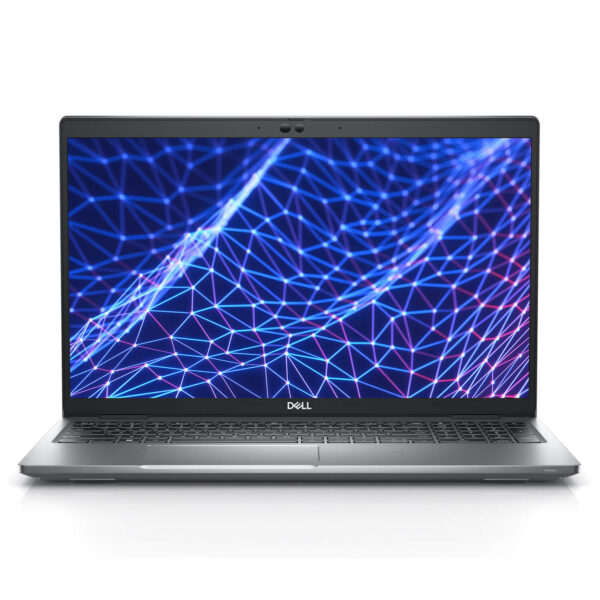
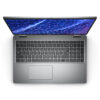
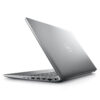
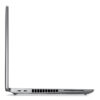
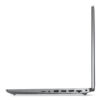
DELL Latitude 5530 (2022)
- CPU: Intel® Core i5 1245U vPro Up To 4.4GHz (10-Cores, 12-Threads, 12MB Cache)
- RAM: DDR4 16GB 3200MHz
- SSD: 256GB PCIe M.2 SSD
- VGA: Intel® Iris® Xe Graphics
- DISPLAY: 15" FHD (1920x1080) Non-Touch, Anti-Glare, 250nits
- CONDITION: Like New 99%
- WARRANTY: Bảo hành 12 tháng
- Minimalist and Modern Design
- Display on Dell Latitude 5530 (2022)
- Superior Performance with Intel Gen 12th CPU
- Keyboard & Touchpad on Dell Latitude 5430
- Ports & Connectivity on Dell Latitude 5430
- Operating Temperature and Battery Life
- Summary & Review of Dell Latitude 5430 (2022)
- Where to buy a reliable Dell Latitude 5430 at a good price?
In today's digital age, owning a laptop that is powerful, durable, and environmentally friendly is essential for entrepreneurs and office professionals. And Dell Latitude 5530 is one of the standout choices that meets those criteria. By reviewing the Dell Latitude 5530 (2022), we will explore in detail its design, display, performance, keyboard, and battery life to provide the most comprehensive and objective overview.
Minimalist and Modern Design
In an increasingly competitive technology market, manufacturers strive to integrate aesthetics with usability in every product line. The Dell Latitude 5530 stands out with a minimalist design that is modern and professional. The exterior is crafted from high-quality materials, featuring a smooth surface that resists fingerprints while maintaining a luxurious and sturdy feel. The sharp edges create a strong yet sophisticated impression, perfectly suited for business and corporate environments.
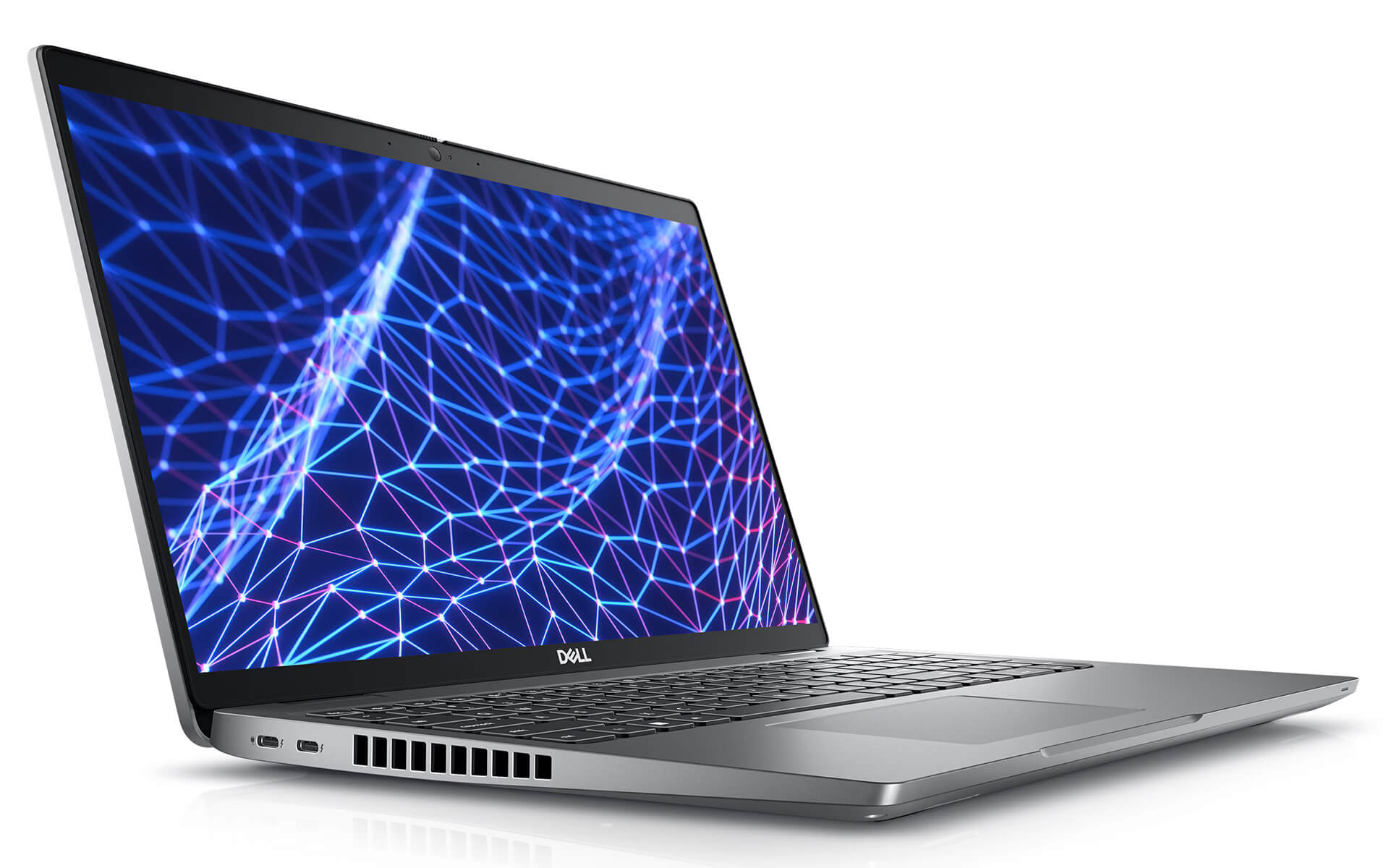
Another notable point is the lightweight design, weighing only about 1.59 kg with a reasonable thickness, making it easy for users to carry for business trips, meetings, or working at different locations. The chassis also features high-quality finishing, with secure joints and good heat dissipation without feeling bulky or heavy. This combination of optimized technology and refined aesthetics has made the Dell Latitude 5530 (2022) a formidable competitor in the premium business segment.
Display on Dell Latitude 5530 (2022)
The display is always a key highlight for any laptop line, especially in fields requiring high precision in images and colors. The Dell Latitude 5530 is equipped with a 15-inch screen featuring Full HD 1920 x 1080 pixels resolution. Anti-glare technology helps minimize light reflection, making it suitable for working directly under bright light or outdoors. The maximum brightness reaches 250 nits, which is sufficient for clear visibility in various lighting conditions.
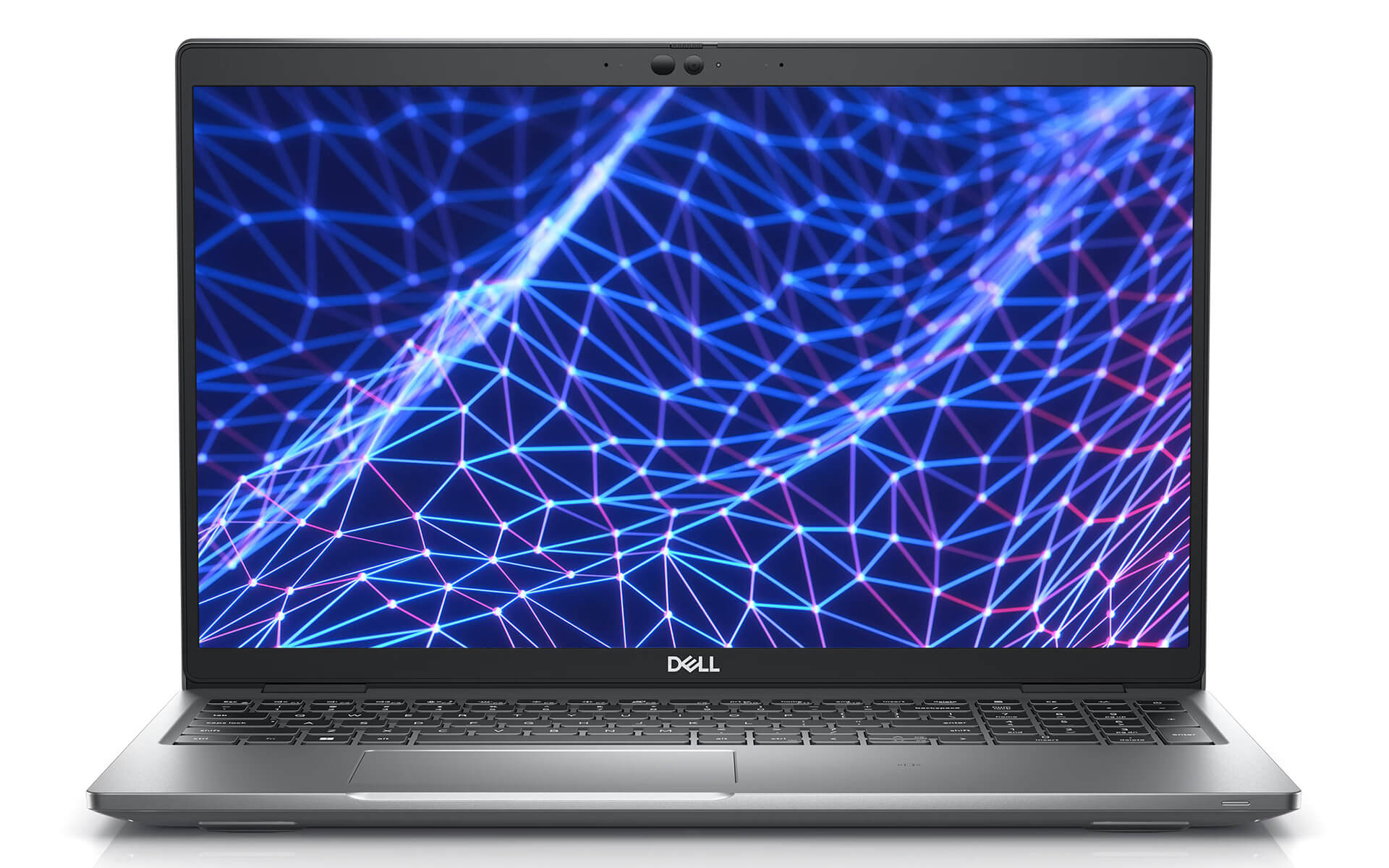
A special feature of the Dell Latitude 5530 is ComfortView Plus technology, which reduces blue light that causes eye strain, enhancing the long-term working experience without worrying about vision issues. The screen-to-body ratio reaches approximately 85%, providing maximum display area, thereby increasing work efficiency and allowing users to easily manipulate and examine details in complex documents or charts. With wide viewing angles, the screen ensures color accuracy even when viewed from different angles.
Superior Performance with Intel Gen 12th CPU
The power of the Dell Latitude 5530 (2022) lies in the smooth processing capabilities of the latest processors from Intel. Equipped with the 12th Gen Intel Core i5 or i7 CPU line with Hybrid architecture, it helps optimize power, save energy, and handle multitasking more effectively than ever. With the Intel Core i7-1265U CPU option, the machine is not only suitable for basic office tasks but also handles high-precision and high-speed tasks such as light graphic design, data analysis, or programming.
Additionally, the Dell Latitude 5530 integrates DDR4 3200 MHz RAM with a maximum capacity of 16 GB in dual-channel mode, helping to minimize latency, increase multitasking capabilities, and process heavy tasks smoothly. The 256 GB PCIe NVMe SSD provides extremely fast data access, minimizing waiting time and enhancing work efficiency. With this hardware combination, the laptop can fully accompany users in all high-performance activities while ensuring long-term durability.
Keyboard & Touchpad on Dell Latitude 5430
One of the decisive factors in user experience is the feel of the keyboard and touchpad. The Dell Latitude 5530 offers a keyboard design with reasonable key travel and clear feedback, suitable for continuous typing over long periods without causing hand fatigue. The keys are logically arranged, including full function keys and a numeric keypad, making work more convenient. Notably, the keyboard is equipped with a backlight, supporting work in low-light or nighttime conditions.
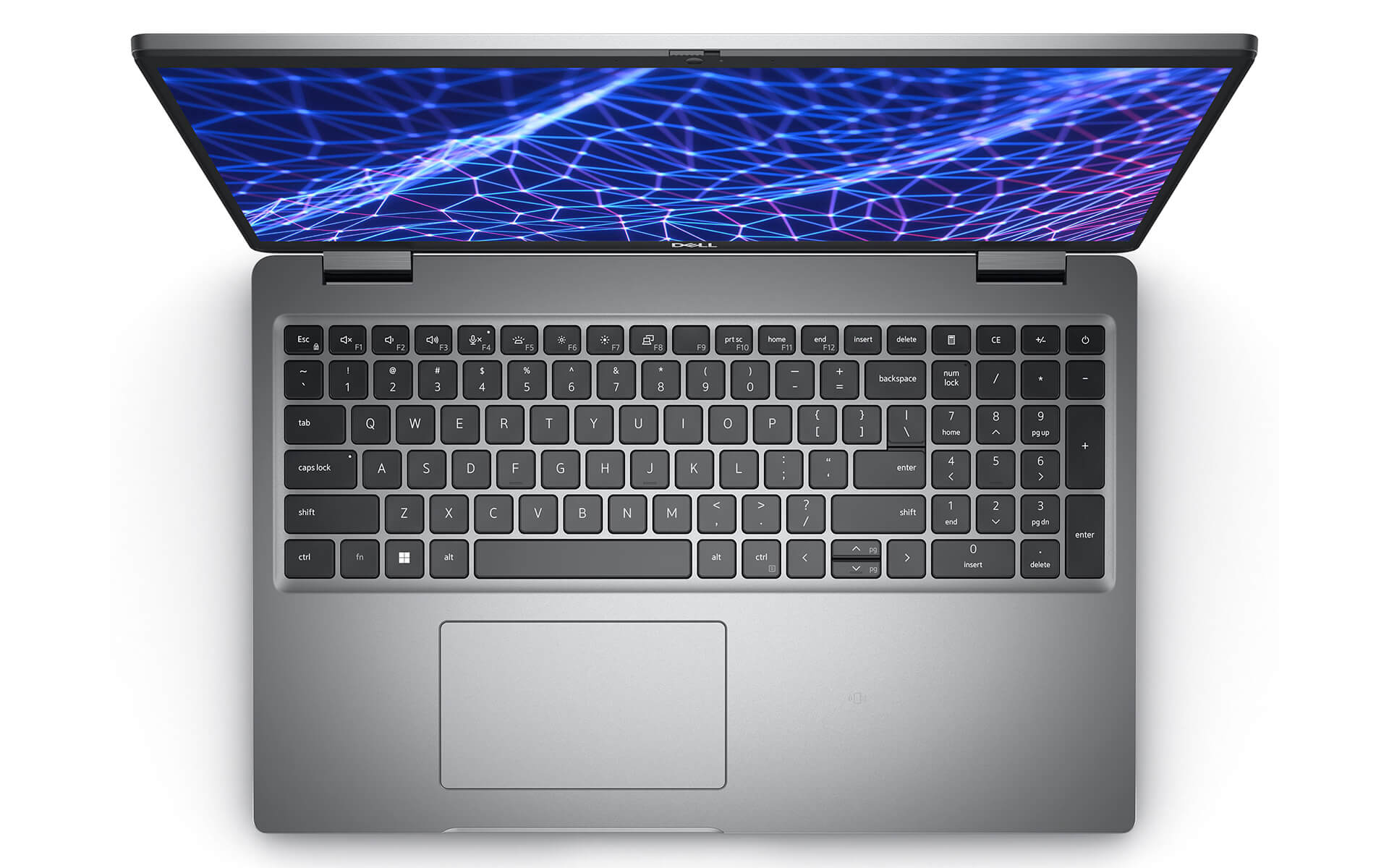
The large, smooth touchpad integrates precise touch technology, helping users easily navigate, zoom in, zoom out, or use gestures flexibly. Multi-touch features are well-optimized, allowing for quick and accurate operations and minimizing errors during use. This optimized combination of keyboard and touchpad is a major plus, enhancing productivity while providing a comfortable feel without causing fatigue even after several consecutive hours of use.
Ports & Connectivity on Dell Latitude 5430
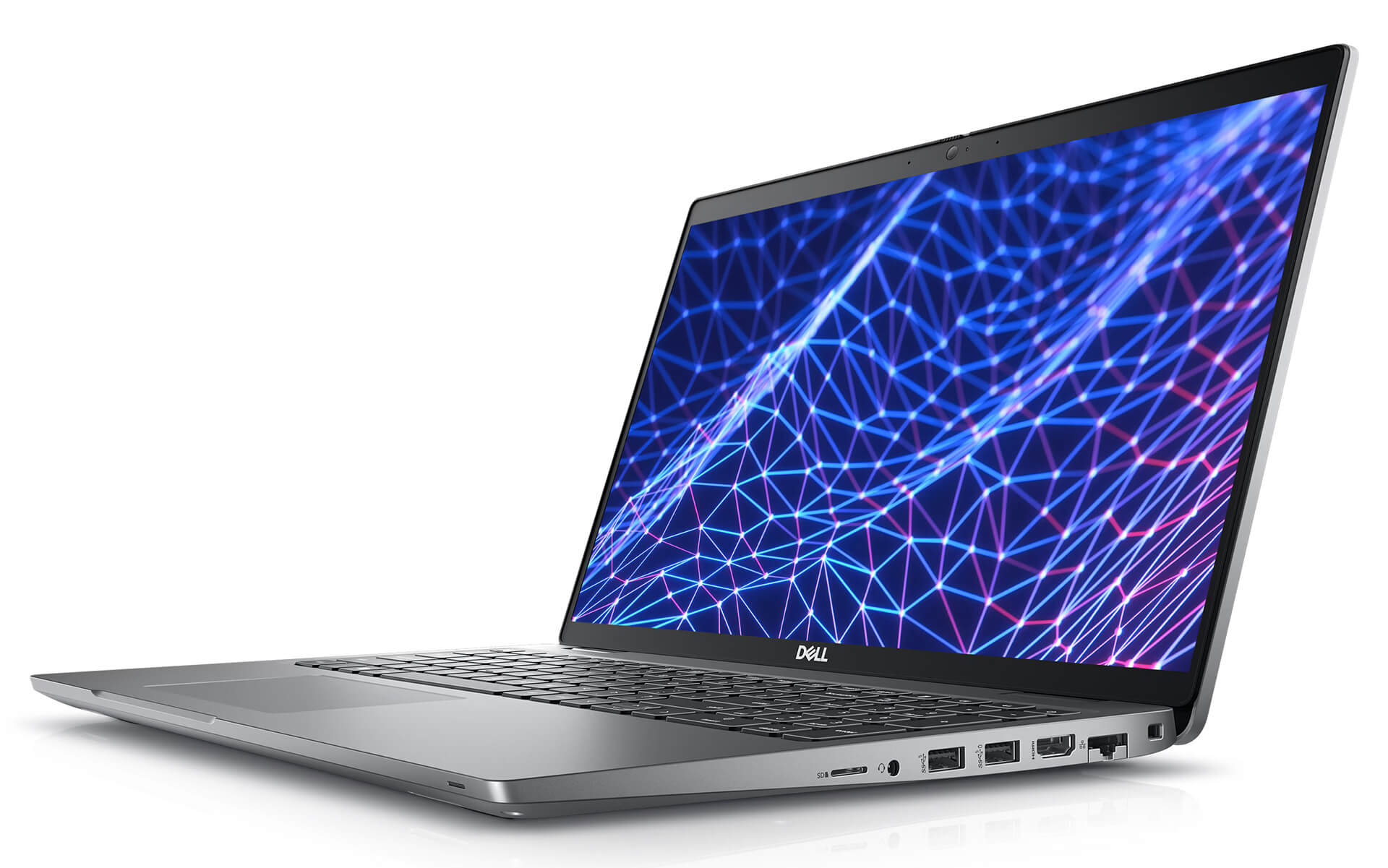
The connectivity of the Dell Latitude 5530 not only meets but exceeds expectations in the business segment. The machine is equipped with a variety of traditional ports such as RJ-45 Ethernet, USB 3.2 Gen 1, HDMI 2.0, along with USB Type-C Thunderbolt 4 ports that support DisplayPort and Power Delivery, helping to expand connectivity with many peripherals, monitors, or other accessories. In particular, Wi-Fi 6E and Bluetooth 5.2 connectivity ensure a stable, high-speed Internet connection, suitable for remote work or office environments.
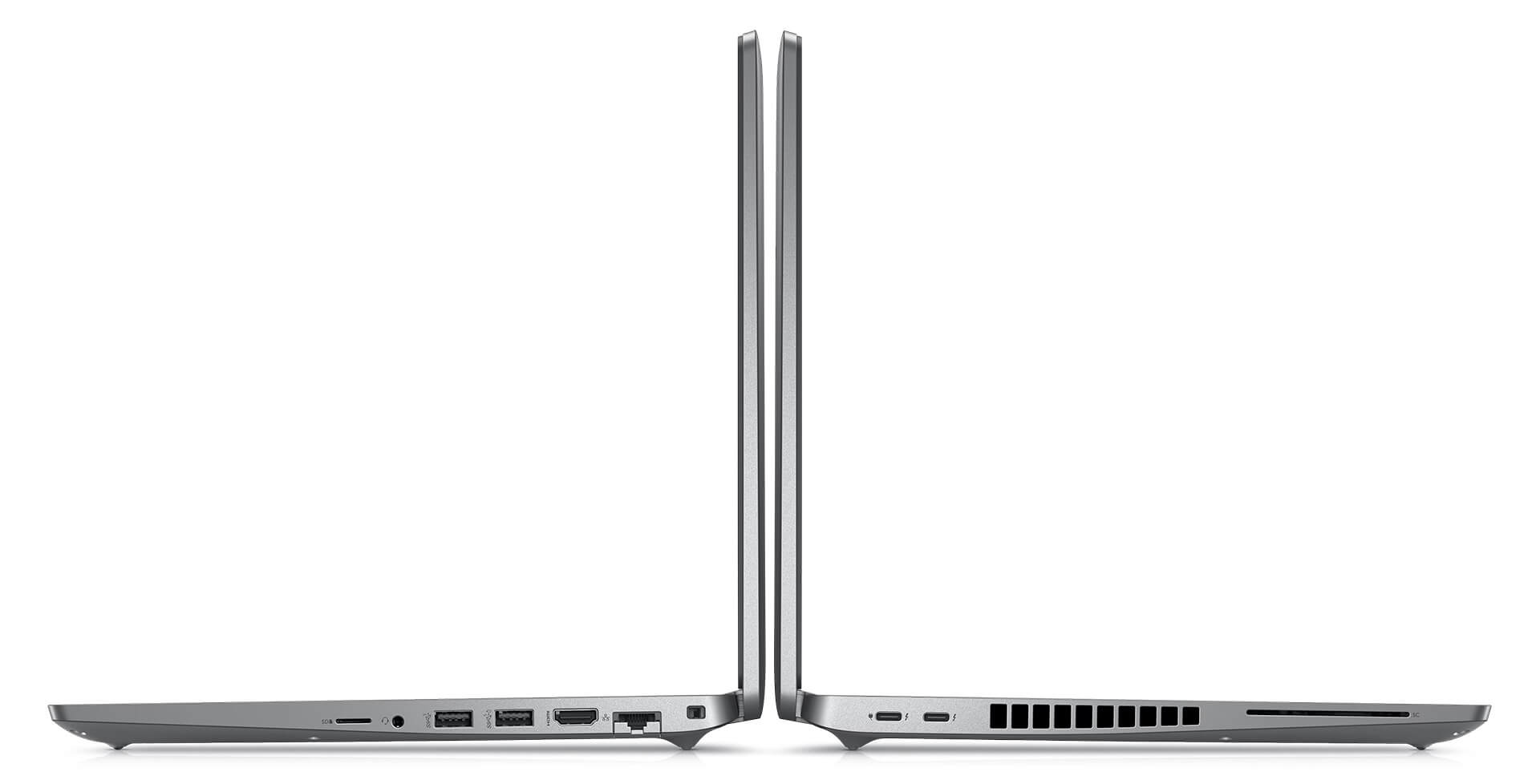
Additionally, the Dell Latitude 5530 features a microSD card slot and an external SIM card slot supporting eSIM, helping to expand storage capacity or mobile network connectivity at any time. These options are major advantages for the series, making it suitable for entrepreneurs or mobile workers who need to ensure connectivity is always ready under all conditions. As a result, users can freely work, collaborate, and create anytime, anywhere without being limited by hardware or connectivity capabilities.
Operating Temperature and Battery Life
With powerful hardware, the Dell Latitude 5530 has been optimized in its cooling system to keep the machine cool even when operating continuously for many hours. A large fan system and wide heat vents allow for good airflow, limiting overheating while maintaining the maximum performance of the CPU and other components. Users can feel completely secure working for long hours without worrying about overheating or unusual performance drops.
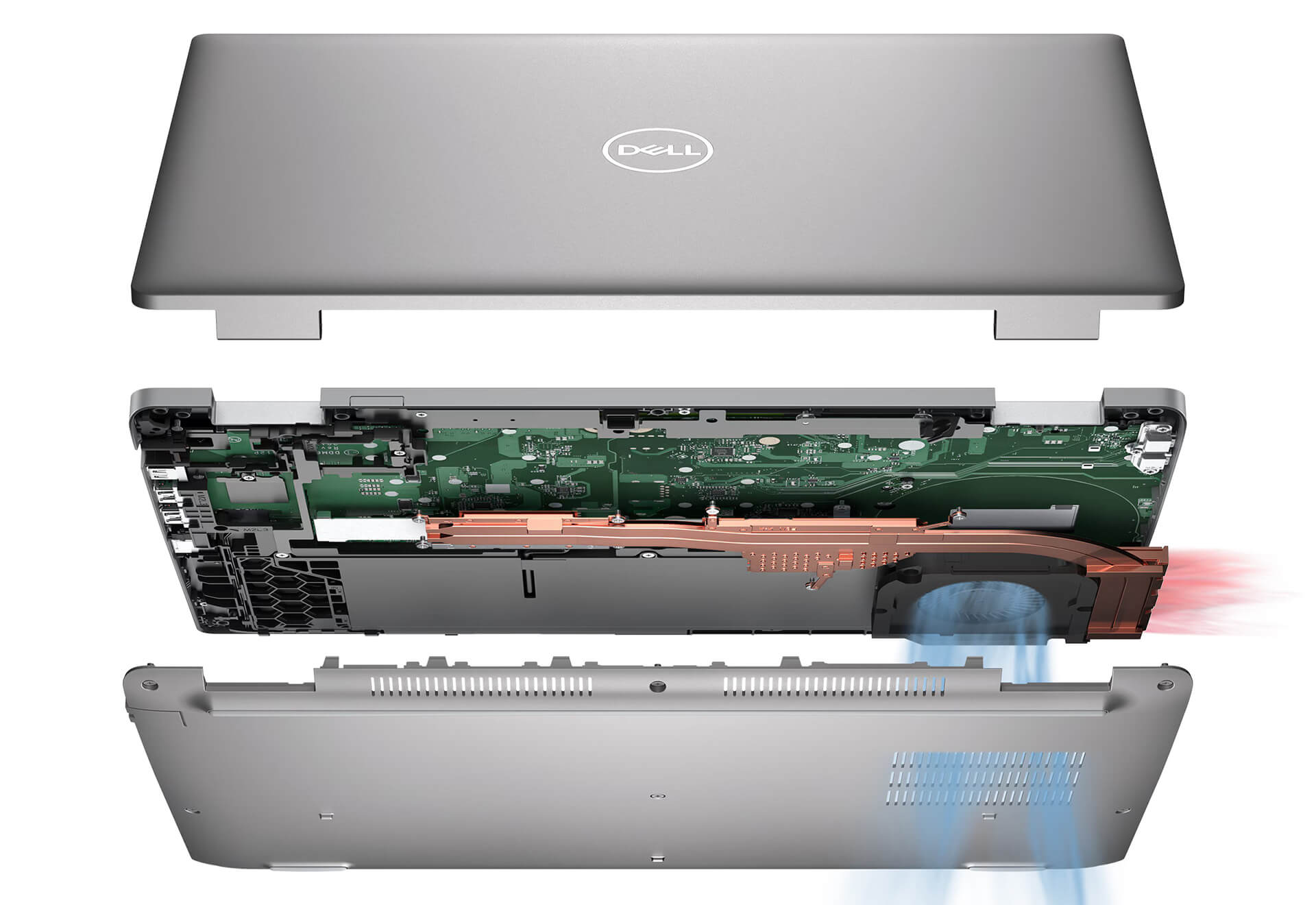
Regarding battery life, the Dell Latitude 5530 2022 is equipped with a 4-cell 58Wh battery, supporting ExpressCharge™ Boost technology for fast charging, reaching up to 80% in just 60 minutes. In actual use, the machine provides an average operating time of 8 to 10 hours depending on the workload and settings, making it suitable for working throughout a long day without needing constant recharging. This is a significant advantage for entrepreneurs and employees who travel frequently and need to ensure continuous work performance without interruption.
Summary & Review of Dell Latitude 5430 (2022)
The Dell Latitude 5530 (2022) is a comprehensive business laptop that gathers all the standard elements of a premium notebook. The minimalist, modern design combined with high-quality materials provides a sturdy and luxurious feel. The sharp display, equipped with anti-glare and blue light reduction technology, helps protect vision during long working hours. Powerful performance from Intel Gen 12 CPUs along with optimized RAM and SSD ensures the machine operates smoothly and handles various tasks well.
One cannot overlook the diverse connectivity, including Wi-Fi 6E, Thunderbolt, HDMI, etc., making the Dell Latitude 5530 suitable for various purposes and working environments. Strong battery life, fast charging capabilities, and an efficient cooling system are major pluses to ensure durability and reliability during long-term use. Overall, the Dell Latitude 5530 is a laptop worth investing in for those who need a device that perfectly combines performance, portability, and durability. With the technological and design improvements in the Dell Latitude 5530 2022, it will certainly be an ideal companion on your professional journey.
| Pros | Cons |
|---|---|
|
|
Who is the Dell Latitude 5530 (2022) suitable for?
The Dell Latitude 5530 (2022) is designed for entrepreneurs, office employees, programmers, and professionals in corporate environments. With its durable design, stable performance from Intel Core Gen 12, and complete connectivity system, this laptop is suitable for tasks such as data processing, project management, programming, or remote work.
Is the Dell Latitude 5530 a premium business laptop?
Yes. The Dell Latitude 5530 belongs to the Dell Latitude Business Series, famous for high durability, good security capabilities, and stable performance in corporate environments. The Latitude series is often chosen by companies, organizations, and entrepreneurs due to its professional design, flexible upgradeability, and long-lasting battery life.
Is the performance of the Dell Latitude 5530 with Intel Core Gen 12 CPU powerful?
The Dell Latitude 5530 is equipped with 12th Generation Intel Core i5 or Core i7 (Alder Lake) CPUs with Hybrid architecture consisting of P-Cores and E-Cores. As a result, the machine has good multitasking capabilities, optimizing performance and saving power. The laptop can smoothly run office software, programming, data analysis, or light graphic editing.
Is the Dell Latitude 5530 suitable for office and business work?
Very suitable. The Dell Latitude 5530 is optimized for the business environment, from stable performance and security systems to diverse connectivity ports. The machine can handle popular software such as Microsoft Office, Zoom, enterprise management software, accounting, or basic programming well.
Is the Dell Latitude 5530 screen good for long-term work?
The laptop is equipped with a 15.6-inch Full HD (1920 x 1080) screen with Anti-Glare technology to reduce light reflection while working. Additionally, ComfortView Plus technology helps reduce blue light, limiting eye strain when used for long periods, making it particularly suitable for office workers who work many consecutive hours.
Does the Dell Latitude 5530 have a good keyboard for typing?
Yes. The Dell Latitude 5530 features a full-size keyboard with good key travel, clear feedback, and logical arrangement, helping users type accurately and comfortably for long periods. The keyboard is also equipped with a backlight to support working in low-light environments.
How long does the Dell Latitude 5530 battery last?
The Dell Latitude 5530 is equipped with a 4-cell 58Wh battery, providing an actual usage time of approximately 8-10 hours depending on the task. The machine also supports ExpressCharge Boost technology, allowing the battery to charge to about 80% within 60 minutes, which is very convenient for people who travel frequently or work outside the office.
What ports does the Dell Latitude 5530 have?
The Dell Latitude 5530 provides a fairly complete connectivity system including USB-A, USB-C Thunderbolt 4, HDMI 2.0, LAN RJ45, a microSD slot, and a 3.5mm headphone jack. Additionally, the machine supports WiFi 6E and Bluetooth 5.2, ensuring fast data transfer speeds and stable connectivity for work.
Is the Dell Latitude 5530 suitable for programming or data processing?
Yes. With an Intel Core Gen 12 CPU, DDR4 RAM, and high-speed NVMe SSD, the Dell Latitude 5530 can well handle tasks such as programming, data analysis, database management, or running multiple enterprise applications simultaneously. The 15.6-inch screen also provides a more spacious workspace.
Should I buy a Dell Latitude 5530 in 2025?
The Dell Latitude 5530 remains a worthy consideration in 2025 if you need a durable business laptop with stable performance and good battery life. The machine meets the needs of office work, studying, programming, and data management in a professional environment.
Where to buy a reliable Dell Latitude 5430 at a good price?
If you are looking for a high-performance business laptop, then the Dell Latitude 5430 is a very worthy option thanks to its smooth processing, lightweight design, and standard durability. However, to ensure you buy the genuine product at a reasonable price with transparent after-sales policies, choosing a reputable distributor is very important.
Hưng Phát Laptop is one of the units specializing in providing high-quality US-imported Dell Latitude, with clear commitments regarding origin, invoices, and transparent warranties. When buying a Dell Latitude 5430 here, you will receive competitive prices along with many promotional programs and dedicated technical support - bringing absolute peace of mind throughout the entire usage process.
Performance & benchmarks DELL Latitude 5530 (2022)
Intel Core i5-1245U Intel Iris Xe Graphics G7 80EUs - best for Văn phòng 8.5/10, Lập trình 5.5/10.
Intel Core i5-1245U
- Cinebench R23 (đa nhân)8,199
- Geekbench 6 (đa nhân)8,356
- Geekbench 6 (đơn nhân)2,136
- Cores / Threads10/12
Intel Iris Xe Graphics G7 80EUs iGPU
- 3DMark Time Spy1,181
- 3DMark Fire Strike4,048
- ArchitectureGen. 11 Ice Lake
Best for
Scored from real benchmarks- Chơi game1.5/10
- Dựng phim / Đồ hoạ2.5/10
- Lập trình5.5/10
- Văn phòng8.5/10
Why CPU matters
CPU là “bộ não” xử lý mọi tác vụ: mở ứng dụng, đa nhiệm, biên dịch, dựng phim. CPU càng mạnh, máy càng nhanh và mượt khi làm nhiều việc cùng lúc.
- Cơ bảnThis product
Lướt web, xem phim, soạn thảo văn phòng nhẹ.
- Phổ thôngThis product
Văn phòng, đa nhiệm vừa, học tập.
- Tầm trungThis product
Đa nhiệm tốt, lập trình, đồ hoạ nhẹ.
- Khá mạnhThis product
Dựng phim, lập trình nặng, ảo hoá, chơi game.
- Cao cấpThis product
Render nặng, biên tập 4K/8K, máy ảo, tác vụ AI.
Why GPU matters
GPU (card đồ hoạ) lo phần hình ảnh: chơi game, dựng video, render 3D và tăng tốc AI. GPU càng mạnh, khung hình game càng cao và xuất video càng nhanh.
- Cơ bản (iGPU)This product
Hiển thị mượt, xem phim 4K, game rất nhẹ (LMHT, Valorant mức thấp).
- Phổ thôngThis product
Game eSports 1080p, chỉnh ảnh, dựng video nhẹ.
- Tầm trungThis product
Game 1080p thiết lập trung-cao, dựng video Full HD ổn.
- Khá mạnhThis product
Game 1080p/1440p thiết lập cao, dựng video 4K, render 3D.
- Cao cấpThis product
Game 4K/240Hz, ray tracing, render & AI nặng.
Game performance
Real FPS - FHD- Dota 243 fps1080p Cao
- CS231 fps1080p Thấp
- GTA V71 fps1080p Trung bình
- CoD: Black Ops 615 fps1080p Thấp
- God of War Ragnarök14 fps1080p Thấp
- Cyberpunk 207715 fps1080p Thấp
🟢 ≥60fps rất mượt · 🟡 30-60fps chơi tốt · 🔴 <30fps cần giảm thiết lập
Local AI performance
Tokens/second running locally on GPU- Gemma 4 E2B IT5.6 GB · ctx 256K6.0 tok/sDecent
- GLM-4 9B5.1 GB · ctx 128K7.0 tok/sDecent
- Gemma 4 E4B4.6 GB · ctx 256K8.0 tok/sDecent
- Ministral 8B4.6 GB · ctx 32K8.0 tok/sDecent
- Qwen 3.5 4B4.6 GB · ctx 32K8.0 tok/sDecent
- DeepSeek R1 Distill 7B4.1 GB · ctx 64K9.0 tok/sRuns well
- Gemma 4 E2B3.1 GB · ctx 256K12 tok/sRuns well
- Qwen 3.5 2B2.5 GB · ctx 32K14 tok/sRuns well
- Phi-4 Mini Reasoning2.4 GB · ctx 16K15 tok/sRuns well
- Llama 3.2 3B2 GB · ctx 128K18 tok/sRuns well
- SmolLM3 3B2 GB · ctx 128K18 tok/sRuns well
- DeepSeek R1 1.5B1.3 GB · ctx 64K28 tok/sRuns great
- Qwen 3.5 0.8B1.3 GB · ctx 32K28 tok/sRuns well
- TinyLlama 1.1B1.1 GB · ctx 2K33 tok/sRuns well
- Llama 3.2 1B1 GB · ctx 128K36 tok/sRuns well
- Gemma 2 9B5.1 GB · ctx 8K7.0 tok/sDecent
- Nemotron Nano 9B v25.1 GB · ctx 128K7.0 tok/sDecent
- Llama 3.1 8B4.6 GB · ctx 128K8.0 tok/sDecent
- Qwen 3 8B4.6 GB · ctx 128K8.0 tok/sDecent
- Mistral 7B v0.34.1 GB · ctx 32K9.0 tok/sRuns well
- Qwen 2.5 7B4.1 GB · ctx 128K9.0 tok/sRuns well
- Qwen 2.5 Coder 7B4.1 GB · ctx 128K9.0 tok/sRuns well
- Qwen 3 4B2.5 GB · ctx 32K14 tok/sRuns well
- Gemma 3 4B2.5 GB · ctx 128K14 tok/sRuns well
- Phi-3.5 Mini2.4 GB · ctx 128K15 tok/sRuns well
- Gemma 2 2B1.5 GB · ctx 8K24 tok/sRuns great
- Qwen 3 1.7B1.4 GB · ctx 32K26 tok/sRuns great
- Qwen 2.5 Coder 1.5B1.3 GB · ctx 32K28 tok/sRuns great
- Qwen 3 0.6B1.1 GB · ctx 32K33 tok/sRuns well
- Gemma 3 1B1 GB · ctx 32K36 tok/sRuns well
🟢 Great · 🟡 Well · 🟠 Decent - 4-bit quantized, ctx = context window
No comments yet
Q&A about DELL Latitude 5530 (2022)
Frequently asked questions about DELL Latitude 5530 (2022)
What are the specifications of DELL Latitude 5530 (2022)?
What is the warranty for DELL Latitude 5530 (2022)?
Can I buy DELL Latitude 5530 (2022) with home delivery?
Worth a Look
DELL Latitude 7640 (2023)
DELL Latitude 5330 (2 in 1) (2022)
DELL Latitude 7350 (2 in 1) (2024)
DELL Latitude 9450 (2 in 1) (2024)
 3 configurations




Minh Quân 08/07/2026
This machine runs incredibly smoothly, everyone! The 12th Gen chip configuration is truly powerful. The screen is beautiful and anti-glare, so my eyes don't get tired even after working for a long time. The build quality is solid and reliable too.
Minh Quân 08/07/2026
The machine looks great and runs very smoothly, everyone. It's fast and handles office work perfectly; the anti-glare screen really helps reduce eye strain. Definitely worth the money.
Minh Triết 17/06/2026
The machine runs quite smoothly with its 12th Gen configuration, and the screen is beautiful and anti-glare. My only slight regret is that the storage capacity is a bit low.
Thành Linh 15/05/2026
The machine runs very smoothly, everyone; the 12th Gen chip is incredibly fast. It's lightweight with a beautiful design, making it very easy to carry to work without any burden. Highly recommended.