

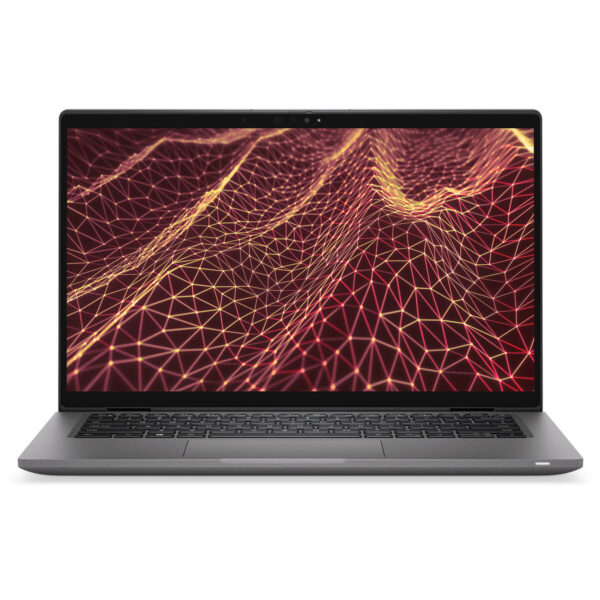
DELL Latitude 7430 (2022)
- CPU: Intel Core i5 1235U vPro Up To 4.4GHz (10 Cores, 12 Threads, 12MB Cache)
- RAM: LPDDR5 16GB 4800MHz
- SSD: 256GB PCIe M.2 SSD
- VGA: Intel® Iris® Xe Graphics
- DISPLAY: 14" IPS FHD (1920*1080), Anti-Glare, Touch, WVA, 300 nits - 360° convertible
- CONDITION: Like New 99%
- WARRANTY: 12-month warranty
- Refined, Minimalist, and Premium Design
- The Display on the Dell Latitude 7430
- Outstanding Performance with 12th Gen Intel CPUs
- Keyboard & Touchpad on the Dell Latitude 7430
- Ports & Connectivity on the Dell Latitude 7430
- Operating Temperature and Battery Life
- Dell Latitude 7430 (2022) Summary
- FAQ - Frequently Asked Questions About the Dell Latitude 7430 (2022)
- Where Should You Buy the DELL Latitude 7430 at a Reliable Store with a Good Price?
In a technology landscape that is constantly evolving, choosing a laptop that fits professional needs is more important than ever. Designed to serve business users and office professionals, the Dell Latitude 7430 (2022) delivers a well-balanced blend of premium design, powerful performance, and flexible mobility. Part of the renowned Dell Latitude lineup, this laptop is highly regarded for its durability and comes equipped with a wide range of practical features that support optimized productivity in any work environment. It is an ideal choice for users who need a reliable device for business trips or today’s flexible working style.
Refined, Minimalist, and Premium Design
Dell Latitude 7430 (2022) brings together minimalist design and professional polish, making it a natural fit for modern business environments. The entire chassis is crafted from a solid metal body, giving it a sturdy, premium feel. Clean lines, neutral colors, and a high-quality finish allow the device to fit easily into a wide range of workspaces, from private offices to client meeting rooms.
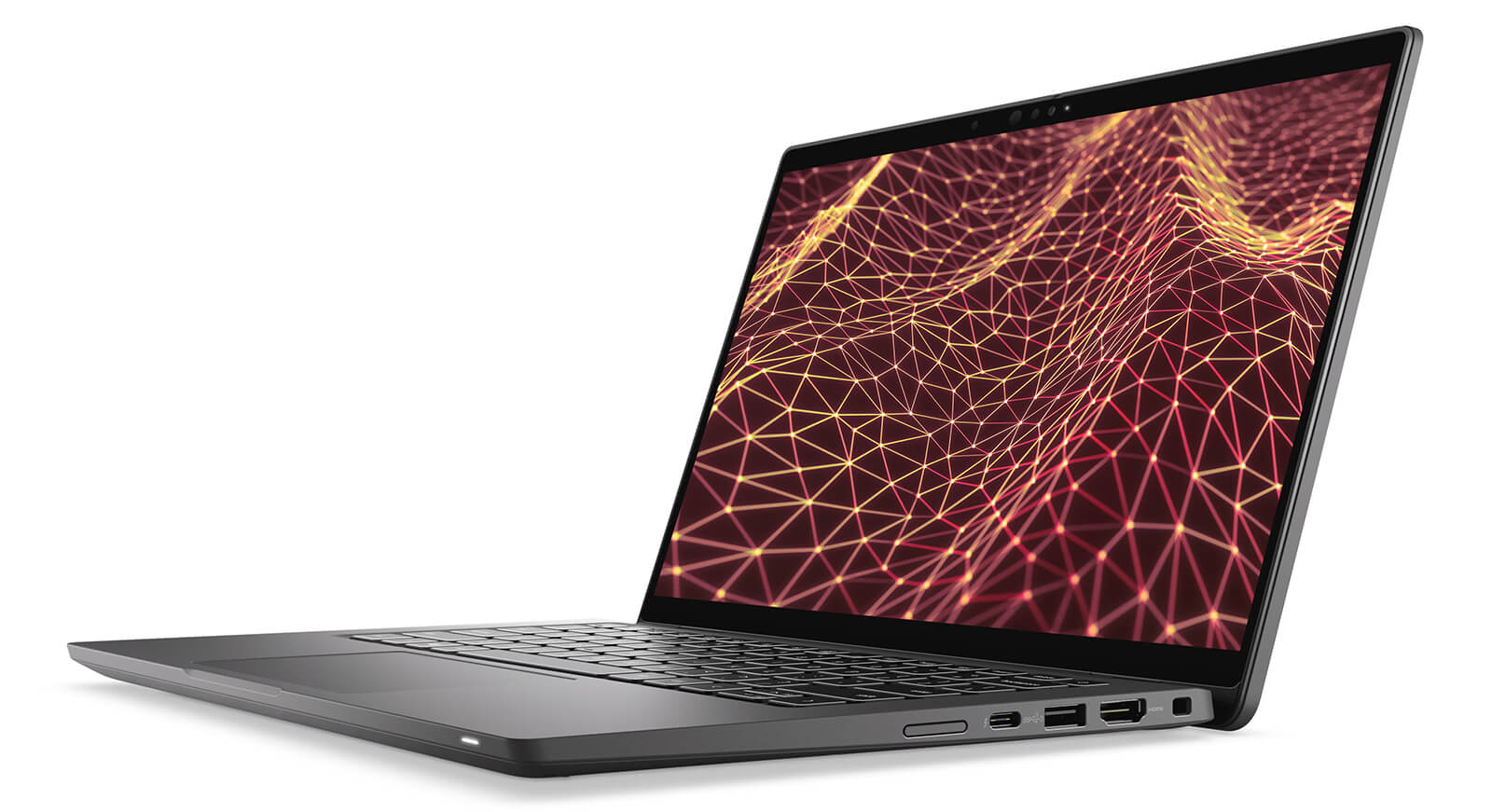
Beyond aesthetics, the Dell Latitude 7430 also stands out with an environmentally conscious chassis made from recycled bio-based plastic. This material helps ensure long-term durability while reducing environmental impact, an increasingly important factor for businesses. Its lightweight build and comfortable feel in hand are also major advantages, especially if you frequently travel or work for extended periods.
With dimensions of 321.35 x 208.69 x 17.27 mm and a weight of just 1.22 kg, the Dell Latitude 7430 laptop slips easily into a bag without feeling heavy. This is especially ideal for professionals who regularly take their laptop on business trips, attend seminars, or work remotely. Its slim, compact design, combined with business-class durability, gives users long-term confidence while maintaining a polished professional look.
The Display on the Dell Latitude 7430
The display on the Dell Latitude 7430 (2022) makes a strong impression with detailed, sharp visuals thanks to its 14-inch IPS panel with Full HD resolution (1920 x 1080). Users can choose from 250-nit brightness, a 300-nit 360-degree foldable touchscreen option, or a 400-nit option with ComfortView Plus technology, which helps protect the eyes during long work sessions. The anti-glare design and wide viewing angles (WVA) also help maintain stable visibility in a variety of lighting conditions, from the office to outdoor spaces.
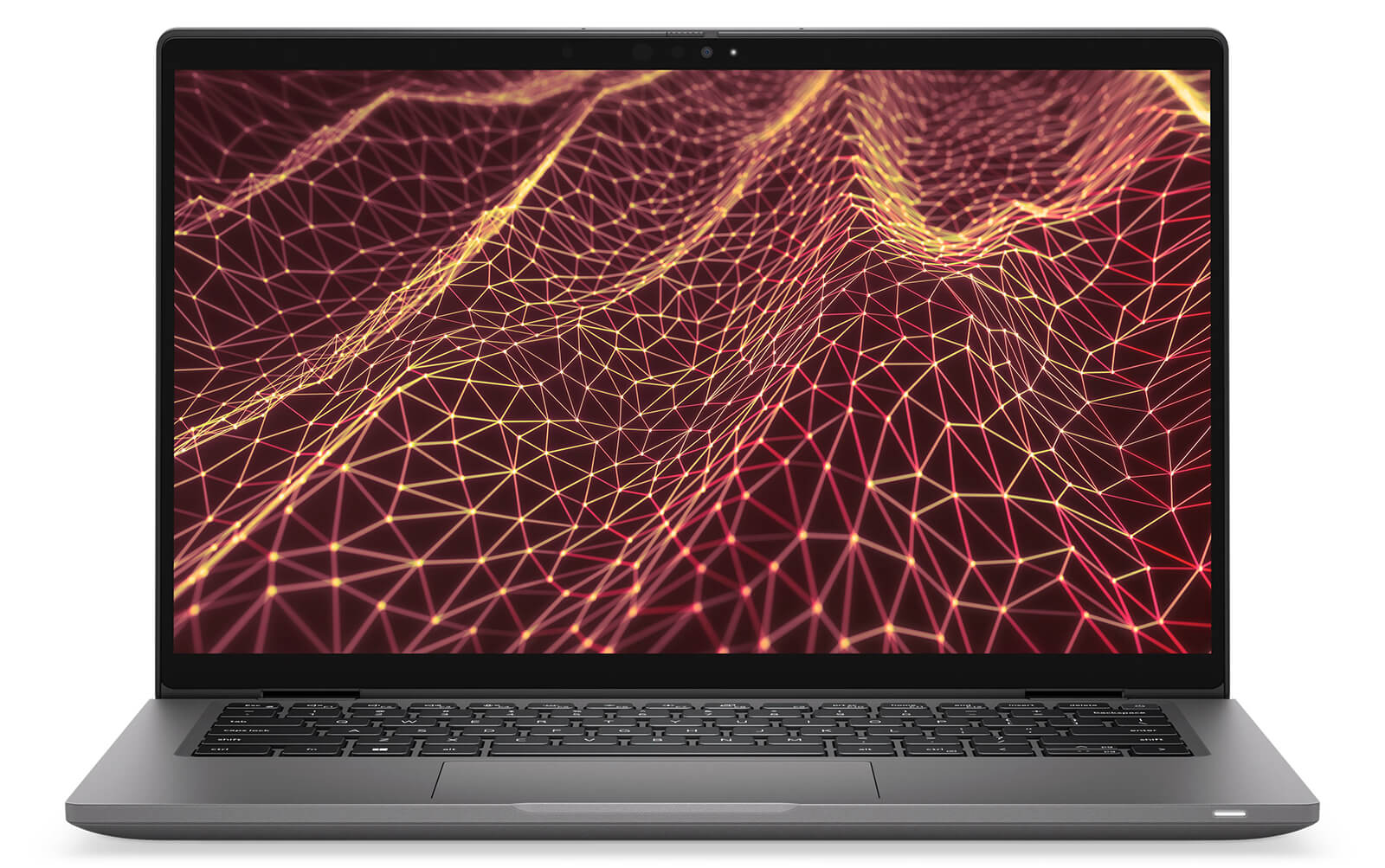
The modern IPS technology on the Latitude 14 7430 not only improves image quality but also expands viewing angles, making it well suited for situations where you need to share content or present to a group. Images remain color-accurate and crisp whether viewers are seated off to the side or directly in front of the screen. This is especially useful for teamwork, meetings, or quick information sharing without compromising the viewing experience.
With high-brightness display options and a wide color range, the Dell Latitude 7430 handles demanding visual-quality needs well. Users working in design, content editing, or digital media will appreciate the color accuracy and contrast this screen provides. Thanks to integrated blue-light reduction technology, the device also helps protect visual comfort during extended use.
Outstanding Performance with 12th Gen Intel CPUs
Performance on the Dell Latitude 7430 is genuinely impressive, with 12th Gen Intel Core CPU options ranging from the i5-1245U to the i7-1270P vPro, delivering outstanding processing power with up to 12 cores and 16 threads. These processors not only ensure fast responsiveness, but also optimize power consumption, ideal for users who need a thin and light device that is still powerful enough for multitasking, programming, or digital content editing.
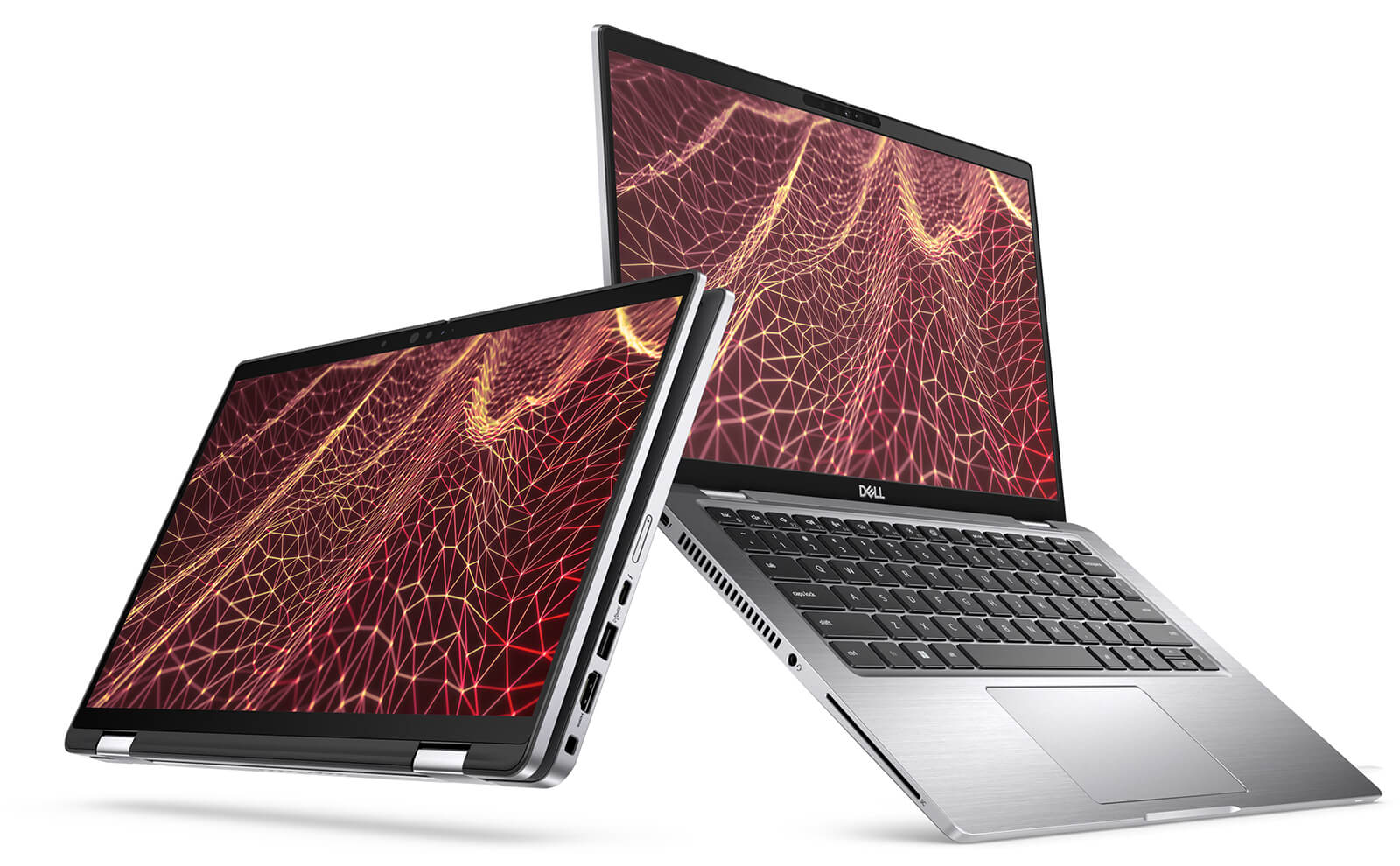
It is paired with DDR4 3200MHz memory up to 32GB, or a more premium LPDDR5 4800MHz option, allowing multiple applications to run smoothly at the same time. Opening dozens of browser tabs, working with office software, or handling heavier datasets now feels fluid, without stutter or lag. This is especially helpful for office professionals, software engineers, and content creators.
The PCIe M.2 SSD, available in 256GB or 512GB capacities, enables fast data access while shortening system boot times and app launch times. In addition, integrated Intel Iris Xe Graphics delivers sharp visuals and provides solid support for presentations, photo editing, and high-resolution video playback, helping improve the overall work experience.
Keyboard & Touchpad on the Dell Latitude 7430
The keyboard on the Dell Latitude 7430 is designed with a high level of refinement, delivering a stable typing feel and responsive feedback even during long work sessions. Thanks to its sensible key layout and precise key travel, users can type quickly while reducing errors. This is a major advantage for anyone who frequently works with documents, writes code, or performs intensive data entry in a professional office environment.
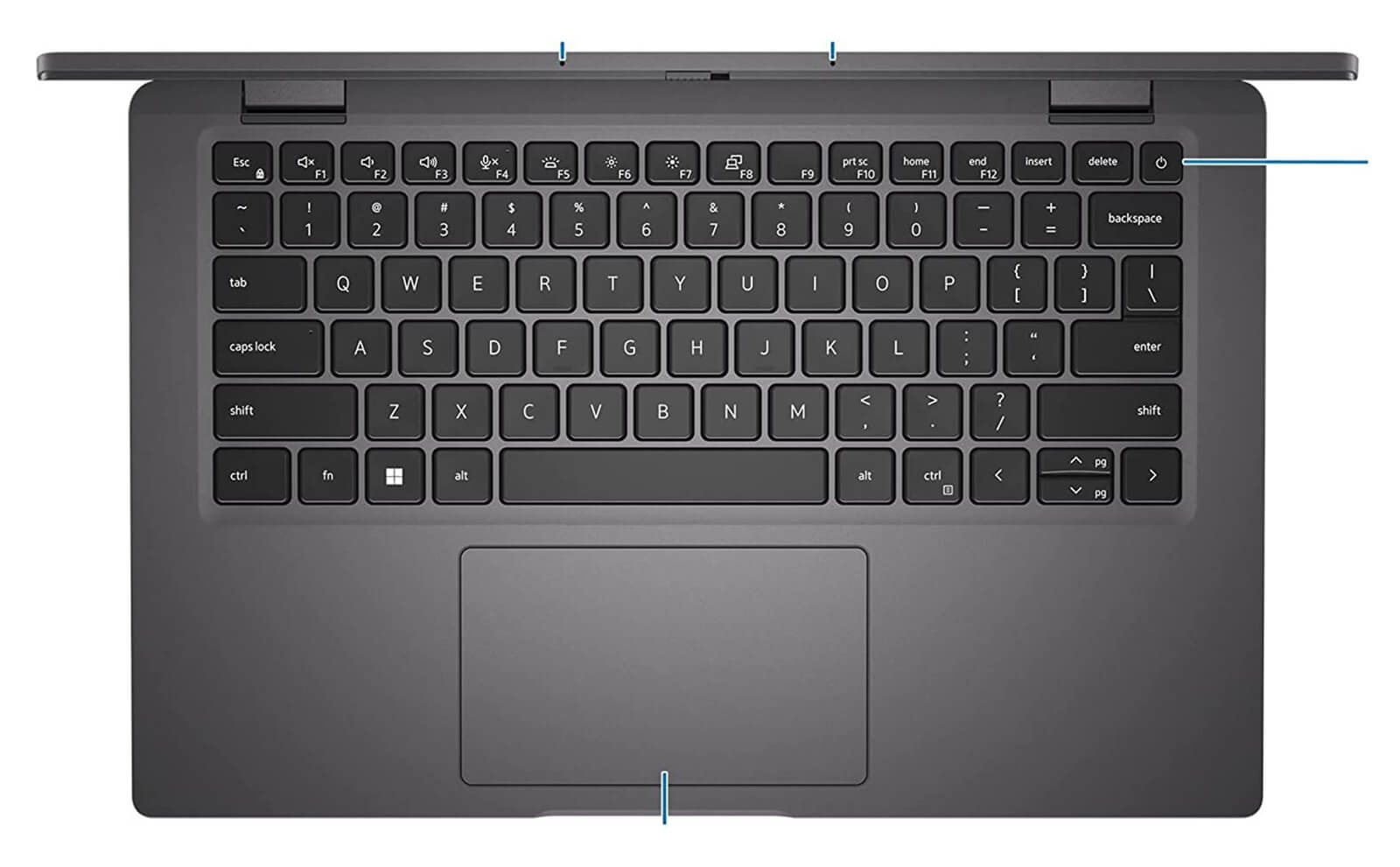
The touchpad on the Dell Latitude 7430 offers a spacious surface and smooth responsiveness, supporting multi-touch gestures such as scrolling, zooming, and switching between windows. Although the keyboard does not include backlighting, this minimalist approach still preserves the device’s clean overall design. For users who prioritize a practical typing experience and flexible navigation, this is a fitting choice that helps optimize everyday productivity.
Ports & Connectivity on the Dell Latitude 7430
On the Dell Latitude 7430, the connectivity system is comprehensive and modern, designed to fully support flexible work needs. The laptop features two USB Type-C Thunderbolt 4.0 ports with Power Delivery and DisplayPort 1.4 support, enabling high-speed data transfer, 4K external display connectivity, and fast charging. In addition, the HDMI 2.0 port delivers smooth presentation output for meetings or professional presentations, while USB 3.2 Gen 1 with PowerShare lets users charge peripherals even when the laptop is turned off.
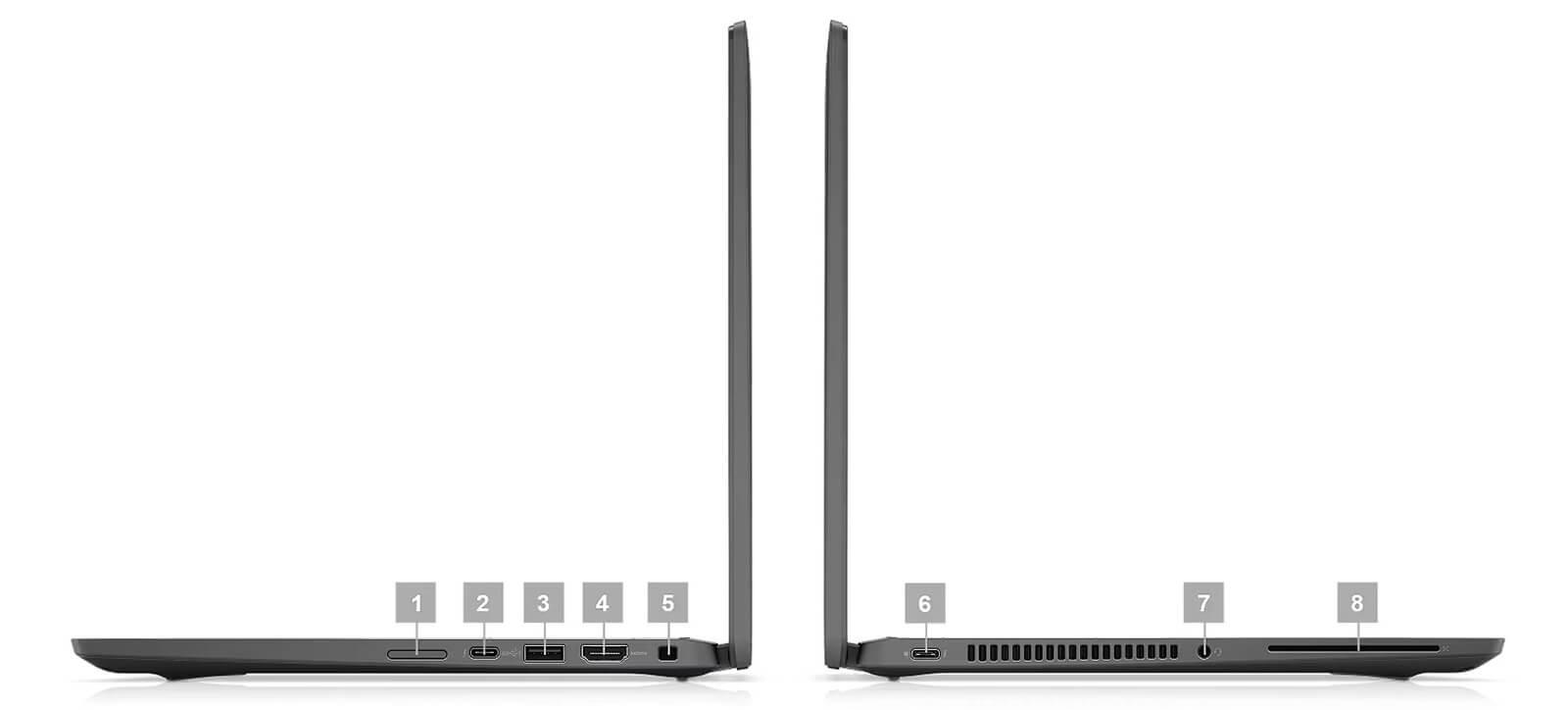
Beyond physical ports, the Dell Latitude 7430 is also equipped with Wi-Fi 6E AX211 and Bluetooth 5.2, providing strong, stable wireless connectivity in high-speed work environments. The laptop also supports a headphone port with integrated microphone support, optimized for video meetings and remote work. All of these elements reinforce the Latitude 7430 as a complete productivity tool for modern business users.
Operating Temperature and Battery Life
The Dell Latitude 7430 earns strong marks for its stable temperature control and dependable battery life, meeting the demands of intensive work. With an optimized thermal design, the device maintains smooth performance even when running heavier tasks, helping protect the hardware and improve durability over long-term use. This is especially important for professional users who often work continuously for long stretches.
In addition to efficient thermal management, the Dell Latitude 7430 is equipped with a 58Wh battery, delivering real-world battery life of up to around 7 hours of continuous work. Together with advanced energy-saving technology, the device not only supports mobile work well, but also reflects Dell’s efforts to develop sustainable and environmentally friendly products that align with the trend toward greener device use in the digital era.
Dell Latitude 7430 (2022) Summary
The Dell Latitude 7430 (2022) is a standout business laptop that balances a streamlined design with stable performance, making it well suited for users who frequently work on the go or travel for business. It delivers a professional experience through its elegant appearance, powerful configuration, and flexible connectivity system, providing strong support for modern office tasks.
Strengths such as the Full HD anti-glare display, responsive keyboard, and Thunderbolt 4 ports help the Dell Latitude 7430 maintain a strong position in the premium laptop segment. Although it does not have a dedicated graphics card and the RAM is not upgradeable, it remains a reliable choice for users who prioritize durability and convenience in a professional work environment.
| Pros | Cons |
|---|---|
|
|
FAQ - Frequently Asked Questions About the Dell Latitude 7430 (2022)
1. Is the Dell Latitude 7430 suitable for business environments?
The Latitude 7430 features a premium design with an alloy frame and a carbon-fiber chassis version, weighing only around 1.22 kg. Meeting MIL-STD 810H durability standards, it is well suited for business users and data professionals who are constantly on the move.
2. Is the 14
The laptop is equipped with a 14″ FHD IPS display with brightness of around 374-400 nits and sufficient sRGB color coverage. The screen is sharp and well suited for documents, spreadsheets, and presentations, though it is not optimized for advanced color grading.
3. Can the Latitude 7430 handle office work with large datasets well?
With a 12th Gen Intel Core CPU (U/P series), up to 32 GB of RAM, and a PCIe SSD, the laptop can easily handle heavy Excel spreadsheets, Power BI reports, and multitasking across many tabs at once without slowing down.
4. Can it meet programming and software development needs?
The multi-core CPU, fast SSD, and large RAM capacity help the Latitude 7430 run IDEs such as VS Code, IntelliJ, and PyCharm smoothly; it supports building, debugging, and running Docker continuously without interruption.
5. Can the Latitude 7430 edit photos or handle light 3D modeling?
The integrated Intel Iris Xe GPU combined with the FHD display is enough to run Photoshop, Figma, or SketchUp at a basic level, making it suitable for content design, light modeling, or simple UI work.
6. How long is the real-world battery life of the Dell Latitude 7430?
According to LaptopMedia, the 58 Wh battery in the Latitude 7430 delivers around **9 hours 10 minutes of web browsing** and **8 hours 12 minutes of video playback**, enough for a full office workday.
Source: LaptopMedia
7. Can the laptop maintain performance while multitasking?
Despite its thin and light design, the Latitude 7430 is equipped with an effective cooling system that keeps temperatures stable when opening multiple apps, joining online meetings, or running long code builds.
8. Does the Latitude 7430 support Linux installation for developers?
The Latitude 7430 is certified to run Ubuntu 20.04 LTS and also supports Fedora well. You may need to install additional drivers for the touchpad or Wi-Fi to get the fullest experience.
Source: Ubuntu Certified
9. What is Hung Phat Laptop's warranty policy for the Latitude 7430?
Hung Phat Laptop provides a 12-month warranty for new devices, with support for a new-unit replacement within the first 30 days if there is a manufacturer defect. For like-new or used devices (2022 model), the warranty is 6 months, with the same support for a new-unit replacement within the first 30 days. Customers also receive free lifetime cleaning and software installation, plus free nationwide delivery.
Where Should You Buy the DELL Latitude 7430 at a Reliable Store with a Good Price?
If you are looking for a laptop with stable performance to meet professional work needs, the Dell Latitude 14 7430 is a bright choice in the business segment. With its compact, lightweight design, powerful configuration, and strong security capabilities, this series is well suited for users who need a durable and dependable device while on the move.
To buy the Dell Latitude 7430 at a reasonable price with transparent sourcing, you can refer to Hung Phat Laptop - a retailer specializing in officially imported genuine laptops. In addition to full invoices and a clear warranty policy, Hung Phat also regularly updates attractive promotions exclusively for the Dell Latitude lineup, giving you greater confidence when investing in your long-term work needs.
Performance & benchmarks DELL Latitude 7430 (2022)
Intel Core i5-1235U Intel Iris Xe Graphics G7 80EUs - best for Office 8/10, Programming 4.5/10.
Intel Core i5-1235U
- Geekbench 6 (multi-core)6,362
- Geekbench 6 (single-core)2,089
- PassMark12,574
- Cores / Threads10/12
Intel Iris Xe Graphics G7 80EUs iGPU
- 3DMark Time Spy1,181
- 3DMark Fire Strike4,048
- ArchitectureGen. 11 Ice Lake
Best for
Scored from real benchmarks- Gaming1.5/10
- Video / Graphics2.5/10
- Programming4.5/10
- Office8/10
Why does the CPU matter?
The CPU is the "brain" that handles every task: launching apps, multitasking, compiling code and editing video. The stronger the CPU, the faster and smoother the laptop runs when you juggle many things at once.
- BasicThis product
Web browsing, streaming and light office work.
- MainstreamThis product
Office work, moderate multitasking and studying.
- Mid-rangeThis product
Solid multitasking, programming and light graphics work.
- StrongThis product
Video editing, heavy programming, virtualization and gaming.
- FlagshipThis product
Heavy rendering, 4K/8K editing, virtual machines and AI workloads.
Why does the GPU matter?
The GPU (graphics card) handles visuals: gaming, video editing, 3D rendering and AI acceleration. The stronger the GPU, the higher your frame rates and the faster your video exports.
- Basic (iGPU)This product
Smooth display, 4K video and very light games (League of Legends, Valorant on low).
- MainstreamThis product
1080p eSports gaming, photo editing and light video editing.
- Mid-rangeThis product
1080p gaming on medium-high settings and smooth Full HD video editing.
- StrongThis product
1080p/1440p gaming on high settings, 4K video editing and 3D rendering.
- FlagshipThis product
4K/240Hz gaming, ray tracing, heavy rendering and AI.
Game performance
Real FPS - FHD- Dota 243 fps1080p High
- CS231 fps1080p Low
- GTA V71 fps1080p Medium
- CoD: Black Ops 615 fps1080p Low
- God of War Ragnarök14 fps1080p Low
- Cyberpunk 207715 fps1080p Low
≥60fps very smooth30-60fps playable<30fps lower the settings
Local AI performance
Tokens/second running locally on GPU- Gemma 4 E2B IT5.6 GB · ctx 256K6.0 tok/sDecent
- GLM-4 9B5.1 GB · ctx 128K7.0 tok/sDecent
- Gemma 4 E4B4.6 GB · ctx 256K8.0 tok/sDecent
- Ministral 8B4.6 GB · ctx 32K8.0 tok/sDecent
- Qwen 3.5 4B4.6 GB · ctx 32K8.0 tok/sDecent
- DeepSeek R1 Distill 7B4.1 GB · ctx 64K9.0 tok/sRuns well
- Gemma 4 E2B3.1 GB · ctx 256K12 tok/sRuns well
- Qwen 3.5 2B2.5 GB · ctx 32K14 tok/sRuns well
- Phi-4 Mini Reasoning2.4 GB · ctx 16K15 tok/sRuns well
- Llama 3.2 3B2 GB · ctx 128K18 tok/sRuns well
- SmolLM3 3B2 GB · ctx 128K18 tok/sRuns well
- DeepSeek R1 1.5B1.3 GB · ctx 64K28 tok/sRuns great
- Qwen 3.5 0.8B1.3 GB · ctx 32K28 tok/sRuns well
- TinyLlama 1.1B1.1 GB · ctx 2K33 tok/sRuns well
- Llama 3.2 1B1 GB · ctx 128K36 tok/sRuns well
- Gemma 2 9B5.1 GB · ctx 8K7.0 tok/sDecent
- Nemotron Nano 9B v25.1 GB · ctx 128K7.0 tok/sDecent
- Llama 3.1 8B4.6 GB · ctx 128K8.0 tok/sDecent
- Qwen 3 8B4.6 GB · ctx 128K8.0 tok/sDecent
- Mistral 7B v0.34.1 GB · ctx 32K9.0 tok/sRuns well
- Qwen 2.5 7B4.1 GB · ctx 128K9.0 tok/sRuns well
- Qwen 2.5 Coder 7B4.1 GB · ctx 128K9.0 tok/sRuns well
- Qwen 3 4B2.5 GB · ctx 32K14 tok/sRuns well
- Gemma 3 4B2.5 GB · ctx 128K14 tok/sRuns well
- Phi-3.5 Mini2.4 GB · ctx 128K15 tok/sRuns well
- Gemma 2 2B1.5 GB · ctx 8K24 tok/sRuns great
- Qwen 3 1.7B1.4 GB · ctx 32K26 tok/sRuns great
- Qwen 2.5 Coder 1.5B1.3 GB · ctx 32K28 tok/sRuns great
- Qwen 3 0.6B1.1 GB · ctx 32K33 tok/sRuns well
- Gemma 3 1B1 GB · ctx 32K36 tok/sRuns well
GreatWellDecent4-bit quantized, ctx = context window
No comments yet
Q&A about DELL Latitude 7430 (2022)
Frequently asked questions about DELL Latitude 7430 (2022)
What are the specifications of DELL Latitude 7430 (2022)?
What is the warranty for DELL Latitude 7430 (2022)?
Can I buy DELL Latitude 7430 (2022) with home delivery?
Worth a Look
DELL Latitude 7640 (2023)
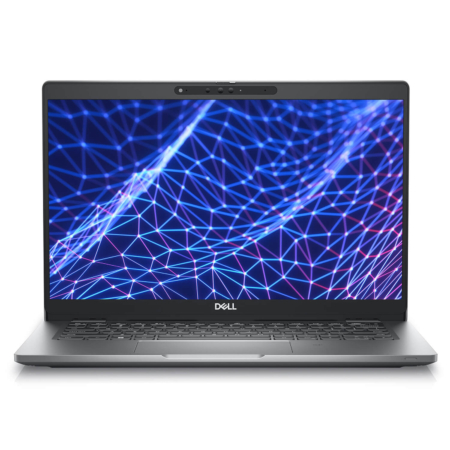
DELL Latitude 5330 (2 in 1) (2022)

DELL Latitude 7350 (2 in 1) (2024)
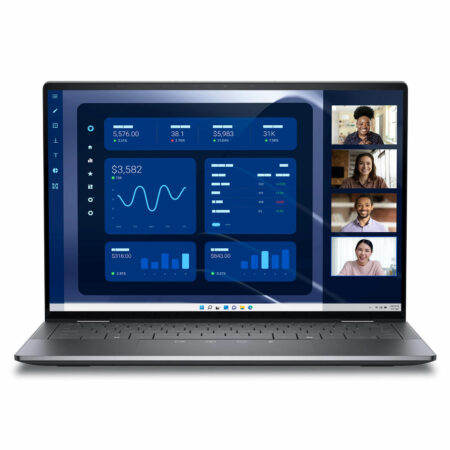
DELL Latitude 9450 (2 in 1) (2024)
 3 configurations





Phạm Quốc Khánh 28/09/2024Purchased at Hung Phat
The best place to buy high-quality laptops in Thoại Ngọc Hầu
Nguyễn Lê Chính Đức 05/04/2024Purchased at Hung Phat
Beautiful laptop, perfection in every centimeter
Nguyễn Ngọc Thạch 14/02/2024Purchased at Hung Phat
Great quality, runs smoothly. I bought these for my company and they are performing excellently. The technical team provided fast software installation support. The staff is very enthusiastic.