

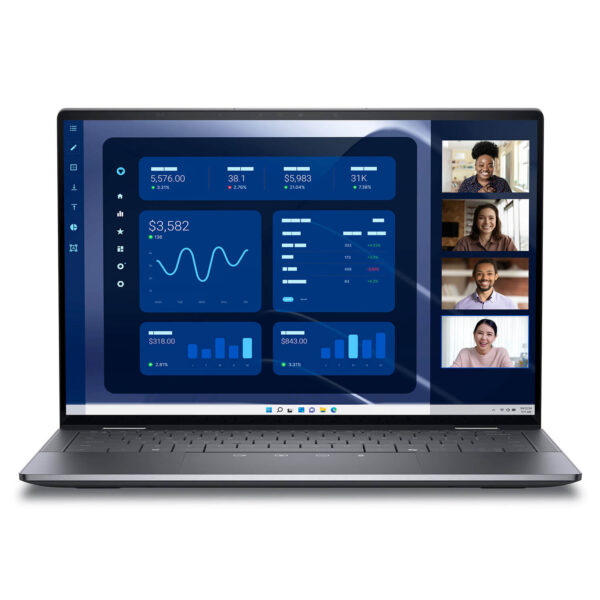

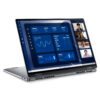
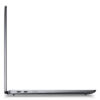
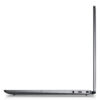
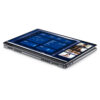
DELL Latitude 9450 (2 in 1) (2024)
- CPU: Intel Core Ultra 7 165U vPro Up To 4.9GHz (12 Cores, 14 Threads, 12MB Cache)
- RAM: LPDDR5X 32GB 7467MHz
- SSD: 512GB TLC PCIe Gen4 M.2 SSD
- VGA: Intel® Graphics
- DISPLAY: 14″ IPS QHD+ (2560*1600), Touchscreen, Anti-Reflect, ComfortView+, 500 nits
- CONDITION: New 100% Full Box
- WARRANTY: Bảo hành 12 tháng
- Modern and Elegant Design
- Powerful Performance with 14th Gen Intel Core Ultra CPU
- Display on Dell Latitude 9450 (2 in 1)
- Keyboard & Touchpad on Dell Latitude 9450 (2 in 1)
- Ports & Connectivity on Dell Latitude 9450 (2 in 1)
- Security System - Data Safety
- Operating Temperature & Battery Life
- Summary of Dell Latitude 9450 (2 in 1) - 14 inch (2024) - Ideal Laptop for Work
- FAQ - Frequently Asked Questions about Dell Latitude 9450 (2 in 1) (2024)
- Where to buy Dell Latitude 14 9450 (2 in 1) (2024) with good price and reputation?
Dell Latitude 9450 (2 in 1) is a breakthrough product in the business laptop category, combining powerful performance with a modern design. In the context of constantly evolving technology, the demand for a device capable of multitasking, smooth operation, and an optimized user experience is steadily increasing. With a range of superior features and a flexible design, Dell Latitude 9450 (2 in 1) is an ideal choice for professional users on the move. You can explore other prominent Dell Latitude series to compare and choose the one that best fits your work needs.
Modern and Elegant Design
Dell Latitude 9450 (2 in 1) features an elegant, compact design with a weight of only 1.537 kg, making it ideal for users who travel frequently. Premium materials and a Graphite color scheme create a luxurious appearance, while the sophisticated diamond-cut edges add a modern touch. The overall dimensions are 310.5 mm x 215.0 mm, with a thickness ranging from 8 mm to 14.2 mm, allowing the machine to easily fit into backpacks or business bags.
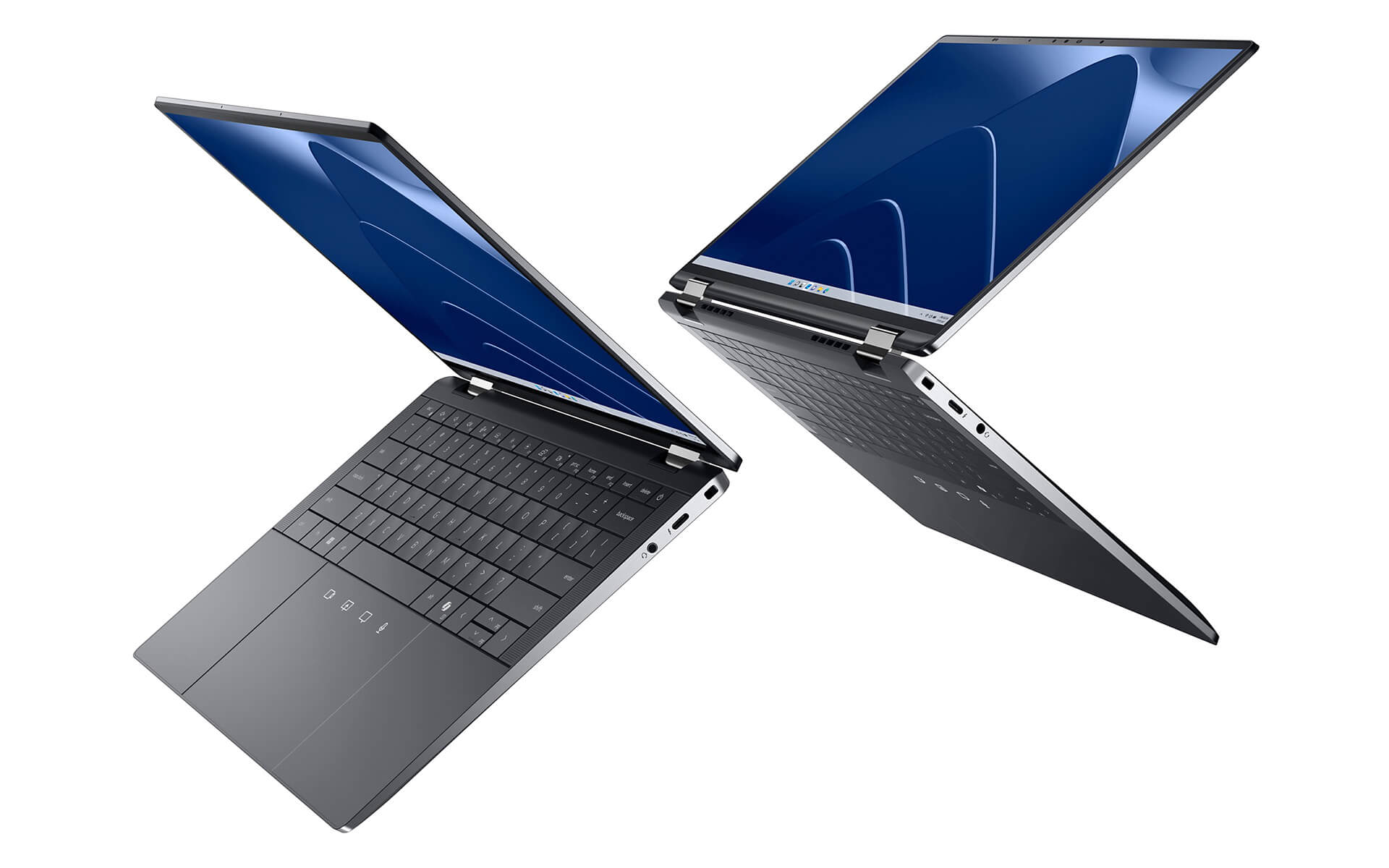
The 2-in-1 design with a 360-degree hinge allows the Dell Latitude 9450 to flexibly switch between laptop and tablet modes. The 14-inch QHD+ touchscreen delivers sharp imagery, providing optimal support for both work and entertainment. Its scratch-resistant and impact-resistant capabilities also ensure the device remains durable in dynamic working environments.
If you are looking for a premium business laptop that combines aesthetics, flexibility, and durability, then Dell Latitude is a choice worth considering.
Powerful Performance with 14th Gen Intel Core Ultra CPU
Dell Latitude 9450 (2 in 1) is equipped with the latest 14th Gen Intel Core Ultra 7 165U, delivering exceptional processing power with a 12-core, 14-thread architecture and speeds up to 4.9GHz. This is the ideal choice for professionals needing to handle heavy workloads or work in environments requiring continuous multitasking, while also leveraging the advantages of the Intel vPro platform to enhance security and remote management capabilities.

The 32GB LPDDR5X 7467MHz RAM combined with a 512GB PCIe Gen4 SSD helps the system operate extremely smoothly and stably. Office tasks, video processing, or participating in online meetings all occur seamlessly without interruption. Additionally, the integrated Intel® Graphics meets entertainment needs such as watching movies, light design, or basic gaming, eliminating the need for an additional discrete GPU.
Another valuable plus point is the efficient cooling capability on the Dell Latitude 9450 (2 in 1). Thanks to its optimized design, the machine maintains high performance without overheating even when running heavy tasks for long periods. This helps extend component lifespan and ensures stability in professional working environments.
Display on Dell Latitude 9450 (2 in 1)
The Display of the Dell Latitude 9450 (2 in 1) stands out with an IPS panel and QHD+ (2560x1600) resolution, combined with brightness up to 500 nits, providing vibrant and sharp visuals even in bright lighting conditions. ComfortView+ technology and an Anti-Reflective coating help reduce blue light and limit glare, providing optimal eye protection during long working sessions.
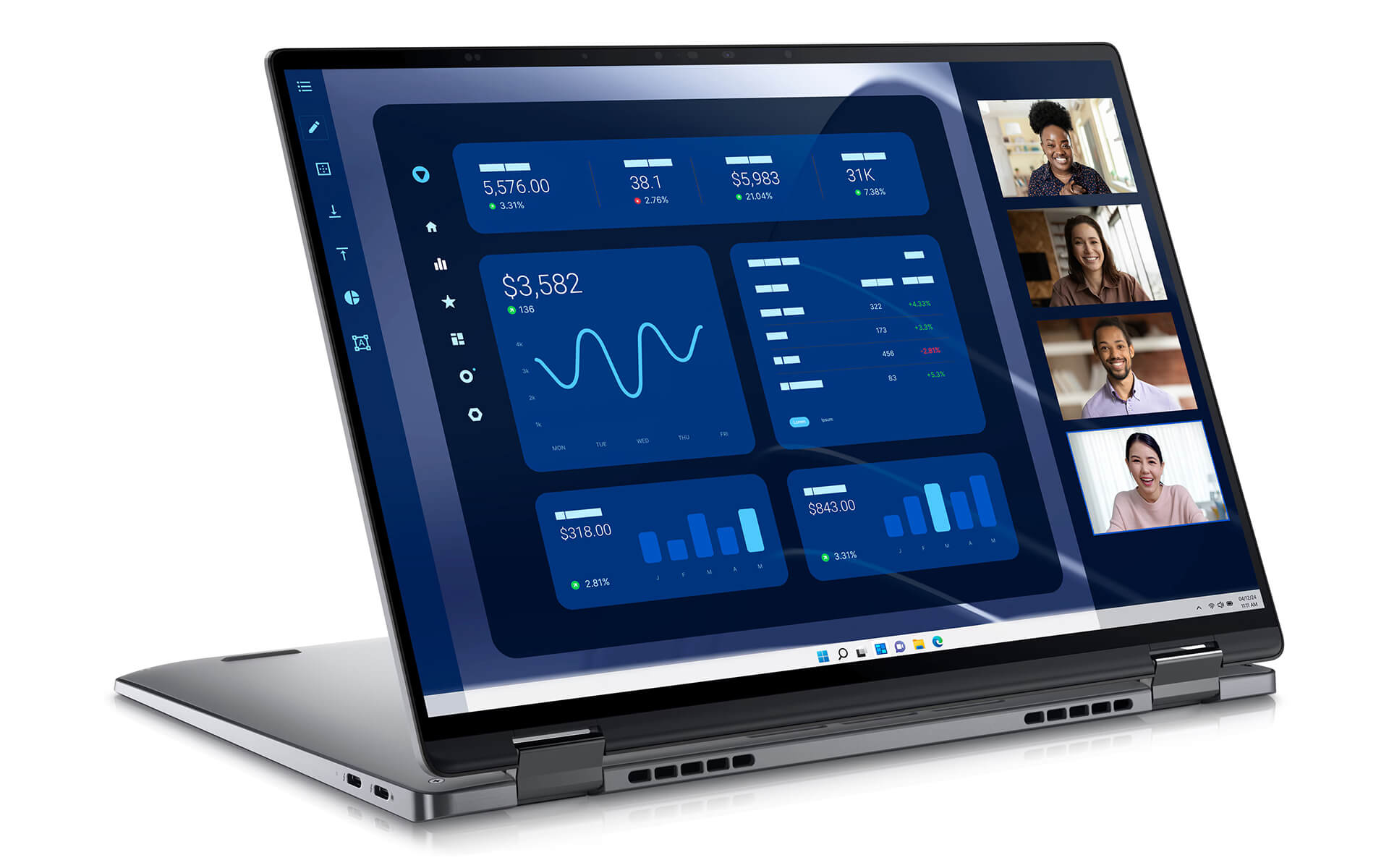
Accurate color reproduction with a wide color gamut helps the Dell Latitude 9450 (2 in 1) meet demanding visual needs such as design, graphic editing, or professional content presentation. The responsive touchscreen supports smooth direct manipulation, from quick note-taking to operating system navigation, enhancing productivity and user experience.
With a 360-degree fold design, the device allows for flexible switching between traditional laptop mode and convenient tablet mode, helping users easily present, read documents, or take notes at any time. This combination of superior display quality and flexibility has helped Dell Latitude continue to assert its position in the premium business laptop segment.
Keyboard & Touchpad on Dell Latitude 9450 (2 in 1)
The Keyboard and touchpad on the Dell Latitude 9450 (2 in 1) are designed to provide an optimal experience in all working conditions. With a scientific layout and modern technology, these two components play an important role in enhancing the daily productivity of professional users.
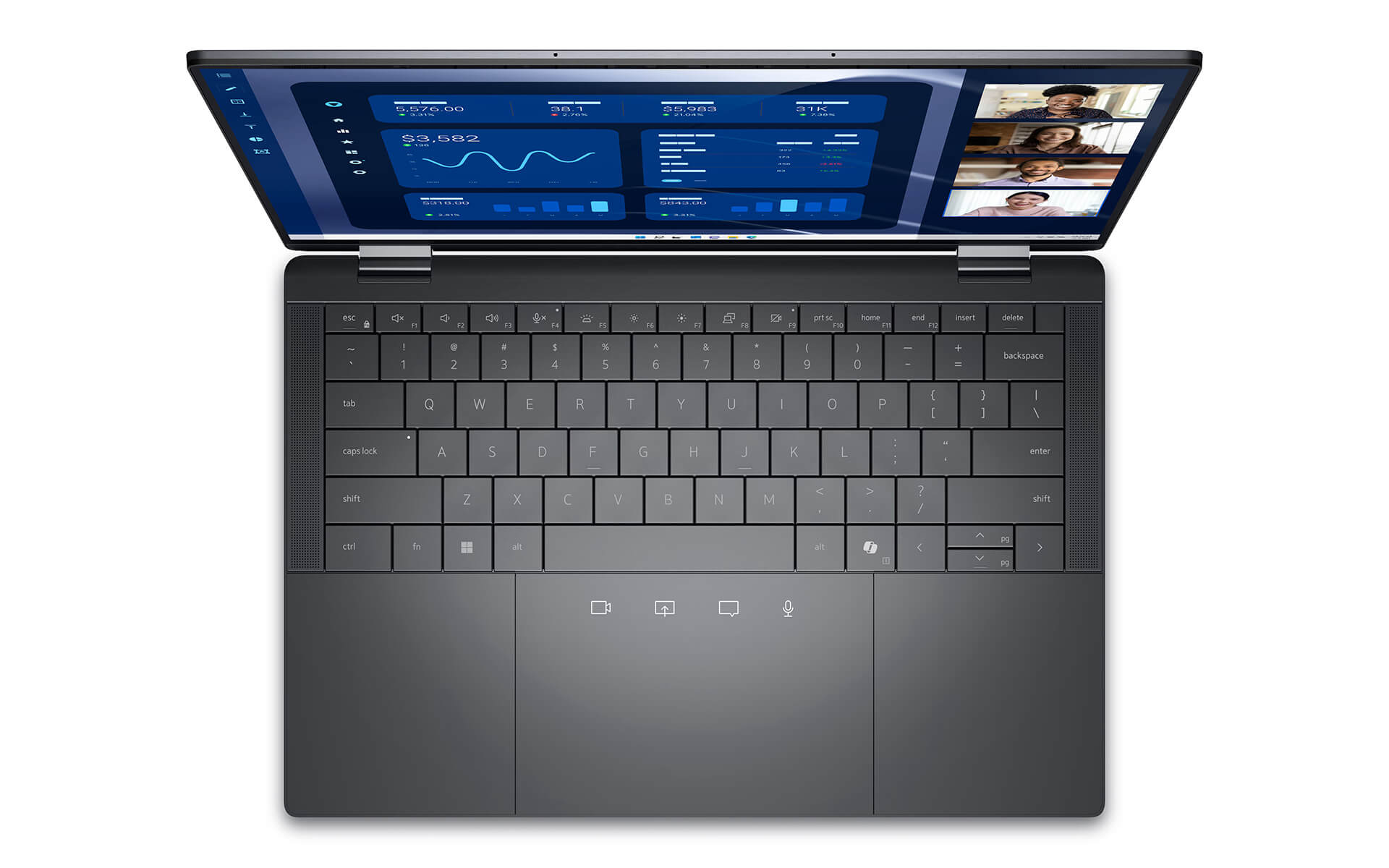
The Keyboard uses a low-profile key mechanism for a light typing feel while still ensuring high accuracy, helping to reduce fatigue during long typing sessions. Mini LED Backlit technology not only supports efficient work in low-light environments but also helps save up to 75% energy compared to conventional backlighting, affirming the product's commitment to efficiency and sustainability.
The Touchpad on the Dell Latitude 9450 (2 in 1) integrates haptic feedback, providing smoothness and high sensitivity during operation. As a result, users can navigate more accurately and flexibly during multitasking tasks. The perfect combination of keyboard and touchpad provides a seamless working experience, suitable for the needs of frequent travelers or high-intensity workers.
Ports & Connectivity on Dell Latitude 9450 (2 in 1)
Connectivity is always a key factor in optimizing work performance on premium laptop lines. On the Dell Latitude 9450 (2 in 1), users experience a comprehensive connection system, from high-speed data transfer to compatibility with many peripherals in professional working environments.
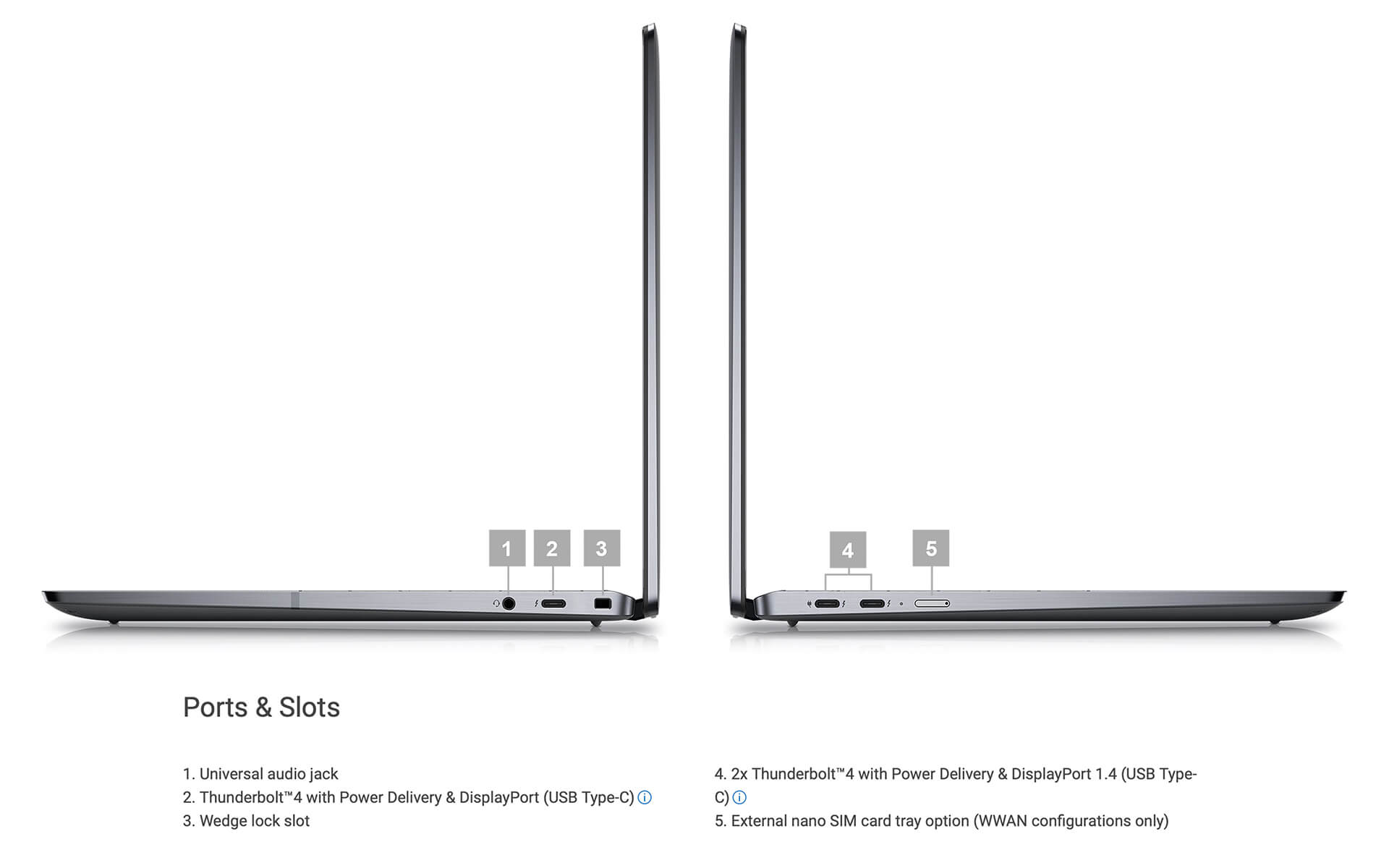
This laptop is integrated with three Thunderbolt 4 ports, supporting fast charging, high-quality video output, and super-fast data transfer-ideal for multimedia professionals and mobile executives. Additionally, the universal audio jack makes connecting headphones or external speakers simpler and more flexible than ever. The latest Wi-Fi 7 and Bluetooth 5.4 wireless standards also contribute to a smooth and stable experience in all conditions.
Not only powerful in performance, the Dell Latitude 9450 (2 in 1) also focuses on security and mobility. The device is equipped with an optional Nano SIM slot, helping users maintain 4G/5G network connectivity anywhere, anytime. Simultaneously, the wedge-shaped lock slot ensures physical security for the device in public working environments or while traveling. The combination of modern connectivity and high security makes the Latitude 9450 a reliable choice in the enterprise laptop segment.
Security System - Data Safety
A Security system is always a core element in the modern digital working environment, especially for premium machines like the Dell Latitude 9450 (2 in 1). Designed to meet enterprise standards, this device possesses comprehensive layers of protection, helping users feel secure when handling sensitive data or participating in online meetings.

One of the prominent features is the integrated fingerprint reader, allowing for quick login while ensuring a high level of security. Combined with data encryption technology, the machine helps protect personal information and corporate data against leaks or unauthorized access. This is particularly useful in the context of increasingly sophisticated cyberattacks.
Beyond hardware, the Dell Latitude 9450 (2 in 1) also integrates proprietary SafeShutter technology for automatic camera management, ensuring absolute privacy for the user. The entire multi-layer security system, from BIOS to software, shows that Dell cares not only about performance but also focuses on a safe and secure experience-an essential element in the current trend of remote work and continuous connectivity.
Operating Temperature & Battery Life
Battery life and temperature control are two key factors directly affecting the work performance of a modern laptop. With a design focused on user experience, the Dell Latitude 9450 (2 in 1) provides stability throughout a long day of use, even when performing intensive tasks.
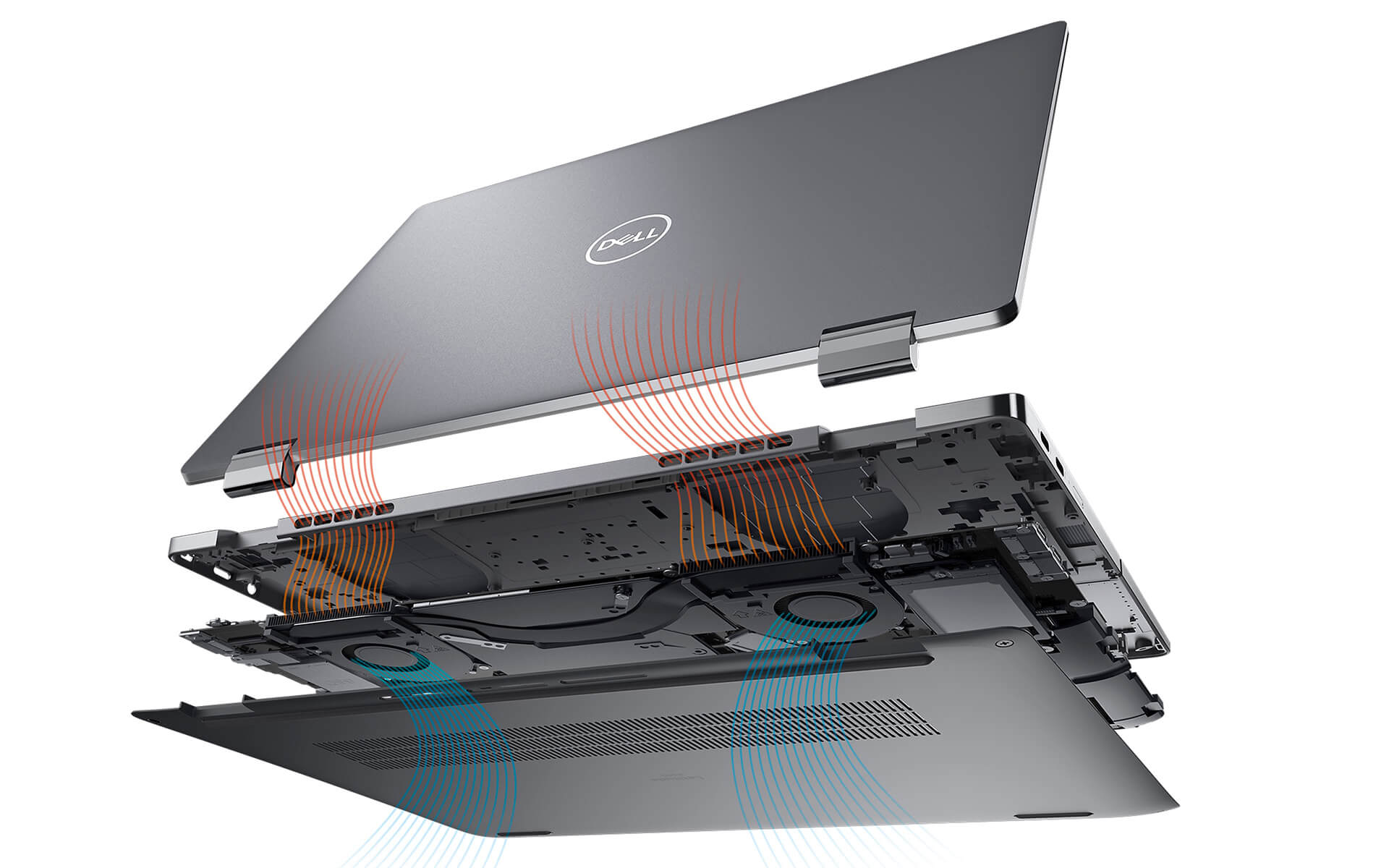
Equipped with a 60 Wh battery, this device can operate continuously for up to 13 hours 36 minutes, meeting long-term working needs without worrying about recharging. Additionally, ExpressCharge™ fast charging technology helps fully charge the battery in a short time, optimized for people who travel frequently and need flexibility in their work.
Not only impressive in battery life, the Latitude 9450 (2 in 1) also integrates an intelligent cooling system, helping to maintain a stable temperature even when operating for long periods. As a result, users can feel secure using the machine in all circumstances without being affected by overheating or sudden performance drops.
Summary of Dell Latitude 9450 (2 in 1) - 14 inch (2024) - Ideal Laptop for Work
With the convergence of many advanced technologies, the Dell Latitude 9450 (2 in 1) brings a comprehensive working solution for professional users. From its flexible design to powerful performance, sharp display, high-end security, and superior battery life, this laptop model meets all criteria for modern work efficiency. The ability to switch between laptop and tablet modes, combined with the QHD+ touchscreen and intelligent cooling system, helps users maintain high performance throughout the day.
Beyond just powerful configuration, the Dell Latitude 9450 also impresses with its build quality and attention to detail. This is the ideal choice for those looking for a reliable device to serve multitasking work, from creative design and financial analysis to high-intensity office tasks. The harmonious combination of premium design, comprehensive security, and mobility makes the Latitude 9450 a powerful supporting tool for every professional environment.
| Pros | Cons |
|---|---|
|
|
FAQ - Frequently Asked Questions about Dell Latitude 9450 (2 in 1) (2024)
1. Is the Dell Latitude 9450 (2 in 1) suitable for high-end enterprise environments?
The Latitude 9450 features a unibody aluminum design, meeting MIL-STD 810H military standards, lightweight, and offers 360-degree rotation. It is an ideal choice for business professionals needing a device that is both powerful and flexible.
2. Does the QHD+ screen on the Latitude 9450 support creative work?
The 14-inch QHD+ touchscreen with a 16:10 aspect ratio provides high detail, up to 500 nits brightness, and stylus support, making it suitable for visual creative tasks, sketching, or presenting visual content.
3. Does the Latitude 9450 handle intensive office work well?
With the new generation Intel Core Ultra chip and up to 64GB LPDDR5x RAM, the machine ensures smooth operation for large spreadsheets, online meetings, running Power BI, and multitasking while maintaining high stability.
4. Does the machine meet programming needs well?
The Latitude 9450 stably supports programming software such as VS Code, PyCharm, IntelliJ IDEA, and Docker containers. The high-speed SSD helps with fast compilation and working on multiple projects without interruption.
5. Can the machine handle 2D graphics or basic 3D rendering?
The integrated Intel graphics on the Latitude 9450 can handle professional 2D tasks and light 3D modeling like AutoCAD, SketchUp, or Adobe Illustrator with good stability.
6. What is the actual battery life of the Dell Latitude 9450?
According to LaptopMedia, the 60Wh battery on the Latitude 9450 provides up to about 14 hours of use when browsing the web and over 11 hours when watching videos at 120 nits brightness in Balanced mode.
Source: LaptopMedia
7. Does the machine get hot when running heavy tasks or continuous multitasking?
The Latitude 9450 maintains a stable temperature thanks to its intelligent cooling system. When running heavy tasks, the fan operates quietly and the machine only gets slightly warm, not causing discomfort during long periods of use.
8. Can the Dell Latitude 9450 (2 in 1) install Linux operating systems?
Users can install Ubuntu or Fedora on the Latitude 9450. Some features like the camera and touchpad may require manual driver installation to function stably.
Source: Dell Support
9. What is the warranty policy at Hung Phat Laptop for the Latitude 9450?
Hung Phat Laptop provides a 12-month warranty for new machines and a 30-day replacement if there are manufacturer defects. Like-new or used machines (from 2023 and earlier) are warranted for 6 months and still support replacement within the first 30 days if defective.
Where to buy Dell Latitude 14 9450 (2 in 1) (2024) with good price and reputation?
If you are looking for a business laptop with a flexible design and powerful performance, then the Dell Latitude 9450 (2 in 1) (2024) is a choice worth considering. With the ability to quickly switch between laptop and tablet modes, the machine is suitable for business people, tech experts, and frequent travelers.
If you do not know where to buy a Dell Latitude 9450 (2 in 1) that is reputable, high-quality, and reasonably priced, Hung Phat Laptop is a reliable address. We are a specialized distributor of genuine imported Dell Latitude laptops, with full invoices and clear origins. Additionally, when buying here, you will also enjoy transparent warranty along with many attractive offers for the premium Latitude line.
Performance & benchmarks DELL Latitude 9450 (2 in 1) (2024)
Intel Core Ultra 7 165U Intel Arc 7-Core iGPU - best for Văn phòng 9.5/10, Lập trình 7/10.
Intel Core Ultra 7 165U
- Cinebench R23 (đa nhân)10,226
- Geekbench 6 (đa nhân)9,441
- Geekbench 6 (đơn nhân)2,282.5
- Cores / Threads12/14
Intel Arc 7-Core iGPU iGPU
- 3DMark Time Spy2,940.5
- 3DMark Fire Strike7,612.5
- ArchitectureXe LPG
Best for
Scored from real benchmarks- Chơi game2.5/10
- Dựng phim / Đồ hoạ3.5/10
- Lập trình7/10
- Văn phòng9.5/10
Why CPU matters
CPU là “bộ não” xử lý mọi tác vụ: mở ứng dụng, đa nhiệm, biên dịch, dựng phim. CPU càng mạnh, máy càng nhanh và mượt khi làm nhiều việc cùng lúc.
- Cơ bảnThis product
Lướt web, xem phim, soạn thảo văn phòng nhẹ.
- Phổ thôngThis product
Văn phòng, đa nhiệm vừa, học tập.
- Tầm trungThis product
Đa nhiệm tốt, lập trình, đồ hoạ nhẹ.
- Khá mạnhThis product
Dựng phim, lập trình nặng, ảo hoá, chơi game.
- Cao cấpThis product
Render nặng, biên tập 4K/8K, máy ảo, tác vụ AI.
Why GPU matters
GPU (card đồ hoạ) lo phần hình ảnh: chơi game, dựng video, render 3D và tăng tốc AI. GPU càng mạnh, khung hình game càng cao và xuất video càng nhanh.
- Cơ bản (iGPU)This product
Hiển thị mượt, xem phim 4K, game rất nhẹ (LMHT, Valorant mức thấp).
- Phổ thôngThis product
Game eSports 1080p, chỉnh ảnh, dựng video nhẹ.
- Tầm trungThis product
Game 1080p thiết lập trung-cao, dựng video Full HD ổn.
- Khá mạnhThis product
Game 1080p/1440p thiết lập cao, dựng video 4K, render 3D.
- Cao cấpThis product
Game 4K/240Hz, ray tracing, render & AI nặng.
Game performance
Real FPS - QHD- Dota 270 fps1080p Ultra
- CS258 fps1080p Trung bình
- GTA V126 fps1080p Trung bình
- Cyberpunk 207729 fps1080p Thấp
🟢 ≥60fps rất mượt · 🟡 30-60fps chơi tốt · 🔴 <30fps cần giảm thiết lập
Local AI performance
Tokens/second running locally on GPU- Gemma 4 E2B IT5.6 GB · ctx 256K15 tok/sDecent
- GLM-4 9B5.1 GB · ctx 128K16 tok/sDecent
- Gemma 4 E4B4.6 GB · ctx 256K18 tok/sDecent
- Ministral 8B4.6 GB · ctx 32K18 tok/sDecent
- Qwen 3.5 4B4.6 GB · ctx 32K18 tok/sDecent
- DeepSeek R1 Distill 7B4.1 GB · ctx 64K20 tok/sRuns well
- Gemma 4 E2B3.1 GB · ctx 256K27 tok/sRuns well
- Qwen 3.5 2B2.5 GB · ctx 32K34 tok/sRuns well
- Phi-4 Mini Reasoning2.4 GB · ctx 16K35 tok/sRuns well
- Llama 3.2 3B2 GB · ctx 128K42 tok/sRuns great
- SmolLM3 3B2 GB · ctx 128K42 tok/sRuns great
- DeepSeek R1 1.5B1.3 GB · ctx 64K65 tok/sRuns great
- Qwen 3.5 0.8B1.3 GB · ctx 32K65 tok/sRuns great
- TinyLlama 1.1B1.1 GB · ctx 2K76 tok/sRuns great
- Llama 3.2 1B1 GB · ctx 128K84 tok/sRuns great
- Gemma 2 9B5.1 GB · ctx 8K16 tok/sDecent
- Nemotron Nano 9B v25.1 GB · ctx 128K16 tok/sDecent
- Qwen 3 8B4.6 GB · ctx 128K18 tok/sDecent
- Mistral 7B v0.34.1 GB · ctx 32K20 tok/sRuns well
- Qwen 2.5 7B4.1 GB · ctx 128K20 tok/sRuns well
- Qwen 2.5 Coder 7B4.1 GB · ctx 128K20 tok/sRuns well
- Qwen 3 4B2.5 GB · ctx 32K34 tok/sRuns well
- Gemma 3 4B2.5 GB · ctx 128K34 tok/sRuns well
- Phi-3.5 Mini2.4 GB · ctx 128K35 tok/sRuns well
- Gemma 2 2B1.5 GB · ctx 8K56 tok/sRuns great
- Qwen 3 1.7B1.4 GB · ctx 32K60 tok/sRuns great
- Qwen 2.5 Coder 1.5B1.3 GB · ctx 32K65 tok/sRuns great
- Qwen 3 0.6B1.1 GB · ctx 32K76 tok/sRuns well
- Gemma 3 1B1 GB · ctx 32K84 tok/sRuns great
🟢 Great · 🟡 Well · 🟠 Decent - 4-bit quantized, ctx = context window
No comments yet
Q&A about DELL Latitude 9450 (2 in 1) (2024)
Frequently asked questions about DELL Latitude 9450 (2 in 1) (2024)
What are the specifications of DELL Latitude 9450 (2 in 1) (2024)?
What is the warranty for DELL Latitude 9450 (2 in 1) (2024)?
Can I buy DELL Latitude 9450 (2 in 1) (2024) with home delivery?
Worth a Look
DELL Latitude 7640 (2023)
DELL Latitude 5330 (2 in 1) (2022)
DELL Latitude 7350 (2 in 1) (2024)
 3 configurations
DELL Latitude 5550 (2024)





Minh Hoàng 19/07/2026
The machine is beautiful and runs extremely smoothly. The touchscreen is responsive and the powerful configuration ensures no lag at all while working. Definitely worth the money.
Minh Quân 19/07/2026
The machine is beautiful and runs incredibly smoothly. The touchscreen is responsive, and the Core Ultra configuration is so powerful that there is no lag at all while working. Very impressive.
Anh Khôi 05/12/2024Purchased at Hung Phat
The feeling of unboxing a brand new, sealed device is incredible!
Anh Phúc 29/05/2024Purchased at Hung Phat
The product is excellent.