

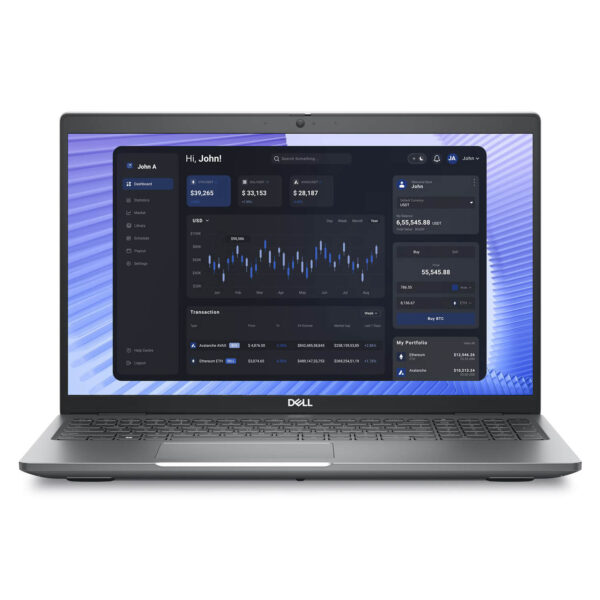
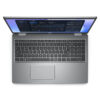
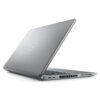
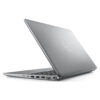
DELL Precision 3590 Mobile Workstation (2024)
- CPU: Intel Core Ultra 7 155U vPro Up To 4.8GHz (12 Cores, 14 Threads, 12MB Cache)
- RAM: DDR5 32GB 5600MHz
- SSD: 512GB PCIe Gen4 M.2 SSD
- VGA: Intel® Graphics
- DISPLAY: 15.6" FHD (1920*1080), 60Hz, Non-Touch, EMZA Prox, 250 nits
- CONDITION: New 100% Full Box
- WARRANTY: Bảo hành 12 tháng
- Sleek and Professional Design
- Powerful Performance with Intel Core Ultra & RTX Ada
- Dell Precision 3590 (2024) Display
- Keyboard & Touchpad on the Dell Precision 3590
- High Security & User Data Safety
- Ports & Slots on the Dell Precision 3590
- Temperature & Battery Life
- Summary of the Dell Precision 15 3590 (2024)
- FAQ - Frequently Asked Questions about Dell Precision 3590 Mobile Workstation (2024)
- Where to buy the Dell Precision 3590 (2024) with the best price and reliability?
Dell Precision 3590 is a highly acclaimed mobile workstation known for its perfect balance of stable performance, smooth graphics processing, and a lightweight design. This series continues the legacy of durability found in the Dell Precision line, providing a reliable tool for engineers, architects, and professional technical users who require a device that is both powerful and versatile. Combining hardware power, portability, and enterprise-grade reliability, the Precision 3590 stands out as the ideal choice for intensive graphics and engineering workflows.
Sleek and Professional Design
The Dell Precision 3590 features a minimalist design that exudes elegance and professionalism, with every detail meticulously finished. The dark-toned chassis provides a sturdy feel, making it perfect for corporate environments and technical professionals who need a dependable workstation. Designed with a philosophy of streamlined practicality, this laptop workstation easily meets work demands whether in the office or on the move.
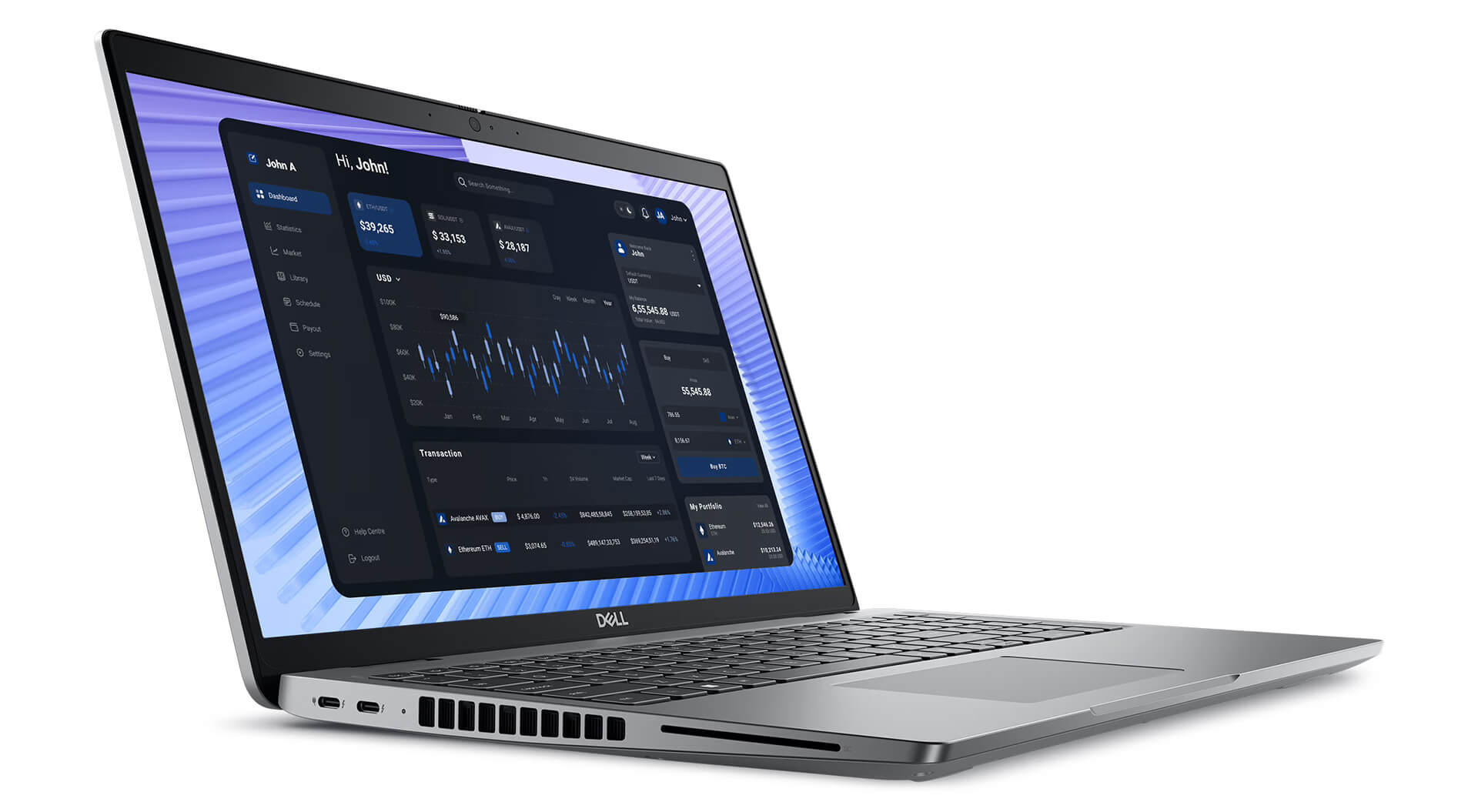
With dimensions of 357.80 x 233.30 mm, a thickness ranging from 20.80 mm to 22.80 mm, and a weight of only about 1.62 kg, the Dell Precision 15 3590 maintains an ideal balance between portability and performance. Smoothly rounded edges ensure comfort during long working sessions, while the premium, scratch-resistant, and impact-resistant chassis ensures workstation-standard durability. As a result, the device not only maintains a modern aesthetic but also serves as a long-lasting choice for engineers, architects, and creative professionals requiring consistent performance and long-term reliability.
Powerful Performance with Intel Core Ultra & RTX Ada
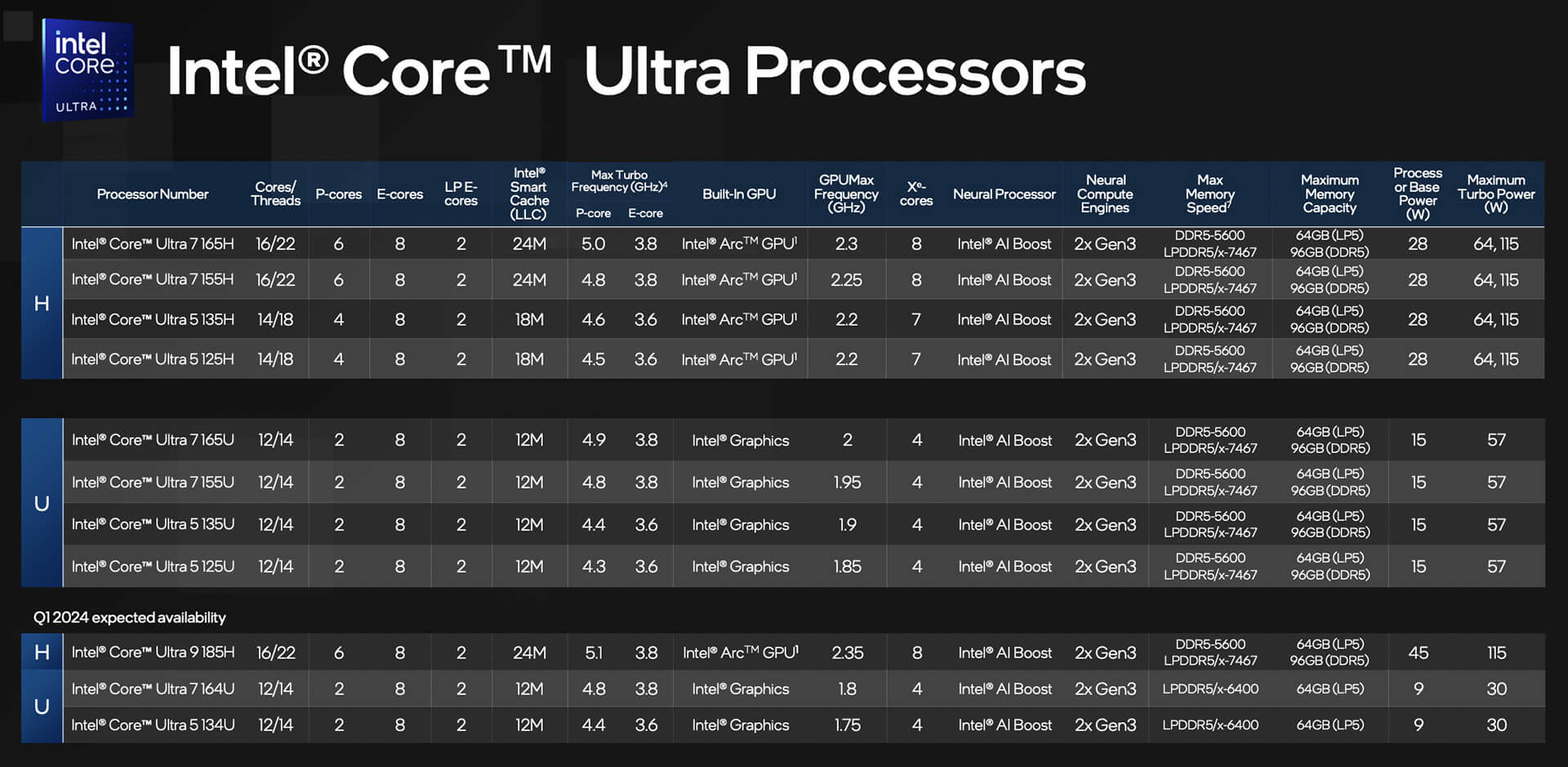
The Dell Precision 3590 (2024) makes a powerful impression with exceptional performance powered by 14th Gen Intel Core Ultra processors, ranging from the Ultra 5 135H to the Ultra 7 165H. The multi-core processors with high clock speeds allow the machine to smoothly handle heavy tasks such as programming, CAD simulation, and engineering design. Thanks to its ability to maintain stable performance, the Dell Precision workstation line has become a trusted choice for engineers, software developers, and creative professionals needing a high-performance device for intensive workloads.
| CPU | Cores / Threads | Cache | Max Clock Speed | Cinebench R23 (Single-Core) | Cinebench R23 (Multi-Core) |
|---|---|---|---|---|---|
| Intel Core Ultra 5 135H | 14 cores / 18 threads | 18MB L3 | 4.6GHz | ~1,850 pts | ~12,500 pts |
| Intel Core Ultra 7 155H | 16 cores / 22 threads | 24MB L3 | 4.8GHz | ~1,920 pts | ~14,200 pts |
| Intel Core Ultra 7 165H | 16 cores / 22 threads | 24MB L3 | 5.0GHz | ~2,000 pts | ~15,000 pts |
For graphics, the Dell Precision 3590 supports two GPU options: Intel Arc Graphics for basic editing needs, and the NVIDIA RTX 500 Ada 4GB GDDR6 for 3D modeling, video rendering, and complex graphic design. Ray Tracing and AI acceleration technology significantly improve visual quality, delivering realistic, sharp, and accurate imagery. This makes the product an ideal tool for designers, architects, and engineers who require a system with long-term stability and efficiency.
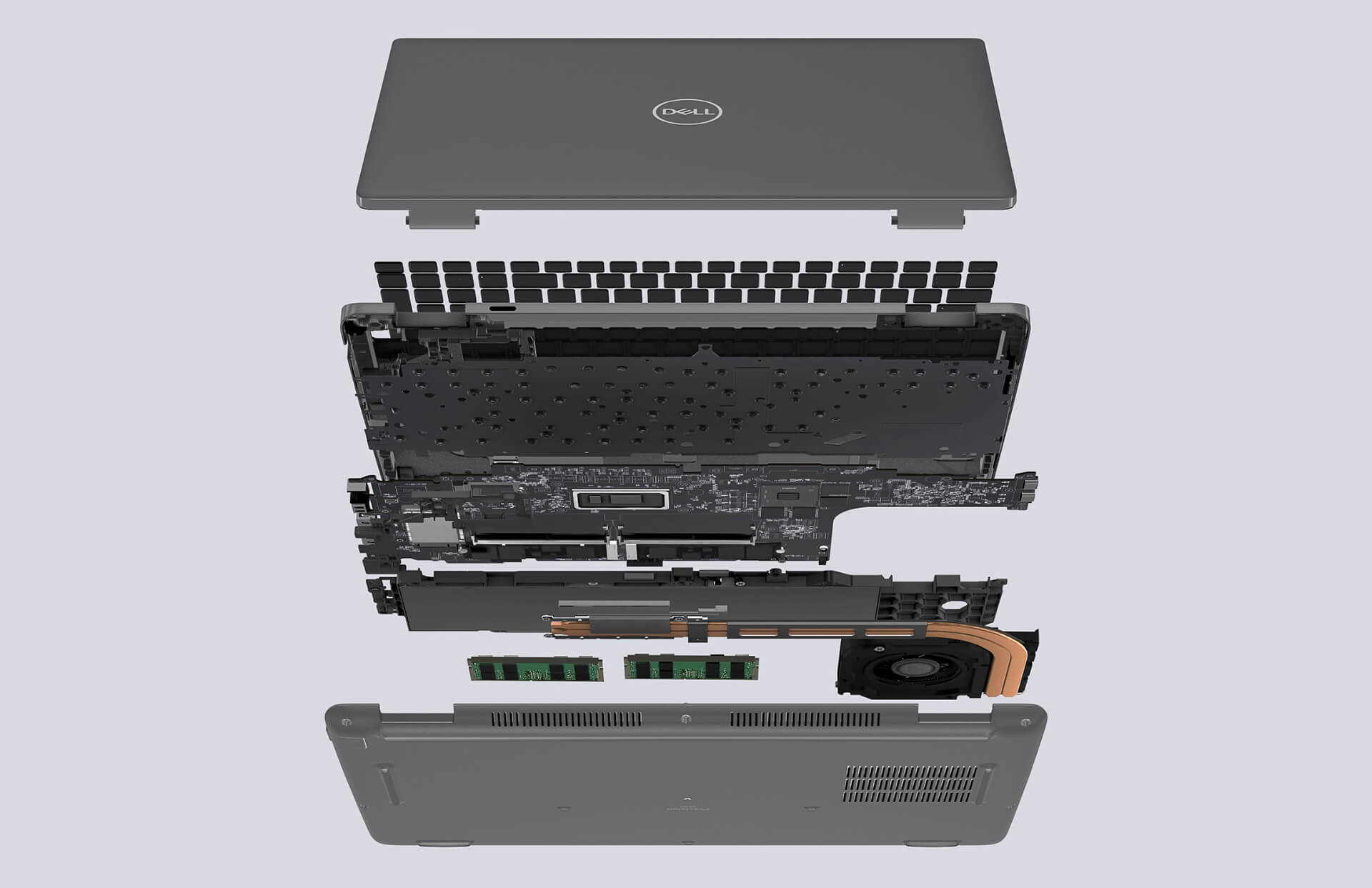
In addition to the powerful CPU and GPU, the machine is equipped with 5600MHz DDR5 RAM, upgradable up to 64GB, enabling smooth multitasking when working with large datasets. The PCIe Gen4 SSD, with capacities ranging from 256GB to 2TB, ensures fast, secure access and meets diverse storage needs. This configuration flexibility allows the Dell Precision 15 3590 to excel in various work environments, from corporate offices to professional creative studios.
Dell Precision 3590 (2024) Display
The Dell Precision 3590 (2024) features a 15.6-inch FHD (1920x1080) display, delivering sharp images and true-to-life colors-perfect for high-precision tasks like graphic design, photo editing, or professional video production. With a wide color gamut and excellent detail, users can have better visual control, ensuring every creative project meets quality standards. This is a key strength that helps this workstation line fully meet the needs of the technical and creative sectors.
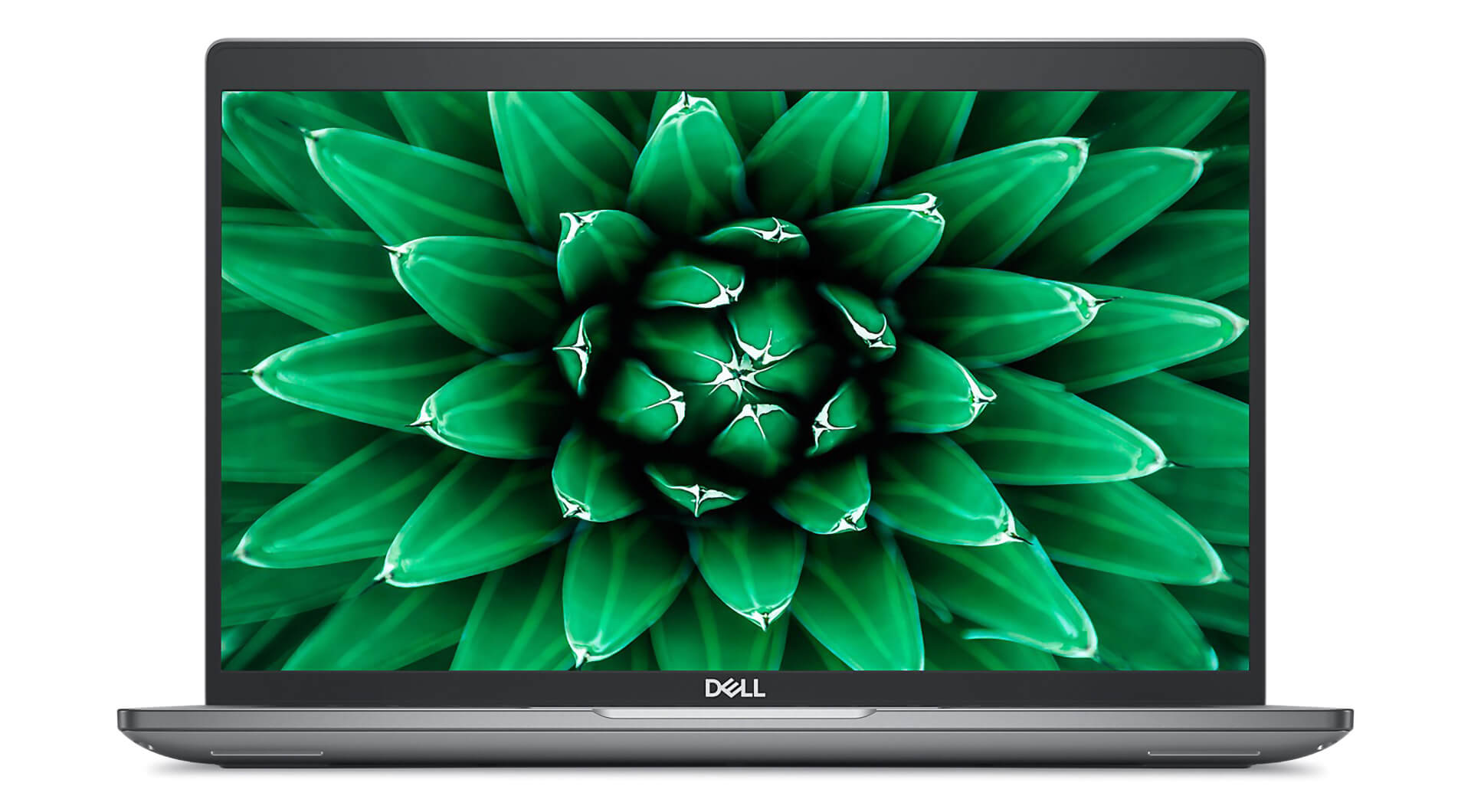
The device offers three display options: non-touch 250 nits, non-touch 400 nits, and touchscreen 250 nits. All options integrate EMZA Prox sensor technology to save energy and enhance the user experience. Notably, the 400-nit peak brightness ensures clear visibility even when working outdoors or in brightly lit environments. The touchscreen version supports direct interaction, optimizing it for design work and quick note-taking. The combination of display quality, touch functionality, and eye protection makes the Dell Precision 3590 an ideal tool for engineers, designers, and digital content creators.
Keyboard & Touchpad on the Dell Precision 3590
The Dell Precision 3590 (2024) stands out not only for its powerful performance but also for its keyboard and touchpad experience, which is optimized for professional environments. The keyboard features an ideal key travel, excellent tactile feedback, and a spill-resistant design, allowing users to work comfortably for long periods. This is a significant advantage for engineers, programmers, or office professionals who perform frequent data entry, ensuring high accuracy and durability throughout use.
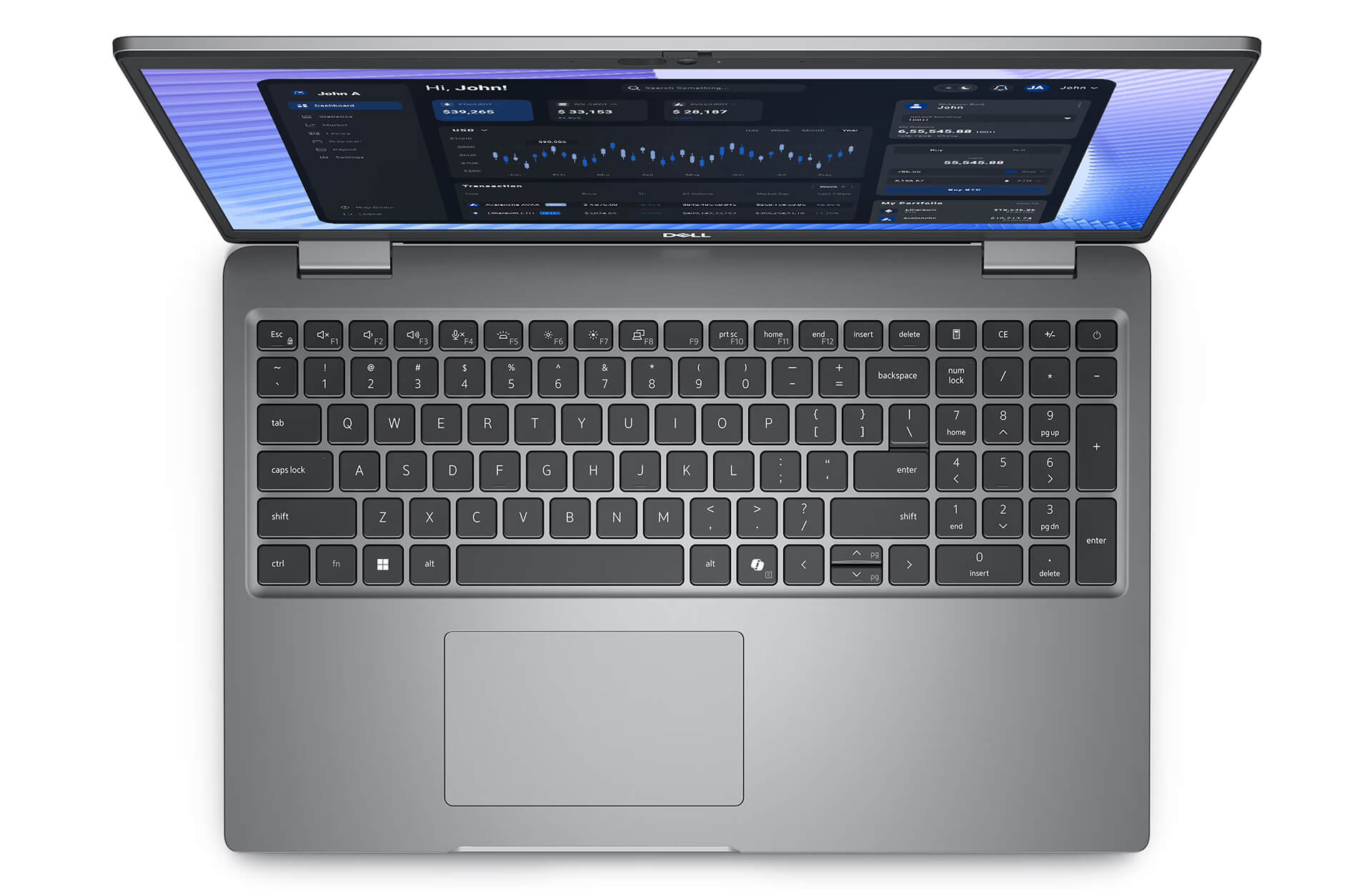
The touchpad is large, with a smooth surface and highly responsive feedback, supporting precise multi-touch gestures like scrolling, zooming, and quick swipes. This not only enhances productivity when using design software and engineering applications but also provides convenience for mobile users. Additionally, the LED-backlit keyboard makes working in low-light environments easy, ensuring both aesthetic appeal and a professional experience that defines the Dell Precision 3590 mobile workstation series.
High Security & User Data Safety
The Dell Precision 3590 places a heavy emphasis on security and data safety, meeting the stringent requirements of professional work environments. The machine is equipped with advanced hardware security technologies, such as a kensington lock slot, microSD card slot, and data encryption systems, helping to minimize the risk of information leaks. This makes the device a reliable choice for professionals in finance, banking, engineering, and IT, where security is a top priority.
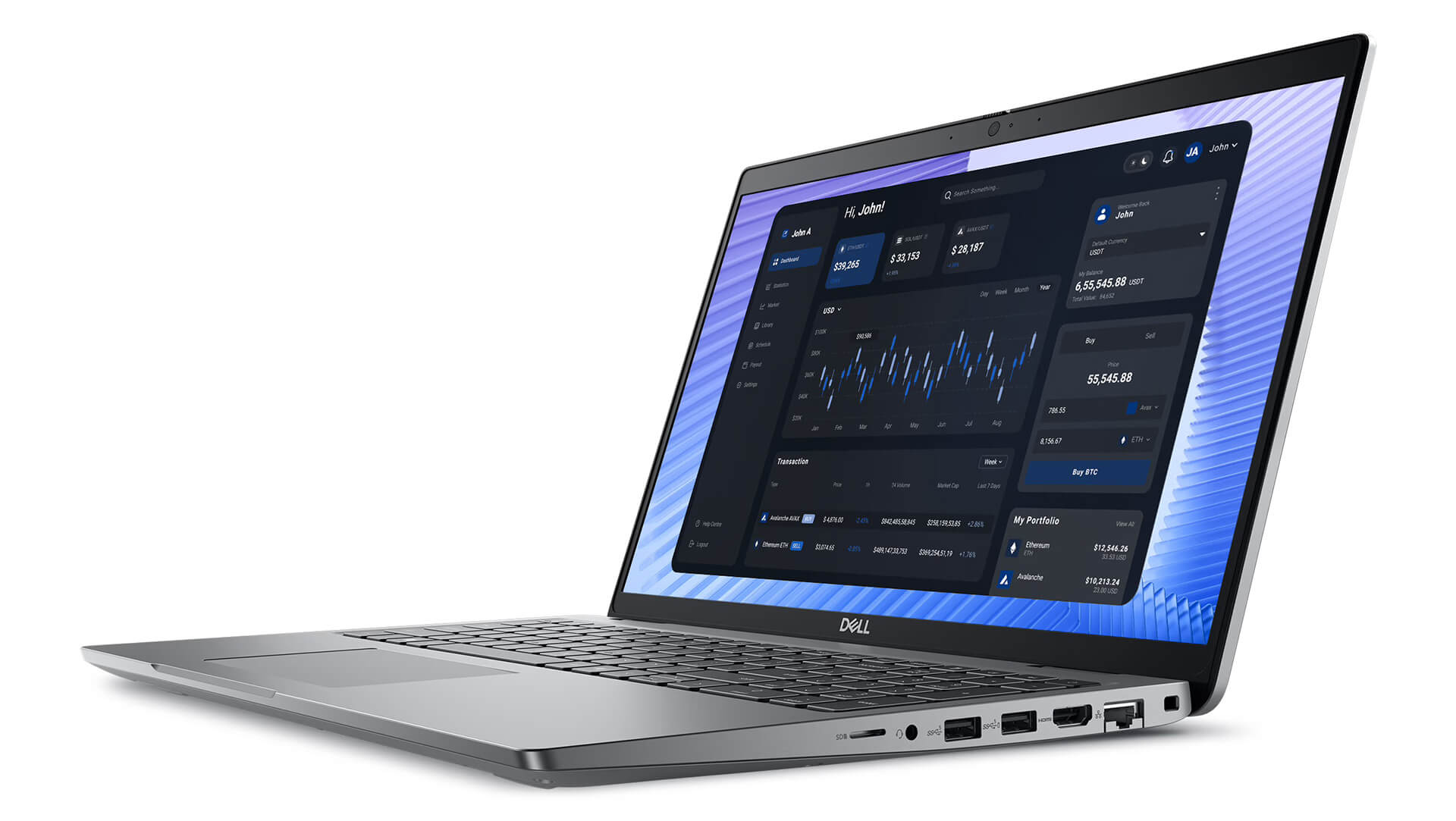
Beyond hardware security, Dell ensures the Precision 3590 receives regular software updates and patches to prevent threats from malware, hackers, and other cyber risks. The licensed operating system, combined with advanced encryption mechanisms, allows for restricted access, protecting critical content like technical drawings, CAD documents, or large research datasets. This combination of hardware and software security provides maximum peace of mind while maintaining stability and performance during long-term use.
Ports & Slots on the Dell Precision 3590
The Dell Precision 3590 (2024) is equipped with a rich array of connectivity options, providing maximum flexibility for professional users. The machine supports all modern standards, including USB 3.2 Gen 1, HDMI 2.1, RJ-45 Ethernet, and Thunderbolt 4, along with a MicroSD slot and an optional SC Reader, making it easy to connect to external monitors, storage devices, or LAN networks. The logical port layout includes 2x USB 3.2 Gen 1 (Power Enabled), 2x Thunderbolt 4 Type-C (supporting fast charging: 65W, 100W, or 130W depending on the GPU), HDMI 2.1, a combo audio jack, a MicroSD slot, a security lock slot, and an optional SC Reader. Additionally, the machine integrates Wi-Fi 6 and Bluetooth 5.2, providing stable wireless connectivity for headphones, keyboards, or mice.
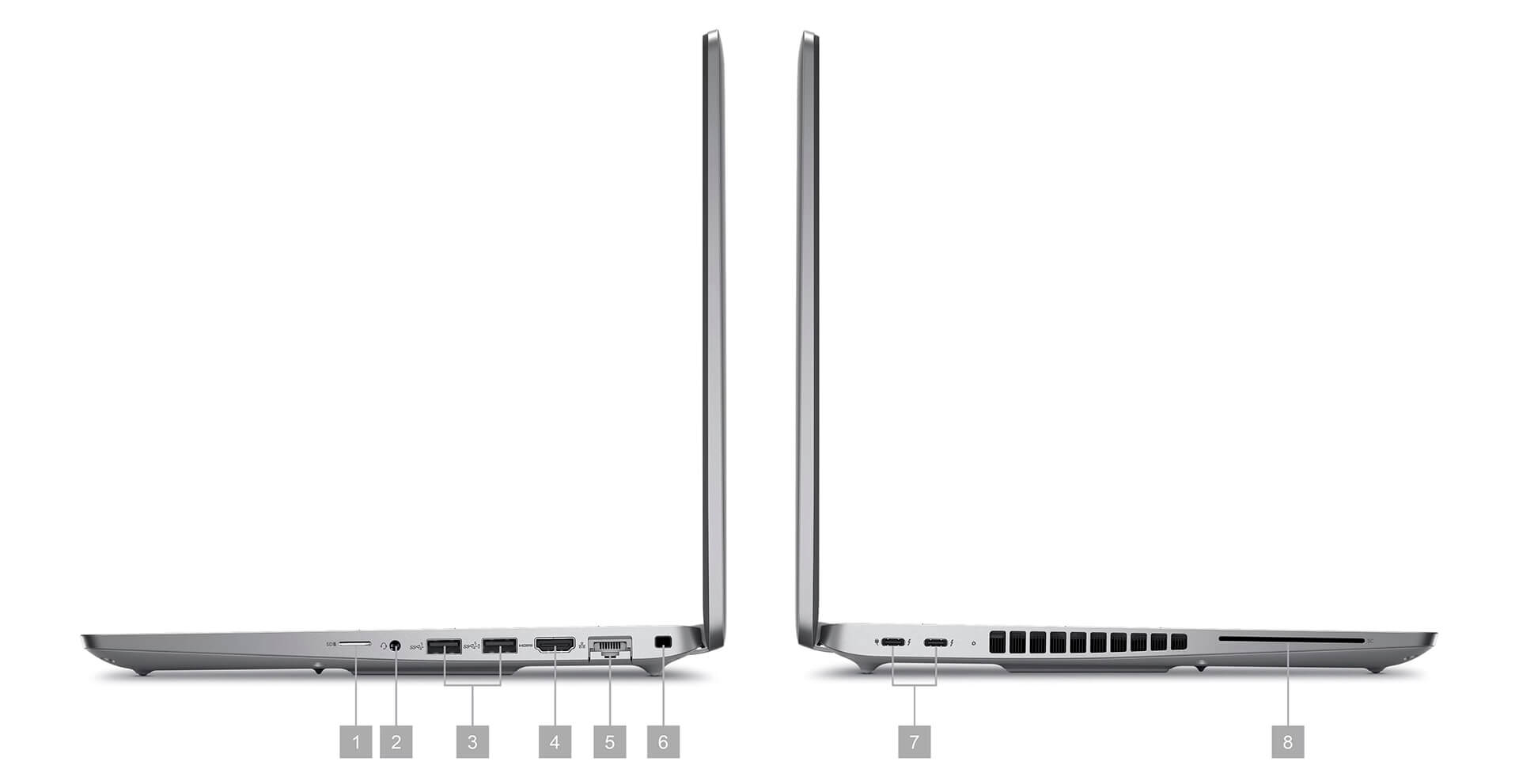
| 1. MicroSD Card Reader 2. Universal audio jack 3. (2) USB 3.2 Gen 1 (Power Enabled) 4. HDMI 2.1 5. RJ-45 | 6. Lock slot 7. (2) Thunderbolt 4 Type C, 65W Type C (Integrated graphics-15W only), 100W Type C or 130W Type C (Integrated graphics/discrete graphics) 8. SC Reader optional |
Beyond connectivity, the Dell Precision 3590 (2024) also allows for RAM and SSD upgrades, providing flexibility to expand your configuration without needing to replace the entire device. This expandability is particularly useful for engineers, data specialists, programmers, and designers who need a laptop workstation that is durable, stable, and capable of supporting long-term intensive projects.
Temperature & Battery Life
The Dell Precision 3590 stands out for its ability to maintain stable temperatures thanks to an intelligent thermal management system, allowing the device to run smoothly even when handling heavy tasks like 3D graphics or engineering programming. This efficient cooling solution not only prevents overheating but also extends hardware lifespan, ensuring consistent performance during continuous, high-intensity work sessions. This is a vital factor in meeting the needs of engineers, designers, and tech professionals.
Alongside thermal management, the long-lasting battery life of the Dell Precision 3590 is a major advantage. Thanks to smart energy-saving technology, the machine can operate for many hours, providing peace of mind for users on the move. The device also operates quietly, minimizing noise to optimize the experience in quiet workspaces or during online meetings. This represents the perfect combination of durability, reliability, and efficiency for a professional mobile workstation.
Summary of the Dell Precision 15 3590 (2024)
The Dell Precision 15 3590 (2024) is positioned as a dedicated laptop workstation, designed to meet the maximum needs of engineers, programmers, and creative professionals requiring a durable, high-performance device that is easy to upgrade. With the combination of Intel Core Ultra CPUs, RTX Ada GPUs, stable battery life, and flexible expandability, the machine delivers powerful performance and high reliability. Supporting features like a full-size keyboard, advanced security systems, and diverse connectivity options further enhance the experience in professional environments.
While there are some limitations, such as sub-optimal screen brightness and a weight that may not be considered ultra-light for constant travel, the Dell Precision 3590 remains a reliable choice for businesses and individuals needing a device that performs consistently over the long term. The balance between performance, durability, and adaptability makes this workstation a sensible investment for modern engineering and creative work.
| Pros | Cons |
|---|---|
|
|
FAQ - Frequently Asked Questions about Dell Precision 3590 Mobile Workstation (2024)
1. What are the standout specs of the Dell Precision 3590?
The Dell Precision 3590 is equipped with Intel Core Ultra processors, NVIDIA RTX Ada graphics, and a sharp 14-inch display, making it suitable for intensive tasks like graphic design, video editing, and engineering simulation.
2. Is the Dell Precision 3590 suitable for 3D design software?
Yes, the machine supports software like AutoCAD, SolidWorks, and Blender thanks to its powerful configuration and professional GPU, which helps with fast 3D rendering and simulation.
3. Does the machine support Linux?
The Dell Precision 3590 supports Linux distributions like Ubuntu. However, you may need to install the latest NVIDIA drivers to ensure optimal compatibility.
Source: Ubuntu Certified
4. What is the battery life of the Dell Precision 3590?
Battery life ranges from 5-6 hours during normal tasks but will decrease when performing heavy graphical tasks like rendering.
Source: RTINGS.com
5. Is the Dell Precision 3590 suitable for programming?
Highly suitable. The machine's configuration provides excellent support for IDEs like Visual Studio, PyCharm, and Eclipse, optimized for software development and AI development.
6. How much does the Dell Precision 3590 weigh?
The machine weighs approximately 1.62 kg, making it easy to carry on business trips without feeling overly bulky.
7. What is the warranty policy at Hung Phat Laptop?
Hung Phat Laptop offers a 12-month warranty for new machines, 6 months for used machines, and a 1-for-1 replacement support within the first 30 days if there is a manufacturer defect.
Where to buy the Dell Precision 3590 (2024) with the best price and reliability?
If you are wondering where to buy a Dell Precision 3590 (2024) with confidence, Hung Phat Laptop is your ideal choice. With free nationwide shipping, clear after-sales policies, and an expert consulting team, Hung Phat always provides a reliable shopping experience for professional users.
With over 10 years of experience in distributing genuine laptop workstations, Hung Phat Laptop is committed to providing high-quality Dell Precision 3590 units, complete with full invoices and transparent warranties. Additionally, customers can enjoy many special offers when purchasing online or in-store, making it an efficient investment for engineers, architects, and graphic designers.
Performance & benchmarks DELL Precision 3590 Mobile Workstation (2024)
Intel Core Ultra 7 155U Intel Arc 7-Core iGPU - best for Văn phòng 9.5/10, Lập trình 7/10.
Intel Core Ultra 7 155U
- Cinebench R23 (đa nhân)9,674.5
- Geekbench 6 (đa nhân)9,278
- Geekbench 6 (đơn nhân)2,312
- Cores / Threads12/14
Intel Arc 7-Core iGPU iGPU
- 3DMark Time Spy2,940.5
- 3DMark Fire Strike7,612.5
- ArchitectureXe LPG
Best for
Scored from real benchmarks- Chơi game2.5/10
- Dựng phim / Đồ hoạ Recommended3.5/10
- Lập trình Recommended7/10
- Văn phòng9.5/10
Why CPU matters
CPU là “bộ não” xử lý mọi tác vụ: mở ứng dụng, đa nhiệm, biên dịch, dựng phim. CPU càng mạnh, máy càng nhanh và mượt khi làm nhiều việc cùng lúc.
- Cơ bảnThis product
Lướt web, xem phim, soạn thảo văn phòng nhẹ.
- Phổ thôngThis product
Văn phòng, đa nhiệm vừa, học tập.
- Tầm trungThis product
Đa nhiệm tốt, lập trình, đồ hoạ nhẹ.
- Khá mạnhThis product
Dựng phim, lập trình nặng, ảo hoá, chơi game.
- Cao cấpThis product
Render nặng, biên tập 4K/8K, máy ảo, tác vụ AI.
Why GPU matters
GPU (card đồ hoạ) lo phần hình ảnh: chơi game, dựng video, render 3D và tăng tốc AI. GPU càng mạnh, khung hình game càng cao và xuất video càng nhanh.
- Cơ bản (iGPU)This product
Hiển thị mượt, xem phim 4K, game rất nhẹ (LMHT, Valorant mức thấp).
- Phổ thôngThis product
Game eSports 1080p, chỉnh ảnh, dựng video nhẹ.
- Tầm trungThis product
Game 1080p thiết lập trung-cao, dựng video Full HD ổn.
- Khá mạnhThis product
Game 1080p/1440p thiết lập cao, dựng video 4K, render 3D.
- Cao cấpThis product
Game 4K/240Hz, ray tracing, render & AI nặng.
Game performance
Real FPS - FHD- Dota 270 fps1080p Ultra
- CS258 fps1080p Trung bình
- GTA V126 fps1080p Trung bình
- Cyberpunk 207729 fps1080p Thấp
🟢 ≥60fps rất mượt · 🟡 30-60fps chơi tốt · 🔴 <30fps cần giảm thiết lập
Local AI performance
Tokens/second running locally on GPU- Gemma 4 E2B IT5.6 GB · ctx 256K15 tok/sDecent
- GLM-4 9B5.1 GB · ctx 128K16 tok/sDecent
- Gemma 4 E4B4.6 GB · ctx 256K18 tok/sDecent
- Ministral 8B4.6 GB · ctx 32K18 tok/sDecent
- Qwen 3.5 4B4.6 GB · ctx 32K18 tok/sDecent
- DeepSeek R1 Distill 7B4.1 GB · ctx 64K20 tok/sRuns well
- Gemma 4 E2B3.1 GB · ctx 256K27 tok/sRuns well
- Qwen 3.5 2B2.5 GB · ctx 32K34 tok/sRuns well
- Phi-4 Mini Reasoning2.4 GB · ctx 16K35 tok/sRuns well
- Llama 3.2 3B2 GB · ctx 128K42 tok/sRuns great
- SmolLM3 3B2 GB · ctx 128K42 tok/sRuns great
- DeepSeek R1 1.5B1.3 GB · ctx 64K65 tok/sRuns great
- Qwen 3.5 0.8B1.3 GB · ctx 32K65 tok/sRuns great
- TinyLlama 1.1B1.1 GB · ctx 2K76 tok/sRuns great
- Llama 3.2 1B1 GB · ctx 128K84 tok/sRuns great
- Gemma 2 9B5.1 GB · ctx 8K16 tok/sDecent
- Nemotron Nano 9B v25.1 GB · ctx 128K16 tok/sDecent
- Qwen 3 8B4.6 GB · ctx 128K18 tok/sDecent
- Mistral 7B v0.34.1 GB · ctx 32K20 tok/sRuns well
- Qwen 2.5 7B4.1 GB · ctx 128K20 tok/sRuns well
- Qwen 2.5 Coder 7B4.1 GB · ctx 128K20 tok/sRuns well
- Qwen 3 4B2.5 GB · ctx 32K34 tok/sRuns well
- Gemma 3 4B2.5 GB · ctx 128K34 tok/sRuns well
- Phi-3.5 Mini2.4 GB · ctx 128K35 tok/sRuns well
- Gemma 2 2B1.5 GB · ctx 8K56 tok/sRuns great
- Qwen 3 1.7B1.4 GB · ctx 32K60 tok/sRuns great
- Qwen 2.5 Coder 1.5B1.3 GB · ctx 32K65 tok/sRuns great
- Qwen 3 0.6B1.1 GB · ctx 32K76 tok/sRuns well
- Gemma 3 1B1 GB · ctx 32K84 tok/sRuns great
🟢 Great · 🟡 Well · 🟠 Decent - 4-bit quantized, ctx = context window
No comments yet
Q&A about DELL Precision 3590 Mobile Workstation (2024)
Frequently asked questions about DELL Precision 3590 Mobile Workstation (2024)
What are the specifications of DELL Precision 3590 Mobile Workstation (2024)?
What is the warranty for DELL Precision 3590 Mobile Workstation (2024)?
Can I buy DELL Precision 3590 Mobile Workstation (2024) with home delivery?
Worth a Look
 2 configurations
DELL Precision 5560 Mobile Workstation (2021)
 2 configurations
DELL Precision 3580 Mobile Workstation (2023)
DELL Precision 3571 Mobile Workstation (2022)
DELL Precision 5570 Mobile Workstation (2022)





Trần Minh Quang 16/10/2024Purchased at Hung Phat
Great quality, runs smoothly. I bought these for my company and they are performing excellently. The technical team provided fast software installation support. The staff is very enthusiastic.
Anh Huê 30/07/2024Purchased at Hung Phat
Here's a 5-star review! :)))
Anh Nghĩa 14/07/2024Purchased at Hung Phat
Works great, no issues at all.