

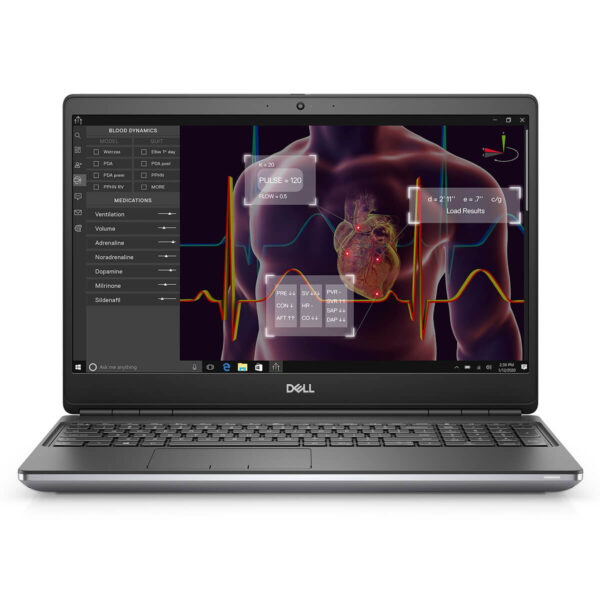
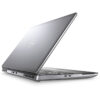
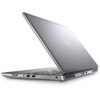
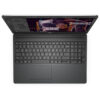
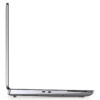
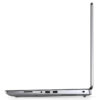
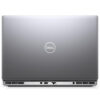
DELL Precision 7550 Mobile Workstation
- CPU: Intel Core Xeon W-10855M vPro Up To 5.1GHz (6 Cores 12MB Cache)
- RAM: DDR4 16GB 2933MHz
- SSD: 512GB PCIe M.2 SSD
- VGA: Nvidia Quadro® T1000 4GB GDDR6
- DISPLAY: 15.6" FHD, 1920x1080, 60Hz, Anti-Glare, Non-Touch, 45% NTSC, 220 Nits
- CONDITION: Like New 99%
- WARRANTY: Bảo hành 12 tháng
- Durable Design and Robust Build
- Superior Performance with 10th Gen Intel CPUs and NVIDIA® Quadro GPUs
- Dell Precision 7550 Display
- Keyboard & Touchpad on the Dell Precision 15 7550
- Ports & Connectivity on the Dell Precision 7550
- Optimized Thermal Management and Battery Life
- Summary and Review of the Dell Precision 7550 (2020)
- FAQ - Frequently Asked Questions about Dell Precision 7550 Mobile Workstation
- Where to buy a reliable Dell Precision 7550 at a good price?
Dell Precision 7550 is a premium mobile workstation that strikes the perfect balance between durable design, high-end performance, and enterprise-grade reliability. Optimized for intensive software, it is built to meet the demands of engineers, architects, graphic designers, and professionals who require a stable mobile workstation for heavy workloads. It stands as a reliable choice within the Dell Precision workstation lineup.
Durable Design and Robust Build
The Dell Precision 7550 (2020) delivers a sense of sturdiness from the moment you touch it. Featuring a premium CNC-machined metal chassis, it combines sophisticated aesthetics with exceptional durability. This workstation laptop is engineered for professional environments, making it particularly suitable for engineers, architects, and graphic designers who need a stable, dependable device for heavy-duty tasks. The thick bezels and rounded hinge design enhance structural integrity and keep the display stable during intense operation.
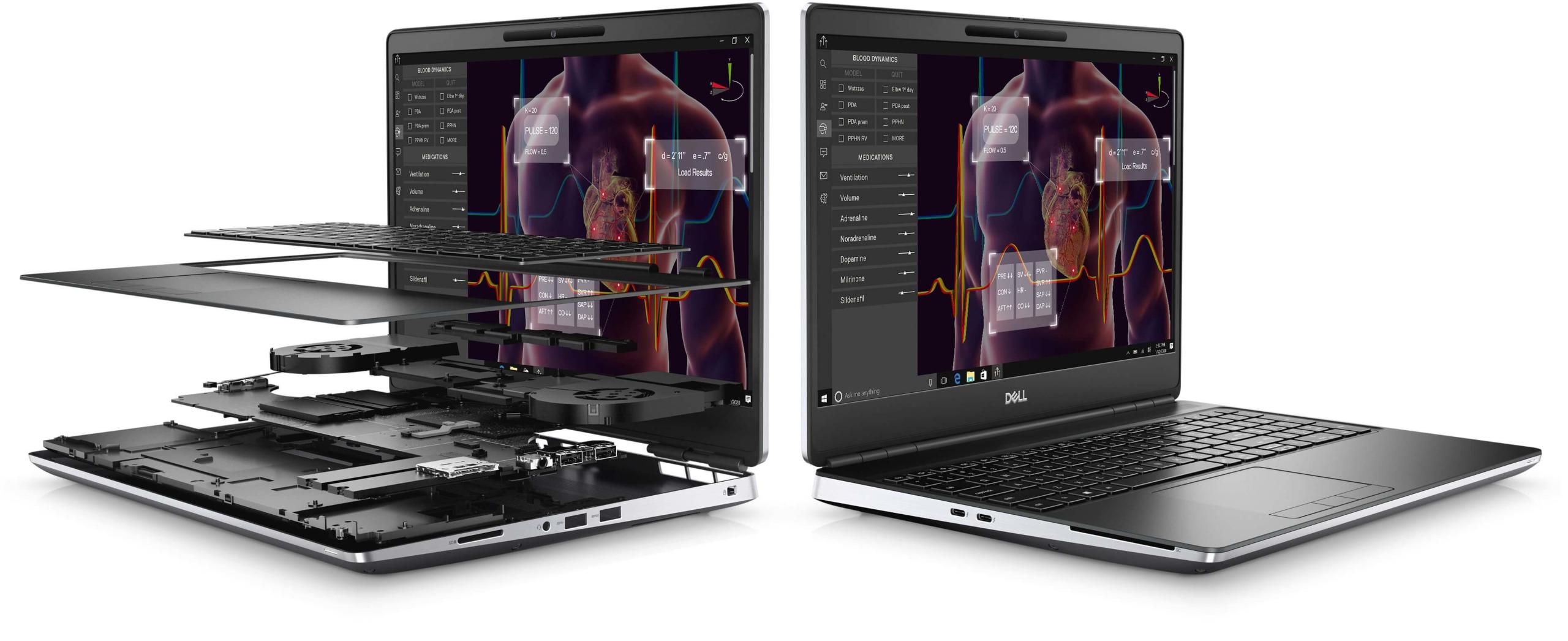
While its weight of approximately 2.45kg and dimensions of 360 x 242 x 25-27.36 mm mean it isn't categorized as an ultra-lightweight laptop, this ruggedness provides peace of mind for long-term use. Another standout feature is its flexible upgradeability, allowing users to easily add RAM or an SSD to boost performance when needed. This is a key factor that helps the Dell Precision 7550 maintain its powerful processing capabilities and long-term reliability, meeting professional demands for years to come.
Superior Performance with 10th Gen Intel CPUs and NVIDIA® Quadro GPUs
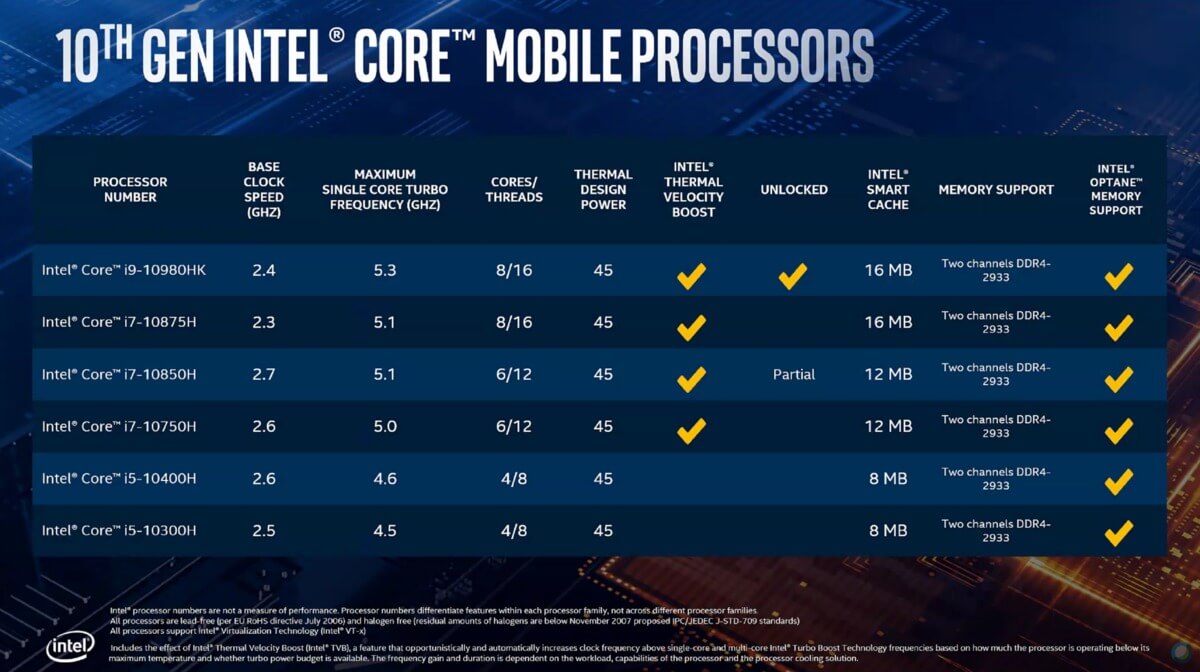
The Dell Precision 15 7550 (2020) is highly regarded for its powerhouse performance, equipped with either an Intel Core i7-10850H or a Xeon W-10855M from the Comet Lake-H family. With clock speeds reaching up to 5.1GHz, these processors deliver rapid processing and maintain stability even when handling complex tasks like programming, 3D rendering, or deep data analysis. This is a major advantage for users who demand high reliability and peak performance.
Paired with the powerful CPU is the NVIDIA Quadro T1000 or T2000 GPU, based on the Turing architecture and optimized for professional graphics applications. The integration of Quadro graphics ensures compatibility with specialized software like CAD, AI, or 3D rendering, while providing stable graphics processing over extended periods. This makes the machine an ideal tool for engineers, architects, and designers requiring specialized performance.
Additionally, the Dell Precision 7550 supports up to 128GB of DDR4 2933MHz RAM across 4 slots, offering flexible upgrade options. The combination of massive memory capacity, high-speed multi-core CPUs, and dedicated Quadro GPUs creates a robust hardware foundation capable of handling large datasets and intensive multitasking. It is a reliable choice for technical professionals and content creators looking to invest in a durable and efficient workstation.
Dell Precision 7550 Display
The Dell Precision 7550 features a display that meets the rigorous standards of professional environments, making it particularly suitable for fields requiring high visual precision. Utilizing WVA (Wide View Angle) technology combined with a premium panel, the screen offers wide viewing angles, consistent brightness, and clear visibility under various lighting conditions. The anti-glare feature helps reduce reflections, supporting efficient work in both bright offices and outdoor settings.
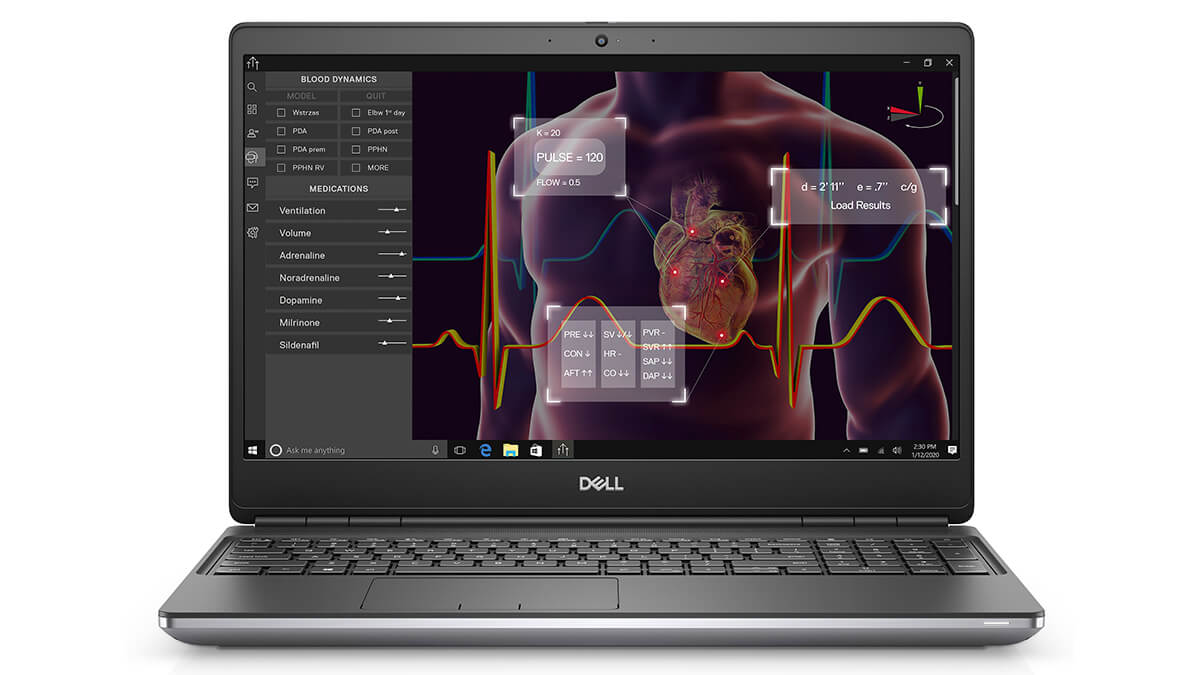
Users can choose between two 15.6-inch display versions: a standard FHD (1920x1080) panel with 45% NTSC color gamut and 220 nits brightness, or a premium version featuring 100% DCI-P3 color gamut and up to 500 nits of brightness. Both options include blue light reduction technology to minimize eye strain during long working sessions. Consequently, the Dell Precision 7550 is a dependable choice for CAD engineers, graphic specialists, or medical professionals, providing a sharp, safe, and optimized visual experience for professional needs.
Keyboard & Touchpad on the Dell Precision 15 7550
The Dell Precision 7550 is equipped with a sturdy full-size keyboard featuring deep key travel and tactile feedback, providing a precise and comfortable typing experience even during long data entry sessions. This design is particularly well-suited for programmers, journalists, or professionals who frequently work with text, helping to enhance both speed and productivity.
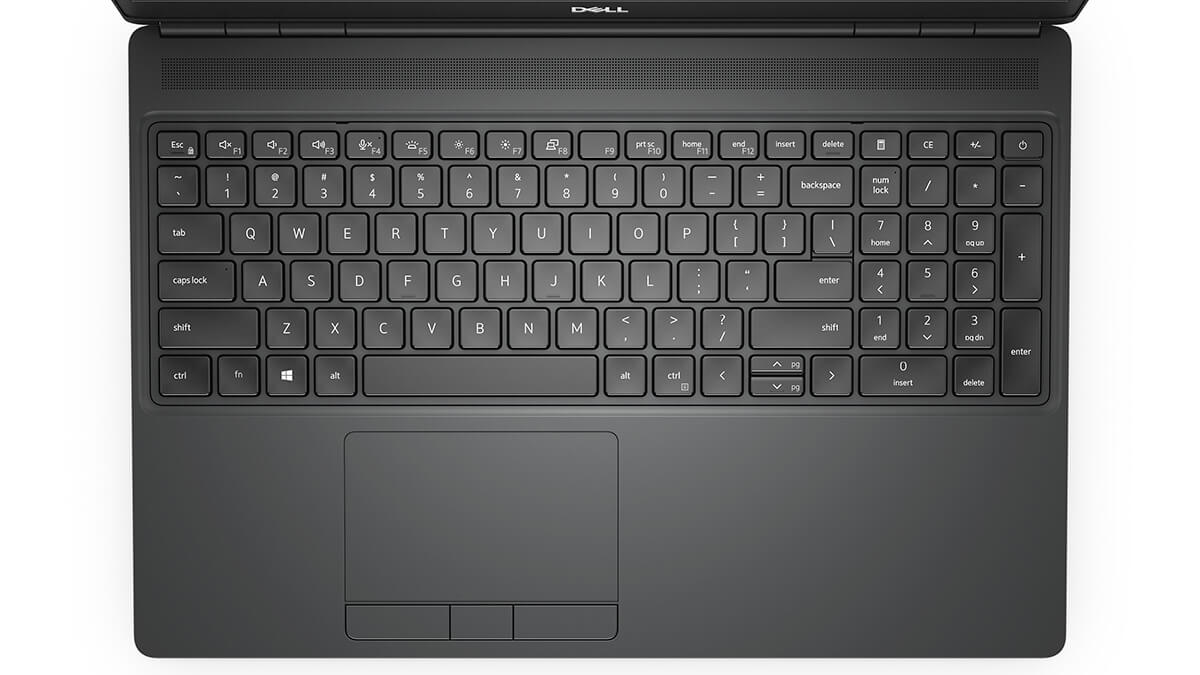
Alongside the keyboard, the Dell Precision 7550 features a spacious, smooth-edged touchpad with high sensitivity, supporting multi-touch gestures like scrolling, zooming, and rapid navigation without the need for an external mouse. By removing the PointStick, the touchpad area is optimized, providing a more comfortable and seamless user experience. This is a small detail that offers significant improvements for office users, engineers, and content creators who require continuous, precise input.
Ports & Connectivity on the Dell Precision 7550
The Dell Precision 7550 is designed as a comprehensive mobile workstation with a rich array of ports to meet professional connectivity needs. The machine supports two USB 3.2 Gen 2 Thunderbolt 3.0 Type-C ports, two USB 3.2 Gen 1 Type-A ports with PowerShare, an HDMI 2.0 port, a Mini DisplayPort 1.4, an RJ-45 Ethernet port, a headphone jack, and a smart card reader, allowing users to easily connect to various peripherals. Notably, the integrated SD card reader makes transferring data from cameras or storage devices quick and convenient-a major plus for photographers, engineers, and graphic designers.
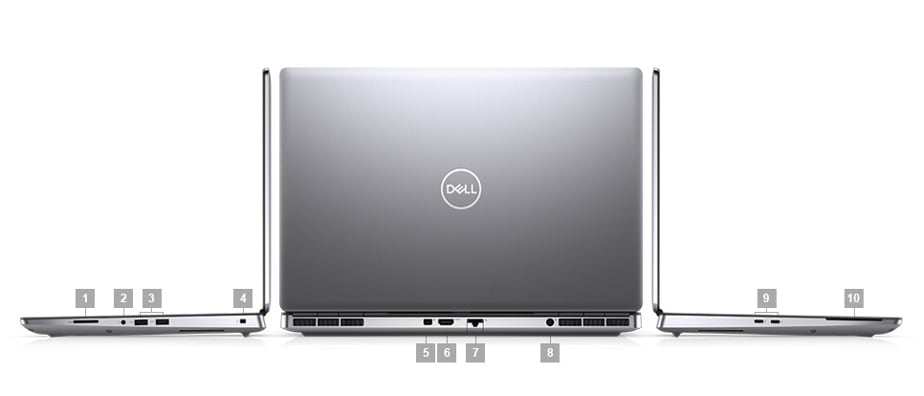
Beyond physical ports, the Dell Precision 7550 is equipped with Wi-Fi 6 2x2 (Gig+) and Bluetooth 5.1, ensuring stable, high-speed wireless connectivity. The combination of modern wireless standards and diverse physical ports allows this workstation to operate smoothly in various environments, from fixed offices to remote locations. This is a vital factor for users participating in online meetings, processing large cloud-based datasets, or connecting to specialized device ecosystems efficiently and securely.
Optimized Thermal Management and Battery Life
The Dell Precision 7550 is optimized to balance high performance with stable operation thanks to an advanced thermal management system. The cooling fan structure and exhaust vents are strategically placed to effectively control temperatures, even when handling heavy tasks like 3D rendering, video editing, or running intensive engineering software. Maintaining stable temperatures not only ensures long-term performance but also contributes to the overall durability of the hardware, meeting the needs of professional users.
Regarding battery life, the Dell Precision 7550 features a large 95Wh battery, providing an average usage time of 4.5-5 hours, making it suitable for mobile work or environments without a constant power source. Integrated Dell Optimizer for Precision AI technology enhances the smart experience with features like ExpressCharge to reduce charging time and ExpressResponse to automatically fine-tune performance based on usage habits. This allows users to work seamlessly, save energy, and maintain high productivity throughout the day.
Summary and Review of the Dell Precision 7550 (2020)
The Dell Precision 7550 (2020) is currently primarily available as a used or "like new" machine, making it a compelling option for users seeking a great value workstation that still delivers stable performance. With 10th Gen Intel CPUs, Xeon options, and Quadro GPUs, it still handles professional tasks like 3D rendering, big data processing, and video editing effectively. The strength of the Precision 15 line lies in its durable design, the ability to upgrade RAM up to 128GB, and multiple SSD slots, making it ideal for engineers, architects, or programmers who need a reliable system without paying the premium for the latest models.
Despite being released in 2020, the Dell Precision 7550 retains its value thanks to its enterprise-grade durability, high-quality display, and diverse connectivity. At its current price point, which is significantly lower than its launch price, the machine offers a very competitive price-to-performance (p/p) ratio, especially for users who prioritize performance over extreme portability. While the weight is somewhat heavy, the battery life is average, and the fans can become audible under heavy loads, it remains a sensible investment for those who need a truly durable workhorse at a cost-effective price.
| Pros | Cons |
|---|---|
|
|
FAQ - Frequently Asked Questions about Dell Precision 7550 Mobile Workstation
1. What is the design of the Dell Precision 7550?
The Dell Precision 7550 features a robust design with an aluminum alloy and carbon fiber chassis, providing high durability and excellent heat dissipation. Weighing approximately 2.7 kg with a thickness of 24 mm, it is suitable for users who need a mobile laptop that does not compromise on high performance.
2. Does the Dell Precision 7550 display meet professional graphics needs?
The machine is equipped with a 15.6-inch display offering resolutions from FHD (1920 x 1080) to UHD (3840 x 2160), supporting 100% Adobe RGB and brightness up to 500 nits. This display provides a sharp and accurate visual experience, perfect for professional graphic design work.
3. Can the Dell Precision 7550 handle heavy workloads?
With 10th Gen Intel Core i7 or i9 processors, up to 128GB of DDR4 RAM, and NVIDIA Quadro RTX 5000 graphics, the Dell Precision 7550 is well-equipped to handle heavy tasks such as 3D rendering, big data analysis, and engineering simulations.
4. Is the Dell Precision 7550 suitable for 2D and 3D graphic design?
Equipped with NVIDIA Quadro RTX series graphics, the Dell Precision 7550 provides excellent support for 2D and 3D design software, including Adobe Creative Suite, AutoCAD, SolidWorks, and Blender.
5. Does the Dell Precision 7550 support programming and software development?
With its powerful configuration and flexible expandability, the Dell Precision 7550 is an ideal choice for programmers and software developers. It provides strong support for development environments like Visual Studio, IntelliJ IDEA, and data analysis tools like MATLAB and R.
6. What is the actual battery life of the Dell Precision 7550?
According to Notebookcheck, the Dell Precision 7550 with a 95Wh battery achieves approximately 8 hours and 54 minutes of continuous Wi-Fi web browsing. Actual battery life may vary depending on your specific configuration and the applications being used.
Source: Notebookcheck
7. Does the Dell Precision 7550 run hot during heavy tasks?
The machine is equipped with an efficient thermal management system featuring dual fans and heat pipes, which helps maintain stable temperatures even during heavy workloads. However, during prolonged intensive use, the device may warm up, though it remains within safe operating limits.
8. Does the Dell Precision 7550 support Linux?
The Dell Precision 7550 supports popular Linux distributions such as Ubuntu 20.04 LTS and Red Hat Enterprise Linux 8.2. Note that some hardware components, such as the fingerprint reader, may require additional driver installation to function smoothly.
Source: Dell Support
9. What is the warranty policy at Hung Phat Laptop for the Dell Precision 7550?
Hung Phat Laptop provides a 12-month warranty for new machines and a 30-day replacement policy for manufacturing defects. For used or "like new" machines, we offer a 6-month warranty and a 30-day replacement policy for manufacturing defects. Additionally, customers enjoy free nationwide shipping and lifetime free software and cleaning support.
Where to buy a reliable Dell Precision 7550 at a good price?
The Dell Precision 7550 is the ideal choice for anyone needing a high-performance workstation for specialized tasks. If you are wondering where to buy a reliable Dell Precision 7550, Hung Phat Laptop is a trusted destination offering quality products with clear origins.
Here, you will find a wide variety of imported Dell Precision laptops, complete with transparent warranty policies and attractive offers. When investing in a device for professional work, choosing a reliable retailer like Hung Phat Laptop ensures peace of mind throughout your ownership.
Performance & benchmarks DELL Precision 7550 Mobile Workstation
Intel Xeon W-10855M NVIDIA Quadro T1000 Laptop GPU - best for Văn phòng 7.5/10, Lập trình 5/10.
Intel Xeon W-10855M
- Geekbench 6 (đa nhân)5,722
- Geekbench 6 (đơn nhân)1,472
- Cores / Threads6/12
NVIDIA Quadro T1000 Laptop GPU
- 3DMark Time Spy3,497
- 3DMark Fire Strike8,000
- VRAM4 GB
- ArchitectureTuring
Best for
Scored from real benchmarks- Chơi game2.5/10
- Dựng phim / Đồ hoạ Recommended3/10
- Lập trình Recommended5/10
- Văn phòng7.5/10
Why CPU matters
CPU là “bộ não” xử lý mọi tác vụ: mở ứng dụng, đa nhiệm, biên dịch, dựng phim. CPU càng mạnh, máy càng nhanh và mượt khi làm nhiều việc cùng lúc.
- Cơ bảnThis product
Lướt web, xem phim, soạn thảo văn phòng nhẹ.
- Phổ thôngThis product
Văn phòng, đa nhiệm vừa, học tập.
- Tầm trungThis product
Đa nhiệm tốt, lập trình, đồ hoạ nhẹ.
- Khá mạnhThis product
Dựng phim, lập trình nặng, ảo hoá, chơi game.
- Cao cấpThis product
Render nặng, biên tập 4K/8K, máy ảo, tác vụ AI.
Why GPU matters
GPU (card đồ hoạ) lo phần hình ảnh: chơi game, dựng video, render 3D và tăng tốc AI. GPU càng mạnh, khung hình game càng cao và xuất video càng nhanh.
- Cơ bản (iGPU)This product
Hiển thị mượt, xem phim 4K, game rất nhẹ (LMHT, Valorant mức thấp).
- Phổ thôngThis product
Game eSports 1080p, chỉnh ảnh, dựng video nhẹ.
- Tầm trungThis product
Game 1080p thiết lập trung-cao, dựng video Full HD ổn.
- Khá mạnhThis product
Game 1080p/1440p thiết lập cao, dựng video 4K, render 3D.
- Cao cấpThis product
Game 4K/240Hz, ray tracing, render & AI nặng.
Local AI performance
Tokens/second running locally on GPU 4GB VRAM- Gemma 4 E2B3.1 GB · ctx 256K29 tok/sDecent
- Qwen 3.5 2B2.5 GB · ctx 32K36 tok/sDecent
- Phi-4 Mini Reasoning2.4 GB · ctx 16K37 tok/sDecent
- Llama 3.2 3B2 GB · ctx 128K45 tok/sRuns well
- SmolLM3 3B2 GB · ctx 128K45 tok/sRuns well
- DeepSeek R1 1.5B1.3 GB · ctx 64K69 tok/sRuns well
- Qwen 3.5 0.8B1.3 GB · ctx 32K69 tok/sRuns well
- TinyLlama 1.1B1.1 GB · ctx 2K81 tok/sRuns great
- Llama 3.2 1B1 GB · ctx 128K90 tok/sRuns great
- Qwen 3 4B2.5 GB · ctx 32K36 tok/sDecent
- Gemma 3 4B2.5 GB · ctx 128K36 tok/sDecent
- Phi-3.5 Mini2.4 GB · ctx 128K37 tok/sDecent
- Gemma 2 2B1.5 GB · ctx 8K60 tok/sRuns well
- Qwen 3 1.7B1.4 GB · ctx 32K64 tok/sRuns well
- Qwen 2.5 Coder 1.5B1.3 GB · ctx 32K69 tok/sRuns well
- Qwen 3 0.6B1.1 GB · ctx 32K81 tok/sRuns great
- Gemma 3 1B1 GB · ctx 32K90 tok/sRuns great
🟢 Great · 🟡 Well · 🟠 Decent - 4-bit quantized, ctx = context window
No comments yet
Q&A about DELL Precision 7550 Mobile Workstation
Frequently asked questions about DELL Precision 7550 Mobile Workstation
What are the specifications of DELL Precision 7550 Mobile Workstation?
What is the warranty for DELL Precision 7550 Mobile Workstation?
Can I buy DELL Precision 7550 Mobile Workstation with home delivery?
Worth a Look
 2 configurations
DELL Precision 5560 Mobile Workstation (2021)
 2 configurations
DELL Precision 3580 Mobile Workstation (2023)
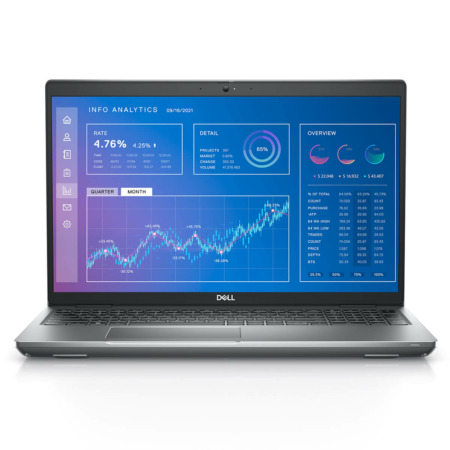
DELL Precision 3571 Mobile Workstation (2022)
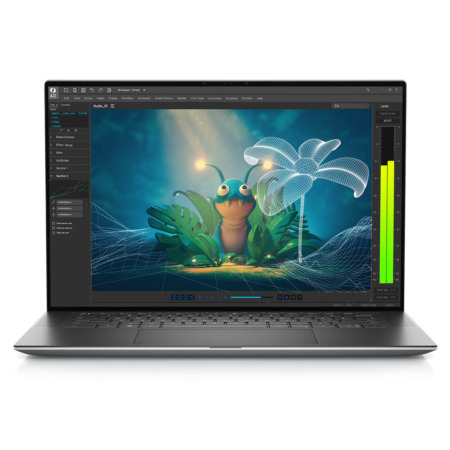
DELL Precision 5570 Mobile Workstation (2022)





Tạ Minh Quang 26/12/2024Purchased at Hung Phat
The owner is a professional consultant who provides excellent advice.
Lương Bỉnh Thái 27/05/2024Purchased at Hung Phat
Beautiful design, solid configuration.