


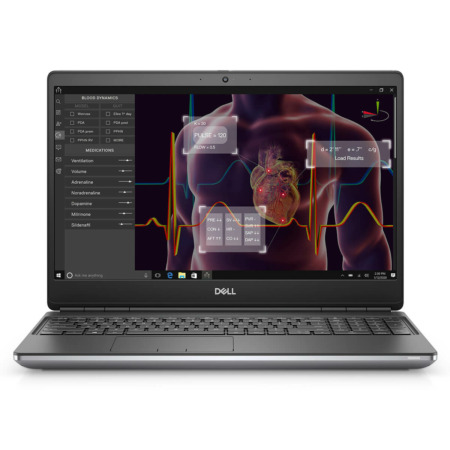
DELL Precision 5540 Mobile Workstation
- CPU: Intel Core i7 9750H Up To 4.5GHz (6 Cores 12MB Cache)
- RAM: DDR4 16GB 2666MHz
- SSD: 256GB PCIe M.2 SSD
- VGA: Nvidia Quadro® T1000 4GB GDDR5
- DISPLAY: 15.6" FHD IPS (1920*1080), Non-Touch, Anti-Glare, 100% sRGB
- CONDITION: Depends on configuration
- WARRANTY: 6-month warranty
- Dell Precision 5540 Design: 16.82mm Thin Aluminum Shell, Shared With the XPS 15
- Dell Precision 5540 15.6-Inch FHD 100% sRGB Display, With 4K Options
- Precision 5540 Performance With the Core i7-9750H, Quadro T1000 and RAM Upgradeable to 64GB
- Backlit Keyboard, Large Touchpad and Security on the Dell Precision 5540
- Dell Precision 5540 Ports and Battery: Thunderbolt 3, HDMI 2.0, 97Wh Battery
- DELL Precision 5540 Mobile Workstation Overview and Review
- FAQ - Frequently Asked Questions About the DELL Precision 5540 Mobile Workstation
- Where to Buy a Genuine DELL Precision 5540 Mobile Workstation at a Great Price?
DELL Precision 5540 Mobile Workstation is a 15.6-inch workstation launched in 2019 that shares its chassis with the Dell XPS 15 7590 but comes with NVIDIA Quadro graphics and drivers certified for engineering software. It is aimed at engineers, architects and designers who want a thin, good-looking laptop to carry every day that can still run CAD, 3D modeling and video editing. This article covers the design, the display, the performance of its 9th Gen Intel Core H-series chips, the ports and the points to weigh before buying.
Dell Precision 5540 Design: 16.82mm Thin Aluminum Shell, Shared With the XPS 15
The Dell Precision 5540 has a CNC-machined silver aluminum lid and bottom with a black carbon fiber palm rest that feels solid and stays cool during long typing sessions. The lid carries only the Dell logo in the center, a clean, professional look when meeting clients. Thin InfinityEdge bezels on both sides make it more compact than many 15.6-inch laptops of its time.

It starts at 1.78kg and measures 11.48mm thick at the front and 16.82mm at the rear, 357.23mm wide and 235.47mm deep. That size fits a standard 15-inch backpack and suits people who move between the office, job sites and client offices. If you like the look of the Dell XPS 15 but need professional graphics, the Precision 5540 is worth considering.

The laptop passes MIL-STD-810G military-standard durability tests for temperature, humidity, dust and shock. It is a workstation-class Dell laptop for anyone who needs a durable machine to use for years.
Dell Precision 5540 15.6-Inch FHD 100% sRGB Display, With 4K Options
The version on sale at Hung Phat Laptop uses a 15.6-inch IPS Full HD (1920 x 1080) anti-glare, non-touch display on the Dell Precision 5540, covering 100% sRGB. That gamut is accurate enough for web design, editing photos for social media and CAD drawings, while the anti-glare coating reduces reflections when you work near a window.

The Precision 5540 lineup also offers a 4K UHD (3840 x 2160) touch display covering 100% Adobe RGB and a 4K OLED display, along with Dell PremierColor software for quickly switching between color profiles. All of them use a 16:9 aspect ratio and a 60Hz refresh rate. The FHD panel is more power-efficient than the 4K versions; if you do print work or advanced color grading, you can connect an external color-accurate monitor via HDMI 2.0 or Thunderbolt 3.
Precision 5540 Performance With the Core i7-9750H, Quadro T1000 and RAM Upgradeable to 64GB
The version on sale uses the Intel Core i7-9750H with 6 cores and 12 threads, a 4.5GHz max boost and 12MB of cache. The Precision 5540 lineup also offers the Core i7-9850H with vPro so businesses can manage machines remotely, and the 8-core, 16-thread Core i9-9880H for heavy rendering.

| CPU | Cinebench R20 Single / Multi-Core | Geekbench 6 Single / Multi-Core |
|---|---|---|
| Intel Core i7-9750H | 442 / 2,599 | 1,453 / 5,907 |
| Intel Core i7-9850H | 440 / 2,114 | 1,435 / 6,227 |
| Intel Core i9-9880H | 465 / 3,235 | 1,519 / 6,602 |
| Intel Core i7-10850H (reference, Precision 5550) | 494 / 2,636 | 1,768 / 6,752 |
Source: average scores from Notebookcheck. The thin chassis of the Precision 5540 limits power under sustained heavy loads, so real-world multi-core scores may be lower than the table.
In practice, the Core i7-9750H handles AutoCAD, SketchUp, mid-sized Revit projects, Photoshop and Full HD video editing well. The i9-9880H is about 24% faster in Cinebench R20 multi-core and is only worth choosing if you render regularly. Under long heavy loads, the bottom gets hot and clock speeds gradually drop; raising the laptop or using a cooling pad helps keep performance more stable.
The NVIDIA Quadro T1000 4GB GDDR5 uses the Turing architecture with 768 CUDA cores and a 128-bit bus; the lineup also offers the Quadro T2000 4GB with 1,024 CUDA cores. Quadro drivers are tested and ISV-certified by engineering software developers, so they run reliably in CAD, CAE and mid-level 3D modeling. Neither card has RT or Tensor cores; if you need an RTX card for AI or heavy rendering, take a look at the DELL Precision 3591 Mobile Workstation (2024).
The DELL Precision 5540 has 2 DDR4 SO-DIMM 2666MHz slots, not soldered to the motherboard, upgradeable to 64GB. The version on sale has 16GB of RAM, enough for engineering office work and 2D CAD; for 3D work, virtual machines or heavy video editing, you should upgrade to 32GB. Storage is an M.2 PCIe NVMe SSD, and the 256GB capacity of the version on sale is fairly tight for project data; you should swap in a 512GB or 1TB SSD, or keep projects on an external drive via Thunderbolt 3.
Backlit Keyboard, Large Touchpad and Security on the Dell Precision 5540
The Dell Precision 5540 keyboard is backlit, with wide keys and clear feedback, comfortable for long typing sessions. There is no numeric keypad, but the large touchpad supports Windows Precision for accurate gestures. The 720p webcam sits in the top bezel, giving a more natural angle in online meetings than the Precision 5530, which placed its camera below the display.
For security, the laptop has a TPM 2.0 chip, an optional fingerprint reader built into the power button and an infrared camera for Windows Hello. Versions with the Core i7-9850H or i9-9880H also add vPro so IT teams can manage the machine remotely. If you want louder, fuller sound for movies, you can use headphones or external speakers via the 3.5mm jack.
Dell Precision 5540 Ports and Battery: Thunderbolt 3, HDMI 2.0, 97Wh Battery
The left side of the Dell Precision 5540 has the power port, 1 USB-A 3.1 Gen 1 port with PowerShare, HDMI 2.0, 1 Thunderbolt 3 (USB-C) port with display output and charging, and a 3.5mm audio jack. The right side has a security lock slot, 1 USB-A 3.1 Gen 1 port with PowerShare and an SD card reader. With 2 USB-A ports and HDMI, you can plug in a mouse, USB drives and a projector without an adapter; only wired networking needs a USB-C to Ethernet adapter.

Wireless connectivity comes from an Intel Wireless-AC 9560 2x2 card and Bluetooth 5.0, stable enough for office work and online meetings. Back at your desk, the Thunderbolt 3 port lets you connect a dock for external monitors, wired networking and peripherals with a single cable.
The 97Wh battery is among the larger ones in 15-inch laptops and charges with a 130W adapter. It lasts a long time for office work on the FHD display, but drains quickly when the Quadro runs 3D software, so bring the charger if you work on heavy tasks all day.
DELL Precision 5540 Mobile Workstation Overview and Review
The DELL Precision 5540 Mobile Workstation suits engineers, architecture, civil engineering and design students, and Full HD video editors who need a workstation with an ISV-certified Quadro card in a chassis as thin and attractive as the XPS 15, at a much lower budget than many new workstations. It offers a 100% sRGB display, a 97Wh battery and RAM upgradeable to 64GB. You can also browse other generations in the Dell Precision 15 category.
The points to consider: the 9th Gen chip launched in 2019 and is slower than newer chips in single-core tasks, though upgrading to 32GB of RAM makes multitasking smoother. The 256GB SSD is small, so swap in a larger drive. The laptop gets hot under sustained heavy loads, which raising it or using a cooling pad improves. The Quadro T1000 is not yet suited to AI or real-time rendering.
If you like the thin design of the Precision 5000 series but need a newer chip and graphics card, you can also compare it with the DELL Precision 5570 Mobile Workstation (2022).
| Pros | Cons |
|---|---|
|
|
FAQ - Frequently Asked Questions About the DELL Precision 5540 Mobile Workstation
1. How much RAM can the Dell Precision 5540 take?
The laptop has 2 DDR4 SO-DIMM 2666MHz slots and supports up to 64GB. The 16GB version can be upgraded to 32GB or 64GB when needed.
2. How is the Precision 5540 different from the Dell XPS 15 7590?
The two share the same chassis and ports. The Precision 5540 uses NVIDIA Quadro graphics with ISV-certified drivers for engineering software and offers vPro chip options, while the XPS 15 7590 uses a GeForce GTX 1650 aimed at mainstream users.
3. Can the Quadro T1000 run AutoCAD and Revit?
Yes. The Quadro T1000 4GB with 768 CUDA cores handles AutoCAD, SketchUp, mid-sized Revit projects and basic 3D modeling well. For large projects or heavy rendering, choose a newer RTX card.
4. Can the laptop run Windows 11?
Yes. 9th Gen Intel Core chips are on Microsoft's supported list, and the laptop has a TPM 2.0 chip. Windows 10 stopped receiving free security updates on October 14, 2025, so you should use Windows 11.
5. How much does the Dell Precision 5540 weigh?
It starts at 1.78kg and is 11.48mm thick at the front and 16.82mm at the rear.
6. What support do I get when buying from Hung Phat Laptop?
You get an invoice, clear warranty terms, a 30-day exchange or return for manufacturer defects, help with RAM and SSD upgrades, Windows 11 installation and nationwide delivery.
Where to Buy a Genuine DELL Precision 5540 Mobile Workstation at a Great Price?
Do you need a machine for CAD and 3D modeling, or just want a thin, attractive 15-inch workstation at a reasonable cost? Hung Phat Laptop will ask which software you use, then advise whether to upgrade the Dell Precision 5540 to 32GB of RAM or a larger SSD. The Core i7-9750H version with the Quadro T1000 suits students and engineers who need a well-priced used workstation laptop.
Every unit comes with a full invoice. Warranty terms are clearly stated. Within the first 30 days, a unit with a manufacturer defect can be exchanged or returned. Our technicians can help upgrade RAM or replace the SSD whenever you need. Long-term technical support and nationwide delivery are included. Order the Dell Precision 5540 workstation at Hung Phat Laptop.
-
TH Trần hóa
Is this model still in stock in HCM, shop?
Reply • 1 like- TP Phạm Thiên Phước Administrator
Hi, the 5540 is currently out of stock. Please check out the 5560 instead; the price is very good.
Reply • 1 like
-
-
TN Thành Nguyễn
Is this model in stock in Hanoi, Shop? Are all the parts original from Dell?
Reply • 1 like- TP Phạm Thiên Phước Administrator
This model is in stock in HCM, brand new in box (original seal), and is a genuine Dell part.
Reply • 1 like
-
Q&A about DELL Precision 5540 Mobile Workstation
Frequently asked questions about DELL Precision 5540 Mobile Workstation
What are the specifications of DELL Precision 5540 Mobile Workstation?
What is the warranty for DELL Precision 5540 Mobile Workstation?
Can I buy DELL Precision 5540 Mobile Workstation with home delivery?
Worth a Look
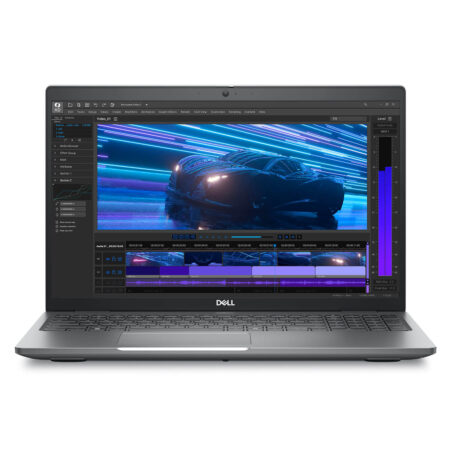
DELL Precision 3591 Mobile Workstation (2024)
 2 configurations
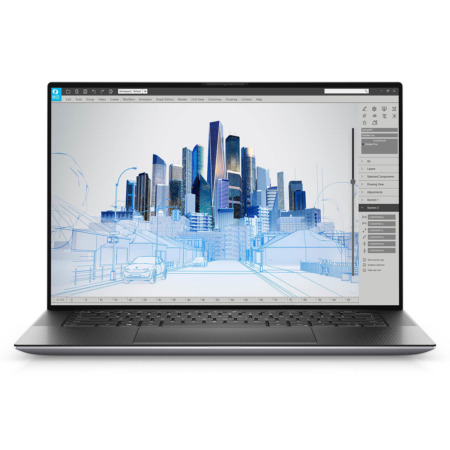
DELL Precision 5560 Mobile Workstation (2021)
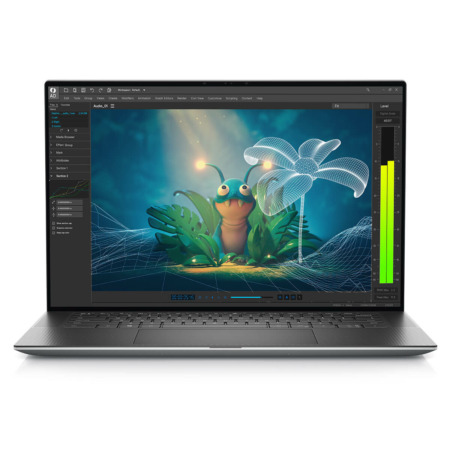
DELL Precision 5570 Mobile Workstation (2022)
 3 configurations
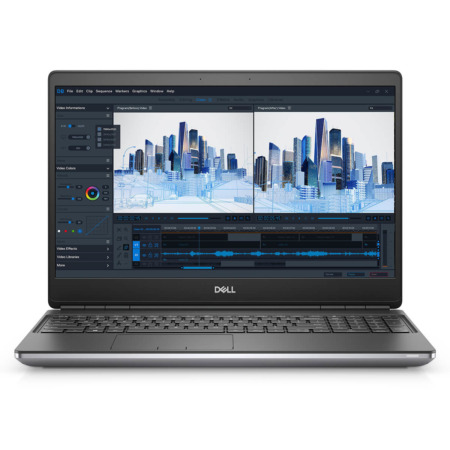
Dell Precision 7560 Mobile Workstation
 2 configurations


Nguyễn Xuân Trường 01/02/2024Purchased at Hung Phat
The owner is very enthusiastic when consulting customers.
Nguyễn Anh Thái 03/01/2024Purchased at Hung Phat
Friendly, cheerful staff and thoughtful after-sales service.
Anh Việt Thắng 04/11/2023Purchased at Hung Phat
5-star quality