

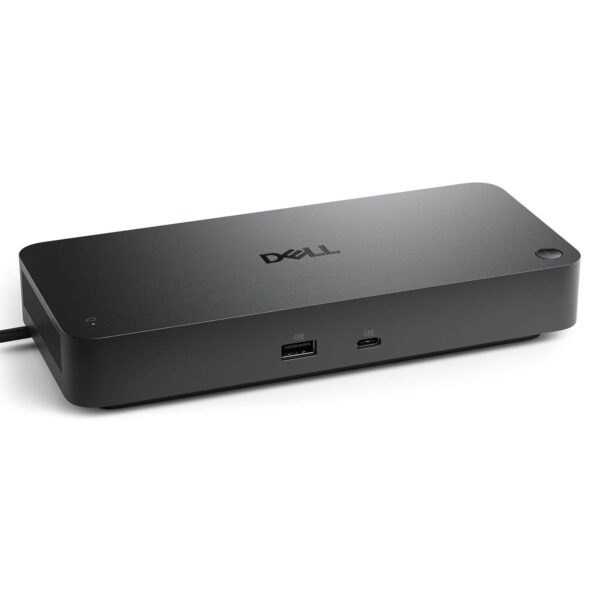
Dell Pro Smart Dock SD25 - 130W USB-C Dock
- CONNECTION: Đế cắm USB-C, một sợi cáp cho dữ liệu, hình ảnh & sạc
- DISPLAY: Xuất tối đa 4 màn hình (2x 5K / 1x 6K @60Hz)
- PORTS: 2x DisplayPort 1.4, HDMI 2.1, USB-C, nhiều USB-A 10Gbps
- NETWORK: Ethernet RJ45 2.5GbE
- POWER: Nguồn 180W, Power Delivery tới 130W
- SMART: Quản trị từ xa qua Wi-Fi, bảo mật WPA-3
- CONDITION: New 100% Full Box
- WARRANTY: 12-month warranty
- Turn Your Laptop Into a Workstation With One Cable
- Ports & Expandability
- Multi-Display Support, Up to 4 Displays
- Powerful Charging Up to 130W
- Smart Features: Remote Management for Businesses
- Device Compatibility
- Overview and Review of Dell Pro Smart Dock SD25
- FAQ - Frequently Asked Questions About Dell Pro Smart Dock SD25
- Where to Buy Dell Pro Smart Dock SD25 at a Good Price From a Trusted Seller?
Dell Pro Smart Dock SD25 is a USB-C docking station that turns a thin, light laptop with only a few ports into a complete workstation. With a single USB-C cable, you can connect an external display, a wired network, a mouse, a keyboard, a hard drive, and power for your laptop all at once, keeping your desk tidy and your daily workflow faster. What sets the Smart Dock line apart is remote management built for businesses, something an ordinary dock does not offer.
Turn Your Laptop Into a Workstation With One Cable
Dell Pro Smart Dock SD25 solves the exact problem of modern laptops: as the chassis gets thinner, the port count gets cut. Instead of plugging and unplugging a tangle of cables every time you sit down, you connect one USB-C cable and all of your peripherals and power are linked instantly.
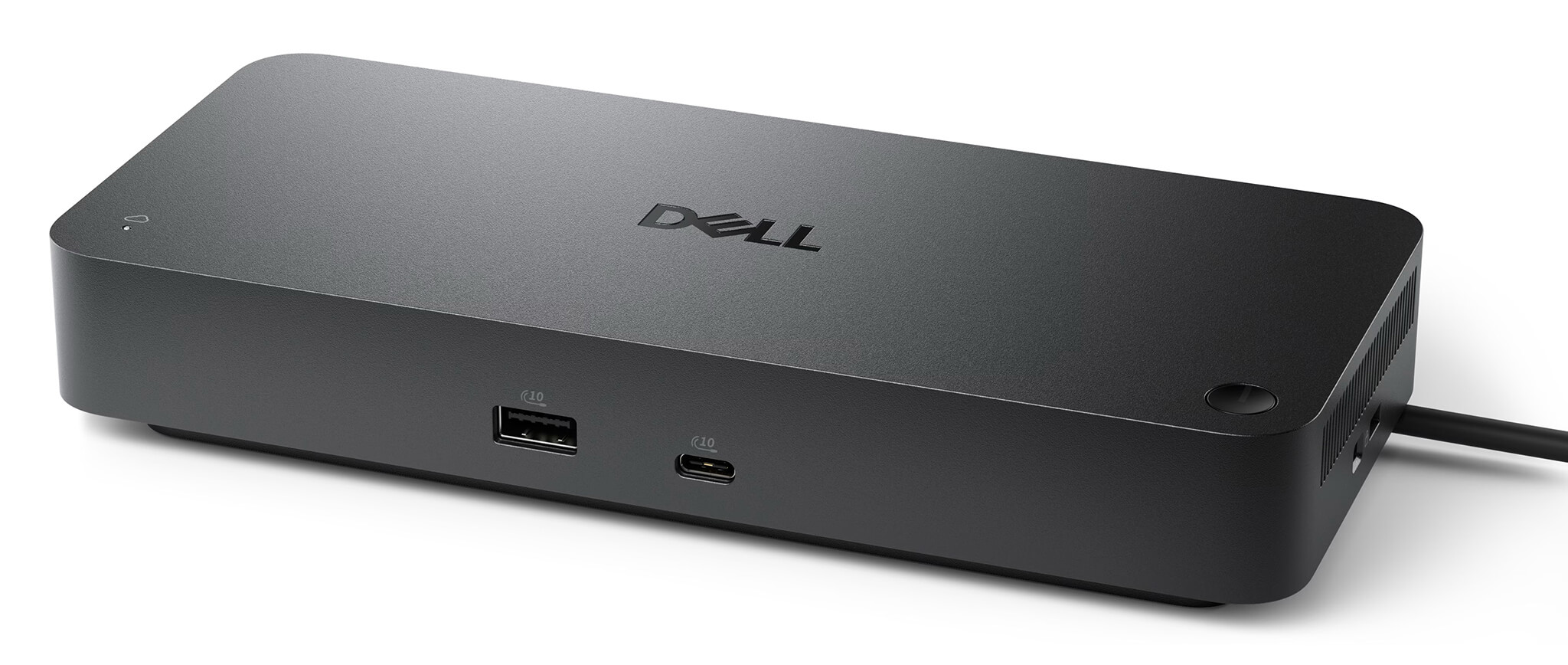
This approach is especially handy if you use a portable laptop but also have a fixed desk. When you get to the office, one cable gives you a large display, a LAN connection, and a mechanical keyboard right away; when you need to move, unplug one cable and take your laptop with you. The dock keeps your workspace far more organized and professional.
With its sturdy desktop design, the SD25 suits both individuals and businesses that want to equip many employees with the same hardware, creating a consistent work environment that is easy to manage.
Ports & Expandability
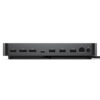
Dell Pro Smart Dock SD25 offers a rich set of ports that covers almost every connection need at your desk. You can plug in multiple displays, storage devices, and peripherals at the same time without needing an extra splitter. All ports are summarized in the table below.
| Port / Connection | Specification | Use |
|---|---|---|
| USB-C (laptop connection) | USB-C DP Alt Mode | One cable for data, video, and charging |
| DisplayPort | DisplayPort 1.4 × 2 | Output to up to 2 separate displays |
| HDMI | HDMI 2.1 | High-resolution video output |
| Downstream USB-C | 3.2 Gen 2, 10Gbps | Includes DisplayPort 1.4, high-speed data |
| USB Type-A | 3.2 Gen 2, 10Gbps | Mouse, keyboard, hard drive, USB drives |
| Wired network | Ethernet RJ45 2.5GbE | Fast, stable network connection |
| Power input | 180W adapter | Powers the dock and charges the laptop |
Of note is the 2.5 Gigabit Ethernet port, which is many times faster than standard 1GbE, making it very useful for moving large files across a local network or keeping online meetings stable. With multiple USB-A and USB-C ports, you can connect many devices at once without worrying about running out of slots.
Multi-Display Support, Up to 4 Displays
One of the biggest strengths of Dell Pro Smart Dock SD25 is its ability to drive multiple displays at once, which serves multitasking, data analysis, and content creation that need plenty of screen space. The number and resolution of displays depend on whether Display Stream Compression (DSC) signal compression is enabled.
| Mode | Display configuration (at 60Hz) |
|---|---|
| Without DSC | 1 4K display, or 2 QHD displays, or 3 Full HD displays |
| With DSC | Up to 4 displays, or 2 5K displays, or 1 6K display |
Thanks to this capability, you can build a professional multi-display setup right at your desk and significantly boost productivity compared with using the laptop screen alone. It is a clear advantage for office workers, accountants, programmers, and data analysts.
Powerful Charging Up to 130W
Dell Pro Smart Dock SD25 ships with a 180W power adapter, delivering charging power of up to 130W to Dell commercial laptops and up to 96W to non-Dell devices. That is enough to run the dock and fully charge your laptop at the same time, even while the laptop is handling heavy workloads.
As a result, you do not need to bring the laptop's own charger when working at your desk: a single USB-C cable from the dock carries data, outputs video, and charges the laptop. This cuts the number of cables on your desk and removes the hassle of plugging and unplugging multiple connectors.
High power delivery also matters for large-screen business laptops such as the Dell Pro series, which need substantial charging power to sustain stable performance when docked all day.
Smart Features: Remote Management for Businesses
What earns the Smart Dock its name is remote management, which turns the dock into a true enterprise device rather than just a port hub. IT teams can configure, deploy, and update the firmware of many docks remotely over Wi-Fi through the Dell Device Management Console, without touching each unit directly.
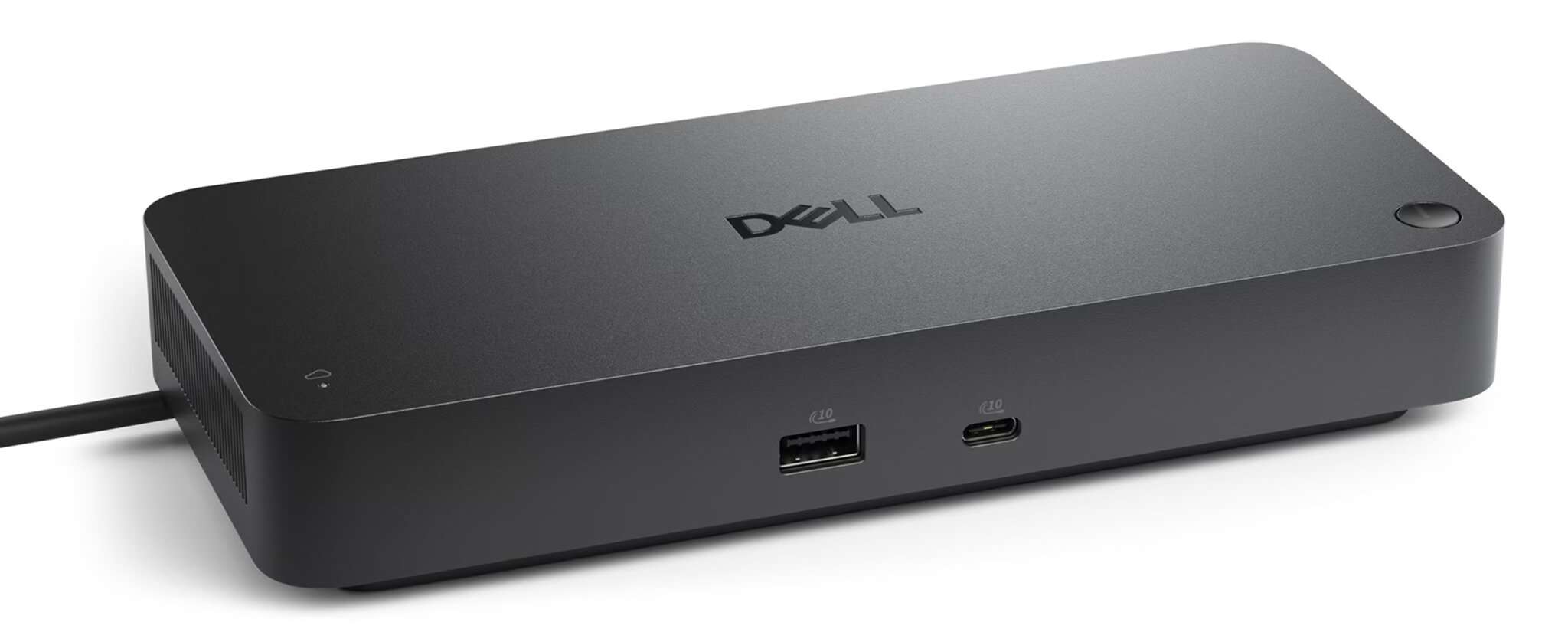
It is a comprehensive accessory management solution that saves businesses significant IT time and labor when running a large number of devices. The dock supports features such as Wake on LAN to power on a computer remotely, plus a dedicated management status light that makes monitoring convenient for technical staff.
For security, the Wi-Fi management channel is encrypted with WPA-3 192-bit, keeping enterprise infrastructure safe. For companies that are standardizing their hardware and value centralized control, this is a plus that ordinary docks cannot offer.
Device Compatibility
Dell Pro Smart Dock SD25 is a cross-platform USB-C dock, compatible with laptops whose USB-C port supports DisplayPort Alt Mode video output. It works best with Dell commercial laptops such as Dell Pro and Dell Pro Max, and it can still be used with many USB-C laptops from other brands.
Note that this is the USB-C version. If you need higher bandwidth for demanding workloads, Dell also offers Thunderbolt 4 and Thunderbolt 5 versions in the same Smart Dock line. For most office and everyday multi-display needs, the USB-C SD25 does the job very well.
To get the full 130W charging power and the management features, use the dock with a Dell commercial laptop. Paired with a Dell Pro, it is an ideal combination for a modern business work environment.
Overview and Review of Dell Pro Smart Dock SD25
Dell Pro Smart Dock SD25 is worth considering for users and businesses that need a USB-C dock with a full set of ports, strong power delivery, and multi-display support. With just one cable, the dock turns a laptop into a complete workstation, keeping your desk tidy and your daily workflow faster.
The standout feature is remote management through Dell Device Management Console, which suits businesses that need to deploy and manage devices at scale. Together with up to 130W power delivery, a 2.5GbE network port, and support for up to 4 displays, this is a premium dock aimed at professional work environments.
A few points to weigh: this is the USB-C version, so its bandwidth is lower than the Thunderbolt versions, and the remote management features work best in business environments with IT infrastructure. For individual users who just need more ports and displays, the dock still performs well and is worth the investment.
| Pros | Cons |
|---|---|
|
|
FAQ - Frequently Asked Questions About Dell Pro Smart Dock SD25
1. What is Dell Pro Smart Dock SD25 used for?
It is a USB-C docking station that turns a laptop into a complete workstation. With a single USB-C cable, you can connect an external display, LAN, mouse, keyboard, hard drive, and power for your laptop all at once, keeping your desk tidy and your workflow faster.
2. How many displays can the SD25 output to?
Without DSC signal compression, the dock outputs to 1 4K display, or 2 QHD displays, or 3 Full HD displays at 60Hz. With DSC enabled, the dock supports up to 4 displays, or 2 5K displays, or 1 6K display at 60Hz, which suits professional multitasking needs.
3. Can the dock charge a laptop?
Yes. The SD25 comes with a 180W power adapter and delivers charging power of up to 130W to Dell commercial laptops and up to 96W to non-Dell devices. You need only one USB-C cable to transfer data, output video, and charge the laptop.
4. What is the Smart feature of the dock?
Smart Dock lets IT teams configure, deploy, and update the firmware of many docks remotely over Wi-Fi through Dell Device Management Console, without hands-on work. The dock supports Wake on LAN and encrypts the management channel with WPA-3, which is very convenient for businesses.
5. Can the SD25 be used with non-Dell laptops?
Yes. It is a cross-platform USB-C dock compatible with laptops whose USB-C port supports DisplayPort Alt Mode. However, the maximum charging power for non-Dell machines is 96W, and the remote management features work best with Dell devices.
6. Should I choose the USB-C SD25 or a Thunderbolt version?
The USB-C SD25 handles most office and everyday multi-display needs well at a more reasonable price. If you need high bandwidth for demanding tasks, Dell offers Thunderbolt 4 and Thunderbolt 5 versions in the same Smart Dock line.
7. Does Dell Pro Smart Dock SD25 come with a warranty?
Yes. When you buy from Hung Phat Laptop, the product is genuine, comes with a full invoice, and is covered by the manufacturer's warranty policy. You will receive advice on choosing the right accessory for the laptop you use, plus technical support when needed.
Where to Buy Dell Pro Smart Dock SD25 at a Good Price From a Trusted Seller?
If you are looking for a USB-C dock with a full set of ports, strong power delivery, and multi-display support for work, Dell Pro Smart Dock SD25 is well worth considering. It is an especially good match for Dell Pro business laptops, creating a tidy, professional workstation.
Hung Phat Laptop is a trusted address specializing in genuine Dell accessories, with full invoices and transparent warranty. When you buy Dell Pro Smart Dock SD25 here, you get advice on choosing a dock compatible with your laptop, attentive technical support, nationwide delivery, and many attractive offers.
No comments yet





Trịnh Hữu Nghĩa 13/07/2026
The dock works very well; plugging in a single cable handles everything from charging to external display output, which is extremely convenient. My only slight regret is that if you aren't using a Dell charger, the power output is a bit lower.