

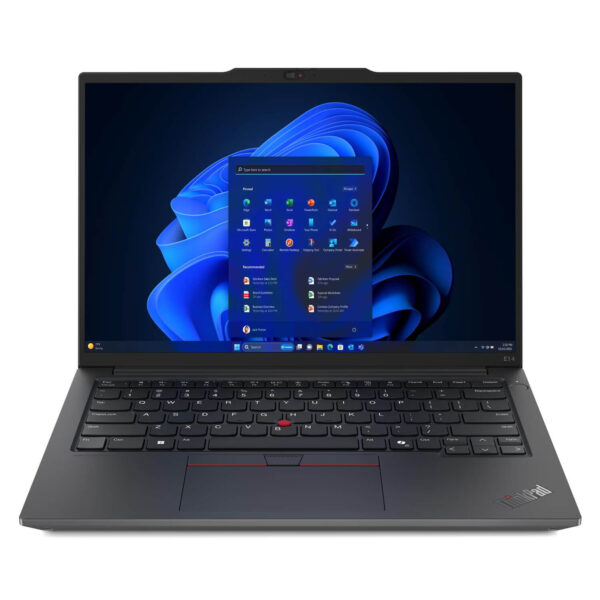
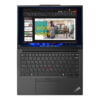
Lenovo ThinkPad E14 Gen 6 (2024)
- CPU: Intel Core Ultra 7 155H vPro Up To 4.8GHz (16 Cores, 22 Threads, 24MB Cache)
- RAM: DDR5 16GB 5600MHz
- SSD: 512GB PCIe Gen4 M.2 SSD
- VGA: Intel® Arc™ Graphics
- OS: No OS
- DISPLAY: 14" WUXGA (1920x1200) IPS, Anti-Glare, TÜV Eyesafe® Certified 2.0, 300nits
- CONDITION: New 100% Full Box
- WARRANTY: 24-month official warranty
- Elegant Design with a Business Look
- Display on the Thinkpad E14 Gen 6 (2024)
- Outstanding Performance with a Powerful Intel® Core™ Ultra
- Thinkpad E14 Gen 6 Keyboard & Touchpad
- Loud, Clear, Immersive Audio
- Cooling & Battery Life on the Thinkpad E14 Gen 6
- Slots & Ports on the Thinkpad E14 Gen 6
- Overview & Quick Review of the Lenovo Thinkpad E14 Gen 6 (2024)
- Where to Buy the Lenovo Thinkpad E14 Gen 6 (2024) at a Trusted, Good Price?
Lenovo Thinkpad E14 Gen 6 is a powerful, elegantly designed business laptop packed with standout features for professionals. As technology moves faster every year, a reliable computer for your daily work matters more than ever. The Lenovo Thinkpad E14 Gen 6 is more than a work tool: it brings together the most advanced technologies of 2024, so you can stay ahead in every business and creative pursuit.
Elegant Design with a Business Look
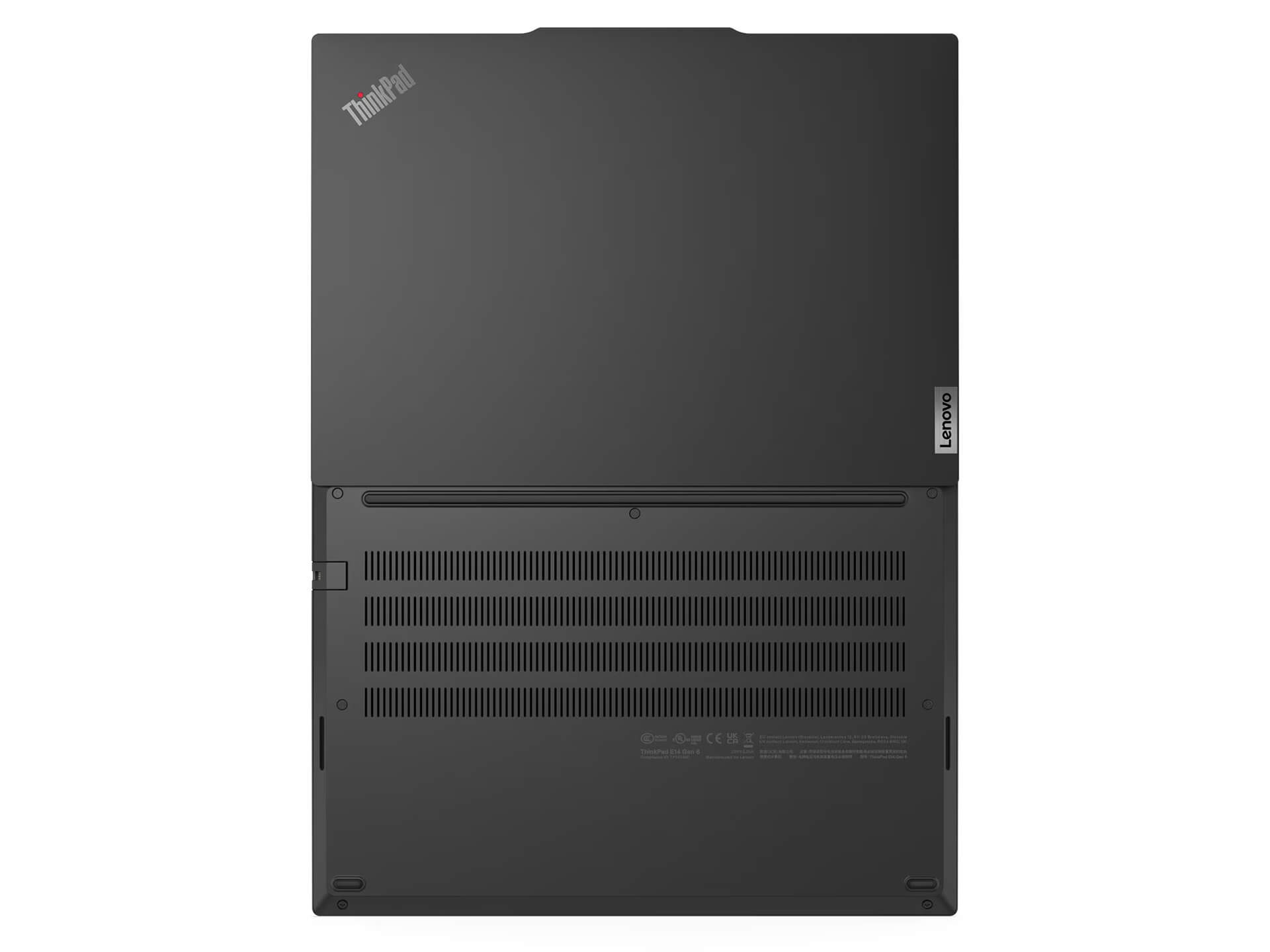
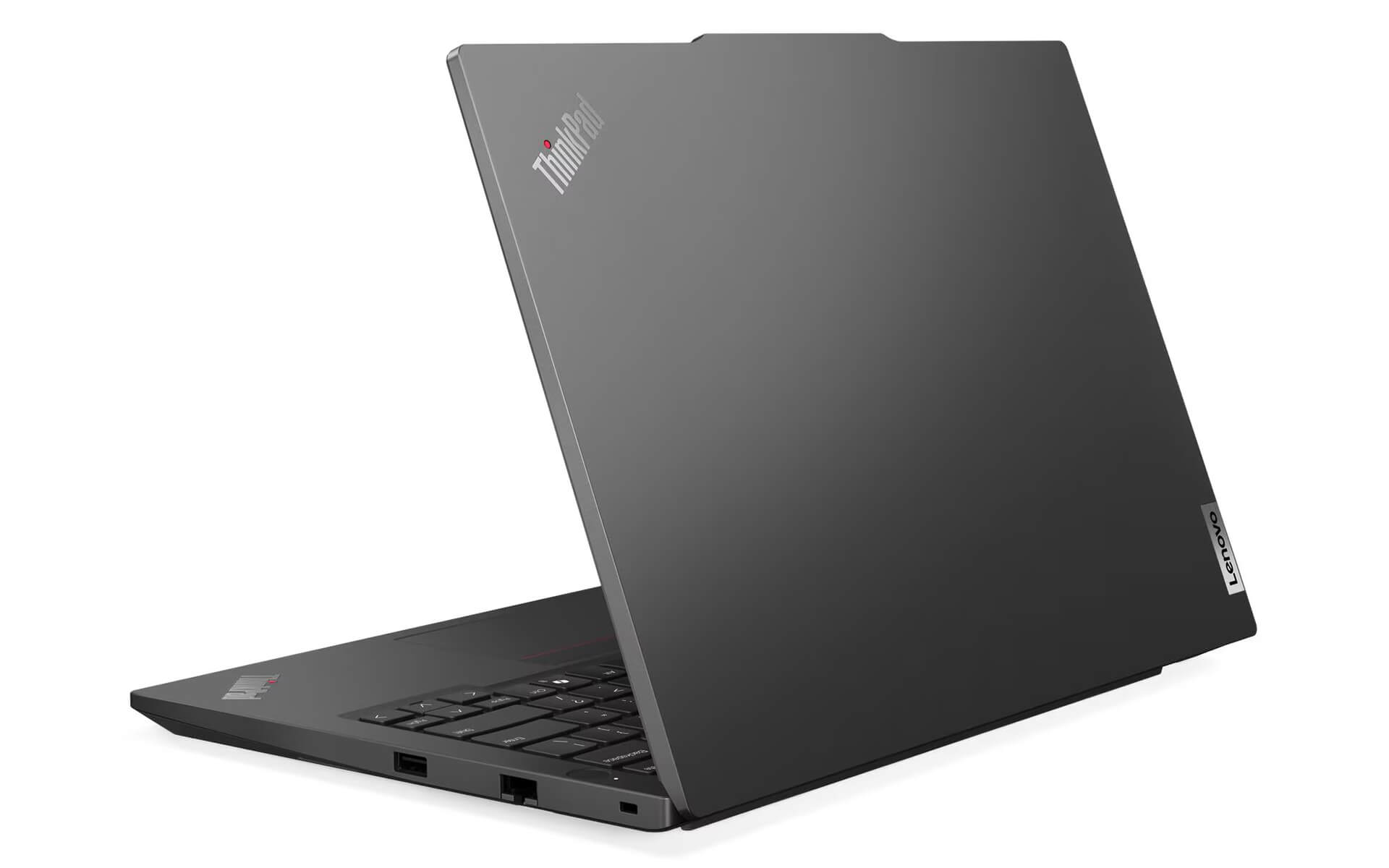
The Lenovo ThinkPad E14 Gen 6 stands out with a distinctly business look that is refined and professional, exactly what you expect from a laptop built for the workplace. The chassis is reinforced with premium materials, giving it good impact resistance and the durability to hold up in the harshest conditions. The minimalist, tasteful design, finished in classic black with polished metal accents, makes this laptop a standout and reflects the standing of professional users in any modern working style.
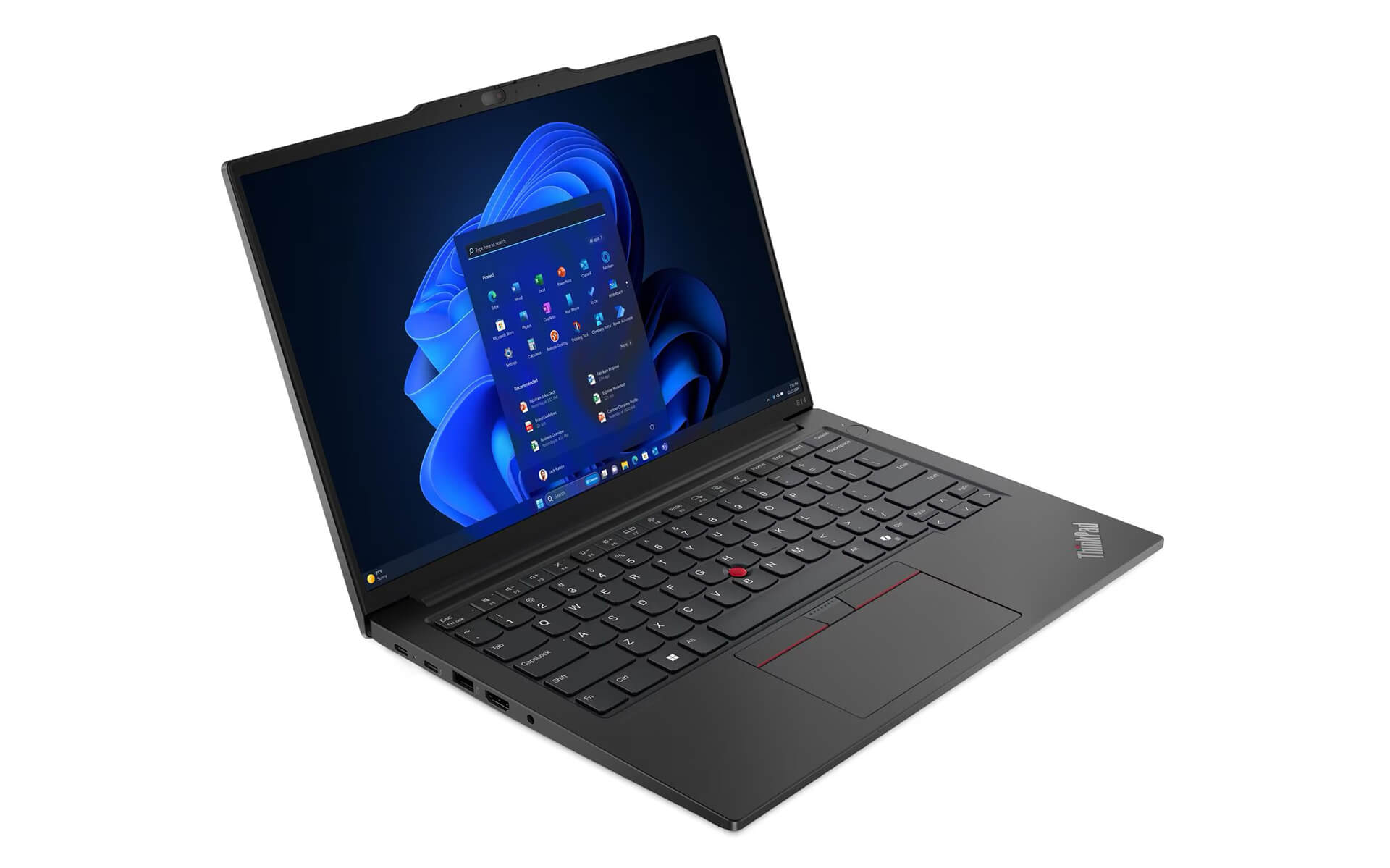
It is not just about looks. The ThinkPad E14 Gen 6 is also optimized for size and weight, so it is easy to carry on business trips or to meetings. The device measures 313 x 219.3 x 18.59 mm and starts at a weight of 1.42 kg. The sturdy hinge opens up to 180 degrees, giving you flexible use in many work settings, from the office to the outdoors.
Display on the Thinkpad E14 Gen 6 (2024)
The 14-inch IPS display of the Lenovo ThinkPad E14 Gen 6 delivers sharp, true-to-life visuals with a WUXGA (1920 x 1200) resolution and a 16:10 aspect ratio. A brightness of 300 nits keeps the image clear and easy to read in a range of lighting conditions. The display also features TÜV Eyesafe® Certified 2.0 or TÜV Low Blue Light certified (Software) technology, reflecting a commitment to protecting the eyesight of professional users from blue light and reducing eye strain during long work sessions.
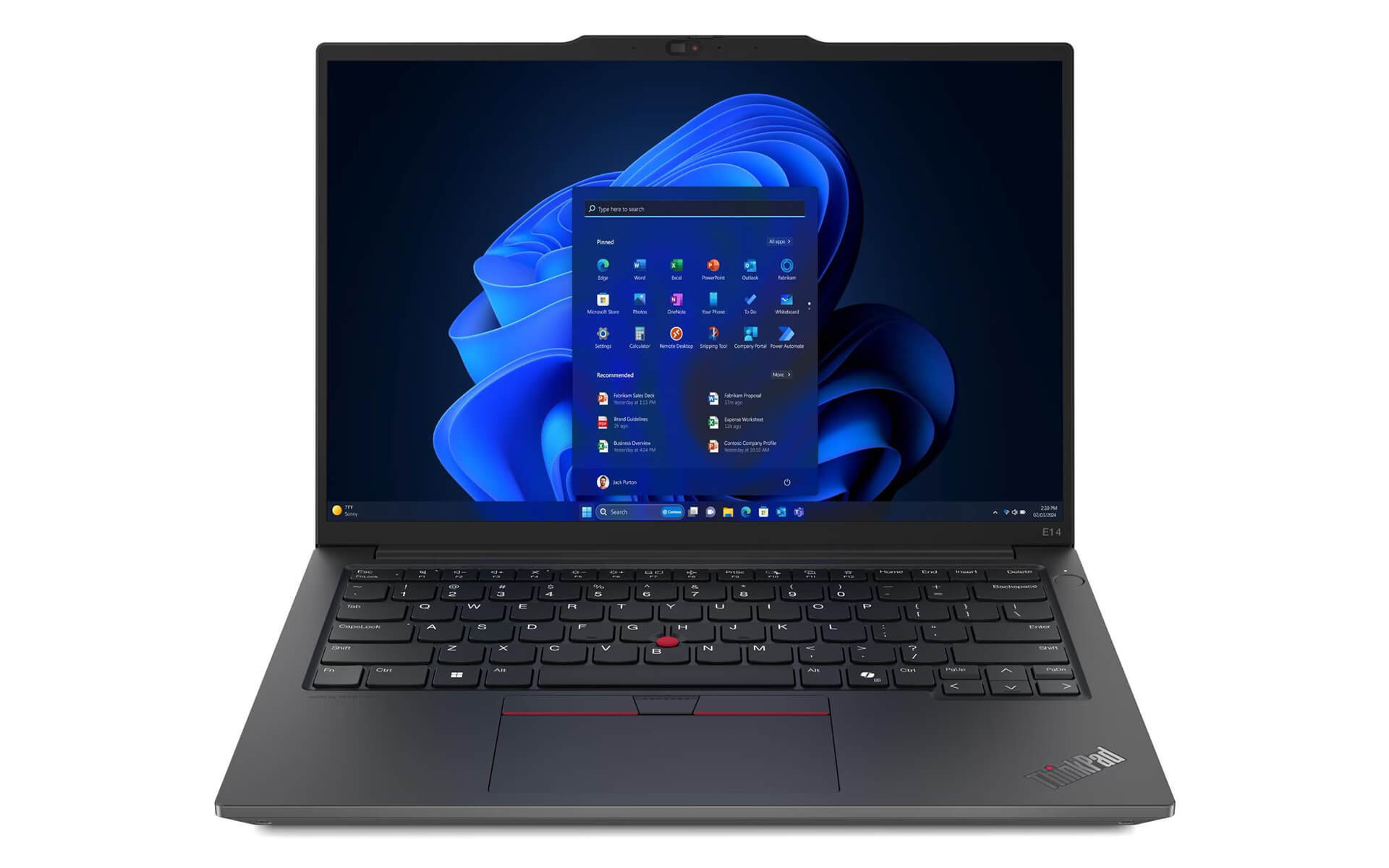
Although the 45% NTSC color gamut shows this display is optimized for office work and basic laptop use, it still comes with anti-reflection technology, which keeps the image clear when working outdoors or in bright environments. With the optional integrated touch technology, the ThinkPad E14 Gen 6 gives business users added flexibility, covering needs from basic operations to presenting content.
Outstanding Performance with a Powerful Intel® Core™ Ultra
The Lenovo ThinkPad E14 Gen 6 is equipped with the latest Intel® Core™ Ultra processor, supporting the H28 and U15 platforms, for excellent performance across every task. Thanks to its outstanding multithreaded processing, data-heavy workloads and specialized software run smoothly. The integrated AI system and its dedicated engines optimize performance and save power, and they also improve productivity even when the laptop runs on battery, which suits professional users well.
A big plus of this business laptop is the option to configure up to 64GB DDR5 5600MHz of RAM, ideal for businesses that need to handle many tasks at once or run graphics and data analysis programs. It also supports SSD Dual Slot Gen4x4 drives, so users can easily upgrade storage in the future. Overall, the performance of the ThinkPad E14 Gen 6 is truly impressive, helping business users take on any work challenge with confidence.
Thinkpad E14 Gen 6 Keyboard & Touchpad
The keyboard of the ThinkPad E14 Gen 6 follows a traditional style but is highly optimized for work, with long key travel and a smooth, accurate typing feel. The keyboard also includes a backlight, ideal for dimly lit environments, so professional users can work comfortably at any time. The keyboard on the ThinkPad line has always put convenience first, delivering a comfortable feel and reducing hand fatigue during long work sessions.
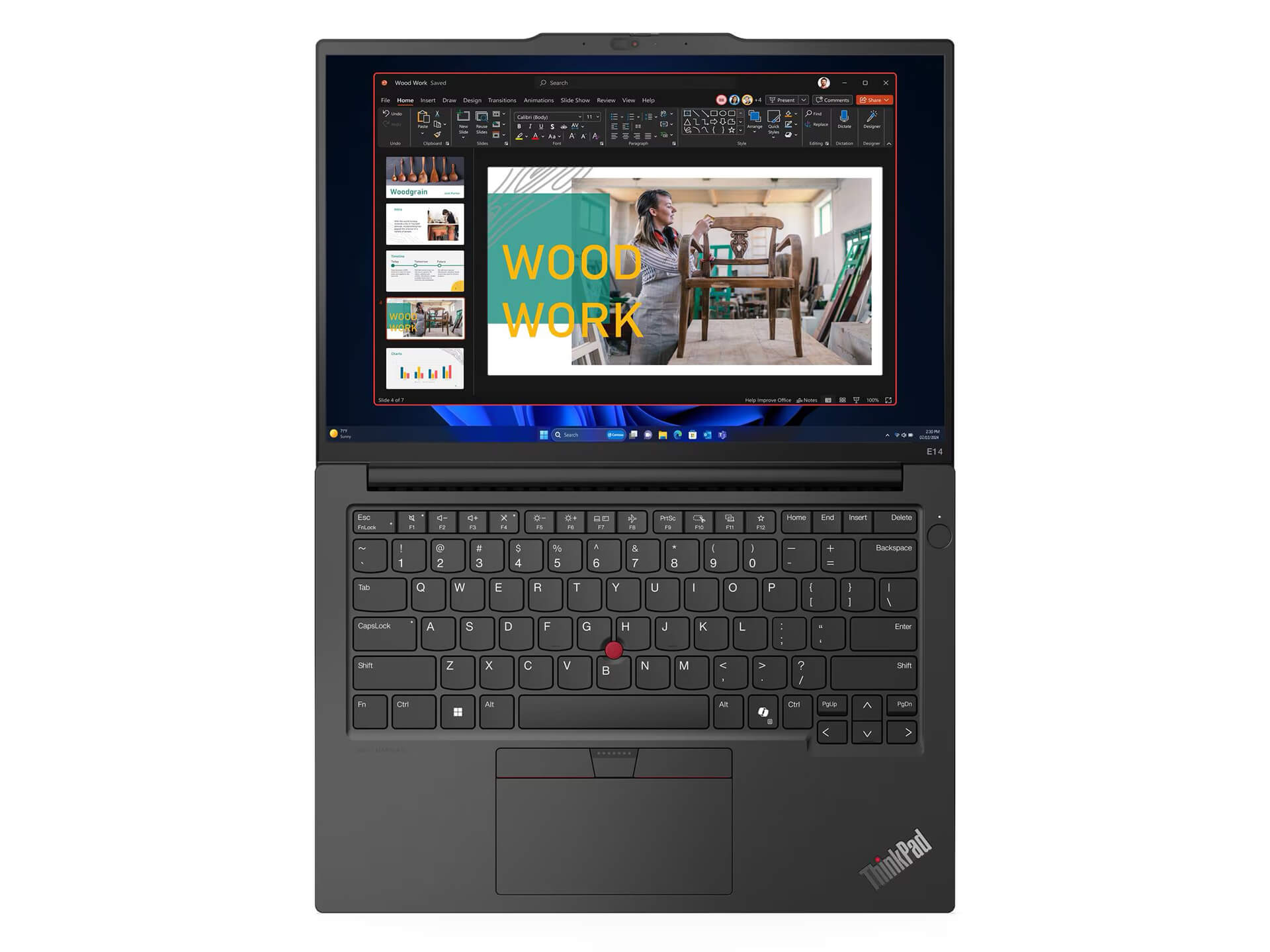
The spacious touchpad with multi-touch support, together with the legendary TrackPoint of this laptop line, makes for smooth and precise control. Quick navigation and built-in shortcut keys save time and noticeably boost productivity. Business users can also customize the TrackPoint and Touchpad settings to their personal preferences, tuned to their own work needs, from programming and design to data management.
Loud, Clear, Immersive Audio
The audio quality of the Lenovo ThinkPad E14 Gen 6 is highly impressive, with 2 x 2W stereo speakers designed by Harman® and Dolby Atmos® technology, delivering lifelike, immersive sound. Whether you are listening to music, watching movies, or joining online meetings, the clear, rich sound lets professional users catch every detail. This optimization also reduces echo, keeping voices crisp and clear and helping video calls run smoothly.
In addition, the audio quality of the ThinkPad E14 Gen 6 suits a variety of uses, such as music editing, video post-production, or enjoying all kinds of content. Whether you are working or relaxing, you can enjoy top-notch sound right on this laptop. It is a big plus for business users who regularly attend online meetings or enjoy digital content as part of their daily work.
Cooling & Battery Life on the Thinkpad E14 Gen 6
The optimized cooling system helps the Lenovo Thinkpad E14 Gen 6 2024 maintain stable performance even during heavy workloads. The cooling components and fan run quietly, minimizing noise that would bother professional users. Combined with modern power management technology, this business laptop manages heat well and avoids overheating that can shorten component lifespan.
Battery life is a highlight of this laptop, with a 57 Whr battery option (or 47 Whr) and fast charging technology that charges 80% in 60 minutes. Reasonable power consumption and extended runtime let users keep going all day long and maximize productivity without depending too heavily on a power outlet, making it an ideal choice for professionals who are often on the move.
Slots & Ports on the Thinkpad E14 Gen 6
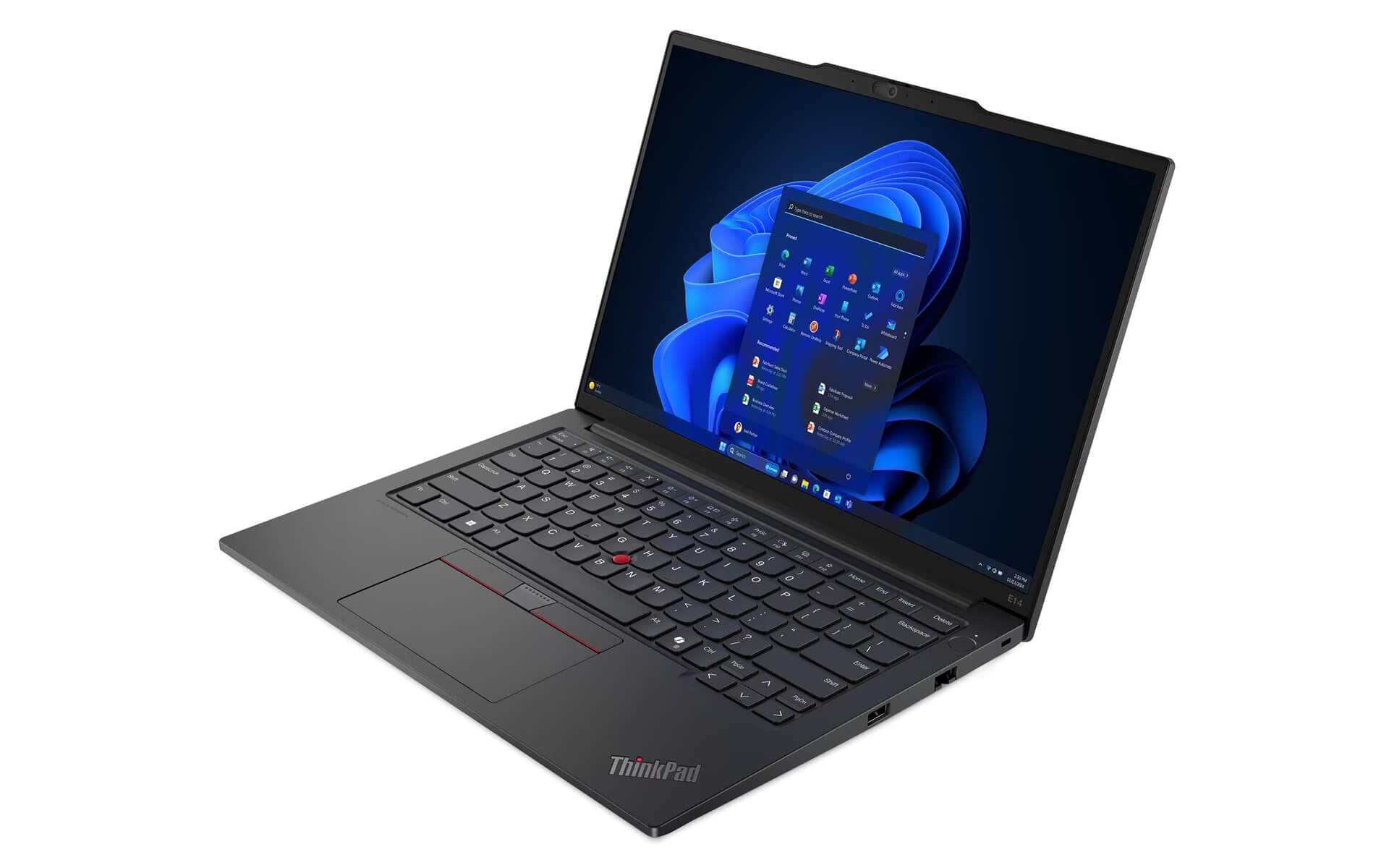
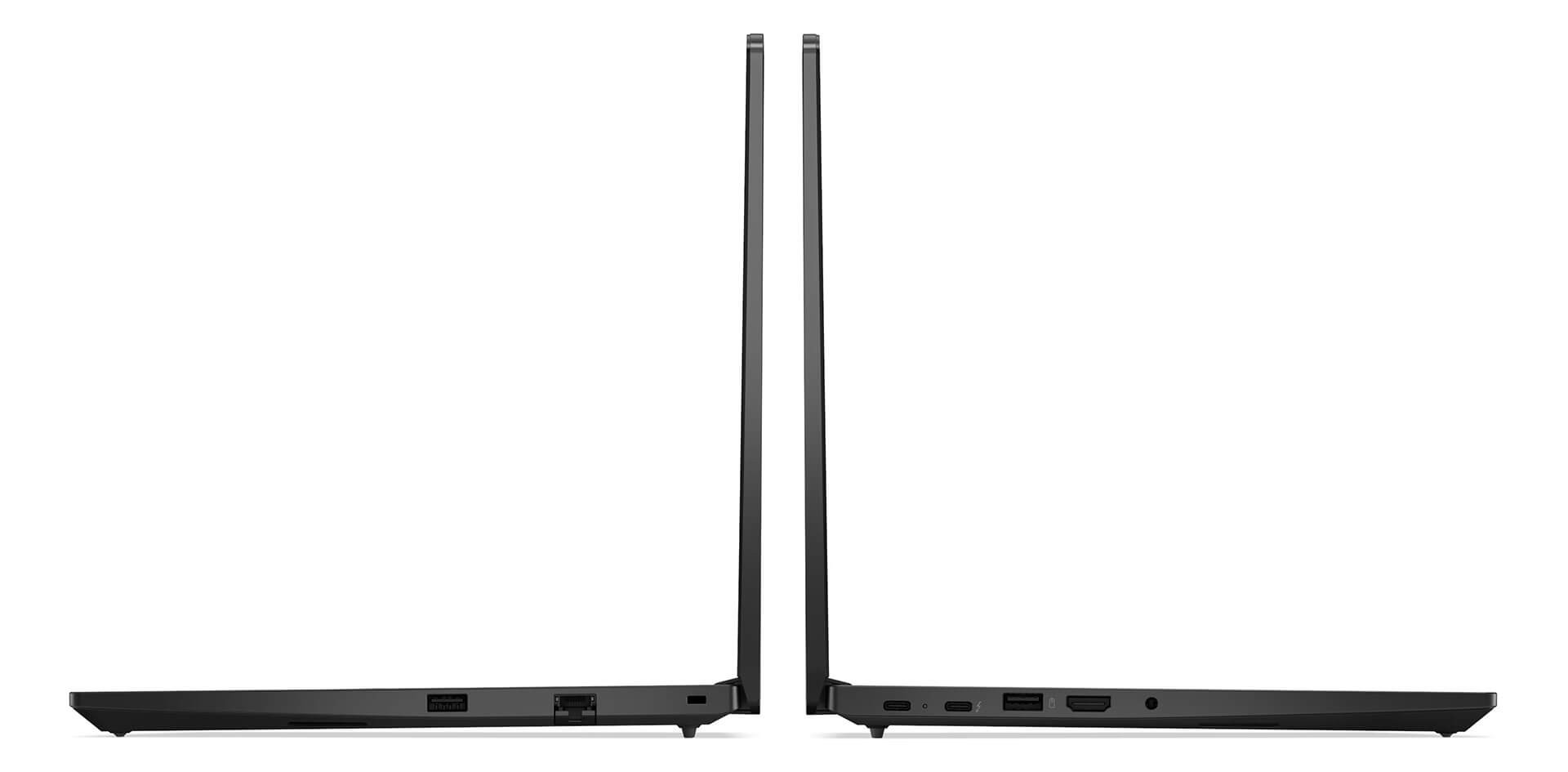
The Lenovo Thinkpad E14 Gen 6 meets every connectivity and data-sharing need of professional users with versatile ports such as USB-C Thunderbolt 4, USB-A, HDMI 2.1, and Ethernet RJ45. It works easily with peripherals, from monitors and keyboards to external storage devices, so work gets done quickly and conveniently. The Thunderbolt 4 port in particular boosts high-speed data transfer, which is well suited to content creation professionals or work that involves moving large amounts of data.
The included wireless connections, WiFi 6 and WiFi 6E along with Bluetooth 5.3, ensure a stable, fast, and highly secure connection. Docking options such as the ThinkPad Universal USB-C Dock also make it easy to expand native connectivity, suiting flexible work environments from the office to home. Investing in a laptop with such a wide range of ports is a plus you should not overlook.
Overview & Quick Review of the Lenovo Thinkpad E14 Gen 6 (2024)
The Lenovo ThinkPad E14 Gen 6 is a business laptop aimed at a perfect balance of performance, style, and durability. It has a minimalist, elegant design that fits professional settings. The sharp WUXGA display with Eyesafe® technology reduces eye strain and improves the viewing experience. Strong performance from the Intel® Core™ Ultra processor, DDR5 RAM, and fast SSD storage suits everything from simple to complex tasks for professional users.
Immersive audio (Dolby Atmos®), versatile connectivity (Thunderbolt 4, WiFi 6E), and an advanced cooling system let business users get their work done with peace of mind. Flexible upgradeability, strong security, and durability verified to the American MIL-STD 810H standard make the ThinkPad E14 Gen 6 a truly standout choice. This product not only meets today's needs well but is also built to serve you for the long term.
| Pros | Cons |
|---|---|
|
|
1. Who is the Lenovo ThinkPad E14 Gen 6 (2024) best suited for?
The Lenovo ThinkPad E14 Gen 6 suits business professionals, office workers, managers, programmers, and other professional users who need a durable laptop with stable performance and a slim, lightweight design for long-term work and frequent travel.
2. Is the ThinkPad E14 Gen 6 durable?
Yes. It meets the MIL-STD-810H military durability standard, with a sturdy reinforced chassis and a metal hinge that opens 180 degrees. It withstands impacts and harsh working environments well, true to Lenovo's business laptop standard.
3. How well does the ThinkPad E14 Gen 6 handle office work?
It uses an Intel® Core™ Ultra (U/H Series), DDR5 RAM, and an NVMe Gen 4 SSD, which handle heavy Word and Excel tasks, Power BI, programming, online meetings, and multitasking across many apps at once smoothly and stably.
4. Is the ThinkPad E14 Gen 6 suitable for programming or multitasking?
Very much so. With RAM upgradeable to a maximum of 64GB DDR5 and a fast SSD, it handles programming environments, light virtual machines, data processing, and moderate multitasking in a business setting well.
5. Is the Lenovo ThinkPad E14 Gen 6 display good?
It has a 14-inch WUXGA (1920×1200) display with a 16:10 ratio, an anti-glare IPS panel, and 300 nits of brightness. The display is TÜV Low Blue Light / Eyesafe certified, suitable for long hours of work and optimized for office and study use.
6. What stands out about the keyboard and TrackPoint on the ThinkPad E14 Gen 6?
The ThinkPad keyboard is famous for its deep key travel and quiet, accurate typing, and it has a backlight. The classic red TrackPoint combined with a multi-touch touchpad allows fast control, which is especially useful for professionals.
7. How long does the ThinkPad E14 Gen 6 battery last?
It comes with a 47Wh or 57Wh battery, for real-world use of 7-10 hours depending on the task. Rapid Charge fast charging technology charges the battery to 80% in about 60 minutes, which is very handy for people on the move.
8. Does the ThinkPad E14 Gen 6 have a full set of ports?
Very complete: Thunderbolt 4, USB-A, HDMI 2.1, RJ45 Ethernet, a 3.5mm jack, WiFi 6/6E, and Bluetooth 5.3. It connects easily to external monitors, docks, peripherals, and business networks.
9. Is the laptop secure enough for businesses?
Yes. The ThinkPad E14 Gen 6 integrates TPM 2.0, a fingerprint sensor, an IR camera (optional), ThinkShield Security, and a physical webcam cover, keeping data safe for business users.
10. Should I buy the Lenovo ThinkPad E14 Gen 6 at Hung Phat Laptop?
Yes. Hung Phat Laptop offers genuine ThinkPad laptops with clear origins, competitive prices, transparent warranty, and dedicated technical support, suitable for individuals and businesses buying for long-term use.
Where to Buy the Lenovo Thinkpad E14 Gen 6 (2024) at a Trusted, Good Price?
If you are looking for a slim, light, high-spec, and dependable Lenovo ThinkPad laptop for professional work, the ThinkPad E14 Gen 6 is an ideal choice. It balances a portable design, strong performance, and premium security features.
Hung Phat Laptop is a trusted address specializing in genuine ThinkPad laptops officially imported, with a clear warranty policy, good prices, and many attractive promotions. When you buy the ThinkPad E14 Gen 6 (2024) here, you get dedicated advice and full technical support, so you can use it with peace of mind.
Performance & benchmarks Lenovo ThinkPad E14 Gen 6 (2024)
Intel Core Ultra 7 155H Intel Arc 8-Core iGPU - best for Office 8.5/10, Programming 8/10.
Intel Core Ultra 7 155H
- Cinebench R23 (multi-core)15,028
- Geekbench 6 (multi-core)12,385
- Geekbench 6 (single-core)2,409
- NPU (AI)11 TOPS
- Cores / Threads16/22
Intel Arc 8-Core iGPU iGPU
- 3DMark Time Spy3,270
- 3DMark Fire Strike8,513
- ArchitectureXe LPG
Best for
Scored from real benchmarks- Gaming3/10
- Video / Graphics4.5/10
- Programming8/10
- Office8.5/10
Why does the CPU matter?
The CPU is the "brain" that handles every task: launching apps, multitasking, compiling code and editing video. The stronger the CPU, the faster and smoother the laptop runs when you juggle many things at once.
- BasicThis product
Web browsing, streaming and light office work.
- MainstreamThis product
Office work, moderate multitasking and studying.
- Mid-rangeThis product
Solid multitasking, programming and light graphics work.
- StrongThis product
Video editing, heavy programming, virtualization and gaming.
- FlagshipThis product
Heavy rendering, 4K/8K editing, virtual machines and AI workloads.
Why does the GPU matter?
The GPU (graphics card) handles visuals: gaming, video editing, 3D rendering and AI acceleration. The stronger the GPU, the higher your frame rates and the faster your video exports.
- Basic (iGPU)This product
Smooth display, 4K video and very light games (League of Legends, Valorant on low).
- MainstreamThis product
1080p eSports gaming, photo editing and light video editing.
- Mid-rangeThis product
1080p gaming on medium-high settings and smooth Full HD video editing.
- StrongThis product
1080p/1440p gaming on high settings, 4K video editing and 3D rendering.
- FlagshipThis product
4K/240Hz gaming, ray tracing, heavy rendering and AI.
Game performance
Real FPS - FHD- Dota 269 fps1080p Ultra
- CS252 fps1080p High
- GTA V140 fps1080p Medium
- CoD: Black Ops 624 fps1080p Low
- Star Wars Outlaws17 fps1080p Low
- Black Myth: Wukong20 fps1080p Low
- God of War Ragnarök11 fps1080p Low
- Final Fantasy XVI19 fps1080p Medium
- Cyberpunk 207731 fps1080p Low
≥60fps very smooth30-60fps playable<30fps lower the settings
Local AI performance
Tokens/second running locally on GPU- Gemma 4 E2B IT5.6 GB · ctx 256K15 tok/sDecent
- GLM-4 9B5.1 GB · ctx 128K16 tok/sDecent
- Gemma 4 E4B4.6 GB · ctx 256K18 tok/sDecent
- Ministral 8B4.6 GB · ctx 32K18 tok/sDecent
- Qwen 3.5 4B4.6 GB · ctx 32K18 tok/sDecent
- DeepSeek R1 Distill 7B4.1 GB · ctx 64K20 tok/sRuns well
- Gemma 4 E2B3.1 GB · ctx 256K27 tok/sRuns well
- Qwen 3.5 2B2.5 GB · ctx 32K34 tok/sRuns well
- Phi-4 Mini Reasoning2.4 GB · ctx 16K35 tok/sRuns well
- Llama 3.2 3B2 GB · ctx 128K42 tok/sRuns great
- SmolLM3 3B2 GB · ctx 128K42 tok/sRuns great
- DeepSeek R1 1.5B1.3 GB · ctx 64K65 tok/sRuns great
- Qwen 3.5 0.8B1.3 GB · ctx 32K65 tok/sRuns great
- TinyLlama 1.1B1.1 GB · ctx 2K76 tok/sRuns great
- Llama 3.2 1B1 GB · ctx 128K84 tok/sRuns great
- Gemma 2 9B5.1 GB · ctx 8K16 tok/sDecent
- Nemotron Nano 9B v25.1 GB · ctx 128K16 tok/sDecent
- Llama 3.1 8B4.6 GB · ctx 128K18 tok/sDecent
- Qwen 3 8B4.6 GB · ctx 128K18 tok/sDecent
- Mistral 7B v0.34.1 GB · ctx 32K20 tok/sRuns well
- Qwen 2.5 7B4.1 GB · ctx 128K20 tok/sRuns well
- Qwen 2.5 Coder 7B4.1 GB · ctx 128K20 tok/sRuns well
- Qwen 3 4B2.5 GB · ctx 32K34 tok/sRuns well
- Gemma 3 4B2.5 GB · ctx 128K34 tok/sRuns well
- Phi-3.5 Mini2.4 GB · ctx 128K35 tok/sRuns well
- Gemma 2 2B1.5 GB · ctx 8K56 tok/sRuns great
- Qwen 3 1.7B1.4 GB · ctx 32K60 tok/sRuns great
- Qwen 2.5 Coder 1.5B1.3 GB · ctx 32K65 tok/sRuns great
- Qwen 3 0.6B1.1 GB · ctx 32K76 tok/sRuns well
- Gemma 3 1B1 GB · ctx 32K84 tok/sRuns great
GreatWellDecent4-bit quantized, ctx = context window
No comments yet
Q&A about Lenovo ThinkPad E14 Gen 6 (2024)
Frequently asked questions about Lenovo ThinkPad E14 Gen 6 (2024)
What are the specifications of Lenovo ThinkPad E14 Gen 6 (2024)?
What is the warranty for Lenovo ThinkPad E14 Gen 6 (2024)?
Is Lenovo ThinkPad E14 Gen 6 (2024) genuine?
Can I buy Lenovo ThinkPad E14 Gen 6 (2024) with home delivery?
Worth a Look
Lenovo ThinkPad E16 Gen 2 (2024)
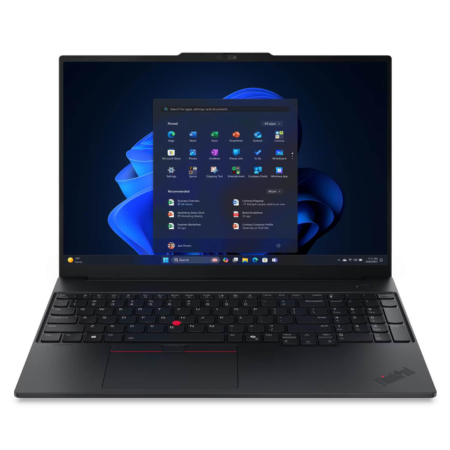 5 configurations
Lenovo ThinkPad E16 Gen 3 (2025)
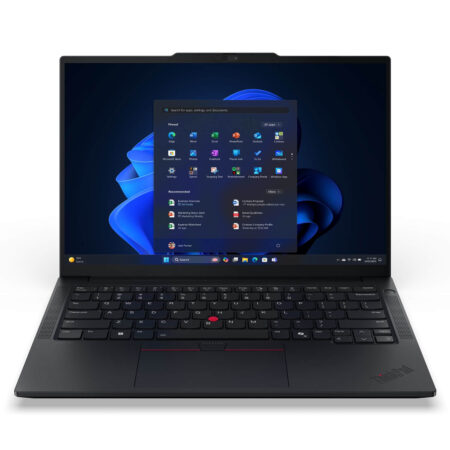 6 configurations
Lenovo ThinkPad E14 Gen 7 (2025)
Lenovo ThinkPad Z16 Gen 1 (2022)





Ngô Ngọc Trâm 11/06/2026
This machine works great, everyone! The typing experience is amazing, and the design looks professional and sturdy. Fast shipping, careful packaging - definitely worth the money.
Bùi Diệu Linh 11/06/2026
The machine runs very smoothly; the new Core Ultra chip makes multitasking a breeze. The keyboard feels great to type on, and the screen is crystal clear. Overall, it's definitely worth your money, everyone!
Ngô Mai Trang 18/05/2026
The machine performs incredibly well; the Ultra chip is powerful and smooth for all tasks. The keyboard feels great to type on, and the design looks very premium. Definitely worth the money.