


Lenovo V14 Gen 4 (2025)
- CPU: Intel Core i5 13420H Up To 4.6GHz (8 Cores, 12 Threads, 12MB Cache)
- RAM: DDR4 16GB 3200MHz
- SSD: 512GB PCIe Gen4 M.2 SSD
- VGA: Intel® UHD Graphics
- DISPLAY: 14" FHD (1920x1080) IPS, 60Hz, Anti-Glare, 45% NTSC, 300nits
- CONDITION: New 100% Full Box
- WARRANTY: 24-month official warranty
- Slim, Modern Design
- Display on the Lenovo V14 Gen 4 (2025)
- Impressive Performance with 13th Gen Intel® Core™
- Keyboard & Touchpad on the Lenovo V14 Gen 4 (2025)
- Loud, Clear, and Vibrant Audio Quality
- Thermals & Battery Life on the Lenovo V14 Gen 4 (2025)
- Ports & Connectivity on the Lenovo V14 Gen 4 (2025)
- Lenovo V14 Gen 4 (2025) Overview & Review
- FAQ - Frequently Asked Questions About the Lenovo V14 Gen 4 (Intel) (2025)
- Where to Buy the Lenovo V14 Gen 4 (Intel) (2025) with Trusted Quality and Great Prices?
In recent years, budget business laptops from Lenovo have become a popular choice for users who need a compact, durable machine that handles everyday office tasks well. Among them, the Lenovo V14 Gen 4 represents a major step forward, featuring substantial improvements in design, performance, and connectivity. With the Lenovo V14 Gen 4 (Intel) (2025) edition, the company has focused on delivering a well-suited device for business professionals, students, and office workers seeking a compact yet capable and versatile laptop. In this article, we examine the machine in detail across design, display, performance, audio, battery life, connectivity, and overall takeaways on the direction of the Lenovo V14 Gen 4 lineup in 2025.
Slim, Modern Design
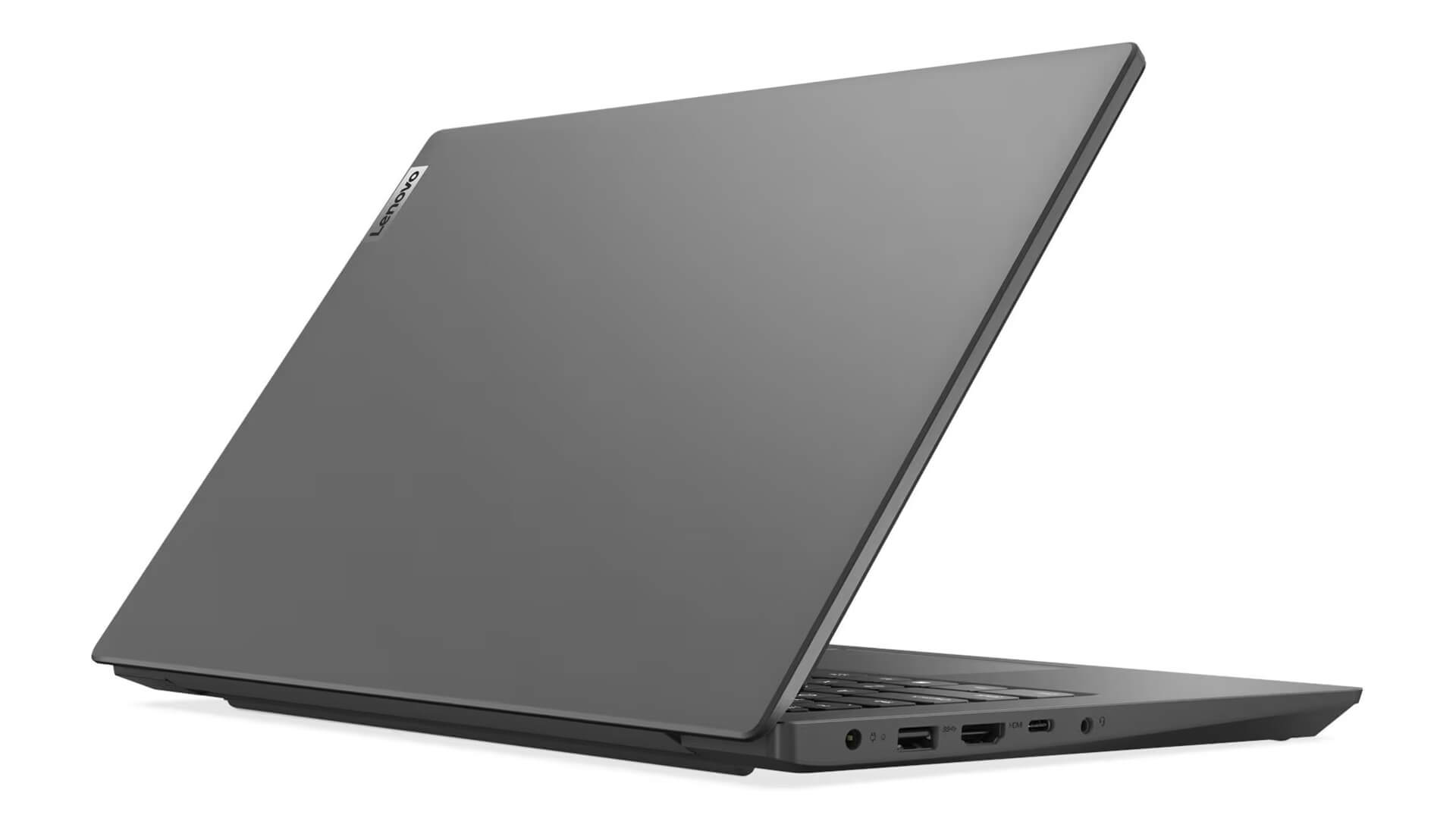
One of the key selling points of the Lenovo V14 Gen 4 is its thin, light, and modern design. Measuring just 324.2 x 215.2 x 19.9 mm with a starting weight from 1.43 kg, this laptop is easy to carry anywhere without feeling cumbersome. It comes in two distinct color options - black with a special texture and gray with a special finish - offering a sleek, professional look that fits a variety of styles.
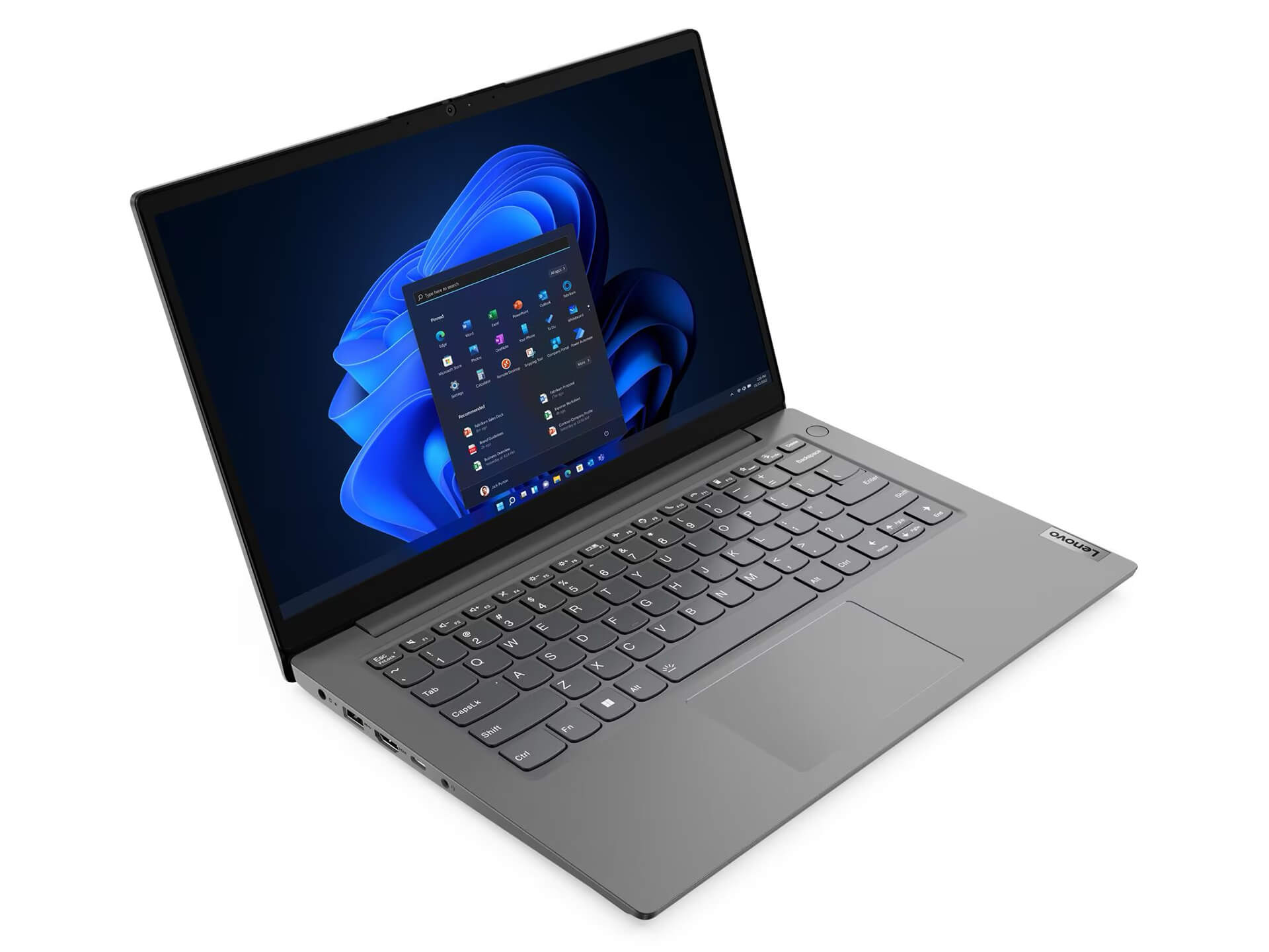
Using PC-ABS material helps keep weight down while giving the chassis a solid, durable feel. Details are carefully finished, especially the IMR (In-Mold Decoration by Roller) coating, which improves color retention, resists scratches, and makes the surface easy to wipe down over long-term use. This design highlights Lenovo's attention to balancing form and function for both office and academic environments.
Display on the Lenovo V14 Gen 4 (2025)
A notable highlight of the Lenovo V14 Gen 4 is its 14-inch Full HD IPS display with a resolution of 1920x1080 pixels. IPS technology delivers crisp visuals, true-to-life colors, and wide viewing angles for a solid viewing experience. In addition, the anti-glare finish and 300 nits of brightness reduce eye strain when working in bright environments or rooms with ample natural light.
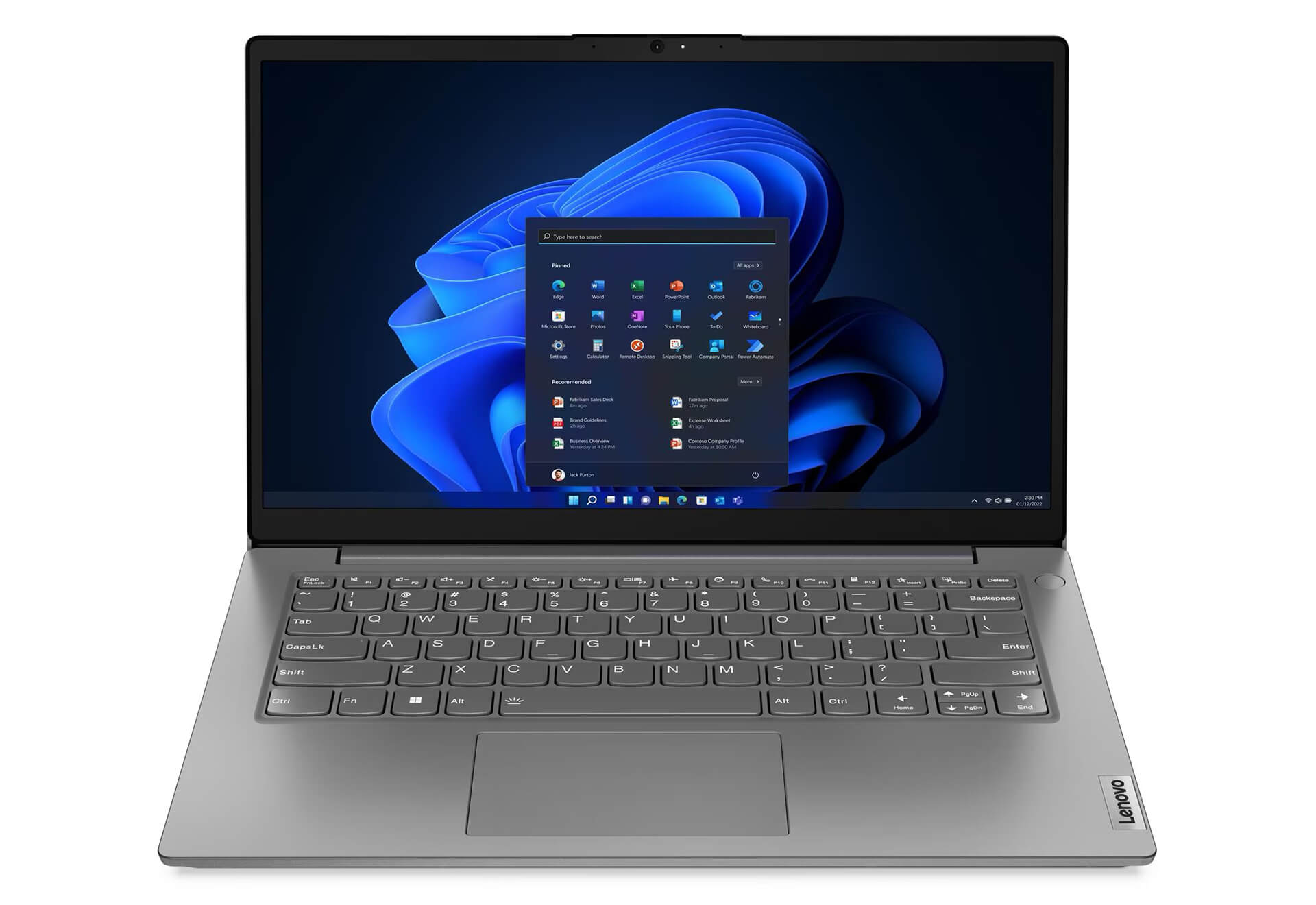
With a screen-to-body ratio of up to 87%, the display offers ample screen real estate for comfortable working and video viewing. Another major advantage is blue light reduction via TÜV Rheinland® Low Blue Light technology, which helps protect eyesight over long hours. These features show that Lenovo prioritized user well-being and visual comfort in the display design of the Lenovo V14 Gen 4 (2025).
Impressive Performance with 13th Gen Intel® Core™
Performance is another strong point for the Lenovo V14 Gen 4, equipped with a 13th Gen Intel® Core™ i5-13420H processor. This recent processor delivers smooth processing power, well suited for office tasks, web browsing, light graphics workloads, and even more demanding software. With these specs, the laptop handles daily work needs reliably, even during multitasking or when running numerous browser tabs at once.
The system also features 8GB of dual-channel DDR4-3200 RAM for smooth operation, with upgrade support up to 16GB for users planning to expand down the road. A 512GB NVMe SSD delivers fast boot times, near-instant application launches, and rapid data transfer speeds. Across demanding everyday work environments, the performance of the Lenovo V14 Gen 4 (2025) holds up reliably.
Keyboard & Touchpad on the Lenovo V14 Gen 4 (2025)
While the keyboard on the Lenovo V14 Gen 4 lacks backlighting, it features a clean, flat layout with sensible key travel for comfortable, accurate typing. Well-spaced keys help minimize typos during data entry, making it well-suited for extended typing sessions. Utilizing a standard English layout, the minimalist design maintains everyday convenience and long-term durability.
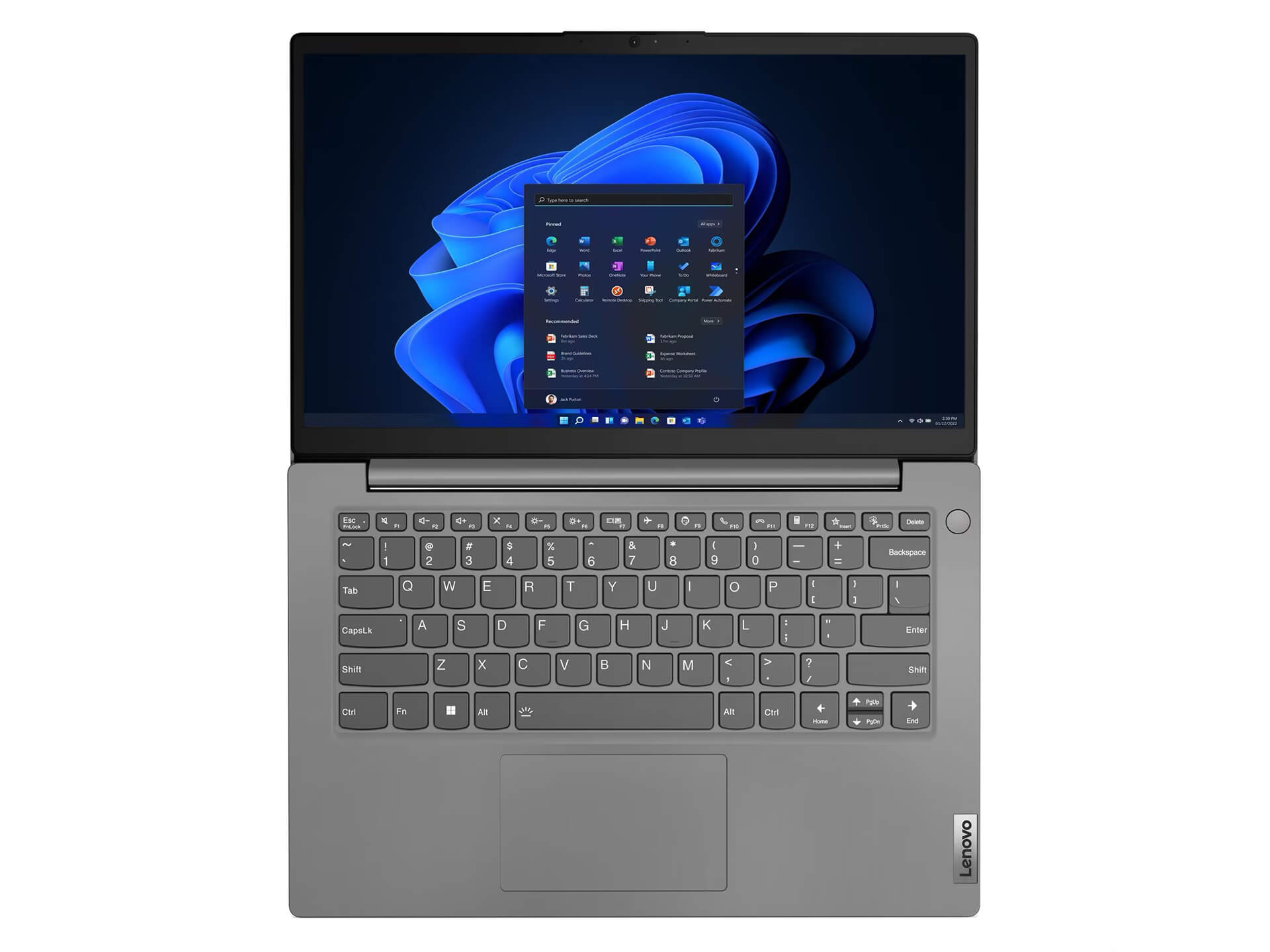
The touchpad on the Lenovo V14 Gen 4 is spacious, supports multi-touch gestures, and utilizes Precision touchpad technology for quick, accurate tracking. Its smooth surface ensures easy navigation without feeling sticky. This responsiveness proves especially practical for dragging, pinch-to-zoom, and multi-finger shortcut gestures while working or editing content.
Loud, Clear, and Vibrant Audio Quality
Audio on the Lenovo V14 Gen 4 is surprisingly capable, powered by dual 1.5W stereo speakers tuned with Dolby Audio™ technology. This software processing clarifies sound output for movies, music, and online meetings. In real-world listening, different audio frequencies remain distinct without echo or distortion, delivering a clear and natural listening experience.
In addition, the array microphone system features noise reduction to keep online calls clear. Remote workers will appreciate how cleanly the laptop handles voice pickup. It is a solid advantage for work, study, and casual entertainment alike, reflecting the user-focused approach behind the Lenovo V14 Gen 4.
Thermals & Battery Life on the Lenovo V14 Gen 4 (2025)
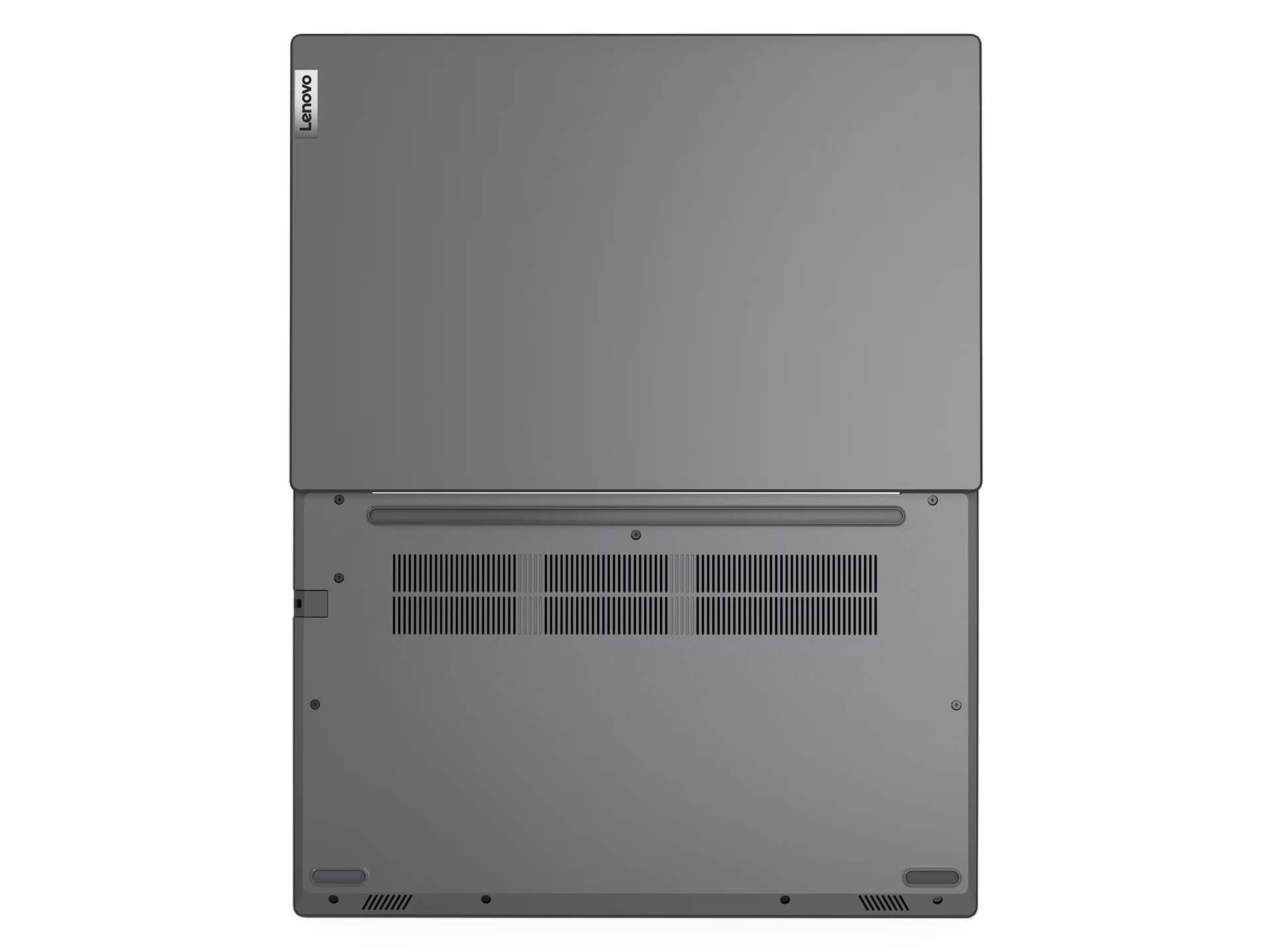
In everyday use, the Lenovo V14 Gen 4 manages thermals well, relying on an optimized cooling design that keeps heat away from the keyboard and core components during multitasking. You can work for extended periods without worrying about overheating or sudden performance drops. The hardware is optimized to keep temperatures consistently stable, protecting component longevity.
For battery life, this laptop comes with a 38Wh battery, providing roughly 6-8 hours of continuous use depending on your workload. That runtime handles work, study, or movie watching without constant recharging worries. Fast charging via the 65W USB-C charger tops the battery back up quickly, ideal when you are on the move and pressed for time.
Ports & Connectivity on the Lenovo V14 Gen 4 (2025)
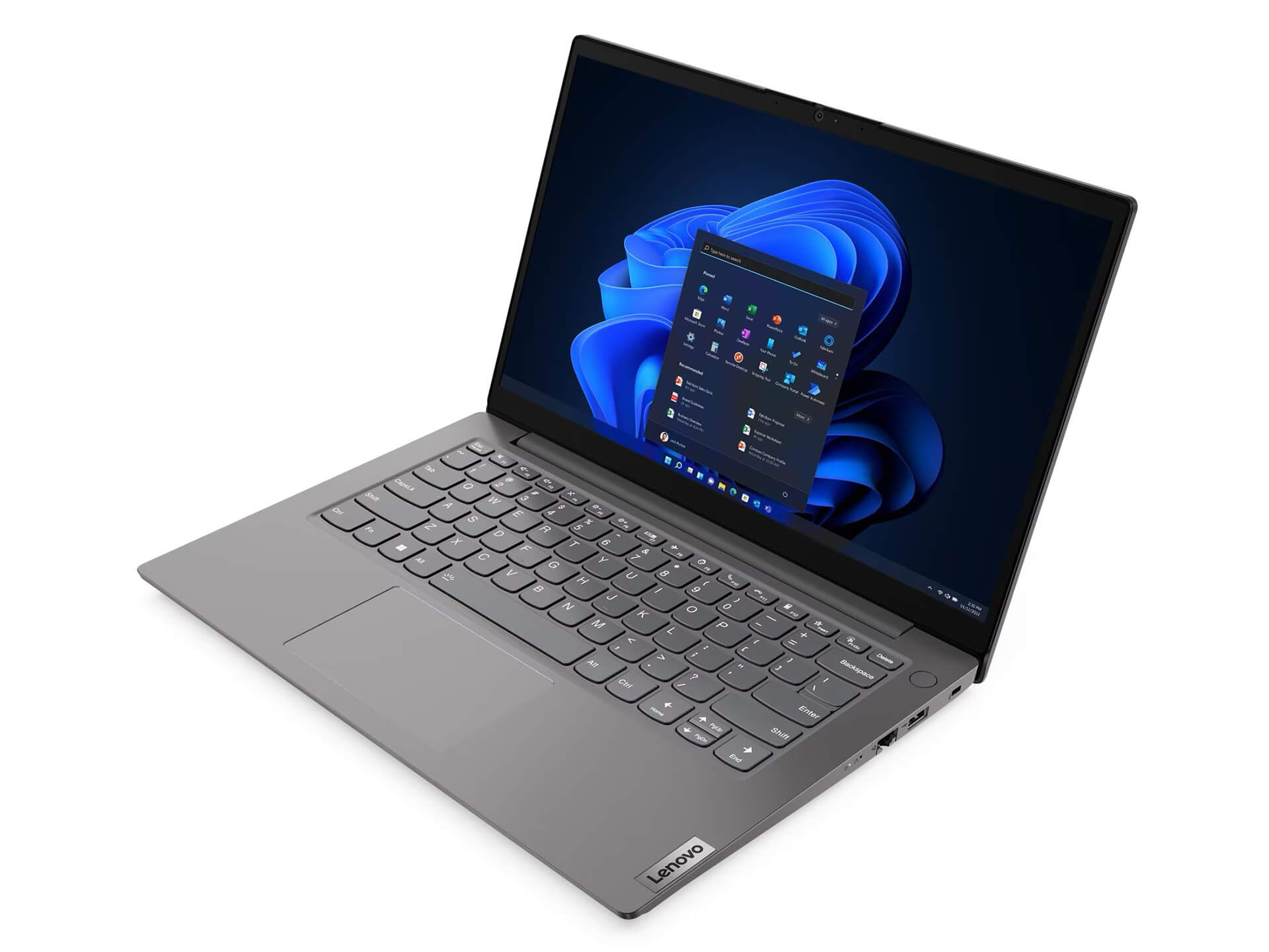
The port selection on the Lenovo V14 Gen 4 is generous, easily accommodating workflows that require multiple peripherals. The laptop features 1 USB 2.0 port, 1 USB 3.2 Gen 1 port, 1 USB-C port supporting data, charging, and DisplayPort, alongside an HDMI 1.4b port for external monitors or projectors. You also get a 3.5mm headphone/mic combo jack, an RJ-45 Ethernet port, and a dedicated charging port, covering all connectivity needs in a modern work setup.
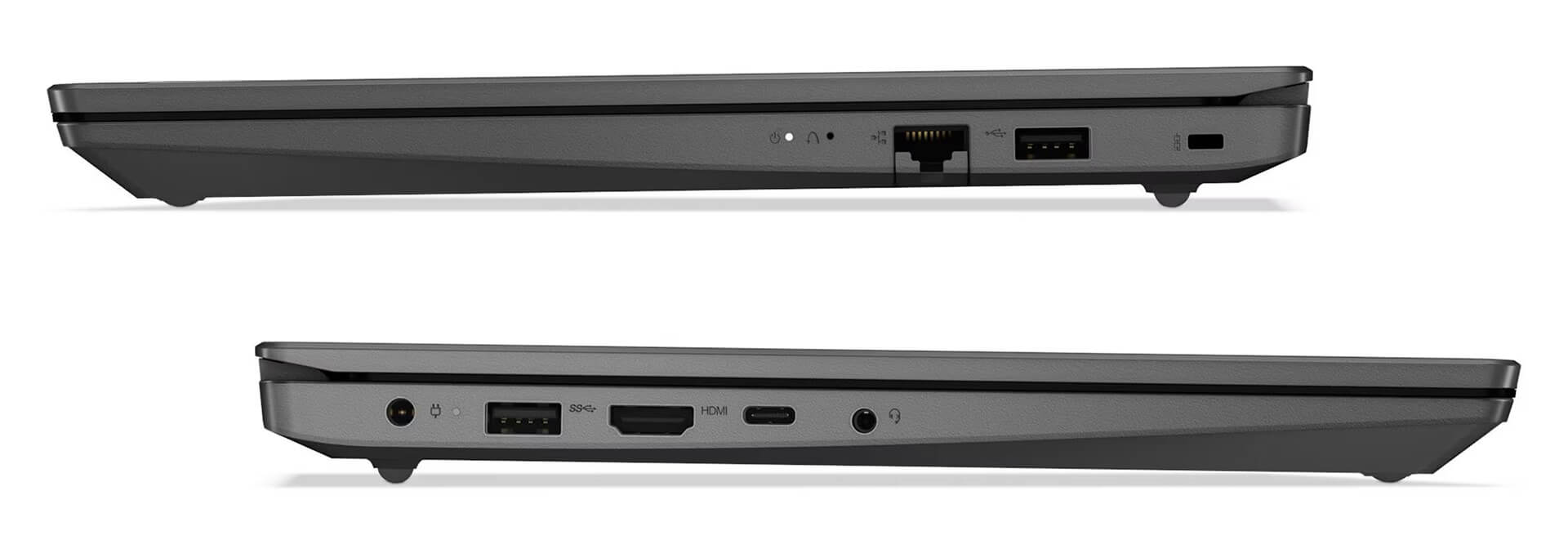
Support for Wi-Fi 6 and Bluetooth 5.2 provides a faster, more stable, and more power-efficient wireless connection. In particular, the multifunctional USB-C port lets you easily hook up peripherals or an expansion dock to boost productivity. These features show that the Lenovo V14 Gen 4 aligns with the minimalist trend while remaining fully optimized for business connectivity.
Lenovo V14 Gen 4 (2025) Overview & Review
In summary, the Lenovo V14 Gen 4 (Intel) (2025) stands out in the budget segment by bringing together a compact design, solid performance, and a versatile feature set. It is a great fit for individuals, small businesses, students, and office workers seeking a portable, durable, easy-to-use device without budget worries. With upgrades across its specs, connectivity, and security, this is a business laptop well worth considering in 2025.
Taken as a whole, the Lenovo V14 Gen 4 (Intel) (2025) is a sensible pick for anyone who values longevity, consistent performance, and a clean, modern design. Get ready to experience it today or check out similar laptops from Lenovo to find the right fit for your work and lifestyle.
| Pros | Cons |
|---|---|
|
|
FAQ - Frequently Asked Questions About the Lenovo V14 Gen 4 (Intel) (2025)
1. Is the Lenovo V14 Gen 4 (2025) suitable for business professionals, students, and office workers?
Yes. The Lenovo V14 Gen 4 (2025) is tailored for office users, students, and business professionals looking for a compact, durable laptop with dependable performance. It handles Word, Excel, Zoom, web browsing, online tasks, and everyday multitasking with ease.
2. What stands out about the design of the Lenovo V14 Gen 4 (2025)?
The laptop features a thin and light profile at roughly 1.43 kg, paired with solid durability from its PC-ABS build and scratch-resistant IMR coating. Its modern styling and two color finishes, Black and Grey, fit right into diverse work and study settings.
3. Is the Lenovo V14 Gen 4 display good enough for studying and office work?
The Lenovo V14 Gen 4 sports a 14-inch Full HD IPS display with wide viewing angles, 300 nits of brightness, and effective anti-glare. TÜV Rheinland Low Blue Light certification helps minimize eye fatigue during extended screen sessions.
4. Is the Intel Core i5-13420H CPU in the Lenovo V14 Gen 4 (2025) powerful?
The Intel Core i5-13420H processor delivers capable performance for its segment. It effortlessly powers standard office workflows, extensive browser tabs, management and accounting software, light photo editing, and moderately demanding applications.
5. Is the Lenovo V14 Gen 4 (2025) well suited for online classes or video conferences?
Yes. The laptop features a built-in webcam, noise-canceling microphone, and Dolby Audio™ speakers to keep virtual calls crisp and clear. Wi-Fi 6 ensures a more stable network connection, making it ideal for remote work and online study.
6. How long does the battery last on the Lenovo V14 Gen 4 (2025)?
Equipped with a 38Wh battery, the laptop runs for approximately 6-8 hours under light workloads. That covers a standard half-day session without having to plug in constantly. Its 65W fast charger quickly replenishes power when you need it.
7. Is the Lenovo V14 Gen 4 easy to upgrade?
The machine supports RAM upgrades up to 16GB DDR4 and accepts a higher-capacity NVMe SSD. While sufficient for standard productivity, this upgrade ceiling may feel restrictive if you plan on expanding further.
8. Does the Lenovo V14 Gen 4 (2025) run hot during heavy use?
Not noticeably. The laptop uses an optimized cooling system that keeps thermals steady through heavy multitasking or continuous operation. The palm rest and keyboard remain cool, preventing discomfort during long sessions.
9. Does the laptop include all essential ports?
Yes. The Lenovo V14 Gen 4 provides USB 2.0, USB 3.2 Gen 1, USB-C (data + DisplayPort + charging), HDMI 1.4b, RJ-45 Ethernet, and a 3.5mm combo audio jack. Wireless connectivity covers Wi-Fi 6 and Bluetooth 5.2.
10. What are the advantages of buying the Lenovo V14 Gen 4 (Intel) (2025) at Hung Phat Laptop?
The Lenovo V14 Gen 4 (Intel) (2025) is a genuine product backed by a 24-month warranty. Customers also receive a 30-day 1-to-1 exchange policy covering manufacturer hardware defects, giving you complete peace of mind.
Browse more models in the Other Lenovo Laptops category. If you are comparing options, also see the Lenovo V15 Gen 4 (2025) and the Lenovo V15 Gen 2 (AMD) (2021).
Where to Buy the Lenovo V14 Gen 4 (Intel) (2025) with Trusted Quality and Great Prices?
If you are looking for a thin and light Lenovo laptop with capable specs and dependable reliability for everyday business tasks, the Lenovo V14 Gen 4 (2025) is an ideal pick. It delivers a well-rounded balance of on-the-go portability, capable performance, and premium security features.
Hung Phat Laptop is a trusted retailer specializing in genuine Lenovo products, complete with clear warranty policies, great prices, and frequent attractive promotions. When purchasing the Lenovo V14 Gen 4 (2025) here, you will enjoy dedicated guidance and full technical support for complete confidence throughout your ownership.
Performance & benchmarks Lenovo V14 Gen 4 (2025)
Intel Core i5-13420H Intel UHD Graphics Xe G4 48EUs - best for Office 8.5/10, Programming 6.5/10.
Intel Core i5-13420H
- Cinebench R23 (multi-core)11,084
- Geekbench 6 (multi-core)8,444
- Geekbench 6 (single-core)2,254
- PassMark16,729
- Cores / Threads8/12
Intel UHD Graphics Xe G4 48EUs iGPU
- 3DMark Time Spy801
- 3DMark Fire Strike2,469
- ArchitectureGen. 11 Ice Lake
Best for
Scored from real benchmarks- Gaming1.5/10
- Video / Graphics3/10
- Programming6.5/10
- Office8.5/10
Why does the CPU matter?
The CPU is the "brain" that handles every task: launching apps, multitasking, compiling code and editing video. The stronger the CPU, the faster and smoother the laptop runs when you juggle many things at once.
- BasicThis product
Web browsing, streaming and light office work.
- MainstreamThis product
Office work, moderate multitasking and studying.
- Mid-rangeThis product
Solid multitasking, programming and light graphics work.
- StrongThis product
Video editing, heavy programming, virtualization and gaming.
- FlagshipThis product
Heavy rendering, 4K/8K editing, virtual machines and AI workloads.
Why does the GPU matter?
The GPU (graphics card) handles visuals: gaming, video editing, 3D rendering and AI acceleration. The stronger the GPU, the higher your frame rates and the faster your video exports.
- Basic (iGPU)This product
Smooth display, 4K video and very light games (League of Legends, Valorant on low).
- MainstreamThis product
1080p eSports gaming, photo editing and light video editing.
- Mid-rangeThis product
1080p gaming on medium-high settings and smooth Full HD video editing.
- StrongThis product
1080p/1440p gaming on high settings, 4K video editing and 3D rendering.
- FlagshipThis product
4K/240Hz gaming, ray tracing, heavy rendering and AI.
Game performance
Real FPS - FHD- Dota 283 fps1080p Low
- CS246 fps1080p Low
- GTA V49 fps1080p Medium
- Star Wars Outlaws3 fps1080p Low
- Cyberpunk 207711 fps1080p Low
≥60fps very smooth30-60fps playable<30fps lower the settings
Local AI performance
Tokens/second running locally on GPU- Gemma 4 E2B IT5.6 GB · ctx 256K6.0 tok/sDecent
- GLM-4 9B5.1 GB · ctx 128K7.0 tok/sDecent
- Gemma 4 E4B4.6 GB · ctx 256K8.0 tok/sDecent
- Ministral 8B4.6 GB · ctx 32K8.0 tok/sDecent
- Qwen 3.5 4B4.6 GB · ctx 32K8.0 tok/sDecent
- DeepSeek R1 Distill 7B4.1 GB · ctx 64K9.0 tok/sRuns well
- Gemma 4 E2B3.1 GB · ctx 256K12 tok/sRuns well
- Qwen 3.5 2B2.5 GB · ctx 32K14 tok/sRuns well
- Phi-4 Mini Reasoning2.4 GB · ctx 16K15 tok/sRuns well
- Llama 3.2 3B2 GB · ctx 128K18 tok/sRuns well
- SmolLM3 3B2 GB · ctx 128K18 tok/sRuns well
- DeepSeek R1 1.5B1.3 GB · ctx 64K28 tok/sRuns great
- Qwen 3.5 0.8B1.3 GB · ctx 32K28 tok/sRuns well
- TinyLlama 1.1B1.1 GB · ctx 2K33 tok/sRuns well
- Llama 3.2 1B1 GB · ctx 128K36 tok/sRuns well
- Gemma 2 9B5.1 GB · ctx 8K7.0 tok/sDecent
- Nemotron Nano 9B v25.1 GB · ctx 128K7.0 tok/sDecent
- Llama 3.1 8B4.6 GB · ctx 128K8.0 tok/sDecent
- Qwen 3 8B4.6 GB · ctx 128K8.0 tok/sDecent
- Mistral 7B v0.34.1 GB · ctx 32K9.0 tok/sRuns well
- Qwen 2.5 7B4.1 GB · ctx 128K9.0 tok/sRuns well
- Qwen 2.5 Coder 7B4.1 GB · ctx 128K9.0 tok/sRuns well
- Qwen 3 4B2.5 GB · ctx 32K14 tok/sRuns well
- Gemma 3 4B2.5 GB · ctx 128K14 tok/sRuns well
- Phi-3.5 Mini2.4 GB · ctx 128K15 tok/sRuns well
- Gemma 2 2B1.5 GB · ctx 8K24 tok/sRuns great
- Qwen 3 1.7B1.4 GB · ctx 32K26 tok/sRuns great
- Qwen 2.5 Coder 1.5B1.3 GB · ctx 32K28 tok/sRuns great
- Qwen 3 0.6B1.1 GB · ctx 32K33 tok/sRuns well
- Gemma 3 1B1 GB · ctx 32K36 tok/sRuns well
GreatWellDecent4-bit quantized, ctx = context window
No comments yet
Q&A about Lenovo V14 Gen 4 (2025)
Frequently asked questions about Lenovo V14 Gen 4 (2025)
What are the specifications of Lenovo V14 Gen 4 (2025)?
What is the warranty for Lenovo V14 Gen 4 (2025)?
Is Lenovo V14 Gen 4 (2025) genuine?
Can I buy Lenovo V14 Gen 4 (2025) with home delivery?
Worth a Look
 2 configurations


Huỳnh Mai Hương 03/06/2026
The machine is very durable and beautiful; the i5 13420H runs smoothly, the battery life is excellent, and the price is great for the specs.
Ngô Ngọc Anh 03/06/2026
The machine runs smoothly, the screen is beautiful, and the battery life is decent. It lacks a backlit keyboard, which makes using it in the dark a bit inconvenient.
Huỳnh Quỳnh Mai 06/05/2026Purchased at Hung Phat
The machine runs very smoothly; the 13th Gen i5 chip is incredibly fast, so you don't have to worry about lag while doing office work. The FHD screen is sharp and easy on the eyes. Highly recommended, everyone!