

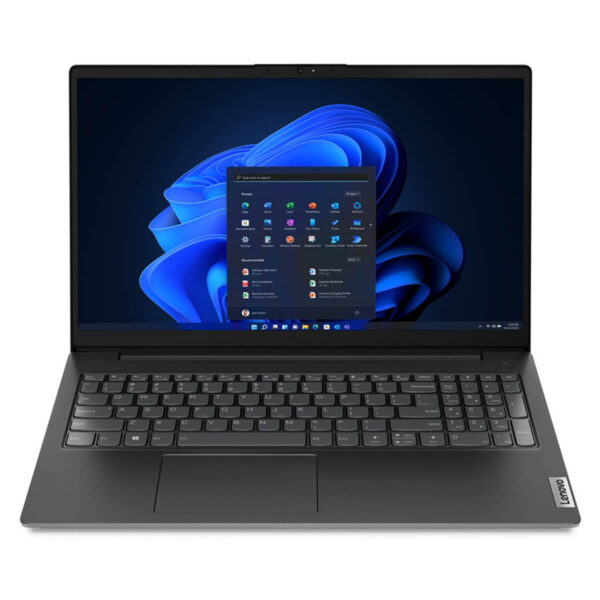
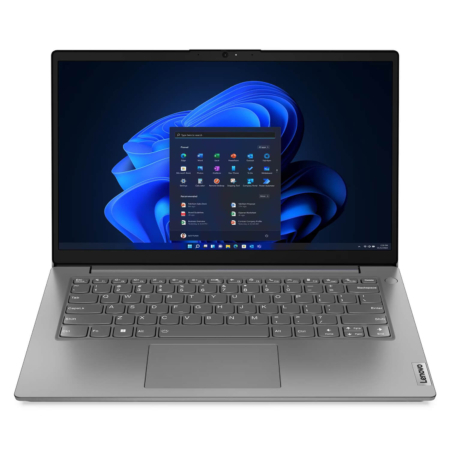
Lenovo V15 Gen 2 (AMD) (2021)
- CPU: AMD Ryzen™ 5 5500U Up To 4.0GHz (6 Cores 11MB Cache)
- RAM: DDR4 8GB 3200MHz
- SSD: 256GB PCIe M.2 SSD
- VGA: Integrated AMD Radeon™ Graphics
- DISPLAY: 14” FHD (1920 x 1080) IPS, Anti-Glare, low power, 400 nits
- CONDITION: New 100% Full Box
- WARRANTY: Bảo hành 12 tháng
Lenovo V15 Gen 2 (AMD) (2021)
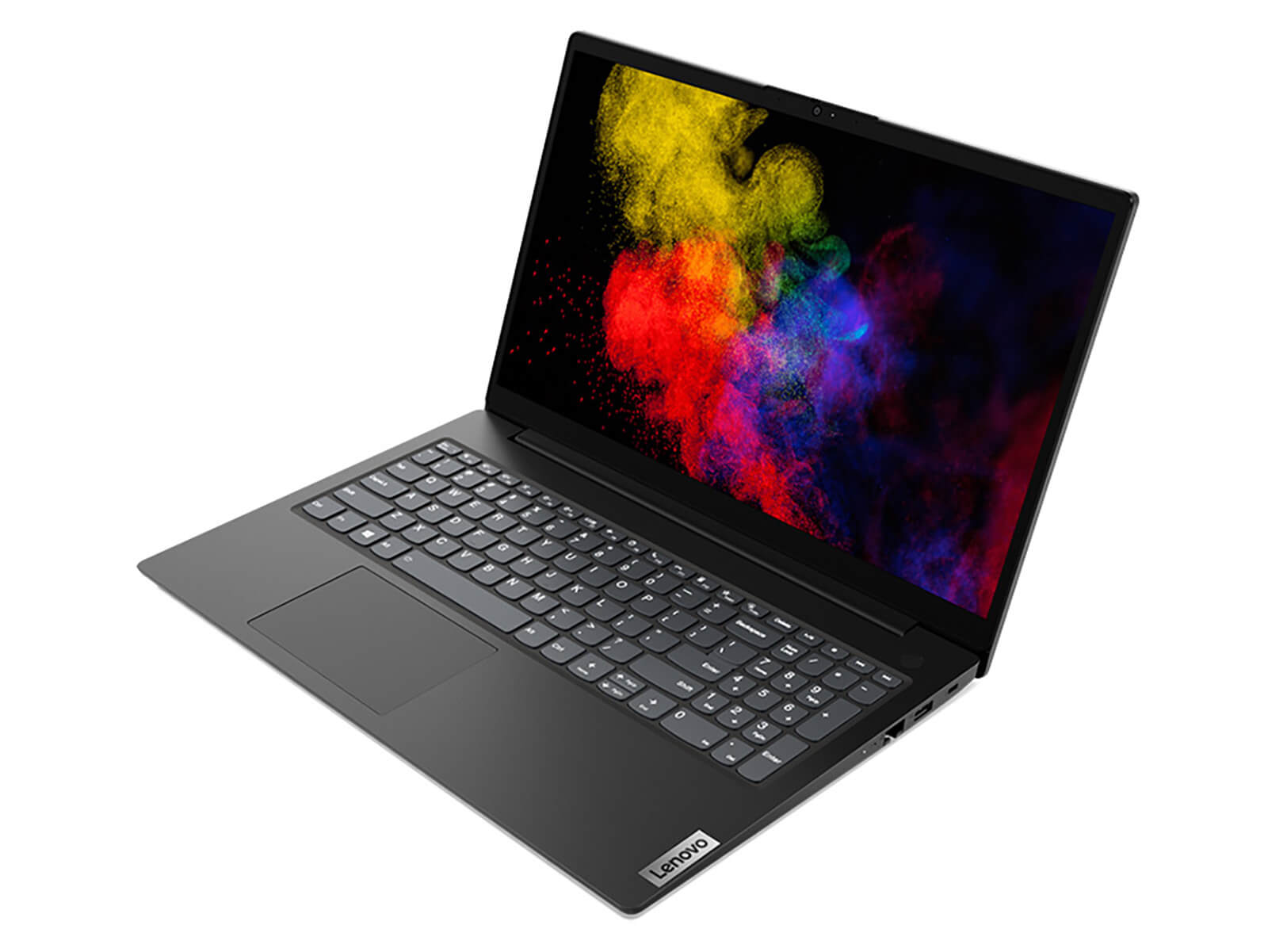
Lenovo V15 Gen 2 features a dominant black design, slim bezels, textured details, and the powerful performance of the AMD Ryzen 5000 Series chipset, making it an excellent choice for study and office tasks for students and professionals alike.
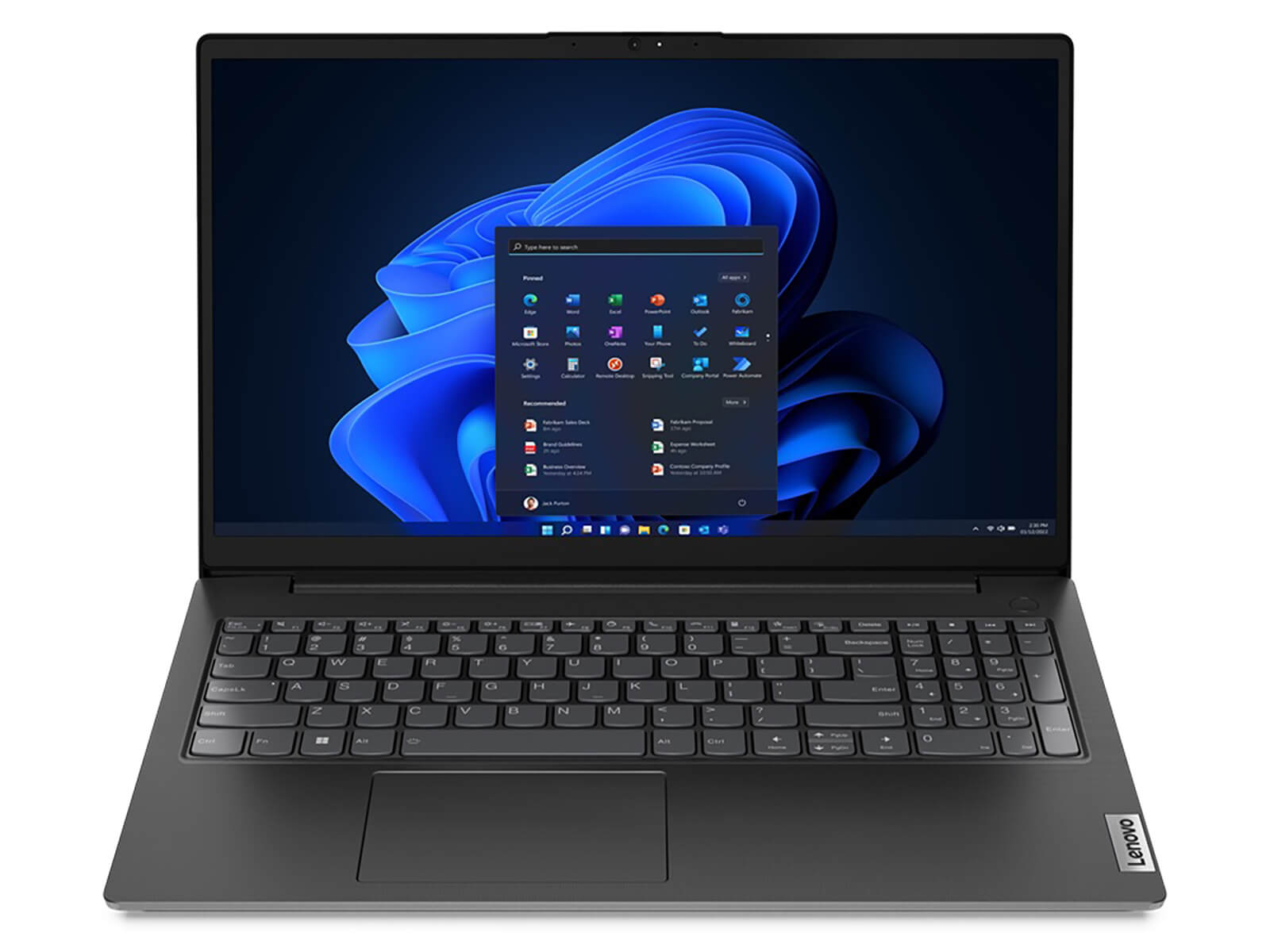
Sturdy, minimalist, yet sophisticated design
My first impression of this machine is its all-black body, except for the Lenovo logo which has a blue background. The grip feels quite good and solid; however, the surface is a bit prone to fingerprints, so I recommend cleaning it regularly to maintain its best appearance.
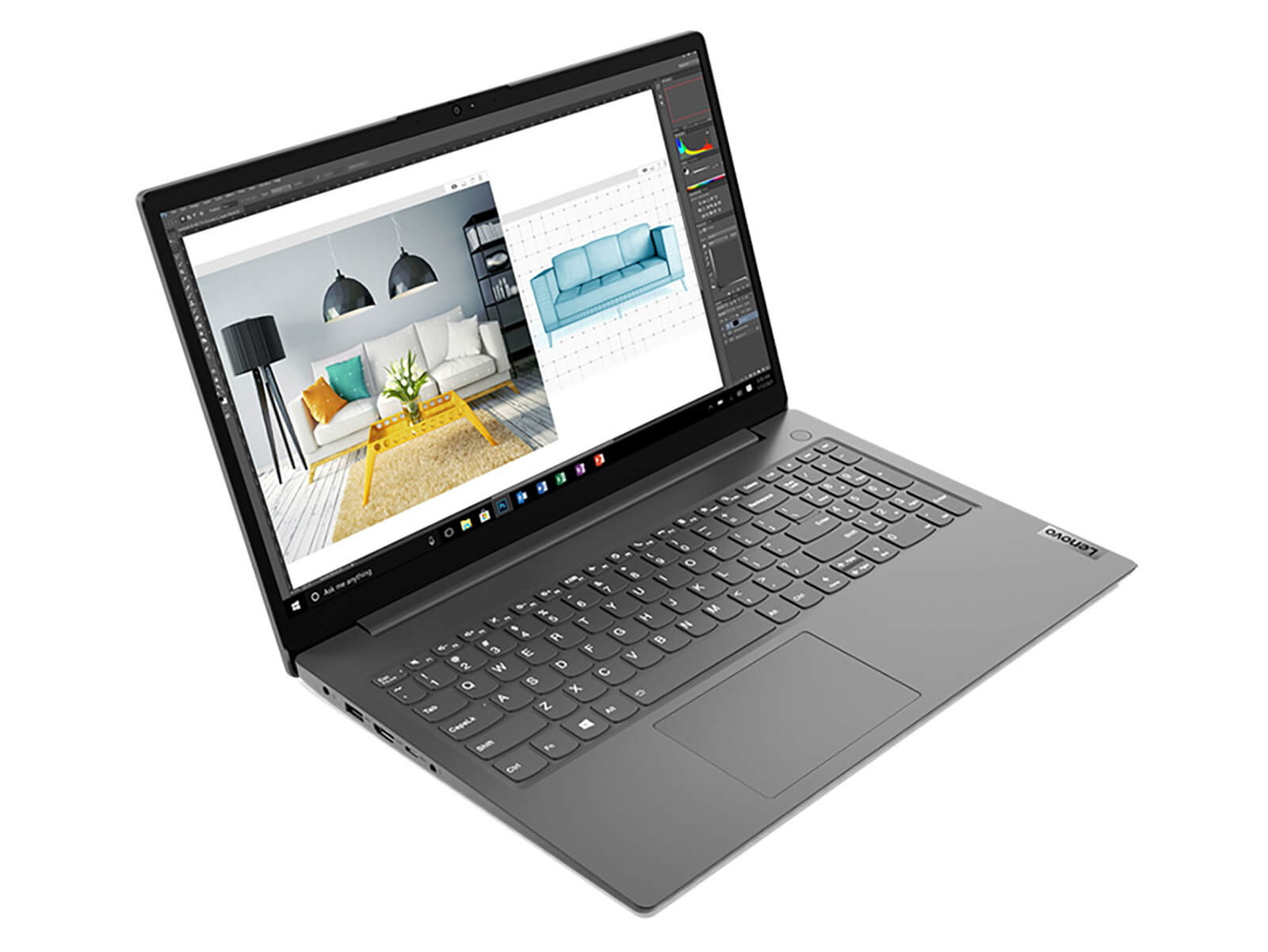
The laptop maintains a square, durable design with appropriately rounded corners, and the Lenovo logo is placed in its familiar vertical position on the right corner. Weighing 1.7 kg with a thickness of 19.9 mm, it creates a sturdy outer shell that I can easily slip into a backpack and carry anywhere-whether to school or a cafe for group study-with great comfort.
The 180-degree hinge facilitates better group study sessions when I want to share information with someone sitting opposite me. However, due to the TN panel, I don't rate this feature very highly as the viewing angles are not fully optimized; you should view the screen from a direct angle to achieve the best display quality.
Stable configuration for smooth workflow
The Lenovo V15 Gen 2 is equipped with an AMD Ryzen 5000 Series CPU and powerful integrated AMD Radeon™ Graphics, ensuring that office tasks on PowerPoint, Excel, etc., or photo editing with Canva, Figma, Photoshop, etc., run as smoothly as possible.
The 8/16GB DDR4 RAM provides good multitasking capabilities, and my usage experience felt very fluid. Even without the charger, while running 10-12 Chrome tabs, playing music, browsing the web, and running Photoshop, the machine remained stable and responded quickly to every click.

The M.2 NVMe SSD provides ample storage space. You can comfortably store Office applications, Adobe, etc., but if you plan to play games, I recommend upgrading the storage since the machine supports an additional SATA HDD slot of up to 1 TB. An advantage of the SSD is the increased data transfer speed, allowing me to boot the machine and launch Photoshop in under 10 seconds.
Sharp display and vivid sound
The Lenovo V15 Gen 2 features a 15.6-inch screen with Full HD resolution (1920 x 1080) and 300 nits of brightness for sharp display quality; however, you may encounter some difficulty using the device in brightly lit environments or open spaces.
Low Blue Light technology helps reduce blue light, combined with Anti-Glare coating, which prevents eye strain after long periods of use. The integrated TN panel provides fast response times and good contrast when viewed from a direct angle.
Using the specialized Spyder 5 Pro software to measure the screen yielded quite impressive results, with the device achieving 62% sRGB, 47% Adobe RGB, and 46% DCI-P3.
The integrated Dolby audio technology provides vivid sound without distortion. While the volume is not exceptionally loud, the sound quality is stable and reproduces audio well, making it suitable for watching movies or listening to music to relax after a tiring workday.
Smooth keyboard and modern security technology
The Lenovo V15 Gen 2 keyboard features a familiar design with deep key travel and accurate typing. It is a bit unfortunate that the machine is not equipped with a backlight, which may cause some difficulty when operating in low-light conditions; I hope that in future versions, the manufacturer will include a backlight to improve the user experience and typing comfort.
Integrated TPM 2.0 technology helps me feel secure knowing that personal data is protected through automatic encryption. The camera privacy shutter not only protects the camera from dust but also secures personal privacy against hackers.
Diverse connectivity
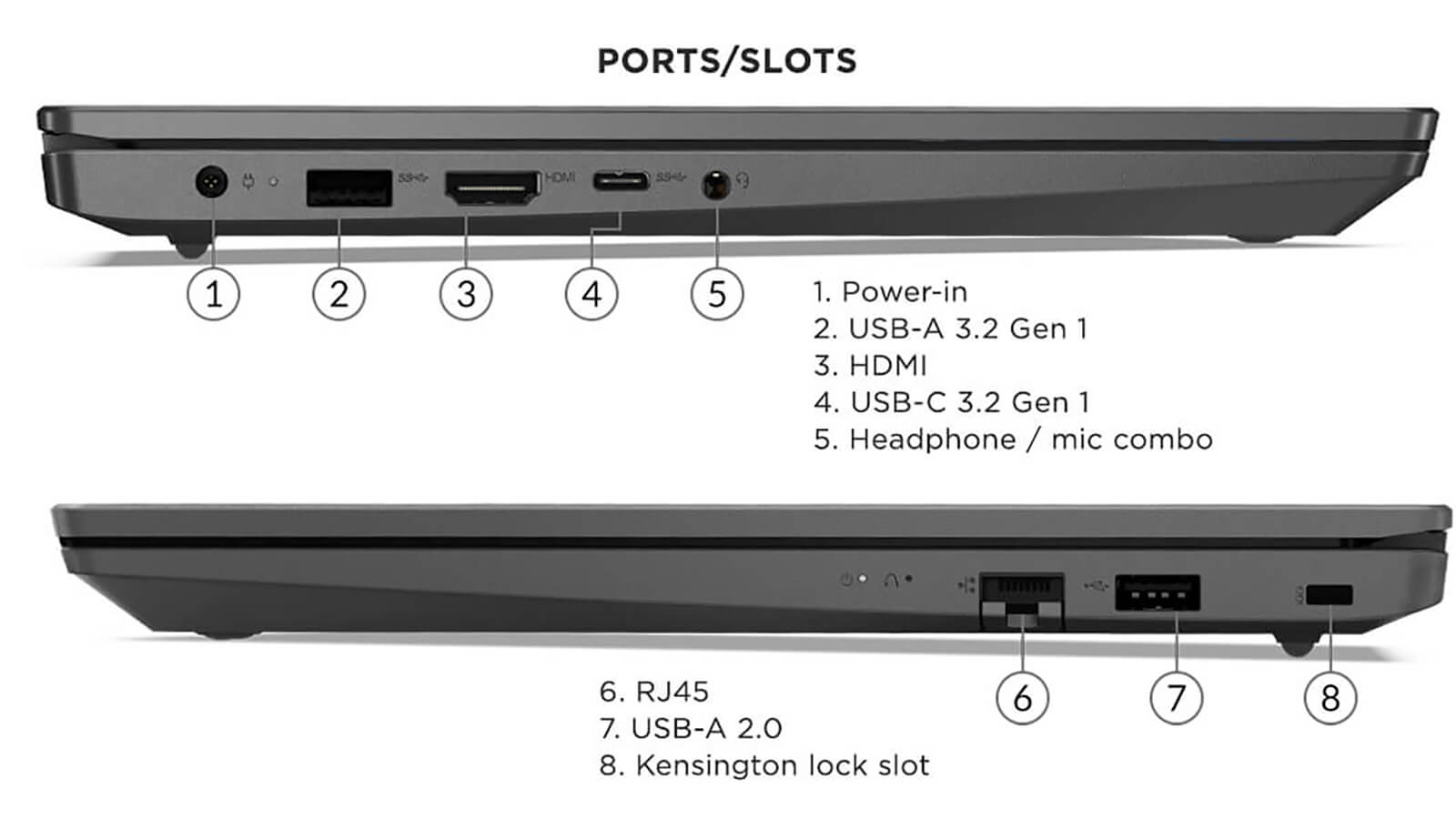
A variety of ports including USB, USB Type-C, HDMI, a headphone jack, and LAN are ready to support you in all necessary tasks, such as presentations or quickly connecting to peripheral devices.
No comments yet
Q&A about Lenovo V15 Gen 2 (AMD) (2021)
Frequently asked questions about Lenovo V15 Gen 2 (AMD) (2021)
What are the specifications of Lenovo V15 Gen 2 (AMD) (2021)?
What is the warranty for Lenovo V15 Gen 2 (AMD) (2021)?
Can I buy Lenovo V15 Gen 2 (AMD) (2021) with home delivery?
Worth a Look
Lenovo ThinkCentre Neo 50a Gen 5 (24" Intel) (2024)
 2 configurations
Lenovo V15 Gen 4 (2025)





Minh Tuấn 03/08/2026
The machine runs very smoothly, perfect for office work and Canva photo editing. It has a sturdy design, making it ideal for students or office workers. Overall, I am very satisfied.
Nguyễn Quốc Huy 15/11/2024Purchased at Hung Phat
Great quality, runs smoothly. I bought these for my company and they are performing excellently. The technical team provided fast software installation support. The staff is very enthusiastic.
Chị Thúy 10/05/2024Purchased at Hung Phat
Product quality exceeds expectations