

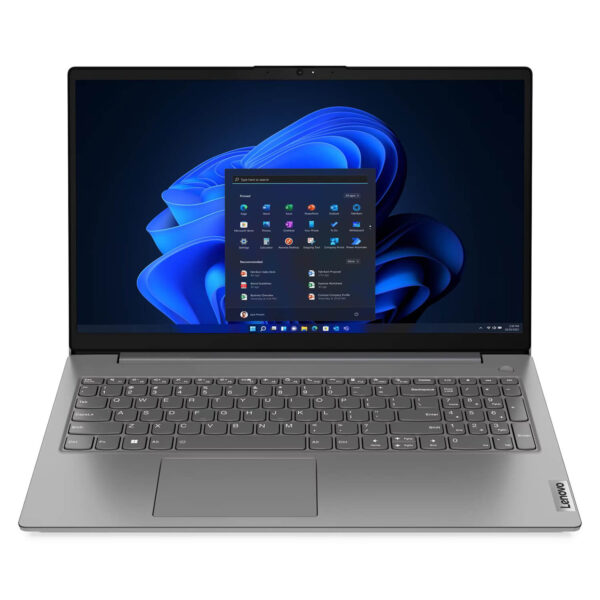
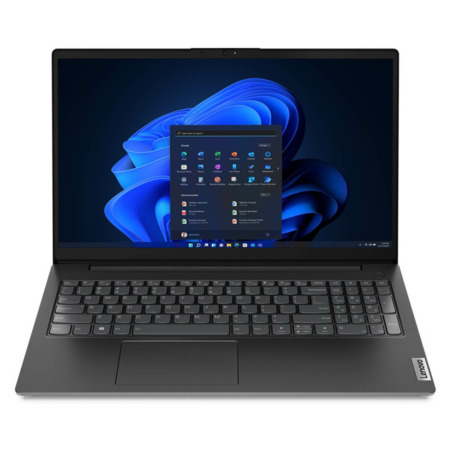
Lenovo V15 Gen 4 (2025)
- CPU: Intel Core i5 13420H Up To 4.6GHz (8 Cores, 12 Threads, 12MB Cache)
- RAM: DDR4 8GB 3200MHz
- SSD: 512GB PCIe Gen4 M.2 SSD
- VGA: Intel® UHD Graphics
- OS: No OS
- DISPLAY: 15.6" FHD (1920x1080) IPS, 60Hz, Anti-Glare, 45% NTSC, 300nits
- CONDITION: New 100% Full Box
- WARRANTY: Bảo hành Chính hãng 24 tháng
- Modern and Sophisticated Design
- Display on Lenovo V15 Gen 4 (2025)
- Superior Performance with Intel® Core™ Gen 13th
- Keyboard and Touchpad of Lenovo V15 Gen 4 (2025)
- Vivid and Clear Audio Quality
- Temperature and Battery Life on Lenovo V15 Gen 4 (2025)
- Slots and Connectivity on Lenovo V15 Gen 4 (2025)
- Overview & Review of Lenovo V15 Gen 4 (Intel) (2025)
- Where to buy the Lenovo V15 Gen 4 (Intel) (2025) with good prices and reputation?
In a diverse laptop market, Lenovo V15 Gen 4 emerges as an attractive choice thanks to its balance of performance, modern design, and reasonable price. The latest version, Lenovo V15 Gen 4 (2025), has been improved in terms of configuration and security features, meeting the needs of business professionals, office workers, and remote learners. This laptop is suitable for general users needing a stable tool and powerful performance in the digital era. This article will comprehensively analyze all aspects of the Lenovo V15 Gen 4 (Intel) (2025), from design, display, performance, audio, battery, to connectivity, to determine its role as a powerful assistant.
Modern and Sophisticated Design
The design of the Lenovo V15 Gen 4 stands out with a harmony between a modern and sophisticated appearance. With a metallic black color scheme, this laptop easily blends into any professional working environment. The chassis is crafted from high-quality PC-ABS, providing a sturdy and durable feel while enhancing impact and shock resistance. In terms of dimensions, the device has a Width of 359.2 mm, Depth of 235.8 mm, and Thickness of 19.9 mm, with a starting weight of only 1.65 kg, allowing users to easily carry it and work flexibly anywhere, anytime.
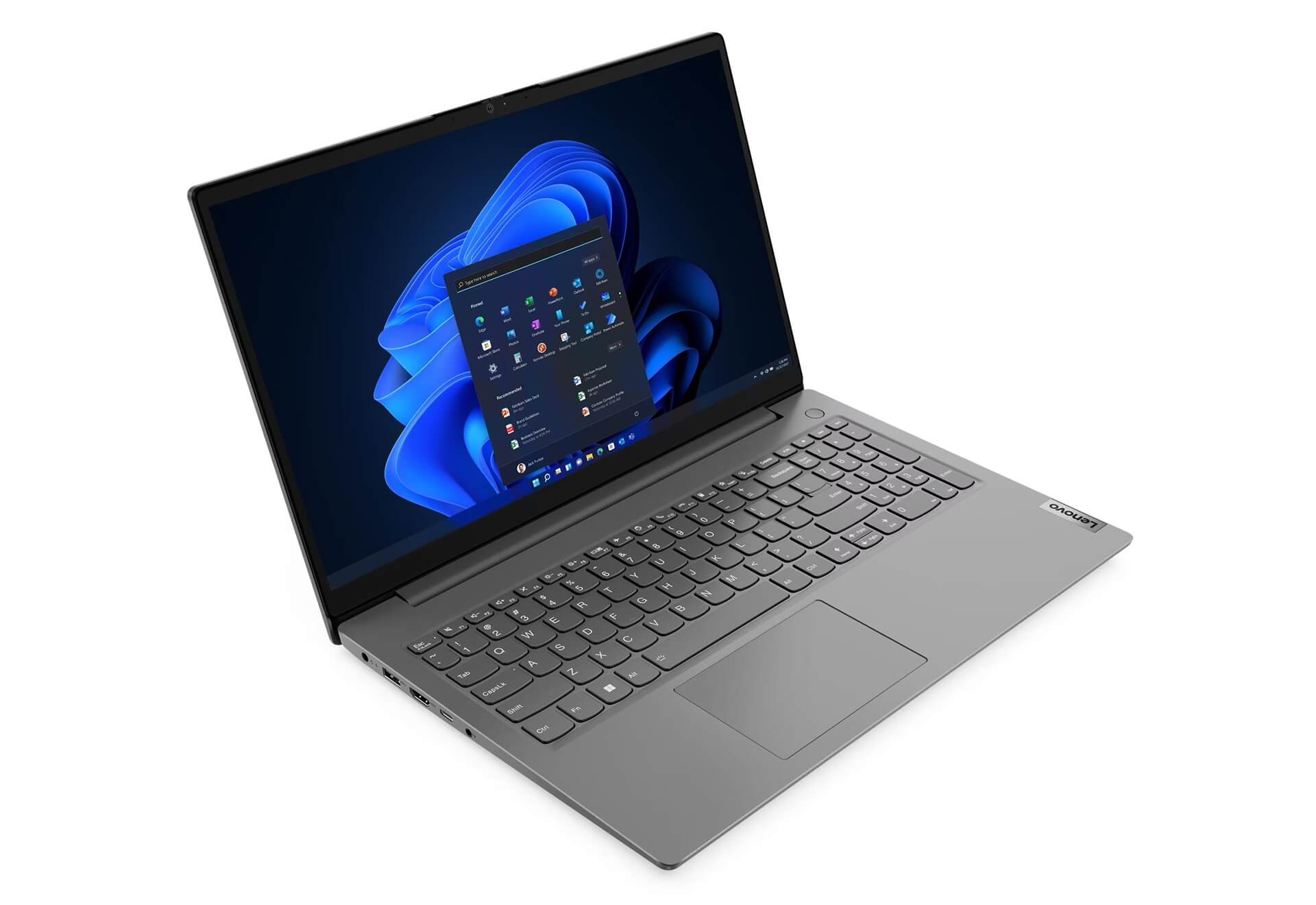
The design of the Lenovo V15 Gen 4 (2025) also focuses on user experience with smooth rounded edges, creating a comfortable feel when held. The keyboard layout is solid with good key travel, supporting fast and accurate typing. Overall, this laptop exudes a minimalist yet professional style. In particular, the meticulously crafted lines enhance its sophisticated beauty, suitable for the modern corporate spirit and users who prefer simplicity combined with elegance.
Display on Lenovo V15 Gen 4 (2025)
The screen is the deciding factor for the daily user experience, and Lenovo V15 Gen 4 (2025) delivers reliable display quality. The device is equipped with a 15.6 inch FHD IPS screen with a resolution of 1920x1080, ensuring clear and realistic images, suitable for both work and entertainment. Notably, the integrated anti-glare (Anti-glare) technology helps users work comfortably outdoors or in bright light conditions without worrying about annoying reflections.
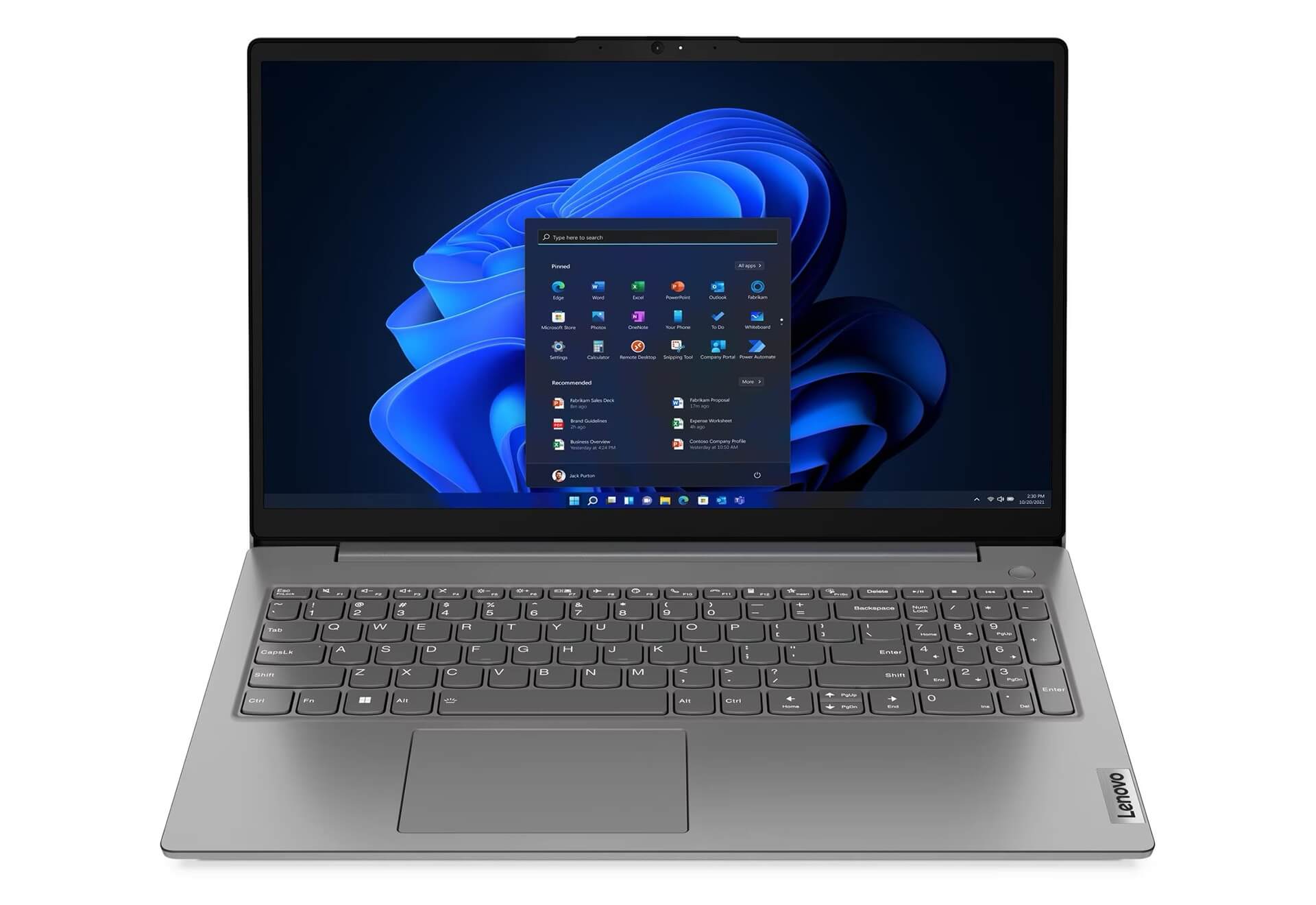
Furthermore, with a screen-to-body ratio of up to 87%, the display space is optimized, minimizing bezels to create a more professional feel when watching movies, playing games, or working. The integrated Low Blue Light technology also helps minimize harmful blue light, making it particularly suitable for those who use a laptop for long periods. Overall, the Lenovo V15 Gen 4 screen is a harmonious combination of image quality and user eye protection.
Superior Performance with Intel® Core™ Gen 13th
Performance is the core strength, affirming the reliability of the Lenovo V15 Gen 4 in the popular laptop segment. The new 2025 version is equipped with the Intel® Core™ i5-13420H 13th Gen processor, featuring 8 cores (4P + 4E) with a maximum speed of up to 4.6GHz. This power ensures smooth and fast processing of multitasking, office software, light graphics, or small data processing projects. The machine fully meets daily work needs as well as the role of an effective study computer.
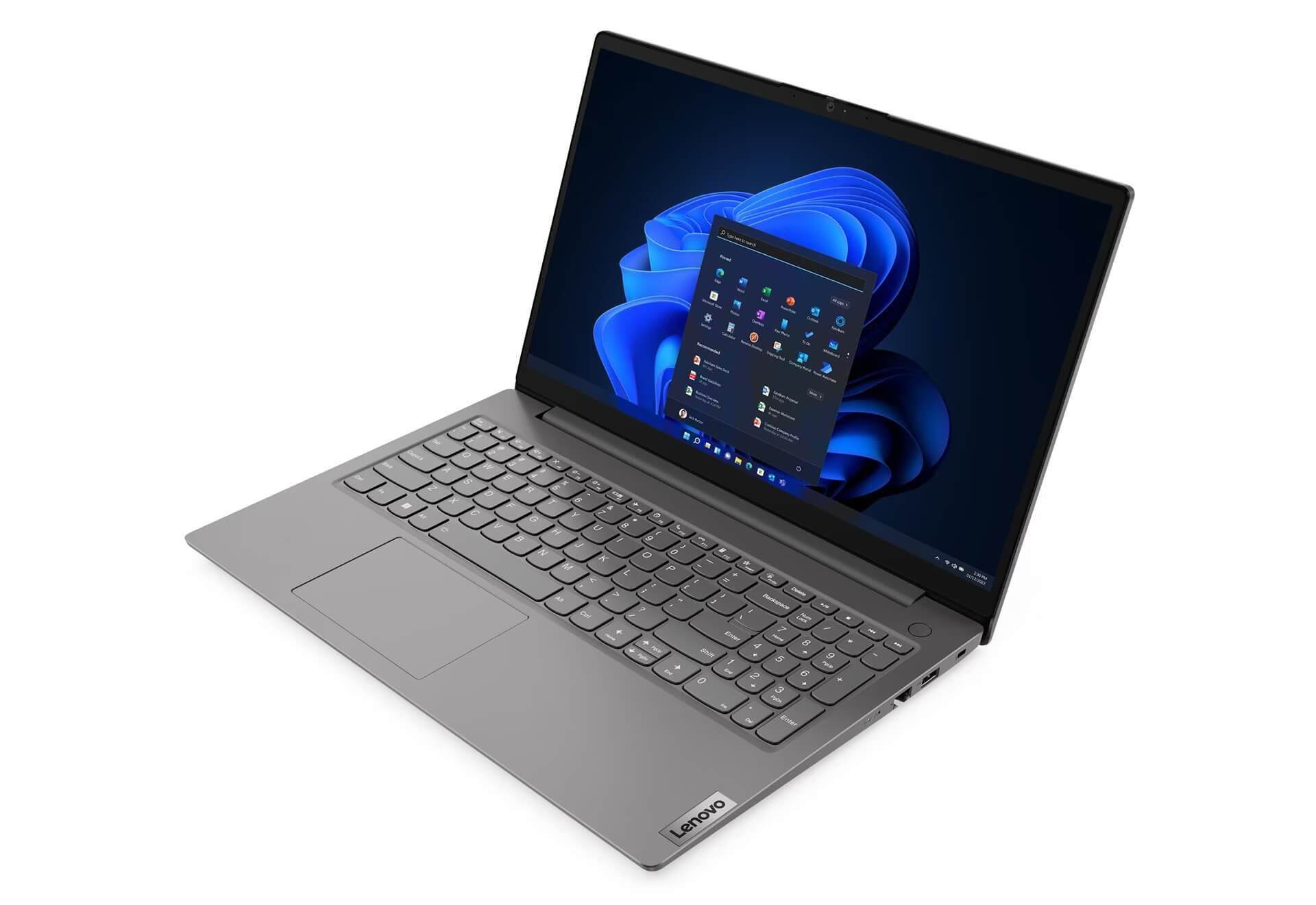
The Lenovo V15 Gen 4 (2025) comes with Intel® UHD Graphics integrated graphics, sufficient for basic photo editing, watching movies, and high-quality video calls thanks to its energy optimization capabilities. The 8GB DDR4 RAM can be upgraded up to 16GB, helping to prevent slowdowns when opening many applications simultaneously. With this flexible and reliable hardware configuration, users can be completely confident in the performance to overcome all work challenges easily and quickly.
Keyboard and Touchpad of Lenovo V15 Gen 4 (2025)
Lenovo V15 Gen 4 focuses not only on hardware but also provides a comfortable and accurate typing experience. The keyboard is designed as non-backlit, with a size and layout that helps prevent accidental keystrokes. The typing feel is smooth, with a non-heavy key mechanism, making it very suitable for long working hours, minimizing wrist fatigue for office users.
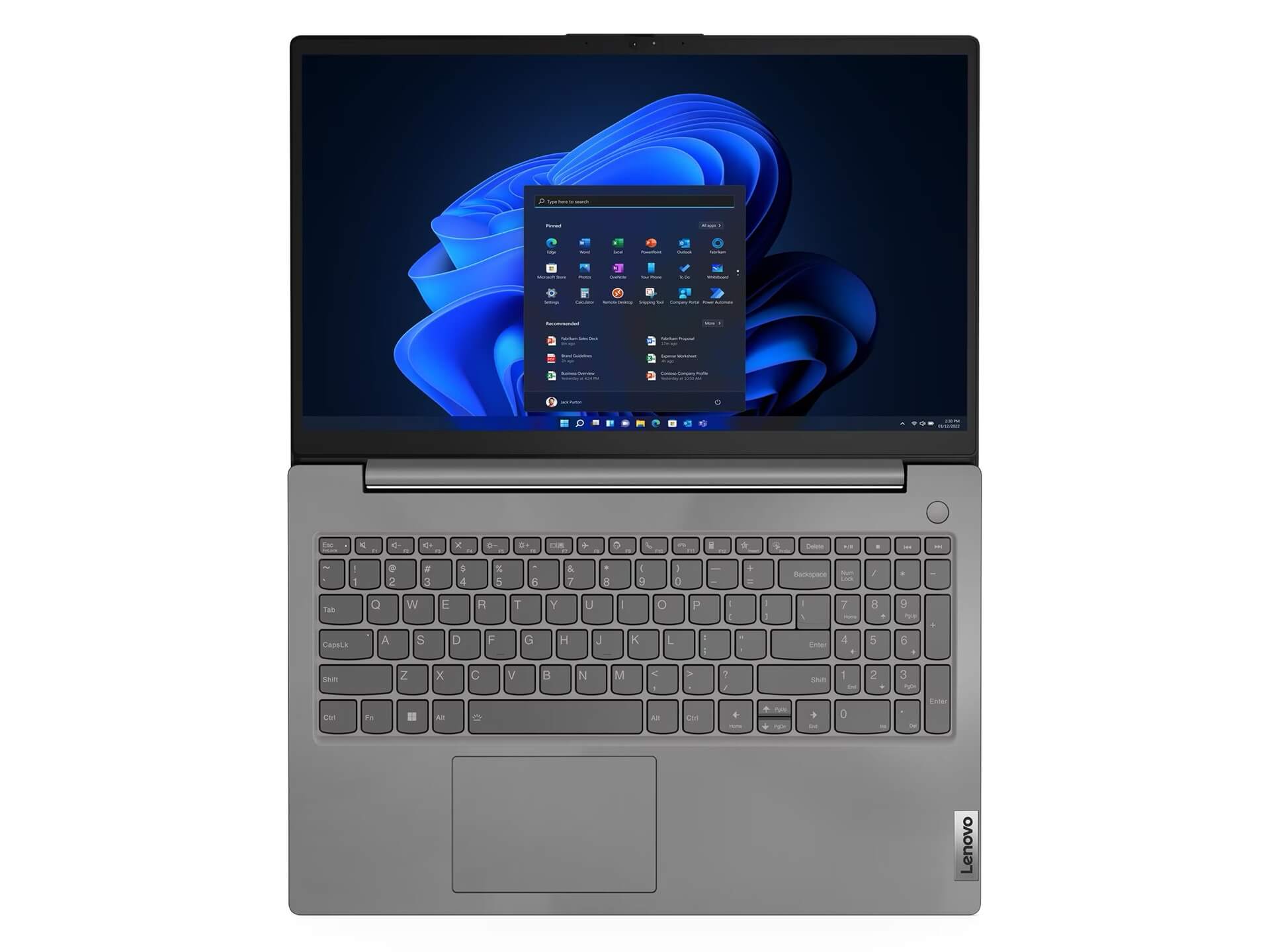
The machine is equipped with a wide Touchpad with dimensions of 62 x 104mm, supporting accurate and responsive multi-touch gestures. The integrated Precision TouchPad technology allows users to operate smoothly, supporting gestures such as zoom, swiping, or switching windows quickly. Although it lacks a backlight, the simple design combined with high precision means the Lenovo V15 Gen 4 (2025) still offers a neat and comfortable input experience, suitable for office or study environments.
Vivid and Clear Audio Quality
The audio system of the Lenovo V15 Gen 4 is equipped with 1.5W stereo speakers combined with Dolby Audio™ technology, bringing a vivid and clear audio experience. Users can easily enjoy music, watch movies, or participate in online meetings without the need for external speakers. The sound quality is stable and free from noise, suitable for entertainment or remote work needs.
A special feature is the dual microphones for clear recording and conversation. In online meetings, the machine's microphones help minimize background noise, improving audio transmission quality. As a result, the Lenovo V15 Gen 4 (2025) not only meets work requirements well but also helps connect and communicate online more effectively, opening up an era of borderless, high-productivity work.
Temperature and Battery Life on Lenovo V15 Gen 4 (2025)
Powerful hardware that still ensures cool operation is a major plus for the Lenovo V15 Gen 4. Lenovo engineers have integrated an effective cooling solution, helping the machine maintain a stable temperature and avoid overheating during continuous work. This not only provides operational stability but also extends the lifespan of components, minimizing the risk of heat-related damage.
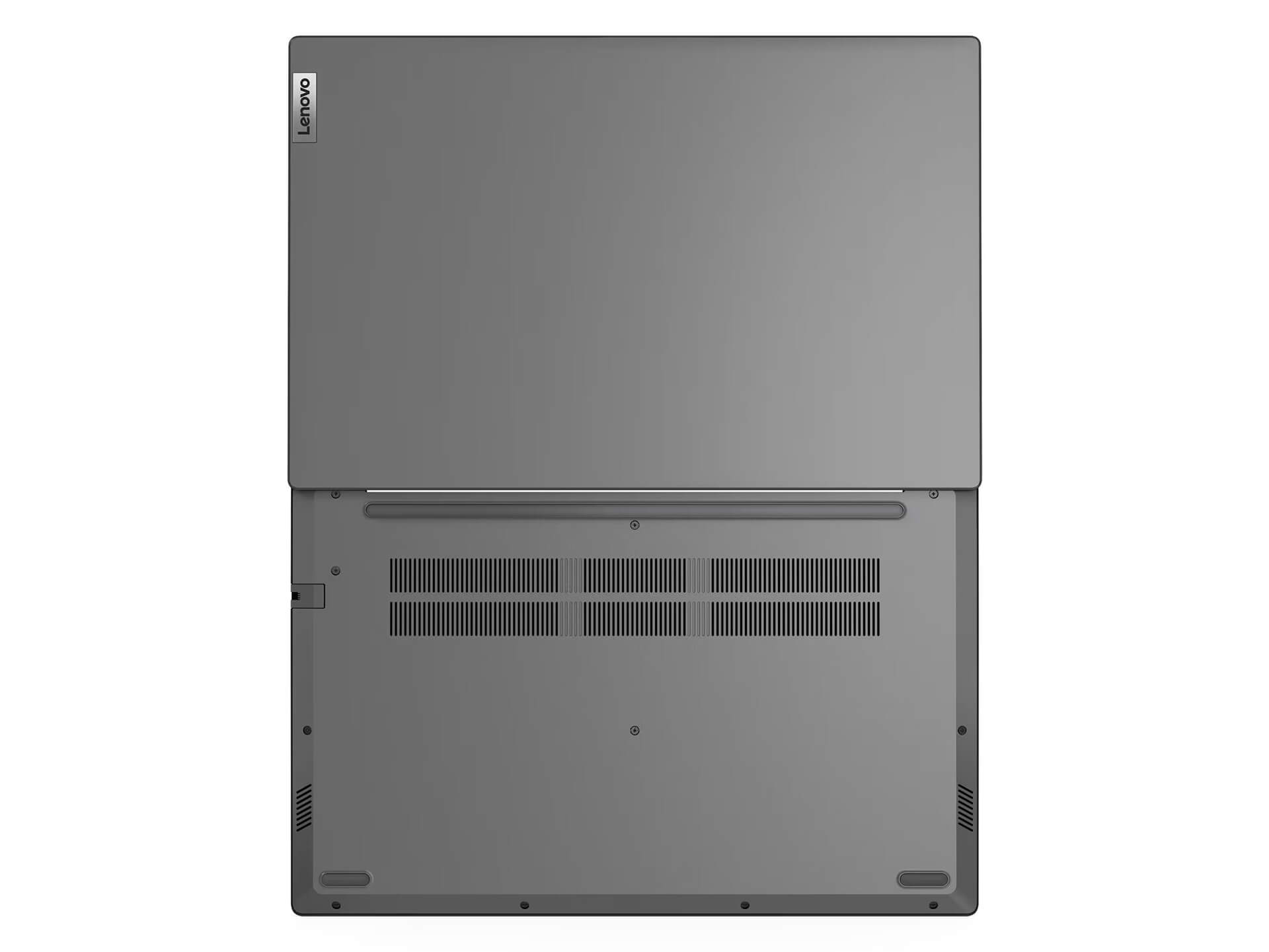
With a 38Wh battery, the Lenovo V15 Gen 4 Intel (2025) can operate continuously for 6-8 hours depending on usage intensity. Energy-saving technology, thanks to the new Intel® hardware and optimized software, helps the machine maintain high performance throughout a long workday. This is an ideal condition for those who travel frequently or require continuous work without always needing to carry a charger.
Slots and Connectivity on Lenovo V15 Gen 4 (2025)
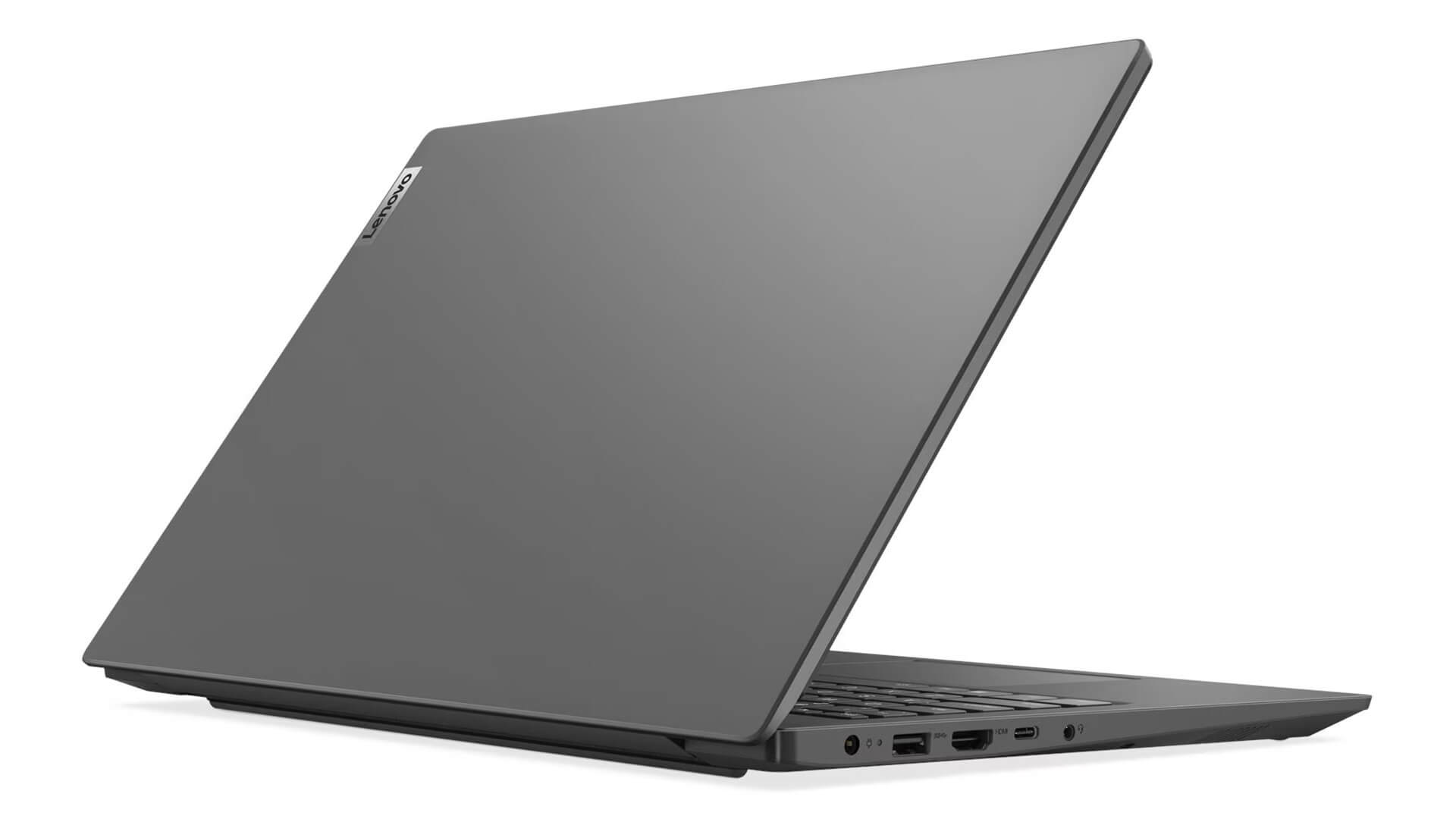
Regarding connectivity, the Lenovo V15 Gen 4 (2025) truly offers convenience by being fully equipped with ports suitable for all work needs. The machine includes USB 2.0, USB 3.2 Gen 1, USB-C supporting data, Power Delivery, and DisplayPort, HDMI 1.4b, and an RJ-45 Ethernet port. It also features a 3.5mm audio combo jack for easy connection of headphones or microphones. Notably, WiFi 6 and Bluetooth 5.2 features ensure fast data transfer speeds and stable connectivity in all environments.
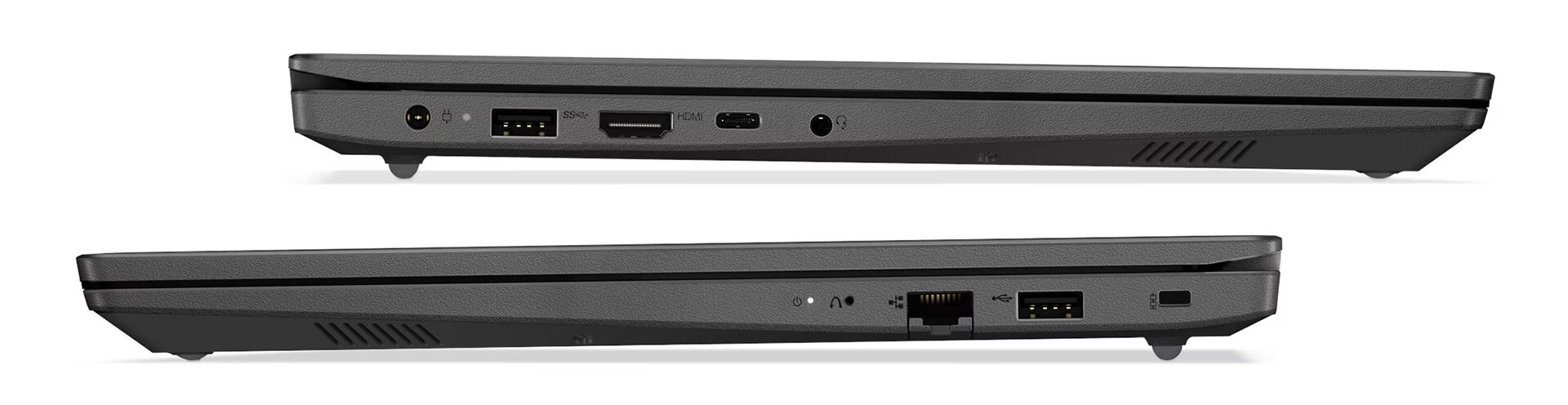
These connectivity ports allow users to easily synchronize data, connect peripherals, and expand work or entertainment capabilities. Additionally, the Lenovo V15 Gen 4 supports various docking solutions via the USB-C port, helping to increase the ability to connect monitors, mice, keyboards, or other peripherals without obstacles.
Overview & Review of Lenovo V15 Gen 4 (Intel) (2025)
After a comprehensive analysis of design, display, performance, audio, battery, and connectivity, the Lenovo V15 Gen 4 (2025) stands out as a reliable laptop, ideal for efficient office needs. With a modern design, powerful configuration from 13th Gen Intel, and secure features, the machine not only serves work well but also meets light entertainment needs, suitable for general users and corporate environments.
Overall, the Lenovo V15 Gen 4 clearly reflects the trend of focusing on minimalism, stable performance, and high security. This product offers a satisfying experience in every aspect: durable design, stable performance, vivid sound, and flexible connectivity. With powerful configuration and advanced features, the Lenovo V15 Gen 4 (2025) is worthy of being a powerful assistant and a laptop worth considering for every dynamic individual seeking convenience and professional style in their daily work.
| Pros | Cons |
|---|---|
|
|
1. Who is the Lenovo V15 Gen 4 (2025) suitable for?
The Lenovo V15 Gen 4 (Intel) (2025) is suitable for students, office workers, small business owners, and general users who need a durable laptop with good performance, a large screen, and a reasonable price.
2. Is the Lenovo V15 Gen 4 durable?
The machine uses a sturdy PC-ABS shell with good impact resistance and high durability. This is a standard material used in Lenovo's mid-range business laptop lines, ensuring safety during daily travel.
3. Is the Lenovo V15 Gen 4 suitable for studying and office work?
Absolutely. With an Intel Core i5-13420H CPU, 8GB RAM (upgradable to 16GB), 512GB SSD, and a 15.6” FHD anti-glare screen, the machine handles Word, Excel, Zoom, Teams, web browsing, online learning, and light multitasking very well.
4. Can the machine run light graphics tasks?
Yes. The Lenovo V15 Gen 4 uses Intel UHD Graphics, which can stably handle basic graphics tasks such as light Photoshop, medium-level Illustrator, or low-resolution photo and video editing.
5. Does the Lenovo V15 Gen 4 have a good screen?
The 15.6-inch FHD IPS, Anti-glare screen with an 87% screen-to-body ratio offers clear colors and includes Low Blue Light technology to protect your eyes. It is suitable for long working hours without causing eye fatigue.
6. Does the machine get hot during work?
No. The Lenovo V15 Gen 4 (2025) has a stable cooling system, ensuring the CPU does not overheat during continuous work, maintaining stable performance in an office environment.
7. How long does the Lenovo V15 Gen 4 battery last?
The machine is equipped with a 38Wh battery providing 6-8 hours of actual usage depending on the task. This is enough to meet a basic work or study session.
8. Is the machine upgradable?
Yes. The Lenovo V15 Gen 4 supports:
- RAM upgrade up to 16GB DDR4
- M.2 NVMe SSD
Helping to increase performance and processing speed when necessary.
9. Does the Lenovo V15 Gen 4 (2025) have full connectivity ports?
It is very well-equipped, including USB 2.0, USB 3.2 Gen 1, USB-C (supporting PD + DisplayPort), HDMI 1.4b, RJ-45, a 3.5mm jack, and Wi-Fi 6 + Bluetooth 5.2. This is a major advantage for office users.
10. Should I buy the Lenovo V15 Gen 4 (2025) at Hung Phat Laptop?
The Lenovo V15 Gen 4 (Intel) (2025) is an authentic product with a 24-month warranty. Additionally, customers are entitled to a 30-day replacement policy for manufacturer hardware defects, ensuring peace of mind during use.
Where to buy the Lenovo V15 Gen 4 (Intel) (2025) with good prices and reputation?
If you are looking for a Lenovo laptop that is thin, light, high-performance, and reliable for professional work, then the Lenovo V15 Gen 4 (2025) is the ideal choice. This product offers a balance between portable design, powerful performance, and high-end security features.
Hung Phat Laptop is a reputable address specializing in distributing authentic Lenovo products, with a clear warranty policy, good prices, and many attractive offers. When purchasing the Lenovo V15 Gen 4 (2025) here, you will receive dedicated consultation and full technical support, ensuring peace of mind throughout your usage.
Performance & benchmarks Lenovo V15 Gen 4 (2025)
Intel Core i5-13420H Intel Iris Xe Graphics G7 80EUs - best for Văn phòng 8/10, Lập trình 6/10.
Intel Core i5-13420H
- Cinebench R23 (đa nhân)11,084
- Geekbench 6 (đa nhân)8,444
- Geekbench 6 (đơn nhân)2,254
- Cores / Threads8/12
Intel Iris Xe Graphics G7 80EUs iGPU
- 3DMark Time Spy1,181
- 3DMark Fire Strike4,048
- ArchitectureGen. 11 Ice Lake
Best for
Scored from real benchmarks- Chơi game2/10
- Dựng phim / Đồ hoạ3/10
- Lập trình6/10
- Văn phòng Recommended8/10
Why CPU matters
CPU là “bộ não” xử lý mọi tác vụ: mở ứng dụng, đa nhiệm, biên dịch, dựng phim. CPU càng mạnh, máy càng nhanh và mượt khi làm nhiều việc cùng lúc.
- Cơ bảnThis product
Lướt web, xem phim, soạn thảo văn phòng nhẹ.
- Phổ thôngThis product
Văn phòng, đa nhiệm vừa, học tập.
- Tầm trungThis product
Đa nhiệm tốt, lập trình, đồ hoạ nhẹ.
- Khá mạnhThis product
Dựng phim, lập trình nặng, ảo hoá, chơi game.
- Cao cấpThis product
Render nặng, biên tập 4K/8K, máy ảo, tác vụ AI.
Why GPU matters
GPU (card đồ hoạ) lo phần hình ảnh: chơi game, dựng video, render 3D và tăng tốc AI. GPU càng mạnh, khung hình game càng cao và xuất video càng nhanh.
- Cơ bản (iGPU)This product
Hiển thị mượt, xem phim 4K, game rất nhẹ (LMHT, Valorant mức thấp).
- Phổ thôngThis product
Game eSports 1080p, chỉnh ảnh, dựng video nhẹ.
- Tầm trungThis product
Game 1080p thiết lập trung-cao, dựng video Full HD ổn.
- Khá mạnhThis product
Game 1080p/1440p thiết lập cao, dựng video 4K, render 3D.
- Cao cấpThis product
Game 4K/240Hz, ray tracing, render & AI nặng.
Game performance
Real FPS - FHD- Dota 243 fps1080p Cao
- CS231 fps1080p Thấp
- GTA V71 fps1080p Trung bình
- CoD: Black Ops 615 fps1080p Thấp
- God of War Ragnarök14 fps1080p Thấp
- Cyberpunk 207715 fps1080p Thấp
🟢 ≥60fps rất mượt · 🟡 30-60fps chơi tốt · 🔴 <30fps cần giảm thiết lập
Local AI performance
Tokens/second running locally on GPU- Gemma 4 E2B IT5.6 GB · ctx 256K6.0 tok/sDecent
- GLM-4 9B5.1 GB · ctx 128K7.0 tok/sDecent
- Gemma 4 E4B4.6 GB · ctx 256K8.0 tok/sDecent
- Ministral 8B4.6 GB · ctx 32K8.0 tok/sDecent
- Qwen 3.5 4B4.6 GB · ctx 32K8.0 tok/sDecent
- DeepSeek R1 Distill 7B4.1 GB · ctx 64K9.0 tok/sRuns well
- Gemma 4 E2B3.1 GB · ctx 256K12 tok/sRuns well
- Qwen 3.5 2B2.5 GB · ctx 32K14 tok/sRuns well
- Phi-4 Mini Reasoning2.4 GB · ctx 16K15 tok/sRuns well
- Llama 3.2 3B2 GB · ctx 128K18 tok/sRuns well
- SmolLM3 3B2 GB · ctx 128K18 tok/sRuns well
- DeepSeek R1 1.5B1.3 GB · ctx 64K28 tok/sRuns great
- Qwen 3.5 0.8B1.3 GB · ctx 32K28 tok/sRuns well
- TinyLlama 1.1B1.1 GB · ctx 2K33 tok/sRuns well
- Llama 3.2 1B1 GB · ctx 128K36 tok/sRuns well
- Gemma 2 9B5.1 GB · ctx 8K7.0 tok/sDecent
- Nemotron Nano 9B v25.1 GB · ctx 128K7.0 tok/sDecent
- Llama 3.1 8B4.6 GB · ctx 128K8.0 tok/sDecent
- Qwen 3 8B4.6 GB · ctx 128K8.0 tok/sDecent
- Mistral 7B v0.34.1 GB · ctx 32K9.0 tok/sRuns well
- Qwen 2.5 7B4.1 GB · ctx 128K9.0 tok/sRuns well
- Qwen 2.5 Coder 7B4.1 GB · ctx 128K9.0 tok/sRuns well
- Qwen 3 4B2.5 GB · ctx 32K14 tok/sRuns well
- Gemma 3 4B2.5 GB · ctx 128K14 tok/sRuns well
- Phi-3.5 Mini2.4 GB · ctx 128K15 tok/sRuns well
- Gemma 2 2B1.5 GB · ctx 8K24 tok/sRuns great
- Qwen 3 1.7B1.4 GB · ctx 32K26 tok/sRuns great
- Qwen 2.5 Coder 1.5B1.3 GB · ctx 32K28 tok/sRuns great
- Qwen 3 0.6B1.1 GB · ctx 32K33 tok/sRuns well
- Gemma 3 1B1 GB · ctx 32K36 tok/sRuns well
🟢 Great · 🟡 Well · 🟠 Decent - 4-bit quantized, ctx = context window
No comments yet
Q&A about Lenovo V15 Gen 4 (2025)
Frequently asked questions about Lenovo V15 Gen 4 (2025)
What are the specifications of Lenovo V15 Gen 4 (2025)?
What is the warranty for Lenovo V15 Gen 4 (2025)?
Is Lenovo V15 Gen 4 (2025) genuine?
Can I buy Lenovo V15 Gen 4 (2025) with home delivery?
Worth a Look
Lenovo ThinkCentre Neo 50a Gen 5 (24" Intel) (2024)
Lenovo V14 Gen 4 (2025)





Minh Hoàng 12/07/2026
The machine runs smoothly and is great for office work, and the screen is beautiful, but it is a bit heavy, making it somewhat inconvenient for me to carry around.
Hải Vy 06/05/2026Purchased at Hung Phat
The machine runs very smoothly; the i5 gen 13 makes office work extremely fast. The FHD screen is sharp and has good anti-glare properties, so it doesn't cause eye strain. Definitely worth your money, everyone!
Thanh Châu 06/05/2026Purchased at Hung Phat
The machine runs very smoothly; the 13th Gen i5 chip is incredibly fast. The screen is sharp and anti-glare, and the laptop is lightweight, making it perfect for carrying around for work.